18 AI Family Look-Alike Prompts for the Viral Mom and Dad Trend (Copy & Paste 2026)

Written by
Aerin Kim
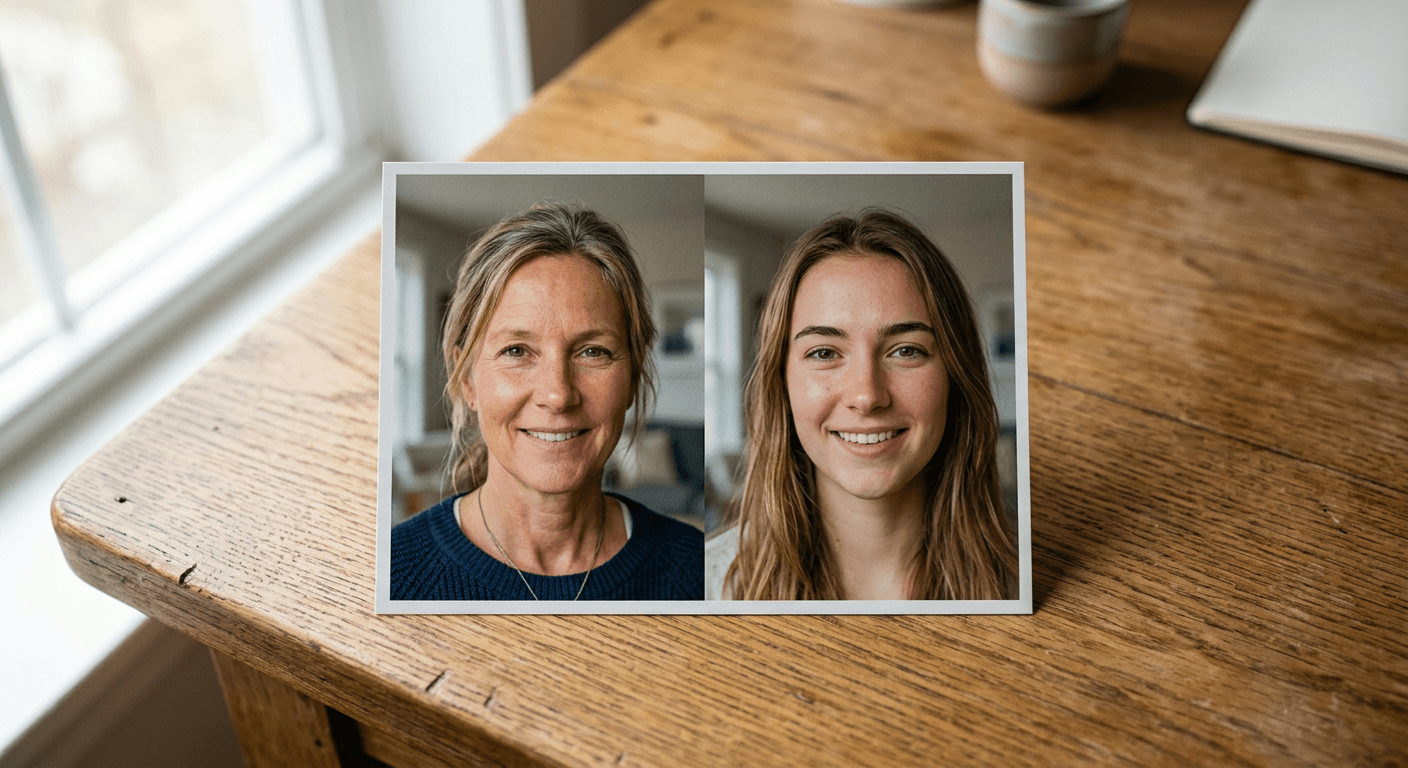
18 copy-paste AI prompts for the viral mom and dad split-face trend, built around real reference-photo blending so both faces stay recognizable instead of invented.
If your feed has turned into a wall of black-and-white portraits where one half of a face belongs to someone in their twenties and the other half belongs to their mother, you have already seen the family resemblance trend. People keep landing in the comments of their own posts stunned, writing some version of "I did not realize how much I look like my dad until I saw this," and then immediately trying to recreate it themselves, usually with a result that looks noticeably off. One side of the face sits in warm afternoon light while the other sits in flat phone-camera light. The seam down the middle is obvious instead of invisible. The two halves are even different sizes, because nobody thought about matching the crop of the two source photos before generating anything.
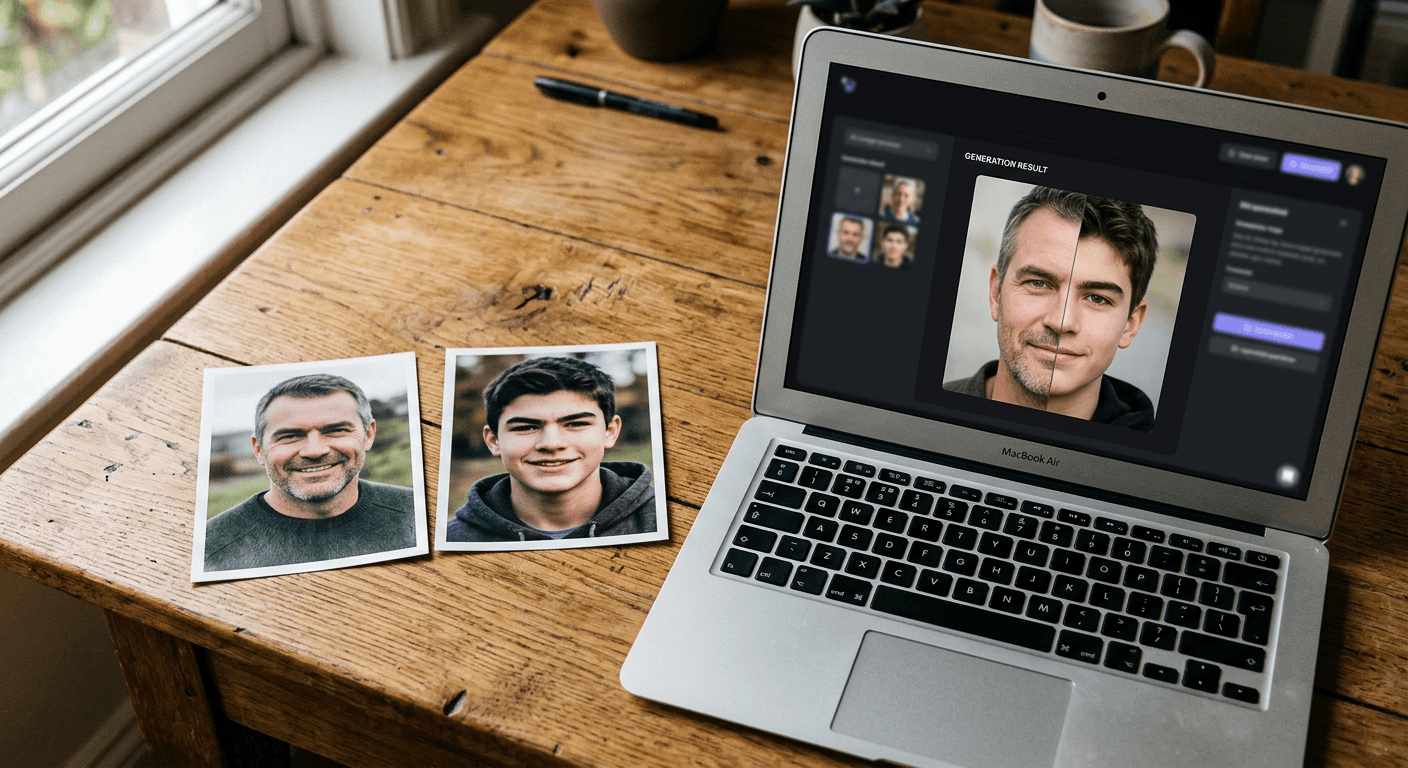
This is not a vague "AI trend is changing everything" story. It is a specific, currently viral format: TikTok's discover pages for "Family Ai Trend," "How to Do The Split Face Trend," and "You Look Like Your Mum Tutorial Chatgpt Prompt" have been actively trending since August and September 2026, alongside a dedicated how-to post breaking down the exact prompt format people are using. The mechanic behind every good version of it is the same: you upload two real reference photos, yourself and a parent, a sibling, or a grandparent, and prompt an image-to-image AI tool to merge them into one consistent split-face portrait, one side of the face from each photo, blended along a visible seam down the middle, with both people still clearly recognizable as themselves.
That last detail, both people still recognizable, is exactly where most attempts fail, and exactly why this post exists. A pure text-to-image prompt with no real photos attached can only guess at what you and your mom actually look like, which produces two generic strangers wearing your names. You need image-to-image generation anchored to two real source photos, not a text description, for the blend to actually mean anything. There is also a second, much smaller trend riding alongside this one worth mentioning briefly for context: a styling challenge where people dress their mom in their own fashion aesthetic for a side-by-side comparison video. That version is a real-clothes styling challenge, not an AI image prompt format, so it will not get its own prompts here. Everything below is built around the split-face blend, since that is the version that actually needs a carefully written AI prompt to pull off well.
Why the Split-Face Blend Works (and Why Most Attempts Don't)
The appeal is almost entirely emotional before it is technical. Seeing your own eyes next to your mother's eyes, your jawline next to your father's jawline, in one unified image rather than two separate photos side by side, triggers a specific kind of recognition that a regular side-by-side comparison does not. The seam forces your brain to compare the two halves as one continuous face instead of two separate images, which is why the detail people react to in the comments is almost always something oddly specific: the exact same smile line, an identical gap between the eyebrows, a nose that looks cut-and-pasted from one photo to the other.
Getting that effect to actually land depends on a mechanic that is easy to describe and surprisingly easy to get wrong. A real split-face blend is not two photos cropped in half and pushed together in a photo editor, even though some of the earliest versions of this trend in 2024 and 2025 were done exactly that way with apps like CapCut. The AI version works differently: you give an image-to-image model two real reference photos as input, and ask it to generate a single new portrait that preserves the identity of both people while treating the seam, the lighting, and the color grading as one coherent photograph rather than a collage. That is a meaningfully harder task than generating a single face from a text description, because the model has to hold two separate identities steady at once and make them look like they were lit by the same light source and shot on the same camera.
This is also exactly why a pure text-to-image prompt underperforms here, even a very detailed one. If you type out a long description of what you and your mother look like and ask a model to imagine a split-face portrait of "a woman in her twenties and her mother," you get two invented faces that happen to share some vague resemblance, not an actual portrait of your actual family. The entire point of the trend, the uncanny specific overlap in a real nose or a real smile, only shows up when the model has two real photos to pull from. Miraflow's AI Image Generator supports image-to-image generation starting from real reference photos, which is the part that makes this trend actually work instead of producing two generic strangers standing where you and your parent should be.
The Anatomy of a Prompt That Actually Blends Two Real Faces
Every prompt in this post is built from the same five ingredients, in roughly this order of importance, and understanding why each one matters will let you adapt any of the 18 below instead of treating them as rigid templates.
An explicit instruction to use both uploaded reference photos, not one. The single most common mistake in a weak split-face prompt is describing the two people in words ("a mother and her adult daughter") instead of telling the model directly that it has two real photos to work from. Every prompt below opens with language like "using the two photos I upload as references," because that phrase is doing the actual heavy lifting of anchoring the output to real faces.
A clearly described split orientation and seam. "Vertical split-face portrait, seam running straight down the center of the face" is specific enough that the model knows exactly where the two halves meet, instead of producing an uneven, blended-everywhere mess or an oddly diagonal division that looks like a mistake rather than a deliberate format.
A single, unified lighting and color treatment applied across both halves. This is the detail that separates a convincing blend from an obviously stitched one. Saying "consistent soft lighting and matching color grading across both halves, as if both were lit by the same light source" forces the model to treat the final image as one photograph rather than two photographs glued together, which is the single biggest visual tell in a bad attempt.
An explicit identity-preservation instruction for both people, not just one. "Preserve the exact facial structure, proportions, and real features of both people from their reference photos, no inventing new features for either side" keeps the model from smoothing one or both faces into a generic, slightly-off version of themselves, the same failure mode covered in more depth in the guide to making AI images look like real photos rather than obviously synthetic ones.
A specific format and aspect ratio matched to where the image will actually be posted. A square crop behaves differently than a tall vertical one once a face gets split down the middle, since a narrower frame pushes both halves closer together and can distort proportions if the prompt does not account for it.
Every prompt below follows that same five-part structure. Swap the pairing, the color treatment, or the platform format freely, the framework underneath is what actually makes the blend convincing.
18 AI Family Look-Alike Prompts to Copy and Paste
These are grouped into five categories: the original viral split-face formats, different family pairings, artistic treatments, practical close-up and collage variations, and platform-specific formats. Each one is a full, descriptive paragraph meant to be copied exactly as written into the AI Image Generator on Miraflow, then adjusted for your own reference photos.
1) The Original Viral Split-Face Formats
These three cover the actual format people are recreating on TikTok right now, the classic black-and-white version, a color variation, and a side-by-side version for anyone who wants the comparison without an actual blended seam.
Prompt 1: Classic Black-and-White Split-Face Portrait
Using the two photos I upload as references, create a black-and-white vertical split-face portrait. The left half of the face should be the person from the first reference photo, the right half should be the person from the second reference photo, blended together at a seam running straight down the center of the face. Preserve the exact facial structure, proportions, and real features of both people, no inventing new features for either side. Apply a single, unified classic film black-and-white grading across the entire image with soft, even studio-style lighting matching on both halves, so it reads as one photograph rather than two combined images. Head-and-shoulders crop, both people facing directly forward, neutral plain background, natural skin texture on both sides, no visible seam artifacts or color mismatch between the two halves.
Prompt 2: Color Split-Face Portrait
Using the two photos I upload as references, create a full-color vertical split-face portrait with a seam running down the center of the face, the left half from the first reference photo and the right half from the second. Preserve the real facial structure and natural skin tones of both people exactly as shown in their reference photos. Apply warm, soft natural light consistently across both halves so the color temperature and shadow direction match on each side, avoiding any visible difference in brightness or warmth between the two halves. Simple neutral background, head-and-shoulders crop, both people looking directly at the camera with a relaxed natural expression, no plastic or over-smoothed skin on either side.
Prompt 3: Side-by-Side Comparison Portrait (No Blended Seam)
Using the two photos I upload as references, create a clean side-by-side comparison portrait, not a blended split-face, with the first reference photo's subject on the left and the second reference photo's subject on the right, separated by a thin simple vertical divider line rather than a merged seam. Preserve the exact facial features, proportions, and expressions of both people from their original photos. Match the lighting, color grading, and crop size exactly between the two sides so neither photo looks brighter, warmer, or more zoomed in than the other. Plain matching neutral background behind both subjects, both cropped identically to head-and-shoulders, natural skin texture preserved on both sides.
2) Different Family Pairings
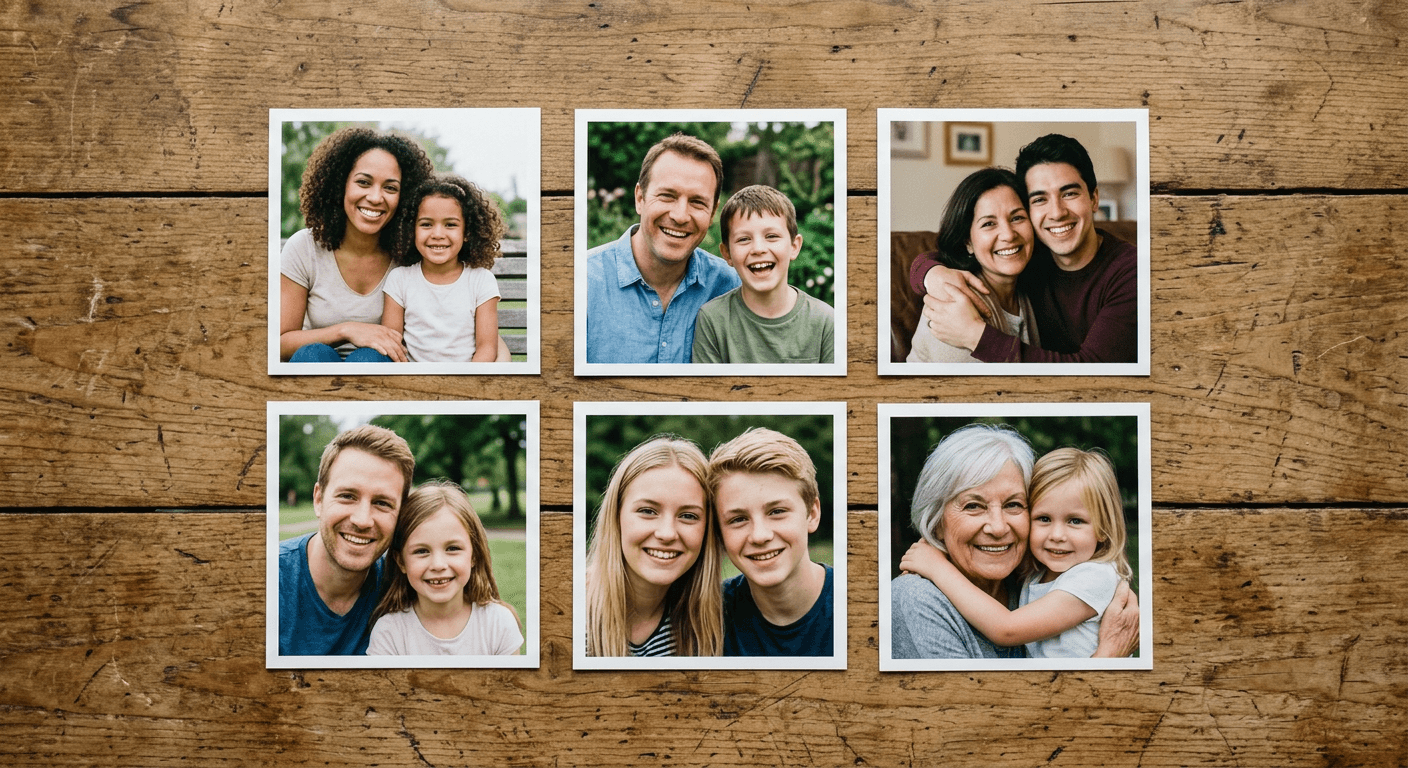
The original trend started with mother and daughter pairs, but it has since expanded to every family combination people can think of, and each pairing tends to highlight a slightly different set of shared features worth calling out directly in the prompt.
Prompt 4: Mother and Daughter Split-Face
Using the two photos I upload as references, a mother and her daughter, create a vertical split-face portrait with the daughter's face on the left half and the mother's face on the right half, blended at a seam down the center. Preserve the exact facial structure of both from their reference photos, paying particular attention to keeping the eye shape, eyebrow arch, and smile accurate to each real photo rather than averaging them into a single blended face. Soft, warm, consistent lighting across both halves, black-and-white or muted color grading, head-and-shoulders crop, plain neutral background, both facing forward with a calm, natural expression.
Prompt 5: Father and Son Split-Face
Using the two photos I upload as references, a father and his son, create a vertical split-face portrait with the son's face on the left half and the father's face on the right half, blended at a center seam. Preserve the real jawline, brow shape, and facial proportions of both from their actual reference photos, keeping any real facial hair, hairline, or skin texture exactly as it appears rather than smoothing it out. Even, slightly cooler studio-style lighting matched across both halves, simple neutral background, head-and-shoulders crop, confident neutral expression on both sides.
Prompt 6: Mother and Son Split-Face
Using the two photos I upload as references, a mother and her son, create a vertical split-face portrait with the son's face on the left half and the mother's face on the right half, blended at a seam running down the center. Preserve the exact facial structure and real skin tone of both people from their reference photos, matching their natural proportions rather than feminizing or masculinizing either half to make them look more similar than they actually are. Soft warm natural light applied consistently across the whole image, plain background, head-and-shoulders crop, both looking directly at the camera.
Prompt 7: Father and Daughter Split-Face
Using the two photos I upload as references, a father and his daughter, create a vertical split-face portrait with the daughter's face on the left half and the father's face on the right half, blended at a center seam. Preserve the exact facial features and natural proportions of both from their real reference photos, keeping the eye color, nose shape, and smile accurate to each actual photo. Consistent soft studio lighting and matching color grading across both halves so the image reads as one coherent photograph, plain neutral background, head-and-shoulders crop, relaxed natural expression on both sides.
Prompt 8: Siblings Split-Face
Using the two photos I upload as references, two siblings, create a vertical split-face portrait with one sibling's face on the left half and the other sibling's face on the right half, blended at a seam down the center. Preserve the exact facial structure and real features of both from their reference photos, since siblings often share more subtle overlapping features than parents and children do, keep those shared details, like a matching nose bridge or similar eye spacing, accurate rather than exaggerated. Even, neutral lighting matched across both halves, plain simple background, head-and-shoulders crop, both facing forward with a similar relaxed expression.
Prompt 9: Grandparent and Grandchild Split-Face
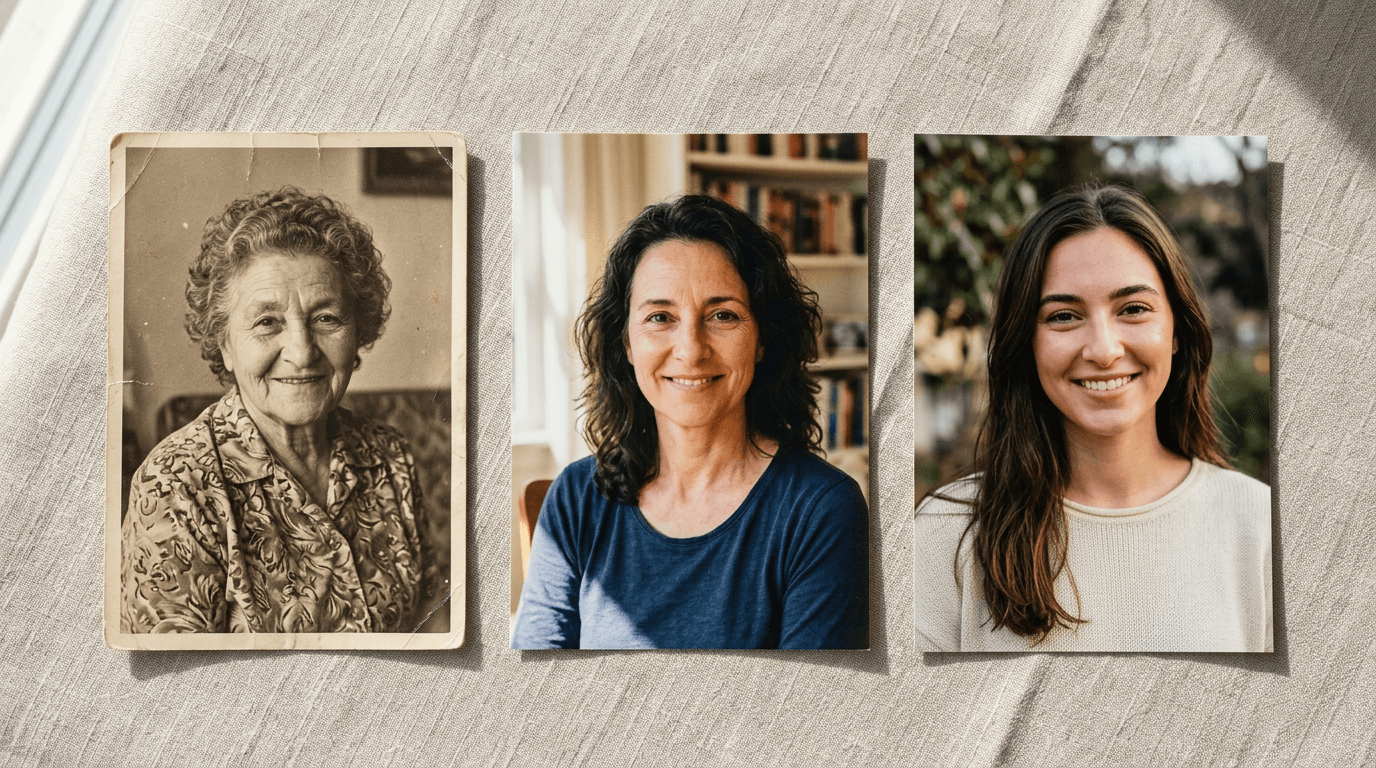
Using the two photos I upload as references, a grandparent and their grandchild, create a vertical split-face portrait with the grandchild's face on the left half and the grandparent's face on the right half, blended at a center seam. Preserve the real, age-appropriate facial structure and natural skin texture of both people exactly as shown in their reference photos, no smoothing out the grandparent's wrinkles or aging the grandchild's skin to make the two halves look closer in age than they really are. Soft, warm, classic portrait lighting consistent across both halves, a muted sepia or black-and-white grading often works especially well here, plain neutral background, head-and-shoulders crop.
3) Different Artistic Treatments
Once you have a pairing you like, the artistic treatment changes the whole feel of the final image without changing which two people are in it. These three cover a vintage film look, a clean modern studio look, and a three-generation version that extends the format past a simple two-way split.
Prompt 10: Vintage Film-Photo Style Split
Using the two photos I upload as references, create a vertical split-face portrait styled like an aged vintage film photograph, the first reference photo's subject on the left half and the second on the right half, blended at a center seam. Preserve the exact facial structure and real features of both people from their reference photos. Apply a warm, slightly faded vintage film color grading with soft visible grain, gentle vignetting at the corners, and slightly muted contrast consistently across both halves, as though the entire image were shot on the same roll of film decades ago. Plain simple background, head-and-shoulders crop, natural expressions on both sides, no harsh digital sharpness.
Prompt 11: Modern Clean Studio-Style Split
Using the two photos I upload as references, create a vertical split-face portrait with a clean, modern studio photography look, the first reference photo's subject on the left half and the second on the right half, blended at a center seam. Preserve the exact facial features and natural skin texture of both people from their reference photos. Bright, even, soft studio lighting from directly in front with minimal shadow, applied identically across both halves, crisp modern color grading with true-to-life skin tones, plain white or light gray seamless background, head-and-shoulders crop, both facing the camera with a natural, confident expression.
Prompt 12: Through-the-Decades Triple Split (Grandparent, Parent, Child)
Using the three photos I upload as references, a grandparent, a parent, and a child from the same family, create a vertical triple-split portrait divided into three equal vertical sections, the child's face on the left third, the parent's face in the center third, and the grandparent's face on the right third, each section blended smoothly into the next at its seam. Preserve the exact facial structure and real, age-appropriate features of all three people from their individual reference photos, keeping each person's actual age and skin texture intact rather than aging or de-aging anyone to match the others. Apply one consistent, soft, warm lighting and color treatment across all three sections so the whole composition reads as a single generational portrait, plain neutral background, head-and-shoulders crop for all three sections, natural expressions throughout.
4) Practical Close-Up and Collage Variations
Not every version of this trend needs to show the whole face. These three formats focus on a specific shared feature instead of the entire split-face portrait, which tends to perform especially well as a second slide in a multi-image post.
Prompt 13: Eyes-Only Close Crop Comparison
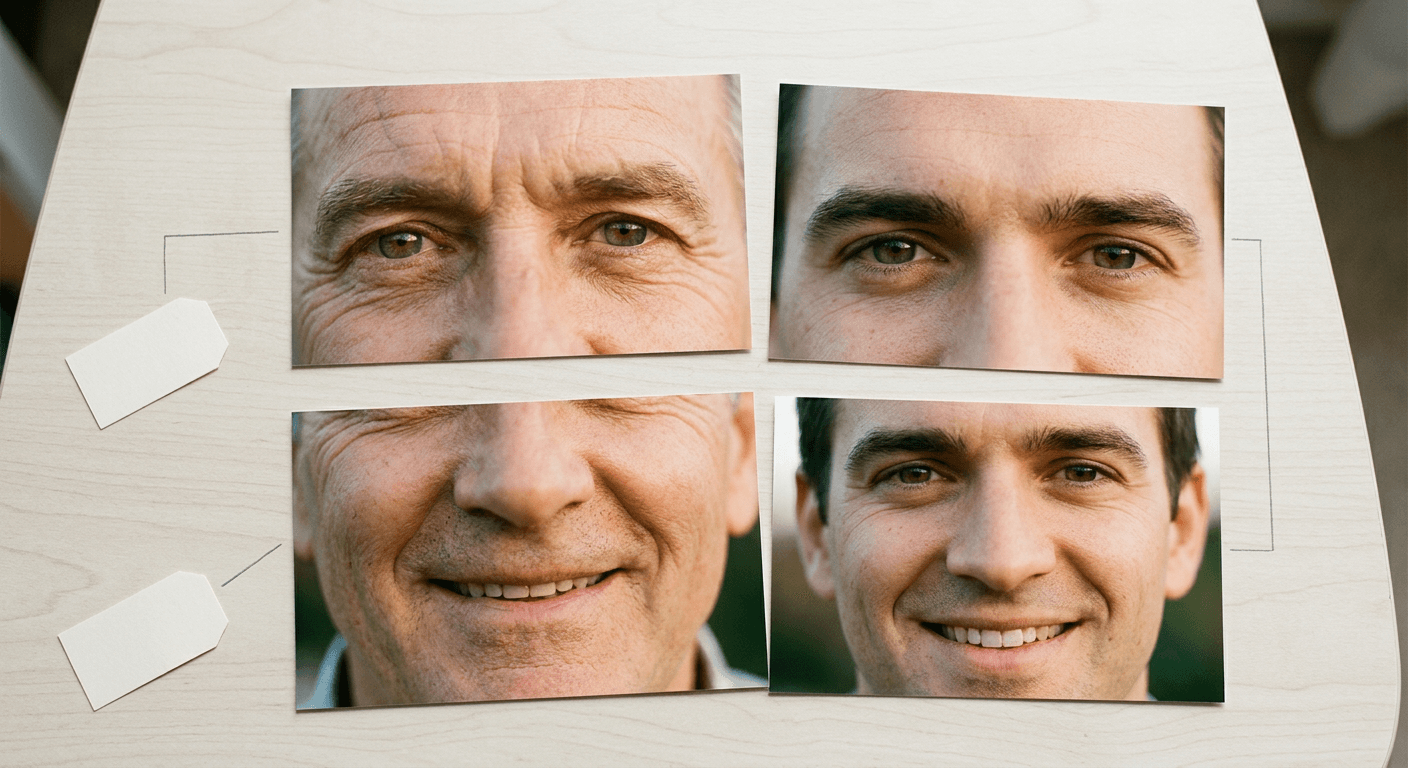
Using the two photos I upload as references, create a tight close-up crop showing only the eyes and brow area of both people side by side, divided by a thin vertical line, the first reference photo's eyes on the left and the second reference photo's eyes on the right. Preserve the exact eye shape, eyebrow shape, eye color, and surrounding skin texture of both people exactly as shown in their reference photos, no altering or idealizing either set of eyes. Match the lighting and zoom level precisely between both sides so the comparison feels fair and consistent, soft even light, plain neutral background, extreme close-up macro-style framing.
Prompt 14: Smile-Only Close Crop Comparison
Using the two photos I upload as references, create a tight close-up crop showing only the mouth and smile of both people side by side, divided by a thin vertical line, the first reference photo's smile on the left and the second reference photo's smile on the right. Preserve the exact tooth shape, lip shape, and smile line of both people exactly as shown in their reference photos, no idealizing or evening out either smile. Match the lighting, angle, and zoom level precisely between both sides, soft even light, plain neutral background, close-up macro-style framing.
Prompt 15: Spot-the-Resemblance Collage With Callout Labels
Using the two photos I upload as references, create a single collage-style image with both full reference photos placed side by side on a plain neutral background, and add three small, clean callout lines with short labels pointing to specific shared features, for example one line pointing to the eyes labeled "same eye shape," one pointing to the smile labeled "same smile," and one pointing to the nose labeled "same nose bridge." Preserve the exact facial features of both people from their reference photos without alteration. Keep the callout lines thin and simple, the label text short and clearly legible, and match the overall lighting and color balance of both photos so the collage looks like one coordinated layout rather than two mismatched images pasted together.

5) Platform-Specific Formats
The same blend reads differently depending on where it gets posted, and a prompt written for a square Instagram grid post will crop awkwardly if you drop it straight into a vertical TikTok video. These three account for that directly.
Prompt 16: Instagram Carousel Post Format
Using the two photos I upload as references, create a square 1:1 split-face portrait designed as the opening slide of an Instagram carousel post, the first reference photo's subject on the left half and the second on the right half, blended at a center seam, with generous even spacing and headroom around both faces so the composition still reads clearly inside Instagram's square crop. Preserve the exact facial structure and real features of both people from their reference photos. Soft, warm, consistent lighting and color grading across both halves, plain neutral background, both facing forward with a natural, inviting expression suited to a post people will want to swipe through and comment on.
Prompt 17: TikTok Vertical Video Thumbnail Format
Using the two photos I upload as references, create a tall vertical 9:16 split-face portrait designed to work as a TikTok video thumbnail, the first reference photo's subject on the top half or left half and the second on the bottom half or right half depending on which orientation reads most clearly in a tall frame, blended at a clean seam. Preserve the exact facial features and natural proportions of both people from their reference photos. Bright, even, eye-catching lighting with slightly boosted contrast so the image reads clearly as a small thumbnail preview, consistent color grading across both halves, plain simple background, both faces clearly visible and centered within the vertical frame.
Prompt 18: Shareable Single Square Image for Comments
Using the two photos I upload as references, create a single square 1:1 split-face portrait optimized to be shared as one standalone image in a comments section or group chat, the first reference photo's subject on the left half and the second on the right half, blended at a precise center seam with no visible gap or misalignment. Preserve the exact facial structure and real features of both people from their reference photos. Apply one unified, slightly warm color grading and even lighting across the entire image so it looks convincing even at a small preview size, plain neutral background, tight head-and-shoulders crop, natural calm expressions on both sides.
How to Customize These Prompts for Your Own Family Photos
Start by picking two reference photos that are actually comparable to each other, not just individually flattering. Both faces should be reasonably front-facing, evenly lit, and taken at a similar resolution and zoom level. A sharp, well-lit recent photo of yourself paired with a decades-old, slightly blurry scanned photo of a parent is the single most common reason a split-face blend comes out lopsided, since the model has dramatically more real detail to work with on one side than the other and has to invent the difference.
Once you have two solid reference photos, run them through Miraflow's AI Image Generator using image-to-image generation with both photos uploaded, not a single text description of what either person looks like. This is the same underlying principle covered in the guide to making consistent AI characters across multiple images, just applied here to two real people's real faces instead of one fictional character appearing in multiple scenes. The core challenge is identical: keeping an identity stable and recognizable across a generated image rather than letting the model drift toward an average, generic face.
Swapping the pairing is usually as simple as changing which two reference photos you upload and adjusting a single word in the prompt (mother to father, daughter to son), since the actual prompt structure, split orientation, lighting instruction, and identity-preservation language, stays the same regardless of which two people are in the photos. The artistic treatment is just as easy to swap: take any pairing prompt above and drop in the lighting and color-grading language from the vintage film or modern studio prompts instead of writing a new prompt from scratch.
If your first result is close but the seam looks slightly off, or one half is a touch brighter than the other, resist the urge to regenerate the whole image from a new prompt. A targeted fix on just the seam area or the mismatched lighting region, the same approach covered in the guide to Nano Banana image inpainting on Miraflow AI, will usually get you from an 80 percent result to a genuinely convincing one faster than starting over, and it leaves both original faces untouched rather than risking the model reinventing them on a second attempt.
For the platform format, match the aspect ratio to where you are actually posting before you generate rather than cropping afterward. A square image cropped down from a wide composition can clip part of one face, while a tall vertical frame generated correctly from the start keeps both halves properly proportioned. Prompts 16 through 18 above handle the three most common destinations directly, but the same adjustment works for any aspect ratio your specific platform needs.
Common Mistakes People Make With the Mom and Dad Trend
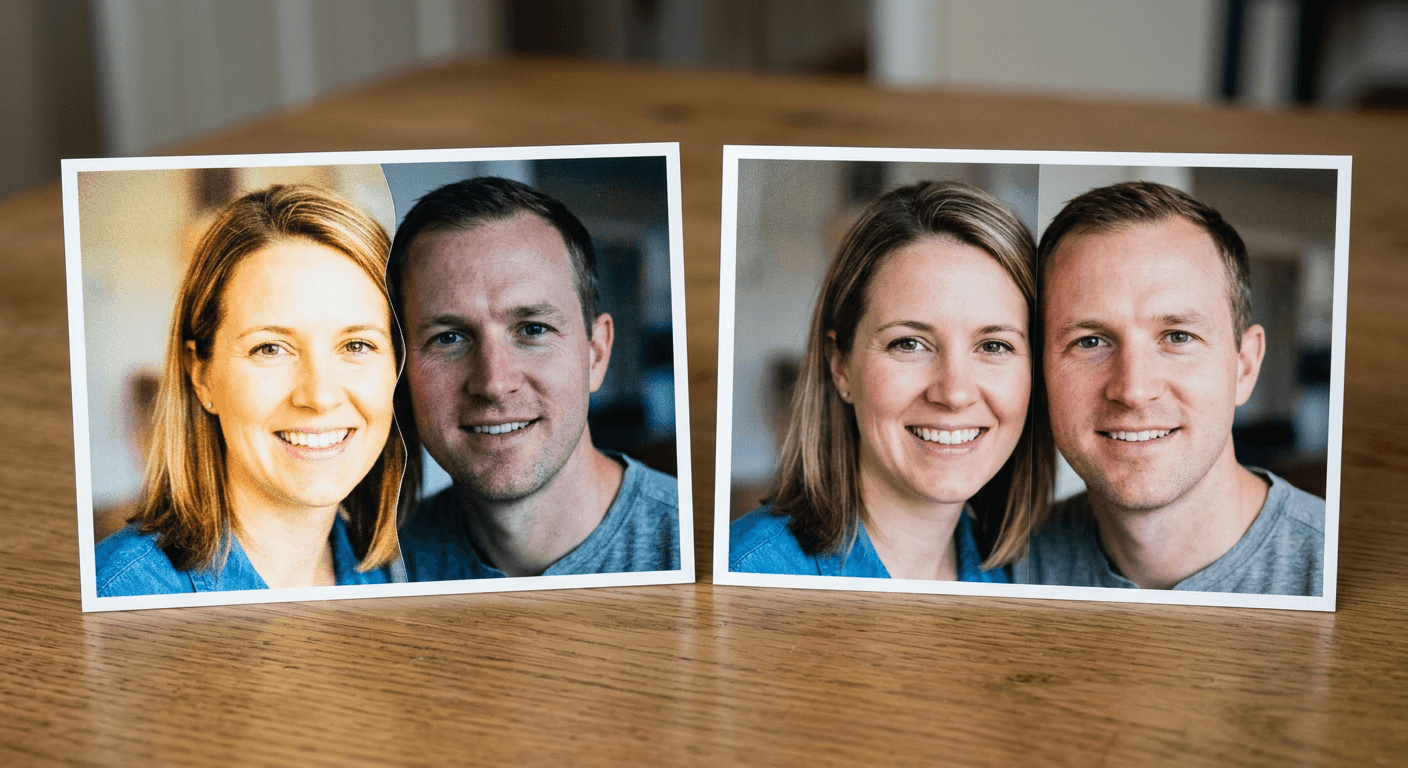
Mismatched lighting or color grading between the two halves. This is the single most common tell in a weak attempt. If one half of the face looks warmer, brighter, or more contrasty than the other, the brain immediately reads the image as two photos glued together instead of one coherent portrait, even if the actual facial blending at the seam is technically clean. Every prompt above explicitly asks for a single, unified lighting and color treatment across the whole image specifically to prevent this.
An obvious or crooked seam. A seam that wanders off-center, curves unnaturally, or creates visible asymmetry between the two halves undermines the entire effect. Asking directly for a seam "running straight down the center of the face" rather than leaving the model to decide where the two halves meet produces a noticeably cleaner result.
Mismatched resolution or crop between the two source photos. A high-resolution, tightly cropped recent selfie paired with a small, loosely cropped, lower-quality old family photo forces the model to work with two very different amounts of real detail on each side, which tends to produce a lopsided result where one half looks sharp and lifelike and the other looks soft or slightly uncanny. Before generating, crop both reference photos to a roughly similar framing and zoom level so the model has comparable information from each.
Choosing a reference photo with an odd head angle. A three-quarter profile shot or a photo where the subject is tilting their head works fine as a standalone photo, but it creates real problems for a split-face blend, since the model has to guess at the angle of the half that is turned away from the camera. A straight-on, front-facing reference photo for both people gives the model an actual face to split down the middle instead of one it has to partially invent.
Relying on a text description instead of real reference photos. As covered earlier, a prompt that describes two people in words rather than referencing two uploaded photos can only generate two invented faces with a vague resemblance to what you actually look like. The entire emotional payoff of this trend depends on the output actually looking like your real family, which only happens with genuine image-to-image generation from real photos.
Ignoring the final platform's crop and aspect ratio. A gorgeous square composition that gets squeezed or cropped into a tall vertical TikTok frame can end up cutting off part of one face or compressing the proportions. Generating directly at the aspect ratio you plan to post in, as prompts 16 through 18 do, avoids this entirely.
A Related Family of Viral Photo-Blend Trends
The mom and dad split-face trend is not happening in isolation. It is part of a broader wave of nostalgia and family-themed AI photo trends that have been trading places at the top of TikTok's discover page throughout 2026, and understanding how it differs from its neighbors helps explain why it specifically needs two real reference photos rather than one. The ancestor photo prank trend uses a single reference photo of yourself aged and styled to look like an old family portrait from a past era, a one-photo transformation rather than a two-photo blend. The decade progression trend similarly starts from one photo and reimagines a place or a person across different decades, again without blending two separate real identities into one frame. The meet your younger self trend comes closer, since it does involve two versions of the same person standing side by side, but both versions are generated from a single uploaded reference rather than two genuinely different people's real photos.
The mom and dad split-face trend is the one in this family of trends that actually depends on identity-preserving image-to-image generation working correctly across two different real people at once, which is exactly why the prompt structure in this post leans so heavily on explicit dual-reference instructions and matched lighting language that the single-photo trends do not need nearly as much. If you want to keep building out a library of identity-preserving prompts beyond this one trend, the personal branding photo prompts guide covers fifteen additional looks built on the same core preservation principle.
How Miraflow's AI Image Generator Fits the Split-Face Blend
Every prompt in this post depends on starting from two real photos rather than a text description alone, which is the specific capability Miraflow's AI Image Generator is built around. Upload a clear reference photo of yourself and a clear reference photo of your parent, sibling, or grandparent, paste in one of the prompts above, and generate using image-to-image mode so both real faces anchor the output instead of the model inventing two new ones. Because the tool runs directly in the browser, there is nothing to install before testing a few variations side by side, swapping the pairing, the color treatment, or the platform format without starting from scratch each time.
If a result comes back close but not quite right, the same workspace's inpainting tools let you mask and fix just the seam, a shadow, or a mismatched color patch on one half, without touching the rest of the image or regenerating either person's face from scratch. That targeted fix is almost always faster than rewriting the whole prompt and hoping for a cleaner result on the next attempt, and it keeps both of the real, recognizable faces that made the trend worth doing in the first place.
Frequently Asked Questions
Do I need to upload two real photos, or can I just describe what my mom and I look like? You need two real reference photos for this to actually work. A text-only description can only produce two generic invented faces with a vague resemblance to the real people, which defeats the entire point of a trend built around genuine, specific shared features. Every prompt in this post is written around uploading two actual photos through image-to-image generation.
Why does my split-face portrait look lopsided or uneven? This almost always comes down to a mismatch between your two source photos, different lighting, different resolution, different crop size, or one person's head at an odd angle compared to the other. Review the Common Mistakes section above and try recropping both reference photos to a similar framing before regenerating.
Can I do this trend with a sibling, grandparent, or close friend instead of a parent? Yes. The core mechanic works the same regardless of which two people are in the reference photos. Prompts 8 and 9 above are built specifically for siblings and grandparent-grandchild pairs, and the same structure adapts easily to a close friend by swapping the relationship language in the prompt.
Should I go with black-and-white or color for my split-face portrait? Both work well, and it comes down to personal preference and how much the two reference photos naturally match in color tone. Black-and-white, as used in Prompt 1, tends to forgive small color mismatches between two different source photos more easily than a full-color version, which is part of why it became the dominant look in the original viral wave of this trend.
What is the difference between this trend and the "dress your mom in my style" trend? They are related but distinct. The split-face blend covered in this post is an AI image generation format that merges two real faces into one portrait. The styling trend is a real-clothes challenge where someone physically dresses a parent in their own fashion style for a side-by-side video, with no AI image blending involved. They often appear in the same hashtags because both are about parent-child comparisons, but they require completely different approaches to recreate.
Can I use an old, low-resolution scanned photo of a parent or grandparent? You can, but expect to get a better result if you crop it as tightly and evenly as possible to match the framing of your other reference photo first. A very low-resolution or heavily damaged old photo gives the model less real detail to preserve, which is more likely to produce a slightly softer or less accurate result on that half of the blend.
What aspect ratio should I use if I am posting to TikTok versus Instagram? Use a tall 9:16 ratio for a TikTok video thumbnail, as in Prompt 17, and a square 1:1 ratio for an Instagram carousel or feed post, as in Prompt 16. Generating directly in the correct ratio avoids an awkward crop that can clip part of either face after the fact.
How do I fix a bad seam or lighting mismatch after generating? Use targeted inpainting to mask and regenerate just the seam area or the mismatched region instead of the whole image. This fixes the specific flaw while leaving both real faces exactly as they were, the same approach covered in the guide to Nano Banana image inpainting linked above.
Conclusion
The mom and dad split-face trend works because it turns something people already notice privately, a shared smile, an identical nose bridge, an unmistakable family resemblance, into a single image that makes the comparison impossible to miss. Getting a convincing version of it has less to do with finding the perfect model and almost everything to do with two things most people skip: starting from two genuinely comparable reference photos, and writing a prompt that explicitly asks for one unified lighting and color treatment across the whole blend instead of leaving that to chance. The 18 prompts above cover the original viral format, every common family pairing, a handful of artistic treatments, close-up variations, and the three platform formats people are actually posting to right now. Start with Prompt 1 for the classic black-and-white look, run it through Miraflow's AI Image Generator with two clear reference photos, and build out a few variations from there until you get the one that actually makes your family resemblance impossible to scroll past.