YouTube Shorts for Beginners: Complete Guide to Starting From Zero in 2026

Written by
Jay Kim
Starting YouTube Shorts from zero in 2026? This complete beginner guide covers channel setup, niche selection, hooks, analytics, and how to post consistently without burning out.
Starting a YouTube Shorts channel in 2026 feels overwhelming when you have no subscribers, no equipment, and no idea where to begin. You open YouTube Studio, stare at the upload button, and wonder if you missed your chance because everyone else seems to already have thousands of followers.
You have not missed anything. Shorts is still one of the most accessible ways to build an audience from scratch, and this guide will walk you through everything you need to know, from setting up your channel correctly to posting your first Short to understanding why some videos take off and others do not.
This is the guide that covers it all, in the right order, without the fluff.
Why YouTube Shorts Is Still Worth Starting in 2026
Before getting into the how, it helps to understand why Shorts is still a smart investment for a beginner in 2026 specifically.

Unlike long-form YouTube, where algorithm reach is heavily tied to channel age and subscriber count, Shorts operates on a behavioral feed model closer to TikTok. A video with strong engagement signals can reach hundreds of thousands of people even from a channel with zero subscribers. The playing field is more level than it looks.
YouTube has also expanded Shorts monetization in 2026, making it financially viable at a much lower subscriber threshold than traditional videos. And with AI tools now handling most of the production work, there is genuinely no technical barrier to getting started.
The question is not whether you should start. It is how to start correctly so you are not wasting months doing things that do not move the needle.
Step 1: Set Up Your Channel the Right Way
Most beginners skip or rush channel setup. This is a mistake because your channel page affects whether viewers who find your Shorts decide to subscribe.
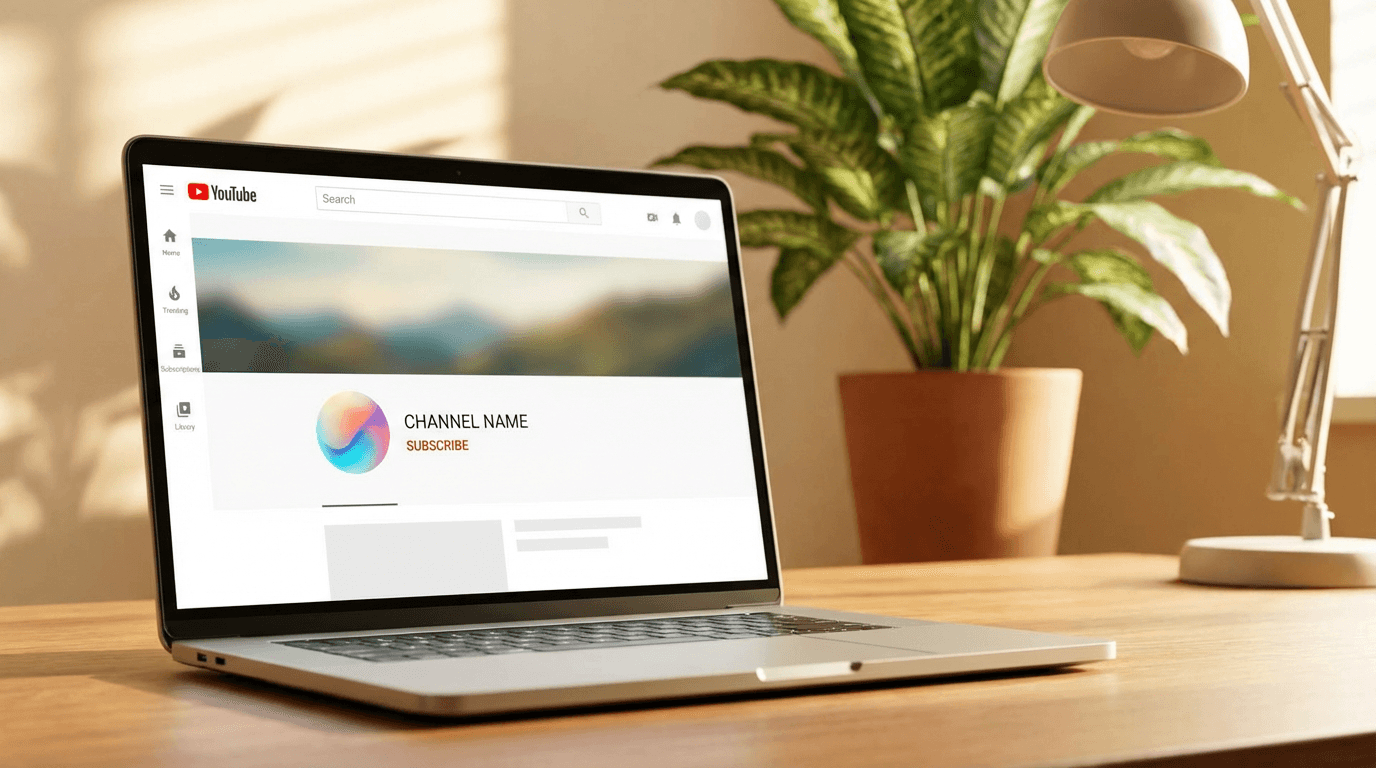
Create a Google account and YouTube channel if you have not already. Go to YouTube, click your profile icon, and select "Create a channel." You will be prompted to add a name and handle.
When choosing your channel name, think about your niche first. A channel called "Jake's Videos" tells a new viewer nothing. A channel called "Quick Finance Facts" or "60-Second History" immediately signals what someone will get if they subscribe. Niche-specific names consistently outperform generic ones for subscriber conversion.
Fill out the About section completely. YouTube uses this text to understand what your channel covers, which affects how it classifies your content for the algorithm. Write 3 to 5 sentences that describe your channel topic, who it is for, and what kind of content you post.
Upload a channel icon and banner. These do not need to be professionally designed, but they do need to be consistent with your niche and look intentional. A blank channel icon tells viewers you are not serious about your content. You can generate clean, branded visuals using Miraflow AI's image generator without any design experience.
Step 2: Choose a Niche That Works for Shorts
This is the decision that will define your first six months. Picking the wrong niche does not mean failure, but starting with a clear niche saves you significant time and speeds up algorithmic growth.
Shorts works best for niches where the content can be delivered in a complete, satisfying format within 60 to 90 seconds. Some niches naturally fit this format better than others.
Niches that tend to perform well in Shorts:
- Quick tips and how-to content in specific domains (personal finance, fitness, cooking, productivity)
- Interesting facts and educational content with a clear hook
- Before-and-after content showing transformations
- Motivational or mindset content with strong visual delivery
- Storytelling in series format where each Short stands alone but connects to others
- Tech and AI tool demonstrations
- Language learning and quick skill building
Niches that are harder for Shorts beginners:
- Broad entertainment with no clear topic identity
- Commentary and reaction content that relies heavily on cultural context
- Content that requires long explanations to be valuable
If you are unsure about your niche, faceless YouTube Shorts niches that work in 2026 gives you a detailed breakdown of specific categories with strong algorithmic support right now.
The key principle is specificity. A channel about "personal finance tips for people in their 20s" will grow faster than a channel about "money stuff" because YouTube can route your content to exactly the right audience.
Step 3: Understand the Shorts Format Before You Post
YouTube Shorts has specific technical requirements and format conventions that matter more than most beginners realize.
Technical requirements:
- Vertical video at 9:16 aspect ratio (1080 x 1920 pixels recommended)
- 60 seconds or under for a Short (YouTube now allows up to 3 minutes for Shorts-labeled vertical video, but the core Shorts feed behavior is optimized around shorter lengths)
- A #Shorts hashtag in the title or description ensures YouTube classifies it correctly
Format conventions that beginners get wrong:
Most beginners shoot horizontal video and crop it to vertical, which results in a zoomed-in, low-quality visual that feels amateur. Shoot natively in vertical from the start, even on a phone.
Keep your captions and text within the safe zone in the middle of the frame. YouTube overlays the like, comment, and share buttons on the right side of the screen, and subscriber counts appear at the bottom. Content that sits in these areas will be partially covered.
For ideal Short length by topic, this guide on how long YouTube Shorts should be in 2026 breaks down what actually works by content category.
Step 4: Master the Hook Before Anything Else
If there is one skill that separates Shorts that reach thousands from Shorts that flatline, it is the hook. The first 1 to 2 seconds of your Short determine whether viewers keep watching or swipe to the next video, and the algorithm uses that swipe rate as a primary signal for whether to push your content further.
A good hook does one of three things immediately:
- Creates a knowledge gap: "Most people get this completely wrong about..."
- Promises a specific outcome: "Here is how to do X in under 60 seconds"
- Opens a loop that demands closure: "I tried this for 30 days and here is what actually happened"
A bad hook is vague, slow, or starts with an introduction. Opening with "Hey guys, welcome back to my channel" in a Short is the fastest way to destroy your retention.
Why the first 3 seconds of a YouTube Short matter so much goes much deeper into the psychology and mechanics of effective hooks, including specific templates you can model.
Copy-paste hook templates for beginners:
Here are 10 hook structures you can adapt to almost any niche:
- "You have been doing [X] wrong your whole life. Here is the right way."
- "Nobody talks about this, but [specific insight about your niche]..."
- "I spent [X] hours testing this so you do not have to."
- "The [niche] tip that actually changed everything for me."
- "Here is what happens when you [do the unusual thing]."
- "If you are starting [X] in 2026, watch this first."
- "Most [beginners / people] skip this step and wonder why [negative outcome]."
- "Three things I wish someone told me before starting [X]."
- "This [tool / method / habit] is being slept on in 2026."
- "Stop doing [common mistake]. Do this instead."
Use these as a starting point and adapt the language to your specific topic and audience.
Step 5: Plan Your First 10 Shorts Before You Post Any
One of the most common beginner mistakes is posting one video, waiting to see what happens, and then trying to figure out what to post next based on that result. This approach is slow and teaches you very little.
Instead, plan your first 10 Shorts before you post anything. Here is why this matters: the algorithm learns from patterns, and a channel that posts 10 related Shorts in a consistent format gives YouTube significantly more signal about what your channel is about compared to a channel with 3 random videos spread over two months.
Planning 10 Shorts in advance also helps you identify whether your niche actually has enough content variety to sustain a channel, whether your hook style is consistent, and whether your topics are specific enough to attract a defined audience.
A simple framework for your first 10 Shorts:
- Shorts 1 to 3: Introductory tip content in your niche. Clear, useful, easy to execute.
- Shorts 4 to 6: Slightly more specific or advanced versions of the same topic area.
- Shorts 7 to 9: A contrarian or surprising angle on something common in your niche.
- Short 10: A "results" or "what I learned" style video that references your previous content.
This creates a loose series structure without requiring you to explicitly link videos together. It also gives the algorithm 10 data points to work with instead of 1.
For a more structured approach, this 30-day YouTube Shorts plan for 2026 gives you a full month of content planning broken down by week with posting strategies.
Step 6: Get the Production Side Right Without Overcomplicating It
Beginners often either overcomplicate production or completely neglect it. Neither extreme helps. Here is what actually matters for Shorts quality in 2026.
Audio is more important than video quality. Viewers will tolerate grainy footage, but they will immediately swipe away from hard-to-hear audio. If you are recording yourself talking, use a basic clip-on microphone. If you are using voiceover, use a clean recording environment with minimal echo.
Lighting is the biggest visual upgrade with the least cost. Shooting near a window during the day gives you usable, flattering light for free. Ring lights are inexpensive and make phone footage look significantly more polished.
Editing pace matters more than editing polish. Shorts should feel fast. Cut out pauses, filler words, and any moment where nothing is happening. Every second should either deliver information or create anticipation for the next moment.
Captions are no longer optional. A significant portion of Shorts are watched without sound, particularly on mobile in public spaces. Auto-captions are available in YouTube Studio, but reviewing and correcting them before publishing is worth the extra few minutes.
If you want to create Shorts without recording anything yourself, Text2Shorts on Miraflow AI lets you type a topic, generate a script, generate scene visuals, choose a voice, and produce a complete Short directly in the browser. For faceless channels or creators who are not comfortable on camera, this workflow removes every production barrier at once.
Step 7: Write Titles and Descriptions That Actually Work
Most beginners treat the title as an afterthought. In the Shorts feed, the title matters less for autoplay discovery, but it matters significantly more for search and browse surfaces, which become increasingly important as your channel grows.
A good Shorts title in 2026 does two things: it includes the keyword someone would search for, and it creates enough curiosity that someone browsing would click it over similar videos.
Title formula that works consistently:
[Specific outcome or insight] + [topic or audience qualifier]
Examples:
- "The One Morning Habit That Changes Your Productivity"
- "Why Most Beginners Quit Coding in Month 2"
- "How to Save $500 a Month on a Regular Salary"
For descriptions, write at least 2 to 3 sentences that explain what the Short covers, include your main keyword naturally, and add 3 to 5 relevant hashtags including #Shorts. This is enough for YouTube to classify your content accurately without over-optimizing.
YouTube Shorts titles and descriptions templates for 2026 has a full library of copy-paste templates sorted by niche if you want to speed this step up.
Step 8: Understand Your Analytics From the Start
Most beginners either ignore analytics completely or misread them. Learning to read your Shorts analytics correctly from your first video will save you months of guessing.
The metrics that matter most for a new channel are:
Average percentage viewed: This is your completion rate. If viewers are watching less than 60% of your Short on average, the hook or pacing is not working. Focus here before anything else.
Impressions and click-through rate: For Shorts in the feed, impressions reflect how many times your video was shown in someone's feed. CTR reflects how often people clicked through from browse or search surfaces. Low CTR usually points to a thumbnail or title issue.
Subscriber gained per video: This tells you whether your content is attracting the right audience. If you are getting views but very few subscribers, your content is interesting but not compelling enough for viewers to want more.
Traffic sources: Understanding where your views come from (Shorts feed, search, browse, suggested) tells you what is driving your growth and where to optimize.
Reading your YouTube Shorts analytics correctly in 2026 walks through each metric with visual examples and explains what normal looks like at different channel sizes.
Step 9: Post Consistently, But Define What That Means For You
"Post consistently" is advice every creator has heard, and most beginners interpret it as "post every day or fail." That is not accurate.
Consistency in the context of the Shorts algorithm means two things: regular intervals that YouTube can predict, and consistent topic focus that allows the algorithm to build an audience profile for your channel. Posting 3 times per week on the same topic area for 8 weeks is more valuable than posting every day for 2 weeks and then disappearing.
What matters is finding a posting frequency you can actually sustain at the quality level your content requires. For most beginners, 3 to 5 Shorts per week is a practical and sustainable target.
How daily uploads affect the YouTube Shorts algorithm explains how posting frequency actually affects distribution at a technical level, which helps you make a smarter decision about your personal schedule.
Step 10: Create Thumbnails That Work on Search and Browse
In the Shorts feed, thumbnails are less critical because videos autoplay. But on YouTube search results, the browse home page, and in suggested videos, your thumbnail is often the only visual element someone sees before deciding to click.
For beginners, a consistent thumbnail style serves two purposes. It makes your channel look professional and intentional to new visitors, and it helps returning viewers recognize your content faster in their feed.
A simple, effective thumbnail formula for beginners:
- Clear, high-contrast central subject (either a face with an expressive reaction, a visual of the result being promised, or a strong text statement)
- Bright background that stands out against YouTube's white interface
- No more than 4 to 5 words of text if text is included at all
You can generate consistent, professional-looking Shorts thumbnails using Miraflow AI's YouTube thumbnail maker by entering a prompt that describes your content's visual concept. For a deeper look at thumbnail strategy, YouTube Shorts thumbnail strategy in 2026 covers what is working now.
Common Mistakes Beginners Make in the First 90 Days
These are the patterns that stall most new channels before they gain real traction.
Changing niche too early. Most beginners see low views on their first 5 to 10 Shorts and assume the niche is wrong. Usually the problem is execution, not the topic. Give your niche at least 20 to 30 Shorts before drawing conclusions.
Ignoring the first 2 seconds. Beginners often spend most of their creative energy on the middle of the video where they feel most comfortable. The hook needs the most attention because it determines whether anyone sees the rest of it.
Posting at random times. Posting when your audience is offline means wasting the initial distribution window. Check your YouTube Studio analytics for when your viewers are most active and align your posting time to that.
Comparing subscriber counts instead of engagement rates. A channel with 500 subscribers and 10% like-to-view ratio is in a much better position algorithmically than a channel with 5,000 subscribers and 0.5% engagement. Focus on engagement quality first.
Making every Short standalone with no series logic. Viewers who like one Short are much more likely to subscribe if they can see that there are more Shorts on the same topic waiting for them. Structuring your content in loose series format encourages binge behavior, which improves your channel metrics across the board.
If your early Shorts are getting impressions but no views, why videos get 0 views on YouTube gives you a diagnostic framework for identifying what is actually blocking your reach.
Using AI to Speed Up Your Shorts Production
One of the biggest advantages beginner creators have in 2026 compared to previous years is access to AI tools that compress what used to take hours into minutes.
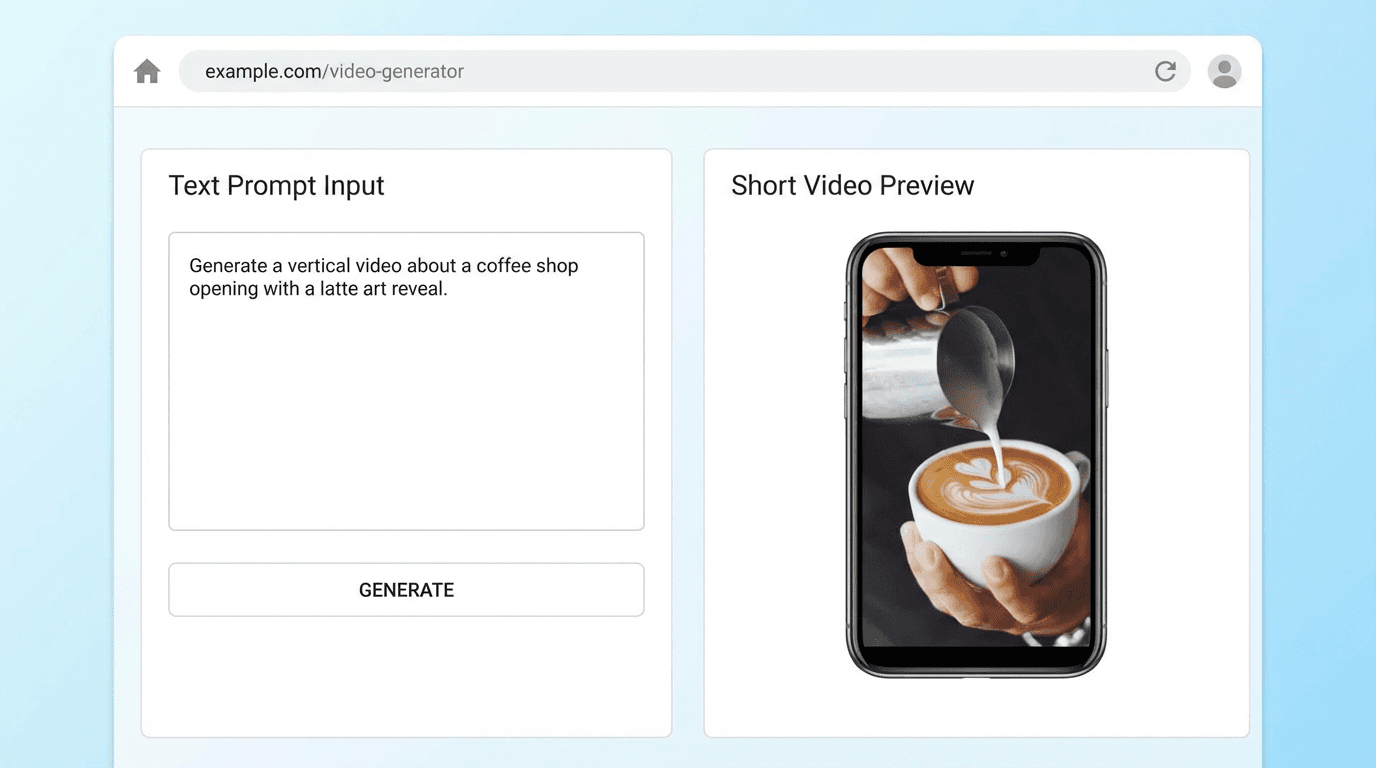
For a beginner, the most time-consuming parts of creating a Short are usually: coming up with an idea and script, finding or creating visuals, recording or sourcing voiceover, and editing everything together. AI tools now handle all of these steps.
With Miraflow AI, the entire workflow happens in one browser-based platform. You enter your topic, the platform generates a script, creates scene-by-scene visuals based on that script, adds a voice, and produces a finished Short ready for upload. You can edit the script and visuals at any point in the process before generating the final video.
For creators who want to post 3 to 5 Shorts per week without spending hours each day in production, this kind of workflow is not just convenient, it is what makes that posting frequency actually achievable.
This breakdown of AI Shorts formats that go viral in 2026 shows specific content formats that are performing well with AI-generated visuals, which is useful when you are planning your content calendar.
Conclusion
Starting a YouTube Shorts channel from zero in 2026 is genuinely achievable if you approach it with the right framework. The algorithm does not favor established channels over new ones in the Shorts feed. It favors content that makes viewers stay, engage, and come back for more.
The process comes down to a clear niche, a strong hook on every video, consistent posting, and reading your analytics to learn what your specific audience responds to. Everything else follows from those four things.
The biggest difference between channels that grow and channels that stall is not talent or equipment. It is consistency and a willingness to learn from each video rather than giving up when the first few do not perform. Give yourself 60 to 90 days of consistent posting before drawing any conclusions about whether your channel is working.
If you want to remove the production friction that stops most beginners from posting consistently, Miraflow AI gives you the full Shorts creation pipeline in your browser, from script to final video, without any technical setup required.
Frequently Asked Questions
How many Shorts should I post before expecting results? Most channels start seeing meaningful algorithmic momentum after 20 to 30 Shorts in a consistent niche. The first 10 are more about learning your format and building channel signals than about reaching a large audience. Do not draw conclusions from your first 5 videos.
Do I need to show my face on YouTube Shorts to grow? No. Many of the fastest-growing Shorts channels in 2026 are fully faceless, using screen recordings, AI-generated visuals, stock footage, or animated content. What matters is that your hook is strong and your content delivers value in the promised format. Faceless Shorts niches that work in 2026 covers specific formats that are growing well without a face on camera.
What is the best length for a YouTube Short as a beginner? For beginners, 30 to 60 seconds is the safest range to start with. It is long enough to deliver real value and build a hook-payoff structure, and short enough to maintain viewer retention without advanced editing skills. Adjust based on your analytics once you have data.
Do I need a paid tool to start? No. You can start with just a phone and the YouTube app. As you scale up and want to post more consistently without spending hours on production, AI tools like Miraflow AI make the process faster, but they are not required to begin.
Why are my Shorts getting views but no subscribers? This usually means your content is interesting enough to watch once but not compelling enough to make someone want more. The fix is typically to make your niche more specific, add a clearer reason to subscribe in your content, or create a series structure so viewers can see that more related content exists. This post on why Shorts get views but no subscribers goes deeper on the diagnosis.
How do I know if my niche is good? A good Shorts niche has three traits: there is a clear, identifiable audience that actively searches for or watches this type of content, the topic can be delivered in a compelling way within 60 to 90 seconds consistently, and you have enough genuine interest or knowledge to create 50 or more videos on the topic without running dry. If it passes all three, the niche is worth testing.
Can I monetize YouTube Shorts as a beginner? YouTube's monetization requirements for Shorts have become more accessible in 2026, but you still need to meet the YouTube Partner Program thresholds. YouTube Shorts monetization in 2026 covers current requirements and realistic earning ranges by niche.