Google Ads' New AI Campaign Localization Tool: How to Translate a Search Campaign Into 10 Languages (2026)

Written by
Aerin Kim
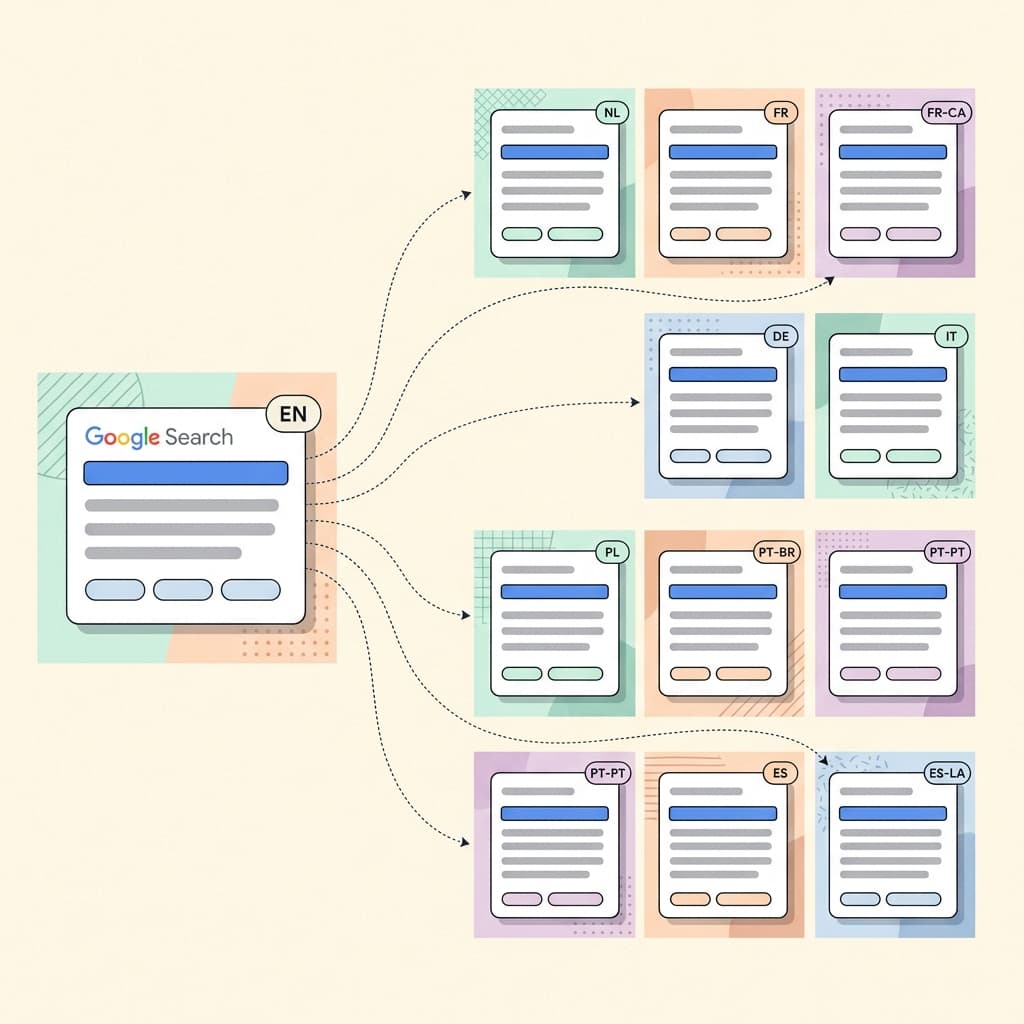
Google Ads now has a beta AI tool that clones a Search campaign into 10 languages. Here is how it works, what to review, and why the copied budget needs attention.
You have a Search campaign that finally works in English. The headlines are tight, the keywords are clean, the sitelinks are tested, and the cost per lead is where you want it. Now someone on the team says the magic words: "Can we run this in Spanish, French, and German too?" Until recently the honest answer meant a week of exporting assets to a spreadsheet, emailing a translation vendor, pasting results back in, and rebuilding keywords by hand, with a real chance that a 30-character headline came back at 41 characters and failed to upload.
Google is trying to remove most of that work. Its official help documentation now describes an AI campaign localization tool for Search campaigns, currently in beta, that uses generative AI to localize an entire Search campaign for new languages and regions. Search Engine Roundtable's Barry Schwartz reported on October 5, 2026 that he spotted the new help page late the previous week, and noted that Google describes manual translation and spreadsheet uploads as the slow part of expanding into new markets [2].
This guide walks through exactly how the tool works, what it copies and what it deliberately does not fix, how to review the output like someone who has launched multilingual campaigns before, and how to set up a test so you learn whether the translated campaign is actually worth scaling. If you are building the visuals that go with each language version, Miraflow's AI Image Generator is useful to have open in another tab, and I will point out where it fits.
TL;DR: What the Tool Does and What to Do First
- It clones an existing Search campaign into a brand new, separate campaign in a target language. Your original campaign is never modified.
- It translates headlines, descriptions, sitelinks, callouts, and keywords. It removes text from images with in-painting and adds the translated message as supplemental text assets.
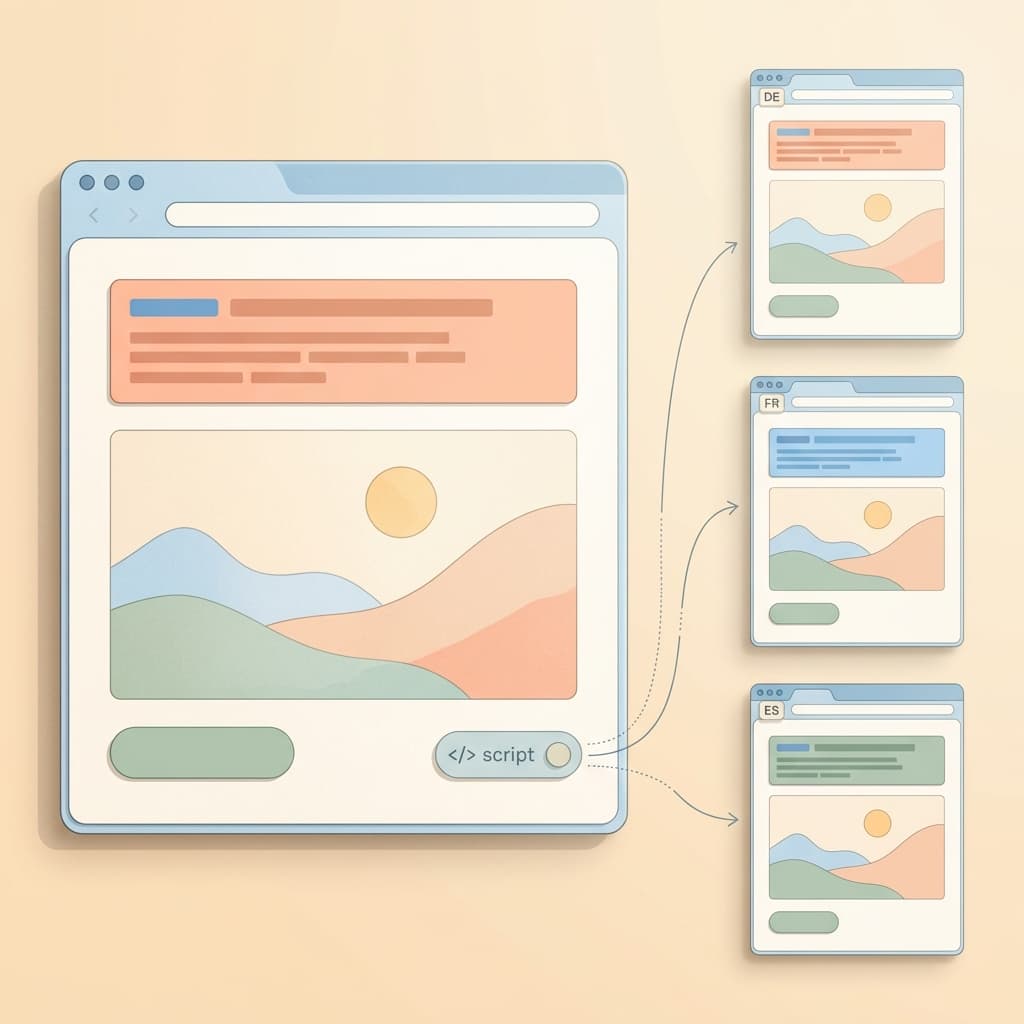
- Landing pages can be translated by AI through a JavaScript snippet from the Google tag, updated manually, or handled with a bulk find-and-replace on domains.
- Budgets and bids are copied exactly, with no currency conversion and no adjustment for the new market. This is the setting most likely to hurt you.
- The new campaign is published as Paused by default, which gives you a natural review window.
- Source language is English (US) only for now, and there are 10 target languages.
The official reference is Google's help article, "About the AI campaign localisation tool for search campaigns (beta)" [1]. Features in beta change quickly, so treat that page as the source of truth if anything below looks different in your account.
What the AI Campaign Localization Tool Actually Is
Think of it as a guided copy-and-translate workflow rather than a new campaign type. You pick a Search campaign that already performs, choose a target language, and Google builds a second campaign that mirrors the first one's structure with translated content. Because the result is a separate and independent campaign, it gets its own budget, its own bid strategy, its own reporting, and its own learning period. Nothing you built in the English campaign is touched.
That separation matters more than it sounds. In the old manual process, people often duplicated a campaign inside the same account and then edited in place, which made it easy to accidentally overwrite the original or to leave English assets mixed into the translated version. A tool that always produces a clean new campaign removes that whole class of mistake.
It also helps to be clear about what it is not. It is not Performance Max, it is not AI Max, and it is not the dubbing feature for video. If your creative is video, read our explainer on AI video dubbing in Asset Studio instead, which covers translating existing video ads into other languages. This tool is for Search campaigns built from text assets, with image assets treated as a supporting piece.
Eligibility: Check Before You Plan a Launch
Google's documentation lists several conditions, and it is worth checking them against your account before promising anyone a rollout date.
- The original campaign must be active or paused. Removed campaigns, drafts, experiments, and shadow campaigns are not eligible.
- The campaign must be within entity size limits, so very large campaigns with huge ad group or keyword counts may not qualify as they are.
- All assets and keywords must be in the supported source language. The source language is English (US) only at launch.
- Customers who are election-verified advertisers are not eligible.
The source language rule is the one that trips up international teams. If a campaign already contains a few Spanish keywords added "just in case," or a headline with a French brand tagline, it may fail the check. A quick audit of your keyword list for stray non-English terms is a cheap first step.
The 10 Target Languages
Google lists ten target languages. Notice that several are regional variants of the same language, which is deliberate and gives you real control over vocabulary.
| Target language | Best fit for | Review focus |
|---|---|---|
| Dutch | Netherlands and Flemish Belgium | Compound words and headline length |
| French | France and wider French-speaking markets | Formal versus informal tone |
| French (Canada) | Quebec and Canadian French audiences | Local vocabulary and phrasing |
| German | Germany, Austria, Switzerland | Long words, formal address |
| Italian | Italy | Tone and calls to action |
| Polish | Poland | Grammatical endings in keywords |
| Portuguese (Brazil) | Brazil | Brazilian vocabulary and spelling |
| Portuguese (Portugal) | Portugal | European vocabulary and address forms |
| Spanish (Spain) | Spain | Vocabulary such as ordenador |
| Spanish (Latin America & Caribbean) | Mexico, Latin America, Caribbean | Vocabulary such as computadora, regional variation |
Google says more target languages are planned by the end of 2026, and it has said Performance Max support is planned as well, with the help documentation pointing to a start in September 2026 for that expansion. Treat both as plans rather than dates you can build a calendar around.
If you advertise in a language that is not on the list yet, such as Japanese, Korean, or Hindi, this tool cannot help today. You can still apply the review and testing methods below to a human translation workflow.
How to Open the Tool
There are three ways in, and they lead to the same workflow:
- Select the campaign in your Campaigns table, then choose the localization option.
- Open the Tools menu and choose Localization.
- Apply an Optiscore recommendation for localization when Google surfaces one for your account.
The third route deserves a warning. Recommendations are written to be easy to accept, and a localization recommendation could appear on a campaign you have never considered translating. Read it as a prompt to evaluate a market, not as proof that the market is worth entering.
Step-by-Step Walkthrough
The flow has a handful of screens. Here is what each one asks and how I would approach it.
Step 1: Choose the Goal and Language
The campaign name is prefilled, and I recommend editing it right away so it follows your naming convention. Something like "Brand | Search | ES-ES | Localized Test" makes reporting far easier than a generic copied name.
Then you select the target language, the new location, and the budget. Two decisions hide in that screen. The first is which regional variant you want, for example Spanish (Spain) versus Spanish (Latin America & Caribbean). The second is a budget that is prefilled from the original, which I will cover in its own section below.
You can also add global instructions for the translation. The documentation gives the example of keeping the brand name untranslated. Good instructions are short and specific:
- Keep the brand name and product names in English.
- Use the informal "tu" or "du" form (or the formal one) consistently, depending on your brand voice.
- Keep the plan name Pro exactly as written.
- Keep measurement units as they are unless instructed otherwise.
Whether every instruction is followed perfectly is exactly what the review step checks, so write instructions, then verify them.
Step 2: Translate and Review
After you select Translate, you get a review table. This is the most valuable screen in the tool, and the one I would never skip. Each row shows the original asset, the translated asset, a back-translation into English, and translation notes. You can edit translations inline.

Step 3: Choose a Landing Page Strategy
You decide how the translated ads connect to pages. Options are covered in a dedicated section below.
Step 4: Publish
The campaign is published as Paused by default. That default is a gift, because it lets you check tracking, final URLs, and budget before a single impression is served.
How to Read the Review Table Like a Native Reviewer
The back-translation column is the feature that makes this tool safer than a blind machine translation. It converts the translated text back into English, so a reviewer who does not speak the target language can still spot an obvious drift in meaning. Here is how to use each column.
Original asset. This is your English text. Read it first, because if the original is vague, the translation will be vague too.
Translated asset. This is what will actually run. Check it for length, since a headline that fits in English can be tight in German or Dutch, where words run longer. Asset character limits still apply, so a headline that reads as clipped or awkward after translation is worth fixing manually.
Back-translation. Compare it with the original. You are not looking for identical words. You are looking for changes in meaning, such as "free trial" becoming "free sample," "guaranteed" becoming "assured," or "cheap" becoming something that sounds low-quality.
Translation notes. These tell you where the model made a judgment call. Read them for brand names, idioms, and anything that was rephrased. Every row with a note is a row where a human decision happened, and you should make sure it was the right one.
The Words That Deserve Human Eyes
A quick pass tends to catch typos. A good review catches the following categories, which a language model is most likely to handle in a plausible but wrong way:
- Brand and product names. Unless you gave an instruction, a name can be translated or partially localized. Check every sitelink and callout.
- Legal and compliance language. Phrases like "no hidden fees," "risk-free," "FDA approved," "guaranteed returns," or "up to 50% off" carry specific legal weight that differs by country. Have someone qualified approve these lines.
- Numbers, dates, and units. Decimal commas, date formats, and units differ. A price of "$1,299" is a different thing from "1.299" in many European number formats.
- Calls to action. Short imperatives like "Get a Quote" or "Book Now" often have several translations with different levels of urgency or formality.
- Tone. A friendly, playful English headline can come back stiff, or a casual phrase can come back overly casual for a market that expects formality.
If you work with a native speaker, the table makes their job much quicker than a raw spreadsheet, because they can approve or correct row by row rather than hunting for the strings.
Keyword Translation: Intent Matters More Than Words
Translating keywords is the riskiest part of any localization, because a keyword is not just a phrase. It is a guess about what a real person types when they want what you sell. A literal translation of an English keyword is often a phrase nobody searches.
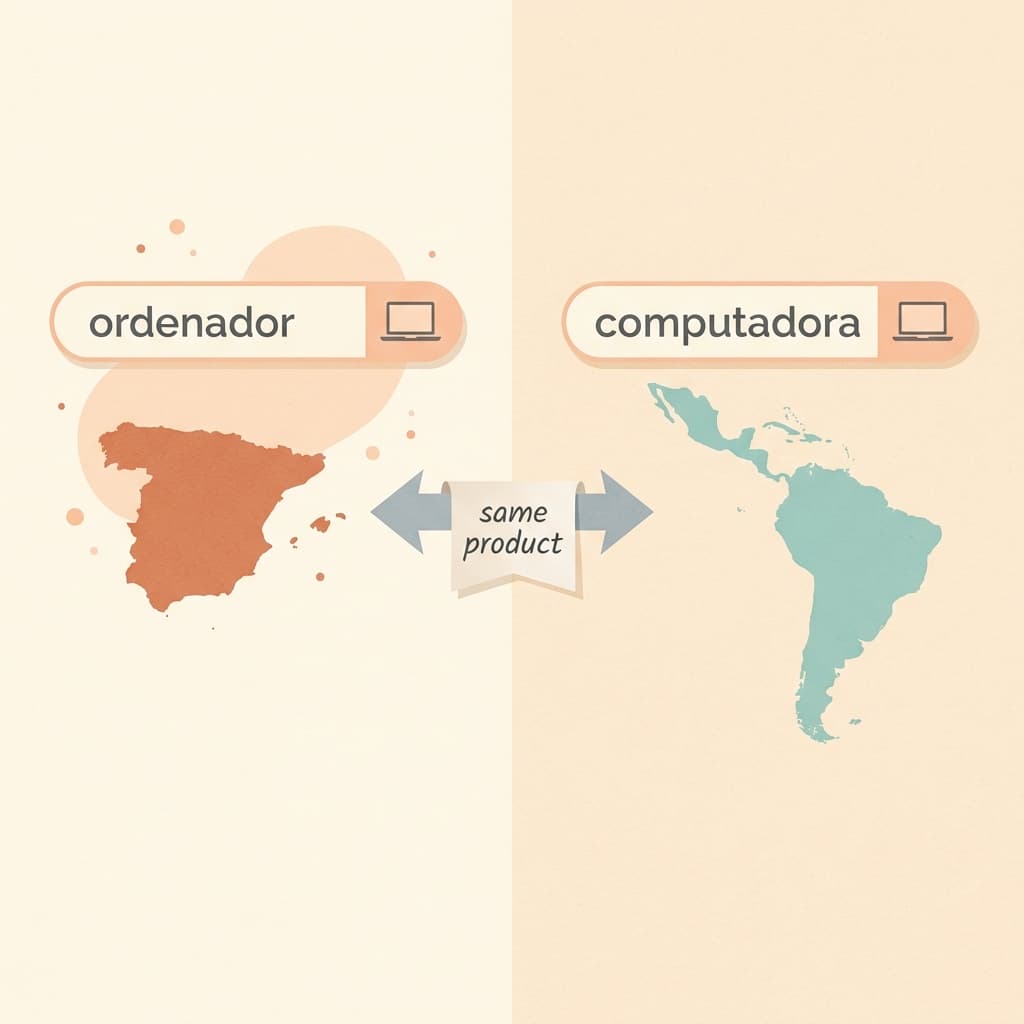
The classic example is vocabulary that differs between regional variants. In Spain, people commonly say "ordenador" for a computer, while in much of Latin America "computadora" or "computador" is more common. Google offering both Spanish (Spain) and Spanish (Latin America & Caribbean) as separate targets exists precisely because of this. Pick the variant that matches the country you are targeting, and scan the keyword list for words that sound foreign to that audience.
Portuguese has the same issue. Brazilian and European Portuguese differ in vocabulary, spelling conventions, and the way people address each other, so a campaign targeting Brazil should use the Portuguese (Brazil) option and a campaign targeting Portugal should use Portuguese (Portugal). The same goes for French (Canada) versus French. If your Canadian audience searches in French and sees a France-flavored phrasing, it can read as slightly off, which weakens trust.
Match types deserve a second look as well. A broad match keyword in English has a certain reach. The translated version has a different reach because the language has its own synonyms, compound words, and typical search length. After launch, the search terms report is where you learn what real people typed, and it is the best source for improving the translated keyword list. I would plan to check it within the first week and add negative keywords for irrelevant queries quickly.
If you are also using AI-driven features, read our walkthrough on the AI Max auto-upgrade for Search campaigns, since an upgraded campaign can expand beyond your exact translated keywords and make the search terms report even more important.
Images: In-Painting and Supplemental Text Assets
The tool handles images in a way that is easy to misunderstand. If one of your image assets has English text overlaid on it, Google removes the text overlay using in-painting, which means it fills the area with generated background that matches the surrounding pixels. The translated message is then added as a supplemental text asset rather than baked back into the picture.

Two practical consequences follow:
- The picture and the words become separate, which is good for flexibility but means the image alone no longer carries your message.
- In-painting is generative, so check the cleaned image. Look at the area where the text used to be for smudged patterns, odd textures, or leftover fragments of letters.
If an image fails the check, you have a clear alternative: make a fresh, language-neutral version of the visual. This is a natural use of Miraflow's AI Image Generator, where you can generate or edit the picture without text, or use inpainting to mask and replace a region. Images with no embedded text are easier to reuse across every language, which is a good habit to build into your creative process from the start. Our guide to AI prompts for Google Ads display banners has templates for creating text-free banner visuals that you can overlay with language-specific copy.
Landing Pages: The Part the Ad Translation Cannot Finish
A translated ad that lands on an English page is one of the fastest ways to waste budget. The person who clicked a French headline and saw an English page will usually leave. Google gives you three ways to deal with this, and a fourth option in specific cases.
- AI translation through a JavaScript snippet. You install the Google tag once per account, and Google serves a translated version of the landing page. This is the fastest route, with a setup cost of a single tag installation.
- Manual URL updates. You point each translated ad to a dedicated, human-built language page.
- Bulk find-and-replace on domains. If your localized sites live on predictable domains, such as example.com versus example.fr, you can swap the domain in all final URLs at once. A path-based structure may need a different approach.
- Do not update URLs. In some cases, the documentation notes you may leave URLs unchanged, for example if your site already serves the right language automatically.
Which Option Fits Which Business
If you run a lead generation page with a short form, a quick AI-translated page can be a reasonable way to test whether demand exists in a new market before investing in a full localized site. The risk is that the form, the trust signals, the legal footer, and the shipping or pricing details may not read naturally in translation.
If you run ecommerce or a regulated service, I would lean toward human-built pages for the final version, with the snippet as a short-term test tool. Currency display, tax, delivery times, returns policy, and customer support hours should all match the country.
Whichever option you choose, test the whole path yourself on a phone: click the ad preview URL, check the page language, fill the form, and confirm that the thank-you page and any confirmation email are not in English.
Budgets and Bids: Copied Exactly, Not Converted
This is the part I would underline in red. According to Google's documentation, budgets and bids are copied exactly from the original campaign, with no currency conversion. If your original campaign has a $100 USD budget, the new campaign has $100 USD too. [1]
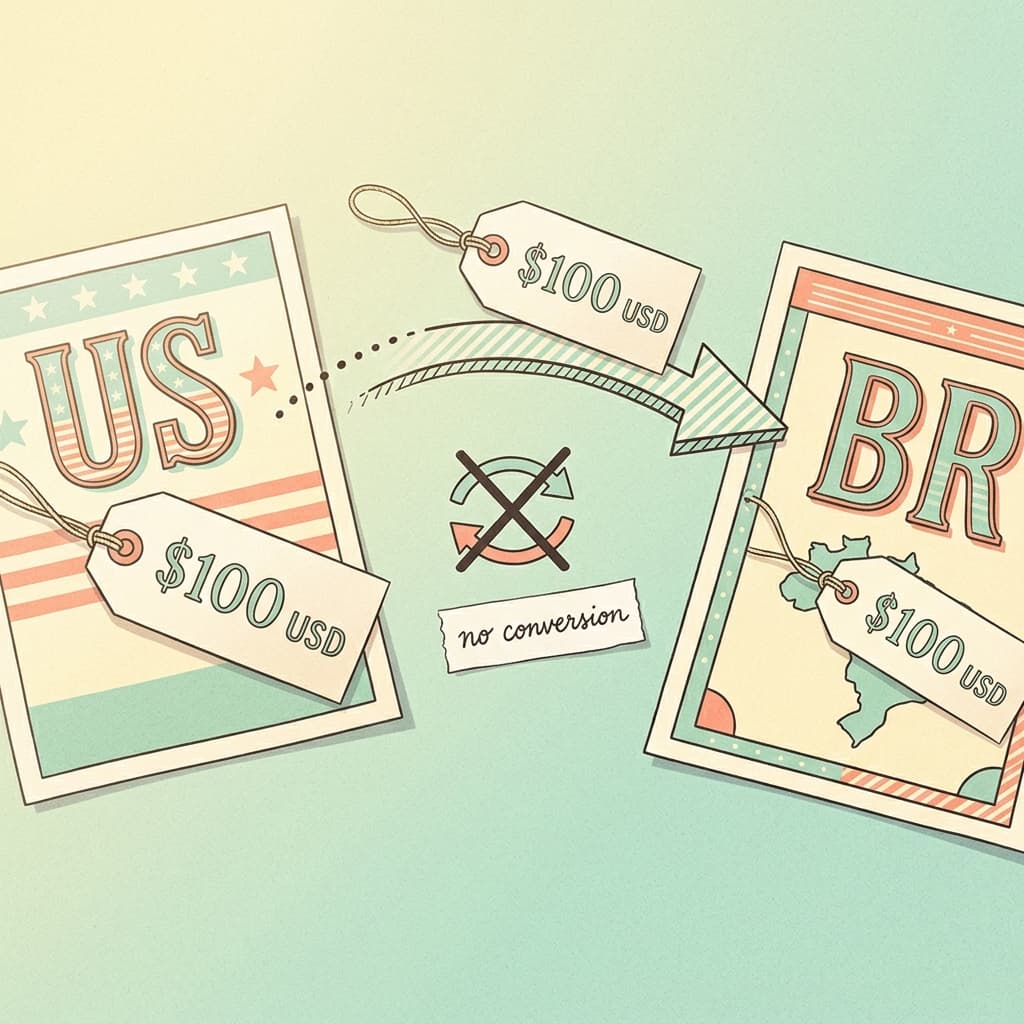
Your account has one currency, so the number is copied as is, which means the budget is not adjusted to the market it now targets. That causes two real problems.
Problem one: market prices differ. Suppose, as a made-up illustration, your US campaign pays around $3.00 per click and your daily budget is $100, so you expect roughly 33 clicks a day. In a market where the same keywords cost about $0.60 a click, that same $100 could buy over 160 clicks, which may be far more than your landing page and sales team can handle. In a market where clicks cost $6.00, the same $100 buys about 16 clicks, which may be too few for the bid strategy to learn anything. The numbers here are invented to show the arithmetic, so check real costs with Keyword Planner or from your own early data.
Problem two: bid strategy targets may not fit. A target CPA that works in your home market can be unrealistic in another one. Too low and the campaign barely serves. Too high and it overspends. Smart Bidding also needs conversion data to learn, and a small budget in a new language starts with none.
A sensible approach is to treat the copied numbers as placeholders. Before you enable the campaign, set a budget based on what you are willing to spend to learn about the market, not on what the English campaign spends. Then choose a bid strategy that matches the amount of data you will have, which for a brand-new campaign is usually less than you hoped.
If your account is not in USD, the same logic applies. The copied number simply stays the same in your account currency.
Location Targeting and the End of Manual Language Targeting
One of the subtler points is how this tool interacts with Google's change to language targeting. Google is removing the manual language targeting setting from standard Search campaigns and moving to automated language matching, which we covered in detail in our post on the language targeting removal.
In the old world, you could keep an English campaign and a Spanish campaign aimed at the same city, and separate them by setting the language on each. Without a manual setting, the language of the ad you show is increasingly decided by Google's systems at auction time, based on signals about the searcher. That makes the location you choose, the language of your assets, and your landing page strategy more important together.
What I would do in practice:
- Choose a location that fits the language. A Portuguese (Brazil) campaign should target Brazil. A Portuguese (Portugal) campaign should target Portugal.
- Keep each campaign's assets in one language. Mixed-language campaigns confuse the matching.
- Watch the language and geography reports after launch to confirm that impressions are going where you intended.
- If you run bilingual markets, such as Spanish and English in a US city, do not assume that the translated campaign will only reach Spanish speakers. Check your search terms to see what language people actually used.
Conversion Tracking: Check Before You Unpause
The new campaign inherits a lot, but it is still worth confirming the measurement side, because a campaign that spends without measuring is hard to evaluate.
- Confirm that the same conversion actions are counting for the new campaign, and that conversion goals match.
- Check that your tag fires on the translated landing pages. If you are using a translated version through the snippet, test that the thank-you page still triggers conversions.
- Make sure thank-you page URLs or event triggers do not depend on English words in the path.
- If you use call tracking, form tracking, or a CRM, confirm that leads from a new language are tagged so your sales team can attribute them.
- Consider whether your sales or support team can actually answer in that language. A lead generated in Dutch that gets an English reply tomorrow is a wasted lead.
If you also run Performance Max or AI Max, take a look at our guide to the new AI Max reporting columns, because a clearer view of search terms and assets helps when you compare a localized campaign to the rest of your account.
How to Structure a Fair Test
The temptation is to publish ten languages in one afternoon. A better plan is to start small and learn.
- Pick one or two markets where you have a real reason to expect demand, such as existing organic traffic, past orders, or a sales team with language skills.
- Set a learning budget you are comfortable losing. Treat it as research spend.
- Define success before launch. Pick a metric such as cost per qualified lead, and a minimum number of conversions you need before judging.
- Give it time. A new campaign needs time to exit its learning period, and results in the first days are noisy.
- Compare like with like. Compare against a realistic benchmark for that market rather than your home-market cost per lead.
If you want a clean comparison between approaches, such as the AI-translated landing page versus a human-built page, Google Ads' experiments can help. Our guide to Search experiments for multi-campaign budget and ROI testing explains how to split traffic and read the results. For creative tests inside a campaign, see asset experiments in Performance Max for the same testing mindset.
A word of caution: the localized campaign is an independent campaign, not a variant of the original, so a standard experiment on the original may not map onto it directly. You may need to design the comparison around two parallel campaigns or around different treatments inside the localized one.
Manual Translation vs the Localization Tool
Both approaches have a place. This comparison shows where each tends to win.
| Factor | Manual translation | AI localization tool |
|---|---|---|
| Speed | Days to weeks including spreadsheet round trips | Guided workflow inside Google Ads |
| Keywords | Researched natively by a specialist | Translated by AI, needs intent review |
| Review | Depends on your process | Built-in table with back-translation and notes |
| Budget and bids | Set by you per market | Copied exactly, no currency conversion |
| Images | Redesigned by hand | Text removed by in-painting, translated text added as assets |
| Landing pages | Built or localized by your team | AI translation snippet or manual URL options |
| Best for | Regulated, high-stakes, wordplay-heavy campaigns | Fast first drafts and market tests |
My general view is that the tool is excellent for speed and for first drafts, and that human review remains valuable on anything that carries legal, medical, or financial weight.
When Not to Use It
Not every campaign should be localized this way. I would hold off, or add heavy human review, in these cases:
- Regulated categories. Finance, health, pharma, gambling, alcohol, and legal services have country-specific rules about what you can claim and how. Google's own policies also vary by country, as in our post on the alcohol advertising policy update. A translated ad can be a policy violation in one country even though the English version is fine in another.
- Heavy wordplay and slogans. Puns, rhymes, and cultural references rarely survive translation. If your English ad relies on a joke, rewrite it for the new market rather than translate it.
- Products that are not sold there. If you cannot ship, support, or invoice in the target country, the campaign will generate clicks you cannot serve.
- Campaigns with weak English performance. Translating a campaign that does not convert gives you ten campaigns that do not convert.
- Accounts with election-verified status or ineligible campaign states. The tool simply will not apply.
Also keep policy review in mind. Ads in a new language go through Google's review like any other, and Google has been speeding that up, as we explained in our guide to real-time policy reviews. Faster review does not make a claim compliant, so still read yours.
Pre-Publish Checklist
Run through this list while the campaign is still Paused.
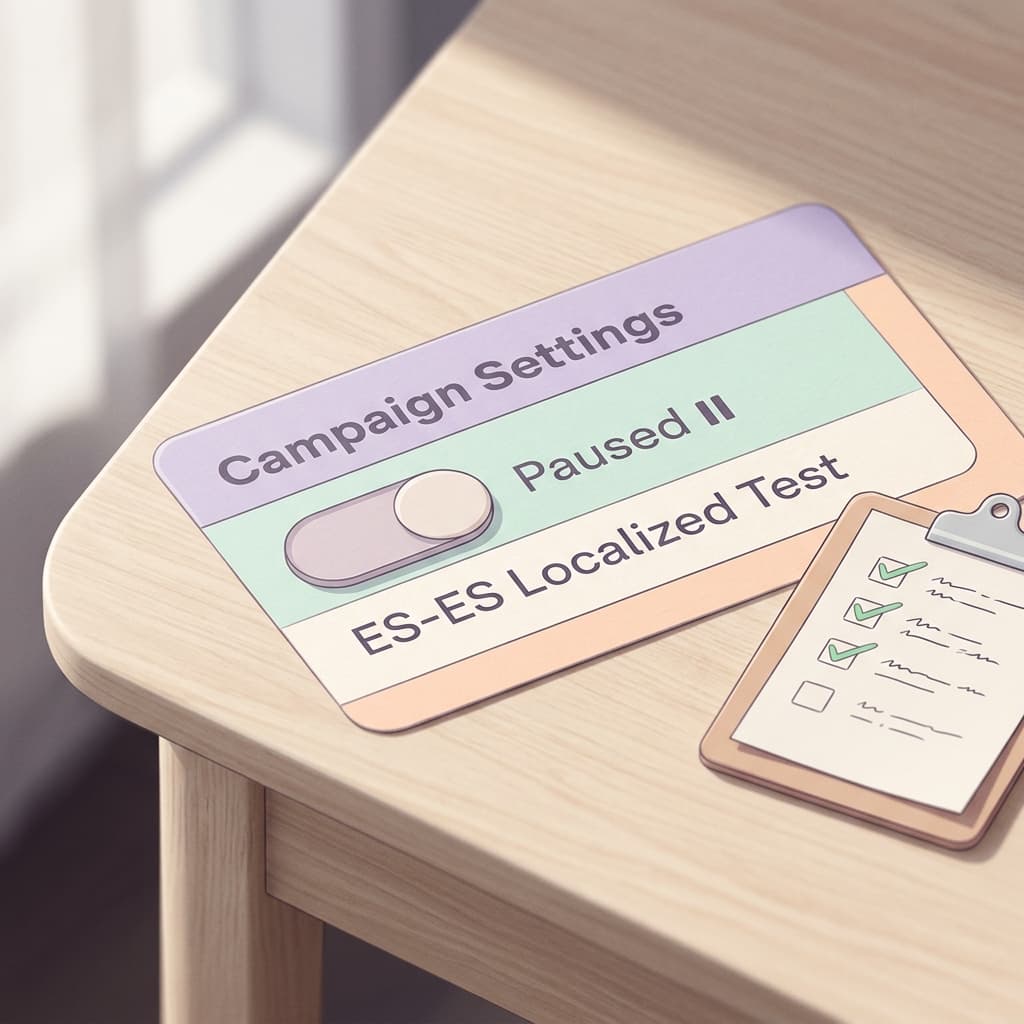
- Campaign name follows your naming convention and includes the language.
- Target language variant matches the target country.
- Location targeting matches the language.
- Every row in the review table has been checked against its back-translation.
- Brand names, product names, and legal phrases are approved by a qualified reviewer.
- Keyword list contains no stray English terms and no words that sound foreign to the regional variant.
- Images were checked for in-painting artifacts, and translated text assets are present.
- Landing page strategy is chosen, tested on mobile, and the Google tag is installed if you use the snippet.
- Conversion actions fire on the translated pages.
- Budget and bid targets were rewritten for the new market, not left as copied.
- A reply path exists for leads in that language.
- A review date is on the calendar for the search terms report and early results.
Localizing the Creative Around the Campaign With Miraflow
A Search campaign is mostly text, but the best-performing accounts support it with visuals, video, and landing page assets that feel native to each market. This is where an AI creative workflow helps.
- Localized visuals. Use Miraflow's AI Image Generator to create market-specific images, such as local settings, seasonal scenes, or product shots without embedded text. The same prompt with a different setting can produce a version that fits Madrid, Mexico City, or Montreal.
- Language-specific thumbnails and banners. The YouTube Thumbnail Maker is useful when your localized campaign points to a video, since you can set thumbnail text in the target language.
- Localized Shorts. With Text2Shorts, you can turn a script into a vertical short, then write the script in the target language to produce a native-feeling version for that audience. Our guide on voice cloning for content creators covers voice considerations for multilingual content.
- Short product clips. Miraflow's cinematic video generator can produce short scenes for ad concepts.
- Repurposing long videos. If you already have a long video in the target language, AI Clipping finds the strongest moments and turns them into captioned Shorts, with automatic language detection.
You can explore the full toolkit from Miraflow's home page. For Google's own AI-generated video tools, see our explainer on Gemini Omni in Asset Studio.
Common Mistakes to Avoid
- Accepting the translation without reading the back-translation. The column exists for a reason.
- Leaving the copied budget untouched. The number came from a different market.
- Translating a campaign that is not ready. Fix the English version first.
- Skipping the landing page. A translated ad with an English page wastes the click.
- Ignoring regional variants. Spain, Latin America, Brazil, Portugal, France, and Canada are not interchangeable.
- Judging too early. A new campaign needs data before a verdict is fair.
- Unpausing everything at once. Stagger launches so you can fix patterns before they repeat ten times.
- Forgetting people. If no one can reply to leads in that language, the campaign cannot succeed.
What to Expect Next
Google says more target languages will arrive by the end of 2026 and that Performance Max support is planned. Because this is a beta, the interface, the language list, and the eligibility rules may change. It is reasonable to expect that the source language list will also grow, since English (US) only is a clear constraint for non-US teams. Until then, a non-English source campaign cannot use the tool.
Frequently Asked Questions
What is the Google Ads AI campaign localization tool?
It is a beta feature that uses generative AI to localize a Search campaign for a new language and region. It creates a new, separate campaign and leaves the original untouched.
Which languages does it support?
Ten target languages: Dutch, French, French (Canada), German, Italian, Polish, Portuguese (Brazil), Portuguese (Portugal), Spanish (Spain), and Spanish (Latin America & Caribbean). The source language is English (US) only. Google says more languages are planned by the end of 2026.
Does it change my original campaign?
No. The localized campaign is independent, and the original is never modified.
What does it translate?
Headlines, descriptions, sitelinks, callouts, and keywords. For images, it removes text overlays with in-painting and adds the translated message as supplemental text assets.
Does it convert my budget to the local currency?
No. Budgets and bids are copied exactly with no currency conversion, so a $100 USD budget stays $100 USD. Review and reset them for the new market.
Will the new campaign start spending immediately?
No. It is published as Paused by default, so you can review it before enabling.
How do I access it?
Select a campaign in the Campaigns table and choose localization, open the Tools menu and choose Localization, or apply an Optiscore localization recommendation.
Can it translate my landing pages?
It can offer AI translation through a JavaScript snippet, which requires installing the Google tag once per account. You can also update URLs manually, run a bulk find-and-replace on domains, or in some cases leave URLs unchanged.
Which campaigns are not eligible?
Removed campaigns, drafts, experiments, and shadow campaigns, campaigns outside entity size limits, campaigns whose assets or keywords are not all in the supported source language, and campaigns from election-verified customers.
Does it work for Performance Max?
Not yet. Google has said Performance Max support is planned, so check the help documentation for current status.
Can I edit the translations?
Yes. The review table supports inline editing, and shows the original, the translation, a back-translation into English, and translation notes.
Should I use it for legal or medical advertising?
Be very cautious. Use qualified human reviewers for any regulated claims, and check each country's policies before enabling.
Conclusion
Google's AI campaign localization tool takes the slowest part of international Search advertising, the copy-translate-paste cycle, and turns it into a guided workflow with a built-in review table. The clean separation from your original campaign, the back-translations, and the Paused default are all thoughtful safety features.
The tool will not do the strategic work for you. You still decide whether a market is worth entering, which regional variant fits, how much to spend, how to handle the landing page, and whether the claims in your ads are acceptable in that country. Start with one or two markets, rewrite the copied budget, read every back-translation, test the full click path, and judge the results against realistic benchmarks.
When you are ready to build the visuals and short videos that go with each language version, Miraflow gives you image, Shorts, thumbnail, and video tools in one browser workspace.