AI Max for Shopping Explained: What Retailers Need to Prepare (2026)

Written by
Aerin Kim
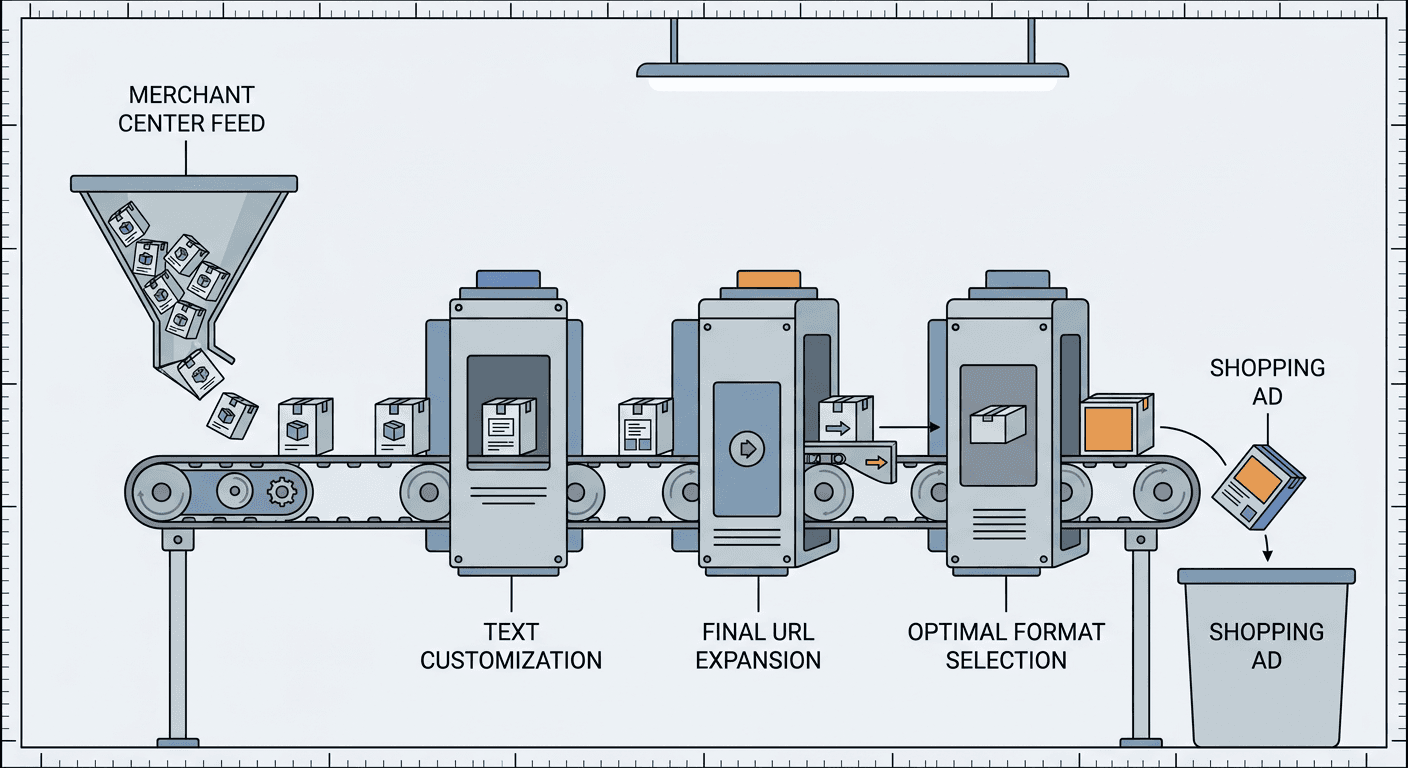
Google extended AI Max from Search to Shopping campaigns in 2026, turning Merchant Center feeds into conversational ad copy. Here is how it works and what retailers must fix first.
If you have spent any part of the last year getting your Search campaigns ready for AI Max, broad match rewritten around natural-language understanding, landing pages picked automatically, asset groups doing more of the talking, you might reasonably assume that work is done and Shopping campaigns are a separate problem for a separate day. On April 30, 2026, Google closed that gap. AI Max for Shopping brings the same underlying philosophy that reshaped Search campaigns, understand what a shopper actually means instead of what keywords they typed, over to product feeds and Shopping surfaces, and it does it in a way that changes what your Merchant Center feed needs to look like, not just what checkbox you flip in campaign settings.
The announcement, posted to Google's Ads & Commerce Blog and credited to Brandon Ervin, a director of product management at Google Ads, landed roughly a year after AI Max first launched for Search campaigns back in May 2025, and it was framed explicitly as the next logical extension of that same idea: search behavior has moved toward long, specific, conversational phrasing, and a Shopping campaign built entirely around exact product titles is structurally blind to a huge share of that traffic. Someone searching "shoes good for standing all day at work" is not going to type your SKU name, and a standard Shopping campaign, no matter how well you have built out your product titles, has no real mechanism for connecting that phrase to the right product in your catalog. AI Max for Shopping exists specifically to close that gap, using your existing Merchant Center feed as its raw material rather than asking you to build anything new from scratch.
This post walks through exactly how AI Max for Shopping works, its three named components, how it is genuinely different from both a standard Shopping campaign and from AI Max for Search, what a retailer actually needs to fix in Merchant Center before opting in, and where the real mistakes are likely to happen. Because this update lives entirely inside product feed data, it is also a good moment to talk about the actual product creative feeding those Shopping ads, since a Shopping ad that finally reaches the right conversational shopper is only half the job if the image or video behind it does not hold up. [[TABLE:components-overview]]
What Changed: AI Max Extends From Search to Shopping
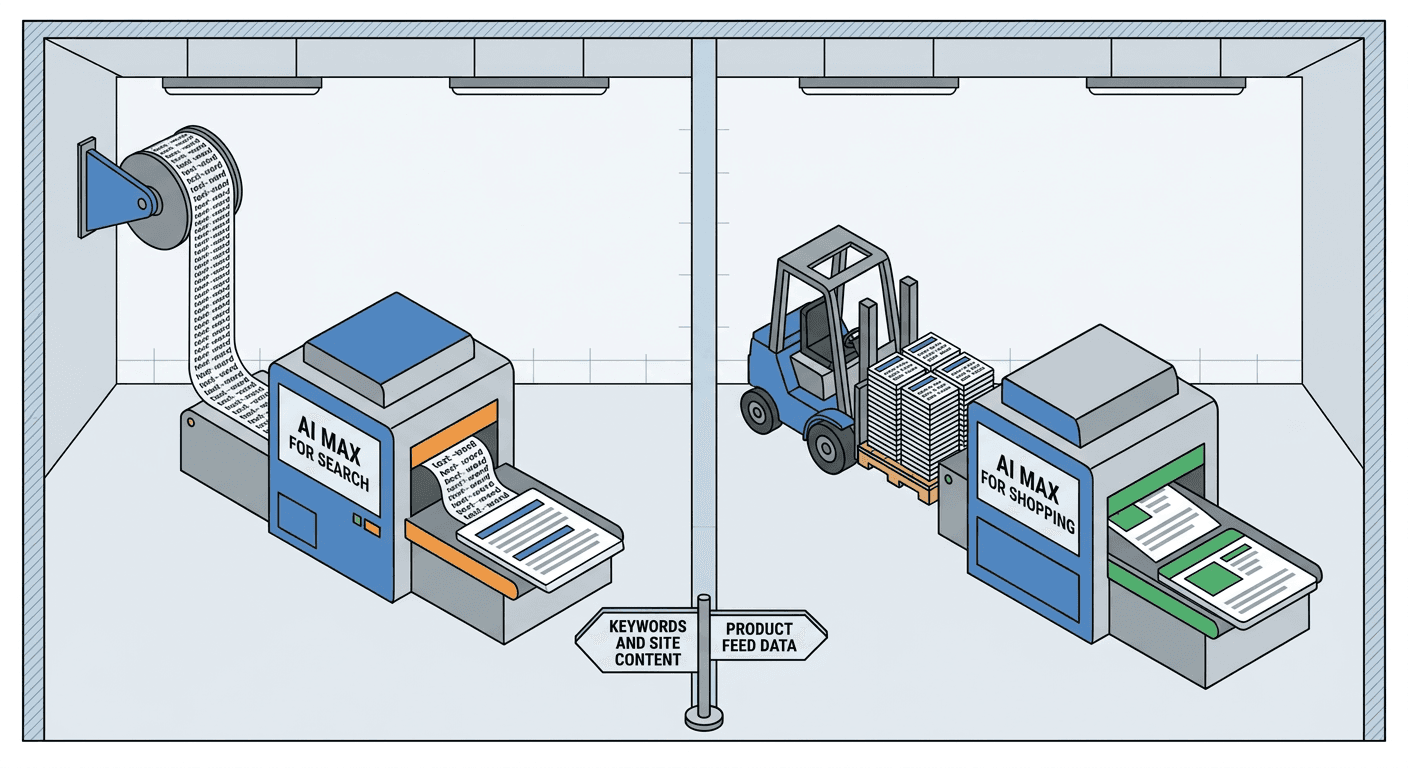
AI Max for Search spent its first year rewriting how Search campaigns match a query, folding broad match and Automatically Created Assets into a single AI-driven matching system that, as Miraflow covered in the AI Max auto-upgrade rollout, Google began auto-migrating existing campaigns into starting in September 2026. That entire story, up to this point, has been about text ads: keywords, headlines, landing pages built from a site's crawlable content. Shopping campaigns sat outside that story completely, because a Shopping ad is not built from keywords in the first place. It is built from a product feed, structured data Google pulls from Merchant Center: title, description, price, availability, GTIN, product type, and a long list of category-specific attributes.
That structural difference is exactly why AI Max for Shopping needed its own separate build rather than simply flipping the existing AI Max switch onto Shopping campaigns. A Search campaign's raw material is language, the query someone typed and the keywords an advertiser chose to bid on. A Shopping campaign's raw material is structured commerce data, rows and columns describing real, purchasable inventory. Teaching an AI system to understand conversational intent is one problem. Teaching that same system to map conversational intent onto a literal product feed, correctly, without inventing products that do not exist or misrepresenting ones that do, is a meaningfully harder and more specific problem, and it is why AI Max for Shopping shipped nearly a full year after AI Max for Search rather than alongside it.
The core insight behind the update is one every retailer running Shopping ads has quietly known for years without necessarily having language for it: a standard Shopping campaign is only as good as how closely a shopper's actual search phrasing matches the literal text sitting in your product titles and descriptions. If your feed lists a product as "Men's Cushioned Trail Runner, Size 10, Grey," that listing will surface cleanly for someone searching close to that exact phrase. It has essentially no natural path to surfacing for someone searching "shoes good for standing all day at work," even though that trail runner, with the right cushioning and support, might be exactly the product that shopper needs. The mismatch is not a quality problem with your feed. It is a structural limitation of matching literal product data against increasingly conversational, discovery-phase search behavior, the kind of search Google has said is becoming the norm rather than the exception as more shoppers use natural language instead of typing product-catalog phrasing into the search box.
AI Max for Shopping is Google's answer to that specific gap, and it works by adding three distinct capabilities on top of your existing Shopping campaign rather than requiring a new campaign type. According to Google's own documentation, it is available as what Google describes as a one-click upgrade for advertisers already running Shopping campaigns, not a rebuild from zero. That framing matters for how you should think about adoption risk. You are not migrating to an unfamiliar campaign type, keeping your existing product targeting, bidding strategy, and feed structure intact while turning on additional matching and creative capabilities layered on top of what you already have.
The Three Components of AI Max for Shopping
Each of the three named capabilities inside AI Max for Shopping solves a different, specific piece of the conversational-query problem, and they are worth understanding individually rather than as one undifferentiated "AI upgrade," because each one has its own real mechanism, its own real prerequisite, and its own real failure mode.
Text Customization: Rewriting Product Copy for Intent, Not Just Inventory
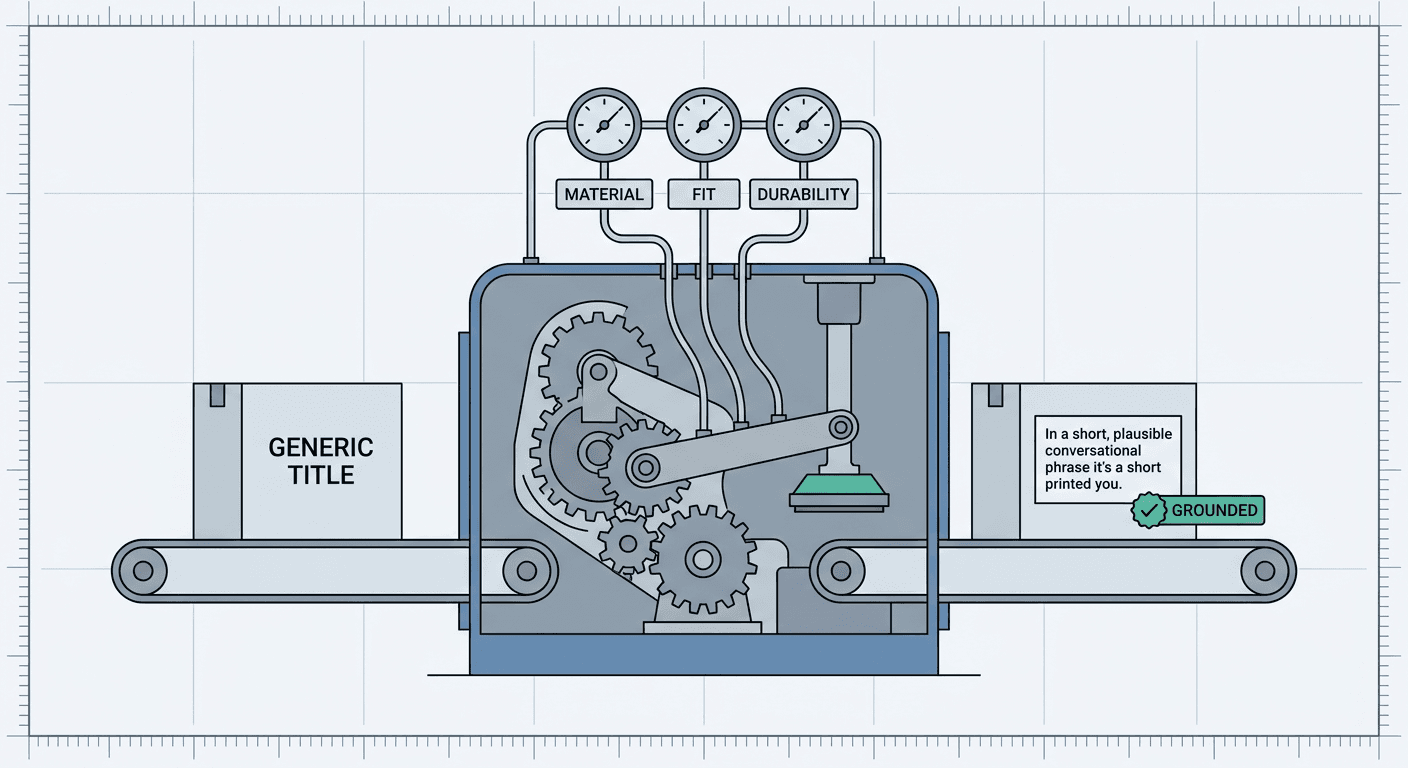
Text customization is the component doing the actual language work. Instead of showing a shopper the same static product title every advertiser already has sitting in their feed, unchanged since the day it was uploaded, text customization uses generative AI, grounded in your real Merchant Center feed data, to produce ad copy that speaks to what a specific shopper is actually asking for. According to Google's own help documentation, the system pulls from feed attributes well beyond the basic title and description, fabric softness, material durability, waterproofing, stability, and store-pickup availability are the specific examples Google names, meaning the system is reading deep into your structured attribute data, not just skimming the product title.
The mechanism matters here because it explains both the power and the real limitation of this feature. Text customization is not writing creative copy in the abstract sense a copywriter would. It is generating a version of your product's real information, reassembled and rephrased to match a shopper's actual language, always grounded in attributes that already exist somewhere in your feed. Google's documentation is explicit that this comes with quality guardrails specifically meant to keep generated titles accurate, grounded in the actual product, and screened for predicted performance before they ever get shown, rather than the system freely inventing appealing-sounding claims about a product that are not actually true. A retailer whose feed lists "waterproof: yes" as an attribute can have that fact surfaced conversationally, "a waterproof option for standing outside all day," for a shopper who never would have found that product searching a literal title. A retailer whose feed has that field blank has given the system nothing to work with for that specific claim, no matter how waterproof the actual product might be in real life.
That distinction is the single most important thing to understand about text customization before turning it on, and it directly foreshadows the Merchant Center preparation section further down this post. The system can only surface what your feed actually contains in structured form. A product with a thin, generic feed listing, just a title, a price, and a category, gives text customization almost nothing to draw from beyond rephrasing the same handful of facts it already has. A product with a rich, complete attribute set gives the system real raw material to match against a much wider range of conversational phrasing. This is also, as of the initial rollout, limited to English-language feeds specifically, so a retailer running Shopping campaigns in other languages should not expect this specific capability to apply yet, even once broader eligibility for the feature reaches their account.
Final URL Expansion: Sending the Shopper to the Right Page, Not Just the Default One
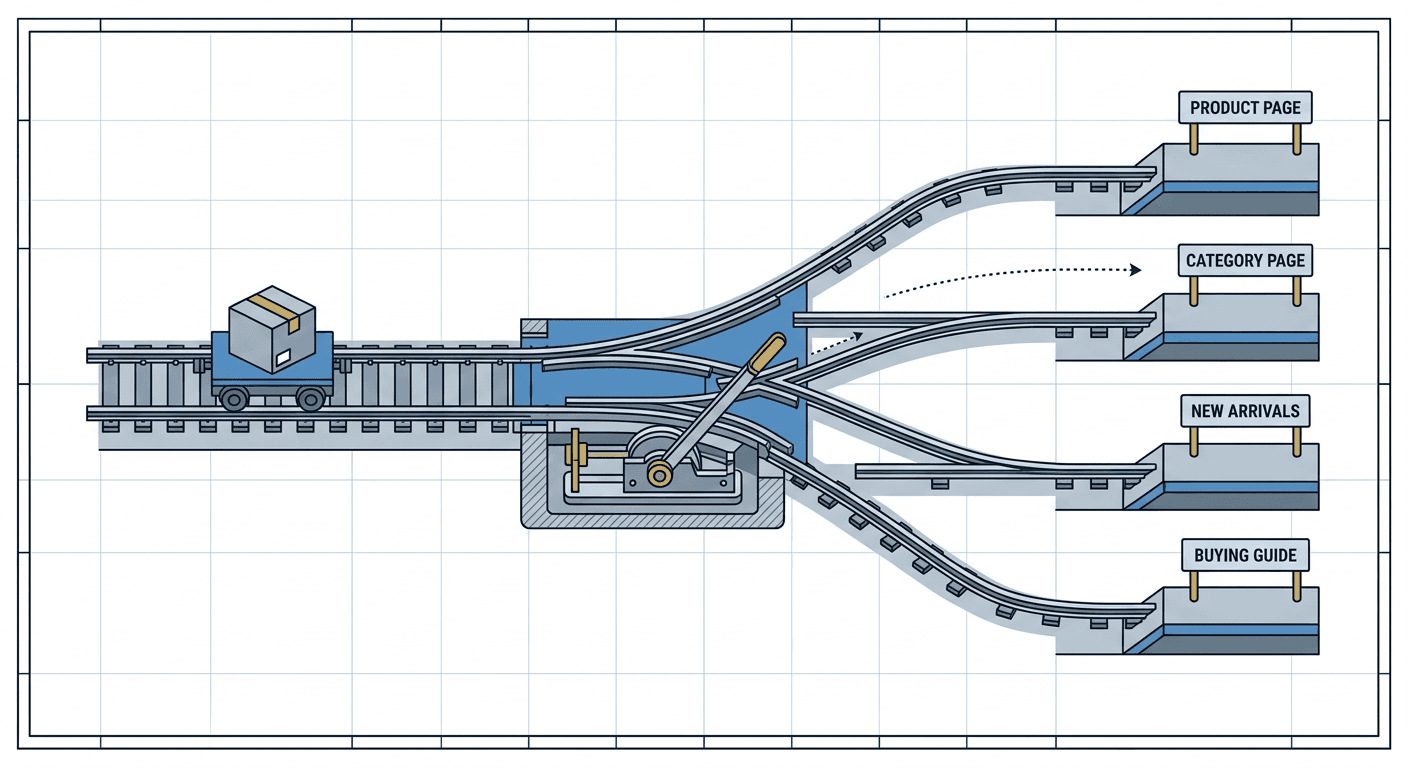
Final URL Expansion solves a different, adjacent problem. A standard Shopping ad almost always sends a click to one specific, fixed destination, the individual product detail page tied to that listing in your feed. That is a reasonable default for a shopper who already knows exactly which product they want. It is a genuinely poor destination for a shopper whose search was broader or more exploratory than a single SKU, someone comparing several similar products, someone who would be far better served landing on a category page, a buying guide, or a comparison page that actually addresses the question their conversational search implied.
Final URL Expansion works by crawling a retailer's own website, beyond just the individual product pages already tied to feed listings, to identify what Google's documentation describes as high-value commercial URLs: category pages, new-arrivals pages, and editorial content like buying guides. When a shopper's query signals broader intent than a single product, the system can route that click to one of these other pages instead of forcing every click toward the same narrow product-page destination the feed happens to specify. This is the same underlying mechanism Miraflow has already covered for Search campaigns, where AI Max's Final URL Expansion can send a click to a page an advertiser never explicitly targeted, covered in detail in Miraflow's breakdown of the AI Max reporting changes, now applied specifically to Shopping traffic and a retailer's product catalog rather than a Search campaign's keyword list.
There is a real, non-optional prerequisite here worth calling out clearly, because it is easy to miss during setup. Final URL Expansion for Shopping requires text customization to already be enabled, and it requires the campaign to be running on a Target ROAS bid strategy. Both requirements make structural sense once you think through why. Final URL Expansion depends on the same conversational-intent understanding text customization already builds, sending a shopper somewhere broader than a single product page only makes sense once the system has already correctly interpreted that the shopper's intent is broader than a single product in the first place. And Target ROAS specifically, rather than Maximize Conversion Value or a manual bidding strategy, gives Smart Bidding the value-based signal it needs to judge whether sending a click to a category page instead of a product page is actually producing better outcomes, the same reliance on a value signal that showed up in Miraflow's coverage of Product Value Optimization for Performance Max and standard Shopping bidding.
A retailer can disable Final URL Expansion specifically while keeping the rest of AI Max for Shopping active, which is a meaningful piece of control worth knowing about rather than treating the whole feature as an all-or-nothing switch. Google's own documentation frames this explicitly: turning Final URL Expansion off limits ads to the standard Shopping format only, while still letting text customization improve the copy on those Shopping listings. A retailer with a thin website, a handful of product pages and nothing resembling a real category or buying-guide page worth sending traffic to, is a reasonable candidate for keeping Final URL Expansion off at first, since there is genuinely nowhere better than the product page itself for that specific catalog to route a click toward yet.
Optimal Format Selection: Choosing the Right Ad Shape for the Query
The third component is the one that changes what the shopper actually sees, not just what copy or landing page sits behind it. Optimal Format Selection automatically chooses between a standard Shopping ad, the familiar product card with an image, price, and title, and a more conversational or dynamic text-ad format, based on which shape of ad is actually the better match for a given query.
The reasoning behind this is worth walking through concretely, because it is easy to assume a Shopping ad is always the right format for a Shopping campaign, and that assumption is exactly what this component is built to correct. A shopper searching a specific product name is well served by the familiar Shopping card, they already know roughly what they want, and a clean image with a price is the fastest way to confirm this is the right item and decide to click. A shopper searching something broader and more exploratory, again, something closer to "shoes good for standing all day at work" than a specific product name, is arguably better served by a format that can actually explain, in a sentence or two of generated text, why a specific product fits that need, cushioning, support, all-day comfort, rather than relying on a bare product image and price to make that case with no room for context. Optimal Format Selection is the mechanism that decides, query by query, which of those two experiences is the better fit, rather than forcing every single impression through the same rigid product-card template regardless of how the underlying search was actually phrased.
This is also the component that most directly explains why AI Max for Shopping needed its own separate development rather than being an automatic extension of Performance Max's existing behavior. Performance Max, as Google's own documentation notes, has already included Final URL Expansion and format selection for some time, since a Performance Max campaign was always built to span multiple ad formats and networks in the first place. Standard Shopping campaigns were not built with that same flexibility, they were built specifically to produce one consistent kind of output, the Shopping product card, and Optimal Format Selection is what actually breaks that campaign type out of its historically single-format design. A retailer who has never run Performance Max and only ever used standard Shopping campaigns is, in a real sense, gaining a capability that Performance Max advertisers have already had access to for a while, just newly available inside the campaign type they are actually used to managing.
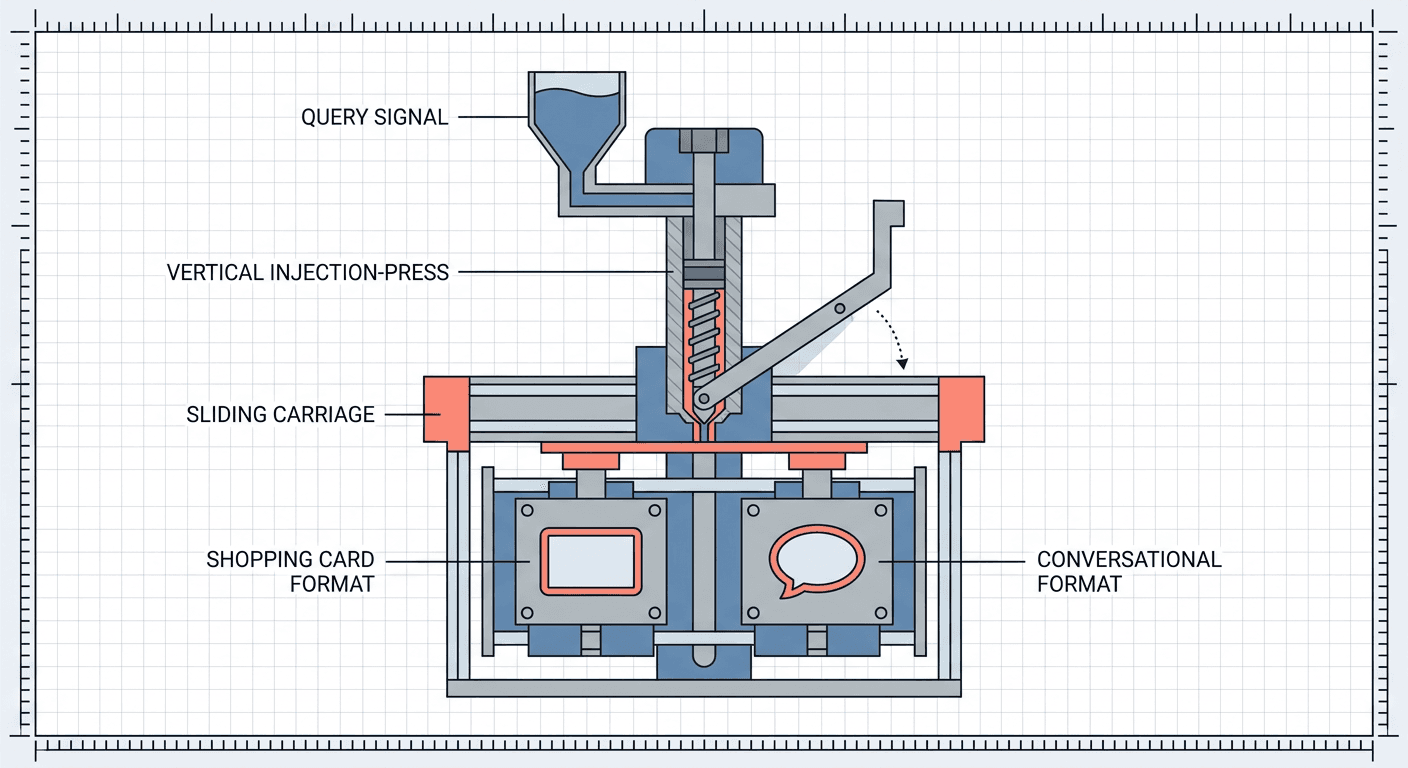
The genuine edge case worth naming here is what happens when a query sits ambiguously between the two formats, not clearly a specific-product search and not clearly a broad, exploratory one. Google has not published a precise threshold for exactly where that line sits, and it would be surprising if one existed as a fixed rule rather than a continuously learned judgment. In practice this means a retailer reviewing performance after enabling Optimal Format Selection should expect some genuinely mixed-format traffic in the middle of that spectrum, and should treat the format mix itself as a signal worth watching over time rather than assuming the system converges to one stable pattern immediately.
How AI Max for Shopping Differs From a Standard Shopping Campaign
It is worth being precise about exactly what changes and what stays the same, because AI Max for Shopping is not a new campaign type sitting alongside standard Shopping, Performance Max, and the rest. It is, according to Google's own documentation and independent reporting on the rollout, an optional setting layered onto an existing Standard Shopping campaign, meaning a retailer keeps their existing feed connection, their existing product targeting rules, and their existing bidding structure, while gaining broader search matching behavior, generated titles, and dynamic landing page and format selection on top of that same foundation.
The practical shape of the change is best understood through what one industry analysis of the rollout called a fourth account structure option. Historically, a retailer choosing how to structure Shopping advertising picked among a small, well-understood set of options, standard Shopping campaigns organized by product groups and priority, Smart Shopping-style automated campaigns, or a full Performance Max campaign spanning every Google surface at once. AI Max for Shopping does not replace any of those. It sits as an enhancement inside the standard Shopping option specifically, meaning a retailer who has deliberately avoided Performance Max, wanting to keep Shopping-specific bidding and reporting separate from the blended, cross-network reporting Performance Max produces, can now get a meaningful share of AI-driven matching and format flexibility without giving up that separation.
The query matching itself is the most consequential practical difference. A standard Shopping campaign matches a search to a product primarily through Google's own internal relevance matching against your literal feed data, title, description, product type, and the handful of other fields Google has always used to decide which listings are eligible to show for a given search. That matching has always had some flexibility, Google has never required an exact literal string match, but it has always been fundamentally anchored to the words actually present in your feed. AI Max for Shopping's matching is anchored instead to the deeper attribute set text customization draws from, meaning a search that shares no meaningful vocabulary at all with your product title, "shoes good for standing all day at work" against a title that says nothing about standing, work, or all-day wear, can still surface the right product, provided the underlying attributes describing cushioning, support, or comfort actually exist in your feed in some structured form.
The bidding and reporting layer, by contrast, largely stays where it already was. A retailer is not asked to switch bidding strategies to adopt text customization itself, only Final URL Expansion specifically carries the Target ROAS requirement described above. Reporting for a standard Shopping campaign running AI Max continues inside the same Shopping reporting surfaces retailers already use, with the addition of a new report specifically covering AI Max's expanded final URL assets, which is the surface Google expects retailers to actually review and prune, removing landing page selections that turn out to be off-brand or simply underperforming, the same kind of active oversight already required of AI Max's Final URL Expansion inside Search campaigns.
| Standard Shopping campaign | Shopping campaign with AI Max enabled | |
|---|---|---|
| Query matching | Anchored to literal feed text: title, description, product type | Anchored to deeper feed attributes, can match conversational phrasing sharing no vocabulary with the title |
| Ad copy | Static, unchanged regardless of the search behind the click | Generated per query, grounded in real feed attributes, with quality guardrails |
| Landing page | Always the default product page tied to the feed listing | Can route to a category, new-arrivals, or guide page when Final URL Expansion is enabled |
| Ad format | Always the standard Shopping product card | Can switch to a conversational text-ad format when that better fits the query |
| Bidding requirement | Any standard Shopping bid strategy | Target ROAS required specifically for Final URL Expansion |
How AI Max for Shopping Differs From AI Max for Search
This is the distinction that actually matters most for a retailer trying to figure out how much of what they already know about AI Max transfers over, and the honest answer is that the underlying philosophy transfers completely while the actual setup work and consideration set does not.
The philosophy is genuinely identical across both. AI Max for Search and AI Max for Shopping are both built around the same core bet: that natural-language, conversational search behavior is becoming the norm, and that a campaign structure built entirely around rigid, literal matching, keywords in one case, product titles in the other, is structurally unable to capture a growing share of that traffic. Both features respond to that bet with the same three-part pattern, understand the query's real intent, choose the best available destination for that intent, and choose the best available creative shape for that intent, even though the literal mechanics of each of those three steps look different depending on whether the underlying raw material is a keyword list or a product feed.
Where the two genuinely diverge is in what an advertiser actually has to prepare and manage. AI Max for Search draws its raw material from an advertiser's keyword list, ad copy, and crawlable website content, meaning the preparation work centers on things like brand controls, negative keyword-style exclusions, and making sure the site's actual pages are accurate and current, exactly the kind of work Miraflow covered in depth around Business Agent for Leads and the underlying AI Max auto-upgrade migration. None of that preparation touches a product feed at all, because a Search campaign, even one running AI Max, has no product feed in the first place.
AI Max for Shopping's raw material is a Merchant Center product feed, meaning the entire preparation burden shifts to a completely different discipline: feed hygiene, attribute completeness, GTIN accuracy, and product data structure, the kind of work an e-commerce operations or catalog team owns, not necessarily the same team that manages Search campaign copy and keyword lists at a retailer running both campaign types side by side. A retailer whose Search campaigns are already running cleanly on AI Max, brand controls tuned, site content solid, gains essentially none of that preparation transferring over to a Shopping campaign considering AI Max for Shopping. The website content that made AI Max for Search successful and the product feed data that AI Max for Shopping actually reads from are two different systems, frequently owned by two different teams, and a retailer treating "we already did AI Max prep" as covering both is very likely to discover the gap only after enabling the Shopping side and seeing thin or inconsistent results.
A second, more subtle divergence is who inside the organization actually needs to be involved. AI Max for Search preparation is largely a marketing and content function. AI Max for Shopping preparation genuinely depends on product data quality that, at many retailers, is maintained by a merchandising or catalog operations team with limited day-to-day contact with the paid media team running campaigns. A retailer serious about getting real value from AI Max for Shopping needs those two teams talking to each other in a way that AI Max for Search's rollout never actually required, since the feed itself, not the campaign settings, is where most of the real preparation work lives.
Search Campaigns for Travel: The Parallel Consolidation
AI Max for Shopping did not launch alone on April 30, 2026. The same announcement introduced a second, structurally unrelated but philosophically similar change: Search Campaigns for Travel, which consolidates travel-specific ad formats, the purpose-built campaign types travel advertisers previously had to manage separately for hotels, flights, and car rentals, into standard Search campaigns running AI Max.
The practical effect for a travel advertiser is a real reduction in fragmentation. Before this consolidation, running paid travel advertising across hotels, flights, and rental cars meant managing several genuinely distinct campaign types, each with its own bidding logic, its own reporting surface, and its own feed integration, which made it difficult to see performance or shift budget cleanly across the full travel funnel in one place. Search Campaigns for Travel folds bidding, reporting, creative, and feed management for those travel formats into a single campaign structure, with the same AI Max controls, brand settings, term exclusions, and messaging restrictions available to any other vertical running AI Max for Search. Google expanded eligibility further on July 8, 2026, opening an additional beta covering advertisers selling attractions, tours, and event tickets, categories that previously had no dedicated travel campaign format at all, and existing Travel campaigns began migrating into the new Search Campaigns for Travel structure starting in the third quarter of 2026.
It is worth naming clearly why this parallel launch matters for a Shopping-focused retailer even though travel is a different vertical entirely: it confirms the pattern rather than being a distraction from it. Google is not treating AI Max as a single Search-campaign feature it happened to build once. It is treating AI Max's underlying approach, natural-language matching, automatic destination and format selection, as a general capability being extended, deliberately and one structured data source at a time, across every part of the ads platform that has historically been siloed into its own rigid, format-specific campaign type. Shopping campaigns were one of those silos, built around product feeds. Travel campaigns were another, built around hotel, flight, and car rental feeds. Both got folded into the same broader direction within the same announcement, which is a reasonable signal that a retailer or advertiser in a third, still-siloed vertical should expect a similar consolidation to eventually reach their own campaign types as well, rather than assuming AI Max's expansion stops with Shopping.
What to Prepare in Merchant Center Before Opting In
This is the section that actually determines whether AI Max for Shopping helps or quietly underperforms once enabled, and it deserves the same seriousness a retailer would give to a full product data audit, because that is functionally what this preparation is.
Audit attribute completeness against the queries you actually get, not just the fields Google requires. Google's minimum feed requirements for a listing to show at all are a low bar, a title, a description, a price, availability, and a handful of identifiers. Text customization's real power comes from the optional, category-specific attributes sitting above that minimum bar: material, fit, durability, water resistance, intended use, and dozens of other fields depending on your product category. A feed that technically meets Google's minimum requirements but leaves most of those optional fields blank gives text customization almost nothing to work with beyond rephrasing the same handful of facts it already has, no matter how genuinely well-suited your actual products are to the conversational searches you are missing. Before opting in, pull your actual Search Terms or Shopping insights data and look specifically for the kind of descriptive, need-based language showing up in real queries, then check whether your feed has a structured field that could actually support an answer to that exact kind of question.
Get GTIN and core identifier hygiene genuinely clean, not just present. GTINs, brand, and MPN have mattered for Shopping eligibility for years, but AI Max for Shopping raises the cost of getting them wrong in a new way. A product with a missing, incorrect, or mismatched GTIN does not just risk disapproval or reduced impression share the way it always has. It risks the AI system building generated copy and format decisions around a product identity that does not cleanly match what Google's broader product knowledge graph understands that item to be, compounding an existing data quality problem rather than papering over it. If your GTIN hygiene has been an ongoing, half-finished cleanup project, treat enabling AI Max for Shopping as the deadline that finally forces it to the top of the list, not a feature that can be layered on top of a known-messy identifier set and fixed later.
Review your actual website for pages worth expanding into, and set exclusions for the pages that are not. Final URL Expansion can only route a click somewhere better than the default product page if somewhere better actually exists on your site. Walk through your own site the way a shopper researching broadly would, category pages, size or buying guides, comparison pages, and confirm they are genuinely useful destinations, not thin placeholder pages that would leave an exploratory shopper more confused than the product page itself would have. Just as importantly, set explicit URL exclusions for pages that should never be an ad's destination, careers pages, investor relations, an outdated blog post, a support article with no path to purchase, the same discipline already required for Final URL Expansion inside AI Max for Search, covered in the exclusions guidance in Miraflow's AI Max reporting changes post.
Set term exclusions, messaging restrictions, and brand controls deliberately rather than leaving every default open. AI Max for Shopping ships with real, specific controls: term exclusions, up to 25 per campaign, to keep generated copy away from specific words or phrases; messaging restrictions, up to 40 per campaign, to enforce tone or compliance requirements the same way brand guidelines already constrain human-written ad copy; and brand inclusion or exclusion settings to separate brand and non-brand traffic cleanly. None of these are optional safety nets you can skip on day one and add later without cost. A retailer in a regulated category, health, supplements, financial products tied to a purchase, should treat messaging restrictions as a mandatory first step before enabling text customization at all, the same seriousness a legal or compliance team would apply to reviewing human-written ad copy in that category.
Plan for the tracking template edge case before it breaks a landing page silently. A real, documented failure mode with both text customization and Final URL Expansion involves tracking templates built around dynamic parameters, something like a URL that expects a {product_id} value to be filled in. When a click gets routed to an expanded page that does not map cleanly to a single product id, that parameter can expand to an empty string, producing a broken or malformed landing page URL that a shopper lands on with no warning to the advertiser unless someone is actively checking. Before opting in, review any tracking template relying on product-specific dynamic parameters and confirm it degrades gracefully, or fails visibly in a monitoring dashboard, rather than silently sending real, qualified traffic to a broken page for days before anyone notices.
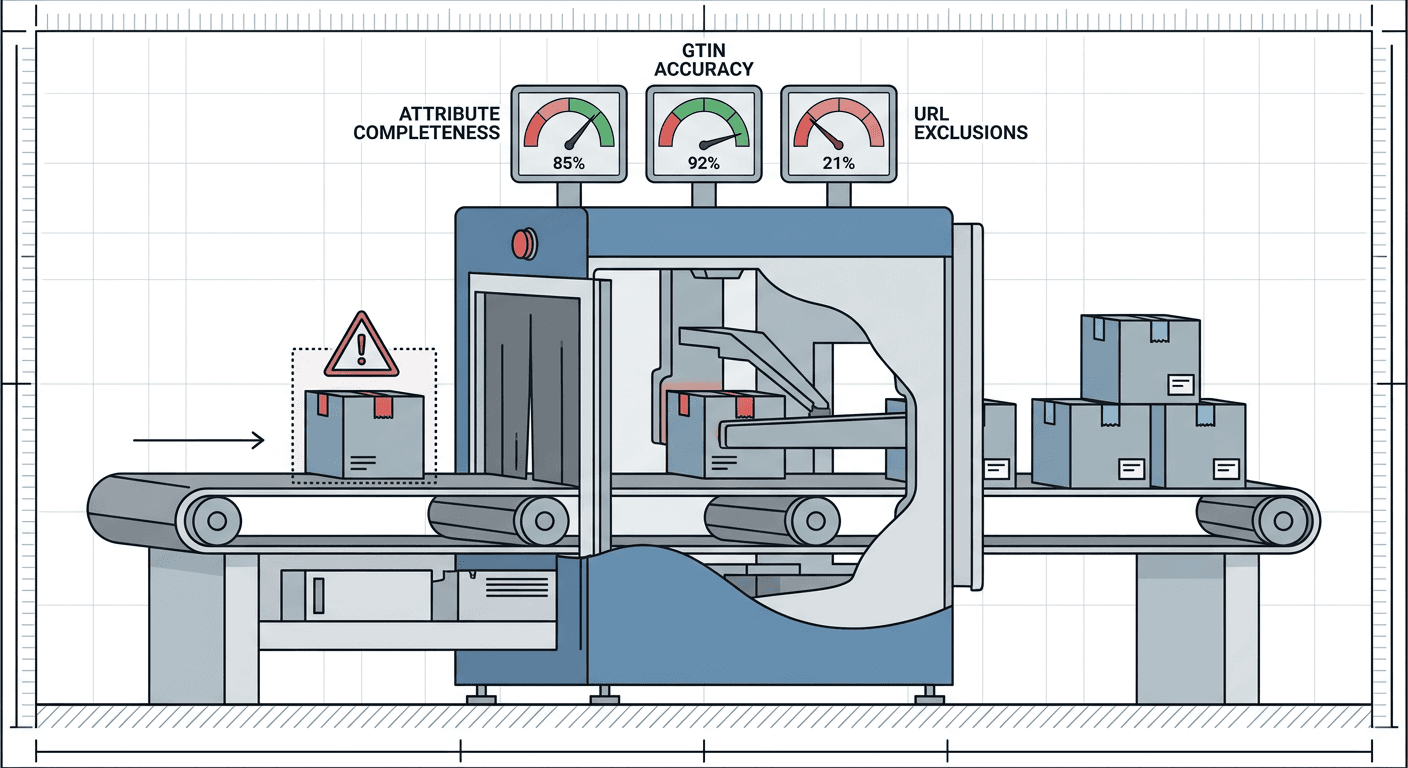
An edge case worth naming honestly here: a retailer with a genuinely small catalog, a few dozen SKUs with well-established, already-detailed product pages, has meaningfully less preparation work to do than a retailer running tens of thousands of SKUs across a marketplace-style catalog with inconsistent data quality inherited from multiple suppliers. If your catalog was assembled from several supplier feeds merged together over time, expect attribute completeness and GTIN accuracy to vary wildly product to product even within the same category, and budget real time for a genuine audit rather than assuming a spot-check of a handful of bestsellers represents the health of the whole feed.
A Worked Example: Running Shoes, Conversational Query vs. Standard Shopping Query
Abstract descriptions of conversational versus literal matching are easy to nod along with and hard to actually apply to your own catalog, so it is worth walking through one concrete product category in full.
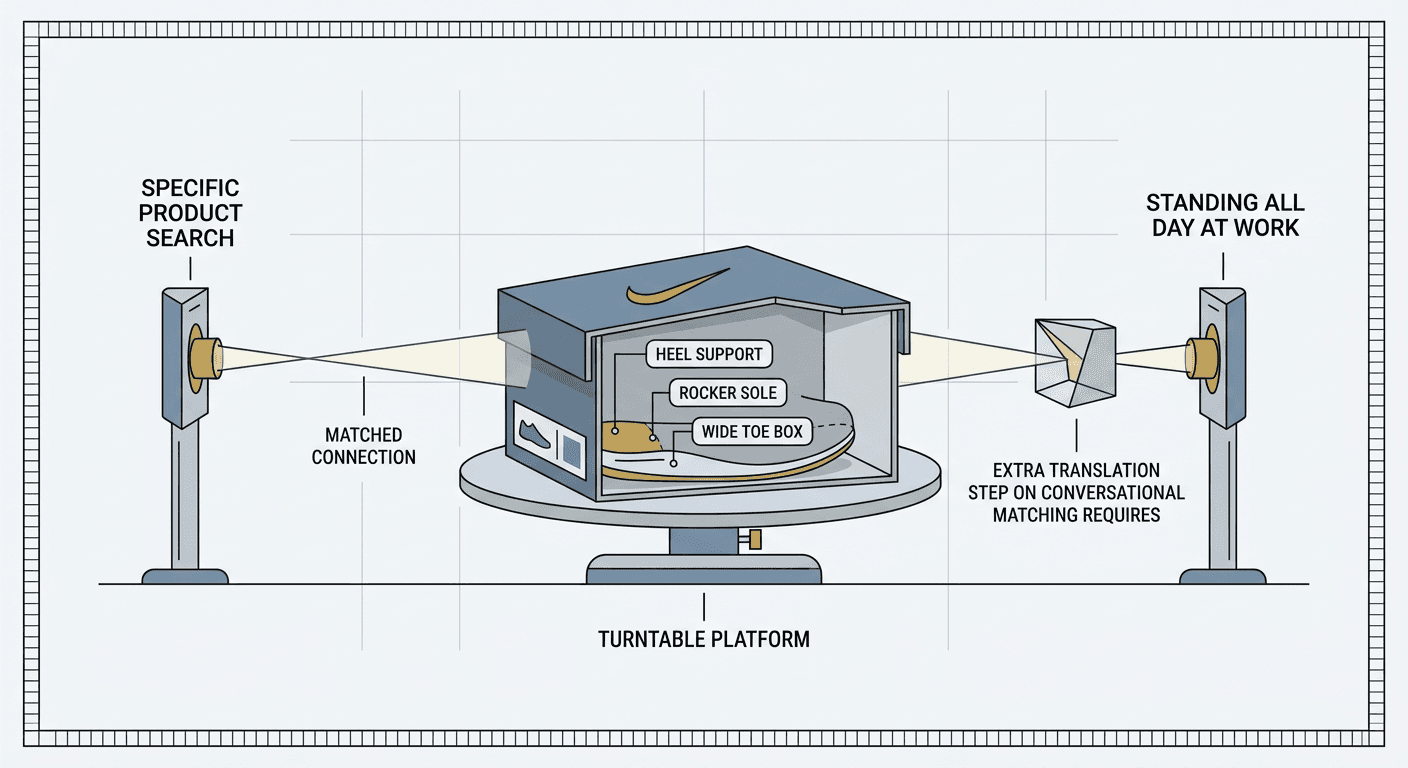
Take a mid-sized athletic retailer selling a specific running shoe: a men's cushioned trail runner, size 10, available in grey and navy, with a reinforced heel counter, a rocker sole designed for stability, and a wide-toe box option. In a standard Shopping campaign, that product's feed listing is built to match searches close to its own literal vocabulary: "men's trail running shoes," "cushioned running shoe size 10," "grey trail runner," and close variants of the brand and model name itself. Those are legitimate, valuable searches, and a well-optimized standard Shopping feed captures them reasonably well. But they represent a shopper who already has fairly specific vocabulary in mind, someone who already knows roughly what kind of product they are looking for and is describing it in something close to retail language.
Now consider the conversational searches this same product could genuinely satisfy that a standard Shopping campaign has no real path to matching: "shoes good for standing all day at work," "running shoe for wide feet that won't hurt my heel," "stable trail shoe for someone who overpronates," or "comfortable shoes for a warehouse job on concrete floors." None of those phrases share meaningful vocabulary with the product's title or a typical description. A standard Shopping campaign, matching against literal feed text, essentially cannot connect any of them to this specific product, even though the reinforced heel counter, rocker sole, and wide-toe box option make it a genuinely strong answer to several of them. This is exactly the gap AI Max for Shopping is built to close, and it only closes it if the underlying attributes describing heel support, sole stability, and toe box width actually exist in the feed in structured form rather than only appearing as a sentence buried in a long-form product description a standard matching system would never parse that specifically.
Here is where text customization's actual mechanism becomes concrete rather than abstract. For the "standing all day at work" query, a generated headline grounded in the real feed attributes might emphasize the cushioning and stability angle directly, something built from the actual rocker-sole and reinforced-heel data already sitting in the feed, rather than the generic model name a standard listing would show unchanged regardless of the query behind the click. For the "wide feet" query, the wide-toe-box attribute becomes the lead fact, surfaced specifically because that shopper's phrasing signaled it mattered to them, when a standard Shopping listing would have shown the exact same generic title regardless of which of these two very different shoppers clicked. And for the "overpronates" query, arguably the most exploratory and specific of the four, Optimal Format Selection is the component most likely to favor the conversational text-ad format over a bare product card, since a shopper asking a question that specific is better served by a sentence or two explaining why the shoe's stability features actually address overpronation than by an image and a price with no room to make that case.
The edge case worth walking through for the same product: what happens when a shopper's conversational query touches an attribute the feed genuinely does not have. If a shopper searches "trail shoe safe for wet rocky terrain" and this particular shoe's feed has no structured field describing traction or wet-grip performance, even though the physical shoe might handle wet terrain reasonably well, text customization has no grounded fact to draw from for that specific claim and, per Google's own stated guardrails, should not generate a claim the feed cannot support. The practical result is that this specific query is less likely to surface this specific product prominently, not because the product is a poor fit in reality, but because the feed never gave the system anything to verify that fit against. That is not a flaw in the AI system so much as it is the entire argument for the Merchant Center preparation work covered above: the shoe's real-world suitability for wet terrain only becomes visible to a conversational shopper once that fact exists somewhere in structured, checkable feed data, not just in the product's physical design.
Common Mistakes
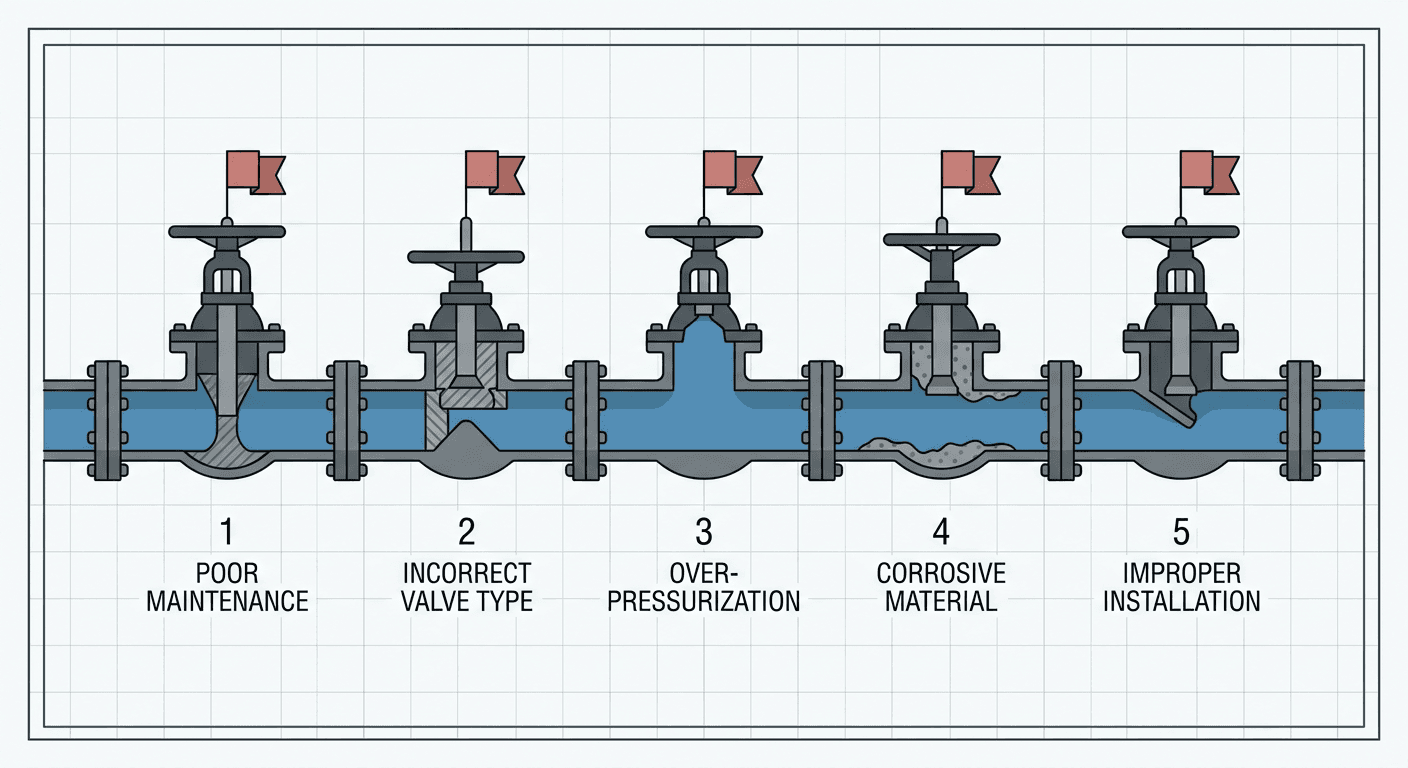
Enabling text customization on a thin feed and expecting conversational matching anyway. The single most common mistake will be treating this as a pure campaign-settings change with no feed-side work required. A feed with sparse attributes gives text customization almost nothing to draw from, and a retailer who turns the feature on without first auditing attribute completeness is very likely to see modest results and wrongly conclude the feature itself does not work, rather than recognizing that the feed never gave it real material to succeed with.
Turning on Final URL Expansion before confirming the site actually has better destinations to send traffic to. If your website's category and buying-guide pages are thin, outdated, or effectively nonexistent, enabling Final URL Expansion without reviewing this first risks sending a shopper who showed exploratory intent to a landing page that is actually worse than the specific product page the feed would have sent them to by default. Review your own site honestly before assuming expansion can only help.
Skipping messaging restrictions in a regulated or brand-sensitive category. Term exclusions and messaging restrictions exist specifically because generated copy, however well-grounded in real feed data, still needs the same tone and compliance boundaries a human copywriter would be held to. A retailer in a regulated category who enables text customization without configuring these controls first is skipping a step that exists precisely for this situation, not an optional nice-to-have.
Assuming GTIN and identifier cleanup can wait until after adoption. As covered above, identifier problems compound rather than get masked once AI Max for Shopping is reading and generating from that same product data. Treat feed identifier hygiene as a prerequisite, not a parallel project to get to eventually.
Ignoring the new Expanded Final URL Assets report once the feature is live. This is not a set-and-forget feature. Google's own guidance expects active review of which expanded landing pages are actually being selected, and pruning the ones that turn out to be off-brand or simply underperforming. A retailer who enables the feature and never checks that report again is leaving a real, ongoing quality-control step undone, the same mistake advertisers made early on with AI Max for Search's own landing-page selection before that reporting matured, covered in Miraflow's breakdown of the Landing Page report's new Selected By column.
Confusing AI Max for Shopping eligibility with AI Max for Search eligibility. Because both features share a name and a broad philosophy, it is an easy mistake to assume that an account already comfortable running AI Max for Search is automatically ready for, or automatically eligible for, AI Max for Shopping. The two are separate betas with separate rollout timelines and, as covered above, an entirely different preparation checklist rooted in feed data rather than site content. Check Shopping-specific eligibility and readiness on its own terms rather than assuming Search-side experience transfers directly.
Getting Your Product Creative Ready for Conversational Shopping Traffic
Everything covered so far solves the matching and copy half of this update: making sure the right product actually surfaces for a conversational query, and that the generated text around it is accurate and grounded. None of that changes what the shopper actually sees as the core visual in a Shopping card, and that image, or a short video variant of it, still has to do the work of confirming this is the right product the moment a more intent-matched, higher-quality click actually lands.
This is where a retailer's creative pipeline starts to matter more than it did under a standard Shopping campaign, not less. If AI Max for Shopping is genuinely working the way it is designed to, a larger share of your traffic going forward is coming from shoppers whose search phrasing was specific and needs-based rather than generic, someone who searched for a shoe that helps with standing all day at work is a more qualified, more likely-to-convert click than someone browsing a broad category term, provided the actual product photo they land on backs up the specific claim that got them there. A single, years-old product photo that does not clearly show the cushioned sole or wide-toe-box feature the generated headline just promised is a real mismatch between the quality of the matching and the quality of what the shopper actually sees, the exact kind of gap that turns a well-targeted click into a bounce.
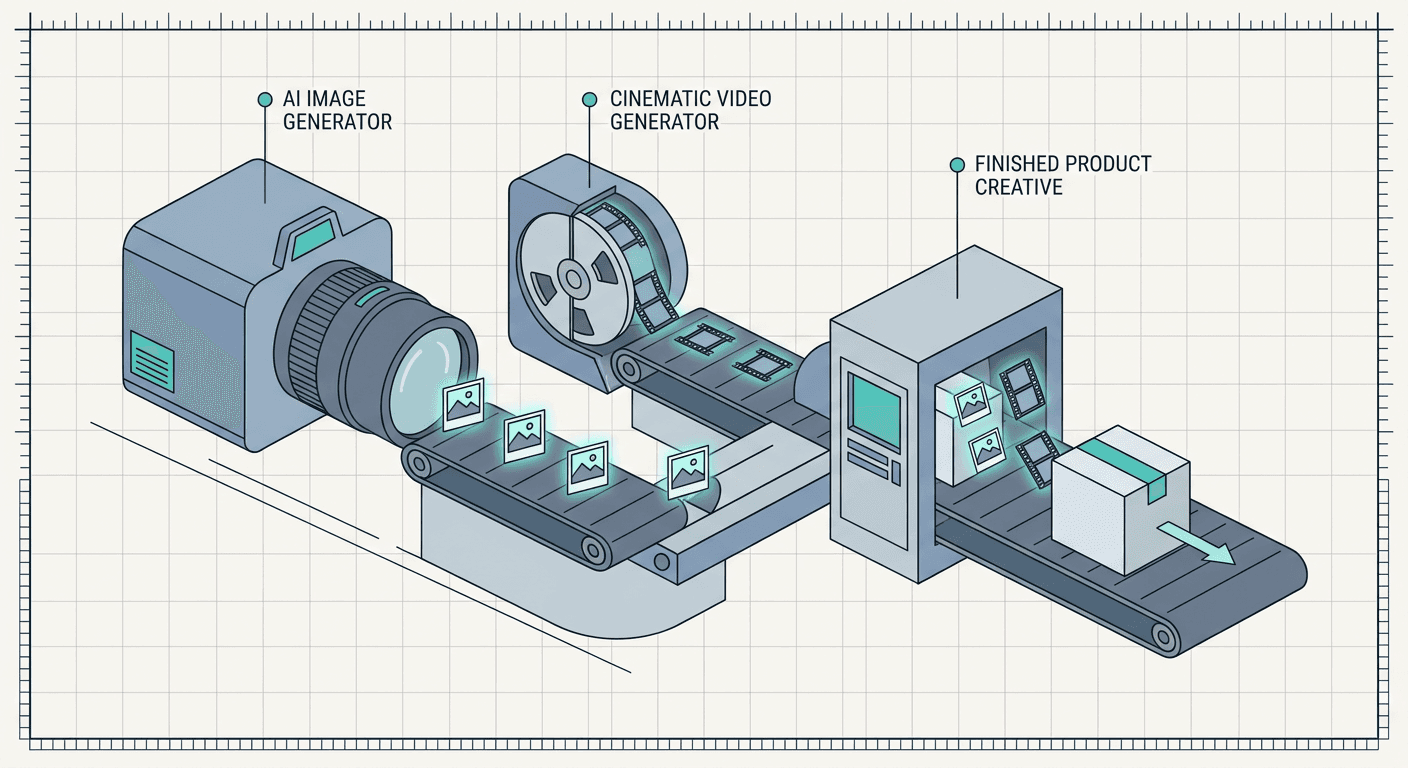
This is a natural, practical place for Miraflow's own tools to fit into a retailer's actual workflow rather than a forced mention. Miraflow's AI Image Generator supports both text-to-image generation and image-to-image editing, which means a retailer can take an existing product photo and adjust exactly the part that needs to change, a different color variant, a cleaner background, a close-up angle that actually shows the feature a conversational query is asking about, without booking a full photo shoot every time a new attribute or variant needs its own visual proof. For a retailer whose prioritized products under AI Max for Shopping deserve a short video rather than a static image, Miraflow's Cinematic AI Video Generator can turn a written prompt into a polished clip showing a product in use, useful for the kind of asset that a more conversational, explanatory ad format increasingly rewards over a bare static card. Both run directly in the browser, which matters specifically for a feature like this one that rewards a retailer who can refresh creative at the pace their catalog and attribute data actually change, rather than on a slow quarterly production cycle that leaves generated copy promising features a photo from three years ago never actually shows.
None of that replaces the real feed and data work covered earlier in this post. A perfect product photo behind a thin, attribute-sparse feed listing still will not surface for the conversational queries that never had any structured data to match against in the first place. But once the feed side of this update is genuinely handled, clean identifiers, complete attributes, sensible exclusions, the businesses that get the most out of the extra, better-matched traffic AI Max for Shopping sends their way tend to be the ones whose actual product visuals hold up next to the specific promise the generated copy just made. It is worth reading this update alongside a few other recent changes to Google's Shopping and Merchant Center ecosystem covered on the Miraflow blog, including the shift toward Local Inventory Ads becoming a default in Shopping campaigns and the broader Merchant Center shopping policy consolidation from September 2026, since Google has clearly been treating the entire Merchant Center and Shopping pipeline as one connected system worth modernizing together rather than a set of unrelated feature drops.
Frequently Asked Questions
What is AI Max for Shopping?
AI Max for Shopping is a set of three capabilities, text customization, Final URL Expansion, and Optimal Format Selection, that Google added to standard Shopping campaigns starting April 30, 2026. It uses a retailer's existing Merchant Center product feed to generate conversational, query-matched ad copy, route clicks to the most relevant page on a retailer's site, and automatically choose between a standard Shopping card and a more dynamic text-ad format.
Do I need Performance Max to use AI Max for Shopping?
No. AI Max for Shopping is layered onto an existing standard Shopping campaign, not Performance Max. Performance Max has already included Final URL Expansion and format selection for some time, since it was built to span multiple formats from the start, but AI Max for Shopping brings a comparable capability specifically into the standard Shopping campaign type for retailers who have deliberately kept their Shopping activity separate from Performance Max's blended, cross-network reporting.
Is AI Max for Shopping the same feature as AI Max for Search?
They share the same underlying philosophy, natural-language matching, automatic destination selection, and automatic format selection, but they are separate features with separate eligibility and separate preparation requirements. AI Max for Search draws from keywords, ad copy, and website content. AI Max for Shopping draws from a Merchant Center product feed, meaning the preparation work centers on feed attribute completeness and identifier hygiene rather than site content and keyword structure.
What do I need to fix in Merchant Center before turning this on?
At minimum, audit your product attribute completeness against the kind of conversational language your actual shoppers use, confirm GTIN, brand, and MPN identifiers are accurate and consistent, review your website for genuinely useful category or buying-guide pages Final URL Expansion could route traffic to, and set term exclusions, messaging restrictions, and URL exclusions deliberately rather than leaving every default wide open.
Does Final URL Expansion require a specific bidding strategy?
Yes. Final URL Expansion for Shopping requires text customization to already be enabled and requires the campaign to be running on a Target ROAS bid strategy, since the feature relies on the same value-based signal Target ROAS provides to judge whether an expanded landing page is actually producing better outcomes than the default product page.
Can I turn on text customization without Final URL Expansion?
Yes. Final URL Expansion can be disabled independently, which limits ads to the standard Shopping format while still letting text customization improve the generated copy on those listings. This is a reasonable starting point for a retailer whose website does not yet have strong category or buying-guide pages worth expanding traffic toward.
What languages does AI Max for Shopping support right now?
Text customization is currently limited to English-language Merchant Center feeds as of the initial rollout. A retailer running Shopping campaigns in other languages should not expect this specific capability to be available yet, even once broader eligibility reaches their account for other AI Max for Shopping components.
Is this available to every Shopping advertiser today?
No. AI Max for Shopping launched as a closed beta on April 30, 2026, and independent reporting through the following months describes a staged, gradually widening rollout rather than a single global switch. If it does not appear in your account yet, that reflects the beta's current stage rather than a configuration problem on your end, and it is worth checking back periodically as eligibility continues to expand.
Conclusion
AI Max for Shopping is not a cosmetic rebrand of AI Max for Search dropped onto a different campaign type. It applies the same core bet, that conversational, needs-based search behavior deserves a real matching mechanism rather than being left to a keyword or product-title system that was never built for it, to an entirely different kind of raw material, a structured Merchant Center feed instead of a keyword list and crawlable site content. That difference in raw material is exactly why the preparation work is different too: a retailer's real advantage here comes from feed attribute completeness, clean GTINs and identifiers, and a website with genuinely useful destinations beyond the product page, not from anything a Search-side AI Max rollout already taught the marketing team.
The retailers who get real value out of this early will be the ones who treat it as a Merchant Center project first and a campaign-settings toggle second, auditing what their feed can actually support before turning generative matching loose on top of it, and who keep watching the new reporting this feature produces rather than enabling it once and assuming it runs itself. Once that feed-side foundation is solid and AI Max for Shopping starts sending more specific, more qualified, conversational traffic toward the right products, the product photos and video behind those listings need to hold up to the same specificity the generated copy is now promising. Miraflow's AI Image Generator and Cinematic AI Video Generator are practical ways to keep that creative current without a full production cycle every time a new attribute, variant, or seasonal detail needs its own visual proof, and the rest of Miraflow covers the wider content pipeline, from a single prompt through to a finished image or video, for any retailer or marketer building out a full creative workflow around a growing product catalog. For more on the broader direction Google's Shopping and Merchant Center ecosystem is heading in 2026, the Miraflow blog has additional coverage worth reading alongside this post, including AI Overviews' effect on Shopping impressions and CTR and the natural-language AI Brief feature inside AI Max.