16 Ideogram 4.0 JSON Prompts for YouTube Thumbnails and Text-Heavy Designs (2026)

Written by
Aerin Kim

Ideogram 4.0 scores 0.97 on the X-Omni English OCR benchmark, the best in-image text rendering of any open-weight model. Here are 16 JSON prompts built around that strength for thumbnails and text-heavy visuals.
Ideogram released Ideogram 4.0 on June 3, 2026 as an open-weight text-to-image model with 9.3 billion parameters, trained from the ground up on structured JSON captions instead of plain-text prompts. The headline number is a 0.97 score on the X-Omni English OCR benchmark, which independent write-ups describe as the best in-image text rendering of any open-weight release, ahead of much larger models like the 20 billion parameter Qwen Image and the 80 billion parameter HunyuanImage 3.0 mixture of experts. On Ideogram's own designer-preference leaderboard, 4.0 scores 1062, second only to the API-only GPT Image 2 at 1141, but with the advantage of being downloadable and self-hostable rather than locked behind a single provider's API.
That combination, legible text at small sizes plus a structured JSON prompt format built specifically for layout control, is the real story here for anyone making thumbnails, quote graphics, posters or anything where more than a headline and a logo needs to stay readable. This post is 16 prompts built around exactly that strength, grouped by the kind of text-heavy visual creators actually need on a weekly basis. You can generate every one of these inside the AI Image Generator in Miraflow AI, and if the finished asset is going on YouTube specifically, the YouTube Thumbnail Maker in Miraflow AI is built for that exact final crop and text pass.
Why JSON Prompting Matters Here
Most image models treat a prompt as a single block of natural language and leave text placement to chance, which is exactly why bold thumbnail text so often comes out warped, misspelled, or crammed into the wrong part of the frame. Ideogram 4.0 solves this at the training level by pairing bounding-box coordinates with a literal text string and a separate styling description for each text element, so the model learns where text goes and what it says as two different pieces of information instead of guessing at both from one sentence. A color_palette field with up to 16 hex values steers the overall color scheme the same explicit way. If you do not want to hand-write JSON, Ideogram's Magic Prompt feature expands a plain sentence into a full structured caption automatically, but writing the structure yourself, the way every prompt below does, gives you the most control over exactly what the text says and where it sits.
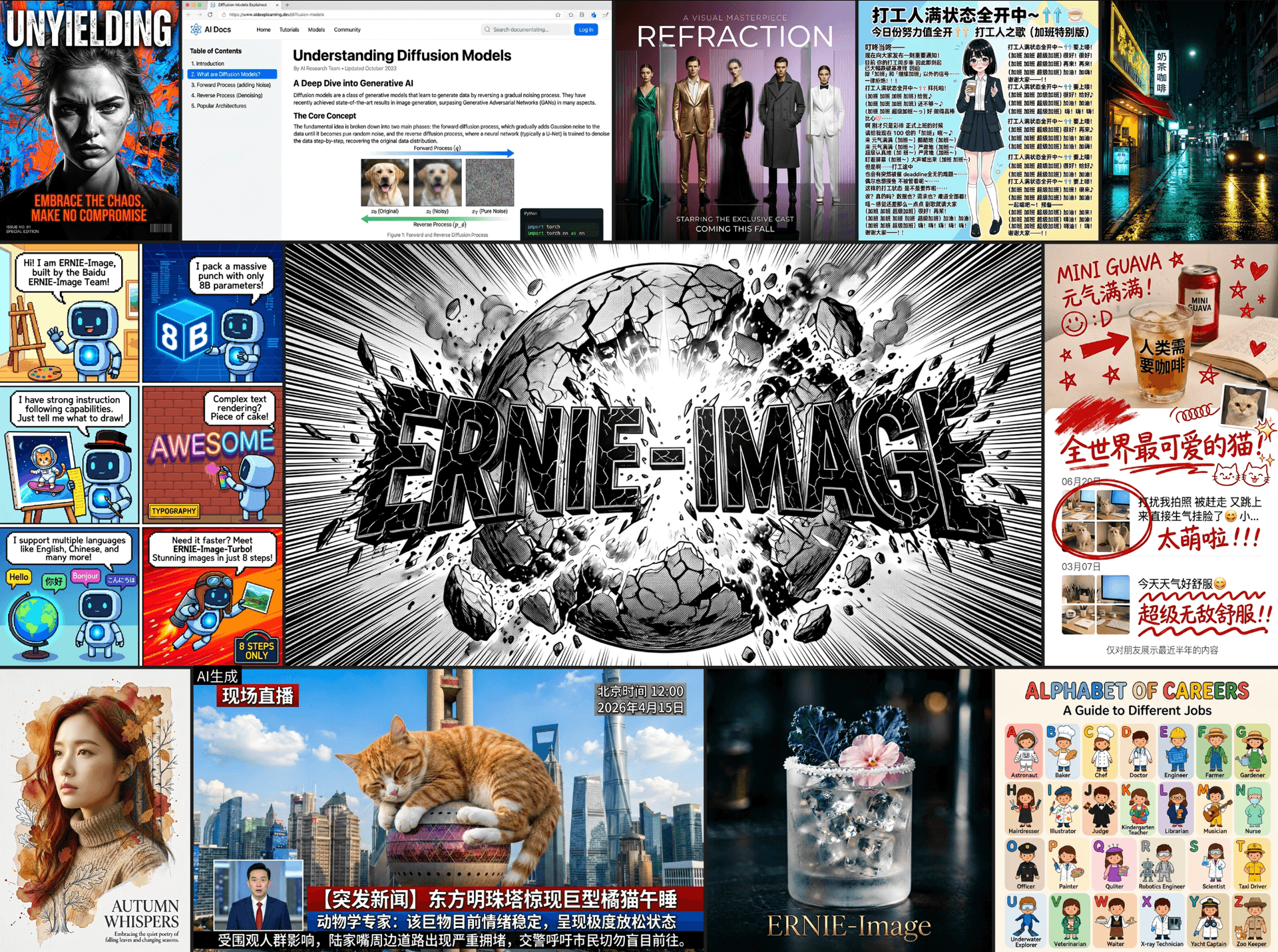
If you want the deeper technical picture of how text rendering works across different image architectures generally, our ERNIE-Image breakdown covers that from the model side. Here, the focus stays entirely practical, prompts you can paste in and adapt today.
1) YouTube Thumbnail Text Prompts
Thumbnail text has one job: stay readable at a 120-pixel-wide mobile scrubber thumbnail. These four prompts each specify a short, bold hook line with an explicit bounding box and a description telling the model to keep letterforms thick and high-contrast, the exact combination that keeps text legible once YouTube shrinks it down.

Prompt 1: Bold reaction-style hook
{
"scene": "a high-energy YouTube thumbnail background with a blurred dramatic action scene, dark vignette edges to push focus toward the center-top text zone",
"style": "bold saturated colors, high contrast, thick outlined lettering, no watermark, no logos",
"elements": [
{"type": "text", "text": "I WAS WRONG", "description": "extremely thick condensed bold sans-serif, bright yellow fill with a heavy black outline stroke, slight upward tilt", "bbox": [10, 8, 80, 28]},
{"type": "image", "description": "a shocked facial expression silhouette on the right third of the frame, gender-neutral, cropped at the shoulders", "bbox": [62, 20, 38, 80]}
],
"color_palette": ["#FFD400", "#111111", "#E23B3B"]
}
Prompt 2: Numbered list hook
{
"scene": "a clean studio-style YouTube thumbnail background with a soft gradient and simple flat props relevant to the video topic arranged in the lower half",
"style": "flat modern design, high legibility, thick rounded sans-serif, no watermark, no logos",
"elements": [
{"type": "text", "text": "7 MISTAKES", "description": "very large bold rounded sans-serif in white with a thin dark outline, centered top third", "bbox": [10, 6, 80, 24]},
{"type": "text", "text": "YOU KEEP MAKING", "description": "medium bold sans-serif in bright accent color beneath the main headline, same visual weight family", "bbox": [10, 32, 80, 12]}
],
"color_palette": ["#FFFFFF", "#2E86FF", "#0A0A0A"]
}
Prompt 3: Before-and-after split hook
{
"scene": "a thumbnail split vertically down the middle, left half muted and dull toned, right half bright and saturated, a thin diagonal divider line between them",
"style": "bold comparison layout, thick legible lettering on both halves, no watermark, no logos",
"elements": [
{"type": "text", "text": "BEFORE", "description": "bold condensed sans-serif in muted gray, positioned in the left half", "bbox": [4, 78, 40, 14]},
{"type": "text", "text": "AFTER", "description": "bold condensed sans-serif in bright saturated color, positioned in the right half, same size and weight as the left label", "bbox": [56, 78, 40, 14]}
],
"color_palette": ["#8A8A8A", "#00C2A8", "#111111"]
}
Prompt 4: Warning or mistake hook
{
"scene": "a moody dark thumbnail background with subtle warning-style diagonal hazard stripe texture faded into the corners",
"style": "bold urgent lettering, high contrast against the dark background, no watermark, no logos",
"elements": [
{"type": "text", "text": "STOP DOING THIS", "description": "extremely thick bold sans-serif in bright red-orange fill with a white outline stroke, centered in the bottom third", "bbox": [8, 70, 84, 22]}
],
"color_palette": ["#FF5A1F", "#FFFFFF", "#141414"]
}
Swap the literal text string in each prompt's text field for your own hook line, and keep the bounding box roughly in the top or bottom third of the frame, the zone least likely to get covered by YouTube's duration stamp or the progress bar. If you want more finished thumbnail formulas before generating, our breakdown of 7 patterns top YouTubers use for thumbnail design pairs well with these prompts.
2) Quote and Testimonial Graphic Prompts
A quote graphic lives or dies on whether the actual quote is legible at a glance, which makes this one of the more demanding text-rendering tests for any image model. These three prompts each pin a full sentence to a specific region rather than leaving line breaks to chance.

Prompt 5: Minimalist centered quote card
{
"scene": "a soft muted single-color background with generous empty negative space around a centered text block",
"style": "minimalist editorial typography, thin elegant serif, no watermark, no logos",
"elements": [
{"type": "text", "text": "Discipline is choosing what you want most over what you want now", "description": "medium-weight serif italic, centered, generous line spacing across three lines", "bbox": [20, 35, 60, 30]}
],
"color_palette": ["#F4EFE8", "#2B2B2B"]
}
Prompt 6: Testimonial card with attribution line
{
"scene": "a soft card-style layout with a subtle drop shadow border, clean white background, small quotation mark graphic in the top left corner",
"style": "clean professional testimonial card, legible sans-serif at two distinct weights, no watermark, no logos",
"elements": [
{"type": "text", "text": "This completely changed how our team works", "description": "medium bold sans-serif, centered, two lines", "bbox": [12, 30, 76, 24]},
{"type": "text", "text": "— Studio Lead, Creative Agency", "description": "smaller regular-weight sans-serif in muted gray, centered directly beneath the quote", "bbox": [12, 58, 76, 10]}
],
"color_palette": ["#FFFFFF", "#1A1A1A", "#9A9A9A"]
}
Prompt 7: Bold statement carousel cover
{
"scene": "a bold single-color background sized for a square social post, no distracting imagery, pure focus on typography",
"style": "oversized statement typography, thick modern sans-serif, no watermark, no logos",
"elements": [
{"type": "text", "text": "Nobody is coming to save your content strategy", "description": "very large bold sans-serif filling most of the frame, tight line spacing, left-aligned", "bbox": [8, 20, 84, 60]}
],
"color_palette": ["#FFEA00", "#111111"]
}
Keep the actual quote text short, under roughly 12 words, since even best-in-class text rendering degrades once a single text element carries too many words at once. For a full library of carousel-specific formats once you have the quote graphic itself sorted, our Instagram carousel cover prompts guide is a useful next step.
3) Poster and Event Announcement Prompts
Posters ask an image model to hold a headline, a date line, and often a smaller detail block all in one composition without any of the three fighting for attention. These three prompts separate each text role into its own bounding box so the hierarchy stays intact.

Prompt 8: Event announcement poster
{
"scene": "a bold event poster background with a simple geometric shape motif filling the middle third of the composition",
"style": "modern event poster design, three distinct text hierarchy levels, no watermark, no logos",
"elements": [
{"type": "text", "text": "CREATOR SUMMIT", "description": "very large bold display sans-serif, top third, centered", "bbox": [10, 6, 80, 20]},
{"type": "text", "text": "OCT 14 — DOWNTOWN CONVENTION CENTER", "description": "medium bold sans-serif, single line, bottom quarter, centered", "bbox": [10, 82, 80, 10]}
],
"color_palette": ["#1E3A8A", "#FFFFFF", "#F5A623"]
}
Prompt 9: Webinar or workshop poster
{
"scene": "a soft gradient background suggesting a digital webinar theme, subtle abstract line graphics in the corners",
"style": "clean modern webinar poster, legible sans-serif hierarchy, no watermark, no logos",
"elements": [
{"type": "text", "text": "FREE WORKSHOP", "description": "bold sans-serif in an accent color pill-shaped badge, top left", "bbox": [8, 10, 40, 8]},
{"type": "text", "text": "Grow Your Channel in 30 Days", "description": "very large bold sans-serif, centered, two lines", "bbox": [10, 30, 80, 30]}
],
"color_palette": ["#6C63FF", "#FFFFFF", "#0D0D0D"]
}
Prompt 10: Limited-time sale poster
{
"scene": "a high-energy retail sale poster background with bold diagonal color blocks",
"style": "urgent bold retail poster design, thick condensed lettering, no watermark, no logos",
"elements": [
{"type": "text", "text": "48 HOURS ONLY", "description": "extremely thick condensed bold sans-serif, diagonal placement, top half", "bbox": [8, 12, 84, 24]},
{"type": "text", "text": "40% OFF EVERYTHING", "description": "large bold sans-serif, centered, bottom half", "bbox": [10, 60, 80, 20]}
],
"color_palette": ["#E11D48", "#FFFFFF", "#111111"]
}
A poster generated this way doubles as a strong YouTube thumbnail starting point too, since the bold headline treatment translates directly. Once you like a composition, bring it into the YouTube Thumbnail Maker in Miraflow AI to add your channel's own thumbnail text and crop it for the exact aspect ratio YouTube displays.
4) Social Header and Banner Prompts
Headers and banners are wide, short, and usually partially covered by a profile photo or navigation UI, which means text placement has to account for real-world cropping in a way a standalone poster does not.

Prompt 11: YouTube channel banner
{
"scene": "a wide 16:9 channel banner background with a subtle themed pattern along the outer edges only, keeping the center clear",
"style": "clean modern channel art, centered safe-zone-aware text placement, no watermark, no logos",
"elements": [
{"type": "text", "text": "NEW VIDEOS EVERY TUESDAY", "description": "medium bold sans-serif, single line, positioned in the exact horizontal and vertical center to survive cropping on all devices", "bbox": [30, 44, 40, 12]}
],
"color_palette": ["#0F172A", "#38BDF8", "#FFFFFF"]
}
Prompt 12: X or Twitter header
{
"scene": "a wide social media header background with a soft abstract gradient, left third reserved as visually quieter space to avoid the profile photo overlap zone",
"style": "minimal professional header design, right-weighted text placement, no watermark, no logos",
"elements": [
{"type": "text", "text": "Building in public, one post at a time", "description": "medium regular-weight sans-serif, right half of the frame, two lines", "bbox": [55, 40, 40, 20]}
],
"color_palette": ["#111827", "#F9FAFB", "#F59E0B"]
}
Prompt 13: Newsletter cover banner
{
"scene": "a wide newsletter header background with a warm editorial paper texture feel",
"style": "editorial newsletter masthead design, classic serif headline, no watermark, no logos",
"elements": [
{"type": "text", "text": "THE WEEKLY BRIEF", "description": "large bold serif masthead lettering, centered, single line", "bbox": [15, 35, 70, 20]},
{"type": "text", "text": "Issue 42", "description": "small regular-weight sans-serif, centered directly beneath the masthead", "bbox": [35, 62, 30, 8]}
],
"color_palette": ["#FDF6E3", "#1A1A1A", "#B45309"]
}
For YouTube banners specifically, remember the visible "safe zone" is much smaller than the full uploaded image once you account for different screen sizes, so keep the bbox for your headline text roughly centered rather than near any edge. Our YouTube banner ideas with AI prompts post covers the exact safe-zone dimensions if you want to double-check placement before generating.
5) Logo and Wordmark Concept Prompts
Logo work is the single hardest test of text rendering, since a distorted letterform is far more obvious in a five-character wordmark than buried in a paragraph. These three prompts keep the text short and the styling instructions explicit about weight and spacing.

Prompt 14: Modern sans-serif wordmark
{
"scene": "a plain white background with a single centered wordmark, no supporting graphics",
"style": "modern minimal logo design, precise consistent letter spacing, no watermark, no logos",
"elements": [
{"type": "text", "text": "LUMEN", "description": "bold geometric sans-serif, evenly spaced letters, centered, single weight throughout", "bbox": [30, 42, 40, 16]}
],
"color_palette": ["#FFFFFF", "#0F172A"]
}
Prompt 15: Badge-style emblem logo
{
"scene": "a plain background with a centered circular badge emblem shape",
"style": "vintage badge logo design, curved text following the circle's edge, no watermark, no logos",
"elements": [
{"type": "image", "description": "a simple circular badge outline with a small geometric icon at the center", "bbox": [30, 20, 40, 40]},
{"type": "text", "text": "EST. 2026 STUDIO CO", "description": "small bold serif lettering curved along the inner top edge of the circular badge, fully legible despite the curve", "bbox": [22, 18, 56, 10]}
],
"color_palette": ["#1F2937", "#D4AF37", "#FFFFFF"]
}
Prompt 16: Script-style signature logo
{
"scene": "a plain cream background with a single centered signature-style wordmark",
"style": "elegant flowing script logo design, natural connected letterforms, no watermark, no logos",
"elements": [
{"type": "text", "text": "Marlowe", "description": "flowing connected script lettering, medium weight, fully legible despite the cursive style, centered", "bbox": [28, 40, 44, 18]}
],
"color_palette": ["#FAF3E8", "#4B2E2B"]
}
Treat any logo concept generated this way as a starting exploration rather than a final trademark-ready asset, and always run a legal trademark search before shipping a generated wordmark commercially. If you want a dedicated deep dive on this exact category, our free AI logo generator guide walks through the full workflow.
To see structured JSON prompting applied live across several of these categories, this hands-on Ideogram 4.0 walkthrough runs through typography, layout and text-heavy generation in practice, similar to the prompt groups above.
How to Customize These Prompts
Every prompt above shares the same underlying shape: a scene field describing the overall composition, a style field for the visual treatment, one or more elements with a bbox for placement, and any text elements carrying the literal string to render plus a separate description for how that text should look. When adapting a prompt, change the text value and the color_palette hex codes freely, but keep the bbox coordinates roughly proportional to the original, since that is what keeps text away from crop-prone edges and duration stamps. If a generation comes back with slightly warped letterforms, shortening the text string is usually a faster fix than regenerating from scratch, since text rendering quality degrades gradually as element count and character count climb, not suddenly.
Common Mistakes Creators Make
- Writing a vague natural-language prompt and hoping Magic Prompt guesses the right layout, then being disappointed the headline lands in the wrong third of the frame. Specify the
bboxexplicitly the way the prompts above do whenever placement matters. - Cramming a full sentence into a thumbnail-style prompt. Three to six words is the realistic ceiling for text that stays legible once YouTube shrinks a thumbnail down for mobile.
- Assuming the open-weight release means unlimited free commercial use with no restrictions. Ideogram 4.0 ships with license terms attached to the weights on Hugging Face and GitHub, so check the current license before deploying generated assets in a paid commercial context.
- Skipping a proofread pass on generated text. A 0.97 OCR benchmark score is a genuine technical achievement, but it is still worth a final check for a dropped or misaligned character before publishing anything customer-facing.
- Forgetting to specify
no watermarkor a clean background in thestylefield, especially on poster and banner prompts where a stray artifact is easy to miss at a glance.
Where to Generate and Finish These
Once you have a composition you like, the AI Image Generator in Miraflow AI handles text-to-image, image-to-image and inpainting in one workspace, so you can regenerate just one text element or fix a single letterform without starting the whole composition over. If the asset is destined for YouTube, the YouTube Thumbnail Maker is built specifically for that final crop, face upload and text overlay pass. For a look at how this level of text rendering compares to the other models already popular for thumbnails and edits, our Nano Banana Pro vs Seedream 5.0 Pro comparison is a useful companion read, and if dense multi-panel layouts are what you need next rather than single text elements, the Qwen Image 3.0 Pro prompt pack covers that adjacent workflow. You can browse more prompt guides like this on the Miraflow AI blog, and every tool named here lives at miraflow.ai.
Frequently Asked Questions
Is Ideogram 4.0 free to use? The weights are available on Hugging Face and GitHub for self-hosting, and Ideogram's hosted API includes a free tier for the Magic Prompt expansion feature. Check current licensing terms before commercial deployment.
Do I have to write JSON by hand to use Ideogram 4.0? No. Magic Prompt converts a plain-text description into a structured JSON caption automatically. Writing the JSON yourself, as in the prompts above, gives you more precise control over exact text placement and wording.
How is this different from Nano Banana Pro or Seedream 5.0 Pro for thumbnails? Ideogram 4.0's specific strength is small, dense, multi-element text rendering measured directly by the X-Omni OCR benchmark. Nano Banana Pro and Seedream 5.0 Pro are generally stronger on photorealism and stylized scene composition. Pick based on whether legible text or photographic realism matters more for a given asset.
Can I use these prompts inside Miraflow AI instead of Ideogram's own interface? Yes. These are prompt structures built around a general capability, structured text placement, not app-specific syntax, so they work in the AI Image Generator in Miraflow AI as well.
What is the biggest practical use case for creators specifically? YouTube thumbnail text and quote or testimonial graphics are the two most immediately useful categories, since both depend entirely on short text staying crisp at a small display size.
Why does the bounding box matter so much for thumbnails specifically? Because thumbnails get covered by YouTube's duration stamp and progress bar on real devices. Keeping headline text in the top or bottom third, away from those overlay zones, is what separates a thumbnail that reads clearly from one that gets partially obscured in practice.
Conclusion
Ideogram 4.0's real pitch is not that it makes prettier images, it is that it makes text you can actually trust to render correctly, which is the single hardest and most practically important thing most image models still get wrong. The 16 prompts above are grouped around the five text-heavy categories creators generate constantly: thumbnails, quote graphics, posters, banners and logo concepts, each one built around explicit JSON structure instead of a vague natural-language guess. Pick the group that matches what you are building this week, swap in your own text and colors, and keep the bounding box structure intact so placement stays predictable.