20 Nano Banana 2.1 Prompts to Copy and Paste (2026)

Written by
Aerin Kim
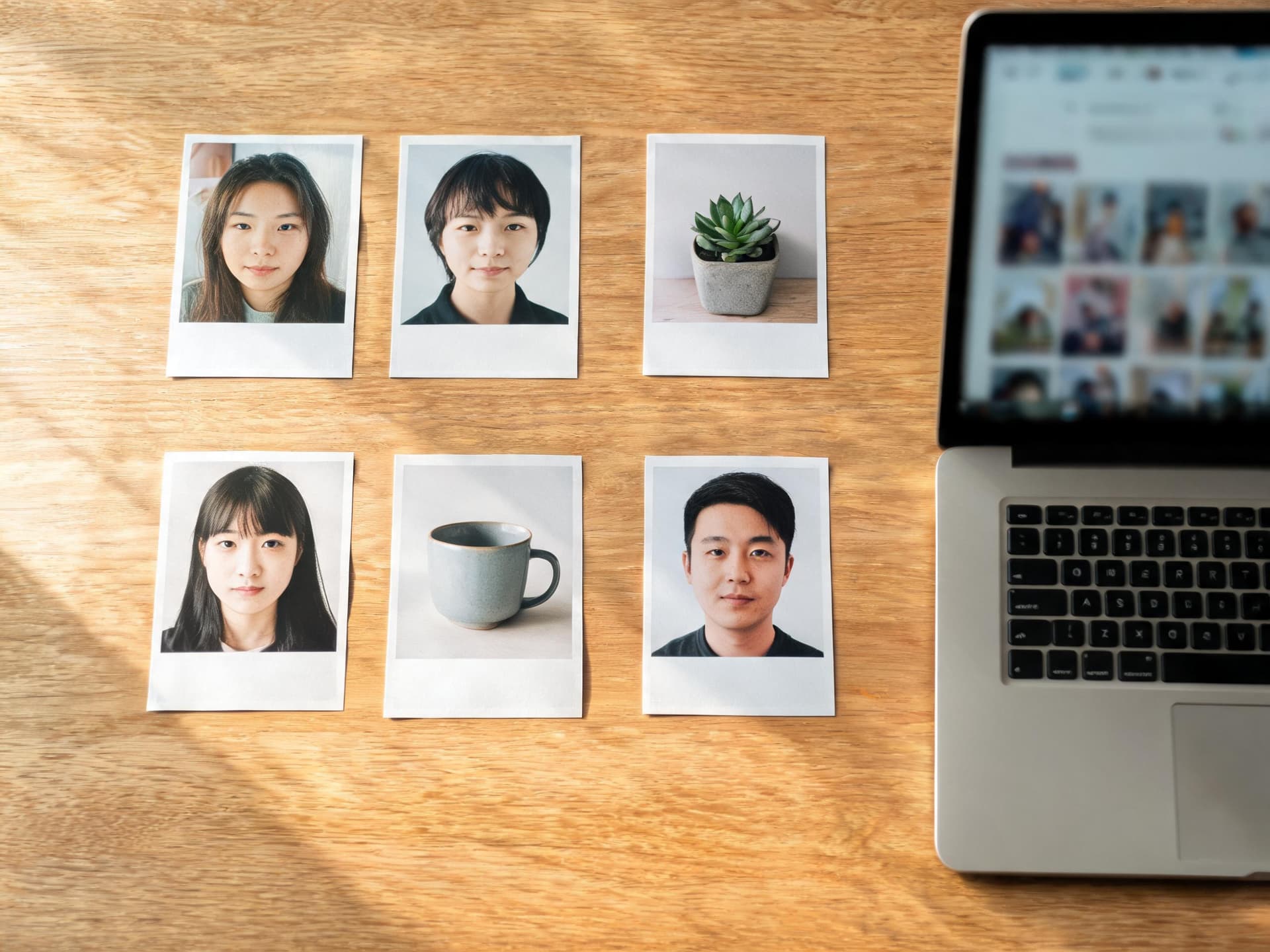
Google's Nano Banana 2.1 just launched with 14-image multi-reference blending and 4-character consistency. Here are 20 copy-paste prompts built around what actually changed.
Google shipped Nano Banana 2.1 on October 6, 2026, and it went straight to general availability with no preview window, no waitlist, nothing. If you build any part of your content pipeline around Nano Banana prompts, that matters, because it means the version everyone is about to start searching for is already the one you can actually use today, not a teaser you have to wait weeks to touch.
This is not a post about what Nano Banana 2.1 is in the abstract. It is 20 prompts built specifically around the capabilities Google actually changed in this release: a new 14-image multi-reference ceiling, consistency across up to 4 distinct characters in one frame, a real fix for the seam and tiling artifacts that showed up in wide 2K and 4K images on the previous version, and meaningfully improved mask-based editing. Every prompt below is written to be copied straight into Miraflow's AI Image Generator, which runs directly in the browser and supports the multi-image, image-to-image, and masked-editing workflows this release is actually built for.
What Actually Changed in Nano Banana 2.1
Google's own release notes for the model, listed under the id gemini-nano-banana-2.1 and built on the newer Gemini 3.6 Flash backbone, point to four specific upgrades worth prompting around rather than a vague "better quality" bump.
Resolution and the panoramic tiling fix. Nano Banana 2.1 still supports the same three output tiers as its predecessor, 1K as the default, 2K, and 4K. The real news is what Google fixed underneath those tiers: the previous model had a known problem where wide or panoramic images at 2K and 4K would show visible tiling seams, faint grid lines or repeated texture patches where the model had clearly stitched separate generation passes together. That is specifically fixed in 2.1, which matters for anyone generating a wide hero banner, a landscape print, or a group panorama rather than a square or portrait crop.
Up to 14 reference images in a single prompt. Earlier Nano Banana versions could blend a handful of reference images at once. Nano Banana 2.1 raises that ceiling to 14 separate input images combined in one generation, which opens up genuinely different workflows than a 2 or 3-image blend: a product shot built from a product photo, three lifestyle backdrop options, a model face reference, and several prop references all in the same pass, for instance.
Character consistency across up to 4 distinct people. This is the capability most worth building prompts around. Nano Banana 2.1 keeps up to 4 separate characters consistent, meaning each one keeps their own face, features, and identity rather than drifting toward a generic average the way earlier models tended to once more than one or two real faces entered the same frame. It is a real jump specifically for multi-subject scenes, not a marginal improvement.
Mask-based editing and overall visual design quality, improved across the board. Google describes the mask editing and general visual design output as improved across the board compared to Nano Banana 2, which in practice means cleaner edges around a masked region, fewer halo artifacts where an edited area meets the untouched background, and generally more accurate material and lighting matching when only part of an image is being changed.
Pricing, reported at roughly half of Nano Banana 2. Reported standard-tier Gemini API pricing puts Nano Banana 2.1 at around $0.0336 per image at 1K, $0.0504 at 2K, and $0.0756 at 4K, with the Batch API tier running at roughly half those rates again. Treat those exact figures as reported rather than something confirmed down to the cent, since Poe and third-party aggregator pricing does not always track a model's own API price, but multiple independent sources corroborate the same approximate numbers and the direction is clear: this generation is meaningfully cheaper per image than Nano Banana 2 was, which is exactly what makes some of the batch-style prompts further down in this post realistic at scale in a way they were not a few months ago.
There is also an open question worth flagging rather than ignoring. Some secondary coverage claims Nano Banana 2 (gemini-3.1-flash-image) is being deprecated and shut down on October 29, 2026, while other reporting says Google's own deprecation table lists no such date for that model. Nothing here confirms that shutdown one way or the other, so treat it as unresolved rather than planning around a hard deadline that has not actually been verified.
Why This Prompt Pack Is Built Around Multi-Reference and Character Consistency
Most Nano Banana prompt packs on this blog focus on a single visual trend, a figurine style, a thumbnail format, a photo filter. This one is different on purpose. Nano Banana 2.1's actual news is a set of structural capability changes, not a new aesthetic, so the prompts below are grouped around those capabilities instead: combining several references into one coherent scene, editing only a masked region without disturbing the rest of an image, generating at real 4K print quality without the tiling problem the older model had, and building YouTube and social content fast enough that the lower per-image cost actually changes your workflow.
If you have already read our 16 Nano Banana Pro prompts for multi-person thumbnails, you will notice this post leans into a genuinely different ceiling: that Nano Banana Pro post is built around Google's 5-person consistency claim for a different model line, while the prompts here are written around Nano Banana 2.1's separately stated 4-character ceiling and its new 14-image reference blend, which is a different starting point for how you structure the prompt itself. And if you have used our batch-generation prompts for Nano Banana 2 Lite, the pricing drop covered above is exactly what makes a few of the prompts in the fourth group below realistic to run as a genuine batch rather than a one-off.
Every prompt below is written to be pasted directly into the AI Image Generator in Miraflow AI, which handles the reference-image upload, image-to-image blending, and masked region editing this release is built around, all directly in the browser with no extra software.
1) Multi-Reference and Character Consistency Prompts
This first group is built entirely around the two biggest structural changes in this release: blending up to 14 separate reference images into one coherent scene, and holding up to 4 distinct people's real identities steady in that same frame. Every prompt assumes you are uploading a labeled reference photo for each person or element it names.
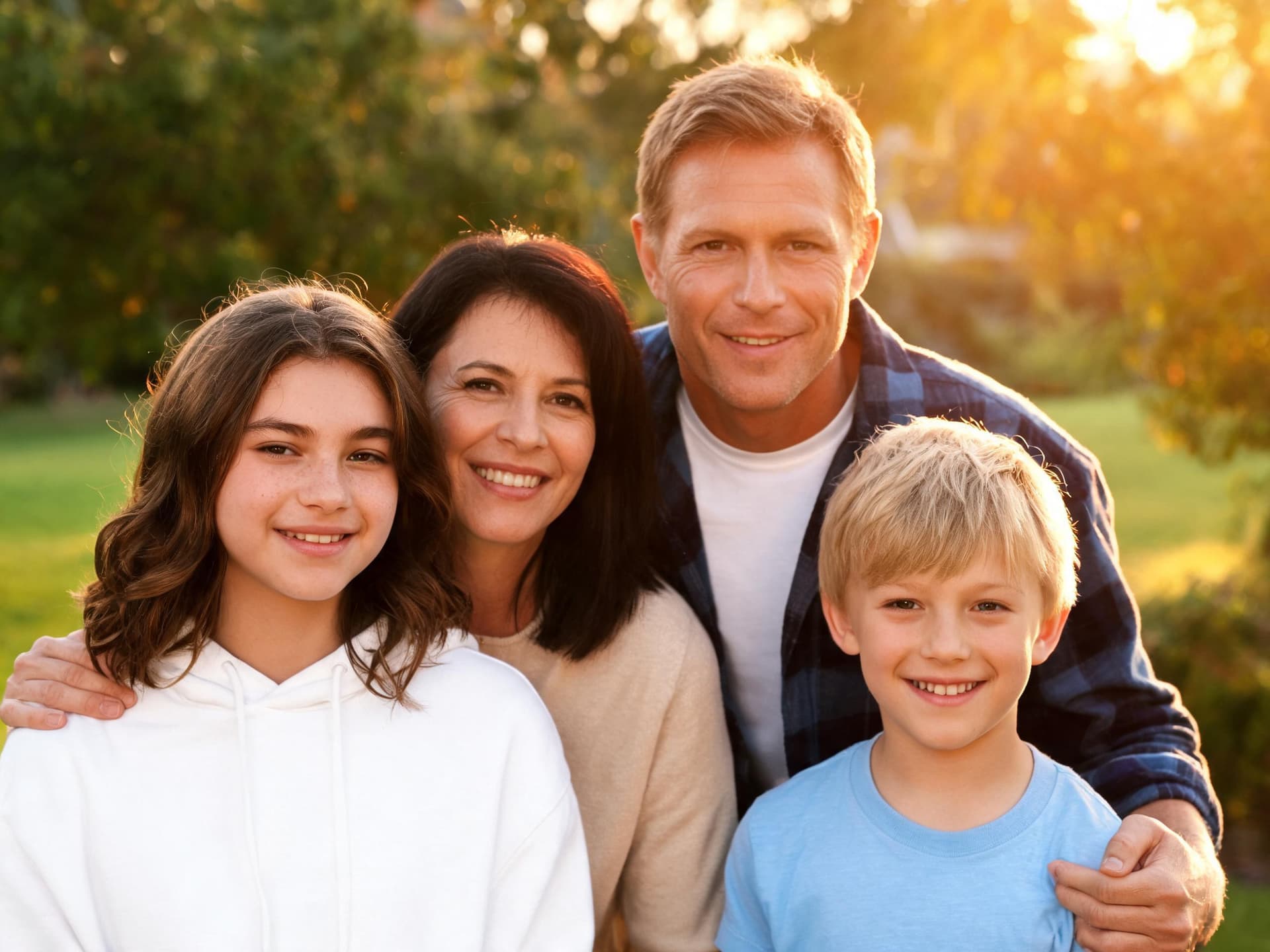
Prompt 1: Four-person family reunion portrait from four individual photos
Using four individual reference photos, one per family member, generate a realistic photograph of all four people standing close together outdoors in a backyard at golden hour, arranged in a gentle staggered row so every face is fully visible and unobstructed. Keep each person's face, skin tone, hair, and expression exactly as shown in their own individual reference photo, do not blend, average, or swap any facial features between the four people even though they are standing close together. Match the warm late-afternoon sunlight direction and color temperature consistently across all four subjects, natural matched shadows, genuine warm smiles, shallow depth of field on a softly blurred green yard background, true-to-life skin texture and natural asymmetry on every face, generate at 2K resolution.
Prompt 2: Multi-generation portrait blending four separate reference photos
Using four separate reference photos spanning a grandparent, a parent, and two children, generate a realistic multi-generation family portrait with all four people seated and standing together indoors in a warmly lit living room, arranged by height so every face is clearly visible. Keep each person's face, skin tone, and expression exactly as shown in their own individual reference photo, do not blend or average facial features across any of the four people. Consistent warm indoor lighting across the whole group with no visible seams between subjects, natural true-to-life skin texture appropriate to each person's age, softly blurred cozy living room background, no illustration, no logos, no legible text.
Prompt 3: UGC product ad blending a product shot, a model reference, and three lifestyle backdrops
Using five reference images, a product photo of a skincare bottle, a face reference of the model, and three lifestyle backdrop photos of a bathroom counter, a bedroom nightstand, and a travel bag interior, generate a realistic UGC-style photograph of the model holding the product naturally in the bathroom counter setting. Keep the model's face, skin tone, and expression exactly as shown in their reference photo, keep the product's label, shape, and color exactly as shown in its reference photo, do not alter either. Natural handheld phone-camera framing with slightly imperfect composition, soft natural bathroom light, true-to-life skin and product texture, no illustration or stylized rendering, no warped hands, no watermark, no legible text beyond the product's own real label.
Prompt 4: Fashion lookbook shot combining a face reference, a wardrobe reference, and a pose reference
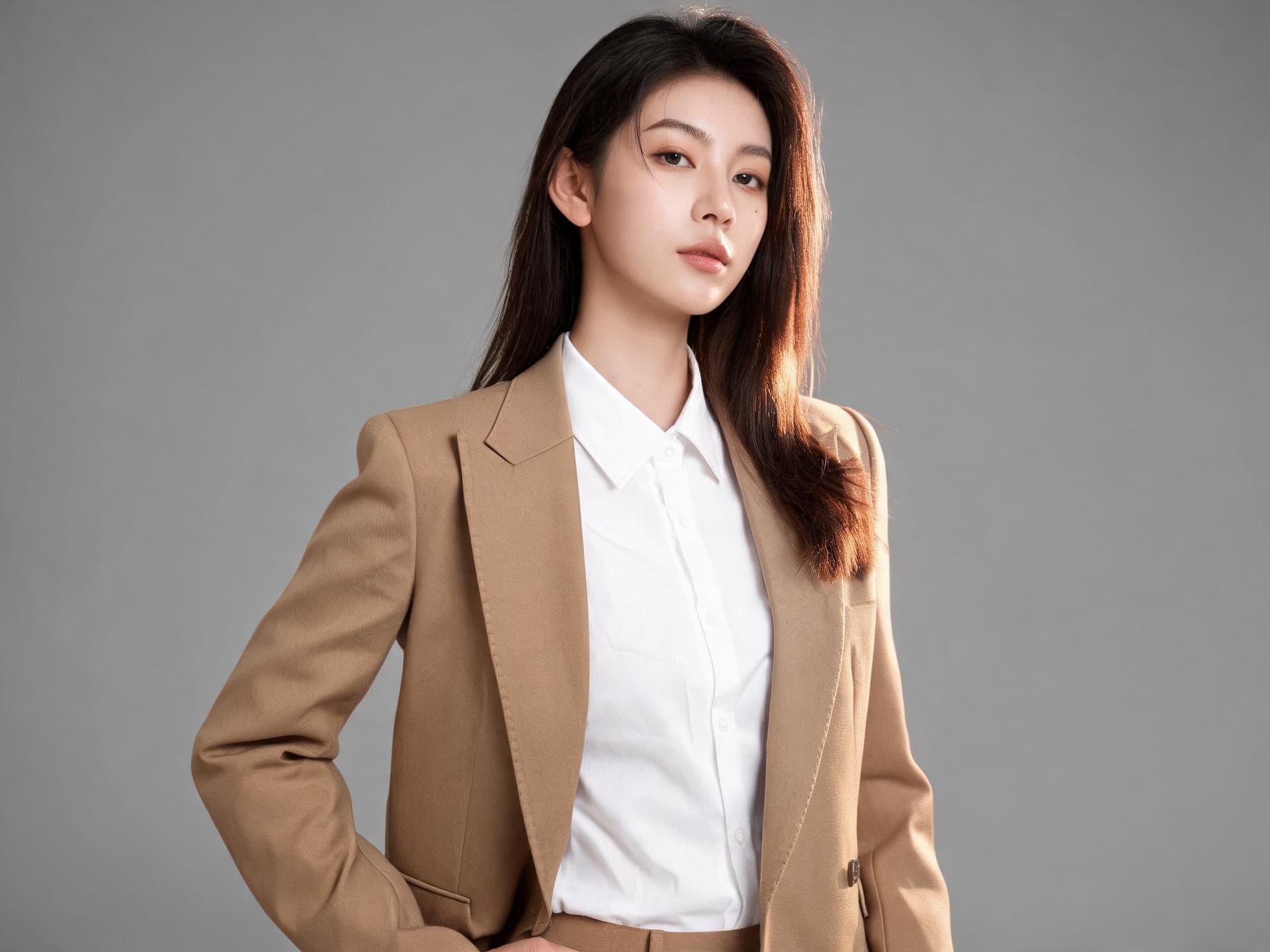
Using three reference images, a face reference, a wardrobe reference showing a tailored blazer and shirt, and a pose reference showing a confident three-quarter standing stance, generate a realistic fashion lookbook photograph combining all three: the model's face and identity exactly as shown in the face reference, the exact outfit from the wardrobe reference, and the exact pose from the pose reference. Do not alter the model's facial features or blend them with a generic look, do not change the wardrobe's color or cut, keep the pose faithful to the reference. Soft diffused studio lighting from camera left with a subtle rim light, smooth out-of-focus neutral backdrop, true-to-life fabric and skin texture, generate at 2K resolution.
Prompt 5: Two-character side-by-side moment from two separate identity references
Using two separate reference photos, one per person, generate a realistic photograph of both people standing side by side in a shared outdoor setting, both facing the camera with relaxed genuine expressions as if caught mid conversation. Keep each person's face, skin tone, and expression exactly as shown in their own individual reference photo, do not blend, average, or swap facial features between the two people. Single consistent natural lighting direction and color temperature across both subjects, matched shadow direction, true-to-life skin texture, shallow depth of field on a softly blurred background, no illustration, no logos, no legible text.
The identity-lock instruction in each prompt above is doing the real work. Earlier Nano Banana versions could hold one face steady fairly reliably, but asking for two, three, or four real identities in the same frame used to be where features quietly started blending together, a jawline softening toward someone else's, skin tone shifting halfway across the group. Naming each person's reference explicitly, and telling the model not to blend or average features between them, is the single biggest factor in whether a multi-reference generation actually looks like four real people in one photo instead of four familiar-looking strangers.
2) Mask Editing and Product Swap Prompts
Mask-based editing lets you change exactly one region of an existing image, a shirt color, a background, a single object, while leaving everything else untouched. Google's own release notes describe mask editing as improved across the board in this version, which in practice shows up as cleaner edges where the edited region meets the rest of the photo and fewer mismatched lighting or texture seams than the previous model produced on the same kind of edit.
Prompt 6: Swap only the shirt color and material on an existing photo
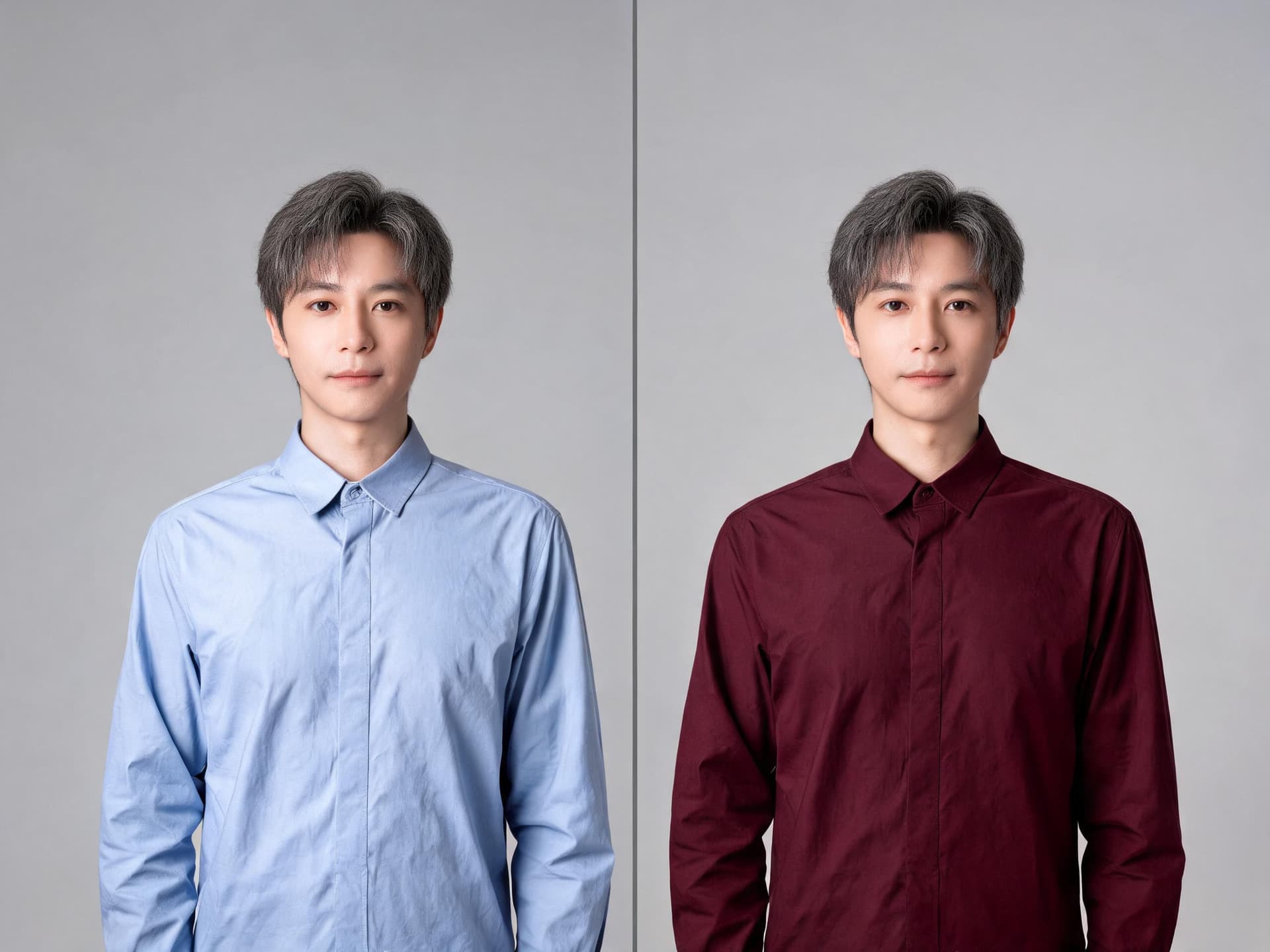
Using the uploaded reference photo, mask only the shirt region and change the shirt color and material from plain blue cotton to a deep burgundy fine-knit fabric, keeping the pose, facial expression, lighting, background, and every other detail of the photo exactly as shown in the original. Preserve the original fabric folds and drape pattern translated onto the new color and material, keep skin, hair, and background completely untouched outside the masked shirt region, true-to-life fabric texture on the new shirt, no illustration or stylized rendering, no warped hands, no watermark, no legible text.
Prompt 7: Replace only the background behind a product while keeping real shadows
Using the uploaded product photo, mask only the background behind the product and replace it with a softly blurred marble kitchen countertop setting, keeping the product itself, its exact shape, label, reflections, and cast shadow completely unchanged from the original photo. Generate a new, accurate cast shadow and subtle reflection consistent with the new background's lighting direction, do not alter the product's position, scale, or any surface detail, true-to-life marble texture and lighting, no illustration or stylized rendering, no watermark, no legible text beyond the product's own real label.
Prompt 8: Remove an unwanted object from a scene and fill the space naturally
Using the uploaded photo, mask only the unwanted object in the background of the frame and remove it completely, filling the space naturally with content that matches the surrounding background's texture, lighting, and perspective exactly. Keep every other part of the photo, the main subject, their pose, expression, and the rest of the background, completely unchanged from the original. The filled area should show no visible seam, blur patch, or repeated texture pattern where the object used to be, true-to-life color and lighting match, no illustration or stylized rendering, no watermark, no legible text.
Prompt 9: Swap only a product's label or packaging design on an existing shot
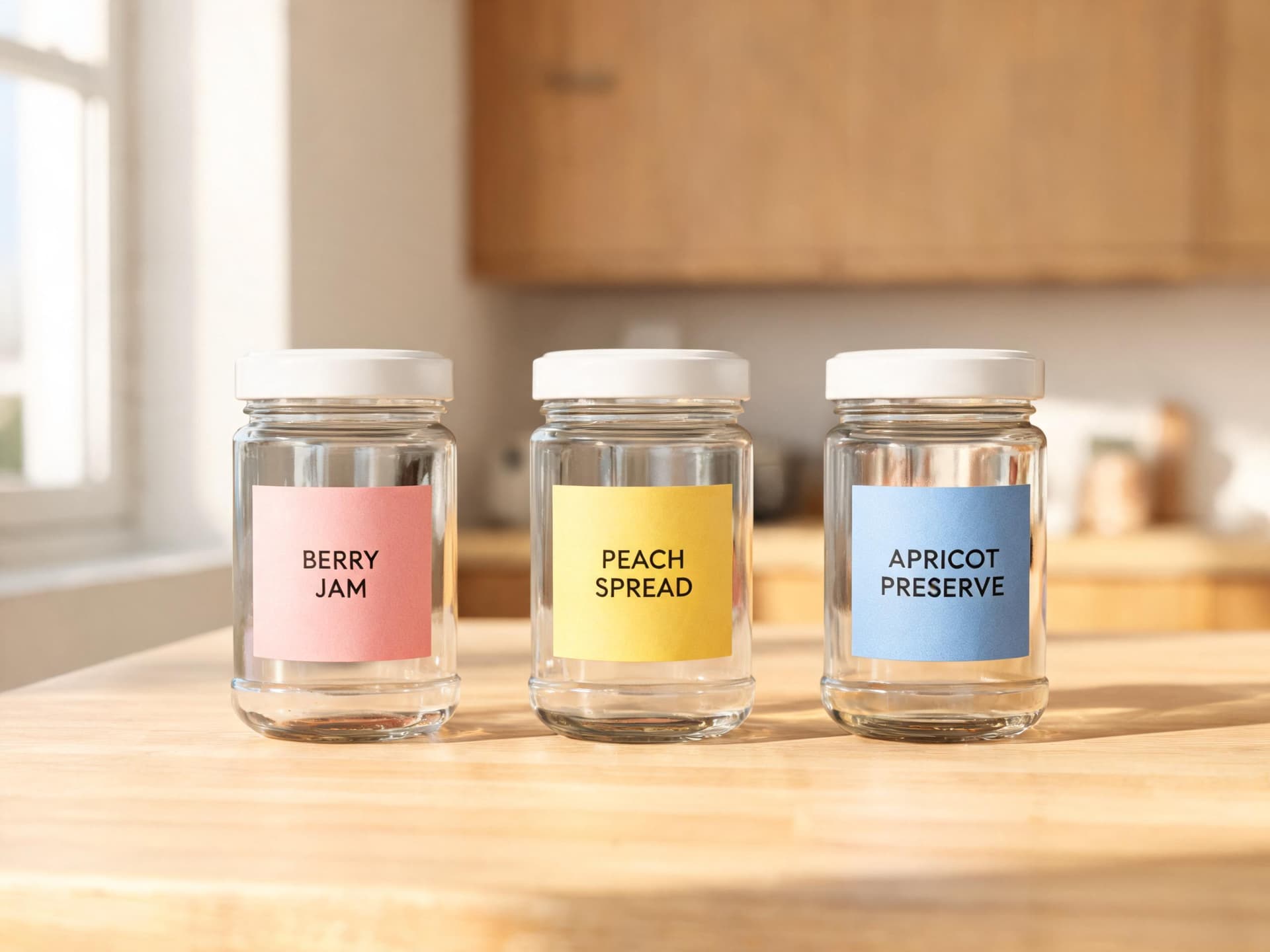
Using the uploaded product photo showing three identical jars, mask only the label area on each jar and apply a different label design to each one, keeping the jar's glass shape, cap, reflections, and the surrounding kitchen counter scene completely unchanged. Keep lighting, shadow direction, and surface reflections identical across all three jars so only the label artwork differs between them, true-to-life glass and paper texture on the new labels, no illustration or stylized rendering, no warped label text beyond a few short legible product name words, no watermark.
Prompt 10: Replace only the furniture and decor in a room while keeping the architecture
Using the uploaded interior photo, mask only the furniture and decor items in the room and replace them with a different matching furniture set and decor style, keeping the room's architecture completely unchanged: the walls, windows, flooring, ceiling, and ceiling light fixtures exactly as shown in the original photo. Match the new furniture's lighting and cast shadows to the room's existing light sources, true-to-life fabric, wood, and textile texture on the new furniture, no illustration or stylized rendering, no watermark, no legible text.
For a deeper walkthrough of masking mechanics specifically, including how to describe the region you want changed so the model does not accidentally touch the rest of the frame, our Nano Banana image inpainting guide on Miraflow AI is worth reading alongside these five prompts.
3) 4K Hero and Print-Quality Shots
This group exists specifically because of the panoramic tiling fix. Wide 2K and 4K images on the previous Nano Banana version would occasionally show a faint seam or a repeated texture patch where the model had stitched separate passes together, which is exactly the kind of flaw that only shows up once you blow an image up to print size or stretch it across a wide banner. These prompts assume you are generating at 2K or 4K and are written to make that resolution actually count.
Prompt 11: Wide panoramic landscape hero banner at 4K
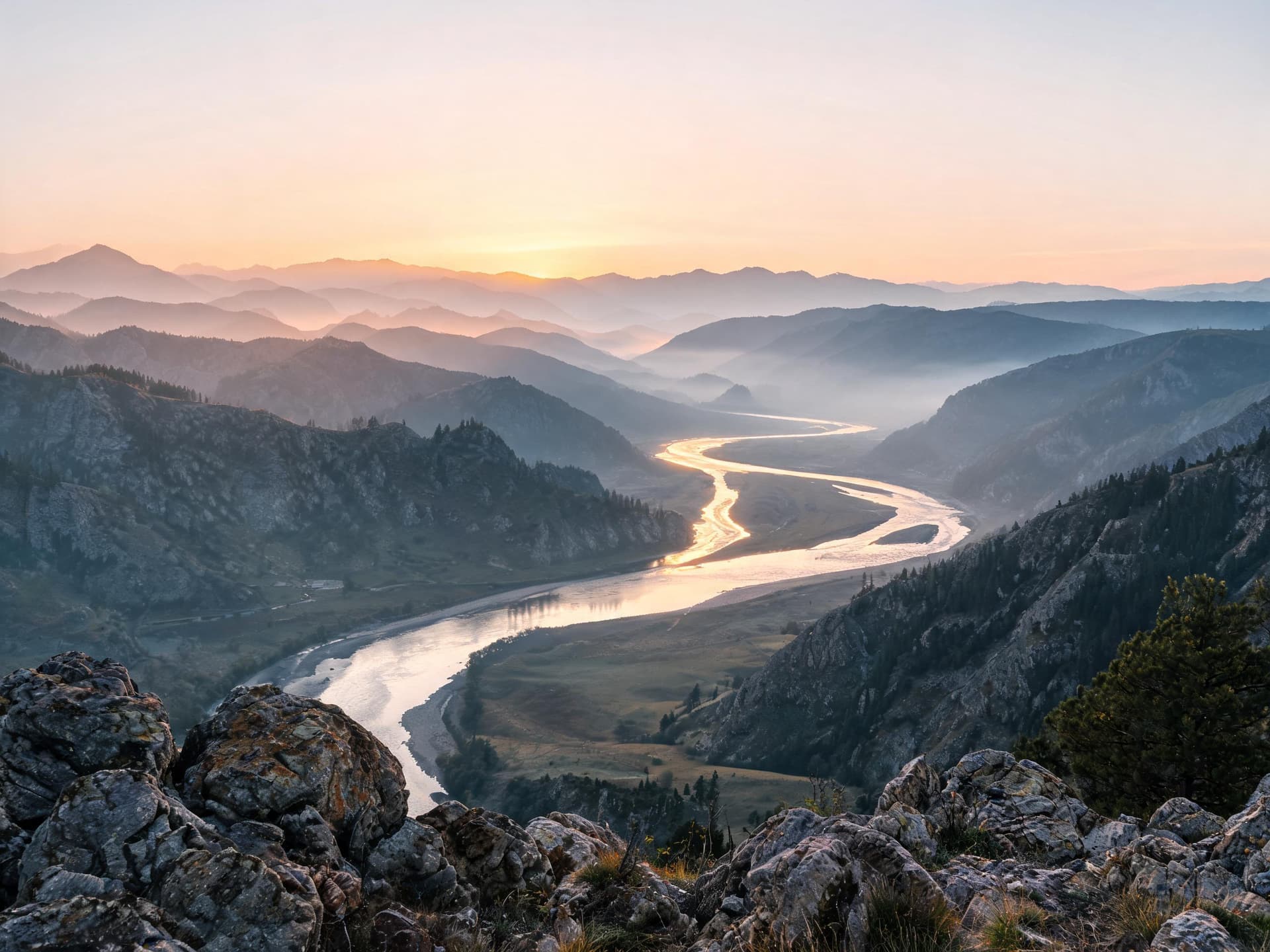
Generate a realistic ultra-wide panoramic landscape photograph of a mountain valley at sunrise, layered ridgelines fading into soft morning haze, a winding river catching early golden light, shot with a wide-angle lens with everything from foreground rocks to distant peaks in sharp focus. Render the entire wide frame with seamless continuous detail and no visible tiling seams, no repeated texture patches, and no stitching artifacts anywhere across the width of the image, true-to-life atmospheric haze and rock texture, natural warm sunrise color grading, generate at 4K resolution.
Prompt 12: Print-quality portrait for large-format canvas or poster
Generate a realistic close-up portrait photograph suitable for a large-format printed canvas, soft directional studio light from a large softbox at a 45 degree angle creating gentle natural shadow modeling, shot on an 85mm-equivalent lens with both eyes in sharp focus. Render extremely fine, true-to-life skin texture showing visible pores, subtle natural asymmetry, and realistic individual hair strands so the image holds up at large print size without looking smoothed or artificial, neutral softly blurred background, natural true color grading, generate at 4K resolution.
Prompt 13: Product catalog hero shot with fine material detail at 4K
Generate a realistic commercial product catalog photograph of a leather handbag on a plain light studio backdrop, soft even studio lighting from two large diffused sources, shot straight on with the full product in sharp focus edge to edge. Render fine true-to-life leather grain texture, stitching detail, and hardware reflections sharply across the entire frame with no softening or loss of detail at the edges, accurate soft contact shadow beneath the product, generate at 4K resolution for catalog and print use.
Prompt 14: Wide team or group panorama banner at 4K
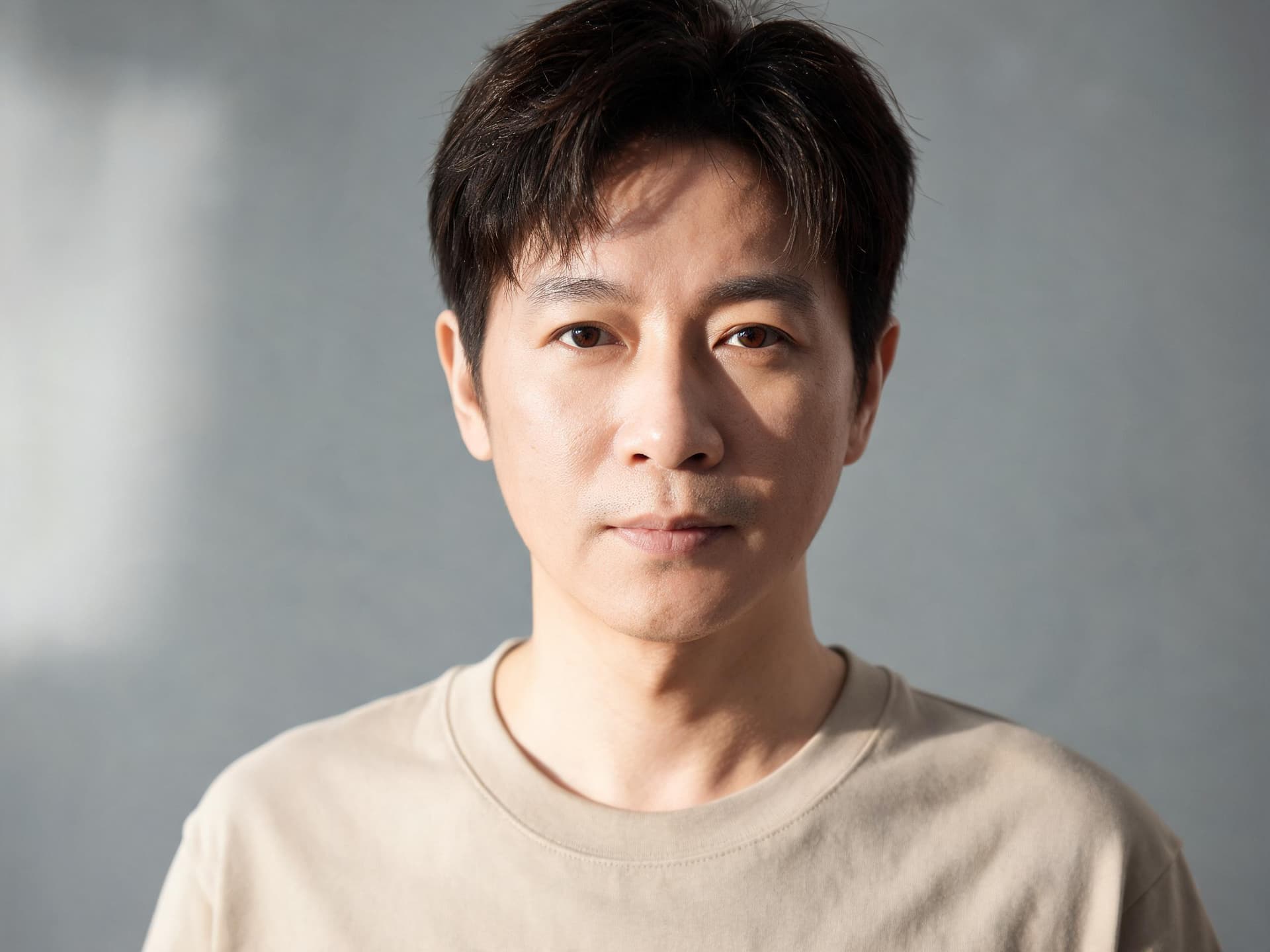
Generate a realistic wide panoramic team photograph of eight people standing together outdoors in a single horizontal row spanning the full width of the frame, natural daylight matched consistently across every person with consistent shadow direction and color temperature. Render the entire wide banner with seamless continuous detail and no visible tiling seams, no repeated background texture patches, and no mismatched lighting segments anywhere across the frame, every face sharp and clearly recognizable, true-to-life skin texture, generate at 4K resolution.
Prompt 15: Architectural interior wide shot for a print brochure
Generate a realistic wide-angle architectural interior photograph of a modern open-plan living room for a print brochure, natural daylight pouring in through large floor-to-ceiling windows, accurate true-to-life perspective with straight vertical lines and no lens distortion, fine material detail on the wood flooring, textile upholstery, and stone countertop surfaces rendered sharply across the entire wide frame with no visible tiling seams or repeated texture patches, true-to-life color grading, generate at 4K resolution.
A quick gut check before you generate at 4K: only reach for it when the output is actually going somewhere that resolution matters, a printed piece, a wide banner, a large monitor background. A 4K image costs roughly double a 1K image and takes longer to generate, and most everyday social posts or thumbnails never get viewed at a size where the difference is visible.
4) YouTube Thumbnail and Social-Ready Shots
The reported price drop covered earlier is what makes this last group genuinely different from a thumbnail prompt pack written six months ago. When a single image costs roughly half what it used to, generating five or six close variations to actually test against each other, instead of committing to the first result, stops being an indulgence and starts being the obvious default.

Prompt 16: Reaction-style YouTube thumbnail with a locked identity
Using the uploaded reference photo, generate a realistic YouTube thumbnail photograph of this exact person with a wide genuinely surprised open-mouth expression, pointing directly toward the camera with one hand. Keep the person's face, skin tone, and identity exactly as shown in their reference photo, do not alter their features. Bright bold colorful studio lighting with a vivid gradient background blur, shot close with a slightly wide-angle perspective for an energetic feel, sharp photographic detail, empty negative space reserved in the upper left for text to be added separately, generate at 1K resolution for fast iteration.
Prompt 17: Recurring podcast episode tile using two-character consistency
Using two reference photos, one of the recurring host and one of this episode's guest, generate a realistic podcast episode thumbnail with both people seated at a podcast desk with visible microphones, the host positioned in the same consistent spot, pose, and framing used across the series and the guest seated beside them. Keep the host's face, skin tone, and expression exactly as shown in their reference photo so they look identical across every episode tile, and keep the guest's face, skin tone, and expression exactly as shown in their own separate reference photo, do not blend either person's features into the other. Consistent studio lighting and color grading that would match across a whole playlist of episode tiles, true-to-life skin texture, generate at 2K resolution.
Prompt 18: Vertical Reels or Shorts lifestyle shot
Generate a realistic vertical lifestyle photograph for Reels or Shorts, a person walking through a sunlit city street holding a coffee cup, candid natural mid-stride pose, warm late-morning sunlight casting soft directional shadows, shot on a true-to-life focal length with a softly blurred street background, natural skin texture and true color grading, vertical 9:16 composition with the subject centered in the lower two-thirds of the frame, no illustration or stylized rendering, no watermark, no legible text.
Prompt 19: Four-angle Instagram carousel batch from one reference photo
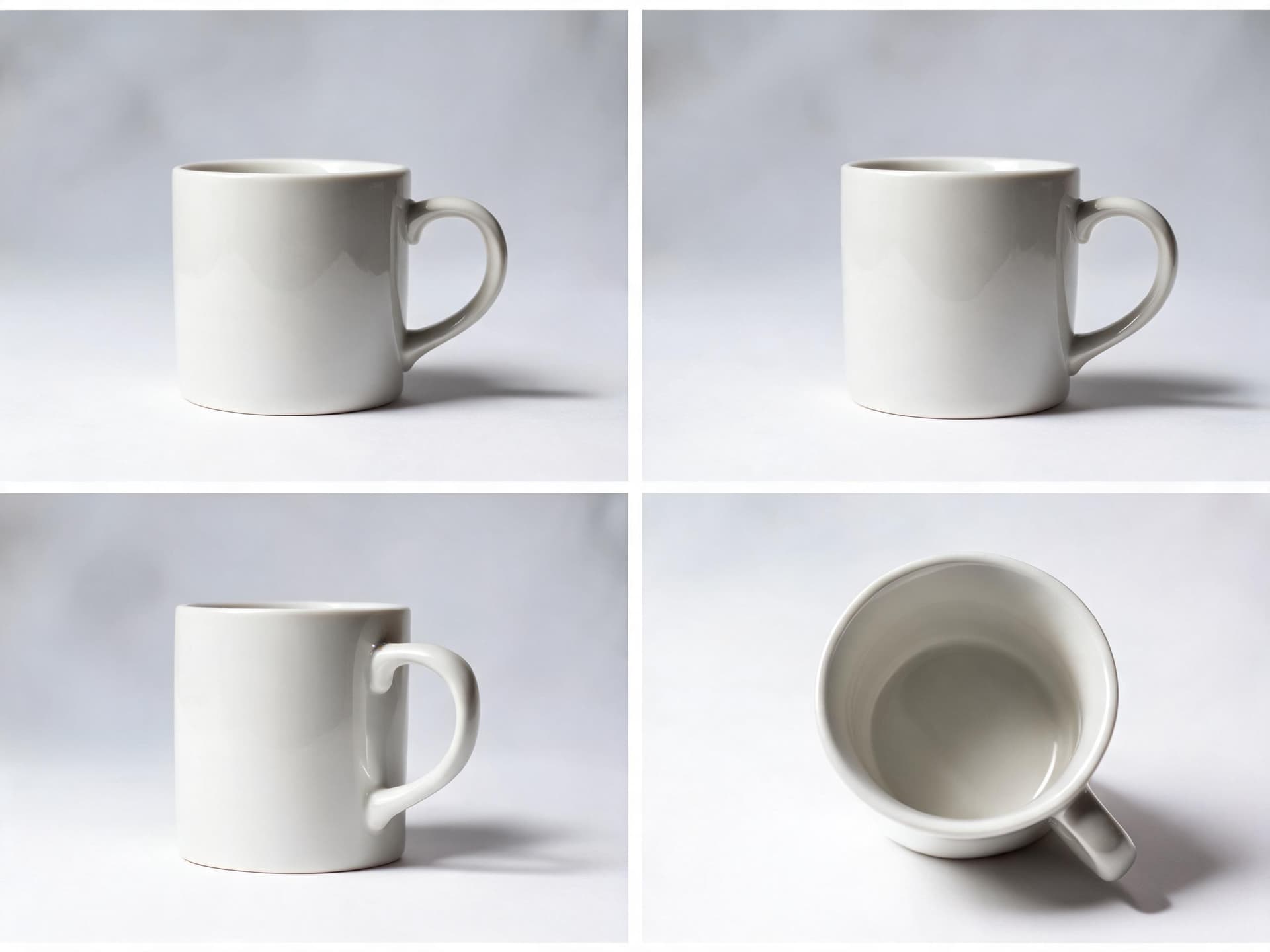
Using one reference photo of a ceramic coffee mug, generate four realistic product photographs as a batch, each showing the identical mug from a different angle, a straight front view, a three-quarter view, a side profile view, and a top-down view. Keep the mug's shape, glaze color, and the studio lighting and background completely identical across all four images, changing only the camera angle between them, true-to-life ceramic texture and reflection, shallow depth of field on a softly blurred surface in each, generate at 1K resolution for fast batch comparison.
Prompt 20: Three-variant thumbnail A/B test batch at 1K
Generate three realistic YouTube thumbnail variants as a batch testing different expressions on the same uploaded reference photo: variant one with a wide shocked open-mouth expression, variant two with a confident smirking half-smile, variant three with a curious raised-eyebrow expression. Keep the person's face, skin tone, and identity exactly as shown in their reference photo across all three variants, do not alter their features between variants. Keep the lighting, background gradient, and camera framing identical across all three so only the expression differs, empty negative space reserved for text in each, generate all three at 1K resolution for a fast low-cost comparison test.
Prompt 19 and Prompt 20 are both written assuming you will generate the full batch and actually compare the results side by side before picking one, rather than generating a single image and stopping there. That comparison step is the entire point of a cheaper per-image cost. If you are building a recurring series and want every episode's tile to share the same host framing, Prompt 17 pairs well with the identity-lock approach the first group in this post is built around.
How to Customize These Prompts
Every prompt above follows the same underlying shape on purpose: name exactly what stays the same, name exactly what changes, and give the model an explicit identity-lock or mask-boundary instruction instead of leaving it implied. Keep that shape intact when you adapt a prompt to your own reference photos, and adjust the details below based on what you are actually generating.
Match your reference photo count to what you are actually trying to preserve. If you only need one face locked steady, use one clean reference photo and skip the multi-reference language entirely, it adds nothing and can actually confuse the model if there is nothing distinct for the extra references to contribute. Reserve the full multi-reference prompts for scenes that genuinely need several separate real inputs, multiple people, a product plus a backdrop, a face plus a wardrobe reference.
Be explicit about what a mask edit should not touch. The single most common reason a mask edit bleeds into the wrong area is a prompt that only describes what should change, with nothing telling the model to leave everything else untouched. Every mask prompt in this pack names both halves directly: change the shirt color, keep the pose and lighting exactly as shown.
Scale your resolution to where the image is actually going. Use 1K for anything that will be viewed small, a thumbnail draft, a social post, an A/B test variant. Move up to 2K for a standard hero image or product shot. Reserve 4K specifically for print, a wide banner, or anything that will be viewed large enough that fine detail is actually visible, since that is where the panoramic tiling fix and the extra resolution genuinely pay for themselves.
Write the identity-lock line for every named person, not just the first one. A prompt that names four people but only writes an explicit lock instruction for the first one tends to let the other three drift more than the first. Repeat the instruction, in plain language, for each person individually.
Treat a batch as a deliberate single-variable test, not a grab bag. When you adapt Prompt 19 or Prompt 20 for your own use, change exactly one thing across the variants, the angle, the expression, the background, and hold everything else in the prompt identical. That discipline is what makes the batch actually useful for comparison instead of just producing five unrelated images.
Common Mistakes With Nano Banana 2.1 Prompts
A handful of mistakes show up repeatedly in Nano Banana 2.1 attempts that do not land, and most of them trace back to a prompt that assumes the model will infer something it actually needs to be told directly.
- Treating the 14-image ceiling as a target instead of a budget. Just because you can feed in 14 reference images does not mean every generation benefits from using all of them. Extra references the model has to reconcile with no clear purpose tend to muddy a result rather than improve it. Use only as many references as the scene actually needs.
- Skipping the explicit no-blend instruction on multi-character prompts. A prompt that simply lists several people by description, without directly telling the model to keep each one's face, skin tone, and features exactly as shown in their own reference and not blend them together, leaves more room for identity drift than the 4-character consistency improvement is actually capable of preventing on its own.
- Not describing the mask boundary clearly enough. A vague mask instruction like "change the background" can bleed into hair, clothing edges, or shadows that should have stayed untouched. Describe the boundary directly, keep the subject's outline, hair, and cast shadow exactly as shown, change only the backdrop behind them.
- Generating at 4K for images that will only ever be viewed small. A thumbnail or a square social post almost never benefits from 4K, and generating at that resolution by default just costs more per image for no visible gain. Match resolution to the actual destination, as covered above.
- Assuming the reported price drop means quality dropped too. A lower per-image cost on this release is a genuine change in the underlying model's pricing, not a sign that Nano Banana 2.1 is a stripped-down version of anything. The mask editing and visual design improvements described in Google's own release notes apply at every resolution tier, not just the cheaper ones.
- Reusing a blurry, heavily filtered, or extreme-angle reference photo. This mistake existed before 2.1 and still applies: a clean, front-facing, evenly lit reference photo gives the model real facial detail to lock onto. A degraded reference is the single most common reason an otherwise well-written identity-lock prompt still drifts.
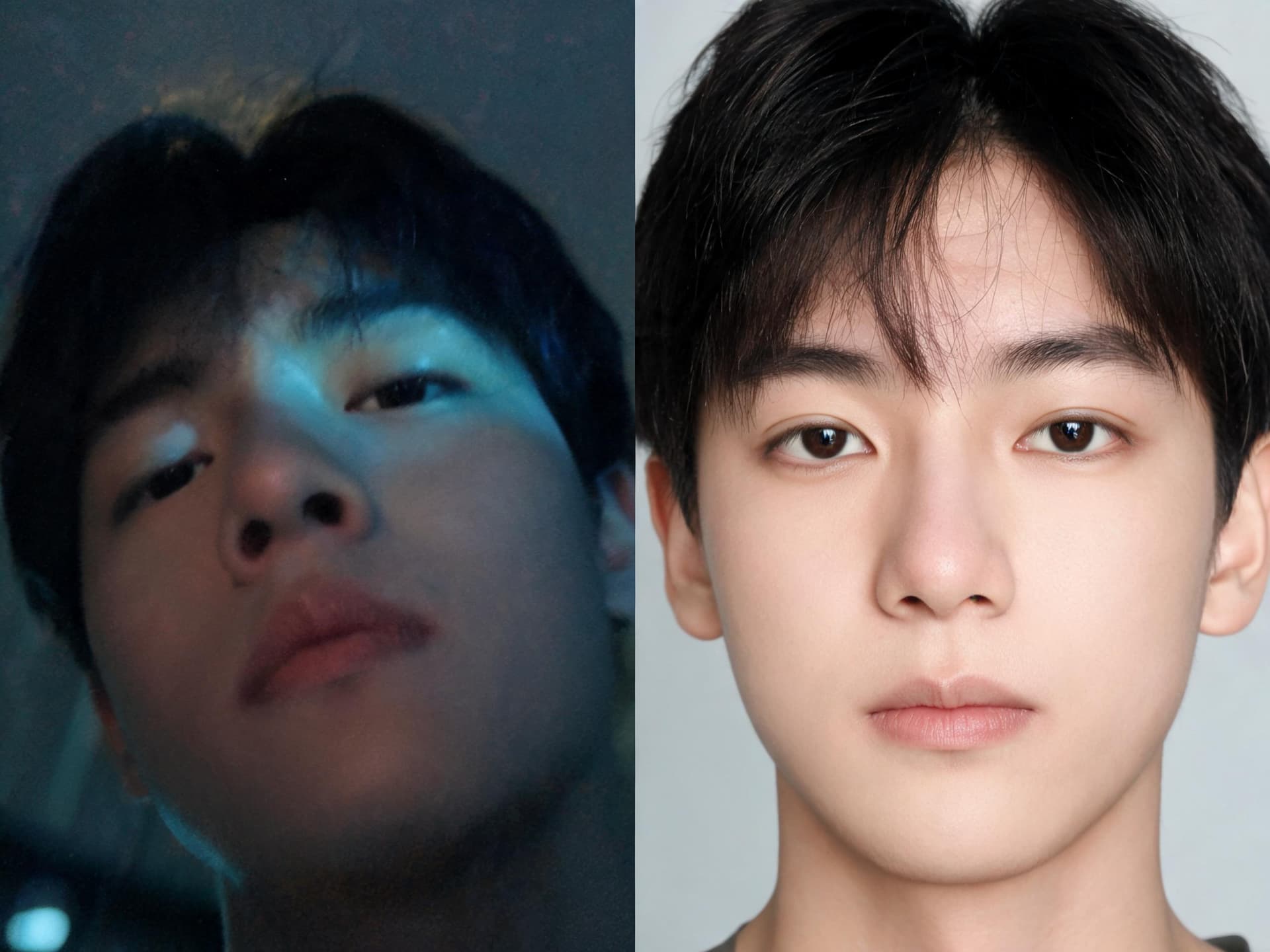
For a broader look at what separates a convincing AI-generated photo from an obviously synthetic one, skin texture, natural asymmetry, realistic lighting, our Proof of Human thumbnail prompt pack covers details that apply directly to every photoreal prompt in this post as well.
Generating These Prompts Inside Miraflow
Every prompt in this pack is written to be pasted directly into the AI Image Generator in Miraflow AI, which runs entirely in the browser and supports the text-to-image, image-to-image, and masked inpainting workflows this release is built around. Upload your reference photos, one per person or element the prompt names, paste in the prompt text, and generate. For a masked edit specifically, you can mask the exact region you want changed directly inside the tool, the same workflow our inpainting guide walks through in more depth.
If the final image is headed for a YouTube video rather than a standalone post, the YouTube Thumbnail Maker in Miraflow AI is built specifically for that last step, letting you upload a face or reference image, add thumbnail text, and generate a version sized correctly for YouTube's actual thumbnail grid. And if you are turning a batch of fresh visuals into a full piece of content rather than a single static image, Text2Shorts can build a narrated vertical video around the same creative direction, while AI Clipping can pull short, captioned clips out of any longer video you already have.
For more on how this release compares to the rest of the current Nano Banana lineup, our Nano Banana Pro vs Seedream 5.0 Pro comparison covers how a different, higher tier Google model stacks up against a real competitor, and our Nano Banana JSON prompting guide has useful structural tips if you prefer writing prompts in a more structured format than plain sentences. If multi-reference blending is new to you, our AI Funko Pop figure prompt pack is a good lower-stakes place to practice combining a face reference with a styling reference before moving into the more demanding four-character scenes in this post. And if you still want the fundamentals of the whole Nano Banana family before committing to 2.1 specifically, our ultimate Nano Banana prompt guide and our guide to using Nano Banana for free on Miraflow AI are both worth a read.
You can browse the full prompt pack library on the Miraflow AI blog, and every tool named in this post lives at Miraflow.
Frequently Asked Questions
What is actually new in Nano Banana 2.1 compared to Nano Banana 2? Google's release notes point to four specific changes: a fixed tiling and seam problem in wide 2K and 4K images, a higher 14-image multi-reference ceiling, consistency across up to 4 distinct characters in one generation, and mask-based editing and overall visual design quality improved across the board. Reported pricing also puts 2.1 at roughly half of Nano Banana 2's per-image cost.
Is the pricing for Nano Banana 2.1 officially confirmed by Google? The roughly $0.0336 at 1K, $0.0504 at 2K, and $0.0756 at 4K figures are reported standard-tier Gemini API pricing corroborated across multiple sources, but treat the exact numbers as reported rather than independently verified down to the cent, since third-party and aggregator pricing does not always track a model's own API price precisely.
How many real people can Nano Banana 2.1 actually keep consistent in one image? Google states the model keeps up to 4 distinct characters consistent in a single generation, each retaining their own real identity rather than drifting toward an average. That is a different, separately stated ceiling from Nano Banana Pro's 5-person consistency claim on a different model line.
Is Nano Banana 2 being shut down on October 29, 2026? This is genuinely unresolved. Some secondary coverage reports a deprecation and shutdown date of October 29, 2026 for Nano Banana 2, while other reporting says Google's own deprecation table lists no such date. Treat it as an open question rather than a confirmed deadline until Google's own documentation settles it one way or the other.
Do I need all 14 reference image slots to use the multi-reference prompts in this pack? No. The 14-image figure is a ceiling, not a requirement. Most of the prompts in this pack use between 2 and 5 reference images, which covers the vast majority of real multi-subject and multi-element scenes. Use only as many references as the specific scene actually needs.
What is the real difference between a masked edit and just regenerating the whole image? A masked edit changes only the region you specify, a shirt, a background, a single object, while leaving the rest of the photo untouched exactly as it was. Regenerating the whole image risks changing details you wanted to keep, like a pose, a facial expression, or a composition that was already working. Mask editing is the right tool whenever most of an existing image is correct and only one specific part needs to change.
Does generating at 4K always produce a better result than 1K? Not automatically, and it costs more per image. 4K is worth the extra cost specifically when the output is going somewhere resolution actually shows, a print, a wide banner, a large display. For a thumbnail, a social post, or an A/B test batch that will mostly be viewed small, 1K is usually the better default.
Conclusion
Nano Banana 2.1 is a genuine capability update, not a version-number refresh. The 14-image multi-reference ceiling, the 4-character consistency jump, the panoramic tiling fix at 2K and 4K, and the improved mask editing are all real, specific changes worth building new prompts around rather than reusing the same templates you were already running on the previous version. The 20 prompts above are grouped around exactly those four changes, multi-reference scenes, masked edits, true 4K hero and print shots, and thumbnail and social batches that a lower per-image cost now makes realistic to actually test before publishing. Start with clean reference photos, keep the identity-lock and mask-boundary instructions explicit the way every prompt above does, and generate directly inside the AI Image Generator in Miraflow AI to see how this release actually holds up on your own reference photos.