Nano Banana JSON Prompting in 2026: How to Structure Image Prompts for Better Results

Written by
Jay Kim
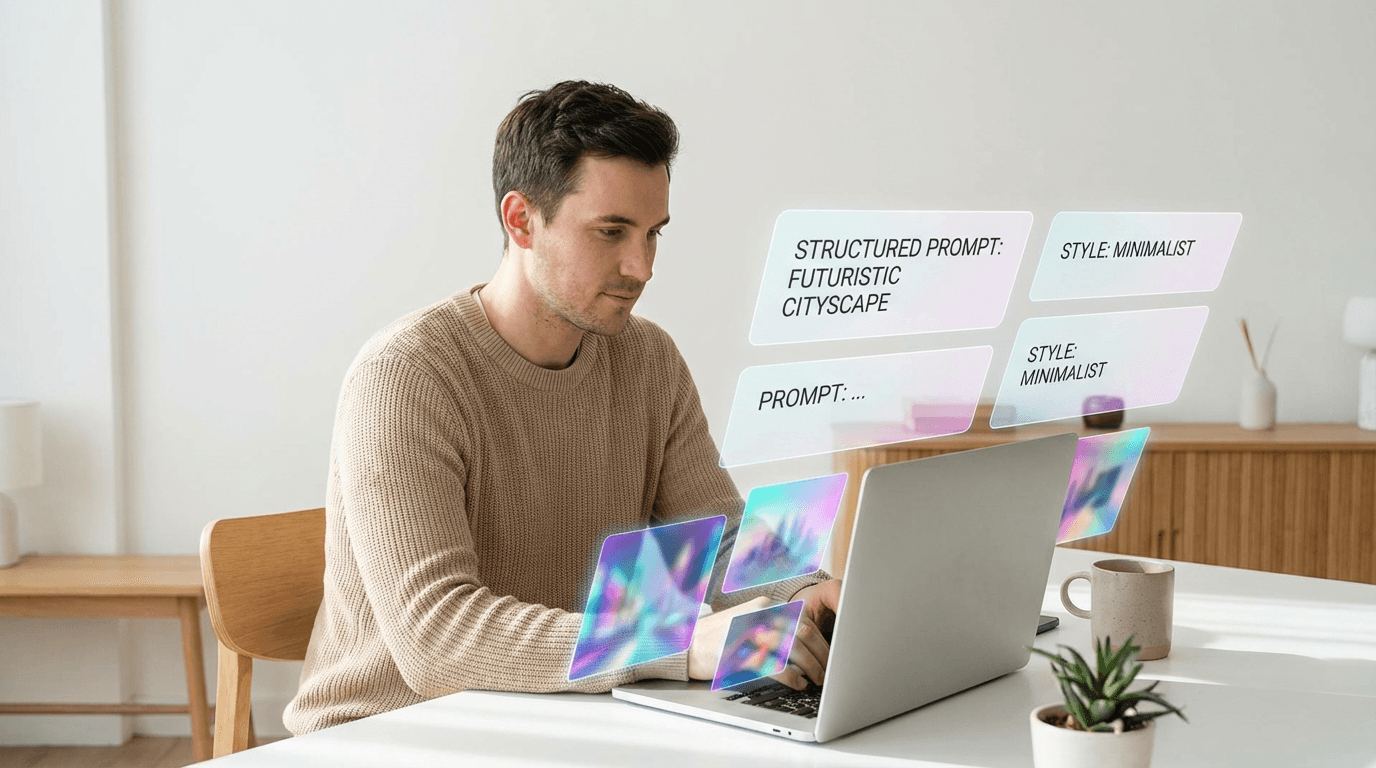
Learn how to use Nano Banana JSON prompting in 2026 with copy-paste templates that improve consistency, control, and image quality for thumbnails and viral visuals.
If you are using Nano Banana in 2026 and your results feel inconsistent, the problem is often not the model.
It is the way the prompt is organized.
A lot of creators still write image prompts like one long sentence, then wonder why the output changes too much from one generation to the next. In 2026, a better approach is to use JSON-style prompting or other structured prompt formats that separate subject, style, lighting, composition, camera, negative constraints, and edit instructions into clear fields.
This matters because Google’s Gemini docs now explicitly support structured outputs with JSON Schema for predictable, typed responses, and Google’s image generation docs describe Nano Banana as a native image generation system that works with text, images, or both. That does not mean Nano Banana has some magical official image-only JSON prompt mode. It does mean structured prompting is becoming a much more practical workflow around image generation in 2026.
In this guide, you will learn:
- what Nano Banana JSON prompting really means
- why structured prompts often outperform messy natural language prompts
- the best JSON-style fields to use
- copy-paste templates for thumbnails, product images, viral visuals, edits, and reference images
- common mistakes that make outputs less consistent
- how to use this inside a real creator workflow
If you create YouTube thumbnails, social visuals, product ads, or AI-generated reference images, this is one of the easiest ways to get better results without changing tools.
Why this matters more in 2026
Image generation is getting better fast, but so are expectations.
Creators no longer want just one cool image. They want:
- more consistency across multiple generations
- cleaner handoff between image and video workflows
- reusable prompt systems
- faster iteration for thumbnails, ads, and Shorts assets
Google’s latest image generation docs describe Nano Banana as a conversational image generation and editing system that can work from text, images, or both, and Google’s structured output docs make it clear that schema-based outputs are now a standard workflow in Gemini-based systems. At the same time, Google’s Nano Banana guidance emphasizes that better results come from clearer, more detailed prompting.
That combination is why JSON-style prompting is worth learning now.
It helps you turn this:
make a cool youtube thumbnail with a guy looking shocked and a laptop and analytics
into something much more reusable and reliable, like this:
{
"goal": "youtube_thumbnail",
"subject": "young creator reacting to analytics on laptop",
"emotion": "surprised, high energy",
"composition": "close-up, subject on left, laptop on right",
"lighting": "bright studio lighting",
"background": "clean modern desk setup",
"color_palette": "blue, white, orange accents",
"text_space": "empty area top right",
"negative_constraints": [
"no clutter",
"no tiny details",
"no real logos",
"no unreadable UI text"
]
}

You are not forcing the model to speak machine language for no reason. You are making your intent easier to maintain across repeated generations.
What Nano Banana JSON prompting actually means
First, an important clarification.
When people say Nano Banana JSON prompting, they usually mean one of these two things:
1. JSON-style prompt organization
You write your prompt in a structured object format with named fields like:
- subject
- style
- lighting
- composition
- camera
- background
- negative constraints
This is mainly for consistency and readability.
2. Structured AI workflows around image generation
You use one model or step to generate structured prompt data, then pass that structured data into image generation.
For example:
- generate a JSON object for thumbnail design
- review or edit that object
- turn it into a final natural-language image prompt
- generate the image
This is especially useful in automated workflows, prompt libraries, or creator teams.
Google’s structured outputs feature is officially designed to generate reliable JSON that matches a schema, which makes this kind of workflow much easier to build around modern Gemini-based systems.
So the practical takeaway is simple:
JSON prompting is best understood as a structured prompt design method, not a magic switch.
Why structured prompts often work better than one long sentence
A long natural-language prompt can still work. Sometimes it works very well.
But JSON-style prompting has advantages when you care about repeatability.
1. It separates variables clearly
Instead of mixing everything together, you can isolate:
- subject
- environment
- mood
- composition
- output intent
That makes it much easier to tweak one thing without changing five others.
2. It improves team workflows
If you are writing prompts for a team, a client, or future-you, a structured object is much easier to read than a giant paragraph.
3. It makes prompt libraries reusable
You can save templates for:
- YouTube thumbnails
- product photos
- comparison graphics
- cinematic reference images
- inpainting edits
Then swap only a few fields each time.
4. It helps you spot weak inputs
Bad prompt quality often comes from missing one of these:
- no clear subject
- no composition
- no lighting
- no negative constraints
- no output purpose
A JSON-style structure makes those gaps obvious.
This same structured thinking also helps in related creator workflows like AI prompts for YouTube thumbnails, best AI prompts for YouTube thumbnails in 2026, and consistent YouTube thumbnail style with AI.
The best JSON fields to use for image prompting
You do not need a huge schema. In most cases, 8 to 12 fields are enough.
Here is the most useful field set for 2026.
Core fields
- goal
What the image is for
Example: youtube_thumbnail, product_ad, blog_hero, cinematic_reference - subject
The main thing in the image - context
What the subject is doing or where it is placed - style
Photo-realistic, cinematic, clean studio, lifestyle, etc. - composition
Close-up, top-down, centered, split-screen, subject left, empty right space - lighting
Bright daylight, moody neon, studio softbox, golden hour - color_palette
Helps keep visuals consistent - background
Clean desk, white studio, blurred city, gradient wall
High-value support fields
- camera_or_lens
Useful for more realistic outputs
Example: close-up portrait, 35mm, wide shot - mood
Calm, urgent, viral, premium, playful - negative_constraints
Very important
Example: no clutter, no extra fingers, no real logos, no unreadable text - text_space
Useful for thumbnails, banners, ad layouts
Editing-specific fields
If you are doing image editing or inpainting, also add:
- preserve
What must stay the same - change_only
What should change - do_not_change
Extra guardrails
This is especially useful if you already work with image editing workflows similar to Nano Banana image inpainting on Miraflow AI.
A simple JSON prompt schema you can reuse
Here is a clean starter template.
{
"goal": "",
"subject": "",
"context": "",
"style": "",
"composition": "",
"lighting": "",
"color_palette": "",
"background": "",
"camera_or_lens": "",
"mood": "",
"text_space": "",
"negative_constraints": []
}
If you only use one schema from this article, use this one.
Common mistakes creators make with JSON prompting
Structured prompting helps, but only if the structure is useful.
Mistake 1: Writing JSON with vague values
This is still weak:
{
"subject": "person",
"style": "good",
"background": "nice"
}
Structure does not save weak thinking.
Be specific.
Mistake 2: Mixing conflicting instructions
Example:
- cinematic but flat
- minimalist but full of details
- realistic but cartoonish
If two fields fight each other, the output gets muddy.
Mistake 3: No output intent
A thumbnail prompt and a blog hero prompt are not the same.
Always say what the image is for.
Mistake 4: Ignoring negative constraints
Many bad outputs happen because creators only describe what they want, not what they want to avoid.
Mistake 5: Treating JSON as the final output every time
Sometimes the best workflow is:
- define the image in JSON
- convert that JSON into a clean natural-language prompt
- generate the image
This tends to work especially well for complex creator assets.
Copy-paste JSON prompt templates
Here are templates you can actually use.
1. YouTube thumbnail template
Good for creators working on YouTube thumbnail makeovers in 2026 or YouTube CTR in 2026.
{
"goal": "youtube_thumbnail",
"subject": "creator reacting to analytics on laptop",
"context": "creator sitting at desk, looking shocked at rising graph",
"style": "clean, high-contrast, thumbnail-friendly",
"composition": "close-up face on left, laptop on right, empty upper-right space",
"lighting": "bright studio lighting",
"color_palette": "white, blue, orange accents",
"background": "minimal modern desk setup",
"camera_or_lens": "medium close-up",
"mood": "urgent, exciting",
"text_space": "top-right corner",
"negative_constraints": [
"no clutter",
"no tiny UI details",
"no real logos",
"no unreadable text"
]
}
2. Product ad image template
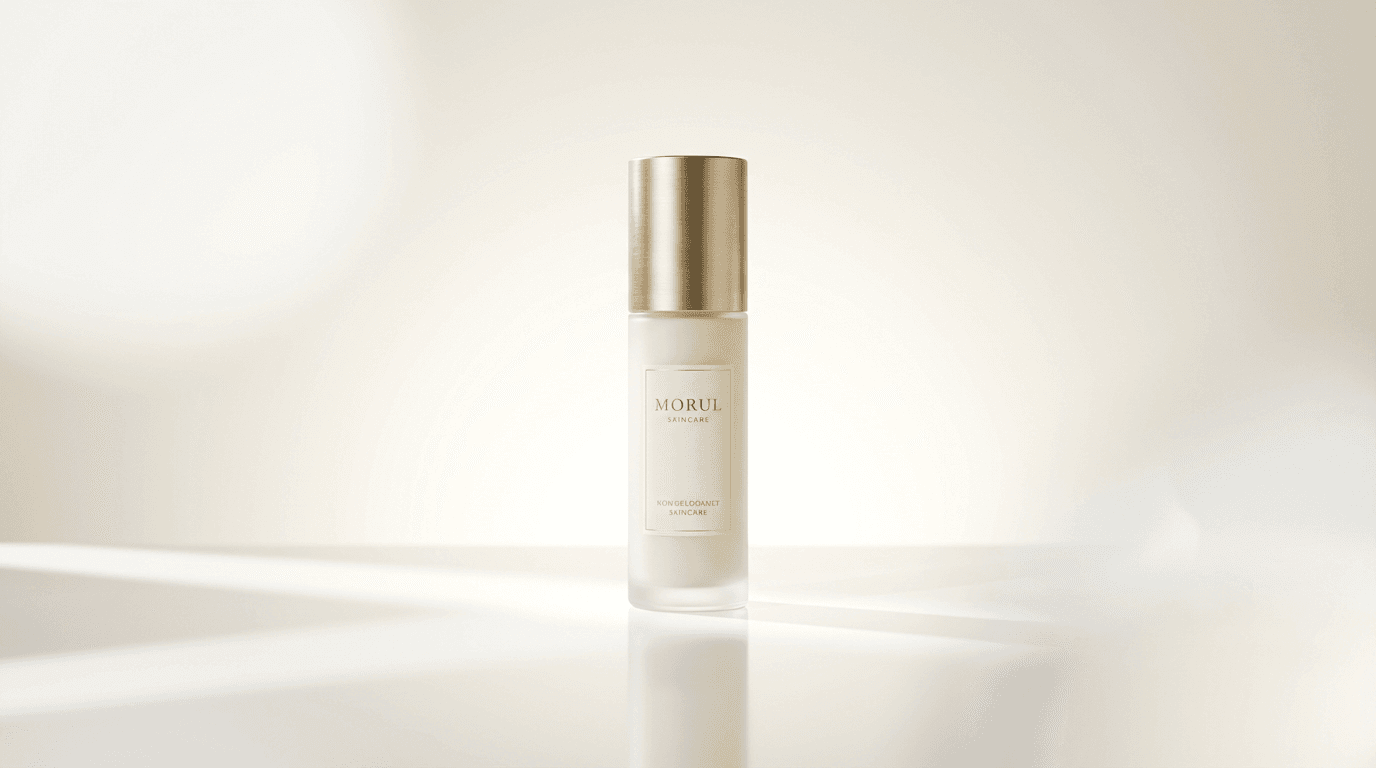
{
"goal": "product_ad_visual",
"subject": "premium skincare bottle",
"context": "standing on reflective surface with soft shadows",
"style": "luxury product photography",
"composition": "centered product, symmetrical layout",
"lighting": "soft studio lighting with highlight reflections",
"color_palette": "white, cream, subtle gold",
"background": "clean gradient studio backdrop",
"camera_or_lens": "commercial product shot",
"mood": "premium, elegant, trustworthy",
"text_space": "upper-left and lower-right clear zones",
"negative_constraints": [
"no extra objects",
"no messy reflections",
"no brand logos from real companies",
"no unrealistic bottle shape"
]
}
3. Viral lifestyle image template
{
"goal": "viral_social_visual",
"subject": "aesthetic desk setup with coffee and laptop",
"context": "creator workspace in bright morning light",
"style": "clean lifestyle photography",
"composition": "top-down shot with balanced object placement",
"lighting": "warm natural sunlight",
"color_palette": "cream, beige, soft brown, muted green",
"background": "wooden desk with tidy accessories",
"camera_or_lens": "top-down flat lay",
"mood": "cozy, aspirational, calming",
"text_space": "empty center-left area",
"negative_constraints": [
"no clutter",
"no text",
"no fake logos",
"no unnatural hand placement"
]
}

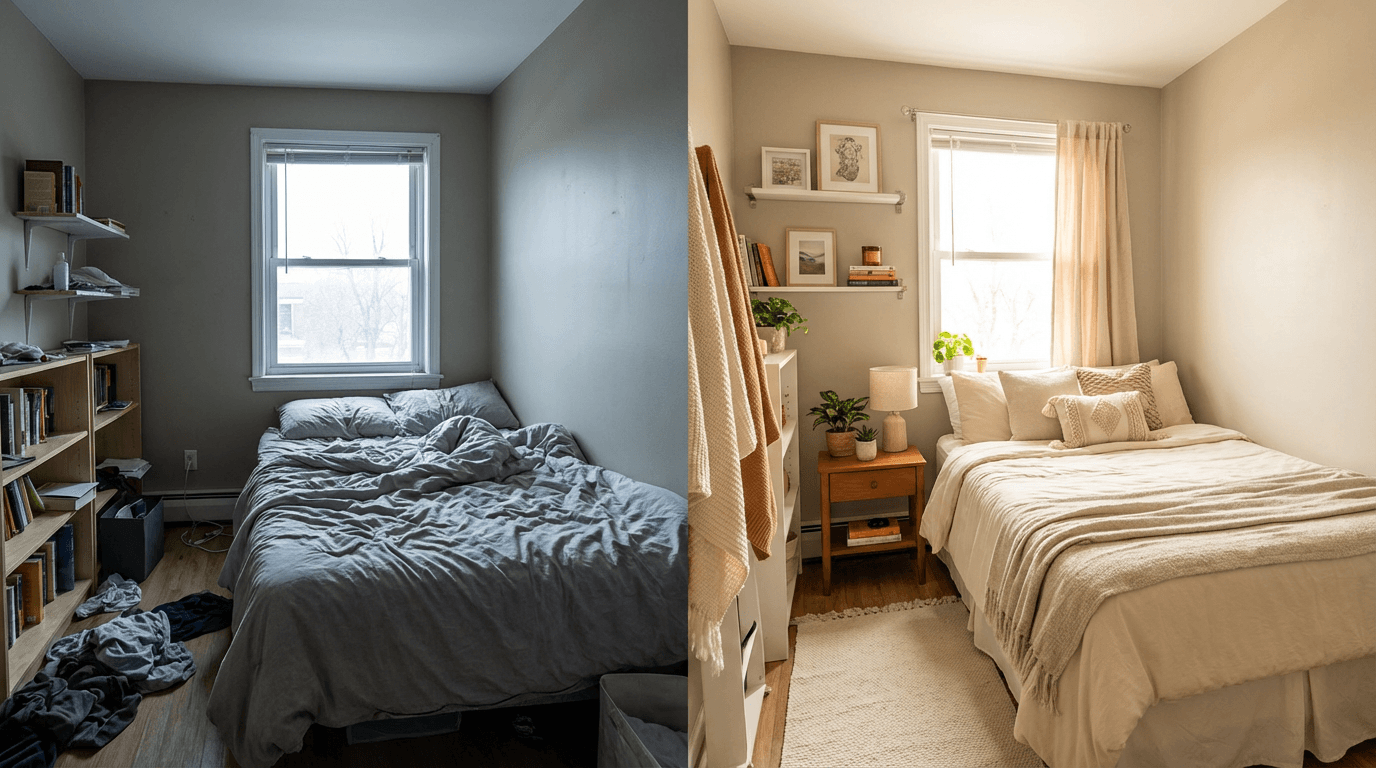
4. Before and after transformation template
{
"goal": "before_after_visual",
"subject": "small bedroom makeover",
"context": "split composition showing messy room before and aesthetic room after",
"style": "realistic interior photo",
"composition": "clear side-by-side split",
"lighting": "neutral daylight",
"color_palette": "left side dull and grey, right side bright and warm",
"background": "same room layout preserved",
"camera_or_lens": "wide room shot",
"mood": "transformational, satisfying",
"text_space": "top center",
"negative_constraints": [
"do not change room layout drastically",
"no surreal furniture",
"no text inside image",
"no duplicate objects"
]
}
5. Cinematic reference image template
This is especially useful if you want to generate a still first, then use it as a reference image for cinematic AI video workflows.
{
"goal": "cinematic_reference_image",
"subject": "creator desk with laptop, microphone, notebook, and coffee",
"context": "late-night creative session",
"style": "cinematic realism",
"composition": "slightly angled wide shot with foreground depth",
"lighting": "soft desk lamp plus subtle blue window light",
"color_palette": "warm orange and cool blue contrast",
"background": "minimal room with soft blur",
"camera_or_lens": "35mm cinematic shot",
"mood": "focused, creative, intimate",
"text_space": "none",
"negative_constraints": [
"no extra limbs",
"no warped desk items",
"no visible brand logos",
"no text overlays"
]
}
This pairs naturally with workflows around How to use Veo3 for free, How to write effective prompts for Veo3, Veo3.1, and Sora 2, and Nano Banana for YouTube intros, end screens, and channel art.
How to turn JSON into better natural-language prompts
A very effective workflow is:
Step 1
Build the image definition in JSON.
Step 2
Read it like a creative brief.
Step 3
Convert it into a final natural-language prompt.
Example.
JSON
{
"goal": "youtube_thumbnail",
"subject": "creator reacting to analytics on laptop",
"context": "creator sitting at desk, looking shocked at rising graph",
"style": "clean, high-contrast, thumbnail-friendly",
"composition": "close-up face on left, laptop on right, empty upper-right space",
"lighting": "bright studio lighting",
"color_palette": "white, blue, orange accents",
"background": "minimal modern desk setup",
"mood": "urgent, exciting",
"negative_constraints": [
"no clutter",
"no tiny UI details",
"no real logos"
]
}
Natural-language version
Prompt
creator sitting at a modern desk, shocked reaction while looking at a laptop with a rising analytics graph, close-up face on the left side of the frame, laptop on the right, bright studio lighting, clean white and blue background with orange accents, minimal clutter, high-contrast YouTube thumbnail composition, no real logos, no tiny unreadable UI details
This hybrid method gives you the best of both:
- clear structure
- natural final prompt quality
How to use JSON prompting for more consistent image sets
One image is easy.
The real challenge is generating sets:
- 5 thumbnail variations
- 8 product ad visuals
- 3 scenes that feel like the same brand
- 10 images that all fit one YouTube channel
JSON-style prompting helps because you can lock core fields and vary only one or two things.
Keep fixed
- color palette
- lighting
- background style
- camera framing
- mood
Change only
- subject expression
- object
- scene action
- text space location
This is one of the smartest ways to build a repeatable visual system, especially if you are already thinking about consistent YouTube thumbnail style with AI or AI YouTube thumbnail styles for more views in 2026.
How this helps rankings and clicks
You asked for techniques that help average position and clicks, so here are the practical SEO and CTR advantages of this topic and structure.
1. Search-friendly query matching
This topic matches multiple search intents:
- nano banana json prompting
- nano banana structured prompts
- nano banana prompt template
- nano banana prompt schema
- how to structure image prompts
- nano banana prompts for thumbnails
That gives you both broad and long-tail ranking opportunities.
2. Better click-through rate from SERP
Prompt-pack style posts tend to earn clicks when they promise:
- copy-paste value
- better results
- a specific new workflow
- 2026 freshness
That is why this title format works well.
3. Richer topical authority
This article naturally supports your broader image-generation cluster alongside:
- Nano Banana prompt guide viral prompts
- How to use Nano Banana for free on Miraflow AI
- Nano Banana seasonal trend prompts
4. Easy FAQ expansion later
This topic is perfect for FAQ schema or FAQ sections, because people naturally ask:
- does Nano Banana support JSON
- is JSON better than natural language prompts
- what fields matter most
- can I use JSON prompting for thumbnails or products
That can improve long-tail coverage and help with average position over time.
A practical way to do this inside Miraflow AI
You do not need a complicated developer workflow to use structured prompting.
A simple creator-friendly approach inside Miraflow AI looks like this:
- decide the image goal
- thumbnail, product photo, ad visual, blog hero, cinematic reference
- write a JSON-style prompt draft
- use one of the templates above
- convert that structure into a polished final prompt
- keep the fields that matter most
- generate the image inside the image generator in Miraflow AI
- if needed, reuse the image for:
- YouTube thumbnails
- blog visuals
- product pages
- cinematic reference images for later video generation
This is especially helpful if you are already producing creator assets across images, thumbnails, Shorts, and cinematic clips in one workflow.
Conclusion
Nano Banana JSON prompting in 2026 is not about making image generation robotic.
It is about making your prompt logic reusable.
If your current prompts feel inconsistent, hard to edit, or impossible to scale across multiple assets, structured prompting is one of the simplest upgrades you can make.
Start small.
Use one JSON template for thumbnails.
Use one for product visuals.
Use one for cinematic reference images.
After a few rounds, you will stop writing random prompts and start building a real visual system.
Related reads
If you want to go deeper after this post, these are the most natural next reads:
- Nano Banana prompt guide viral prompts
- How to use Nano Banana for free on Miraflow AI
- Nano Banana image inpainting on Miraflow AI
- AI prompts for YouTube thumbnails
- Best AI prompts for YouTube thumbnails in 2026
- Nano Banana for YouTube in 2026: intros, end screens and channel art
- How to use Veo3 for free
- How to write effective prompts for Veo3, Veo3.1, and Sora 2
For official reference on structured outputs and image generation, Google’s documentation on structured outputs and image generation is worth bookmarking.