Stop Paying $50 Per Thumbnail — AI Does It in 30 Seconds

Written by
Jay Kim

AI thumbnail generators now produce professional, click-optimized YouTube thumbnails in 30 seconds — for a fraction of what freelance designers charge. Here is why the $50-per-thumbnail era is over and exactly how to make the switch.
You upload a video. You spent six hours scripting, filming, and editing. The content is good. Maybe great. Then you slap on a thumbnail — either a random frame YouTube auto-selected or a quick Canva template you threw together in five minutes — and wonder why nobody clicks.
Meanwhile, the creator in your niche with half your production value is getting triple your views. The difference is not the content. It is the thumbnail.
You have 0.3 seconds. That's how long viewers take to decide whether to click your video or scroll past it. Your content might be excellent, but without a compelling thumbnail, nobody will ever know.[6]
For years, the only way to get a great thumbnail was to either master Photoshop — a software with a learning curve measured in months — or pay a freelance designer $25 to $100 per thumbnail. Spending 2–4 hours per thumbnail in Photoshop means less time creating content and growing your channel. Hiring designers costs $25–100 per thumbnail, quickly eating into your YouTube revenue.[8]
In 2026, that tradeoff is dead. AI thumbnail generators produce professional, click-optimized thumbnails in seconds — not hours, not days. Instead of 20–30 minutes per thumbnail in Canva or Photoshop, you can generate professional, click-optimized thumbnails in under 60 seconds.[5] The quality gap has narrowed to the point where 68% of manually designed thumbnails underperform AI versions in A/B tests.[9]
This article breaks down exactly why your thumbnails are the most important asset on your channel, what AI thumbnail tools can actually do in 2026, how to use them strategically without falling into the "AI slop" trap, and why every creator — from zero subscribers to a million — should rethink how they approach thumbnail creation.
Why Your Thumbnail Is the Single Most Important Element on Your Channel
Most creators think content is king. Content matters enormously — but content that nobody clicks on generates zero views, zero watch time, and zero revenue. The thumbnail is the gateway to everything else.
Your thumbnail and title are the two elements that have the most direct impact on CTR.[2] Thumbnails and titles influence the algorithm indirectly through their impact on CTR and viewer behavior. A compelling thumbnail increases your CTR, which signals the algorithm to distribute your video more broadly.[2]
The math is stark. Across all niches and content types, the average YouTube CTR in 2026 falls between 2% and 10%. YouTube itself has historically confirmed that most channels fall within this range. The platform-wide average sits around 4% to 5% for most creators.[4] Improving CTR from 3% to 5% produces 67% more clicks from the same number of impressions.[2] That is not a small optimization. That is the difference between a stagnant channel and a growing one — from the exact same content, with the exact same number of impressions.
Multiple studies, including research by Backlinko, show that videos with custom thumbnails see 60–70% higher click-through rates on average compared to auto-generated screenshots.[2] 90% of top-performing videos use custom thumbnails. Faces with strong emotion increase CTR by 20–30%.[9]
The algorithm's relationship to thumbnails is indirect but powerful. Thumbnails and titles do not directly influence the algorithm as ranking signals. YouTube does not look at your thumbnail and decide it is "good" or "bad" in isolation. Instead, thumbnails and titles influence the algorithm indirectly through their impact on CTR and viewer behavior.[2] But that indirect influence is the single most controllable lever you have. You cannot force YouTube to recommend your video. You can make a thumbnail so compelling that viewers choose it over every other option on the screen.
YouTube's algorithm uses CTR as an early ranking signal to decide how broadly to recommend a video. According to YouTube's Creator Academy, a video that earns strong CTR in its first 48 hours is significantly more likely to surface in Browse Features and suggested video slots — the two highest-volume discovery surfaces on the platform.[2]
Every other metric on your channel — watch time, subscribers, revenue — flows downstream from the click. And the click flows from the thumbnail.
The Real Cost of Thumbnails: What Creators Are Actually Paying
The thumbnail economy in 2026 spans a wide range, from free DIY templates to premium designer retainers. Understanding the full cost picture — in dollars, time, and opportunity — reveals why so many creators are either overpaying or underinvesting.

YouTube thumbnail designers on Fiverr typically charge an average fee of $19 for social media design jobs and $18 for thumbnail design jobs.[1] That sounds affordable until you scale it. A creator publishing three videos per week pays $54–$57 per week on Fiverr alone, totaling $230+ per month just for thumbnails. Depending on the project, YouTube thumbnail designers on Fiverr take an average of 3 days to complete a social media design job and 4 days to complete a thumbnail design job.[1] A 3–4 day turnaround means you are designing thumbnails before your video is even edited — or waiting days after upload to get a proper thumbnail in place.
On the higher end, creators report spending $50 per thumbnail with designers.[8] The main differences are creation speed (seconds vs hours), cost ($0–$30/month for AI tools vs $0 DIY or ~$20–$200 per thumbnail outsourced), and customization control.[7] For a creator publishing weekly, $50 per thumbnail means $200/month and $2,400/year — a substantial expense for most independent channels.
But the financial cost is only half the story. The time cost is often worse. Even experienced Photoshop users spend 45 minutes to 2 hours per thumbnail when doing it properly. Multiply that by four or five videos per week and you're looking at 8–10 hours of design work every single month.[3] For solo creators who script, film, edit, and promote their own content, 8–10 hours per month on thumbnails represents a massive opportunity cost.
Creating a great YouTube thumbnail used to mean spending hours inside Adobe Photoshop. You had to learn complex layers, master the pen tool, and hope the final result actually grabbed someone's attention. For many creators, it felt more like a chore than a creative process.[1]
The learning curve compounds the problem. It takes 40–60 hours to develop thumbnail design skills[7] in traditional design software. That is 40–60 hours before you even start producing quality work. For a new creator trying to grow a channel, investing a full work week into learning Photoshop before making a single good thumbnail is an absurd barrier to entry.
Then there is the Photoshop subscription itself. Adobe Photoshop costs $20.99/month as a standalone product, or $54.99/month for the full Creative Cloud suite.[3] Combined with the time investment, the total cost of the traditional thumbnail workflow — software subscription, learning time, production time, and opportunity cost — makes the DIY approach far more expensive than most creators realize.
The AI Thumbnail Revolution: What Changed in 2026
The AI-powered design tools market is not a niche experiment. The AI-powered design tools market size has grown exponentially in recent years. It will grow from $6.74 billion in 2025 to $8.22 billion in 2026 at a compound annual growth rate (CAGR) of 22%.[2] The AI-powered design tools market size is expected to see exponential growth in the next few years. It will grow to $18.16 billion in 2030 at a compound annual growth rate (CAGR) of 21.9%.[2]
Within this broader market, AI thumbnail generation has gone from novelty to necessity. 47.3% of YouTube creators are using AI thumbnail tools weekly now. That is way up from 12.4% just a couple of years ago.[9] Nearly half of all active YouTube creators have incorporated AI into their thumbnail workflow — and that number is accelerating.
The text-to-thumbnail market hit a massive $6.3 billion in 2026.[2] AI video generation volume surged 840% from January 2024 to January 2026.[2] The underlying models that power thumbnail generation — image synthesis, text rendering, composition optimization — have improved dramatically in just the last 18 months.
What makes 2026 different from previous years is not just speed but intelligence. The best AI thumbnail tools do not simply generate random images. Video-analysis tools like WayinVideo focus specifically on YouTube creators. They remove the need for complex text prompts. You upload your video or paste a URL. The AI analyzes the content and generates thumbnails based on key scenes and emotional moments. These tools understand YouTube's specific requirements: aspect ratios, safe zones, and mobile optimization.[6]
Data-driven design tools like 1of10 use outlier detection. They identify videos that statistically outperform your channel's average and reverse-engineer their visual patterns. This approach shifts from creative design to analytical engineering. You're not guessing what works. You're using data from successful videos in your niche.[6]
The text rendering problem — historically AI's weakest point in image generation — has also been largely solved. In 2026, specialized thumbnail generators like Ideogram achieve 98% text accuracy.[6] Text overlays on thumbnails are no longer garbled or distorted. They render cleanly, legibly, and in the exact style you specify.
For creators who want to go even further, Miraflow's YouTube Thumbnail Maker generates complete, upload-ready thumbnails from a text description of your video. You describe the concept, select a style, and the AI produces a thumbnail designed for YouTube's specific dimensions and mobile display requirements — all in seconds.
How AI Thumbnail Generation Actually Works
Understanding the mechanics behind AI thumbnail generation helps you use the tools more effectively and avoid common pitfalls.
The AI thumbnail maker works through a machine learning model that scans millions of images across the internet along with the text associated with them. The algorithm spots trends in the images and text and can soon guess which image and text go together. Once the model is able to predict what an image should look like based on the provided text, it can create entirely new images from scratch based on a new set of descriptive text users enter on the app.[10]
The generation process varies by tool category. Prompt-based generators accept a text description — "shocked face looking at a broken iPhone screen with bold yellow text saying WORST MISTAKE" — and produce a complete thumbnail image. Template-based tools like Canva combine AI-generated elements (backgrounds, effects, text styles) with your uploaded photos in a drag-and-drop interface. Video-analysis tools extract key frames from your uploaded video and compose thumbnails automatically.
YouTube's algorithm uses computer vision and machine learning to analyze thumbnail content, context, and performance metrics. Understanding this process helps optimize thumbnails for better discoverability.[4] This means the thumbnails you create — whether by hand or with AI — are being analyzed by YouTube's own AI systems. Optimizing for what those systems look for (clear subjects, readable text, emotional faces, high contrast) is the same regardless of how you create the thumbnail.
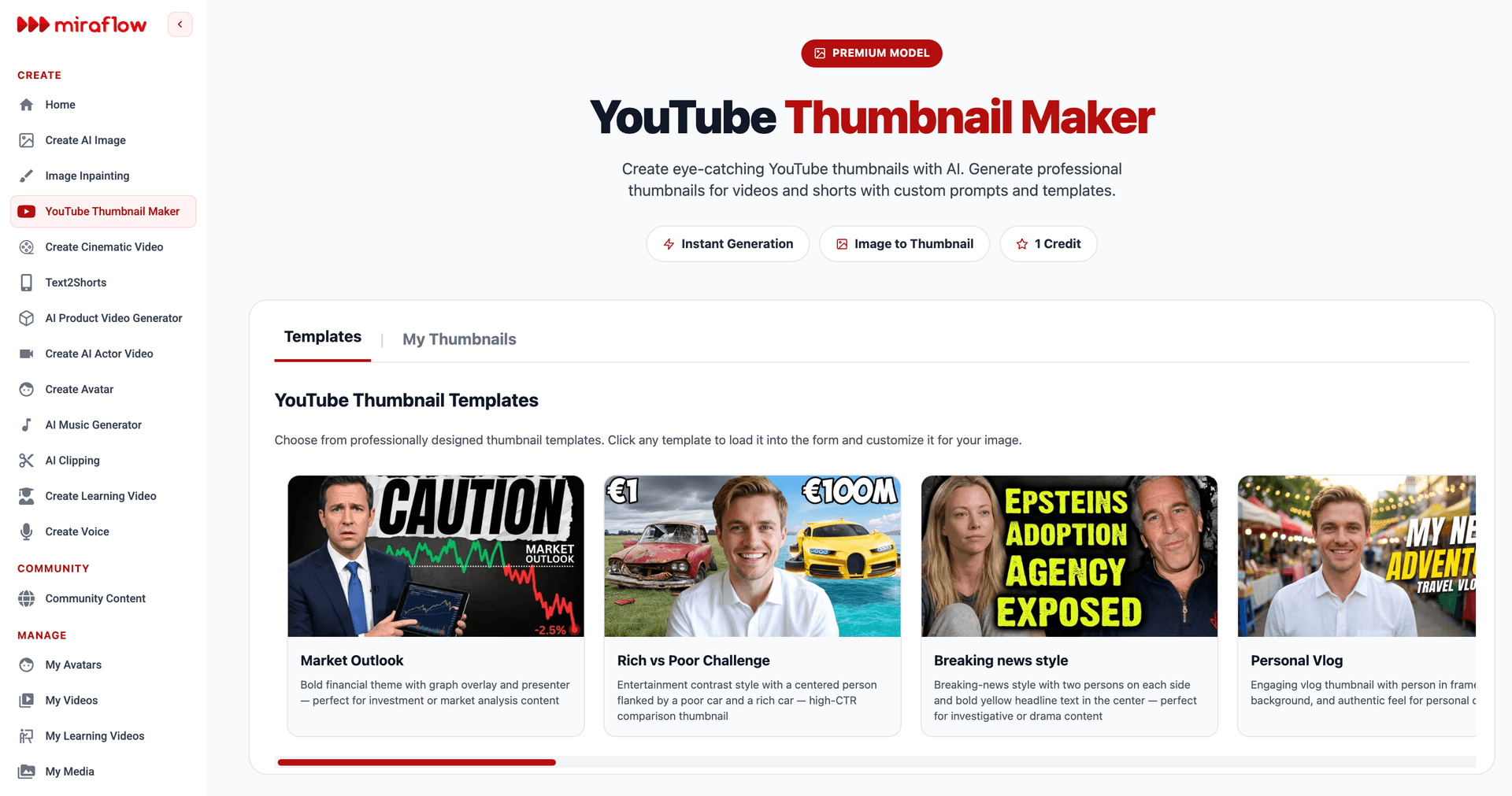
Miraflow's thumbnail generator is purpose-built for YouTube creators. Enter your video topic or title, and the AI produces multiple thumbnail variations optimized for CTR. Each variation follows YouTube thumbnail best practices — proper 1280×720 dimensions, high contrast for mobile viewing, clear focal points, and readable text placement. Because the tool is designed specifically for YouTube thumbnails rather than general image generation, the output requires minimal editing before upload.
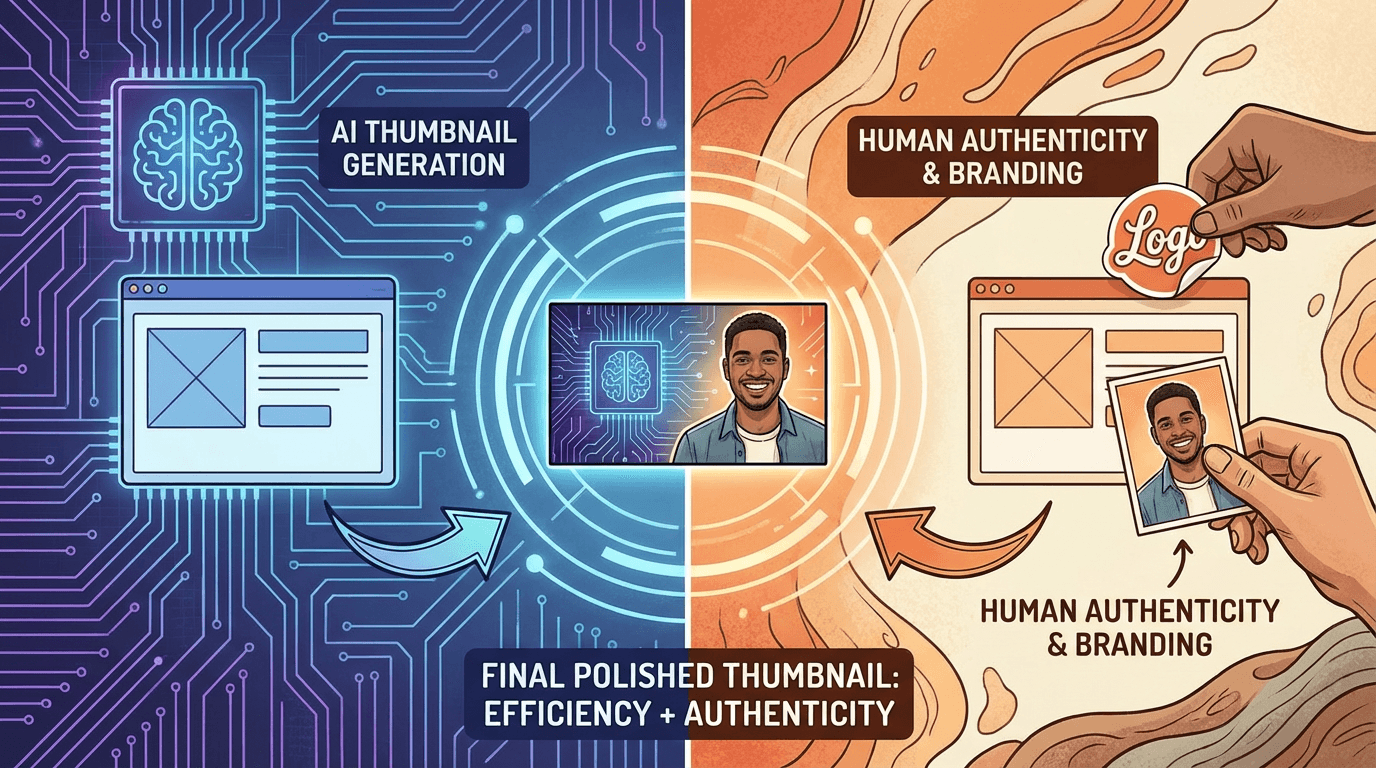
The most effective workflow in 2026 is hybrid: use AI to generate the initial concept and base image, then refine with your own creative direction. Combining AI generation with manual refinement produces better results than either method alone.[7] This process takes 15–30 minutes compared to 2+ hours for fully manual creation.[7]
The 30-Second Thumbnail Workflow
The practical workflow for creating an AI thumbnail is dramatically simpler than the traditional approach. Here is how to go from zero to upload-ready in 30 seconds.
Step 1: Describe your thumbnail concept (10 seconds). Type a brief description of what you want the thumbnail to show. Include the emotion, the key visual element, and any text overlay. For example: "surprised face next to a stack of money with bold text: $10K IN ONE WEEK." The more specific your description, the better the output.
Step 2: Generate and select (10 seconds). The AI produces multiple variations. Most tools generate 3–6 options per prompt. Scan the options and select the one that best matches your vision. If none are perfect, refine your prompt and regenerate — each iteration takes seconds.
Step 3: Quick adjustments and export (10 seconds). Minor adjustments — swapping a text color, repositioning an element, adjusting brightness — take seconds in most AI thumbnail tools. Export at 1280×720 (or higher for 4K displays) and upload directly to YouTube.
That is the complete workflow. Creators have slashed their weekly design time from 8–10 hours down to just 1–2 hours. Fully automated systems slashed creation time from 30–45 minutes to five–ten minutes per thumbnail.[2]
For creators publishing multiple videos per week, the time savings compound. A creator producing four videos weekly who previously spent 1 hour per thumbnail in Photoshop saves 3.5+ hours per week by switching to an AI-first workflow. Over a year, that is 180+ hours — more than four full work weeks — redirected from thumbnail design to content creation, strategy, or simply not burning out.
Miraflow's YouTube Thumbnail Maker streamlines this workflow further by generating thumbnails that are already sized, formatted, and optimized for YouTube's requirements. Combined with Miraflow's AI image generator for more complex custom visuals, creators have a complete toolkit for every thumbnail scenario — from simple text-over-image layouts to elaborate conceptual designs.
The Thumbnail Elements That Actually Drive Clicks
AI tools give you speed. But speed without strategy produces thumbnails that look professional but underperform. Understanding what makes a thumbnail click-worthy is essential for directing the AI effectively.
Faces and emotion are the highest-leverage element. Thumbnails featuring human faces with strong emotion increase your click-through rate by 20–30%.[10] Human faces with emotional expressions drive clicks. Thumbnails with faces showing surprise get 35% more clicks. Happy faces boost engagement by 23%.[6] When prompting an AI thumbnail tool, specifying the facial expression — surprise, excitement, concern, joy — produces significantly better results than leaving it generic.
Simplicity wins on mobile. A massive 70% of YouTube views occur on mobile devices.[10] Overcrowded thumbnails with too much text often perform poorly because 70% of YouTube traffic comes from mobile devices. On a small screen, complex designs become a blurry mess.[1] The best thumbnails read clearly at the size of a postage stamp. When generating AI thumbnails, always preview them at mobile size before finalizing. If you cannot identify the subject and read the text on your phone screen, the thumbnail fails.
Minimal text outperforms paragraph text. More than 60 percent of YouTube viewing happens on mobile phones. If you cram five or more words onto a tiny screen, nobody can read it. It just becomes visual noise that people scroll right past. Keep your text under five words maximum.[10] Neo minimalism thumbnails are getting huge right now. These designs use lots of white space and a single clear focal point. A finance commentary channel switched to a minimalist design with just two or three words, and their click-through rate jumped from 2.8 percent to 7.2 percent. That's a massive improvement just by deleting words.[10]
High contrast makes thumbnails visible. Contrast matters more than color choice. A bright subject on a busy background fails. A bright subject on a dark background wins.[5] AI tools excel at generating high-contrast compositions because their training data disproportionately includes high-performing thumbnails that already follow this principle.
Pattern interruption grabs attention. Look at what your competitors are doing. If everyone is using bright red backgrounds, try neon green or deep black to stand out in the feed.[1] Before generating your thumbnail, browse the search results for your target keyword on YouTube. Note the dominant color palette and layout style of existing thumbnails. Then prompt your AI tool to produce something visually distinct from that pattern.
Title and thumbnail must work as a pair. Your title should provide the context that the thumbnail lacks. Avoid repeating the thumbnail text in the title; instead, let them complement each other.[1] The AI cannot see your title when generating the thumbnail, so you need to ensure the two work together. If the thumbnail shows a broken laptop, the title should not say "Broken Laptop" — it should say "I Can't Believe This Fixed It."
Why Paying $50 Per Thumbnail No Longer Makes Sense
The economics of outsourced thumbnail design have fundamentally shifted. The argument for paying a freelance designer rested on three pillars: quality, strategy, and time savings. In 2026, AI tools have eroded all three.
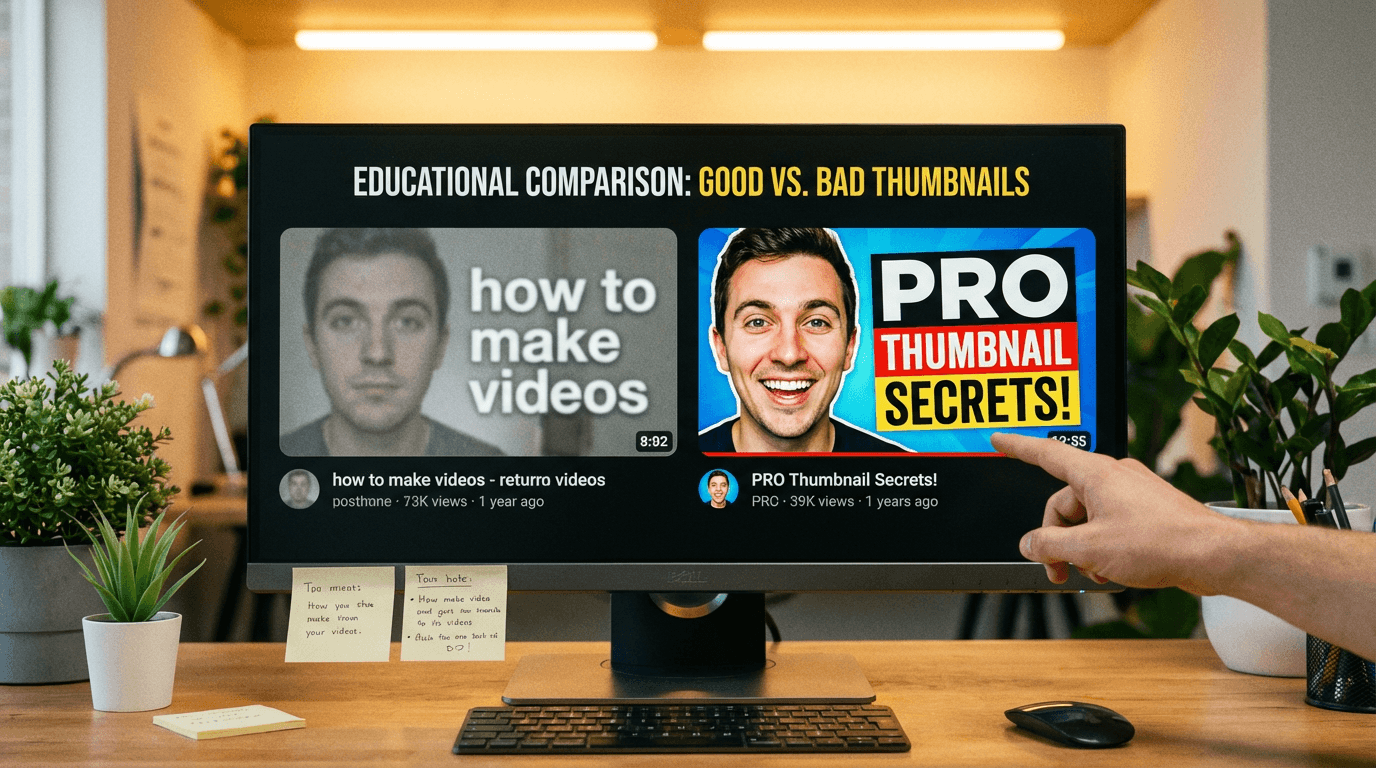
On quality: 68% of manually designed thumbnails underperform AI versions in A/B tests.[9] The average freelance designer on Fiverr is not a CTR optimization specialist. They are a graphic designer who makes things look nice. Looking nice and driving clicks are different skills. AI tools trained on millions of high-performing thumbnails have an inherent advantage in understanding what converts.
On strategy: Photoshop doesn't know what makes a YouTube thumbnail go viral. It has no idea what your audience responds to. It's a blank canvas — which is powerful, but also puts all the strategic burden on you.[3] Similarly, most freelance designers have no insight into your channel's analytics, your niche's visual trends, or YouTube's algorithm preferences. AI tools that analyze your video content and niche competition provide strategic guidance that most freelancers cannot.
On time savings: outsourcing thumbnails does save you design time, but it introduces coordination time — briefing the designer, reviewing drafts, requesting revisions, waiting for delivery. Fiverr thumbnail designers take an average of 3–4 days to complete a thumbnail design job.[1] An AI tool delivers results in 30 seconds. The net time savings favor AI overwhelmingly.
The cost comparison is devastating for the outsourcing model. A creator publishing four videos per month at $50 per thumbnail spends $200/month ($2,400/year). The same creator using an AI thumbnail tool at $10–$30/month saves $170–$190/month ($2,040–$2,280/year) while producing thumbnails faster and generating more variations for testing.
For creators who currently design their own thumbnails in Photoshop or Canva, the math is even clearer. AI image generators have dropped the time it takes to create a thumbnail from 1–2 hours down to under 10 minutes. For a creator publishing multiple videos per week, that's a career-changing difference.[3]
This does not mean professional thumbnail designers are obsolete. Top-tier channels with million-subscriber audiences and dedicated production teams may still benefit from a human designer who deeply understands the channel's brand and can produce pixel-perfect compositions. But for the vast majority of YouTube's 69 million active YouTube creators worldwide[6], paying $50 per thumbnail is no longer the rational choice.
The AI Thumbnail Tool Landscape in 2026
The ecosystem of AI thumbnail tools has matured into distinct categories, each suited to different creator workflows. Understanding these categories helps you choose the right tool for your needs.
All-in-one platforms combine thumbnail generation with broader content creation tools. Miraflow offers a YouTube Thumbnail Maker alongside AI image generation, short-form video creation, cinematic video, and music generation. For creators who want a single platform for their entire visual production pipeline, an all-in-one approach eliminates tool-switching and maintains visual consistency across thumbnails, videos, and social media assets.
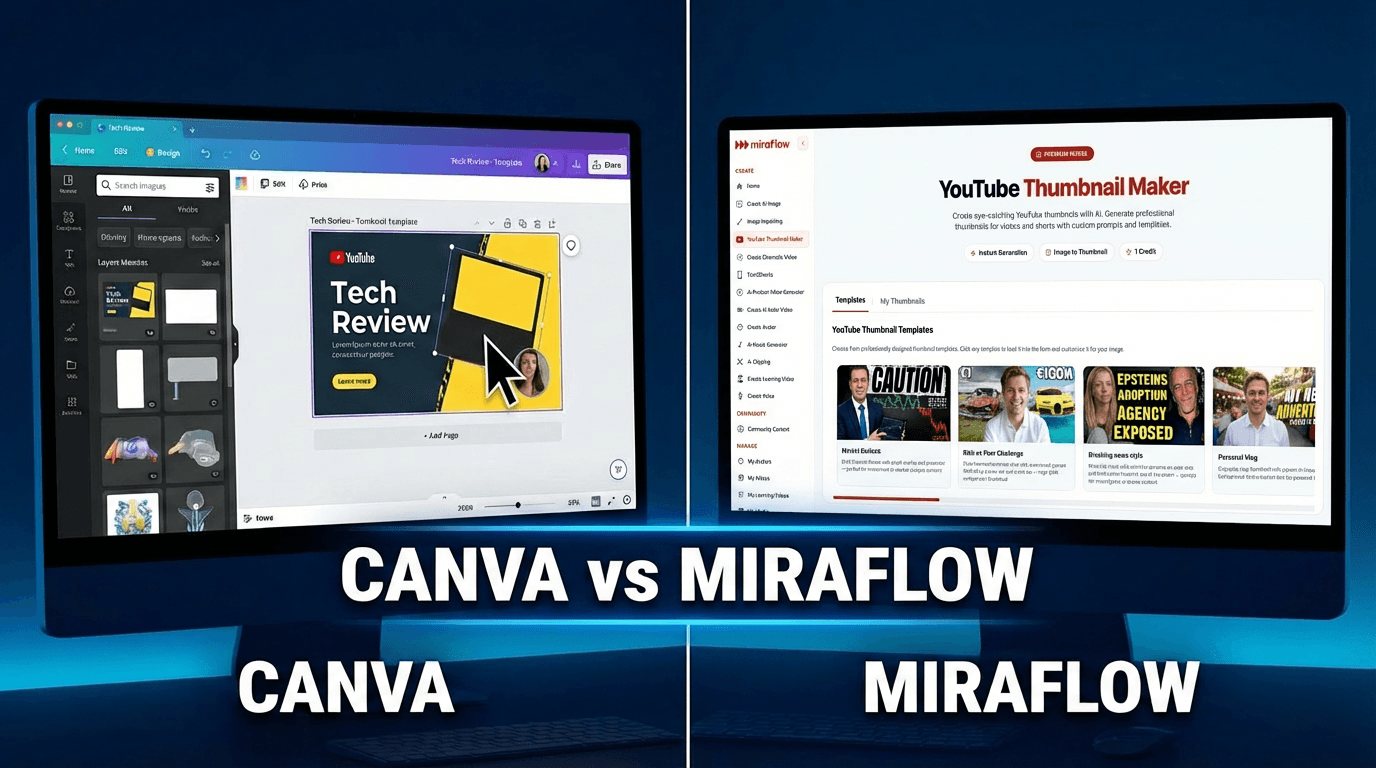
Template-first design tools like Miraflow and Canva have added AI capabilities on top of their existing template libraries. Canva remains the most popular graphic design tool for non-designers. Its YouTube thumbnail template library contains thousands of professionally designed, customizable layouts. The addition of AI-powered features like Magic Design, text-to-image generation, and background removal has made Canva even more powerful in 2026.[5] Miraflow and Canva work best for creators who want control over every design element while using AI as an assistant rather than the primary creator.
Prompt-based AI generators let you describe your thumbnail in natural language and produce complete images from scratch. Midjourney produces the highest-quality AI-generated images available in 2026. For thumbnail creators who want backgrounds, scenes, or artistic elements that look professionally crafted, Midjourney is unmatched.[5] However, Midjourney does not create complete, ready-to-upload thumbnails. There is no text overlay tool, no face placement feature, and no YouTube integration. You generate an image, then finish it in another tool.[5]
YouTube-specific thumbnail tools are purpose-built for the platform's unique requirements. They now sit at the center of content production because speed, consistency, and visual quality matter on almost every platform. A good AI thumbnail generator helps reduce design time, improves thumbnail quality, and makes it easier to create visuals at scale.[3]
Data-driven optimization tools analyze your channel's performance data and competitor thumbnails to suggest designs based on what is statistically likely to perform. These tools shift the thumbnail creation process from artistic expression to analytical optimization.
The right choice depends on your volume and workflow. For most creators producing 1–5 videos per week, Miraflow's YouTube Thumbnail Maker provides the fastest path from concept to upload-ready thumbnail. For creators with established brand guidelines who need pixel-level control, a hybrid workflow using AI generation plus manual refinement in Canva or Photoshop delivers the best results.
A/B Testing: The Thumbnail Superpower Most Creators Ignore
Creating a great thumbnail is half the equation. Testing it is the other half. And in 2026, YouTube has made testing easier than ever.
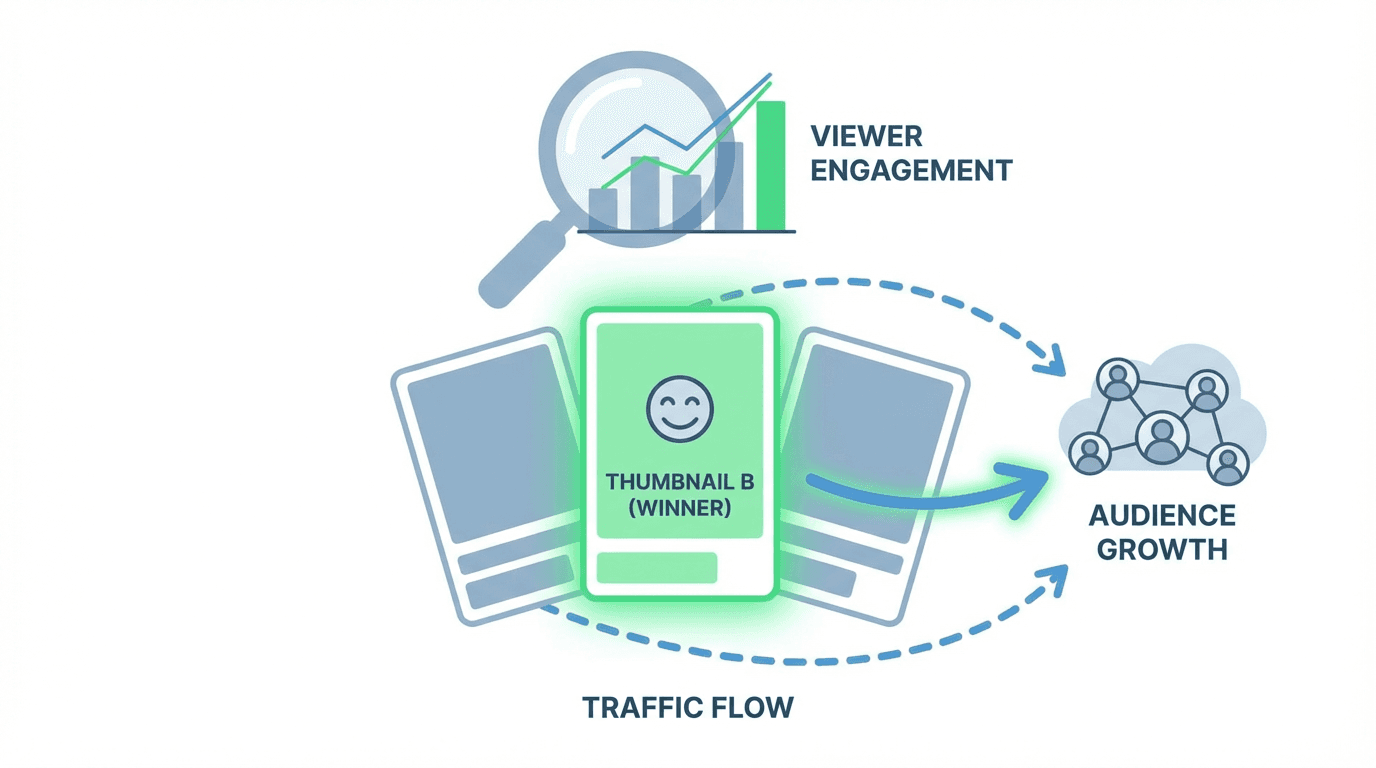
YouTube now allows you to test up to 3 different thumbnails simultaneously. This is a massive shift for content creators. Instead of guessing what your audience wants, you can let the algorithm do the heavy lifting.[10] Creators can test and compare up to three different titles and thumbnails. At the end of the test, the title or combination of title and thumbnail with the highest watch time will be shown to all viewers.[3]
This native A/B testing feature changes the calculus of thumbnail creation entirely. Instead of agonizing over a single "perfect" thumbnail, you generate three strong variations and let YouTube's algorithm determine which one your specific audience responds to best.
YouTube Studio's native A/B testing feature — free and requiring no third-party tools — supports up to three thumbnail and title variant combinations as of early 2026. Improving CTR from 3% to 5% produces 67% more clicks from the same number of impressions.[2]
This is where AI thumbnail tools become exponentially more valuable than manual design. Generating three thumbnail variations in Photoshop takes 3–6 hours. Generating three variations with an AI tool takes 90 seconds. The speed of AI makes A/B testing practical for every single video you publish, rather than a luxury reserved for your highest-effort uploads.
The testing workflow is straightforward. Generate three meaningfully different thumbnails for each video: perhaps one with a close-up face and bold text, one with a wide shot and minimal text, and one with a dramatic visual metaphor. Upload all three through YouTube Studio's Test & Compare feature. Your A/B test can take a few days or up to two weeks to complete due to differences in impressions, how recently your video was published and other factors.[3] After the test, YouTube selects the winner based on watch time share and applies it to all viewers.
The most common testing mistake is changing too many variables at once; effective tests isolate one variable — thumbnail background color, title framing, or face presence — and run for at least 48–72 hours after the initial publication traffic spike settles.[2]
Over time, A/B testing builds a knowledge base of what works for your specific audience. You learn whether faces outperform product shots, whether warm colors outperform cool colors, whether minimal text outperforms detailed text. This data compounds — each test makes every future thumbnail slightly better.
Miraflow's thumbnail maker produces multiple variations per generation, making it trivially easy to create the three distinct options that YouTube's testing system requires. Combined with AI-generated images for more artistic thumbnail concepts, you can test a wide range of visual approaches without ever opening Photoshop.
The "AI Slop" Trap: When AI Thumbnails Backfire
AI thumbnails are not a magic bullet. Used carelessly, they can actually hurt your channel. Understanding the failure modes helps you avoid them.
AI-generated thumbnails can provide an initial 1.2 point CTR boost, but often suffer from a 0.7 to 2.3 point drop within weeks if they lack human authenticity.[6] Thumbnails with real human micro-expressions achieve 22% higher Long-term Click Satisfaction rates compared to hyper-polished AI equivalents.[6]
The biggest trend in thumbnail design in 2026 is a return to authenticity. The biggest trend is "Proof of Human," which prioritizes real skin textures and candid micro-expressions over hyper-polished AI images.[6] YouTube's algorithm is increasingly rewarding content that feels genuine. YouTube CEO Neal Mohan identified managing "AI slop" as a 2026 priority. The algorithm increasingly analyzes video content at a deep level — visuals, audio, speech — to assess quality and originality.[9]
This does not mean AI thumbnails are penalized. It means fully AI-generated thumbnails that look obviously synthetic — overly smooth skin, impossible lighting, uncanny facial expressions — can trigger viewer skepticism. The solution is the hybrid approach: use AI for backgrounds, effects, and composition, then incorporate real photos of yourself or your subject.
Creators are seeing the best results using hybrid workflows that combine AI background generation with manual human face overlays.[6] This approach gives you the speed of AI, the strategic composition of data-driven design, and the authenticity of real human elements. It is faster than fully manual design while outperforming fully AI-generated alternatives.
A pro channel with a million subscribers recently reported that their highly polished AI thumbnails completely killed engagement. When they switched back to candid, unedited shots, their CTR went up 22%.[6]
The practical guideline: use AI to generate the layout, background, effects, and text. Use real photos for any human faces. Review every thumbnail at mobile size before uploading. And test — always test — because your audience's preferences may differ from the general trends.
Mobile-First Thumbnail Design: The Non-Negotiable Rule
Every thumbnail design decision in 2026 must be filtered through one question: does this work on a phone screen?
70% of YouTube views happen on mobile devices.[9] Most of us design our thumbnails on a big 27-inch desktop monitor. But your viewer? They're looking at a screen the size of a playing card.[9]

This has practical implications for AI thumbnail generation. When prompting an AI tool, specify simplicity, high contrast, and large text. The beautiful, detailed composition that looks stunning on your monitor will be an illegible blur on a phone. AI tools can produce both complex and simple images — you need to direct them toward simplicity.
The best designs in 2026 use high-contrast imagery, bold sans-serif text (3–4 words max). Human faces showing strong emotion, which can boost CTR by 20–30%. Mobile optimization (1280×720) is critical since 70% of views come from mobile devices.[9]
After generating a thumbnail with any AI tool, perform the "phone test": pull it up on your phone at the size YouTube displays thumbnails in the feed. If you cannot immediately identify the subject, read the text, and feel an emotion — the thumbnail fails. Generate another one. AI makes regeneration free and instant, so there is no excuse for uploading a thumbnail that fails the phone test.
YouTube has also updated its thumbnail specifications. YouTube recently increased the thumbnail upload limit from 2MB to 50MB, which means the platform now fully supports 4K resolution thumbnails.[10] While most creators can stick with 1280×720 for standard viewing, creating at higher resolutions ensures your thumbnails look sharp on smart TVs and high-DPI mobile displays.
The Thumbnail-to-Revenue Pipeline
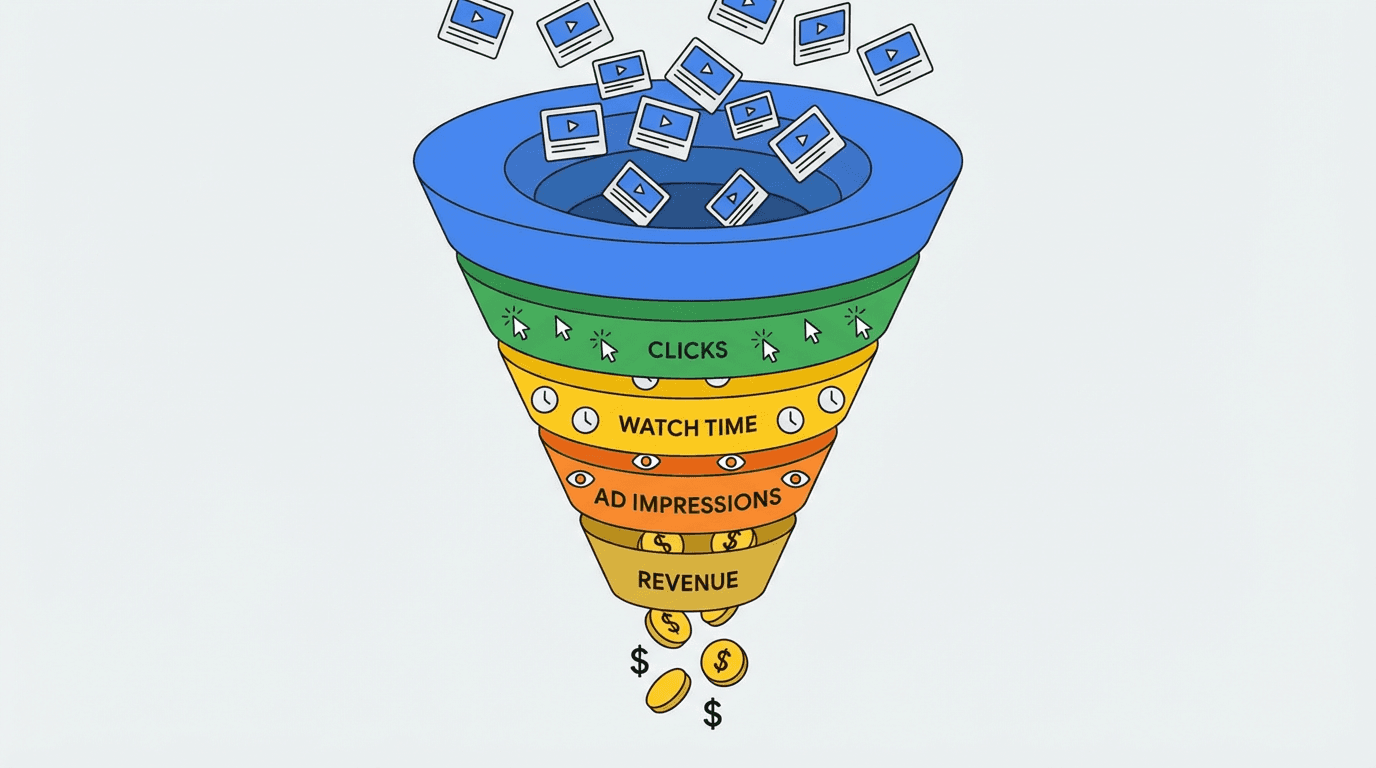
Thumbnails are not just a creative exercise. They are the top of a revenue funnel. Every dollar you earn on YouTube starts with a click on a thumbnail.
YouTube's $60 billion revenue milestone in 2025 confirmed its position as a larger media business than Netflix.[2] YouTube operates on a 55/45 revenue-sharing model for long-form content, giving creators 55% of advertising revenue. Based on 2025's $40.4 billion in ad revenue, approximately $22 billion was available for creator ad payouts in a single year.[2]
Your share of that $22 billion is directly proportional to how many people click your thumbnails and watch your videos. A creator with a 3% CTR and a creator with a 6% CTR — publishing identical content to identical impression counts — will have dramatically different earnings. The 6% CTR creator gets twice as many clicks, generates twice the watch time, earns roughly twice the ad revenue, and receives more algorithmic distribution that compounds over time.
YouTube's average CPM sits at approximately $3.50 in 2026, though individual CPMs vary from under $1 to over $50 depending on niche, audience location, and content type.[2] At a $3.50 CPM, improving CTR from 3% to 5% on a video with 100,000 impressions means 2,000 additional views, translating directly into additional revenue. Across a library of 100+ videos, the cumulative impact of better thumbnails can represent thousands of dollars per year.
This is why investing in better thumbnails — whether through AI tools, A/B testing, or both — has the highest ROI of any channel optimization activity. It is the one change that affects every video, past and future, simultaneously. You can even update thumbnails on your entire back catalog using AI tools and YouTube's A/B testing feature, breathing new life into videos that have been sitting dormant.
Building a Sustainable Thumbnail System
The goal is not to create one great thumbnail. It is to build a system that produces consistently strong thumbnails with minimal friction, for every video, indefinitely.
Step 1: Define your visual brand. Before using any AI tool, establish 2–3 consistent visual elements across all your thumbnails. Consistent brand elements like a single color and font across all your thumbnails increase recognition clicks by 25%.[10] Choose a primary color, a consistent font style, and a recurring composition pattern. Then use these as constraints when prompting AI generation.
Step 2: Adopt a generation-first workflow. For every video, generate 3–5 AI thumbnail variations before doing any manual work. Use Miraflow's thumbnail maker or another AI tool to produce options quickly. This gives you a starting palette of ideas rather than staring at a blank Photoshop canvas.
Step 3: Apply the hybrid approach. Select the strongest AI-generated option and refine it. Add your real face photo if applicable. Adjust text and colors to match your brand guidelines. This hybrid step takes 5–10 minutes rather than the 30+ minutes of creating from scratch.
Step 4: Test every video. Upload 2–3 thumbnail variations through YouTube's Test & Compare feature. Let the algorithm determine which version your audience prefers. At the end of the experiment, you will see results based on watch time share: the option that clearly outperformed the others.[3]
Step 5: Document what works. Track which thumbnail styles, colors, emotions, and text formats win your A/B tests. Over time, this creates a playbook specific to your channel. Feed these learnings back into your AI prompts to continuously improve the starting quality of generated thumbnails.
Step 6: Refresh your back catalog. Once you have a strong thumbnail system, audit your existing videos. Identify videos with high impressions but low CTR — these are the most valuable candidates for thumbnail refreshes. Generate new AI thumbnails and A/B test them against the originals. YouTube allows changing thumbnails for optimization. Change within 48 hours if CTR is low.[5]
This system scales. Whether you publish once per week or daily, the workflow remains the same: generate, refine, test, learn. The AI handles the production burden. You provide the creative direction and strategic thinking.
What the Top Creators Actually Do
The highest-performing YouTube channels in 2026 do not choose between AI and human design. They use both — strategically.
Higher click-through rates signal to YouTube that your content is engaging, which can lead to increased visibility in search results and recommended videos. Optimized custom thumbnails can improve CTR by 30–40% compared to auto-generated options or poorly designed alternatives. This improvement creates a positive feedback loop.[8]

Top creators treat thumbnails as a testing laboratory, not a one-shot creative act. They generate multiple concepts per video, test them against each other, and iterate based on data. The speed of AI tools makes this approach feasible at scale.
By systematically testing three variants, creators have increased click rates from 4.2% to 9%. This resulted in 42% higher watch time and helped drive massive revenue growth.[10] The lesson is clear: the most successful thumbnails are not the ones designed by the most talented artist. They are the ones selected by data from real viewer behavior.
The best creators also understand that the thumbnail's job extends beyond the click. A misleading thumbnail might increase initial CTR but leads to rapid viewer drop-off, which sends a negative retention signal that counteracts the positive CTR. The most effective thumbnails are those that accurately represent the video's content while generating enough curiosity to drive clicks.[2]
AI thumbnail tools, when used with this strategic mindset, become the most powerful growth lever available to YouTube creators in 2026. They eliminate the production bottleneck, enable systematic testing, and free up time for the work that no AI can do: creating content that is genuinely worth watching.
Conclusion
The $50-per-thumbnail model is a relic. So is the 2-hour Photoshop session. In 2026, AI thumbnail tools generate professional, click-optimized thumbnails in 30 seconds or less, at a fraction of the cost of freelance designers and a tiny fraction of the time investment of manual design.
47.3% of YouTube creators are using AI thumbnail tools weekly.[9] 90% of the best-performing YouTube videos use custom thumbnails. Videos with optimized thumbnails see click-through rates improve by 30–154%.[6] The creators who are winning in 2026 are not necessarily the best designers. They are the ones who generate more options, test more variations, and iterate faster — exactly what AI tools enable.
The workflow is simple: generate AI thumbnail variations, refine with your brand elements, upload 3 options to YouTube's Test & Compare feature, and let data pick the winner. Repeat for every video. Refresh your back catalog. Build a compounding thumbnail advantage that grows with every upload.
Your channel's next breakout video might already exist in your library — buried under a bad thumbnail. Miraflow's YouTube Thumbnail Maker can generate the replacement in 30 seconds. The only cost of trying is half a minute of your time.
Frequently Asked Questions
How much does a freelance thumbnail designer cost?
YouTube thumbnail designers on Fiverr typically charge an average fee of $18 for thumbnail design jobs.[1] However, more experienced designers and agencies charge significantly more. Hiring designers costs $25–100 per thumbnail.[8] For a creator publishing weekly, these costs add up to $100–$400+ per month.
How long does it take to make a thumbnail with AI?
Instead of 20–30 minutes per thumbnail in Canva or Photoshop, you can generate professional, click-optimized thumbnails in under 60 seconds.[5] Fully automated systems slashed creation time from 30–45 minutes to five–ten minutes per thumbnail.[2] With practice and the right tool, the complete workflow — generation, selection, minor refinements — takes 30 seconds to 5 minutes.
Do AI thumbnails perform as well as human-designed ones?
68% of manually designed thumbnails underperform AI versions in A/B tests.[9] However, AI-generated thumbnails can provide an initial CTR boost but often suffer from a drop within weeks if they lack human authenticity.[6] The best-performing approach is hybrid: AI-generated backgrounds and composition refined with real human photos and brand elements.
Does YouTube allow AI-generated thumbnails?
YouTube allows AI-generated thumbnails with no disclosure requirement.[7] YouTube's concern is viewer satisfaction, not how you created the thumbnail. As long as your thumbnail accurately represents your content and follows community guidelines, AI-generated thumbnails are fully permitted.
What is a good CTR on YouTube in 2026?
Across all niches and content types, the average YouTube CTR in 2026 falls between 2% and 10%. The platform-wide average sits around 4% to 5% for most creators.[4] Hitting over 10% is considered excellent and usually means your thumbnails and titles are doing their job.[3]
How do I A/B test thumbnails on YouTube?
Creators can test and compare up to three different titles and thumbnails. At the end of the test, the title or combination of title and thumbnail with the highest watch time will be shown to all viewers.[3] Access this through YouTube Studio by selecting a video, clicking A/B testing under the thumbnail section, and uploading your variations.
What makes a thumbnail click-worthy?
90% of top-performing videos use custom thumbnails. Faces with strong emotion increase CTR by 20–30%.[9] The best designs in 2026 use high-contrast imagery, bold sans-serif text (3–4 words max).[9] Contrast matters more than color choice. A bright subject on a dark background wins.[5]
Should I still learn Photoshop for thumbnails?
For most creators, no. It takes 40–60 hours to develop thumbnail design skills[7] in Photoshop. AI tools produce comparable results in seconds without any design training. If you are a professional designer or run a high-end production studio, Photoshop skills remain valuable. For everyone else, the time is better spent on content creation.
Can I update thumbnails on old videos?
Yes. YouTube allows thumbnail changes at any time with no algorithmic penalty. YouTube allows this for optimization. Change within 48 hours if CTR is low.[5] Refreshing old thumbnails with AI-generated alternatives is one of the highest-ROI activities for any established channel.
How many thumbnails should I create per video?
Generate at least 3 meaningfully different variations per video. Upload all 3 to YouTube's Test & Compare feature and let data pick the winner. AI tools make generating multiple variations trivially fast — take advantage of this by testing widely rather than guessing once.
References
- YouTube Thumbnail Designers on Fiverr
- 15 Best AI Thumbnail Makers in 2026 — PostEverywhere
- AI Thumbnail Generator Hack Pro YouTubers Use — Banana Thumbnail
- Video SEO Statistics 2026 — AutoFaceless
- YouTube CTR Benchmarks in 2026 — Miraflow
- YouTube Thumbnail Best Practices 2026 — AWISEE
- YouTube Algorithm Explained: Creators 2026 — Miraflow
- YouTube's Thumbnail Algorithm Explained 2026 — ThumbnailTest
- A/B Test Titles and Thumbnails — YouTube Help
- AI-Powered Design Tools Market Report 2026 — Research and Markets