AI Prompts for Blog Featured Images: 15 Templates That Get Clicks

Written by
Jay Kim
15 ready-to-use AI prompts for blog featured images. Copy-paste templates for tutorials, listicles, marketing, tech, and lifestyle blog posts that get clicks.
You spend hours writing a blog post. The research is solid. The structure is clear. The advice is actionable. Then you slap a generic stock photo on top and publish.
That featured image is the first thing readers see. In Google search results, in social media shares, in RSS feeds, in email newsletters. Before anyone reads a single word of your blog, they see the image. And if that image looks like every other stock photo on the internet, the click never happens.
The problem is not that bloggers do not care about featured images. The problem is that creating custom visuals for every post used to require either a designer, expensive tools, or hours in Photoshop. Most bloggers default to stock photos because it is the fastest option, even though they know those photos rarely stand out.
AI image generation changes this completely. With the right prompt, you can create a custom featured image in seconds that matches your blog topic, fits your brand style, and actually earns clicks in search results and social feeds.
But the prompt is everything. A vague prompt produces a vague image. A specific, well-structured prompt produces something that looks professionally designed for that exact blog post.
This guide gives you 15 ready-to-use AI prompts for blog featured images, organized by the most common blog content categories. Each prompt is designed to produce images that are bright, clear, and visually engaging in thumbnail-size previews. You can copy them directly, swap in your own details, and start generating.
Why Blog Featured Images Matter More in 2026
Blog featured images have always influenced click-through rates. But in 2026, their impact is even greater because of how content surfaces across platforms.
Google search results increasingly show image thumbnails alongside blog posts, especially for informational queries. When two blog posts appear side by side in search results covering the same topic, the one with a more visually engaging thumbnail gets the click. This is the same principle that drives YouTube CTR, where thumbnails directly influence whether someone clicks or scrolls past.
Social media platforms prioritize visual content in their feeds. When someone shares your blog post on X, LinkedIn, or Facebook, the featured image becomes the primary visual element in the share card. A compelling image generates more clicks, shares, and engagement than a generic one.
Email newsletters with strong featured images see higher open-to-click rates. Subscribers scan their inbox quickly, and the visual preview of your blog post influences whether they click through to read.
RSS readers and content aggregators display featured images prominently. Readers scanning through dozens of posts in their feed will naturally gravitate toward the ones with clear, eye-catching visuals.
The combined effect is significant. A better featured image does not just make your blog look nicer. It directly increases the number of people who actually read your content across every channel where it appears.
What Makes a Blog Featured Image Effective
Before diving into the prompts, understanding what separates a high-performing blog featured image from a forgettable one helps you evaluate and customize the templates below.
Strong blog featured images share several characteristics. They have a clear focal point that is immediately recognizable at small sizes. Blog featured images often appear as small thumbnails in search results, social feeds, and link previews. If the image only makes sense at full size, it fails in most of the contexts where people actually see it.
Effective featured images visually communicate the blog topic. A reader should be able to glance at the image and get a rough idea of what the post is about before reading the title. This alignment between image and content builds trust and increases the likelihood of a click.
Color and contrast matter more than complexity. Bright, high-contrast images with clean compositions outperform detailed, busy images in thumbnail previews. When the image is shrunk down to a small card in Google search or a social media feed, simplicity wins.
Consistency across your blog builds brand recognition. When all your featured images share a similar color temperature, lighting style, and composition approach, returning readers start recognizing your content instantly. This is the same principle behind building a consistent thumbnail style for video content.
Finally, the best blog featured images feel intentional rather than decorative. They look like they were designed specifically for that post, not pulled from a stock library as an afterthought.
How to Structure AI Prompts for Blog Featured Images
Every prompt in this guide follows a structure that reliably produces usable blog featured images. Understanding this structure lets you modify the templates or build your own from scratch.
The key elements are subject, composition, lighting, color palette, mood, and style.
The subject is the central visual element. For blog featured images, this is typically an object, a scene, or a person that represents the blog topic. Be specific. Instead of "a computer," write "a laptop open on a clean desk with analytics dashboards glowing on screen."
The composition describes how the image is framed. Blog featured images work best with centered or slightly off-center subjects, clean backgrounds, and enough breathing room around the main element. Avoid crowded compositions because the image will often be cropped or displayed at different aspect ratios.
Lighting sets the professional quality. Soft, bright lighting works best for most blog categories. Harsh shadows, dark environments, and dramatic contrast can work for specific niches but generally reduce readability at small sizes.
The color palette should match your blog brand or content category. Specifying two to three dominant colors helps the AI produce consistent results. Warm tones work well for lifestyle, business, and personal development content. Cool tones work well for technology, finance, and data-driven content.
The mood anchors the emotional tone. Words like "professional," "inviting," "energetic," or "focused" guide the overall feel of the image.
The style should almost always be "photorealistic" or "editorial photography style" for blog featured images. Illustrated or abstract styles can work for specific niches, but photorealistic images tend to perform best for click-through rates because they feel familiar and trustworthy.
For a deeper look at prompt structuring techniques, the Nano Banana prompt guide covers the visual block approach to prompt writing that works well across different image generation tools.
15 Ready-to-Use AI Prompts for Blog Featured Images
Each prompt below targets a specific blog content category. They are written to produce images in 16:9 aspect ratio, the standard for blog featured images. Copy them, replace the topic-specific details with your own, and generate.
1. How-To / Tutorial Blog
For step-by-step guides, tutorials, and instructional content.

Prompt
a person sitting at a clean modern desk pointing at a laptop screen showing a step-by-step workflow diagram, bright natural window light from the left, the desk has a notebook and a coffee cup, soft focus background with a white wall and a plant, warm and professional color palette with white cream and soft blue accents, inviting and educational mood, editorial photography style, photorealistic textures, bright overall exposure, 16:9 aspect ratio
2. Listicle / Roundup Blog
For list posts, tool roundups, and comparison articles.
Prompt
an overhead flat lay of multiple colorful items neatly arranged in a grid pattern on a clean white surface, each item slightly different in color and shape to suggest variety and options, soft even studio lighting with minimal shadows, bright and organized composition, vibrant but cohesive color palette with coral teal and warm yellow accents, clean and structured mood, product photography style, photorealistic textures, 16:9 aspect ratio
3. Marketing / Growth Strategy Blog
For content about SEO, social media strategy, email marketing, and audience growth.

Prompt
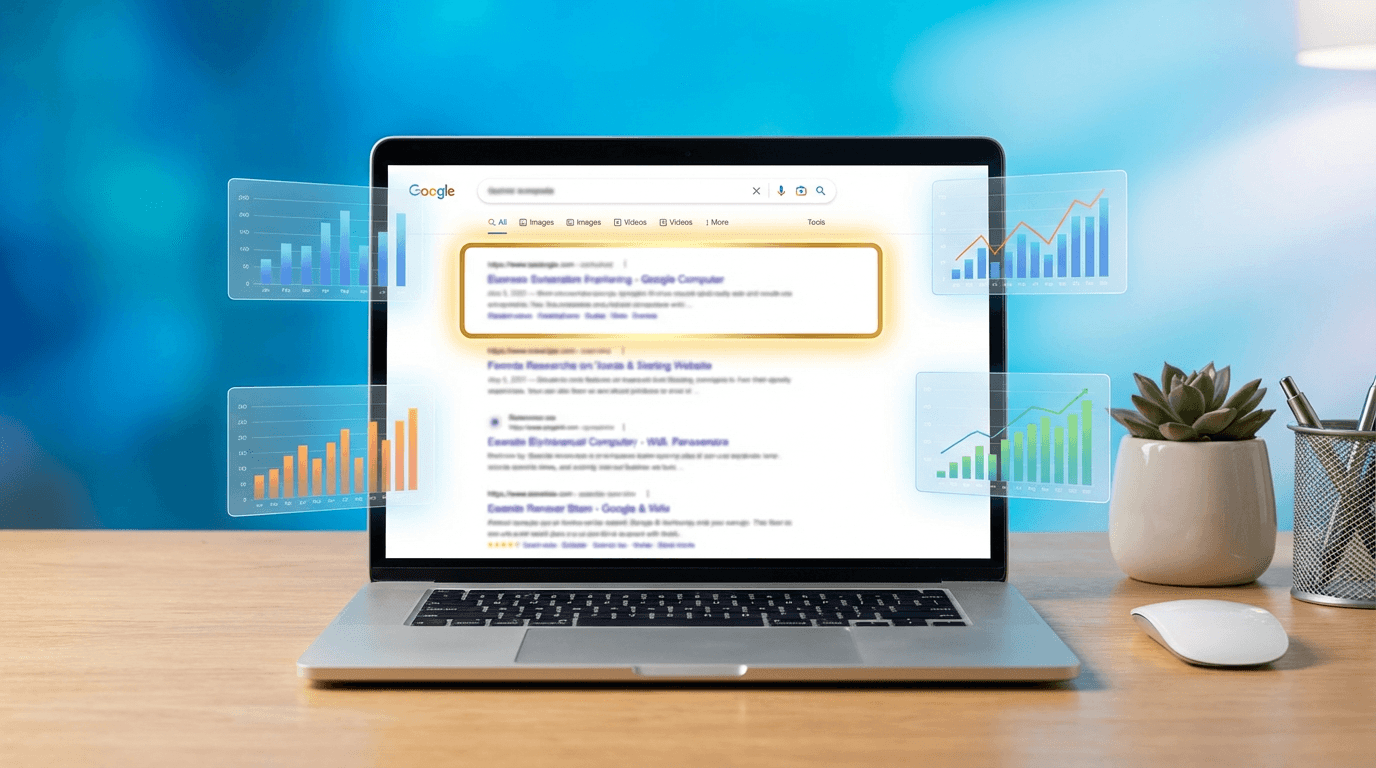
a creator reviewing analytics on a large monitor screen showing upward-trending graphs and colorful data dashboards, seated in a modern bright office space, soft natural light from a nearby window, the desk is clean with a small plant and notebook, warm and professional tones with soft green and blue accents from the screen, focused and optimistic mood, editorial photography style, photorealistic textures, bright and airy overall feel, 16:9 aspect ratio
4. Productivity / Workflow Blog
For posts about time management, tools, systems, and efficiency.
Prompt
a minimalist workspace from a slightly elevated angle showing a laptop, a planner open to a structured weekly layout, a timer, and a glass of water on a clean white desk, soft morning light casting gentle shadows from the right, neutral and calming color palette with white cream and light wood tones, organized and focused mood, lifestyle photography style, photorealistic textures, bright and uncluttered composition, 16:9 aspect ratio
5. Technology / Software Review Blog
For product reviews, software comparisons, and tech explainers.

Prompt
a sleek laptop and smartphone placed side by side on a polished dark surface, both screens glowing softly with blue and purple interface elements, clean studio lighting with subtle reflections on the surface, modern and cool-toned color palette with deep navy and electric blue accents, premium and innovative mood, tech product photography style, photorealistic glass and metal textures, 16:9 aspect ratio
6. Personal Finance / Business Blog
For posts about budgeting, investing, revenue, and business strategy.
Prompt
a person reviewing financial documents and a tablet showing charts at a bright cafe table near a window, warm natural light creating soft highlights, a coffee cup and pen on the table, professional but approachable composition with the person slightly off-center, warm tones with cream green and subtle gold accents, confident and informed mood, editorial lifestyle photography style, photorealistic textures, bright and inviting overall feel, 16:9 aspect ratio
7. Health / Wellness Blog
For fitness, nutrition, mental health, and self-care content.
Prompt
fresh healthy ingredients arranged on a bright wooden cutting board including colorful vegetables fruits and herbs, surrounded by a glass of water and a small bowl of nuts, soft overhead natural light with gentle shadows, clean and spacious composition with breathing room around the elements, vibrant natural color palette with greens oranges and warm wood tones, fresh and energizing mood, food and lifestyle photography style, photorealistic textures, 16:9 aspect ratio
8. Travel / Lifestyle Blog
For destination guides, travel tips, and lifestyle content.
Prompt
a scenic wide view of a coastal town at golden hour with warm sunlight reflecting off colorful buildings and calm blue water, a winding path leading toward the shoreline in the foreground, soft atmospheric haze adding depth, warm and inviting color palette with amber coral and soft blue, adventurous and serene mood, travel photography style, photorealistic textures, bright and expansive composition, 16:9 aspect ratio
9. AI / Artificial Intelligence Blog
For posts about AI tools, machine learning, automation, and AI trends.
Prompt
a person interacting with a futuristic transparent display showing flowing data visualizations and neural network patterns, soft blue and purple ambient lighting in a clean modern workspace, the interface elements glow subtly, cool-toned color palette with electric blue soft purple and white, innovative and forward-thinking mood, editorial tech photography style, photorealistic textures, bright with subtle futuristic accents, 16:9 aspect ratio
10. E-commerce / Product Marketing Blog
For posts about selling online, product launches, and conversion optimization.
Prompt
a styled product flat lay with a small branded box, tissue paper, and a product item arranged on a clean marble surface, a smartphone nearby showing a product page, soft studio lighting with warm highlights, premium and polished composition with intentional spacing between elements, warm neutral tones with soft pink and gold accents, professional and aspirational mood, commercial photography style, photorealistic textures, 16:9 aspect ratio
11. Education / Online Course Blog
For posts about teaching, course creation, e-learning, and knowledge sharing.
Prompt
an open laptop on a bright desk showing a structured online course interface with video thumbnails and progress bars, a pair of headphones and a highlighted notebook beside it, soft natural light from a large window, clean and organized composition, warm and welcoming color palette with cream soft blue and light wood, focused and encouraging mood, editorial lifestyle photography style, photorealistic textures, 16:9 aspect ratio
12. Social Media / Content Creation Blog
For posts about Instagram, YouTube, TikTok, content strategy, and creator workflows.
Prompt
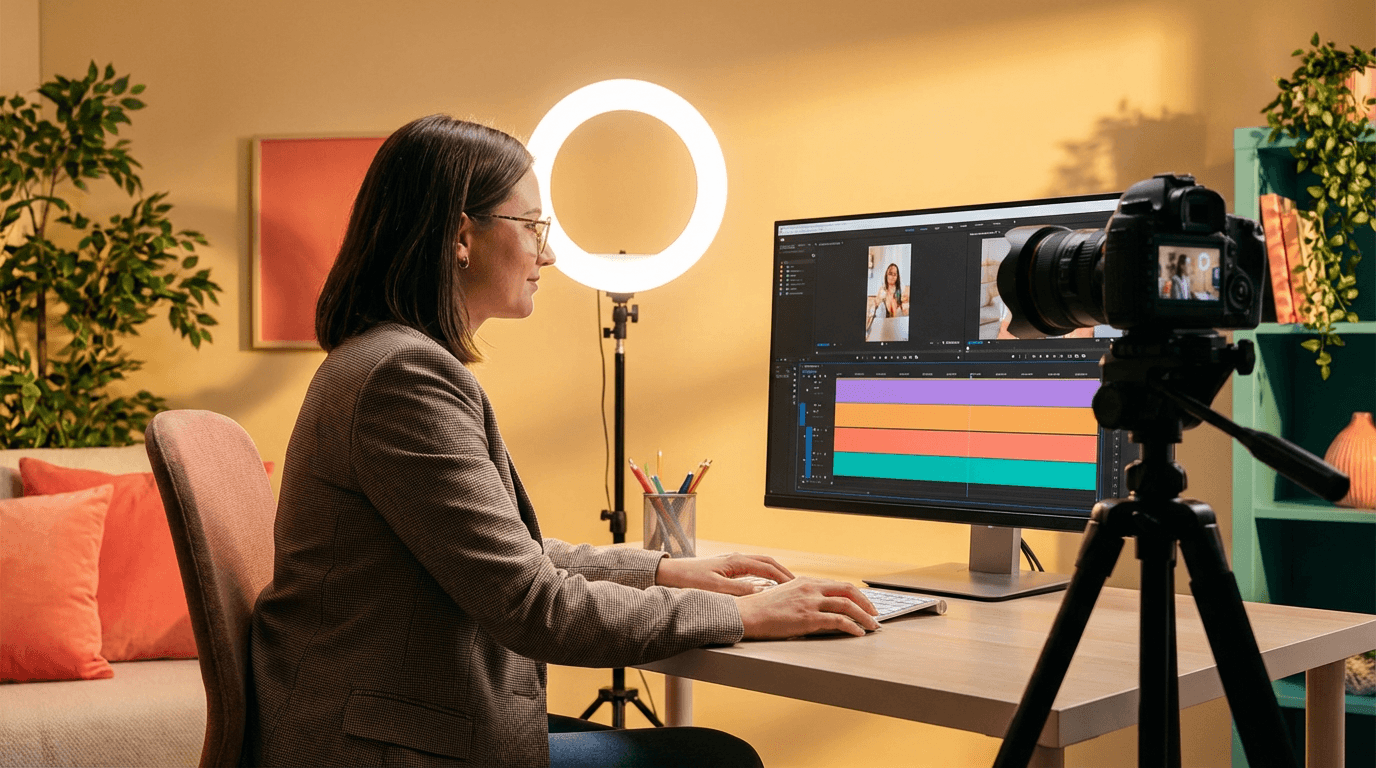
a content creator sitting at a desk with a ring light and camera setup, reviewing footage on a monitor showing a colorful video timeline, the workspace is organized with a microphone and small potted plant, bright even lighting with soft warm tones, vibrant but professional color palette with coral teal and warm white, creative and energetic mood, editorial photography style, photorealistic textures, bright and dynamic composition, 16:9 aspect ratio
13. Case Study / Results Blog
For posts showing real results, before-and-after comparisons, and success stories.
Prompt
a split composition with the left side showing a simple basic setup and the right side showing a polished professional version of the same scene, clear visual progression from left to right, bright even lighting across both halves, clean dividing line in the center, warm and encouraging color palette with soft transitions from muted tones on the left to vibrant tones on the right, transformation and progress mood, editorial photography style, photorealistic textures, 16:9 aspect ratio
14. Beginner's Guide / Getting Started Blog
For introductory content, starter guides, and 101-style posts.
Prompt
a clean desk with a single open book, a fresh notebook with a pen, and a laptop showing a simple welcome screen, everything arranged neatly with plenty of white space around the items, soft bright lighting from above, minimal and inviting composition, light and airy color palette with white cream and soft pastel accents, approachable and encouraging mood, lifestyle photography style, photorealistic textures, 16:9 aspect ratio
15. News / Industry Update Blog
For timely posts about updates, announcements, trends, and industry changes.
Prompt
a person holding a tablet showing a news feed with multiple article cards and trending indicators, standing in a modern bright office space with glass walls, soft natural light creating clean highlights, the composition is dynamic with the person slightly turned toward the camera, professional color palette with cool grays soft blue and clean white, informed and current mood, editorial photography style, photorealistic textures, bright and polished overall feel, 16:9 aspect ratio
How to Adapt These Prompts for Your Brand
These 15 templates cover the most common blog content categories, but every blog has its own visual identity. Adapting these prompts to match your brand takes just a few targeted changes.
Start with the color palette. If your blog has signature brand colors, replace the color descriptors in each prompt with your own. For example, if your brand uses deep green and warm cream, swap "coral teal and warm yellow" with "deep forest green and warm cream." This single change creates immediate brand alignment across all your featured images.
Next, adjust the setting to match your audience. A B2B SaaS blog might replace "cozy cafe" settings with "modern corporate office" or "collaborative workspace." A personal development blog might shift toward "sunlit home studio" or "outdoor garden workspace." The setting signals who the content is for.
Finally, maintain consistency in your style and lighting descriptors. If you choose "editorial photography style, photorealistic textures, bright and airy" for one image, use those same descriptors across all your blog featured images. This creates visual cohesion when readers see multiple posts from your blog in search results or social feeds.
The same approach works for generating blog thumbnails with AI, where consistency across your visual content builds reader trust and brand recognition over time.
Common Mistakes That Make Blog Featured Images Fail
Even with good prompts, certain patterns consistently produce images that hurt rather than help click-through rates. Knowing what to avoid saves time and improves results.
Using abstract or conceptual images. The biggest mistake bloggers make is generating abstract visuals that look artistic but communicate nothing about the blog topic. A featured image of swirling colorful shapes tells the reader nothing. An image of a person reviewing analytics on a screen immediately communicates "this is about data and strategy." Always choose concrete subjects over abstract concepts.
Making the image too dark. Dark, moody images can look dramatic at full size, but they become murky and unreadable when displayed as small thumbnails in search results or social feeds. Blog featured images should be bright and high-contrast so they remain clear at every display size.
Overcrowding the composition. If your prompt includes too many objects, people, and background elements, the resulting image becomes visually noisy. At thumbnail size, a cluttered image looks like a blurry mess. Keep the composition simple with one clear focal point and two to three supporting elements.
Ignoring aspect ratio. Blog platforms, social media share cards, and search result previews all crop featured images differently. Using 16:9 as your base aspect ratio ensures the image works well across most contexts. Always check how your image looks when cropped to different ratios before publishing.
Inconsistent style across posts. If every blog post has a completely different visual style, your blog feed looks disorganized. Readers who encounter your content in search results will not develop the visual recognition that builds trust and repeat clicks. Pick a style and stick with it.
Many of these mistakes mirror what creators get wrong with YouTube thumbnails. The guide on AI prompts for YouTube thumbnails covers composition and clarity principles that apply directly to blog featured images as well.
Blog Featured Images and SEO: What Actually Matters
Blog featured images influence SEO in several concrete ways. Understanding these factors helps you make smart decisions about how you generate and optimize your images.
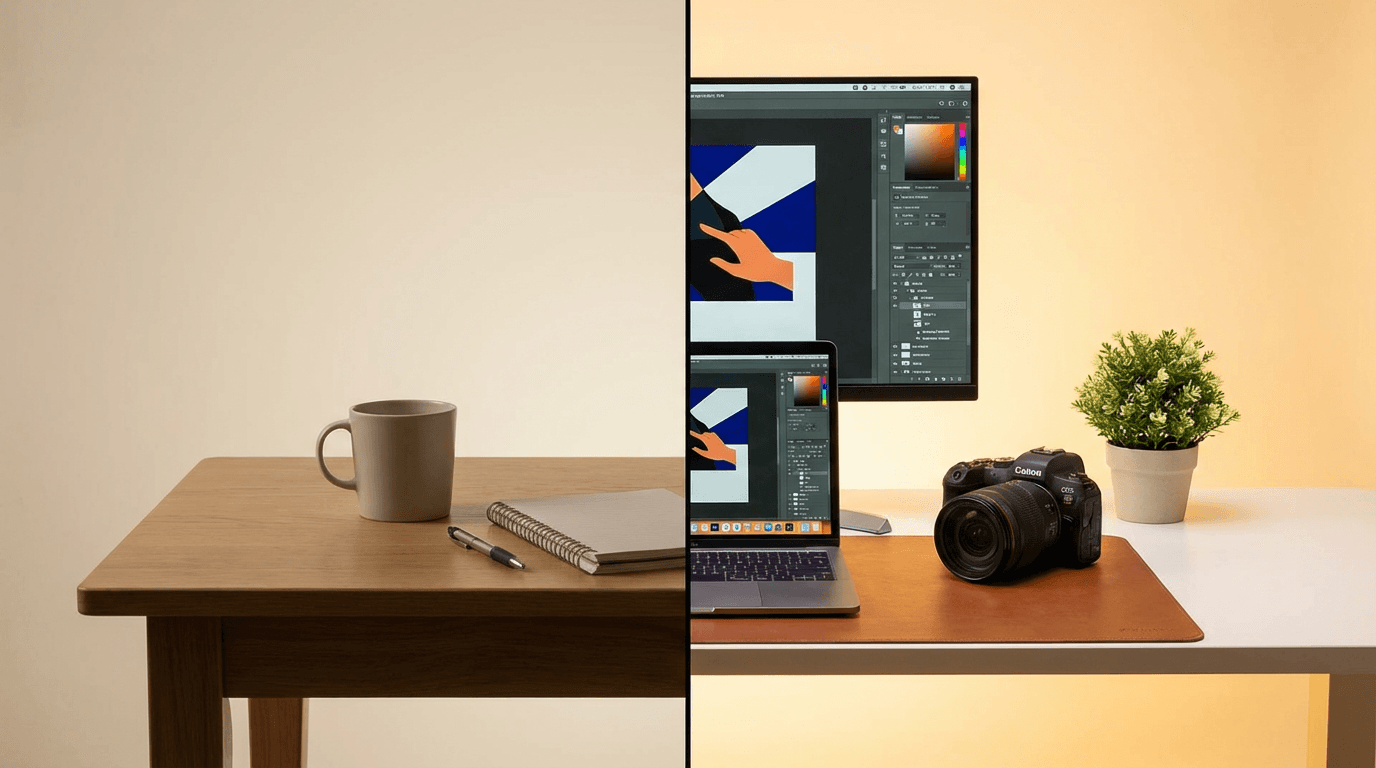
Image file names and alt text are indexed by search engines. When you generate an AI image for a blog post about "email marketing automation for beginners," your alt text should describe the image content naturally while including relevant terms. Something like "person setting up email automation workflow on laptop" is both descriptive and keyword-relevant.
Page load speed is affected by image file size. AI-generated images can be large files. Always compress your featured images before uploading. Most blog platforms recommend keeping image files under 200KB for optimal loading performance. Faster pages rank better and provide a better user experience.
Google Images drives meaningful traffic to blogs. When your featured image ranks in Google Image search for relevant queries, it creates an additional traffic channel. Using descriptive file names, proper alt text, and relevant captions helps your images appear in image search results.
According to Google's Search Central documentation, images that are high quality, relevant to the surrounding content, and properly annotated with descriptive alt text have the best chance of appearing in image search results.
Open Graph and Twitter Card meta tags determine how your featured image appears when shared on social media. Make sure your blog platform is configured to use your featured image as the OG image. This ensures the image you carefully generated is the one that actually shows up when someone shares your post.
Structured data can further enhance how your blog post appears in search results. Using Article schema markup that references your featured image can improve the visual presentation of your search listing. Schema.org's Article type documentation covers the image property and how to implement it.
Building a Featured Image Workflow That Scales
If you publish blog content regularly, you need a workflow that lets you generate featured images quickly without sacrificing quality. The most efficient approach is to build a small library of base prompts and reuse them with minor modifications.
Start by creating three to five base prompts that match your most common blog categories. If you write about marketing, productivity, and technology, create one base prompt for each category. These become your templates.
For each new blog post, take the relevant base prompt and change only the subject-specific details. If your marketing base prompt features "a person reviewing analytics on a monitor," and your new post is about email open rates, you might change it to "a person reviewing an email dashboard showing open rate metrics on a monitor." The lighting, composition, color palette, and style all stay the same.
This approach produces consistent results in seconds. Over time, your blog builds a recognizable visual identity that readers associate with your brand.
Creators can generate these images directly inside the AI image generator on Miraflow AI. The tool supports text-to-image generation with multiple aspect ratio options, making it straightforward to produce 16:9 featured images from any of the prompts in this guide. If an image needs minor adjustments, the image inpainting feature lets you modify specific regions without regenerating the entire image. The image inpainting guide walks through that process step by step.
Repurposing Blog Featured Images Across Platforms
A well-designed blog featured image should not live only on your blog post. The same image, or variations of it, can work across multiple channels.
Social media posts benefit from visuals that match the blog they are promoting. When sharing a blog post on LinkedIn or X, the featured image is the primary visual element in the share preview. If that image is strong, it earns clicks. If it is generic, the post blends into the feed.
Email newsletter thumbnails often use blog featured images as visual anchors. Subscribers scanning a newsletter decide which articles to click based partly on the image preview. A custom AI-generated image that clearly communicates the topic outperforms a generic stock photo every time.
Pinterest is an underutilized traffic source for many bloggers. Blog featured images reformatted to vertical 2:3 aspect ratios can be posted as pins that drive ongoing search traffic. The same prompt with a modified aspect ratio produces a Pinterest-ready version of your featured image.
For bloggers who also create video content, the visual style established through blog featured images can extend into video thumbnails and short-form video content. Tools like Text2Shorts let you turn blog topics into vertical short-form videos, creating additional content touchpoints that all share the same visual brand.
Using Featured Images to Improve Blog CTR in Google Search
Google search results increasingly display image thumbnails alongside organic listings, particularly for informational and how-to queries. This means your blog featured image directly competes with other results for the searcher's attention.
To maximize click-through rate from search results, your featured image should achieve three things. First, it should be visually distinct from common stock photos that appear on competing results. If every result in the SERP uses a similar generic image, a custom AI-generated image stands out. Second, it should be readable at small sizes. The thumbnail in Google search results is small, so clear subjects, bright lighting, and simple compositions matter. Third, it should reinforce the search intent. If someone searches for "how to start a blog in 2026," an image showing a clean desk with a laptop open to a blogging dashboard immediately confirms the content is relevant.
These same principles drive click-through rates on YouTube, where thumbnail design directly influences whether viewers click. The visual psychology is identical. Clarity, contrast, and relevance earn attention in any feed or search result.
Frequently Asked Questions
What aspect ratio should I use for blog featured images?
16:9 is the standard for most blog platforms and works well in social media share cards and search result thumbnails. Some platforms crop images differently, so keep your main subject centered with some buffer space around the edges to account for cropping.
Can I use AI-generated images as blog featured images commercially?
Yes, in most cases. Platforms like Miraflow AI allow commercial use of generated images. Always verify the terms of service for the specific tool you are using. Avoid generating images that replicate real brand logos, copyrighted characters, or identifiable real people.
How many images should I generate before picking one?
Generating two to four variations is typical. Small prompt adjustments can produce noticeably different results. Compare the options at thumbnail size, not full size, since that is how most people will first encounter the image.
Should blog featured images include text?
Generally, no. Blog platforms display the post title separately, so adding text to the featured image creates visual clutter and redundancy. The exception is if your blog has a specific branded overlay style, but even then, keep any text minimal and large enough to read at small sizes.
What if the generated image does not perfectly match my blog topic?
Adjust the subject description in your prompt and regenerate. Focus on changing one element at a time rather than rewriting the entire prompt. Often swapping just the main subject while keeping the same lighting, composition, and style produces a much better result on the second try.
Can I edit parts of an AI-generated featured image without starting over?
Yes. Image inpainting lets you select a specific region of the image and regenerate only that area. This is useful for swapping an object, changing a color, or removing an unwanted element. The rest of the image stays untouched.
How do I keep my featured images consistent across all blog posts?
Create a "brand prompt base" that contains your preferred lighting, color palette, style, and composition descriptors. Reuse this base for every blog post and only change the subject-specific details. This produces a cohesive visual identity across your entire blog.
Start Generating Blog Featured Images Today
The gap between blogs with custom visuals and blogs with stock photos is obvious to readers. It shows in search result click-through rates, social media engagement, and the overall impression of your brand.
These 15 templates give you a starting library that covers the most common blog categories. Copy the prompt that matches your next blog post, swap in your topic-specific details, and generate an image that actually earns clicks.
If you want to start generating right now, head to Miraflow AI and paste any of these prompts into the image generator. Choose 16:9 aspect ratio, generate, and download. The entire process takes seconds, and the result will outperform any stock photo you could find.