Best Free AI Music Generator for Shorts, Reels and TikTok in 2026

Written by
Jay Kim

Discover the best free AI music generator for YouTube Shorts, Instagram Reels and TikTok in 2026, with prompts, settings and a full Miraflow workflow you can copy today.
If you post Shorts, Reels or TikToks in 2026, you have the same problem as everyone else:
You need music that sounds good, feels on trend, is safe to monetize, and does not take hours to find.
Scrolling through endless stock tracks or gambling with random 'free' libraries is painful. A free AI music generator is only useful if it gives you:
- clear rights for YouTube, Instagram and TikTok
- fast generations
- control over mood, tempo and length
- a simple way to reuse your best tracks
In this guide, we will walk through what makes a 'best' free AI music generator for Shorts, Reels and TikTok in 2026, and then show you a step by step workflow using Miraflow AI Music Generator that goes from idea to custom track in under a minute.
We will cover:
- what you actually need from a free AI music generator in 2026
- how Miraflow's Simple and Custom modes work
- exact prompts to paste into the 'Music Description' field
- how to connect AI music with your Shorts, Reels and TikTok workflow
Why free AI music generators matter so much for Shorts, Reels and TikTok in 2026
Short form platforms are sound first.
Your viewer swipes into a vertical video and decides in two or three seconds whether to stay. The music is a big part of that decision, even if it is in the background.
If you rely only on trending sounds:
- your content blends into every other edit using the same track
- tracks can disappear or change availability later
- you are fully dependent on platform licensing and regional music rights
If you grab random 'no copyright' tracks from the internet:
- licenses are often vague
- you do not know if someone sampled a copyrighted song
- you lose time checking every site and reading disclaimers
Since 2024, YouTube has clarified that AI generated content, including AI music, can still be monetized as long as creators own the rights, follow the Community Guidelines, and do not mislead viewers. The same rule of thumb applies everywhere in 2026:
Own your track, and avoid copying existing songs, melodies or artists.
That is why AI music generators designed specifically for content creation are taking off. You describe the mood, genre and tempo, and the tool generates a custom track that you can use across YouTube, Instagram and TikTok, as long as you respect its license.
What 'free' should mean for an AI music generator in 2026
When you search for 'free AI music generator', you will find a mix of:
- tools that are free to try but watermark your audio
- tools that allow free generation but do not allow commercial use
- tools that call themselves free but hide licensing restrictions in the fine print
- genuine creator tools that offer free credits or generous free tiers with clear rights
For Shorts, Reels and TikTok in 2026, 'best free AI music generator' should mean:
- You can generate tracks inside a browser with no setup
- You get clear permission to use the music in your videos, including monetized YouTube content
- You can start on a free plan with credits, and upgrade when you need volume
- You control the vibe, not just click a random 'mood' button
Miraflow fits this pattern:
- AI Music Generator runs fully in the browser at
https://miraflow.ai/create-music - Music generation is available on free and paid plans, with credits or unlimited use depending on your tier
- The same platform already powers your AI Shorts, thumbnails, product videos and Nano Banana Pro images, so you keep your whole workflow in one place
What makes a 'best' free AI music generator for short form content
Before we go step by step with Miraflow AI, it helps to know what features actually matter for Shorts, Reels and TikTok.
You want an AI music generator that offers:
1. Clear rights for YouTube and TikTok
At a minimum, the tool should clearly allow:
- use in online video platforms like YouTube, Instagram and TikTok
- use in monetized content if you meet the platform's general program rules
- export of the audio file so you can keep your own copy
Miraflow's own no copyright guide explains that you are safest when the AI tool clearly states you can use the generated music in YouTube videos and you avoid copying specific songs or artists.
2. Fine control over vibe and structure
For vertical video, you need more than generic 'chill' or 'epic' buttons. The generator should let you control:
- mood and genre through text description
- tempo, so you can match cuts to the beat
- duration, so you get a usable loop or highlight section
- whether the track is instrumental or has vocals
Miraflow's AI Music Generator supports:
- 'Music Description' prompt
- Instrumental toggle
- Duration selection
- BPM (tempo)
- Key and scale, or auto
- Optional lyrics in structured sections
We will use these in Custom mode in a moment.
3. Speed and reuse
Short form content is a volume game. The 'best' tool for you is not the one with the most complex settings, it is the one that lets you:
- generate a usable track in under a minute most of the time
- quickly try two or three variations
- save and re download your favorite tracks from history
Miraflow AI lets you preview and download songs as they finish, and keeps them in a 'My Music' tab so you can build your own mini library.
Overview of Miraflow AI Music Generator
Open https://miraflow.ai/create-music and you will see two main modes:
- Simple mode
- Custom mode
Both modes share the same core:
- 'Music Description' field where you describe the track you want
- Instrumental toggle to decide whether you want background only or room for lyrics
- 'Generate music' button
- Player to preview the result
- Download button and 'My Music' tab for later reuse
The difference is control:
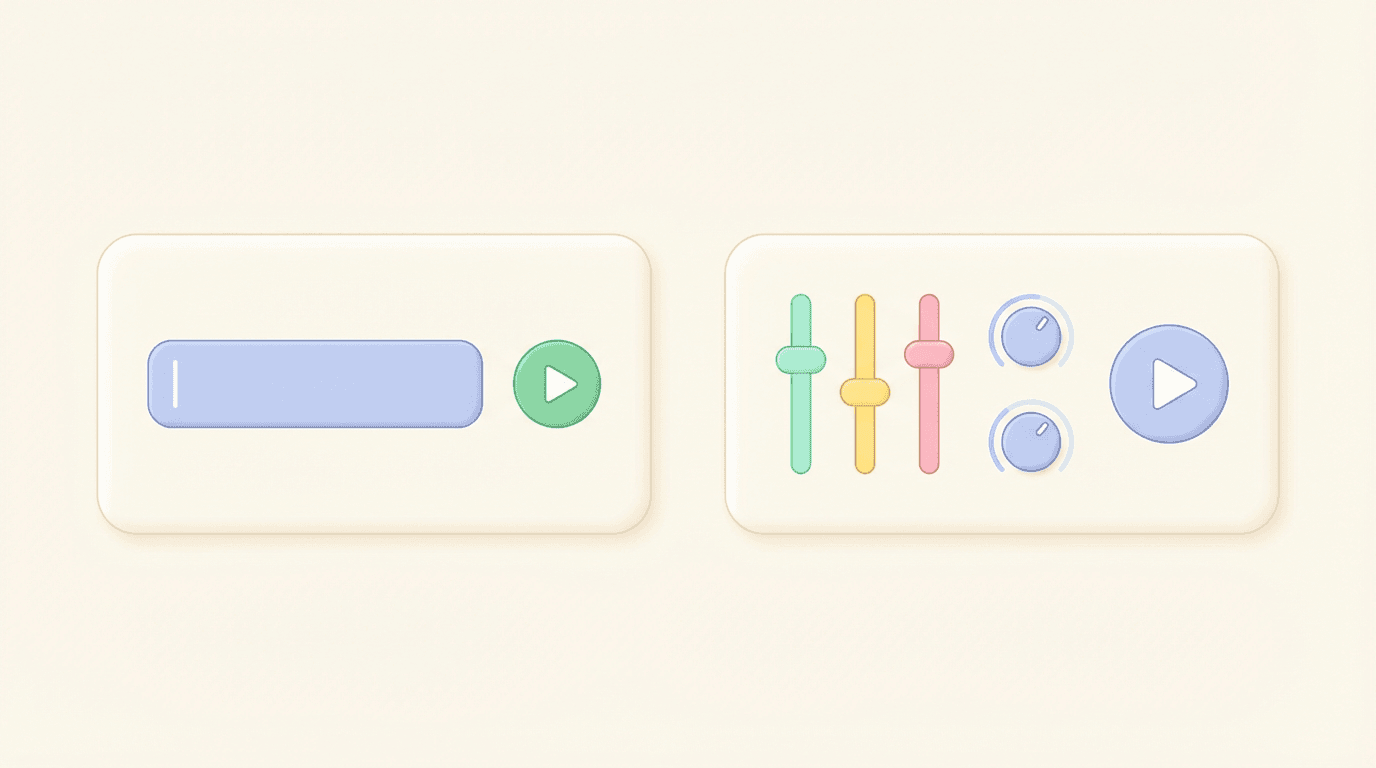
- Simple mode is one prompt and one toggle, for the fastest workflow
- Custom mode adds lyrics, duration, tempo, key, AI reasoning and seed settings, so you can design a track specifically for your Shorts, Reels and TikToks
Let us walk through both.
Simple mode: fastest free AI music for Shorts, Reels and TikTok
Simple mode is perfect when you just need solid background music that fits your clip.
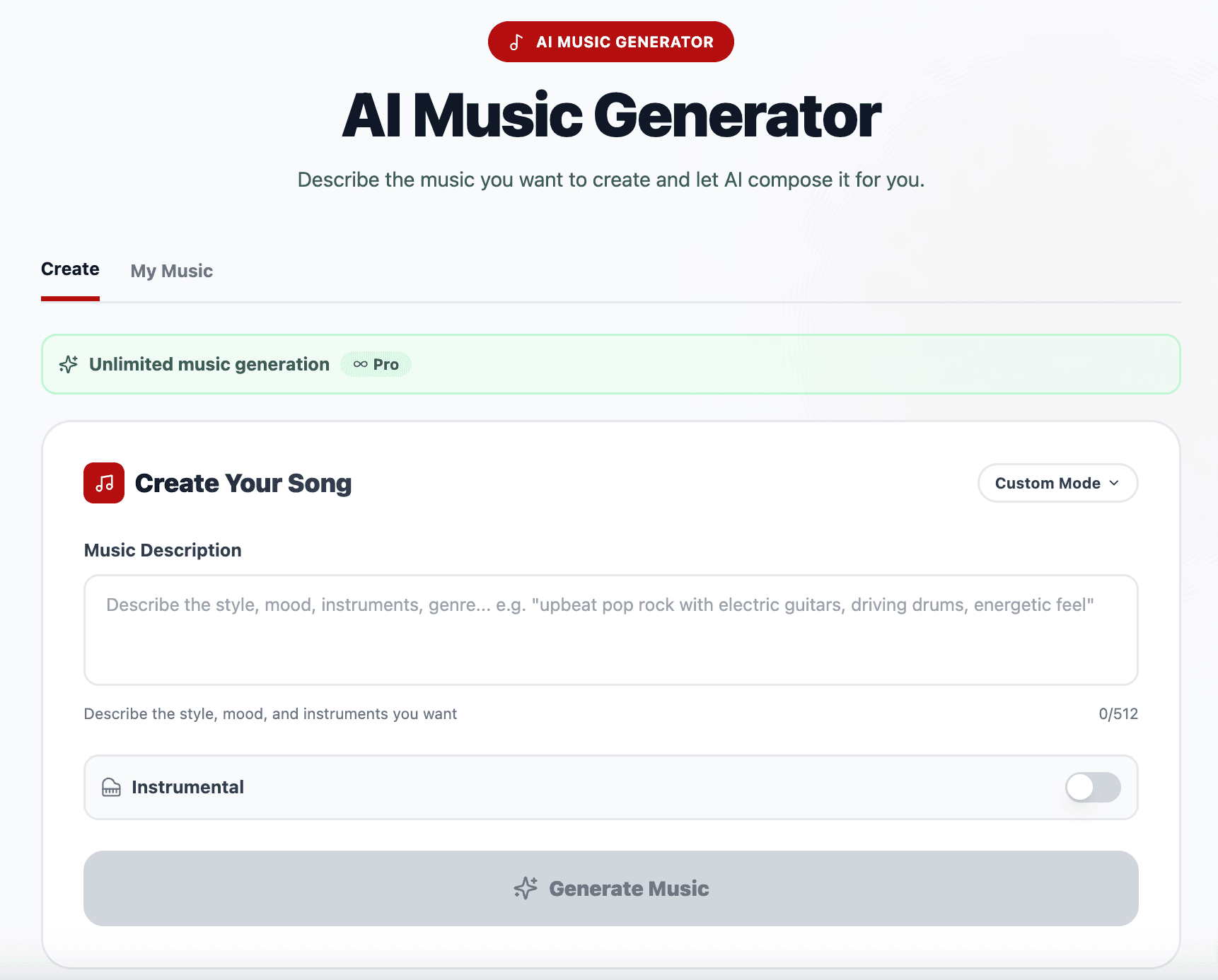
Step 1: Open Simple mode
- Go to
miraflow.ai/create-music
You will see:
- 'Music Description'
- Instrumental toggle
- 'Generate music' button
Step 2: Write a clear music description
Most people lose quality here by writing vague prompts like 'lofi beat' or 'epic music'.
Instead, describe:
- platform and format
- mood
- instruments
- tempo feeling
- role of the music
For example:
- 'Warm lofi background track for YouTube Shorts, soft drums, mellow piano and bass, relaxed but not sleepy, medium tempo, no vocals, stays behind voiceover'
- 'Energetic pop beat for fashion Reels transitions, punchy kick and snare, bright synths, fast tempo, fun and confident, clean modern mix, no vocals'
Paste this into 'Music Description'.
Step 3: Set the instrumental toggle
- Turn 'Instrumental' on for Shorts and Reels where your voice or text is the focus
- Turn it off only if you plan to add vocals via Custom mode lyrics or want AI generated vocal lines
For most creators, instrumental tracks are much easier to mix with talking head videos.
Step 4: Click 'Generate music'
- Click the 'Generate music' button
- In most cases, Miraflow generates the track in under a minute
- If traffic is high, it may take slightly longer, but you can open another Miraflow feature in a different tab while you wait
Step 5: Preview, download, and reuse
When the track is ready:
- Press play to listen
- Click 'Download' if you like it
- Find it later in the 'My Music' tab for reuse
If the vibe is close but not perfect, adjust a few words in the description and generate again.
Custom mode: full control for serious creators
Custom mode is where Miraflow AI becomes a fully controllable AI music studio for Shorts, Reels and TikTok.
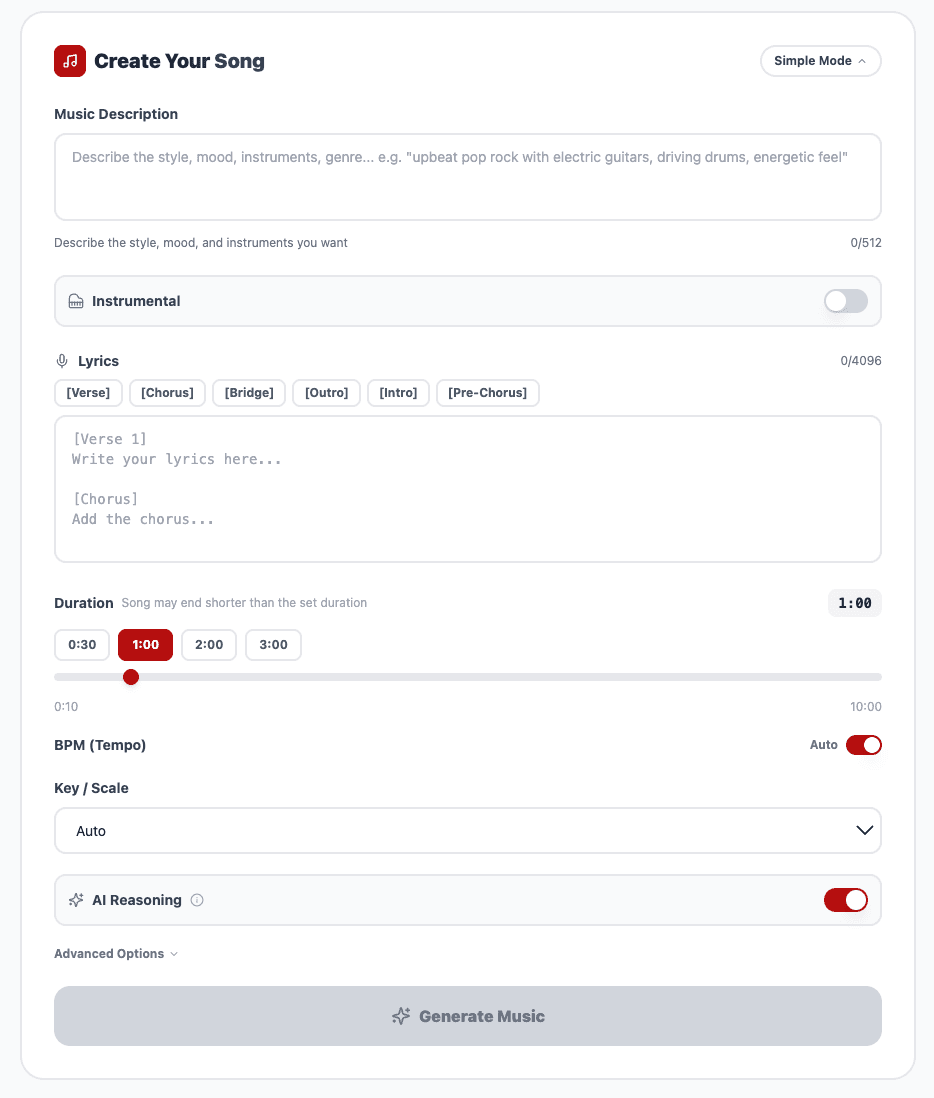
On top of Simple mode, Custom mode gives you:
- Lyrics input, with sections like [Intro], [Verse], [Chorus], [Bridge], [Pre Chorus] and [Outro]
- Duration selection
- BPM for tempo
- Key or scale selection, or 'auto'
- AI reasoning toggle to let the model smartly expand your prompt
- Seed in Advanced options so you can repeat or slightly vary a track you like
When to use Custom mode
Use Custom mode when you:
- want your cuts to land exactly on beat
- need a recognisable hook for a recurring series
- plan to repurpose tracks for playlists or long form content
- want to experiment with simple sung hooks for TikTok
Step by step in Custom mode
1. Switch to Custom
- In the AI Music Generator, choose 'Custom'
2. Describe your track
Example for a tech tutorial Short:
- 'Modern electronic background for YouTube Shorts coding tutorials, tight drums, soft pluck synth, low key but focused, medium tempo, no vocals, loopable, clear and clean mix'
3. Add lyrics if you want vocals
Example structure:
[Intro]
Late night edits, screen light in my eyes
[Verse]
Line after line, building up my flow
Tiny little changes, watch the numbers grow
[Chorus]
Turn the beat up, let the code run free
Every single frame is another part of me
Keep lyrics simple, since the melody will be generated around them.
4. Set duration
Good starting points:
- 20 to 30 seconds for direct use in Shorts with minimal cutting
- 30 to 60 seconds if you want a longer song and you will cut the best 10 to 20 seconds for your vertical clip
5. Set tempo with BPM
Match your content type:
- 70 to 95 BPM for calm study and aesthetic content
- 100 to 120 BPM for tutorials, vlogs and general lifestyle clips
- 120 to 140 BPM for gym, sports and fast transformation Reels
6. Choose key or scale
- Leave it on 'auto' if you are not sure
- Choose a specific key like C major or A minor if you want all your tracks in a consistent musical space, or if you plan to sing or play along
7. Turn AI reasoning on or off
- Turn AI reasoning on when you want Miraflow to interpret your description, clean it up and add musical details
- Turn it off when you want more direct, literal control over the prompt you wrote
8. Use a seed for series
In Advanced options:
- Set a seed when you get a track you love
- Reuse that seed with small changes in your description to get a family of tracks that share the same general vibe
This is perfect for faceless channels and series where you want a recognisable sound.
9. Generate, listen, refine
- Click 'Generate music'
- Listen, then tweak duration, BPM, lyrics or description as needed
In a couple of cycles, you will have a track that feels custom built for your content.
Copy and paste AI music prompts for Shorts, Reels and TikTok
Here are ready to use prompts you can paste into the 'Music Description' field in Miraflow AI. Adjust platform names, tempo words or instruments to fit your style.
1. Talking head YouTube Short
Description:
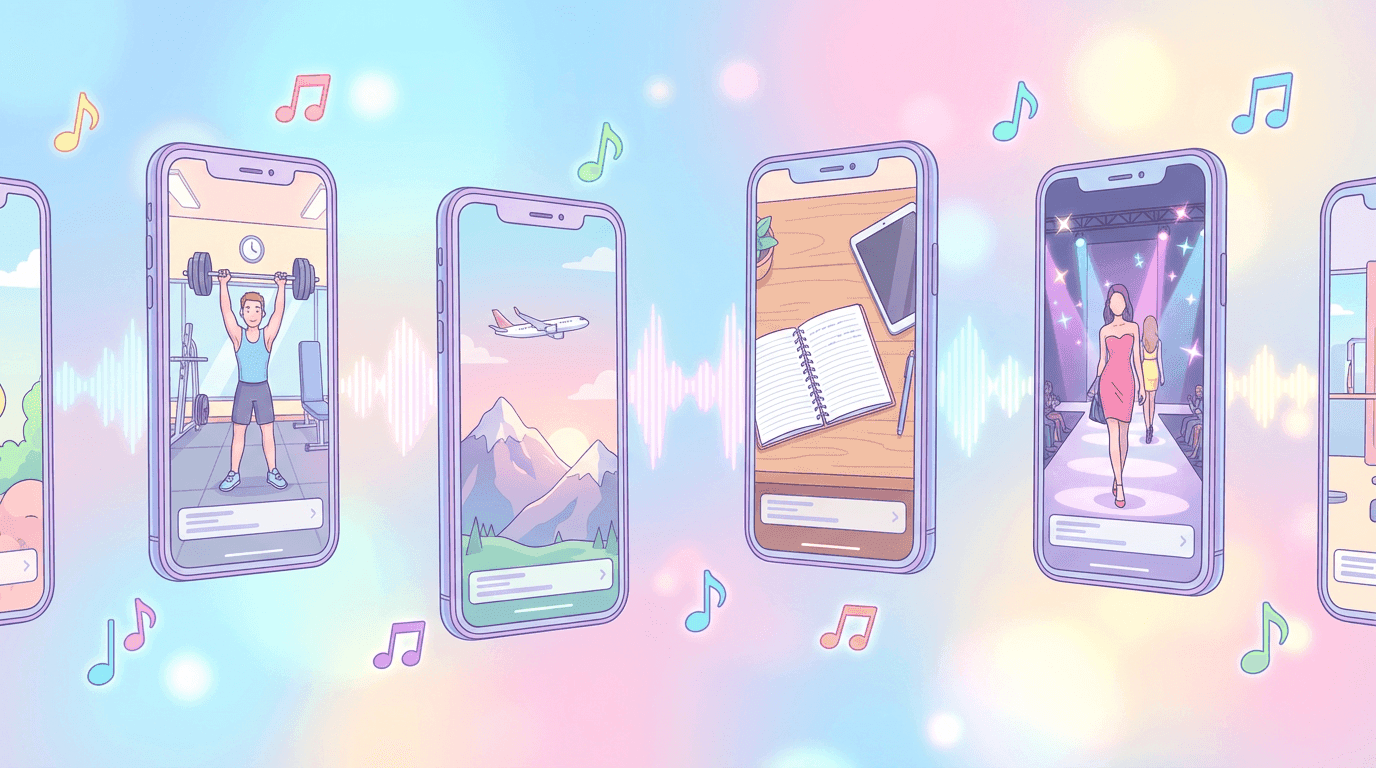
Soft lofi background for talking head YouTube Short, gentle drums, warm Rhodes piano, subtle bass, medium tempo, calm and friendly, no vocals, stays behind voice and does not distract.
2. Instagram Reels day in the life
Description:
Chill indie pop track for Instagram Reels day in the life vlog, light acoustic guitar, soft drums, warm bass, medium tempo, cosy and optimistic mood, no vocals, perfect for fast jump cuts.
3. TikTok tutorial with on screen text
Description:
Minimal electronic beat for TikTok tutorial with text on screen, tight kick and snare, soft pluck synth, deep but gentle bass, medium fast tempo, very clean and simple, designed to support text, no vocals.
4. Study desk aesthetic loop
Description:
Cozy lofi loop for study desk aesthetic Short, vinyl crackle, soft jazz chords, lazy drums, slow to medium tempo, nostalgic and comfy, designed to loop, no sharp sounds, instrumental only.
5. Gym and fitness transformation
Description:
High energy trap style beat for gym and fitness transformation Reels, heavy 808 bass, sharp hi hats, punchy snare, fast tempo, intense and powerful mood, no vocals, perfect for before and after clips.
6. Fashion outfit transitions
Description:
Trendy pop dance beat for fashion outfit transition TikTok, bouncy drums, bright synth chords, playful bass, fast tempo, stylish and confident mood, no vocals, strong beats for on beat cuts.
7. Travel B roll Short
Description:
Epic yet relaxed electronic track for travel B roll Shorts, airy pads, steady drums, soft guitar or synth lead, medium tempo, feeling of open skies and freedom, gentle rise into a mini chorus, no vocals.
8. Productivity and deep work Reels
Description:
Focus friendly ambient electronic music for productivity Reels, soft pads, subtle arpeggios, almost no drums, slow to medium tempo, hypnotic and steady, no vocals, designed to encourage concentration.
9. Faceless motivation channel
Description:
Cinematic motivational background for faceless quote videos on YouTube Shorts, emotional piano, warm strings, light percussion, medium tempo, inspiring and uplifting, rises gently without big drops, no vocals.
10. Meme style reaction Short
Description:
Quirky upbeat track for meme reaction Shorts, playful synths, cartoon like percussion, medium fast tempo, fun and slightly chaotic mood, no vocals, perfect for quick punchline edits.
For a deeper prompt pack focused only on wording, you can link to '20 AI Music Prompts for YouTube, Reels, and TikTok (Copy and Paste)' from this section.
Workflow: from AI music to finished Short in one browser

Miraflow is not just a music generator. It is an AI content platform where one idea can become:
- script
- vertical video
- music
- thumbnail and images
in a single browser workflow.
Here is a simple Shorts and Reels routine:
Step 1: Choose a topic and format
For example:
- 'Three AI tools that saved me 3 hours this week'
- 'Room transformation from messy to cozy in 15 seconds'
- 'One underrated habit that grows faceless channels'
Decide whether this will be talking head, B roll, product demo or meme style.
Step 2: Generate music in Miraflow
- Open
miraflow.ai/create-music - Start with Simple mode and one of the prompts above
- If you know your style well, jump straight to Custom mode to pick BPM and duration
Save the track in 'My Music'.
Step 3: Generate or structure the video
Depending on what you are making:
- Use Text2Shorts in Miraflow to create a script and AI generated vertical video from a single topic
- Use Cinematic video to generate B roll
- Use the AI Product Video Generator for product based Reels and TikToks
Miraflow AI lets you turn a written topic into scripts, scenes and visuals without opening a separate editing app.
Step 4: Add your AI music
In your editor of choice:
- Drop the AI generated music track under your Short or Reel
- Trim to the best 10 to 25 seconds
- Align key cuts or transitions with the beat if possible
You can repeat the same process for TikTok by using the same vertical file.
Step 5: Generate a thumbnail or cover
Even vertical formats benefit from a good cover frame.
Use Miraflow's YouTube Thumbnail Maker to:
- choose 9:16 for Shorts and Reels
- upload a frame from your video or your face
- describe the style you want in the thumbnail prompt
For detailed thumbnail workflows, link to:
- How to Generate YouTube Thumbnails with AI: Step by Step
- 10 AI Prompts for Viral YouTube Thumbnails (Copy and Paste)
Step 6: Upload and track
Upload your Short, Reel or TikTok with:
- a hook in the first line of the title
- a clear description
- simple tags and keywords
Over time, reuse the 'My Music' tab in Miraflow so your channel begins to develop a consistent sound.
FAQ about free AI music generators in 2026
Can I monetize Shorts and Reels that use Miraflow AI music
In general, yes, if:
- you generated the track yourself in Miraflow
- you do not attempt to mimic specific songs, artists or copyrighted material
YouTube's current expectations focus on originality and authenticity, not on banning AI tools themselves.
Is AI music safer than using random 'copyright free' tracks
It can be, because:
- you know the exact source
- you did not download a file of unknown origin
- you have a clear paper trail that this track was generated in a specific tool
You still need to avoid prompting the AI to recreate named songs or artists, but you are not guessing about hidden samples.
Do I need different tracks for YouTube, Instagram and TikTok
You do not need completely different tracks. In practice, creators in 2026 often reuse the same AI generated track across YouTube Shorts, Reels and TikTok, as long as the license allows cross platform use.
What matters more is:
- the track matches the pacing and vibe of the edit
- the sound feels consistent with your brand
How many tracks should I generate per video
A simple rule:
- generate one or two tracks in Simple mode
- if neither feels right, use Custom mode for tempo, key and duration control
You do not need dozens of options. One track that fits your edit is worth more than a full library you never use.
Final thoughts and next steps
The 'best' free AI music generator for Shorts, Reels and TikTok in 2026 is not just the one with the most buttons. It is the one that lets you:
- generate safe, usable tracks quickly
- control mood, tempo and length
- reuse your best tracks easily
- integrate music into a complete creation flow
Miraflow AI Music Generator does this inside the same browser workspace you already use for Text2Shorts, Cinematic clips, Nano Banana images and AI thumbnails.
Your next steps:
- Open
miraflow.ai/create-musicand generate one track using Simple mode - Save the prompt that worked and reuse it as a base
- Try Custom mode for a recurring series so you can lock in BPM and key
- Pair the track with a Text2Shorts video and an AI thumbnail for a fully AI assisted Short