20 AI Couple Selfie Prompts Going Viral Right Now (Copy & Paste 2026)

Written by
Aerin Kim
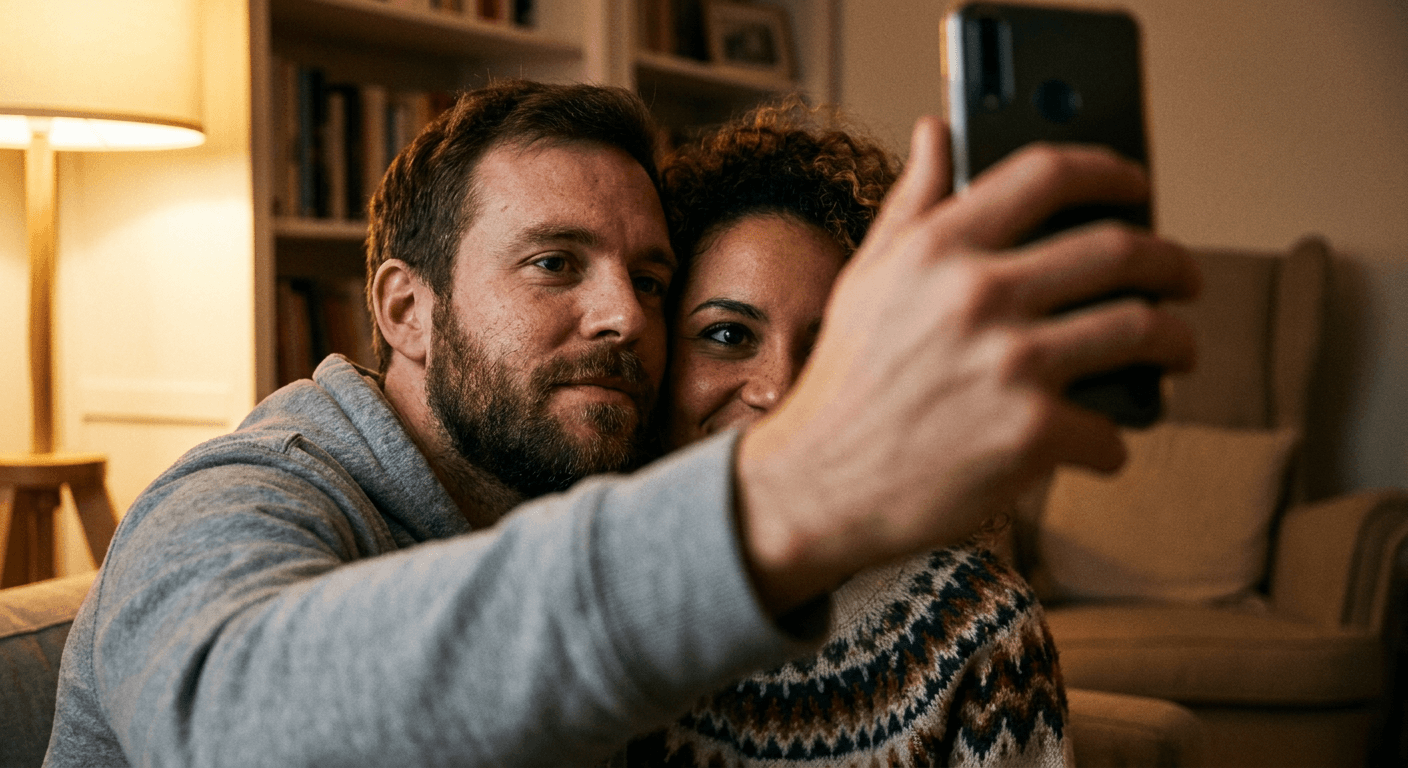
20 copy-paste AI couple selfie prompts behind 2026's viral shoulder-peek trend, covering poses, settings, long-distance variations, and platform-ready Instagram and Story crops.
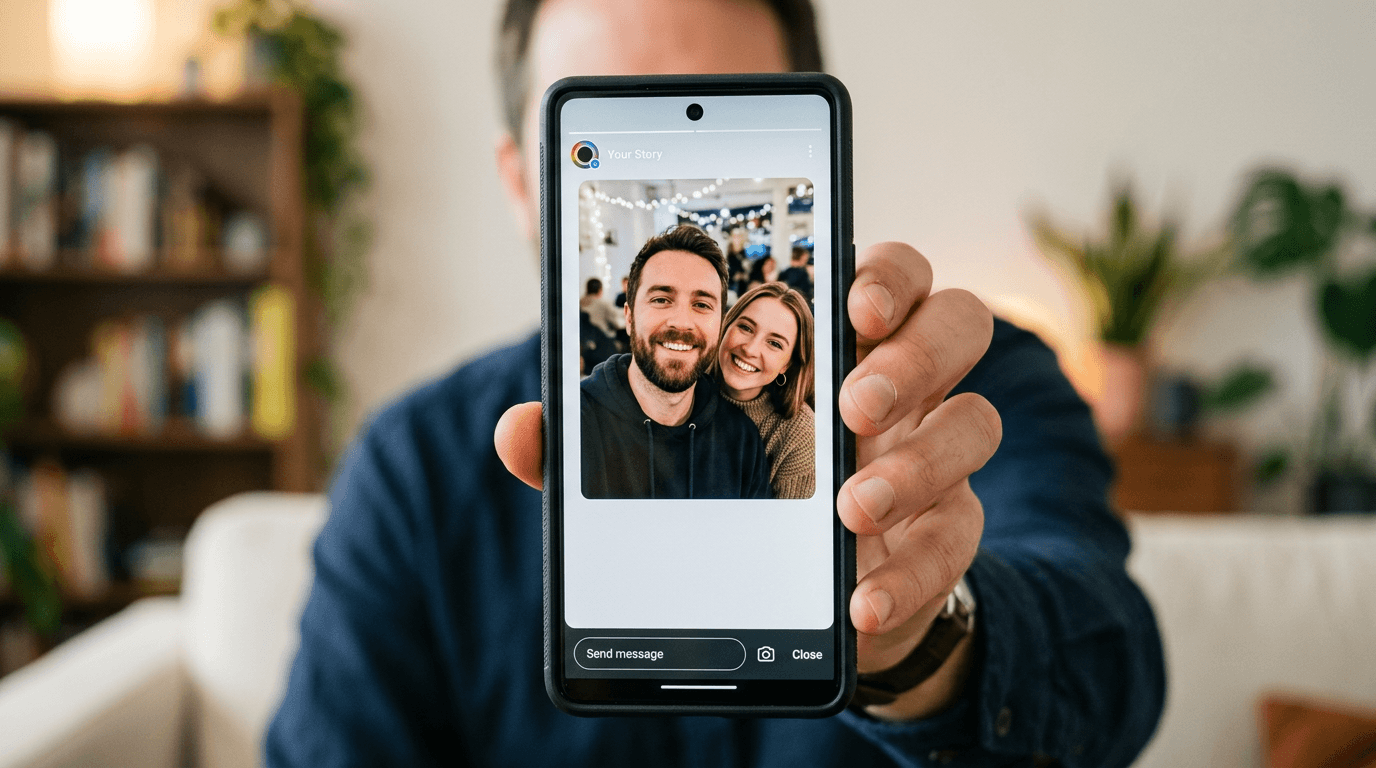
If you have opened TikTok or Instagram in the past few weeks, you have almost certainly seen it: a warm, slightly grainy photo that looks exactly like a couple's candid selfie, except one half of that couple is a stranger to the other half's phone until a few minutes ago. Someone uploads one photo of themselves, or two separate solo photos of a real couple, into an AI image tool, and gets back a single realistic "couple selfie" that looks like it was taken on one phone, in one room, in one second. The most widely copied version has a very specific recipe: the man stands in the foreground holding the phone out for the shot, and the woman peeks out from behind his shoulder, only part of her face and eyes visible, soft warm indoor lighting, a gentle, slightly shy mood, and enough realistic detail that strangers in the comments ask what photographer took it.
This is not a hypothetical trend you need to take our word for. It is sitting right now across TikTok's discover pages under search terms like "AI Generated Photo Prompts Couple" and "Chat GPT Couple Photo Prompts," and it has spawned its own small ecosystem of prompt-sharing blog posts and screenshots of the exact wording people are pasting into image generators. People are using the results as Instagram posts, as profile pictures, and as Story backgrounds, which tells you this is not a one-off joke image, it is becoming a normal way people represent their relationship online, the same way a posed anniversary photo or a matching profile picture used to be.
The reason this post exists is simple: the difference between a couple selfie that looks like a real photo and one that looks like an obvious AI composite comes down entirely to the specificity of the prompt. A lazy prompt like "make us look like a couple" hands the model too much room to mismatch the lighting on each face, get the hand anatomy wrong at the point of contact, or make one person's head slightly too large for the scene. A detailed, camera-literate prompt fixes nearly all of that before generation even starts.
Below are 20 ready-to-use, copy-paste couple selfie prompts, grouped by format, pose, setting, and use case, plus the customization and troubleshooting knowledge you need to actually get a convincing result. Every one of these works well inside the AI Image Generator in Miraflow AI, which supports image-to-image generation, meaning you can anchor the output to two real reference photos instead of describing two strangers and hoping the model invents faces that look believable together.
Why the AI Couple Selfie Trend Is Spreading
The mechanic behind this trend is genuinely clever, and understanding it is what lets you get good results instead of fighting the tool. Every version of this trend does one of two things. Either it takes two separate solo photos, one of each partner, taken at completely different times and places, and blends them into a single scene where the lighting, shadow direction, skin tone rendering, and camera perspective are made consistent across both people, as if a single camera captured them both at once. Or it takes one solo selfie and generates a second person into the same frame, matched to plausible lighting and positioning, for situations where only one real photo exists at all.
That is a fundamentally different and harder problem than a normal AI portrait. A single-person headshot only has to get one face, one light source, and one background right. A convincing couple selfie has to get two faces lit as if by the same light, two skin tones rendered with consistent color temperature, a believable size and distance relationship between two people who were never actually standing next to each other, and in several of the most popular formats, actual physical contact, a hand on a shoulder, a forehead touch, a piggyback grip, that has to look anatomically plausible even though neither hand nor shoulder exists in the same photo.
The reason it is spreading so fast is that it solves a real, unglamorous problem that has existed as long as phone cameras have: it is genuinely hard to get a good photo of a couple together. Long-distance couples may not have been in the same room in months. One partner might be camera-shy or simply dislike how they look in candid group shots. A couple might have attended the same event, a wedding, a concert, a birthday, and ended up with great solo photos of each other from that night but no actual photo of the two of them together, because whoever was holding the phone was one of the two people in the photo. The AI couple selfie trend turns any of those situations into a shareable, believable-looking photo without waiting for the next time both people happen to be in the same place with a working camera.
There is also a lighter, purely playful branch of the trend worth naming honestly: people generating a joke "couple selfie" with a celebrity, a fictional character, or an inanimate object standing in as the other half, specifically because it is obviously not real and that is the entire point. Both the sincere, long-distance-relationship use case and the openly joking one rely on the same underlying prompt technique, the difference is just whether the second subject is a real partner's reference photo or a stand-in.
The Anatomy of a Prompt That Actually Blends Two People Convincingly
Before the prompt list, it is worth understanding why some of these work and a generic one does not, the same way a photographer thinks about composing a real two-person shot before pressing the shutter. Every prompt in this post is built from five deliberate ingredients.
A single, shared, directional light source described explicitly. "Soft warm indoor lighting from a lamp to the left" or "golden hour light from behind, both subjects backlit" forces the model to light both faces as if one real light source exists in the scene, which is the single biggest giveaway when it goes wrong. Two faces lit from different, contradictory directions is the fastest way to make a blended photo look fake.
A camera distance and lens choice consistent with a real selfie. Real phone selfies, the kind this trend is deliberately imitating, have a specific optical signature: a slightly wide angle, a close subject distance, minimal background blur unless portrait mode is active, and a very particular arm-length framing. Naming that explicitly, "shot like a handheld phone selfie at arm's length, slight wide-angle distortion," keeps the output from reading as a posed studio portrait instead of a casual selfie.
An explicit instruction about relative scale and distance. Because the two people in these photos were often never standing next to each other in real life, the prompt has to tell the model how close together they actually are in the final scene, "her face close behind his shoulder, both heads roughly the same apparent size," so one person does not come out looking subtly larger, farther away, or oddly proportioned next to the other.
A described point of contact, when the pose has one, that is anatomically specific. A hand resting on a shoulder, an arm wrapped around a waist, a forehead touch, each of these needs the prompt to actually describe where the hand or arm sits and what it is doing, "his hand resting naturally on her shoulder, fingers relaxed," rather than leaving the model to guess and frequently produce an extra finger or a hand that merges strangely into fabric.
Identity-preservation language pointing at both reference photos. Exactly like the identity-preservation principle for a single headshot, a couple selfie prompt should explicitly ask the model to preserve each person's real facial structure from their own reference photo, "preserve both subjects' real facial features and proportions from their reference photos, no face blending between the two people." Without this line, some models will subtly average or blend features between the two uploaded faces, which is the opposite of what you want.
Every prompt below follows this structure. Swap the wardrobe, setting, or specific pose detail freely, the underlying framework is what actually produces a believable result.
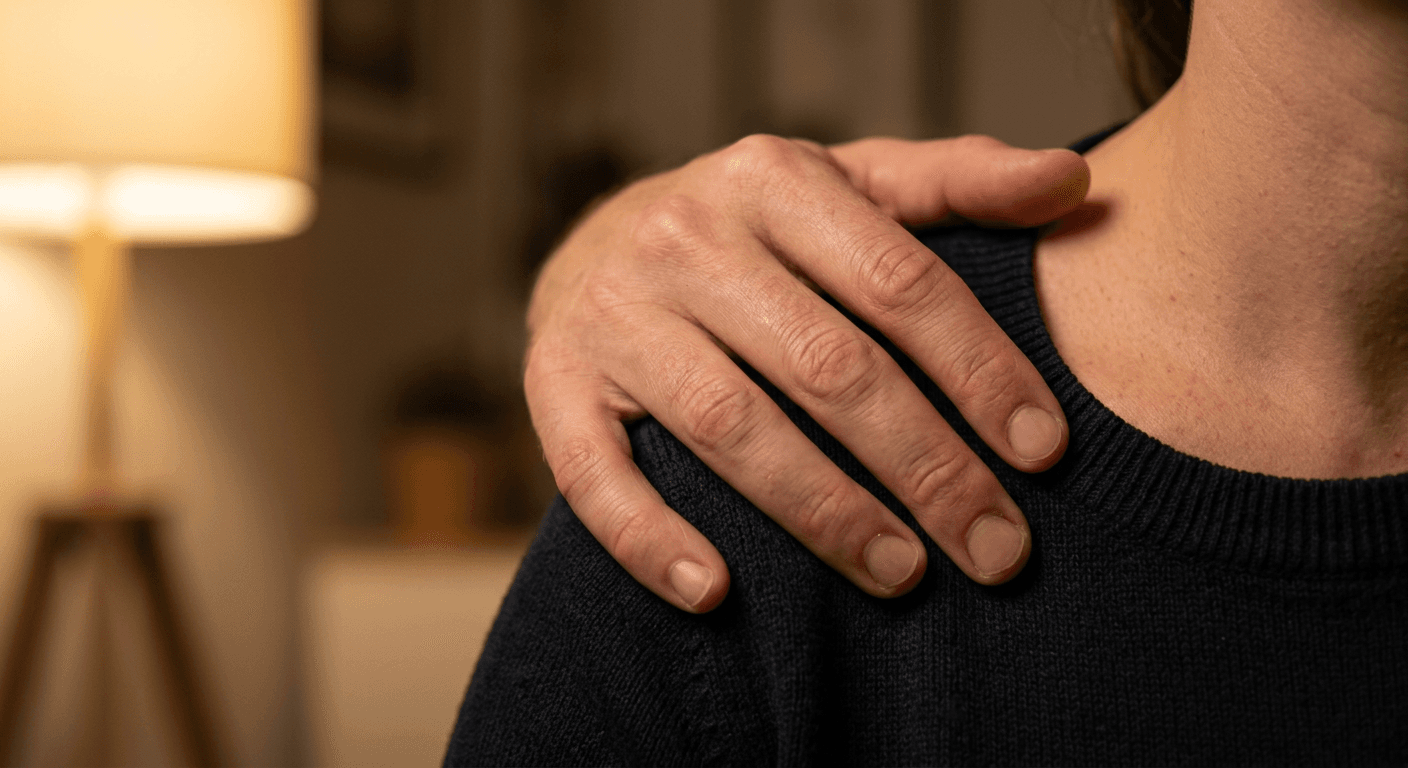
1) The Original Viral Format: Peeking Over the Shoulder
This is the format that kicked off the whole trend, and it is worth having several real variations of it since it is also the one most likely to look generic if you only ever generate the exact same version everyone else is posting.
Prompt 1: The Classic Shoulder Peek
Romantic couple selfie, a man in the foreground holding the phone out at arm's length for the shot, a woman peeking out from behind his shoulder with only part of her face and one eye visible, soft warm indoor lighting from a lamp just out of frame to the left, both faces lit from the same direction with matching warm color temperature, shot like a handheld phone selfie with slight wide-angle distortion, realistic skin texture on both subjects, gentle shy smile, cozy indoor background softly out of focus, preserve both subjects' real facial features and proportions from their reference photos, no face blending between the two people, no watermark.
Prompt 2: Shoulder Peek, Natural Daylight
Candid couple selfie near a bright window, a man holding the phone at arm's length in the foreground, a woman leaning in from behind his shoulder with her chin just visible past his jaw, soft diffused daylight coming from the window to the right, both faces matched in color temperature and shadow direction, close selfie-camera perspective with natural slight lens distortion, genuine relaxed laughing expression, realistic skin texture and natural hair flyaways, preserve both subjects' real facial structure from their reference photos, correct hand anatomy on the phone, no watermark.
Prompt 3: Shoulder Peek With Hand on Chest
Warm, intimate couple selfie, a man in the foreground holding the phone for the shot, a woman peeking from behind his shoulder with one hand resting lightly on his chest, fingers naturally curled and anatomically correct, soft golden lamp light from the side lighting both faces consistently, shallow selfie-style framing with both subjects close to the lens, realistic fabric texture on clothing, gentle intimate mood, preserve both real faces and proportions from the reference photos, no extra fingers, no warped hands, no watermark.
Prompt 4: Reverse Roles, Woman in Front
Romantic couple selfie with the roles reversed, a woman in the foreground holding the phone at arm's length, a man peeking out playfully from behind her shoulder with a half-smile, soft warm indoor string-light ambiance lighting both faces evenly, handheld phone selfie perspective with natural wide-angle framing, realistic skin texture and consistent warm color grading across both faces, genuine candid expression, preserve both subjects' real facial features from their reference photos, no mismatched face proportions, no watermark.
Prompt 5: Shoulder Peek, Evening Bedroom Lighting
Cozy nighttime couple selfie taken in bed or on a couch, a man in the foreground holding the phone up, a woman peeking from behind his shoulder under a blanket with a sleepy, content expression, warm low lamp light from a nightstand lighting both faces with matching soft shadows, realistic skin texture under warm tungsten-toned light, handheld selfie framing with natural close distance, relaxed late-night mood, preserve both real facial structures from the reference photos, correct consistent face scale between both people, no watermark.
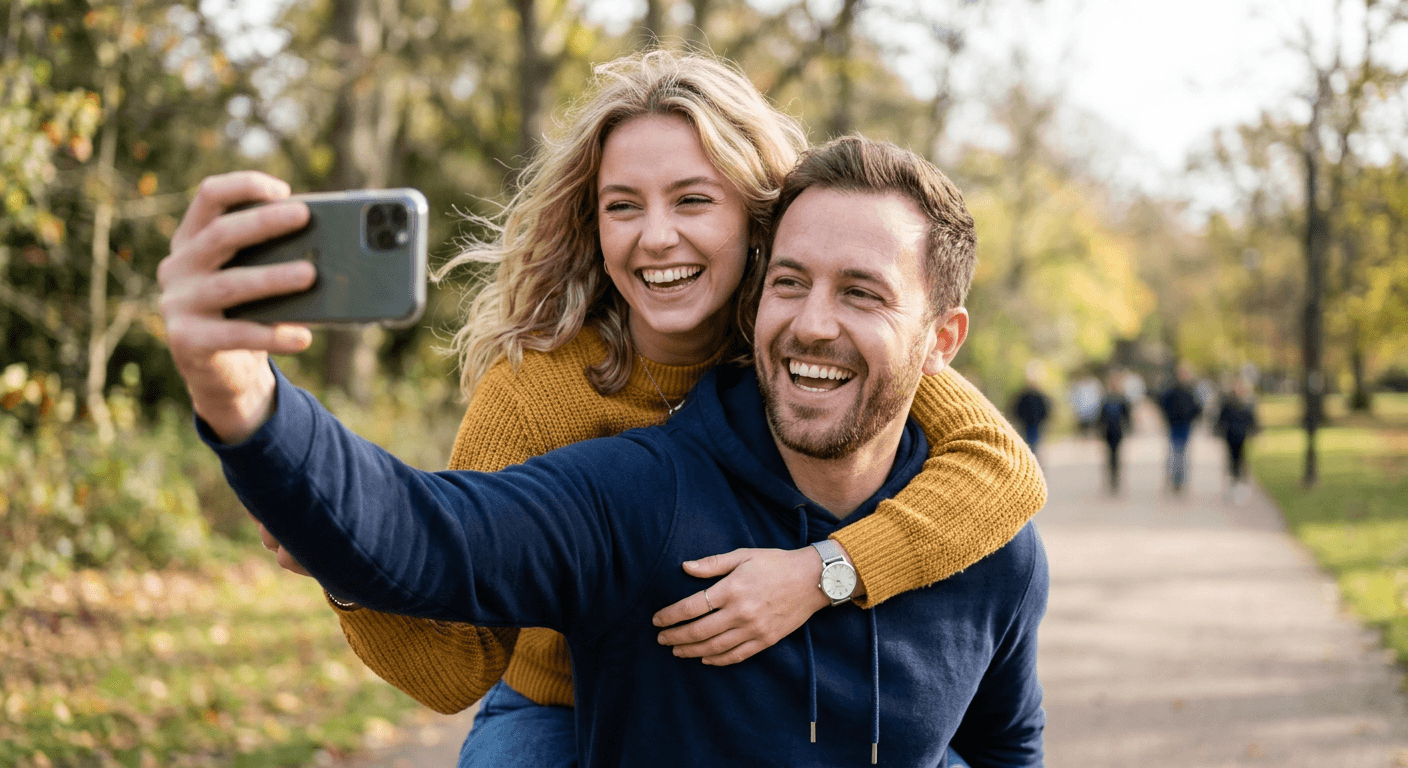
2) Different Poses and Compositions
The shoulder peek is not the only format worth generating. These four cover the other poses showing up constantly in the same trend wave, each one tests a slightly different physical-contact challenge for the model to get right.
Prompt 6: Forehead Touch
Intimate couple selfie with foreheads gently touching, eyes closed, soft warm window light from one side illuminating both faces with matching warm tones and consistent shadow direction, close selfie-camera distance held at arm's length by one partner, realistic skin texture, natural slight blush, calm affectionate mood, preserve both subjects' real facial features and proportions from their reference photos, no face blending or merging between the two people, no warped features, no watermark.
Prompt 7: Playful Piggyback Selfie
Fun, candid piggyback selfie, one partner carrying the other on their back outdoors, both laughing, the carrying partner holding the phone out at arm's length for the shot, arms wrapped securely and anatomically correctly around the carried partner's legs, soft natural daylight lighting both faces consistently, handheld selfie framing with slight motion blur in the background, realistic clothing texture and natural hair movement, preserve both real facial structures from the reference photos, correct hand and arm anatomy, no extra limbs, no watermark.
Prompt 8: Side-by-Side Mirror Selfie
Side-by-side mirror selfie of a couple, both standing close together facing a bathroom or bedroom mirror, one partner holding the phone visible in the reflection, soft even bathroom or bedroom lighting hitting both faces from the same direction, realistic mirror reflection with accurate symmetry and a visible phone and hand in the reflected image, natural relaxed expressions, consistent skin tone rendering between both subjects, preserve both real faces from the reference photos, correct hand holding the phone with no extra fingers, no watermark.
Prompt 9: Hand-Holding From Behind
Couple selfie taken from an over-the-shoulder angle, one partner in front holding the phone forward and slightly down, the other partner standing close behind with both arms wrapped gently around the front partner's waist, hands clasped together and anatomically correct with visible fingers interlaced naturally, soft warm afternoon light from one side lighting both faces and the clasped hands consistently, realistic skin texture, relaxed genuine smiles, preserve both real facial structures from the reference photos, no warped or extra fingers on the clasped hands, no watermark.
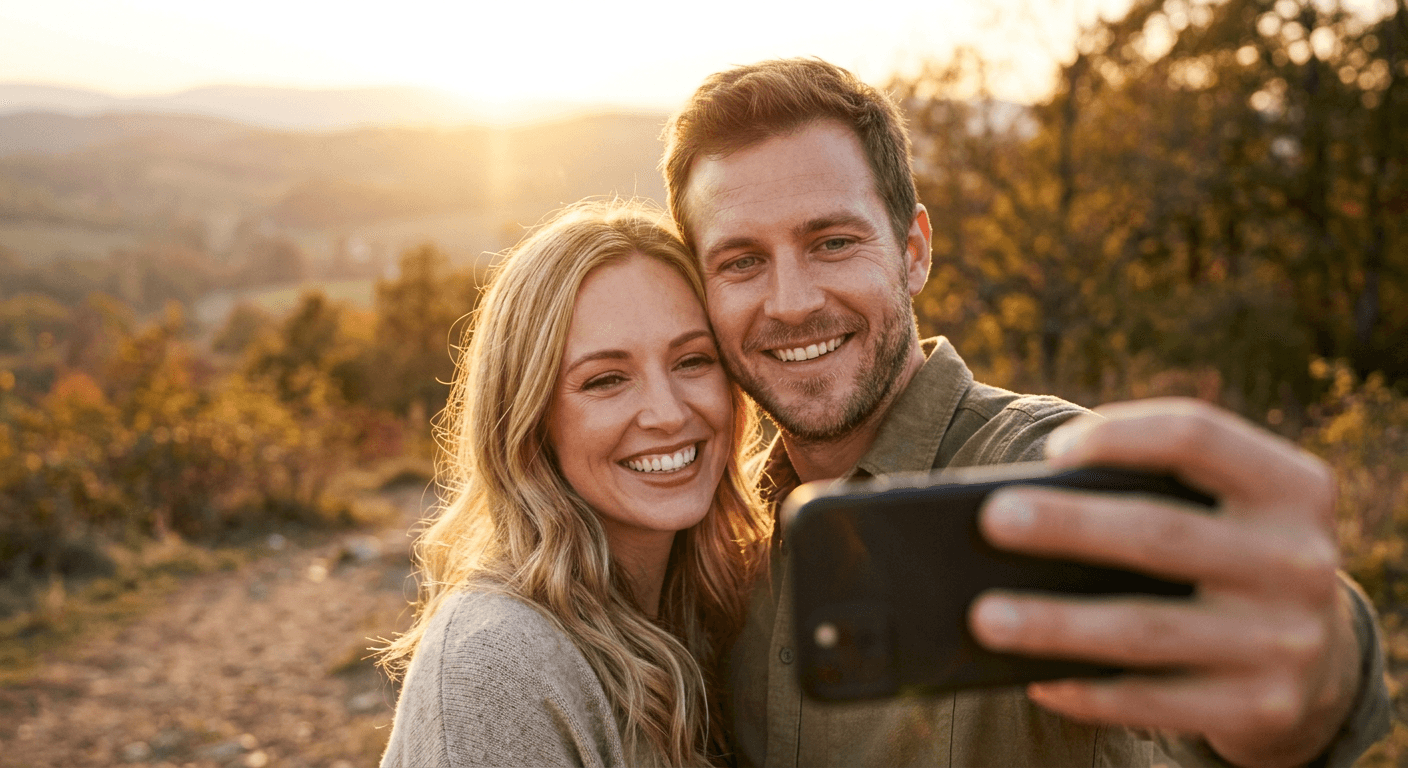
3) Different Settings and Moods
The exact same poses above read completely differently depending on where the scene is set. These five swap the setting and mood while keeping the same identity-preserving, physically consistent lighting approach.
Prompt 10: Cozy Indoor Living Room
Warm, cozy couple selfie in a softly lit living room, a blanket draped over both shoulders, soft lamp light from a nearby side table lighting both faces with matching warm tones, handheld selfie framing at arm's length, realistic indoor texture on the couch and blanket, relaxed content expressions, preserve both subjects' real facial features from their reference photos, consistent face scale and proportion between both people, no watermark.
Prompt 11: Outdoor Golden Hour
Romantic outdoor couple selfie during golden hour, warm low sunlight coming from behind casting a soft glow and gentle lens flare, both faces lit with matching warm backlight and a touch of fill light on the front of their faces, handheld selfie perspective with a softly blurred outdoor background, realistic skin texture with a natural golden-hour glow, genuine warm smiles, preserve both real facial structures from the reference photos, no mismatched lighting direction between the two faces, no watermark.
Prompt 12: Coffee Shop Selfie
Candid couple selfie inside a coffee shop, soft warm overhead pendant lighting mixed with daylight from a nearby window, both faces lit evenly with consistent warm color temperature, two coffee cups visible on the table in the foreground slightly out of focus, handheld selfie framing held by one partner, realistic skin texture and natural relaxed expressions, preserve both real faces and proportions from the reference photos, correct hand anatomy holding the phone, no watermark.
Prompt 13: Rainy Window Mood
Moody, intimate couple selfie near a rain-streaked window, soft diffused gray daylight coming through the glass with visible raindrop texture, both faces lit evenly by the same soft window light with a slightly cool color temperature, close handheld selfie framing, realistic skin texture and a calm, quiet mood, preserve both subjects' real facial features from their reference photos, consistent shadow direction across both faces, no watermark.
Prompt 14: Concert or Night Out
Energetic couple selfie at a concert or night out, colorful stage or neon lighting in the background softly out of focus, both faces lit by a consistent warm key light with subtle colored light spill matching the background, handheld selfie framing at arm's length with a slight motion-blurred crowd behind them, realistic skin texture under mixed warm and colored light, genuine excited expressions, preserve both real facial structures from the reference photos, no mismatched color temperature between the two faces, no watermark.
4) Long-Distance and Single-Person Variations
This is the group that matters most for the honest, non-trend-chasing reason people actually use this format: not everyone has a current photo of themselves with their partner in the same room. These three are built specifically for that.
Prompt 15: Long-Distance Couple, Two Separate Reference Photos
Realistic couple selfie blended from two separate reference photos taken at different times, soft warm indoor lighting applied consistently to both faces as if captured by the same light source, matched color temperature and shadow direction across both subjects, handheld selfie framing with both faces close to the camera at a similar apparent distance, realistic skin texture, genuine warm expressions, preserve each subject's real facial structure exactly from their own individual reference photo, no averaging or blending of facial features between the two people, no watermark.
Prompt 16: Playful Stand-In With an Illustrated Character
Lighthearted joke couple selfie, one real person peeking out from behind the shoulder of a clearly illustrated or cartoon-style character drawn in the foreground, soft warm indoor lighting applied consistently across the real subject's face, handheld selfie framing, realistic skin texture on the real person contrasted intentionally against the stylized illustrated character, playful exaggerated expression on the real subject, preserve the real subject's actual facial features from their reference photo, clearly distinguish the illustrated character as non-photographic, no watermark.
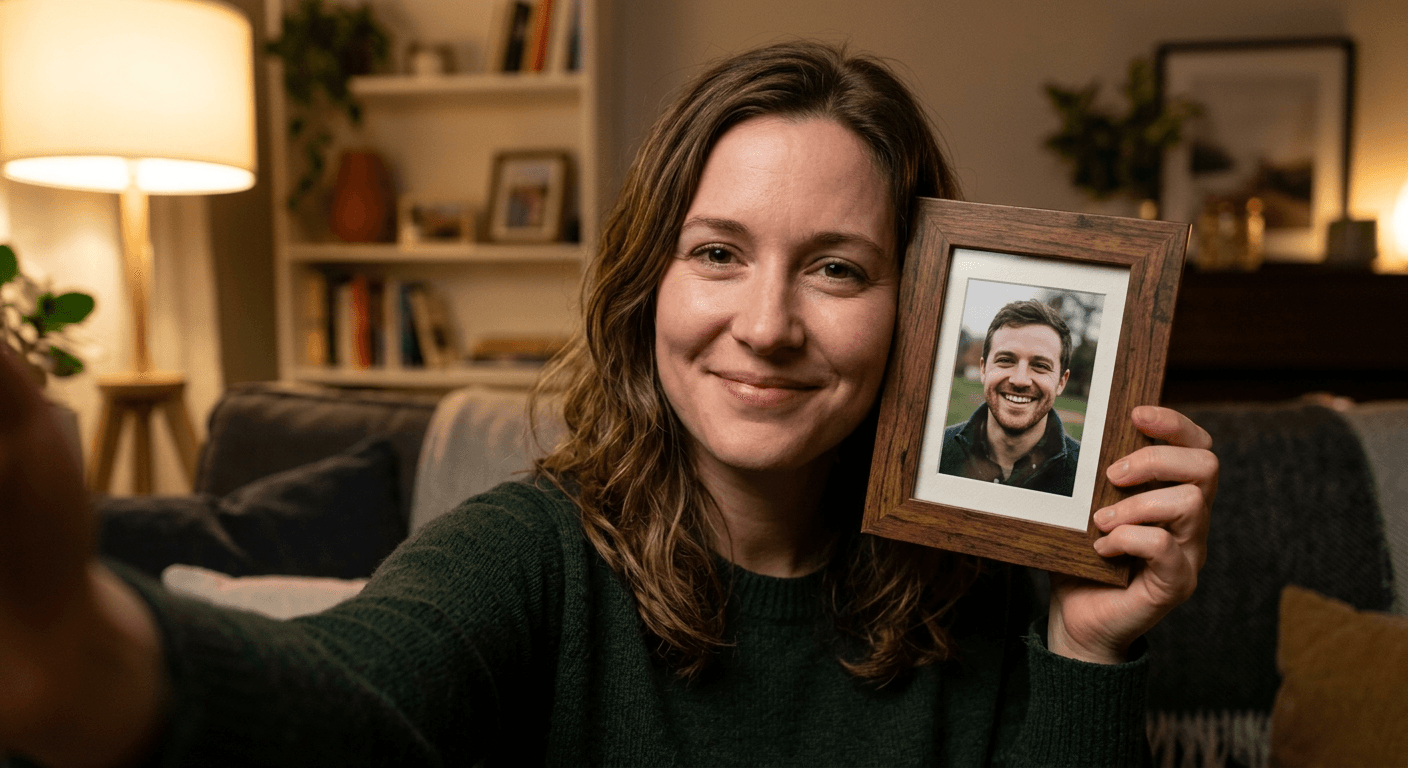
Prompt 17: Selfie With a Framed Photo of a Partner
Realistic selfie of one person holding up a small framed photo of their partner next to their own face, soft warm indoor lighting lighting both the subject's face and the photo frame evenly, handheld selfie framing at arm's length, realistic texture on the photo frame and glass with a subtle natural reflection, genuine warm expression on the real subject, preserve the real subject's actual facial features from their reference photo, keep the framed photo looking like a distinct printed photograph rather than blending it into the live scene, no watermark.
5) Platform-Specific Crops
A couple selfie that looks perfect square can get awkwardly cropped the moment it becomes a Story or a circular profile picture. These three are written with the actual platform crop in mind from the start.
Prompt 18: Instagram Feed Post, Square Crop
Realistic couple selfie composed for a square Instagram feed post, a man in the foreground holding the phone for the shot, a woman peeking from behind his shoulder, soft warm indoor lighting lighting both faces consistently, both subjects framed centrally with balanced headroom on all sides so nothing important sits near the edges, handheld selfie perspective, realistic skin texture, preserve both real facial structures from the reference photos, correct consistent face scale between both people, no watermark.
Prompt 19: Instagram or TikTok Story, Vertical Crop
Realistic couple selfie composed for a vertical 9:16 Story or Reel cover, a man in the foreground holding the phone up and slightly angled, a woman peeking from behind his shoulder, soft warm indoor lighting lighting both faces evenly, both subjects positioned in the upper two-thirds of the frame to leave clean space at the bottom for Story text or stickers, handheld selfie perspective, realistic skin texture, preserve both real facial structures from the reference photos, no watermark.
Prompt 20: Profile Picture, Circle-Safe Crop
Realistic close couple selfie composed to survive a circular profile picture crop, both faces centered tightly in the middle of the frame with generous even padding on all four sides so nothing important gets clipped by a circular mask, soft warm indoor lighting lighting both faces consistently, handheld selfie perspective with both faces close to the camera, realistic skin texture, genuine warm expressions, preserve both real facial structures from the reference photos, consistent face scale between both people, no watermark.
How to Customize These Prompts for a Real Result
Start with the clearest, most evenly lit reference photo of each person you can find, ideally photos where the face is fully visible and not obscured by sunglasses, harsh shadows, or motion blur. The model can only preserve facial detail it can actually see clearly, so a dark or blurry reference photo gives it very little real information to anchor to for that person, which is exactly when it starts inventing features instead of preserving them.
Run both reference photos through the AI Image Generator in Miraflow AI using image-to-image generation rather than a pure text description, so the output anchors to the real faces from both photos instead of generating two strangers from scratch. This single step is the difference between a couple selfie that looks like the two of you and one that looks like two reasonably attractive people who happen to resemble you both a little.
Match the lighting description in the prompt to the actual lighting in your two reference photos when you can. If one reference photo was taken in bright daylight and the other in warm indoor lamp light, picking a prompt lighting description closer to one of the two originals, rather than a totally different third lighting setup, gives the model less work to do faking a consistent new light source from two very different starting points.
If the first result is close but one specific thing is off, a merged finger, a stray shadow, one face looking slightly too smoothed compared to the other, resist regenerating the whole image from scratch. Use targeted inpainting to mask and fix just that one region while leaving the rest of the composition untouched, the same approach covered in more detail in Nano Banana image inpainting on Miraflow AI, which walks through exactly how to select and regenerate a single small area of a photo.
For couples managing a long-distance relationship who want more than one of these photos over time, keeping the lighting description and camera framing consistent across multiple generations, while changing only the setting or pose, produces a more believable set of photos that actually look like they came from one relationship's camera roll instead of ten unrelated AI generations. This is the same consistency principle covered in our guide to keeping AI characters consistent across multiple images, applied here to two real people across a series of photos instead of one fictional character.
Common Mistakes People Make With AI Couple Selfies
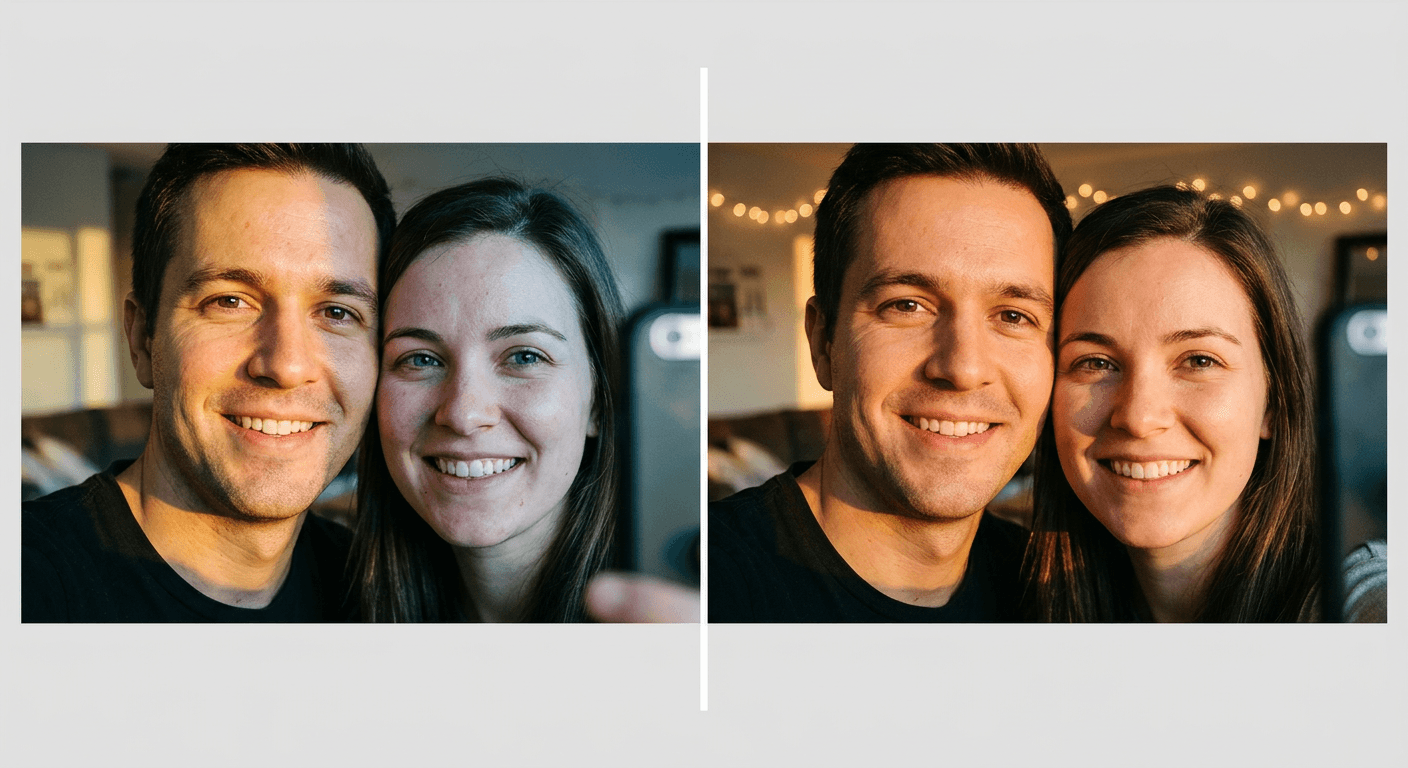
Mismatched lighting between the two blended people. This is the single most common tell. If one face looks lit from a warm lamp on the left and the other looks lit from cool daylight on the right, a viewer's eye catches it immediately even if they cannot articulate exactly why the photo feels off. Always specify one shared, directional light source explicitly in the prompt, and if possible, pick reference photos that were not shot in wildly different lighting conditions to begin with.
Inconsistent face scale or proportions between the two people. Because the two people were often never standing at the same real distance from any single camera, the model has to invent that relationship from scratch, and without guidance it sometimes renders one face noticeably larger or smaller relative to the other, or at a slightly different apparent distance from the lens. Explicitly stating that both faces should be a similar apparent size and distance from the camera heads this off.
Uncanny hand anatomy at the point of contact. Any pose with a hand on a shoulder, a clasped pair of hands, or an arm wrapped around a waist is asking the model to invent physical contact between two bodies that were not actually touching in either source photo, which is exactly the kind of fine detail that produces an extra finger, a hand that fades into fabric, or an oddly bent wrist. Describe the hand position specifically, and if a result comes back with an anatomy issue, fix it with targeted inpainting rather than regenerating the whole scene.
Over-filtering until the photo looks synthetic. It is tempting to stack a heavy filter or an aggressive beauty smoothing pass on top of a couple selfie to make it feel more polished, but overly smoothed, poreless skin is one of the fastest ways to make an otherwise convincing photo read as obviously AI-generated. Keep real skin texture, a few flyaway hairs, and natural asymmetry in the prompt rather than asking for a flawless result.
Ignoring color temperature mismatches between two different source photos. A reference photo shot on a phone's front camera in fluorescent light and one shot outdoors in daylight have very different underlying color casts, and blending them without addressing that directly produces one face that looks subtly too warm or too cool compared to the other. Naming the target color temperature explicitly, and in which direction to shift each face toward it, helps the model correct for this instead of averaging it awkwardly.
Choosing a pose more physically complex than the trend actually needs. A piggyback or a tightly clasped-hands pose is more likely to produce an anatomy error than a simple shoulder peek or a side-by-side mirror selfie, simply because there is more invented physical contact for the model to get right. If a particular pose keeps coming back with a hand or arm issue after a couple of attempts, it is often faster to switch to a lower-contact pose from this post than to keep regenerating the same difficult one.
Who This Trend Is Actually For
It is worth being direct about the realistic use cases here instead of pretending every couple generating one of these photos is doing it ironically or has something to hide. Long-distance couples, the kind separated by a deployment, a visa process, a job relocation, or simply different time zones for a semester, are a large, obvious, and completely sincere audience for this trend, since it gives them a current-feeling photo together when an actual one is not possible right now. Couples who attended the same wedding, concert, or trip and ended up with great individual photos of each other, but no actual photo of the two of them, because one person was always the one holding the camera, are another common and entirely ordinary case.
There is also a genuinely playful branch worth naming on its own terms: a single person generating a joke "couple selfie" with a celebrity, a fictional character, or a pet standing in as the other half, purely for a laugh, with zero intent to pass it off as a real relationship. That version leans on the exact same prompt mechanics as the sincere long-distance version, the only difference is the content of the second reference image and the openly joking tone of the caption around it.
What ties all of these together is that the underlying need, a believable photo of two people together when a real camera could not capture one, is not new or unusual. It is the same need that has existed since the first long-distance relationship and the first group photo where someone had to be left out to hold the camera. The AI couple selfie trend is simply the first version of a fix that actually looks like a real photo instead of an obviously composited one.
Where Miraflow AI Fits Into Making These
Every prompt in this post is built to run through the AI Image Generator in Miraflow AI, directly in the browser with no software to install. The feature that matters most for this specific trend is image-to-image generation: instead of typing a description and hoping the model invents two people who happen to look like you and your partner, you upload the two real reference photos and the generator anchors its output to both actual faces, which is the entire difference between a couple selfie that looks like the two of you and one that looks like two strangers who are a rough approximation.
If a result comes back close but not quite right, the same tool's inpainting feature lets you mask and regenerate just the one problem area, a merged hand, a mismatched shadow, a stray reflection, without touching the rest of the composition or re-rolling both faces from scratch. And because the underlying generator also supports straightforward text-to-image generation, the playful single-person joke versions, a stand-in character or a framed photo held up to the camera, work just as easily as the sincere two-reference-photo version, all inside the same workflow.
More Viral AI Photo Trends Worth Trying
The couple selfie format is part of a much broader wave of AI photo trends built around the same core idea: take a real photo of yourself and place it convincingly into a scene that never actually happened. If this style of prompt interests you, a few related trends are worth exploring next. The "meet your younger self" trend uses the same two-photo blending logic as the long-distance couple prompts above, except both photos are of the same person at different ages instead of two different people. The decade progression trend applies a similar consistency-across-time approach to a place rather than a person.
For the settings and mood side of these prompts specifically, our liminal space AI photo prompt pack and our concert jumbotron and fan-cam prompt pack both cover lighting and mood techniques that pair naturally with the settings group above, especially the concert and night-out couple selfie. And if your focus is really on getting any AI photo, couple or solo, to look convincingly unedited rather than obviously generated, our guide to making AI images look like real photos and the companion collection of 50 prompts built to look like real photos go deeper into the film grain, lens character, and natural imperfection language that applies directly to every prompt in this post. If a solo headshot or personal branding photo is also on your list, our AI headshot prompt pack for LinkedIn and our personal branding photo prompts use the same identity-preservation principles from a single-person angle.
Frequently Asked Questions
Is the AI couple selfie trend actually viral right now, or is this old news? It is genuinely active as of late 2026, showing up across TikTok discover pages under searches like "AI Generated Photo Prompts Couple" and "Chat GPT Couple Photo Prompts," along with a growing number of independent prompt-sharing posts documenting the exact wording people are using. The specific shoulder-peek variant covered first in this post is the most widely copied version of it.
Do I need two photos of me and my partner together to make one of these? No, and that is actually the entire point of the trend for a lot of people. You can use two completely separate solo photos, each taken at a different time and place, and a good prompt blends them into a single scene with matched lighting and consistent proportions. Prompt 15 above is built specifically for that case.
What if I only have one photo of myself and my partner refuses to send one, or is unavailable? You have two honest options. You can use a joke stand-in, an illustrated character, a celebrity photo, or a framed photo held up to the camera, which Prompts 16 and 17 above are built around, or you can wait until you have a clear reference photo of your partner, since the result will always look more convincing with a real second reference image than without one.
Why do my results sometimes show weird hands or an extra finger? This almost always happens on poses with physical contact between the two people, a clasped hand, an arm around a waist, a hand on a shoulder, since the model has to invent that contact point from nothing. Describe the hand position specifically in your prompt, and if a result still comes back wrong, fix just that region with targeted inpainting instead of regenerating the whole image.
How do I stop one person's face from looking lit completely differently than the other's? Specify a single, shared light source and direction explicitly in your prompt, and when possible, choose two reference photos that were not shot under wildly different lighting to begin with. The Common Mistakes section above covers this in more detail, since it is the single most common giveaway in a blended couple photo.
Can I use these prompts to make a joke version with a celebrity or fictional character? Yes, that is a completely normal and widely used branch of this exact trend. Prompt 16 above is built for it directly, and it uses the same prompt structure as the sincere version, just with a clearly non-photographic second subject instead of a real partner's reference photo.
What aspect ratio should I generate for each platform? Use a square 1:1 composition for an Instagram feed post, a vertical 9:16 composition for a Story or Reel cover, and a tightly centered composition with generous padding on all sides for a profile picture that will be cropped into a circle. Prompts 18 through 20 above are written specifically for each of those three cases.
Is it dishonest to post an AI-generated couple selfie if we are a real couple who just could not get a real photo together? No, as long as you are not trying to deceive anyone about something that actually matters, like faking a relationship that does not exist. Using a real photo generation tool to produce a shareable photo of two real people who could not physically be in the same place is closer to a stylized illustration of your relationship than a fabricated claim about it, the same way a drawn portrait of a couple has never needed a disclaimer.
How many variations should I generate before picking one to post? Generate at least three to five variations of your preferred prompt, changing only the lighting or setting slightly between attempts, since the hand anatomy and lighting consistency can vary noticeably even between generations from the identical prompt. Because generation is fast, there is little reason to settle for the very first result if something about it feels slightly off.
Conclusion
The AI couple selfie trend works because it solves a problem that has quietly existed for as long as relationships and cameras have coexisted: it is genuinely hard to get a real, good photo of two people together, especially across distance, camera shyness, or simply bad timing at the one event you were both actually at. The 20 prompts above give you a real starting library across the original viral shoulder-peek format, alternate poses, different settings and moods, honest long-distance and single-person variations, and the exact crops each major platform actually needs. The entire approach rests on the same five ingredients every time: one shared light source, a real selfie-camera perspective, consistent scale between both people, specific and anatomically sound points of contact, and explicit identity preservation pointing at both real reference photos. Start with Prompt 1 for the classic viral look, run it through the AI Image Generator in Miraflow AI using your own two reference photos, and build out a small set of variations from there so you have the right version for every platform and every mood.