18 AI Prompts for the 'I Celebrate Me' Trend (Copy & Paste)

Written by
Aerin Kim
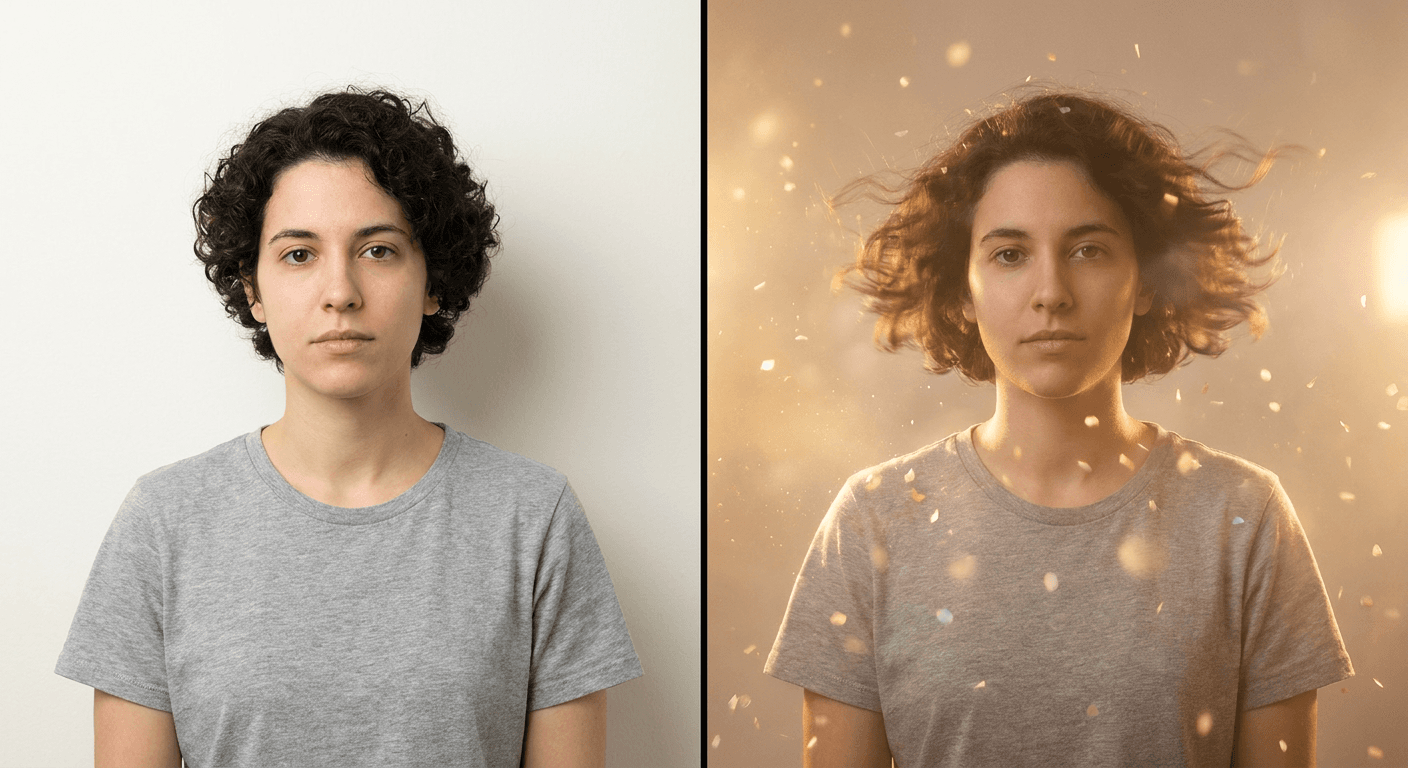
One photo, one glowing celebration clip. 18 copy-paste AI prompts for the viral 'I Celebrate Me' trend, plus how to keep your face locked across real motion.
If you have scrolled TikTok or Instagram Reels in the last few weeks, you have almost certainly seen it: someone posts a single, ordinary photo of themselves, and a few seconds later that same photo has come alive, confetti drifting past their shoulders, a warm glow blooming around them, their hair catching light that was never actually there when the photo was taken. The caption is usually some version of the same line. I stopped chasing and started celebrating myself.
That is the "I Celebrate Me" trend, and it is built on a genuinely simple mechanic: one reference photo goes in, a short animated celebration clip comes out. The soundtrack driving almost every version of it is "I Celebrate Me" by Inga Rose, a self-love anthem that has been climbing TikTok's trending sounds since its release earlier this year and is now inseparable from the visual format built around it. Several of the artist pages and template listings around the sound describe Inga Rose as an AI-generated vocalist, which makes the whole trend feel a little recursive: an AI-made song about celebrating yourself, turned into a video using an AI tool that celebrates you visually.
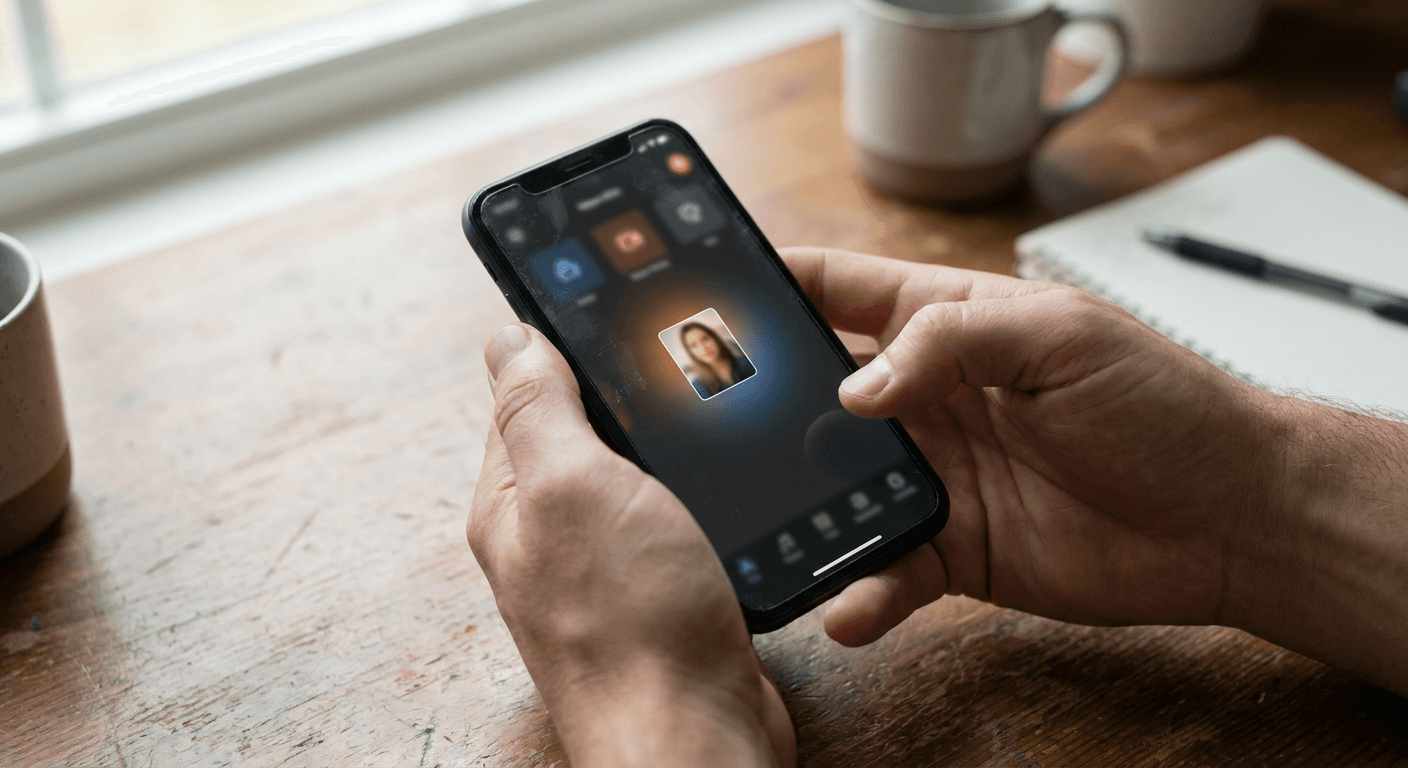
The mechanic itself runs through two dominant paths right now. On CapCut, creators tap a pre-built "I Celebrate Me" AI template, drop in one photo, and the app auto-generates the uplifting animation, glow, and confetti timed to the song. On KlingAI, the flow is nearly identical but more manual: copy a template link, paste it into Kling, tap the import button, upload your photo, and hit generate. Either way, the reader only ever does one thing, hand the tool a single photo, and the tool decides everything else: the animation style, the color palette, the pacing, the mood.
That last part is exactly where this post picks up. A locked template gives everyone who uses it roughly the same result, the same glow, the same confetti timing, the same three seconds of motion. This prompt pack exists because the underlying idea, one photo in, a celebratory animated moment out, does not require a fixed template at all. It is a describable creative brief, and once you can describe it, you can control it: the specific animation, the mood, the color grade, the framing, the pacing of the reveal. Below are 18 copy-paste prompts built for exactly that, grouped by animation style, setting, mood, and the reveal moment itself, plus three prompts for preparing the source photo before you animate it.
Why This Works Inside Miraflow
The reason a prompt-driven version of this trend actually holds up is the same reason the CapCut and Kling versions went viral in the first place: modern image-to-video tools are good enough now to take one still photo and generate believable, physically plausible motion from it without needing a second photo, a video reference, or a green screen. That is a genuinely different capability than it was even a year or two ago, and it is the entire premise of Miraflow's Cinematic Video Generator, which takes a single reference image and a written prompt and produces a short cinematic clip built around that image.
The difference between running this trend through a locked template and running it through a prompt-driven tool comes down to control. A template has a fixed number of preset looks baked in, usually one or two variations of confetti-plus-glow. A prompt lets you specify exactly which kind of glow (a soft studio bloom versus a hard spotlight versus warm golden-hour light), exactly how the camera should move (a slow push-in versus a static frame versus a gentle orbit), and exactly what energy the moment should carry (quiet and composed versus loud and triumphant). For a creator trying to stand out inside a trend that thousands of other people are running through the exact same CapCut button, that control is the actual differentiator.
There is also a practical workflow reason to prepare the photo before animating it. A lot of the source selfies people use for this trend are shot in mixed lighting, on a cluttered background, or slightly underexposed, all fine for a static post but distracting once the frame starts moving and drawing the eye around it. Cleaning up the photo first with Miraflow's AI Image Generator, fixing lighting, softening a busy background, correcting color balance, before handing it to the video generator produces a noticeably more convincing celebration clip than animating the raw selfie straight out of the camera roll.
Why "I Celebrate Me" Is Everywhere Right Now
Trend cycles on TikTok usually need two things to align to actually break out: a sound with real emotional pull, and a visual format simple enough that anyone can execute it in under a minute. "I Celebrate Me" has both. The song itself leans into resilience and self-love rather than romance or humor, which is a notably different emotional register than most viral TikTok sounds, and it gives creators an easy, non-cringy reason to post a glow-up-style video of themselves without it reading as vanity. Pairing that sound with a format that only requires one photo, no dancing, no lip-syncing, no filming, removed the last real barrier to participation.
The AI template mechanic is what turned it from "a nice song people used over normal videos" into a specific, describable visual trend. Once CapCut shipped a dedicated "I Celebrate Me" AI template, and KlingAI's import-a-photo workflow started circulating as an alternative for people who wanted more than one preset look, the format crystallized into something with a recognizable visual signature: uplifting animated motion, a glowing or confetti-filled background, and a reveal moment where the still photo visibly comes to life. That signature is now consistent enough across thousands of videos that viewers recognize the format within the first second, which is exactly the kind of pattern recognition that keeps a trend's watch time and completion rate high.
It is also worth naming plainly why this trend suits AI tooling specifically better than a filming-based trend would. A dance trend or a lip-sync trend requires the creator to actually perform something on camera. This trend requires exactly one input, a photo that already exists, and outputs a finished clip without the creator doing anything else. That is a much lower floor for participation, and it is why baby photos, pet photos, and even old childhood pictures have started showing up as valid "I Celebrate Me" submissions alongside straightforward selfies. The format cares about the emotional beat of a photo coming alive, not about who or what is in it.
How the One-Photo Celebration Mechanic Actually Works
Before getting into the prompt groups themselves, it helps to understand what the CapCut and Kling versions are actually doing under the hood, because it explains both why the trend looks the way it does and why a prompt-driven version can outperform it.
Both tools are running an image-to-video model against a single reference photo. The model treats that photo as a starting frame, then generates a short sequence of additional frames that plausibly extend outward from it: hair catching a breeze that was not blowing in the original photo, light particles drifting across the frame, a soft camera push that was never actually filmed. None of this exists in the source photo. It is generated motion, constrained by the model's job of keeping the person recognizable while still creating movement around and, to some degree, on top of them.
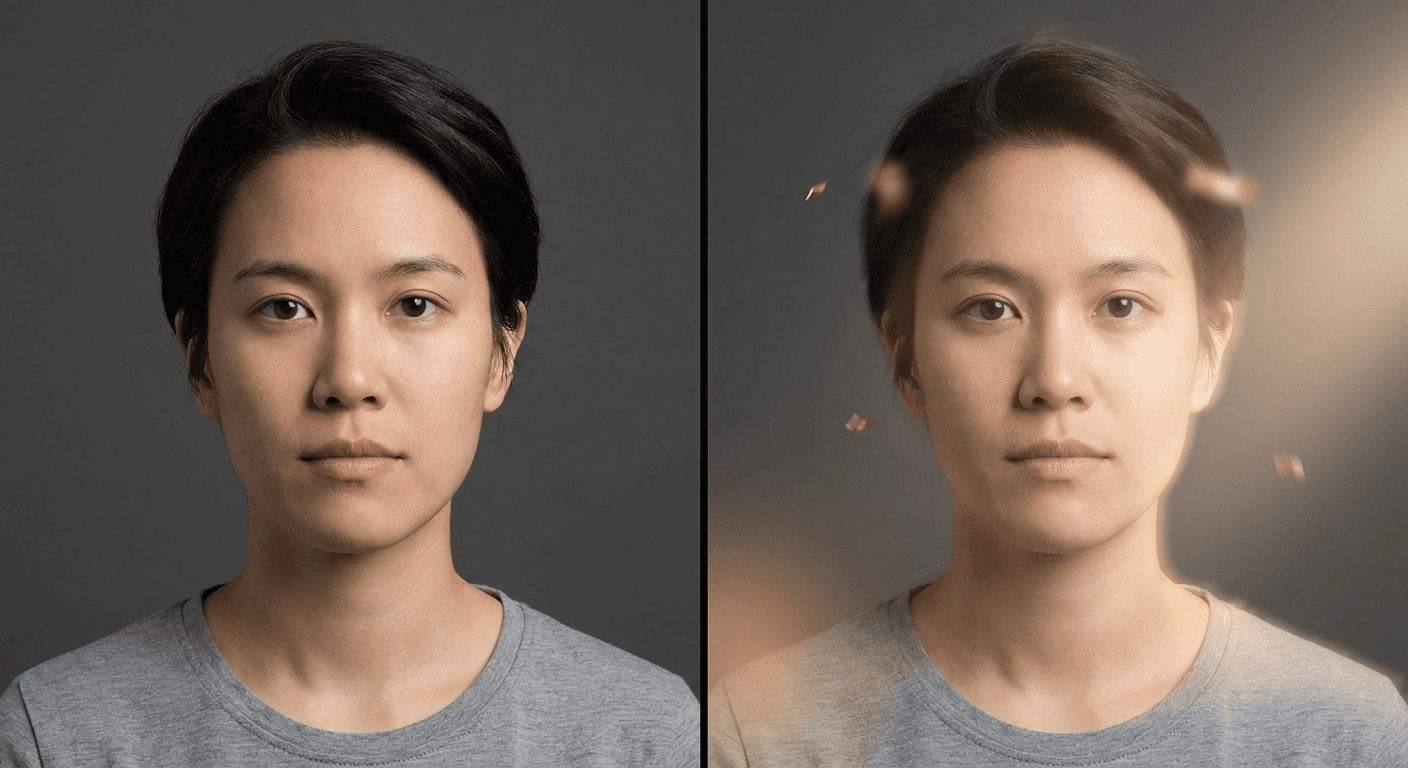
That constraint, keep the person recognizable while generating real motion, is the single hardest part of this trend to get right, and it is worth understanding as a distinct skill from static photo editing. A static edit like a hairstyle swap or a background change only has to preserve identity in one frame. An animated celebration clip has to preserve identity across every frame of a multi-second sequence, while simultaneously introducing new elements (confetti, glow, camera movement, fabric or hair motion) that did not exist in the source photo at all. A model that drifts even slightly on facial proportions from frame to frame produces a clip where the person's face seems to subtly warp or "breathe" as the video plays, which is immediately and uncomfortably noticeable to anyone who knows what that person actually looks like.
The practical workflow, whether inside a template or a prompt-driven tool, follows the same basic steps:
- Start with a clear, front-facing or three-quarter photo with good, even lighting. Motion amplifies whatever flaws already exist in the source image, so a blurry or harshly shadowed photo produces a rougher animated result than the same flaw would in a static post.
- Decide on the animation category first, confetti burst, golden glow, spotlight bloom, floating particles, or slow-motion fabric and hair movement, since this determines what kind of new visual elements the model needs to generate around the person.
- Decide on the setting and mood second, since these two choices together are what separate a generic version of this trend from one that actually matches the creator's personal aesthetic or channel branding.
- Generate the clip, check the first and last frame specifically for identity drift, and regenerate with a more explicit face-lock instruction if the person's proportions have shifted noticeably by the end of the clip.
1) Core Celebrate-Yourself Animation Prompts
These five prompts cover the core animation styles that define this trend: the confetti burst, the golden glow, the spotlight bloom, floating light particles, and slow-motion fabric or hair movement. Each one is written as an image-to-video prompt built around a single reference photo, with an explicit identity-lock instruction carried through the whole clip, not just the first frame.
Prompt 1: Confetti burst celebration
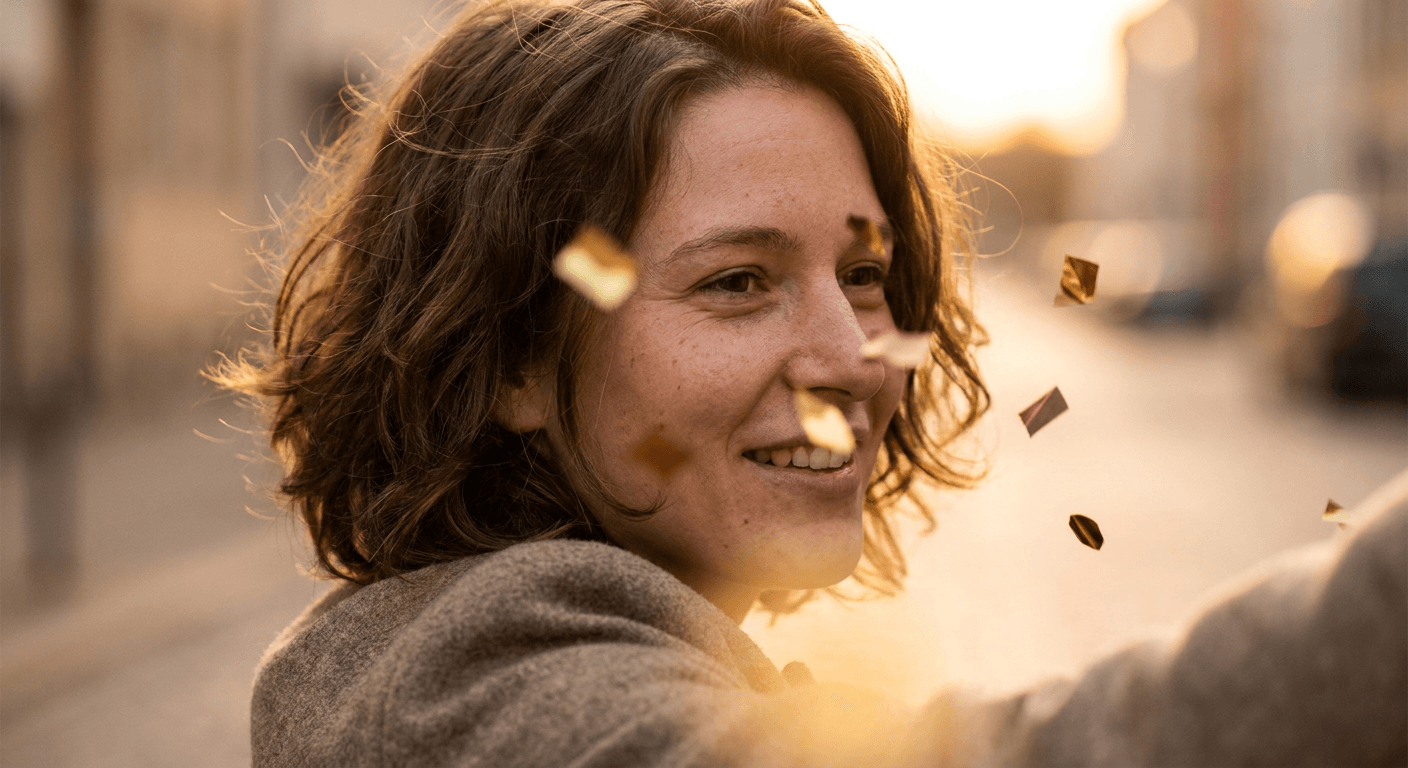
Using the reference photo, keep this person's face, skin tone, proportions, and expression fully consistent across the entire clip, and animate them standing still while a soft burst of colorful confetti drifts and falls gently around their shoulders and head, a few pieces catching the light as they pass. Subtle natural motion in their hair from a light breeze, warm even lighting matching the original photo, gentle handheld-style camera stability, 4 second duration, photorealistic motion, no distortion of facial features across frames.
Prompt 2: Golden glow bloom
Using the reference photo, keep this person's face, skin tone, proportions, and expression fully consistent across the entire clip, and animate a warm golden light gradually blooming and wrapping around their shoulders and upper body, growing slightly brighter over the course of the clip without overexposing their face. Hair lifted gently as if catching warm air, soft slow camera push-in of no more than 10 percent, cinematic warm color grade, 5 second duration, photorealistic lighting physics, no distortion of facial features across frames.
Prompt 3: Spotlight bloom reveal
Using the reference photo, keep this person's face, skin tone, proportions, and expression fully consistent across the entire clip, and animate a soft circular spotlight blooming outward from directly behind them, the edges of the frame gently darkening while their face and upper body stay clearly lit and in sharp focus. Minimal camera movement, subtle drifting dust or light particles catching the spotlight's edge, cinematic contrast, 4 second duration, photorealistic lighting physics, no distortion of facial features across frames.
Prompt 4: Floating light particles
Using the reference photo, keep this person's face, skin tone, proportions, and expression fully consistent across the entire clip, and animate small glowing light particles slowly drifting upward and around them like fireflies or soft embers, varying gently in brightness as they move, none of them overlapping or obscuring the face. Subtle stillness in the camera aside from a very slow drift, soft ambient lighting matched to the original photo, 5 second duration, photorealistic particle physics, no distortion of facial features across frames.
Prompt 5: Slow-motion hair and fabric movement
Using the reference photo, keep this person's face, skin tone, proportions, and expression fully consistent across the entire clip, and animate their hair and any visible clothing fabric moving in slow motion as if caught by a gentle gust of wind, natural weight and physics to the movement, no unnatural stretching or warping of the fabric or hair. Static camera position, soft even lighting matching the original photo, 4 second duration, photorealistic slow-motion physics, no distortion of facial features across frames.
2) Background and Setting Variation Prompts
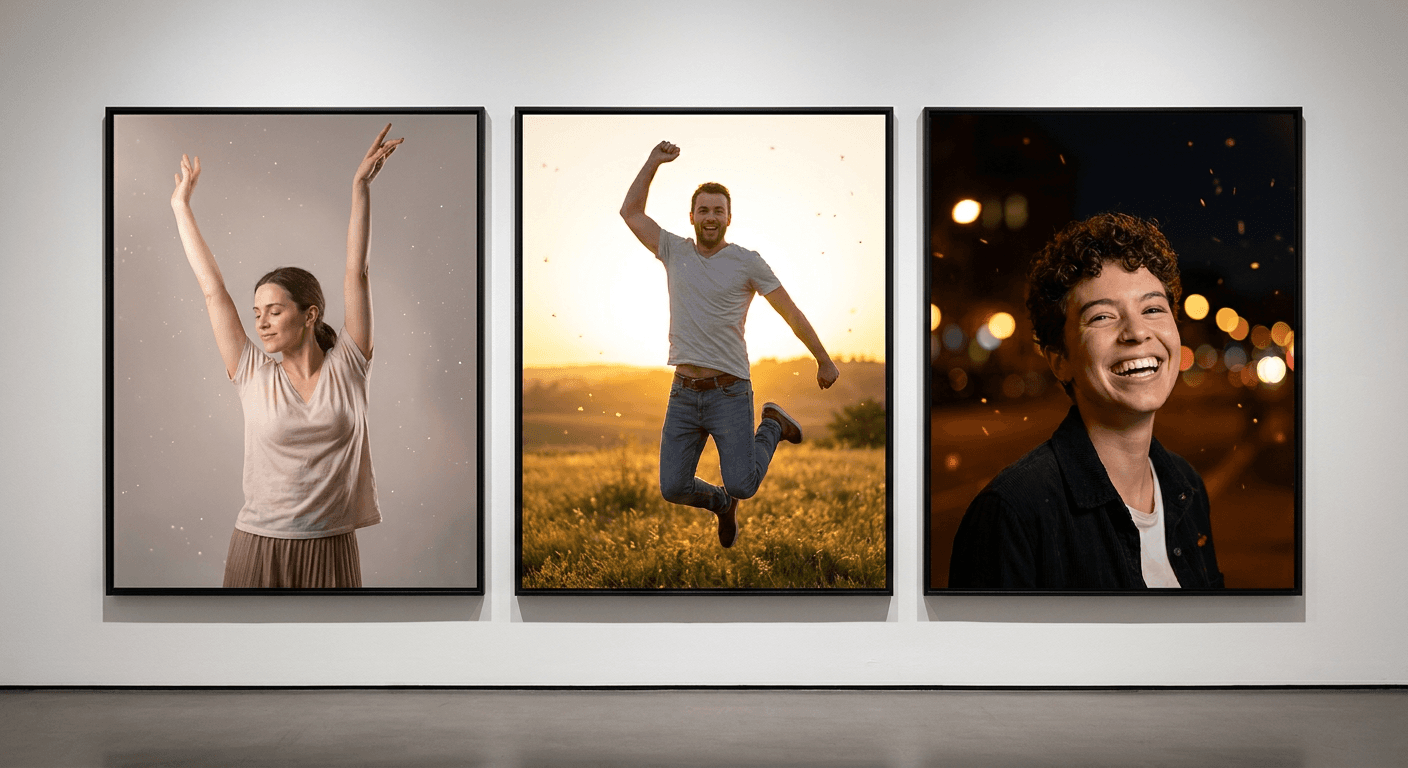
The animation style is only half the equation. The setting behind the person changes the entire mood of the clip just as much, and it is one of the easiest ways to make a version of this trend that does not look identical to everyone else's. These four prompts cover a clean studio glow, a golden-hour outdoor setting, a night city backdrop, and a dreamy pastel abstract background.
Prompt 6: Clean studio glow background
Using the reference photo, keep this person's face, skin tone, proportions, and expression fully consistent across the entire clip, and replace the background with a clean, softly lit studio backdrop with an even, gentle glow gradient behind them, subtle light particles drifting in the space. Soft diffused lighting on the subject matching a professional studio setup, minimal camera movement, 4 second duration, photorealistic studio lighting physics, no distortion of facial features across frames.
Prompt 7: Golden-hour outdoor setting
Using the reference photo, keep this person's face, skin tone, proportions, and expression fully consistent across the entire clip, and place them outdoors during golden hour, warm low-angle sunlight casting long soft shadows and a gentle lens flare, a light breeze moving their hair naturally, soft background blur suggesting trees or an open field. Slow subtle camera drift, warm cinematic color grade, 5 second duration, photorealistic outdoor lighting physics, no distortion of facial features across frames.
Prompt 8: Night city lights backdrop
Using the reference photo, keep this person's face, skin tone, proportions, and expression fully consistent across the entire clip, and place them against a softly blurred night city backdrop, warm and cool bokeh lights glowing behind them, subtle rim lighting along their hair and shoulders from the ambient city glow. Gentle slow camera push-in, cinematic night color grade with balanced exposure on the face, 5 second duration, photorealistic low-light physics, no distortion of facial features across frames.
Prompt 9: Dreamy pastel abstract background
Using the reference photo, keep this person's face, skin tone, proportions, and expression fully consistent across the entire clip, and replace the background with a soft, dreamy abstract gradient in gentle pastel tones, slowly shifting and swirling like colored light through fog, no sharp shapes or hard edges. Soft even lighting on the subject, minimal camera movement, 4 second duration, photorealistic soft-light physics on the subject with a stylized dreamlike background, no distortion of facial features across frames.
3) Mood and Energy Variation Prompts
The same animation style and setting can read completely differently depending on the energy behind it. These three prompts cover the emotional range this trend actually spans: a quiet, composed confidence, a high-energy triumphant burst, and a slow cinematic build that saves its biggest moment for the last second of the clip.
Prompt 10: Quiet confident glow-up
Using the reference photo, keep this person's face, skin tone, proportions, and expression fully consistent across the entire clip, and animate a subtle, restrained celebration moment, a soft breath, a small genuine smile forming gradually, a gentle warm glow slowly rising around them without any confetti or fast movement. Extremely slow, minimal camera drift, calm and composed lighting, 5 second duration, photorealistic subtle motion physics, no distortion of facial features across frames.
Prompt 11: High-energy triumphant burst
Using the reference photo, keep this person's face, skin tone, proportions, and expression fully consistent across the entire clip, and animate a high-energy triumphant moment, a genuine joyful expression forming, arms lifting slightly at the sides, a burst of bright light and confetti appearing rapidly around them. Slightly faster camera push-in, vivid warm color grade, natural motion blur only on the hands and hair, 4 second duration, photorealistic motion physics, no distortion of facial features across frames.
Prompt 12: Cinematic slow build
Using the reference photo, keep this person's face, skin tone, proportions, and expression fully consistent across the entire clip, and animate a slow cinematic build, the frame starting dim and quiet with almost no movement, light gradually intensifying and confetti or particles slowly increasing in density over the course of the clip, reaching a soft peak of glow only in the final second. Very slow deliberate camera push-in, cinematic color grade, 6 second duration, photorealistic gradual lighting physics, no distortion of facial features across frames.

4) Reveal and Hook Moment Prompts
The single most important three seconds of any video in this trend are the first ones, the moment the still photo visibly starts moving. That is the hook that stops someone from scrolling past, and it deserves its own dedicated prompts rather than treating it as a byproduct of whichever animation style you picked. These three prompts are specifically about the transition itself, the exact instant a static photo becomes a moving celebration.
Prompt 13: Freeze-frame to motion transition
Using the reference photo, keep this person's face, skin tone, proportions, and expression fully consistent across the entire clip, and animate the first half second as a completely still frame identical to the original photo, then transition into motion, a soft light sweep crossing the frame left to right as confetti and glow begin appearing, hair beginning to move naturally. Static camera through the freeze, subtle push-in once motion begins, 4 second duration, photorealistic transition physics, no distortion of facial features across frames.
Prompt 14: Zoom-and-bloom reveal
Using the reference photo, keep this person's face, skin tone, proportions, and expression fully consistent across the entire clip, and animate a slow zoom-in on the person's face and shoulders over the first two seconds, then have warm light and confetti bloom outward rapidly from behind them right as the zoom settles, creating a clear before-to-after reveal moment. Smooth camera motion throughout, cinematic warm color grade, 5 second duration, photorealistic motion physics, no distortion of facial features across frames.
Prompt 15: Light-sweep reveal
Using the reference photo, keep this person's face, skin tone, proportions, and expression fully consistent across the entire clip, and animate a bright, soft beam of light sweeping horizontally across the frame in the first second, leaving a warm glow and drifting light particles in its wake as it passes, the person's expression shifting into a genuine smile right as the light passes over their face. Minimal camera movement, cinematic lighting physics, 4 second duration, no distortion of facial features across frames.
5) Prepping Your Source Photo First
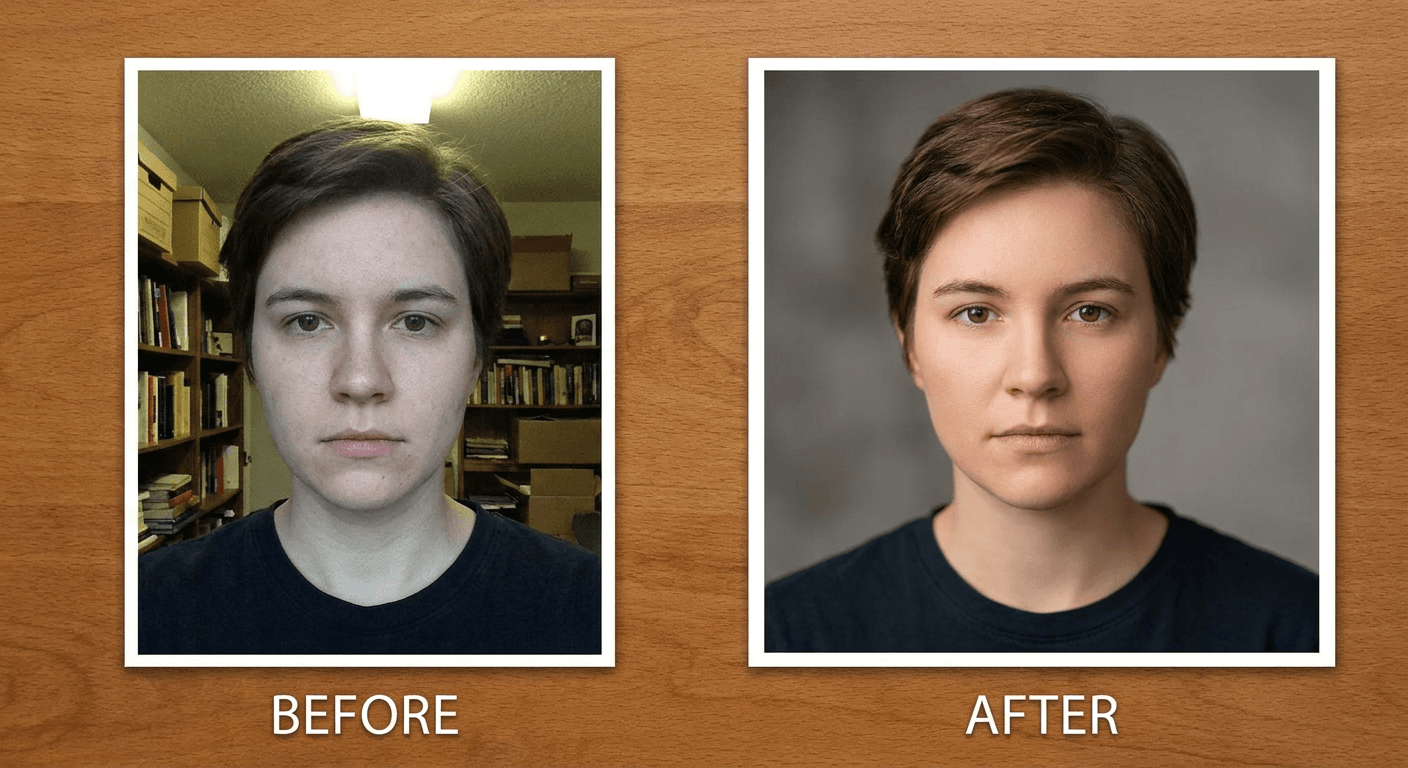
Before animating anything, it is worth spending one extra step cleaning up the actual reference photo. These three prompts are image-generation prompts, not video prompts, meant for fixing lighting, softening a busy background, or correcting color balance in the source photo before it becomes the first frame of a celebration clip. A cleaner starting photo consistently produces a more convincing animated result, since the video model has less visual noise to work around while generating new motion.
Prompt 16: Lighting and exposure cleanup
Using the reference photo, correct only the lighting and exposure, brightening any underexposed shadow areas on the face, softening any harsh highlights, and evening out mixed-color lighting into a single warm, natural light source. Keep this person's face, skin tone, proportions, expression, clothing, and background exactly as shown otherwise, photorealistic detail, no illustration, no added elements.
Prompt 17: Background cleanup and softening
Using the reference photo, keep this person's face, skin tone, proportions, expression, and clothing exactly as shown, and only soften and simplify the background behind them, gently blurring distracting clutter and evening out the background color and lighting so it reads as clean and uncluttered without changing what the background actually shows. Photorealistic detail, no illustration, natural depth of field.
Prompt 18: Color balance and skin tone correction
Using the reference photo, keep this person's face, proportions, expression, clothing, and background exactly as shown, and only correct the overall color balance, removing any unnatural color cast, warming or cooling the white balance so skin tone reads as natural and accurate, and gently improving overall clarity and sharpness. Photorealistic detail, no illustration, no added elements, no change to facial structure.
How to Customize These Prompts
Every video prompt above follows the same underlying structure on purpose: name the reference photo explicitly, describe the specific animation and setting in physical, concrete terms, and carry an identity-lock instruction through the entire clip rather than just the opening frame. That structure exists because it is what actually keeps the result convincing, so it is worth understanding why each piece matters before changing it.
Clip length and pacing. Shorter clips hold identity more reliably than longer ones. A three to five second animation gives the model far less room to drift on facial proportions than an eight or ten second one, which is part of why most viral versions of this trend are so short, they are not just trend-format convention, they are close to the practical limit of what current tools can animate while keeping a face fully consistent. If a longer clip is genuinely needed for a full vertical Short, it is usually more reliable to generate several shorter segments and stitch them together than to force one long generation.
Camera movement. A subtle push-in or a slow, gentle orbit reads as far more cinematic and is also easier for the model to keep stable than a fast pan or a whip-zoom. Aggressive camera motion tends to be where identity drift becomes most visible, since the model has to simultaneously track a moving frame and hold a consistent face inside it. Start with slower camera language (gently, slowly, subtle) and only push toward faster movement once a slower version has confirmed the identity lock is holding.
Keeping identity locked across real motion, not just a single frame. This is the technical nuance that separates this trend from a static hairstyle swap or filter. A static edit only has to look like the person once. An animated clip has to look like the person continuously, at the first frame, the middle of the motion, and the last frame, while introducing genuinely new visual elements around them the whole time. The most reliable way to protect against drift is to state the identity-lock instruction explicitly and specifically (face shape, skin tone, expression, proportions) rather than relying on a generic "keep them looking the same" line, and to generate the same prompt twice if the first result seems even slightly off by the final frame. Checking the literal last frame of the clip, not just skimming the middle, is the fastest way to catch drift before posting.
Matching the energy to the platform and the caption. A high-energy triumphant burst tends to perform better as a stand-alone Reel or TikTok with minimal caption, since the visual is doing the emotional work on its own. A quieter, slower build pairs better with a longer caption or a voiceover explaining what the celebration is actually about, since it leaves more room for text or narration without competing with a loud visual. Matching prompt 10 through 12 to the actual context the clip will be posted in usually outperforms picking whichever one looks flashiest in isolation.
Turning a single clip into a full Short. A raw celebration clip works well as a standalone post, but for a creator who wants to build the moment into a proper narrated Short, Text2Shorts can take a script built around the celebration idea, a short piece about what changed, what you are proud of, what you stopped chasing, and turn it into a full narrated vertical video with the animated clip as its visual centerpiece rather than the entire post.
Common Mistakes Creators Make With This Trend
A handful of specific mistakes show up repeatedly in "I Celebrate Me" attempts that do not land, most of them fixable once you know what to look for.
- Animating a low-quality or poorly lit source photo. Motion amplifies existing flaws rather than hiding them. A slightly blurry or unevenly lit selfie that reads fine as a static post looks noticeably rougher once light particles and camera movement are added on top of it. Cleaning up the photo first, as covered in the source-prep prompts above, fixes most of this before it becomes a problem.
- Letting the clip run too long and drift on identity. The longer an animated sequence runs, the more room the model has to gradually shift facial proportions frame by frame. A viewer will not always be able to say exactly what looks wrong, but a face that has subtly warped by the last second of a clip reads as uncanny even to someone who cannot articulate why. Shorter, tighter clips with an explicit identity-lock instruction hold up far better.
- Using the exact same template everyone else is using. Because CapCut's built-in template applies one of a small handful of preset looks, a huge share of "I Celebrate Me" videos genuinely look identical, same confetti timing, same glow color, same pacing. A prompt-driven version that specifies a distinct setting, mood, or camera movement stands out precisely because most of the trend's volume is running through the same locked options.
- Skipping the reveal moment entirely. Some creators generate a full celebration animation but start the clip already mid-motion, skipping the actual transition from still photo to movement. That transition is the hook. A viewer who scrolls past a clip that opens already in motion has less reason to stop than one who catches the exact instant a familiar-looking still photo starts moving.
- Defaulting to an overly narrow, one-note version of "celebration." The trend supports a genuinely wide emotional range, quiet and composed, loud and triumphant, slow and cinematic, but a lot of attempts default to the same high-energy sparkle regardless of what the moment is actually about. Matching the mood prompt to the actual story behind the photo, a recovery, a milestone, a quiet personal win, produces a far more resonant result than defaulting to maximum sparkle every time.
- Forgetting to check the actual last frame before posting. Identity drift, when it happens, is almost always worst at the end of a clip rather than the beginning, since that is where the model has had the most frames to compound small shifts. A ten-second skim of the middle of a clip can miss drift that is obvious the moment you actually watch the final second.
Generating These Inside Miraflow
Once a prompt from this pack matches the animation, setting, and mood you want, the actual generation happens directly inside Miraflow, no separate template link to paste, no locked preset to accept. Start by uploading the reference photo to Miraflow's AI Image Generator if it needs any cleanup first, fixing exposure, softening a distracting background, or correcting color balance using the prep prompts above. From there, that same photo becomes the reference image for Miraflow's Cinematic Video Generator, where any of the 15 animation, setting, mood, or reveal prompts in this pack can be pasted in directly to generate the actual celebration clip.
Because the video generation step works from a real reference photo rather than a text description alone, the same identity carries through into the finished clip the way it needs to for this trend to actually work, the whole point is that viewers recognize the person in the "after," not just admire an attractive AI-generated stranger. For a creator who wants to build a finished celebration clip into a full narrated vertical Short instead of a raw ten-second post, Text2Shorts turns a short script around the moment into a complete voiced-over video with the animated clip as its centerpiece. And for anyone already sitting on a longer video, a testimonial, a milestone announcement, a longer personal story, that has a genuine celebration moment buried inside it, running the full video through AI Clipping will surface and auto-caption the strongest short-form moments automatically rather than requiring a manual re-edit.
One more angle worth naming: nothing about this trend actually requires the specific "I Celebrate Me" song by Inga Rose, that sound just happens to be what made the format go viral first. A creator who wants their own personalized anthem instead of the exact same trending audio everyone else is using can generate one directly with Miraflow's AI Music Generator, describing the mood, tempo, and lyric theme and getting back an original track built specifically around their own celebration moment rather than the one sound the whole trend currently shares.
If this single-photo, animate-the-moment format works well for a channel, it sits in the same family as a few other prompt packs already on the blog that start from one reference photo the same way: the bob haircut try-on trend, the decade progression time-capsule trend, the pet-to-human transformation pack, the meet your younger self trend, and the AI action figure and toy box prompts all use the exact same one-photo foundation with a different visual hook on top. For anyone chasing a distinct, gimmicky character format instead of a realistic transformation, the face sticker sheet pack and the Italian brainrot character prompts are two of the better-performing formats built on that same reference-photo foundation. And for a deeper technical breakdown of how to write stronger prompts for the video model class this trend depends on in general, our guide to writing effective Veo3, Veo3.1, and Sora 2 prompts covers camera language and motion description in more depth than a single prompt pack can.
Frequently Asked Questions
Do I need the actual "I Celebrate Me" song by Inga Rose to participate in this trend? No. The song is what made the visual format go viral first, and using it does tie a post into the trend's existing audience and discovery, but the underlying mechanic, one photo animated into a celebration clip, works with any music. A creator who wants a fully original soundtrack instead of the same trending audio everyone else is using can generate one with an AI music tool built around their own celebration moment.
What is the actual difference between using CapCut's template and using a prompt-driven tool? CapCut's built-in template applies one of a small, fixed set of preset animation looks to any photo you upload, fast, but generic, since everyone using the template ends up with a similar result. A prompt-driven tool like the one described in this pack lets you specify the exact animation style, setting, mood, and camera movement instead of accepting whatever the template defaults to, which is the main reason a prompt-driven version can stand out inside a trend this saturated.
Why does my face look slightly warped by the end of the clip? That is identity drift, a known limitation of image-to-video generation where small shifts in facial proportions compound frame by frame across a longer sequence. It shows up most in longer clips and clips with aggressive camera movement. Shortening the clip, slowing the camera motion, and using an explicit, specific identity-lock instruction (naming face shape, skin tone, and expression directly rather than a vague "keep them the same" line) are the most reliable fixes.
What kind of source photo works best for this trend? A clear, well-lit, front-facing or three-quarter photo with minimal motion blur and a reasonably simple background produces the most convincing animated result. Busy backgrounds, harsh mixed lighting, and low resolution all get amplified once the frame starts moving, which is why cleaning the photo up first, as covered in the source-prep prompts above, tends to matter more for this trend than for a static photo edit.
Can this trend work with a photo of a pet, a baby, or someone other than yourself? Yes, and it already regularly does. Because the mechanic only requires one existing photo and does not require the subject to perform anything on camera, pet photos, baby photos, and old childhood pictures all show up as valid entries in this trend alongside straightforward adult selfies. The core emotional beat, a familiar still photo visibly coming alive with celebratory motion, works regardless of who or what is actually in the frame.
How long should my finished celebration clip be? Most viral examples run somewhere around three to eight seconds, short enough to hold identity reliably and short enough to fit naturally as one beat inside a longer TikTok or Reel. For a creator who wants a full minute-plus Short built around the celebration moment rather than a single short clip, pairing the animated clip with a narrated script through a Shorts-generation tool is a more reliable path than trying to force one very long single generation.
Conclusion
The "I Celebrate Me" trend caught on because it strips a viral format down to almost nothing: one photo, one song, one moment of visible transformation, no filming, no dancing, no editing skill required. That simplicity is exactly why a CapCut template or a Kling paste-and-import flow was enough to make it spread as fast as it did. But that same simplicity is also the trend's ceiling, a locked template gives every participant roughly the same result, and roughly the same result is not what gets a specific video to stand out inside a trend this large.
The 18 prompts above exist to raise that ceiling. Five core animation styles, four background and setting variations, three mood and energy options, three prompts built specifically for the reveal moment itself, and three for preparing the source photo before any of it gets animated, all written with the identity-lock instruction this specific format actually needs to stay convincing across real motion, not just a single edited frame. Start with a clear, well-lit reference photo, clean it up first if it needs it, pick the animation and mood that actually matches the story behind the photo rather than the flashiest option available, and generate the clip with Miraflow's AI Image Generator and Cinematic Video Generator working together in the browser. You can browse more single-photo prompt packs like this one on the Miraflow AI blog, and every tool named in this post lives at Miraflow.