How to Create Background Music for TikTok with AI (20 Prompts + Full Workflow)

Written by
Jay Kim
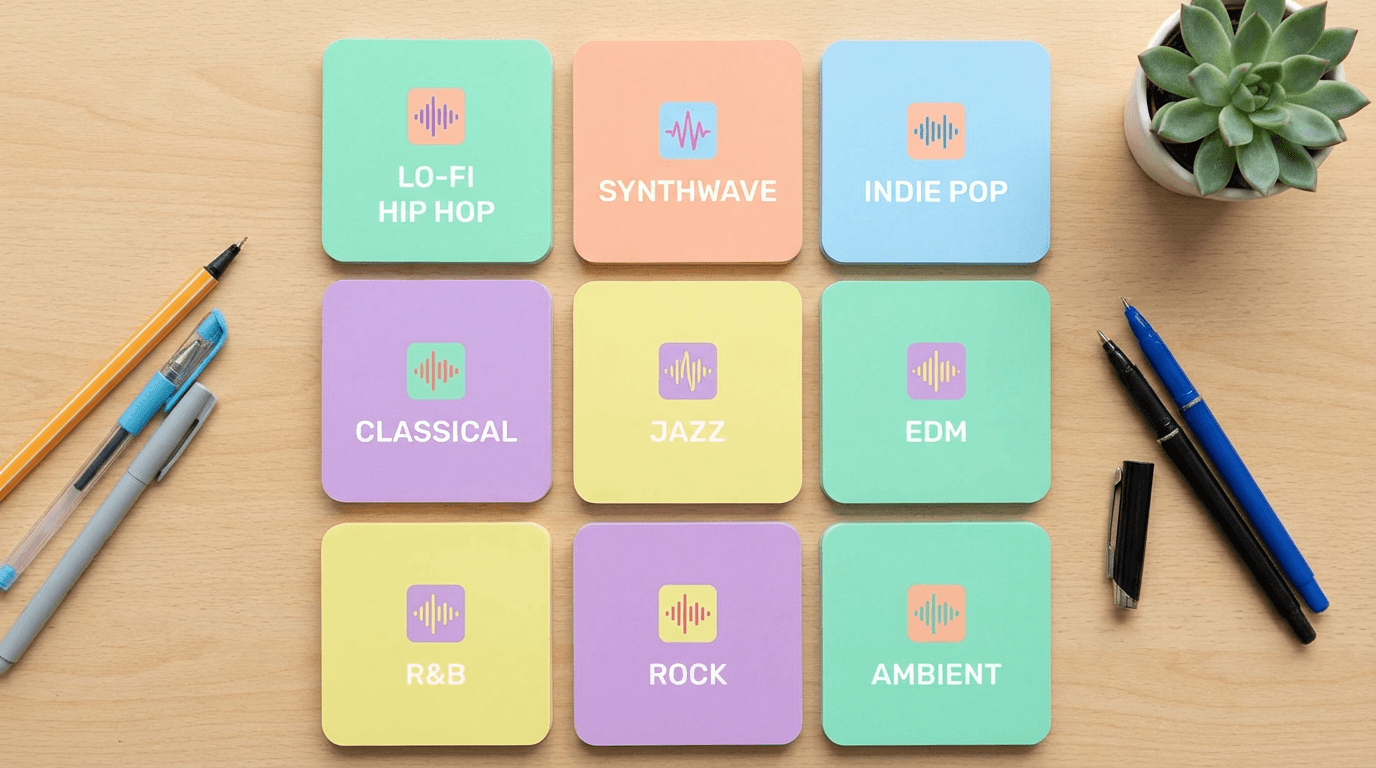
Learn how to create custom background music for TikTok using AI. This guide includes 20 ready-to-use prompts, tips for matching music to content types, and a step-by-step workflow.
You have the video ready. The edit is clean, the hook is strong, and you are about to post. Then you spend 25 minutes scrolling through TikTok's sound library looking for music that actually fits. Nothing works. The trending sounds feel forced against your content. The tracks that match your vibe are copyrighted. And the ones that are free sound like every other video on the platform. You settle for something 'close enough,' post it, and the video underperforms. The visuals were fine. The music killed it.
Background music is the most underestimated performance lever in TikTok content. The right track sets the emotional tone, controls pacing, keeps viewers watching past the three-second mark, and makes the entire video feel intentional. The wrong track makes even great visuals feel amateur. And most creators never realize it is the music that is holding them back.
In 2026, AI music generators have fundamentally changed how TikTok creators handle background music. Instead of searching through libraries hoping to find something that works, you describe exactly what you need in plain English, a genre, a mood, a tempo, an energy level, and generate a custom track in under 60 seconds. The track is original, so there are no licensing issues, no copyright strikes, and no risk of your video being muted or taken down. You get exactly the vibe you want, every time.
This guide walks you through how to create background music for TikTok using AI, with practical prompts you can copy and use right away, tips for matching music to different content types, and common mistakes that kill the impact of your audio.
To create background music for TikTok with AI, you describe the genre, mood, instruments, and tempo you want in a text prompt, then generate the track using an AI music generator. The output is a complete, original audio file that you download and add to your TikTok video. The process takes under a minute, requires no musical training, and produces copyright-free music you can use on TikTok and every other platform without licensing concerns. AI music generators like Miraflow's AI Music Generator handle the composition, arrangement, and production automatically based on your text description.
Why Background Music Matters More on TikTok Than Anywhere Else
TikTok is an audio-first platform. The algorithm tracks not just what people watch but what they listen to. Sound is deeply embedded in how content gets discovered, shared, and remembered.
Unlike Instagram or YouTube, where users often browse with sound off, TikTok's default behavior assumes audio is playing. This means your music choice is not optional. It is part of the content.
When a user scrolls their For You Page, the audio hits before the visual registers. A familiar beat, an unexpected melody, or a perfectly timed drop can stop the scroll before the viewer even processes the video itself. This is why creators who treat music as an afterthought consistently underperform compared to those who choose their audio with intention.
Background music also affects completion rate. If the energy of the track matches the pacing of the video, viewers are more likely to watch until the end. TikTok's algorithm heavily rewards completion rate, which means the right music choice directly influences how far your video spreads.
This is not a marginal effect. Creators who test the same video with different background tracks consistently report completion rate differences of 10 to 30 percent. The video is identical. The only variable is the music.
Beyond algorithmic impact, music shapes perception. A tutorial with calm lo-fi underneath feels trustworthy and approachable. The same tutorial with aggressive trap music feels chaotic and hard to follow. The content is identical, but the viewer experience is completely different.
Why Trending TikTok Sounds Are Not Enough Anymore
Using trending sounds on TikTok can work well for certain content types, but it comes with real limitations that most creators eventually feel.
First, trending sounds are temporary. A sound that works today might feel dated in a week. If your content is evergreen or educational, tying it to a trend-dependent sound limits its shelf life.
Second, popular sounds are crowded. When millions of creators use the same audio, your video competes directly with all of them. Standing out becomes harder when the audio is identical across thousands of posts.
Third, copyright is a persistent issue. Many sounds on TikTok exist in a gray area. Creators who repurpose their TikTok content to YouTube, Instagram, or their own website often find that the audio triggers copyright claims on other platforms. This is especially painful for creators who monetize across multiple channels.
Fourth, finding the right sound takes time. Scrolling through TikTok's sound library, testing different tracks against your video, adjusting timing, and hoping for a match is a slow process that adds up over dozens of posts per month.
AI music generation solves all four of these problems. You describe what you need, generate a track that fits your content perfectly, and own it completely. No copyright concerns, no trend dependency, no compromise.
How AI Music Generation Actually Works (Plain English Explanation)
AI music generators take a text description and produce a complete audio track based on that input. You describe the style, mood, instruments, tempo, and energy level. The AI composes and produces the track, usually in under 60 seconds.
The key difference between AI-generated music and library music is customization. With a library, you search for something close to what you want and adapt your content to fit the track. With AI generation, you describe what your content needs and the music adapts to you.
For TikTok creators specifically, this means you can generate tracks that match the exact length of your video, hit the right emotional tone for your niche, and maintain a consistent sound identity across all your posts. That consistency is what builds brand recognition on the platform. When viewers start associating a certain sound or style with your content, they are more likely to follow and return.
Miraflow's AI Music Generator is built for exactly this kind of workflow. You enter a description of the music you want, choose between Simple Mode for quick generation or Custom Mode for more control over lyrics, BPM, key, and structure, and generate the track directly in your browser. The result is a complete audio file you can download and use on TikTok without any copyright concerns.
Step by Step: How to Create TikTok Background Music with AI in Under 5 Minutes
Here is how to go from idea to finished track using AI music generation.
Step 1: Define the mood and energy of your video.
Before writing any prompt, think about what your video needs to feel like. Is it calm and informative? High energy and exciting? Emotional and personal? The mood of your music should match the mood of your content. Write down two or three adjectives that describe the feeling you want.
Step 2: Identify the tempo and pacing.
Fast-paced TikTok content like transitions, product reveals, or before-and-after videos needs music with higher BPM and energy builds. Slower content like tutorials, vlogs, or storytelling works better with relaxed, steady tempos. Think about whether your video has moments that need musical emphasis, like a reveal or a punchline.
Step 3: Write your music prompt.
Describe the genre, mood, instruments, and energy level. Be specific enough to guide the AI but leave room for creative interpretation. Prompts that are too vague produce generic results. Prompts that are too restrictive can sound stiff. The sweet spot is a clear description of what the listener should feel, anchored by two or three concrete musical details like specific instruments, a BPM range, and a real-world reference point. For example, 'feels like a late-night drive through a quiet city' gives the AI a richer creative direction than 'chill and moody' alone.
Step 4: Generate and review.
Generate the track, listen to it against your video, and adjust the prompt if needed. Most AI music generators produce results quickly enough that you can iterate two or three times in a few minutes. If the first result is close but not quite right, tweak one element of your prompt rather than rewriting the whole thing.
Changing one variable at a time, like swapping the instrument or adjusting the BPM by 10, helps you learn what each part of the prompt controls. After a few sessions, you will be able to write prompts that hit on the first try.
Step 5: Download and add to your video.
Once you have a track you like, download it and add it to your TikTok video using your editing app of choice. Adjust the volume so the music supports your content without overpowering it. If your video includes voiceover or dialogue, keep the music at around 15 to 20 percent volume to maintain clarity.
For TikTok specifically, test the volume on your phone speaker before posting. TikTok audio compression and phone speakers behave differently than headphones, and what sounds balanced in your editor can sound overpowering on a phone.
For a deeper breakdown of how AI music generation works across platforms, the guide on how to generate no-copyright music with AI covers the full workflow and copyright considerations.
20 Ready-to-Use AI Music Prompts for TikTok (Organized by Content Type)
These prompts are designed for different TikTok content types. Each one is ready to paste into an AI music generator. They work well with Miraflow's AI Music Generator in both Simple and Custom modes.
Each prompt below is designed to be pasted directly into an AI music generator. They work with Miraflow's AI Music Generator in both Simple and Custom modes, and they also work with most other text-to-music tools. If a prompt does not produce exactly what you want on the first try, adjust one element, like the BPM, the mood descriptor, or the instrument, and regenerate. Two or three iterations will get you a track that fits your content precisely.
Lifestyle and Vlog Content
Calm morning routine vlog
Soft acoustic guitar with gentle piano chords, warm lo-fi texture, relaxed and cozy mood, slow tempo around 80 BPM, light ambient pads in the background, feels like a quiet Sunday morning, instrumental
Day in the life montage
Upbeat indie pop instrumental with light percussion, acoustic guitar strumming, warm and positive energy, moderate tempo around 110 BPM, feels like a sunny afternoon, cheerful but not overwhelming
Aesthetic travel content
Dreamy ambient electronic with soft synth pads, gentle reverb, slow atmospheric build, cinematic and wanderlust mood, 90 BPM, feels like golden hour in a new city, instrumental
Educational and Tutorial Content
Step by step tutorial
Clean lo-fi beat with soft piano melody, minimal percussion, calm and focused mood, 85 BPM, subtle bass line, feels like background music in a study cafe, not distracting, instrumental
Quick tip or hack video
Light electronic beat with snappy percussion, bright and clean synth melody, confident and informative mood, 100 BPM, modern production style, feels like a tech product demo, instrumental
Explainer or educational narration
Soft ambient background with gentle strings and light piano, warm and trustworthy mood, 75 BPM, minimal and unobtrusive, feels like background music in a documentary, instrumental
Product and E-commerce Content
Product reveal or unboxing
Modern electronic beat with building anticipation, crisp percussion, rising synth melody that peaks halfway, 105 BPM, sleek and premium mood, feels like a luxury brand commercial, instrumental
Before and after transformation
Dramatic orchestral build with electronic elements, starts soft and minimal then grows into a powerful climax, cinematic impact hit at the transition point, 95 BPM, feels like a movie reveal moment, instrumental
Small business behind the scenes
Warm acoustic guitar with light hand percussion, subtle bass, authentic and handmade feel, 95 BPM, cheerful and grounded mood, feels like a craft workshop on a sunny day, instrumental
Trending and Entertainment Content
Satisfying or ASMR content
Ultra minimal ambient with soft crystalline tones, very gentle reverb, almost whisper quiet, 70 BPM, soothing and meditative, feels like rain on a window, instrumental
Comedy skit or funny moment
Funky upbeat instrumental with playful bass line, quirky synth sounds, light and bouncy feel, 120 BPM, humorous and energetic mood, feels like a sitcom theme, instrumental
Get ready with me
Smooth R&B instrumental with soft beats, warm vocal chops, stylish and confident mood, 90 BPM, modern production with subtle reverb, feels like getting dressed for a night out, instrumental
Fitness and Motivation Content
High energy workout
Hard hitting electronic beat with heavy bass drops, aggressive percussion, intense and powerful energy, 140 BPM, feels like a gym pump up track, adrenaline and drive, instrumental
Yoga or stretching routine
Ambient meditation music with soft singing bowls, gentle flute melody, deep calming pads, 60 BPM, peaceful and grounding, feels like a sunrise yoga session by the ocean, instrumental
Motivational montage
Cinematic orchestral with building drums, inspiring string melody, starts quiet and builds to an emotional peak, 100 BPM, triumphant and uplifting, feels like the climax of a sports documentary, instrumental
Food and Cooking Content
Recipe walkthrough
Light jazz instrumental with soft piano, gentle brush drums, warm upright bass, cozy and inviting mood, 100 BPM, feels like a weekend brunch at a French cafe, instrumental
Street food or food tour
World music fusion with upbeat percussion, acoustic guitar, light flute accents, vibrant and adventurous mood, 110 BPM, feels like walking through a colorful market in Southeast Asia, instrumental
Emotional and Storytelling Content
Personal story or vulnerability
Gentle piano solo with soft ambient pads, subtle string swells, emotional and intimate mood, 70 BPM, feels like a quiet moment of reflection, tender and honest, instrumental
Nostalgic throwback content
Vintage lo-fi beat with warm vinyl crackle, soft Rhodes piano, mellow bass, nostalgic and bittersweet mood, 80 BPM, feels like looking through old photos on a rainy evening, instrumental
Inspirational or hopeful message
Uplifting acoustic instrumental with gentle guitar fingerpicking, light strings joining midway, warm and hopeful mood building gradually, 90 BPM, feels like sunrise after a long night, instrumental
These 20 prompts cover the most common TikTok content types, but they are also templates you can modify. Change the genre, swap the instruments, adjust the BPM, or replace the reference point at the end of each prompt. Once you understand the structure, genre plus mood plus instruments plus tempo plus reference point, you can write effective prompts for any content type in seconds.
For more prompt ideas that work across TikTok, Reels, and Shorts, the AI music prompts guide for YouTube, Reels, and TikTok includes additional templates organized by mood and content type.
How to Match AI Music to Your TikTok Content Type
Different types of TikTok content require different musical approaches. Getting this match right is what separates videos that feel polished from videos that feel thrown together.
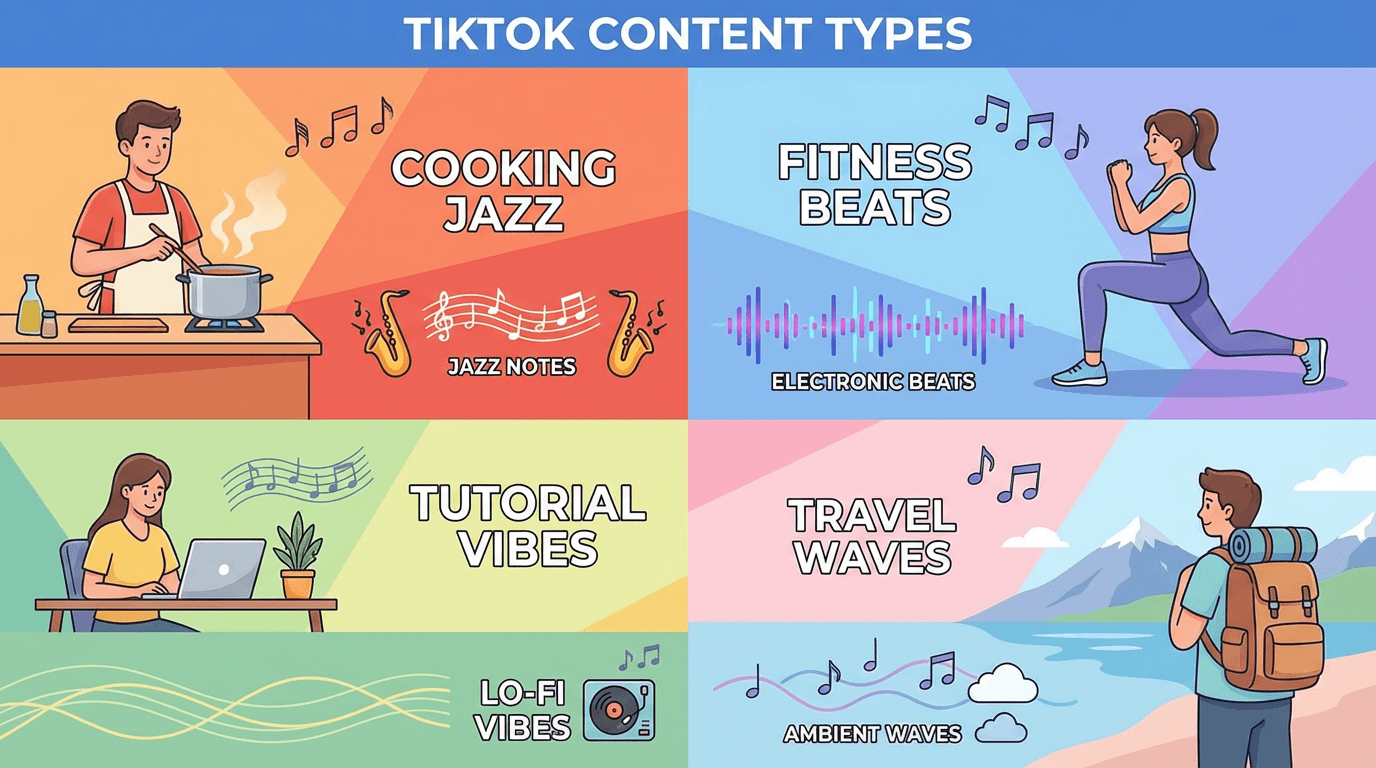
- For voiceover content, the music needs to sit underneath the voice without competing. Use prompts that emphasize words like "minimal," "ambient," "unobtrusive," and "background." Keep the BPM low and avoid tracks with strong melodic hooks that pull attention away from the narration. In Custom Mode on Miraflow's AI Music Generator, toggling Instrumental ensures the track has no vocal elements that could clash with your voiceover.
- For transition heavy content, you need music with clear rhythmic structure and energy shifts. The beat should have enough punch to sync transitions to, ideally with a consistent kick or snare pattern. Include words like "crisp percussion," "rhythmic," and "steady beat" in your prompt. Higher BPM tracks in the 100 to 120 range work well for this.
- For emotional or storytelling content, the music needs dynamic range. It should start soft and build as the story progresses. Prompts that include "starts quiet and builds" or "gradual crescendo" help the AI create tracks with natural progression that matches narrative pacing.
- For fast-paced entertainment content, energy is everything. High BPM, strong bass, and rhythmic drive keep the viewer locked in. Do not be afraid to use prompts with aggressive language like "hard hitting," "punchy," and "driving beat." The music should feel like it is pushing the video forward.
Using AI Music to Build a Consistent TikTok Sound Identity
One of the most underused strategies on TikTok is building audio brand recognition. Most creators change their music style with every post, which means viewers never develop a subconscious association between a certain sound and that creator's content.
AI music generation makes consistency easy. Once you find a prompt style that works for your niche, you can generate variations of the same musical identity for every video. Same genre, same mood, same tempo range, but different enough to keep things fresh.
For example, if your niche is tech tutorials, you might settle on a clean lo-fi electronic style at around 85 to 95 BPM. Every video uses a slightly different track generated from similar prompts, but the overall sound remains recognizable. Over time, viewers start to associate that sound with your content, which strengthens brand recall and increases the likelihood they will stop scrolling when they hear it.
To maintain this consistency, save your best performing prompts and reuse them with minor variations. Change the instrument emphasis or adjust the mood slightly, but keep the core style the same. This is much easier with AI generation than with library music, where you are always searching for tracks that happen to sound similar.
The idea of building a consistent creator identity across tools is something covered in detail in The New Creator Stack, which breaks down how AI tools fit together for Shorts, Reels, and TikTok workflows.
Simple Mode vs Custom Mode: Which to Use for TikTok Music
Miraflow's AI Music Generator offers two modes, and each one fits different situations.
Simple Mode is the fastest way to generate music. You write a description of the style, mood, and instruments you want, toggle Instrumental if you do not want vocals, and hit Generate Music. This is ideal when you need a quick background track and do not need precise control over structure or tempo. Most TikTok background music can be created in Simple Mode because the tracks are short and the primary goal is mood and energy, not complex musical arrangements.
Custom Mode gives you more control. You can set lyrics with structure tags like [Verse], [Chorus], [Bridge], [Intro], and [Outro]. You can also set the duration, BPM, key, and scale. This is useful when you want the music to sync with specific moments in your video, or when you need vocals with lyrics. If you are creating a series of TikTok videos with a consistent musical theme, Custom Mode lets you lock in the BPM and key so every track feels like it belongs in the same sonic world.
For most TikTok creators producing daily or near-daily content, Simple Mode handles 80 percent of what you need. Switch to Custom Mode when the project demands more precision or when you are creating music that needs lyrics.
If you want to explore how both modes work and compare AI music generators for short-form content, the best free AI music generator for Shorts, Reels, and TikTok guide covers the options in detail.
Copyright and Monetization: What TikTok Creators Need to Know
One of the biggest advantages of AI-generated music is that it eliminates copyright risk. When you generate a track with an AI music tool, the output is original. It was not sampled from an existing song, and it does not belong to a record label or publisher.
This matters for TikTok creators in two important ways.
First, TikTok itself has become stricter about copyrighted audio. Videos using unlicensed music can be muted, taken down, or shadow-restricted. AI-generated music avoids this entirely because the track is new and original.
Second, many TikTok creators repurpose their content for YouTube Shorts, Instagram Reels, and their own websites. Copyrighted audio that works on TikTok often triggers claims on YouTube, which can affect monetization. Using AI-generated music across all platforms means you never have to worry about a claim appearing weeks or months after posting.
For creators who monetize their content, this is not a minor detail. It directly affects revenue. The guide on whether you can monetize videos with AI music goes deep into this topic, including how different platforms handle AI-generated audio in their monetization policies.
According to TikTok's official music usage guidelines, creators are responsible for ensuring they have the right to use any music in their videos. AI-generated music gives you full control over that right from the moment of creation.
Repurposing AI Music Across TikTok, Reels, and Shorts
When you generate a background track for a TikTok video, that same track can be used on every other platform you post to. This is one of the biggest practical advantages of AI music over platform-specific trending sounds.
A TikTok trending sound only exists on TikTok. If you post the same video to Instagram Reels or YouTube Shorts, you either need to find a different sound or risk posting without the audio advantage that made the video work in the first place.
AI-generated music travels with your content. The track you created for TikTok works identically on Reels, Shorts, your website, your email newsletter, or anywhere else. This makes cross-platform content repurposing seamless.
The workflow looks like this. Create your video. Generate a background track that fits the content. Export the video with the AI music. Post to TikTok, Reels, and Shorts without changing the audio. Same content, same sound, same brand identity across every platform.
For creators who produce short-form content at scale, this workflow saves significant time. Instead of finding three different audio tracks for three platforms, you generate one track and use it everywhere.
If you are already creating short-form video content and want to streamline the entire workflow from script to final video, Text2Shorts handles the video creation side while AI music handles the audio. Together, they cover the full pipeline.
Common Mistakes When Creating AI Music for TikTok
Writing vague prompts. Prompts like "cool TikTok music" or "something catchy" give the AI almost nothing to work with. The result will be generic. Always specify at least a genre, mood, tempo range, and one or two instruments.
Ignoring tempo. If your video has fast cuts and the music is slow, or vice versa, the whole thing feels off. Match BPM to your editing pace. Fast content needs fast music. Slow content needs slow music.
Making the music too loud. Background music should support the video, not dominate it. If your content includes voiceover, dialogue, or text that requires attention, keep the music volume low enough that viewers can focus on the primary content.
Using the same energy level throughout. Even short TikTok videos benefit from subtle dynamic shifts. A track that starts slightly quieter and builds to a peak in the middle creates a more engaging listening experience than a flat, unchanging loop.
Forgetting about the first second. On TikTok, the opening moment determines whether someone keeps watching. If your music starts with a long ambient intro, viewers may scroll away before anything happens. Choose or generate tracks that start with energy or an interesting sound from the first beat.
Not iterating. The first generated track is rarely the best one. Adjust your prompt, regenerate, and compare. Two or three generations usually produce a track that fits much better than settling for the first result.
For more on what makes the first moments of your content count, the analysis of why the first 3 seconds matter on YouTube Shorts applies equally to TikTok. Audio is a huge part of that opening hook.
Advanced Tips for TikTok AI Music
Layer AI music with natural audio. Some of the best TikTok videos combine background music with environmental sound, like the sound of cooking, footsteps, or ambient room noise. Generate your AI track at a lower energy level and mix it with the natural audio from your video for a more immersive feel. In your prompt, include the phrase 'minimal and sparse, leaving space for natural sound.' This creates a track with intentional gaps and low-frequency emphasis that blends naturally with environmental audio instead of competing with it.
Create signature intros. Generate a short two to three second musical sting that you use at the beginning of every video. This builds instant recognition. When followers hear that sound, they know it is your content before they even see the visuals.
Match music to your posting schedule. If you post different types of content on different days, create a small library of AI tracks organized by content type. Monday tutorials get one style. Wednesday vlogs get another. This keeps production fast because you are not generating new music from scratch every time.
Use music to signal transitions. If your TikTok has a dramatic before-and-after moment, generate a track that has a clear shift in energy at the midpoint. In Custom Mode, you can structure this with [Intro] and [Chorus] tags to create a natural build and release.
Test different genres for the same content. Sometimes the genre you assume works best for your niche is not actually the one that performs best with your audience. Try generating the same video with three different musical styles and post them at different times. Track which one gets better completion rates and engagement.
How AI Music Fits Into the Full TikTok Content Pipeline
Creating TikTok content in 2026 is not just about shooting a video and posting it. The most consistent creators build a pipeline where every piece, from the idea to the visual to the audio, is handled efficiently.
AI music generation fits into this pipeline as the audio layer. Combined with AI video generation for visuals and AI image tools for thumbnails and cover images, the entire creation process can happen inside a single workflow.
On Miraflow, the pipeline looks like this. You can generate short-form videos with Text2Shorts, create cinematic clips with the Cinematic Video Generator, produce cover images and thumbnails with the AI Image Generator, and generate background music with the AI Music Generator. Everything happens in the browser, and every output is original content you own.
This approach is particularly useful for creators who want to post consistently without spending hours on each individual video. The guide on viral AI Shorts formats in 2026 covers which content formats are performing best right now and how to produce them at scale.
Try It: Generate Your First TikTok Background Track
If you have not used AI music generation before, the fastest way to understand how it works is to try it. Go to Miraflow's AI Music Generator, enter one of the prompts from this guide, and generate a track. The whole process takes under a minute.
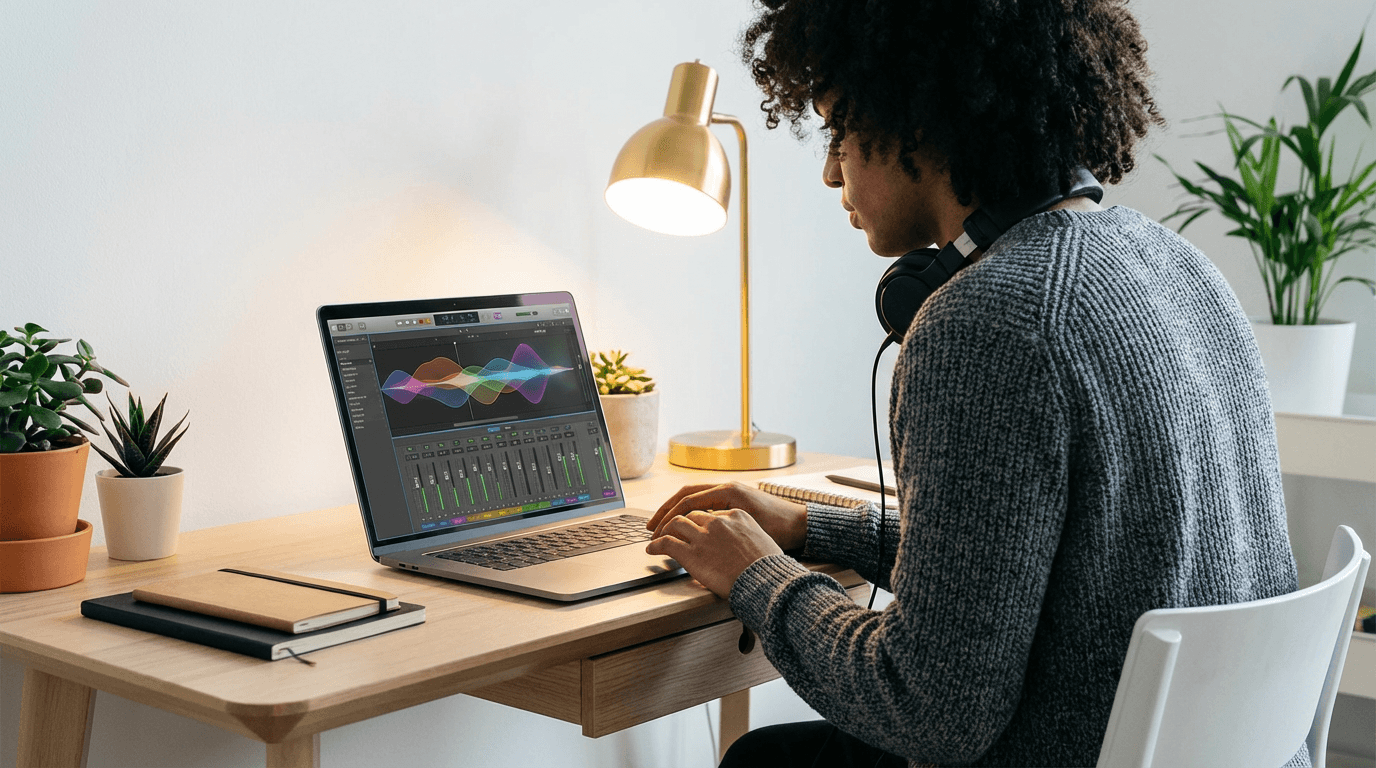
Start with Simple Mode. Paste a prompt, toggle Instrumental, and click Generate Music. Listen to the result, then adjust the prompt and regenerate. Within two or three tries, you will have a track that fits your TikTok content better than anything you could find in a stock library.
For ongoing TikTok production, save your best prompts and build a small personal music library. Five to ten prompt variations covering your main content types is enough to keep your audio fresh and consistent across dozens of videos.
According to Epidemic Sound's 2025 creator survey, over 60 percent of short-form creators cited music selection as one of their most time-consuming production tasks. AI generation cuts that time down to minutes, freeing you to focus on the creative work that actually grows your audience.
Conclusion
Background music on TikTok is not decoration. It is infrastructure. It affects whether viewers watch past the first second, whether the algorithm distributes your video widely, and whether your audience remembers your content an hour after seeing it. Treating music as an afterthought is the most common invisible mistake on the platform.
AI music generation gives TikTok creators something they have never had before: the ability to produce custom, copyright-free music that fits their content perfectly, in under a minute, with no musical skills required. Whether you are posting daily tutorials, weekly vlogs, or viral entertainment content, having an AI music workflow means you always have the right sound for the moment.
Start with the prompts in this guide, iterate on what works, and build a consistent audio identity that makes your content instantly recognizable. The creators who treat music as a strategic tool, not an afterthought, are the ones building audiences that last.
Frequently Asked Questions About AI Background Music for TikTok
Is AI-generated music copyright free for TikTok?
Yes. When you generate music using an AI music tool like Miraflow's AI Music Generator, the output is an original composition that was not sampled from any existing copyrighted song. This means you can use it on TikTok without any risk of your video being muted, taken down, or flagged for copyright infringement. The same track can also be used on YouTube Shorts, Instagram Reels, and any other platform without triggering content ID claims.
Can I monetize TikTok videos that use AI-generated music?
Yes. AI-generated music does not carry the licensing restrictions that copyrighted music does. If you are part of the TikTok Creator Fund, TikTok Creativity Program, or any other monetization pathway, using AI-generated background music does not affect your eligibility. The same applies when repurposing your TikTok content to YouTube, where copyrighted music frequently causes monetization claims that AI-generated music avoids entirely.
What is the best AI music generator for TikTok creators?
For TikTok creators who need background music quickly without musical training, Miraflow's AI Music Generator is designed specifically for this workflow. It offers Simple Mode for fast generation from a text prompt and Custom Mode for more control over BPM, key, structure, and lyrics. Other AI music generators exist, but Miraflow integrates music generation into a broader short-form content pipeline that also handles video creation, image generation, and thumbnails.
How do I write a good AI music prompt for TikTok?
An effective AI music prompt includes five elements: genre, mood, instruments, tempo (BPM), and a real-world reference point that describes the feeling. For example, "soft acoustic guitar with gentle piano, warm and cozy mood, 80 BPM, feels like a quiet Sunday morning, instrumental" is a strong prompt because it gives the AI specific creative direction across multiple dimensions. Avoid vague prompts like "cool music" or "something catchy" because they produce generic results.
Can I use the same AI-generated track on TikTok, Instagram Reels, and YouTube Shorts?
Yes. Unlike TikTok trending sounds that are platform-specific, AI-generated music is a standard audio file you own. You can add it to any video on any platform without restrictions. This makes AI music ideal for creators who repurpose content across multiple platforms, because you maintain the same audio brand identity everywhere without worrying about platform-specific sound availability or copyright differences.
How long does it take to generate AI background music for TikTok?
Most AI music generators produce a complete track in under 60 seconds from the time you submit your prompt. Including the time to write the prompt, listen to the result, and potentially regenerate with a modified prompt, the entire process typically takes two to five minutes. This is significantly faster than searching through a stock music library, which most creators report takes 15 to 30 minutes per video.
Does AI-generated music sound real or robotic?
The quality of AI-generated music in 2026 is high enough that most listeners cannot distinguish it from human-composed production music. The output includes realistic instrument sounds, natural dynamics, and professional mixing. The key to avoiding generic or robotic-sounding results is writing detailed prompts that give the AI specific creative direction rather than vague descriptions.
Can I create music with vocals for TikTok using AI?
Yes. In Custom Mode on Miraflow's AI Music Generator, you can write lyrics and assign them to structural sections like Verse, Chorus, and Bridge. The AI generates both the instrumental track and the vocal performance. For TikTok background music, instrumental tracks are usually more versatile, but vocal tracks work well for intros, outros, or content where the music itself is the focus rather than background support.
Why: Each FAQ targets a specific "People Also Ask" query or long-tail keyword related to AI music for TikTok. The answers are self-contained and structured for Google to pull into featured snippets and PAA boxes. They cover copyright, monetization, prompt writing, cross-platform use, generation speed, quality, and vocal capability, which are the primary concerns searchers have about this topic.