Shoppable Reels in 2026: How Creators Can Turn Reels into Sales

Written by
Jay Kim

Shoppable Reels in 2026 let creators turn views into purchases directly inside Instagram. Here is how to build a content strategy that actually drives consistent sales.
If you are creating Reels and watching your view counts climb without seeing any real revenue, the problem is probably not your content quality. The problem is that your content has no purchase path attached to it.
Shoppable Reels have changed the way creators and brands approach Instagram in 2026. What used to require a "link in bio" workaround has become a direct, in-video commerce experience where a viewer can go from watching your Reel to completing a purchase without ever leaving the app. For creators who figure out how this system works, Reels stop being a brand awareness play and start being an actual sales channel.
This guide covers how shoppable Reels work in 2026, which formats convert best, how to build a content workflow that supports consistent sales, and what most creators are still getting wrong.
Why Shoppable Reels Are a Different Game in 2026
A few years ago, social commerce on Instagram was largely experimental. Brands tested product tags and saw mixed results. Creators used affiliate links in bios and hoped viewers would follow through. The conversion rates were unpredictable and the tools were clunky.
That has shifted significantly. Instagram's commerce infrastructure is much more mature in 2026, and Reels have become the primary discovery surface on the platform. The combination of high organic reach, short-form video engagement, and in-app checkout means that a well-produced Reel with the right product tag and hook can function like a high-performing paid ad, except it costs nothing to distribute.
The shift matters because it changes what success looks like for a Reels creator. Views are a vanity metric if they are not connected to an outcome. In 2026, that outcome is increasingly a purchase, not just a follow.
How Shoppable Reels Actually Work
Before getting into strategy, it helps to understand the mechanics clearly because there are a few different paths depending on your setup.
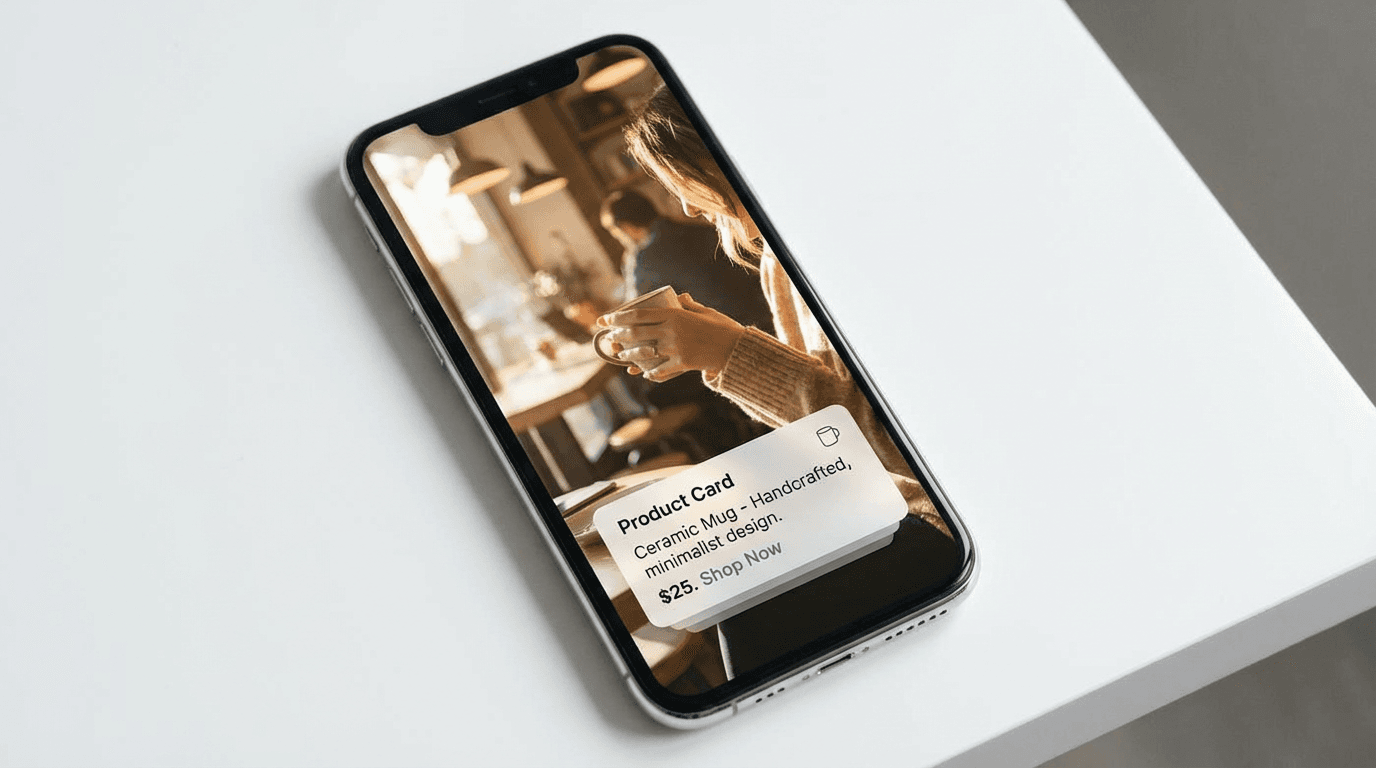
Instagram Shopping with product tags If you have an Instagram Shop set up and approved, you can tag products directly inside your Reel. Viewers see a shopping bag icon on the video, tap it, and can view product details or go to checkout without leaving Instagram. This is the most seamless version of shoppable Reels and works best for creators who sell their own products.
Affiliate product tags Instagram's affiliate program lets eligible creators tag products from partner brands and earn a commission on sales that come through their content. The product tag appears in the Reel the same way it does for owned products, but the creator earns a percentage of each sale rather than keeping the full margin.
Collab posts with brand partners When a creator does a paid partnership with a brand, the brand can run that Reel as a partnership ad with their own shopping tag attached. The creator's content becomes the creative layer for a shoppable ad, and the brand handles the commerce backend.
Link in bio and swipe-up alternatives For creators who have not yet set up an Instagram Shop or are not in an affiliate program, the traditional method still works. The Reel drives interest, a clear call to action in the caption or on-screen text sends viewers to the bio link, and the purchase happens on an external site. Conversion rates are lower this way, but it remains a valid path.
Understanding which setup you are working within shapes everything else, including what type of Reel content makes the most sense and how you measure success.
The Formats That Actually Convert
Not every Reel style drives purchases at the same rate. Some formats are built for reach and entertainment. Others are built for conversion. Here are the ones that consistently work for shoppable content in 2026.
The demonstration Reel This is the highest-converting format. You show the product being used in a real context, the result is visible, and the viewer understands exactly what they would get if they bought it. No abstract claims, no lifestyle imagery without context. Just a clear before-and-after, or a problem being solved on screen. Demonstration Reels work across almost every product category.

The honest review format Creators who build a reputation for giving genuine opinions perform well with this format. The video presents a product, shares a few specific things that work and one or two honest limitations, and ends with who the product is and is not right for. Audiences trust specificity. When someone says "this is perfect if you are doing X but not ideal if you need Y," the viewer who needs X is far more likely to buy than after watching a purely positive claim.
The tutorial with the product as the tool Instead of selling the product directly, you teach something useful and the product is the tool you use to do it. A skincare tutorial that uses a specific serum, a cooking video that uses a specific pan, a photography Reel that uses a specific camera accessory. The viewer learns something and associates the product with a positive outcome before they have even bought it.
The comparison format Showing two or three options in the same category and explaining the differences between them positions you as a knowledgeable guide rather than a salesperson. Comparison Reels get shared and saved more than most other formats because people use them as references when making decisions. High save rate also signals value to the algorithm, which extends reach.
The transformation Reel Before and after content is one of the most psychologically compelling formats in short-form video. Fashion, fitness, home organization, design, skincare, and renovation all lend themselves to this structure. The transformation is the story, and the product is what made it possible.
The Hook Problem Most Creators Ignore
The biggest reason shoppable Reels fail is not the product selection or the posting time. It is the first two seconds.
If your Reel opens on a product shot with a voiceover saying "check out this amazing thing," viewers scroll past. Their brain has already categorized it as an ad, and they exit before the value is delivered. The hook has to earn their attention before it earns their consideration.
The hooks that work for shoppable Reels in 2026 tend to lead with a problem, a result, or a question that the viewer already has. Examples:
- "I spent three months testing every option in this category and here is what I actually kept"
- "This is why your [result] is not improving, and it comes down to one thing"
- "I replaced my entire [routine/setup/wardrobe] with this and here is what happened"
Notice that none of these open with the product. They open with something the viewer cares about. The product is the answer to the tension the hook creates, which means the viewer watches to find out what it is rather than scrolling because they already know it is a product video.
For more on building hooks that keep viewers watching through to the purchase moment, the guide on YouTube video hooks in 2026 covers the underlying psychology in a way that applies across short-form platforms.
Building a Content Calendar Around Shoppable Reels
One-off shoppable posts rarely build meaningful sales volume. The creators who are generating consistent revenue from Reels in 2026 treat it as a content system, not individual posts.

A practical structure looks like this:
Awareness Reels (60% of content) These are your reach-focused videos. They cover topics your target audience cares about, they have strong hooks, and they are designed to grow your following and get into the Explore feed. They may mention products but are not primarily selling. These build the audience that your conversion content will later reach.
Consideration Reels (25% of content) These are your demonstration, tutorial, and comparison videos. They introduce specific products in a context where the value is clearly shown. Viewers who watch these are in an evaluation mode, and the product tag makes it easy to act.
Conversion Reels (15% of content) These are direct calls to action, limited-time offers, product launches, or follow-up content for people who have seen your consideration videos. The audience is warm, the trust is built, and this format closes the loop.
Spacing these categories across your posting schedule ensures you are not hitting your audience with sales content every time while also not failing to close on the awareness you build.
How AI Tools Are Changing Reel Production for Sellers
The manual production bottleneck used to be a major limit for creators running shoppable content. Shooting, editing, scripting, and posting enough Reels to maintain reach while also managing product partnerships was exhausting.
AI production tools have shifted that equation significantly in 2026. Creators who use AI to handle the visual and scripting work can maintain a much higher publishing frequency without sacrificing quality, which matters because reach on Instagram is strongly tied to consistency.
For creators building shoppable Reels, the workflow has changed in a few key ways:
Script generation for product content AI can generate a solid first draft of a product script from a brief description of the item and the target audience. The creator edits for accuracy, adds personal experience, and layers in their voice. This turns a 45-minute scripting session into a 10-minute editing task.
Visual generation for product-adjacent content Not every Reel needs to show the physical product. Background visuals, lifestyle context, scene illustrations, and abstract supporting imagery can all be generated with AI, which reduces the need for expensive photography or b-roll footage.
AI Shorts and Reels from text Tools like Miraflow AI's Text2Shorts let creators turn a topic into a fully structured vertical video with visuals, voiceover, and pacing built in. For product categories like digital goods, services, or informational products, this workflow is particularly powerful because there is no physical item that needs to be filmed.
Thumbnail and cover frame generation The cover frame on a Reel matters for profile browsing and search. Using AI to generate a visually consistent, attention-grabbing cover style across your Reels gives your profile a professional look that builds trust with first-time visitors who are evaluating whether to follow or buy. The AI thumbnail generation workflow covers principles that apply to Reels cover frames as well.
What Products Work Best for Shoppable Reels
Not every product category converts equally well through Reels. The format rewards visual clarity, so products that are easy to show in action tend to outperform products that require a lot of explanation.
The categories that consistently perform well include:
Beauty and personal care Application, transformation, and texture are all visible on camera. Before and after results are easy to demonstrate in a short format. This is one of the highest-performing categories for shoppable Reels across all creator sizes.
Home and kitchen Organization, cooking, cleaning, and decor all translate visually. Problem-solution formats work especially well here because the problem (cluttered space, difficult cooking task) and the solution are both visible.
Fashion and accessories Outfit builds, styling tips, and fit reviews are native Reel formats that have always performed well on Instagram. Adding product tags makes them immediately actionable.
Digital products and courses Screenshots, results, and testimonial-style content can convert well for digital products if the creator's credibility is established. The hook usually needs to lead with the outcome the product delivers rather than the product itself.
Fitness and wellness Workout demos, supplement reviews, and equipment walkthroughs follow the demonstration format naturally. Transformation content is also very strong in this category.
Where shoppable Reels tend to underperform is with high-consideration purchases, products that require a lot of context or comparison before buying, or anything that requires the viewer to read or study rather than watch. For those categories, Reels work better as awareness content that funnels to a longer-form explanation elsewhere.
The Caption and CTA Strategy That Makes a Difference
The video itself carries the weight of the conversion, but your caption and call to action play a supporting role that creators often neglect.
For shoppable Reels, the caption should:
Reinforce the hook from the video If your video opened with a question, answer it briefly in the caption and then direct to the product. This catches viewers who saw the hook in the feed but did not watch the full video.
Include the key benefit in one sentence One clear sentence that states what the product does or what problem it solves. Not a list of features, not a brand story, just the core outcome.
Give a specific call to action "Tap the product tag to grab it" is better than "link in bio." Specificity about what to do next reduces friction. If you are using a product tag, tell viewers it is there.
Use relevant hashtags deliberately In 2026, hashtag reach on Instagram is more nuanced. A small set of highly relevant hashtags in your niche outperforms a wall of broad tags. Three to six focused hashtags that match the specific topic and product category tend to be more effective than thirty generic ones.
Metrics That Tell You Whether Your Shoppable Reels Are Working
Standard Reel metrics like views and likes tell you about reach and surface engagement. For shoppable content, you need to track a different set of numbers.
Product tap rate How often viewers who watch your Reel tap the product tag. A low tap rate with high views means the product integration is not landing, which is usually a hook or demonstration problem.
Profile visits from Reels Viewers who visit your profile after watching a Reel are showing intent to learn more or follow. This matters because profile visitors are also more likely to check your shop or bio link.
Saves and shares These are the highest-intent engagement signals on Instagram in 2026. Saves often indicate purchase consideration, meaning someone is saving the Reel to come back to when they are ready to buy. Shares indicate that the content is useful enough to send to someone else, which expands reach and also signals product discovery.
Link click-through rate (for bio link setups) If you are not using in-app product tags and instead directing to a bio link, your link click rate is the primary conversion metric. Tools like Linktree or a dedicated landing page let you track which Reels drove the most clicks.
The pattern you want to see is high saves, moderate-to-high profile visits, and a product tap rate that improves as you refine your demonstration technique.
Common Mistakes Creators Make With Shoppable Reels
Posting product content too early Trying to sell to an audience of 500 followers before trust is established rarely works. The recommendation is to build reach with valuable non-promotional content first, and then introduce shoppable content once you have a base of engaged followers who already associate you with quality.
Using the same format for every shoppable Reel The algorithm learns what your content looks like, and so does your audience. Rotating between demonstration, tutorial, review, and transformation formats keeps the content fresh and reaches viewers in different stages of their buying decision.
Ignoring the cover frame The Reel cover is often the first impression on your profile page. A blurry freeze frame or an irrelevant mid-video moment as the thumbnail undermines the credibility that your video content is building. Treat the cover frame as intentionally as you treat the hook.
Treating every Reel as a sales pitch Audiences tolerate promotional content at a certain ratio. When more than a third of your content feels like a sales pitch, followers disengage and the algorithm reads the drop in engagement as low-quality content. Balance is not optional if you want the algorithm to keep distributing your shoppable posts.
Skipping the disclosure Paid partnerships and affiliate relationships need to be disclosed. Instagram requires this, and beyond compliance, transparency actually tends to improve trust with audiences who know that you are being upfront with them.
How to Use AI to Generate Shoppable Reel Scripts
Here is a practical prompt framework you can use when generating scripts for shoppable Reels with AI tools. These are structured to match the formats that convert best.

Demonstration Reel script prompt
Prompt Write a 30-second vertical video script for a shoppable Reel demonstrating [product name]. The hook should open with the problem the viewer already has. Show the product being used and make the result visible and specific. End with a clear call to action to tap the product tag. Tone: conversational and honest, no exaggerated claims.
Tutorial Reel script prompt
Prompt Write a 45-second tutorial Reel script where the creator teaches [specific skill or task] using [product] as the tool. The product should appear naturally in the tutorial, not as a sales pitch. End with a mention that the product is tagged in the video for viewers who want to try it themselves.
Honest review Reel script prompt
Prompt Write a 40-second review Reel script for [product]. Include two specific things that work well and one honest limitation. Recommend who this product is best for and who might want to look at alternatives. Tone: credible, specific, and balanced.
Comparison Reel script prompt
Prompt Write a 50-second comparison Reel script covering three options in the [product category] space. Briefly explain who each option is best for. Make the creator sound knowledgeable and helpful, not promotional. End by tagging the recommended option in the video.
These can be generated inside Miraflow AI and then edited with your personal experience and voice before the visuals are generated.
Visual Prompts for Shoppable Reel Content
If you are generating scene visuals or thumbnail-style images for your Reels, here are prompts that produce clean, conversion-friendly imagery.
Product demonstration concept
Prompt hands unwrapping a product on a clean white surface, soft natural lighting from a window, warm and minimal aesthetic, slight depth of field blur on background, no logos, no text
Before and after transformation concept
Prompt split composition showing a cluttered space on one side transforming into a clean organized space on the other, bright warm interior lighting, no people, clean minimal aesthetic
Tutorial lifestyle concept
Prompt creator working at a bright kitchen counter with ingredients and a specific tool in use, natural daylight, candid angle, warm lifestyle photography aesthetic, no text no logos
Fashion or style concept
Prompt flat lay of a curated outfit with accessories arranged on a light wood surface, golden hour natural lighting, editorial magazine composition, clean background, no text
Review and credibility concept
Prompt person holding a product at eye level with an approving expression, bright modern background, natural candid lighting, authentic lifestyle feel, no text no logos
You can generate all of these directly inside Miraflow AI's image generator to create original visuals for each piece of content.
Connecting Reels to Your Broader Content Strategy
Shoppable Reels work best when they are part of a broader content ecosystem rather than isolated posts. Creators who see the strongest sales results in 2026 are usually running Reels alongside other content surfaces that build on each other.
A practical multi-surface setup looks like this: Reels drive discovery and initial product awareness, Stories handle follow-up for engaged followers with swipe-up links or poll-based social proof, and your bio link or Instagram Shop page captures purchase intent from visitors who arrive through either surface.
If you are also running YouTube, Shorts that cover the same product or topic as your Reels create a second discovery path that compounds your reach. The same core script can be adapted for both platforms, with the visual style adjusted for each. For creators doing this across multiple platforms, the new creator stack for AI Shorts, Reels, and TikTok covers how to structure a cross-platform workflow efficiently.
The AI Shorts formats that go viral in 2026 guide also covers content structures that translate across YouTube Shorts, Reels, and TikTok if you are trying to maximize the output of each piece of content you produce.
Conclusion
Shoppable Reels are one of the most accessible direct revenue channels available to creators in 2026, but the gap between a Reel that gets views and a Reel that drives purchases is almost always a strategy gap rather than a production gap.
The creators earning consistently from Reels are not necessarily the ones with the biggest audiences or the most polished production setups. They are the ones who understand which formats earn trust, how to hook a viewer before introducing a product, and how to mix promotional content into a broader calendar in a ratio that keeps audiences engaged.
If you build your Reels workflow around those principles, use AI tools to handle the production volume, and track the metrics that actually reflect purchase intent, shoppable Reels stop being an experiment and start being a predictable part of how your creative work generates income.
For creators also building on YouTube, combining a Shorts strategy with a shoppable Reels approach gives you two overlapping discovery surfaces with shared production costs. The YouTube Shorts best practices guide for 2026 covers the YouTube side of that equation in detail.
FAQ
What are shoppable Reels on Instagram? Shoppable Reels are Instagram Reels that have product tags attached, allowing viewers to tap a product shown in the video and go directly to a product page or checkout without leaving the app. Creators can use them to sell their own products through an Instagram Shop or earn commissions through Instagram's affiliate program.
Do you need a lot of followers to make money from shoppable Reels? Not necessarily. A smaller engaged audience in a specific niche often converts better than a large general following. What matters more is the trust your audience has in your recommendations and the quality of your product demonstration content.
How do I set up shoppable Reels on Instagram? You need to connect a Facebook catalog to your Instagram account and get your Instagram Shop approved. Once approved, you can tag products from your catalog when creating or editing a Reel. Affiliate product tags work slightly differently and require eligibility through Instagram's affiliate program.
What is the best Reel length for shoppable content in 2026? Between 15 and 45 seconds tends to perform best for shoppable Reels. Long enough to demonstrate value and build some trust, short enough to hold attention through the call to action. Anything over 60 seconds starts to see meaningful drop-off in shoppable contexts.
Can AI-generated Reels be used for shoppable content? Yes, as long as the content is transparent, original, and provides genuine value. AI tools can handle script drafting, visual generation, and voiceover, but the editorial direction, product experience, and call to action still need human input to feel credible. Reels that feel generic or automated tend to get low engagement and poor conversion regardless of how good the product is.
How often should I post shoppable Reels? Mixing shoppable Reels into a broader posting calendar works better than posting shoppable content exclusively. A ratio of roughly one shoppable post for every two to three non-promotional posts tends to maintain audience trust while still driving consistent purchase intent.
What products sell best through Instagram Reels? Beauty, fashion, home goods, fitness products, and digital courses perform well because they demonstrate visually and have clear before-and-after outcomes. Products that require a lot of explanation or comparison before purchase tend to convert better after multiple content touchpoints rather than from a single Reel.