20 AI 90s Yearbook Photo Prompts (Copy & Paste) for the Retro Film-Grain Portrait Trend

Written by
Aerin Kim
20 copy-paste prompts for the AI 90s yearbook photo trend: mottled blue backdrops, laser grids, senior portraits, glamour shots, club photos, and decade variants that keep your own face.
If you have typed "make me a 90s yearbook photo" into an AI tool, you have probably gotten a result that looked like a modern selfie with a blue gradient behind it: crisp skin, perfect hair, a flat digital background, and none of the soft, slightly dated warmth that makes a real picture-day print so recognizable. The look people are chasing comes from specific physical things, a mottled canvas backdrop, a large soft box close to the camera, a slight diffusion filter, medium format film grain, and a pose that a photographer talked you into. Image models only reproduce those things when the prompt names them, and they only keep your face when the prompt tells them to.
This guide gives you 20 copy-paste prompts for the AI 90s yearbook photo and retro film-grain studio portrait trend, written for uploading your own photo and keeping your face. They are grouped into seven categories: classic yearbook portraits, laser backgrounds, senior portraits, glamour shots, club and team photos, decade variants, and family and pet portraits. The trend is back this fall because picture-day season and yearbook ordering put school portraits in everyone's feed, and because Gemini and ChatGPT image editing made it easy to upload a selfie and get an era-styled portrait back within a minute.
You can run every prompt in the AI Image Generator on Miraflow, which supports image-to-image so you can upload your own photo as the reference. If you like this retro territory, this pack sits next to our guides to the Y2K camcorder and CRT photo look, the 2007 digicam flash filter, and the ChatGPT 80s photo trend.
TL;DR
- A convincing AI yearbook photo needs five named ingredients: a backdrop type (mottled blue canvas, laser grid, marbled grey-green), a lighting setup (a large soft box slightly above and to one side, with a gentle fill), a lens and film look (portrait lens, soft diffusion, fine grain, slightly warm color), a pose (shoulders angled, chin lowered, head tilted a few degrees), and an identity instruction that locks your face.
- The identity instruction matters more than any style word. Every prompt below starts with a line telling the model to keep your exact face and change only the clothes, hair styling, backdrop, lighting, and photo treatment.
- The pack covers 20 prompts: four classic yearbook portraits, four laser backgrounds, three senior portraits, three glamour shots, two club and team photos, two decade variants (1980s and 2000s), and two family and pet portraits.
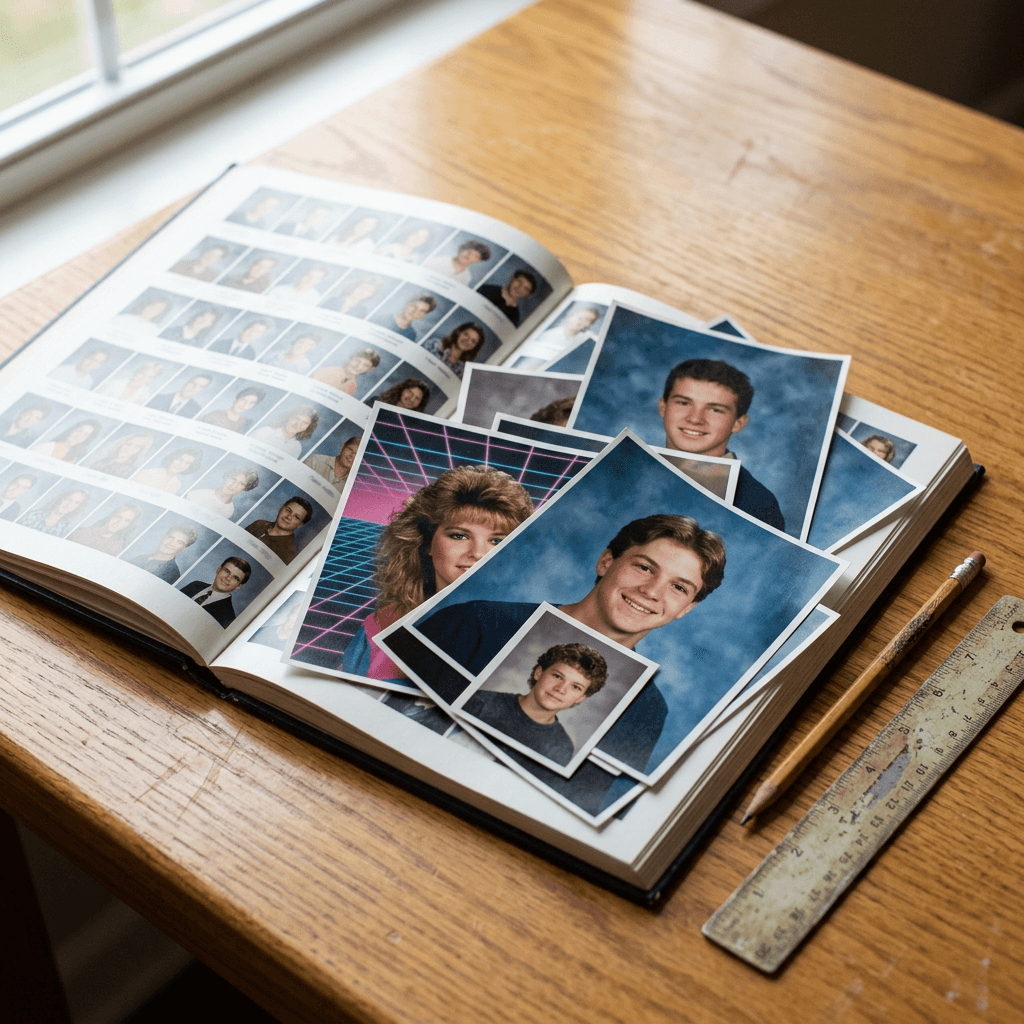
- Every image in this post is a photograph of printed pictures laid on a wooden desk next to an open yearbook, so you can see how the paper, color, and grain of each look should read.
- Run all of it in Miraflow's AI Image Generator, then build a Short from your favorite results with Text2Shorts.
Why the 90s Yearbook Look Is Everywhere Again
The AI yearbook format has returned in waves since the EPIK app's "AI Yearbook" mode spread through TikTok and Instagram in late 2023, and every year the school calendar brings it back. Right now the prompt libraries circulating for Gemini and ChatGPT image editing describe the same core recipe: upload a selfie, preserve the person's identity, and restyle it as a 1990s school portrait with a mottled blue or grey studio backdrop, soft-box lighting, feathered or voluminous hair, soft focus, and film grain. Some versions add the laser-grid backdrop, which photographers actually used more in the late 1980s and early 1990s, and that detail is worth getting right because it changes the whole feel of the picture.
When you search for "ai yearbook photo prompts" or "90s photo prompt", the pages that rank are mostly generator landing pages and short prompt libraries with a handful of one-line prompts. A numbered, categorized pack with real photographic detail is a good fit for this search because people want to copy a prompt, change two words, and see their own face in it. That is also why this pack leans on specifics: the more a prompt reads like a photographer's brief, the less you have to retry.
Which retro portrait look fits your idea
| Look | Backdrop | Lighting | Vibe |
|---|---|---|---|
| Classic 90s picture day | Mottled blue or grey-green canvas | Large soft box, gentle fill | Warm, soft, earnest |
| Laser background | Pink, teal and purple laser grid or starbursts | Beauty dish with hard rim light | Loud, glossy, 1989 to 1993 |
| Senior portrait | Drape, studio stool, or outdoor stone wall | Soft box or open shade | Posed, confident, classic |
| Glamour shot | Soft pastel or draped fabric | Heavy diffusion, hair light | Dreamy, theatrical, funny |
| 2000s yearbook | Gradient or slate-blue digital backdrop | On-camera flash plus fill | Crisp, bright, early digital |
What Makes a Yearbook Portrait Look Like a Yearbook Portrait
Before the prompts, it helps to understand the five physical things a real school photographer's setup produces, because each one maps to a phrase you can put in a prompt.
The first is the backdrop. School portrait backdrops in the 1990s were commonly painted or printed canvas with a mottled, cloudy texture in blue, grey, or green, and the color often graded from lighter near the subject's head to darker at the edges. Writing "mottled blue painted canvas backdrop with soft cloudy variation" gets a very different result from "blue background", which models render as a flat gradient.
The second is the light. A large soft box placed slightly above and to one side of the camera gives a bright, wrapping face light with a faint shadow under the chin, and a second weaker light fills the shadow side. The result has a smooth skin tone with a soft catchlight in both eyes. If you only write "studio lighting" the model will often add dramatic contrast that reads as a modern editorial portrait.
The third is the lens and film look. Portrait photographers of that era shot medium format or 35mm film with an 85mm to 105mm equivalent lens and a faint diffusion effect, which gives gentle edge softness, slightly warm skin, and fine visible grain. Asking for "fine film grain, slightly warm color, soft diffusion" works better than the over-used "vintage filter".
The fourth is the pose. Photographers angled the shoulders about 45 degrees, asked for a slight head tilt, and had people lower the chin a little with a small closed-mouth or open smile. Naming the pose in the prompt is the reason the picture feels directed rather than snapped.
The fifth is the print itself. A scanned print has a slightly rounded corner, a white border, a faint color cast, and sometimes a tiny crease or dust speck. Adding "scanned 3.5 by 5 inch print with a thin white border" to the end of a prompt makes the output read as a physical photograph.
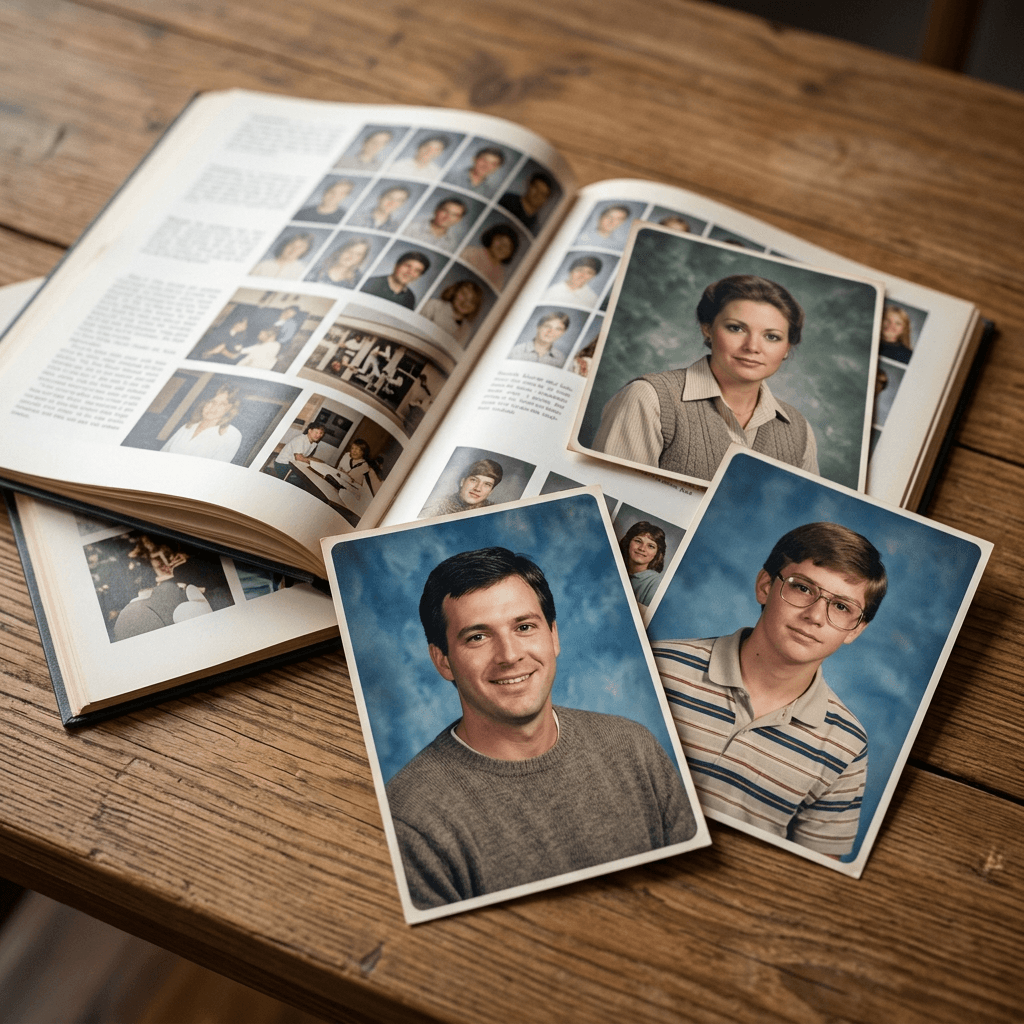
The identity line every prompt starts with
Every prompt below begins with the same instruction: "Use the uploaded photo as the exact reference for my face and keep my facial structure, skin tone, eye color, and natural expression recognizable. Change only the clothing, hair styling, backdrop, lighting, and photo treatment." This is the part that stops the model from replacing you with a generic, prettier face. If your result still drifts, upload a second reference photo from a different angle, or shorten the rest of the prompt so the identity instruction carries more weight.
1) Classic 90s Yearbook Portrait Prompts
These four prompts recreate the standard school picture-day print. Start here before trying anything louder, because if the classic version looks right, every other variation in the pack will too.
1. Mottled Blue Canvas Picture Day
This is the core prompt behind the trend: a head-and-shoulders portrait on a mottled blue canvas backdrop with soft-box light and fine grain. Use a clear front-facing photo with even light as your reference.
Use the uploaded photo as the exact reference for my face and keep my facial structure, skin tone, eye color, and natural expression recognizable, changing only the clothing, hair styling, backdrop, lighting, and photo treatment. Create a 1990s school picture-day portrait, head and shoulders, shoulders angled about 45 degrees with the head tilted slightly and a soft closed-mouth smile, wearing a plain crew-neck sweater in a muted color. The backdrop is a mottled blue painted canvas with soft cloudy variation, lighter behind the head and darker at the edges. Lit by a large soft box slightly above and to the left with a gentle fill on the right and a soft catchlight in both eyes, shot on medium format film with an 85mm portrait lens, fine film grain, slightly warm color, gentle diffusion, a scanned print with a thin white border. No modern retouching, no plastic skin, no text or logos.
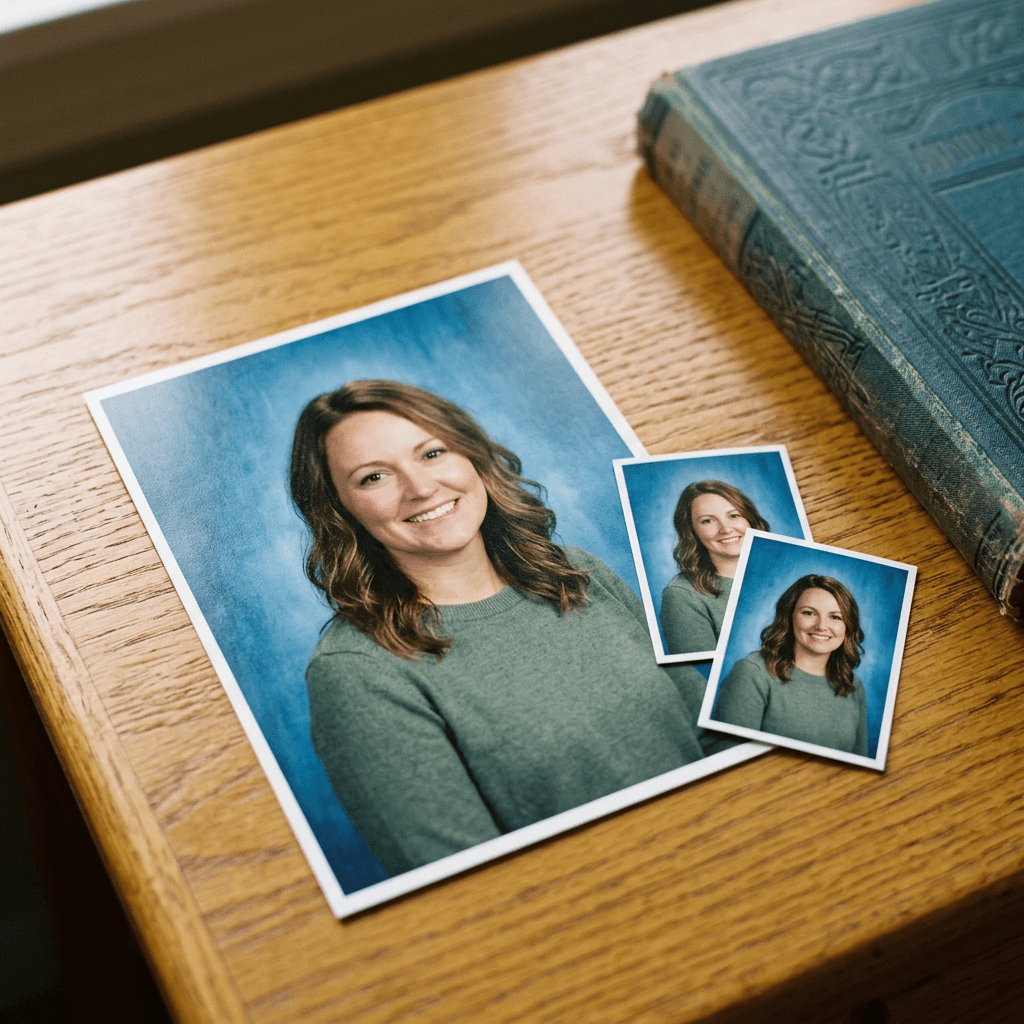
The image above shows what this prompt should look like as a physical print: the mottled blue canvas, the warm skin, and the white border are the three details to check in your result.
2. Marbled Grey-Green Backdrop With a Three-Quarter Pose
Not every school used blue. Marbled grey-green and warm brown backdrops were just as common, and this version changes the pose to a three-quarter turn, which reads as slightly more formal.
Use the uploaded photo as the exact reference for my face and keep my facial structure, skin tone, eye color, and natural expression recognizable, changing only the clothing, hair styling, backdrop, lighting, and photo treatment. Create a 1990s school portrait with my body turned three-quarters to the camera and my face turned back toward the lens with a relaxed natural smile, wearing a collared button-up shirt under a knit vest. The backdrop is a marbled grey-green painted canvas with soft swirling variation. Lit by a large soft box above and slightly left with a weak fill, a faint shadow under the chin, 100mm portrait lens, fine film grain, slightly faded warm color, the print scanned flat with a thin white border and slightly rounded corners. No sharp digital look, no modern skin smoothing, no text or logos.
3. Elementary School Wallet-Size Sheet
The wallet-size sheet is the format everyone remembers: one portrait repeated in different sizes on a single sheet. This prompt asks for a layout, so keep the instruction about a single consistent face firm.
Use the uploaded photo as the exact reference for my face and keep my facial structure, skin tone, eye color, and natural expression recognizable, changing only the clothing, hair styling, backdrop, lighting, and photo treatment. Create a flat-lay photograph of a 1990s school picture package sheet on a wooden desk: one larger portrait on the top half and four smaller wallet-size copies of the same portrait on the bottom half, all of me as a child-style school photo with a bright smile, striped polo shirt, and a mottled blue canvas backdrop, with a thin white border around each print and a faint glossy sheen on the paper. Soft window light from the left, fine film grain, slightly warm color, the same face and expression in every copy. No text, no logos, no distorted faces.
4. Class Composite Page With Small Oval Portraits
Many yearbooks printed class pages as grids of small portraits. This prompt creates a single page with your portrait among classmates, which is the funniest version to post with the caption "find me".
Use the uploaded photo as the exact reference for my face in the top-left portrait and keep my facial structure, skin tone, eye color, and natural expression recognizable. Create a photograph of an open 1990s yearbook page on a wooden desk with a grid of twelve small square school portraits with thin white borders, each of a different generic, non-identifiable student in front of a mottled blue backdrop, with a small blank caption line beneath each. My portrait is in the top-left position, wearing a plain sweater with a soft smile. Soft window light from the left, shallow depth of field, slightly faded warm color with fine grain on the paper. No readable names, no logos, no warped faces.
2) Laser Background Yearbook Prompts
The laser backdrop is the loudest part of the trend, and it is the one most associated with the late 1980s into the early 1990s. These four prompts use different backdrop designs so your series does not look repetitive. Our guide to the ChatGPT 80s photo trend goes deeper on the decade if you want full scenes instead of portraits.
5. Pink and Teal Laser Grid
The classic laser grid is a dark backdrop with glowing pink, teal, and purple lines meeting in a perspective grid and a few diagonal beams. The key to making it look photographed rather than rendered is to ask for a printed backdrop with soft edges and a little glare.
Use the uploaded photo as the exact reference for my face and keep my facial structure, skin tone, eye color, and natural expression recognizable, changing only the clothing, hair styling, backdrop, lighting, and photo treatment. Create a late 1980s to early 1990s school portrait, head and shoulders, shoulders angled with the chin slightly lowered and a bright confident smile, wearing a bold geometric-pattern sweater. The backdrop is a printed laser-light photo backdrop in deep purple with glowing pink and teal diagonal beams and a perspective grid, slightly soft at the edges. Lit by a beauty dish with a soft box fill and a subtle colored rim light on the hair, 85mm portrait lens, visible film grain, saturated but slightly faded color, scanned print with a thin white border. No flat digital gradient, no text or logos, no plastic skin.
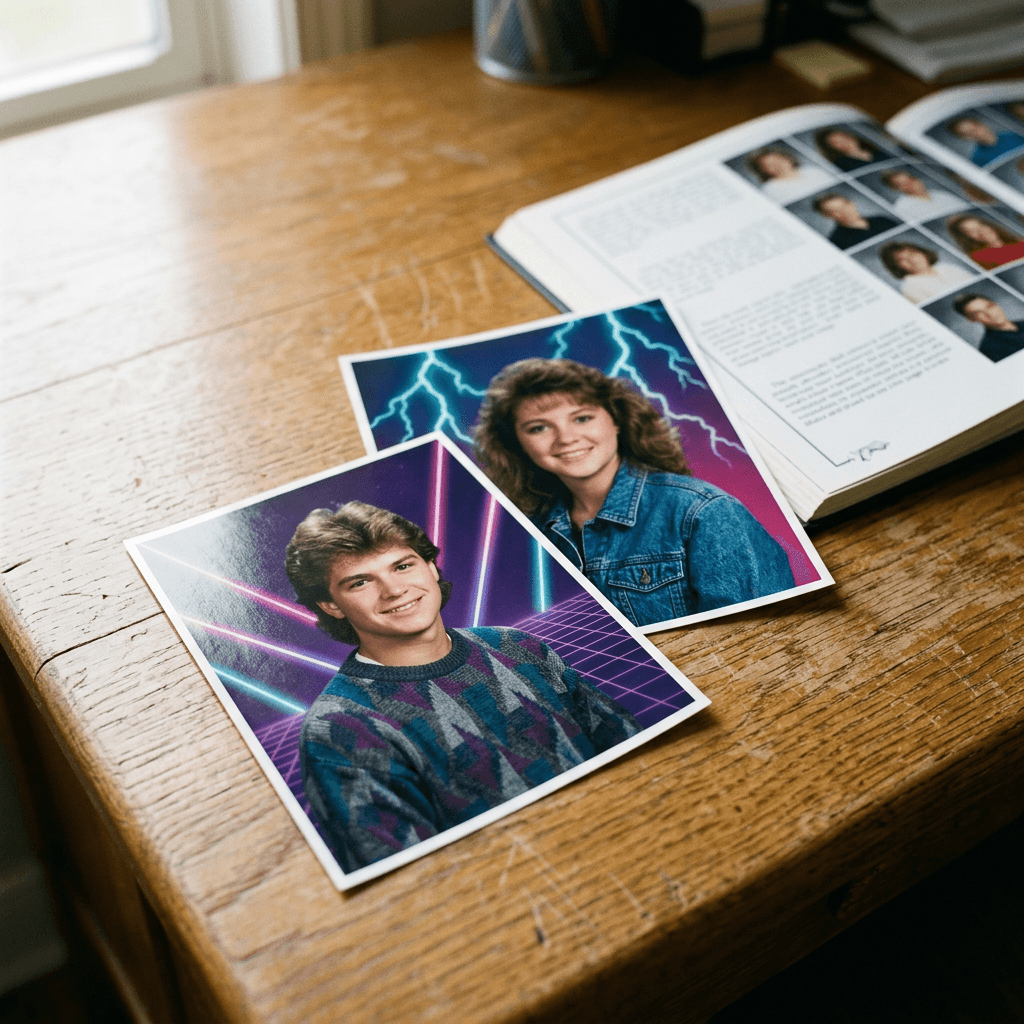
6. Lightning Bolt and Starburst Backdrop
A second popular laser design uses jagged lightning streaks and soft starburst highlights across a blue-to-magenta gradient. This version looks great with big hair and a denim jacket.
Use the uploaded photo as the exact reference for my face and keep my facial structure, skin tone, eye color, and natural expression recognizable, changing only the clothing, hair styling, backdrop, lighting, and photo treatment. Create an early 1990s yearbook portrait with my body angled and my face turned to the camera with a playful smile, wearing a denim jacket over a white tee and styled voluminous feathered hair. The backdrop is a printed photo backdrop with jagged white and cyan lightning streaks and soft starburst highlights across a blue-to-magenta gradient. Lit by a large soft box from above left with a colored hair light, medium format film grain, glossy print texture with a thin white border and a faint glare. No flat vector look, no text or logos, no waxy skin.
7. Neon Triangles and Memphis Shapes
The Memphis-style backdrop, with scattered triangles, squiggles, and confetti in teal, pink, and yellow, belongs to the same era and gives a brighter, friendlier look than the dark grid.
Use the uploaded photo as the exact reference for my face and keep my facial structure, skin tone, eye color, and natural expression recognizable, changing only the clothing, hair styling, backdrop, lighting, and photo treatment. Create an early 1990s school portrait, head and shoulders, with a big open smile and the head tilted slightly, wearing a bright color-block windbreaker. The backdrop is a printed photo backdrop with a pastel Memphis pattern of teal and pink triangles, yellow squiggles, and small confetti dots on a white and lavender ground. Lit by a large soft box slightly above and to the left with a gentle fill, 90mm portrait lens, soft diffusion, fine film grain, scanned print with a thin white border. No flat digital illustration, no text or logos, no distorted features.
8. Airbrushed Cloud Sky Backdrop
An airbrushed sky with soft clouds and a pastel sunset was another staple, and it pairs naturally with softer, warmer skin tones.
Use the uploaded photo as the exact reference for my face and keep my facial structure, skin tone, eye color, and natural expression recognizable, changing only the clothing, hair styling, backdrop, lighting, and photo treatment. Create a 1991 style school portrait with a warm smile and the shoulders angled, wearing a soft pastel knit sweater with a small white collar. The backdrop is an airbrushed painted sky in peach, lavender, and baby blue with soft cumulus clouds and a faint horizon glow. Lit by a large soft box above left with a weaker fill and a subtle hair light, slight diffusion, fine film grain, slightly warm faded color, scanned print with a thin white border. No harsh contrast, no digital gradient look, no text or logos.
3) Senior Portrait Prompts
Senior portraits are the polished end of the yearbook world: more deliberate poses, a stool or a wall, and a mood that is trying a little harder. For modern studio-style looks of the same person, our AI headshot prompts cover the clean professional side of the same identity-preserving workflow.
9. Studio Stool With the Chin on the Hand
The chin-on-hand pose on a studio stool is the signature senior portrait pose of the 1990s, and it works in color or black and white.
Use the uploaded photo as the exact reference for my face and keep my facial structure, skin tone, eye color, and natural expression recognizable, changing only the clothing, hair styling, backdrop, lighting, and photo treatment. Create a 1990s senior portrait, me seated on a black studio stool and leaning forward with one hand lightly resting under the chin, a calm confident half smile, wearing a black turtleneck and a thin chain necklace. The backdrop is a smooth charcoal grey painted canvas with a soft vignette. Lit by a large soft box above and slightly left with a small kicker light on the hair, 105mm portrait lens, fine film grain, slightly warm contrast, black and white with a gentle warm tone, scanned print with a thin white border. No modern retouching, no text or logos, no plastic skin.
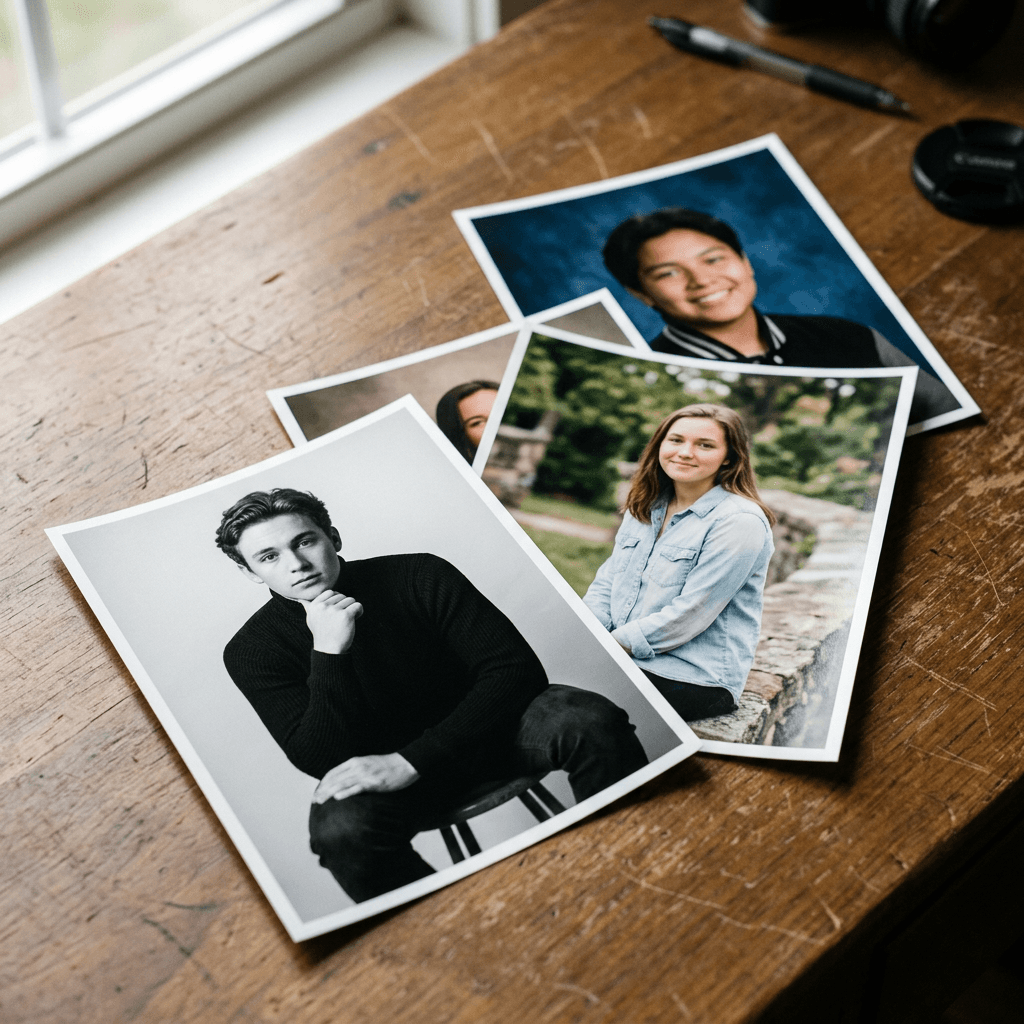
10. Outdoor Stone Wall in Open Shade
The outdoor senior session at a stone wall or a park bench in late afternoon light is a separate, softer look from the studio.
Use the uploaded photo as the exact reference for my face and keep my facial structure, skin tone, eye color, and natural expression recognizable, changing only the clothing, hair styling, backdrop, lighting, and photo treatment. Create a late 1990s outdoor senior portrait, me sitting on a low weathered stone wall with a relaxed pose, one knee up and a natural smile, wearing a light denim shirt and khakis, with green trees softly blurred behind. Warm late-afternoon light in open shade with a soft reflector fill on the face, 85mm lens at a wide aperture, creamy background blur, 35mm film grain, slightly warm faded colors, scanned print with a thin white border. No harsh flash, no oversaturated colors, no text or logos.
11. Letterman Jacket or Club Jersey Close-Up
This version leans into the school identity with a jacket and a classic head-and-shoulders crop. Use a generic jacket without lettering or a real school name.
Use the uploaded photo as the exact reference for my face and keep my facial structure, skin tone, eye color, and natural expression recognizable, changing only the clothing, hair styling, backdrop, lighting, and photo treatment. Create a 1990s yearbook portrait, head and shoulders, with the shoulders angled and a proud confident smile, wearing a varsity-style jacket with leather sleeves and a plain wool body with no lettering or logos. The backdrop is a mottled deep blue painted canvas. Lit by a large soft box above and left with a gentle fill, 90mm portrait lens, fine film grain, slightly warm color, scanned print with a thin white border. No readable text, no emblems, no distorted features.
4) Glamour Shot Prompts
Mall studio glamour shots are the funniest and most shareable branch of the trend: heavy soft focus, dramatic hair, and a fabric backdrop. These work especially well as a surprise for friends, and our Pixar-style prompts show how far the same identity-preserving approach can go in the other direction.
12. Soft-Focus Glamour With a Hair Light
The defining feature is the diffusion: a soft glow around the highlights, slightly dreamy edges, and a bright rim light on the hair.
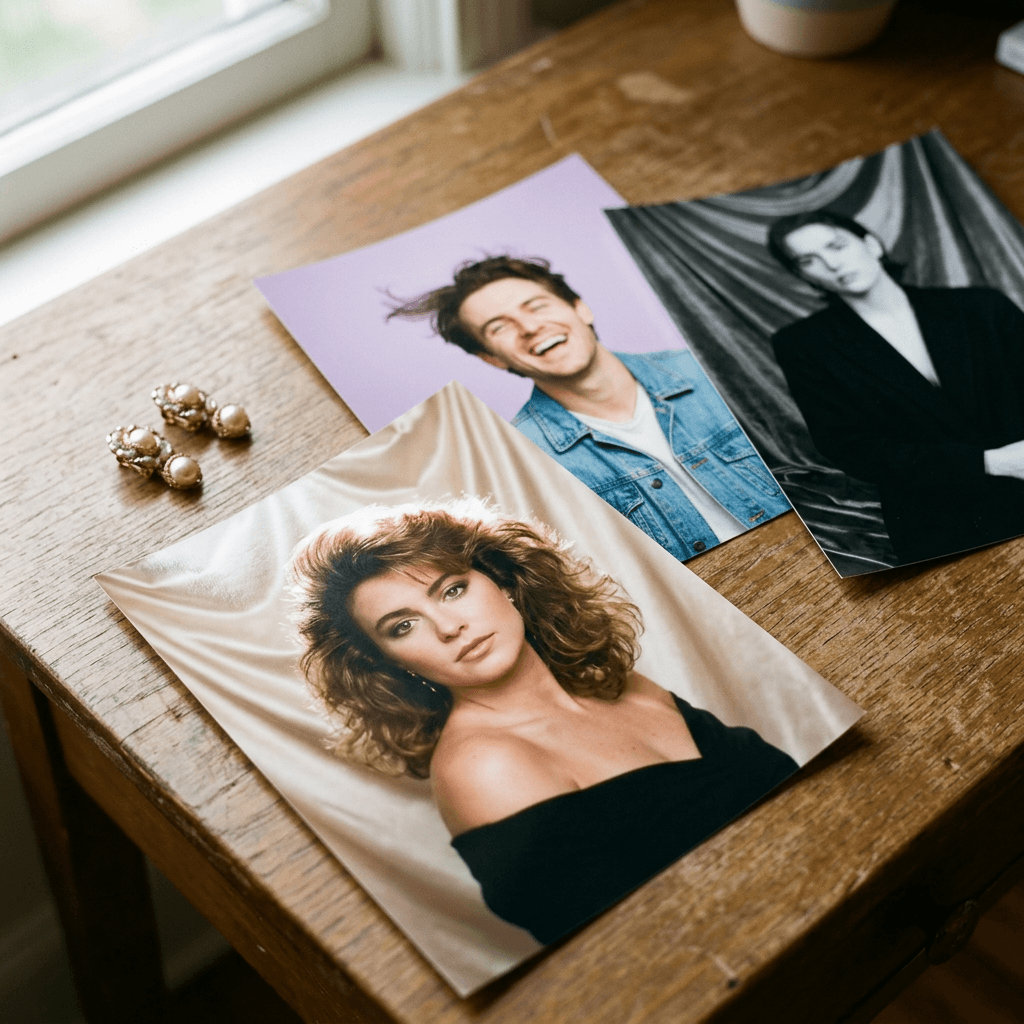
Use the uploaded photo as the exact reference for my face and keep my facial structure, skin tone, eye color, and natural expression recognizable, changing only the clothing, hair styling, backdrop, lighting, and photo treatment. Create a 1990s mall studio glamour portrait, head and shoulders, with a dreamy soft-focus glow, my head tilted and a warm slightly parted smile, voluminous styled hair with a bright hair light behind, wearing an off-shoulder black top and statement earrings. The backdrop is draped champagne satin fabric with soft folds. Lit by a large soft box in front with a strong hair light and a diffusion filter over the lens, warm skin tones, a gentle bloom on the highlights, fine film grain, scanned glossy print with a thin white border. No harsh sharpness, no text or logos, no plastic skin.
13. Denim on Denim With a Wind Machine
Gloriously over-the-top: matching denim, a fan blowing the hair, and a bright pastel backdrop.
Use the uploaded photo as the exact reference for my face and keep my facial structure, skin tone, eye color, and natural expression recognizable, changing only the clothing, hair styling, backdrop, lighting, and photo treatment. Create a 1990s mall studio portrait, me posed in a three-quarter turn with a big laughing smile, hair lifted by a fan, wearing a denim jacket and jeans with a bandana at the neck. The backdrop is a pastel lavender painted canvas with a soft glow. Lit by a large soft box with a strong hair light and a slight diffusion filter, saturated warm colors, fine film grain, glossy print with a thin white border. No stiff pose, no text or logos, no distorted hands.
14. Black and White Sultry Studio Portrait
A moody black and white glamour shot with a velvet-like backdrop and a single dramatic light, a different tone from the colorful pastel versions.
Use the uploaded photo as the exact reference for my face and keep my facial structure, skin tone, eye color, and natural expression recognizable, changing only the clothing, hair styling, backdrop, lighting, and photo treatment. Create a 1990s black and white glamour portrait, head and shoulders, my face turned slightly with a confident calm expression, styled voluminous hair, wearing a dark blazer with a collar open. The backdrop is a dark draped velvet fabric. Lit by a single large soft box from the upper left with a soft fill and a hair light, soft diffusion, rich blacks, fine visible film grain, scanned print with a thin white border. No oversharpening, no modern look, no text or logos.
5) Club, Team and Group Photo Prompts
Group shots are the best use of the trend when you want to tag friends, but face identity gets harder when more people appear, so these prompts use your own face plus generic classmates.
15. Drama or Chess Club Group on Risers
A club photo with three rows on risers and a slightly awkward arrangement is the most recognizable group yearbook image.
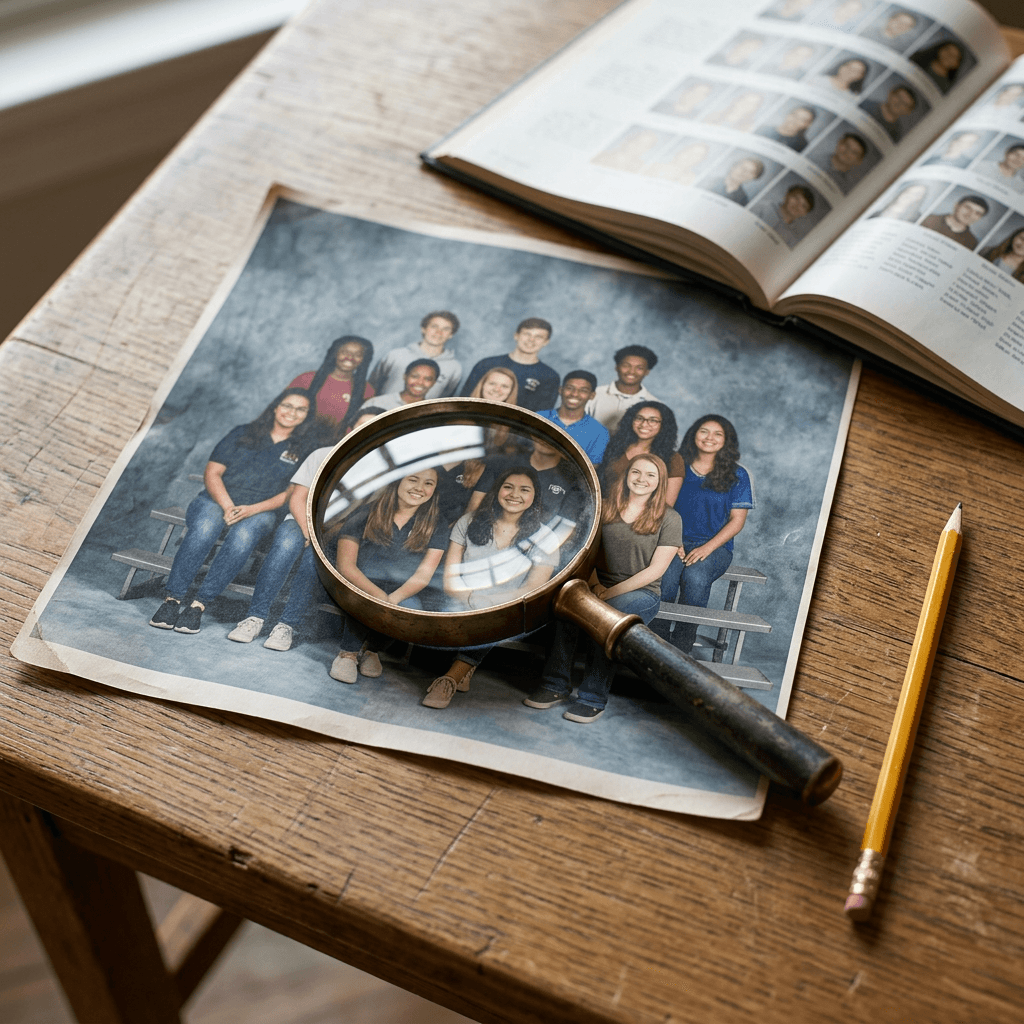
Use the uploaded photo as the exact reference for my face and keep my facial structure, skin tone, eye color, and natural expression recognizable in the middle of the front row. Create a 1990s yearbook club group photo of about ten generic, non-identifiable students arranged in three rows on risers, the front row seated and the back rows standing, all wearing casual 1990s clothes, smiling at the camera against a plain mottled grey-blue backdrop. Even flat flash-assisted studio lighting, 50mm lens at a medium aperture so every face is in focus, fine film grain, slightly faded warm color, scanned print with a thin white border. No text, no club names, no logos, no merged or distorted faces.
16. Team Photo on Gym Bleachers
A sports team photo on bleachers with a coach at one end, in a gym with warm overhead light.
Use the uploaded photo as the exact reference for my face and keep my facial structure, skin tone, eye color, and natural expression recognizable in the center of the second row. Create a 1990s yearbook team photo of about twelve generic, non-identifiable students in matching plain solid-color uniforms with no lettering or logos, arranged on wooden gym bleachers with a few kneeling in front holding a ball, a coach standing at the end. Warm overhead gym lighting with a fill flash, 50mm lens, every face in focus, fine film grain, slightly faded colors, scanned print with a thin white border. No readable text, no emblems, no distorted faces.
6) Decade Variant Prompts
The same face and the same workflow can jump decades by changing the backdrop, the clothing, and the light. These two prompts give you the neighboring eras to build a "yearbook through the decades" carousel. For a full run of the 1980s, see the 80s photo trend pack.
17. 1980s Yearbook With Big Hair and Soft Pastels
The 1980s portrait leans into volume, shoulder pads, and a soft pastel backdrop with a visible vignette.
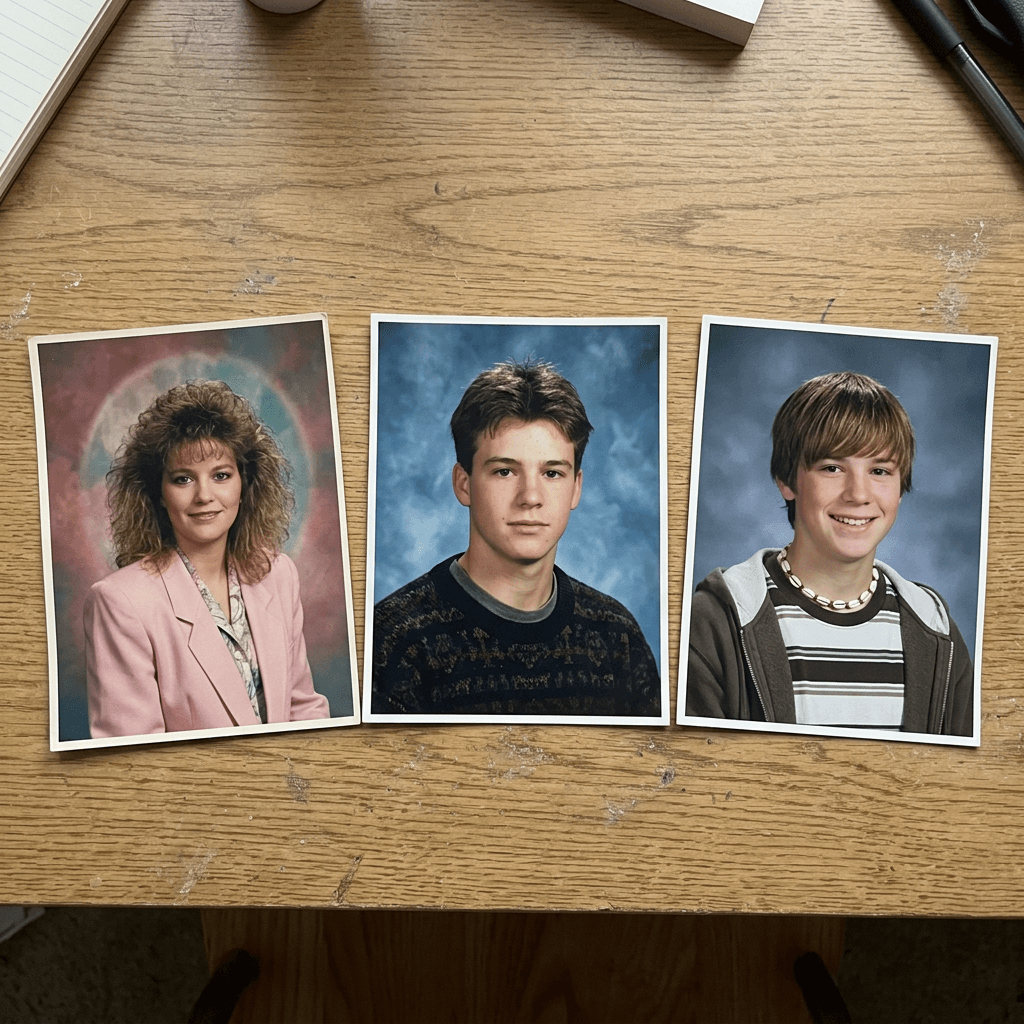
Use the uploaded photo as the exact reference for my face and keep my facial structure, skin tone, eye color, and natural expression recognizable, changing only the clothing, hair styling, backdrop, lighting, and photo treatment. Create a 1985 school portrait, head and shoulders, with big teased voluminous hair, bold eyeshadow and a bright smile, wearing a pastel blazer with shoulder pads and a pearl necklace. The backdrop is a soft rose-and-teal painted canvas with a dark vignette. Lit by a soft box in front with a warm fill and a faint halo of glow around the hair, soft focus on the edges, visible film grain, faded saturated color, scanned print with a rounded corner and a thin white border. No modern clarity, no text or logos, no plastic skin.
18. 2000s Yearbook With On-Camera Flash and a Slate Blue Backdrop
By the early 2000s, digital cameras and brighter on-camera flash made school portraits crisper and cooler, with a plain slate-blue gradient and more casual clothes.
Use the uploaded photo as the exact reference for my face and keep my facial structure, skin tone, eye color, and natural expression recognizable, changing only the clothing, hair styling, backdrop, lighting, and photo treatment. Create a 2003 school portrait from an early digital camera, head and shoulders with a cheerful smile, wearing a fitted striped tee under a zip hoodie with a puka-shell necklace and slightly flat straight hair with side-swept bangs. The backdrop is a smooth slate-blue gradient. Bright direct front flash with a fill light, slightly overexposed highlights, crisp but compressed digital detail, mild JPEG softness, cool white balance, printed on glossy photo paper with a thin white border. No film grain, no text or logos, no distorted features.
7) Family and Pet Portrait Prompts
The last category takes the same studio look to the portraits families still pay for each year. For related ideas using the same identity-preserving workflow, see our family look-alike prompts and pet costume prompts.
19. Matching Sweaters Family Portrait
A family in matching sweaters against a mottled backdrop is the picture-day sibling of the individual portrait. Upload one clear photo of the whole group, or a photo of each person.
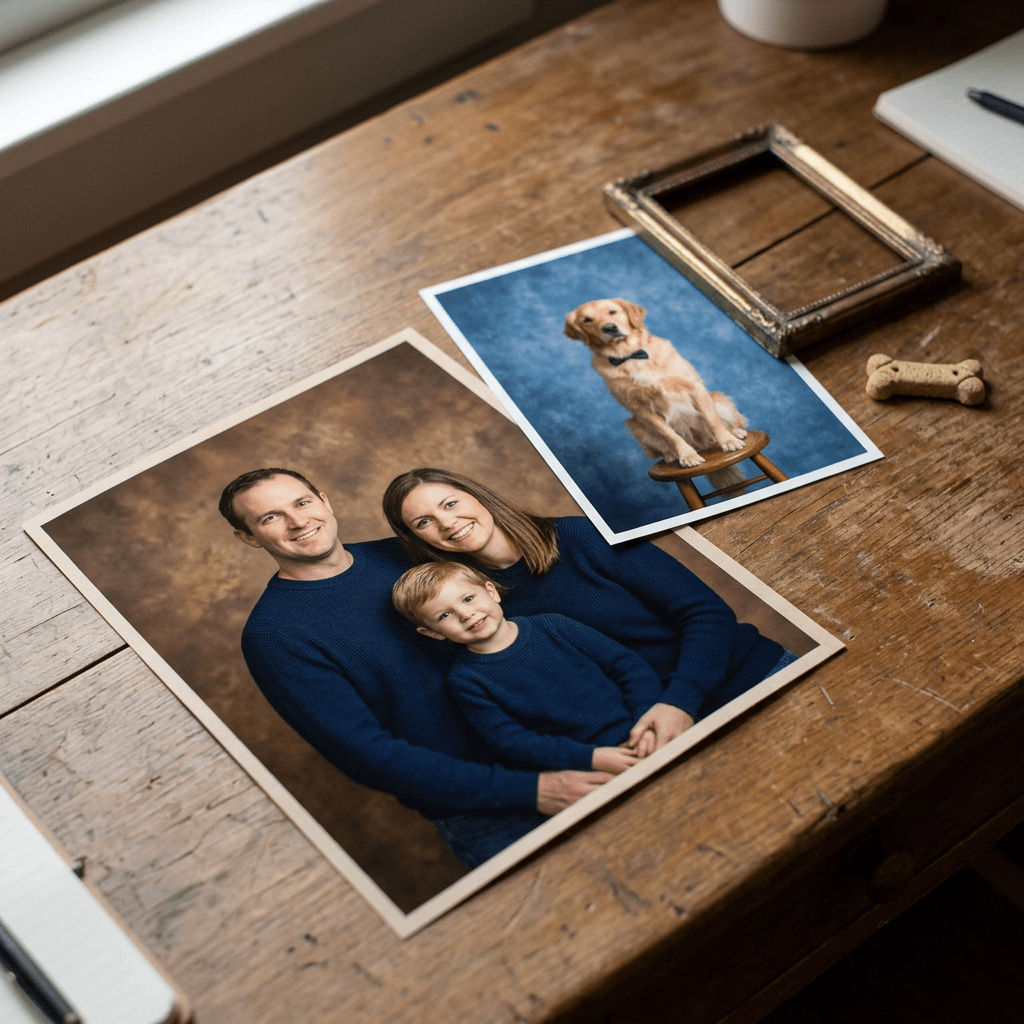
Use the uploaded photo as the exact reference for each person's face and keep every person's facial structure, skin tone, eye color, and natural expression recognizable, changing only the clothing, hair styling, backdrop, lighting, and photo treatment. Create a 1990s studio family portrait with everyone in matching solid-color sweaters, arranged in a natural cluster with the tallest at the back and a child seated in front, everyone smiling and leaning slightly toward the center. The backdrop is a mottled warm brown painted canvas. Lit by a large soft box above and in front with a gentle fill, 85mm lens at a medium aperture so every face stays sharp, fine film grain, slightly warm faded color, scanned print with a thin white border. No merged faces, no extra people, no text or logos.
20. Pet Picture Day
Pets get their own picture day, and a dog or cat on a stool in a tiny collared outfit is the most shareable image in the pack.
Use the uploaded photo of my pet as the exact reference for its face, fur color, markings, and eye color, changing only the accessories, backdrop, lighting, and photo treatment. Create a 1990s school picture-day portrait of my pet sitting upright on a studio stool and looking at the camera, wearing a small plain collar with a tiny bow tie. The backdrop is a mottled blue painted canvas. Lit by a large soft box slightly above and to the left with a gentle fill and a soft catchlight in both eyes, 85mm lens, fine film grain, slightly warm color, scanned print with a thin white border. No human hands, no text or logos, no distorted anatomy.
How to Customize These Prompts
Each prompt is a template with five slots you can swap without breaking the rest, so you can create a hundred variations from this pack.
Swap the backdrop first. Mottled blue, marbled grey-green, warm brown, laser grid, Memphis shapes, and airbrushed sky each change the whole mood while the light and grain stay the same. If the backdrop comes out as a flat gradient, add "painted canvas with visible brush-like cloudy variation" and "slightly darker at the edges".
Swap the clothing next. A plain crew-neck sweater, a collared shirt with a vest, a denim jacket, and a turtleneck each pin the picture to a slightly different year. Avoid brand logos and school names, which models tend to garble.
Adjust the print treatment last. "Scanned print with a thin white border", "glossy print with a faint glare", and "photographed print on a wooden desk" give different levels of physical realism. If you want the file to look like the original negative instead, replace the print phrase with "digitized medium format negative scan".
For the face, keep the identity line at the start of the prompt unchanged. If your photo is dim or tilted, retake it in even daylight facing a window, because every era-styling instruction will be applied on top of the information in that reference. For more control over reference-based edits, our Nano Banana 2.1 prompts guide covers the instruction style that image-editing models respond to best.
Making a series for a carousel or Short
A good sequence is the classic blue portrait, the laser version, the senior portrait, the glamour shot, and the 2000s flash version, posted in that order, with a slide or caption that names the year. If you want a vertical video of the series, Text2Shorts can turn the images and a short script into a finished clip, and the YouTube Thumbnail Maker is a quick way to build a before and after cover from two of the portraits.
Common Mistakes to Avoid
Writing "90s filter" and nothing else. Models treat that phrase as a color grade, so you get a modern portrait with warm tones. Name the backdrop, the lighting, the lens, and the print instead.
Skipping the identity instruction. Without a line that tells the model to keep your face, it often swaps in a smoothed, more conventionally attractive face. Put the instruction first and name what is allowed to change.
Using a low-quality reference photo. A dark, blurry, or heavily filtered selfie gives the model little to hold onto, and the result drifts. Use a sharp, front-facing photo in even daylight with the whole face visible and no sunglasses.
Asking for too many things at once. A prompt that requests a laser backdrop, a letterman jacket, a glamour glow, and a bleacher team scene gives the model conflicting instructions. Pick one backdrop, one outfit, and one lighting style per image.
Over-describing the retouching. "Perfect skin" and "flawless" cancel the film look. Real school photos show faint skin texture and flyaway hairs, so ask for natural skin texture instead. The photorealism tricks guide explains why texture and imperfection are what read as real.
Putting real school names or logos in the prompt. Models garble lettering and you can end up with a distorted emblem. Leave text out of the image and add a caption afterward in an editor.
Using group photos without checking each face. Faces blend when people overlap. For group shots, ask for clear spacing and check every face, or generate individuals separately and compose the page yourself.
Forgetting the era-specific details. A laser backdrop with a 2003 flash look feels off. Match the backdrop, the clothes, and the lighting to one year, and if you want a flash-heavy look, the 2007 digicam flash filter prompts are tuned for it.
Make the Whole Yearbook Series in One Place With Miraflow
Everything in this pack can be run inside Miraflow's AI Image Generator: upload your photo as the reference, paste a prompt, and generate. Because the same tool handles text-to-image, image-to-image, and image editing, you can fix a small problem, such as a wrong sweater color or an odd background corner, by masking that area and regenerating only that region instead of rerunning the whole portrait.
From there, the rest of the content pipeline is in one place. Use the YouTube Thumbnail Maker to build a "me through the decades" cover, Text2Shorts to assemble a vertical Short from your favorite portraits, and the Miraflow home page to see the rest of the tools. If you are building more portrait content, the birthday photoshoot prompts and couple selfie prompts use the same reference-photo workflow.
Frequently Asked Questions
How do I make an AI 90s yearbook photo of myself?
Upload a clear, front-facing photo of yourself to an image tool that supports reference photos, start the prompt with an instruction to keep your exact face, and then describe the backdrop, lighting, lens, pose, and print treatment. Prompt 1 is the best starting point.
What is the best prompt for a 90s yearbook photo?
The best prompt names a mottled painted canvas backdrop, a large soft box slightly above and to one side, an 85mm portrait lens, fine film grain, a 45 degree shoulder angle, and a scanned print with a white border. Prompt 1 combines all of them.
Why does my AI yearbook photo not look like me?
The most common causes are a missing identity instruction, a dim or low-resolution reference photo, and a prompt that asks for too many changes. Start with the identity line, use a sharp front-facing photo, and keep one backdrop and one outfit per image.
Which backdrop is most accurate for the 90s?
Mottled blue, grey, and green painted canvas backdrops were the most common for standard picture day. Laser grids, lightning streaks, and Memphis-style patterns were popular as upgrade options from the late 1980s through the early 1990s.
What is the difference between a yearbook photo and a glamour shot?
A yearbook photo is a direct school portrait with neutral lighting and a simple pose. A glamour shot uses heavy diffusion, a hair light, dramatic styling, and fabric backdrops, so the result looks theatrical and dreamy.
Can I do an 80s or 2000s version?
Yes. Prompts 17 and 18 cover those decades, and you can adapt any prompt by changing the backdrop, clothing, and lighting. The 2000s version uses on-camera flash and a slate-blue gradient instead of film grain.
Do I need ChatGPT or Gemini to make these?
No. The trend spread through those apps, but any capable image generator that accepts a reference photo can follow these prompts. You can run all of them in Miraflow's AI Image Generator.
Can I make a group yearbook photo with friends?
Yes. Upload a clear photo of each person, tell the model to keep each face recognizable, and ask for even spacing. Check every face for blending, and generate individuals separately if the group result drifts.
What aspect ratio should I use?
Use 4:5 or 1:1 for feed posts, 3:4 or 4:3 for classic print proportions, and 9:16 for Stories, Reels, and TikTok covers.
Is it safe to upload my photo?
Check the privacy and data settings of any tool before uploading, avoid uploading photos of other people without their permission, and never upload photos of children that are not your own.
Conclusion
The AI 90s yearbook trend keeps returning every picture-day season because it is instantly recognizable and gives a funny, nostalgic reveal, and the prompts above work because they describe the way the photographs were actually made: a mottled painted backdrop, a big soft box, a portrait lens, a little diffusion, visible grain, a directed pose, and a scanned print with a white border.
Start with Prompt 1 to confirm your tool keeps your face, then try one idea from each category: a laser backdrop, a senior portrait, a glamour shot, a club photo, a decade variant, and a pet portrait. Keep logos and school names out of the image, match every detail to one year, and post the series as a carousel. You can generate the whole set, and turn it into a Short, in Miraflow.