Faceless YouTube Shorts with AI: 10 Niches That Still Work in 2026

Written by
Jay Kim

Learn how to grow with faceless YouTube Shorts in 2026 using AI. This guide breaks down 10 faceless niches that still work and how to power them with Text2Shorts, Veo3, and AI thumbnails.
Can I grow on YouTube without showing my face?
In 2026, the answer is still yes, but not the way it used to be.
AI tools made it incredibly easy to pump out low-effort, fully automated faceless content. You’ve probably seen it: robotic voices, random stock clips, generic tips. That kind of AI slop is getting ignored by viewers and, increasingly, by YouTube’s recommendation systems.
But faceless YouTube Shorts aren’t dead.
They’ve just evolved.
This guide walks through:
- What 'faceless' really means in 2026
- Why some faceless Shorts still perform extremely well
- 10 faceless Shorts niches that still work with AI
- How to use tools like Text2Shorts, Veo3/Veo3.1, and AI thumbnail makers (like Miraflow AI) to build them without looking spammy
What 'Faceless' Really Means in 2026
'Faceless' used to mean:
No on-camera personality, just voiceovers and random footage.
In 2026, faceless content that works usually has:
- A clear POV or identity, even without a visible face
- Consistent style (visuals, pacing, tone)
- Specific value (one type of problem, one audience)
You don’t have to appear on camera, but you do need:
- A concept you own
- A repeatable format
- A structure that keeps viewers watching
AI should help you execute faster, not replace the thinking.
That’s where a prompt-first workflow (like Text2Shorts → AI thumbnail makers) fits perfectly.
If you want concrete structures you can plug into these faceless niches, check:
👉 10 AI Shorts Formats That Actually Go Viral in 2026
How AI Fits Into Faceless Shorts (The Healthy Way)
AI is strongest when it handles:
- Structure (breaking ideas into segments)
- Visual generation (Veo3/Veo3.1 for clips, Nano Banana-style for thumbnails/graphics)
- Speed (creating multiple variations quickly)
You stay in charge of:
- Picking the niche
- Choosing the angle
- Writing or refining the core idea
- Reviewing what feels on-brand or off
Think of it as:
You = director
AI = camera, editor, and design team
Now let’s talk about which faceless niches are still worth doing.
If you want a full walkthrough of turning a single idea into a structured vertical video without touching a timeline, see:
👉 From Prompt to Reel: Creating 1-Minute AI Shorts with Text2Shorts
10 Faceless YouTube Shorts Niches That Still Work in 2026
You don’t need all ten.
Pick 1–2 that match your interests and lean into them.
For each niche below, I’ll include:
- What it is
- Why it still works
- How AI (Text2Shorts + Veo 3/Veo3.1 + AI generated thumbnails) can help

1. Mini Explainer Shorts (Tech, AI, Money, Tools)
What it is
Short, simple explanations of:
- AI tools
- Productivity apps
- Investing basics
- SaaS features
- What is X? / Why Y matters now
Often just:
- Screen recordings / abstract visuals
- Text on screen + voiceover
- Clear, punchy structure
Why it still works
- People want quick answers, not 20-minute lectures.
- Great fit for Shorts: one idea, one takeaway.
- Highly shareable in group chats and communities.
How AI helps
- Use Text2Shorts:
- Input a topic: e.g. 'What is Veo3?' or 'What is watch time on YouTube Shorts?'
- Get a structured script with hook → explanation → takeaway.
- Generate the full shorts automatically
- Use Veo3/Veo3.1 to generate simple, cinematic visuals that match each segment.
- Use Miraflow’s AI thumbnail makers to create clean explainer thumbnails (e.g. phone + graph, app window, simple icons).
For length and pacing benchmarks for these explainer-style Shorts, see:
👉 How Long Should YouTube Shorts Be in 2026?
2. 'Systems & Workflow' Channels (Notion, Automation, AI Stacks)
What it is
Faceless Shorts that break down:
- Daily systems
- Workspace setups
- Automation flows (e.g. My content pipeline)
- How you stack AI tools together
Usually:
- Screen + cursor recordings
- B-roll shots of laptops/desks
- Text overlays explaining steps
Why it still works
- Viewers don’t just want tools; they want systems.
- Evergreen: productivity and workflows never go out of style.
- Perfect for SaaS or AI-product audiences.
How AI helps
- Use Text2Shorts to turn 'My workflow for X' into a 30–45s narrative.
- Use Nano Banana-style prompts via Miraflow AI to create diagrams/illustrations for thumbnails and blog posts.
3. Calm Study / Work / Focus Loops
What it is
Faceless aesthetic loops like:
- Study desk setups
- Laptop + coffee + ambient lights
- City at night + focus music
- Study with me or Work sprint vibes
Often with:
- On-screen timer or session label
- Soft BGM
- Minimal text
Why it still works
- People use Shorts as ambient background or mood-setting.
- It’s a break from loud, chaotic content.
- Highly repeatable and brandable.
How AI helps
- Use Veo3/Veo3.1 to generate calming desk or workspace loops (Pomodoro 25–5 sprint)
- Use AI thumbnail with gentle, clean prompts (desk, soft lighting, pastel colors)
If you’re curious why Shorts are still exploding in overall watch time, read:
👉 Why Is YouTube Shorts Trending in 2026? Full Explanation
4. Silent Infographic / Chart Explainers
What it is
Shorts that:
- Show a simple chart, bar, or visual
- Highlight one statistic or comparison
- Use captions instead of voiceover
Example:
- This is how Shorts watch time changed from 2023 → 2026.
- Top 3 countries watching your content.
Why it still works
- Easy to consume with sound off.
- Feels “smart” but not heavy.
- Very shareable in niche communities.
How AI helps
- Use Text2Shorts to structure:
- Hook → stat → quick context → takeaway
- Use Nano Banana-type prompts for chart-style thumbnails: laptop + chart, dashboard style.
5. Tool Showcase & Feature Demos
What it is
Faceless Shorts that show:
- This AI tool does X in 10 seconds
- This one feature can save you 1 hour/day
- Quick UI demos or transformations
Why it still works
- Endless supply of new tools and updates.
- Viewers want fast proof, not long reviews.
- Great for affiliates or SaaS marketing.
How AI helps
- Use Text2Shorts to script 20–30s feature demos:
- Problem → feature → result
- Use AI thumbnail makers for thumbnails like:
- AI did this
- 1 click = this result
6. Storytime & 'What Happened When…' Narratives
What it is
Faceless storytelling like:
- Here’s what happened when I posted Shorts every day.
- I tried building a startup with only AI tools.
- I spent 30 days learning X.
Often:
- B-roll footage
- Simple text overlays
- Voiceover or subtitles
Why it still works
- People love narratives and personal experiments.
- No face needed if the story is relatable.
- Works well with AI footage + minimal editing.
How AI helps
- Use Text2Shorts to convert your story into short scenes (segments).
- Use AI thumbnail makers to generate thumbnail that shows progress (before/after arrows, '30 days' vibe).
If you want to generate Veo3 and Veo3.1 clips directly inside your browser, you can follow:
👉 How to Use Veo3 / Veo3.1 for Free on Miraflow AI
7. Quiet Satisfying Processes (Editing, Design, Coding, Building)
What it is
Faceless process content like:
- Watching a design go from sketch to final
- Code turning into app UI
- Interface mockups
- Timeline edits
- Building something step-by-step
Often:
- No talking
- Just visuals + music
- Maybe a few bold captions
Why it still works
- Very swipe-stopping visually.
- Creates 'ASMR for the brain' feeling.
- Cross-niche appeal (designers, devs, makers).
How AI helps
- Use Text2Shorts to add subtle structure: “Step 1 / Step 2 / Step 3” overlays.
- Use Nano Banana-style thumbnails showing progression or before/after states.
8. Travel POV + Tips (Without Showing Your Face)
What it is
POV-style Shorts with:
- Walking through a city
- Riding public transport
- Looking at landmarks
- Overlays like: 3 things to know before visiting ___
Why it still works
- Travel interest never dies.
- Viewers want tiny, actionable tips, not long vlogs.
- You can stay anonymous—no selfie-style filming required.
How AI helps
- Use Text2Shorts to generate tip-based scripts:
- Hook → 3 quick tips → closing line
- Use AI thumbnail makers: city skyline + icons / pins / suitcase.
9. Motivation & Mindset Clips (With Actual Structure)
What it is
Faceless motivational content with:
- Simple quotes or frameworks
- B-roll of working, city, nature, etc.
- Calm or epic music
- Short, sharp lines on-screen
Why it still works
- People still save and rewatch these.
- Works well as background inspiration.
- Easy to localize or niche down (creators, founders, students).
How AI helps
- Use Text2Shorts to create mini scripts like:
- Here’s the 3-rule system I use when I want to quit.
- Use AI thumbnail makers: silhouette, sunrise, arrows, progress symbols.
10. AI & Prompt Breakdown Channels
What it is
Faceless Shorts that show:
- How to write better prompts
- Prompt vs result comparisons
- Before/after AI generations
- Nano Banana / Veo3 / image prompts breakdowns
Why it still works
- AI curiosity is still huge.
- People search 'prompt for [X]' constantly.
- You get natural synergy with your tools and content.
How AI helps
- Use Text2Shorts to structure:
- Hook → show bad prompt → show improved prompt → result
- Use Nano Banana-style image generations as content inside the Short and for thumbnails.
For a deeper dive into high-performing AI image prompts, including Nano Banana, see:
👉 The Ultimate Nano Banana Prompt Guide: Viral Prompts That Actually Work
Using Miraflow AI to Build a Faceless Shorts Machine
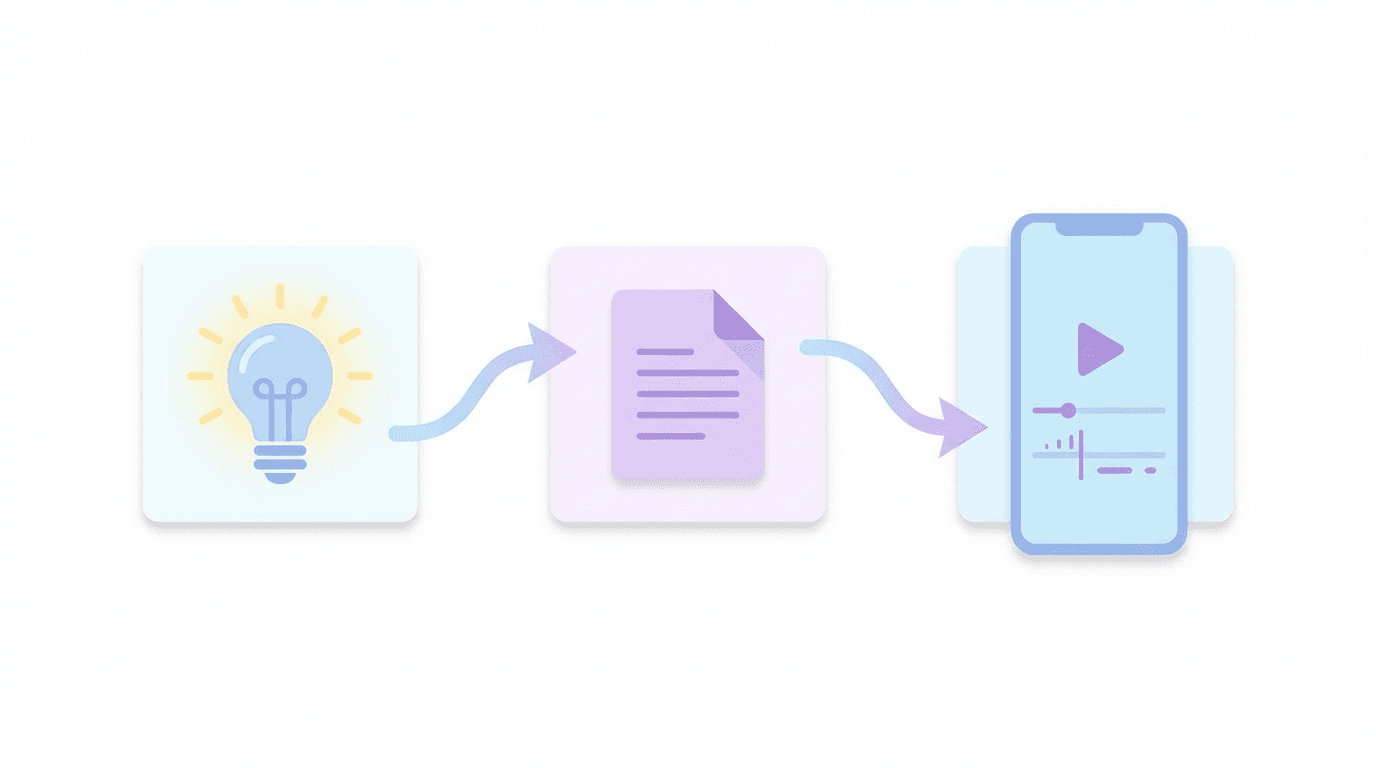
Here’s how you could tie everything together using Miraflow AI:
1. Start with a Niche + Topic
Example:
- Niche: Mini AI explainers
- Topic: Why Shorts watch time matters more than views
2. Use Text2Shorts to Generate the Script
- Input the topic into Text2Shorts
- Choose style (realistic or animated)
- Let it break the idea into short segments:
- Hook
- Core explanation
- Visual examples
- Takeaway
Edit or regenerate until it sounds like you.
4. Create a Thumbnail with YouTube Thumbnail Maker
- Go to YouTube Thumbnail Maker
- Use a prompt like:
YouTube Shorts explainer thumbnail about faceless AI channels, showing a silhouette figure in front of a large vertical phone screen filled with short video cards. Bright white background, modern flat style, vibrant accent colors, soft shadows, no logos.
- Add short text like:
- Faceless in 2026
- AI Shorts That Work
5. Repeat Across 1–2 Niches
- Publish a few Shorts per niche
- Watch retention, views, and saves
- Double down on the niche that outperforms

Final Thoughts: Faceless Doesn’t Mean Personality-Free
Faceless channels are not dead in 2026.
What’s dying is:
- Copy-paste scripts
- Generic robot voices
- Stock B-roll with zero thought
- Channels that feel like clones of each other
What still works:
- Clear niche
- Consistent format
- Real ideas, even if AI helps you execute them
- A structure that respects viewer time
If you want to build a faceless YouTube Shorts channel that actually survives in 2026:
- Pick one of the niches above
- Use AI tools like Text2Shorts, Veo3/Veo3.1, and AI thumbnail makers not to spam, but to ship more thoughtful content
- Iterate based on how real people respond, not just what’s easiest to automate
When you use AI to amplify your point of view instead of hide the lack of one, faceless doesn’t feel faceless at all.