Google Ads Tests AI for Campaign Goals and Assets: How to Prepare (2026)

Written by
Aerin Kim
Google confirmed an experiment where you describe a campaign goal in plain language and Google AI suggests goals and assets. Here is what is verified, how it compares, and how to prepare.
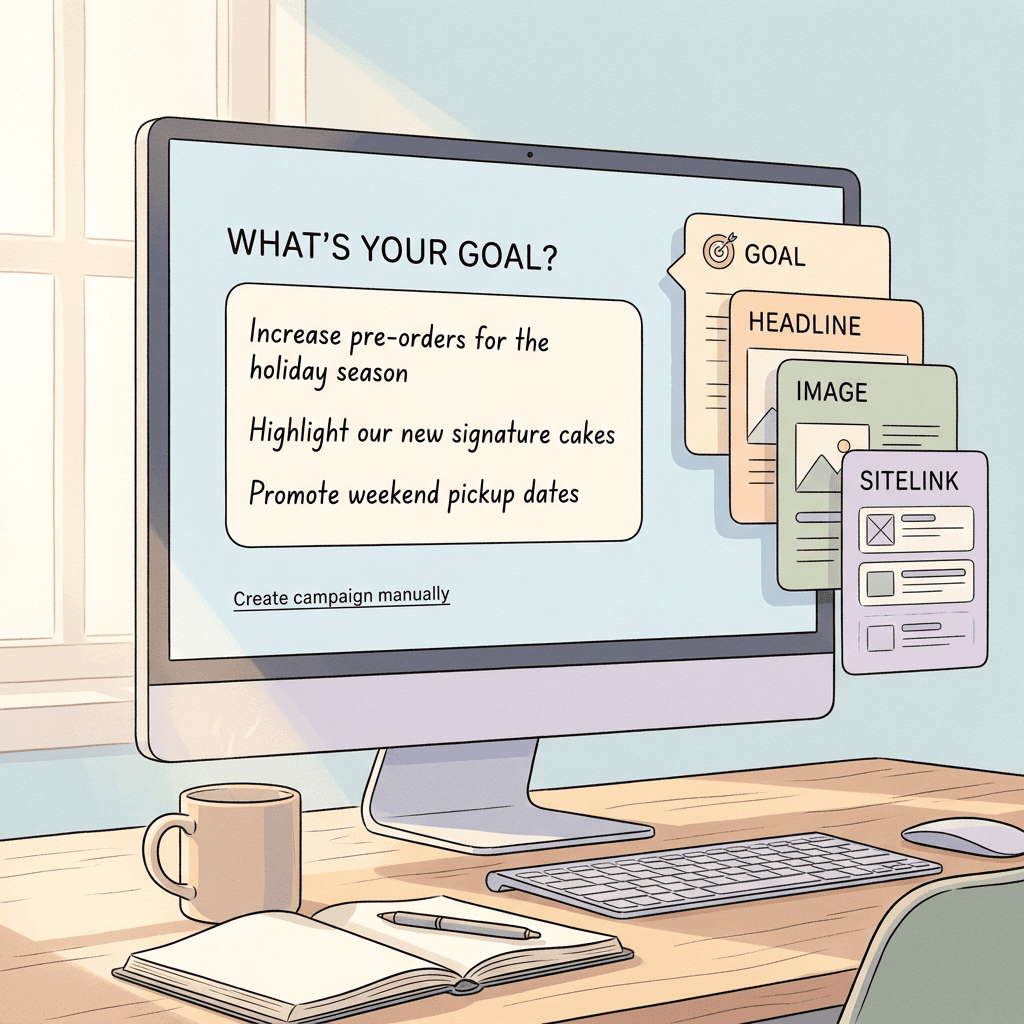
If you build Google Ads campaigns for a living, you already know where the first twenty minutes of every setup go. You pick a goal from a list, argue with yourself about which campaign type fits, paste in a landing page, and then spend the rest of the session writing headlines, hunting for images, and trimming descriptions to character limits. On October 12, 2026, Search Engine Roundtable reported that Google is testing a different front door: a screen that asks "What's your goal for this campaign?" and lets you answer in plain language, after which Google AI suggests goals and assets based on what you typed. Google's Ads Liaison, Ginny Marvin, confirmed the screen is real and called it an experiment.
This guide explains exactly what has been confirmed, what has not, how the test compares with the AI features Google already documents, and how to prepare so that if the screen appears in your account you get good output instead of generic filler. Because the test is small and Google has not published a help page for it, I will keep a hard line between verified facts and reasonable expectations. If you are the person who has to produce the images and videos that such a workflow asks for, the section on creative preparation with Miraflow near the end is written for you.
TL;DR: What Google confirmed and what you should do
Here is the short version before the detail.
- What it is: an experimental campaign setup screen with a large text box where you describe your goal. Google AI then suggests goals and assets from that input. A link labeled "Create campaign manually" skips it.
- Who confirmed it: Ginny Marvin, Google's Ads Liaison, replied on X that "this is an experiment" and that Google welcomes "advertisers' feedback around how and where this type of workflow would be helpful."
- What is unknown: availability, rollout timing, supported campaign types, and what exactly the AI generates beyond goals and assets. Google has not said.
- What to do now: write a one-page campaign brief, audit your landing pages and asset library, set up a review checklist, and decide in advance how you would test an AI-started campaign against a manual one. None of that is wasted if the test never reaches you.
What changed, with dates and Google's own wording
Search Engine Roundtable published the first report on October 12, 2026 (Barry Schwartz, 7:41 am). The screenshot came from an advertiser who posted it on X, and the article describes the screen this way: a heading asking "What's your goal for this campaign?", a line explaining that Google AI will suggest goals and assets based on the advertiser's input, a large text box for describing the goal, and a link to "Create campaign manually."
Search Engine Land covered the same screen the same day under the headline "Google Ads tests AI-powered campaign creation using natural language," and ContentGrip followed on October 13, 2026 with the observation that the test places a written brief near the start of campaign setup. Both outlets report Ginny Marvin's confirmation on X. Her wording, as quoted by the outlets, was that this is an experiment and that Google welcomes feedback on how and where this type of workflow would be helpful.
Two details in that wording matter. First, "experiment" in Google Ads language usually means a limited slice of accounts, a changing interface, and no promise that the feature ships. Second, the request for feedback on "how and where" signals that Google has not settled which campaign types or entry points it fits. Those are the two reasons this post focuses on preparation and testing discipline rather than a menu-by-menu walkthrough that could be wrong next week.
What is confirmed versus what is not
| Question | Status | Source basis |
|---|---|---|
| Does the screen exist? | Confirmed | Screenshot reported by Search Engine Roundtable and Search Engine Land |
| Is it an official Google test? | Confirmed | Ginny Marvin, Google Ads Liaison, on X |
| Does it take a plain-language goal? | Confirmed | Screen text as reported |
| Does AI suggest goals and assets from the input? | Confirmed as the screen's stated behavior | Screen text as reported |
| Can you bypass it? | Confirmed | "Create campaign manually" link |
| Which campaign types support it? | Not disclosed | Coverage says Google has not shared |
| Rollout timeline or regions? | Not disclosed | Same |
| What each suggestion contains (budgets, keywords, bidding)? | Not disclosed | Same |
| Will it become permanent? | Unknown | Described by Google as an experiment |
If you read anything claiming that this feature already builds full campaigns with keywords and budgets for everyone, treat it with suspicion. As of October 17, 2026, the verified description is narrower than that.
Who sees it today
Almost nobody, and you cannot opt in. The screenshot reached trade press because one advertiser happened to land in the test. Google has not published eligibility rules, so there is no setting to enable and no form to request access. If your account is in the experiment, you will see the goal screen when you start creating a campaign, with the manual link underneath.
That has a practical consequence for agencies. If you manage many accounts, the screen may appear in some and not others on the same day, which can confuse a team that assumes everyone sees the same interface. Make a note in your internal process doc that campaign creation screens can differ between accounts during experiments, and capture screenshots when they appear. Those screenshots are useful both for training teammates and for feedback to Google, which has explicitly asked for it.
This is not the first natural-language feature in Google Ads
Search Engine Land pointed out that the new goal screen should not be described as Google's first use of natural language in campaign creation, and that is worth taking seriously because it tells you what to expect. Google already documents a chat-based tool in its Help Center called the conversational experience in Google Ads (About conversational experience in Google Ads). Reading that page is the best available preview of how Google handles AI-suggested assets today.
Here is what the help page says about it, as of the version I read on October 17, 2026:
- It is described as a chat-based feature that combines your expertise with Google AI to optimize Search campaigns, powered by Google's large language models.
- For new Search campaigns it helps build one or more ad groups themed around your products or services, each with keywords and assets (headlines, descriptions, sitelinks, images) generated together.
- For existing Search campaigns it can optimize responsive search ads and create new RSAs and new ad groups. Creating new ad groups inside an existing Search campaign is listed as not supported.
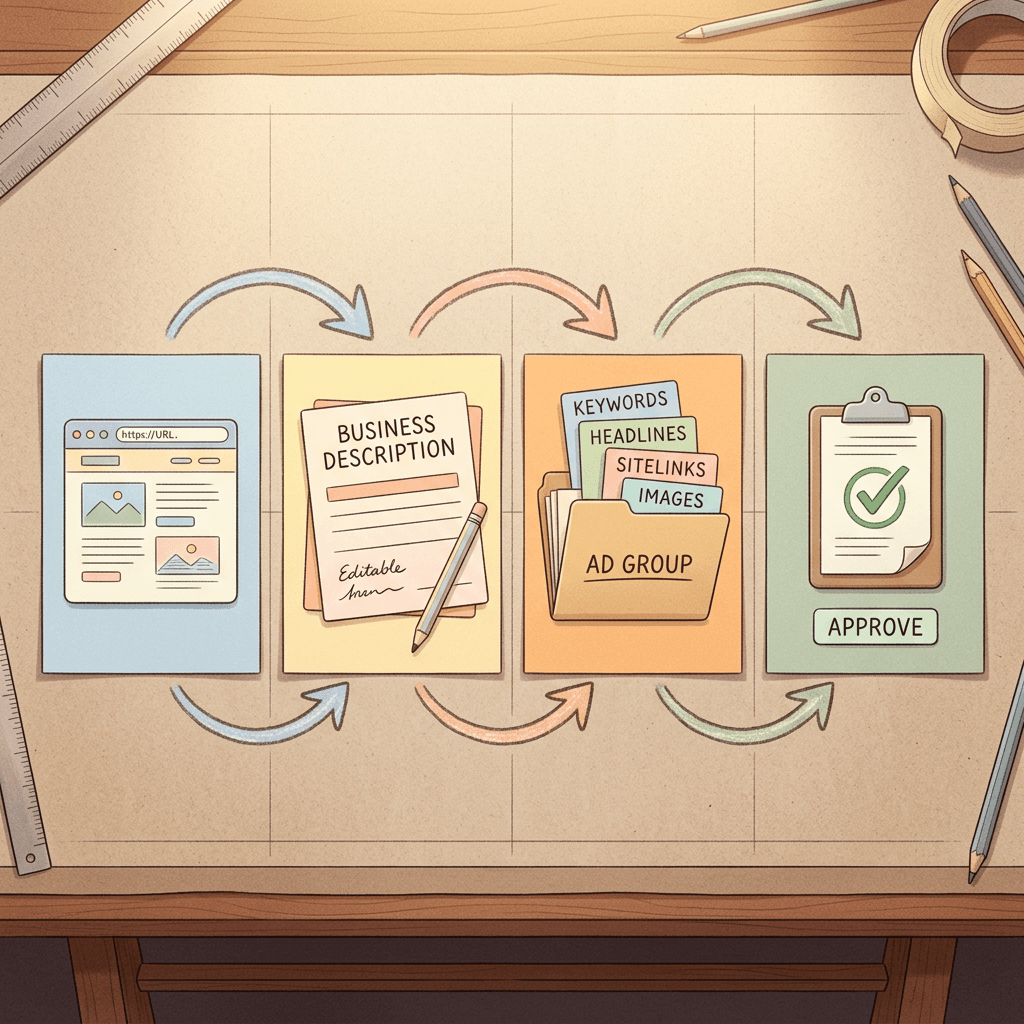
- The process starts with a landing page URL. Google AI writes a short business description that you can edit, then suggests keywords, headlines, descriptions, images, and sitelinks, and you approve or change every suggestion before launch.
- It is available globally for Search campaigns and RSAs in English, French, Spanish, or German, only if your account has access, and it cannot help with domains in sensitive verticals such as political content, celebrity endorsements, sexual content, or gambling.
- Google states it is still under development, that output can be inaccurate or irrelevant, and that you are responsible for checking suggestions before launch. Image suggestions come either from your landing page or from AI generation.
- Google also cites an internal figure: small business advertisers using it were 63% more likely to publish Search campaigns with Good or Excellent Ad Strength, based on internal US English data from January 2024. Treat that as a Google-reported number about Ad Strength, which is a diagnostic label, not a measure of conversions or profit.
The new goal screen sits earlier in the flow and asks for a goal rather than a URL. Whether it hands off to the conversational experience, to a different generator, or to something unified is unknown. What the documented tool shows is the pattern Google tends to follow: AI proposes, the advertiser reviews, and the advertiser is responsible for what goes live.
How it compares with the workflow you use now
Below is the practical difference between the classic setup, the documented conversational experience, and the experimental goal screen. The third column is limited to what has been reported.
| Dimension | Classic manual setup | Conversational experience (documented) | Goal screen test (reported) |
|---|---|---|---|
| First input | Pick a goal tile, then campaign type | Landing page URL | Plain-language goal in a text box |
| What AI produces | Nothing until you reach asset steps | Business description, ad groups, keywords, headlines, descriptions, sitelinks, images | Suggested goals and assets |
| Where your judgment enters | Every field | Approving or editing each suggestion in chat | Not documented |
| Escape hatch | Not needed | Not applicable, you choose to use it | "Create campaign manually" link |
| Documented in Help Center | Yes | Yes | No |
| Availability | Everyone | Accounts with access, four languages | A limited test |
| Best for | Experienced operators who know the structure | Fast first drafts of Search ad groups | Unknown, Google is asking where it helps |
The biggest philosophical shift is the input. A URL tells Google what your page says. A goal tells Google what you want. Those can disagree. A landing page for a dental clinic says everything about services, while the goal might be "book more Invisalign consultations from people within 15 miles." The second input carries intent that a crawl cannot infer, which is why a goal-first screen could produce more relevant suggestions when the advertiser writes well and more generic ones when they do not.
This also fits a wider direction in the account. Google has been adding written guidance layers to AI-driven campaigns, such as the natural-language steering described in our guide to the AI brief for Google AI Max, and chat-style help such as Ask Advisor. The goal screen would move that same text-first logic to the very start of the campaign instead of the middle.
How to prepare, step by step
You cannot click through the test, but you can build the inputs that decide whether it helps you. Here is the preparation sequence I would run this week.
Step 1: Write a campaign brief you could hand to a new hire
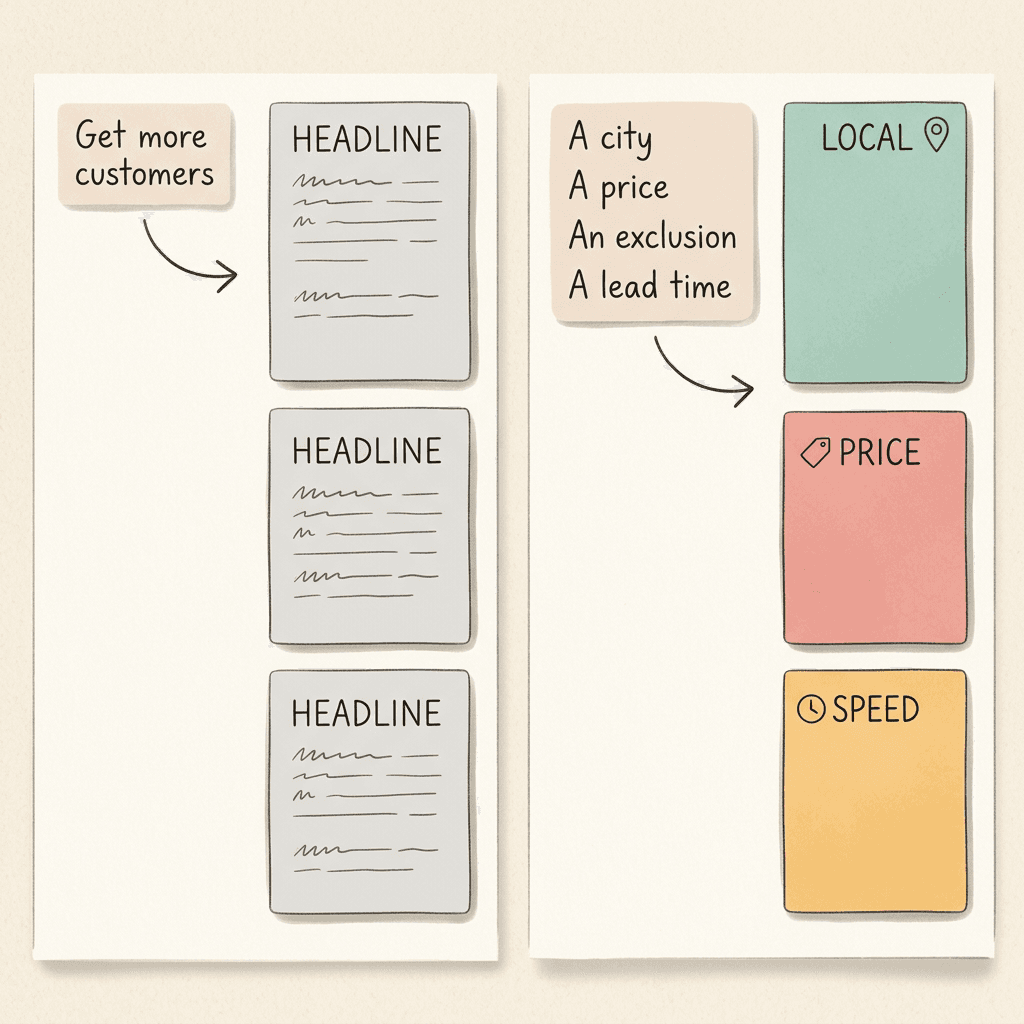
The text box rewards specificity. A strong brief names the offer, the audience, the geography, the margin or value logic, and the exclusions. Compare these two inputs:
| Weak input | Strong input |
|---|---|
| "Get more customers for my bakery." | "Drive online pre-orders for custom birthday cakes within 20 miles of Austin, average order $85, 3 day lead time, no wedding cakes, no wholesale, highlight same-week availability." |
| "Sell more shoes." | "Increase purchases of our trail running shoes line (men's and women's, $120 to $160) from US visitors, exclude clearance items, emphasize free returns within 30 days." |
| "Lead gen for my law firm." | "Generate consultation requests for residential landlord tenant disputes in Cook County, exclude commercial leases and evictions of tenants, phone and form leads only." |
The strong versions give an AI system three things the weak ones lack: a measurable action, a boundary, and a differentiator. Even if the test never reaches you, the same brief is the document you would use for AI Max steering, for briefing a freelancer, and for sanity-checking what Google gives you back.
Step 2: Audit the landing pages the AI will read
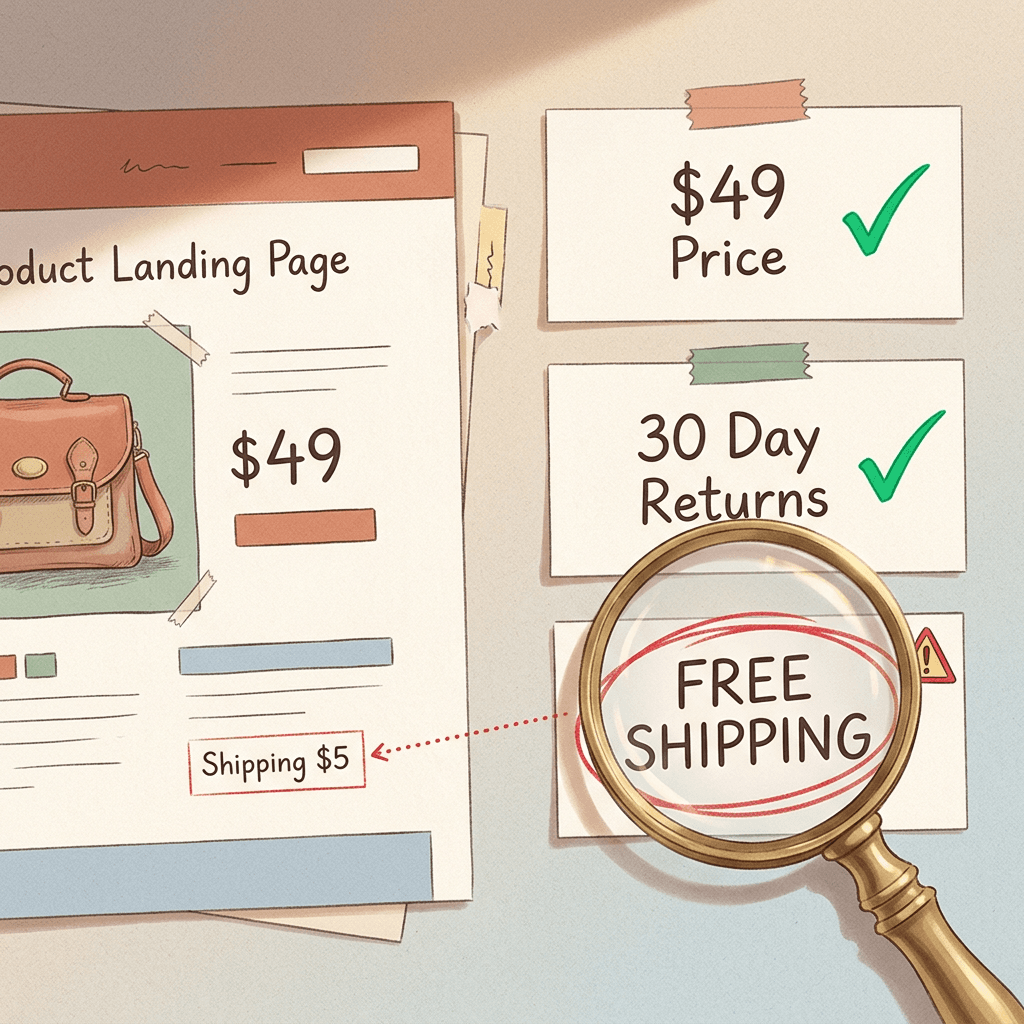
Every documented Google AI creation tool leans on your site. Open the three pages you would most likely advertise and check that the claims you want in ads actually exist there: prices, shipping terms, service areas, guarantees, phone numbers, and opening hours. AI suggestions that mention a free consultation or a thirty-day return policy are only safe when the page backs them up. If you plan to turn on text customization or final URL expansion, the same audit applies, plus a disclaimer review for regulated claims.
Step 3: Take inventory of your creative assets
The word "assets" in the screen text means the building blocks of ads: headlines, descriptions, images, logos, videos, sitelinks, and so on. Before an AI starts proposing them, know what you already own. List the images you have rights to, the logo files in square and landscape formats, any approved video, and the gaps. Gaps are where AI suggestions will quietly fill in generic stock-looking visuals if you let them. If you are already using Asset Studio, our post on Performance Max asset group prefill from Asset Studio shows how Google pulls assets forward into campaigns, and it is a good model of how much to review.
Step 4: Build a review checklist before you see any output
Decide in advance what you will check on every AI-suggested asset, so enthusiasm does not make you skip it. A workable list:
- Is every factual claim (price, discount, guarantee, availability) present on the landing page?
- Does any text imply a result you cannot promise, or use a superlative that needs proof?
- Do images show your actual product or service, not a lookalike?
- Is the brand name, spelling, and tone right in each headline?
- Does anything violate the policy areas you advertise under (health, finance, alcohol, housing, employment)?
- Does the suggested goal match the conversion action you can actually measure?
Google's own documentation for the conversational experience says you are responsible for checking suggestions, so this checklist is the practical form of that responsibility. If you also use real-time policy reviews, a fast policy signal helps, but it does not replace your judgment on accuracy.
Step 5: Pick the metric that decides the test
Decide now what "better" means. Options include time to launch, Ad Strength, cost per qualified lead, conversion rate, or return on ad spend. Ad Strength alone is a weak winner, because it measures asset variety and relevance signals, not business results.
What good AI-suggested campaign output looks like (and what to reject)
Because the goal screen's output is undocumented, use the documented conversational experience as the quality bar. Here is how I would judge output either way.
Goals. A good suggested goal is specific to a conversion you track, such as purchases, leads, or store visits. Reject any suggestion that optimizes for something you do not measure. If your account counts newsletter signups as a primary conversion, a goal built around "sign-ups" may sound right but will train bidding on the wrong signal. The lead form qualifying responses post covers how junk-lead signals distort automated bidding, which is exactly the risk when a goal is chosen loosely.
Headlines and descriptions. Look for variety in angle (price, proof, speed, location, objection handling) rather than twelve rewordings of the same line. Reject duplicates, claims you cannot support, and anything that sounds like every competitor.
Images. Check that they are yours or properly licensed. Google's help page says image suggestions come from the landing page or are generated by AI. Generated images are fine for concepts, but a product ad that shows a product you do not sell is a policy and trust problem.
Sitelinks and extras. Make sure sitelinks lead to pages that exist and match the sitelink text.
A worked example, clearly labeled hypothetical
None of the numbers below come from Google or from any reported test. They illustrate how to think about the economics of an AI-assisted setup.
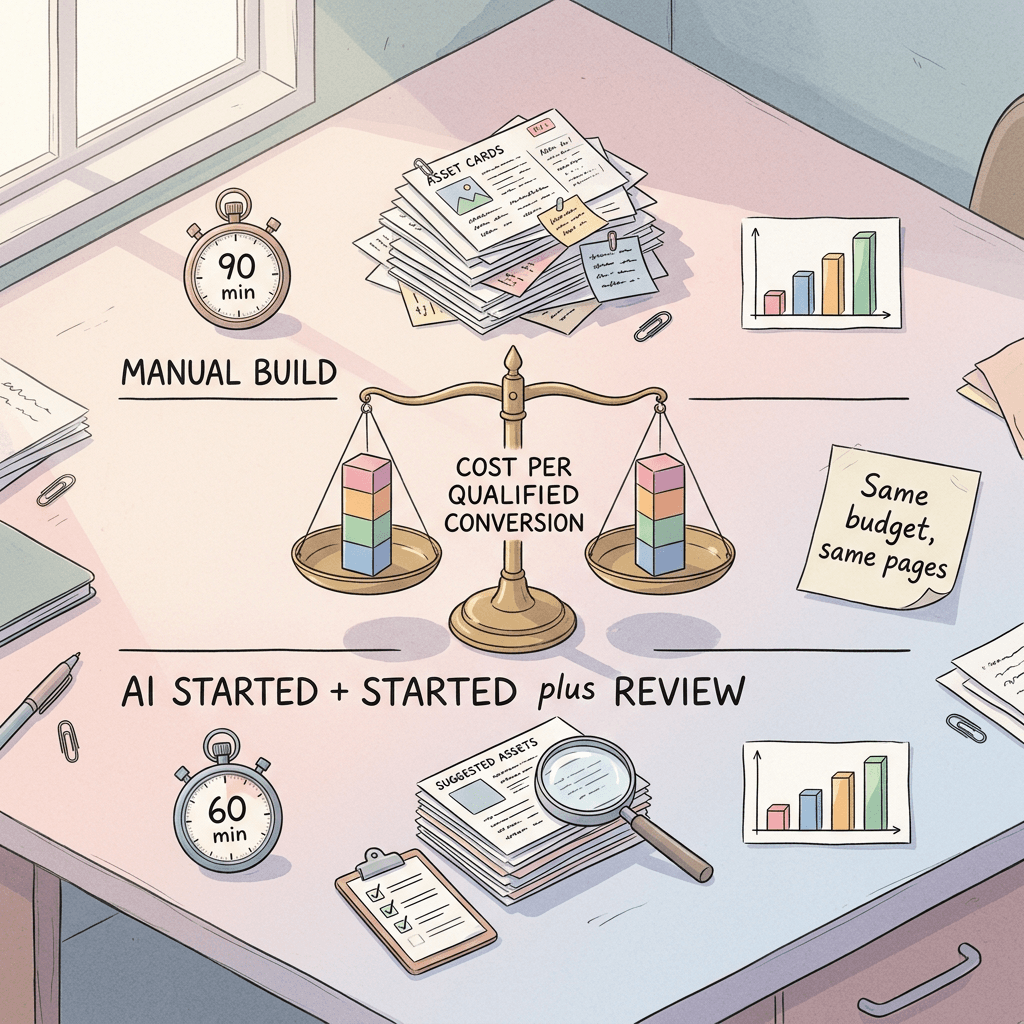
Imagine an agency that launches about 12 new Search campaigns a month for local service clients. The manual setup of each takes about 90 minutes, mostly writing assets, so the monthly setup load is 18 hours. Suppose an AI-first start cuts first-draft time to 30 minutes but adds 30 minutes of careful review, because the agency enforces the checklist above. The saving is then 30 minutes per campaign, or 6 hours a month, which is real but modest. If review time were skipped, the saving would look like 60 minutes per campaign, and the agency would be paying for it later in wasted spend on weak or inaccurate ads.
The lesson is that speed gains are bounded by the review you refuse to skip. The advertiser who benefits most is usually the one with less time and less in-house copy skill, such as a solo owner, because their baseline is slow. The team with a strong copywriter and a tested asset library may find AI suggestions merely adequate.
Who should and should not use it
| Situation | Likely good fit | Likely poor fit |
|---|---|---|
| Solo owner launching a first Search campaign | Yes, if you review every claim | No, if you plan to click approve without reading |
| Agency with templated builds for many similar clients | Possibly, to draft variants fast | When client brand voice is tightly controlled |
| Regulated industries (health, finance, legal, alcohol) | Only with strict human compliance review | Skipping compliance review |
| Brand with strong creative library and tested copy | Limited upside | Replacing proven assets with generic ones |
| Seasonal promotions with a short window | Helpful for first drafts | If asset approval takes days anyway |
| Accounts with messy conversion tracking | Not yet, fix tracking first | Letting AI choose goals on bad data |
A rule of thumb: the more your performance depends on distinct brand voice, legal precision, or precise audience boundaries, the more the AI draft is a starting point and the less it is a deliverable.
A test plan you can run if the screen appears
If you land in the experiment, treat it like any other change and measure it. Google's experiments tooling for Search is evolving, and our guide to Search experiments with multi-campaign budget and ROI testing covers how to structure a clean split.
| Element | Recommendation |
|---|---|
| Hypothesis | AI-started campaigns reach acceptable quality faster without lowering cost per qualified conversion |
| Arms | Campaign A built manually with your normal process. Campaign B started from the goal screen, then reviewed with your checklist |
| Held constant | Budget, geography, audience signals, landing pages, conversion actions, bidding strategy |
| Duration | At least two full conversion cycles, longer for lead gen with delayed qualification |
| Primary metric | Cost per qualified conversion or return on ad spend, whichever you actually run on |
| Secondary metrics | Setup minutes, Ad Strength, share of assets edited before launch, policy disapprovals |
| Decision rule | Pick a threshold in advance, such as B must be within 10% of A on cost per qualified conversion with at least 30% less setup time |
Log every edit you make to the AI output. The share of suggestions you rewrite is itself a result: if you rewrite 80% of the assets, the tool is saving you little. Do not compare against an account that has months of learning and a mature negative keyword list. Give the two arms a fair footing, or you will mistake maturity for AI quality.
Real edge cases
Goals that conflict with your tracked conversions. If you describe a goal in words that implies one outcome (phone calls) while your account's primary conversion is another (form fills), you may end up with mixed signals. Align the language with the conversion action first.
Multiple locations or languages. The documented conversational experience supports four languages and global availability for Search, but nothing is documented for the goal screen. For multilingual markets, see our guide to the AI campaign localization tool and plan translation review separately.
Sensitive verticals. Google lists political content, celebrity endorsements, sexual content, and gambling domains as unsupported for the conversational experience. Do not assume the new screen is more permissive.
Brand protection. If your name is a common word, AI may produce copy that reads fine but dilutes distinct brand phrasing. Check trademark use too.
Dynamic pricing. If prices change daily, any price baked into a headline will go stale. Prefer assets that reference the offer type and rely on structured data or feeds for exact prices.
Auto-applied or auto-upgraded campaigns. If your Search campaigns are being moved into AI Max, as covered in our post on the September 2026 auto-upgrade, any AI-written assets interact with that system's own text generation. Keep a record of which text came from where.
Approval flow. When several people have access to an account, one person approving an AI draft can bypass your normal review. Add a rule that AI-started campaigns require a second approver.
Common mistakes to avoid
- Writing a one-line goal. "Get more sales" gives the AI nothing to differentiate you. Use the brief structure above.
- Trusting Ad Strength as proof. Google's 63% figure concerns Ad Strength, not revenue. A campaign can be rated Excellent and still lose money.
- Letting AI pick the objective without checking conversion settings. The goal must map to a conversion action that fires correctly.
- Approving claims the site cannot support. A "free shipping" headline over a page with a shipping fee invites disapprovals and angry customers.
- Comparing against the wrong baseline. A fresh AI campaign versus a tuned old one proves nothing.
- Skipping the manual fallback. The "Create campaign manually" link exists for a reason. Use it when your brief is highly specific or your brand rules are strict.
- Treating an experiment as a rollout plan. Google said it is an experiment. Do not rebuild your agency process around a screen that may change or disappear.
- Forgetting creative production. AI can suggest asset ideas faster than most teams can produce on-brand visuals, so the bottleneck moves to creative, covered next.
Creative preparation: where Miraflow fits
The honest bottleneck of any AI-suggested asset workflow is the visual side. A suggestion engine can propose "show a lifestyle image of the cake on a table" in seconds, and the human still has to supply an image that is on brand, sized correctly, and free of distracting errors. Having a ready bench of creative means you approve good suggestions quickly instead of settling for generic ones.
Here is how I would use Miraflow for that bench, without forcing it into every step.
- Images for ads. Use the AI image generator on Miraflow to create square, landscape, and portrait variations of a product or scene, and to edit existing photos by masking one region, such as swapping a background or changing a color, without redoing the whole shot. Our Google Ads display banner prompt pack gives copy-paste starting points for banner-style visuals.
- Short video for placements that accept it. The cinematic AI video generator is useful for a short product reveal or a scene that would be costly to shoot. If you advertise on YouTube Shorts or want vertical clips, Text2Shorts turns a topic into a vertical video with script, visuals, and voice.
- Thumbnails and cover frames. If your ads point to YouTube videos, the YouTube Thumbnail Maker helps you produce clean thumbnails. For prompt ideas, see our AI UGC ad prompts for product and lifestyle content.
- Repurposing long videos. If you have webinars or tutorials, AI Clipping pulls short vertical clips with captions that can become video assets.
A practical routine: before you ever start an AI-assisted campaign, generate and approve a set of ten images across three aspect ratios and two short videos, and store them with usage notes. Then when Google's suggestions arrive, you swap in approved assets rather than accepting whatever it proposes. Also check our related post on Gemini Omni in Asset Studio to understand how Google's own video generation fits, and keep human review for any AI-generated people or product details. You can explore everything from the Miraflow home page.

What to watch next
Several things would change the advice in this post: Google publishing a help page for the goal screen, a list of supported campaign types, or an eligibility rule. Also watch whether the screen merges with the conversational experience, whether it begins to propose budgets and bidding, and whether it expands beyond English. Marvin's request for feedback suggests Google is still deciding where it belongs, so if your account sees it, send specific feedback through your Google rep or the feedback control in the interface.
Meanwhile, remember that Google's campaign setup keeps moving toward written guidance and AI proposals, including automated promotions and AI Max reporting. The advertisers who do well in that world tend to be the ones with the clearest briefs, cleanest tracking, and fastest creative review.
Frequently Asked Questions
What is the Google Ads goal and assets AI test?
It is an experimental campaign setup screen reported on October 12, 2026. It asks "What's your goal for this campaign?", offers a large text box, and says Google AI will suggest goals and assets based on your input. A "Create campaign manually" link lets you skip it.
Has Google officially confirmed it?
Yes, in the sense that Ginny Marvin, Google's Ads Liaison, confirmed on X that it is an experiment and asked for advertiser feedback. Google has not published a Help Center page for it as of October 17, 2026.
Can I turn it on?
No. There is no documented setting or sign-up. Only accounts included in the test see it.
Which campaign types does it support?
Google has not said. Treat any claim about specific campaign types as unverified until Google documents it.
Does it set my budget and bidding?
Not according to the reports, which describe suggested goals and assets only. Budgets and bidding were not described.
How is it different from the conversational experience in Google Ads?
The conversational experience is documented, starts from a landing page URL, and builds Search ad groups with keywords and assets in a chat. The goal screen starts from a written goal. Whether they connect is unknown.
Is the 63% Ad Strength figure from this new test?
No. That number comes from Google's help page on the conversational experience, based on internal US English data for small business advertisers in January 2024. It does not describe the goal screen test.
Do I still need to review the assets?
Yes. Google's documentation says AI output can be inaccurate or irrelevant and that you are responsible for checking it before launch.
Should agencies change their process?
Not yet. Prepare briefs, checklists, and an asset library, and run a controlled test if the screen appears. Do not restructure delivery around an experiment.
Where can I produce images and video for the assets?
You can generate and edit ad visuals with the Miraflow AI image generator and short clips with the cinematic video generator, then upload approved versions to your campaign.
What should I do if the screen shows up in my account?
Take screenshots, write a detailed brief, review every suggestion against your checklist, and consider running it as a controlled test against a manual build.
Conclusion
Google's goal and assets test is small, undocumented, and officially an experiment, but it points in a clear direction: campaign setup that starts with what you want in your own words and lets AI propose the rest. What is verified today is the screen, the manual escape link, and Google's confirmation. What is not verified is almost everything else, including scope, timing, and output quality, so any plan built on guesses should stay light.
The useful work is available right now. Write a real campaign brief, fix your landing pages, organize your creative library, define a review checklist, and decide how you would measure an AI-started campaign against a manual one. Do that, and you are ready whether the screen reaches you next week or never ships. For the visual side of that preparation, start with Miraflow and build your approved image and video set before the suggestions arrive.
Sources: Search Engine Roundtable, "Google Ads Tests Using Google AI For Goals & Assets", Search Engine Land, "Google Ads tests AI-powered campaign creation using natural language", and Google Ads Help, "About conversational experience in Google Ads".