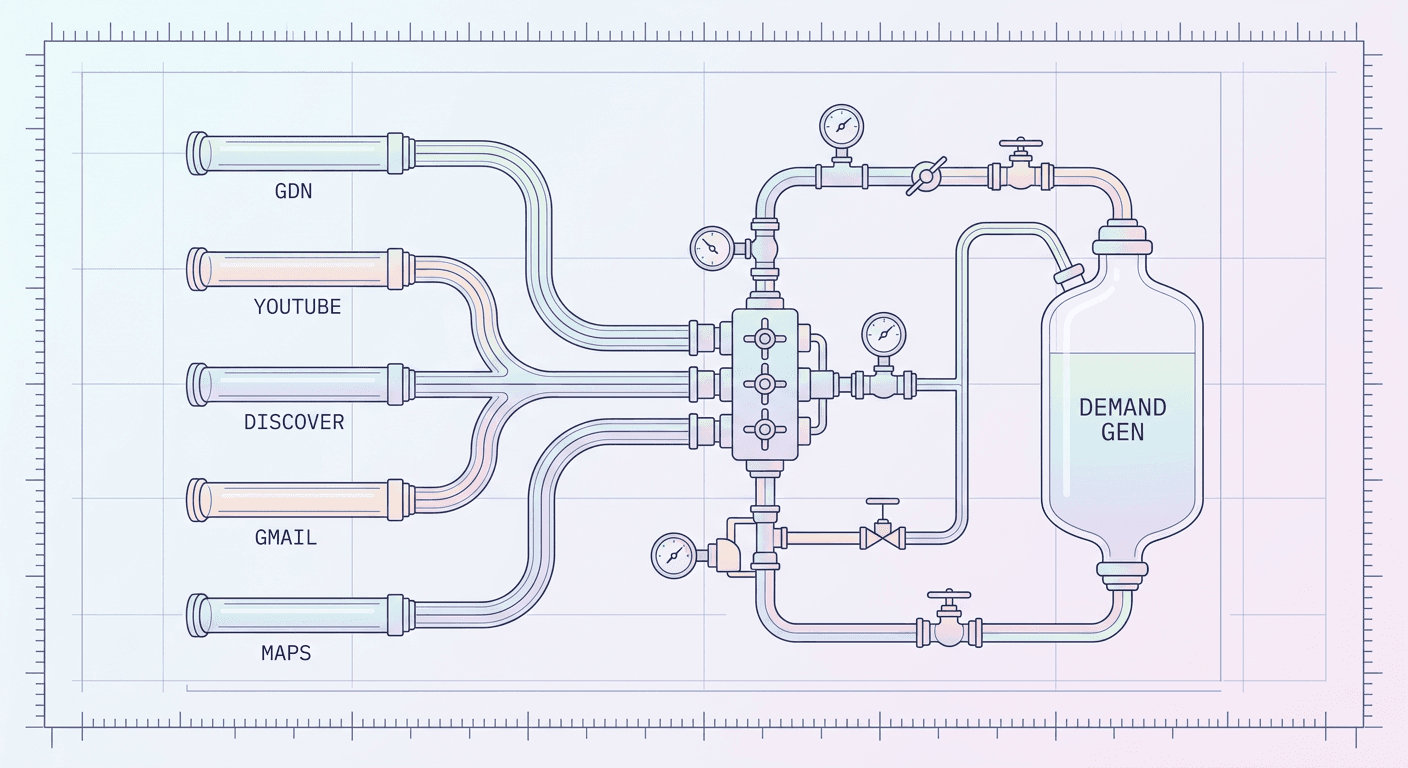
Google Ads Video Reach Automated Bidding Beta: Skip Target CPM or Keep It? (2026)

Written by
Aerin Kim
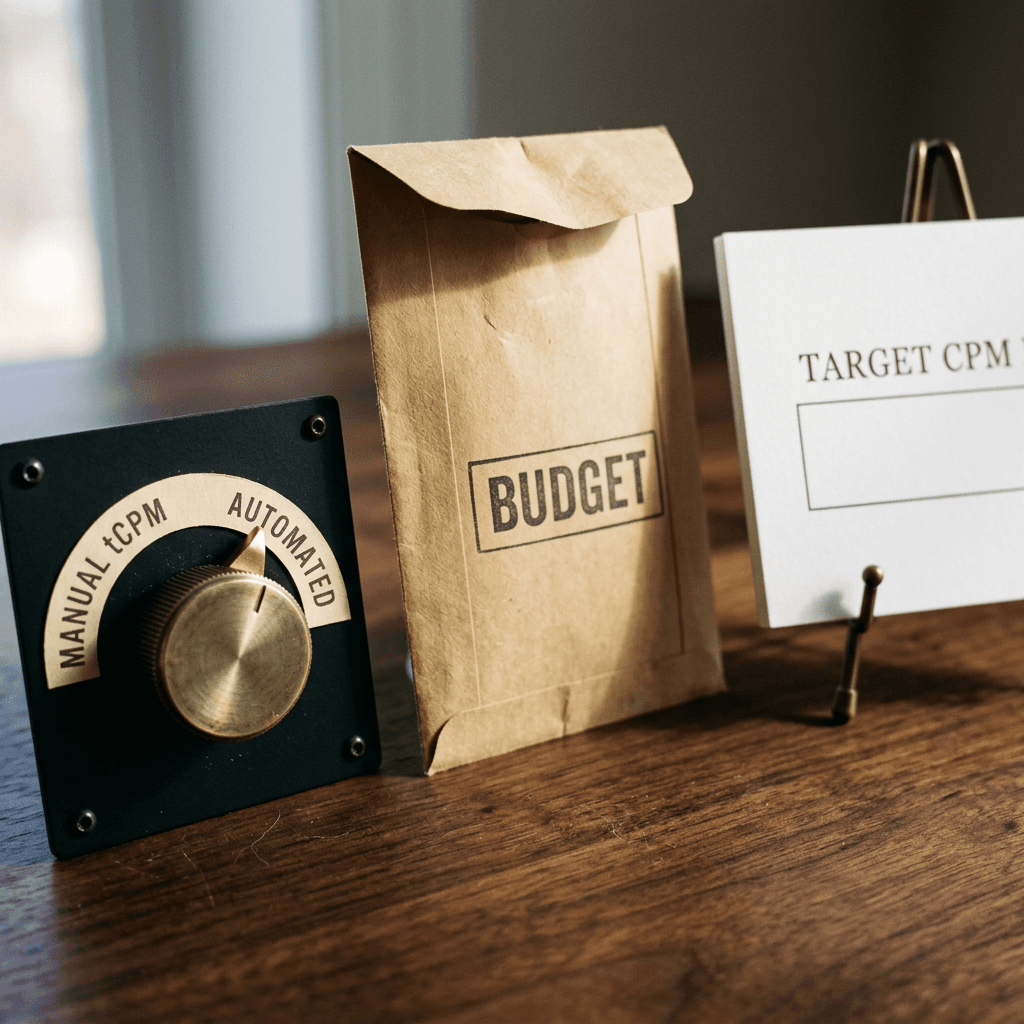
Google Ads is testing automated bidding for Video Reach campaigns, so eligible accounts can leave the bid empty and let Google spend the full budget. Here is who should test it, and how.
If you have ever launched a YouTube reach campaign and spent the first three days nudging the Target CPM upward in small steps because the budget was not being spent, you already know the hidden cost of manual bidding on awareness campaigns: the starting bid is a guess, the guess is usually wrong on day one, and every correction needs a day of data before you can tell whether it helped. On October 10, 2026, PPC News Feed reported (crediting Hana Kobzová for spotting it) that Google Ads now lets eligible accounts skip that guess in Video reach campaigns by leaving the bid field empty, with Google setting bids in real time to spend the full budget. Search Engine Land covered the same beta on October 12, 2026, and Google's own help page, Automated bid for video reach campaigns, documents the setup, the supported subtypes, and the best practices.
The change looks tiny on screen, one field you no longer have to fill in, yet it moves the main control of a Video reach campaign from price to budget. This guide explains what Video reach campaigns are, how Target CPM (tCPM) worked until now, how the beta behaves, how to set it up, what the math looks like in worked scenarios (all numbers hypothetical and labeled as such), who should test it and who should stay on manual tCPM, how to run a fair test, what to monitor, and what it means for your vertical and Shorts creative. If you are the person producing that creative, the vertical video workflow in Miraflow's Text2Shorts and the rest of the Miraflow toolkit is where the practical work happens, and I will point to the exact spots further down.
TL;DR
- Google Ads is testing automated bidding for Video reach campaigns. In an eligible account you leave the bid field empty and Google sets and adjusts bids in each auction to deliver your full budget efficiently.
- Trade coverage names the Efficient reach and Non-skippable (Target CPM) subtypes. Google's help page also lists Target frequency (tCPM), so check which subtypes show the option in your own account.
- It is a beta with limited availability, it is not available for Video view campaigns, and Google has not published eligibility criteria, a general release date, or any performance results.
- Manual tCPM is still there. Check "Set a target tCPM" to bring a cost ceiling back in setup, ad group settings, or the ad group table, and switch back and forth at any time.
- The real trade is delivery certainty against CPM control. Automated bidding favors spending the whole budget, and Google warns that very narrow audiences combined with high budgets can raise average CPMs.
- Test it as a controlled experiment, judge it on cost per unique person reached and frequency rather than CPM alone, and prepare vertical and horizontal creative for every format in the mix.
What Google Ads Video Reach Campaigns Actually Are
Google describes Video reach campaigns as the next generation of buying reach in Google Ads, optimized to reach as many unique users as possible for your budget and targeting criteria. Google's create flow lets you buy through Auction or Reservation, and the bidding discussed in this post belongs to the auction side. Campaigns serve on YouTube, Google video partners, and Google TV according to the automated bid documentation. The unit that matters is the unique person, not the impression: Google's reach reporting counts the number of unique users (not cookies) who saw an ad, and its models account for cross-device viewing and co-viewing on connected TV.
Inside the campaign type, the subtype you pick decides which ad formats can serve, and that choice matters more under automated bidding because Google gets more freedom to shift spend between formats.
Efficient reach: the mixed-format default
Efficient reach is aimed at reaching more unique users at a lower cost using bumper ads (6 seconds), skippable in-stream ads, or a mix of both. When you enable multi-format ads, in-feed and Shorts placements join the mix. Google's setup guidance is direct about it: it recommends using all three ad format types because that maximizes the unique reach your campaign can get. In December 2023, when in-feed and Shorts ads were added, Google reported from its own testing that campaigns using three inventory types reached 54 percent more people on average at a 42 percent lower CPM than campaigns using in-stream ads only, so treat those as Google-sourced figures that come with no published methodology.
Non-skippable reach: the full message
Non-skippable reach delivers your entire message through 15-second ads, 30-second ads (shown mainly on connected TVs), or a mix of 6-second bumpers and 15-second ads, which Google labels as beta. This is the subtype for a message that cannot survive a skip, such as a launch announcement or a legal line that has to be seen. One creative constraint to remember: Google states that 30-second video assets must be horizontal, and square or vertical assets will not be able to run.
Target frequency: the same people, a set number of times
Target frequency aims to reach the same people multiple times per week or month. Google's help page says you input your desired weekly or monthly frequency and the system optimizes to meet it, and it stresses that this is not a frequency cap. Multi-format target frequency campaigns accept 2 to 7 weekly or 4 to 12 monthly frequencies, while non-skippable in-stream, or skippable in-stream plus bumper, setups accept 2 to 4 weekly or 4 to 8 monthly. Existing campaigns cannot be converted, only one ad group is supported, and Google recommends running at least 7 days, with 2 to 4 weeks working best.
| Subtype | Ad formats (per Google) | What it optimizes for | Named on Google's automated bid page |
|---|---|---|---|
| Efficient reach | Bumper and skippable in-stream, plus in-feed and Shorts when multi-format ads are on | More unique users at a lower cost | Yes, Efficient reach (tCPM) |
| Non-skippable reach | 15-second ads, 30-second ads (mainly connected TV, horizontal only), or 6-second bumpers mixed with 15-second ads (beta) | Delivering your entire message | Yes, Non-skippable (tCPM) |
| Target frequency | Skippable in-stream, bumper, in-feed, and Shorts by default; adding non-skippable in-stream turns off in-feed and Shorts | The same people a set number of times per week or month (not a frequency cap) | Yes on the help page, not named in the trade coverage |
| Video view (for contrast) | Multi-format across in-stream, in-feed, and Shorts | Views | No, automated bid is not available |
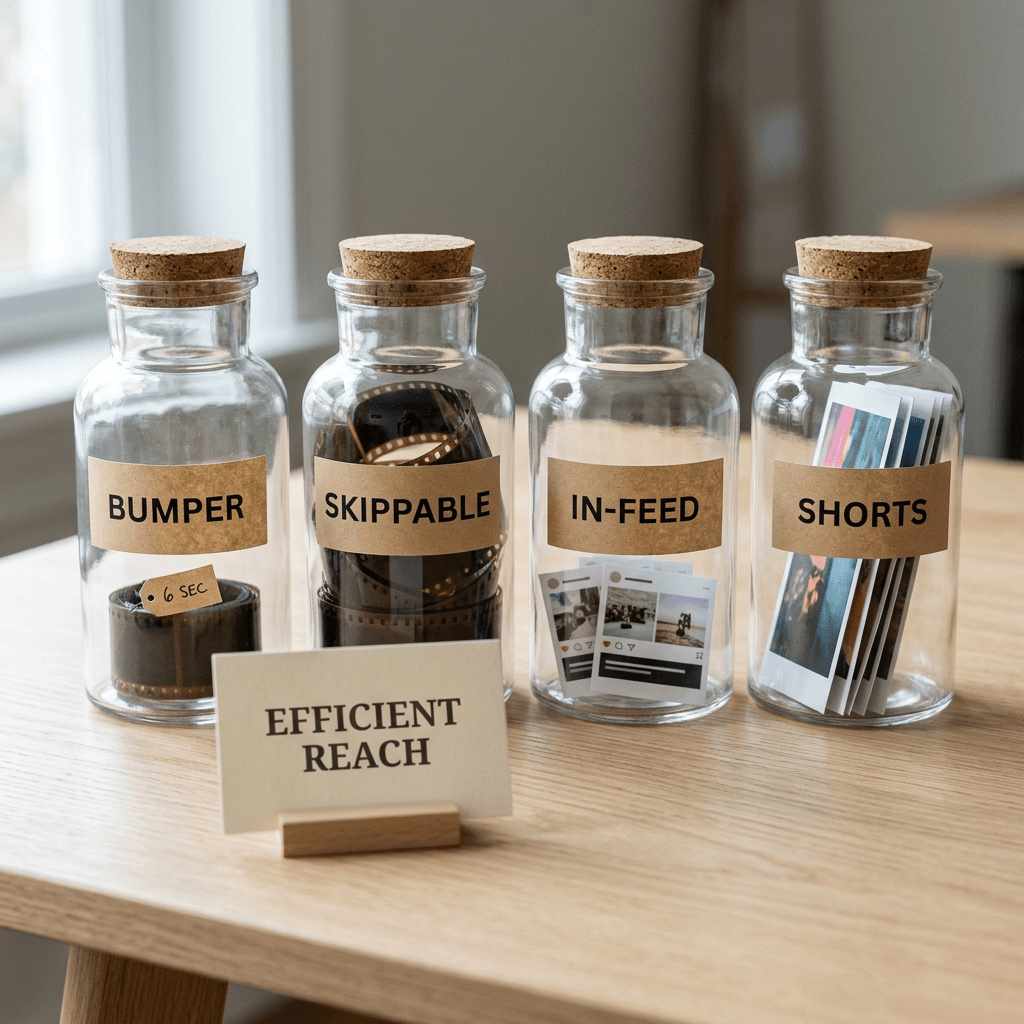
A detail that reflects how the system is built: in multi-format Video reach and Video view campaigns you cannot pin an individual asset to Shorts only, because Creative Preferences for anchoring assets to a format exist only in Demand Gen, according to Google's Shorts ads guide. That sets up the creative section later in this post, since automated bidding will place your assets wherever reach is cheapest and you do not get to steer individual assets to individual formats.
How Target CPM Worked Before Automated Bidding
To judge what automated bidding changes, it helps to be precise about the thing it replaces. Target CPM is an average cost cap on a thousand impressions. You tell Google the average amount you are willing to pay per thousand impressions, and Google Ads tries to keep your campaign's average CPM at or below it. Individual impressions can cost more or less than the target, because the target applies to the campaign average and not to every auction. For video campaigns, Google uses the tCPM to push for as much unique reach as possible.
In the classic setup flow, you chose the YouTube reach, views, and engagement objective, picked the Video campaign type, selected a subtype, and then at the ad group step you typed a Target CPM bid amount. The Campaign estimates widget helped with that number by showing estimated available impressions and estimated performance, although it only appears after you add at least one ad format. For Target frequency, Google adds an in-built bid suggestion and tells you to check it so you bid enough for the frequency goal.
The practical problem with a hand-set tCPM is that two different mistakes look very different in the reporting. If the target sits below what the auction needs for your audience, the campaign loses auctions and under-delivers, so the symptom is unspent budget. If the target is generous, the system has room to pay more for impressions that find new people, so the symptom, if it exists, is a higher average CPM than you expected. Neither is visible until you have a day or two of data, and by then the first correction is already late.
Experienced media buyers developed a routine around this: start from the estimates widget, launch, check pacing the next morning, raise the target in modest increments, wait for the system to settle, and repeat. They also learned that a target which worked in July might stall in November, because auction prices shift with seasonality and competition, so a campaign that was healthy last quarter can quietly under-deliver this quarter without any setting changing. That maintenance burden is the thing Google is trying to remove with this beta. One useful side fact for accounts that are tracking bidding changes: the August 17, 2026 target-overperformance update left Video reach bidding unchanged, as we covered in our explainer on Google's August 2026 target bid strategy change, so this beta is a separate and more direct change aimed at Video reach.
What Changed: Automated Bidding for Video Reach in Beta
Here is what is confirmed across Google's help page and the trade coverage, and what is still unknown.
What is confirmed. In an eligible account you can leave the bid field empty. Google Ads then sets and adjusts bids in each auction to deliver your full budget efficiently. You can still set a manual Target CPM at any time, and when you do, Google optimizes bids to get as many impressions or views as possible while keeping the average cost equal to or lower than your target. Automated bidding is supported for both daily budgets and campaign total budgets, across YouTube, Google video partners, and Google TV. You can switch between automated and manual bidding during campaign creation, in ad group settings, in the ad group table, and when you copy and paste or duplicate campaigns. In reporting, campaigns using automated bidding show "Automated" in the Target CPM column, while manual campaigns show the numerical bid.
Which subtypes. PPC News Feed and Search Engine Land describe the beta as covering Efficient reach and Non-skippable campaigns with a target CPM. Google's help page lists three eligible subtypes: Efficient reach (tCPM), Non-skippable (tCPM), and Target frequency (tCPM). The most likely explanation is that the help page describes the intended scope while rollout varies by account, so the safe move is to open a draft campaign for each subtype and see whether the "Set a target tCPM" checkbox appears unchecked by default.
What is not available. Automated bid is currently not available for Video view campaigns, so the beta does not touch cost-per-view bidding. Google also states that the feature is currently available as a beta to eligible Google Ads accounts, and if you cannot see it, you must keep setting and managing your target bid manually. Google has not published how accounts become eligible, when general availability will arrive, or any results comparing automated against manual delivery.
What Google recommends. The help page gives three best practices that deserve to be read as design constraints rather than tips. First, allow 24 hours for the bidding system to adjust to auction dynamics before making significant updates to your audience or budget. Second, align budgets with audience size, because extremely narrow targeting combined with high budgets can result in elevated average CPMs. Third, monitor delivery, unique reach, and average CPM in your reporting columns to evaluate delivery efficiency and adjust your marketing mix.
What it means. The most useful way to think about the change is as a shift in which variable you control. Under manual tCPM you control price and the system controls how much of the budget it can spend at that price. Under automated bidding you control budget and the system controls the price it is willing to pay to spend it. Search Engine Land framed the trade the same way: the approach prioritizes budget delivery, which hands Google more control over CPMs, and advertisers with strict cost targets may prefer to keep manual tCPM.
My read on why now: 2026 has been a year of Google moving more levers into automation across its campaign types, from the migration of standalone Display campaigns into Demand Gen to the video-only default for Demand Gen view-through conversions. Reach buying on YouTube was one of the last places where a hand-typed number was still required to launch, so removing it fits the pattern. That is interpretation, not something Google has stated.
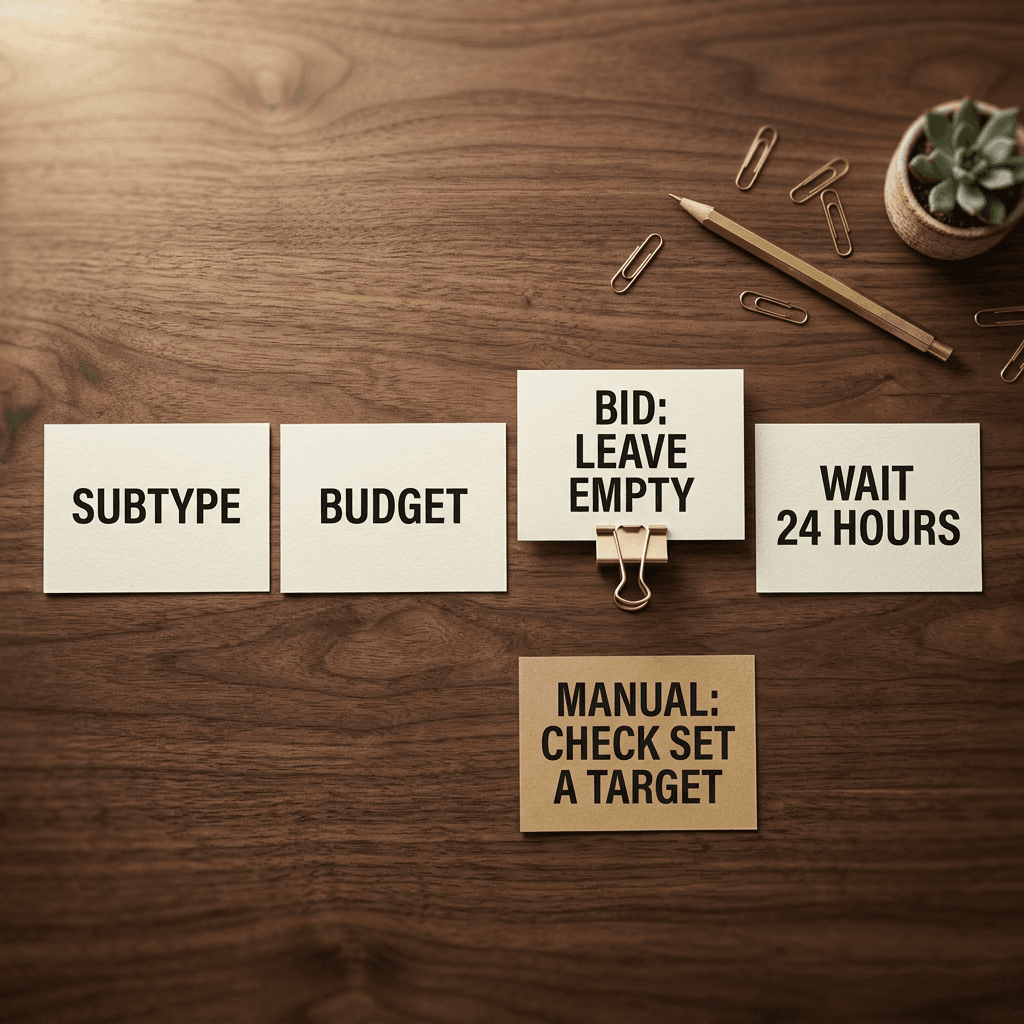
How to Set Up Automated Bidding Step by Step
The steps below follow Google's help page. Menu names can shift in a beta, so treat the labels as the ones documented today.
In a new campaign
- Create a campaign and choose the YouTube reach, views, and engagement objective (or skip goal guidance), then select Video.
- Pick the subtype: Efficient reach, Non-skippable, or Target frequency.
- Set the campaign name, budget, dates, and targeting. Choose between a daily budget and a campaign total budget, since both are supported.
- In the ad group Bid section, leave the default for automated bidding. To use manual bidding instead, check "Set a target tCPM" and enter an amount.
- Add your creative and create the campaign. Per Google's best practices, give it 24 hours before you change audiences or budgets.
On an existing ad group
Open Ad groups, choose Edit settings, and use the Bidding section. To move from manual to automated, uncheck "Set a target". To move back, check it and enter a value.
From the ad group table
Hover over the bid cell, select the pencil icon, and choose Automated bidding or enter a target bid. This is the fastest way to flip many ad groups when you are running a staged rollout.
When you duplicate or copy and paste
In the Adjust bids window you can let Google handle the bid, keep existing bids, or apply bid guidance. This matters for testing, because duplicating a campaign is exactly how you create the second arm of a clean comparison.
A pre-launch checklist that saves a restart
- Confirm the creative is final for the full test window. Changing assets mid-flight muddies any comparison.
- Make sure your business name and square logo are set. Video reach campaigns already prompt for them at creation, and the October 12, 2026 YouTube business name and logo requirement shows how a missing asset can block edits on a live line item.
- Decide whether to add an impression or view frequency cap under Additional settings. With the price control gone, a cap is one of the few remaining guardrails on how often the same person sees your ad, although a cap may also change how the system finds eligible impressions, so test it rather than assuming it is free.
- Write down your pre-beta baseline: average CPM, unique reach, and average frequency from your last comparable flight.
- Note the budget in relation to audience size, since that is the single relationship Google specifically warns about.
Worked Scenarios With Illustrative Numbers
Every number in this section is hypothetical. They are round figures chosen to make the arithmetic readable, not data from any account, benchmark, or Google statement. Substitute your own CPMs, budgets, and audience sizes.
Three formulas carry all of the scenarios:
- Impressions = budget divided by CPM, times 1,000.
- Unique reach = impressions divided by average frequency.
- Cost per 1,000 unique people reached = spend divided by unique reach, times 1,000.
Scenario 1: an always-on brand campaign that keeps under-delivering
Suppose a brand runs a 14-day Efficient reach flight with a daily budget of $500, a total of $7,000. Under manual tCPM the buyer set $5.00. In this hypothetical, the auction for that audience is a little above $5.00 on many days, so the campaign wins only the cheaper impressions and averages $400 of daily spend. Under automated bidding, the system spends the full $500 a day at a higher average CPM of $5.75.
| Metric (hypothetical, 14-day flight) | Manual tCPM (illustrative) | Automated bidding (illustrative) |
|---|---|---|
| Daily budget | $500 | $500 |
| Average daily spend | $400 | $500 |
| Average CPM | $5.00 | $5.75 |
| Impressions over 14 days | 1,120,000 | About 1,217,000 |
| Average frequency | 1.60 | 1.65 |
| Unique people reached | 700,000 | About 738,000 |
| Total spend | $5,600 | $7,000 |
| Cost per 1,000 unique people reached | $8.00 | About $9.49 |
| Difference versus manual | Baseline | +$1,400 spend, about +97,000 impressions, about +38,000 people |
The headline reading is that automated bidding delivered about 5 percent more unique people for 25 percent more spend. The more interesting reading is the marginal one. The extra $1,400 bought roughly 97,000 additional impressions, a marginal CPM near $14.38, and roughly 38,000 additional people, a marginal cost near $37 per 1,000 extra people reached. Whether that is good depends entirely on the alternative use of that money. If the $1,400 would otherwise sit unspent and be lost at the end of the quarter, automated bidding turned dead budget into reach. If the same $1,400 could be moved to a campaign with a better marginal return, the manual cap was protecting you. Average CPM alone cannot answer that question, which is why the test section below insists on cost per unique person reached.
Scenario 2: a narrow audience with a large budget
This is the case Google flags in its best practices. Imagine a regional B2B campaign where the reachable audience under your targeting is 250,000 people (a hypothetical size) and the budget is $15,000 over 10 days. The arithmetic of spending a fixed budget on a small pool is unforgiving:
- If each person sees the ad 3 times on average, that is 750,000 impressions, and spending $15,000 on them implies an effective CPM of $20.
- At 6 views per person, 1.5 million impressions, the implied CPM is $10.
- At 10 views per person, 2.5 million impressions, the implied CPM is $6.
So with a budget that has to be spent, either the CPM climbs or the frequency climbs, and neither is a good outcome for an awareness campaign. Under manual tCPM the campaign would simply stop spending once cheap impressions ran out, which looks like a delivery problem but protects you from both outcomes. Under automated bidding the system is asked to deliver the full budget, so the budget itself becomes the thing to fix: widen the audience, shorten the flight, or lower the budget to a level the audience can absorb. A Target frequency campaign is another route when your actual goal is a specific number of exposures per person, since it optimizes toward the frequency you set instead of toward spending a budget.

Scenario 3: a contract that promises a CPM ceiling
An agency has told a client that blended CPM on YouTube reach will not exceed $7.00, and the client's finance team audits invoices against that sentence. Automated bidding has no ceiling by design, because it optimizes toward spending the full budget efficiently, and Google's own description of the alternative is the one that fits this contract: Target bidding keeps the average cost equal to or lower than your specified Target CPM. This campaign stays on manual tCPM. If the agency still wants to learn about the beta, it can run one non-contract campaign on automated bidding as a learning arm.
Scenario 4: a fixed-budget launch with a hard end date
A product launches on a fixed date with a campaign total budget of $30,000 across three weeks, which works out to roughly $1,429 per day if pacing were perfectly even. Campaign total budgets are supported with automated bidding, and a launch is a situation where unspent budget on the last days is costly because the moment cannot be repeated. Here the case for testing automated bidding is stronger than usual, because the biggest risk under manual tCPM is a target that is slightly too low and strands budget. The mitigation is to test the automated setup on a smaller, earlier flight for the same audience before the launch date, rather than discovering its behavior on launch week.
Who Should Test It and Who Should Keep Manual tCPM
Good candidates to test now.
- Accounts that routinely under-deliver on Video reach and spend time raising tCPM in small steps.
- Teams running many campaigns across countries or products, where hand-tuning a separate target for each one does not scale.
- Advertisers with use-it-or-lose-it brand budgets, where unspent money has no better home.
- Advertisers launching into a new market or audience with no CPM history, where any manual target is a guess.
- Fixed-flight launches that use campaign total budgets and need the money spent by a date.
Better to stay manual, or at least keep a manual control arm.
- Contracts or internal policies that cap CPM.
- Narrow, niche audiences where the budget is large relative to the number of reachable people.
- Advertisers whose CPM trend is a reported KPI quarter over quarter, since changing the bidding mode breaks the comparison to history.
- Accounts where unspent budget has a clear alternative use with a proven return.
- Any campaign you cannot afford to experiment with this month, such as a peak-season launch with no schedule slack.
A hybrid is allowed. Because you can flip modes at the campaign or ad group level, a sensible structure is to keep your proven, capped campaigns on manual tCPM and move one comparable campaign to automated bidding as the experimental arm. That keeps your reporting baseline intact while still generating real evidence from your own audiences, which matters more than any other account's story because Google has published no performance data for this beta.
How to Run a Fair Test
A fair test is harder here than in conversion campaigns because the outcomes (unique people reached, frequency, brand impact) are slower to read and easier to contaminate. The goal is a design where the only difference between the arms is the bidding mode.
Choose the right testing tool
Google's video experiments page describes two paths. The basic path, A/B test video assets, is for creative testing and is limited to Video reach (Efficient reach) and Video view campaigns. The Custom path lets you test any variable with more arms than the basic option (Google's page mentions up to 10, though a control plus one treatment is all you need here), and traffic is split evenly between the campaigns while the experiment runs. To test bidding mode, the Custom path is the natural fit, with your manual tCPM campaign as the control and a duplicate set to automated bidding as the treatment. The pages I reviewed do not say how the beta interacts with experiments, so confirm in your own account that the treatment arm can be set to automated bidding before you build the plan around it, and keep the fallback below ready.
Two details of the video experiments workflow matter for planning. Changes to the control campaign's budget or flight dates automatically apply to the treatment campaign, and ending an experiment is manual. And the available success metrics include CPM, CPV, CTR, conversion metrics, and absolute Brand Lift where available, but not unique reach, so you will pull reach and frequency from your reporting columns and judge the experiment on cost per unique person reached yourself. Results arrive as directional at 70 percent and 80 percent confidence and conclusive at 95 percent, and Google recommends waiting for the experiment to finish.
The fallback: split by campaign without overlap
If an experiment cannot hold the arms you need, run two campaigns. The danger is overlap, because two campaigns from the same account can compete in the same auctions for the same people, which inflates frequency and corrupts reach. Use non-overlapping geographies of similar size, or non-overlapping audience lists, and consider a crossover: run manual in region A and automated in region B for two weeks, then swap regions for two more weeks. A swap protects you from mistaking a regional CPM difference for a bidding effect. The same logic of isolating one variable shows up in our guides to Performance Max asset experiments and Search experiments for multi-campaign budget testing, and the same discipline applies here.
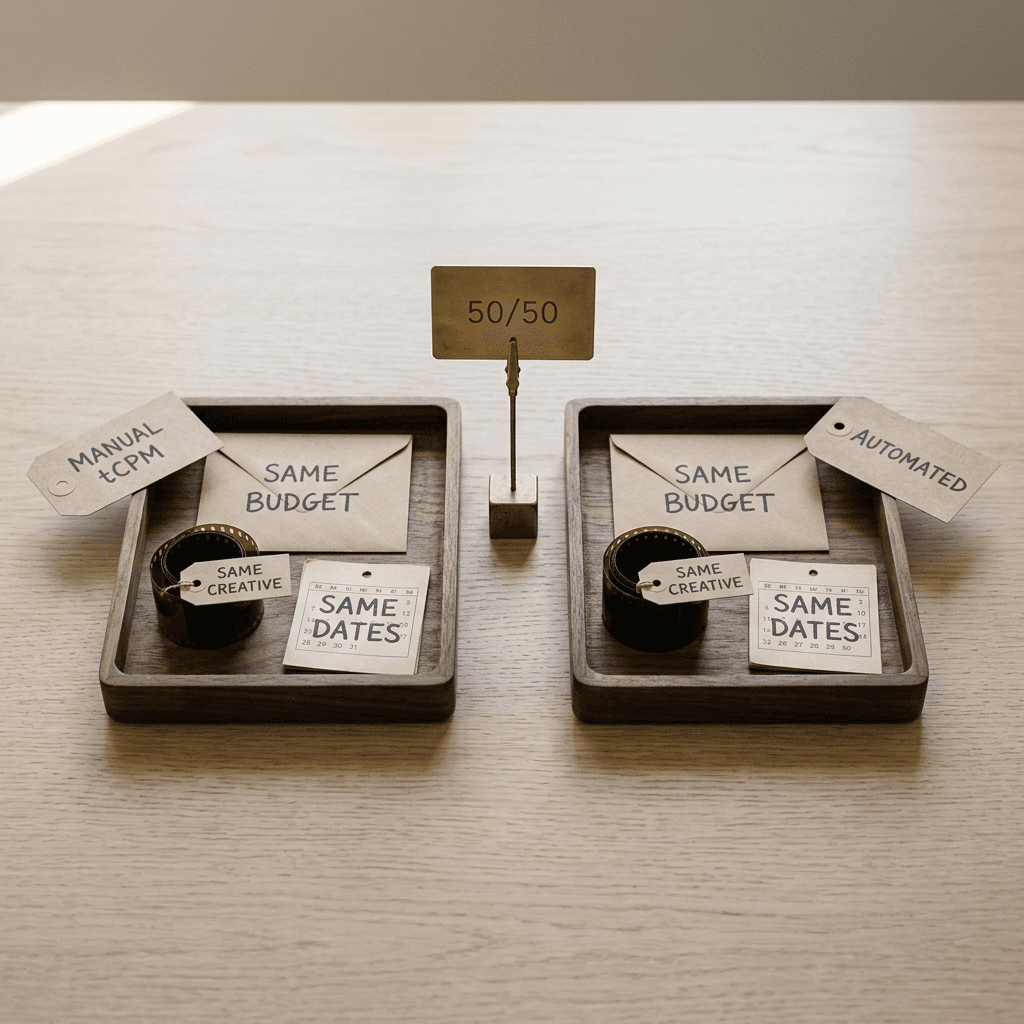
What to hold constant
- Creative, including every asset and every format in the mix.
- Targeting, locations, languages, devices, and networks.
- Daily budget or total budget, and the same flight dates and days of the week.
- Frequency cap settings.
- The date you read results.
How long, how big, and how to decide
Allow 24 hours of ramp-up at the start, per Google, and do not change audiences or budgets in that window. Plan on at least two full weeks, because reach metrics need time to populate: Google's reach and frequency documentation says campaigns need more than 10,000 impressions before data appears, data can take up to 3 days to show because of modeling delays, reach metrics cover date ranges of 92 days or less, and the frequency distribution only displays for ranges of 31 days or less. If you want a Brand Lift read on the same test, budgets have to clear Google's thresholds, which for a one-question study start around $5,000 to $15,000 over 10 days depending on the country group, and Brand Lift requires working with your Google account representative.
Write the decision rules before launch. A concrete example of a rule, with placeholder thresholds you should replace with your own: "Adopt automated bidding if cost per 1,000 unique people reached is within 10 percent of manual and unique reach is at least 5 percent higher, with average frequency not more than 0.3 above manual." The specific numbers matter less than the habit of fixing them in advance, since people tend to retrofit a story to whichever arm looks better.
What to Monitor: CPM, Unique Reach, Frequency, and Brand Lift
Google's best practices name three columns to watch: delivery, unique reach, and average CPM. In practice I would watch five things, because each one answers a different question.
| What to watch | Where to find it | A good sign | A warning sign |
|---|---|---|---|
| Target CPM column | Campaign and ad group tables | Shows Automated for automated ad groups and a number for manual ones, so modes are easy to tell apart | Mixed modes inside one comparison group |
| Average CPM | Reporting columns | Stable or slowly changing daily trend | Steady climb through the flight, especially on a narrow audience |
| Unique reach | Reach and frequency metrics on the Campaigns page | Cumulative curve keeps rising | Curve flattens while spend continues |
| Average impression frequency per user (7 and 30 day) | Reach and frequency metrics | Close to the frequency you planned | Rising faster than reach |
| Frequency distribution (1+, 2+, 3+, 4+, 5+, 10+) | Campaigns page, date ranges of 31 days or less | Most people sit in the lower buckets | A large share in the 5+ and 10+ buckets |
| Spend pacing | Budget and delivery columns | Budget spent as planned | Under-delivery despite automated bidding, which points to targeting or creative |
| Brand Lift | Brand Lift study set up with your Google account representative | Positive absolute lift on the metrics you chose | Reach grows while lift stays flat |

Average CPM, as a daily trend. A flight average hides drift. Under automated bidding, watch whether CPM creeps upward over the second week as the system exhausts the cheapest unique people, because that pattern is the early signature of the narrow-audience problem.
Unique reach, as a cumulative curve. A healthy curve rises steadily; a curve that flattens while spend continues means you are buying repeat exposures instead of new people. Compare the slope of the curve at the end of the flight with the slope at the start.
Average frequency and the frequency distribution. Google offers average impression frequency per user in per-user, 7-day, and 30-day versions, and a frequency distribution with 1+, 2+, 3+, 4+, 5+, and 10+ buckets, where the 1+ bucket equals unique reach. The share of people in the 5+ and 10+ buckets is the cleanest way to see whether a full-budget strategy is pushing too many impressions onto the same viewers.
Spend pacing. The practical test of whether automated bidding is doing what it promises: does the campaign actually spend the daily or total budget as planned? If it does not, the problem is probably in targeting or creative eligibility, and not in the bid.
Brand Lift, if you can afford it. Brand Lift is the check on whether reach translated into anything. Google says results can begin to appear once surveys gather about 2,000 responses, a standard study typically finishes within 3 to 14 days, and a study often completes at about 4,100 responses per lift metric, with each viewer giving one response per product or brand within 14 days. You can pick up to three metrics from ad recall, awareness, association, consideration, favorability, and purchase intent. Treat early Brand Lift numbers as provisional, since Google itself recommends waiting for the final report.
One more point on interpretation. If automated bidding raises CPM but also raises unique reach and Brand Lift, it may be the better strategy even though a CPM-only dashboard calls it worse. If it raises CPM and frequency while unique reach stays flat, the extra spend bought repetition. Read the three numbers together.
Creative Implications: Shorts, Vertical Video, and Sound
Because automated bidding hands Google more discretion over where your budget goes, the quality of your creative in every eligible format stops being a nice-to-have. A buyer who controls the bid can partly steer spend by price; a buyer who controls only the budget steers through the creative they supply.
Know the format constraints. Google recommends 6 to 60 second videos for Video reach campaigns on Shorts, notes that only the first 60 seconds play in the Shorts feed, and recommends vertical 9:16 for Shorts. Horizontal and square assets still serve, but horizontal assets run with blurred top and bottom bands in the vertical Shorts experience. For non-skippable reach, 15-second ads work across inventory, 30-second ads are mainly for connected TV and must be horizontal, and bumpers are 6 seconds. Headlines and descriptions are limited to 90 characters each in Video reach.
Google will make vertical versions for you, and you should still make your own. Video enhancements are turned on by default for new Video reach campaigns, using AI to create vertical 9:16 versions of your videos, and Google also supports a vertical video upload of 60 seconds or less. We cover the related Performance Max behavior in Google's AI video resizing and opt-out guide, and the same principle applies: automated resizing is a safety net, and a purpose-built vertical cut is what makes a Shorts placement look native instead of letterboxed. Google's own Shorts guidance asks you to blend with surrounding organic content, use sound (music, voiceover, or both), consider creator assets, and keep it short.

A practical asset kit for one automated Efficient reach campaign. Five assets cover most of what the system can do with an Efficient reach mix: a 6-second bumper, a 15 to 20 second vertical cut with the hook in the first seconds, a 30-second horizontal version for connected TV placements, a vertical Shorts-native cut under 60 seconds with a different opening than the horizontal one, and one frame that holds up as a still image for in-feed placements, which Google describes as a thumbnail from your video with a headline and text. The first few seconds are the part that decides whether a viewer stays, which is the same lesson we unpack in why the first 3 seconds matter on YouTube Shorts and in the broader YouTube Shorts best practices for 2026.
Producing the vertical set without a reshoot
This is where a creative toolkit helps with the actual bottleneck, which is turning one idea into several formats quickly.
Text2Shorts for vertical concepts. Text2Shorts on Miraflow turns a topic into a vertical short: you enter the topic, choose an animated or realistic visual style, review and edit the generated script, adjust the scene visual prompts, pick a voice and speed, and generate. It is a fast way to produce three or four different vertical hooks for the same offer, which is exactly what a Shorts-heavy reach mix rewards. Here is a prompt to adapt for the topic field:
Create a vertical short for a reusable ceramic travel mug brand with a friendly voiceover, opening on a close-up of steam rising from the mug in the first second, then three quick scenes showing the mug on a commuter train seat, on a desk next to a laptop, and at a trailhead at sunrise, one simple benefit named in each scene, a closing line that says the brand name, warm morning light, realistic style, captions on.
AI Clipping for footage you already have. If you have a product demo, webinar, or long YouTube video, Miraflow's AI Clipping tool analyzes it, finds the strongest moments, ranks them with a viral score, crops them to vertical with captions, and lets you set the number of clips and the minimum and maximum duration. Set the duration range to match your bumper and Shorts targets, and you have a stack of candidate cuts to choose from. Our walkthrough on turning long videos into Shorts automatically covers the settings in detail.
Cinematic video for the 15-second hero spot. For a non-skippable 15-second brand moment, the cinematic AI video generator can produce an ad-style scene from a prompt. Try something like the following, and generate both horizontal and vertical versions:
A cinematic 15 second product ad of a matte ceramic travel mug on a wooden cafe counter at sunrise, slow dolly in toward the mug as steam curls through warm backlight, shallow depth of field with a softly blurred window behind, gentle camera drift, the mug settles into a clean centered end frame with empty space around it for a logo, natural color grade, no on-screen text, no distorted details.
Thumbnail Maker for the still-frame job. In-feed ads lead with a thumbnail, so the composition of that frame matters. The YouTube Thumbnail Maker lets you prototype strong still compositions with a prompt, optional text, and an uploaded image, and you can use the result as a design reference for the key frame in your video as well as for the thumbnail of the same video on your channel.
Music for the sound layer. Google's Shorts guidance asks for music, voiceover, or both. Miraflow's AI music generator can produce an instrumental track at a duration and tempo you set, which is a quick way to give a 6-second bumper and a 20-second vertical cut the same sonic identity.
If your campaigns serve several language markets, pair the vertical set with AI video dubbing in Asset Studio, and if you want to draft ads from a brief inside Google's own tools, our look at Gemini Omni in Asset Studio explains where that fits. For creator-style product visuals to storyboard from, these AI UGC ad prompts give you a starting library.
Video Reach vs Demand Gen vs Performance Max vs Video View
The beta also raises a planning question: if automation is spreading, which campaign type should hold which job? Each type below is described according to Google's own documentation.
| Campaign type | Main goal (per Google) | Where it runs | Bidding approach | Automated bid beta |
|---|---|---|---|---|
| Video reach | Reach as many unique users as possible for your budget and targeting | YouTube, Google video partners, Google TV | Target CPM, or automated bidding in beta | Yes, for eligible accounts |
| Demand Gen | Capture engagement and action on visual surfaces | YouTube including Shorts, Discover, Gmail, Google Display Network | Maximize Clicks, conversions, conversion value | Not part of this beta |
| Performance Max | Conversions or conversion value from one campaign | YouTube, Display, Search, Discover, Gmail, Maps | Maximize conversions or conversion value, optional CPA or ROAS target | Not part of this beta |
| Video view | Views | YouTube, across in-stream, in-feed, and Shorts | View-focused bidding | No, not available |
Video reach is the pure reach tool: unique people on YouTube, Google video partners, and Google TV, with tCPM as the traditional lever and now optional automated bidding. It is the right home for a goal stated in people reached and for Brand Lift style questions.
Demand Gen captures engagement and action across YouTube (including Shorts), Discover, Gmail, and the Google Display Network, mixes image and video assets, and offers bidding such as Maximize Clicks, conversions, and conversion value. Google says it works best with both image and video assets, and it is the only one of these types with Creative Preferences that anchor assets to a format. If your video reach goal is really about generating action, our guide to the Demand Gen view-through conversion change is the better companion read.
Performance Max is a goal-based campaign type serving YouTube, Display, Search, Discover, Gmail, and Maps from one campaign, optimized for conversions or conversion value. YouTube is one surface among many, which makes it a poor fit for buying a controlled amount of video reach, and its video behavior is changing as well, as covered in our posts on asset experiments and the data strength uplift metric.
Video view campaigns optimize for views, and Google says automated bid is currently not available for them. If your plan depends on cost-per-view bidding, nothing in this beta changes your setup.
A simple selection rule: choose Video reach when the KPI is people reached and recall, Demand Gen when the KPI is engagement or action from YouTube and Discover audiences, Performance Max when the KPI is conversions across all of Google, and Video view when the KPI is views. Most real accounts run more than one, so the useful question for the beta is which Video reach campaigns have the least to lose from handing price control to Google.
Common Mistakes When Testing Automated Bidding
Flipping every campaign at once. You lose your baseline and any chance of attributing a change to the bidding mode. Move one comparable campaign first and keep a manual control.
Judging the beta in the first 48 hours. Google asks for 24 hours of ramp-up, reach data can lag by up to three days, and the 10,000 impression threshold means small campaigns show nothing early. A day-two panic edit resets the learning you were waiting for.
Pairing a big budget with a tiny audience. This is the one combination Google names. If your budget is large compared with the number of reachable people, expect higher CPMs, higher frequency, or both, and fix the audience or the budget instead of the bid.
Comparing on CPM alone. CPM tells you the price of impressions, and a reach campaign is bought for people. A higher CPM with meaningfully higher unique reach and healthy frequency can be a better outcome than a lower CPM that under-delivers.
Letting test arms overlap. Two campaigns bidding for the same people in the same auctions compete with each other and make frequency look worse in both. Separate the arms by geography or audience, or use an experiment that splits traffic for you.
Editing creative or budgets during the test. In an experiment, changes to the control's budget or dates flow through to the treatment, and any mid-flight creative swap changes two variables at once.
Ignoring format coverage. If you only supply horizontal video, the Shorts placements in the mix will show blurred top and bottom bands, and you have given up a lot of the reach advantage Google's multi-format guidance is built around.
Treating a beta as a settled feature. Google's help page labels this a beta with limited availability. Interfaces, defaults, and supported subtypes can change, so re-read the help page before each new flight and record the date you tested.
Skipping the question of what reach is for. Reach without a measured outcome is hard to defend. If you cannot afford a formal Brand Lift study, at least compare branded search interest or direct traffic in the weeks around the flight, and note that this is directional evidence only.
Where Miraflow Fits Into This Workflow
The bidding setting is the part Google is automating. The creative is the part that stays yours, and it is the part with the longest lead time. A workable weekly rhythm during a test looks like this: draft three vertical hooks in Text2Shorts, pull candidate cuts from long-form footage with AI Clipping, produce a hero 15-second scene with the cinematic video generator, design the key still with the YouTube Thumbnail Maker, add a track from the music generator, and generate supporting visuals for landing pages or companion banners in the AI image generator. Upload the finished videos to YouTube, attach them to the ads, and keep every asset identical across both arms of the test. You can start from the Miraflow home page and work through the Idea, Script, Visual, Video, Thumbnail, and Music pipeline in one place.
Frequently Asked Questions
What is automated bidding for Video reach campaigns?
It is a beta option in Google Ads where you leave the bid field empty and Google Ads sets and adjusts bids in each auction to deliver your full budget efficiently, instead of you entering a manual Target CPM. Google's help page calls it "Automated bid for video reach campaigns" and describes it as available to eligible accounts.
Which Video reach subtypes support it?
PPC News Feed and Search Engine Land describe Efficient reach and Non-skippable campaigns with a target CPM. Google's help page lists Efficient reach (tCPM), Non-skippable (tCPM), and Target frequency (tCPM). Because it is a beta, the safest approach is to open a draft of each subtype in your account and check whether the option appears.
How do I get access to the beta?
Google has not published a sign-up path or eligibility criteria on the help page. It says the feature is currently available as a beta to eligible Google Ads accounts, and that if you do not see it you need to set and manage your target bid manually. Your Google account representative is the practical person to ask.
Does it work for Video view campaigns?
No. Google states that automated bid is currently not available for video view campaigns, so cost-per-view bidding is unchanged.
Can I still use a manual Target CPM?
Yes. Check "Set a target tCPM" in the ad group Bid section when you create a campaign, or in Ad group settings or the ad group table afterwards. You can switch between automated and manual in setup, in ad group settings, in reporting tables, and when duplicating campaigns.
Will automated bidding lower my CPM?
There is no published evidence that it will. Google describes the goal as delivering your full budget efficiently, and it warns that extremely narrow audiences combined with high budgets can raise average CPMs. Your own test is the only reliable answer for your audience.
How do I know whether it is working?
Look at delivery, unique reach, and average CPM together, as Google suggests, and add frequency distribution and, if you can run one, Brand Lift. Campaigns on automated bidding show "Automated" in the Target CPM column, so you can tell which campaigns are in which mode at a glance.
How long should I wait before judging results?
Give the system 24 hours before significant audience or budget changes, and run a comparison for at least two full weeks. Reach metrics can take up to three days to appear and need more than 10,000 impressions to populate.
Is this the same as Target frequency?
No. Target frequency is a campaign subtype that aims to reach the same people a set number of times per week or month, and it is not a frequency cap. Automated bidding is a bidding mode that Google lists as supported on the Target frequency subtype as well as the other two, so they can be combined where the option appears.
Should I put a frequency cap on an automated campaign?
Efficient reach campaigns offer an optional impression or view frequency cap under Additional settings. Because the system is trying to spend the whole budget, a cap is a reasonable guardrail, though it may affect delivery, so include it as a deliberate variable in your test and not as an afterthought.
Do I need vertical creative to use Video reach campaigns?
You do not strictly need it, since horizontal assets still serve and Google can generate vertical versions with video enhancements. Google does say vertical 9:16 is best suited to Shorts, and horizontal assets run with blurred bands in the Shorts feed, so a purpose-built vertical cut is worth the effort.
Where can I find more Google Ads updates and video creative workflows?
The Miraflow blog covers Google Ads changes as they ship and the creative workflows that go with them, from Shorts production to AI video and thumbnails.
Conclusion
Automated bidding in Video reach campaigns is a small interface change with a clear strategic meaning: the lever you control shifts from the price you will pay to the budget you are willing to spend. That can remove a genuine chore for teams that keep tuning tCPM, and it can protect fixed-flight launches from stranded budget, but it also gives up the cost ceiling that finance teams, contracts, and narrow audiences depend on. Google has published the mechanics and the best practices, and neither Google nor the trade coverage has published performance results, so the evidence you need has to come from your own accounts.
The sensible path is a controlled test: one comparable campaign, one variable, an identical creative set, two or more weeks, and decision rules written before launch that judge cost per unique person reached, frequency, and Brand Lift instead of CPM alone. While the test runs, put your effort where Google's automation cannot help you, which is a creative set that works in every format in the mix. Build the vertical and horizontal cuts with Text2Shorts, AI Clipping, and the cinematic video generator on Miraflow, and you will be ready to read the results of the beta with confidence, whichever bidding mode wins.