How to Write YouTube Video Descriptions That Rank in Search

Written by
Jay Kim
Learn how to write YouTube video descriptions that rank in search. Includes 15 copy-paste templates, keyword strategies, and advanced techniques for 2026.
Most creators treat YouTube video descriptions as an afterthought. They upload a video, paste a one-liner or leave the description blank, and wonder why their content never shows up in search results.
The description box is one of the most underused ranking tools on YouTube. It directly influences how YouTube understands your video, which search queries it appears for, and whether viewers click after reading the preview text. Yet the majority of creators either ignore it entirely or stuff it with random keywords that do nothing.
This guide covers how YouTube descriptions actually affect search rankings in 2026, the structure that consistently performs well, common mistakes that hurt discoverability, and 15 copy-paste description templates you can start using today. Whether you publish long-form videos, Shorts, or both, the principles here apply across formats.
Why YouTube Descriptions Matter for Search in 2026
YouTube is the second largest search engine in the world, and Google increasingly surfaces YouTube videos in its own search results. When someone types a query into YouTube or Google, the algorithm needs to understand what your video is about. It uses several signals to do this, and the video description is one of the most important text-based signals available.
The description helps YouTube in three specific ways.
First, it tells the algorithm what topics and keywords your video covers. YouTube reads the text in your description to match your content with relevant search queries. Without a detailed description, YouTube has to rely entirely on your title and auto-generated captions, which limits how many queries your video can rank for.
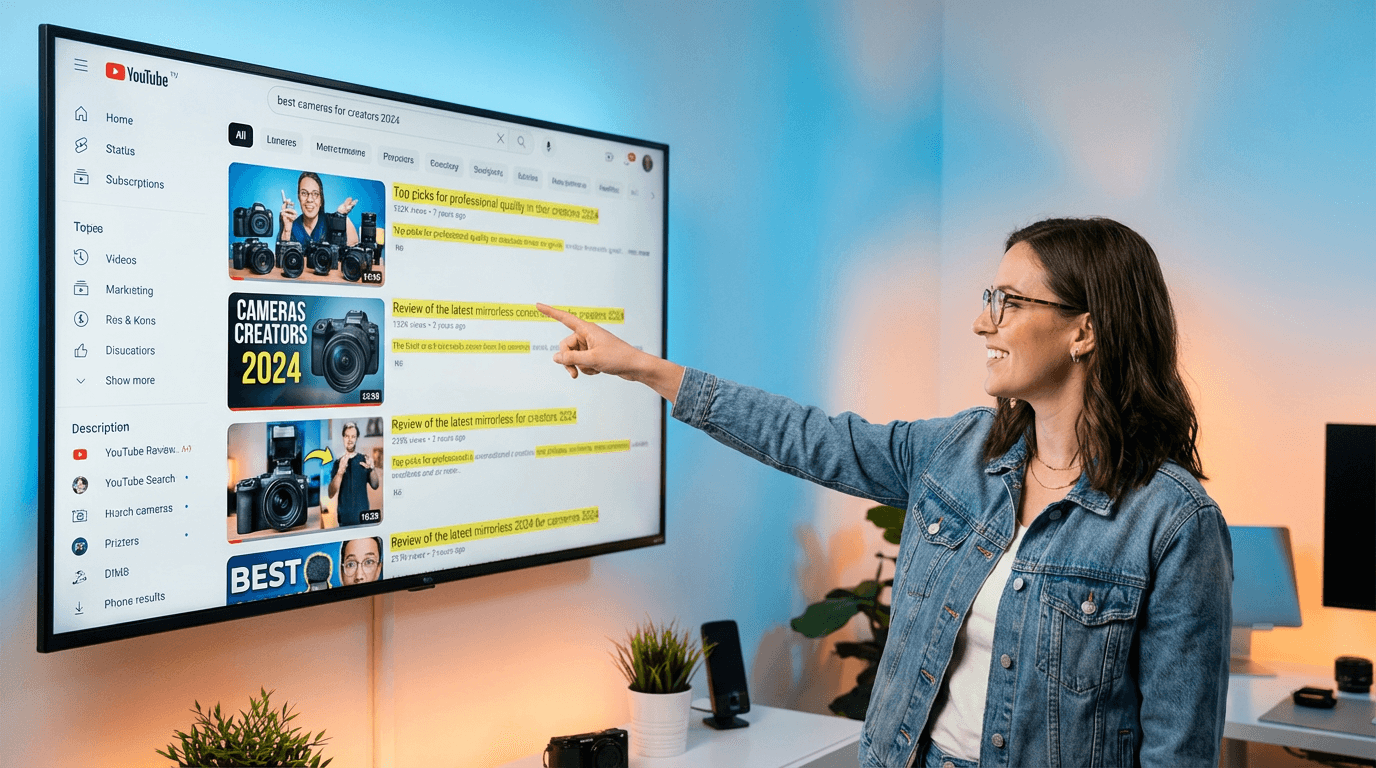
Second, the description influences click-through rate from search results. When your video appears in search, YouTube shows the first one to two lines of your description below the title. If those lines are compelling and relevant to the search query, viewers are more likely to click. If the description is empty or generic, the viewer moves on to a result that looks more relevant.
Third, descriptions support long-tail keyword discovery. Your title can only contain so many words. The description gives you space to naturally include related phrases, synonyms, and secondary keywords that your title cannot cover. This expands the total number of search queries your video can appear for.
According to YouTube's Creator Academy, creators should write detailed, keyword-rich descriptions that accurately represent the video content. The platform explicitly recommends using the first few lines for the most important information and keywords, since this is what appears in search results before viewers click to expand.
For a broader understanding of how YouTube distributes content through different channels, the guide on YouTube traffic sources and how browse, search, and suggested systems work explains how search fits into the larger discovery picture.
How YouTube Search Actually Works
Before writing a single word of description, it helps to understand what YouTube search prioritizes.
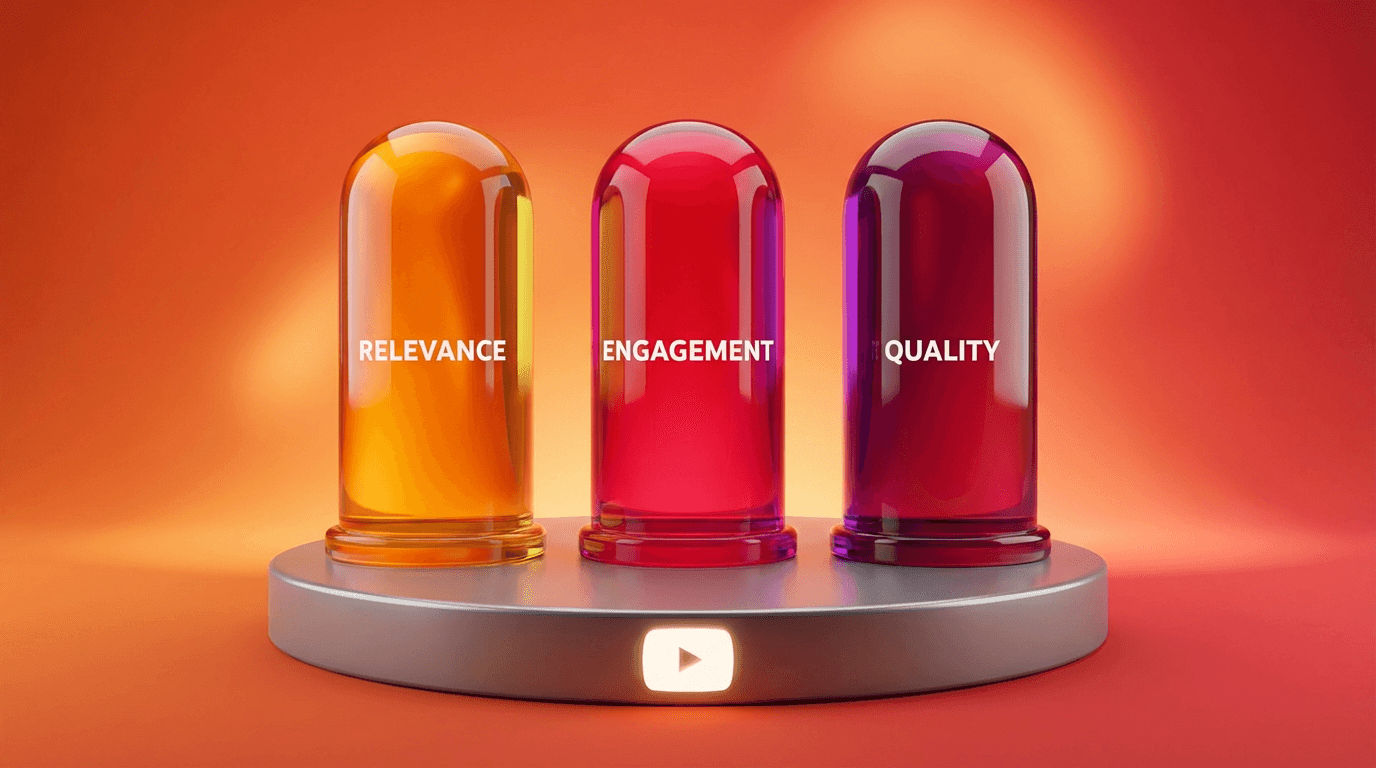
YouTube search ranking is influenced by three main factors: relevance, engagement, and quality.
Relevance means how well your video's metadata matches the search query. Metadata includes your title, description, tags, and captions. The more accurately your description reflects what the video covers and what viewers are searching for, the more likely YouTube is to show your video for those queries.
Engagement means how viewers interact with your video after clicking. Watch time, completion rate, likes, comments, and shares all signal to YouTube that the content satisfied the viewer. A video with a great description but poor retention will eventually drop in rankings because YouTube prioritizes viewer satisfaction over keyword matching.
Quality refers to signals that indicate the overall authority and trustworthiness of the channel. Channels that consistently produce content viewers enjoy tend to rank higher over time. This is why building a consistent publishing schedule matters alongside optimizing individual descriptions.
The key insight here is that descriptions alone do not guarantee rankings. They get your video into the race. Engagement and retention determine where you finish. But without a strong description, your video may never enter the race at all.
If your videos are struggling with engagement after the click, the guide on why your videos are getting zero views covers the most common reasons and how to fix them.
The Anatomy of a High-Ranking YouTube Description
Descriptions that rank well in search consistently follow a specific structure. They are not random paragraphs or keyword dumps. They are organized in a way that serves both the algorithm and the viewer.
Here is the structure that works.
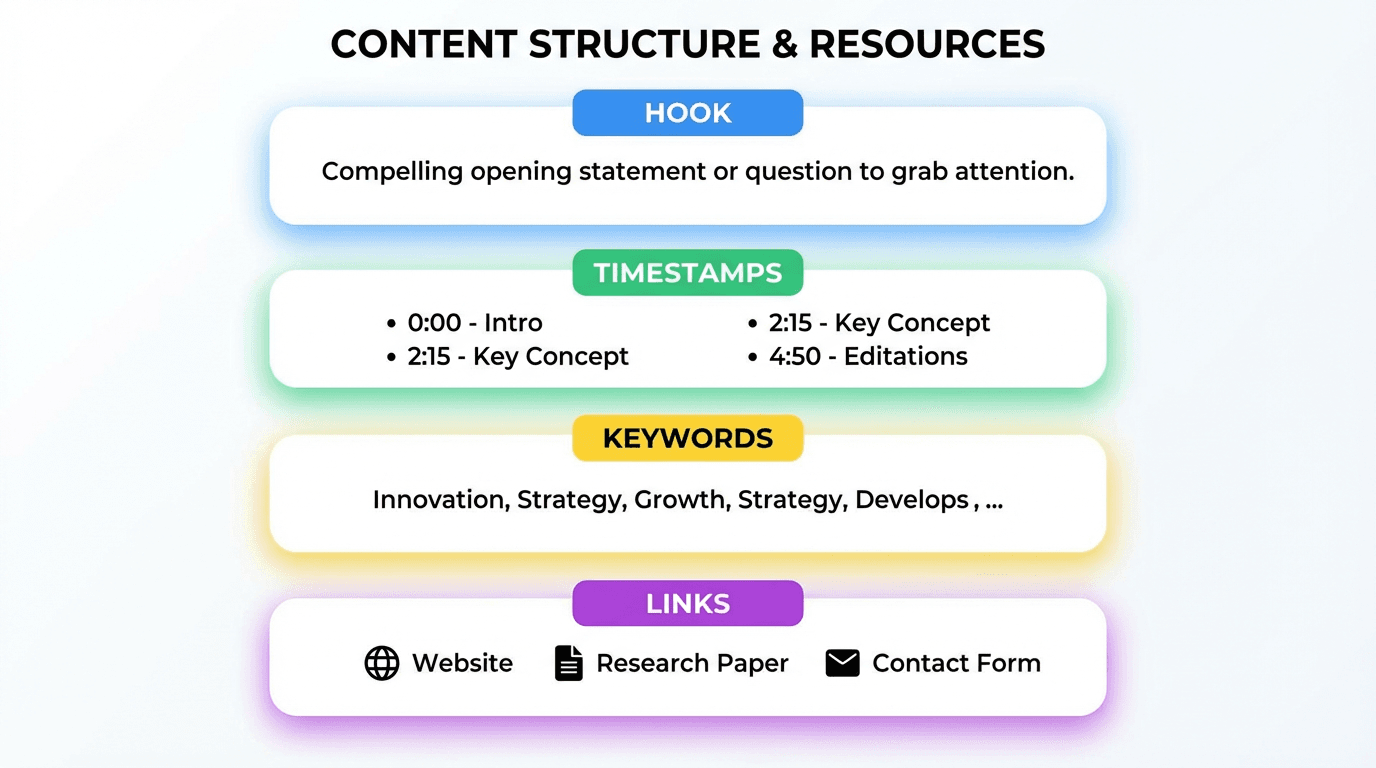
Lines 1 to 2: The hook and primary keyword. The first two lines of your description are the most valuable real estate. This is what viewers see in search results before clicking "show more." These lines should clearly state what the video is about, include your primary keyword naturally, and give viewers a reason to click. Think of this as your description's thumbnail. It needs to communicate value instantly.
Lines 3 to 5: Expanded context and secondary keywords. After the hook, expand on what the video covers. Mention specific topics, tools, or concepts discussed in the video. This is where secondary and long-tail keywords should appear naturally. Do not force keywords. Write sentences that a real person would find helpful.
Timestamps section. If your video covers multiple topics or sections, include timestamps. YouTube uses timestamps to create chapter markers, which improve user experience and help the algorithm understand the structure of your content. Videos with timestamps often appear in search with specific chapter links, giving you more surface area in results.
Links and resources. Include links to related videos, playlists, tools, or resources mentioned in the video. Internal links to your own content keep viewers on your channel longer, which improves session time and signals to YouTube that your content is part of a valuable viewing experience. The guide on YouTube session time and keeping viewers on the platform explains why this matters for your channel's overall performance.
About section and channel description. Many successful creators include a short boilerplate paragraph at the bottom of every description that explains what their channel is about. This adds consistent keyword presence across all videos and helps new viewers quickly understand your content focus.
8 Mistakes That Kill Your Description's Search Potential
These are the most common description mistakes that prevent videos from ranking. If you are doing any of these, fixing them can have an immediate impact.
Mistake 1: Leaving the description blank or near-empty. A blank description tells YouTube nothing about your video beyond the title. This severely limits discoverability. Even a three-sentence description is dramatically better than nothing.
Mistake 2: Writing only one sentence. A single sentence does not give YouTube enough text to extract relevant keywords and context. Aim for at least 150 to 300 words in your description. Longer descriptions provide more keyword opportunities without requiring keyword stuffing.
Mistake 3: Keyword stuffing. Repeating the same keyword 15 times in your description does not help. YouTube's algorithm is sophisticated enough to recognize unnatural keyword repetition, and viewers who see a stuffed description are less likely to trust the content. Use your primary keyword two to three times naturally, and include related phrases and synonyms throughout.
Mistake 4: Starting with links or social handles. If the first thing in your description is a link to your Instagram or a sponsor link, you have wasted your most valuable description space. The first two lines should always be about the video content and keywords.
Mistake 5: Using the same generic description for every video. Copying and pasting the same description across all your videos might save time, but it tells YouTube that your videos are all about the same thing. Each video should have a unique description that reflects its specific content.
Mistake 6: Ignoring timestamps. Timestamps are free search real estate. They create chapter markers that can appear in search results, and they help YouTube understand what specific topics your video covers at each point.
Mistake 7: Not including a call to action. Descriptions should encourage viewers to take an action: watch another video, subscribe, check out a playlist, or visit a resource. Without a clear next step, viewers leave your channel after one video.
Mistake 8: Writing for the algorithm instead of the viewer. The best descriptions serve both purposes. If your description reads like it was written by a robot for a robot, viewers will notice. Write naturally, include keywords where they fit, and focus on being genuinely helpful.
The First 2 Lines: How to Write a Description Hook That Gets Clicks
The first two lines of your description appear in YouTube search results, on the video watch page before the viewer clicks "show more," and sometimes in Google search results. This makes them the highest-impact section of your entire description.
A strong description hook does three things: it tells the viewer what the video is about, it includes the primary keyword, and it creates a reason to watch.
Here are patterns that consistently perform well.
The direct answer hook. Start by partially answering the question your video addresses. This works especially well for tutorial and how-to content.
Example: "The fastest way to improve your YouTube CTR is to change how you design your first frame. In this video, I break down the exact thumbnail and title combinations that get more clicks in 2026."
The problem-solution hook. Name the problem, then promise the solution.
Example: "If your YouTube videos are getting impressions but no clicks, your metadata is likely the issue. This video shows you how to write titles and descriptions that convert impressions into views."
The curiosity hook. Tease a result or insight without fully revealing it.
Example: "After testing 50 different description formats across 6 months, one structure consistently outperformed everything else. Here is exactly how it works."
The list hook. Tell viewers exactly what they will get.
Example: "15 copy-paste YouTube description templates that improve search rankings. Each template includes keyword placement, timestamp structure, and call-to-action formatting."
The hook should feel natural and direct. Avoid clickbait that does not match the video content, because even if viewers click, they will leave quickly, which hurts your retention and rankings.
For more on how click-through rate affects your video performance, the YouTube CTR benchmarks guide for 2026 covers what good CTR looks like and how to improve it.
How to Find the Right Keywords for Your Description
Writing a great description requires knowing which keywords to include. Here is a practical keyword research workflow that does not require expensive tools.
Step 1: Use YouTube search autocomplete. Type your video's main topic into the YouTube search bar and see what YouTube suggests. These suggestions are based on real search queries. Each suggestion is a potential keyword to include in your description.
Step 2: Check competitor descriptions. Find the top three to five videos that rank for your target keyword. Read their descriptions. Note which keywords and phrases they include. You do not need to copy them, but understanding what the current top-ranking videos have in their descriptions shows you what YouTube considers relevant for that query.
Step 3: Look at the "People also search for" and "Related searches" sections. After running a YouTube search, scroll through the results. YouTube often shows related search suggestions between videos. These are additional keyword ideas you can include in your description.
Step 4: Review your YouTube Studio search report. Go to YouTube Studio, then Analytics, then Reach, then Traffic source: YouTube search. This shows you the actual search queries that are already bringing viewers to your videos. Including these terms in future descriptions reinforces your relevance for those queries.
Step 5: Use Google search to find cross-platform keywords. Search your topic on Google and note the phrases used in featured snippets, "People also ask" boxes, and related searches. Since Google surfaces YouTube videos in its results, optimizing your description for Google search terms can drive traffic from both platforms.
15 Copy-Paste YouTube Description Templates
These templates are structured for search performance. Each one includes keyword placement, context expansion, timestamps, and a call to action. Customize the bracketed sections for your specific video.
Template 1: Tutorial / How-To Video
[Primary keyword]: Learn how to [specific outcome] step by step in this complete guide. Whether you are a beginner or already have experience with [topic], this tutorial covers everything you need to know in [year].
In this video, you will learn:
- [Specific subtopic 1]
- [Specific subtopic 2]
- [Specific subtopic 3]
- [Specific subtopic 4]
Timestamps:
0:00 Introduction
0:45 [Section 1 title]
3:20 [Section 2 title]
6:15 [Section 3 title]
9:00 [Section 4 title]
11:30 Final thoughts
Related videos:
[Link to related video 1]
[Link to related video 2]
[Boilerplate about section]
Template 2: Product Review
Is [product name] worth it in [year]? In this honest review, I cover the features, performance, pricing, and whether [product name] is the right choice for [target audience].
I have been using [product name] for [time period], and here is what I found. This review covers [feature 1], [feature 2], and [feature 3] in detail so you can make an informed decision before buying.
Timestamps:
0:00 First impressions
1:30 [Feature 1] deep dive
4:00 [Feature 2] deep dive
6:30 Pricing and value
8:00 Who should buy this
9:30 Final verdict
[Links to product or alternatives]
[Boilerplate about section]
Template 3: Listicle / Top X Video
[Number] best [items] for [year], ranked from least to most impressive. If you are looking for [specific need], this list covers the top options with real comparisons and honest opinions.
Every [item] in this list was evaluated based on [criteria 1], [criteria 2], and [criteria 3]. Whether you need [use case 1] or [use case 2], there is something here for you.
Timestamps:
0:00 Introduction and criteria
1:00 Number [X]
2:30 Number [X-1]
[Continue for each item]
[Final timestamp] Top pick and summary
[Boilerplate about section]
Template 4: Vlog / Day-in-the-Life
Come along for a [specific type] day in [location/context]. In this vlog, I share [specific activity 1], [specific activity 2], and [specific activity 3].
If you enjoy [niche/lifestyle] content, this video gives you an authentic look at [what the video shows]. Filmed in [location] during [time context].
Timestamps:
0:00 Morning routine
2:00 [Activity 1]
5:00 [Activity 2]
8:00 [Activity 3]
10:00 Reflections
[Social media links]
[Boilerplate about section]
Template 5: Comparison Video
[Product/Tool A] vs [Product/Tool B]: Which one is better for [specific use case] in [year]? This side-by-side comparison covers [feature 1], [feature 2], [feature 3], and pricing so you can pick the right one.
I tested both [A] and [B] for [time period] to give you an honest, real-world comparison. No sponsorships, no bias.
Timestamps:
0:00 Overview
1:00 [Feature 1] comparison
3:00 [Feature 2] comparison
5:00 [Feature 3] comparison
7:00 Pricing breakdown
8:30 Winner and recommendation
[Links to both products]
[Boilerplate about section]
Template 6: News / Update Video
[Topic] just changed. Here is what you need to know about [specific update] and how it affects [target audience] in [year].
This video breaks down [update detail 1], [update detail 2], and what you should do about it. If you are a [type of creator/user], these changes directly impact your [workflow/results/strategy].
Timestamps:
0:00 What happened
1:30 [Detail 1] explained
3:00 [Detail 2] explained
5:00 What this means for you
7:00 Action steps
[Source links]
[Boilerplate about section]
Template 7: Challenge / Experiment Video
I tried [specific challenge] for [time period] and here is what happened. This video documents the full [challenge name] experiment, including the results, mistakes, and lessons learned.
If you have ever wondered whether [challenge concept] actually works, this video gives you a transparent look at the real outcome.
Timestamps:
0:00 The challenge explained
1:00 Day 1 to [midpoint]
4:00 [Midpoint] to [end]
7:00 Final results
9:00 What I learned
[Boilerplate about section]
Template 8: Educational / Explainer Video
[Primary keyword] explained simply. If you have ever been confused by [topic], this video breaks it down in [X] minutes using clear examples and visual explanations.
Understanding [topic] is important for [reason]. This guide covers [subtopic 1], [subtopic 2], and [subtopic 3] so you walk away with a complete understanding.
Timestamps:
0:00 What is [topic]
1:30 Why it matters
3:00 [Subtopic 1]
5:00 [Subtopic 2]
7:00 [Subtopic 3]
9:00 Summary
[Links to further reading]
[Boilerplate about section]
Template 9: Reaction / Commentary Video
Reacting to [specific content/event]. In this video, I share my thoughts on [what you are reacting to] and break down [specific angle or insight].
Whether you agree or disagree, this video gives you a new perspective on [topic]. Let me know your take in the comments.
Timestamps:
0:00 Context
1:00 First reaction
3:30 Key moments
6:00 My analysis
8:00 Final thoughts
[Boilerplate about section]
Template 10: Shorts Description (Compact Format)
[Primary keyword] in under 60 seconds. Quick tip on [specific topic] for [target audience].
Watch the full video on [topic]: [link to long-form video]
More [topic] tips: [link to playlist]
[Boilerplate about section]
Template 11: Podcast / Interview Episode
[Guest name] joins me to talk about [main topic]. We cover [subtopic 1], [subtopic 2], and [subtopic 3] in this [length] conversation.
[Guest name] is [brief bio/credentials]. If you are interested in [topic area], this episode is packed with actionable insights.
Timestamps:
0:00 Introduction
2:00 [Topic 1]
8:00 [Topic 2]
15:00 [Topic 3]
22:00 Rapid fire questions
25:00 Closing thoughts
[Guest social links]
[Boilerplate about section]
Template 12: Gaming Video
[Game name] gameplay: [specific activity, level, or challenge]. Watch as I attempt [specific goal] in [game name] with [specific setup or difficulty].
If you enjoy [game name] content, subscribe for [frequency] uploads covering [types of content].
Timestamps:
0:00 Setup
1:00 [Gameplay section 1]
5:00 [Gameplay section 2]
10:00 [Key moment]
12:00 Result
[Links to related gaming content]
[Boilerplate about section]
Template 13: Recipe / Cooking Video
How to make [dish name]: easy [cuisine type] recipe you can follow at home. This [dish name] recipe uses [key ingredient 1], [key ingredient 2], and [key ingredient 3] for a delicious result every time.
Full recipe and ingredient list below.
Ingredients:
- [Ingredient 1]
- [Ingredient 2]
- [Ingredient 3]
Timestamps:
0:00 Final dish preview
0:30 Ingredients overview
2:00 Preparation
5:00 Cooking
8:00 Plating and tasting
[Link to written recipe]
[Boilerplate about section]
Template 14: Motivation / Personal Story
[Compelling one-line summary of the story]. In this video, I share [what happened], [what I learned], and [what changed].
If you are going through [similar situation], I hope this video gives you [specific value: perspective, encouragement, practical advice].
Timestamps:
0:00 The starting point
2:00 What happened
5:00 The turning point
8:00 Where I am now
10:00 Advice for you
[Boilerplate about section]
Template 15: Tool / Software Walkthrough
Complete [tool name] tutorial for [year]. Learn how to use [tool name] for [specific purpose] with this step-by-step walkthrough.
This video covers [feature 1], [feature 2], and [feature 3]. Perfect for [target audience] who want to [specific outcome].
Timestamps:
0:00 What is [tool name]
1:00 Getting started
3:00 [Feature 1] walkthrough
6:00 [Feature 2] walkthrough
9:00 [Feature 3] walkthrough
12:00 Tips and tricks
14:00 Final thoughts
[Link to tool]
[Boilerplate about section]
How Descriptions and Titles Work Together
Your description should complement your title, not repeat it. The title captures attention and includes your primary keyword. The description expands on the title by adding context, secondary keywords, and specific details.
A common mistake is writing a description that simply restates the title in slightly different words. Instead, use the description to cover the angles your title could not.
For example, if your title is "5 YouTube Thumbnail Mistakes Killing Your CTR," your description should not start with "In this video, I cover 5 YouTube thumbnail mistakes killing your CTR." Instead, it should expand with context like "Your thumbnail is the first thing viewers see in search results and the Shorts shelf. If your CTR is below average, these five design mistakes are likely the reason."
This approach gives YouTube more text to index while making the description genuinely useful for the viewer. For a deeper dive on how titles affect performance, the guide on AI prompts for YouTube titles includes templates and strategies for writing titles that pair well with strong descriptions.
Descriptions for YouTube Shorts: What Changes
YouTube Shorts descriptions work slightly differently than long-form video descriptions. The format is shorter, the viewing behavior is different, and the way YouTube surfaces Shorts in search has evolved in 2026.
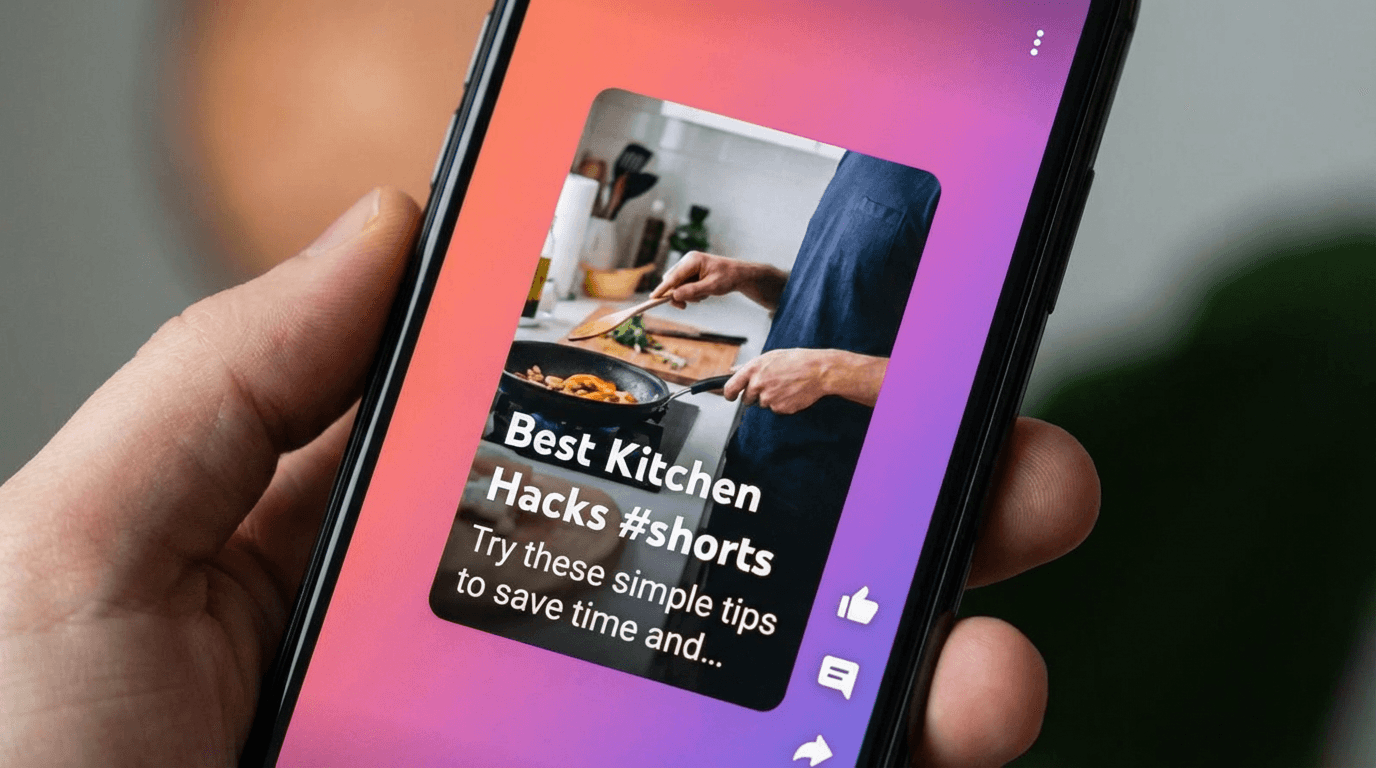
For Shorts, the description should be concise but still keyword-rich. Viewers rarely expand the description on Shorts, so the first line matters even more. Include your primary keyword in the first sentence and keep the total description between 50 and 150 words.
Hashtags also play a role in Shorts discoverability. Adding two to three relevant hashtags at the end of your Shorts description helps YouTube categorize the content. Avoid using more than five hashtags, as YouTube may treat excessive hashtags as spam.
If your Short is part of a series, link to the playlist or next video in the series within the description. This helps with session time even from short-form content.
For the latest strategies on Shorts optimization, the YouTube Shorts titles and descriptions templates guide covers formatting, hashtag usage, and keyword placement specifically for the Shorts format.
How to Use Descriptions to Improve Watch Time and Session Time
Descriptions can do more than bring viewers to your video. They can also keep viewers on your channel longer, which is one of the strongest signals YouTube uses for recommendations.
The most effective technique is internal linking within your descriptions. Include links to related videos, playlists, and your channel page. When a viewer finishes your video and clicks a link in your description to watch another one, your session time increases.
Playlists are especially powerful for this. Instead of linking to individual videos, link to a playlist that starts with the current video. This way, the next video plays automatically, keeping the viewer on your channel without requiring them to make a conscious decision.
YouTube rewards channels that keep viewers on the platform. A single video that drives a 20-minute viewing session is more valuable to the algorithm than a single video that gets watched once and then the viewer leaves YouTube entirely.
For strategies on building playlists that maximize session time, the guide on YouTube playlists strategy for binge sessions covers playlist structure, ordering, and naming in detail.
Creating Visual Assets to Support Your Video Content
While descriptions handle the text-based side of search optimization, the visual elements of your video listing work alongside descriptions to drive clicks and engagement. Your thumbnail, in particular, determines whether someone clicks on your video after reading the description preview.
When you are spending time optimizing descriptions, it is worth investing equal effort into your visual packaging. A well-optimized description can get your video into search results, but the thumbnail converts that impression into a view.
Creators can generate professional thumbnails using the YouTube Thumbnail Maker on Miraflow AI, which supports custom prompts, reference image uploads, and text overlays. You can also paste a YouTube video URL to fetch your existing thumbnail and redesign it with AI.
For creators producing content at scale, having a consistent visual style across thumbnails helps with brand recognition in search results. The guide on building a consistent YouTube thumbnail style with AI walks through how to maintain a recognizable look across all your videos.
Advanced Description Techniques for 2026
Beyond the basics, there are several advanced techniques that experienced creators use to squeeze more search value out of their descriptions.
Technique 1: Transcript snippets. Including a short transcript excerpt from a key moment in your video gives YouTube additional text to index. Pick the 50 to 100 most relevant words from your video and include them near the bottom of your description. This is especially useful for videos where the spoken content contains niche terminology or specific phrases that viewers might search for.
Technique 2: FAQ-style content in descriptions. Adding a brief FAQ section at the bottom of your description can help your video appear in Google's "People also ask" feature. Format it as simple questions and one-sentence answers related to your video topic.
Technique 3: Localization cues. If your content targets a specific region or language community, including location-specific keywords in your description helps with local search. For example, if your video is about street food, mentioning the city, neighborhood, or country in the description makes it more discoverable for location-based searches.
Technique 4: Updating old descriptions. Descriptions are not locked after publishing. If an older video starts gaining traction or you want to refresh it for a new year, go back and update the description with current keywords, updated timestamps, and new internal links. This can give older videos a search boost without re-uploading.
For strategies on reviving older content, the guide on old YouTube videos getting views again in 2026 covers how to refresh videos that have untapped potential.
Putting It All Together: A Complete Workflow
Here is a step-by-step workflow for writing a high-ranking YouTube description from scratch.
Step 1: Identify your primary keyword. Use YouTube autocomplete and competitor analysis to find the main search term you want to rank for.
Step 2: Write your hook (first 2 lines). Include the primary keyword naturally and give viewers a clear reason to watch.
Step 3: Expand with context (lines 3 to 5). Add secondary keywords, related phrases, and a brief outline of what the video covers.
Step 4: Add timestamps. Break your video into logical sections and include start times for each one.
Step 5: Include internal links. Link to two to three related videos or playlists on your channel.
Step 6: Add a call to action. Tell viewers what to do next: subscribe, watch another video, check out a resource.
Step 7: Include your boilerplate. Add a consistent "about this channel" paragraph at the bottom.
Step 8: Review and refine. Read the description once as a viewer. Does it make you want to watch? Does it clearly communicate what the video is about? If not, adjust.
This workflow takes five to ten minutes per video. Over time, you will build templates and habits that make it even faster.
Frequently Asked Questions
How long should a YouTube description be?
Aim for 150 to 300 words minimum. YouTube allows up to 5,000 characters in the description box, and using more of that space gives you more keyword opportunities. That said, quality matters more than length. A 200-word description that is clear and keyword-rich outperforms a 1,000-word description filled with irrelevant text.
Do YouTube descriptions affect Shorts rankings?
Yes. Shorts descriptions are indexed by YouTube search, and the keywords you include influence which queries your Short appears for. Shorts descriptions should be shorter than long-form descriptions, typically 50 to 150 words, but they should still include your primary keyword and relevant hashtags.
Should I use hashtags in my description?
For Shorts, yes. Two to three relevant hashtags at the end of your description help with categorization. For long-form videos, hashtags are less impactful, but including one or two above the title can add minor discoverability. Avoid using more than five hashtags in any description.
How often should I update old descriptions?
Whenever you notice an older video gaining impressions or when you publish new related content that you can link to. Updating descriptions with current keywords and new internal links can refresh a video's search relevance. Doing a quarterly review of your top-performing videos is a good habit.
Does the description affect Google search rankings?
Yes. Google regularly surfaces YouTube videos in its search results, and it uses the video description as part of its relevance assessment. Videos with detailed, keyword-rich descriptions are more likely to appear in Google search, especially for how-to and educational queries.
Can I use the same description template for every video?
You should use a consistent structure, but each video needs unique content in the description. YouTube treats duplicate descriptions as low-quality metadata. Use the templates in this guide as starting frameworks, but customize the details for each individual video.
What should I put in the first line of my description?
Your primary keyword and a clear statement of what the video is about. This line appears in search results and on the watch page before the viewer clicks "show more." It should be compelling enough to reinforce the viewer's decision to click.
Do timestamps improve search rankings?
Timestamps help YouTube understand the structure and topics within your video. They create chapter markers that can appear in search results, giving your video more visual real estate and more potential click points. While timestamps alone do not directly boost rankings, they improve user experience and engagement, which are ranking factors.
Start Optimizing Your Descriptions Today
YouTube descriptions are one of the easiest and most impactful improvements you can make to your content strategy. Most creators underuse them, which means there is a real opportunity to gain a competitive edge just by writing better metadata.
Use the templates in this guide as starting points. Customize them for each video. Focus on the first two lines, include relevant keywords naturally, add timestamps, and link to related content on your channel.
Combined with strong thumbnails, engaging hooks, and consistent publishing, optimized descriptions help your videos reach more viewers through search and recommendations. The effort is minimal compared to the potential impact on your channel's growth.
For creators who want to streamline the entire content production process from idea to finished video, Miraflow AI provides tools for generating videos, thumbnails, images, and music directly in the browser. The workflow from idea to published content can happen in one place, leaving you more time to focus on strategy and optimization.