25 AI Ugly Christmas Sweater Prompts for Designs, Photos and Merch (Copy & Paste)

Written by
Aerin Kim
Copy 25 AI ugly Christmas sweater prompts for knit designs, pet sweaters, family photos, print-on-demand patterns, party reels and thumbnails, plus tips for realistic knit texture and legible text.
If you have ever typed "ugly Christmas sweater" into an AI image generator, you probably got a smooth, glossy picture of a sweater that looks printed on a T-shirt, with a reindeer that melts into the background and a headline that reads "MERY CHRISMAS". A real ugly sweater is the opposite: chunky yarn, a visible stitch grid, a pom-pom nose, tinsel and a design that is loud on purpose. Getting an AI model to produce that look takes a different kind of prompt than a normal product photo.
This guide gives you 25 copy-and-paste AI ugly Christmas sweater prompts for 2026, grouped into classic knit pattern designs, funny and pun sweaters, pet sweaters, family and office party photos, print-on-demand pattern artwork, short video clips and YouTube thumbnails. Along the way you will learn how to make AI knit texture look genuinely knitted, how to keep sweater text readable, which file basics matter before you upload merch artwork, and how to stay clear of trademarked characters.
The timing matters because National Ugly Christmas Sweater Day falls on the third Friday of December, which is December 18 in 2026. Sellers who want their designs listed, and creators who want a reel or thumbnail ready for party week, need the artwork finished in November. You can run every prompt in Miraflow's AI Image Generator, and the clip prompts work in the cinematic video generator.
TL;DR: How to Use These Prompts
- Open Miraflow, choose the AI image generator, and paste any prompt from this post.
- Name the construction of the sweater, such as intarsia, Fair Isle or jacquard, and describe the stitch grid and yarn, because that is what separates a knitted look from a printed one.
- Ask for one to three short words of sweater text at most, and put them in capital letters inside quotation marks.
- For print-on-demand, generate flat artwork and tiles first, then follow the file checklist in the print-on-demand section before uploading anywhere.
- Turn your best stills into clips with Text2Shorts or into click-ready covers with the YouTube Thumbnail Maker.
- Use original characters only. Nothing in this pack names a movie, cartoon or brand.
If you want holiday portraits of people instead of garments, the AI Christmas photoshoot prompts cover that. For printable greeting cards, see the AI Christmas card prompt pack. This post stays focused on the sweaters themselves.
Why Ugly Sweaters Are a Hard Subject for AI (and Easy to Fix)
Image models learn from millions of photos of sweaters, but most of those photos are fashion shots where the knit is a background detail. When you ask for a "Christmas sweater" the model usually returns a smooth fabric with a printed graphic, because that is the most common thing it has seen. The result looks like a screen print on a cotton sweatshirt rather than wool yarn worked on a machine or by hand.
Ugly sweaters also combine three things models handle poorly at once: a repeating pattern, a small amount of text, and three-dimensional add-ons like pom-poms, bells and tinsel. If you leave any of these loosely described, the model fills the gap with a blur. The fix is to describe the garment the way a knitter or a product photographer would, which is what every prompt below does.
There is also a creative reason to work this way. An ugly sweater is supposed to look handmade and slightly excessive, so the details you ask for (a lumpy pom-pom, mismatched stripes, a wonky snowflake) are part of the charm. Specific beats pretty here.
How to Make AI Knit Texture Look Real
Four details do most of the work, and you can add them to any prompt in this post.
- Name the construction. Fair Isle means small repeating colorwork bands, usually in two colors per row. Intarsia means a large motif knitted as a separate block of color, such as a single big reindeer. Jacquard means a machine-knitted all-over pattern. A printed graphic means ink on top of fabric. If you do not say which one you want, the model often blends them.
- Describe the stitch grid. Phrases like "visible rows of V-shaped knit stitches", "ribbed cuffs and hem with vertical ridges" and "slightly uneven machine-knit gauge" give the model a surface to draw.
- Add yarn behavior. Wool yarn is slightly fuzzy, so ask for "soft halo of loose fibers along the edges" and "individual plied strands visible in the thick yarn". Without this the edges come out vector-sharp.
- Anchor the pixel-grid look. Knit stitches are wider than they are tall, so a design knitted from squares of color looks like a coarse pixel grid with slightly rectangular cells. For retro pixel hearts or trees, say "pixel-grid motif where each square is one knit stitch".
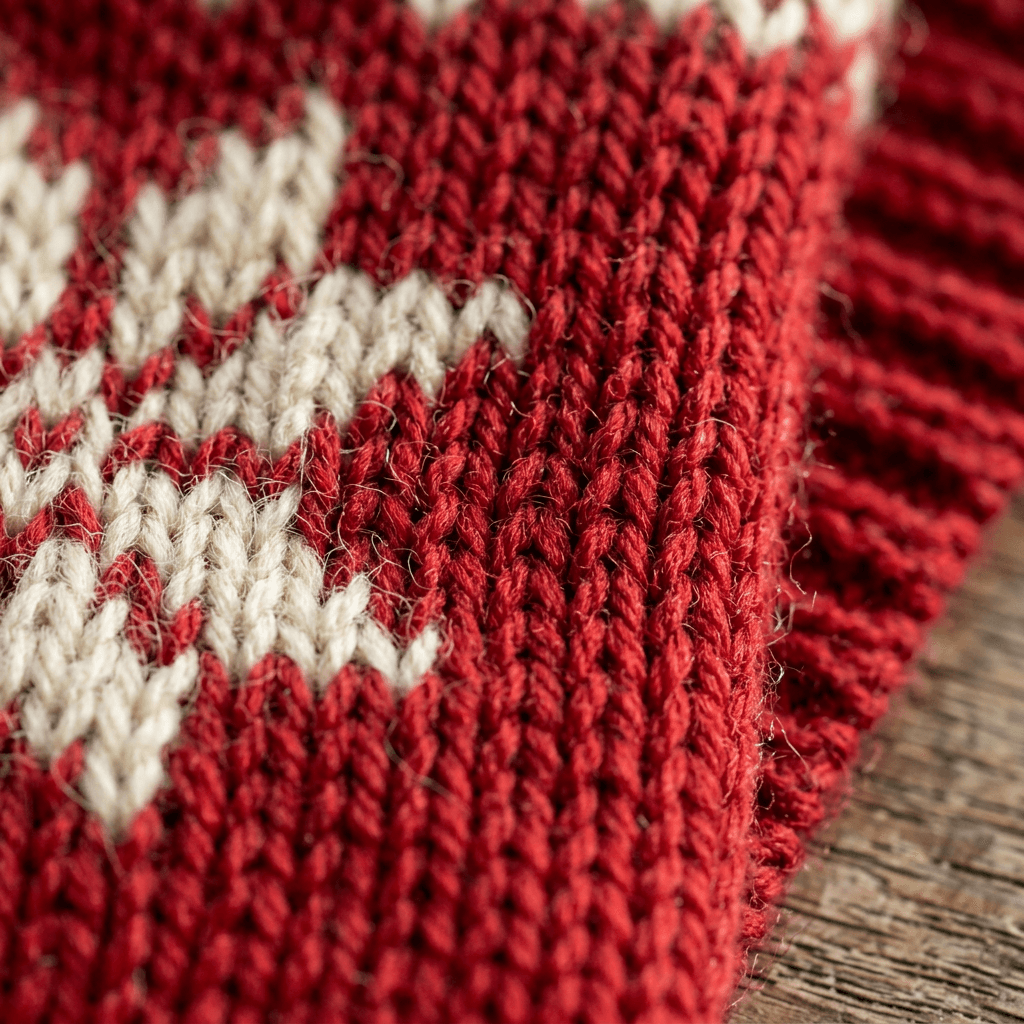
Lighting matters as much as wording. Side light from a window at a low angle makes every stitch cast a tiny shadow, which is the single easiest way to make a knit read as real. Flat front light erases the texture. If you want more general realism tricks that carry over from this subject, the post on how to make AI images look like real photos goes deeper on lenses, light and surface detail.
1) Classic Knit Pattern Sweater Prompts
These five designs cover the looks people picture first. They are all flat-lay product shots, which is the most reliable way to get a clean knitted texture, and they double as concept art for merch or a party invitation.
1. Fair Isle Yoke Sweater
A yoke is the band around the shoulders, and Fair Isle colorwork suits it because the repeating bands are easy for a model to keep consistent.
Photorealistic flat-lay product photo of a chunky wool Christmas sweater laid flat on a worn oak table, shot from directly above with a 50mm lens at f/5.6 in soft window light from the left. The sweater is cream with a red, green and navy Fair Isle yoke made of small repeating bands of snowflakes, tiny trees and diamond borders, each motif built from visible knit stitches, with ribbed cuffs and hem. Soft halo of loose wool fibers along the edges, slightly uneven machine-knit gauge, a sprig of fir and two cinnamon sticks beside it. No blurry stitches, no printed look, no garbled text, no watermark, no logo.
2. Big Intarsia Reindeer With a Pom-Pom Nose
Intarsia puts one large motif in the center of the chest, which makes it the classic ugly sweater layout.
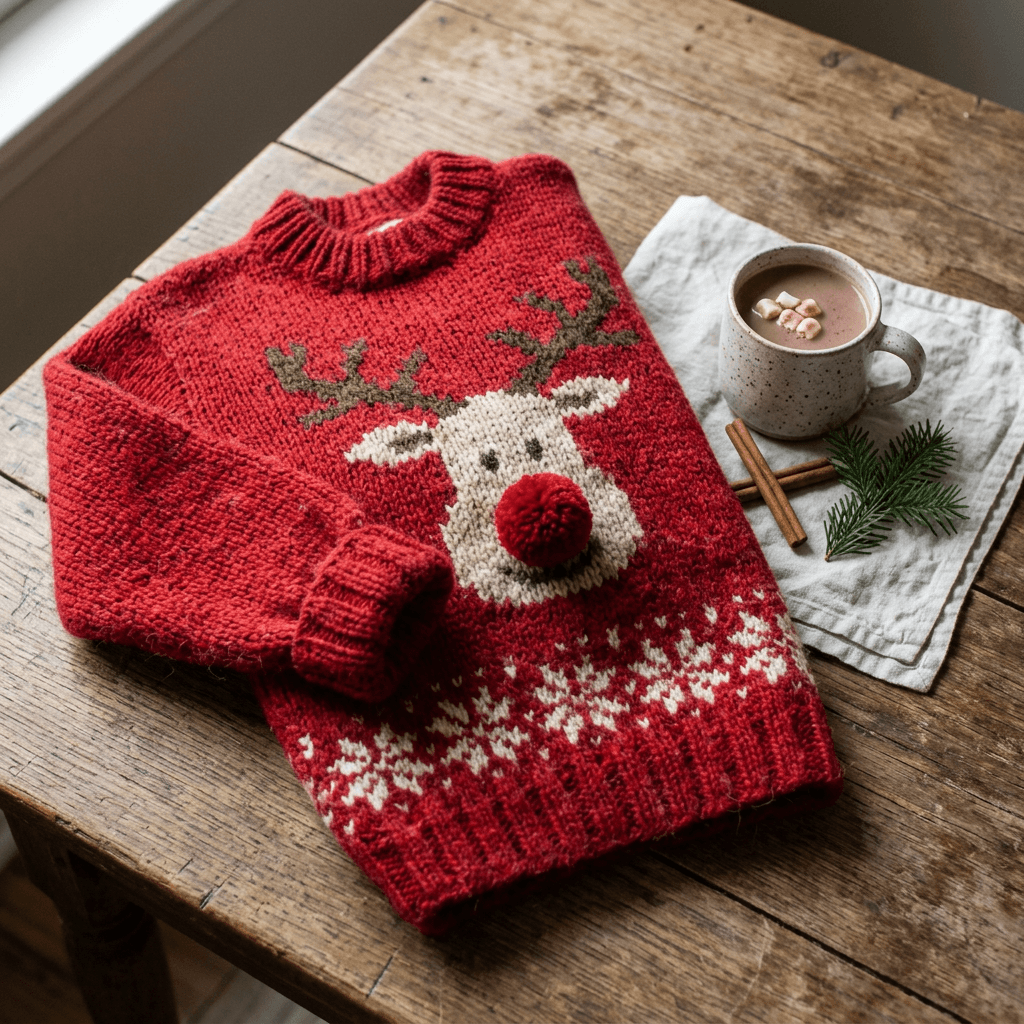
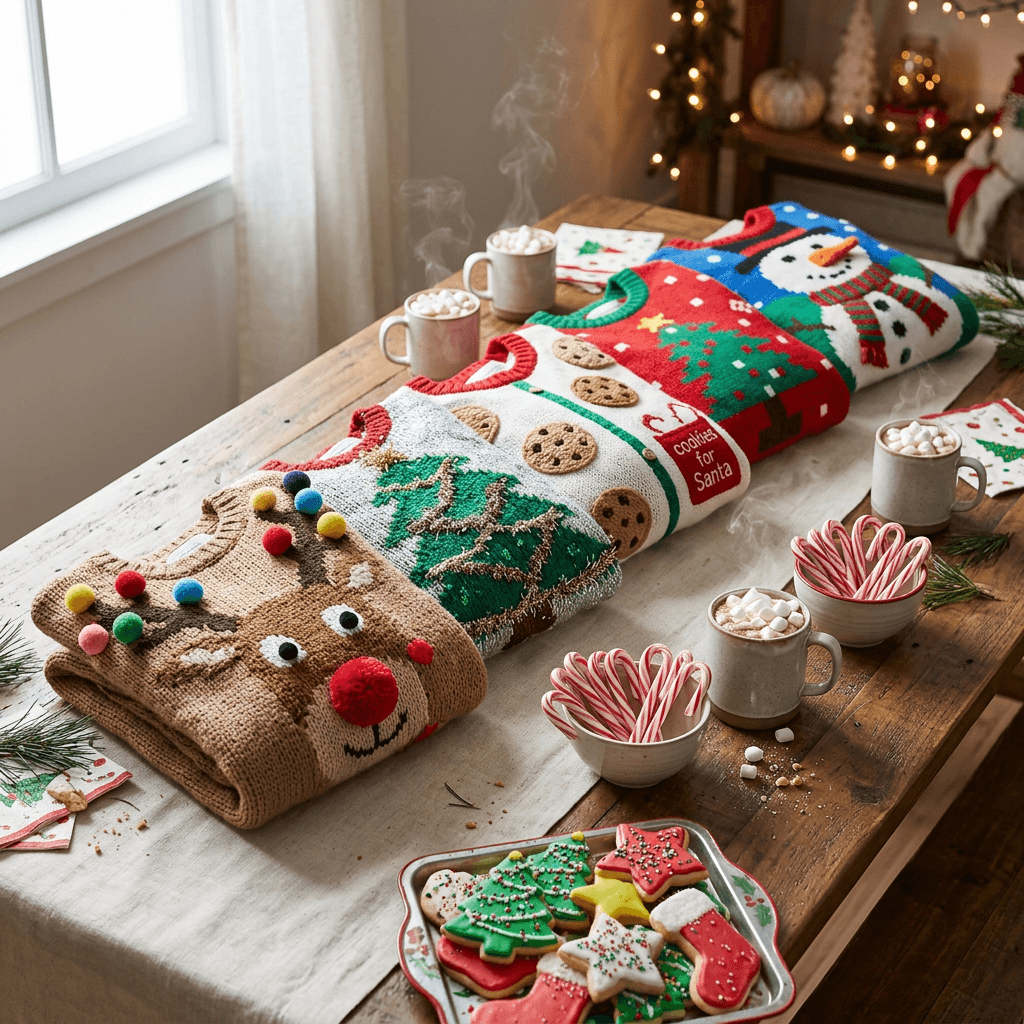
Photorealistic flat-lay of a bright red chunky knit Christmas sweater on a pale linen cloth, shot from above at 45 degrees with a 50mm lens at f/4, window light from the left that makes each stitch cast a small shadow. A large intarsia reindeer fills the chest with brown body, cream antlers, a goofy wide-eyed face and a real red yarn pom-pom stitched on as the nose, with a border of white snowflake stitches around the hem. Visible V-shaped knit stitches, ribbed collar, fuzzy wool halo. Keep the reindeer an original design. No smooth printed graphic, no blurry details, no watermark, no logo.
3. Oversized Snowflake Sweater
Snowflakes are a safe motif because real ones have six-fold symmetry, and models draw them well when you state it.
Photorealistic flat-lay product shot of a navy blue wool sweater on a light wooden table, overhead camera with a 50mm lens at f/5.6, soft diffused daylight. Three large white snowflakes are knitted into the chest and sleeves in intarsia, each with exactly six symmetrical arms and small crystal branches, built from visible stitch rows with the pixel-grid look of knitting. Silver metallic thread highlights the tips, ribbed cuffs and waistband, fine fiber fuzz on the yarn. Sharp stitch detail, no garbled shapes, no printed look, no watermark, no logo.
4. Nordic Forest and Cabin Sweater
For a calmer take, a landscape band across the chest reads as hand-knitted and still festive.
Photorealistic overhead flat-lay of a grey-and-white wool sweater on a rustic table with a folded plaid blanket beside it, soft window light from the right, 50mm lens at f/5.6. A wide knitted landscape band runs across the chest with a row of green pine trees, a small red cabin with a lit yellow window and falling snow dots, all made of visible colorwork stitches in two colors per row. Thick cable-knit shoulders and ribbed cuffs, fuzzy wool fibers. Clear stitch grid, no blurry shapes, no text, no watermark, no logo.
5. Retro 80s Chunky Sweater
This one is deliberately loud, with geometric shapes and neon-adjacent colors, and it sells well as a nostalgia item.
Photorealistic flat-lay photo of an oversized 1980s style knit Christmas sweater on a white linen cloth, shot from above with a 40mm lens at f/5.6, bright soft studio light from a softbox on the left. Bold geometric zigzags in teal, hot pink, mustard and white cross the chest, with a pixel-grid Christmas tree made of single square stitches in the center and a stripe of tiny gift boxes at the hem. Slightly pilled wool texture, dropped shoulder seams, thick ribbed cuffs. No blurry stitches, no garbled text, no watermark, no logo.
2) Funny and Pun Sweater Prompts
Humor does most of the selling here. The trick is to keep text to one to three capitalized words and let the illustration carry the joke. For more detail on spelling, read the guide to getting AI to spell text correctly in images, then come back and use the patterns below.
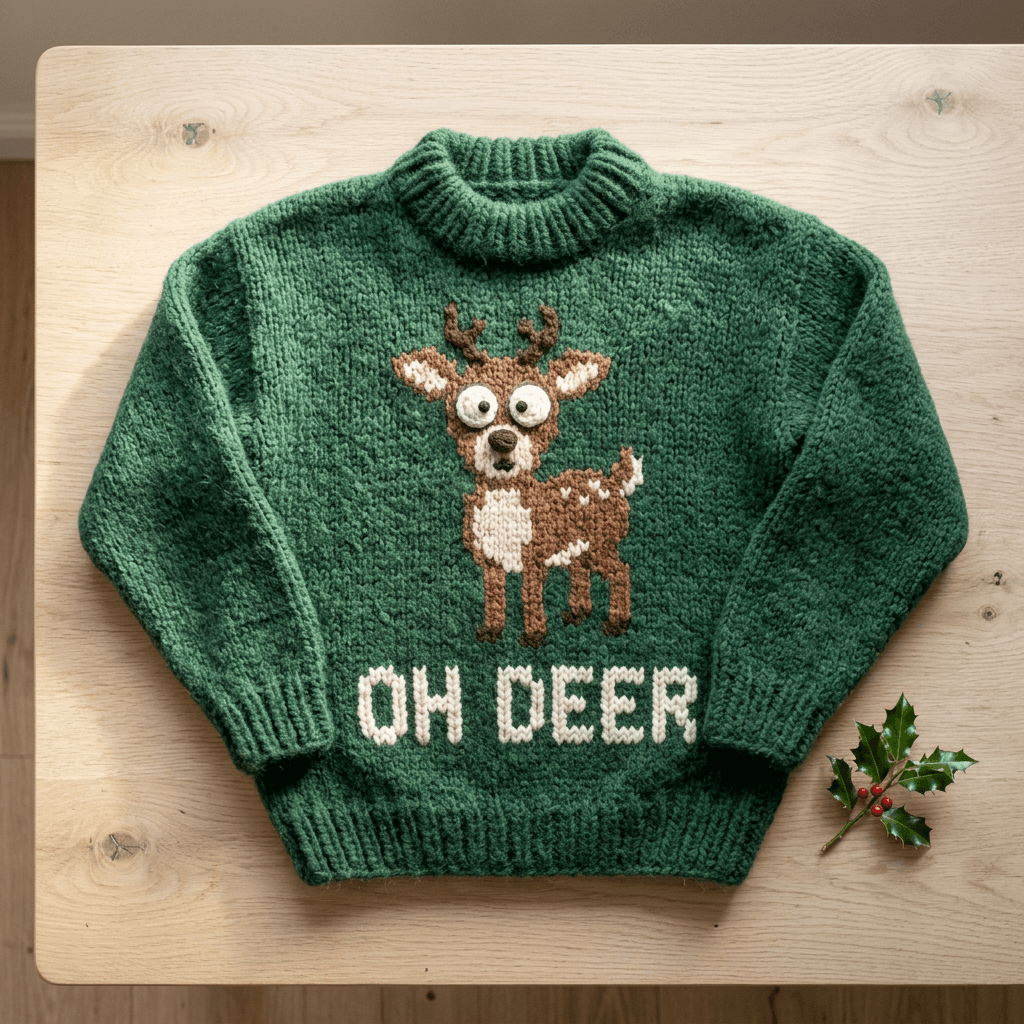
6. Oh Deer Pun Sweater
A startled deer with a short caption is the simplest pun format and it is easy for a model to render.
Photorealistic flat-lay of a green chunky knit Christmas sweater on a pale oak table, shot from above with a 50mm lens at f/4, soft window light from the left. A cartoon deer with huge shocked eyes and tiny antlers is knitted in brown and cream intarsia on the chest, and beneath it the words "OH DEER" are knitted in thick white capital letters, each letter exactly spelled and evenly spaced, built from visible stitches. Ribbed cuffs, wool fiber fuzz. No extra letters, no misspelled words, no blurry details, no watermark, no logo.
7. Three-Dimensional Tinsel and Bauble Sweater
Real ugly sweaters often have add-ons. Asking for attachments gives the model a depth cue that makes the whole image read as physical.
Photorealistic overhead flat-lay of a red knit Christmas sweater on a white wooden table, 50mm lens at f/5.6, soft overhead light. Strands of gold tinsel are stitched across the chest in a zigzag, five small shiny red baubles hang from short loops at the hem, and a knitted green tree has real bells sewn onto its branches. Chunky wool with visible stitches, fuzzy fibers, ribbed cuffs. Realistic metallic reflections on the tinsel and bells, no blurry details, no garbled text, no watermark, no logo.
8. Cookie Plate Sweater
Food motifs are funny because they are overdone. A giant plate of cookies on a chest is a good example.
Photorealistic flat-lay of a cream colored chunky wool sweater on a linen cloth, shot from above with a 50mm lens at f/4, warm window light from the right. A huge intarsia plate of gingerbread men, frosted stars and candy canes in brown, white, red and green dominates the chest, with a tiny knitted napkin and a glass of milk at the corner. Visible knit stitch rows, ribbed hem and cuffs, soft halo of wool fibers. No smooth print, no blurry stitches, no watermark, no logo.
9. Pixel Tree Gamer-Style Sweater
A retro pixel look is popular with gaming audiences and teaches the model the stitch-as-pixel rule.
Photorealistic flat-lay product photo of a dark green knit sweater on a dark walnut table, overhead 50mm lens at f/5.6, soft side light from the left. A pixel-art Christmas tree in bright green, red and yellow is knitted into the chest, with each pixel as one slightly rectangular knit stitch, and a row of small pixel stars along the shoulders. Chunky ribbed collar, matte wool texture, visible fiber fuzz. Crisp pixel edges, no blurry gradients, no printed look, no text, no watermark, no logo.
10. Cat in Christmas Lights Sweater
Pets are one of the most shared sweater themes, even when nobody is wearing the sweater.
Photorealistic flat-lay of a charcoal grey knit sweater on a pale wood table, shot from above at 45 degrees with a 50mm lens at f/4, soft window light from the left. A large knitted orange tabby cat with wide eyes is tangled in a string of multicolored Christmas lights across the chest, with small plastic bulbs sewn on as real attachments and a tiny knitted tangle of cord. Visible knit stitches, ribbed cuffs, fuzzy wool fibers. No blurry fur, no warped faces, no garbled text, no watermark, no logo.
3) Pet Ugly Sweater Prompts
Pet sweaters are a gift category by themselves and they also perform well on social feeds. If you want a similar pack for costumes, the AI pet Halloween costume prompts use the same photo-based technique.
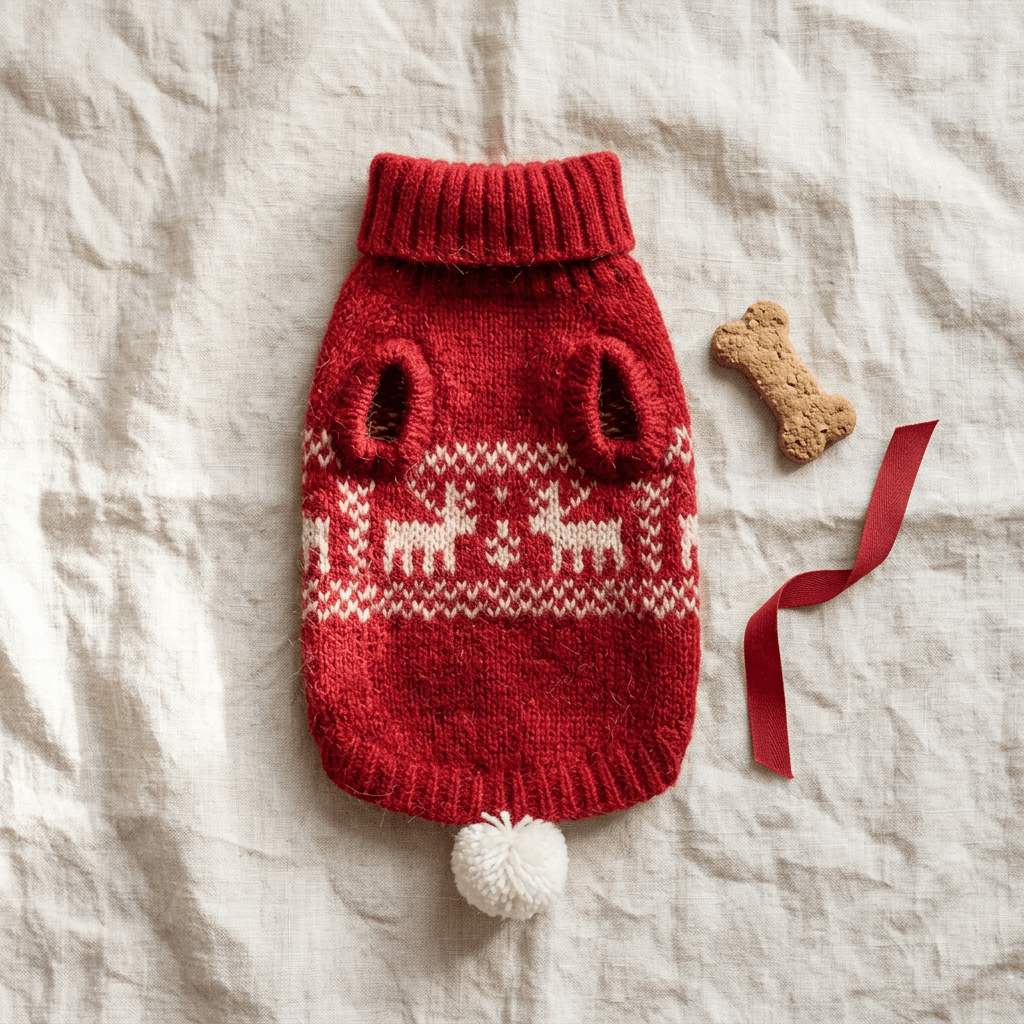
11. Dog Sweater Flat-Lay
Dog sweaters have a specific shape with a collar, a back panel and two leg openings, so describe those parts.
Photorealistic flat-lay of a small dog sweater on a cream linen cloth, shot from above with a 50mm lens at f/5.6, soft window light from the left. The sweater is red with a ribbed turtleneck collar, two front leg holes, a cream Fair Isle band of reindeer and snowflakes across the back, and a small white pom-pom hanging from the hem. Fine knit stitches, a tiny dog bone biscuit and a red ribbon beside it for scale. No blurry stitches, no garbled text, no watermark, no logo.
12. Cat Sweater With Bell Collar
Cat sweaters stay lighter, with a soft knit and a bell, and the proportions are smaller.
Photorealistic flat-lay of a small cat sweater on a pale grey blanket, overhead 50mm lens at f/4, soft daylight from the right. The sweater is forest green with a ribbed neck, a cream knitted mistletoe motif at the back, red berry pom-poms and a small gold bell on the collar. Soft acrylic yarn texture with visible stitch rows and slight fuzz, folded paw openings. No blurry details, no extra limbs, no text, no watermark, no logo.
13. Dog Wearing the Sweater From Your Photo
This is an image-to-image prompt. Upload a clear photo of your pet first.
Transform the uploaded photo of my [breed] dog so it wears a chunky red knit ugly Christmas sweater with a white Fair Isle snowflake band and a green ribbed collar that sits naturally on the neck and back, with the sleeves cut for the front legs. Place the dog on a hardwood floor beside a Christmas tree with warm fairy lights on the left. Eye-level medium shot, dog sharp with the tree softly blurred, visible knit stitches. Keep my pet's real fur color, markings, ear shape and eye color exactly as in the uploaded photo. No warped paws, no extra limbs, no garbled text, no watermark.
4) Family Matching and Office Party Photo Prompts
Matching sweaters are the main reason people search for ugly sweaters in the first place. These prompts include people, so they use generic, non-identifiable faces and ask the model to keep the sweaters consistent across sizes. For broader holiday portraits, the Christmas photoshoot post is the companion read.
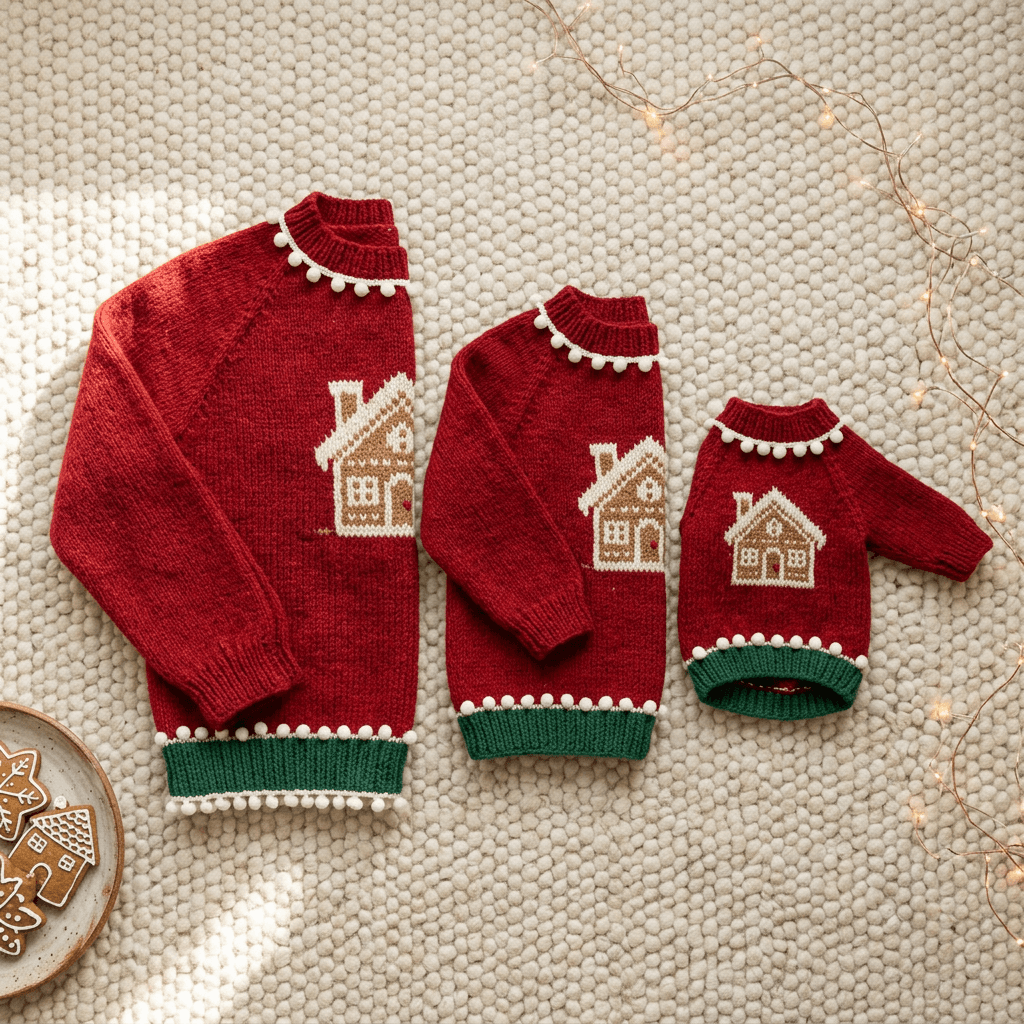
14. Matching Family Sweater Flat-Lay
Skip the faces for now and sort out the design on a table. A flat-lay set in three sizes also works as product mockup art.
Photorealistic flat-lay of three matching Christmas sweaters in adult, child and small pet sizes laid in a row on a cream rug, shot from above with a 35mm lens at f/5.6, soft window light from the left. All three share the same design: red wool with a cream intarsia gingerbread house on the chest, a green ribbed hem and tiny white pom-pom trim, scaled to each size. Visible knit stitches, soft wool fuzz, a plate of cookies and a string of lights at the edge. No blurry stitches, no garbled text, no watermark, no logo.
15. Family Christmas Card Photo in Matching Sweaters
Photorealistic family portrait of two adults of different genders, a teenager and a young child, all wearing the same matching chunky red-and-green knit Christmas sweaters with a white reindeer on the chest, sitting together on a sofa in a warm living room with a decorated tree behind them. Warm string-light glow from behind and soft window light from the left, 50mm lens at f/2.8, everyone laughing naturally with realistic skin texture and different faces. Natural hands, correct fingers, visible knit stitches on every sweater. No uncanny faces, no extra people, no text, no watermark, no logo.
16. Office Party Group Shot
Office party shots work when each person has a different sweater, so list the variety explicitly.
Photorealistic candid group photo of six coworkers of mixed genders and ages at an office holiday party, each wearing a different ugly Christmas sweater: one with a pom-pom reindeer, one with a tinsel tree, one with a cookie plate, one with a pixel tree, one with a snowman and one with blinking mini lights. Warm overhead office lights and a string of fairy lights on a desk behind, 35mm lens at f/2.8, everyone laughing, paper cups in hand. Realistic faces, correct hands, each sweater with a clear different pattern and visible knit stitches. No duplicated faces, no garbled text, no watermark, no logo.
17. Put the Sweater on a Photo
Upload a clear photo of yourself or a willing friend. This is a good way to preview a sweater design before buying or knitting it.
Edit the uploaded photo so the person wears a chunky cream ugly Christmas sweater with a large red intarsia reindeer on the chest and a pom-pom nose, with a green ribbed collar and cuffs. Keep the face, hair, skin tone, pose and background exactly as in the original photo, and make the sweater fit the body with natural folds and shadows that match the original lighting. Visible knit stitches and wool fuzz. No changed facial features, no warped hands, no garbled text, no watermark, no logo.
5) Print-on-Demand Pattern Artwork Prompts
Flat artwork is a different job from a product photo. You want a design that can be dropped onto a template, so the background should be plain and the knit look should live inside the artwork itself. Miraflow's AI Image Generator works for this, and you can pair it with the Black Friday product prompts when you build the listing images later.
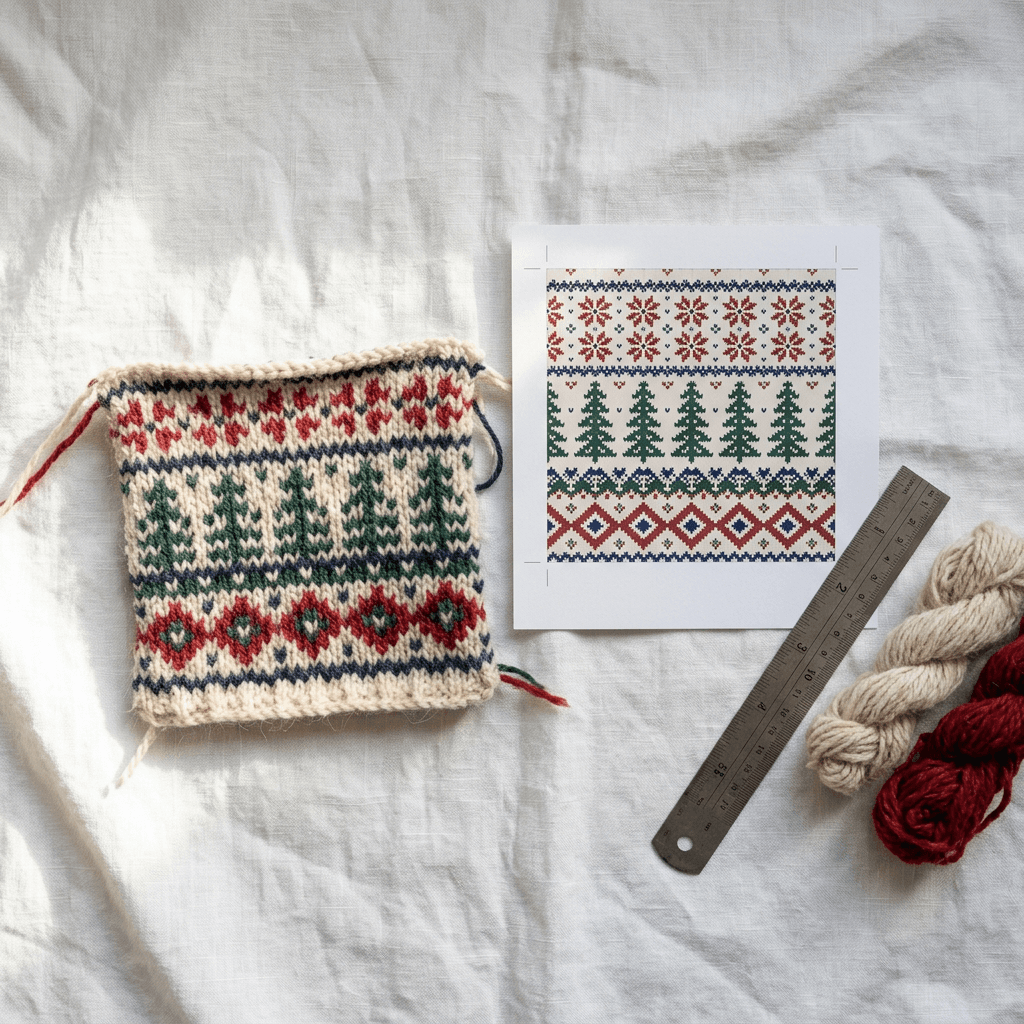
18. Seamless Fair Isle Repeat Tile
Flat square seamless pattern tile, perfectly repeating on all four edges, of a Fair Isle Christmas knit design in cream, red, forest green and navy: rows of tiny snowflakes, trees and diamonds, each motif built from a visible grid of knit stitches with slightly rectangular cells, a subtle wool yarn texture across the whole surface. Straight on, no perspective, no shadows, even flat lighting, motifs kept away from awkward cuts at the edges so the tile joins cleanly. No blurry stitches, no text, no watermark, no logo.
19. Chest Panel Artwork on a Plain Background
Flat artwork of a single large ugly Christmas sweater chest graphic on a solid plain white background: a goofy knitted snowman with a carrot nose, a striped scarf, three coal buttons and a tiny hat covered in sparkling stitches, framed by a thin border of red and green knit stripes. Built from a visible knit stitch grid with slightly rectangular cells, wool yarn fuzz, bold saturated colors, centered with generous empty margin around it. Straight on, flat lighting, no perspective. No background texture, no text, no watermark, no logo.
20. All-Over Print Pattern With Tinsel Accents
Flat seamless all-over pattern tile for a Christmas sweater print, repeating cleanly on all edges: a dense jumble of knitted candy canes, gingerbread men, stars and wrapped gifts in red, green, white and gold, tightly packed with small gaps in a half-drop layout, every shape built from a visible knit stitch grid with tiny glints of gold metallic yarn. Straight on, even flat lighting, no shadows, no perspective. No blurry stitches, no text, no watermark, no logo.
21. Sweater Mockup Flat-Lay for Listings
Photorealistic flat-lay mockup of a chunky red wool Christmas sweater on a clean white linen cloth, shot from directly above with a 50mm lens at f/8 for edge-to-edge sharpness, soft even light from two softboxes at both sides. A cream knitted gingerbread house sits centered on the chest, framed by green stripes, with ribbed cuffs and hem and every stitch visible, plus a small folded kraft paper care tag at the corner. Neutral background, true colors. No blurry stitches, no garbled text, no watermark, no logo.
Print-on-Demand File Basics, Stated Conservatively
Every print-on-demand provider sets its own requirements, so treat the numbers here as general conventions and check your provider's current template before you upload. Artwork is commonly supplied as a high resolution PNG, often at 300 DPI at the printed size, which means a design meant to print around 12 inches wide needs roughly 3,600 pixels across. Many generators output images smaller than that, so you may need to upscale before you upload.
For all-over patterns, a seamless tile matters because any visible seam repeats across the whole garment. Check your tile by placing four copies in a two-by-two grid and looking for cuts through motifs at the center. Also remember that a printed sweater is ink on fabric, not knitted yarn, so your listing should describe it as a printed knit-look design rather than a hand-knitted garment. Buyers notice the difference, and platform policies generally expect accurate descriptions.
Finally, avoid anything that belongs to someone else. A Grinch face, a famous snowman, a cartoon reindeer from a movie, a sports team logo or a brand wordmark can get a listing removed or an account flagged, even if the AI produced it from your prompt. Stick to original characters like the ones in this pack, and see the sticker sheet prompt pack for another example of designing artwork you can safely sell.
6) Video Prompts for Sweater Reels and Short Clips
Short clips are where an ugly sweater party really lands, because motion shows off tinsel, blinking lights and bobbing pom-poms. Use the cinematic video generator for single scenes, or Text2Shorts if you want a script, voice and a stitched vertical short. The AI Halloween video prompts have timing and camera tips that carry over.
22. Sweater Party Reel Opening Shot
Cinematic vertical 9:16 shot in a cozy living room at night. Eight friends of mixed genders and ages walk in through a front door one after another, each wearing a different loud ugly Christmas sweater: a pom-pom reindeer, a tinsel tree, a cookie plate, a pixel tree and blinking mini lights. Warm string lights glow across the room, snow falls outside the window, the camera glides backward at chest height with a slight handheld sway. Everyone grins and waves, real fabric texture on every sweater, natural movement. Ambient chatter and soft jingle bells, no extra limbs, no garbled text, no watermark.
23. Knit Stitch Macro Reveal
Cinematic macro video, 6 seconds, vertical 9:16. Extreme close-up of red chunky wool knit stitches with a white snowflake pattern, the camera slowly pulling back to reveal the full ugly Christmas sweater laid on a wooden table with a pom-pom reindeer on the chest. Warm side light from the left, shallow depth of field, loose wool fibers catching the light, soft sleigh bell sound. Smooth steady movement, stitches stay consistent frame to frame, no warped patterns, no text, no watermark.
7) YouTube Thumbnail Prompts for Sweater Videos
A sweater video, whether it is a knitting tutorial, a design walkthrough or a party vlog, needs a thumbnail with one dominant subject and very little text. The YouTube thumbnail size guide covers dimensions, and the YouTube Thumbnail Maker lets you add text and a face directly.
24. Worst Sweater Ever Challenge Thumbnail
YouTube thumbnail, 16:9, close-up of a bright green chunky ugly Christmas sweater filling the right two thirds of the frame with a huge pom-pom reindeer, tinsel and blinking lights, and a surprised creator with a wide-open mouth on the left. Strong warm key light, high contrast, saturated reds and greens, sharp knit stitches. Large bold white text "UGLIEST" on the left. Clean composition, correctly spelled text, no blurry details, no watermark, no logo.
25. Knit vs Printed Comparison Thumbnail
YouTube thumbnail, 16:9, split-screen comparison of two ugly Christmas sweaters side by side: on the left a real chunky hand-knit reindeer sweater with visible wool stitches, on the right a smooth printed version of the same design that looks flat. Soft bright studio light, high contrast, red divider line down the middle. Two short bold text labels "KNIT" on the left and "PRINT" on the right, correctly spelled. Sharp textures, no blurry details, no watermark, no logo.
The Halloween YouTube thumbnail pack shows the same approach for another seasonal niche if you want more layouts to borrow.
Music and Sound for Your Sweater Content
A reel with no sound feels unfinished, and copyrighted holiday songs cause muting or claims on most platforms. You can generate an original upbeat sleigh-bell instrumental in Miraflow's AI music generator and drop it under your clip. The AI music prompts for YouTube, Reels and TikTok post has starter descriptions you can adapt for a playful holiday party mood.
How to Customize These Prompts
Swap the colorway first. Red, green and cream is the classic palette, but navy with silver, mustard with burgundy, or pastel pink and mint all sell in different niches. Change one thing at a time so you can tell which change improved the result.
Next, change the motif while keeping the construction. A prompt built around an intarsia reindeer works just as well for an intarsia llama, a snow-covered cabin or a stack of presents. Keep the stitch grid language, the yarn description and the lighting sentence, and only replace the subject.
For personalization, add bracketed placeholders such as [breed], [pet name initial] or [family surname initial] and fill them in before running. Keep sweater text to one to three capital letters or words. Longer phrases are where models start making spelling errors.
If you are making a series, repeat the same sentence about camera, light and surface in every prompt. Consistent presentation makes a whole product line look like one brand, which helps a shop page or a channel grid look intentional.
Common Mistakes With AI Ugly Sweater Prompts
- Asking for a sweater without naming the construction. You get a printed graphic on smooth fabric. Say intarsia, Fair Isle or jacquard.
- Using flat front lighting. Low side light is what shows stitch depth. Flat light makes the knit look painted on.
- Writing a whole slogan on the chest. Keep to one to three words, and check spelling on every generated image before using it.
- Forgetting that pets and people need a source photo. If you want your dog, upload a photo and use image-to-image. A prompt alone creates a generic dog.
- Uploading a screenshot-sized file to print-on-demand. The artwork may look fine on a phone and soft on a sweater. Check pixel dimensions against the provider's template.
- Selling designs that include famous characters. Even a close lookalike can cause a takedown. Create something original.
- Calling a printed design hand-knitted. Describe it as a knit-look print to stay accurate.
- Not testing the seamless tile. A tile that looks perfect alone can show a hard line when repeated.
Where Miraflow Fits Into the Workflow
The full pipeline for a sweater product or a party video can live in one place. Start with the AI image generator for flat designs, tiles and photo mockups, using inpainting to fix a single misshapen snowflake without regenerating the whole sweater. Then turn the best images into clips with Text2Shorts or the cinematic video page, add a soundtrack from the music generator, and finish with a cover from the YouTube Thumbnail Maker. Everything starts from Miraflow's home page and runs in the browser.
If you also sell winter gifts, the winter aesthetic photo prompts give you cozy backgrounds that match sweater listings, and the AI Santa caught on camera prompts make a fun companion video idea.
Frequently Asked Questions
When is National Ugly Christmas Sweater Day in 2026?
It is observed on the third Friday of December, which is December 18, 2026. Many offices and schools hold their sweater events that week.
Can AI make an ugly Christmas sweater that looks hand-knitted?
Yes, as long as the prompt names the construction (intarsia, Fair Isle or jacquard), describes a visible stitch grid and wool fibers, and uses low side light. Without those details models tend to produce smooth printed fabric.
How do I get readable text on a sweater?
Keep it to one to three capital-letter words in quotation marks, ask for each letter to be spelled exactly and evenly spaced, and check every output. The guide to AI text in images covers more tricks.
What size should print-on-demand artwork be?
It depends on the provider, so check their current template. As a general convention, artwork is often supplied at 300 DPI at the printed size, so a design printed about 12 inches wide needs roughly 3,600 pixels across.
How do I make a seamless sweater pattern?
Ask for a seamless tile that repeats on all four edges, then place four copies in a two-by-two grid and look for visible seams. Fix any bad edge with image editing or regenerate with simpler motifs near the borders.
Can I use Santa, the Grinch or other famous characters?
For merch, avoid characters, logos and brand names that belong to someone else. Original characters, such as a goofy reindeer or a snowman you invent, are safer for selling.
Can I make a sweater video with AI?
Yes. Use the cinematic video generator for single scenes or Text2Shorts for a scripted vertical short, and describe the sweaters in the same detail as in the image prompts.
Can I put a sweater on my own photo?
Yes. Use image-to-image, upload a clear photo and ask the model to keep the face, hair and pose unchanged while adding the sweater.
Conclusion
AI ugly Christmas sweaters look fake when the prompt leaves the garment vague, and look wonderfully real when you describe the knit the way a knitter would: the construction, the stitch grid, the yarn fuzz and the low side light. With 25 prompts covering knit patterns, puns, pets, family photos, print-on-demand artwork, video and thumbnails, you have a starting point for every kind of sweater content before December 18.
Pick three prompts, swap in your own colors and motifs, and run them in Miraflow. Then add a clip, a track and a thumbnail, and you have a complete sweater campaign ready before the party season begins.