Creator Burnout 2026: The 5-Pillar System to Stay Consistent Without Destroying Yourself

Written by
Jay Kim
Learn how to stay consistent as a creator in 2026 without burning out. Practical systems, batching strategies, and AI workflows that reduce workload and protect your energy.
You opened your content calendar this morning and felt nothing. No excitement. No spark. Just a heavy, familiar dread sitting in your chest before the day even started. If that sounds familiar, you are not lazy. You are not failing. You are experiencing the single most widespread problem in content creation right now, and it has a name: creator burnout. But here is what nobody tells you. Burnout is not a motivation problem. It is a systems problem. And once you fix the system, consistency stops feeling like survival and starts feeling sustainable.
Creator burnout in 2026 is different from what it was a few years ago. The pressure to post daily, maintain multiple platforms, keep up with algorithm changes, and produce polished content at scale has created a cycle where even successful creators feel like they are running on empty. The platforms reward consistency, but the human behind the content has limits.
This guide covers why creator burnout is worse in 2026, what causes it, how to recognize the early warning signs, and most importantly, how to build a sustainable content workflow that keeps you consistent without destroying your motivation. You will also find practical systems, batching strategies, and AI-assisted workflows that reduce the manual effort behind every upload.
Creator burnout in 2026 is driven by platform pressure to publish daily across multiple channels while maintaining high production quality. It is not caused by a lack of discipline. The 5-Pillar Sustainable Creator Framework, which includes separating ideation from production, batching content, using templates, automating repetitive steps, and scheduling recovery, allows creators to maintain a 5 to 7 upload per week cadence in roughly 8 to 12 hours of focused work spread across 3 days. The remaining days are left completely free for rest, long-form projects, or life outside content creation.
Why Creator Burnout Is Worse in 2026 Than Ever Before
The content landscape in 2026 demands more from creators than ever before. Platforms like YouTube, Instagram, and TikTok all favor frequent publishing. YouTube Shorts performs best with daily or near-daily uploads. Instagram Reels rewards creators who post multiple times per week. TikTok continues to favor high volume.
This means creators are not just competing on quality. They are competing on speed and consistency at the same time. And the workload behind each piece of content is higher than most audiences realize. And the hidden workload behind each piece of content is far heavier than most audiences realize.
A single YouTube Short involves an idea, a script, visuals, editing, a thumbnail, a title, a description, tags, and publishing. Multiply that by five to seven uploads per week, across two or three platforms, and you start to see why burnout is the default outcome for most creators.
The algorithm pressure makes it worse. When creators take a break, their reach often drops. Videos get fewer impressions. Subscriber growth slows. The fear of losing momentum keeps creators publishing even when they have nothing left to give. It becomes a cycle: post to maintain reach, burn out from posting, stop posting, lose reach, panic, restart, burn out again.
For a closer look at how the YouTube Shorts algorithm specifically responds to posting frequency, the guide on how YouTube Shorts algorithm responds to daily uploads explains what actually happens when you increase or decrease your upload cadence.
The Real Cost of Burnout Most Creators Ignore
Burnout does not just feel bad. It actively hurts your content quality and channel growth. When you are burned out, the decline shows up in specific, measurable ways.
Your hooks get weaker. The first few seconds of every video are the most important factor in whether viewers stay or scroll. When you are exhausted, you default to generic openings instead of crafting strong hooks. The result is lower retention and fewer recommendations from the algorithm. The guide on why the first 3 seconds of YouTube Shorts matter covers how much this single element affects your reach.
Your thumbnails become an afterthought. Instead of designing visuals that drive clicks, you grab a frame from the video and move on. Click-through rate drops, and even good content underperforms because nobody clicks on it.
Your ideas get repetitive. Creativity requires mental space. When you are burned out, you recycle the same topics and formats because you do not have the energy to explore new ones. Viewers notice, and watch time slowly declines.
Your posting schedule becomes erratic. You push through for two weeks of daily uploads, then disappear for a week because you are exhausted. This inconsistency signals to the algorithm that your channel is unreliable. The guide on why YouTube views drop explains how inconsistent publishing patterns affect long-term channel performance.
The worst part is that most creators blame themselves for these outcomes instead of recognizing that their workflow is the problem, not their ability or talent.
7 Warning Signs of Creator Burnout (Most Creators Miss Number 5)
Burnout does not happen overnight. It builds gradually, and most creators do not notice until they are deep into it. Here are the early warning signs to watch for.
1. Dreading your own content calendar. If looking at your upcoming uploads fills you with anxiety instead of excitement, your relationship with content creation has shifted from motivated to obligated.
2. Spending more time on execution than ideas. When most of your creative energy goes into editing, formatting, and publishing instead of thinking about what to make, the balance is off. Execution should not consume all your bandwidth.
3. Lower quality output despite more effort. You are spending the same amount of time or more, but the results feel worse. This is a sign of diminishing returns from mental fatigue.
4. Comparing yourself to other creators constantly. Burnout amplifies comparison. You start measuring your progress against everyone else instead of focusing on your own trajectory.
5. Avoiding your own analytics entirely. This is the sign most creators miss. Healthy creators review their data regularly to learn and iterate. Burned-out creators stop checking because looking at numbers has become either overwhelming or actively discouraging. If you have not opened your analytics dashboard in weeks, that silence is telling you something.
6. Physical symptoms like poor sleep, headaches, or tension. Content creation stress is real stress. When it starts affecting your body, burnout has moved beyond the mental stage.
7. Guilt when you are not creating. If you cannot enjoy a day off without feeling like you should be filming, writing, or editing, burnout has become the default mode.
Recognizing these signals early gives you the chance to adjust before the burnout becomes severe enough to force a long break.
The Consistency Trap: Why "Just Post Every Day" Is Bad Advice
The most common advice creators receive in 2026 is to post daily. And while daily publishing can accelerate growth, giving that advice without context is harmful.
Posting every day works when you have a system that makes daily publishing sustainable. It fails when every upload requires hours of manual work from a single person. The advice should not be "post every day" but rather "build a system that allows you to post every day without it consuming your entire life."
The creators who successfully maintain high publishing frequency in 2026 are not working harder than everyone else. They are working differently. They batch content. They use templates and proven formats. They automate repetitive steps. They focus creative energy on ideas and let systems handle execution.
The difference between a creator who posts daily and burns out versus one who posts daily and thrives is almost always the workflow behind the content, not the talent or discipline of the creator.
The Sustainable Creator Framework: 5 Pillars
After studying what works for creators who maintain long-term consistency without burnout, five patterns emerge repeatedly. These are not motivational ideas. They are structural changes to how you produce content.
Pillar 1: Separate Ideation from Production
Most creators try to come up with ideas and produce content in the same session. This is one of the biggest energy drains in the creative process. Ideation requires open, exploratory thinking. Production requires focused, task-oriented execution. Trying to do both at once makes both worse.
Instead, dedicate specific time blocks to each. Spend one session per week purely on brainstorming and collecting ideas. Do not produce anything during this time. Just think, research, and list concepts. Then use separate sessions for scripting, filming, editing, and publishing.
This separation preserves creative energy because you are never trying to be creative and productive simultaneously. Your idea sessions feel lighter because there is no pressure to execute immediately. Your production sessions feel faster because the creative decisions have already been made.
Pillar 2: Batch Everything You Can
Batching means producing multiple pieces of content in a single focused session instead of creating one piece at a time from start to finish.
For example, instead of scripting one Short, filming it, editing it, making a thumbnail, and publishing it before starting the next one, you script five Shorts in one session. Then you produce visuals for all five in another session. Then you create all five thumbnails at once. Then you schedule all five for publishing.
Batching is more efficient because context-switching is expensive. Every time you shift from writing to editing to designing, your brain needs time to adjust. Batching keeps you in one mode for longer, which produces faster and better results.
Creators who batch content can often produce a full week of uploads in one or two focused days, leaving the rest of the week free for ideation, rest, or long-form projects.
Pillar 3: Use Templates and Proven Formats
Starting from scratch for every piece of content is the fastest path to burnout. Instead, build a library of formats and templates that you know work, and rotate through them.
For YouTube Shorts, this might mean having three to five proven video structures that you cycle through each week. One day is a comparison format. Another is a tutorial. Another is a myth-busting format. You change the topic each time, but the structure stays familiar.
The same applies to thumbnails. Instead of designing a completely new visual concept for every video, develop two or three thumbnail styles that work for your niche and reuse them with variations. The guide on maintaining a consistent YouTube thumbnail style with AI shows how to build a repeatable visual identity without starting from zero each time.
Templates reduce decision fatigue. Every decision you eliminate from the production process saves mental energy that you can redirect toward the creative parts that actually matter.
Pillar 4: Automate Repetitive Production Steps
In 2026, a significant portion of the content production workflow can be handled by AI tools. This does not mean replacing your creative voice. It means removing the mechanical, time-consuming steps that drain energy without adding creative value.
Scripting is one of the biggest time sinks for short-form creators. Writing a tight, engaging script for a 30 to 60-second video can take longer than the video itself. AI tools can generate draft scripts from a topic, which you then edit and refine. This cuts scripting time dramatically while keeping your voice and perspective in the final product.
Visual creation is another major bottleneck. Finding or creating visuals for each scene in a Short takes time, especially if you are sourcing stock footage or creating graphics manually. AI-generated visuals can handle this step, producing scene-matched imagery from text descriptions.
On Miraflow, the Text2Shorts tool handles this entire workflow. You enter a topic, and it generates a script, creates matching visuals for each scene, adds voiceover, and produces a finished vertical video. You can use the one-click mode for speed or the step-by-step mode to review and edit each component. Either way, the time from idea to finished Short drops from hours to minutes. The guide on creating AI Shorts with Text2Shorts walks through both workflows in detail.
Thumbnails can also be automated. Instead of opening a design tool for each upload, you can generate thumbnails from prompts using Miraflow's YouTube Thumbnail Maker. Enter a description, optionally upload your face or a reference image, add text, and generate. The process takes seconds instead of the 15 to 30 minutes manual design typically requires.
The goal of automation is not to remove the creator from the process. It is to remove the parts of the process that do not need the creator, so you can focus your energy on what does.
Pillar 5: Build Recovery Into Your Schedule
This is the pillar most creators skip, and it is the one that prevents everything else from working long-term.
Recovery is not a reward for being productive. It is a requirement for sustained productivity. Your brain needs rest to generate new ideas, maintain quality, and stay motivated. Without scheduled recovery, burnout is inevitable regardless of how good your systems are.

Build at least one full day per week with no content creation. No scripting, no editing, no analytics checking, no platform scrolling for research. A complete break. This does not slow your growth. It protects it by ensuring you come back to each production session with energy instead of resentment.
Some creators also build in one full week off per quarter. They batch extra content in advance to cover the gap, then step away completely. This prevents the slow accumulation of fatigue that leads to sudden, extended breaks.
The Weekly Schedule That Prevents Burnout
Here is a practical weekly schedule designed for a solo creator publishing five YouTube Shorts per week while avoiding burnout. This schedule assumes you are using batching and AI-assisted production.
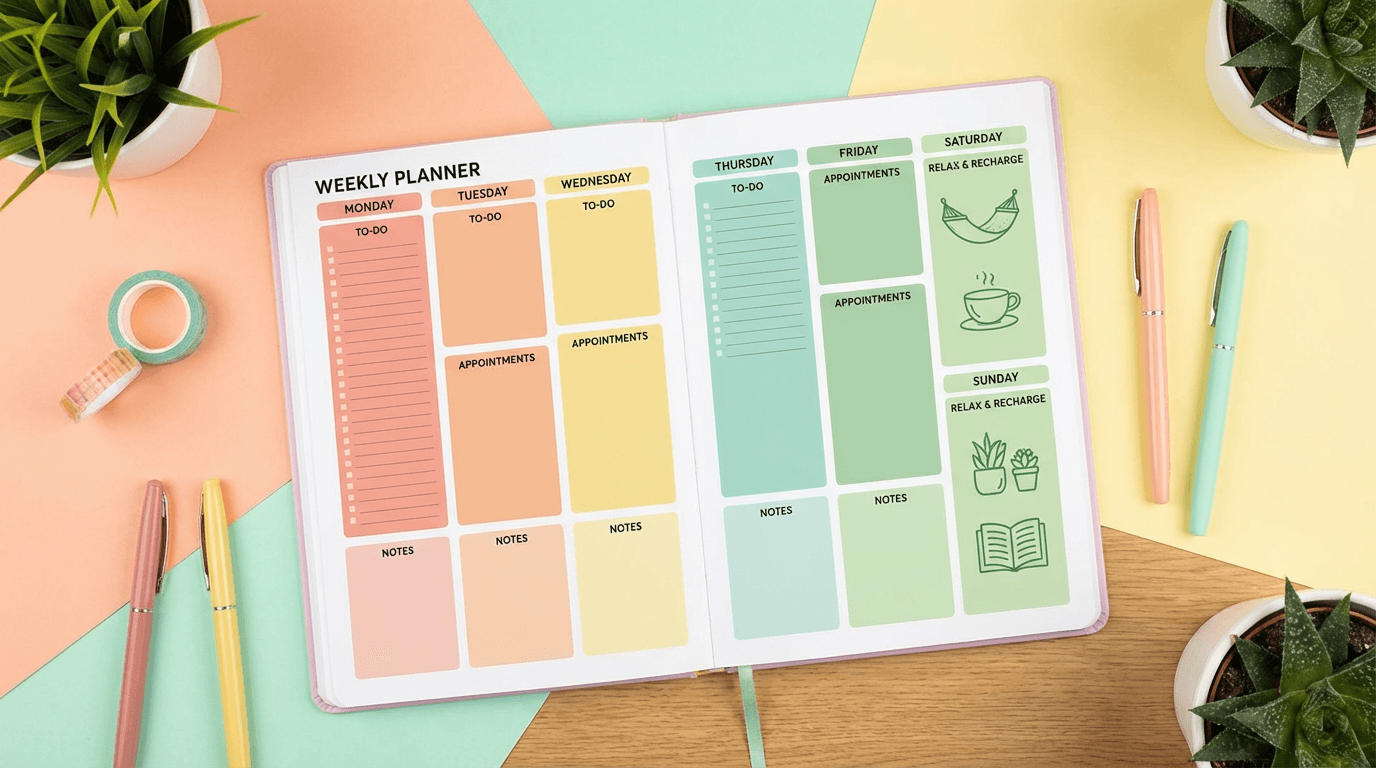
Monday: Ideation and scripting day. Spend 2 to 3 hours brainstorming topics for the week and drafting or generating scripts for all five Shorts. This is your creative thinking day. No production work.
Tuesday: Production day. Generate visuals, produce videos, and create thumbnails for all five Shorts. Using AI tools, this can take 2 to 4 hours depending on how much you customize each piece. This is your execution day.
Wednesday: Review and schedule. Watch through all five Shorts. Make final edits. Write titles and descriptions. Schedule uploads for the rest of the week. For title inspiration and templates, the YouTube Shorts titles and descriptions guide has copy-paste options organized by format.
Thursday: Analytics and learning. Review performance from the previous week. Identify which topics, hooks, and thumbnails performed best. Use these insights to inform next week's ideation. The YouTube Shorts analytics guide explains which metrics to focus on and how to read your performance data.
Friday: Flexible day. Use this for overflow production, experimenting with new formats, creating long-form content, or handling business tasks like sponsorships and collaborations.
Saturday and Sunday: Recovery. Full days off from content creation. No exceptions.
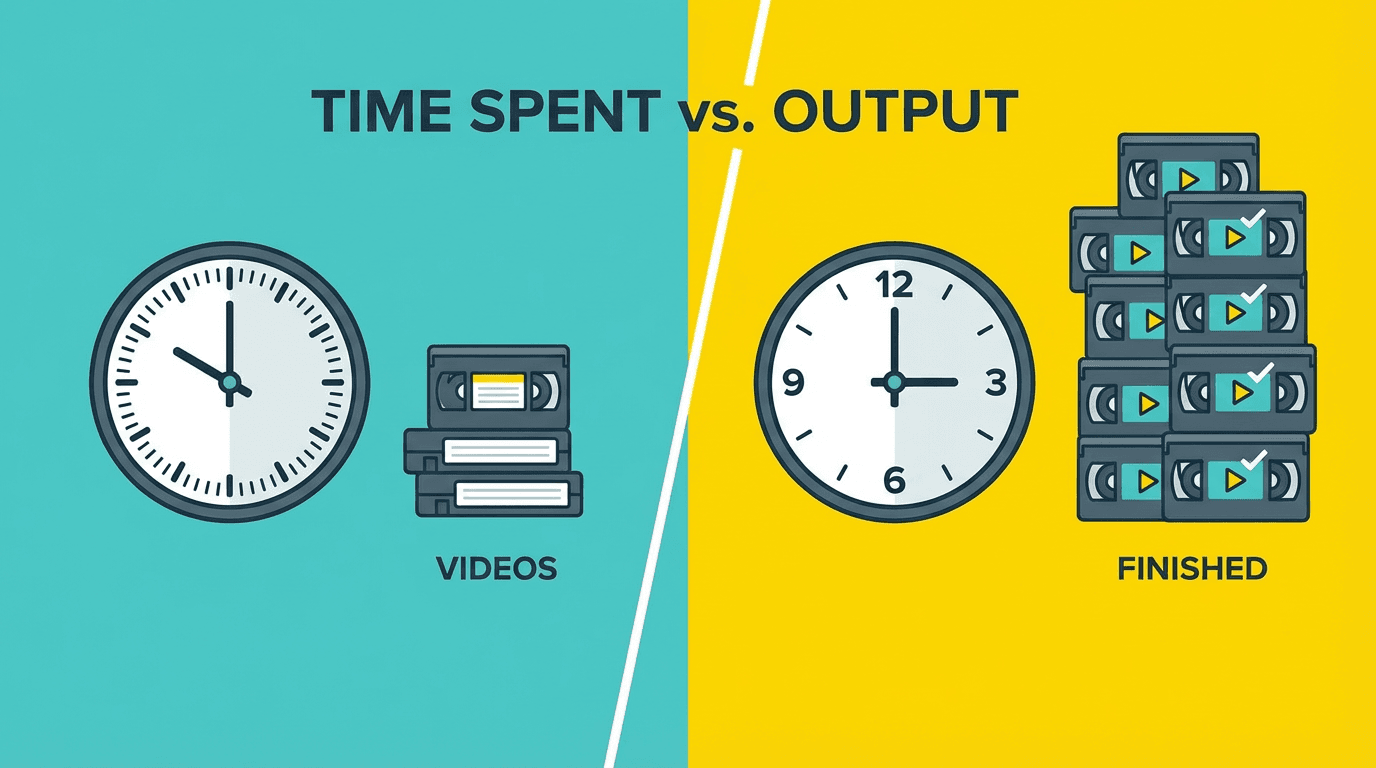
This schedule produces five Shorts per week in roughly 8 to 12 hours of focused work, spread across three to four days. The rest of the week is free. Compare that to the 20 to 30 hours many creators spend producing the same volume when they work without a system.
How to Batch 7 Days of Content in One Afternoon
Batching is the single most effective anti-burnout tactic available to creators in 2026. Here is how to batch a full week of short-form content in a single afternoon session.
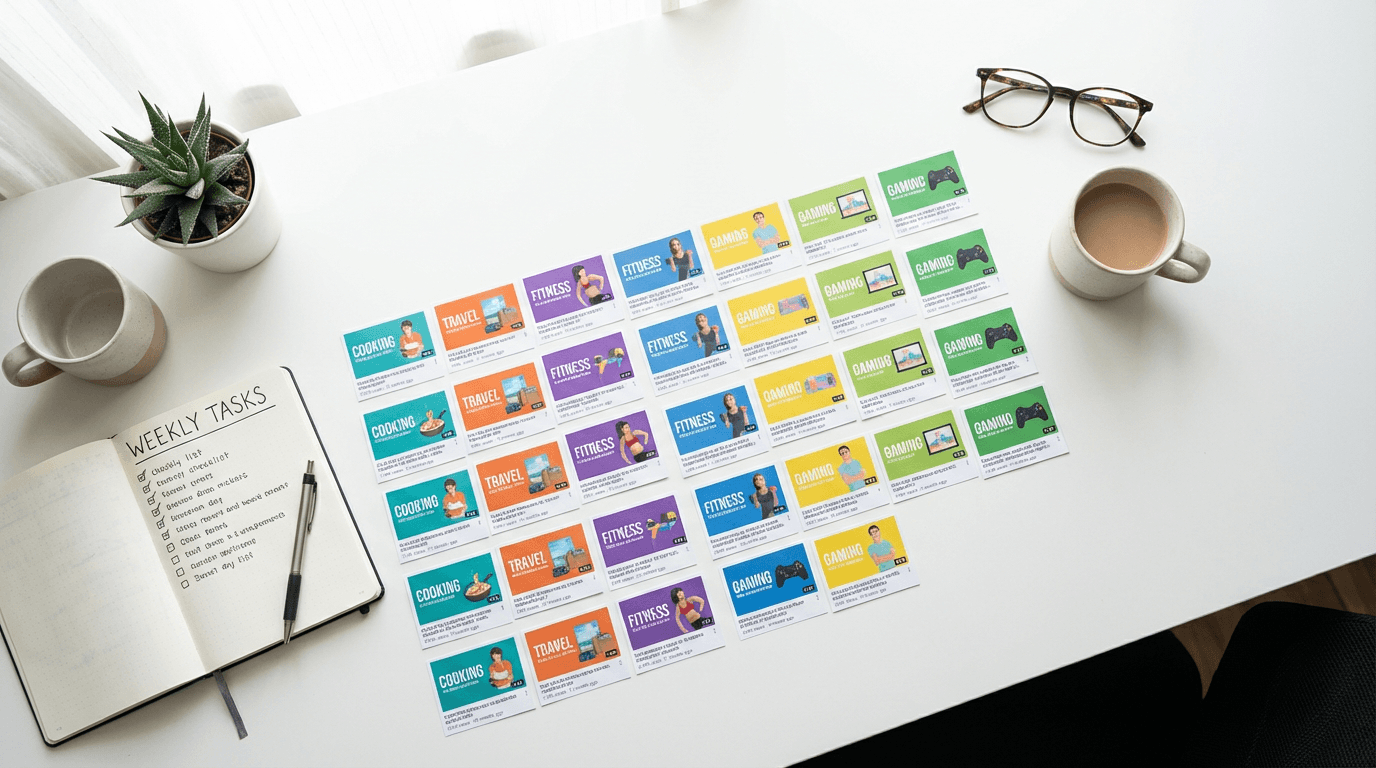
Before you start, prepare a list of 7 topics. These should come from your ideation session, not invented on the spot. Having the topics decided in advance is what makes batching possible.
Step 1: Generate all scripts at once. Write or generate scripts for all 7 videos in sequence. Do not switch to any other task until all scripts are done. If you are using an AI script generator, this step takes 15 to 30 minutes.
Step 2: Generate all visuals at once. Move through each script and create the matching visuals. On Miraflow, you can generate visuals for each Short directly within the Text2Shorts workflow. Do all 7 before moving to the next step.
Step 3: Generate all thumbnails at once. Open the YouTube Thumbnail Maker and produce thumbnails for all 7 videos in a row. Use templates or a consistent style to speed this up. Batch generating thumbnails is significantly faster than creating each one separately because your creative momentum carries from one to the next.
Step 4: Produce all final videos. Generate or assemble all 7 Shorts. Review each one for quality. Make quick edits where needed.
Step 5: Write all titles and descriptions. Draft titles and descriptions for each video. Use proven structures and include relevant keywords.
Step 6: Schedule everything. Upload all 7 videos and schedule them for one per day across the coming week.
The entire session typically takes 3 to 5 hours depending on your niche and how much customization you add. Once it is done, you have a full week of content ready to go and zero production pressure for the next 7 days.
When to Use AI and When to Stay Manual
AI tools dramatically reduce production time, but not every part of the content creation process should be automated. Knowing where AI helps most and where your personal touch matters is the key to building a sustainable workflow that still feels authentic.
Where AI helps most in 2026:
- Script drafting. AI can generate a solid first draft of a Short script in seconds. You edit for your voice and perspective, which is much faster than writing from scratch.
- Visual generation. Creating scene-by-scene visuals for short-form content is one of the most time-consuming steps in production. AI handles this efficiently, especially for faceless or animated content. The faceless YouTube Shorts niches guide covers which niches work best with AI-generated visuals.
- Thumbnail creation. Generating multiple thumbnail options from a prompt is faster than manual design and lets you A/B test different visual styles quickly.
- Music generation. Background music for Shorts and Reels can be generated from a text description using the AI Music Generator on Miraflow. You describe the mood, tempo, and instruments, and the tool generates a track in under a minute. This eliminates the time spent searching royalty-free music libraries. For prompt ideas, the AI music prompts guide has a library organized by mood and platform.
Where your personal touch matters most:
- Topic selection. AI can suggest ideas, but the best topics come from your understanding of your audience and your own perspective.
- Hooks. The opening seconds of your content should reflect your voice and energy. Even if AI drafts the hook, you should review and adjust it for authenticity.
- Creative direction. Deciding the overall angle, story, or argument of each piece of content is where your unique value as a creator lives. AI handles execution, but direction should come from you.
- Community interaction. Responding to comments, engaging with your audience, and building relationships cannot be automated without feeling hollow.
- The balance is straightforward: let AI handle the repetitive and mechanical, keep your hands on the strategic and creative.
12 Content Ideas You Can Batch Produce Today
If you are stuck in a cycle of coming up with one idea at a time, here are 12 short-form content concepts organized by format. These are designed to be batched, meaning you can produce several of them in a single session using the same workflow.
Comparison format: Side-by-side comparison of two approaches, tools, or strategies in your niche. The visual contrast drives engagement and these are fast to script.
Myth-busting format: Take a common belief in your niche and explain why it is wrong. These perform well because they challenge assumptions and trigger comments.
Countdown format: Top 3 or Top 5 list on a specific topic. Easy to script and the structure keeps viewers watching to see the full list.
Tutorial format: Solve one specific problem in under 60 seconds. Specificity is key. Narrow topics outperform broad ones.
Before and after format: Show a transformation. This works for editing, design, fitness, cooking, organization, or any niche where a visual change is possible.
POV format: First-person perspective storytelling. "POV: your first day doing X" or "POV: you just discovered Y."
React format: Respond to a trending topic, viral video, or popular opinion in your niche.
Story format: Tell a short, compelling story with a clear beginning, middle, and end. Personal stories perform especially well.
Tool showcase format: Demonstrate one feature of a tool you use. Keep it focused on a single action and result.
Data or stat format: Share one surprising fact or statistic with visual context. These are highly shareable.
Behind the scenes format: Show your process. Audiences enjoy seeing how content gets made.
Challenge or experiment format: Try something and document the result. "I tried X for 7 days and here is what happened."
Each of these formats can be produced using a consistent workflow. Script the concept, generate visuals, add voiceover, create a thumbnail, and publish. With AI-assisted production, you can move through multiple formats in a single session.
How to Come Back After a Break Without Losing Momentum
If you have already burned out and taken an extended break, coming back can feel intimidating. Your views may have dropped. Your audience may have shifted. The algorithm may feel like it has forgotten you.
Here is a practical re-entry plan.
Week 1: Publish 3 pieces of content. Do not aim for daily uploads immediately. Start with three solid uploads to rebuild the habit and signal to the algorithm that you are active again.
Week 2: Increase to 5 uploads. Ramp up volume slightly. Focus on proven formats and topics that performed well before your break.
Week 3: Return to your target frequency. Whether that is daily or five times per week, reach your full cadence by the third week. Your reach should begin recovering by this point as the algorithm re-engages with your channel.
Throughout: Do not check analytics obsessively. Your numbers will be lower than before your break. That is normal and temporary. Checking constantly will discourage you and increase the risk of burning out again.
The most important thing during a re-entry period is to use the systems described in this guide from day one. Do not fall back into the old workflow that caused burnout in the first place. Batch your content. Use templates. Automate production steps. Build recovery days into your schedule immediately.
For creators returning to YouTube Shorts specifically, the YouTube Shorts best practices guide for 2026 provides an updated framework for what works right now and how to optimize each upload for maximum reach.
The Mindset Shift That Makes Everything Else Work
Every tactical strategy in this guide depends on one fundamental mindset shift: you are not a content machine. You are a person who makes content.
That distinction matters because it changes how you evaluate success. A content machine optimizes for maximum output at all times. A person who makes content optimizes for sustainable output over years.
The creators who are still active and growing in 2026 are not the ones who posted the most in any single month. They are the ones who found a pace they could maintain for years without losing their enthusiasm for the work.
Your best content comes from a place of genuine interest and energy. If you are exhausted, resentful, or going through the motions, it shows in the work. Viewers can feel it. Retention drops. Engagement fades. And the algorithm responds accordingly.
Protecting your energy is not a soft, optional idea. It is a strategic decision that directly impacts your content performance, audience growth, and long-term career as a creator.
According to a Buffer report on creator wellness, the majority of content creators report experiencing burnout at least once per year, and those who have systems for managing workload report significantly higher satisfaction with their creative work. The problem is widespread, but it is also solvable with the right approach.
The Harvard Business Review has published extensively on burnout across professions, and the research consistently shows that sustainable performance depends on recovery, boundaries, and workload management rather than willpower or motivation alone.
Build Your Anti-Burnout Content System Today
Creator burnout in 2026 is not caused by a lack of discipline. It is caused by workflows that demand too much manual effort for every piece of content. The fix is not to push harder. The fix is to build systems that make consistency feel manageable.

Separate ideation from production. Batch your content in focused sessions. Use templates and proven formats to reduce decision fatigue. Automate the repetitive steps with AI tools. And build real recovery into your schedule every single week.
On Miraflow AI, creators can handle the entire production pipeline from a single platform. Generate Shorts from topics with Text2Shorts. Create cinematic clips with the Cinematic Video Generator. Design thumbnails with the YouTube Thumbnail Maker. Produce original background music with the AI Music Generator. Generate visuals with the AI Image Generator.
The entire workflow, from idea to published content, can happen in one place. That consolidation alone saves time and reduces the friction that contributes to burnout.
Consistency does not require sacrifice. It requires a system that works for you instead of against you. Start building that system today, and watch how much easier it becomes to show up for your audience week after week without running yourself into the ground.
Frequently Asked Questions About Creator Burnout
How do I know if I am burned out or just tired?
Tiredness resolves with rest. If you take a day or two off and come back feeling recharged, that is normal fatigue. Burnout does not resolve with a single break. If you have rested and still feel dread, apathy, or resentment toward content creation, that indicates burnout. The key difference is emotional: burnout involves a loss of motivation and enjoyment that persists even after physical rest.
Can I post daily without burning out?
Yes, but only with a system that makes daily publishing sustainable. Solo creators who post daily without batching, templates, or automation typically burn out within one to three months. Creators who batch a full week of content in one or two focused sessions and automate repetitive steps can maintain daily uploads indefinitely because the actual time commitment drops to 8 to 12 hours per week instead of 20 to 30.
Will taking a break hurt my YouTube channel?
A short break of one to two weeks may cause a temporary dip in impressions and reach, but it does not permanently damage your channel. The algorithm re-engages with your content once you resume consistent publishing. A planned break with pre-scheduled content causes virtually no disruption.
How do I use AI for content creation without losing my authentic voice?
Use AI for the mechanical steps like draft scripting, visual generation, thumbnail creation, and music production. Keep your personal involvement in topic selection, hooks, creative direction, and community engagement. Edit every AI-generated draft to match your voice and perspective before publishing.
What is the best schedule for avoiding creator burnout?
A three-day production cycle with two recovery days works well for most solo creators. Dedicate one day to ideation and scripting, one day to production and visuals, and one day to review and scheduling. Keep at least two full days per week completely free from content work.
Why: FAQ sections target Google's "People Also Ask" boxes. Each question matches real search query patterns. Appearing in PAA gives you additional visibility in search results beyond your main listing.