Google Ads 1-Click AI Max Experiments: How to Run a Clean Test (2026)

Written by
Aerin Kim
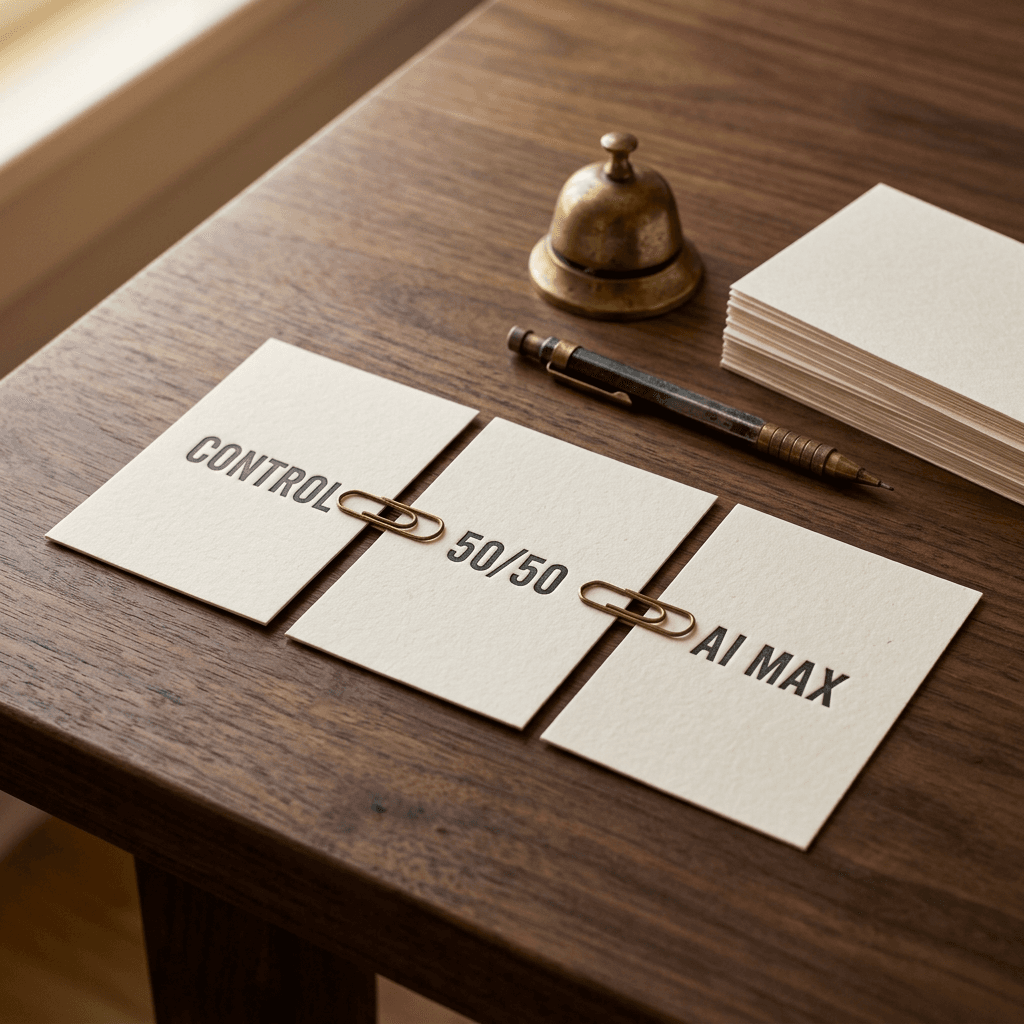
Google Ads now offers a 1-click AI Max experiment that splits a Search campaign 50/50. Learn when to use it, which controls to toggle, how long to run it, and how to decide.
You switched AI Max on for a Search campaign three weeks ago, conversions went up, and now your boss or client asks the question nobody can answer cleanly: would those conversions have happened anyway? A before-and-after comparison cannot settle it, because seasonality, budget edits, new competitors and a Smart Bidding recalibration all moved at the same time. The only honest answer comes from a controlled test, and until this week building one meant a custom experiment with a cloned campaign, a manual setup and a fair amount of room for mistakes.
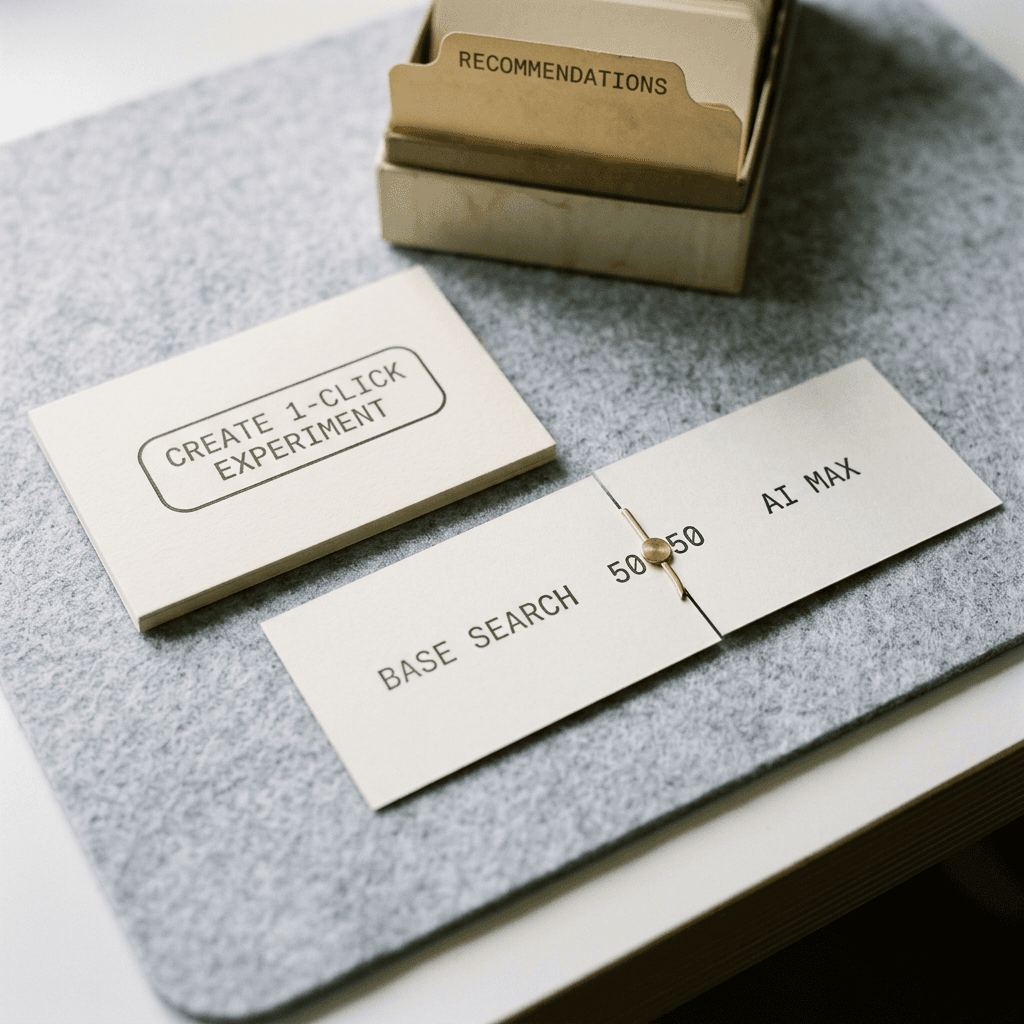
On October 26, 2026, Barry Schwartz reported at Search Engine Roundtable that Google updated its AI Max for Search FAQ with a 1-click AI Max experiment. Hana Kobzova of PPC News Feed covered the same change first and described it as testing that is both easier and more granular. Google's own wording on the AI Max for Search campaigns FAQ says eligible accounts may find a 1-click experiment recommendation on the Recommendations page, and that choosing "Create 1-click experiment automatically" sets up a 50/50 split between your base Search campaign and an AI Max treatment arm without manual configuration.
This guide is about running that test well. It covers what the 1-click button does and does not decide for you, when a custom experiment from the Experiments tab is the better tool, which ad group controls answer which question, what to measure, how long to wait, how to read the scorecard, and the decision rules I would write down before the test starts. I read the FAQ, Google's About AI Max Experiments page and Google's Monitor your experiments page, and where they disagree with each other or with the trade coverage I say so.
TL;DR: The Short Version Before the Long One
- The 1-click recommendation builds a 50/50 test of your base Search campaign against an AI Max treatment arm. It is the fastest way to ask the broad question "does the full AI Max package help this campaign?"
- The Experiments tab version lets you switch Search term matching or Asset optimization on or off in the treatment arm, so you can ask narrower questions such as "does the reach come from query matching or from the rewritten ads?"
- Google's general experiment guidance recommends running for 2 to 3 weeks, and the scorecard flags significant results with a blue asterisk. Conversion lag can push your own sensible minimum longer.
- Write your decision rule, your primary metric and your end date before you press create. Most bad AI Max verdicts come from rules invented after the numbers arrived.
- Creative is half of what AI Max changes. Fresh visuals and short videos made in Miraflow give the asset side of the treatment arm better material to work with.
What Google Actually Announced, and What Is Still Undocumented
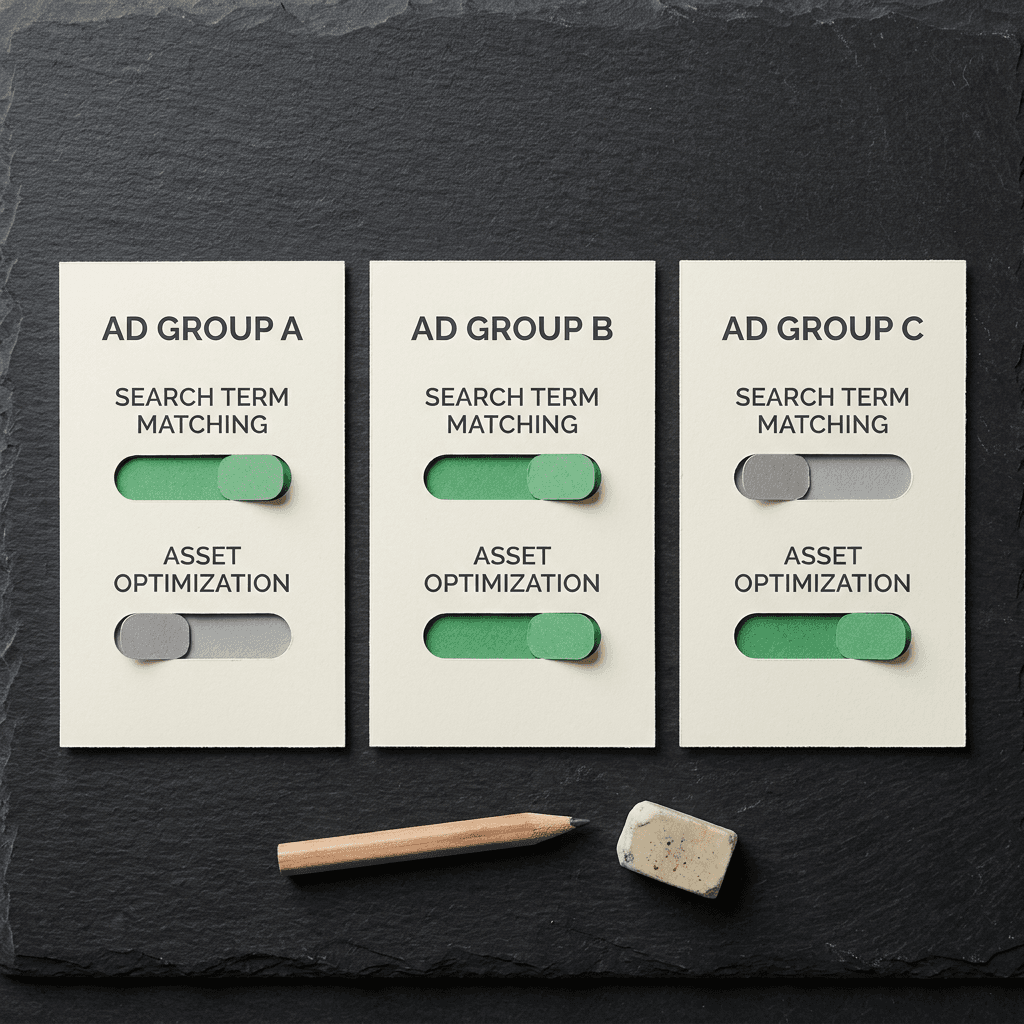
The announcement has two pieces that are easy to blur together. The first is the 1-click recommendation. The FAQ entry titled roughly "How does the 1-click AI Max experiment work?" says that if your account is eligible you may see it under Recommendations, and that the 50/50 split is set up automatically. The second is a granular control entry that Schwartz believes was added in the past month, "Can I test AI Max on specific ad groups during experiment setup?" Its answer says that in the Experiments tab you can turn Search term matching or Asset optimization on or off for individual ad groups in the treatment arm, while the control arm keeps the base settings.
Those two entry points create two different experiments from the same feature. The recommendation optimizes for speed and gives you a verdict on the full bundle. The Experiments tab path optimizes for control and gives you a way to isolate a cause. Neither is better in general, and a mature account will probably use both at different stages.
Several things are not documented in the pages I read. Google's AI Max experiments page does not state a default traffic split for the Experiments tab flow, does not give a recommended run length for AI Max specifically, and does not define a minimum conversion count. Google's AI Max setup material also does not say which accounts count as eligible for the recommendation, so the absence of the card in your account is not a signal that anything is wrong with it. When a number is missing from Google's documentation I will label my own suggestion as a suggestion rather than present it as policy.
How an AI Max Experiment Differs From a Custom Experiment
Before the 1-click button, the usual way to test AI Max was a custom experiment: Google copies your campaign into a trial campaign, you switch AI Max on in the copy, and traffic and budget are shared between the two campaigns. That works, but copies introduce their own noise. Ads in the trial campaign must pass review, changes you make to the original after the experiment starts are not mirrored, and the trial campaign starts with a fresh footing that can need extra time to ramp up.
Google's About AI Max Experiments page describes a different mechanism. An AI Max experiment does not copy the campaign. It shifts traffic and budget inside the existing campaign, so the control is a share of the campaign with the AI Max toggle off and the trial is the remaining share with it on. Google lists three benefits: faster results because one campaign is involved, fewer setup errors and sync problems because both arms live in the same campaign, and a likely shorter learning period because traffic stays in the same place. The Google Ads API documentation reflects the same idea by classifying AI Max adoption as an intra-campaign experiment type, where traffic is split within a single campaign according to whether the feature is on for a given impression.
The table below puts the practical differences side by side, using Google's comparison where it exists.
| Area | AI Max experiment | Custom experiment |
|---|---|---|
| Setup | Test starts automatically | Must be started manually |
| How traffic is split | Traffic and budget shift inside the existing campaign; no copy | A trial campaign is created from your campaign and shares traffic and budget |
| Display Network targeting | Not available | Available |
| Reporting | Experiments platform, Keywords page, Ads page | Also Campaigns page and report editor |
| Ramp-up | Reduced, so results can come faster | Trial campaigns may need ramp-up, so experiments may need to run longer |
| Sync risk | Lower, both arms live in one campaign | Changes to the original are not reflected in the experiment |
The one limitation worth flagging early is eligibility. Per Google's page, you cannot create an AI Max experiment through this flow when text customization is already enabled, when the campaign targets the Display Network, when it belongs to a Portfolio Bidding Strategy, when it uses Shared Budgets or Bidding exploration, or when it already has an active experiment. Apart from the Display Network rule, the same limits apply to AI Max experiments created as custom experiments. Google also notes a practical trick: if you cannot select a campaign, turn off the "Optimize your campaign with AI" setting, and if a legacy feature such as a brand list exclusion on a non-branded campaign blocks the test, create a new campaign without it and test there.
If you are comparing this against the other test types Google has been adding, Google's multi-campaign Search experiments answer budget and ROI questions across several campaigns, while the AI Max experiment answers a single-feature question inside one campaign. Picking the wrong one is how teams end up with a clean-looking result that does not match the decision in front of them.
The 1-Click Experiment: What You Get and What You Give Up
The 1-click path is the right default when your question is simply "should this campaign run AI Max at all?" You select the recommendation, accept the automatic setup, and Google builds the 50/50 comparison between the base Search campaign and an AI Max treatment arm. There is no draft to build, no ad copy to duplicate and no second budget to size.
A 50/50 split is also statistically friendly. Google's Monitor your experiments page lists a traffic split that is too small as one of the reasons a result may never reach significance, and an even split gives both arms the largest possible sample from a given amount of traffic. For a campaign with modest weekly conversions that matters more than any other setting.
What you give up is attribution inside the bundle. AI Max combines Search term matching, which widens the queries your ads can enter auctions for, with asset optimization, which can customize text and expand final URLs. When the 1-click result comes back positive you will know the package helped, but you will not know whether the gains came from reaching new queries, from rewritten ads or from landing page selection. That is acceptable if you plan to adopt the whole thing anyway. It is a problem if one of the components worries you, for instance because your legal team needs control over the exact wording shown, which is the situation text disclaimers for Final URL expansion were built for.
My suggested rule of thumb is this. Use 1-click for campaigns where you would be willing to adopt the full bundle if it wins, such as a well-tracked non-brand campaign with a healthy conversion volume. Use the Experiments tab for campaigns where a specific component carries risk.
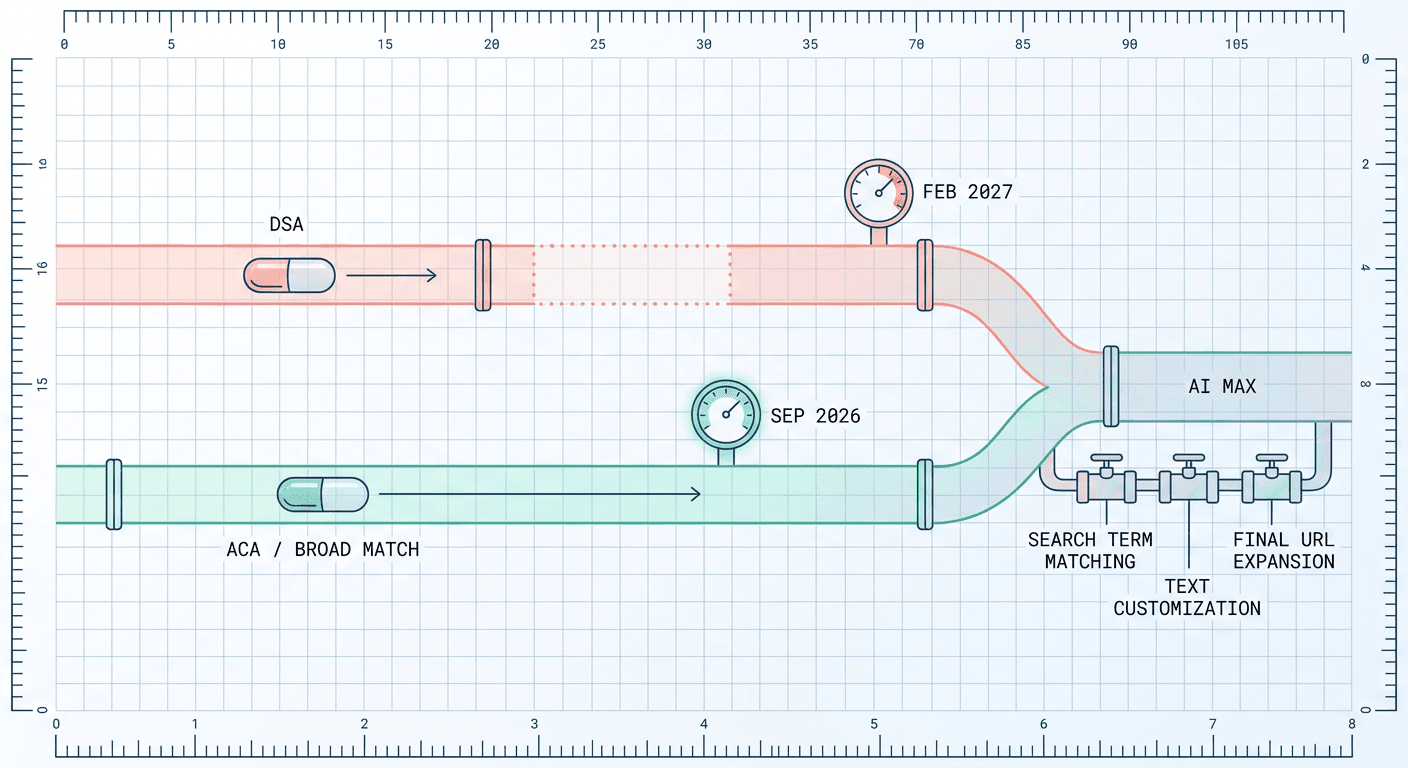
A related point on timing: the September auto-upgrade rollout and the later migration deadlines mean many accounts will end up on AI Max whether they test or not. The reporting is covered in Google Ads AI Max reporting changes, the upgrade mechanics in the AI Max auto-upgrade guide, and the current schedule for Dynamic Search Ads in the DSA migration delay to February 2027. A clean experiment now is the cheapest way to learn what adoption will do to your numbers before the change is made for you.
Building a Custom AI Max Experiment in the Experiments Tab
The Experiments path follows the steps on Google's About AI Max Experiments page. Open Experiments in the Campaigns menu, click the plus button, choose "Campaign features and settings," select AI Max for Search campaigns, pick the campaigns, and then configure the arms, dates, name and auto-apply settings on the "Create an AI Max experiment" screen before clicking Create.
By default the treatment arm turns on Text Customization, Final URL Expansion and Search Term Matching. Under Asset optimization you can deselect Text customization and Final URL expansion, and those changes apply only to the treatment arm. You can add URL exclusions at the campaign level and URL inclusions at the ad group level. Brand inclusions and exclusions are applied to both arms for the length of the experiment, which keeps the brand rules from becoming a hidden difference between control and treatment.
There is a discrepancy to be aware of. The FAQ says you can use granular controls to turn Search term matching or Asset optimization on or off for individual ad groups in the treatment arm. The About AI Max Experiments page is more cautious: it says ad group level changes, such as disabling Search term matching or adding URL inclusions, are not supported during initial setup and should be made by editing the new campaign afterward, and that Asset optimization is switched at the campaign level. It also says the granular controls and brand settings appear only when you select a single campaign, while PPC News Feed's write-up says the setup guide supports selecting multiple campaigns with those options. I would follow the help center page for planning: pick one campaign per experiment, expect the campaign-level asset toggles on the setup screen, and plan to adjust ad group level search term matching after the experiment campaign exists. If your account shows something different, trust what the interface lets you do and record it in your test log.
One more setup choice deserves thought: the auto-apply checkbox, labeled "Apply your experiment changes if results are favorable." With it on, Google applies the treatment automatically at the end if the results are favorable. I would leave it off for any campaign where the decision involves money, brand or compliance, and apply manually after reading the scorecard. A rule that Google evaluates for you is a rule you did not write.

Which Toggles Answer Which Question
The most useful thing a custom experiment gives you is the ability to change one thing at a time. Each combination of the two controls tests a different hypothesis, and mixing them in a single experiment is how you end up with a verdict nobody can act on.
| Treatment arm setting | Question it answers | Watch closely | Best fit |
|---|---|---|---|
| Search term matching on, Asset optimization off | Do the extra queries convert at an acceptable cost? | Search terms report, share of conversions from new queries, CPA | Campaigns with strong ad copy and tight legal wording |
| Search term matching off, Asset optimization on | Do generated text and expanded final URLs raise conversion rate on the same queries? | Landing pages chosen, generated headlines, conversion rate | Campaigns with solid keyword coverage and weak ad variety |
| Both on (the 1-click experiment) | Does the full AI Max package beat my current setup? | Conversions, CPA or ROAS, cost, lead quality | Campaigns you would adopt in full if it wins |
| Mixed by ad group (matching off on risky groups) | Can I keep protected ad groups steady while testing the rest? | Conversions per ad group, enough volume in each slice | Campaigns that mix competitor, brand and long-tail intent |
A few notes on how to use that table in practice.
Search term matching only is the cleanest test of incremental reach. It asks whether the queries Google adds beyond your keywords convert at a cost you can live with. Because it leaves the ad copy and landing pages alone, any change in conversion rate is more likely to come from query quality than from creative. Open the search terms report afterward and look at the new columns described in the AI Max reporting changes guide to see which matched terms produced the conversions. A positive total with ninety percent of the gain coming from a single oddly broad query is a result you should treat cautiously.
Asset optimization only is the test to run when your worry is the ad itself. It shows whether generated headlines and expanded final URLs help or hurt when the query set stays the same. Review the generated text before and during the test using the approach in reviewing AI-generated headlines with asset previews, and brief the system in plain language with the techniques in the AI Brief guide. If your category carries legal copy, set up the disclaimers first so the treatment arm cannot publish something your compliance team would reject.
The full bundle is what the 1-click experiment tests, and it is also what you will be running after adoption, so it deserves to be the final test even if you run narrower tests first.
Per ad group controls matter when your campaign mixes very different kinds of intent. In a hypothetical campaign for a software company, one ad group might hold tightly controlled competitor and comparison terms where you want no query expansion, while another holds educational long-tail terms where expansion is the whole point. Switching Search term matching off for the first group and leaving it on for the second lets one experiment cover both without letting the risky group distort the verdict. The cost is a smaller sample in each cell, so only slice that finely if every slice will have enough conversions to read.
Remember that Search term matching does not work with Manual CPC bidding, according to Google's FAQ, which recommends conversion or conversion value based bidding to get the full capabilities. A treatment arm under Manual CPC would silently test less than you think.
What to Measure Before You Press Create
Pick one primary metric and two guardrail metrics, and write them down. The scorecard in Google's experiment summary shows clicks, CTR, cost, impressions and all conversions by default, and you can add metrics such as average CPC or conversion rate from the dropdown next to each metric. Conversion metrics appear only if conversion tracking is set up, which is the first thing to verify.
A reasonable structure, which is my suggestion and not Google guidance:
- Primary metric: the thing your bid strategy optimizes. For a lead generation account that is usually conversions at an acceptable CPA. For ecommerce it is conversion value against cost, or ROAS.
- Guardrail one: cost, so a conversion gain does not hide a budget blowout. AI Max experiments shift traffic and budget inside the campaign, so total spend should stay close to normal, and a large cost gap deserves an explanation.
- Guardrail two: a quality signal you control outside Google Ads, such as lead qualification rate from your CRM, refund rate or average order value. Smart Bidding can chase cheap conversions, and a lead form that fills with junk will look like a victory on the scorecard. The thinking in qualifying responses for lead forms applies here if your leads feed a sales team.
Then audit the measurement before the clock starts. Check that the conversion actions the campaign bids on are the ones you care about, that primary and secondary actions are classified correctly, and that offline imports are flowing on schedule. If you import offline sales with a delay of a week or two, the first stretch of your experiment will understate conversions in both arms, and the lag can fall unevenly on them. The Data Strength uplift metric is a useful way to check whether your conversion data is in good enough shape to trust a test at all.
Finally, decide what counts as a win in numbers. For example, you might write that you will adopt AI Max if treatment conversions are higher with an interval that excludes zero and CPA is no more than ten percent worse. The numbers are yours to choose, but they must exist before the data does.
How Long to Run It, and Why the Calendar Matters More Than the Date Picker
Google's Monitor your experiments page recommends allowing an experiment to run for 2 to 3 weeks to gather data, and says that if results are still undecided you may need more budget or a longer run. That page covers experiments generally, and the AI Max experiments page does not give its own duration, so treat 2 to 3 weeks as the floor from the help center and not as a promise that the result will be conclusive.
Three things can push your own minimum longer, and the first two are my reasoning rather than documented rules.
First, conversion lag. If your typical click to conversion path takes seven days, a two week experiment has roughly a week of fully matured data. Look at your conversion delay in the Attribution reports and add that delay to the 2 to 3 weeks if you can afford it. Second, weekly cycles. A test that starts on a Wednesday and ends on a Tuesday covers each weekday once, but a test that ends mid-week overweights some days. Run in whole weeks. Third, volume. Google lists low traffic and a split that is too small as reasons a result may not be significant, so a campaign with a handful of conversions per week may need much longer than three weeks, or may be better tested at the account theme level.
Do not start the experiment during a learning period. Google rewrote its Smart Bidding learning page recently, and the 7-day limit on the Learning status is worth reading before you plan a start date. Change the budget or target, wait for the campaign to settle, then start the test. Equally, avoid editing the campaign mid-test. Google's custom experiment guidance advises against changing the original campaign or the experiment while it runs because it makes results harder to interpret, and the same logic applies to AI Max experiments even though both arms live in one campaign.
Plan around the calendar. Black Friday on November 27, 2026 will distort almost every ecommerce account, and a test that straddles it is measuring the holiday as much as AI Max. If you are reading this at the end of October, a two or three week test started now can finish before the Black Friday run-up, or you can wait and start in January.

Reading the Scorecard Without Fooling Yourself
Results appear under Experiments in the Campaigns menu. For an AI Max experiment, Google says to select the experiment campaign and open the Experiment summary page, with reporting also available on the Keywords page and Ads page. The scorecard lists each metric with your experiment's data on the first line and the estimated performance difference from the original on the second.
Three things on that page decide whether you can trust a number.
The first is the confidence interval. Google's help page says 80% is the default confidence interval and lets you choose a different level, and its examples use 95%, so the page is not perfectly consistent with itself. For a decision that costs real money I would switch to 95% and see whether the result still holds. A result that is significant at 80% and not at 95% is a lean, not a verdict.
The second is the blue asterisk. If a result is statistically significant, the scorecard shows a blue asterisk. Absence of an asterisk is not evidence that AI Max does nothing; Google lists four reasons it may be missing: the experiment has not run long enough, the campaign does not get enough traffic, the split is too small, or the change did not produce a significant difference. Only the last of those is a real answer.
The third is the range, not the midpoint. If the estimated difference in conversions is shown as a range from slightly negative to strongly positive, the honest reading is "probably helps but could be flat," and your decision rule should say what you do in that case. The Google Ads API reporting documentation suggests a practical check for the same idea: a significant improvement is indicated when the p-value clears your threshold and the lower bound of the interval is above zero.
Look past the headline metric too. Break the treatment arm down by ad group, by device and by the search terms report. If the entire gain comes from one ad group that was already underperforming on a stale keyword list, you may have discovered that the campaign needed a keyword refresh and not that AI Max is a miracle. If conversions rose while average order value or lead quality fell, you have traded quality for volume.

Decision Rules: Apply, Extend, Narrow or End
Writing the decision table before the test removes most of the arguing afterward. The thresholds below are illustrative; replace them with numbers that fit your margins.
| What the scorecard shows | Suggested action | Reasoning |
|---|---|---|
| Conversions higher, interval clear of zero at 95%, CPA within your limit, quality flat | Apply and monitor for two to four weeks | The gain is likely real and affordable |
| Conversions higher at 80% only, wide range | Extend one to two weeks, or rerun at 95% | The data leans positive but is not firm |
| No asterisk, low traffic or short run | Extend or test a bigger slice | Absence of significance is not evidence of no effect |
| Conversions up, cost or CPA well above your limit | Narrow the test (matching only or assets only) and rerun | A component may be driving cost |
| Conversions up but lead or order quality down | Do not apply as is; add exclusions or guidance and retest | Smart Bidding may be chasing cheap conversions |
| Clearly worse with a firm interval | End without applying | Settings revert to their pre-experiment state |
The mechanics of acting on a verdict come from Google's pages. After the experiment ends you can click Apply in the Experiments table, or enable AI Max from the Campaign settings page. If you end the experiment without applying it, all AI Max settings revert to their pre-experiment state: a campaign that used legacy brand controls goes back to them, and brand controls added during the experiment are removed. The API documentation describes the same three outcomes as End, which stops the arms from serving, Promote, which applies the treatment arm's changes to the control, and Graduate, which makes a treatment campaign independent. The Experiments tab surfaces them as Apply and End, and I did not find a separate Graduate option described for the AI Max flow.
If a narrow test wins, run the full bundle test next. A hypothetical sequence for a mid-sized lead generation account might be: first a Search term matching only test on non-brand ad groups for three weeks, then an asset optimization only test, then a final 1-click style test of the full bundle before adopting. That is roughly two months of calendar time, which is slow but also cheap compared with a quarter of blended results nobody trusts.
Because only one experiment can be active on a campaign at a time, sequential tests are your only option on a single campaign. If you have several similar campaigns, you can run different hypotheses in parallel, one per campaign, but treat the comparison between campaigns with care since their audiences differ.

A Hypothetical Worked Example
Here is an illustration, not real account data. Suppose a home services business runs a Search campaign with three ad groups: emergency repair terms, installation terms and a handful of brand terms. It has been stable on a conversion-based bid strategy for two months, with no recent budget changes, and its conversion tracking includes phone calls from ads and form submissions imported with a one day delay.
The team's question is whether AI Max is worth adopting. They note the risks: the brand ad group should not be diluted, and the emergency repair copy has specific licensing language they cannot afford to lose. They write the plan first. The primary metric is conversions at target CPA, guardrails are cost and qualified-lead rate from their CRM, the duration is three full weeks starting on a Monday, and the rule says to adopt only if conversions are higher with 95% confidence and CPA is within ten percent of control.
Because of the licensing concern, they use the Experiments tab instead of the 1-click button. They select this single campaign, keep Search term matching on in the treatment arm, deselect Text customization and Final URL expansion so the ads stay as written, and configure brand settings so the brand ad group stays protected in both arms. Auto-apply stays off.
After three weeks, the scorecard shows more conversions in the treatment arm with a blue asterisk at the 80% default. Switching to 95% confidence, the interval widens and the lower bound dips just below zero. Their rule says that is not enough, so they extend by one more week, and the lower bound clears zero. They check the search terms report and see the lift is spread across several new query themes, not one outlier. The qualified-lead rate is flat. They apply the change, then schedule a second experiment for asset optimization on the installation ad group alone, after reviewing generated headlines and adding a disclaimer.
Notice that none of those steps depended on the result being dramatic. The value of the process was that every judgment call had already been made before it was needed.
Common Mistakes That Ruin AI Max Tests
Starting during a learning period or a promotion. If the campaign has just had a budget or target change, or a big sale starts in week two, both arms are affected but not necessarily equally. Wait for a calm stretch.
Letting brand terms leak into the verdict. Brand queries convert cheaply, and if the treatment arm captures more of them than the control, AI Max will look brilliant for reasons that have nothing to do with growth. Use the brand settings, which Google applies to both arms during the experiment, and check the search terms report for brand matches.
Testing a campaign with thin volume. A campaign with a few conversions a week cannot reach significance in three weeks, and no setting fixes that. Test at the account level, combine similar campaigns or accept a longer window.
Broken or delayed conversion tracking. Duplicate tags, mislabeled secondary actions and offline imports that lag more than the test runs for all invalidate the comparison. Fix measurement first.
Changing things mid-test. Edits to bids, budgets, ad copy or URLs in the middle of a test make the result harder to interpret. If something urgent must change, note the date and consider restarting.
Reading the one-sided story. Google's scorecard shows what happened to the metrics you looked at. It does not show your brand reputation, the quality of leads or the legal exposure from generated copy. Review the actual assets and landing pages the treatment arm used.
Declaring a winner at the first asterisk. Early data is volatile, and checking a scorecard daily until it flips green is a reliable way to find a false positive. Commit to the end date.
Ignoring eligibility rules until launch day. If the campaign uses a portfolio bid strategy or shared budget, the experiment flow will not accept it. Check those settings a few days ahead, and allow time to restructure if needed.
Starving the treatment of creative. The asset side of AI Max works from the material your landing pages and existing ads provide. If your pages have thin copy and generic stock photos, the generated assets inherit that. Better source material gives the test a fairer chance.
Using Miraflow to Give the Asset Side a Fair Test
AI Max will write ads from what it finds on your pages, so the visuals and videos around those pages still matter to conversion rate in both arms. If your landing pages use weak images, you are testing AI Max on a handicap. Miraflow's AI Image Generator can produce product and lifestyle visuals for landing pages in a few minutes, and if you promote the same offers on YouTube, the YouTube Thumbnail Maker helps you build consistent thumbnails for the video that drives branded searches.
For short video assets that support the campaign, Text2Shorts turns a topic into a vertical short with script, visuals and voice, AI Clipping cuts long webinars or tutorials into captioned clips, and the Cinematic AI Video Generator handles product-style scenes. Keeping one steady set of creative across the control and treatment period also keeps your experiment cleaner, so produce your assets before the test starts and avoid swapping them mid-way. For a broader view of how this fits with other Google Ads automation, see the AI Max for Shopping explainer and the notes on asset experiments in Performance Max.
Frequently Asked Questions
What is a 1-click AI Max experiment in Google Ads?
It is a recommendation, shown to eligible accounts on the Recommendations page, that sets up a 50/50 split test between your base Search campaign and an AI Max treatment arm. Per Google's FAQ, selecting "Create 1-click experiment automatically" does this without manual configuration.
Why don't I see the 1-click experiment recommendation?
Google's FAQ says only that eligible accounts may see it. It does not list the eligibility criteria for the recommendation itself. Google's AI Max experiments page does list campaign conditions that block an experiment, such as text customization already being on, Display Network targeting, Portfolio Bidding Strategies, Shared Budgets, Bidding exploration or another active experiment. You can still create a test from the Experiments tab.
How long should I run an AI Max experiment?
Google's Monitor your experiments page recommends 2 to 3 weeks for experiments in general. The AI Max experiments page gives no separate duration. I would run whole weeks, add your typical conversion delay, and extend if the interval is still wide, which is my suggestion and not a Google rule.
Can I test only Search term matching or only Asset optimization?
Yes. In the Experiments tab you can use granular controls to turn Search term matching or Asset optimization on or off in the treatment arm. The help page describes asset toggles as campaign-level at setup and ad group level search term matching as something you adjust after the experiment campaign exists, so check what your interface allows.
Does the control arm change during the test?
No. The control arm keeps the base campaign settings. Brand inclusions and exclusions are the exception in the sense that they apply to both arms for the length of the experiment.
What does the blue asterisk mean on the results scorecard?
It marks a statistically significant result. Google's help page says the default confidence interval is 80% and that you can choose a different level, so consider checking at 95% before making a costly decision.
What happens if I end the experiment without applying it?
AI Max settings revert to their pre-experiment state. If you used legacy brand controls before, the campaign goes back to them, and any brand controls added during the experiment are removed.
Should I turn on auto-apply?
Only if you are comfortable letting Google decide what favorable means. For campaigns with compliance, brand or margin risk I would leave it off and apply manually after reading the scorecard.
Can I run an AI Max experiment with Manual CPC?
You can set it up, but Google says Search term matching will not work with manual CPC bidding and recommends conversion or conversion value based bidding. A Manual CPC campaign will therefore test less than the full feature.
Is a custom experiment still worth using?
Yes, when you need separate control and trial campaigns, Display Network targeting or the extra reporting available on the Campaigns page and report editor. Google notes the trade-off: trial campaigns may need ramp-up, so custom experiments may need to run longer.
Conclusion
The 1-click AI Max experiment makes the first controlled test of AI Max available to almost any eligible Search campaign, and that alone removes the biggest excuse for judging AI Max by before and after charts. The 50/50 split, the shared campaign and the reduced ramp-up described on Google's pages make it a fair and quick way to answer the broad question. The Experiments tab version adds the ability to separate Search term matching from Asset optimization, which is where most real disagreements about AI Max live.
The test itself is only as good as the preparation. Check eligibility and conversion tracking, avoid learning periods and big sales, choose one primary metric with two guardrails, write the decision rule down, run whole weeks for at least the 2 to 3 weeks Google recommends, and read the scorecard at a confidence level that matches the stakes. Where Google's pages disagree with each other about ad group level controls or multi-campaign setup, follow what your interface actually permits and log it.
Once you have a verdict, put the same discipline into the creative that feeds the system. Miraflow gives you images, Shorts, clips, cinematic video and thumbnails from one browser tab, and the Miraflow blog will keep following Google Ads changes as they roll out.