How to Write AI Prompts That Actually Work for Visual Content

Written by
Jay Kim
Learn how to write AI prompts that produce usable images, videos, thumbnails, and Shorts scenes. Includes copy-paste templates and common mistakes to avoid.
You type a prompt into an AI image or video generator, hit generate, and the result looks nothing like what you had in mind. The colors are off, the composition is random, the subject is doing something you never described, and the overall mood feels completely disconnected from what you were trying to create. This is one of the most common frustrations for creators who are using AI tools for visual content in 2026, and the problem almost always comes down to how the prompt was written.
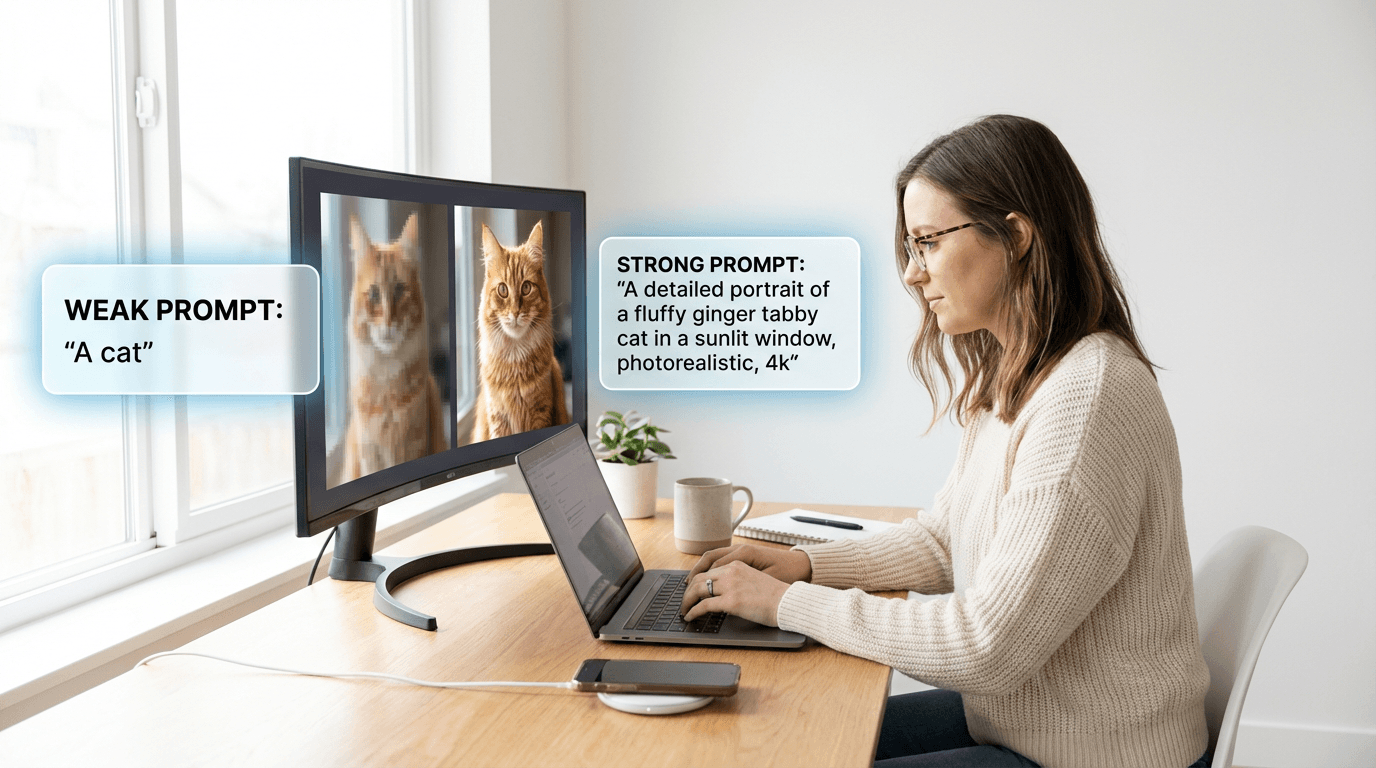
The gap between what you imagine and what AI produces is directly related to how specific, structured, and intentional your prompt is. Vague prompts produce vague results. But overly complex prompts filled with contradicting instructions can be just as problematic. Learning how to write prompts that consistently produce usable visual content is a skill, and like any skill, it follows patterns and principles that anyone can learn.
This guide breaks down the exact techniques that work for writing AI prompts across images, thumbnails, cinematic videos, and short-form video scenes. Every section includes copy-paste prompt templates you can use immediately, along with the reasoning behind why each technique works so you can adapt it to your own projects.
Why Most AI Prompts Produce Disappointing Results
The core issue with most prompts is that they describe an idea instead of describing an image. When you write "a beautiful sunset on the beach," you are giving the AI a concept with almost no visual direction. The AI then has to make dozens of decisions on its own, including camera angle, color palette, lighting direction, subject placement, mood, atmosphere, and composition. Every decision the AI makes independently is a decision that might not align with what you had in mind.
Effective prompts work because they reduce the number of decisions the AI needs to make on its own. Instead of saying "beautiful sunset," you describe the exact quality of light, the position of the sun relative to the horizon, the colors you want in the sky, what is in the foreground, and how the overall composition should be framed. The more visual decisions you make inside the prompt, the closer the output gets to what you actually want.
This principle applies equally to AI image generation, AI video prompts, and scene descriptions for short-form content. The medium changes, but the underlying skill of translating a visual idea into structured language stays the same.
The 5 Core Elements of an Effective Visual Prompt
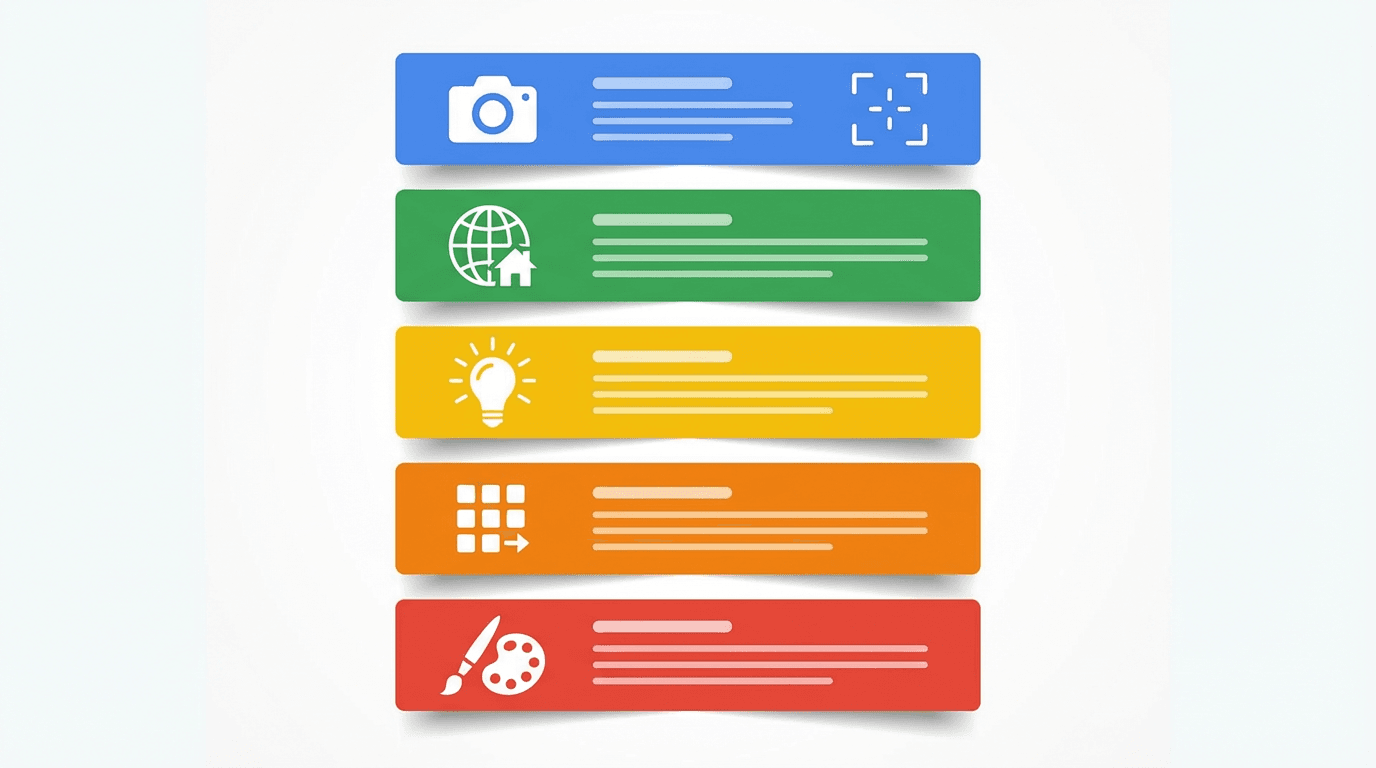
Every strong visual prompt includes five categories of information, whether you are generating a thumbnail, an AI image, or a cinematic video clip. Missing any one of these categories leaves a gap that the AI will fill with its own interpretation, which may or may not match your intent.
1. Subject
The subject is the main focus of the image or video. This needs to be described with enough detail that the AI understands exactly what to place at the center of the composition. Instead of writing "a person," describe who that person is, what they are doing, what they are wearing, and what expression they have on their face. The more specific the subject description, the more control you retain over the final output.
A weak subject description looks like "a creator making a video." A strong subject description looks like "a young woman sitting at a white desk with a ring light, holding a smartphone angled toward the camera, smiling with an excited expression, wearing a casual denim jacket over a white tee." Both describe the same general idea, but the second version gives the AI enough information to produce something close to what you actually envision.
2. Setting and Background
The environment around your subject has a massive impact on how the final image feels. Leaving the background undefined usually results in generic or cluttered environments that distract from the subject. Specifying the background gives you control over the overall context and helps reinforce the mood you are trying to create.
For thumbnails and social media images, clean and simple backgrounds tend to perform best because they keep the viewer's attention on the subject. For cinematic video clips and storytelling visuals, more detailed environments help establish atmosphere and narrative context.
3. Lighting
Lighting is the single most underused element in AI prompts, and it is arguably the most important factor in determining whether the output looks amateur or professional. Describing lighting tells the AI how to shade the subject, where to place highlights and shadows, and what emotional tone to create across the entire composition.
Terms like "soft studio lighting," "warm golden hour backlight," "dramatic side lighting with deep shadows," and "bright flat lighting with no harsh shadows" all produce dramatically different results even when every other element of the prompt stays the same. If you are only going to add one new element to your current prompting approach, make it lighting.
4. Composition and Camera Angle
Telling the AI how the frame should be arranged changes the visual impact significantly. Terms like "close-up," "wide shot," "low angle looking up," "overhead flat lay," and "centered symmetrical composition" give the AI specific framing instructions that shape the final layout.
For YouTube thumbnails especially, composition directly influences click-through rate. Thumbnails with clear focal points and deliberate framing consistently outperform randomly composed images. The guide to YouTube CTR benchmarks in 2026 covers how visual composition connects to real performance metrics.
5. Style and Mood
This category covers the overall aesthetic and emotional quality of the image. Descriptors like "vibrant saturated colors," "muted pastel tones," "cinematic color grading," "retro film grain," and "clean minimalist aesthetic" help the AI understand the visual language you are working within.
Style terms are especially important when you want consistency across multiple images for a series or a channel brand. Keeping the same style descriptors across all your prompts ensures that even though the subjects change, the visual identity stays cohesive.
How to Structure a Prompt for AI Images
When generating images using AI tools, the order and structure of your prompt affects how the model interprets your instructions. While there is no single perfect format that works for every model, a consistent structure helps you stay organized and makes it easier to iterate on prompts that are close but not quite right.
A reliable structure for AI image prompts looks like this: start with the subject and what they are doing, then describe the setting and background, add the lighting conditions, specify the camera angle or composition, and finish with style and mood descriptors. Keeping this order consistent across your prompts makes it easier to identify which element needs adjustment when an output is close but missing something specific.
Here is an example of a well-structured image prompt broken down by element:
Subject: A young man wearing a hoodie, sitting cross-legged on a modern office chair, looking at a large monitor with a surprised expression
Setting: Clean modern home office with a window showing a city skyline at dusk in the background
Lighting: Warm soft light from the monitor illuminating the face, with natural blue twilight from the window
Composition: Medium shot from slightly below eye level, the monitor screen visible but angled away
Style: Cinematic color grading, shallow depth of field, vibrant warm and cool contrast, professional photography quality
When these elements are combined into a single flowing prompt, the AI receives clear instructions for every major visual decision. Creators can generate images like this directly inside the AI Image Generator on Miraflow AI by entering the prompt and selecting their preferred aspect ratio.
How to Write Prompts for YouTube Thumbnails
YouTube thumbnails are one of the most common use cases for AI image generation, and they require a specific prompting approach because the final image needs to work at very small display sizes. A prompt that produces a stunning full-resolution image might generate a thumbnail that looks like an unreadable blur when shrunk down to the size it actually appears in a YouTube feed.
The key principle for thumbnail prompts is visual simplicity with high impact. You want a strong focal point, bold colors, clear separation between subject and background, and a composition that reads instantly even at 120 pixels wide. Every element in the prompt should contribute to making the thumbnail immediately understandable at a glance.
Here are several thumbnail prompt templates you can copy and modify for your own content.
Reaction-Style Thumbnail
Great for commentary, reviews, and opinion videos where personal reaction is the hook.
Prompt:
Close-up portrait of a content creator with wide eyes and an open-mouth shocked expression, bright ring light reflections visible in the eyes, vivid gradient background shifting from electric blue to deep purple, shallow depth of field, the face filling approximately two-thirds of the frame, vibrant saturated colors, professional YouTube thumbnail composition, no text
Product Comparison Thumbnail
Works well for tech reviews, tool comparisons, and recommendation videos.
Prompt:
Two smartphones placed side by side on a reflective white surface, the left phone slightly larger and glowing with warm golden light, the right phone slightly smaller with cool blue light, clean white studio background with soft even lighting, generous negative space between the products, crisp sharp focus, thumbnail composition optimized for YouTube, no text
Tutorial or How-To Thumbnail
Effective for educational content, step-by-step guides, and explainer videos.
Prompt:
A person sitting at a desk viewed from a slight overhead angle, hands on a keyboard with a large bright monitor showing colorful interface elements, warm studio lighting from the left side, clean organized desk with minimal objects, bright teal and white background gradient, professional educational thumbnail composition, vibrant colors, no text
For more thumbnail-specific prompt ideas organized by niche and format, the AI prompts for YouTube thumbnails guide includes a full library of ready-to-use templates. Creators can also explore the built-in templates on the YouTube Thumbnail Maker page, which includes professionally designed starting points for popular thumbnail styles.
How to Write Prompts for Cinematic AI Videos
Writing prompts for AI video generation requires a different mindset than writing image prompts because video adds the dimension of time and movement. A strong video prompt needs to describe what is happening in the scene, how the camera moves, and how the visual elements change over the duration of the clip.
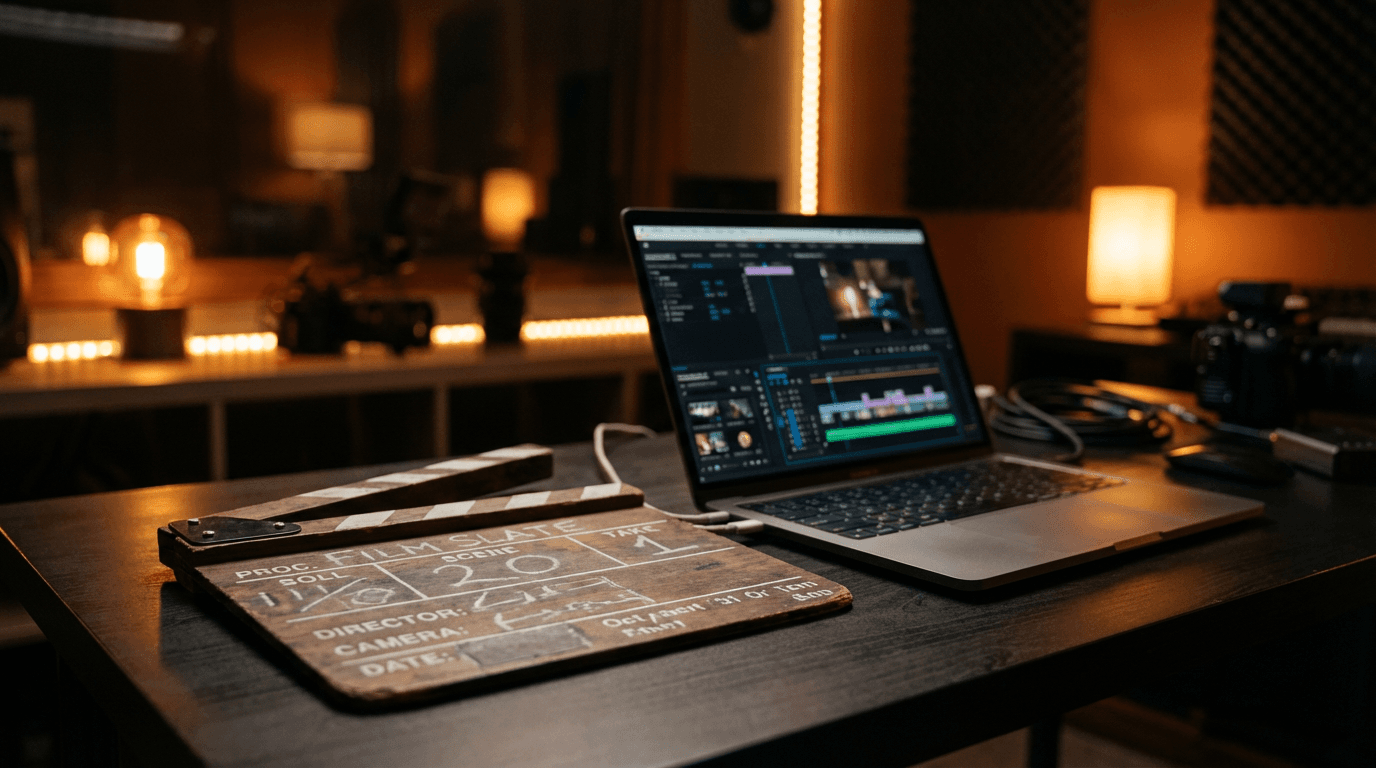
The most effective cinematic video prompts read almost like a mini screenplay or shot description. They establish the scene, describe the action, and specify camera movement in a single flowing paragraph. The more precisely you describe the motion and progression, the more cinematic and intentional the final clip feels.
Here are several cinematic video prompt templates for different content types.
Product Showcase Video
Ideal for product ads, e-commerce content, and promotional clips.
Prompt:
A slow orbiting camera movement around a sleek pair of white wireless earbuds resting on a dark marble surface. Soft warm studio lighting creates gentle highlights on the glossy surfaces. As the camera completes its rotation, the depth of field shifts to reveal a blurred modern living room in the background. The lighting transitions from cool white to warm amber. Smooth, elegant, premium product commercial aesthetic.
Nature Atmosphere Clip
Perfect for relaxing content, background visuals, and mood-setting B-roll.
Prompt:
A wide establishing shot of a misty mountain lake at dawn, surrounded by dense pine forest. The camera slowly pushes forward over the perfectly still water surface, which reflects the soft pink and gold sky. A gentle breeze ripples the water as the camera advances. Morning fog drifts between the trees on the far shore. Cinematic color grading with rich greens and soft warm highlights. Peaceful and meditative mood.
Storytelling Scene
Works well for short films, channel intros, and narrative content.
Prompt:
A medium shot inside a dimly lit vintage bookshop. A woman in her thirties stands at a wooden ladder, reaching for a leather-bound book on the top shelf. Warm amber light spills from a desk lamp in the background. Dust particles float in the beam of light. The camera slowly dollies forward as she pulls the book from the shelf and looks at the cover with a curious expression. Rich warm color palette with deep shadows and golden highlights.
The Cinematic Video Generator on Miraflow AI supports these types of detailed prompts and also includes a gallery of example prompts that you can load and modify as starting points. For a deeper dive into cinematic video prompting techniques, the prompt writing guide for video generation covers advanced strategies specific to AI video models.
How to Write Scene Prompts for AI Shorts
When creating short-form videos using AI, each scene in the video needs its own visual prompt that describes what the viewer sees during that segment of the script. The challenge with Shorts scene prompts is that each scene typically lasts only two to five seconds, so the visual needs to communicate its message immediately and transition smoothly to the next scene.
The Text2Shorts Generator on Miraflow AI handles this workflow by generating a script from your topic, then creating visual prompts for each scene automatically. You can edit these scene prompts before generation, which is where understanding prompt structure becomes valuable. Even when AI generates the initial scene descriptions, knowing how to refine them leads to significantly better final videos.
Here are some effective scene prompt examples for common Shorts formats.
Educational Explainer Scene
Prompt:
An animated illustration of the human brain viewed from the side, with colorful glowing neural pathways lighting up in sequence from the back to the front, bright clean background with soft blue gradient, medical illustration style with modern flat design elements, vibrant educational visual
Motivational Quote Scene
Prompt:
A silhouette of a person standing on top of a mountain ridge at sunrise, arms raised in a victory pose, dramatic orange and gold sky with volumetric light rays breaking through scattered clouds, wide cinematic composition, inspirational and powerful mood, vivid saturated warm colors
Listicle or Tips Scene
Prompt:
A clean modern workspace viewed from above in flat lay composition, with a laptop, notebook, coffee cup, and smartphone arranged neatly on a white marble surface, bright natural lighting from a window casting soft shadows, organized and productive aesthetic, vibrant and clean color palette
For a complete walkthrough of the Shorts creation workflow from topic to finished video, the guide on going from prompt to reel with Text2Shorts covers each step in detail.
7 Common Prompt Mistakes That Ruin Visual Output
Understanding what to include in your prompts is only half the skill. Knowing what to avoid is equally important, because certain patterns consistently produce poor results across all AI visual tools. Here are the most frequent mistakes and how to fix each one.
1. Being Too Vague
A prompt like "cool looking image" gives the AI almost nothing to work with. Every word in your prompt should contribute specific visual information. If a word does not help the AI make a visual decision, consider replacing it with something more descriptive. Instead of "cool looking," specify what makes it cool: the color scheme, the lighting, the angle, the expression, or the overall composition.
2. Contradicting Yourself Within the Prompt
Asking for "bright sunny lighting" and "dark moody atmosphere" in the same prompt creates a conflict that forces the AI to choose one or compromise between both, usually producing something that satisfies neither instruction. Read through your prompt before generating and check that all your descriptors point in the same visual direction.
3. Overloading With Too Many Subjects
Prompts that describe five different people doing five different things in an elaborate environment rarely produce usable results. AI models handle single-subject or dual-subject compositions much more reliably than crowded multi-character scenes. If your visual concept requires many elements, consider breaking it into multiple simpler images or using image editing tools to combine them.
4. Ignoring Aspect Ratio Context
A prompt designed for a 16:9 landscape image will produce awkward compositions when generated in a 9:16 vertical format. Always consider the aspect ratio when writing your prompt, and adjust the composition accordingly. For vertical Shorts thumbnails, place key elements in the upper and center portions of the frame. For wide thumbnails, use the full horizontal space. The YouTube Shorts thumbnail strategy guide explains how aspect ratio affects thumbnail performance specifically.
5. Forgetting to Specify What You Do Not Want
Many AI image tools support negative prompts, which tell the model what to avoid including in the output. If you consistently get unwanted elements like text overlays, watermarks, or specific visual artifacts, adding these to a negative prompt can significantly clean up your results. Even in tools that do not support formal negative prompts, adding phrases like "no text, no watermarks, no logos" to the end of your main prompt often helps.
6. Using Abstract Language Instead of Visual Language
Prompts that describe feelings or concepts without translating them into visual terms tend to produce unpredictable results. Instead of writing "a feeling of nostalgia," describe the visual elements that create nostalgia: warm amber tones, soft film grain, slightly faded colors, vintage clothing, and analog texture. Always translate emotions into their visual equivalents.
7. Not Iterating on Close Results
When a generated image is almost right but has one element that is off, many creators start from scratch with an entirely new prompt. A more effective approach is to keep 90 percent of the prompt the same and only modify the specific element that needs adjustment. Small prompt changes combined with multiple generations almost always reach a good result faster than rewriting the entire prompt each time.
Prompt Templates for 8 Popular Visual Content Types
These templates are designed to be copied, modified, and used directly. Each one follows the five-element structure covered earlier in this guide and is optimized for the specific content type it targets.
Blog Thumbnail
Perfect for blog featured images, article headers, and content marketing visuals.
Prompt:
A laptop on a clean wooden desk with the screen showing a colorful blog interface, a cup of coffee and a small potted plant beside it, bright natural window light from the left, medium shot at slight angle, clean modern minimalist aesthetic with warm tones, professional blog header composition, vibrant and inviting, no text
Social Media Quote Card Background
A versatile background image for layering text quotes in social media posts.
Prompt:
A soft blurred gradient background transitioning from warm peach on the left to lavender on the right, subtle bokeh light circles scattered across the frame, smooth and dreamy atmosphere, bright and airy with no harsh shadows, centered symmetrical composition, perfect for text overlay, clean and minimal, no objects, no text
E-Commerce Product Shot
Designed for online store listings, product announcements, and promotional visuals.
Prompt:
A single matte black water bottle standing upright on a smooth white reflective surface, clean bright studio lighting with a soft shadow underneath, bright gradient background shifting from light gray to white, product centered in the frame with generous negative space, commercial product photography style, crisp sharp focus, no text
Podcast Episode Cover
Works for podcast art, episode thumbnails, and audio content visuals.
Prompt:
A close-up of a professional studio microphone with a pop filter, warm amber backlighting creating a soft halo, a blurred sound mixing board visible in the background, dark rich atmosphere with warm accent lights, shallow depth of field, podcast studio aesthetic, moody and professional, no text
Fitness and Wellness Visual
Suitable for fitness content, health blog images, and wellness brand visuals.
Prompt:
A woman in athletic wear performing a yoga pose on a rooftop terrace at golden hour, warm sunlight creating long shadows and a backlit glow around her silhouette, a city skyline visible in the soft bokeh background, wide shot with the subject centered, vibrant warm color palette with orange and gold tones, energetic and aspirational mood, no text
Cooking and Food Content Visual
Great for recipe blogs, cooking channel thumbnails, and food-related social content.
Prompt:
An overhead flat lay of a beautifully plated pasta dish on a rustic wooden table, fresh herbs and cherry tomatoes scattered around the plate, warm natural lighting from a side window, steam rising gently from the dish, rich saturated colors with warm earth tones, appetizing food photography composition, no text
Travel and Lifestyle Visual
Designed for travel content, destination guides, and lifestyle brand imagery.
Prompt:
A person standing at the edge of a scenic overlook facing away from the camera, looking out over a vast valley with layered blue mountains in the distance, golden hour light casting warm tones across the landscape, wide cinematic composition with the person positioned in the lower right third, dramatic and awe-inspiring, vibrant natural colors, no text
Tech and Software Visual
Works for technology blog content, software tutorials, and digital product marketing.
Prompt:
A modern curved ultrawide monitor on a sleek desk displaying a colorful creative software interface, soft ambient LED lighting in blue and purple behind the monitor, a wireless keyboard and mouse in front, clean dark modern workspace, medium shot at slight angle, tech-forward aesthetic with cool tones and subtle glow, no text
All of these can be generated directly using the AI Image Generator on Miraflow AI, which supports multiple aspect ratios and lets you upload reference images to guide the output further.
How to Build Prompt Consistency for a Visual Brand
One of the most underrated uses of AI prompt skills is building a consistent visual identity across all your content. When every thumbnail, blog image, and social media visual shares the same lighting style, color palette, and composition approach, your brand becomes instantly recognizable in a crowded feed.
The practical way to achieve this is to create a set of "base prompt elements" that you include in every prompt, then swap out only the subject-specific details for each new piece of content. Your base elements might include a specific background color range, a preferred lighting setup, a consistent composition structure, and a recurring style descriptor.
For example, if your brand visual identity includes bright warm lighting, a teal and orange color scheme, and a clean minimalist background, you would keep those elements constant across every prompt while changing the subject, the action, and the specific context for each new image.
This approach is especially powerful for YouTube channels where thumbnail consistency directly influences click-through rate. The guide to building a consistent YouTube thumbnail style with AI walks through the full process of creating a reusable visual template system for your channel.
Writing Prompts for AI Music (A Different Kind of Visual Thinking)
While music generation might seem unrelated to visual prompting, the same principle of specificity applies. AI music generators interpret descriptive language to create audio, and vague descriptions produce generic tracks while detailed descriptions produce tracks that feel intentional and polished.
When writing a music prompt for video background audio, think about the visual mood you want the music to support. If your video has warm, bright visuals with an upbeat pace, your music prompt should describe those same qualities in audio terms: bright major key, upbeat tempo, warm acoustic instruments, and an energetic feel.
Here are two example music prompts for common video use cases.
Background Music for a Product Video
Prompt:
Upbeat corporate pop track with clean electric guitar, light percussion, and a warm synth pad. Bright and modern feel, medium tempo around 110 BPM, major key, positive and confident energy. No vocals, instrumental only.
Background Music for a Cinematic Short
Prompt:
Atmospheric orchestral piece with soft strings, gentle piano melody, and subtle ambient textures. Slow tempo around 70 BPM, minor key with a hopeful resolution, cinematic and emotional. Builds gradually from quiet opening to a gentle crescendo. No vocals.
Both of these can be generated in the AI Music Generator on Miraflow AI, which supports simple mode for quick generation and custom mode for precise control over lyrics structure, BPM, key, and duration. For a full library of music prompts organized by content type, the AI music prompts for YouTube, Reels, and TikTok guide has dozens of ready-to-use templates.
How to Iterate and Improve Prompts Over Time
The best prompt writers treat every generation as a learning opportunity. When an output is close to what you want, save the prompt and note what worked. When an output misses the mark, identify which of the five core elements was the problem and adjust only that element before regenerating.
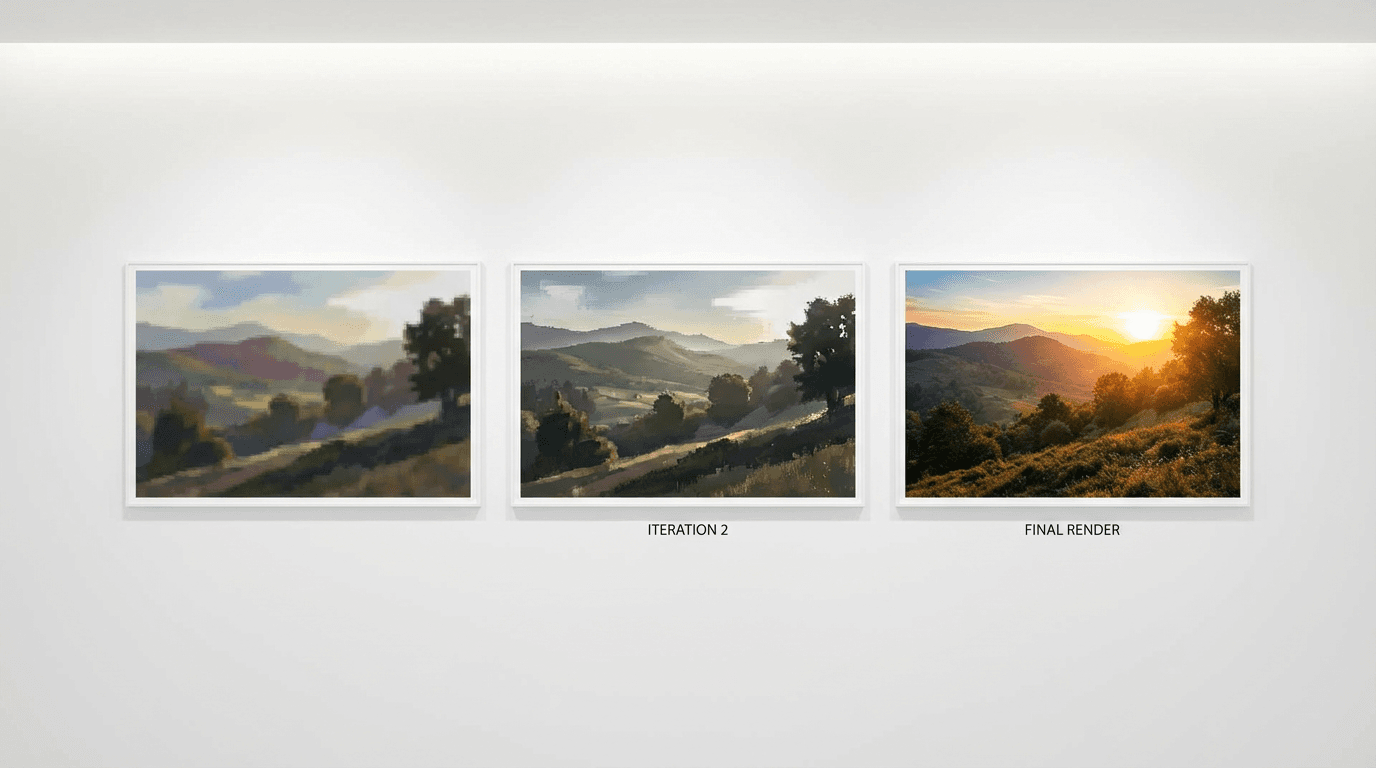
Over time, you will develop a personal library of prompt fragments that reliably produce good results for your specific content style. Phrases like "warm golden hour backlight" or "clean white studio background with soft shadows" become building blocks that you combine and recombine for different content needs.
A practical habit is to keep a simple document where you save your best-performing prompts alongside the output they produced. This reference becomes increasingly valuable as your library grows, because you can quickly pull proven fragments when creating new prompts instead of starting from scratch each time.
For creators working on YouTube content specifically, combining strong visual prompts with optimized titles and thumbnails creates a complete content package that performs well across the algorithm's evaluation signals. The YouTube CTR guide for 2026 covers how visual quality connects to click-through rate, and the viral prompt guide includes advanced techniques for creating share-worthy visuals.
The Complete Prompt Workflow for a YouTube Video
To show how all of these techniques fit together in practice, here is a complete prompt workflow for a single YouTube video covering thumbnail, intro cinematic clip, Shorts repurpose, and background music.
Step 1: Thumbnail
Prompt:
A content creator with an excited wide-eyed expression pointing at a large glowing laptop screen showing a rising graph, bright vibrant gradient background from electric blue to magenta, professional studio lighting illuminating the face clearly, the subject positioned on the right third of the frame, YouTube thumbnail composition with strong contrast and bold saturated colors, no text
Step 2: Intro Cinematic Clip
Prompt:
A smooth tracking shot pushing forward through a modern creative studio space. LED lights in blue and purple line the ceiling. A desk with multiple monitors comes into focus as the camera advances. The screens display colorful creative content. Soft ambient music fades in as the lighting transitions from cool to warm. Cinematic, sleek, and professional atmosphere.
Step 3: Shorts Repurpose Scene
Prompt:
An animated illustration of a glowing lightbulb above a laptop screen, colorful idea sparks radiating outward, bright clean background with a soft warm gradient, modern flat design style, vertical 9:16 composition optimized for YouTube Shorts, creative and energetic mood, vibrant colors
Step 4: Background Music
Prompt:
Upbeat lo-fi hip hop beat with warm vinyl crackle, soft electric piano chords, gentle bass line, and light crispy drum pattern. Relaxed creative energy, medium tempo around 85 BPM, major key, chill and focused mood. Instrumental only, no vocals.
This entire content pipeline, from thumbnail to cinematic video to Shorts to music, can be completed inside Miraflow AI without switching between separate tools. The platform connects each step of the content creation process so you can go from idea to published video with all assets ready.
Frequently Asked Questions
How long should an AI image prompt be?
There is no strict word count rule, but most effective AI image prompts fall between 30 and 80 words. Shorter prompts leave too many decisions to the model, while extremely long prompts can sometimes confuse the generation by introducing conflicting details. The ideal length is enough to cover the five core elements of subject, setting, lighting, composition, and style without unnecessary repetition or contradictions.
Do AI video prompts work differently than AI image prompts?
AI video prompts follow the same fundamental principles as image prompts, but they add descriptions of motion, camera movement, and temporal progression. A video prompt should describe what happens over time, including how the camera moves through the scene and how elements change from the beginning to the end of the clip. Image prompts describe a frozen moment, while video prompts describe a short sequence of events.
Can I use the same prompt structure for thumbnails and social media images?
The underlying structure works for both, but you should adjust the composition and complexity based on the final display size. Thumbnails need simpler compositions with bolder focal points because they display at small sizes in feeds. Social media images that display at larger sizes can include more detail and subtlety without losing readability.
What is a negative prompt and when should I use one?
A negative prompt tells the AI model what to exclude from the generated image. Common negative prompt entries include blurry, low quality, text, watermark, and distorted faces. Use negative prompts when you consistently see unwanted elements appearing in your outputs, as they help the model understand boundaries it should not cross during generation.
How many times should I regenerate before changing my prompt?
AI generation includes randomness, so the same prompt can produce noticeably different results across multiple generations. Running the same prompt two to four times before making changes is a good practice, because the next generation might produce exactly what you wanted. If the core composition or mood is consistently wrong across multiple attempts, then the prompt itself needs adjustment rather than additional regeneration.
Should I include color codes or specific color names in prompts?
Using descriptive color names works better than hex codes or technical color specifications for most AI models. Phrases like "warm amber gold," "deep ocean blue," or "soft pastel lavender" are interpreted more reliably than "#FFB347" or "Pantone 286C." Be as specific as you can with natural color descriptions, and combine them with the context of where the color appears, like "warm amber golden hour light" rather than just "amber."
How do I make sure AI-generated visuals match across a series of images?
Consistency across multiple images requires keeping a stable set of base prompt elements while only changing the subject-specific details. Define your lighting style, color palette, background approach, and composition structure once, and reuse those same descriptors in every prompt. The more identical language you use across prompts in a series, the more visually cohesive the outputs will be.
Can I combine uploaded reference images with text prompts?
Many AI image generators support both a text prompt and a reference image input simultaneously, and using both together typically produces more controlled results than either alone. The text prompt provides specific instructions about composition, lighting, and style, while the reference image gives the model a visual anchor for elements like face likeness, product appearance, or overall layout structure.
Conclusion
Writing effective AI prompts for visual content comes down to translating your mental image into structured, specific language that leaves as few decisions as possible to the AI model. The five core elements of subject, setting, lighting, composition, and style provide a framework that works across images, thumbnails, cinematic videos, and Shorts scenes. Every prompt you write is an opportunity to practice this skill, and the more prompts you save, iterate on, and refine, the faster you will reach a point where you consistently get usable results on the first or second generation.
The prompt templates throughout this guide are designed to be copied and modified for your own content. Whether you are generating a YouTube thumbnail, a cinematic intro clip, a Shorts scene, or background music, the same principle of specificity and intention applies across every format. Start with the templates that match your content type, adjust the details to fit your topic and brand, and build your own library of proven prompt fragments over time.
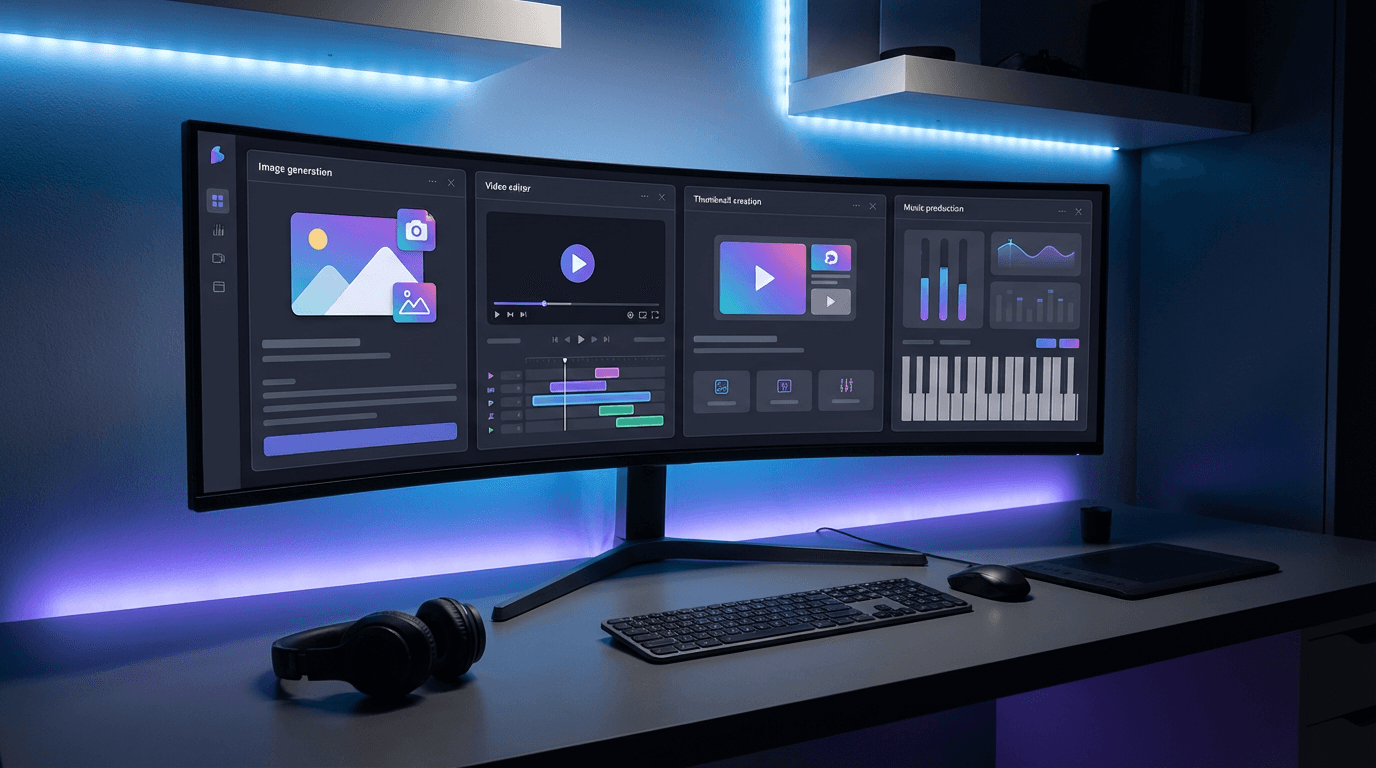
If you are ready to start generating visual content from prompts, the Miraflow AI content creation dashboard gives you access to image generation, video generation, thumbnail creation, and music generation all in one place. For more prompt inspiration, the Nano Banana prompt guide with viral prompts and the best AI prompts for YouTube thumbnails in 2026 both include large collections of tested prompts organized by content type and niche.