How Updating Old YouTube Thumbnails Can Give Your Videos a Second Life

Written by
Jay Kim
A complete guide to reviving underperforming YouTube videos by updating their thumbnails. Why old thumbnails stop working, how the algorithm responds to thumbnail changes, which videos to prioritize, the visual principles that drive clicks today, how to audit your back catalog, a step-by-step redesign workflow, and how to measure the impact of thumbnail updates — for any creator sitting on a library of videos that stopped getting views long before they stopped being valuable.
A practical guide to reviving underperforming YouTube videos by redesigning their thumbnails. Why old thumbnails lose effectiveness over time, how the algorithm responds to thumbnail updates, which videos to prioritize for redesign, the visual principles that drive clicks in the current landscape, how to audit your back catalog for thumbnail opportunities, and a complete workflow for producing updated thumbnails that bring dead videos back into circulation — applicable for lifestyle creators, educational channels, gaming content, vlogs, business channels, commentary and analysis creators, tutorial makers, music channels, podcast clips, fitness content, cooking channels, tech reviewers, finance educators, and any creator sitting on a library of videos that stopped getting views long before they stopped being valuable.
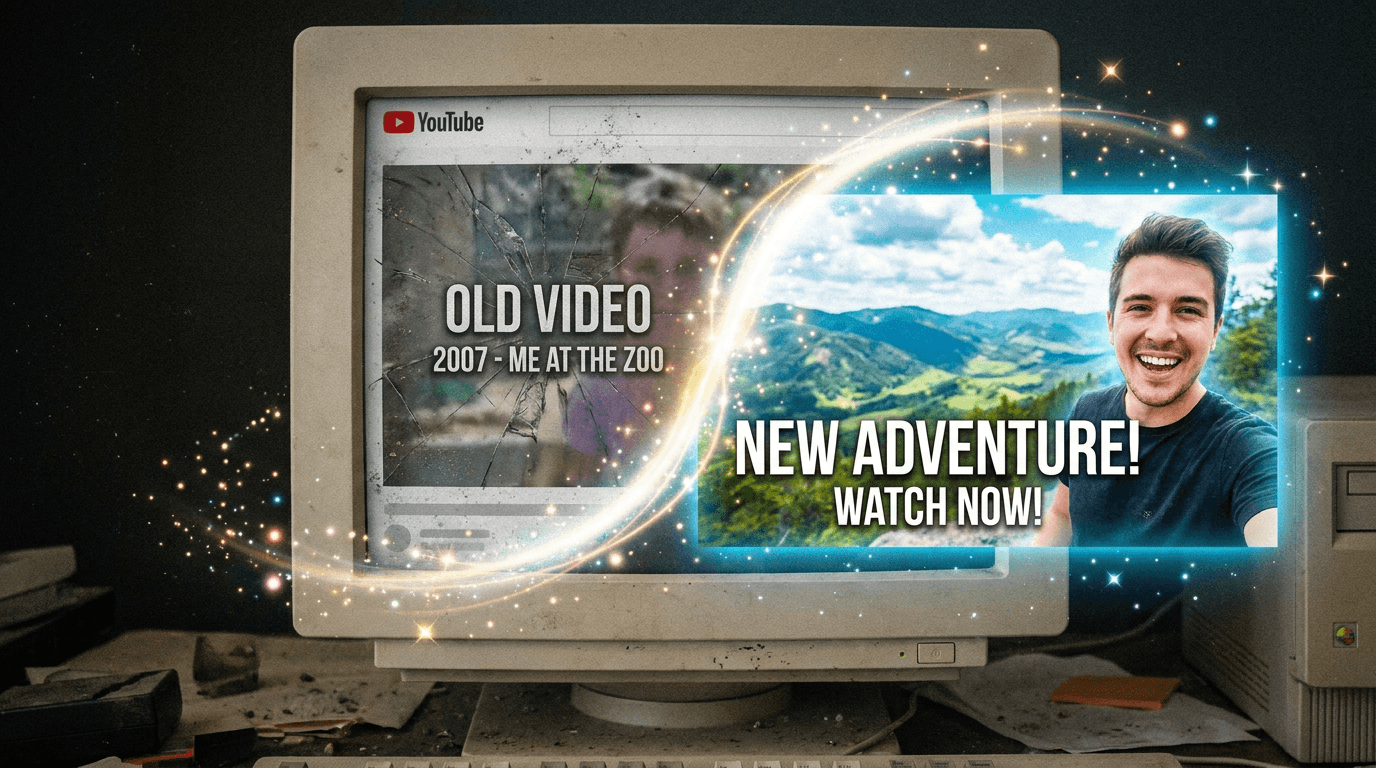
You have videos that nobody is watching. Not because the content is bad. Not because the topic stopped being relevant. Not because the algorithm decided to punish you personally. The videos are not being watched because no one is clicking on them, and no one is clicking on them because the thumbnail — the single image that represents the entire video in every search result, every recommendation, every browse session, and every suggested sidebar — is not doing its job. It was fine when you uploaded it. Maybe it was even good. But the visual language of YouTube has shifted since then, your design skills have improved, your channel's brand has evolved, and the thumbnail that once earned clicks is now scrolled past without a second thought. The content behind that thumbnail is unchanged. The value it delivers, the information it contains, the entertainment it provides — all of it is exactly as good as the day you published it. But the door to that content — the thumbnail — has become invisible. And on YouTube, invisible doors do not get opened.
This is the most underutilized growth strategy available to any creator with an existing library: going back and replacing the thumbnails on older videos. Not re-editing the video. Not re-uploading. Not changing the title, the description, or the tags — though those can help too. Just replacing the image. Just giving the algorithm and the viewer a new reason to consider a video they have been ignoring. It sounds too simple to be significant. It is not. Updating a thumbnail on an older video can trigger a measurable resurgence in impressions, click-through rate, watch time, and subscriber acquisition from a piece of content you already made, already edited, already uploaded, and already moved on from. The work is already done. The content exists. The only thing standing between that content and a new audience is a small rectangular image that you have the power to change at any time, for any video, as many times as you want, for free.
This post is about how to do it strategically — which videos to prioritize, how to evaluate what is wrong with the current thumbnail, what visual principles drive clicks in the current YouTube landscape, how to design replacement thumbnails that outperform the originals, how the algorithm responds to thumbnail changes, and how to build a systematic thumbnail audit and update practice into your channel management workflow. If you are sitting on dozens or hundreds of videos that have flatlined in performance, this is the fastest path to growth that does not require you to create a single new piece of content.
Why Thumbnails Lose Their Effectiveness Over Time
A thumbnail that performed well eighteen months ago may perform poorly today for reasons that have nothing to do with its objective quality. Thumbnails exist in a competitive visual environment — the YouTube browse page, search results, and suggested video sidebars — where they are evaluated not in isolation but in direct comparison with every other thumbnail visible on the screen at the same moment. And that competitive field changes constantly.
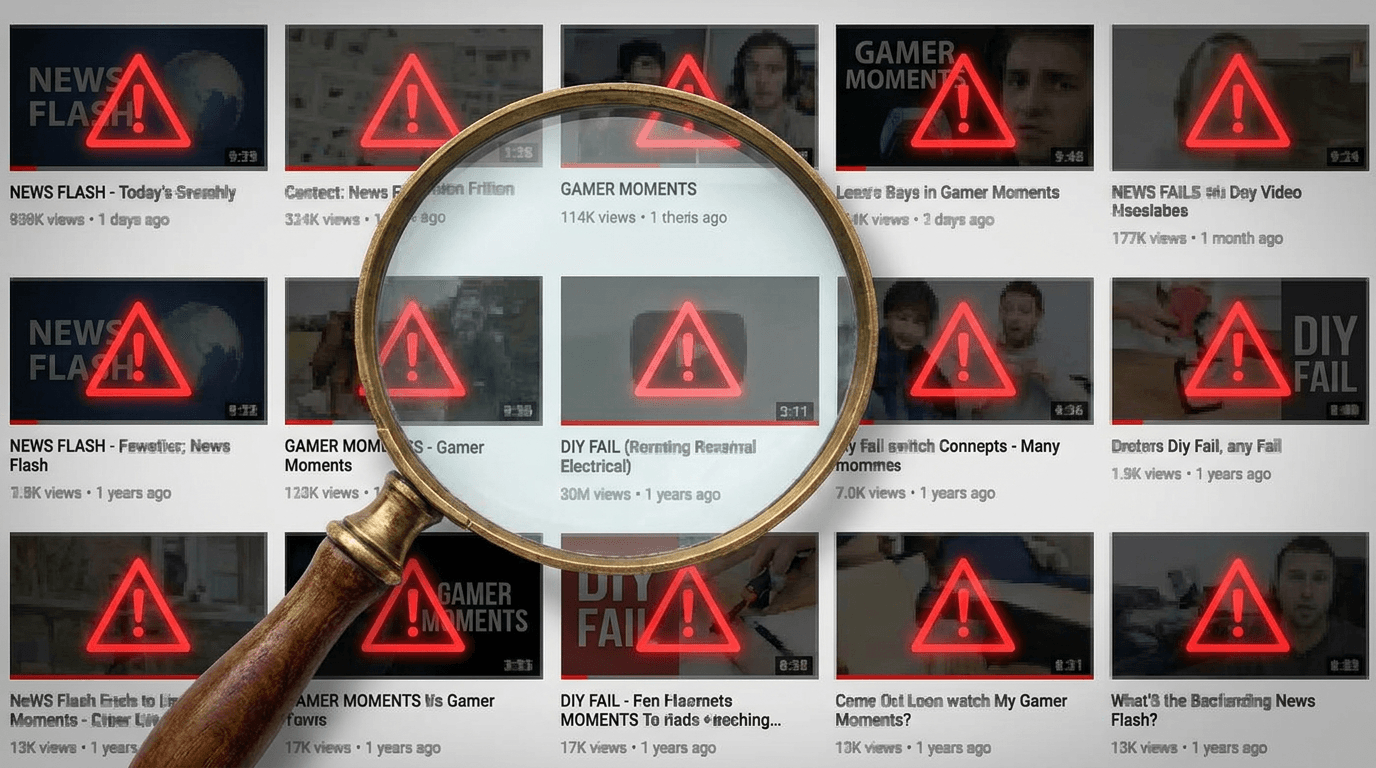
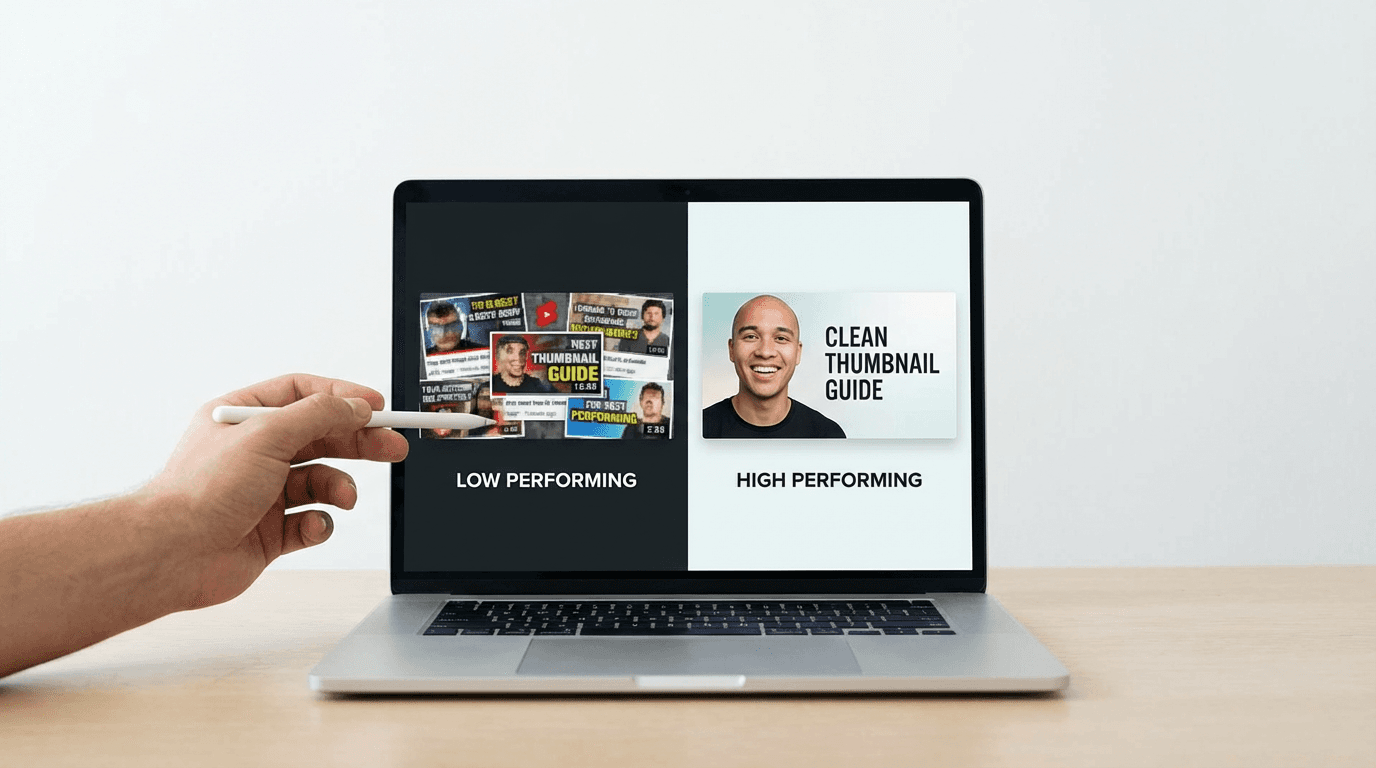
YouTube's visual language evolves rapidly. The dominant thumbnail aesthetic shifts every twelve to eighteen months as top creators innovate, audiences adapt, and visual trends cycle. The thumbnails that dominated in 2022 — heavy text overlays, extreme facial expressions, cluttered compositions with multiple elements competing for attention — look visibly dated when placed next to the cleaner, bolder, more cinematic thumbnails that top creators use today. For a breakdown of which visual approaches are performing best right now, see our guide to AI YouTube thumbnail styles that get more views in 2026. A viewer scrolling through a feed of modern thumbnails will unconsciously skip older designs not because they analyze the design principles but because the older thumbnail simply feels out of step with the visual environment surrounding it. It looks like it belongs to a different era of YouTube, and the viewer's brain interprets that temporal mismatch as a signal of lower quality or lower relevance.
Your own skills and brand have evolved. Compare the thumbnail you made for your tenth video with the thumbnail you made for your hundredth. The improvement is likely dramatic. You have learned what works for your audience, you have developed a visual identity, you have refined your color palette and typography and composition. But your older videos still carry the thumbnails you made when you were less skilled, less experienced, and less clear about your brand. Those early thumbnails are representing your channel to new viewers who have never seen your content, and they are representing it with the visual quality of your earliest, least polished work. Every older video with an outdated thumbnail is a storefront with a faded, peeling sign — it drives away the exact people it should be inviting in.
Audience expectations escalate. As viewers are exposed to increasingly professional thumbnails from creators across every category, their baseline expectation for visual quality rises. A thumbnail that looked professional enough two years ago may now look amateurish by comparison, not because it got worse but because everything around it got better. The bar has risen. Thumbnails that do not clear the new bar get scrolled past.
The competitive landscape within your niche has intensified. When you published that video eighteen months ago, you may have been one of a few creators covering that topic. Today, there may be dozens of videos on the same subject, each with a thumbnail designed by a creator who studied what works and optimized for maximum click appeal. Your older thumbnail is now competing against newer entries that were designed from the start to outperform in the current environment. Unless your original thumbnail was exceptionally well-designed, it is at a disadvantage in this more crowded field.
Seasonal and topical relevance shifts. Some thumbnails were designed around a specific moment — a trending topic, a seasonal event, a news story — and the visual cues that communicated timeliness then now communicate datedness. A thumbnail referencing a specific year, a specific trending format, or a specific cultural moment that has passed signals to the viewer that the content behind it belongs to the past, even when the underlying value is evergreen.
The algorithm interprets declining CTR as a quality signal. When a thumbnail's click-through rate drops — because the visual has become less compelling relative to its competition — YouTube's algorithm responds by reducing impressions. Fewer impressions mean fewer clicks, which means fewer views, which means less watch time, which means further impression reduction. The video enters a negative feedback loop where declining thumbnail performance causes declining algorithmic distribution, which causes further declining performance. This loop can be broken. A new thumbnail that improves CTR can reverse the cycle — higher CTR leads to more impressions, which lead to more clicks, more views, more watch time, and more algorithmic distribution. The video gets a second life.
How the Algorithm Responds to Thumbnail Updates
Understanding what happens inside YouTube's systems when you change a thumbnail is essential for setting realistic expectations and for timing your updates strategically.
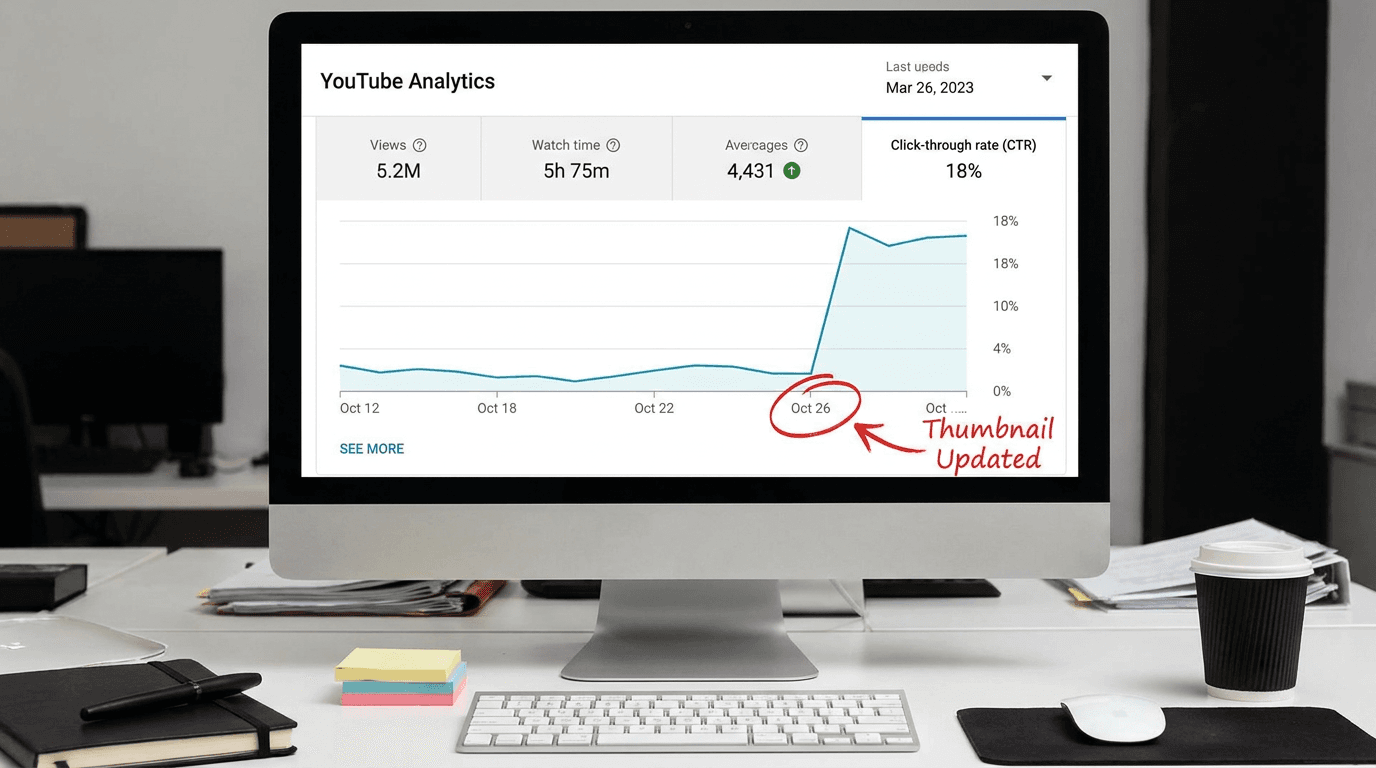
YouTube re-evaluates the video when its metadata changes. When you update a thumbnail, YouTube's recommendation system treats the change as a signal to re-evaluate the video's performance potential. The system does not simply swap the image and continue with the same distribution pattern. It begins a new evaluation period where it tests the updated thumbnail against audiences to measure whether the change improves key performance metrics — primarily click-through rate, but also downstream metrics like watch time and engagement that follow from clicks.
The re-evaluation creates a window of increased testing. In the days and weeks following a thumbnail update, many creators observe a temporary increase in impressions as the algorithm tests the new thumbnail against various audience segments. This testing window is your opportunity: if the new thumbnail performs better than the old one — higher CTR, same or better watch time — the algorithm responds by expanding distribution. If the new thumbnail performs worse, the algorithm contracts distribution, and you may see a temporary dip below even the previous baseline. This is why updating thumbnails is not something to do casually or randomly. You should replace a thumbnail only when you have strong reason to believe the replacement will outperform the original.
CTR improvement is the primary signal. The most immediate and measurable impact of a thumbnail update is on click-through rate — the percentage of people who see the thumbnail (impressions) and choose to click. Even a modest CTR improvement — from 3% to 5%, for example — can have a cascading effect on total views because the algorithm interprets the improved CTR as evidence that the video is more relevant or appealing to viewers, and responds by serving more impressions, which at the improved CTR produce proportionally more views.
The effect compounds with watch time. A better thumbnail does not just produce more clicks — it produces more of the right clicks. A thumbnail that accurately represents the video's content and tone attracts viewers who actually want to watch that content, which means they watch longer and engage more. This improved watch time and engagement further signals to the algorithm that the video is performing well, creating a positive feedback loop that can sustain elevated performance long after the initial re-evaluation window closes.
Multiple updates are possible but should be spaced. YouTube allows unlimited thumbnail changes on any video, and there is no penalty for updating thumbnails. However, each update triggers a re-evaluation period, and frequent changes do not allow enough time for the system to gather sufficient performance data. Allowing at least two to four weeks between thumbnail changes on the same video gives the algorithm enough data to properly evaluate each version and gives you enough analytics to determine whether the change improved performance.
The effect is most dramatic on videos with existing search and browse presence. A thumbnail update on a video that is already receiving some impressions through search or browse — even if those impressions are producing few clicks — will show the most immediate and measurable impact because there is already an impression base to improve the CTR against. A video receiving zero impressions will not suddenly start receiving them solely because of a thumbnail change, because the thumbnail is not the reason for zero impressions — the video's topic, metadata, or channel authority is. Thumbnail updates work best on videos that the algorithm is already showing to people but that people are not clicking on.
Which Videos to Prioritize for Thumbnail Updates
Not every video in your library is an equally good candidate for a thumbnail refresh. The strategic approach is to identify the videos where a thumbnail update has the highest probability of producing meaningful results, and to prioritize those.
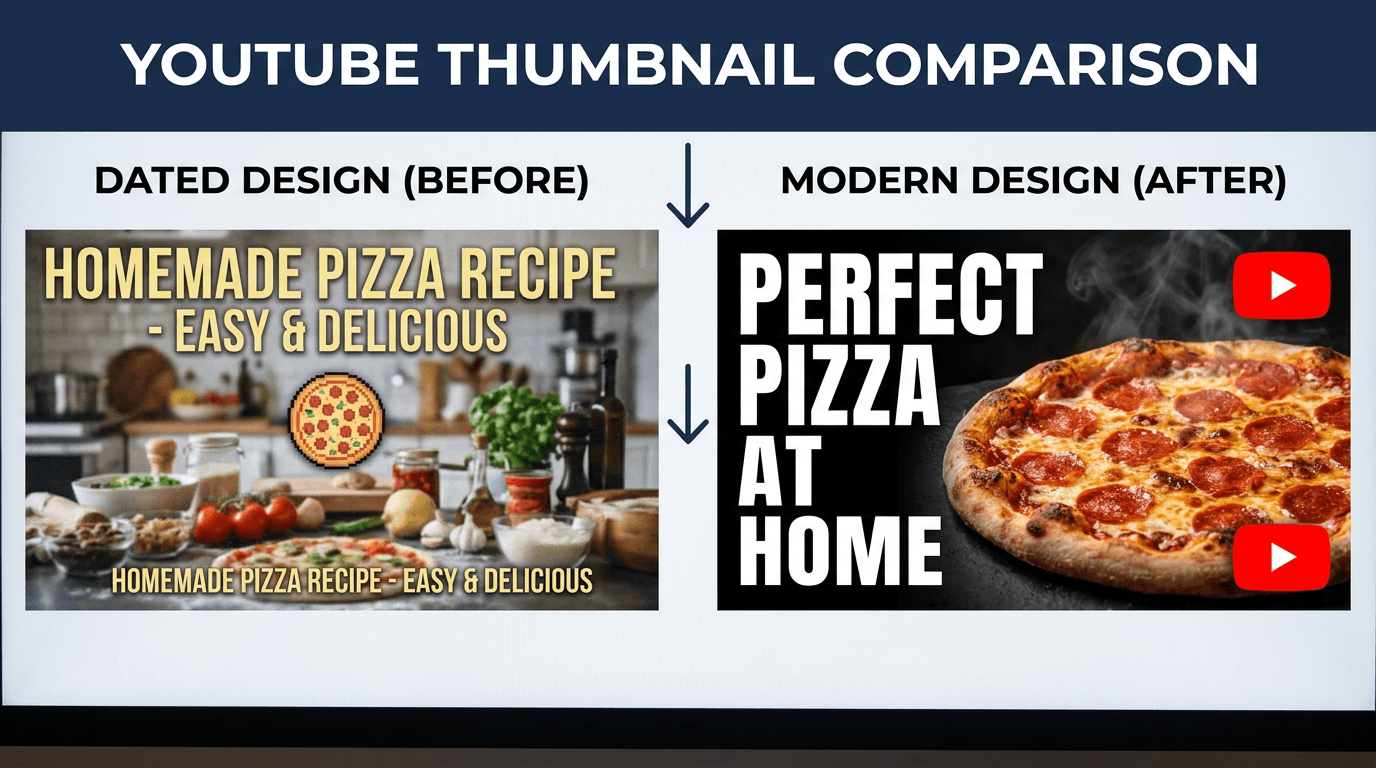
High-impression, low-CTR videos are the highest-priority targets. Go to YouTube Studio, navigate to Analytics, and look at the Content tab. Sort or filter for videos that have high impression counts but below-average click-through rates. These are videos that YouTube is already showing to people — the algorithm believes the content is relevant — but the thumbnail is not converting those impressions into clicks. These videos have existing distribution that is being wasted by an underperforming thumbnail. Updating the thumbnail on a high-impression, low-CTR video has the most immediate and measurable impact because you are improving the conversion rate on impressions that are already being generated.
Evergreen content with dated thumbnails. If you have videos on topics that remain permanently relevant — tutorials, how-to guides, educational explanations, reviews of products that are still on the market, recipes, fitness routines, foundational knowledge — and those videos have thumbnails that look visibly older than your current work, these are strong candidates. If you need inspiration for content formats that hold long-term search value, our list of evergreen YouTube video ideas for 2026 is a useful companion to this audit. The content will continue to be searched for and recommended indefinitely, and a modern, well-designed thumbnail extends the effective life of that content by keeping it visually competitive with newer entries on the same topic.
Videos that performed well initially but have flatlined. Look for videos that had a strong launch — good initial views, solid CTR in the first week — but have since dropped to near-zero in daily views. Some of these videos may have simply run their course, but others may have been pushed out of recommendation and search results by newer content with more competitive thumbnails. A thumbnail refresh can re-enter these videos into the competitive field with a fresh visual advantage.
Videos ranking on page one or two of YouTube search for valuable keywords. If a video appears in search results for a keyword that people are actively searching for, but it is not getting clicks from that search position, the thumbnail is likely the bottleneck. Viewers search, see results, and choose the thumbnail that looks most promising. If your video is visible but not chosen, the thumbnail is losing the visual comparison with the videos above and below it. Design the replacement thumbnail specifically to win that visual comparison by studying what the competing thumbnails look like and designing something that stands out against them.
Your most-viewed videos that still drive significant traffic. Your top-performing videos — the ones that continue to receive views months or years after publication — are worth refreshing even if they are performing well, because even a small percentage improvement in CTR on a high-traffic video produces a meaningful increase in absolute view counts. If your most-viewed video has a 4% CTR and you improve it to 5%, that is a 25% increase in views from the same impression base, applied to your highest-traffic content.
Videos with thumbnails that do not match your current brand. If your channel has undergone a visual rebrand — new color palette, new typography, new design approach — your older videos still carry the old brand's thumbnails. Updating these creates visual consistency across your library, which strengthens brand recognition and makes your channel page look cohesive and professional rather than like a patchwork of different visual eras.
Videos you plan to reference or link to from new content. If you are creating a new video that will reference or link to an older video — through end screens, cards, pinned comments, or verbal mentions — update the older video's thumbnail before the new video publishes. Viewers who follow a link from a new, well-designed video to an older video with a dated thumbnail experience a jarring quality drop that can reduce their confidence in the content and their likelihood of subscribing.
Auditing Your Existing Thumbnails: A Diagnostic Framework
Before redesigning, you need to diagnose what is wrong with the current thumbnail. Not every underperforming thumbnail has the same problem, and the design solution depends on the specific issue.

The readability test. Shrink the thumbnail to the size it actually appears on YouTube — which is small, far smaller than the full-resolution image you designed. On mobile, which accounts for the majority of YouTube viewing, the thumbnail is roughly the size of a large postage stamp. At that size, can you tell what the image is? Can you read any text? Can you identify the subject? Can you distinguish it from the thumbnails around it? If the answer to any of these is no, the thumbnail has a readability problem. The most common readability failures are text that is too small, too thin, or too low-contrast to read at thumbnail scale; images with too many elements competing for attention in a small space; dark or muddy color palettes that lose definition when compressed; and faces or subjects that are too small within the frame to be identifiable. Our post on rules for YouTube thumbnails covers these readability fundamentals in detail.
The emotional clarity test. A thumbnail has approximately one second to communicate a single emotional or informational promise to the viewer. In that second, the viewer should understand the video's value proposition: what they will learn, see, feel, or experience if they click. Look at your thumbnail for one second and then look away. What did you absorb? If the answer is confused or unclear — if you cannot articulate the thumbnail's message in a single short phrase — the thumbnail has an emotional clarity problem. It is trying to communicate too many things, or it is not communicating anything specific enough to motivate a click.
The competitive comparison test. Search YouTube for the same keyword your video targets and look at the results page. Place your thumbnail mentally among the results. Does it stand out or blend in? Is it brighter, bolder, cleaner, or more professional than the competition, or does it look like the weakest entry on the page? The thumbnail does not need to be the most extreme or the loudest — it needs to be the one that a viewer's eye is drawn to because it looks the most trustworthy, the most interesting, or the most professional. If your thumbnail would not earn a click in the competitive context of the actual search results page, it needs to be redesigned for that specific competitive environment.
The brand consistency test. Line up your last twenty thumbnails side by side. Do they look like they belong to the same channel? Is there a consistent color palette, a consistent typographic treatment, a consistent composition approach? Or does each thumbnail look like it was designed independently with no relationship to the others? Brand consistency in thumbnails builds recognition — a viewer who has watched and enjoyed one of your videos should be able to recognize your thumbnails instantly in a feed, even before reading the title. If your thumbnails have no visual consistency, the viewer cannot build this recognition pattern, and every video has to earn trust from scratch rather than benefiting from the accumulated trust of your brand.
The accuracy test. Does the thumbnail honestly represent the video's content? A thumbnail that promises something the video does not deliver — a more dramatic story, a different topic, a result that does not appear — may earn a click but will produce a short watch time and a high bounce rate, which signals to the algorithm that the video does not satisfy viewer intent. Accurate thumbnails produce viewers who stay, and viewers who stay produce algorithmic distribution. An updated thumbnail should be more compelling than the original, but never less honest.
Visual Principles That Drive Clicks in the Current YouTube Landscape
The design principles that make thumbnails effective are not arbitrary aesthetic preferences. They are functional solutions to a specific design challenge: communicating a compelling value proposition in a small image, in approximately one second, in a competitive visual environment, to a viewer who is actively deciding between multiple options. Understanding these principles transforms thumbnail design from guesswork into a systematic practice.
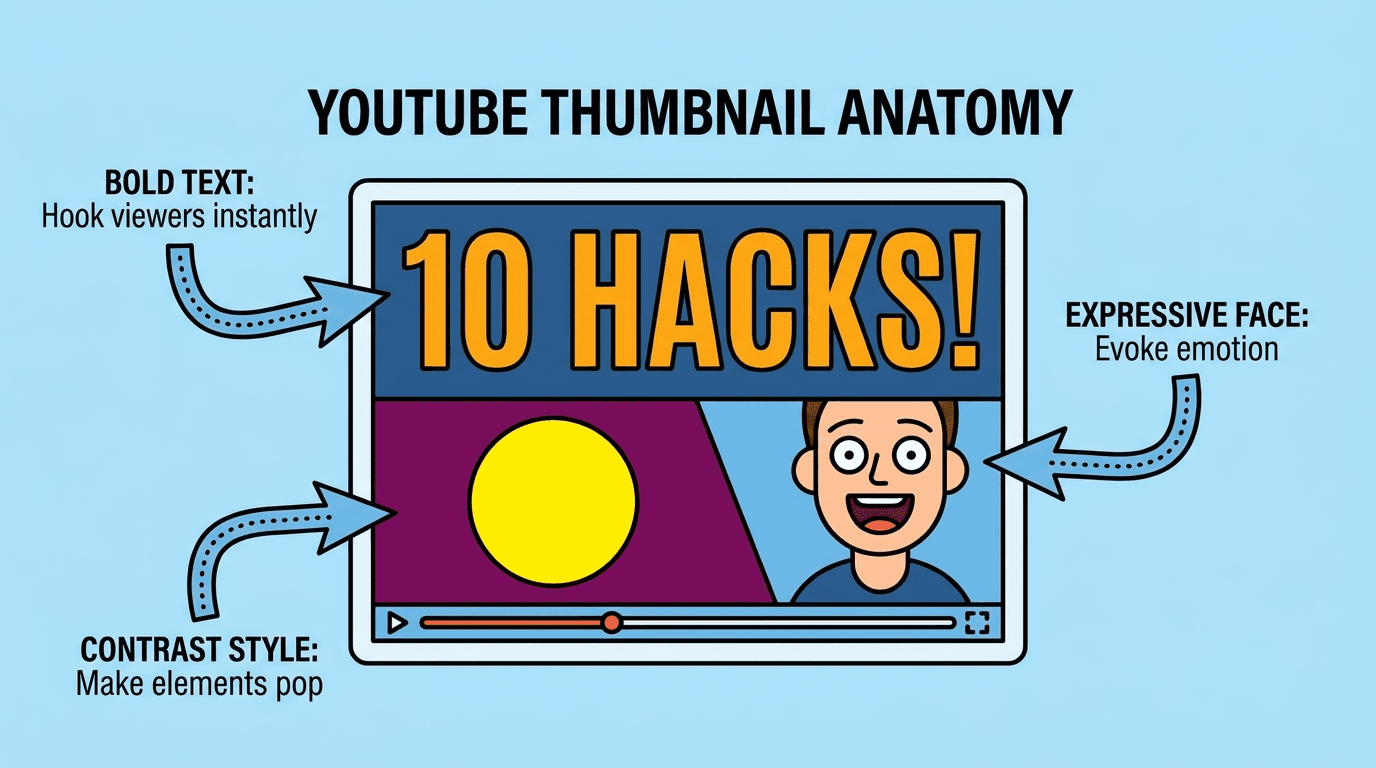
Faces with clear, readable emotions are the single most powerful thumbnail element. Human faces draw the eye faster and more reliably than any other visual element. This is not a YouTube convention — it is a neurological fact. The human visual system is wired to detect and prioritize faces, and to read emotional expressions instantly and unconsciously. A thumbnail with a face showing a clear, strong emotion — surprise, excitement, curiosity, concern, determination, joy — communicates the video's emotional register immediately. The emotion on the face tells the viewer what they will feel if they click. The face should be large in the frame — large enough that the expression is readable at mobile thumbnail scale — and the emotion should be genuine and specific, not a generic exaggerated reaction face. For prompt-based approaches to getting facial expressions right in AI-generated thumbnails, see our guide on AI prompts for YouTube thumbnail faces and emotions.
High contrast and bold color separation ensure visibility. On a crowded YouTube page, thumbnails compete for visual attention with dozens of other thumbnails, the video titles, the channel names, the UI elements, and the viewer's own scrolling momentum. Thumbnails that use high-contrast color relationships — bright subjects against dark backgrounds, warm subjects against cool backgrounds, saturated focal points against desaturated surroundings — pop out of the visual field and capture attention. Low-contrast thumbnails — dark subjects against dark backgrounds, pastel-on-pastel color schemes, uniformly mid-toned images — recede into the visual noise and get scrolled past.
Simplicity and visual hierarchy outperform complexity. The most effective thumbnails have one clear focal point and a minimal number of supporting elements — typically no more than two or three total visual components. The viewer's eye should land on the primary element (usually a face or the main subject) instantly and then absorb the supporting context (text, secondary visual, background) in the next fraction of a second. Thumbnails cluttered with multiple subjects, multiple text blocks, decorative elements, and busy backgrounds create visual confusion that the viewer resolves by scrolling past rather than by spending time decoding.
Text should be minimal, large, and high-contrast. Thumbnail text — when used — should be three to five words maximum, in a bold typeface large enough to read at mobile scale, with high contrast against its background (white or bright text on dark background, or dark text on bright background with a visible drop shadow or outline). The text should add information that the image alone does not communicate — a key word, a number, a question, a hook — rather than repeating what the image already shows. If you need inspiration, our collection of YouTube thumbnail text ideas for 2026 has dozens of proven text formulas organized by niche. If the image communicates the full message without text, no text is needed. Many of the highest-CTR thumbnails on the platform use no text at all, relying entirely on the image and the video title to communicate the value proposition.
Depth and dimensionality create visual premium. Thumbnails that have a clear foreground, midground, and background — that create a sense of three-dimensional space — look more professional and more cinematic than flat, layered-on-top-of-each-other compositions. This depth can be created through natural perspective, shallow depth of field (sharp subject against blurred background), atmospheric lighting that separates layers, or deliberate sizing differences between foreground and background elements. Flat graphic compositions can work for certain content categories, but dimensional, photographic compositions consistently convey higher production quality.
Color psychology influences click decisions. Red and yellow attract attention and create urgency. Blue communicates trust and calm. Green communicates growth, health, and money. Orange communicates energy and enthusiasm. Specific niche audiences have specific color associations — finance thumbnails lean toward green, blue, and gold; gaming thumbnails use saturated neons and high contrast; wellness thumbnails use soft earth tones and natural palettes. Your thumbnail's color palette should align with both the content's emotional register and the visual conventions of your niche, while maintaining enough distinctiveness to stand out within those conventions.
The rule of thirds and off-center composition create dynamism. Centering the subject in the exact middle of the thumbnail creates a static, formal composition that can feel dull or lifeless. Placing the subject slightly off-center — aligned to one of the vertical thirds of the frame — creates dynamism, visual interest, and space for supporting elements (text, secondary visuals) on the opposite side. This basic compositional principle produces thumbnails that feel more dynamic and more professionally designed than dead-center compositions.
Designing Replacement Thumbnails: The Practical Workflow
The process of redesigning a thumbnail for an existing video differs from designing a thumbnail for a new video in one important way: you already have performance data. You know how the current thumbnail performed, you know the video's content and audience, and you can study the competitive landscape that the thumbnail exists within. This data should inform every design decision.
Step 1: Review the video's analytics to understand the current performance baseline. Before changing anything, document the video's current metrics: impressions, CTR, views, average view duration, and traffic sources. This baseline allows you to measure the impact of the thumbnail change accurately. Pay particular attention to CTR by traffic source — the thumbnail may perform differently in search (where the viewer has specific intent) than in browse (where the viewer is casually scrolling) or suggested (where the viewer is deciding what to watch next after finishing another video).
Step 2: Study the competitive visual environment. Search YouTube for the primary keyword the video targets and screenshot the results page. Look at the thumbnails of the videos ranking above and below yours. What colors dominate? What compositions are most common? Where are the visual gaps — opportunities to stand out by doing something different from the prevailing pattern? If every competing thumbnail is dark and dramatic, a bright, clean thumbnail will stand out. If every competing thumbnail uses text, a text-free image-only thumbnail will differentiate. If every competing thumbnail shows a product, a thumbnail showing a person using the product introduces a human element that draws the eye.
Step 3: Identify the single strongest visual hook for the video's content. Every video has a most compelling visual moment, concept, or promise. For a tutorial, it might be the finished result. For a story, it might be the most dramatic moment. For an educational video, it might be a visual representation of the key concept. For a review, it might be the product in a compelling context. Identify this single strongest element and build the thumbnail around it as the primary focal point.
Step 4: Design or generate the replacement thumbnail. With your competitive analysis and visual hook identified, create the replacement thumbnail using one of three approaches: photograph a new thumbnail image using a camera or smartphone with controlled lighting and composition; design a graphic thumbnail using a design tool with layered elements, text, and effects; or generate a thumbnail using an AI tool that can produce the specific visual concept you need with professional quality. The method matters less than the result — the replacement thumbnail should be visibly superior to the original in readability, emotional clarity, competitive differentiation, and brand consistency.
Step 5: A/B test mentally before committing. Before uploading the new thumbnail, place it side by side with the original and with the competing thumbnails from your search results analysis. Shrink both to mobile thumbnail scale. Ask yourself honestly: would I click the new one over the old one? Would I click the new one over the competition? If the answer is not clearly yes, iterate on the design. You want to be confident the replacement is a meaningful improvement before triggering the algorithm's re-evaluation period.
Step 6: Upload and monitor. Replace the thumbnail in YouTube Studio and monitor the analytics daily for two to four weeks. Look specifically at CTR changes, impression volume changes, and view count changes. If CTR improves and impressions increase, the update is working. If CTR drops, consider whether the new design needs further iteration or whether the original was actually better than you assessed. Do not panic if the first few days show volatility — the algorithm needs time to test the new thumbnail against audiences and stabilize its distribution.
Creating Updated Thumbnails with the Miraflow YouTube Thumbnail Maker
Redesigning thumbnails for an entire back catalog requires a tool that is fast, flexible, and capable of producing professional-quality results without requiring advanced design skills or expensive software. The Miraflow YouTube Thumbnail Maker is built specifically for this workflow — it is an AI-powered thumbnail generator designed to produce eye-catching, click-optimized YouTube thumbnails quickly and consistently.
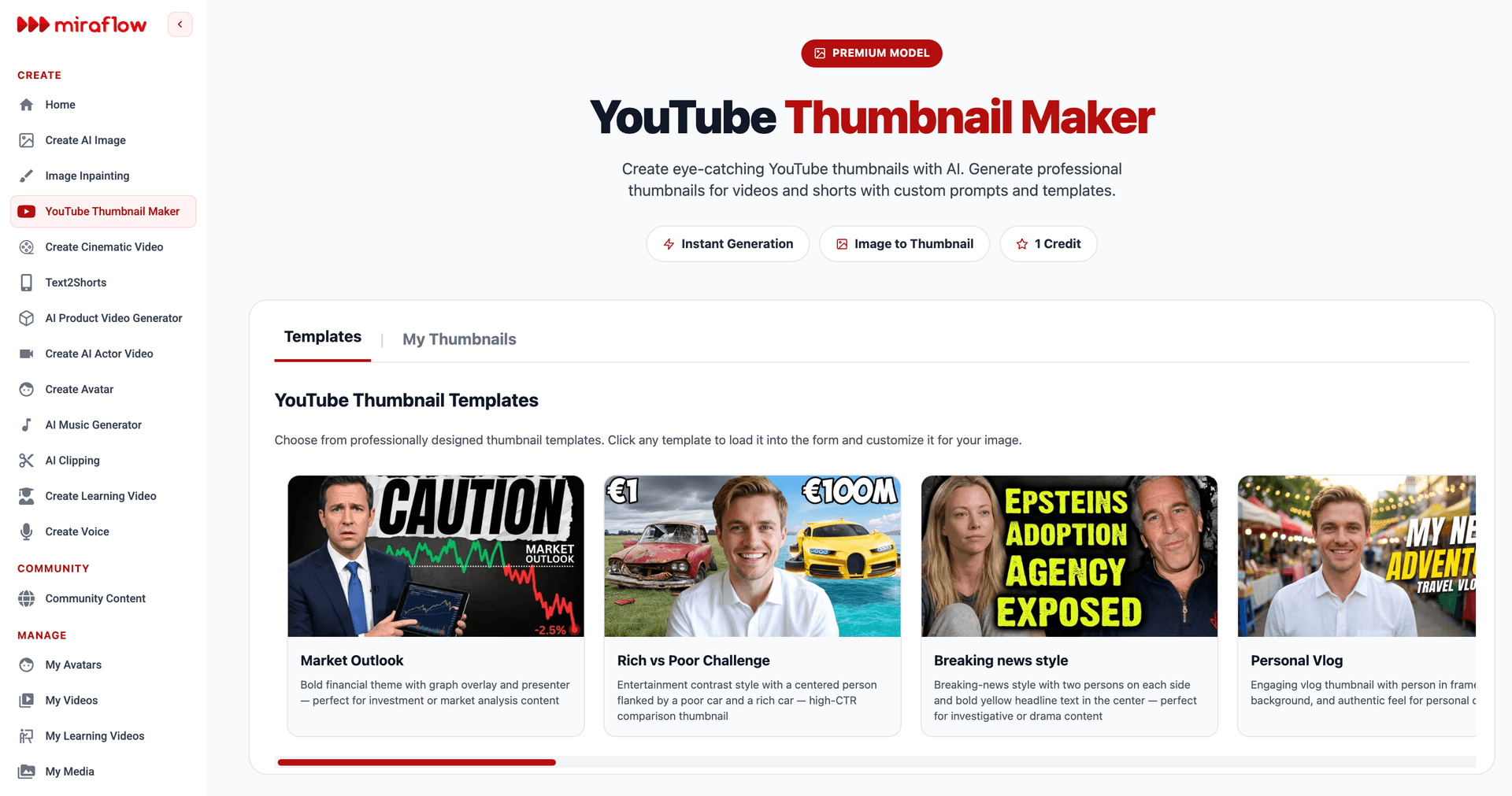
The tool supports a straightforward generation process. You enter a prompt describing the thumbnail you want — the scene, the mood, the composition, the color palette, the style — and the AI generates a professional thumbnail based on that description. This prompt-based approach means you can describe exactly the visual concept you identified in your competitive analysis and hook identification process, and receive a production-ready thumbnail without photographing, compositing, or manually designing anything. For creators updating thumbnails across dozens of videos, this speed and flexibility is transformative — what would take hours per thumbnail with traditional design tools takes minutes.
Beyond the text prompt, the tool allows you to upload a reference image — your face, a logo, a product photo, or an example thumbnail you want to draw inspiration from — giving the AI visual context that aligns the generated thumbnail with your brand and your personal appearance. This is particularly valuable for creators who use their face as a consistent brand element across thumbnails and want the AI-generated image to maintain that personal recognizability.
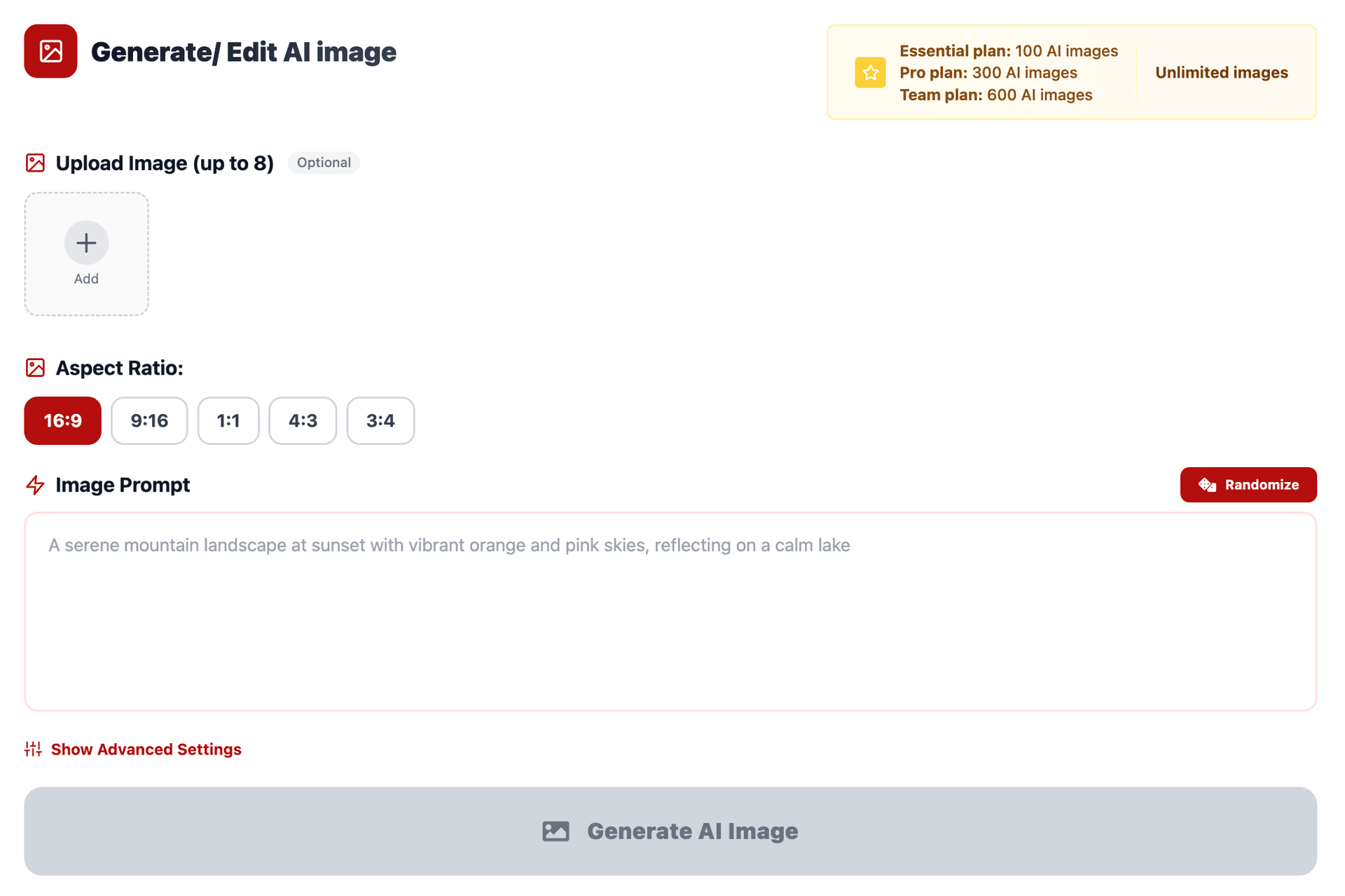
The thumbnail text feature lets you specify text that should appear prominently in the thumbnail — a hook phrase, a number, a key word — and the tool renders it with bold, readable typography designed for thumbnail scale. This eliminates the separate step of adding text in a design tool and ensures the text is integrated into the composition rather than layered on top as an afterthought.
For creators who want to update an existing thumbnail rather than generate one from scratch, the tool offers a practical shortcut: you can paste your YouTube video URL directly into the tool, and it will fetch the current thumbnail image. From there, you can use the image as a reference and generate an improved version that maintains the core concept while upgrading the visual execution, or you can take the design in an entirely new direction informed by what you now know about what works.
Advanced options include negative prompts — descriptions of elements you want the AI to avoid — which give you finer control over the output and help prevent common thumbnail pitfalls like cluttered backgrounds, unwanted text styles, or off-brand color palettes.
The tool supports both standard 16:9 video thumbnails and 9:16 vertical thumbnails for YouTube Shorts, covering both long-form and short-form content in your library. And while it is designed specifically for YouTube thumbnails, the generation quality and format flexibility mean creators frequently use it for adjacent needs as well — blog post featured images, social media visuals for promoting their videos, and podcast episode artwork all benefit from the same fast, prompt-based generation workflow.
The template library within the tool provides additional starting points — professionally designed thumbnail concepts across categories including finance, entertainment, gaming, fitness, travel, cooking, education, and more — that you can load, customize, and generate without writing a prompt from scratch. For creators who know they need a better thumbnail but are not sure what direction to take the design, these templates provide proven visual frameworks that can be adapted to any specific video's content.
For a thumbnail back catalog update project, the most efficient workflow is to batch your updates: identify ten to twenty priority videos using the analytics-based prioritization framework described earlier, generate updated thumbnails for all of them in a single session using the Miraflow tool, and then upload them in batches of three to five per week rather than all at once. This staggered approach allows you to monitor the performance impact of each batch and refine your design approach based on real results before updating the next group.
Measuring the Impact of Thumbnail Updates
Thumbnail updates are only valuable if they produce measurable improvements. A systematic measurement approach tells you which updates worked, which did not, and what design principles are most effective for your specific audience and content category.
Establish clear before-and-after measurement windows. For each updated thumbnail, record the key metrics for the fourteen days before the update and compare them to the fourteen days after. The primary metrics to track are impressions (is YouTube showing the video more?), click-through rate (are viewers clicking more?), views (the product of impressions and CTR), and average view duration (are the new clicks producing engaged viewers or quick bounces?). A successful thumbnail update should improve CTR and, ideally, maintain or improve impressions and average view duration.
Isolate the thumbnail variable. When measuring thumbnail impact, do not simultaneously change the title, description, tags, or any other metadata. Change only the thumbnail so that any performance changes can be attributed to the visual update rather than to metadata changes. If you want to update the title as well, do it as a separate change at least two weeks later so you can measure each variable's impact independently.
Track CTR by traffic source. YouTube Studio breaks down CTR by traffic source — search, browse features, suggested videos, external, and others. A thumbnail update may improve CTR dramatically in browse (where the thumbnail is the primary decision factor) while having less impact in search (where the title and content match are also important). Understanding which traffic sources respond most to your thumbnail changes informs where to focus your design optimization.
Watch for the impression surge and stabilization pattern. Many creators observe a characteristic pattern after a thumbnail update: an initial surge in impressions as the algorithm tests the new thumbnail, followed by a stabilization at a new level. If the new level is higher than the pre-update baseline, the update succeeded in improving the video's algorithmic distribution. If it stabilizes at or below the previous level, the update did not produce the improvement the algorithm was testing for.
Document what works for your channel specifically. After updating ten or more thumbnails and measuring the results, you will begin to see patterns: certain design approaches consistently improve CTR for your audience, while others have less impact. Maybe faces work better than product shots for your content. Maybe bold warm colors outperform cool palettes. Maybe text-free thumbnails outperform text-heavy ones. These channel-specific insights are more valuable than any generic thumbnail advice because they are derived from your actual audience's behavior.
Calculate the ROI in views. For each thumbnail update, calculate the additional views generated by the improvement. If a video was averaging 50 views per day and, after the thumbnail update, averages 80 views per day for the following month, the update produced approximately 900 additional views. Over time, as you update more thumbnails and the improved performance compounds, the total view impact of a systematic thumbnail refresh project can be substantial — hundreds of thousands of additional views generated not from new content but from better packaging of existing content.
Building a Systematic Thumbnail Refresh Practice
The highest-performing channels treat thumbnail optimization not as a one-time project but as an ongoing practice — a regular part of channel management that ensures the entire video library is visually competitive at all times.
Conduct a quarterly thumbnail audit. Every three months, review your entire active library — every video that still receives meaningful impressions — and evaluate each thumbnail against the current competitive landscape, your current brand standards, and the analytics data. Flag any thumbnail that falls below your current quality standard, that has a CTR below your channel average, or that looks visibly dated compared to your recent work. These flagged videos become your thumbnail update queue for the quarter.
Prioritize by potential impact. Within your update queue, prioritize videos by the potential impact of a thumbnail improvement. Videos with high impressions and low CTR get priority because the impression base amplifies the impact of any CTR improvement. Evergreen content gets priority over dated content because the improvement will compound over a longer time horizon. High-search-volume topics get priority because the competitive pressure is highest and the audience is largest.
Maintain a thumbnail style guide. Document the design principles that work for your channel: the color palette, the typography, the composition rules, the face treatment, the text approach. Apply these principles consistently to every thumbnail update so that the refresh process also builds brand consistency across your library. The style guide should evolve as you learn from your measurement data, but it should always provide a baseline standard that ensures every thumbnail meets a minimum quality level.
Treat thumbnail design as a skill to develop. Thumbnail design is a specific skill — distinct from video production, editing, scripting, or any other creator skill — and it responds to deliberate practice. Study the thumbnails of the highest-performing creators in your niche and in other niches. Analyze what makes them effective. Experiment with new approaches. Test bold design changes alongside incremental improvements. Over time, your thumbnail design skill will improve, and each generation of updates will outperform the last.
Refresh your top performers annually. Even your best-performing videos with high CTR deserve an annual thumbnail review. The competitive landscape changes, your brand evolves, and a thumbnail that is performing well today may be outpaced by newer, more polished competition within a year. Proactively refreshing top performers ensures they maintain their competitive edge rather than slowly declining as the visual environment around them improves.
Use your back catalog as a testing laboratory. Older videos with stable, predictable performance are excellent testing environments for new thumbnail design approaches. Because their baseline performance is established and stable, any changes in metrics after a thumbnail update can be attributed to the visual change with reasonable confidence. Test a new design approach on an older video, measure the result, and if it works, apply the approach to your higher-priority content.
Common Thumbnail Update Mistakes to Avoid
The thumbnail refresh process has its own set of pitfalls that can waste effort or actually harm performance if you are not careful.
Changing thumbnails too frequently on the same video. Every thumbnail change triggers an algorithm re-evaluation, and frequent changes do not allow enough time for the system to properly evaluate any single version. Changing a thumbnail every few days because you are impatient for results produces noisy data and may actually suppress the video's distribution as the algorithm repeatedly restarts its evaluation without ever reaching a stable conclusion. Give each thumbnail at least two to four weeks before evaluating and considering another change.
Optimizing for clicks at the expense of accuracy. A thumbnail that misrepresents the video's content — showing a more dramatic premise, a different topic, or an outcome that does not appear — may improve CTR temporarily but will damage average view duration as viewers click, realize they were misled, and leave. The algorithm weighs watch time heavily, and a high-CTR thumbnail that produces low watch time is worse for the video's performance than a moderate-CTR thumbnail that produces high watch time. Always ensure the updated thumbnail is an honest, if compelling, representation of what the viewer will actually experience.
Making changes that are too subtle to matter. A slight color adjustment, a minor text change, or a small compositional tweak will not produce a measurable CTR improvement because the viewer at thumbnail scale cannot perceive the difference. When you update a thumbnail, make a meaningful visual change — a different image entirely, a dramatically different color palette, a completely new composition. The change should be visible and significant at mobile thumbnail scale, not just at full resolution in your design software.
Ignoring mobile scale in the design process. The majority of YouTube viewing happens on mobile devices, where thumbnails are small. Designing on a large monitor and evaluating at full resolution produces thumbnails that look stunning at full size but lose their impact when shrunk to mobile scale. Always check your design at actual thumbnail scale — roughly 168 by 94 pixels, or the size of your own thumbnail on your phone — before committing to an update.
Updating thumbnails without updating matching end screens. If your old video has an end screen that shows its thumbnail, and you update the thumbnail, the end screen may still show the old version depending on how it was configured. Check end screens, cards, and any other places where the video's thumbnail might appear and ensure visual consistency.
Not documenting your changes and results. Without documentation, you cannot learn from your thumbnail experiments. Keep a simple spreadsheet that records: which video was updated, the date of the update, a screenshot or description of both the old and new thumbnails, the before metrics (14-day pre-update), and the after metrics (14-day post-update). Over time, this document becomes an invaluable reference for understanding what works and what does not for your specific channel and audience.
Thumbnail Updates as Part of a Broader Content Revival Strategy
A thumbnail refresh is the single fastest intervention you can make on an existing video, but it is even more effective when combined with other optimization strategies that collectively give old content a second life.
Title optimization complements thumbnail updates. Just as thumbnail aesthetics evolve, title conventions change too. Older titles may use formats, keyword placements, or hook structures that are less effective in the current YouTube landscape. Updating the title alongside (or shortly after) the thumbnail can compound the improvement — a new visual paired with a more compelling title produces a stronger overall impression than either change alone. However, as noted earlier, stagger these changes so you can measure each one's impact independently.
Pinned comments and updated descriptions add value. A pinned comment on an older video saying something like "Updated information since this video was published" or linking to a newer related video shows viewers that the creator is actively maintaining their content. Updated descriptions with current links, corrected information, or additional context improve the video's utility without requiring re-editing.
End screen and card updates drive internal traffic. Old videos may have end screens pointing to other old videos, or they may have no end screens at all (if they predate the feature). Updating end screens to point to your best current content turns every old-video view into a potential new-video view, increasing session time and overall channel engagement.
Playlist restructuring contextualizes old content. Organizing old videos into well-named, well-ordered playlists gives them a structured context that improves their discoverability and encourages sequential watching. A viewer who discovers one video through its updated thumbnail may be guided to watch three or four more through a well-structured playlist.
Community posts and social sharing re-introduce old content. A YouTube community post highlighting an older video — "This video from last year is still one of my most useful, and I just updated the thumbnail" — re-introduces the content to your existing subscriber base, many of whom may have missed it the first time. Sharing updated old content on social media platforms similarly extends its reach without requiring new content creation.
Chapters and timestamps improve the viewer experience. Adding chapters (timestamps in the description) to older videos improves the viewer experience, especially for longer content, and can improve CTR from search results where YouTube sometimes shows chapter links. This small metadata addition can meaningfully improve an older video's performance, especially when combined with a thumbnail update that drives more initial clicks.
Long-Term Thinking: Your Back Catalog Is an Asset
The creator who thinks of their video library as a growing, appreciating asset rather than a trail of finished projects approaches content management differently. Every video in your library is a potential source of views, subscribers, and revenue for years — if it remains visually competitive and algorithmically relevant. The thumbnail is the primary determinant of whether an older video continues to receive views or fades into obscurity.
The math is straightforward. If you have 200 videos and you update the thumbnails on 50 of them, improving the average CTR of those 50 videos from 3% to 5%, and those 50 videos collectively receive 500,000 impressions per month, you have just added approximately 10,000 additional views per month — 120,000 per year — without creating a single new video. Those additional views produce additional watch time, additional subscribers, additional revenue, and additional algorithmic momentum that benefits your entire channel. And the effort required — a single focused session of thumbnail generation and uploading — is a fraction of the effort required to create, edit, and publish a new video.
The most successful long-term YouTube channels are not just the ones that publish the best new content. They are the ones that maintain, optimize, and continually revitalize their entire library. They treat every video as a living piece of content that can be improved, repositioned, and repackaged. And the thumbnail — the small rectangular image that determines whether anyone will ever click — is the most leveraged point of improvement available.
Your videos deserve a second chance to find their audience. The content is already there. The value is already there. The only thing missing is a thumbnail that earns the click. Go make one at Miraflow YouTube Thumbnail Maker.
Frequently Asked Questions
Does changing a YouTube thumbnail reset the video's views or analytics?
No. Changing a thumbnail does not reset any of your video's existing metrics — views, watch time, likes, comments, and all other analytics remain completely intact. The only thing that changes is the image displayed to potential viewers. YouTube treats a thumbnail update as a metadata change, not a content change, so your video's history and accumulated performance data are fully preserved. What does change is how the algorithm evaluates the video going forward — it begins a new testing period to assess whether the updated thumbnail performs better or worse than the previous one, and adjusts distribution accordingly.
How often can I change a YouTube thumbnail?
YouTube places no hard limit on the number of times you can change a video's thumbnail. You can update it as many times as you want without any penalty. However, the practical recommendation is to wait at least two to four weeks between changes on the same video. Each update triggers an algorithmic re-evaluation period, and changing the thumbnail too frequently does not give the system enough time to collect meaningful performance data on any single version. Rapid, repeated changes produce unreliable analytics and can prevent you from understanding which design actually performs best.
Will updating my thumbnail hurt my video's current performance?
It can, temporarily, if the new thumbnail performs worse than the original. When you update a thumbnail, YouTube tests the new version against audiences. If the new thumbnail produces a lower click-through rate than the old one, the algorithm may reduce impressions, and your video could see a dip in performance. This is why it is important to design the replacement thoughtfully and to evaluate it critically at mobile scale and against the competitive landscape before uploading. That said, if the new thumbnail does underperform, you can always revert to the original or try a different design — there is no permanent damage from an unsuccessful thumbnail experiment.
Which videos should I update first?
The highest-priority targets are videos with high impressions but low click-through rate. These are videos that YouTube is already showing to people, but the current thumbnail is not converting those impressions into clicks. Updating the thumbnail on these videos has the most immediate measurable impact because you are improving the conversion rate on an existing impression base. After those, prioritize evergreen content with dated thumbnails, videos ranking on the first or second page of YouTube search for valuable keywords, and your top-performing videos where even a small CTR improvement translates to a significant increase in absolute views.
What is a good click-through rate to aim for?
Click-through rate varies significantly by content category, traffic source, and channel size, so there is no single universal benchmark. As a general guideline, a CTR between 4% and 10% is considered healthy for most channels. Anything below 2% suggests the thumbnail and title combination is underperforming and should be revisited. Anything above 10% is excellent and typically seen on highly targeted content or channels with strong brand recognition. The most useful benchmark is your own channel average — identify it in YouTube Studio and aim to bring every video's CTR at or above that average through thumbnail optimization.
Should I update the title when I update the thumbnail?
Updating the title can amplify the impact of a thumbnail change, since the title and thumbnail work together to communicate the video's value proposition. However, it is best to stagger the changes — update the thumbnail first, wait two to three weeks to measure the impact, and then update the title if further improvement is needed. Changing both simultaneously makes it impossible to determine which change was responsible for any performance shift. If you do update the title, ensure it remains accurate to the content and maintains any existing search ranking the video has earned.
Can I use AI tools to generate updated thumbnails?
Yes, and AI-powered tools are particularly well-suited to the thumbnail refresh workflow because they allow you to generate professional-quality thumbnails quickly without advanced design skills. The Miraflow YouTube Thumbnail Maker is designed specifically for this purpose — you describe the thumbnail you want in a text prompt, optionally upload a reference image such as your face or a logo, add any text you want displayed on the thumbnail, and the tool generates a polished result. You can even paste your YouTube video URL directly into the tool to fetch your current thumbnail and use it as a starting point for the redesign. For creators updating thumbnails across a large back catalog, this kind of speed and flexibility makes the entire project practical rather than overwhelming.
What size should a YouTube thumbnail be?
YouTube recommends a thumbnail resolution of 1280 × 720 pixels with a minimum width of 640 pixels. The aspect ratio should be 16:9 for standard videos. For YouTube Shorts, the optimal thumbnail ratio is 9:16. The file should be under 2 MB and in JPG, GIF, or PNG format. When designing, always remember that the thumbnail will be displayed at a much smaller size than its native resolution — on mobile, it appears roughly the size of a large postage stamp — so design for legibility and impact at small scale, not just at full resolution.
Do thumbnail updates work for YouTube Shorts?
Yes. Shorts thumbnails appear in the Shorts shelf, on your channel page, and in search results, and they influence whether viewers choose to tap on your Short versus the ones around it. The same principles apply — clear visual hook, readable at small scale, strong contrast, and emotional clarity. If you have older Shorts with weak thumbnails, updating them can improve their discoverability and tap-through rate. Tools like Miraflow support the 9:16 vertical format specifically for Shorts thumbnails, making it straightforward to generate optimized vertical designs.
How do I know if a thumbnail update is working?
Monitor the video's analytics in YouTube Studio for two to four weeks after the update. The key metrics to compare against your pre-update baseline are impressions (is YouTube showing the video to more people?), click-through rate (are more viewers clicking?), views (the combined result of impressions and CTR), and average view duration (are the new viewers staying to watch?). A successful update should show an improvement in CTR, ideally accompanied by stable or increased impressions and maintained average view duration. If CTR improves but average view duration drops, the new thumbnail may be attracting clicks from viewers who are not the right audience for the content — a sign that the thumbnail, while more eye-catching, may not be accurately representing the video.
Can updating thumbnails help old videos get recommended again?
Yes. When a thumbnail update improves a video's click-through rate, YouTube's algorithm interprets the improved CTR as a signal that the video is more appealing or relevant to viewers. This can lead to increased impressions through browse features and suggested video placements — the two primary recommendation-driven traffic sources. A video that had flatlined in recommendations due to declining CTR can re-enter active recommendation circulation after a successful thumbnail update, effectively getting a second wave of algorithmic distribution. This is the core mechanism by which a thumbnail change gives a video a second life.
Should I make my new thumbnails match my current brand style, even if the video is old?
Yes. Visual brand consistency across your library benefits your channel in two ways. First, it builds recognition — viewers who have seen and enjoyed one of your videos can spot your thumbnails instantly in a crowded feed, increasing the likelihood of a click based on accumulated trust. Second, it makes your channel page look cohesive and professional, which improves the conversion rate of channel visitors into subscribers. When updating old thumbnails, apply your current brand standards — your current color palette, typography, composition style, and overall visual identity — so that every video in your library looks like it belongs to the channel you are today, not the channel you were when you first started.
Is it worth updating thumbnails on videos with very few views?
It depends on why the video has few views. If the video covers a topic that people are actively searching for or that the algorithm could recommend, but it has never gained traction due to a weak thumbnail, then yes — a better thumbnail could unlock the distribution the content deserves. However, if the video has few views because the topic is extremely niche, the content quality is low, or the video addresses a moment that has passed, a thumbnail update is unlikely to produce meaningful results. Focus your thumbnail refresh efforts on videos where the content remains valuable and where there is a plausible audience waiting to discover it.