How the YouTube Algorithm Works in 2026

Written by
Jay Kim
The YouTube algorithm in 2026 is not one system. It is several systems working together. This guide breaks down how each one works and what creators can actually do about it.
Most creators think the YouTube algorithm is one thing. A single system that decides who wins and who gets buried. That misunderstanding leads to months of wasted effort chasing tactics that do not match how YouTube actually distributes content.
The YouTube algorithm in 2026 is not a single algorithm. It is a collection of recommendation systems, each serving a different surface on the platform. The Home feed works differently from Search. Search works differently from Suggested. And Shorts has its own distribution logic entirely. Understanding how each system evaluates content is the difference between publishing into a void and building a channel that grows consistently.
This guide breaks down every major distribution system YouTube uses in 2026, explains what signals each system prioritizes, and provides practical strategies for creators who want to work with the algorithm rather than against it.
YouTube Is Not One Algorithm
When people say "the algorithm," they usually mean the system that recommends videos on the Home page. But YouTube uses separate recommendation systems for each major surface where viewers discover content.
The primary surfaces are Browse (the Home feed), Search, Suggested (the sidebar and end screen recommendations), Shorts feed, Subscriptions, and Notifications. Each surface has its own logic, its own ranking signals, and its own optimization strategies.
A video can perform well in Search but poorly in Browse. A Short can go viral in the Shorts feed but generate zero Suggested traffic. Understanding which surface you are optimizing for changes every decision you make, from the title and thumbnail to the content structure and length.
This is why generic advice like "just make good content" is incomplete. Good content still needs to be discoverable, and discoverability depends on which system is evaluating your video and what that system values.
How Browse (Home Feed) Recommendations Work
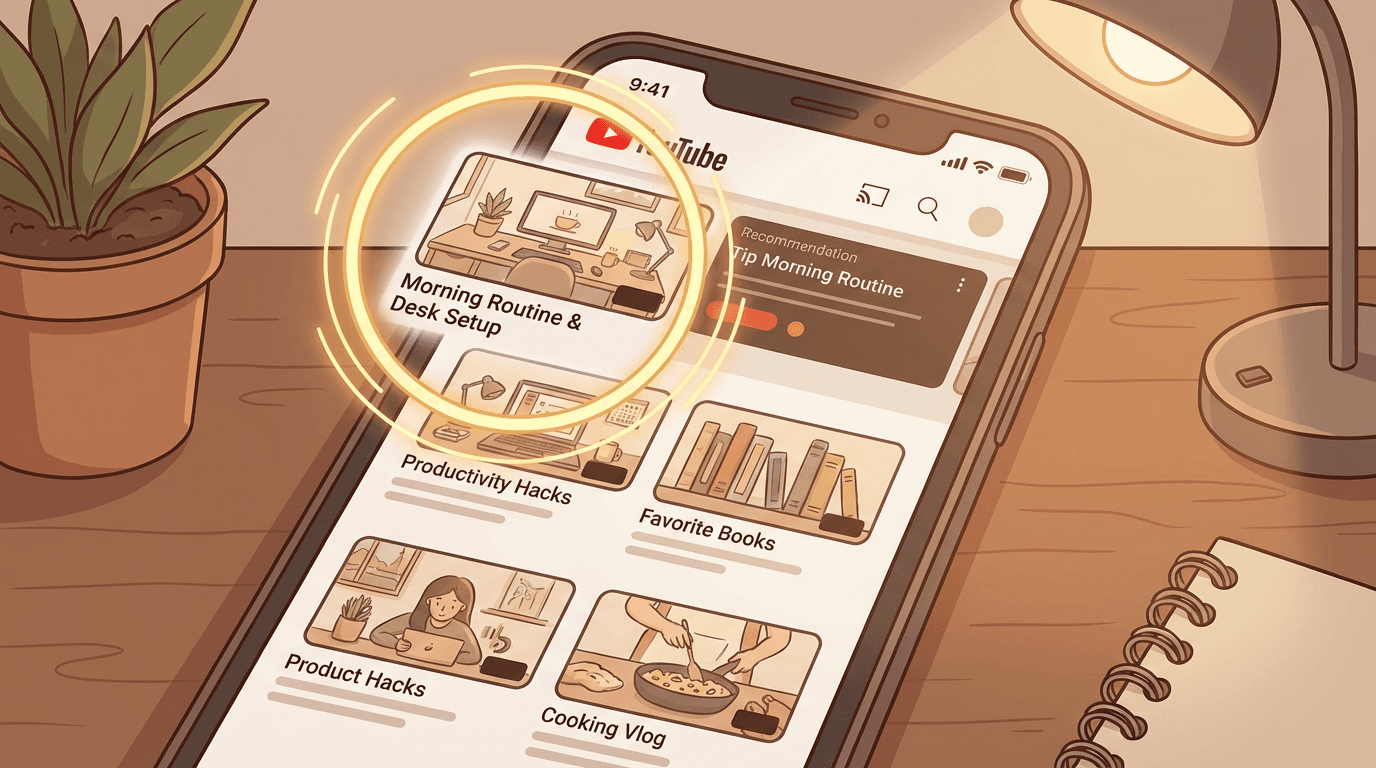
Browse is the largest traffic source for most YouTube channels. When a viewer opens YouTube or visits the homepage, the platform selects from millions of available videos and presents a personalized feed. Getting your video into that feed means competing for one of the most valuable real estate slots on the internet.
The Browse system evaluates videos in two stages. First, it generates a pool of candidate videos based on the viewer's history, subscriptions, and behavior patterns. Second, it ranks those candidates using prediction models that estimate how likely the viewer is to click, how long they are likely to watch, and how satisfied they are likely to feel afterward.
The signals that matter most for Browse recommendations are click-through rate (CTR), average view duration, and viewer satisfaction indicators. CTR measures how often people click your video when they see the impression. Average view duration measures how much of the video viewers actually watch. Satisfaction signals include likes, shares, "not interested" feedback, and whether the viewer continues watching more YouTube content after your video ends.
A video with a high CTR but low watch time tells YouTube that the thumbnail and title attracted attention, but the content did not deliver. That video will receive fewer impressions over time. A video with a moderate CTR but strong watch time and high satisfaction signals tells YouTube that the content resonated with the people who watched it. That video receives sustained or increasing impressions.
This is why CTR and retention together determine recommendations, not either metric in isolation. A 15 percent CTR means nothing if viewers leave after 30 seconds. A 70 percent retention rate means nothing if only 1 percent of people who see the thumbnail actually click.
For creators, the practical implication is clear. Your thumbnail and title must earn the click. Your content must keep the viewer watching. And the experience must leave the viewer satisfied enough to keep browsing YouTube afterward.
How YouTube Search Works
YouTube Search operates more like a traditional search engine than Browse does. When a viewer types a query, YouTube returns results ranked by relevance, engagement history, and content quality signals.
Relevance is determined primarily by how well the video's title, description, tags, and spoken content match the search query. YouTube transcribes audio and uses that transcript to understand what the video is actually about, not just what the metadata claims. This means that a video titled "How to Edit Videos in 2026" but that spends most of its runtime talking about something unrelated will not rank well for that query over time.
Engagement signals also influence search rankings. Videos with higher watch time, more clicks from search results, and stronger viewer retention for that specific query get ranked higher. YouTube is essentially measuring whether the video actually answers the question the viewer asked.
For creators targeting search traffic, the strategy is straightforward. Identify what your audience is searching for. Create content that directly answers those queries. Use clear, keyword-aligned titles and descriptions. And structure the video so that the answer or value is delivered efficiently, not buried behind a long introduction.
Search traffic is especially valuable because it represents active intent. A viewer searching "how to write YouTube titles" is looking for that information right now. If your video ranks for that query and delivers a satisfying answer, that viewer is much more likely to subscribe and return than someone who passively clicked your video from the Home feed.
For channels focused on evergreen content that drives consistent search traffic, Search is often the most reliable and predictable traffic source.
How Suggested Videos Work
Suggested videos appear in the sidebar on desktop, below the video player on mobile, and as end screen recommendations. This system recommends videos that are likely to be watched next, based on what the viewer just watched.
The Suggested system uses two primary signals. First, it looks at videos that are commonly watched together. If viewers who watch Video A frequently watch Video B afterward, YouTube learns that association and starts recommending Video B when someone finishes Video A. Second, it considers topical relevance and format similarity. A 15-minute tutorial about video editing is more likely to appear next to other video editing tutorials than next to a cooking vlog.
This is why Suggested traffic tends to benefit channels that publish consistently within a focused topic area. When your channel has 20 videos about the same subject, those videos start appearing as suggestions for each other and for related content from other creators. This creates a compounding effect where each new video you publish strengthens the discoverability of your existing library.
The relationship between Suggested traffic and session time is important to understand. YouTube rewards videos that keep viewers on the platform. If your video leads to another video (yours or someone else's), that is a positive signal. If a viewer watches your video and then closes YouTube entirely, that is a weaker signal. This does not mean your video was bad, but it does mean YouTube will be slightly less eager to recommend it in contexts where it wants to keep a viewing session going.
Creating playlist strategies that encourage binge watching is one of the most effective ways to increase Suggested traffic. When viewers watch multiple videos from your channel in a row, YouTube learns that your content generates long sessions and becomes more likely to recommend your videos as "next up" options.
How the YouTube Shorts Algorithm Works
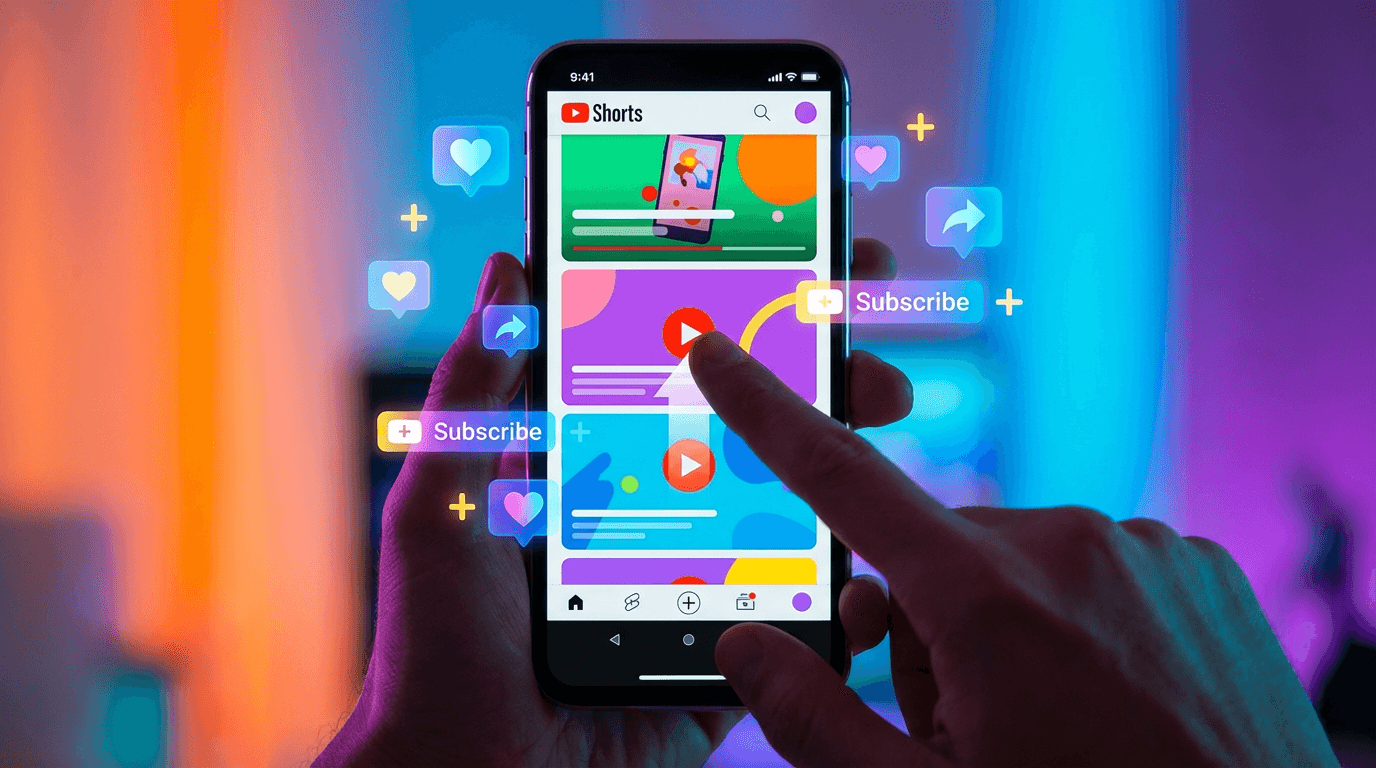
The Shorts algorithm operates differently from the long-form video algorithm. Shorts are served primarily through the Shorts feed, which is a vertical, swipeable interface similar to TikTok and Instagram Reels. The distribution logic is built for rapid evaluation and high-volume testing.
When you publish a Short, YouTube shows it to a small initial audience. Based on how that audience responds, YouTube decides whether to expand distribution or slow it down. The key metrics for Shorts are swipe-away rate (how quickly viewers swipe past your video), watch-through rate (how many viewers watch to the end or loop), likes, shares, comments, and whether the viewer subscribes after watching.
The first few seconds of a Short are disproportionately important. If viewers swipe away within the first two seconds, YouTube interprets that as a signal that the content is not compelling enough for broader distribution. This is why the first three seconds of any Short determine its reach. A strong opening hook is not optional. It is the single most influential factor in whether a Short gets seen by 500 people or 500,000 people.
Unlike long-form videos, Shorts can gain significant traction days or even weeks after publishing. The Shorts feed is not as time-sensitive as the Browse feed for long-form content. A Short that YouTube tested initially with a small audience might get resurfaced later if engagement patterns suggest it deserves wider distribution. This means that a Short that seems to have "flopped" on day one might still pick up momentum later.
Consistency matters significantly for Shorts. YouTube's system tends to give more initial impressions to creators who publish regularly. The algorithm's response to daily uploads shows that channels publishing Shorts on a consistent schedule receive more favorable initial distribution compared to channels that publish sporadically. This does not mean you must upload daily, but it does mean that a predictable cadence helps.
One pattern that many creators encounter with Shorts is getting views without gaining subscribers. This happens because the Shorts feed is designed for quick consumption, and many viewers never visit the creator's channel page. If your Short does not include a reason to subscribe, viewers will simply swipe to the next video. Understanding why Shorts get views but not subscribers and addressing it with deliberate calls to action and channel-level value propositions can significantly improve subscriber conversion.
The Impression-to-Satisfaction Pipeline
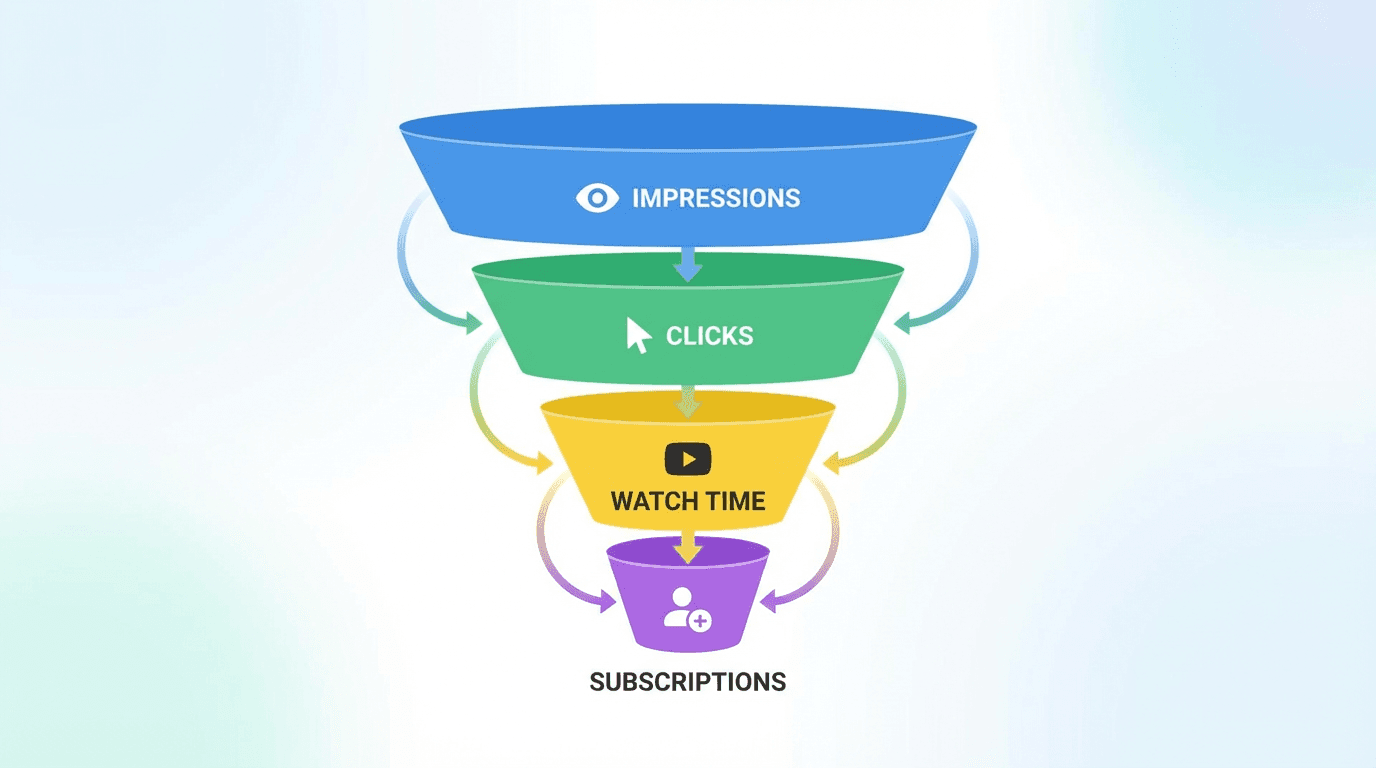
To understand how the algorithm works holistically, it helps to think about it as a pipeline with distinct stages. Every video goes through this pipeline, whether it is a 30-second Short or a two-hour documentary.
Stage 1: Impression. YouTube decides to show your video's thumbnail and title to a viewer. This decision is based on the viewer's history, your channel's track record, and the relevance of your content to the viewer's interests. You cannot directly control how many impressions YouTube gives you, but you can influence it by building a strong history of CTR and watch time performance.
Stage 2: Click. The viewer decides whether to click based on the thumbnail and title. This is where CTR is measured. A compelling thumbnail and clear, curiosity-driven title increase clicks. A generic or confusing thumbnail decreases them.
Stage 3: Watch. The viewer starts watching. How long they stay depends on the content quality, pacing, and whether the video delivers on the promise of the title and thumbnail. Average view duration and retention curves are measured here.
Stage 4: Satisfaction. After watching, the viewer takes (or does not take) actions that indicate satisfaction. Likes, comments, shares, subscribing, and continuing to watch more content on YouTube are all positive signals. Clicking "not interested," leaving YouTube, or reporting the video are negative signals.
Stage 5: Feedback loop. YouTube uses the data from stages 2 through 4 to decide whether to give the video more impressions. If performance is strong, impressions increase. If performance is weak, impressions decrease. This feedback loop operates continuously, not just in the first 24 hours.
This pipeline explains why some videos take off immediately while others grow slowly. A video that hits strong CTR and watch time from its first batch of impressions enters a positive feedback loop quickly. A video with moderate initial performance may still grow if YouTube continues testing it with different audience segments and finds pockets of strong engagement.
It also explains why some older videos suddenly start getting views again. If viewer behavior patterns shift, or if YouTube finds a new audience segment that responds well to an older video, the feedback loop can restart months or even years after the original upload.
What the Algorithm Does Not Care About
There are several widely believed myths about the YouTube algorithm that do not reflect how the system actually works in 2026. Understanding what the algorithm ignores is just as useful as understanding what it prioritizes.
Upload frequency does not have a fixed requirement. YouTube does not penalize channels for uploading once a week versus three times a week. What matters is consistent quality and viewer response, not a specific number of uploads per month. A channel that uploads one excellent video per week can outperform a channel that uploads daily with mediocre content.
Video length does not have an inherent advantage. YouTube does not prefer 10-minute videos over 5-minute videos or 20-minute videos over 10-minute videos. What matters is whether the video holds attention for its duration. A tightly edited 6-minute video with 80 percent retention will outperform a padded 15-minute video with 30 percent retention. The algorithm measures how much of the video viewers actually watch, not how long the video is.
Subscriber count does not directly boost distribution. A channel with 1 million subscribers does not automatically get more Browse impressions than a channel with 10,000 subscribers. Impressions are driven by predicted viewer engagement, not by channel size. This is why small channels can have viral videos and large channels can have videos that underperform.
Posting time has a limited direct effect on long-form videos. Unlike social media platforms where timing determines the first few minutes of engagement, YouTube's recommendation system distributes long-form content over days and weeks. A video uploaded at 3 AM can still perform well if its CTR and retention are strong when YouTube begins testing it with audiences. That said, publishing when your audience is online can give a slight initial velocity boost, and for Shorts, timing has a somewhat larger effect on early distribution.
Tags have minimal influence. YouTube has confirmed that tags play a very small role in discovery compared to titles, descriptions, and the actual content of the video. Spending time optimizing tags is far less valuable than spending time on a better thumbnail or a stronger opening hook.
How YouTube Evaluates New Channels
New channels face a specific challenge. YouTube has no historical data to predict how their content will perform. Without viewer history, the algorithm relies more heavily on content signals like title, description, and thumbnail quality, as well as the initial engagement from the first viewers who discover the video.
For new channels, the practical strategy is to focus on search-discoverable content first. Search traffic does not require an existing audience. If you create a video that clearly answers a specific question and optimize the title and description for that query, YouTube can surface it in search results regardless of how many subscribers you have.
As search traffic brings in initial viewers and engagement data, YouTube begins to learn what kind of audience responds well to your content. This data feeds into the Browse and Suggested systems, gradually expanding your reach beyond search.
The worst strategy for a new channel is to publish broad, unfocused content and hope the algorithm figures it out. The algorithm learns faster when your content is topically consistent and your audience's behavior patterns are clear. A channel that publishes ten videos about the same subject gives YouTube much stronger signals than a channel that publishes ten videos about ten different topics.
For creators who struggle with early traction, understanding why videos get zero views and systematically addressing the root causes is more productive than assuming the algorithm is broken.
The Role of Thumbnails and Titles in 2026
Thumbnails and titles are not just creative elements. They are the primary interface between your content and the algorithm's distribution system. Every impression YouTube gives your video is a test. The thumbnail and title determine whether that test passes or fails.
In 2026, the best-performing thumbnails share several characteristics. They feature a clear focal point that is immediately understandable at small sizes, including on mobile devices. They use contrast and color to stand out in a feed of competing thumbnails. They convey emotion or curiosity without relying on clickbait. And they align with the content of the video so that viewers who click feel satisfied rather than deceived.
Titles work alongside thumbnails to complete the value proposition. A strong title in 2026 is specific, implies a benefit or answer, and creates enough curiosity to motivate a click. Vague titles like "You Won't Believe This" perform worse than specific titles like "I Tested 50 Thumbnails and Here's What Actually Gets Clicks."
The interaction between thumbnails and titles matters more than either element alone. The thumbnail catches attention. The title provides context and motivates the click. Together, they create a promise that the video must deliver on. If the video delivers, YouTube rewards it with more impressions. If the video disappoints, the negative satisfaction signals reduce future distribution.
For creators who want to test and iterate on thumbnails quickly, AI tools can compress the production cycle significantly. The YouTube Thumbnail Maker in Miraflow AI lets you generate thumbnails from text prompts, optionally upload a reference image or face, add thumbnail text, and produce multiple variations without opening a design tool. This makes A/B testing practical even for solo creators.
How Watch Time and Retention Shape Distribution
Watch time is not just a metric. It is the fundamental currency of the YouTube algorithm. Every recommendation system on the platform uses some form of watch time or retention as a core ranking signal.
For long-form videos, YouTube tracks both absolute watch time (total minutes watched) and relative retention (what percentage of the video viewers watched). Both matter, but in different contexts.
Absolute watch time influences how much a video contributes to session time on YouTube. A 20-minute video where viewers watch an average of 15 minutes generates more total watch time than a 5-minute video where viewers watch an average of 4 minutes, even though the shorter video has higher percentage retention. For Browse and Suggested recommendations, this absolute contribution matters.
Relative retention influences how YouTube judges content quality. A video where 70 percent of viewers are still watching at the halfway point is performing well. A video where 70 percent of viewers have already left by the two-minute mark is performing poorly, regardless of its total length. YouTube's retention graph for each video shows exactly where viewers drop off, and these patterns directly influence ongoing distribution.
The retention curve's shape matters as much as the average number. A video with a sharp drop in the first 30 seconds but strong retention afterward indicates a hook problem, not a content quality problem. A video with gradual, steady decline indicates content that is fine but not compelling enough to hold attention. A video with multiple steep drops at specific timestamps indicates moments where the content lost the audience, often because of pacing issues, tangents, or unfulfilled expectations.
For creators producing long-form content, saving viewers in the first 30 seconds with strong hooks is often the highest-leverage improvement you can make. The difference between losing 40 percent of viewers in the first 30 seconds versus losing 20 percent compounds across every video and every impression.
Understanding Traffic Sources in YouTube Analytics
YouTube Studio provides detailed breakdowns of where your views come from. Understanding these traffic sources is essential for diagnosing performance issues and identifying growth opportunities.

Browse features shows views from the Home page and Subscription feed. High Browse traffic means YouTube is actively recommending your content to viewers. If this number is low, your CTR or watch time may be underperforming relative to what YouTube expects.
YouTube Search shows views from search queries. High Search traffic means your content is well-optimized for discoverability. This traffic source tends to be more stable and predictable than Browse, making it especially valuable for educational and evergreen content.
Suggested videos shows views from the sidebar, end screens, and "up next" recommendations. High Suggested traffic means your content is being associated with other videos viewers enjoy. This typically indicates strong topical focus and good watch time performance.
Shorts feed shows views specifically from the vertical Shorts feed. This traffic source operates independently from the other systems and is influenced by Short-specific engagement metrics like swipe-away rate and loop completion.
External shows views from websites, social media, and other platforms outside YouTube. This traffic is useful for initial distribution but does not directly influence YouTube's internal recommendation systems as strongly as organic YouTube traffic does.
Each traffic source tells a different story about how your content is performing and where you should focus your optimization efforts. A comprehensive understanding of how traffic sources interact helps creators make informed decisions rather than guessing at what needs to change.
Algorithm Behavior for Different Content Formats
YouTube treats different content formats with different distribution logic in 2026. Understanding these differences helps creators choose the right format for their goals.
Long-form videos (over 1 minute) are distributed through Browse, Search, Suggested, and external sources. They benefit from strong retention, high CTR, and session contribution. Long-form is best for building deep audience relationships, generating ad revenue, and creating evergreen content.
YouTube Shorts (under 60 seconds, vertical) are distributed primarily through the Shorts feed with limited crossover into Browse and Search. They benefit from strong hook rates, high loop completion, and share behavior. Shorts are best for reach, discovery, and attracting new viewers to your channel.
Live streams are distributed through Browse and Notifications, with YouTube prioritizing live content to subscribed viewers and viewers who have watched similar live content before. Engagement during the stream (chat activity, super chats, concurrent viewers) influences how prominently YouTube features the stream.
Podcasts and long-form audio content receive some Browse distribution and benefit from YouTube's podcast-specific features. Watch time per session is the primary metric for this format.
The format you choose should align with your distribution goal. If you want to reach new people, Shorts are the strongest discovery tool. If you want to convert viewers into subscribers and build loyalty, long-form content is more effective. If you want consistent search traffic over months and years, evergreen long-form tutorials and guides are ideal.
Many successful channels in 2026 use a combination of formats. Shorts bring in new viewers. Long-form videos convert those viewers into subscribers. Playlists keep subscribers watching for extended sessions. This multi-format approach aligns with how YouTube's various recommendation systems operate.
Practical Strategies for Working With the Algorithm
Understanding how the algorithm works is only useful if it changes what you actually do. Here are concrete strategies based on how each system operates.
For Browse traffic: Invest heavily in thumbnails and titles. Test multiple thumbnail concepts before publishing. Study your CTR in YouTube Studio and identify which thumbnail styles consistently outperform. Write titles that are specific and curiosity-driven. Ensure your content delivers on the promise within the first 30 seconds.
For Search traffic: Research what your target audience is searching for. Use YouTube's search suggest feature to find actual queries people type. Create content that directly answers those queries. Put the primary keyword in the title and description naturally. Structure the video so the answer appears early, not after a long introduction.
For Suggested traffic: Maintain topical consistency across your channel. Publish multiple videos on related subjects so YouTube can build associations between them. Use playlists to group related content. Create end screens that link to your most relevant next video.
For Shorts traffic: Open every Short with a hook that stops the swipe. Keep the content tight and purposeful. Avoid unnecessary padding. Publish on a consistent schedule. Include a clear reason to subscribe, not just a generic ask but a specific promise of what your channel delivers.
For overall channel health: Monitor your analytics weekly. Look for patterns in which videos generate the most impressions, the highest CTR, the longest watch time, and the strongest subscriber conversion. Double down on what works. When a video underperforms, analyze whether the issue was CTR (the thumbnail and title did not earn enough clicks), retention (the content did not hold attention), or topic selection (the audience was not interested in the subject).
How AI Tools Fit Into an Algorithm-Friendly Workflow
The algorithm rewards consistency, quality, and volume. Producing content that meets all three requirements is the fundamental challenge for every creator. AI tools in 2026 address this challenge by compressing production time without reducing output quality.
For thumbnails, generating multiple concepts quickly allows creators to test different approaches and identify what resonates with their audience. Instead of spending an hour in a design tool creating one thumbnail, you can produce several variations and use YouTube's A/B testing feature to let data decide. The YouTube Thumbnail Maker on Miraflow AI supports this workflow by generating thumbnails from prompts with optional reference images and text overlays.
For Shorts, the production bottleneck is usually visual creation and editing. Scripting a 30-second Short takes a few minutes, but filming and editing can take an hour or more. Text2Shorts compresses this by generating the entire Short from a topic, including script, visuals, voiceover, and assembly. This makes it practical to publish Shorts consistently without dedicating your entire production schedule to short-form content.
For visual content and B-roll, the AI Image Generator creates images from text prompts that can be used as video assets, social media posts, or blog thumbnails. The image-to-image editing feature allows creators to transform existing visuals into different styles without starting from scratch.
For cinematic clips and product videos, the Cinematic Video Generator produces AI-generated video clips from text prompts. These clips can be used as intros, B-roll, or standalone content. The tool supports both 16:9 and 9:16 formats, making it useful for both long-form and short-form content.
For background music, the AI Music Generator creates custom tracks from text descriptions. Creators can specify mood, style, duration, and BPM, and the tool generates a unique track in under a minute. This avoids copyright issues and gives each video a distinctive audio identity. Ready-to-use prompt templates for different content moods are available in the AI music prompts guide.
The point is not that AI replaces creative decision-making. The algorithm rewards content that resonates with viewers, and that requires genuine creative judgment about what topics to cover, how to frame ideas, and how to connect with an audience. AI tools remove the production friction that slows down execution, so creators can spend more time on strategy and storytelling and less time on repetitive technical tasks.
Algorithm Updates and Changes to Watch in 2026
YouTube continuously adjusts its recommendation systems. While the core principles of CTR, watch time, and viewer satisfaction have remained consistent for years, the specific implementation details shift regularly.
In early 2026, YouTube made several notable changes to how Shorts are surfaced and evaluated. The January 2026 Shorts algorithm update introduced new search filters, popularity sorting, and feedback mechanisms that changed how Shorts are discovered. Creators who adapted their strategy to these changes saw improved distribution compared to those who continued with their previous approach.
YouTube has also continued expanding its use of viewer satisfaction surveys. These are the occasional pop-ups asking viewers to rate videos on a five-star scale. The data from these surveys directly feeds into recommendation models, giving YouTube a more nuanced understanding of content quality beyond simple engagement metrics.
The platform has increased its emphasis on content responsibility signals. Videos that receive high rates of "not interested" or "don't recommend channel" feedback see reduced distribution more quickly than in previous years. This means that misleading thumbnails, clickbait titles that do not deliver, and low-quality content face steeper algorithmic consequences.
For creators, the most reliable long-term strategy is to focus on the fundamentals that have been consistent across every algorithm update: create content that viewers want to watch, make it easy to discover through clear metadata, and present it with thumbnails and titles that accurately represent the content.
Common Algorithm Misconceptions in 2026
Several myths persist in creator communities that lead to wasted effort and frustration.
"The algorithm is suppressing my channel." YouTube does not manually suppress individual channels. If your views have dropped, the most likely explanation is that your recent content's CTR or retention has declined, or that viewer interests have shifted. Check your analytics for changes in impression CTR and average view duration before assuming external factors.
"I need to upload every day to grow." Daily uploads can help build momentum, especially for Shorts, but they are not a requirement. Consistency matters more than frequency. A channel that uploads every Tuesday and Thursday with strong content will outperform a channel that uploads daily with rushed content.
"Shorts hurt my long-form performance." YouTube has separated Shorts and long-form distribution systems. Publishing Shorts does not reduce impressions for your long-form videos. Some creators report that Shorts subscribers do not engage with long-form content, but this is an audience composition issue, not an algorithmic penalty.
"I should delete underperforming videos." Deleting videos does not improve your channel's algorithmic standing. YouTube evaluates each video independently. An underperforming video does not drag down the distribution of your other content. In some cases, videos that initially underperform can gain traction later through search or Suggested recommendations.
"YouTube prefers certain niches over others." YouTube does not have niche preferences. Some niches have larger audiences, higher advertiser demand, or more consistent viewer behavior, which naturally leads to higher view counts and revenue. But within any niche, the same algorithmic principles apply.
Building an Algorithm-Friendly Content Strategy
The most effective content strategy in 2026 treats the algorithm as a system to understand, not a puzzle to solve. Here is a practical framework.

Step 1: Define your topic area clearly. Choose a focused niche where you can publish consistently. The algorithm learns faster when your content and audience behavior are consistent.
Step 2: Start with search-targeted content. Identify 10 to 20 questions your target audience is actively searching for. Create videos that answer those questions directly. This builds an initial foundation of traffic and audience data.
Step 3: Strengthen thumbnails and titles. Study your CTR data in YouTube Studio. Identify which thumbnail styles and title formats generate the highest click rates. Develop a visual style that is recognizable and effective. For rapid iteration, use AI tools to generate and test multiple thumbnail concepts.
Step 4: Optimize retention. Review your audience retention graphs for every video. Identify where viewers drop off and adjust your content structure to address those drop points. Invest in stronger hooks, tighter pacing, and clearer value delivery.
Step 5: Expand to Browse and Suggested. As your channel builds a track record of strong CTR and watch time, YouTube will begin recommending your content in Browse and Suggested. Support this by publishing consistently, creating playlists, and maintaining topical focus.
Step 6: Add Shorts for discovery. Use Shorts to reach new viewers who may not find your channel through search or Browse. Convert those viewers into subscribers by clearly communicating what your channel offers.
Step 7: Review and iterate monthly. Check your traffic source breakdown, CTR trends, retention averages, and subscriber growth every month. Identify what is working and what is declining. Adjust your strategy based on data, not assumptions.
Conclusion
The YouTube algorithm in 2026 is not mysterious. It is a set of recommendation systems, each designed to match viewers with content they are likely to enjoy. CTR determines whether your content gets a chance. Watch time determines whether it keeps that chance. Viewer satisfaction determines whether that chance grows into sustained distribution.
Every decision you make as a creator, from topic selection to thumbnail design to the opening three seconds of your video, feeds into these systems. The creators who grow consistently in 2026 are not the ones who found a secret trick. They are the ones who understand how each system works and optimize their content accordingly.
The tools to produce, test, and iterate on content at the speed the algorithm rewards are available now. Miraflow AI handles video generation, thumbnail creation, image production, and music composition in one browser-based platform, making it practical to maintain the consistency and quality that YouTube's recommendation systems reward. But the creative vision, the audience understanding, and the strategic thinking still come from you. The algorithm amplifies what works. Your job is to give it something worth amplifying.