YouTube Shorts SEO in 2026: How to Rank Your Shorts in Search (Full Strategy)

Written by
Jay Kim
Learn how to rank YouTube Shorts in search in 2026. This guide covers title optimization, keyword research, description strategy, and content structure for Shorts SEO.
Most creators publish a YouTube Short, watch the views spike for 24 hours, and then watch them flatline. The Shorts feed gave the video a push, the push ended, and now the Short sits in your library doing nothing. This happens because most creators optimize Shorts exclusively for the feed algorithm and completely ignore the other distribution channel that Shorts now have access to: YouTube Search.
YouTube Search is not a secondary traffic source for Shorts anymore. In 2026, it is a primary one. Shorts appear in regular search results alongside long-form videos, in dedicated Shorts shelves within search, and in Google search results on mobile. A Short that ranks for a search query does not depend on the feed algorithm at all. It generates views every day, from people who are actively looking for what your Short delivers.
A Short that ranks for a specific search query can generate consistent daily views for weeks or months after publishing. Not the spike-and-die pattern of feed distribution, but steady, predictable traffic from people who searched for that exact topic. Most creators never see this kind of traffic because they never optimize their Shorts for search. They assume Shorts are feed content only, so they write vague titles, leave the description empty, and never think about keywords. This guide fixes that.
This guide covers the complete YouTube Shorts SEO strategy for 2026. You will learn how YouTube Search works for Shorts, what ranking signals matter, how to research keywords, how to write titles and descriptions that target real search queries, how spoken content and on-screen text affect indexing, and how to build a repeatable workflow that produces search-optimized Shorts consistently. It includes 15 title templates you can copy and 10 topic formats that reliably rank in search.
To rank YouTube Shorts in search, optimize five elements: the title (include the primary keyword naturally and match a real search query), the description (write 3 to 5 sentences with the primary keyword in the first sentence), hashtags (use 3 to 5 relevant hashtags including #Shorts), spoken content (say the primary keyword within the first few seconds of the video), and on-screen text (display key terms as text overlays that reinforce the topic). YouTube uses all five of these signals to determine which search queries your Short is relevant to and where it should rank.
Why YouTube Shorts SEO Matters More in 2026
YouTube has been steadily expanding where Shorts appear across the platform. In the early days, Shorts lived almost exclusively in the Shorts feed, the vertical swipe experience on mobile. Discovery was entirely algorithm-driven. You either got picked up by the feed or you did not.
That has changed significantly. YouTube now surfaces Shorts in several places beyond the feed: in regular search results alongside long-form videos, in the Shorts shelf that appears within search, in suggested videos on watch pages, and even in Google search results on mobile. The YouTube Shorts algorithm update from January 2026 introduced new search filters and sorting options that made Shorts more discoverable through active search behavior.
This means Shorts now have two distinct discovery paths. The first is passive discovery through the Shorts feed, where YouTube recommends your content to viewers based on their interests and behavior. The second is active discovery through search, where viewers type a query and find your Short because it matches what they are looking for.
The passive path is powerful but unpredictable. A Short can get millions of views one day and nothing the next. The active path is more predictable and more sustainable. A Short that ranks for a search term will continue getting views as long as people keep searching for that term.
Most creators focus entirely on the passive path. The ones who also optimize for search get a compounding advantage over time.
How YouTube Search Actually Ranks Shorts (The Signals That Matter)
When someone types a query into YouTube search, the platform returns a mix of results. Long-form videos, Shorts, live streams, playlists, and channels can all appear. YouTube decides what to show based on several factors: relevance to the query, engagement history of the content, the searcher's viewing habits, and how well the content satisfies the intent behind the search.
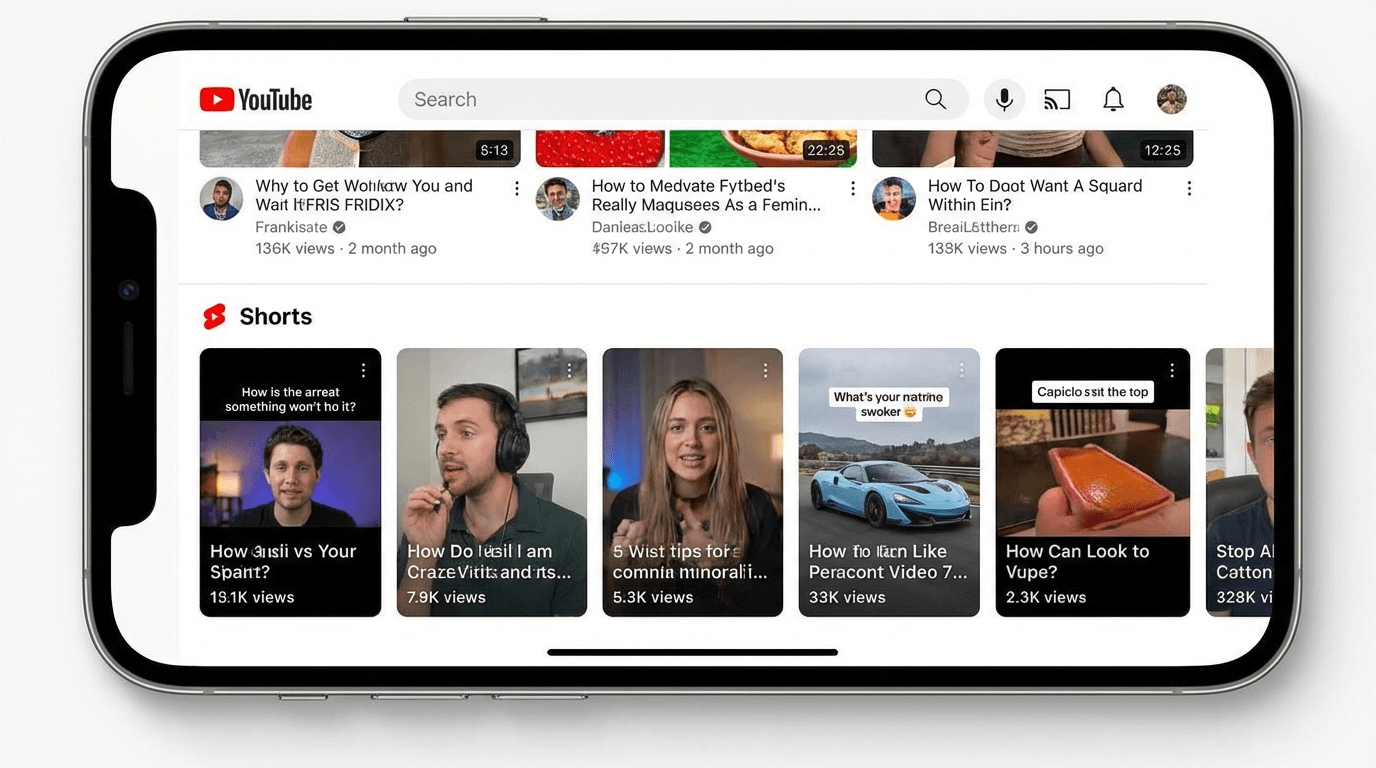
For Shorts specifically, YouTube evaluates relevance through the title, description, hashtags, and the spoken or displayed content within the video itself. YouTube's systems can process speech and on-screen text in Shorts, which means the words spoken in your Short contribute to how it gets indexed and matched to search queries.
This is an important distinction from long-form video SEO. With long-form content, the title and description carry most of the SEO weight. With Shorts, the actual content of the video also matters because YouTube can analyze what is being said and shown. A Short where the narrator clearly explains a topic using specific terms is more likely to surface for related queries than a Short with the same title but vague or unrelated spoken content.
YouTube also considers engagement signals when ranking Shorts in search. A Short with a high completion rate, strong like-to-view ratio, and meaningful comment activity signals to YouTube that the content satisfies viewer intent. These signals influence whether the Short maintains or improves its search ranking over time.
Understanding how YouTube evaluates traffic sources helps you see how search fits into the broader discovery system and why optimizing for it creates a different growth pattern than relying on the feed alone.
The Two Types of Search Intent That Matter for Shorts
Not every search query is a good fit for Shorts. Understanding search intent helps you decide which topics to target and how to structure your content.
Informational intent is when someone wants a quick answer or explanation. Queries like "how does compound interest work," "what is intermittent fasting," or "why do cats purr" are informational. These are ideal for Shorts because the viewer wants a concise answer, and a well-structured 30 to 60 second Short can deliver exactly that. Informational Shorts that answer a specific question tend to rank well because they match the search intent precisely.
Inspirational or curiosity-driven intent is when someone wants to see examples, ideas, or demonstrations. Queries like "home workout ideas," "easy pasta recipes," or "budget travel tips" fall into this category. These searchers are not looking for one specific answer. They want to browse options. Shorts work well here because the format lets viewers quickly swipe through multiple results to find what resonates.
The type of intent you should avoid targeting with Shorts is deep research intent. Queries like "how to set up a WordPress website" or "complete guide to stock market investing" require longer, more detailed content. If someone is searching for comprehensive information, a 60-second Short will not satisfy that need, and YouTube knows this. These queries will almost always favor long-form results.
The sweet spot for Shorts SEO is targeting questions that can be answered concisely or topics that can be demonstrated visually in under a minute. If you can imagine someone getting real value from a 30 to 60 second response, it is a good candidate for a search-optimized Short.
How to Find Keywords for YouTube Shorts
Keyword research for Shorts follows a similar process to long-form video keyword research, but with a few important differences.
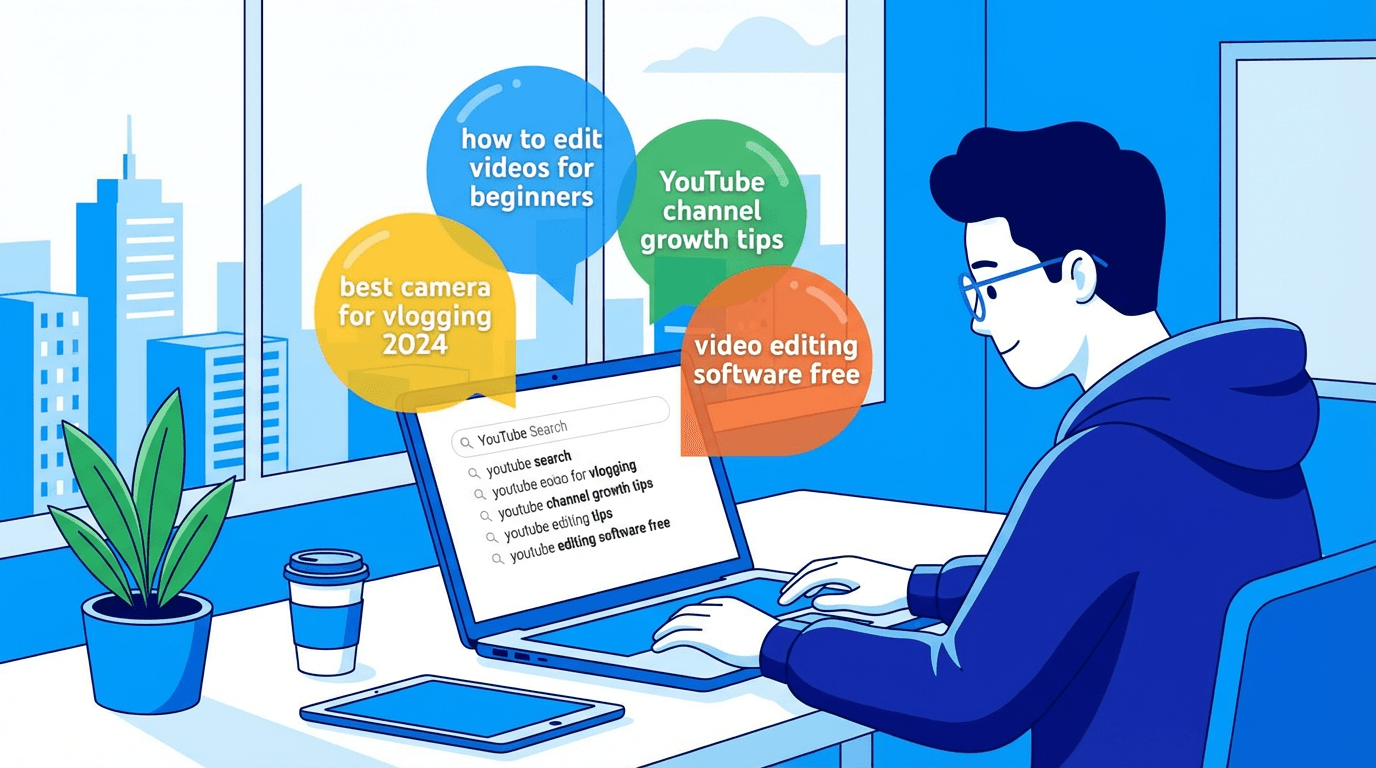
Start with YouTube search suggestions. Open YouTube on your phone or browser and start typing a topic related to your niche. YouTube will autocomplete with popular search queries. These suggestions reflect what real people are actively searching for. Write down every suggestion that could be answered or addressed in a short-form video.
For example, if you type "how to" in a fitness niche, you might see suggestions like "how to do a proper push-up," "how to lose belly fat fast," or "how to stretch before running." Each of these is a potential Short topic because the answer can be delivered concisely.
Next, look at the Shorts tab within search results. After searching for a term, check whether YouTube already shows Shorts in the results. If Shorts appear for that query, it means YouTube considers the short format relevant for that topic. This is a strong signal that creating a well-optimized Short for this keyword could lead to search placement.
Google search is another source. Many YouTube Shorts now appear in Google search results, especially for "how to" queries on mobile. Search for your target topics on Google and see if video results or Short-form video carousels appear. If they do, there is an opportunity to capture traffic from both YouTube and Google simultaneously.
Also look at your own analytics. If you have existing Shorts, check which ones are getting traffic from search. YouTube Studio shows you the traffic sources for each video. Any Short already receiving search traffic is a signal that your audience searches for that type of content, and you should create more Shorts around similar topics.
The YouTube Shorts analytics guide explains how to read these traffic source graphs and identify which Shorts are performing well in search versus the feed.
Title Optimization for YouTube Shorts SEO
The title is the single most important metadata element for Shorts SEO. It tells YouTube what the Short is about and helps the platform match it to relevant search queries.
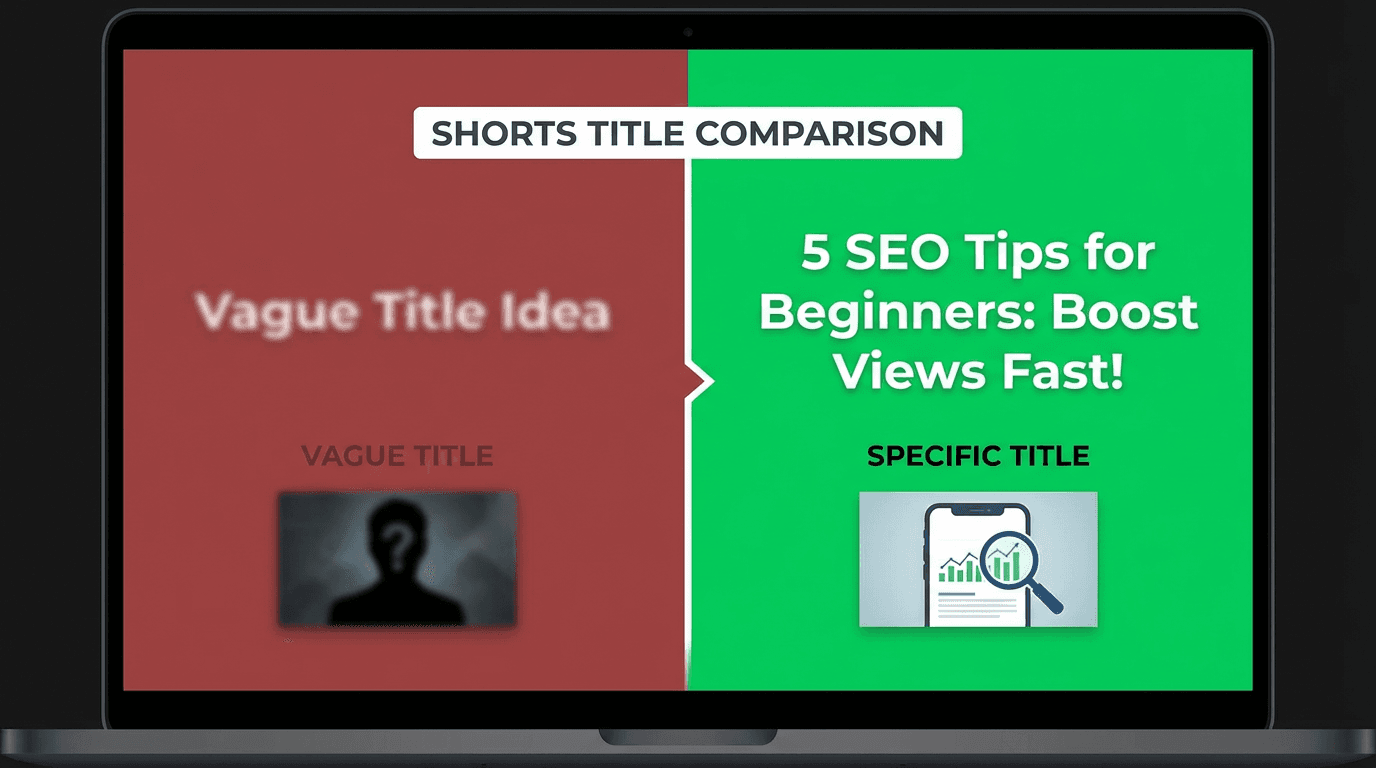
A search-optimized Shorts title should include the primary keyword naturally. It should be specific enough to match a real search query but concise enough to be readable. And it should communicate what the viewer will learn or see.
Be specific, not vague. A title like "This Changed Everything" gives YouTube no useful information about the content. A title like "How to Fix Blurry iPhone Photos in 10 Seconds" tells YouTube exactly what the Short covers and matches a query someone would actually type.
Front-load the keyword. Place the most important words at the beginning of the title. YouTube gives more weight to words that appear early in the title. Instead of "My Secret Trick for Better Sleep," try "Better Sleep in 5 Minutes: The Trick That Works." The key phrase "better sleep" appears right at the start.
Match real search queries. Your title should closely mirror how people actually search. Use YouTube's autocomplete suggestions as a reference. If people are searching for "best stretches for lower back pain," your title should include those words rather than a creative rewording like "Loosen Up Your Lumbar."
Keep it under 60 characters when possible. Shorter titles display fully in search results and the Shorts feed. Longer titles get truncated, which can reduce click-through rate and make the topic unclear.
For a full library of title templates and formulas, the guide on YouTube Shorts titles and descriptions in 2026 includes copy-paste templates organized by niche.
15 Search-Optimized Title Templates for Shorts
These templates are designed to include keywords naturally while matching common search patterns. Replace the bracketed sections with your topic.
Template 1: How-To Format
How to [Action] in [Timeframe]
Template 2: Question Answer
Why Does [Thing] Happen? Explained in 30 Seconds
Template 3: Mistake Correction
Stop Doing [Common Mistake] When [Activity]
Template 4: Quick Tip
[Number] [Topic] Tips You Need to Know
Template 5: Beginner Guide
[Topic] for Beginners: What to Know First
Template 6: Comparison
[Option A] vs [Option B]: Which Is Better?
Template 7: Before and After
[Topic] Before and After [Timeframe]
Template 8: What Happens When
What Happens When You [Action] Every Day
Template 9: Best of Category
Best [Product/Method] for [Specific Use Case]
Template 10: Common Question
Is [Common Belief] Actually True?
Template 11: Step by Step
[Topic] Step by Step in Under a Minute
Template 12: Results Based
I Tried [Method] for [Timeframe] and Here Is What Happened
Template 13: List Format
[Number] [Items] You Should Try in 2026
Template 14: Problem Solution
How to Fix [Specific Problem] Fast
Template 15: Surprising Fact
[Topic]: The Fact Most People Get Wrong
These templates work because they mirror the way people naturally search on YouTube. They include specific keywords, communicate clear value, and set expectations for what the Short will deliver.
Description Optimization for Shorts SEO
Many creators leave the Shorts description empty or add a single line of text. This is a missed opportunity. The description gives YouTube additional context about your Short and helps it match your content to a wider range of related search queries.
A well-optimized Shorts description does not need to be long. Three to five sentences are usually enough. The goal is to include your primary keyword, a few related terms, and a clear summary of what the Short covers.
First sentence matters most. YouTube gives the most weight to the beginning of the description. Start with a sentence that includes your primary keyword and clearly states what the Short is about. For example: "Learn how to remove backgrounds from photos using AI in under 30 seconds."
Add context that the title does not cover. If your title is "3 Morning Stretches for Back Pain," your description can expand on that: "These three simple stretches help relieve lower back pain and stiffness. Perfect for beginners who sit at a desk all day. Each stretch takes less than 20 seconds and requires no equipment."
Include related keywords naturally. Think about the different ways someone might search for the same topic. If your Short is about making cold brew coffee, your description might include related terms like "iced coffee at home," "cold brew recipe," and "easy coffee method." These help YouTube understand the broader topic and match your Short to more queries.
Add a call to action at the end. This does not directly help SEO, but it can improve engagement signals. A simple line like "Subscribe for more quick coffee tips" or "Comment which method you prefer" can boost interactions, which in turn supports the Short's ranking.
Hashtag Strategy for Shorts SEO
Hashtags serve a dual purpose for Shorts. They help with categorization within the Shorts feed, and they contribute to search discoverability. When you add hashtags, YouTube uses them as additional signals to understand what your content is about.
Use 3 to 5 hashtags per Short. More than that starts to look spammy and dilutes the signal. Less than that is fine but leaves discoverability on the table.
Always include #Shorts. This is still a standard practice in 2026. While YouTube can identify Shorts by their format, the hashtag reinforces it and ensures your content is categorized correctly.
Use one broad hashtag and two to three specific ones. For a Short about morning skincare, you might use #Shorts #Skincare #MorningRoutine #SkincareForBeginners. The broad hashtag (#Skincare) puts you in a large category. The specific ones (#MorningRoutine, #SkincareForBeginners) help you appear for more targeted queries.
Avoid trending hashtags that are unrelated to your content. Using a trending hashtag to get more exposure might seem smart, but YouTube tracks whether viewers who click through a hashtag actually engage with your content. If they do not, it hurts your ranking for that hashtag and sends negative signals about your content's relevance.
Place hashtags in the description, not the title. Hashtags in the title take up valuable character space that should be used for keywords. Put them at the end of your description where they still function as metadata without cluttering the title.
How Spoken Content Affects Shorts Search Ranking
This is one of the most underutilized aspects of Shorts SEO. YouTube transcribes the audio in your Shorts and uses that transcription to understand what your video is about. The words spoken in your Short directly influence which search queries it can rank for.
This means your script matters for SEO, not just for storytelling.

If your Short is about "how to clean white sneakers," make sure those words are actually spoken in the video. Say "clean white sneakers" at least once, ideally within the first few seconds. YouTube's systems pick up on these spoken keywords and use them to match your Short with relevant queries.
This does not mean you should stuff your script with keywords unnaturally. The goal is to make sure the core topic is stated clearly and early. If the viewer hears the topic in the first 3 seconds and the title matches, YouTube has strong confirmation that your Short is relevant to that search query.
For creators using Text2Shorts on Miraflow AI, the generated script already structures narration around the topic you enter. Since the script is built from your topic input, the spoken content naturally includes relevant keywords. You can review the script before generating to make sure the primary keyword appears in the opening lines. This workflow handles both the storytelling and the SEO alignment in one step.
The guide on why the first 3 seconds of YouTube Shorts matter goes deeper into how the opening of your Short affects both viewer retention and algorithmic categorization.
On-Screen Text and Captions for SEO
YouTube also reads on-screen text and captions. If your Short includes text overlays with key terms, those contribute to how YouTube indexes the content.
This does not mean you should plaster keywords across the screen. It means that when you add on-screen text to support your narration, use terms that align with the search queries you are targeting.
For example, if your Short explains "3 ways to save money on groceries," having each tip appear as on-screen text reinforces the topic for both the viewer and the algorithm. The viewer gets a clearer experience, and YouTube gets additional text signals that confirm what the Short is about.
Captions are particularly important. YouTube generates automatic captions for most Shorts, and these captions are indexed. If the auto-generated captions are inaccurate, they can hurt your SEO because YouTube is reading incorrect text. Review your auto-captions after publishing. If they contain errors, upload corrected captions to ensure the text matches your actual content.
Thumbnail Strategy for Shorts in Search
When Shorts appear in search results, the thumbnail is what determines whether someone clicks. In the Shorts feed, thumbnails matter less because viewers are already swiping through content. But in search, the viewer is scanning a list of results and choosing which one to click. A strong thumbnail significantly increases click-through rate from search.
YouTube allows you to set a custom thumbnail for Shorts. Use this option every time. The default thumbnail YouTube selects is a random frame from your video, which is rarely the best representation of your content.
A search-optimized Shorts thumbnail should clearly communicate the topic, include a visual that matches the search intent, and stand out from the surrounding results. If your Short is about "how to tie a tie," the thumbnail should show someone in the process of tying a tie, not a random frame of someone talking.
The YouTube Shorts thumbnail strategy for 2026 covers this in detail, including specific design principles and examples.
Creators can generate custom Shorts thumbnails using the YouTube Thumbnail Maker on Miraflow AI. The tool supports both 16:9 and 9:16 formats, so you can create thumbnails specifically sized for Shorts. Enter a prompt describing the scene, optionally upload your face or a reference image, add text overlay, and generate the thumbnail.
Content Structure That Ranks in Search
The way you structure the content inside your Short affects both SEO and viewer satisfaction. YouTube tracks whether viewers watch the Short all the way through and whether they engage afterward. A Short that ranks in search but has poor retention will lose its ranking quickly.
Search-optimized Shorts should follow a clear structure.
Open with the question or topic. State what the Short is about in the first 2 to 3 seconds. This serves double duty: it hooks the viewer who found the Short through search (confirming they clicked the right result) and it provides YouTube with an early spoken keyword signal.
Deliver the answer or demonstration in the middle. Get to the point quickly. Viewers who found your Short through search have a specific question or need. They want the answer, not a long buildup. The faster you deliver value, the higher your completion rate will be.
End with a micro-conclusion or call to action. Summarize the key point in one sentence or prompt the viewer to take an action like following for more tips. This gives the Short a clean ending rather than an abrupt cutoff, which improves viewer satisfaction signals.
This structure works because it matches the intent of a search viewer. They searched for something, your Short appeared, they clicked, and within 30 to 60 seconds they got what they needed. That is a satisfied viewer, and YouTube rewards content that consistently satisfies searchers.
10 YouTube Shorts Formats That Consistently Rank in Search Results
Certain topic types perform better in search because they match high-volume, concise-answer queries. Here are 10 formats that consistently rank well.
Quick tutorials. "How to screenshot on Mac," "How to make French press coffee," "How to fold a fitted sheet." These are specific, searchable, and answerable in under a minute.
Single-concept explanations. "What is compound interest," "How does WiFi work," "What causes hiccups." These target informational queries where a short explanation is all the viewer needs.
Product comparisons. "iPhone 16 vs Samsung S25 camera test," "AirPods vs AirPods Pro." Viewers search for quick comparisons and Shorts can deliver a visual side-by-side effectively.
Recipe demonstrations. "5 minute oatmeal recipe," "Easy egg fried rice." Cooking Shorts rank well because the format matches the search intent perfectly.
Exercise demonstrations. "How to do a proper deadlift," "Best stretch for hip flexors." Fitness Shorts answer specific form questions that people actively search.
Tech tips. "Hidden iPhone settings," "Chrome extensions you need." Tech tips are highly searchable and work well in short format.
Travel tips for specific destinations. "Things to know before visiting Tokyo," "Best street food in Bangkok." These target location-specific queries from travelers.
Money and finance basics. "How to start investing with $100," "What is an index fund." Finance basics in short format satisfy search intent for beginners.
Study and productivity methods. "Pomodoro technique explained," "How to take better notes." Students actively search for these topics.
Myth busting. "Is cracking knuckles bad for you," "Does shaving make hair grow thicker." These target common questions people type into search.
Common YouTube Shorts SEO Mistakes
Writing creative titles instead of searchable ones. A title like "You Won't Believe This" might work in the feed, but it will never rank in search because nobody searches for that phrase. If your goal is search traffic, write titles that match real queries.
Ignoring the description entirely. An empty description gives YouTube no additional information about your Short. Even three sentences of relevant, keyword-rich description can make a meaningful difference in search ranking.
Not saying the topic out loud in the video. If your Short is about a specific topic but you never actually mention it verbally, YouTube has weaker signals to work with. State your topic clearly within the first few seconds.
Using the same generic hashtags on every Short. Hashtags should be relevant to the specific content of each Short. Using #viral #trending #fyp on every Short does not help SEO and adds no useful categorization signal.
Targeting keywords that require long-form answers. Not every keyword is suitable for Shorts. If the topic requires 10 minutes of explanation, a 60-second Short will not satisfy the searcher, and YouTube will not rank it for that query.
Forgetting about retention. SEO gets your Short into search results, but retention keeps it there. If viewers click on your Short and swipe away quickly because the content does not deliver on the title's promise, your search ranking will drop. Make sure the content actually matches what the title promises.
How to Track Your Shorts Search Performance
YouTube Studio provides detailed data on where your views come from. For each Short, you can see the breakdown between Shorts feed, search, browse, external, and other sources.
Navigate to YouTube Studio, select a specific Short, and open the Reach tab. Look at the traffic sources report. If search is showing up as a traffic source, your SEO efforts are working. If search traffic is growing over time for a particular Short, that means the Short is ranking for its target queries and maintaining viewer satisfaction.
Pay attention to which Shorts get search traffic and which do not. Compare their titles, descriptions, hashtags, and content structure. This comparison often reveals clear patterns about what YouTube considers search-worthy in your niche.
Also monitor impressions versus clicks from search. If your Short is getting impressions in search results but low click-through rate, the thumbnail or title may not be compelling enough. If it is getting clicks but low retention, the content may not be matching the search intent.
The guide on YouTube Shorts analytics in 2026 walks through how to interpret each of these metrics and what actions to take based on the data.
A Weekly Workflow for Producing Search-Optimized YouTube Shorts
A repeatable workflow makes it easier to consistently produce search-optimized Shorts. Here is a practical process.
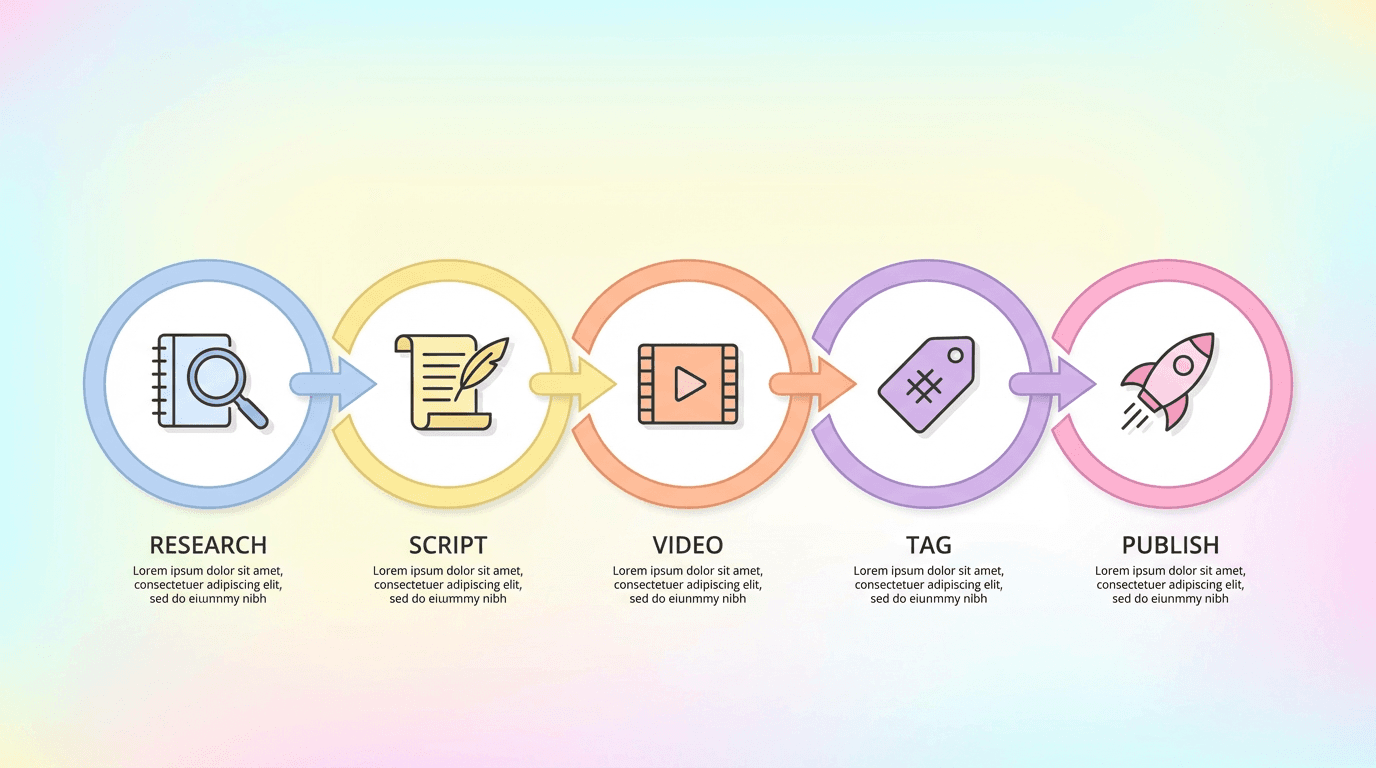
Step 1: Research. Spend 15 to 20 minutes identifying 5 to 7 search queries in your niche using YouTube autocomplete and Google search. Write them down as potential Short topics.
Step 2: Script. For each topic, write a short script that states the keyword in the opening line, delivers the answer or demonstration in the middle, and ends with a clean conclusion.
Step 3: Produce. Create the Short using your preferred method. For creators who want to streamline production, Text2Shorts lets you enter the topic and generates the script, visuals, and narration automatically. The generated script naturally aligns with the topic, which helps with spoken keyword signals.
Step 4: Optimize metadata. Write a search-optimized title using one of the templates above. Write a 3 to 5 sentence description with the primary keyword in the first sentence. Add 3 to 5 relevant hashtags.
Step 5: Create a thumbnail. Generate a custom thumbnail that visually communicates the topic. Creators can use the YouTube Thumbnail Maker to create Shorts thumbnails in 9:16 format.
Step 6: Publish and schedule. Upload to YouTube Studio and schedule for your optimal posting time. Add to a relevant playlist if applicable.
Step 7: Review performance. After one week, check traffic sources in YouTube Studio. Note which Shorts are receiving search traffic and which are not. Use these insights to refine your approach for the next batch.
Repeating this workflow weekly builds a library of search-optimized Shorts that compound in value over time. Each new Short is another entry point for viewers who are actively searching for content in your niche.
Why Shorts SEO Creates Compounding Growth
Feed-based discovery gives your Shorts a burst of views in the first 24 to 48 hours, then the views taper off. Search-based discovery works differently. A Short that ranks for a search term can generate consistent, steady views for weeks or months.
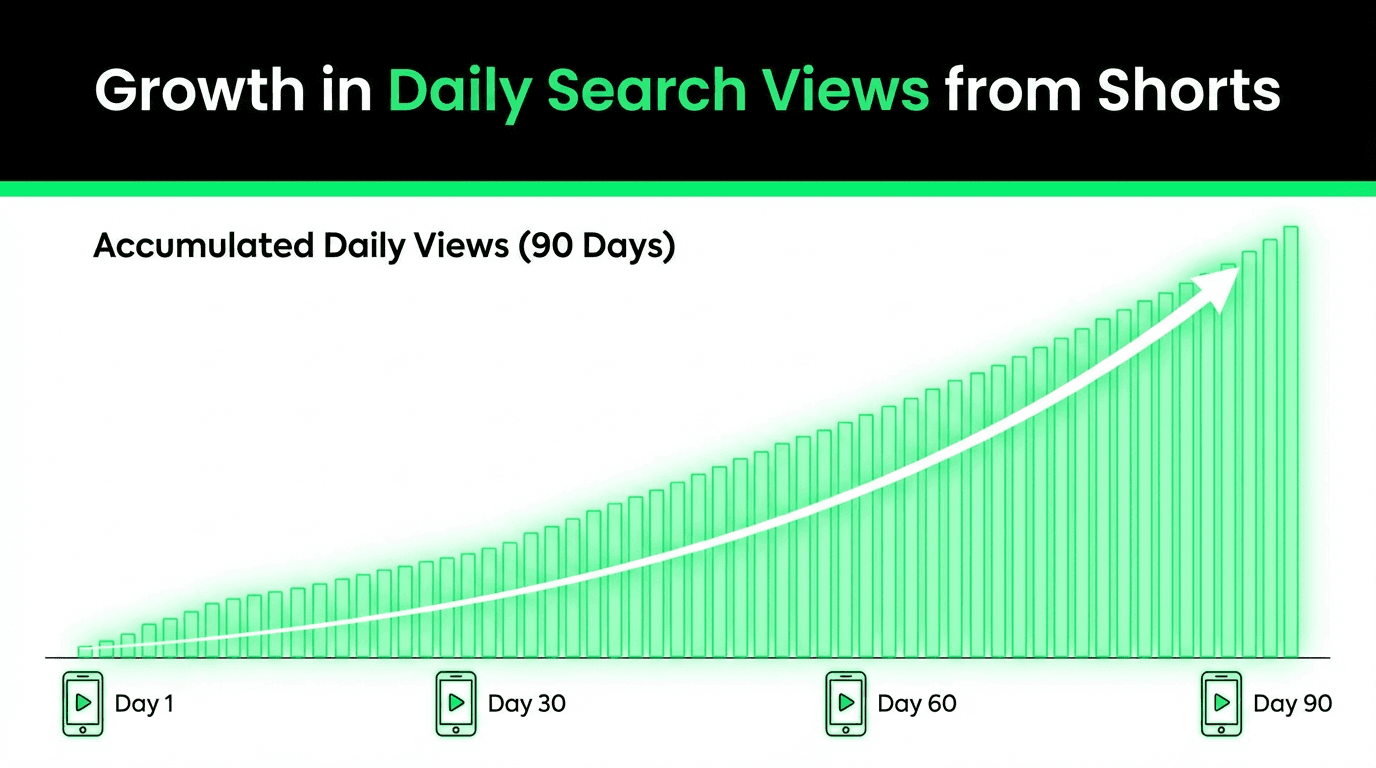
This creates a compounding effect. If you publish one search-optimized Short per day for 30 days, and even a fraction of those rank for their target queries, you have 30 content assets generating ongoing views. After 60 days, you have 60. After 90 days, the cumulative daily views from search traffic alone can be significant.
This is the same principle that drives long-form SEO on YouTube, but applied to Shorts. The difference is that Shorts are faster to produce and can rank for simpler, more specific queries. The combination of lower production effort and compounding search traffic makes Shorts SEO one of the most efficient growth strategies available in 2026.
For a broader look at how to plan and sustain this kind of output, the 30-day YouTube Shorts plan provides a day-by-day framework for building a Shorts library with consistent quality.
Shorts SEO and Long-Form Video Working Together
One of the most effective strategies is using search-optimized Shorts as entry points that drive viewers to your long-form content. A Short that ranks for "how to make French press coffee" can end with a mention of your full-length video that covers 10 coffee brewing methods in detail.
This creates a funnel. The Short captures search traffic from a specific query. The viewer gets a quick answer and, if they want more, clicks through to your longer video. This increases watch time on your channel, improves session time, and signals to YouTube that your content keeps viewers on the platform.
The key is making sure the Short delivers genuine standalone value. It should not feel like a teaser or an advertisement for the long-form video. It should fully answer the search query on its own, and then offer the longer video as an optional next step for viewers who want to go deeper.
This approach also works in reverse. If you have long-form videos that already rank well in search, create Shorts that target related but more specific queries. The Short benefits from being associated with a channel that has proven authority on the topic, and the long-form video benefits from additional watch time driven by Short viewers.
For more on how different traffic sources interact and feed into each other, the guide on YouTube traffic sources in 2026 breaks down the relationship between browse, search, and suggested traffic.
What to Do Right Now
Pick 5 topics in your niche that can be answered in under 60 seconds. Type each topic into YouTube search and check whether Shorts already appear in the results. If they do, there is search demand for Shorts on that topic. Write a title for each one using the templates in this guide. Script the opening line to include the primary keyword. Then produce and publish the Shorts with optimized titles, descriptions, and hashtags.
After a week, check your analytics. See which Shorts are receiving search traffic. Double down on the topics and formats that are working. Adjust or retire the ones that are not.
YouTube Shorts SEO is not complicated. It is a set of specific, learnable practices that you apply to each Short you publish. The difference between creators who get steady search traffic and creators who depend entirely on the feed comes down to whether they treat each Short as a searchable asset or a disposable post. Every Short you publish with an optimized title, a keyword-rich description, clear spoken content, and relevant hashtags is a permanent entry point to your channel. Over time, those entry points add up to something much more powerful than any single viral moment in the feed.
Frequently Asked Questions About YouTube Shorts SEO
Do YouTube Shorts appear in regular search results?
Yes. In 2026, YouTube Shorts appear in multiple search contexts: in regular YouTube search results alongside long-form videos, in dedicated Shorts shelves within search results, and in Google search results on mobile. A Short that is optimized for a specific search query can appear in all three locations, which means a single well-optimized Short can capture traffic from both YouTube search and Google search simultaneously.
How do I optimize a YouTube Short for search?
Optimizing a YouTube Short for search involves five key elements. Write a title that includes your primary keyword and matches a real search query. Write a description of three to five sentences with the primary keyword in the first sentence and related keywords throughout. Add three to five relevant hashtags including #Shorts. Say the primary keyword out loud within the first few seconds of your video. Include on-screen text that reinforces the topic. YouTube uses all of these signals to determine what your Short is about and which search queries it should rank for.
Does YouTube transcribe what I say in my Shorts for search ranking?
Yes. YouTube processes the audio in your Shorts and uses the transcription to understand what the video is about. The words you speak in your Short directly influence which search queries it can appear for. This means your script matters for SEO, not just for storytelling. If your Short is about a specific topic, make sure you clearly say the relevant keywords within the first few seconds of the video.
How long should a YouTube Shorts title be for SEO?
Keep your Shorts title under 60 characters when possible. Shorter titles display fully in search results without getting truncated. Place the most important keyword at the beginning of the title because YouTube gives more weight to words that appear early. The title should match a real search query, be specific enough to communicate what the Short covers, and sound natural rather than keyword-stuffed.
Should I add a description to my YouTube Shorts?
Yes. Many creators leave the Shorts description empty, but this is a missed opportunity for search optimization. A description of three to five sentences gives YouTube additional context about your Short and helps it match your content to a wider range of related search queries. Start the description with a sentence that includes your primary keyword, add context the title does not cover, and include two to three related keywords naturally.
What hashtags should I use on YouTube Shorts for SEO?
Use three to five hashtags per Short. Always include #Shorts to ensure correct categorization. Then add one broad hashtag related to your general topic and two to three specific hashtags that describe the particular content of the Short. For example, a Short about morning yoga might use #Shorts #Yoga #MorningYoga #YogaForBeginners. Avoid trending hashtags that are unrelated to your content, and place all hashtags in the description rather than the title.
Can YouTube Shorts rank in Google search results?
Yes. YouTube Shorts now appear in Google search results, particularly on mobile devices for how-to queries and question-based searches. When you optimize a Short for YouTube search, you are simultaneously increasing its chances of appearing in Google search results. This dual visibility is one of the biggest advantages of Shorts SEO because a single Short can capture traffic from both platforms.
How do I know if my YouTube Shorts are getting search traffic?
Open YouTube Studio, select a specific Short, and navigate to the Reach tab. The traffic sources report shows you where your views are coming from, including search. If search appears as a traffic source, your SEO efforts are producing results. You can also see which specific search queries are driving traffic, which helps you identify what types of topics your audience is actively searching for.
How long does it take for a YouTube Short to start ranking in search?
There is no fixed timeline. Some Shorts begin appearing in search results within hours of publishing, while others take several days. The speed depends on how competitive the keyword is, how well your metadata matches the query, and how quickly the Short accumulates positive engagement signals like completion rate and likes. In general, if a Short is going to rank for its target query, you will see search traffic appearing in your analytics within the first one to two weeks.
Is YouTube Shorts SEO different from regular YouTube SEO?
The core principles are the same: keyword-relevant titles, descriptions, and content that satisfies search intent. The main differences are that Shorts SEO also involves spoken keyword signals (YouTube transcribes your audio), on-screen text signals, hashtag strategy, and targeting queries that can be fully answered in under 60 seconds. Shorts also compete in different search placements, including the Shorts shelf within search results, which regular videos do not appear in.