Canva Craft Explained: Two-Stage Image Model, Templates, API and Benchmarks (2026)

Written by
Aerin Kim
Canva Craft plans a layout first and then renders at up to 2K. See how it works, the research behind it, what the DesignArena claim means, API details and runnable code.
If you have ever generated a poster with an AI image model and then spent twenty minutes trying to fix one misspelled word, move one headline, or find out where the text layer went, you have met the gap between image generators and design tools. Canva Craft, released on October 22, 2026, is Canva's attempt to close that gap from the model side: the company's first in-house image generation model, built by Canva Research with researchers from Leonardo.ai, and trained mostly on human-designed templates instead of photographs [1][5]. It first writes a plan for the composition, covering element positions, relative scale, visual hierarchy and the exact text, and only then renders the image at up to 2K resolution [1].
This post is the engineering read of that launch. It explains what Canva has and has not disclosed about the architecture, places the plan-then-render idea in the research literature from LayoutGPT to Glyph-ByT5, works through what training on templates changes, shows how the DesignArena ranking works and why Canva's own claim deserves a careful reading, covers the layered-output workflow and the cost economics, and ends with runnable Python that I tested locally against a mock server and with unit checks. Where I could not verify something, I say so in the text.
One caveat shapes everything below. Canva has not published a technical paper or model card for Craft that I could find, so the architecture description comes from Canva's launch messaging as relayed by news outlets. Canva statements below are cited to the outlets that reported them, alongside Canva's newsroom announcement [8].
Quick summary before the depth:
- What it is: a two-stage image model from Canva Research. A planning model drafts the composition, and a separate rendering model turns the plan into pixels [3][5].
- Specs: up to 2K output, more than 30 aspect ratios plus a custom option, prompts in any language, and text rendering in 55 languages according to Canva [3].
- Training: millions of human-made templates (posters, menus, infographics, presentations, typography layouts), then supervised fine-tuning and reinforcement learning with professional designer feedback [2][3].
- Ranking claim: fourth among image models on DesignArena at debut, with first place in two photo-style categories, all reported by Canva and not independently verified [3][7].
- Access: Dream Lab for all Canva users and the Canva API, where Canva's documentation lists the model id craft_v1_2k; MCP support for assistants such as ChatGPT and Gemini is described as coming soon [1][9].
- Who should care: anyone producing posters, social graphics, slides, menus or thumbnails where the wording and the layout matter more than photorealism.
What Canva Actually Released on October 22, 2026
TechCrunch's Ivan Mehta reported the launch on October 22, 2026, describing Craft as Canva's first image generation model and positioning it against models from Google, OpenAI, ByteDance and Meta [1]. Canva's own framing, as quoted by Unite.AI, is that Craft is the first foundation model built and trained from scratch by Canva Research, its in-house AI lab [5]. The phrase "from scratch" matters because Canva already owned a generative lineage: in July 2024 it acquired Leonardo.ai, whose flagship in-house model was called Phoenix, along with all 120 of its employees [14]. TechCrunch notes that Leonardo researchers contributed to Craft, so the lineage is shared even though the model is new [1].
| Item | What was reported | Where it comes from |
|---|---|---|
| Release | October 22, 2026, Canva's first image generation model | TechCrunch, Unite.AI |
| Architecture | Two stages: a planning model (elements, spatial relationships, relative scale, hierarchy, text), then a rendering model | TechCrunch, TestingCatalog, Unite.AI |
| Output | Up to 2K, 30 or more aspect ratios, custom option | TechCrunch, TestingCatalog |
| Languages | Prompts in any language, generated text in 55 languages | TestingCatalog, Unite.AI |
| Training | Millions of human-made templates, then supervised fine-tuning and reinforcement learning with designer feedback | Digital Trends, TestingCatalog |
| Evaluation | More than 25,000 image pairs judged by designers and researchers; designer judgment overrides automated scores | TestingCatalog |
| Access | Dream Lab for all Canva users, public API, MCP support coming soon | TechCrunch, TestingCatalog |
| Roadmap | Craft-fast and Craft-ultrafast, reference-image and advanced editing, fine print and technical drawings | TestingCatalog, Unite.AI |
Outlets differ slightly on small details, which is worth knowing before you quote any of them. TechCrunch and Digital Trends say 30 aspect ratios, while TestingCatalog and Unite.AI say more than 30 plus a custom option [1][2][3][5]. Some trade coverage is dated October 23, which reflects publication timing, since the announcement itself was on October 22 [3][4]. Two cheaper variants, Craft-fast and Craft-ultrafast, are described as coming soon, with no prices or dates given by any source I read [3][6].
Canva also names its own weak spots, which is rare in a launch post. According to Unite.AI, the company says it will keep improving quality, detail and control, and it names fine print and technical drawings as areas for improvement [5]. TestingCatalog adds that advanced editing and reference-image capabilities are planned for later releases, which tells you that the current model does not yet take a reference image as input [3]. If you are comparing it with editing-capable models, that is the gap to keep in mind. For a broader view of how creators use text-capable image models in practice, our guide to getting AI to spell text correctly in images covers the prompt side of the same problem.
The Two-Stage Design: Plan First, Then Render
Every source agrees on the shape of the system. Stage one interprets the prompt and produces a plan that covers the placement of elements, their relative scale, the visual hierarchy and the text content. Stage two generates the final image from that plan [1]. TestingCatalog and Unite.AI describe the stages as separate models, a planning model and a rendering model, and Canva says the split allows legible text, precise placement and targeted edits without rebuilding the whole composition [3][5].
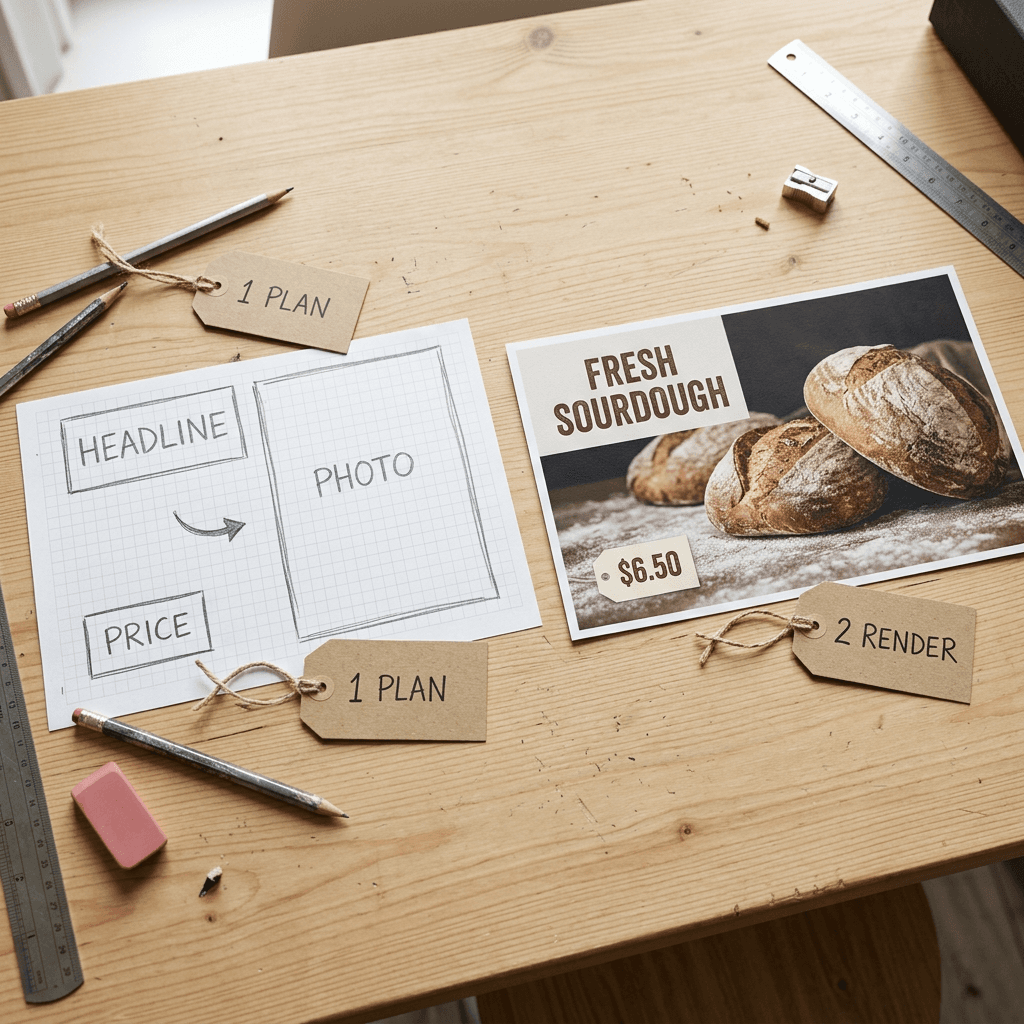
What Canva has not said is equally informative. I found no parameter counts, no statement of whether the planner is a language model or a layout transformer, no description of how the plan is serialized, and no training-compute figures. TestingCatalog reports one useful detail, that JSON boundary boxing helps Magic Layers convert generated images into editable elements, which suggests the plan is a structured list of boxes and not free prose [3]. That is an inference from one sentence, and I treat it as a likely design, not a confirmed one.
Why Separating Planning From Rendering Helps
Diffusion models are good at textures and bad at bookkeeping. Counting objects, keeping a headline above a subhead, or leaving the lower right corner empty are all constraints that span the whole canvas, and a denoiser that decides everything jointly tends to violate them. Splitting the job lets each part use the tool it is good at: a model that reasons in symbols and coordinates for the plan, and a model that paints for the render. The research record on this split is older than most people expect, and it is worth walking through because it shows which parts of Canva's claim are well supported and which are still open.
| Paper | Stage 1 (plan) | Stage 2 (render) | Headline result as reported |
|---|---|---|---|
| LayoutGPT (arXiv 2305.15393) | LLM writes CSS-style layouts | Layout-guided generator such as GLIGEN | GPT-4 reaches 91.73% spatial layout accuracy vs 91.17% for humans; 20 to 40% better than end-to-end systems |
| LLM-grounded Diffusion (arXiv 2305.13655) | LLM writes captioned bounding boxes | Training-free controller on frozen Stable Diffusion | Average accuracy on four tasks rises from 37% to 77% |
| GLIGEN (arXiv 2301.07093) | Boxes and captions supplied as input | New gated layers on a frozen diffusion model | Zero-shot layout-to-image on COCO and LVIS beats supervised baselines |
| TextDiffuser (arXiv 2305.10855) | Transformer predicts keyword boxes | Diffusion with character-level segmentation masks | Whole-image OCR accuracy 0.5609 vs 0.0003 for Stable Diffusion on its benchmark |
| Glyph-ByT5 (arXiv 2403.09622) | User or GPT-4 supplies text boxes | SDXL with glyph-aware region attention | Design-text precision from under 20% to nearly 90% |
LayoutGPT (arXiv 2305.15393) asked language models to write layouts as CSS-style declarations, with each object's name as a selector and its position and size as properties, then rendered them with a layout-guided generator [15]. In its numeracy and spatial benchmark, GPT-4 reached 91.73 percent layout accuracy on spatial relations against 91.17 percent for human annotators, and the paper reports that the full pipeline beats end-to-end text-to-image systems by 20 to 40 percent [15]. LLM-grounded Diffusion (arXiv 2305.13655) used captioned bounding boxes from a language model plus a training-free controller on a frozen Stable Diffusion model, and roughly doubled average accuracy across four tasks, from 37 percent to 77 percent in its table [16]. GLIGEN (arXiv 2301.07093) supplied the other half, a way to condition a frozen diffusion model on boxes through new gated layers, so that a plan can actually steer a renderer [17].
For text specifically, TextDiffuser (arXiv 2305.10855) is the closest published ancestor of Craft's idea. A transformer first predicts the layout of keywords, then a diffusion model renders the image conditioned on that layout through a character-level segmentation mask, and on the authors' text-image dataset MARIO-10M of about 10 million image-text pairs its OCR accuracy was 0.5609 against 0.0003 for plain Stable Diffusion [18]. Glyph-ByT5 (arXiv 2403.09622) attacked the encoder side, fine-tuning a character-aware ByT5 model on glyph-text pairs and lifting word-level precision on design images from under 20 percent to nearly 90 percent, with GPT-4 or the user supplying text boxes and region-wise cross-attention routing glyph features into each box [19]. Underneath all of these sits the finding by Liu and colleagues at Google Research that character-blind text encoders make it much harder to predict how a word looks as a sequence of glyphs [20].
These papers support one general claim: explicit layout planning measurably improves spatial and textual accuracy. They do not tell us whether Craft's specific planner and renderer achieve it at production quality, because Canva has not published comparable numbers. Treat the architecture as a well-motivated design whose results are demonstrated mainly through Canva's own evaluation, and read the evaluation section below with that in mind.
A Practical Reading of the Planning Stage
You can borrow the idea without access to Craft. When a prompt asks for a poster, the useful information is the same four things Canva lists: where each element goes, how big it is relative to the others, which element dominates, and what each text string says exactly. Writing those into your prompt, or into a JSON plan for a model that accepts one, converts a vague request into constraints the renderer can satisfy. Later in this post I include a small plan linter that checks the three failures I see most often in hand-written plans: boxes that leave the canvas, headlines that cannot fit their box on one line, and a flat hierarchy where nothing dominates.
The same logic explains why long, structured prompts keep outperforming short ones on layout-heavy tasks. MOSS-Image, an open-weight 5B model released on October 16, 2026, reports that its end-to-end system with a layout planner ranks second on its authors' RealLayoutArena at 1698.70 Elo, behind GPT Image 2 at 1844.35, and that its backbone ranks first when every generator receives the same enhanced prompt [21][22]. Those are the MOSS authors' own benchmark and should be read as such, but the direction matches Canva's: planning is where a lot of the quality now comes from. Our MOSS-Image explainer goes through that report in detail, and our Ideogram 4.0 JSON prompt guide shows what structured prompting looks like for thumbnails.
Trained on Templates, Not Photos: What Changes
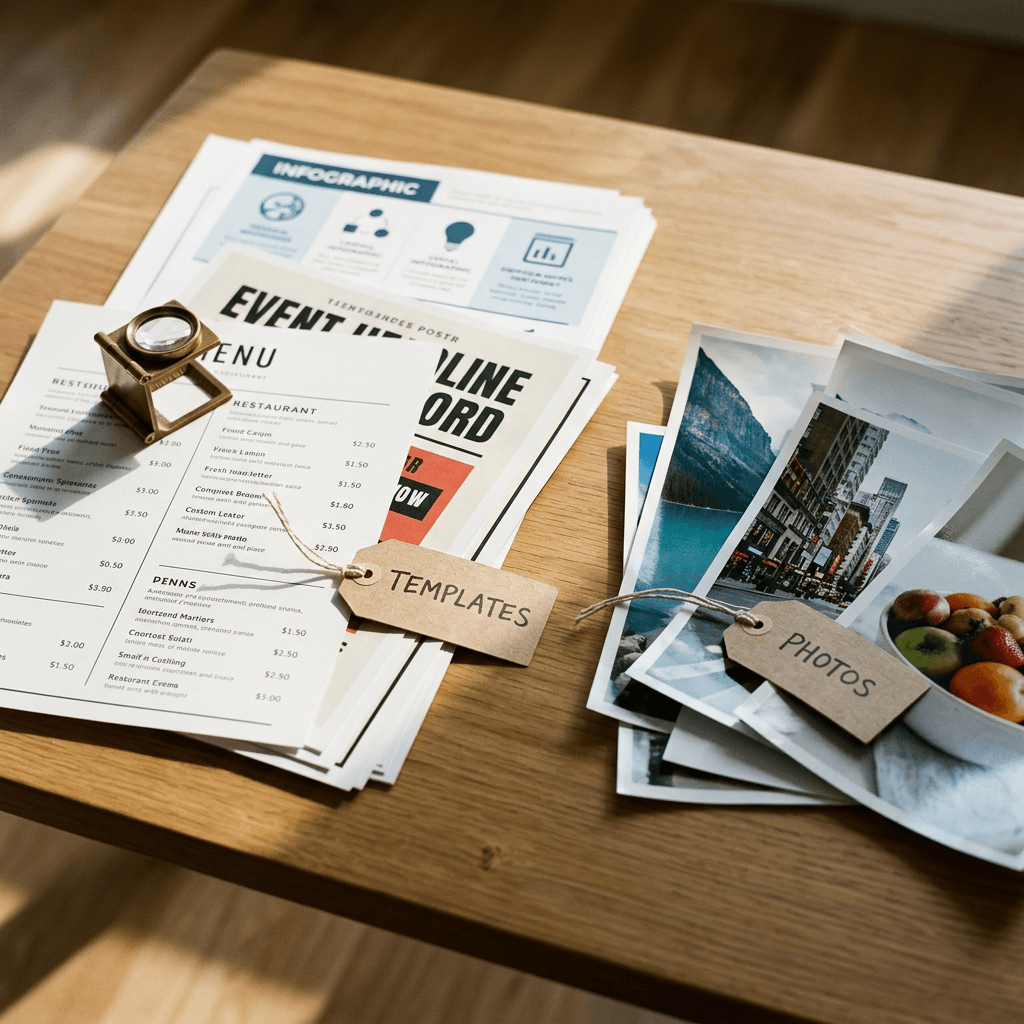
The most unusual claim in the launch is the training data. TechCrunch reports that Canva trained the model on designs and not photographs, naming posters, social posts, presentations, infographics, menus and typography-heavy layouts from its template library [1]. Digital Trends and TestingCatalog both say the library contributed millions of human-created templates [2][3]. Canva has not disclosed the exact count, the licensing terms for contributor content, or what share of the corpus was photographic.
Layout Priors Come From Designers
A photo dataset teaches a model what the world looks like. A template dataset teaches it what communication looks like: a headline sits at the top left with generous margins, a call-to-action button sits at the bottom, a menu uses two columns with prices right-aligned, an infographic divides the canvas into modules. Each of those regularities is a prior that a planner can learn and a renderer can follow. Photographs contain almost none of this structure, and the web image-text pairs that dominate many training sets rarely transcribe the words inside the picture at all. The MOSS-Image report found something related in its own data ablation, where a quality filter left a general benchmark almost unchanged and still cut its text score from 0.5243 to 0.1180, which shows how easily text ability disappears when training data stops containing text-rich graphics [21].
Templates also carry typography. A template is a professionally set arrangement of real fonts at real sizes with consistent kerning, line breaks and contrast, and that is exactly the signal an image model needs to render a word without wobbly strokes. The Qwen-Image report reached a similar conclusion from the other direction, building a data pipeline that includes synthesis and a curriculum that starts with non-text images and moves up to paragraph-level text [23]. Canva's advantage is that its corpus is already made of well-set text on designed backgrounds.
The Tradeoff: Where Template Training Probably Hurts
There is a cost, and Canva's own launch material hints at it. Models trained on templates inherit the look of templates, so open-ended artistic or photographic prompts may drift toward a designed, flat, graphic feel unless the corpus was balanced with other data. Canva's reported DesignArena categories suggest the company did not neglect photographic quality, since it claims first place in People and Portraits and in Landscapes and Nature [3]. Those are claims about votes on a crowd platform and not a photographic audit, so I would test your own use cases. Canva's fourth place in Products, and its admission that fine print and technical drawings need work, are the more telling data points about where the template prior stops helping [3][5].
A second tradeoff is stylistic convergence. If millions of templates share common layout conventions, outputs may share them too, so a design that must look unlike the default Canva aesthetic may need explicit direction on composition, color and typography. This is my inference from how template corpora work and not a measured finding, so test it with a few off-brand briefs before committing a workflow to the model.
Training Recipe: Pretraining, Fine-Tuning and Designer Feedback
TestingCatalog reports that Canva used pre-training, supervised fine-tuning, and reinforcement learning informed by its professional designers, and that designers and researchers compared more than 25,000 image pairs against leading models, with designer judgment taking priority over automated evaluations when they disagreed [3]. Preferring human judgment over automated metrics is sensible for design, since metrics such as CLIP similarity cannot tell whether a headline has enough contrast. It also means the quality bar is whatever Canva's designers found acceptable, which may differ from yours. The company also reports distillation that cut the number of inference steps and a custom inference engine for the planning stage, making Craft about an order of magnitude faster than its first internal version [3][5].
2K Output and Aspect Ratios in Practice
Craft generates up to 2K resolution and supports more than 30 aspect ratios plus a custom option inside Dream Lab [3]. Canva does not define "2K" in the sources I read, and the term is used loosely across the industry, so I plan with a 2,048 pixel long edge and let the API report the real dimensions.
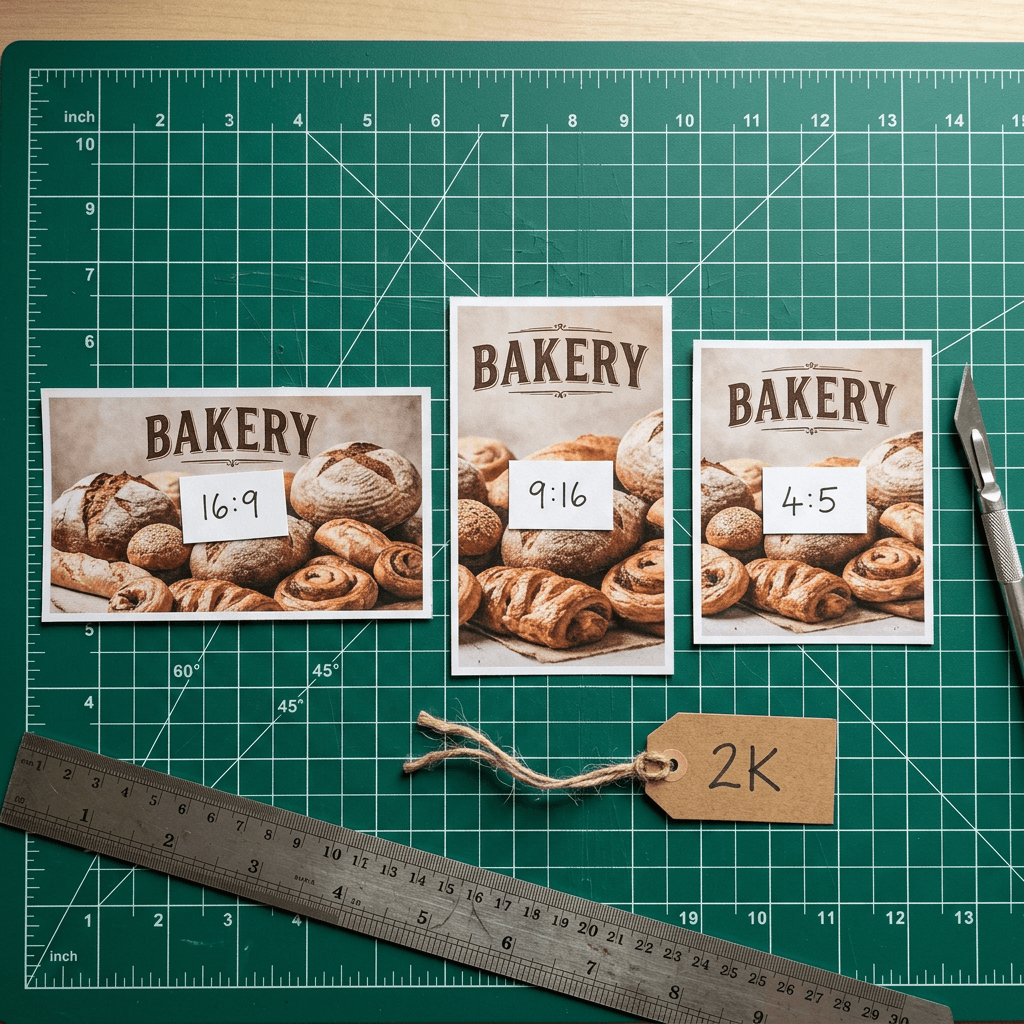
The API is narrower than Dream Lab. Canva's documentation for the Create Image Generation Job endpoint offers six aspect_ratio values (square, landscape, portrait, landscape_3_2, portrait_2_3 and portrait_4_5), has no width or height inputs, and says output pixel dimensions depend on the model, so you read the actual size from the result [9]. The documentation also marks the endpoint as a preview API that may change without notice, and it says public apps using preview APIs cannot pass Canva's review or be released to all Canva users [9]. That matters for planning: today the programmatic route suits internal tools, prototypes and automation for your own account, and a published marketplace app would have to wait.
| API aspect_ratio value | Ratio | Planning size at a 2,048 px long edge |
|---|---|---|
| square | 1:1 | 2048 x 2048 |
| landscape | 16:9 | 2048 x 1152 |
| portrait | 9:16 | 1152 x 2048 |
| landscape_3_2 | 3:2 | 2048 x 1360 |
| portrait_2_3 | 2:3 | 1360 x 2048 |
| portrait_4_5 | 4:5 | 1632 x 2048 |
The table above lists my planning sizes, computed with the script below. They are estimates for sizing your downstream crops, and I rounded to multiples of 16 for tidy numbers. For YouTube thumbnails, note that the 16:9 landscape preset is the right shape, and our YouTube thumbnail mistakes guide and thumbnail word count guide cover what to put on it. If you want a thumbnail built directly from a prompt, a face and short text, the YouTube Thumbnail Maker on Miraflow is built for exactly that workflow.
python/code
# Planning sizes for Canva's six documented aspect_ratio values at an assumed 2,048 px long edge. The API returns the real width and height.
# Canva's documented aspect_ratio values for POST /image-generations.
PRESETS = {"square": (1, 1), "landscape": (16, 9), "portrait": (9, 16),
           "landscape_3_2": (3, 2), "portrait_2_3": (2, 3), "portrait_4_5": (4, 5)}
LONG_EDGE = 2048  # planning assumption for "2K"; the API returns the real width and height


def size(ar, long_edge=LONG_EDGE, multiple=16):
    w, h = ar
    if w >= h:
        W, H = long_edge, long_edge * h / w
    else:
        H, W = long_edge, long_edge * w / h
    r = lambda v: int(round(v / multiple) * multiple)
    return r(W), r(H)


for name, ar in PRESETS.items():
    W, H = size(ar)
    print(f"{name:14s} {ar[0]}:{ar[1]:<3} -> {W} x {H}  ({W*H/1e6:.2f} MP)")
Using Craft Through the Canva API
Canva's documentation is more concrete than the launch coverage, and it is the best primary source I could read. The create endpoint is POST https://api.canva.com/rest/v1/image-generations, rate limited to 20 requests per minute per user of your app, and it needs a user access token with the asset:write scope and a user who has the image_generation capability [9]. The body requires a prompt of 1 to 10,000 characters and an idempotency_key, and accepts optional aspect_ratio, model and asset_upload fields [9].
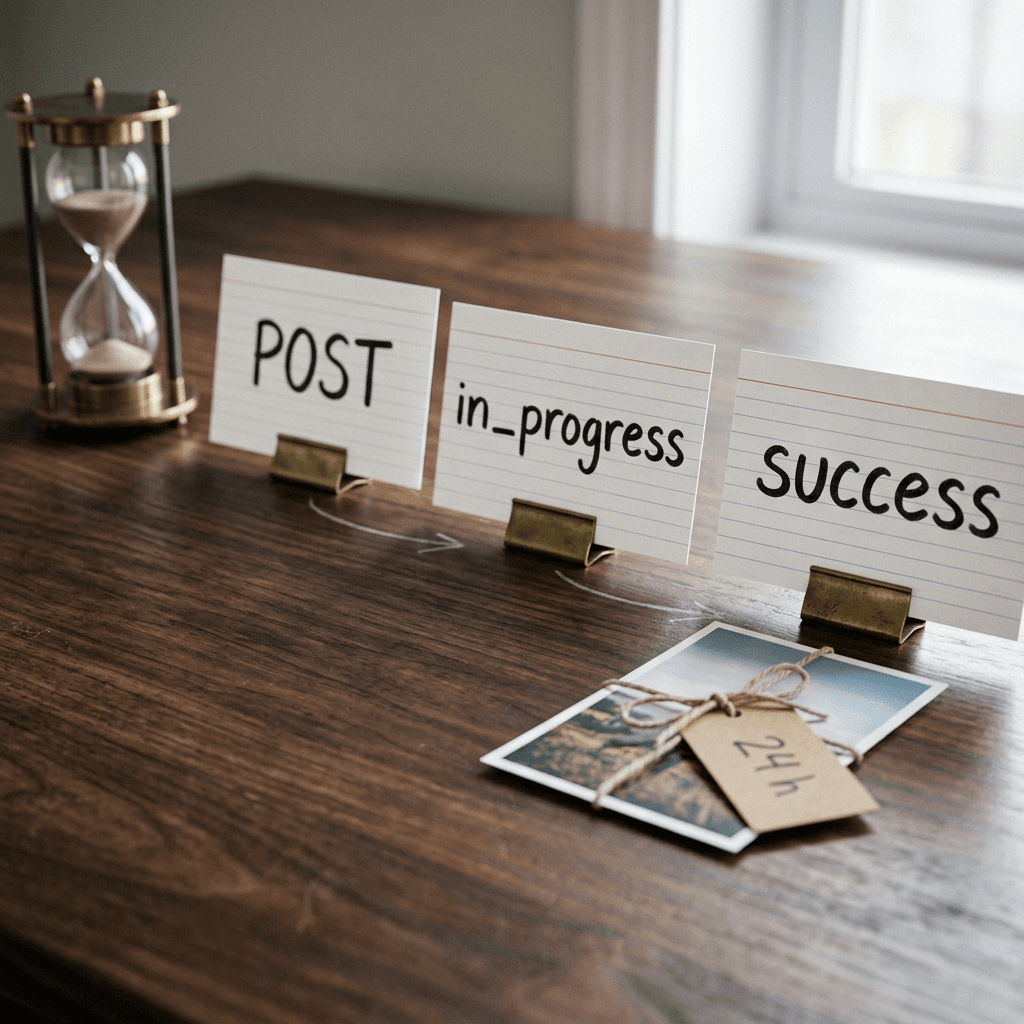
The job is asynchronous. The first call returns a job id with a status of in_progress, success or failed, and you poll the Get Image Generation Job endpoint until it resolves; on success the result contains an image URL valid for 24 hours plus the real width and height [9][10]. Failure codes include unsafe_input, timeout, model_not_available, model_retired and internal_error, and starting a job consumes the user's AI credit allowance, with 429 responses for credit_quota_exceeded and credit_quota_cooldown [9].
Choosing a Model Id
The documentation lists three model options: craft_v1_2k, described as CRAFT-1 2K, Canva's first-party model, which it recommends for infographics, posters, slides, people and portraits, abstract art, patterns, landscapes, nature, products and marketing materials; lucid_origin, suggested for architecture, logos, posters and sci-fi or fantasy scenes; and z_image_turbo, suggested for images with text and for food, drink and general imagery [9]. Canva recommends omitting the model parameter so it can choose and fall back to another model, while setting it makes the job fail if that model cannot serve the request [9]. That detail is a quiet but important sign about Canva's strategy: the API is a router across first-party and third-party models, and Craft is its newest and most prominently recommended option.
The code below follows that documentation exactly, uses only the Python standard library, and pins craft_v1_2k. I tested it against a local mock server that implements the documented request and response shapes, including the polling step, so the control flow works. I did not call the live API because that needs a user token for a Canva app with the image generation capability enabled, so treat the first real run as your integration test.
python/code
# Create and poll a Canva image generation job with craft_v1_2k. Usage: CANVA_TOKEN=... python craft_generate.py "your prompt". Standard library only. Preview API, see Canva docs.
import json, os, sys, time, uuid
import urllib.request, urllib.error

BASE = os.environ.get("CANVA_API_BASE", "https://api.canva.com/rest/v1")
TOKEN = os.environ["CANVA_TOKEN"]  # user access token with the asset:write scope
ASPECTS = {"square", "landscape", "portrait", "landscape_3_2", "portrait_2_3", "portrait_4_5"}


def call(method, path, body=None):
    req = urllib.request.Request(
        BASE + path,
        data=json.dumps(body).encode() if body is not None else None,
        method=method,
        headers={"Authorization": f"Bearer {TOKEN}", "Content-Type": "application/json"},
    )
    try:
        with urllib.request.urlopen(req, timeout=60) as r:
            return json.load(r)
    except urllib.error.HTTPError as e:
        detail = e.read().decode()
        raise SystemExit(f"HTTP {e.code}: {detail}")


def generate(prompt, aspect_ratio="landscape", model="craft_v1_2k", poll_every=3, max_wait=180):
    if aspect_ratio not in ASPECTS:
        raise ValueError(f"aspect_ratio must be one of {sorted(ASPECTS)}")
    job = call("POST", "/image-generations", {
        "prompt": prompt,
        "aspect_ratio": aspect_ratio,
        "model": model,
        "idempotency_key": str(uuid.uuid4()),
        "asset_upload": {"type": "none"},
    })["job"]
    waited = 0
    while job["status"] == "in_progress" and waited < max_wait:
        time.sleep(poll_every)
        waited += poll_every
        job = call("GET", f"/image-generations/{job['id']}")["job"]
    if job["status"] != "success":
        raise RuntimeError(f"job ended as {job['status']}: {job.get('error')}")
    return job["result"]["image"]  # url (valid 24 h), width, height


if __name__ == "__main__":
    img = generate(sys.argv[1] if len(sys.argv) > 1 else "A bakery menu poster with the headline FRESH BREAD DAILY")
    print(json.dumps(img, indent=2))
If you only need Craft's output inside the editor, no code is required. Dream Lab is available to all Canva users with account and usage limits, and Digital Trends notes that access depends on those limits [2]. For creators who want an image generator inside a broader pipeline that also produces Shorts, music and thumbnails, the AI image generator in Miraflow covers text-to-image, image-to-image and inpainting in the browser.
From Image to Layered Design: Why Magic Layers Changes the Workflow
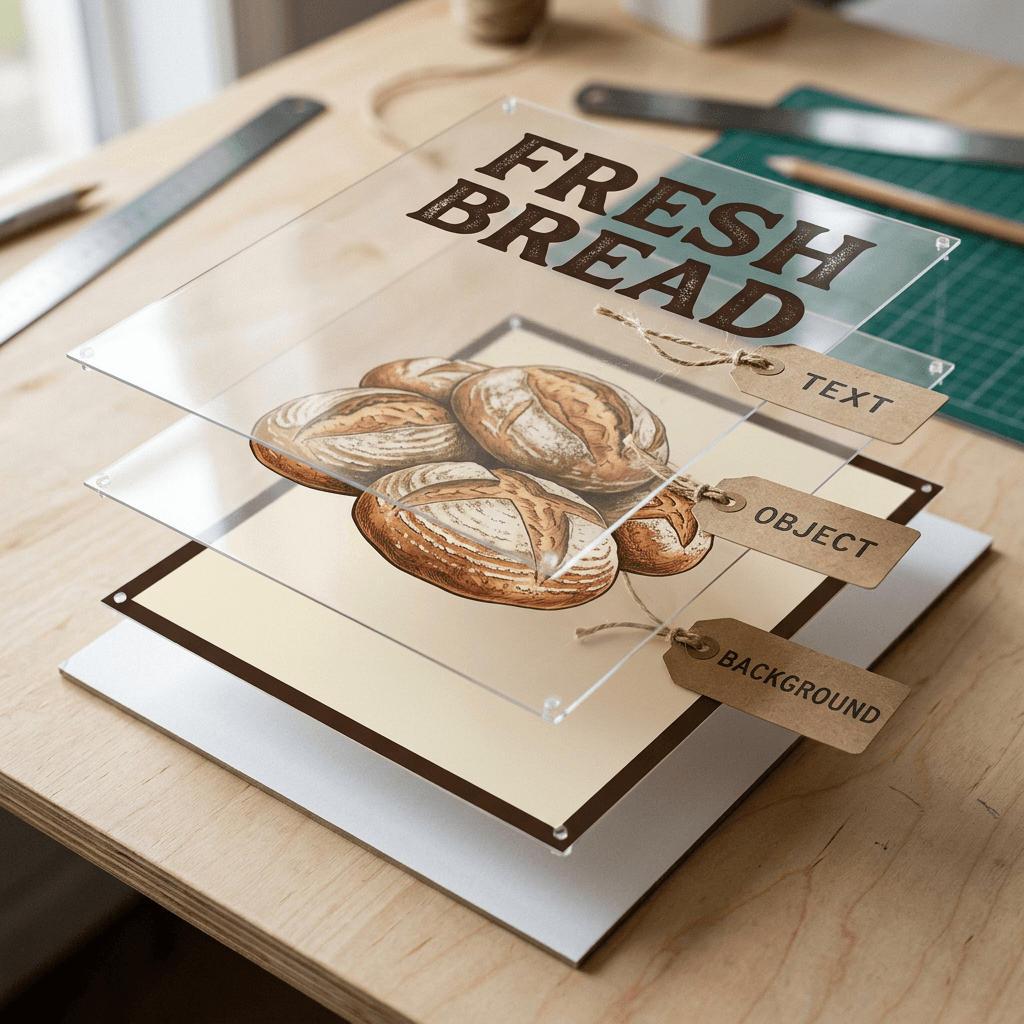
The feature that makes Craft more than another generator is what happens after the image exists. TechCrunch reports that images from Craft can be converted into layered, editable designs with Canva's image-to-design transformer, and Digital Trends refers to the same capability as Magic Layers [1][2]. Canva introduced Magic Layers earlier as a tool that takes flat JPG or PNG files from any source, including ChatGPT, Midjourney and Nano Banana, and splits them into editable layers for text, objects and backgrounds while keeping the original layout, and diginomica described it as being in public beta in the UK, US, Canada and Australia at that time [13]. Magic Layers is powered by the Canva Design Model that Canva announced in October 2025, a proprietary model trained on its design elements that produces designs with editable layers and objects instead of flat images [12].
Why the Plan Makes Layer Separation Easier
Splitting a flat image into layers is a hard inverse problem. The software has to guess where one object ends, what is hidden behind it, and which pixels belong to text. When the image comes from a model that first wrote down where every element goes, some of that guesswork can be avoided, because the boxes already exist. TestingCatalog's note that JSON boundary boxing helps Magic Layers convert generated images into editable elements points in exactly this direction [3]. I cannot confirm how much of the plan survives into the layer step, and Canva has not said, so I would describe this as a plausible advantage of owning both ends of the pipeline and not a documented one.
What Layered Output Means for a Real Workflow
For a marketer, the difference shows up on the third revision. With a flat generator, a client asking to change a price, swap a logo or move a headline means regenerating and hoping everything else stays put. With a layered result, the same request is a text edit in the Canva editor. Three situations benefit most:
- Localized campaigns: the same poster in several languages needs only the text layer replaced, and Canva reports text rendering in 55 languages for the generation step itself [3].
- Brand template reuse: a generated layout can be saved as a starting design and reused with different copy.
- Late stage fixes: a single misspelled word is a quick edit and not a full regeneration, which is the most common frustration with text in generated images.
Canva also says the planning stage enables precise edits without altering the rest of the image [1]. Be careful with the word editing here. The TestingCatalog report lists advanced editing and reference-image capabilities as planned for later releases, so the current model's edit story appears to be plan-level regeneration plus Magic Layers, not pixel-faithful inpainting of an uploaded photo [3]. If your workflow depends on masking a region of an existing image and replacing only that region, a tool built for inpainting, such as the editing tools in Miraflow's AI image generator, is the safer choice today.
Reading the DesignArena Ranking Without Fooling Yourself
Canva's headline benchmark claim is that Craft debuted fourth among image models on DesignArena, which Canva says makes Canva Research the second most advanced image generation lab on that platform [3][5]. By category, Canva reports first place in People and Portraits (out of 87 models) and Landscapes and Nature (out of 85), second in Abstract and Patterns, and fourth in Products [3]. Tech Insider, relaying a Thurrott report, says the three models ranked above Craft are all from OpenAI (GPT-Image-2.5 Sunburst, GPT-Image-2.5 Flare and GPT Image 2), and notes that this is Canva's claim with no independent check found [7]. Capital Brief, as summarized by AI Weekly, calls the results preliminary [6].
| DesignArena category | Craft rank (Canva's claim) | Models in category |
|---|---|---|
| Overall image | 4th, behind three OpenAI models per Tech Insider | Not stated |
| People and Portraits | 1st | 87 |
| Landscapes and Nature | 1st | 85 |
| Abstract and Patterns | 2nd | Not stated |
| Products | 4th | Not stated |
How DesignArena Ranks Models
DesignArena's About page describes the method. A user enters a prompt, a category is chosen by the user or automatically, and four models are drawn at random from the active pool, all receiving the same prompt. Outputs appear anonymously side by side, and five head-to-head battles follow (two initial pairings, a winners' bracket, a losers' bracket and a tie-breaker), each producing one vote and together yielding a full first-to-fourth ranking [11]. Rankings use the Bradley-Terry model, estimated iteratively until the values stabilize or after 200 iterations, then converted to an Elo-like scale with a base-10 logarithm formula; every vote counts equally, charts hide models with fewer than 50 comparisons, and models are marked preliminary until they reach roughly 200 comparisons, though this varies by category [11].
Three consequences follow from that method. First, the votes come from whoever visits the site, which means the rating measures the preferences of crowd voters and not of art directors or brand managers. Second, a new model with few comparisons has a wide uncertainty band, which is why a debut position can move substantially. Third, categories matter: a model can be first in portraits and fourth in products, as Craft is reported to be, and an overall rank averages across those strengths. The Bradley-Terry model itself is simple enough to run on a laptop, and the script below fits ratings from pairwise votes so you can see how a 60 to 40 vote split translates to a rating gap. I chose the display scale myself because DesignArena's page does not publish its exact constants.
python/code
# Fit Bradley-Terry ratings from pairwise votes (200 MM iterations). Display scale is illustrative.
import math
from collections import defaultdict

# Toy votes: (winner, loser). Replace with real pairwise votes from any arena export.
votes = ([("A", "B")] * 60 + [("B", "A")] * 40 + [("A", "C")] * 70 + [("C", "A")] * 30
         + [("B", "C")] * 65 + [("C", "B")] * 35)
models = sorted({m for v in votes for m in v})
wins, pair = defaultdict(int), defaultdict(int)
for w, l in votes:
    wins[w] += 1
    pair[frozenset((w, l))] += 1

p = {m: 1.0 for m in models}
for _ in range(200):  # the Bradley-Terry MM update, 200 iterations as DesignArena describes
    new = {}
    for i in models:
        denom = sum(pair[frozenset((i, j))] / (p[i] + p[j]) for j in models if j != i)
        new[i] = wins[i] / denom
    g = math.exp(sum(math.log(v) for v in new.values()) / len(new))
    p = {m: v / g for m, v in new.items()}

# Display scale is my choice (400 * log10 strength, centred on 1000); DesignArena's exact constants are not published on its page.
for m in models:
    print(m, round(1000 + 400 * math.log10(p[m])))
print("P(A beats B) =", round(p["A"] / (p["A"] + p["B"]), 3))
What the Ranking Does Not Tell You
A DesignArena ranking says that voters preferred Craft's outputs for the prompts voters chose, in the categories offered. It does not say how Craft handles a 120-word infographic, a bilingual menu or a brand-constrained layout, which are the cases where the planning stage should matter most. The leaderboard page I fetched did not list Craft or any scores (it rendered only axis labels), so I could not check the claim against the live board, and I could not find Elo values or vote counts in any article [7]. If the ranking matters to your decision, check DesignArena directly and look at the vote counts and category filters before repeating the number.
Cost Economics: Why Canva Built Its Own Model
The business case is as important as the technology. TechCrunch reports that Canva had used several third-party image models, expects Craft to reduce API costs, and cites better quality and speed control, and it adds that Canva cut its 2026 growth forecast [1]. Capital Brief, as summarized by AI Weekly, reports that higher-than-expected AI costs earlier in 2026 led Canva to lower its revenue growth target from 30 percent to 20 percent, and that owning the model may reduce third-party API spend and open a licensing channel to outside developers [6]. AI Weekly's own editor cautions that the link between the forecast cut and the per-image bill is an inference, because the source cites AI usage costs in general [6].
Canva has said something similar about its earlier design model. Its Head of AI Research, Stef Corazza, told diginomica that the company first used an OpenAI model and found it slow and costly, and that the in-house Canva Design Model is about twice as fast and three times cheaper, which he attributed to fine-tuning for a narrow domain instead of using a large general-purpose model [13]. Those figures describe the design model and not Craft, and they are Canva's own claims, but they show the pattern: a platform with hundreds of millions of generations to serve gains more from a cheaper specialized model than from a marginally better general one.
The Math Behind Build Versus Buy
You can reason about the decision without Canva's numbers. A platform pays for every generation through a third-party API, so cost scales linearly with usage, and usage rises when AI features become the main reason people visit. An in-house model converts that variable cost into a mostly fixed one of training, serving and research staff. Distillation is the lever that changes the serving side: Canva says Craft's distillation cut inference steps to a fraction of the original and that a custom engine speeds up the planning stage, and the planned Craft-fast and Craft-ultrafast variants are meant to deliver high quality at a fraction of the cost of leading frontier models [3][5]. Pricing for the API or for those variants has not been disclosed by any source I read [3][6].
For a creator, the practical effect is indirect. Cheaper generation for Canva usually shows up as more generous AI allowances, faster responses or both, though Canva has made no such promise. The signal to watch is how the credit allowance in the API behaves, since the documentation says every job consumes the user's AI credit allowance and can return quota errors [9].
How Craft Compares With MOSS-Image, Qwen-Image, GPT Image and Nano Banana
Comparing text-rendering models honestly is difficult, because each vendor reports on its own benchmark and no independent text-rendering test I could find includes Craft yet. The table below therefore compares design choices and the numbers each source actually supports, and it leaves a cell empty when I have no verified figure.
| Model | Planning | Weights | Headline figure I could verify | Editing or references |
|---|---|---|---|---|
| Canva Craft | Integrated planning model plus separate renderer | Closed; Dream Lab and Canva API | 4th on DesignArena at debut (Canva's claim) | Magic Layers conversion; reference images and advanced editing planned |
| MOSS-Image | Optional JSON layout; best results use an external GPT-6 planner | Open weights, 5B | 96.3% average text coverage on its authors' LLTB; 1698.70 Elo vs 1844.35 for GPT Image 2 on its authors' RLA | See our MOSS-Image explainer; not re-checked here |
| Qwen-Image | None; single model with data curriculum | See the technical report | Claims state-of-the-art on several benchmarks; abstract gives no number | Precise image editing with dual encoders, per abstract |
| GPT Image 2 and 2.5 | Not disclosed | Closed API | Three OpenAI models rank above Craft on DesignArena per Tech Insider | No verified figure in my sources |
| Nano Banana | Not disclosed | Closed | No verified comparable figure in my sources | No verified figure in my sources |
MOSS-Image: Open Weights and an External Planner
MOSS-Image from OpenMOSS is the cleanest contrast. Its technical report describes a 5B single-stream diffusion transformer and an intention-aware agentic prompt enhancement module, and the abstract claims state-of-the-art open-weight performance on its own LongLongTextBench with an average text coverage of 96.3 percent [21]. The report's planner is a separate system that, per the paper, uses GPT-6 at inference time, so the best layout results depend on an external model [22]. Craft folds planning into the product, which is why Canva can claim a single integrated pipeline, but the weights are closed. If you want to inspect, fine-tune or self-host, MOSS-Image is the option; if you want a managed pipeline that connects to a design editor, Craft is. Our MOSS-Image explainer has the full benchmark caveats.
Qwen-Image: Data and Curriculum
Qwen-Image attacked text rendering with a data pipeline and a progressive curriculum, and its technical report describes training that moves from non-text images to simple text to paragraph-level descriptions [23]. It does not use a separate planning model, which makes it a useful contrast: a single model can learn a lot of layout behavior if the data is right. Craft is a bet that for design work, an explicit plan beats an implicit one. For prompts that exploit Qwen's family on infographics, see our Qwen Image 3.0 Pro prompt guide.
GPT Image and Nano Banana: The Frontier Baselines
The reported DesignArena order places three OpenAI models above Craft, which makes OpenAI's image models the reference point Canva is measuring itself against [7]. I did not find a verified, comparable text-accuracy number for either Nano Banana or GPT Image in the sources I read, so I am not putting figures for them in this post. What you can say is qualitative: those models are general-purpose, accept reference images and offer editing, which Craft's roadmap lists as future work [3]. For hands-on comparisons, see our GPT Image 2 versus Nano Banana comparison and the ChatGPT Images 2.5 prompt guide.
When to Pick Which
A practical rule follows from the comparison. If the deliverable is a template-like graphic with a lot of text, such as a menu, a promo poster or an infographic, and it will be edited afterwards by non-designers, Craft's planning plus Magic Layers is built for it. If you need photorealistic scenes with reference images, or heavy inpainting, a general-purpose model is a better fit today. If you need control over weights and licensing, an open model is the answer. If you need all of these in one place, which is the usual situation for a creator who also makes video, a platform that bundles several tools, like Miraflow's Text2Shorts and image tools, saves you from rebuilding the pipeline each time. Our comparison of Canva and Miraflow for YouTube thumbnails looks at that tradeoff for one specific job.
Step-by-Step: Test Craft-Style Output Yourself
You do not need to take any vendor's text-accuracy claim on faith. Two small scripts let you measure it on your own prompts. The first checks whether the words you asked for appear in the image and in the right order, using OCR. The second lints a layout plan before you spend credits on a render.
Step 1: Measure Text Accuracy With OCR
The script reads an image with pytesseract (install Tesseract and run pip install pytesseract pillow), then reports two numbers: coverage, the share of target words found anywhere in the OCR text, and similarity, an order-sensitive character match. The two numbers answer different questions. Coverage tells you whether a word is present, and similarity tells you whether the lines came out in the right order. In my self-test, a scrambled sentence scored 1.00 coverage but only 0.35 similarity, while a one-letter typo scored 0.83 coverage and 0.99 similarity, which is why you want both. I ran the self-test and the scoring logic locally; I did not run the OCR path because Tesseract is not installed in my environment.
python/code
# Score text accuracy of a generated image. Run with no args for a self-test, or: python ocr_check.py "target text" image.png (needs tesseract, pytesseract, pillow).
import re, sys
from collections import Counter
from difflib import SequenceMatcher


def words(s):
    return re.findall(r"[a-z0-9']+", s.lower())


def coverage(target, ocr):
    """Share of target words found in the OCR output (order ignored)."""
    t, o = Counter(words(target)), Counter(words(ocr))
    hit = sum(min(c, o[w]) for w, c in t.items())
    return hit / max(1, sum(t.values()))


def similarity(target, ocr):
    """Order-sensitive character similarity, 1.0 means identical."""
    return SequenceMatcher(None, " ".join(words(target)), " ".join(words(ocr))).ratio()


def read_image(path):
    import pytesseract
    from PIL import Image
    return pytesseract.image_to_string(Image.open(path))


if __name__ == "__main__":
    if len(sys.argv) == 3:
        target, ocr = sys.argv[1], read_image(sys.argv[2])
    else:  # self-test without an image
        target = "Grand opening sale this Saturday only"
        for label, ocr in [("exact", "GRAND OPENING SALE THIS SATURDAY ONLY"),
                           ("typo", "GRAND OPENNG SALE THIS SATURDAY ONLY"),
                           ("scrambled", "Saturday only this sale opening grand")]:
            print(f"{label:10s} coverage={coverage(target, ocr):.2f} similarity={similarity(target, ocr):.2f}")
        sys.exit()
    print(f"coverage={coverage(target, ocr):.2f} similarity={similarity(target, ocr):.2f}")
Run it on at least ten generations per prompt, because a single image tells you little about reliability. Keep the target text short for headline tests and long for paragraph tests, and record which model and which aspect ratio produced each result. This is the same approach that research benchmarks use at scale: the MOSS-Image authors, for example, generate several images per task and score them all without picking the best one [22].
Step 2: Lint the Plan Before You Render
Even with a model that plans for you, a plan you write yourself is useful when you prompt in structured form or when you brief a designer. The linter below checks a plan expressed as boxes against a 1792 by 1008 canvas. The plan format is my own illustration, since Canva has not published its real one. It flags boxes outside the canvas, text that cannot fit its box on one line at the chosen font size, overlapping boxes, and a weak hierarchy where the largest text is less than 1.5 times the next size. On the sample plan it correctly caught that a 17-character headline at 120 pixels needs about 1,224 pixels of width and the box offers 904.
python/code
# Lint a box-based layout plan before rendering. The plan format is illustrative, not Canva's.
import json

W, H = 1792, 1008  # 16:9 canvas
# Illustrative plan in the spirit of stage 1. Canva has not published its real plan format.
plan = {"items": [
    {"role": "headline", "text": "FRESH BREAD DAILY", "box": [96, 80, 1000, 330], "font_px": 120},
    {"role": "subhead", "text": "Baked at 5 am, sold out by noon", "box": [96, 350, 1000, 440], "font_px": 40},
    {"role": "photo", "text": "", "box": [1060, 80, 1700, 930], "font_px": 0},
    {"role": "price", "text": "$4.50 loaf", "box": [96, 800, 520, 920], "font_px": 56},
]}


def overlap(a, b):
    return max(0, min(a[2], b[2]) - max(a[0], b[0])) * max(0, min(a[3], b[3]) - max(a[1], b[1]))


def lint(plan, avg_char_em=0.6):
    problems, items = [], plan["items"]
    for it in items:
        x0, y0, x1, y1 = it["box"]
        if x0 < 0 or y0 < 0 or x1 > W or y1 > H:
            problems.append(f"{it['role']}: box leaves canvas")
        if it["text"]:
            need = len(it["text"]) * it["font_px"] * avg_char_em  # one-line width estimate
            if need > (x1 - x0):
                problems.append(f"{it['role']}: needs ~{need:.0f}px on one line, box is {x1-x0}px, wrap or shrink")
    for i, a in enumerate(items):
        for b in items[i + 1:]:
            if overlap(a["box"], b["box"]):
                problems.append(f"{a['role']} overlaps {b['role']}")
    sizes = sorted((it["font_px"] for it in items if it["text"]), reverse=True)
    if len(sizes) > 1 and sizes[0] < 1.5 * sizes[1]:
        problems.append("weak hierarchy: largest text under 1.5x the next size")
    return problems


print(json.dumps(lint(plan), indent=2))
Step 3: Write the Prompt Around the Plan
Once the plan passes, turn it into prose. The prompt below is a copy-paste template for any design-oriented image model, including Craft in Dream Lab. It gives the model the four things a planner needs: positions, relative sizes, hierarchy and exact text.
Design a 16:9 promotional poster for a neighborhood bakery. Place the headline FRESH BREAD DAILY in large bold sans-serif capitals across the upper left, taking about 55 percent of the canvas width, with the subhead Baked at 5 am, sold out by noon in a much smaller weight directly beneath it. Put a warm photograph of three sourdough loaves on a wooden board in the right 35 percent of the canvas. In the lower left, add a small cream-colored price tag reading $4.50 loaf. Use a deep brown and cream palette with generous margins, keep the lower right corner empty, and render every word exactly as written with no extra text.
If a word comes out wrong, shorten the line and regenerate before touching anything else. Our guide to prompt tricks for spelling text correctly lists the techniques that work across models, such as quoting the exact string, limiting the number of words, and specifying case.
Common Mistakes When Using Plan-Then-Render Models
Treating the ranking as a quality guarantee. A DesignArena position reflects crowd votes on the prompts voters chose, so it says little about your infographic. Test your own prompts with the OCR script above before committing a campaign.
Assuming the API matches Dream Lab. Dream Lab advertises more than 30 aspect ratios and a custom option, while the API documentation I read lists six values and no width or height inputs [3][9]. Plan your crops around the API's presets if you automate.
Forcing a model with the model parameter. Canva recommends omitting it so the service can fall back, and forcing craft_v1_2k means a job fails with model_not_available when that model is down [9]. Decide whether consistency or availability matters more for each workflow.
Expecting photo-style editing. Reference-image input and advanced editing are listed as future work, so a task such as replacing one object in an existing photo should go to an inpainting tool [3].
Overloading the canvas with tiny text. Canva itself lists fine print as an area for improvement, so keep body copy large and short on first drafts, then add detail in the editor [5]. The same limit shows up in the research: small glyphs sit on a coarse latent grid, which is why every text-rendering model degrades first on small print.
Shipping a preview API integration as a public app. Canva's documentation says public apps that use preview APIs cannot pass review, so build internal automation first [9].
Where This Fits in a Creator Pipeline
Craft is strongest at the design end of the pipeline: posters, thumbnails, social graphics and slides with real text. Creators typically need more than that. A video idea becomes a script, scenes, a thumbnail, music and a vertical cut, and those steps usually live in different tools. Miraflow is built around that sequence, from Text2Shorts for vertical videos, to the AI Clipping tool that finds viral moments in long videos, to the YouTube Thumbnail Maker and the AI image generator, all reachable from the Miraflow home page. For prompt ideas in the same design-heavy territory, see our AI movie poster prompts, the presentation slide visuals guide and seven thumbnail design patterns used by top YouTubers.
What to Watch Next
Several open questions will decide how significant Craft turns out to be. Canva has not published a technical paper, so the first thing to watch is whether the Canva Research team releases architecture details or evaluation data that others can reproduce. Independent measurement is the second: a text-accuracy test or an extended DesignArena sample with visible vote counts would move the discussion from claims to evidence. Third, the pricing and licensing of Craft-fast and Craft-ultrafast will show whether Canva intends to sell the model as a developer product or keep it mostly as an internal cost lever, and AI Weekly's editor flags both as open questions [6]. Finally, the MCP integration that Canva describes as coming soon would put Craft inside assistants such as ChatGPT and Gemini, which changes it from a feature of one app into a tool other agents can call [1][3].
What Canva Has Not Disclosed Yet
Canva has not published a technical report for Craft, so several details engineers usually want are still missing: parameter counts, the exact format of the internal plan, Elo scores behind the DesignArena ranking, per-image API pricing, and an independent text-accuracy benchmark. The 55-language figure, the 25,000 image-pair evaluation and the speed claims are Canva's own statements as reported by outlets that covered the launch [8]. The code in this post follows Canva's API documentation, which marks the image generation endpoint as a preview, so expect parameter names and allowed values to change before general availability.
Frequently Asked Questions
What is Canva Craft?
Canva Craft is Canva's first image generation foundation model, released on October 22, 2026, and built by Canva Research. It plans a composition first and then renders the image at up to 2K resolution [1][5].
Where can I use Canva Craft?
It is available to all Canva users in Dream Lab and to developers through Canva's API, and Canva says MCP support for assistants is coming soon [1][3].
Is Canva Craft free?
Digital Trends says access in Dream Lab is subject to account and usage limits, and no source I read discloses pricing for the API or the upcoming variants [2][3].
Which languages does Craft support?
Canva says prompts can be written in any language and that generated text is supported in 55 languages [3].
How is Craft trained?
Canva says it used millions of human-made templates, then supervised fine-tuning and reinforcement learning with designer feedback, and compared more than 25,000 image pairs against leading models [3].
What is the model id in the Canva API?
Canva's documentation lists craft_v1_2k as CRAFT-1 2K, its first-party model, but recommends omitting the model parameter so the service can choose and fall back [9].
Can Craft output be edited afterwards?
Canva says images can be converted into layered, editable designs with Magic Layers, but advanced editing and reference-image input are listed as future work [1][3].
Does the DesignArena ranking prove Craft is the second best image model?
No independent check exists in the coverage I read. The fourth-place debut and the second-lab claim come from Canva, and the leaderboard publishes its method but gives only preliminary status to models with few comparisons [7][11].
How is Craft different from MOSS-Image?
Craft is a closed model with an integrated planner and a design-editor workflow, while MOSS-Image is an open-weight 5B model whose best layout results rely on an external GPT-6 planner [5][22].
Conclusion
Canva Craft is best understood as a design-first image model, and its most interesting choice is architectural: write a plan for the composition, then render it. The research behind that idea is solid, from LayoutGPT and LLM-grounded Diffusion to TextDiffuser and Glyph-ByT5, and Canva's training on templates gives the planner something most image datasets lack, which is professionally set layouts with real typography. The layered output through Magic Layers is the practical payoff, because it turns the last mile of design work from regeneration into editing.
The evidence for how good the model is remains thin. The DesignArena ranking and the 25,000-pair evaluation are Canva's own, the API is a preview, and Canva itself says fine print and technical drawings need work. The sensible way to adopt it is to test your own prompts with the OCR and plan-lint scripts above, compare against an open model and a general-purpose model on the same brief, and decide on measured results. For the wider creator pipeline around those images, Miraflow's AI image generator, YouTube Thumbnail Maker and Text2Shorts are a good place to start from the Miraflow home page.
References
- TechCrunch: Canva releases its first image generation model - https://techcrunch.com/2026/10/22/canva-releases-its-first-image-generation-model/
- Digital Trends: Canva Craft AI image generation model launch - https://www.digitaltrends.com/computing/canva-craft-ai-image-generation-model-launch/
- TestingCatalog: Canva launches Craft image model with 2K output and API - https://www.testingcatalog.com/canva-launches-craft-image-model-with-2k-output-and-api/
- ContentGrip: Canva Craft image model - https://www.contentgrip.com/canva-craft-image-model/
- Unite.AI: Canva Debuts Craft Image Model Built by Its In-House Research Lab - https://www.unite.ai/canva-debuts-craft-image-model-built-by-its-in-house-research-lab/
- AI Weekly: Canva Launches Craft, Its First In-House Image Generation Model - https://aiweekly.co/alerts/canva-launches-craft-its-first-in-house-image-generation-model
- Tech Insider: Canva Craft AI Image Model Ranks 4th - https://tech-insider.org/canva-craft-first-image-model-designarena-2026/
- Canva Newsroom: Introducing Canva Craft - https://www.canva.com/newsroom/news/canva-craft/
- Canva Developers: Create image generation job - https://www.canva.dev/docs/apps/rest-apis/reference/generations/create-image-generation-job/
- Canva Developers: Get image generation job - https://www.canva.dev/docs/apps/rest-apis/reference/generations/get-image-generation-job/
- DesignArena: About and methodology - https://www.designarena.ai/about
- TechCrunch: Canva launches its own design model, adds new AI features - https://techcrunch.com/2025/10/30/canva-launches-its-own-design-model-adds-new-ai-features-to-the-platform/
- diginomica: How Canva's design-specific foundation model can edit any AI-generated image - https://diginomica.com/how-canva-design-specific-foundation-model-edit-any-ai-generated-image
- TechCrunch: Canva acquires Leonardo.ai to boost its generative AI efforts - https://techcrunch.com/2024/07/29/canva-acquires-leonardo-ai-to-boost-its-generative-ai-efforts/
- LayoutGPT: Compositional Visual Planning and Generation with Large Language Models (arXiv 2305.15393) - https://arxiv.org/abs/2305.15393
- LLM-grounded Diffusion (arXiv 2305.13655) - https://arxiv.org/abs/2305.13655
- GLIGEN: Open-Set Grounded Text-to-Image Generation (arXiv 2301.07093) - https://arxiv.org/abs/2301.07093
- TextDiffuser: Diffusion Models as Text Painters (arXiv 2305.10855) - https://arxiv.org/abs/2305.10855
- Glyph-ByT5: A Customized Text Encoder for Accurate Visual Text Rendering (arXiv 2403.09622) - https://arxiv.org/abs/2403.09622
- Character-Aware Models Improve Visual Text Rendering (arXiv 2212.10562) - https://arxiv.org/abs/2212.10562
- MOSS-Image Technical Report (arXiv 2610.23374) - https://arxiv.org/abs/2610.23374
- MOSS-Image Technical Report, HTML version - https://arxiv.org/html/2610.23374
- Qwen-Image Technical Report (arXiv 2508.02324) - https://arxiv.org/abs/2508.02324