How Many Words Should You Put on a YouTube Thumbnail?

Written by
Jay Kim
Learn the ideal word count for YouTube thumbnails in 2026. Covers best practices by niche, typography rules, common text mistakes, and prompt templates for AI thumbnail generation.
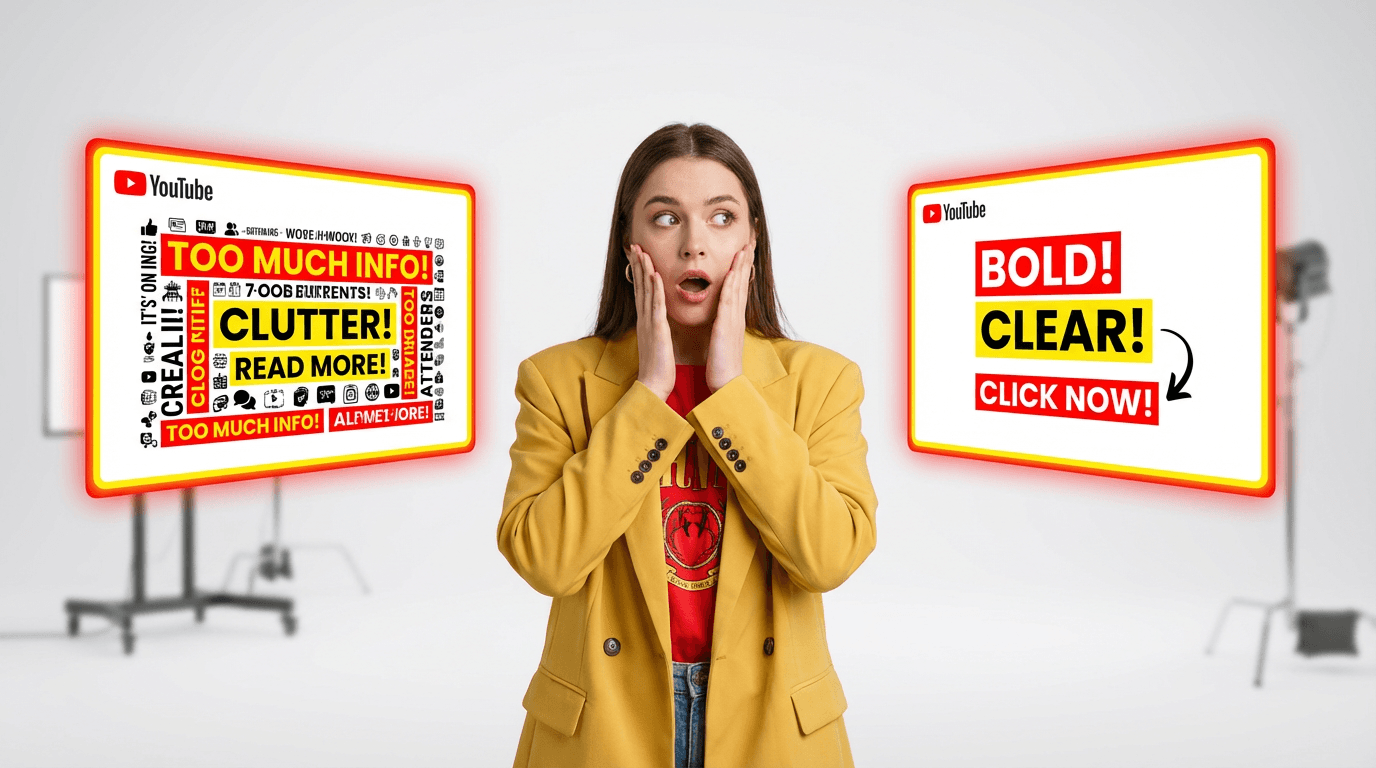
You spend time crafting your video, writing a solid script, editing it down to the perfect length, and then you upload it with a thumbnail that has twelve words crammed into a tiny rectangle. The video barely gets impressions, and the ones it does get rarely turn into clicks. One of the most overlooked reasons for low click-through rates on YouTube in 2026 is thumbnail text that tries to say too much, turning what should be a visual magnet into an unreadable mess at small display sizes.
The number of words on your YouTube thumbnail directly affects whether viewers can read it, process it, and decide to click within the fraction of a second they spend scanning their feed. Too many words make the thumbnail look cluttered and impossible to read on mobile screens. Too few words, or no words at all, can sometimes leave viewers without enough context to understand what the video offers. Finding the right balance is one of those small decisions that has an outsized impact on your channel's growth.
This guide breaks down exactly how many words perform best on YouTube thumbnails in 2026, why certain word counts work better than others, what types of text drive clicks versus what types hurt performance, and how to design thumbnails that use text strategically. Every recommendation is grounded in how thumbnails actually display across devices and how viewers process visual information in fast-scrolling feeds.
Why Thumbnail Text Matters More Than Most Creators Think
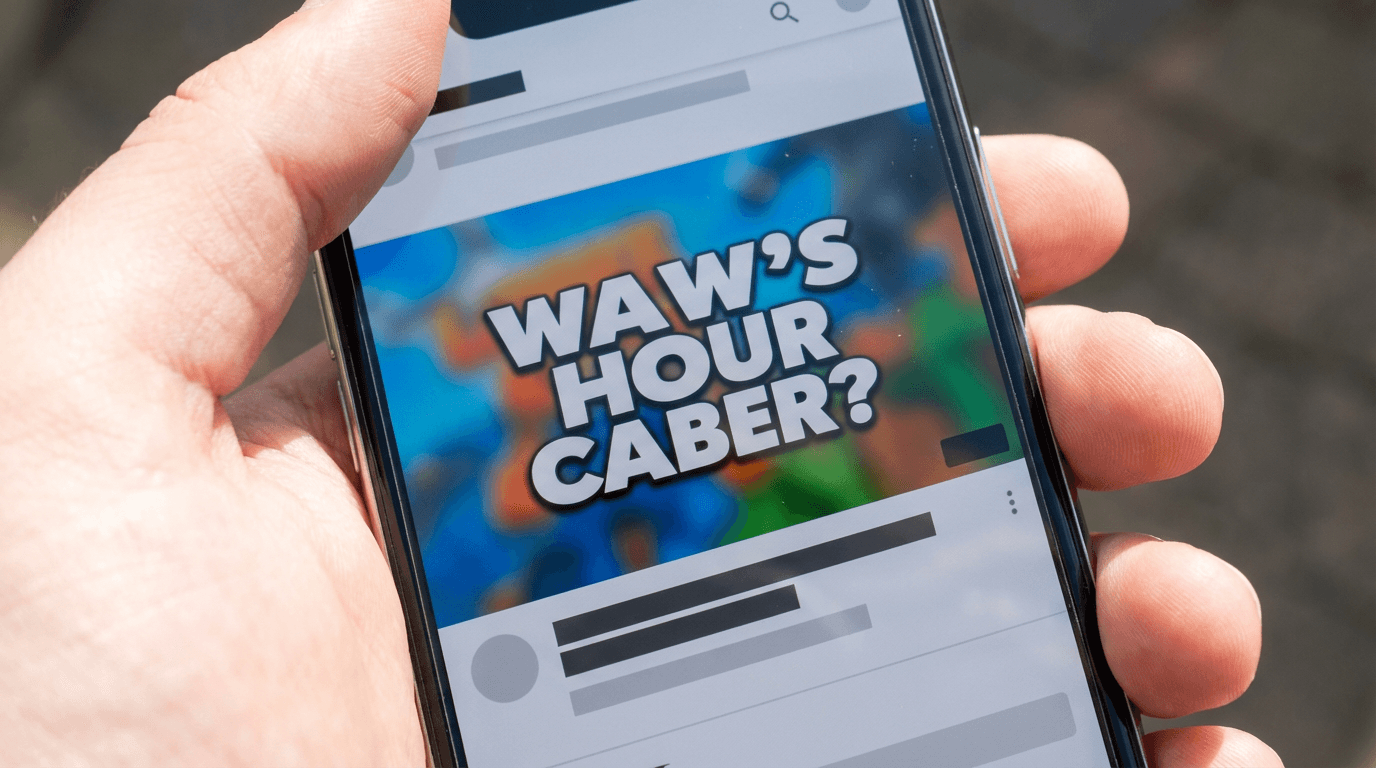
YouTube thumbnails display at extremely small sizes across most surfaces where viewers encounter them. On mobile home feeds, a thumbnail might appear at around 160 pixels wide. On desktop browse pages, they are slightly larger but still compete with dozens of other thumbnails on the same screen. On the Shorts shelf and suggested video sidebar, they shrink down even further.
At these display sizes, every word you add to a thumbnail competes for limited visual space. Text that looks perfectly readable when you design it on a full-size monitor often becomes a blurred, unreadable smear when it shrinks down to the size viewers actually see it. This is why the word count on your thumbnail is a design constraint that directly impacts whether your video gets clicked or scrolled past.
The relationship between thumbnail text and click-through rate is well documented by creators who track their analytics closely. Thumbnails with clear, readable text that adds context to the visual tend to outperform thumbnails where the text is either missing or overwhelming. The YouTube CTR benchmarks guide for 2026 covers how different thumbnail elements, including text, influence click-through rate across various niches and content types.
The Short Answer: 2 to 5 Words Is the Sweet Spot
For the vast majority of YouTube thumbnails, the ideal word count falls between two and five words. This range gives you enough space to add context, curiosity, or emotional impact without overcrowding the visual composition or sacrificing readability at small sizes.
Here is why this range works so well. Two words is the minimum needed to communicate a meaningful concept or trigger curiosity. Something like "I Quit" or "Never Again" immediately tells a story and creates an emotional reaction. Five words is roughly the maximum that can be displayed in large, bold typography while still remaining legible on a mobile thumbnail. Going beyond five words almost always requires either shrinking the font size to a point where it becomes unreadable, or spreading text across multiple areas of the thumbnail in a way that clutters the composition.
The most clicked thumbnails on YouTube consistently use short, punchy text that works together with the visual to tell a complete story. The text and the image each contribute something the other cannot. The image shows the emotion, the context, or the subject, while the text adds the specific hook, the number, or the key phrase that makes the viewer want to know more.
This principle applies whether you are creating thumbnails for long-form videos, Shorts, or any other YouTube content format. The complete guide to YouTube thumbnail text ideas for 2026 includes dozens of examples organized by niche if you want to see how high-performing channels handle text placement across different content types.
Word Count Breakdown by Thumbnail Style
Different thumbnail styles call for different amounts of text, and understanding which style you are working with helps you decide exactly how many words to include. Here is how word count varies across the most common thumbnail formats used by successful creators in 2026.
Zero Words: The Pure Visual Thumbnail
Some thumbnails work best with no text at all. This approach relies entirely on the image to communicate the video's topic, mood, and hook. Pure visual thumbnails tend to work well for content where the subject matter is immediately obvious from the image alone, such as travel vlogs showing stunning destinations, cooking videos featuring beautifully plated food, or reaction content where a strong facial expression tells the whole story.
The risk with zero-word thumbnails is that they sometimes lack the specificity needed to stand out in a competitive feed. A beautiful landscape photo might grab attention, but without any text hint about what the video covers, viewers may not have enough reason to click over a competing video that clearly communicates its value proposition.
1 to 2 Words: The Emotional Punch
One to two word thumbnails are powerful for creating an immediate emotional reaction. Phrases like "It's Over," "I Failed," "Day One," or "The Truth" work because they are vague enough to create curiosity while being short enough to display in massive, bold typography that dominates the thumbnail space.
This style works exceptionally well for commentary channels, personal channels, and any content where the creator's face or reaction is the main visual element. The text adds just enough context to make the viewer wonder what happened, without spelling out the entire story. Channels that consistently use the shocked reaction and big contrast text style often rely on one to two word overlays because the facial expression carries most of the communication load.
3 to 4 Words: The Contextual Hook
Three to four words is the most versatile range and the one that works well across almost every niche. This word count gives you enough room to communicate a specific concept while keeping the text large and readable. Examples include "Stop Doing This," "I Made $10K," "Best Budget Camera," or "Why You're Wrong."
This range works for tutorials, reviews, listicles, commentary, and educational content because it provides concrete information that helps viewers decide whether the video is relevant to their interests. The key is making every word count. Each word should either add new information or increase the emotional impact of the phrase.
5 Words: The Maximum for Most Thumbnails
Five words represents the practical ceiling for most thumbnail layouts. Beyond this point, the text either needs to be split into multiple lines, made smaller, or wrapped around other visual elements in ways that reduce readability. Five word phrases like "How I Lost 50 Pounds" or "This Changed Everything For Me" work when the typography is bold and well-placed, but they require careful design to avoid feeling cramped.
If your thumbnail concept requires five words, make sure the font is large enough to read at mobile sizes and that the text does not overlap with the main visual subject in ways that make either element harder to process. The rules for YouTube thumbnails guide covers the design principles that keep text readable at any word count.
6+ Words: Almost Always Too Many
Thumbnails with six or more words almost always underperform compared to their shorter alternatives. The main reason is simple: at typical YouTube display sizes, six or more words require either a smaller font or a more complex layout, both of which reduce the speed at which viewers can process the thumbnail's message.
There are rare exceptions where longer text works, such as thumbnails designed to look like headlines, news tickers, or text messages where the format itself is part of the visual concept. But even in these cases, the most effective versions keep the text large and limit it to the shortest possible version that communicates the idea.
How to Choose the Right Words for Your Thumbnail
Knowing the word count is only half the equation. The specific words you choose matter just as much as how many you use, because three poorly chosen words can perform worse than zero words. Here are the principles that guide effective thumbnail text selection.
Use Words That Add Information the Image Cannot Show
The most common mistake with thumbnail text is using it to describe what is already visible in the image. If your thumbnail shows a person holding a camera, adding the text "Holding a Camera" wastes valuable space on information the viewer can already see. Instead, use text that adds a layer of meaning the image alone cannot communicate, such as "Best Under $300" or "You Need This."
Effective thumbnail text answers a question the image raises. If the image shows a person with a surprised expression, the text should hint at what surprised them. If the image shows a product, the text should communicate the angle or opinion the video takes on that product. The image and text should work as a team where each element makes the other more compelling.
Prioritize Curiosity and Specificity
The strongest thumbnail text creates a curiosity gap that makes the viewer feel like they need to click to get the full story. Words and phrases that trigger curiosity include numbers, unexpected claims, time references, and words that suggest a reveal or transformation.
Numbers are particularly powerful in thumbnail text because they communicate specificity in very few characters. "$0 to $10K" uses only four characters of meaningful content but communicates a complete transformation story. "Day 30" suggests a journey with a clear milestone. "3 Mistakes" promises a specific, countable set of insights. This specificity helps viewers feel confident that the video will deliver concrete value, which directly increases their likelihood of clicking.
For more techniques on writing titles and descriptions that work alongside your thumbnail text, the YouTube Shorts titles and descriptions template guide covers the full copy framework for short-form content.
Avoid Repeating Your Video Title
Your thumbnail text and your video title both appear next to each other on most YouTube surfaces. Using identical or very similar text in both places wastes one of your two chances to communicate value to the viewer. If your title says "How I Gained 10K Subscribers in 30 Days," your thumbnail text should not repeat the same phrase. Instead, the thumbnail might simply say "10K in 30 Days" or "My Strategy" to complement the title rather than duplicate it.
The most effective creator workflows treat the thumbnail and title as two halves of a single pitch. Together, they should give the viewer everything they need to decide to click, but neither one should work in isolation or repeat the other.
Typography Rules That Affect How Many Words You Can Fit
The number of words you can effectively use on a thumbnail depends heavily on your typography choices. Bold, large, sans-serif fonts allow fewer words but make each word more impactful and readable. Smaller, thinner fonts might technically fit more words, but they sacrifice the readability that makes thumbnail text effective in the first place.
Font Size: Bigger Is Almost Always Better
The minimum effective font size for YouTube thumbnail text is roughly 10 to 15 percent of the thumbnail height. Anything smaller than this becomes difficult to read on mobile devices, which represent the majority of YouTube viewing in 2026. For a standard 1280x720 thumbnail, this means your text should be at least 72 to 108 pixels tall at minimum, and ideally larger.
At this minimum size, you can comfortably fit three to four words on a single line. Fitting five or more words requires either reducing the font size below this minimum, which hurts readability, or stacking words on multiple lines, which can work but requires careful layout planning.
Font Weight: Bold and Extra Bold Outperform
Thin and regular weight fonts disappear against busy backgrounds and lose definition at small display sizes. Bold and extra bold font weights maintain their shape and readability even when thumbnails are displayed at their smallest dimensions. This is why almost every high-performing YouTube thumbnail uses thick, heavy typography for any text overlay.
The practical implication for word count is that bold fonts take up more horizontal space per character, which means you can fit fewer words per line. This is actually a benefit because it naturally limits you to shorter, punchier phrases that perform better anyway.
Color and Contrast: The Readability Foundation
Text color and contrast with the background determine whether your words are visible at all. White text with a dark outline or shadow works on almost any background. Black text works on bright, light backgrounds. Colored text works when it contrasts strongly with the area behind it.
If your text blends into the background even slightly, adding more words will not help. Viewers who cannot read the text will not benefit from a longer phrase that is equally invisible. The YouTube thumbnail makeovers guide shows real before-and-after examples where simply improving text contrast led to significant CTR improvements, even when the word count stayed the same.
Word Count for YouTube Shorts Thumbnails
Shorts thumbnails have their own considerations because they display in vertical 9:16 format and appear in different contexts than standard video thumbnails. On the Shorts shelf, the profile grid, and the Shorts tab, these vertical thumbnails compete in a scrolling feed where they display at even smaller sizes than regular thumbnails on many surfaces.
For Shorts thumbnails, the ideal word count drops to one to three words maximum. The vertical format provides less horizontal space for text, which means longer phrases get squeezed or require awkwardly small typography. One to two words displayed in large, bold type across the center or top of a vertical thumbnail tend to perform best.
Many successful Shorts creators use zero text on their thumbnails and rely entirely on strong visual composition to drive taps. This approach works particularly well when the first frame of the Short itself is visually compelling enough to serve as the thumbnail. The YouTube Shorts thumbnail strategy guide for 2026 covers the full set of best practices for vertical thumbnail design, including when text helps versus when it hurts.
If you are creating Shorts thumbnails with text, the AI prompts for YouTube Shorts thumbnails guide includes ready-to-use prompt templates that incorporate text placement into the image generation process.
10 Thumbnail Text Examples Sorted by Word Count
Here are real-world examples of effective thumbnail text at each word count, along with the context where each count works best.
1 Word
- "STOP" for a video debunking a common mistake
- "FREE" for a giveaway or free resource video
- "RUN" for an urgent deal or limited time opportunity
2 Words
- "I Quit" for a personal story or career change video
- "Never Again" for a product review or experience recap
- "Game Over" for an ending, final result, or competition video
3 Words
- "Best Budget Phone" for a tech review or comparison
- "Stop Doing This" for a correction or advice video
- "How I Started" for an origin story or beginner guide
4 Words
- "I Tested Every One" for a comparison or challenge video
- "This Changes Everything Now" for a reveal or discovery video
- "My Honest Review Inside" for a product evaluation
5 Words
- "What Nobody Tells You About" for an expose or hidden knowledge video
- "I Did This For 30 Days" for a challenge or experiment recap
These examples show how shorter text creates a faster emotional response while slightly longer text adds more specific context. The best word count for your channel depends on your niche, your visual style, and what information your thumbnail image already communicates without text.
How to Generate Thumbnails With the Right Amount of Text
Creating thumbnails with well-placed, readable text used to require design skills and software like Photoshop. In 2026, AI thumbnail generators can handle both the visual composition and the text placement in a single generation step, making it much faster to test different word counts and layouts.
The YouTube Thumbnail Maker on Miraflow AI lets you enter a text prompt for the visual design and a separate field for the thumbnail text you want displayed. This separation means the AI handles the composition, lighting, and subject while placing your specified text in a prominent, readable position within the image. You can generate multiple versions with different text options to see which word count and phrasing looks best before uploading to YouTube.
Here are several thumbnail prompt templates optimized for different word counts that you can copy and modify.
2-Word Text Thumbnail Prompt
A bold close-up of a content creator with a shocked expression, mouth slightly open, warm studio lighting with a ring light reflection in the eyes, vibrant gradient background shifting from deep blue to bright orange, the person positioned on the right side of the frame, strong contrast between subject and background, clean YouTube thumbnail composition, no text
Thumbnail Text: Game Over
3-Word Text Thumbnail Prompt
A sleek laptop open on a clean white desk displaying a rising analytics dashboard, soft natural light from the left side, a coffee mug and small plant beside the laptop, bright clean background with a gentle warm gradient, the laptop centered in the lower third of the frame with generous negative space above for text, professional tech tutorial thumbnail composition, no text
Thumbnail Text: Stop Doing This
Visual-Only (No Text) Thumbnail Prompt
A beautifully plated gourmet pasta dish photographed from a slight overhead angle on a rustic wooden table, steam rising gently, fresh basil and cherry tomatoes scattered around, warm natural side lighting creating soft shadows, rich saturated warm colors, appetizing food photography composition optimized for YouTube thumbnail, no text, no logos
For a full library of thumbnail prompts covering every major niche, the best AI prompts for YouTube thumbnails in 2026 includes dozens of ready-to-use templates with detailed composition instructions.
What the YouTube Algorithm Sees (And Does Not See) in Your Text
YouTube's recommendation system evaluates thumbnails primarily through their impact on viewer behavior, specifically click-through rate, rather than by reading the text content directly. The algorithm measures how often viewers click on your thumbnail when it appears in their feed, and thumbnails with higher CTR tend to receive more impressions over time.
This means the algorithm does not care what words you use on your thumbnail in a direct, content-analysis sense. What it cares about is whether those words, combined with the visual, lead to more clicks. If your thumbnail text helps viewers understand the video's value quickly and creates curiosity, the resulting higher CTR signals the algorithm to show your video to more people.
Understanding this distinction matters because it shifts the focus from keyword optimization within the thumbnail to audience response optimization. The words on your thumbnail should be chosen for the human viewer, not for an algorithm reading text. The guide to how the YouTube algorithm works in 2026 explains this feedback loop in detail and covers how CTR connects to the broader recommendation system.
Common Thumbnail Text Mistakes and How to Fix Them
Mistake 1: Using the Full Video Title as Thumbnail Text
This is the most frequent error and one of the easiest to fix. Cramming your entire video title onto the thumbnail creates a wall of text that is unreadable at small sizes and redundant with the title that already displays beneath the thumbnail. The fix is to extract the one or two most compelling words from your title and use only those on the thumbnail.
Mistake 2: Text Covering the Subject's Face
When thumbnail text overlaps with a person's face or the main visual subject, both elements become harder to process. The text loses readability against the complex background of a face, and the facial expression loses its emotional impact behind the text overlay. Position text in open areas of the thumbnail where it has clear contrast with the background, typically in the upper corners, lower third, or beside the main subject.
Mistake 3: Using Multiple Text Blocks
Some creators split their text into three or four separate text blocks scattered across different areas of the thumbnail. This forces the viewer's eye to jump between multiple reading points, slowing down comprehension and creating visual chaos. If you need multiple pieces of information, consolidate them into a single text block positioned in one area of the thumbnail.
Mistake 4: Choosing Unreadable Fonts
Script fonts, thin serif fonts, and decorative typefaces may look elegant at full size but become completely illegible on small thumbnails. Stick with bold sans-serif fonts for thumbnail text, and test how they look at the smallest display size before committing to a design. The guide to why your YouTube thumbnail is killing your CTR covers this and other design issues that silently reduce your click-through rate.
Mistake 5: Text in a Color That Blends With the Background
Text that is technically present but practically invisible does nothing for your click-through rate. If you use white text on a bright background or dark text on a dark background, the words disappear at small sizes even if they are technically readable on a full-resolution preview. Always add an outline, shadow, or contrasting background strip behind your text to ensure it remains visible in every context.
A/B Testing Your Thumbnail Text

YouTube now allows A/B testing of thumbnails for creators in the YouTube Partner Program, making it possible to test different word counts on the same video and measure which version gets more clicks. If you have access to this feature, testing your text approach systematically is one of the highest-value experiments you can run for your channel.
A practical A/B testing approach for thumbnail text is to create three versions of each thumbnail. The first version uses two words or fewer. The second version uses three to four words. The third version uses five words or a different phrasing of the same concept. Running each version for a statistically meaningful sample of impressions reveals which word count resonates most with your specific audience.
Even if you do not have access to YouTube's built-in A/B testing, you can test manually by uploading one version, tracking its CTR in YouTube Studio analytics for a week, then swapping to a different version and comparing. The YouTube Shorts analytics guide for 2026 explains how to read performance graphs and identify meaningful trends in your data.
Generating multiple thumbnail variants for testing is fast with AI tools. You can create several versions with different text in the YouTube Thumbnail Maker and compare them side by side before uploading. The ability to iterate quickly and test different approaches is one of the biggest advantages of AI-generated thumbnails over traditional design workflows.
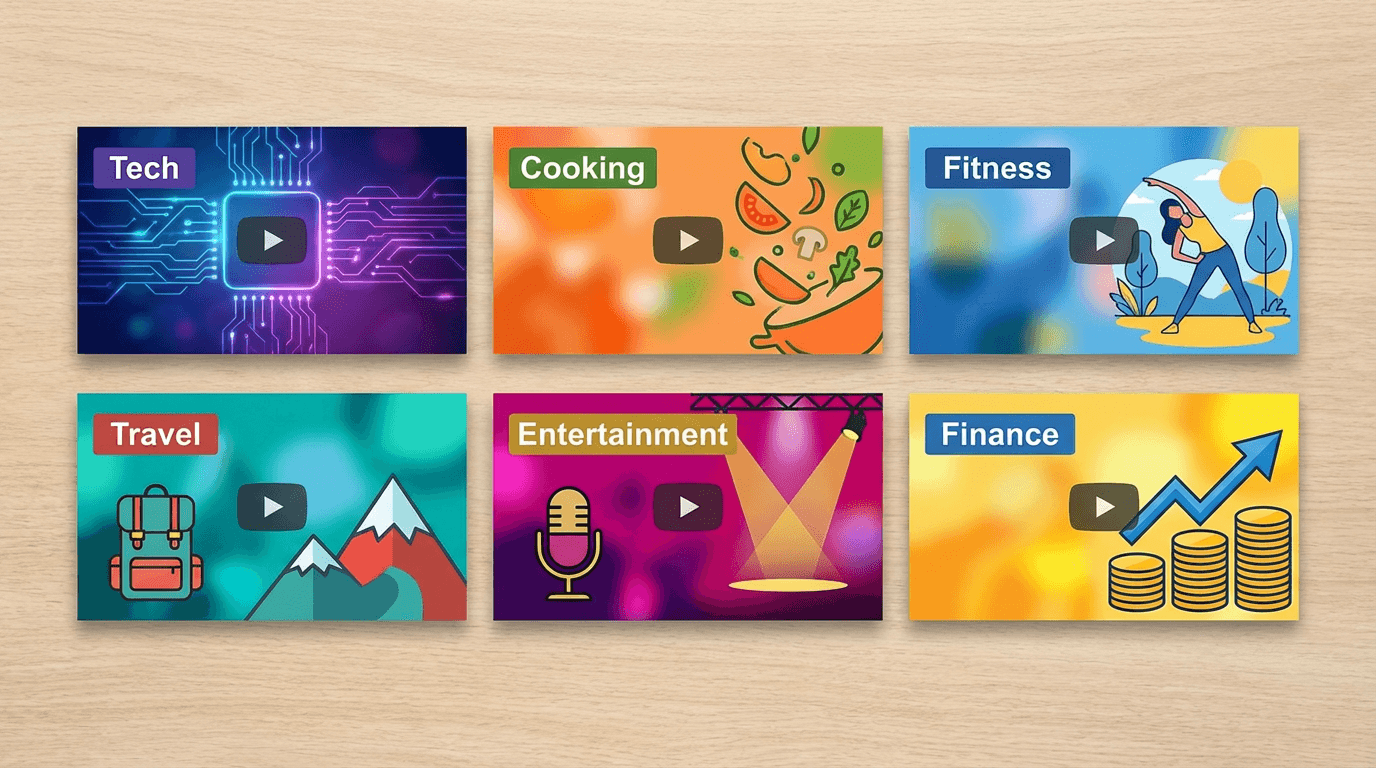
Word Count Guidelines by Niche
Different content niches tend to gravitate toward different word counts on thumbnails based on what information their audience needs to make a click decision. Here is a breakdown of what works in the most popular YouTube niches in 2026.
Tech and Tutorial Channels
Three to four words work best because tech viewers want to know the specific product, tool, or concept the video covers. Examples include "Best Laptop 2026," "VS Code Trick," or "iPhone Worth It?" The specificity of the text helps viewers filter for videos relevant to their current question or interest.
Entertainment and Commentary
One to two words work best because the creator's expression and visual context carry most of the communication. The text adds a reaction or emotional label. Examples include "No Way," "It's Bad," or "I'm Done." Channels in this niche that go beyond three words on their thumbnails often see CTR drop because the text competes with the facial expression for attention.
Cooking and Food
Zero to two words work best because the food itself is the primary visual hook. If text is used, it should be brief and additive, like "5 Minutes" or "Game Changer." The cooking and food thumbnail prompts section in the best thumbnails guide shows how visual-first thumbnails perform in this niche.
Fitness and Health
Two to four words work best, usually focused on results, timeframes, or specific claims. Examples include "14 Day Results," "Do This Daily," or "Abs in 30 Days." The text adds the specific promise while the image shows the energy, setting, or physical result.
Finance and Business
Three to five words work best because finance viewers need more specific context to assess video relevance. Examples include "Passive Income 2026," "I Made $50K," or "Biggest Investing Mistake." Numbers and dollar amounts are particularly effective in this niche because they immediately communicate scale and specificity.
Travel and Lifestyle
Zero to two words work best because the destination or scene is the primary hook. Adding too much text over a beautiful travel scene can actually reduce its visual impact. When text is used, it is typically the destination name or a short descriptor like "Hidden Gem" or "Bucket List."
The Relationship Between Thumbnail Text and Video Titles
Your thumbnail text and video title are two parts of the same system, and they should be designed together rather than independently. Together, they represent the full pitch that determines whether a viewer clicks on your video.
The most effective approach is to write your title first, then extract or complement it with thumbnail text that adds a different angle. If your title provides the context and details, your thumbnail text provides the emotional hook. If your title asks a question, your thumbnail text might show the answer or hint at the answer visually.
For example, if your title is "Why I Stopped Using Notion After 3 Years," your thumbnail text might simply be "I Switched" with a visual showing the creator pointing between two app icons. The title provides the specific context, the thumbnail text provides the emotional moment, and together they create a complete and compelling pitch.
The AI prompts for YouTube titles that get clicks guide covers how to write titles that pair effectively with visual thumbnails, and the YouTube CTR guide for 2026 explains how the title-thumbnail combination influences the algorithm's impression distribution.
Using AI to Test Different Text Placements and Word Counts
One of the most practical workflows for optimizing thumbnail text is generating multiple versions with different word counts and comparing them visually. AI image generators make this fast because you can change the thumbnail text field while keeping the same visual prompt, producing several variants in minutes rather than hours.
Here is a workflow you can use inside Miraflow AI to test thumbnail text quickly.
Start by entering your visual prompt in the YouTube Thumbnail Maker. Upload a reference image if you want the thumbnail to include your face or a specific product. Then generate the first version with your initial text idea. Generate additional versions by changing only the text field, testing a two-word version, a three-word version, and a visual-only version with no text. Compare all versions at actual YouTube display size by shrinking your browser window to mobile dimensions. The version that remains most readable and compelling at the smallest size is usually your best option.
This iteration process is particularly valuable because it removes the guesswork from text decisions. Instead of debating whether "Stop Doing This" works better than "You're Doing It Wrong," you can see both versions on the actual thumbnail and choose based on visual impact rather than theoretical reasoning.
Frequently Asked Questions
Is it okay to have no text at all on a YouTube thumbnail?
Using no text on a thumbnail is perfectly fine and often the best approach when the image itself clearly communicates the video's topic, mood, and hook. Cooking channels, travel channels, and ASMR channels frequently perform well with text-free thumbnails because their visual content is inherently compelling and self-explanatory. If removing text makes the thumbnail feel incomplete or unclear, that is a sign that some text is needed to provide context.
Should thumbnail text be in ALL CAPS?
All caps text tends to be more readable at small sizes because uppercase letters have more consistent height and shape, making them easier to distinguish when the thumbnail is displayed at its smallest dimensions. Most high-performing YouTube thumbnails use all caps for this reason. However, you can also achieve strong readability with title case if your font weight is bold enough and the contrast with the background is strong.
Can I use emoji or symbols instead of words on thumbnails?
Emoji and symbols can work as visual shorthand in certain contexts, but they are risky because they may not render consistently across devices and platforms. A checkmark, an arrow, or an X symbol can communicate quickly without taking up word space, but make sure these symbols are large enough to read and are incorporated into the overall design rather than added as an afterthought.
How do I know if my thumbnail text is too small?
The best test is to view your thumbnail at the size it actually appears in YouTube feeds. On desktop, thumbnails display at roughly 240 to 360 pixels wide in the home feed. On mobile, they are even smaller. Shrink your thumbnail preview to that size and check whether you can read every word instantly. If you have to squint or lean in, the text is too small and you need to either increase the font size or reduce the word count.
Does thumbnail text affect YouTube SEO directly?
YouTube does not use OCR (optical character recognition) to read text from thumbnails for search ranking purposes. Your thumbnail text does not affect SEO directly. However, it affects CTR, and CTR is one of the signals that influences how broadly YouTube distributes your video across browse, suggested, and even search surfaces. So while the text does not rank your video directly, it influences the engagement metrics that feed into the recommendation system.
Should I put text in the same place on every thumbnail?
Placing text in a consistent position across all your thumbnails creates a recognizable visual pattern that helps regular viewers and subscribers identify your content quickly in their feeds. This consistency builds channel branding and can increase CTR among returning viewers. The guide to building a consistent YouTube thumbnail style with AI walks through how to create a reusable visual system that includes consistent text placement.
How many words should I use on a YouTube Shorts thumbnail?
YouTube Shorts thumbnails should use one to three words maximum because the vertical 9:16 format provides less horizontal space and the thumbnails display at smaller sizes on many surfaces. Many successful Shorts creators skip text entirely and rely on a strong visual composition alone. If you do add text, keep it to the absolute minimum that adds meaningful context.
Conclusion
The ideal word count for YouTube thumbnails in 2026 falls between two and five words for standard videos and one to three words for Shorts. This range provides enough space to add context, curiosity, or emotional impact while maintaining the large, bold typography that stays readable at the small display sizes where thumbnails actually appear in viewer feeds.
The words you choose matter just as much as the count. Every word on your thumbnail should either add information the image cannot communicate on its own, create a curiosity gap that motivates clicks, or provide specific details like numbers or timeframes that help viewers assess the video's relevance. Avoid repeating your title, covering key visual elements with text, or using fonts and colors that sacrifice readability for style.
The fastest way to find the right word count for your specific channel and audience is to generate multiple thumbnail variants with different text options and compare them at actual YouTube display sizes. The YouTube Thumbnail Maker on Miraflow AI makes this iteration process fast and simple, letting you test different text options on the same visual prompt until you find the combination that looks strongest at mobile scale. Combined with strategic title writing and solid video content, optimized thumbnail text is one of the most accessible improvements you can make to increase your click-through rate and grow your channel.