How to Get More Views on YouTube Shorts in 2026

Written by
Jay Kim
Learn how to get more views on YouTube Shorts in 2026 with proven strategies for hooks, retention, formats, thumbnails, and AI-powered workflows that help you publish and iterate faster.
You are posting YouTube Shorts consistently, but the view counts are stuck. Some Shorts get a few hundred views, maybe a thousand, but nothing takes off.
The frustrating part is that you have seen other creators with similar content blow up overnight. Same niche. Same topics. But their Shorts get 100K, 500K, even millions of views while yours flatline.
In most cases, the problem is not your ideas. It is how you are packaging and delivering them inside the Shorts ecosystem.
YouTube Shorts now average around 200 billion daily views according to YouTube's CEO. The audience is massive. The opportunity is real. But competition is fierce, and the algorithm is more selective about what it pushes.
This guide breaks down exactly how to get more views on YouTube Shorts in 2026. Not with vague tips, but with practical strategies you can apply to your next upload. We will cover how the algorithm decides which Shorts to push, how to fix the most common reasons Shorts stall, and how to use AI tools to test more ideas without burning out.
How YouTube Decides Which Shorts Get Views in 2026

Before you can get more views, you need to understand how the system distributes them.
YouTube does not show every Short to every viewer. The Shorts algorithm works as a testing machine. It shows your Short to a small group first, watches how they respond, and then decides whether to show it to more people.
The key signals the algorithm tracks include view choice (whether people tap or stay when your Short appears, or swipe past), average view duration and percentage viewed, engagement and satisfaction signals like likes, comments, shares, and negative feedback like dislikes or "not interested," and session behavior meaning whether your Short keeps people watching more content on the platform.
In January 2026, YouTube rolled out updates that made Shorts searchable with a dedicated Shorts filter, started consolidating dislike and "not interested" into a single feedback control for some users, and continued emphasizing watch time and relevance for ranking. You can read the full breakdown of those changes in the YouTube Shorts Algorithm Update: January 2026.
The bottom line is simple. If viewers watch your Short all the way through, replay it, and keep watching more content afterward, the algorithm shows it to more people. If they swipe away in the first second or two, distribution stops.
Everything in this guide ties back to that core loop.
Why Your Shorts Are Not Getting Views (The Real Reasons)
Before jumping into growth strategies, it helps to diagnose what is actually going wrong. Most Shorts stall for one of these reasons.
Weak hook in the first 1 to 3 seconds. The vertical feed is ruthless. If your opening frame does not make the viewer want to stay, they swipe. The algorithm sees this as a negative signal and stops pushing your Short. This is the single most common reason Shorts die early. For a deeper look at why those opening moments matter so much, check out Why The First 3 Seconds of YouTube Shorts Matter.
Wrong length for the content. A 50 second Short that could have been 20 seconds will lose viewers halfway through. A 12 second Short that needed 30 seconds feels rushed and unsatisfying. Length mismatch kills retention, and retention is what drives distribution.
No clear topic or value promise. Shorts that try to cover three ideas at once confuse viewers. Shorts that start with "Hey guys, so today I wanted to talk about..." lose people before you even get to the point. Each Short should answer one question or deliver one clear thing.
Inconsistent posting. The algorithm learns who your content is for by watching patterns over time. If you post five Shorts in one week and then disappear for three weeks, the system has to start learning all over again each time you come back.
Content that looks like every other channel. Generic tips, robotic voiceovers, random stock clips. Viewers scroll past content that feels recycled. Even if the information is correct, presentation matters.
If your videos are getting almost no views at all, the issue might be even more fundamental. Why Are My Videos Getting 0 Views covers the setup and visibility problems that can prevent Shorts from entering the feed in the first place.
Strategy 1: Fix Your First 3 Seconds
This is the highest leverage change you can make.
The first frame of your Short is essentially your thumbnail inside the Shorts feed. The first 1 to 3 seconds determine whether someone gives you their attention or moves on.
If your retention graph in YouTube Studio drops sharply in the first few seconds, this is your number one priority.

Show the result or payoff first. Instead of building up to the interesting part, lead with it. "Here is the final design" then show how you made it. "This one setting doubled my audio quality" then demonstrate it.
Start mid-action. Cut straight into something happening on screen. Movement, a transformation beginning, a visual that demands attention.
Use a strong opening line. Lines like "Stop doing this with your Shorts" or "Here is one trick most creators miss" create immediate curiosity. The viewer wants to know what comes next.
Make the topic obvious instantly. If someone cannot tell what your Short is about within the first second, they will swipe. Use on-screen text, a clear visual subject, or a direct spoken hook that states the topic immediately.
What does not work: slow fades, "welcome back" intros, logo animations, or shots of you adjusting your camera before speaking. Every fraction of a second counts.
Strategy 2: Match Your Length to Your Content
YouTube now supports Shorts up to 3 minutes long, but the sweet spot for most creators is much shorter than that.
Data from multiple creator studies and analytics tools shows consistent patterns. Quick tips and single ideas tend to perform best at 15 to 25 seconds. Mini tutorials with 2 to 4 steps work well at 25 to 40 seconds. Story-style content and experiments can justify 30 to 50 seconds if pacing stays tight. Entertainment and comedy clips often hit hardest at 18 to 28 seconds.
The key metric is not absolute length. It is percentage viewed. A 20 second Short where 85 percent of viewers watch to the end will almost always outperform a 55 second Short where only 45 percent finish.
The practical rule is to make your Short as long as the idea needs to be, but no longer. If you catch yourself stretching a 15 second idea to fill 40 seconds, you are probably hurting retention.
For a detailed breakdown of optimal lengths by content type, including how to use retention graphs to find your personal sweet spot, see How Long Should YouTube Shorts Be in 2026.
Strategy 3: Use Proven Formats (Not Random Ideas)
Viral Shorts almost never happen by accident. The vast majority follow repeatable structures that align with how platforms reward content.
Formats that consistently perform well in 2026 include the "3 Quick Tips in 30 Seconds" micro-listicle, before and after transformations, POV storytelling in 30 to 45 seconds, "You're Doing It Wrong" mistake breakdowns, ultra-short tutorials teaching one micro-skill, "I Tried X for 7 Days" mini case studies, reaction or duet with commentary, "Top 3 in X Seconds" countdowns, comment-reply Shorts, and pattern-break "Wait, What?" micro twists.
These formats work because they have built-in hooks, clear payoffs, and structures that keep viewers watching to the end. They are also easy to repeat across different topics, which means you can batch content and stay consistent.
The full breakdown of all 10 formats, including script templates and prompt ideas for each one, is in 10 AI Shorts Formats That Actually Go Viral in 2026.
The key insight is this: pick 2 to 3 formats that fit your niche and commit to them for at least a few weeks. Once you find which ones your audience responds to, double down.
Strategy 4: Design for Replays and Loops
YouTube tracks whether viewers watch your Short more than once. Replays are a strong positive signal that can push a Short far beyond its initial audience.
You can build replay potential into your Shorts in several ways. End where you began so the last frame visually connects to the first frame, creating a seamless loop. Hide small details that viewers might want to catch on a second watch. Use a punchline or twist at the very end that makes the beginning hit differently. Include a fast moment that viewers want to rewatch to fully process.
Shorts with high replay rates can show retention above 100 percent in YouTube Studio, because viewers are watching segments more than once. Even if only 10 to 20 percent of your views are replays, that signal tells the algorithm your content is worth pushing.
Not every Short needs to loop perfectly. But when you can build it in naturally, do it.
Strategy 5: Always Add Captions and On-Screen Text
A large portion of Shorts viewers watch with sound off or at low volume, especially on mobile in public places.
If your Short relies entirely on spoken audio with nothing on screen, you are losing a significant chunk of potential viewers who simply cannot hear you.
Best practices for captions in 2026 include using large, high-contrast burned-in captions that are easy to read on small screens, timing text to appear phrase by phrase aligned with your speech, highlighting key words with bold or color to make scanning easy, and placing text in the center safe area away from the bottom buttons and top channel name.
Captions do not just help accessibility. They actively improve retention because viewers can follow along even without audio, which means fewer early swipe-aways.
Strategy 6: Optimize Titles, Descriptions, and Hashtags for Search
With the January 2026 update introducing a dedicated Shorts filter in YouTube search, your Shorts now have a real chance of being discovered through search, not just the swipe feed.
This means titles and descriptions matter more than they used to.
For titles, use clear, benefit-driven language that tells the viewer exactly what they will get. Something like "3 Settings That Fix Blurry YouTube Shorts" is much better than "Quick Tips." Put your main keyword early in the title. Keep it concise but specific.
For descriptions, write 1 to 2 sentences of context about what the Short covers. Include relevant keywords naturally. Add a link to related content if you have it.
For hashtags, use 2 to 4 relevant tags. Mix general ones like #shorts or #youtubeshorts with niche-specific ones like #aitips, #productivityhacks, or #financetips. Avoid stuffing 15 to 20 hashtags. The algorithm cares more about watch behavior than metadata, but good metadata gives your Short extra chances in search and suggested surfaces.
Strategy 7: Use Thumbnails Strategically
In the main Shorts swipe feed, viewers see an auto-generated frame, not your custom thumbnail. But thumbnails still appear in YouTube search results, your channel page Shorts shelf, suggested video carousels, and hashtag or topic pages.
A strong thumbnail will not fix a Short with bad retention, but it can dramatically improve how many people click on your Short when they find it outside the feed. Multiple guides report that well-designed thumbnails can boost click-through rate by significant margins.
Design principles that work for Shorts thumbnails include making the topic obvious in half a second, using one clear focal subject instead of cluttered compositions, keeping text to 3 to 4 words maximum with large high-contrast fonts, using strong color contrast that pops on mobile screens, and including a thumbnail-worthy frame inside the Short itself in case custom upload options are limited.
For a complete guide to Shorts thumbnail strategy, including technical specs and design workflows, see YouTube Shorts Thumbnail Strategy in 2026.
Strategy 8: Post Consistently But Intelligently
The algorithm rewards consistency. Creators who post on a regular schedule and maintain ongoing viewer engagement tend to grow more reliably than those who post in bursts and then disappear.
But consistency does not mean spamming. Posting 10 low-effort Shorts per day will not help. The algorithm tracks viewer satisfaction, and if your content consistently gets swiped away, your channel's overall distribution can suffer.
A practical target for most solo creators is 3 to 7 Shorts per week. Within that, use a simple formula: 2 to 3 Shorts per week using formats you know work for your audience, plus 1 to 2 experimental Shorts per week where you test new hooks, topics, or styles.
This balance lets you maintain baseline performance while still learning and improving.
Strategy 9: Build Series and Sessions, Not Isolated Shorts
One Short performing well is good. But the algorithm also looks at whether your content keeps viewers watching more, both your other Shorts and YouTube content in general.
Think in terms of series and themed content blocks. Examples include numbered series like "Day 1 of posting Shorts daily" or "Thumbnail fix of the week," themed clusters where you make 5 Shorts about the same subtopic in one week, and consistent visual and narrative styles that make your Shorts recognizable in the feed.
When YouTube tests one of your Shorts on a viewer and they enjoy it, the system looks for more of your content to recommend. If you have related Shorts ready to go, that viewer might watch 3 or 4 of yours in a row. That session behavior is a powerful signal.
Strategy 10: Study Your Analytics and Iterate
The creators who grow fastest are not the ones who guess. They are the ones who check their data after every upload and adjust based on what they see.
In YouTube Studio, pay attention to these metrics for each Short.

Retention graph. Look at where viewers drop off. If you see a steep cliff in the first 2 to 3 seconds, your hook needs work. If the graph is stable but drops at a specific point in the middle, something changed there, maybe pacing, topic shift, or visual interest dropped.
Average percentage viewed. For Shorts under 30 seconds, anything above 60 to 70 percent is solid. Above 80 percent is strong. Above 100 percent means people are replaying.
Impressions and click-through rate. This tells you how well your Short performs when shown to people. Low impressions might mean the algorithm is not testing it widely. Low CTR might mean your title or thumbnail is not compelling enough on search or browse surfaces.
Traffic sources. Check whether your views are coming from the Shorts feed, search, channel page, or suggested. This tells you where your content is working and where it is not.
Compare your own videos against each other. Look for patterns. Which hooks worked? Which lengths retained better? Which topics got picked up by the algorithm? Then do more of what works.
Strategy 11: Use AI to Scale Your Testing
The biggest bottleneck for most creators is not ideas. It is execution speed.
If it takes you 2 hours to script, film, edit, caption, and publish a single Short, you can only test a few ideas per week. And since most of your growth comes from finding the hooks, formats, and topics that resonate, slow testing means slow learning.
This is where AI tools change the equation.
With Text2Shorts on Miraflow AI, you can type a single topic and get a structured script broken into segments with a hook, core content, and payoff. You can then generate matching visuals, choose a voice, and produce a complete vertical Short without touching a timeline.
A practical workflow looks like this. List 10 to 20 topics your audience cares about. Drop each topic into Text2Shorts and generate a structured script. Adjust the script if needed and generate visuals. Create a simple thumbnail using Miraflow's YouTube Thumbnail Maker. Publish and check analytics after 24 to 72 hours. Iterate on what performs.
You can also use the Cinematic Video generator inside Miraflow to create Veo3 or Veo3.1 style clips as B-roll or full sequences for your Shorts, especially useful for faceless content or concept-driven visuals.
The point is not to automate your channel mindlessly. It is to reduce the time between having an idea and seeing how real viewers respond to it. More experiments means faster learning, and faster learning means more views.
Strategy 12: Create Shorts That Work for Search (Not Just the Feed)
Since the January 2026 search filter update, Shorts now have a real place in YouTube search results. Users can explicitly filter for Shorts when searching.
This opens up a growth channel that most creators are ignoring. While everyone competes for attention in the swipe feed, search-optimized Shorts can quietly accumulate views for months.
To make Shorts that rank in search, answer specific questions people are actually typing. "How to remove background in 3 taps" or "Best free AI tool for thumbnails" are searchable queries. Generic entertainment Shorts are not.
Use your main keyword in the title, early in the description, and if possible in your spoken or on-screen text within the Short itself. Keep the structure tight: answer the question fast, show the result, and deliver clear value.
These Shorts often get a slower initial burst compared to feed-driven Shorts, but they compound over time as more people search for those terms.
Strategy 13: Study What Works in Your Niche (Then Make It Yours)
One of the fastest ways to find what gets views in your space is to study Shorts that are already performing.
Spend 15 to 20 minutes scrolling the Shorts feed in your niche. Save Shorts that have high view counts. Then break them down. What was the hook in the first second? How long was the Short? What format did it follow? Was there on-screen text? What made you want to keep watching?
You are not copying. You are learning the patterns that work for your audience and applying those structures to your own ideas and expertise.
Once you identify 2 to 3 formats that are clearly working in your niche, you can produce your own versions with your unique angle, information, or style. This is exactly how most successful Shorts channels grow. They find what resonates, then repeat and improve.
Common Mistakes That Kill YouTube Shorts Views in 2026
Even creators who know the basics often make these errors.
Treating Shorts like mini long-form videos. Long intros, excessive context, and slow build-ups do not work in a swipe feed. Start in the moment of value. Save background information for your long-form content.
Posting across too many topics at once. If your recent Shorts cover AI tools, cooking, travel, and fitness all in the same week, the algorithm has no idea who to show your content to. Pick a narrow theme and stick with it for at least 30 days so the system can learn your audience.
Ignoring negative feedback signals. The 2026 update consolidates dislike and "not interested" into a single stronger feedback mechanism. If your hook promises something the Short does not deliver, viewers will actively tell YouTube they did not like it. That feedback directly reduces your distribution.
Only posting when inspiration strikes. The algorithm rewards patterns. A creator who posts 4 solid Shorts every week will almost always outgrow a creator who posts 10 Shorts in one burst and then vanishes for two weeks.
Not testing different lengths. Some ideas work best at 15 seconds. Others need 40. If you force everything into one runtime, you are probably hurting retention on some of your best topics. Test two versions of the same idea at different lengths and let the data tell you which works.
A Simple Weekly Workflow for Getting More Views
If you want a repeatable system, here is a weekly loop that covers everything above.
Monday: Plan 5 to 7 Short ideas for the week. Write down the topic, the hook, and the target format for each one. Use proven formats like tips, transformations, or mistake breakdowns.
Tuesday through Friday: Produce and publish 1 Short per day. Use Text2Shorts or your own filming setup. Keep each Short focused on one idea. Nail the first 3 seconds. Add captions. Write a clear, keyword-rich title.
Saturday: Check analytics for the week. Look at retention graphs, completion rates, and which hooks worked. Note which topics and formats performed best.
Sunday: Iterate. Take your best-performing Short from the week and create 2 to 3 variations. Change the hook, adjust the length, or try a different angle on the same topic. Use AI to generate these variants quickly.
This loop builds consistency, generates data, and creates a feedback system that improves your content over time. After 4 to 6 weeks of this cycle, you will have a much clearer picture of what gets views in your specific niche.
How Faceless Creators Can Get More Views
You do not need to show your face to get views on Shorts. Faceless channels are still viable in 2026, but the bar for quality is higher than it used to be.
What works for faceless Shorts includes having a clear niche and consistent visual identity, using strong on-screen text and captions to carry the narrative, maintaining high pacing with visual changes every 2 to 4 seconds, and choosing formats that naturally work without a face on camera, such as tool demos, explainers, process videos, and tip-style content.
What does not work is generic stock footage with a robotic AI voiceover, copy-pasted scripts that sound like every other faceless channel, and inconsistent posting with no clear topic focus.
For a full list of faceless niches that still perform in 2026 and how to build them with AI tools, see Faceless YouTube Shorts with AI: 10 Niches That Still Work in 2026.
Why Views Are Only Part of the Picture
Getting more views is important, but it is not the only metric that matters.
If your Shorts are getting views but not subscribers, that means viewers are watching and leaving without connecting to your channel. If your Shorts get views but your long-form content stays flat, you may not be linking the two effectively.
The most successful Shorts strategy in 2026 combines Shorts for reach and discovery with long-form content for deeper engagement and higher revenue. Use Shorts to get in front of new people. Use your channel page, playlists, and long-form videos to convert that attention into lasting growth.
Think of each Short as a front door. The views get people through the door. Everything else on your channel determines whether they stay.
Using Miraflow AI to Get More Views Faster
The strategies in this guide work whether you film everything yourself or use AI. But AI tools make it dramatically faster to test, iterate, and stay consistent.
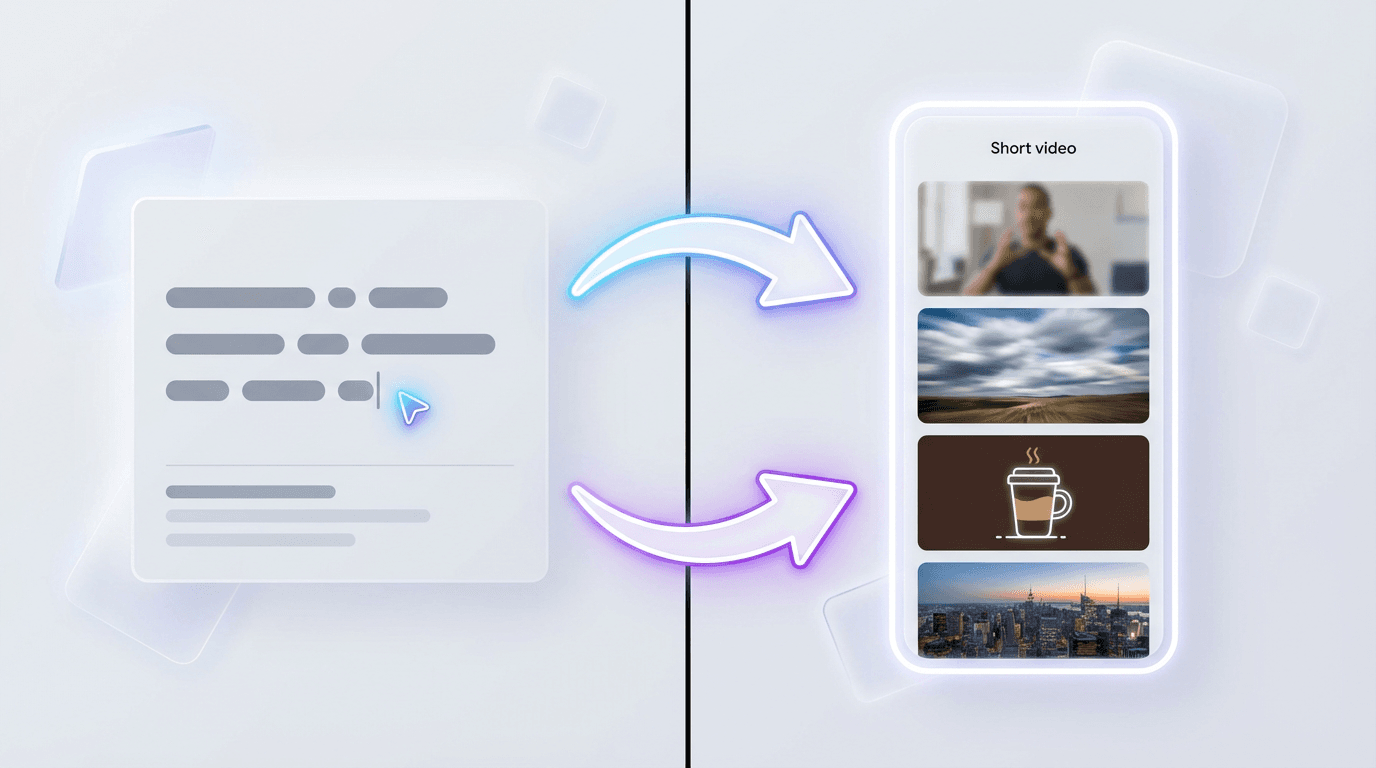
With Miraflow AI, you can use Text2Shorts to turn a topic into a complete structured Short with script, visuals, and voice. You can generate cinematic clips with Veo3 or Veo3.1 style for B-roll, intros, or full sequences. You can create clean, bold thumbnails with the YouTube Thumbnail Maker for your Shorts that appear in search and on your channel page. And you can generate background music with the AI Music Generator to match the tone and pacing of your Shorts.
The workflow is simple. Start with one idea. Let Miraflow handle the script structure, visuals, and editing. Review the output, make adjustments, and publish. Then check your analytics and use what you learn to improve the next Short.
More experiments, faster iteration, and consistent publishing. That is what drives views in 2026.
Conclusion
Getting more views on YouTube Shorts in 2026 comes down to a few core principles.
Win the first 1 to 3 seconds so viewers stay instead of swiping. Match your length to your content so retention stays high. Use proven formats that give the algorithm what it wants: clear hooks, fast payoffs, and satisfied viewers. Post consistently so the system can learn who your content is for. Study your analytics and iterate based on real data instead of guessing.
The algorithm is not random. It is a system designed to show viewers more of what they actually watch and enjoy. If you design your Shorts around that principle, views follow.
Start with one strategy from this list. Apply it to your next 5 Shorts. Check the results. Then layer in more.
If you want to accelerate that process, Miraflow AI can help you turn ideas into finished Shorts faster so you spend less time editing and more time learning what your audience actually wants to watch.
FAQ: How to Get More Views on YouTube Shorts in 2026
How do I get more views on YouTube Shorts in 2026?
To get more views on YouTube Shorts in 2026, focus on the signals the algorithm actually rewards: strong first 1 to 3 seconds, high average percentage viewed, better replay value, and consistent posting. Most Shorts do not fail because the idea is bad. They fail because the hook is weak, the pacing is too slow, or the video does not give viewers a clear reason to keep watching.
Why are my YouTube Shorts getting low views?
Low views usually happen because YouTube tests your Short with a small audience first, then stops distributing it if viewers swipe away quickly. The most common reasons are weak openings, unclear topics, poor retention, inconsistent posting, or content that feels too generic compared with other Shorts in the same niche.
How does the YouTube Shorts algorithm decide which videos get more views?
The YouTube Shorts algorithm looks at early viewer behavior. It pays attention to whether people stay, swipe away, rewatch, like, comment, share, and continue watching more content afterward. If your Short performs well with the first small audience, YouTube expands distribution and gives it more views.
What is the best hook for YouTube Shorts?
The best hook is one that makes the topic instantly clear and creates immediate curiosity. Good hooks often start with a surprising statement, a bold result, a mistake people want to avoid, or a visual payoff shown right away. In Shorts, the opening needs to work almost instantly because viewers decide very fast whether to keep watching.
How important are the first 3 seconds of a YouTube Short?
The first 3 seconds are extremely important because they often determine whether the Short gets pushed further. If viewers leave during those first moments, the algorithm reads that as a negative signal. A strong opening can improve retention, which gives the Short a better chance of getting more views.
What is the best length for YouTube Shorts in 2026?
The best length depends on the format, but many Shorts perform best when they are tight and focused. Quick tips often work well around 15 to 25 seconds, while mini tutorials or short stories can work better around 25 to 50 seconds. The real goal is not to hit a specific number but to keep the video only as long as it needs to be.
Do captions help YouTube Shorts get more views?
Yes, captions can help because many people watch Shorts with the sound off or low. Clear on-screen text makes the content easier to follow, improves accessibility, and can reduce early drop-off. That often leads to better retention, which helps the algorithm keep pushing the Short.
Do titles and descriptions matter for YouTube Shorts?
Yes, titles and descriptions matter more now, especially because Shorts are more visible in YouTube search. A clear title with the main keyword can help your Short get discovered outside the feed. Descriptions and a small number of relevant hashtags can also improve context and search visibility.
How often should I post YouTube Shorts to get more views?
Consistency matters more than random bursts of posting. For many creators, posting 3 to 7 Shorts per week is a strong target because it gives the algorithm more chances to test content while still allowing time to improve quality. The key is to keep showing up regularly and learn from the data each week.
Can YouTube Shorts get more views from search, not just the feed?
Yes, YouTube Shorts can now get views from search as well as the swipe feed. This is especially useful for Shorts that answer specific questions or target searchable topics. Search-friendly Shorts may grow more slowly at first, but they can keep collecting views over time.
Why do some YouTube Shorts get views fast while others stay stuck?
Some Shorts get views fast because they immediately perform well with the first test audience. They usually have a strong hook, clear value, fast pacing, and better retention. Shorts that stay stuck often lose viewers too early, making YouTube less likely to keep distributing them.
Can AI help me get more views on YouTube Shorts?
AI can help by making it easier to test more ideas, create Shorts faster, and stay consistent. It can speed up scripting, visuals, captions, thumbnails, and editing, which gives creators more chances to find formats and hooks that perform. AI does not guarantee more views, but it can make the process of improving much faster.