YouTube Shorts Not Getting Views? 11 Reasons Why and How to Fix Each One (2026)

Written by
Jay Kim
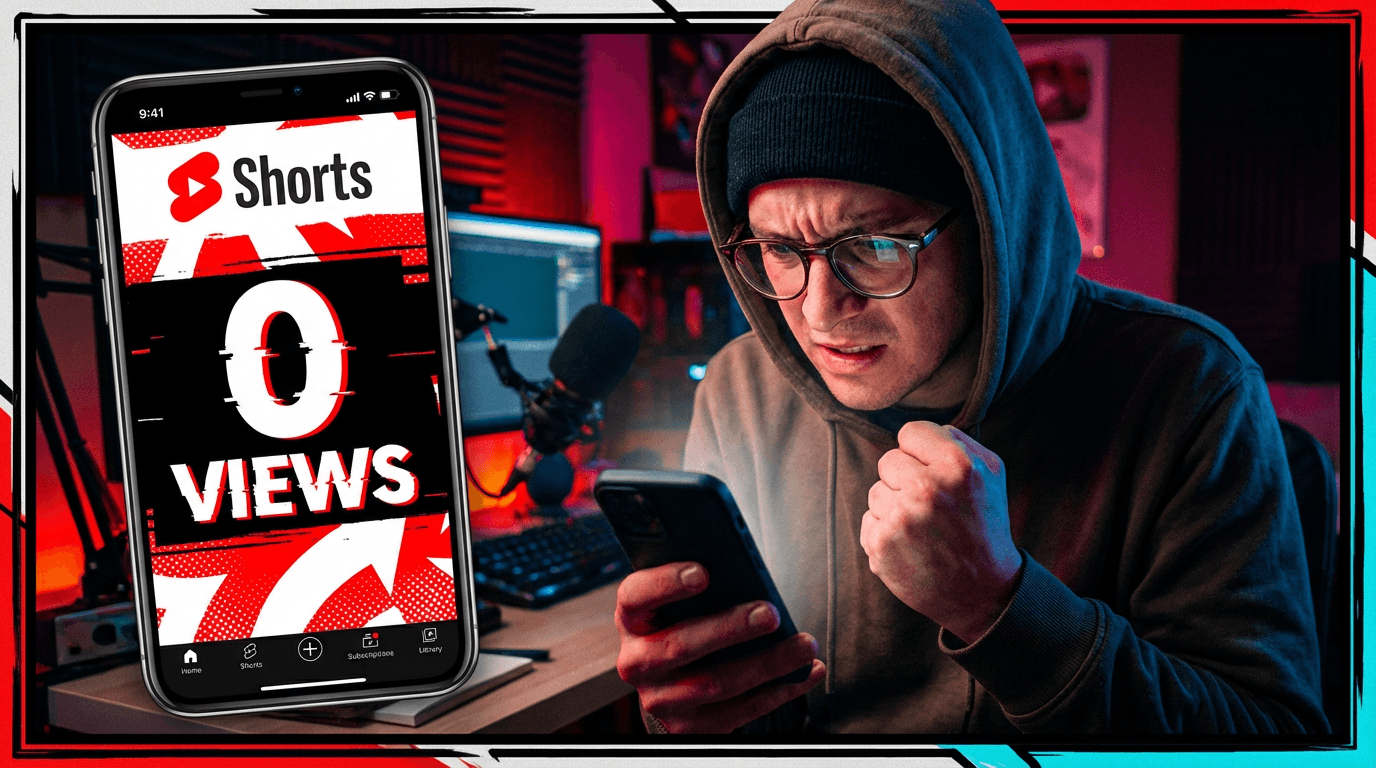
Find out why your YouTube Shorts are not getting views in 2026. This guide covers 11 common reasons and 7 practical fixes you can apply immediately.
You are posting YouTube Shorts consistently. Maybe even daily. But the view counter stays flat. Some Shorts get 50 views, others get 200, and nothing breaks through. You check your analytics, refresh the page, and wonder if something is broken.
It is not broken. But something is wrong with the approach.
YouTube Shorts not getting views is one of the most common frustrations creators face in 2026. The algorithm has not stopped working. It is just working differently than most people assume. And the gap between what creators think matters and what actually drives views keeps growing.
This guide covers every realistic reason your Shorts might be stuck at low views, and the specific changes you can make to fix each one. No vague advice. No fake stats. Just practical diagnosis and clear solutions.
How the YouTube Shorts Algorithm Decides What Gets Views
Before fixing anything, it helps to understand what the Shorts algorithm is actually doing when it decides whether or not to show your content.
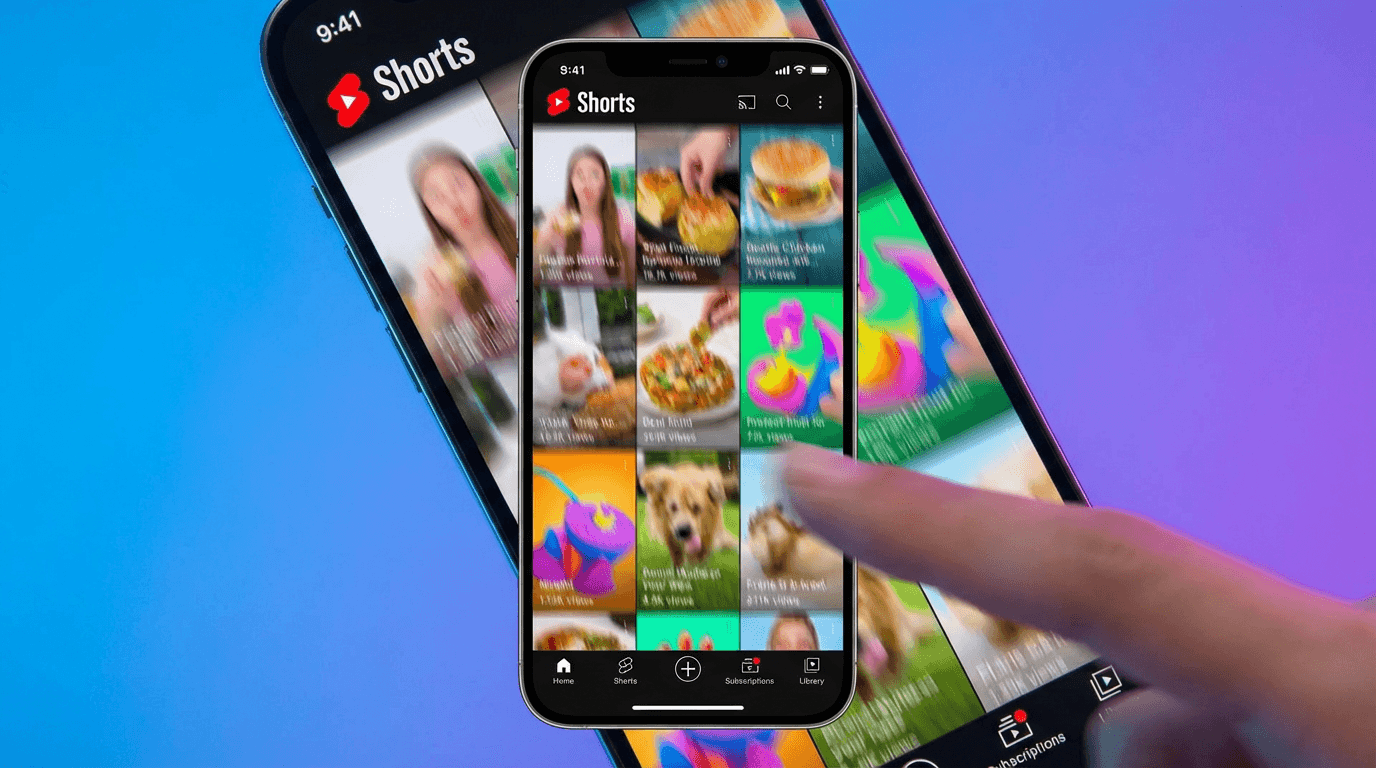
YouTube does not distribute every Short equally. When you upload a Short, it gets shown to a small initial test audience. Based on how that audience responds, YouTube decides whether to push the Short further or let it die.
The signals YouTube watches most closely during this test phase are retention rate, meaning what percentage of the Short people actually watch, and engagement signals like likes, comments, shares, and whether viewers check out your profile afterward.
If the initial test audience watches most of the Short and engages with it, YouTube expands distribution. If they scroll past quickly or drop off early, the Short stays stuck with minimal views.
This means the first few hundred impressions are critical. Your Short needs to perform well with a small audience before it ever gets a chance with a larger one. For a detailed breakdown of how the algorithm responded to recent changes, see the YouTube Shorts algorithm update from January 2026.
Reason 1: The First 3 Seconds Are Not Hooking Viewers
This is the single most common reason Shorts fail. It is not the topic. It is not the niche. It is not even the quality of the content. It is that viewers scroll past before the Short has a chance to deliver anything.
In the Shorts feed, every piece of content is competing for attention in real time. Users are swiping through quickly, and if the first frame or the first few seconds of your Short do not give them a reason to stop, they are gone. YouTube registers that as a skip, and your retention drops before the Short even starts.
The fix is to treat the opening of every Short as a standalone moment that earns the viewer's attention. This means leading with something visually interesting, a compelling question, a surprising statement, or immediate action. Avoid intros, channel branding, or slow build-ups at the start.
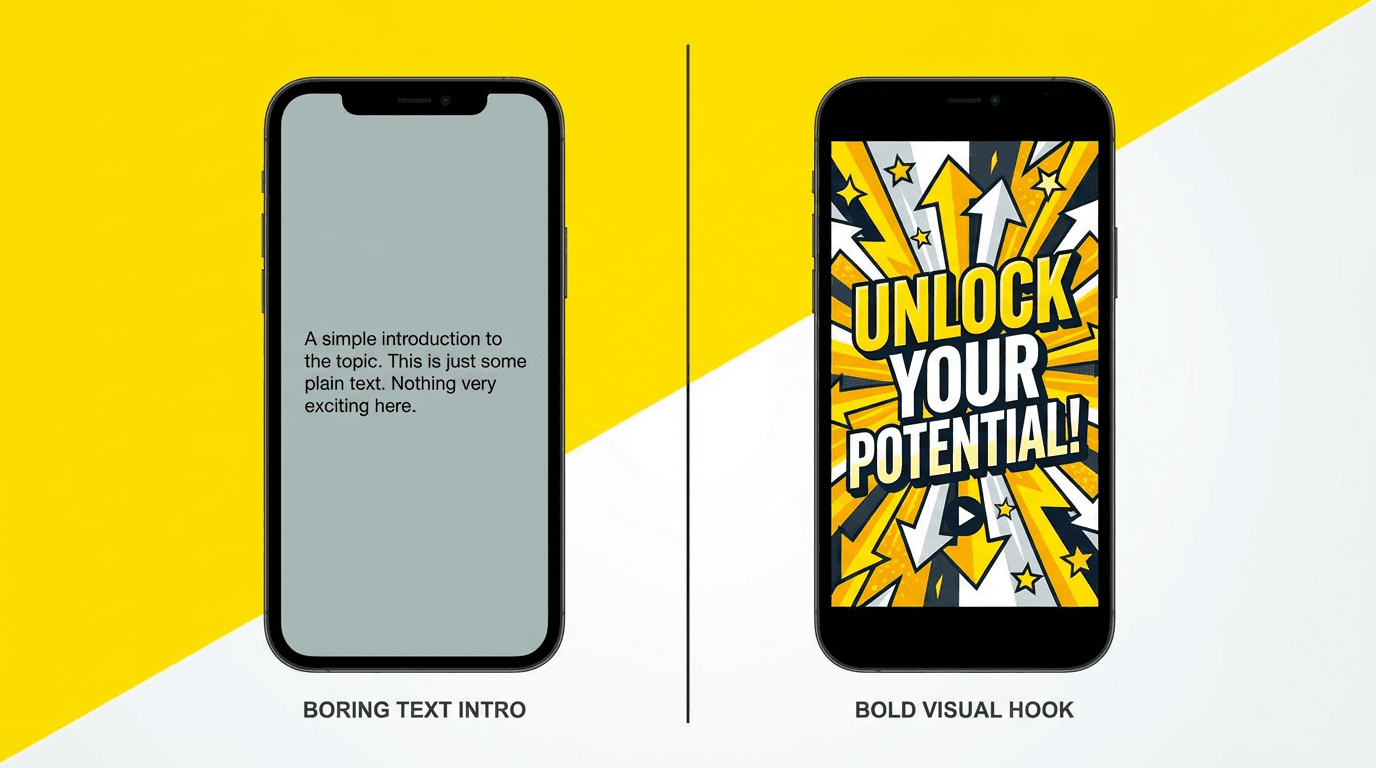
A weak opening looks like: "Hey guys, welcome back to my channel. Today I want to talk about..."
A strong opening looks like: "This is why your Shorts are getting 0 views." Then you are immediately into the content.
For a deeper breakdown of how to fix this specific problem, see the guide on why the first 3 seconds of YouTube Shorts matter.
Reason 2: The Short Does Not Hold Attention Through the Middle
Getting someone to stop scrolling is step one. Keeping them watching through the entire Short is step two, and it is where many creators lose their audience.
YouTube measures retention as a curve. If most viewers watch the first 5 seconds but drop off at second 8, the algorithm sees that as a content problem. The Short hooked people but failed to keep them. A Short with strong first-second retention but a steep mid-video drop-off will not get pushed to larger audiences.
The middle of your Short needs to maintain tension, progress, or visual interest. Every second should either add new information, advance a story, or change the visual in some way that keeps the viewer engaged.
Common middle-of-Short problems include repeating the same point multiple times, using static visuals that do not change, and pacing that feels slow relative to the Short's length. If a Short is 45 seconds long but only has 15 seconds worth of actual content, viewers feel it and leave.
One effective technique is to match visual changes to your script beats. Every time the narration moves to a new point, the visual should shift as well. This creates a rhythm that keeps viewers watching.
Reason 3: The Topic Has No Search or Feed Demand
Sometimes the Short itself is well-made, the hook is strong, and the retention is fine, but the topic just does not generate interest. YouTube cannot push content to an audience that does not exist for that subject.
This is a topic selection problem, not a production problem.
Topics that perform well on Shorts tend to share certain characteristics. They answer questions people are actively curious about, they connect to trending conversations, or they tap into evergreen interest areas that consistently attract viewers.
If you are creating Shorts about extremely niche subjects with very small potential audiences, even perfect execution will result in limited views. The algorithm needs a large enough pool of potential viewers to test your content against.
The balance is to find topics that are specific enough to feel targeted but broad enough to attract a real audience. "How to fix a leaky faucet" has broad appeal. "How to fix a 1987 Kohler K-7404 cartridge valve" does not, unless you are intentionally building a micro-niche channel.
For ideas on which Shorts formats consistently attract views, check out the guide on AI Shorts formats that go viral in 2026.
Reason 4: You Are Not Posting Enough
This one is uncomfortable but important. YouTube Shorts rewards volume more than most creators want to admit.
The algorithm treats each Short as an independent piece of content. One Short performing well does not guarantee the next one will. But posting more Shorts gives the algorithm more chances to find content that resonates. Creators who post one Short per week are giving the algorithm one opportunity per week. Creators who post daily are giving it seven.
This does not mean quality should suffer. But if you are posting once or twice a week and wondering why views are low, frequency is likely a contributing factor.
The practical challenge is that creating Shorts takes time. Scripting, recording, editing, and publishing daily can burn out even dedicated creators. This is where production efficiency matters. Finding workflows that let you create more content in less time directly impacts how many opportunities the algorithm has to work with.
The guide on how the YouTube Shorts algorithm responds to daily uploads covers the relationship between posting frequency and algorithmic distribution in more detail.
Reason 5: Your Shorts Look Like Every Other Short
The Shorts feed is crowded. Millions of Shorts are uploaded every day. If your content looks, sounds, and feels identical to hundreds of other Shorts on the same topic, there is no reason for a viewer to stop on yours specifically.
Visual differentiation matters more than most creators realize. Two Shorts about the same topic can have dramatically different performance if one uses a unique visual style and the other looks generic.
This applies to both the visual format and the presentation style. A Short that uses distinctive color grading, a recognizable visual approach, or an unexpected format stands out in the feed. A Short that looks like it was made with the same template as everyone else blends in and gets scrolled past.
Think about what makes your Shorts visually recognizable. If someone saw five of your Shorts mixed into a feed of 50, would they be able to identify yours? If the answer is no, you have a differentiation problem.
This does not require expensive equipment or professional design skills. It means making intentional choices about how your Shorts look. Consistent color palettes, distinctive thumbnails, specific visual formats, and a recognizable editing style all contribute to visual identity.
Reason 6: Poor Thumbnail and Title Strategy
YouTube now shows thumbnails for Shorts in more places than just the feed. Shorts appear in search results, on channel pages, in the Shorts shelf on the home page, and in suggested content. In all of these placements, the thumbnail and title influence whether someone clicks.
If your Shorts thumbnail is a random frame from the video and your title is generic, you are losing potential views from every non-feed surface. These clicks matter because they contribute to total view count and signal to the algorithm that your content is worth distributing more broadly.
Custom Shorts thumbnails that are visually clear, high contrast, and convey the Short's topic at a glance perform better than auto-generated frames. The title should be specific enough to tell the viewer what they will get but interesting enough to make them curious.
For a full strategy on optimizing Shorts thumbnails, see the YouTube Shorts thumbnail strategy for 2026. And for generating thumbnails quickly, the YouTube Thumbnail Maker on Miraflow AI lets you create custom thumbnails from prompts with options for reference images and text overlays.
Reason 7: No Clear Niche or Audience Signal
YouTube's algorithm tries to match content with the right audience. When your channel posts Shorts across many different topics with no consistent thread, the algorithm struggles to identify who your content is for.

A channel that posts a cooking Short on Monday, a gaming Short on Wednesday, and a finance Short on Friday is sending mixed signals. YouTube does not know which audience to show the content to, so it tests each Short with a less targeted group. Less targeted distribution usually means lower engagement, which means lower views.
Niche consistency does not mean you can only ever cover one topic. It means your content should have a recognizable theme or angle that connects everything. A channel about "life optimization" could cover productivity, health, finance, and tech, but the connecting thread gives the algorithm a clear audience signal.
If your Shorts views have been consistently low and your channel covers very different topics, consider narrowing your focus for 30 days and see if performance changes. Often it does.
Reason 8: Audio Quality Issues
Bad audio kills Shorts faster than bad visuals. Viewers will tolerate slightly lower video quality, but muffled speech, background noise, distortion, or unbalanced audio levels cause immediate swipe-aways.
If your Shorts use voiceover narration, the voice quality needs to be clear and consistent. If you are using background music, it should complement the narration rather than compete with it. Music that is too loud relative to the voice makes the content hard to follow, which hurts retention.
For creators who use AI-generated narration, voice clarity and natural pacing matter. Robotic-sounding narration that feels unnatural can hurt viewer engagement even if the content itself is strong.
Background music also needs to be copyright-safe. A copyright claim will not necessarily remove your Short, but it can affect monetization and in some cases limit distribution. Using AI-generated music eliminates this risk entirely. The AI Music Generator on Miraflow AI lets you describe the mood and style you want and generates a track in under a minute. For more on this approach, see the guide on generating no-copyright music for YouTube with AI.
Reason 9: Inconsistent Posting Schedule
YouTube's algorithm does not punish inconsistency the way some creators believe, but inconsistent posting does create practical disadvantages.
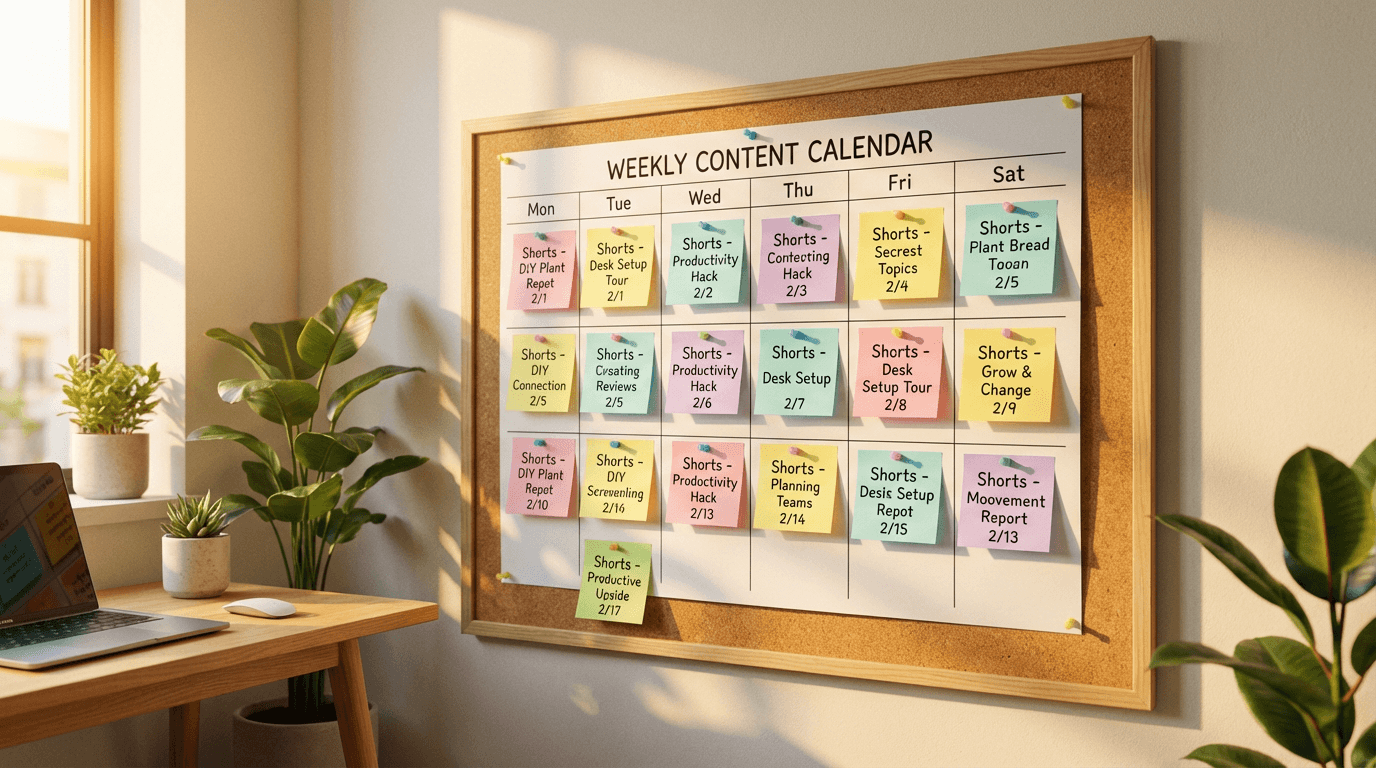
When you post regularly, the algorithm learns your publishing pattern and can anticipate when new content is available. Your existing subscribers develop expectations about when to find new content. And you build momentum that keeps your channel active in the algorithm's distribution cycles.
When you post three Shorts one week, then nothing for two weeks, then one Short, then nothing for a month, you lose all of that momentum. Each time you come back, the algorithm essentially needs to re-learn your content and re-test your audience. This often means your first few Shorts after a gap perform worse than they would have if you had maintained consistency.
The solution is not necessarily to post every single day. It is to find a frequency you can realistically sustain and stick with it. Three Shorts per week posted consistently will outperform seven Shorts one week followed by silence.
Reason 10: The Short Is Too Long or Too Short
Length matters more than creators think. A Short that is 58 seconds long but only has 25 seconds of real content feels padded. A Short that is 8 seconds long rarely has time to deliver enough value to generate meaningful engagement.
The ideal length depends on the content type and how much information the Short delivers. Explanatory content tends to work well in the 30 to 45 second range. Quick tips and reactions can work at 15 to 20 seconds. Story-driven content might need the full 60 seconds.
The key is that every second needs to justify its existence. If cutting 10 seconds from your Short would not lose any important content, it should be cut. Tight pacing keeps viewers watching longer, and higher average percentage viewed sends a stronger signal to the algorithm.
For a detailed breakdown of optimal length by content type, see the guide on how long YouTube Shorts should be in 2026.
Reason 11: You Are Getting Views But Not Noticing Growth Patterns
Sometimes the problem is not actually zero views. It is that views are growing slowly and the creator interprets that as failure.
New Shorts channels typically go through a ramp-up period. The first 20 to 50 Shorts are essentially the algorithm learning what your content is, who it appeals to, and how viewers respond. During this period, views may be inconsistent. One Short might get 500 views while the next gets 80. This is normal.

The important thing to watch during this phase is the trend, not individual Shorts. Are your average views per Short gradually increasing over weeks? Are some Shorts starting to break out of the baseline? Is your subscriber count slowly moving upward?
If the trend is flat or declining over a sustained period with no improvement, there is likely a content or strategy issue. But if you see gradual upward movement even with inconsistent individual performance, the channel is growing. Patience matters, but it should be informed patience backed by data.
For help reading your analytics effectively, see the guide on YouTube Shorts analytics in 2026 and how to read the graphs.
How to Diagnose Your Specific Problem
Now that you know the common reasons Shorts fail to get views, here is a diagnostic process to identify which issues apply to your channel.
Start by opening YouTube Studio and looking at your Shorts performance data for the last 28 days. Focus on these numbers.
Average view duration. If viewers are watching less than 50 percent of your Shorts on average, you have a retention problem. Go back to reasons 1, 2, and 10 above.
Impressions. If impressions are very low, YouTube is not showing your content to many people. This usually means previous Shorts have performed poorly, and the algorithm is being cautious. The fix is to create something significantly different from your recent underperformers.
Click-through rate from non-feed surfaces. If your Shorts are showing up in search or browse but not getting clicked, your thumbnails and titles need work. See reason 6.
Subscriber conversion. If you are getting views but no subscribers, your content might be entertaining but not giving viewers a reason to follow for more. The guide on why Shorts get views but no subscribers covers this in detail.
Posting frequency. Count how many Shorts you have posted in the last 30 days. If it is under 12, frequency might be limiting your growth.
This diagnostic approach helps you focus on the specific issues holding your channel back instead of trying to fix everything at once.
7 Fixes You Can Implement This Week
These are concrete changes you can make immediately. Each one addresses one or more of the reasons covered above.
Fix 1: Rewrite your opening lines. Go through your last 10 Shorts and look at how each one starts. If any of them begin with an introduction, greeting, or slow setup, rewrite the opening to lead with the most interesting or surprising element. Apply this new approach to every future Short.
Fix 2: Add visual variety to the middle. For your next 5 Shorts, make sure the visual changes at least every 3 to 5 seconds during the middle section. New angles, new scenes, text overlays, zoom effects, or cuts to different visuals all work. Static shots that last more than 5 seconds in the middle of a Short risk losing viewers.
Fix 3: Create custom thumbnails for your next 10 Shorts. Pick the frame that best represents the Short's content, or generate a custom thumbnail that is more visually compelling than any single frame from the video. Add a clear, readable text element if it helps convey the topic.
Fix 4: Tighten your scripts. Before publishing your next Short, read the script out loud and cut any sentence that does not add new information or advance the narrative. Most first-draft scripts can be shortened by 20 to 30 percent without losing anything meaningful.
Fix 5: Batch create Shorts for the week. Instead of creating one Short per day, set aside a focused block of time and create 5 to 7 Shorts in one session. This lets you maintain posting consistency without needing to be in production mode every day.
Fix 6: Study your top-performing Short. Look at your best-performing Short from the last 90 days. What topic was it? What was the hook? What made it different from your other Shorts? Create 3 variations of that Short using different angles on the same topic or a similar format applied to a different subject.
Fix 7: Switch up the format entirely. If your last 20 Shorts have all used the same format and views are flat, try a completely different approach. If you have been doing talking-head Shorts, try a visual-first format. If you have been doing text-on-screen, try narrated content with dynamic visuals. Sometimes the algorithm just needs fresh content signals from your channel.
Scaling Production Without Losing Quality
One of the most practical barriers to fixing low Shorts views is time. Most of the fixes above require creating more content, better content, or both. That takes time. And if you are a solo creator or a small team, time is limited.
This is where AI-powered production tools change the equation. Instead of spending 1 to 2 hours per Short on scripting, visual sourcing, editing, and publishing, you can use tools that handle most of the production automatically.
Text2Shorts on Miraflow AI lets creators enter a topic, choose between animation or realistic visuals, and generate a complete vertical Short with script, scene visuals, voiceover, and pacing handled automatically. The step-by-step mode gives more control over each scene if you want to fine-tune the output.
The advantage is not just speed. It is the ability to test more ideas. If you can generate 5 different Shorts in the time it used to take to make 1, you can experiment with different topics, hooks, formats, and styles much faster. And experimentation is what ultimately reveals what works for your specific audience.
For creators who want to learn more about the production workflow, the guide on creating 1-minute AI Shorts with Text2Shorts walks through both the one-click and step-by-step creation processes.
What to Do If Views Are Stuck at Zero
If your Shorts are literally getting zero views or single-digit views, there are a few specific things to check that go beyond content quality.
First, make sure your Shorts are actually being classified as Shorts by YouTube. The video must be vertical (9:16 aspect ratio), 60 seconds or shorter, and either uploaded with the #Shorts hashtag or through the Shorts creation flow. If any of these criteria are not met, the video may be treated as a regular upload and will not appear in the Shorts feed.
Second, check if your channel has any active strikes or restrictions. Community guideline violations can limit distribution across your entire channel, including Shorts.
Third, verify that your Shorts are set to public. This sounds obvious, but accidentally publishing as unlisted or private means zero distribution.
If all of these are fine and you are still getting essentially zero views, the most likely explanation is that your channel is very new and the algorithm is still in the early testing phase. New channels often see very low initial distribution. The solution is to keep posting consistently and focus on making each Short better than the last.
For more on this specific situation, see the dedicated guide on why your videos are getting 0 views.
The Long Game: What Channels That Eventually Break Through Do Differently
Channels that go from low views to strong, consistent Shorts performance almost always share certain habits.
They iterate instead of giving up. When a Short performs poorly, they analyze why and adjust. They do not post the same type of content 50 times expecting different results, but they also do not quit after 10 Shorts do not go viral.
They focus on one niche long enough for the algorithm to understand their channel. Jumping between unrelated topics every few days makes it impossible for YouTube to build an audience profile for the channel.
They treat each Short as an experiment. Instead of agonizing over whether a Short is perfect before posting it, they publish it, observe the data, and apply what they learn to the next one.
They invest in their weakest link. If their hooks are strong but their thumbnails are weak, they fix the thumbnails. If their content is interesting but the audio is poor, they fix the audio. Improvement is targeted, not random.
They study what works on the platform right now, not what worked six months ago. The Shorts ecosystem evolves quickly, and strategies that drove views in mid-2025 may not work the same way in 2026. Staying current with how the algorithm is changing and what best practices look like today keeps them ahead of creators who are still using outdated approaches.
When to Consider Starting Fresh
Sometimes a channel has accumulated so much low-performing content that the algorithm has effectively categorized it as a low-engagement channel. Every new Short starts from a disadvantage because the channel's overall performance history drags down initial distribution.
This does not happen quickly. It usually takes hundreds of low-performing uploads over many months. But if you have been posting for a long time with consistently poor results and nothing seems to improve despite trying different approaches, starting a new channel with a clear niche focus and better content strategy can sometimes produce faster results than trying to rehabilitate a struggling channel.
This is a last resort, not a first step. Most channels that feel stuck can be fixed with the strategies in this guide. But it is worth mentioning because some creators spend months trying to revive a channel when a fresh start would get them to their goals faster.
Build Your Fix-It Plan
Take 15 minutes right now to do the following.
Open YouTube Studio and identify your 3 worst-performing Shorts from the last 30 days. Watch each one with fresh eyes and identify which of the reasons from this guide most likely caused the poor performance. Was it the hook? The pacing? The topic? The visual quality? The thumbnail?
Then identify your 3 best-performing Shorts from the same period. What did they do differently? What topic, format, hook, or style did they use that the underperformers did not?
The gap between your best and worst content is your roadmap. Close that gap by making your average Short look more like your best Short, and views will follow.
If production speed is the bottleneck preventing you from posting more consistently or experimenting more freely, visit Miraflow AI and try generating Shorts from a single topic. The entire pipeline from idea to finished video can happen in one place, freeing up your time to focus on strategy, audience building, and the creative decisions that actually drive views.
Frequently Asked Questions About YouTube Shorts Not Getting Views
Why are my YouTube Shorts not getting any views?
The most common reasons YouTube Shorts get low or zero views are weak opening hooks that cause viewers to swipe past within the first 2 to 3 seconds, poor retention through the middle of the Short, topics that lack audience demand, infrequent posting that gives the algorithm too few opportunities to find content that resonates, and thumbnails and titles that fail to attract clicks from search and browse surfaces. YouTube tests every new Short with a small initial audience, and if that audience does not engage, the Short does not get pushed to a wider audience. Diagnosing which specific issue is affecting your Shorts requires checking your analytics in YouTube Studio for average view duration, impressions, and click-through rate, then matching the weak metrics to the corresponding problem area.
How does the YouTube Shorts algorithm decide which Shorts get views?
When you upload a Short, YouTube shows it to a small test audience and measures how they respond. The primary signals YouTube tracks are retention rate, which is the percentage of the Short that viewers actually watch, and engagement signals like likes, comments, shares, and profile visits. If the test audience watches most of the Short and engages with it, YouTube expands distribution to a larger audience. If they scroll past quickly or drop off early, the Short stays stuck with minimal views. This testing cycle often plays out within the first 30 to 60 minutes after publishing, which is why the initial performance window is so critical.
Why do some of my YouTube Shorts get views and others get almost none?
Inconsistent performance across Shorts is normal, especially for newer channels. YouTube treats each Short as an independent piece of content, so one Short performing well does not guarantee the next one will. The variation usually comes down to differences in the opening hook, the topic's audience appeal, the retention curve through the middle, and whether the Short was posted at a time when the target audience was active. If you compare your best-performing Shorts to your worst-performing ones, you will typically find clear differences in at least one of these areas. The goal is to make your average Short look more like your best Short by identifying and replicating what works.
How many YouTube Shorts should I post per week to get more views?
Posting frequency directly affects how many opportunities the algorithm has to find content that resonates with an audience. Creators who post one Short per week give the algorithm one chance per week. Creators who post daily give it seven. Most channels see meaningful improvement in distribution when they move from sporadic posting to at least four or five Shorts per week. The key is that frequency should not come at the expense of quality. Posting five strong Shorts per week will produce better results than posting seven where two or three are noticeably weaker. Find the highest frequency you can sustain without quality dropping and maintain that pace consistently.
Do the first 3 seconds of a YouTube Short really matter that much?
Yes. The first 3 seconds are the single most important factor in whether a Short gets views. In the Shorts feed, viewers are swiping through content rapidly. If the first frame and the first few seconds of your Short do not give them a reason to stop, they swipe to the next one. YouTube registers that as a skip, which immediately hurts your retention metrics and makes the algorithm less likely to push the Short further. A strong opening leads with something visually interesting, a compelling question, a surprising statement, or immediate action. Avoid starting with introductions, channel branding, or slow build-ups.
Why are my YouTube Shorts getting views but no subscribers?
Views without subscriber growth usually means the content is entertaining enough to watch but does not give the viewer a clear reason to follow your channel for more. This happens when Shorts feel like standalone moments rather than examples of an ongoing content theme. Viewers need to understand what they would get by subscribing. If your Shorts cover very different topics with no consistent thread, viewers may enjoy one Short but have no expectation that future content will be relevant to them. Building a recognizable niche, maintaining a consistent style, and occasionally mentioning what your channel covers all help convert viewers into subscribers.
How long should my YouTube Shorts be to get the most views?
The ideal length depends on the content type and how much information the Short delivers. Explanatory and educational Shorts tend to work well in the 30 to 45 second range. Quick tips and reactions can work at 15 to 20 seconds. Story-driven content might need the full 60 seconds. The most important principle is that every second should justify its existence. A 45-second Short with 45 seconds of real content will outperform a 55-second Short with 30 seconds of real content padded with filler. Tight pacing keeps viewers watching longer, and a higher average percentage viewed sends a stronger signal to the algorithm.
Can bad audio quality cause my YouTube Shorts to get fewer views?
Yes. Bad audio is one of the fastest ways to lose viewers. Muffled speech, background noise, distortion, or music that overpowers the narration all cause immediate swipe-aways. Viewers will tolerate slightly lower video quality, but unclear or unpleasant audio is a deal-breaker for most people. If your Shorts use voiceover narration, the voice needs to be clear and natural-sounding. If you use background music, it should be balanced so it complements the narration without competing with it. Reviewing your audio with headphones before publishing helps catch issues that are not obvious through phone speakers.
Should I delete YouTube Shorts that got very few views?
In most cases, no. Deleting low-performing Shorts does not improve your channel's standing with the algorithm. YouTube evaluates each new Short independently based on its own performance signals. Old low-performing Shorts are not actively dragging down your new uploads. The exception would be if a Short contains content that is factually wrong, no longer relevant, or misrepresents your channel's current direction. In those cases, deleting or unlisting makes sense for brand reasons, not algorithmic ones. Your time is better spent creating new, improved Shorts than managing old ones.
How do I know if my YouTube Shorts views are actually growing?
Look at the trend over weeks, not the performance of individual Shorts. New channels typically go through a ramp-up period where the first 20 to 50 Shorts produce inconsistent results as the algorithm learns what the content is and who it appeals to. During this phase, one Short might get 500 views while the next gets 80. The metric to watch is whether your average views per Short are gradually increasing over two- to four-week periods. If the average is flat or declining over a sustained period with no improvement despite consistent posting, there is likely a content or strategy issue to address. If you see gradual upward movement even with individual variation, the channel is growing and the strategy is working.
Do thumbnails matter for YouTube Shorts views?
Yes, and more than most creators realize. While thumbnails are less visible in the swipe-based Shorts feed, YouTube now surfaces Shorts in search results, on channel pages, in the Shorts shelf on the home page, and in suggested content panels. In all of these placements, the thumbnail and title determine whether someone clicks. A random auto-generated frame from the video is rarely the best representation of the content. Custom thumbnails that are visually clear, high contrast, and communicate the Short's topic at a glance consistently outperform default frames. Setting a custom thumbnail for every Short you publish ensures you are capturing views from every surface YouTube displays your content on.
What should I do if my YouTube Shorts have been stuck at zero views?
First, verify the technical basics. The video must be vertical in 9:16 aspect ratio, 60 seconds or shorter, and either uploaded with the #Shorts hashtag or through the Shorts creation flow. If any of these criteria are not met, the video may not be classified as a Short and will not appear in the Shorts feed. Second, check that the Short is set to public, not unlisted or private. Third, check whether your channel has any active community guideline strikes, which can limit distribution across the entire channel. If all of these are fine and views are still at zero or single digits, the most likely explanation is that the channel is very new and the algorithm is still in the early testing phase. The solution is to keep posting consistently while focusing on strong hooks, tight retention, and clear topic selection.