20 AI Magazine Cover Prompts (Copy & Paste) to Turn Your Photo Into a Glossy Cover in 2026

Written by
Aerin Kim
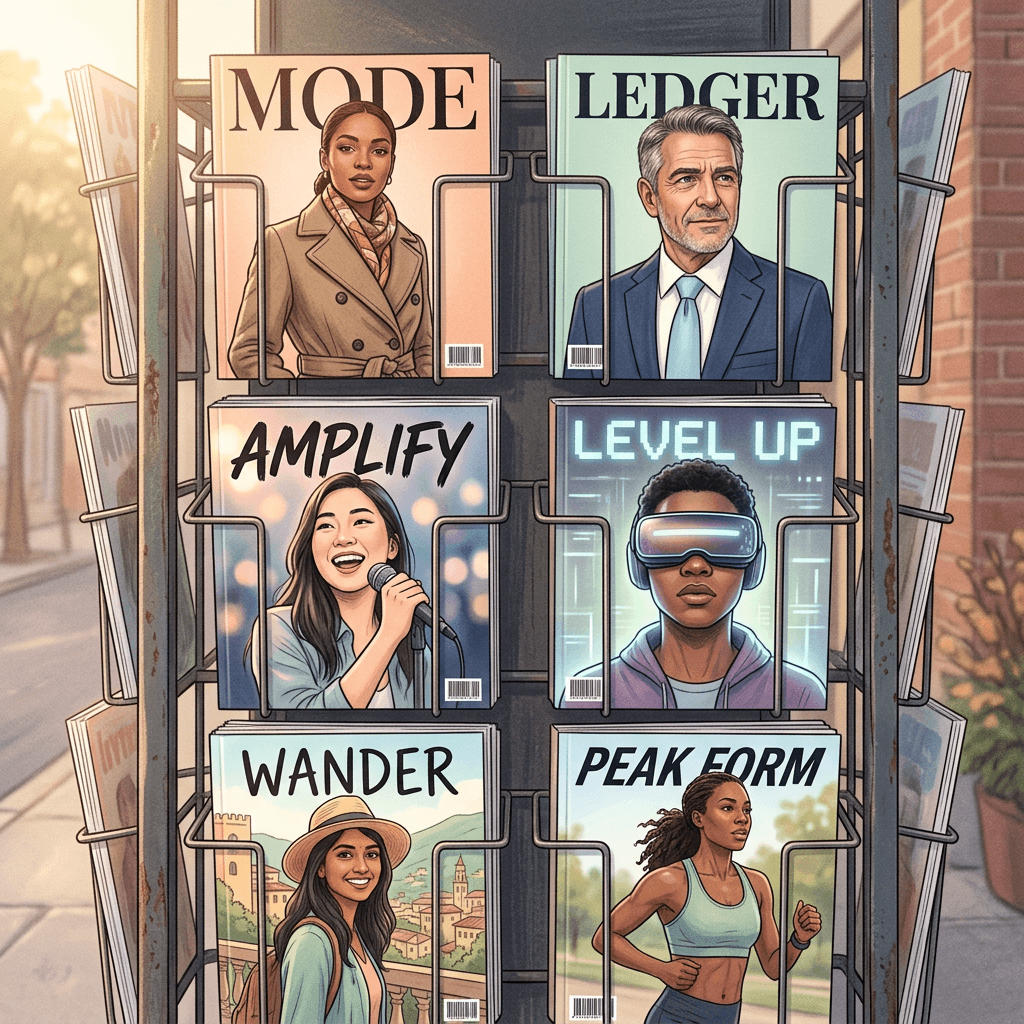
Copy 20 AI magazine cover prompts that turn your own photo into a glossy cover, with invented mastheads, cover lines, barcodes and issue dates for fashion, business, music, gaming, travel, vintage and pet issues.
You have a great photo, a clear idea for a fake cover story, and a first attempt from an AI image tool that came back with a misspelled masthead, a barcode that looks like a smudge, and cover lines that read like alphabet soup. That is the most common outcome when someone types "turn my photo into a magazine cover" and nothing else, and it is why searches for an AI magazine cover prompt keep climbing: the glossy magazine cover has become one of the most popular AI photo formats this fall, and the people getting good results are the ones writing prompts that spell out every part of the layout.
This guide gives you 20 copy-and-paste AI magazine cover prompts, each written for uploading your own photo and keeping your real face intact, with the masthead, issue date, cover lines and barcode all specified. You can run every one of them in Miraflow's AI Image Generator, and when you want the text on your cover to be perfect, Miraflow's YouTube Thumbnail Maker lets you add and edit text on top of the finished image. Everything runs in the browser, so there is nothing to install.
TL;DR: How to Get a Believable AI Magazine Cover
- Upload one clear, front-facing photo and tell the model to keep your face, hairstyle and skin tone exactly as shown.
- Use an invented masthead such as MODE, SIGNAL or THE CREATOR ISSUE, never the name of a real publication.
- Describe the layout in order: masthead at the top, issue line under it, one big headline, three or four short cover lines, barcode in a bottom corner.
- Write the exact words you want in quotation marks and keep each cover line to two to five words.
- Generate a few versions, pick the cleanest one, and fix any wrong letter with a text tool such as the YouTube Thumbnail Maker.
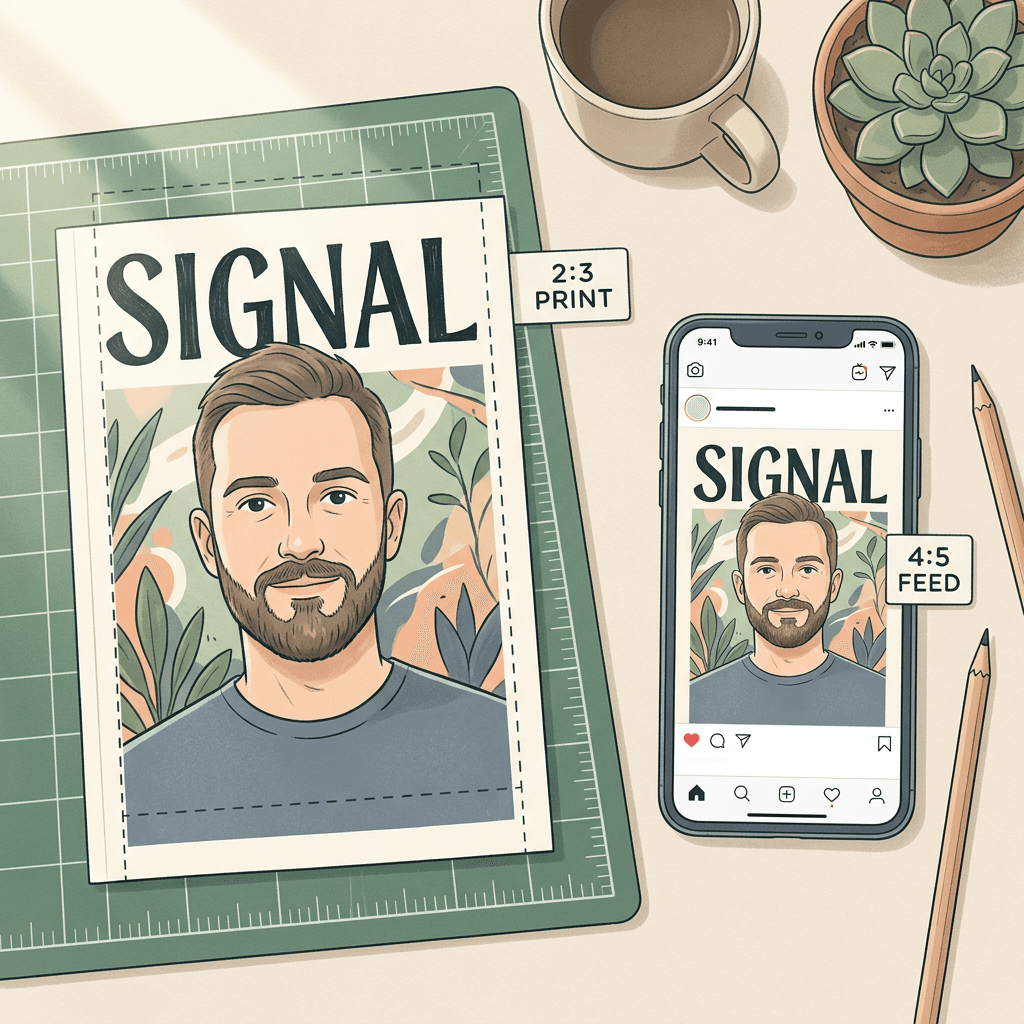
- Create it at 2:3 for print and then crop to 4:5 for the Instagram feed or 9:16 for Stories.
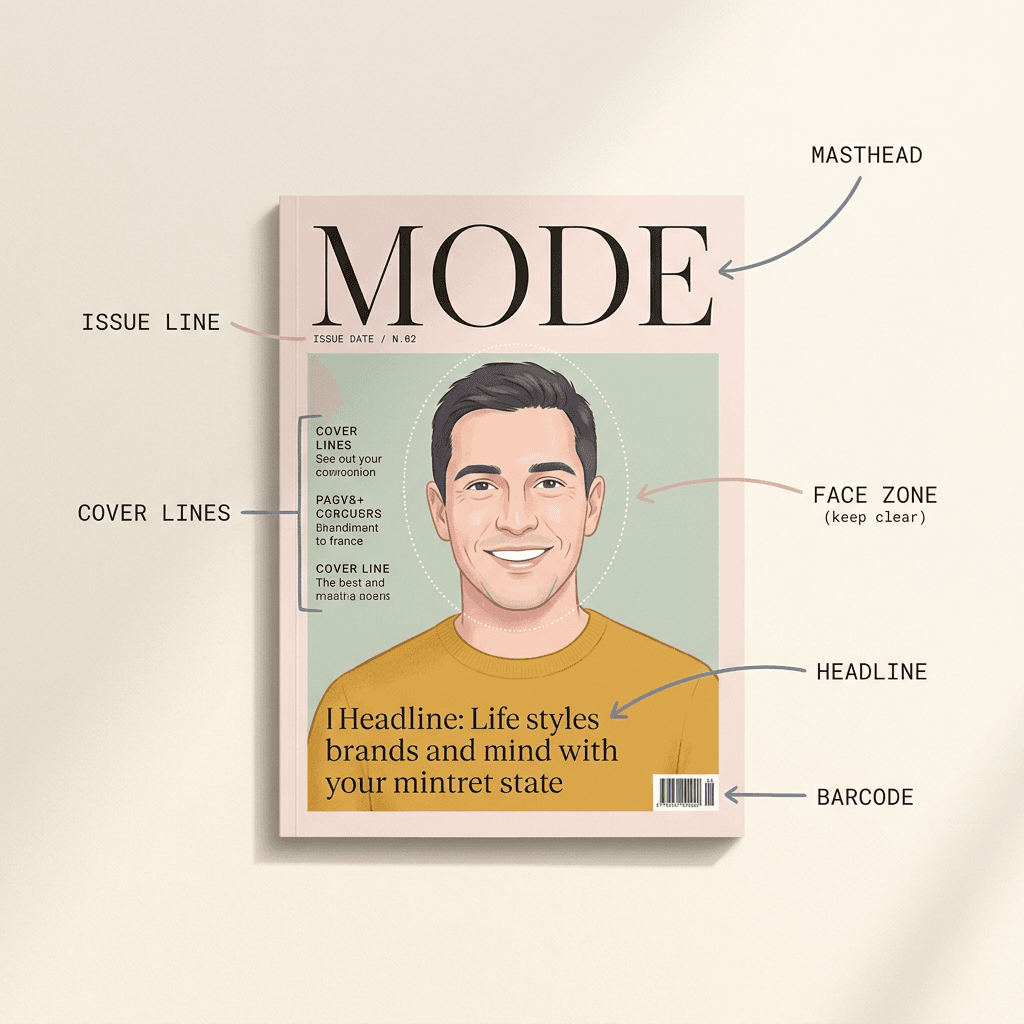
Why Everyone Is Making AI Magazine Covers This Fall
Searching for this format right now turns up a mix of prompt galleries, online cover makers and template sites. They agree on a basic formula: upload a clear portrait, describe the publication style, add a headline and mood, and request a vertical 2:3 ratio. The prompt galleries that rank tend to pack the masthead, headline copy and layout whitespace into a single finished instruction, and several of them explicitly tell the model to preserve the subject's face. That is the same pattern used in the prompts below, with more layout detail added so the text comes out cleaner.
The format spreads for a reason that has little to do with technology. A magazine cover is a universally understood piece of status. Seeing yourself, your dog or your channel on a cover makes a good birthday gift, a profile banner, an announcement post or a milestone celebration, and because a cover has a built-in headline, it comes with its own caption. Year-end "creator of the year" covers are especially popular because they turn an ordinary recap post into something people want to share.
It also helps that current image models have become much better at rendering short lines of text. A cover is a nearly ideal test of that skill: large display type, small cover lines, a date and a barcode, all on a single page. A year ago a prompt like this would have produced mangled letters most of the time. Today a well-structured prompt with short, quoted phrases usually gets you a cover that needs at most one small fix.
The Anatomy of a Cover Prompt (What Every Prompt Below Includes)
Every prompt in this pack follows the same seven-part structure, and once you understand it you can write your own for any niche.
- Identity instruction. One sentence telling the model to keep your face, hairstyle, skin tone and expression from the uploaded photo, with natural skin texture. This is what keeps the cover looking like you instead of a lookalike.
- Format. Vertical 2:3, because that is the proportion of a standard printed magazine page.
- Photography. Pose, outfit, backdrop, camera angle and a named light source. Cover photos look polished because the lighting is deliberate, so name it.
- Masthead. The invented title, its typeface style, its color and where it sits. Mentioning that your head slightly overlaps the masthead gives the cover its classic layered look.
- Issue line. A small line under or beside the masthead with a theme and a date, such as "THE STYLE ISSUE • OCTOBER 2026".
- Headline and cover lines. One large headline and three or four short supporting lines, each written out in quotation marks with a position.
- Barcode and price. A small generic barcode in a bottom corner with an invented price. It is a tiny detail that does a lot of work for realism.
The final sentence of each prompt is a guard clause that asks for exact spelling and rules out real logos, warped hands and duplicated letters. You can reuse it as written.
Why These Prompts Use Invented Mastheads
You will notice that no prompt names a real magazine. Real mastheads are registered trademarks, and a cover that imitates one can look like an endorsement or a counterfeit if you post it publicly or use it for anything commercial. Image tools also tend to reproduce a well-known masthead unevenly, so you often end up with a cover that looks almost right and still gives you the legal risk. An invented title such as MODE, LEDGER or SIGNAL sidesteps both problems, gives you full control of the typography, and lets you build a recognizable cover series of your own that belongs to your brand. The common mistakes section below returns to this.
Before you start, it helps to set expectations on identity. Image-to-image generation anchors to what it can see in your uploaded photo, so a sharp, evenly lit, front-facing picture with no heavy filter gives the model the most to preserve. If you want a deeper look at keeping faces natural, our guide to making AI images look like real photos covers skin texture and lighting wording in detail.
1) Fashion and Beauty Covers
Fashion is where the magazine cover format started, so these three prompts lean on the visual habits that make a cover feel real: a masthead that interacts with the subject, a small set of left-aligned cover lines, and one large headline. If you want to go deeper on the photography side of this look, our guide to luxury editorial photography prompts covers lighting and styling, and the fashion lookbook prompt pack is a good companion for outfit ideas.
Prompt 1: The High-Fashion Glossy Cover
The classic newsstand look: a tall condensed masthead partly tucked behind your head, a confident three-quarter pose, and a short stack of cover lines on the left.
Using my uploaded photo as the cover star, create a glossy high-fashion magazine cover in vertical 2:3 format. Keep my face, hairstyle, skin tone and expression exactly as in the uploaded photo, with natural skin texture and no beauty-filter smoothing. Pose me in a confident three-quarter turn, shot from slightly below with soft beauty-dish lighting and a seamless warm grey studio backdrop. Place the masthead "MODE" in a tall, thin, high-contrast serif across the top, with the top of my head slightly overlapping the letters so the face stays in front. Add a small issue line under the masthead reading "THE STYLE ISSUE • OCTOBER 2026", three left-aligned cover lines in small clean sans-serif reading "The New Tailoring", "Autumn Colour Report" and "Inside My Wardrobe", one larger headline near the bottom reading "Dress Like You Mean It", and a small generic barcode with the price "$6.99" in the bottom right corner. Spell every word exactly as written, keep all text sharp and legible, and avoid warped hands, extra fingers, duplicated letters, real brand logos or real publication names.
Prompt 2: The Beauty Close-Up Cover
A tight crop for skincare, makeup and glow content, with generous clean space for headline text around the face.
Turn my uploaded photo into a beauty magazine cover with a very tight face-and-shoulders crop, vertical 2:3. Keep my face, hairstyle, skin tone and expression exactly as in the uploaded photo, with natural skin texture and no beauty-filter smoothing. Light the face with a large soft overhead beauty light and a gentle fill so the skin looks luminous but still realistic, with a pale blush gradient backdrop. Set the masthead "GLOW" in a rounded bold sans-serif across the top in deep plum, with the tagline "The Skin Issue" and the date "NOVEMBER 2026" in small caps beneath it. Place two cover lines on the right edge reading "Ten Minute Routine" and "What Dewy Really Means", and a large headline across the lower third reading "Bare Skin, Big Confidence". Leave the area around the eyes and mouth free of text, and add a small generic barcode bottom left. Spell every word exactly as written, keep all text sharp and legible, and avoid warped hands, extra fingers, duplicated letters, real brand logos or real publication names.
Prompt 3: The Street-Style Cover
A candid, urban, slightly off-balance composition for sneaker, thrift and streetwear creators.
Create a street-style magazine cover from my uploaded photo, vertical 2:3, showing me mid-stride on a city crosswalk in an oversized jacket and wide-leg trousers with a few blurred pedestrians behind me. Keep my face, hairstyle, skin tone and expression exactly as in the uploaded photo, with natural skin texture and no beauty-filter smoothing. Use natural overcast daylight, a 35mm candid framing and a slight film grain. Set the masthead "KERB" in a heavy block sans-serif in off-white across the top with a thin black outline, the line "ISSUE 14 • FALL 2026" in small type beside it, and four stacked cover lines on the right in a condensed bold font reading "Thrift Finds Under $40", "The Sneaker Shortlist", "Layering 101" and "Meet The Night Market". Add a bold yellow burst shape on the lower left reading "FREE POSTER INSIDE" and a generic barcode on the bottom edge. Spell every word exactly as written, keep all text sharp and legible, and avoid warped hands, extra fingers, duplicated letters, real brand logos or real publication names.
2) Business, Tech and Creator Covers
Professional covers work best when the palette is restrained and the headline sounds like something a person would genuinely want to read. These three are popular for personal branding, LinkedIn banners, pitch decks and channel art, and the third one is the year-end creator tribute that has been spreading widely this fall. If you need a plain professional portrait first, start with our AI headshot prompts and then reuse that result as your cover photo.
Prompt 4: The Business Leader Cover
A confident executive portrait with a calm color palette, built for founders, consultants and personal brand accounts.
Using my uploaded photo, design a business magazine cover in vertical 2:3 with me seated in a modern glass-walled office, arms relaxed, looking directly at the camera. Keep my face, hairstyle, skin tone and expression exactly as in the uploaded photo, with natural skin texture and no beauty-filter smoothing. Wear tailored business clothing in navy, and light the scene with soft window light from the left and a subtle warm rim light behind. Place the masthead "LEDGER" in a classic bold serif across the top in white over a deep navy band, with the line "THE LEADERSHIP ISSUE • WINTER 2026" beneath it. Add the headline "Building Slowly, Winning Loudly" in large serif type on the lower left, two short cover lines on the right reading "Hiring Your First Ten" and "The Cash Flow Playbook", and a small generic barcode bottom right with the price "$8.99". Keep my face clear of all text. Spell every word exactly as written, keep all text sharp and legible, and avoid warped hands, extra fingers, duplicated letters, real brand logos or real publication names.
Prompt 5: The Founder and Tech Cover
A cool, minimal tech look with a glowing interface behind you, suited to developers, AI founders and SaaS creators.
Transform my uploaded photo into a technology magazine cover, vertical 2:3, with me standing in front of a softly blurred wall of glowing code and abstract interface panels in teal and violet. Keep my face, hairstyle, skin tone and expression exactly as in the uploaded photo, with natural skin texture and no beauty-filter smoothing. Wear a simple dark crewneck, and use cool front lighting with a faint magenta rim light on the shoulders. Set the masthead "SIGNAL" in a wide geometric sans-serif across the top in white with thin letterspacing, with "THE BUILDERS ISSUE • VOL. 9" in small monospace type beneath it. Add the main headline "Shipping Before Sunrise" in large bold sans-serif at the bottom left, three small cover lines stacked on the right reading "Inside The Seed Round", "Small Teams, Big Models" and "Ten Tools Worth Paying For", and a generic barcode in the bottom right corner. Spell every word exactly as written, keep all text sharp and legible, and avoid warped hands, extra fingers, duplicated letters, real brand logos or real publication names.
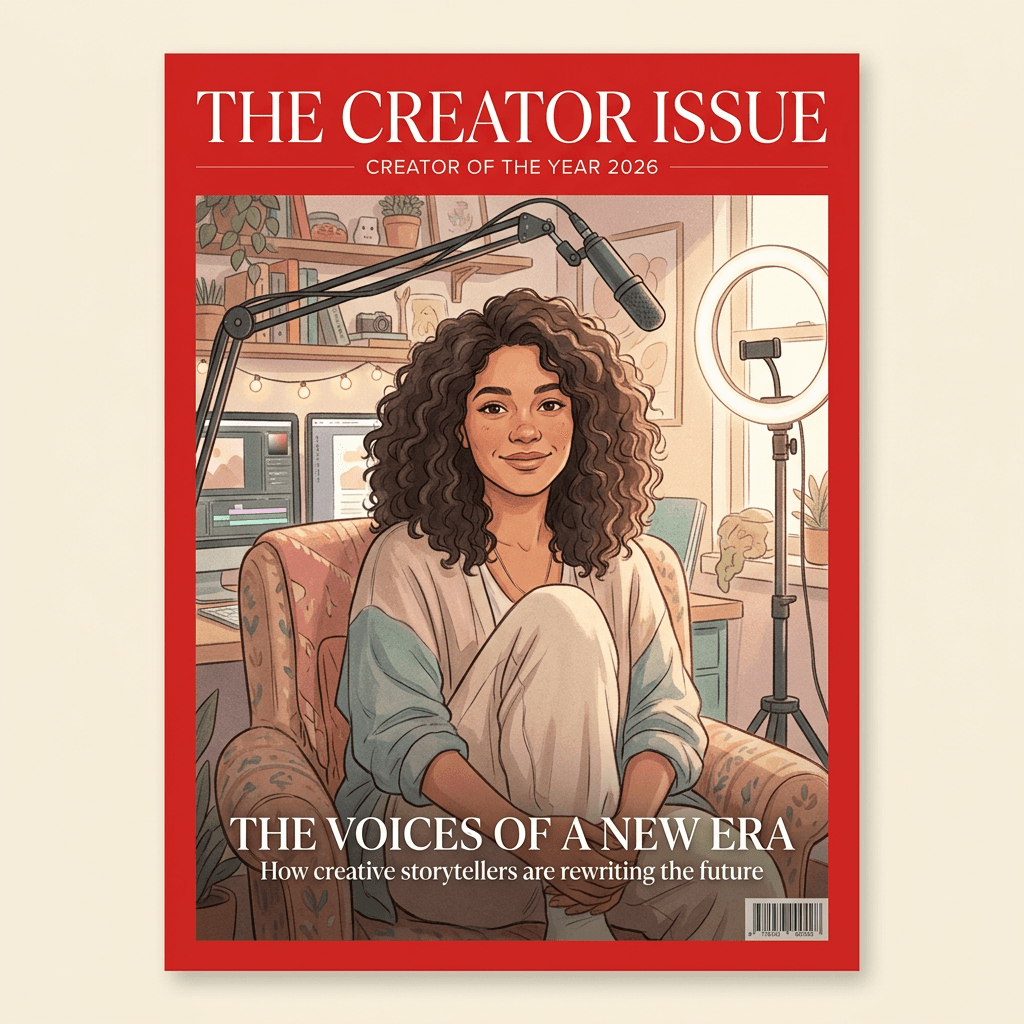
Prompt 6: The Creator "Person of the Year" Cover
The most shareable format of the season: a year-end creator tribute with a bold border, a symbolic backdrop and a headline about your own milestone.
Create a year-end tribute magazine cover from my uploaded photo, vertical 2:3, framed by a thick red border around the whole image. Keep my face, hairstyle, skin tone and expression exactly as in the uploaded photo, with natural skin texture and no beauty-filter smoothing. Show me seated in an armchair in a studio surrounded by softly glowing screens, a ring light and a microphone arm, lit by warm key light from the right. Set the masthead "THE CREATOR ISSUE" in a bold white serif inside the top of the red border, with the line "CREATOR OF THE YEAR 2026" in small caps directly beneath it. Add a single headline at the bottom reading "The One Who Kept Showing Up" in clean white serif, plus a small line under it reading "Inside: how one channel grew a community". Place a generic barcode and the price "$5.99" on the bottom right, and leave the center of the frame clear around my face. Spell every word exactly as written, keep all text sharp and legible, and avoid warped hands, extra fingers, duplicated letters, real brand logos or real publication names.
3) Music and Gaming Covers
Music and gaming covers allow much louder color and type than fashion or business, which makes them a good place to practice cover-line density. The three prompts below range from a pop star spread to an analog indie look and a neon gaming layout. If you are building a full visual identity around a release, our album cover art prompts and gaming setup and streamer content prompts pair naturally with these.
Prompt 7: The Pop Star Cover
Saturated color, dramatic lighting and a fan-magazine headline for singers, DJs and bedroom producers.
Using my uploaded photo, create a music magazine cover in vertical 2:3 showing me in a statement jacket holding a vintage microphone, against a deep magenta backdrop with a soft spotlight and a few drifting stage haze streaks. Keep my face, hairstyle, skin tone and expression exactly as in the uploaded photo, with natural skin texture and no beauty-filter smoothing. Use high-contrast colored gel lighting in pink and electric blue with a clean highlight on the face. Place the masthead "AMPLIFY" in big chrome-style block lettering across the top, with the line "THE DEBUT ISSUE • TOUR EDITION" below it in white. Add the headline "Loud On Purpose" in large italic sans-serif across the lower third, three cover lines on the left reading "The Songs Behind The Songs", "Backstage Diaries" and "Ten Albums That Raised Me", and a generic barcode in the lower right corner. Spell every word exactly as written, keep all text sharp and legible, and avoid warped hands, extra fingers, duplicated letters, real brand logos or real publication names.
Prompt 8: The Indie Band and Vinyl Cover
A warm, grainy, analog layout for acoustic, lo-fi and indie musicians.
Turn my uploaded photo into an indie music magazine cover, vertical 2:3, with me sitting on a stack of amplifiers in a small rehearsal room, an acoustic guitar across my lap, with a wall of old gig posters behind me. Keep my face, hairstyle, skin tone and expression exactly as in the uploaded photo, with natural skin texture and no beauty-filter smoothing. Use warm tungsten practical lighting, visible film grain and slightly faded colors. Set the masthead "REVERB" in a hand-cut condensed serif in cream across the top, the issue line "WINTER MIXTAPE ISSUE • NO. 31" in small typewriter type, and four cover lines in the bottom left reading "Recording In A Bedroom", "The Last Good Venue", "Cassette Season" and "Songs For Rainy Tuesdays". Add a small generic barcode on the right edge. Spell every word exactly as written, keep all text sharp and legible, and avoid warped hands, extra fingers, duplicated letters, real brand logos or real publication names.
Prompt 9: The Gaming Magazine Cover
A neon, high-energy cover for gamers, with your face as the hero character in a sci-fi arena.
Using my uploaded photo as the face of the hero, make a gaming magazine cover in vertical 2:3 showing me in a futuristic armored jacket with a glowing visor pushed up on my forehead, standing in a neon arena with floating holographic panels. Keep my face, hairstyle, skin tone and expression exactly as in the uploaded photo, with natural skin texture and no beauty-filter smoothing. Light with teal and orange neon, strong rim light and a bright central glow behind my head. Place the masthead "LEVEL UP" in chunky pixel-inspired block letters across the top in yellow with a dark outline, the line "THE FALL BLOCKBUSTER ISSUE" under it, and the headline "Last One Standing" in large bold type at the bottom. Add cover lines on the right reading "Ranked: Ten Best Co-Op Games", "Settings That Win Rounds" and "Inside A Streamer's Setup", and a small generic barcode in the bottom left corner. Spell every word exactly as written, keep all text sharp and legible, and avoid warped hands, extra fingers, duplicated letters, real brand logos or real publication names.
4) Travel and Fitness Covers
Travel and fitness covers let the environment carry as much of the story as your face does, so these prompts spend a little more time describing the setting and the light. They also make strong thumbnails for vlogs and training videos. For more destination ideas see our travel brand content prompts, and for gym visuals try the fitness brand content pack.
Prompt 10: The Travel Magazine Cover
A sun-drenched destination cover with the landscape doing half the storytelling.
Using my uploaded photo, create a travel magazine cover in vertical 2:3 showing me standing on a whitewashed rooftop terrace above a turquoise harbor at golden hour, wearing a linen shirt and a straw hat held in one hand. Keep my face, hairstyle, skin tone and expression exactly as in the uploaded photo, with natural skin texture and no beauty-filter smoothing. Use warm low sun from the left with soft long shadows and deep blue sea behind. Place the masthead "WANDER" in a graceful thin serif across the top in white, the line "THE ISLAND ISSUE • SUMMER ESCAPES 2027" below it, a headline reading "Slow Mornings, Salt Air" in the lower left, and cover lines on the right reading "Ten Villages Worth The Ferry", "Where Locals Eat" and "Packing Light For A Month". Add a small generic barcode with the price "$7.50" in the bottom right. Spell every word exactly as written, keep all text sharp and legible, and avoid warped hands, extra fingers, duplicated letters, real brand logos or real publication names.
Prompt 11: The Outdoor Adventure Cover
A rugged mountain cover for hikers, climbers and van-life creators.
Turn my uploaded photo into an outdoor adventure magazine cover, vertical 2:3, showing me on a rocky ridge in a technical jacket and backpack with snow peaks and a sunrise sky behind me and a light mist in the valley. Keep my face, hairstyle, skin tone and expression exactly as in the uploaded photo, with natural skin texture and no beauty-filter smoothing. Use crisp cold morning light with warm orange highlights on the edge of the face and jacket. Set the masthead "SUMMIT" in thick slab-serif capitals in white across the top, the line "THE BACKCOUNTRY ISSUE • VOL. 22" under it, and a headline at the bottom reading "Above The Treeline". Add three cover lines on the left reading "The Gear That Lasted", "Weekend Routes Under Five Hours" and "How To Read A Storm", and place a generic barcode in the bottom right corner. Spell every word exactly as written, keep all text sharp and legible, and avoid warped hands, extra fingers, duplicated letters, real brand logos or real publication names.
Prompt 12: The Fitness Cover
A strong, high-contrast training cover for coaches and gym creators, with a bold headline that doubles as a hook.
Using my uploaded photo, design a fitness magazine cover in vertical 2:3 showing me in athletic wear mid-training in a dark gym, lit by a hard side light that defines the shoulders, a chalk haze in the air and a softly blurred rack of weights behind me. Keep my face, hairstyle, skin tone and expression exactly as in the uploaded photo, with natural skin texture and no beauty-filter smoothing. Keep the physique realistic with no exaggerated proportions. Set the masthead "PEAK FORM" in an extra-bold italic sans-serif across the top in white with a red accent bar, the line "THE STRONGER ISSUE • JANUARY 2027" below it, and the headline "Twelve Weeks To Your Best Self" in large bold type at the bottom. Add cover lines on the right reading "The Five Move Warm-Up", "Eat To Recover" and "Why Rest Days Win", and a generic barcode bottom left. Spell every word exactly as written, keep all text sharp and legible, and avoid warped hands, extra fingers, duplicated letters, real brand logos or real publication names.
Prompt 13: The Wellness and Yoga Cover
A calm, airy layout with lots of negative space for mindfulness, yoga and slow-living creators.
Create a wellness magazine cover from my uploaded photo, vertical 2:3, showing me seated in a relaxed cross-legged pose in a bright minimal studio with pale wood floors, a potted fern and a large window. Keep my face, hairstyle, skin tone and expression exactly as in the uploaded photo, with natural skin texture and no beauty-filter smoothing. Use soft diffused daylight and a muted sage and cream palette. Set the masthead "STILL" in an airy lightweight serif in dark green across the top with generous letterspacing, the line "THE SLOW LIVING ISSUE • SPRING 2027" in small caps beneath it, and the headline "Make Room To Breathe" in the lower left. Add two small cover lines on the right reading "A Gentle Evening Routine" and "Tea, Journals And Quiet", and a small generic barcode in the bottom right corner. Leave plenty of empty space around the figure. Spell every word exactly as written, keep all text sharp and legible, and avoid warped hands, extra fingers, duplicated letters, real brand logos or real publication names.
5) Vintage 70s, 90s and Retro Covers
Vintage covers are some of the most fun to make because the whole look comes from printing artifacts: halftone dots, faded ink, flash photography and crowded type. Describe those artifacts directly in the prompt and the result reads as a scan of a real old magazine instead of a modern photo with a filter on top. The same retro thinking carries over to our AI movie poster prompts if you want to push the nostalgic format further.
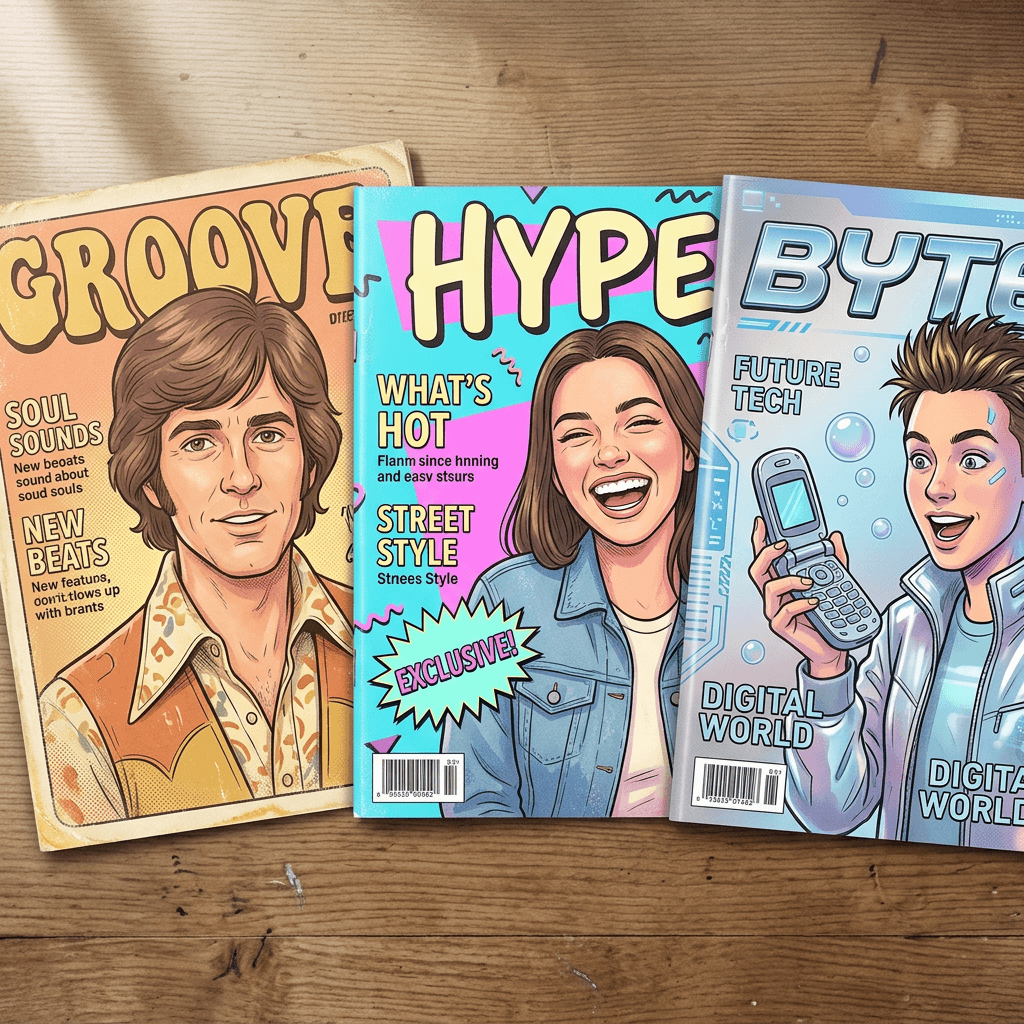
Prompt 14: The 1970s Disco and Groove Cover
Warm film tones, feathered hair, wide collars and a bold rounded masthead straight out of a seventies newsstand.
Using my uploaded photo, create a 1970s-style magazine cover in vertical 2:3 with the look of an aged printed page: warm faded color, soft halation, visible halftone dots and slightly yellowed paper edges. Keep my face, hairstyle, skin tone and expression exactly as in the uploaded photo, with natural skin texture and no beauty-filter smoothing. Style me with a wide-collared shirt and a retro hairstyle that stays true to my real hair type, photographed in front of a sunset orange and mustard backdrop with soft lens glow. Set the masthead "GROOVE" in a chunky rounded display typeface in brown and orange across the top, the line "THE SUNSHINE ISSUE • JULY 1977" under it, and the headline "Dancing Till Dawn" in the lower half. Add three cover lines on the left reading "The Record Shop Guide", "Platform Shoes Are Back" and "Summer Road Trips", and an old-style generic barcode block with the price "75 cents" in the bottom right. Spell every word exactly as written, keep all text sharp and legible, and avoid warped hands, extra fingers, duplicated letters, real brand logos or real publication names.
Prompt 15: The 1990s Teen Pop Cover
Flash photography, glossy sticker bursts and crowded cover lines for a nostalgic nineties fan-magazine energy.
Turn my uploaded photo into a 1990s teen magazine cover, vertical 2:3, with a direct-flash look, a bright cyan studio backdrop, slightly oversaturated color and glossy paper reflections. Keep my face, hairstyle, skin tone and expression exactly as in the uploaded photo, with natural skin texture and no beauty-filter smoothing. Style me in a denim jacket and chunky accessories with a playful, confident grin. Set the masthead "HYPE" in huge bubbly letters in hot pink with a white outline across the top, the line "THE BACK TO SCHOOL ISSUE • SEPTEMBER 1996" beneath it, and a yellow starburst sticker reading "POSTER INSIDE!". Fill the left and right edges with five cover lines in mixed bold fonts reading "Quiz: Which Mixtape Are You?", "Locker Decor Ideas", "Ten Songs On Repeat", "Crush Confessions" and "Weekend Slumber Party Guide", and add a generic barcode in the bottom right. Spell every word exactly as written, keep all text sharp and legible, and avoid warped hands, extra fingers, duplicated letters, real brand logos or real publication names.
Prompt 16: The Retro Y2K Tech Cover
A glossy silver and baby-blue millennium look with a chunky flip phone and a bold early-web masthead.
Create a Y2K-era tech magazine cover from my uploaded photo, vertical 2:3, with a shiny silver and baby-blue gradient backdrop, translucent plastic gadgets floating around, and a slightly soft digital-camera glow. Keep my face, hairstyle, skin tone and expression exactly as in the uploaded photo, with natural skin texture and no beauty-filter smoothing. Style me in a metallic puffer vest holding a chunky flip phone, lit with a bright frontal flash. Set the masthead "BYTE" in a bold futuristic chrome typeface across the top, the line "THE DIGITAL FUTURE ISSUE • DECEMBER 2000" beneath it, and the headline "Welcome To The New Millennium" at the bottom. Add cover lines on the right reading "Ten Gadgets You Need", "Dial-Up Diaries" and "The Chat Room Handbook", and a small generic barcode in the bottom left. Spell every word exactly as written, keep all text sharp and legible, and avoid warped hands, extra fingers, duplicated letters, real brand logos or real publication names.
6) Halloween, Holiday, Pet and Family Covers
Seasonal and personal covers are the ones people actually print, frame and send to relatives, so they reward careful text and a warm tone. The four prompts below cover an October special issue, a winter holiday edition, a pet cover and a family or couple cover. For related seasonal ideas, see our Halloween portrait prompts, the pet Halloween costume prompts and the Christmas card prompt pack.
Prompt 17: The Halloween Issue Cover
A spooky seasonal cover with a candlelit mood, ideal for costume reveals and October content.
Using my uploaded photo, make a Halloween special issue magazine cover in vertical 2:3 showing me in an elegant gothic costume with a high collar, standing in a candlelit old library with drifting fog and carved pumpkins on a shelf. Keep my face, hairstyle, skin tone and expression exactly as in the uploaded photo, with natural skin texture and no beauty-filter smoothing. Use warm candlelight from below-left and a cool blue moonlight rim from behind. Set the masthead "HAUNT" in a dripping-edge dark serif in bone white across the top, the line "THE HALLOWEEN ISSUE • OCTOBER 31, 2026" beneath it, and the headline "Dress To Be Remembered" in the lower half. Add cover lines on the left reading "Ten Costumes Under $25", "Haunted Houses Worth The Drive" and "Pumpkin Carving, Leveled Up", and a generic barcode in the bottom right. Spell every word exactly as written, keep all text sharp and legible, and avoid warped hands, extra fingers, duplicated letters, real brand logos or real publication names.
Prompt 18: The Holiday Issue Cover
A cozy winter cover for holiday content, gift guides and year-end posts.
Turn my uploaded photo into a holiday special issue magazine cover, vertical 2:3, showing me in a chunky knit sweater beside a decorated tree with warm fairy lights and wrapped gifts, with a gentle snowy window behind. Keep my face, hairstyle, skin tone and expression exactly as in the uploaded photo, with natural skin texture and no beauty-filter smoothing. Use warm glowing tree light on the face and a soft cool window fill. Set the masthead "HEARTH" in an elegant bold serif in deep red across the top with small gold holly accents, the line "THE GIFTING ISSUE • DECEMBER 2026" below it, and the headline "Home For The Holidays" at the bottom. Add three cover lines on the right reading "Thoughtful Gifts Under $30", "The Cozy Table Guide" and "New Year, Gentle Goals", and a generic barcode in the bottom left corner. Spell every word exactly as written, keep all text sharp and legible, and avoid warped hands, extra fingers, duplicated letters, real brand logos or real publication names.
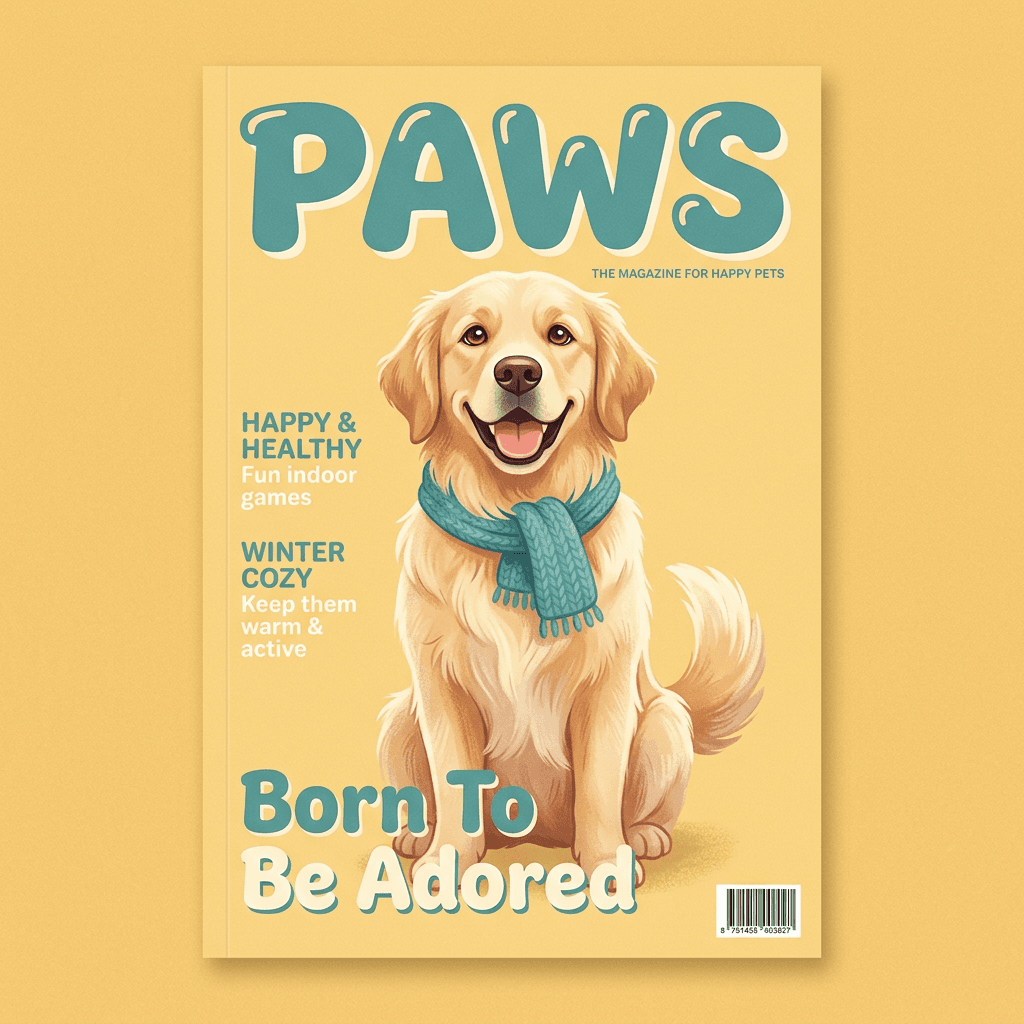
Prompt 19: The Pet Cover
A cover for the real star of the household, using a photo of your dog, cat or other pet.
Using my uploaded photo of my pet, create a pet magazine cover in vertical 2:3, keeping the animal's exact fur color, markings, ear shape and eye color from the photo. Pose the pet sitting proudly in front of a soft butter-yellow studio backdrop wearing a small knitted scarf, lit with bright soft studio light and a gentle catchlight in the eyes. Set the masthead "PAWS" in a friendly rounded bold typeface in teal across the top, the line "THE GOOD BOY ISSUE • AUTUMN 2026" beneath it, and the headline "Born To Be Adored" at the bottom. Add cover lines on the left reading "Ten Tricks In Ten Days", "Best Parks For Zoomies" and "Treats Worth Begging For", and a small generic barcode in the bottom right. Spell every word exactly as written, keep all text sharp and legible, and avoid warped hands, extra fingers, duplicated letters, real brand logos or real publication names.
Prompt 20: The Couple or Family Cover
A warm group cover for anniversaries, holiday cards and family announcements, with every face kept distinct.
Using my uploaded group photo, design a lifestyle magazine cover in vertical 2:3 with everyone from the photo standing close together on a sunlit porch with a soft garden behind. Keep every person's face, hairstyle, skin tone, height and expression exactly as in the uploaded photo, with natural skin texture and no blending of features between people. Use warm golden afternoon light and a relaxed candid pose. Set the masthead "HOME" in a classic bold serif in white across the top, the line "THE FAMILY ISSUE • ANNIVERSARY EDITION" beneath it, and the headline "Together, Always" in the lower half. Add cover lines on the right reading "Recipes We Grew Up On", "Twenty Years Of Road Trips" and "The Best Day Of The Year", and a generic barcode in the bottom left. Spell every word exactly as written, keep all text sharp and legible, and avoid warped hands, extra fingers, duplicated letters, real brand logos or real publication names.
How to Customize These Magazine Cover Prompts
Writing Cover Lines That Actually Read Like a Magazine
Real cover lines follow a few patterns, and copying the patterns is more effective than inventing text from scratch. The most reliable ones are a number plus a benefit ("Ten Villages Worth The Ferry"), a how-to ("Make Room To Breathe"), an insider promise ("Inside My Wardrobe") and a one-word tease followed by a colon. Keep each line to two to five words, since every extra word is another chance for the model to drop or double a letter. Your headline should be the emotional hook, while the smaller lines should be concrete topics, which is exactly how the covers in the pack are organized.
It also helps to write cover lines about your actual niche. A baking creator could use "Ten Doughs Worth Learning", a finance channel "Your First Thousand, Explained", a travel vlogger "Three Days In Lisbon". Cover lines double as a hidden content calendar, because the ones that make you want to click are often the ones worth turning into a real video or post. If you want help picking words that earn clicks, our post on YouTube thumbnail text ideas and how many words to put on a thumbnail apply almost directly to cover lines.
Keeping the Text Legible
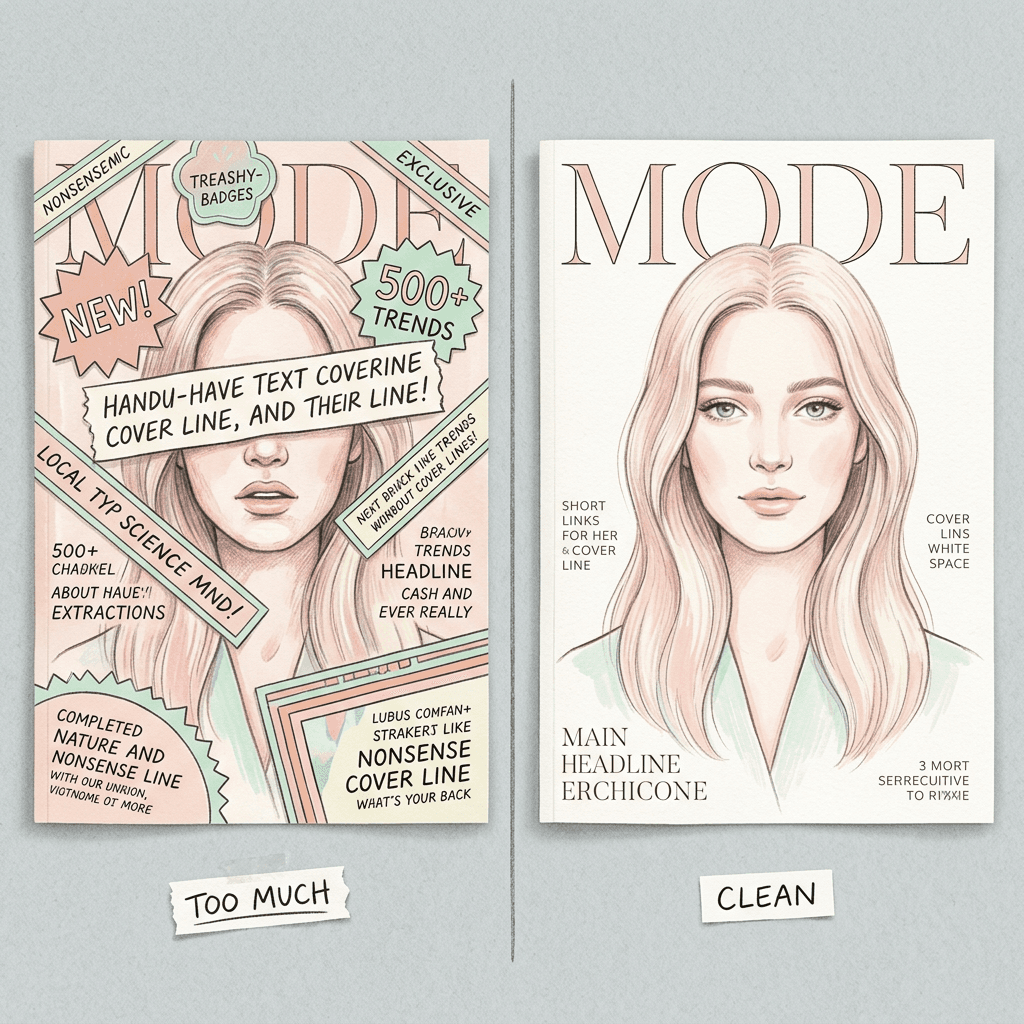
Legibility comes from three decisions you can control in the prompt. First, tell the model where text should and should not go: "keep my face clear of all text" and "leave the area around the eyes and mouth free" prevent the most common failure, which is a cover line running across a forehead. Second, ask for contrast, such as white type over a darker area or dark type over a pale backdrop, rather than leaving color to chance. Third, limit the total number of text elements. A believable cover has one masthead, one issue line, one headline, three or four cover lines and a barcode. Adding a pull quote, a sticker burst, a second headline and a website address on top of that is how a cover drifts from polished to chaotic.
If you are curious how newer models handle dense typography, our guides to Qwen Image 3.0 Pro text layout prompts and Ideogram 4.0 text-heavy designs go further into how structure affects text accuracy.
Aspect Ratio: Print Versus Instagram and Stories
A real magazine page is roughly 2:3, which is why every prompt above requests it. Start there, because it gives you the proportions of a genuine cover and the most room to crop later. From a 2:3 cover you can make the other versions without regenerating.
- Printing a poster or gift: keep 2:3 and leave the barcode and edge text about a finger-width from the border so a trim does not cut it.
- Instagram feed post: crop to 4:5, which shaves a little from the top and bottom. Keep the masthead and the lowest cover line away from the extreme edges, since the grid preview trims further.
- Stories, Reels and Shorts: crop to 9:16 and keep the important type in the middle, away from the top and bottom areas where app buttons sit.
- Profile banner or channel art: a cover is the wrong shape. Generate a horizontal version of the layout instead with the face on one side and the masthead on the other.
Beginner Versus Established Creator
If this is your first try, pick one category that matches your existing content and make three or four versions of a single prompt before moving on. A fitness coach should start with prompt 12, a gamer with prompt 9 and a pet owner with prompt 19. You learn a lot more from comparing four variations of a layout than from running twenty different prompts once each.
If you already have an audience, treat the cover as a recurring format. Keep the same invented masthead, the same typeface description and the same barcode placement for every issue, and change only the theme and cover lines. A monthly "issue" of your channel, newsletter or community becomes a recognizable series, and the repetition makes each new cover instantly legible to your followers. That same consistency principle appears in our guide to Instagram carousel covers, where a repeatable visual system outperforms one-off designs.
Adapting a Prompt to Your Niche
Swapping a theme is a three-step edit. Change the masthead and issue line, replace the headline and cover lines, then adjust the backdrop and outfit. For example, the business cover becomes a teacher's cover by changing the office into a classroom, the masthead to "CHALK", and the headline to "Lessons That Stick". The fitness cover becomes a cooking cover by changing the gym into a warm kitchen and the headline to "Twelve Weeks Of Better Dinners". Because the layout instructions stay the same, the new version usually comes out with the same polish as the original.
Common Mistakes When Making AI Magazine Covers
Using a real magazine name. Prompts that ask for a famous masthead can produce a convincing counterfeit, which is a trademark and impersonation problem if you post it or use it commercially. Invented mastheads keep your cover original and give you a reusable brand.
Packing in too many cover lines. Eight lines of text invite typos and make the cover look like a flyer. Stick to a headline plus three or four short lines.
Letting the model write the words. If you only say "add some cover lines", the model improvises, and improvised text is where garbled letters appear. Write every word yourself and put it in quotation marks.
Forgetting to protect the face. Without an instruction such as "keep my face clear of all text", cover lines can cross your eyes or chin. Put the instruction in every prompt.
Starting with a weak source photo. A blurry, dark or heavily filtered selfie leads to a cover with the same soft, indistinct face. A clear daylight photo is worth more than any prompt improvement.
Ignoring the crop. A cover that looks perfect at 2:3 can lose its masthead in a Story or its barcode in a feed crop. Check the version you actually plan to post.
Skipping the zoom-in proofread. One wrong letter in a masthead is the fastest way for a cover to look fake. Zoom in on every line before you share, and fix any slip with a text editor instead of regenerating the whole image.
Using a vintage prompt without printing artifacts. A 1970s cover needs halftone dots, faded ink and yellowed paper described in the prompt, otherwise you get a modern photo with a retro font.
Make Your Magazine Cover in Miraflow's AI Image Generator and YouTube Thumbnail Maker
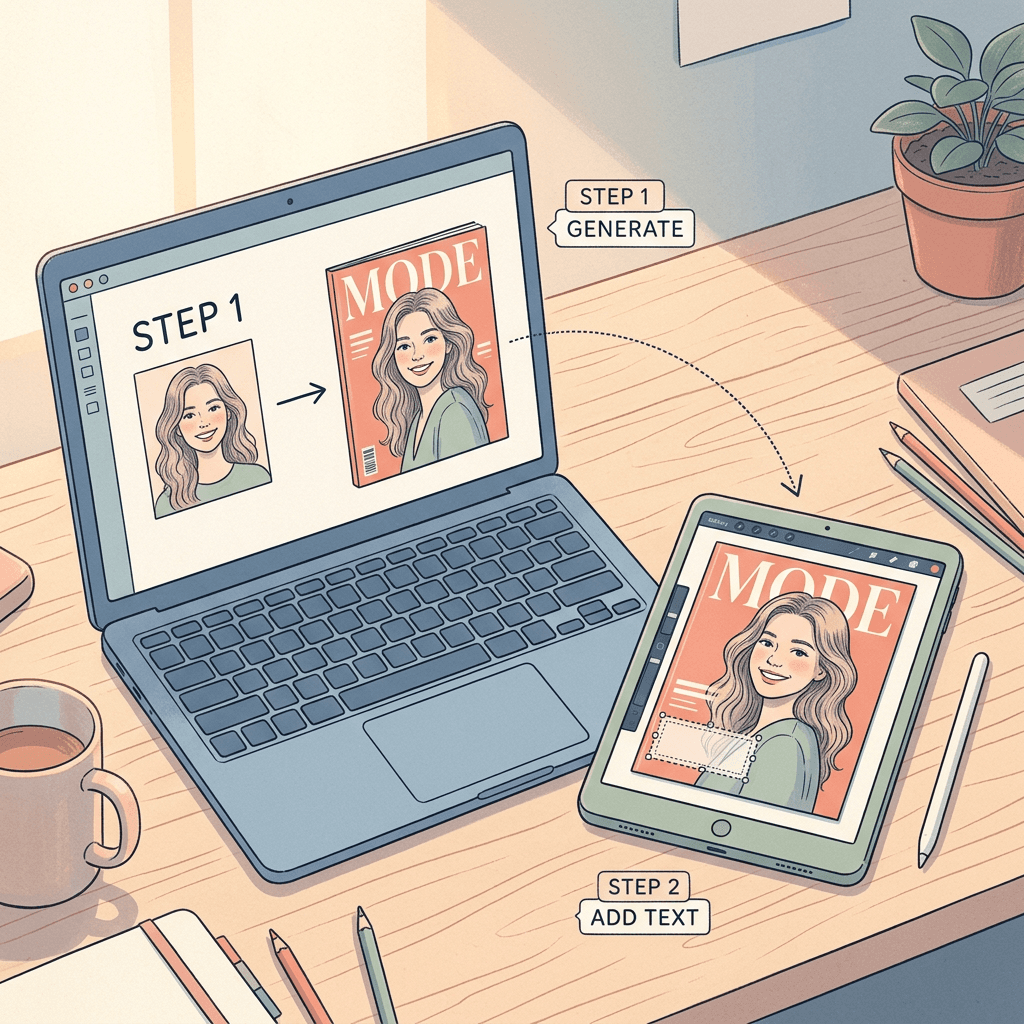
The most reliable workflow uses two tools. Open Miraflow's AI Image Generator, switch to image-to-image, upload your photo and paste one of the 20 prompts, replacing the masthead, date and cover lines with your own. Generate three or four variations, since layout, lighting and text accuracy all vary from one run to the next, and keep the one with the cleanest composition.
If any word needs fixing, or you want to change the headline without regenerating the face, upload the finished cover to Miraflow's YouTube Thumbnail Maker and add the text there. It supports adding text on top of an uploaded image, so you can replace a misspelled cover line, enlarge the headline or add an issue date in a few clicks. This works especially well when you plan to turn the cover into a real YouTube thumbnail, since the same image already has a face, a bold headline and strong contrast.
Once you have a finished cover, you can extend it into content. Drop it into Text2Shorts as the reveal frame of a short video that moves from your plain photo to the finished cover, or keep generating more issues from the Miraflow home page so your series has a matching look across tools. For a broader look at the AI image creation tools available, visit Miraflow's AI Image Generator again whenever you want to try a new category.
Frequently Asked Questions
What is the best AI prompt for a magazine cover? The best prompt names the uploaded photo as the subject, requests a vertical 2:3 format, and describes every text element with its exact wording and position: masthead, issue line, headline, cover lines and barcode. Prompts that leave the text to the model tend to produce misspellings.
Can I turn my own photo into a magazine cover with AI? Yes. Use an image-to-image tool, upload one clear front-facing photo and add an instruction to keep your face, hairstyle and skin tone unchanged. Every prompt in this guide is written that way, and you can run them in Miraflow's AI Image Generator.
Why shouldn't I use a real magazine name like the famous ones? Real mastheads are trademarked, and a cover that imitates one can look like a fake endorsement or a counterfeit if it is posted publicly or used for business. Invented names such as MODE, SIGNAL or THE CREATOR ISSUE give you the same look with no trademark concerns and a brand you can reuse.
How do I keep my face looking like me? Start with a sharp, evenly lit photo without filters, use image-to-image instead of text-to-image, and include a sentence asking the model to preserve your face, hairstyle, skin tone and natural skin texture. Generate several versions and choose the one that looks most like you.
How do I stop the text from coming out garbled? Keep each line to two to five words, write the exact wording in quotation marks, limit the cover to one headline and three or four cover lines, and ask for exact spelling. If a letter still looks wrong, add corrected text on top with the YouTube Thumbnail Maker instead of regenerating.
What size should an AI magazine cover be? Generate at 2:3 for print, since it matches a real magazine page. Crop to 4:5 for an Instagram feed post and 9:16 for Stories, Reels or Shorts, keeping important text away from the edges.
Can I make a magazine cover of my pet? Yes. Upload a clear photo of your pet and ask the model to preserve its fur color, markings, ear shape and eye color. Prompt 19 is built for this and works for dogs, cats and many other animals.
Can I make a group, couple or family cover? Yes. Upload a well-lit group photo, ask the model to keep every person's face and height unchanged, and avoid asking for too many people at once. Prompt 20 includes a line that stops facial features from blending between people.
How do I make a vintage 70s or 90s magazine cover? Describe the printing look as well as the styling. For the seventies, ask for warm faded color, halftone dots and yellowed paper. For the nineties, ask for direct flash, glossy reflections and crowded cover lines. Prompts 14 and 15 include both.
Can I use these covers for YouTube thumbnails or channel content? Yes. A cover already has a face, a bold headline and high contrast, which are the same ingredients as a strong thumbnail. Crop it to 16:9 or rebuild the layout horizontally in the YouTube Thumbnail Maker.
Can I sell or print the finished cover? Printing one as a gift or poster is a common use. If you plan to sell products or use a cover commercially, check the terms of the tool you used, and keep mastheads, logos and cover-line wording original.
Conclusion
An AI magazine cover works when the prompt reads like a layout brief: a clear identity instruction, a named light source, an invented masthead, an issue line, a headline, a handful of short cover lines and a barcode. The 20 prompts above cover fashion, business, creator tributes, music, gaming, travel, fitness, vintage decades, seasonal issues, pets and families, so you can pick the closest match and swap in your own words.
Start with one prompt that suits your niche, generate a few versions in Miraflow's AI Image Generator, fix any text with the YouTube Thumbnail Maker, and crop for the platform where you will post. If you build a series with the same invented masthead each month, you end up with a recognizable cover brand of your own, and you can browse more prompt packs on the Miraflow blog.