AI Music for YouTube: Copyright-Free Tracks in Seconds

Written by
Jay Kim
Generate copyright-free background music for YouTube in seconds using AI. Learn the rules, get 15 copy-paste prompts, and avoid claims that kill monetization.
You uploaded a video. The edit was clean, the hook was strong, and within hours the views started climbing. Then you got the notification. A copyright claim on the background music. Revenue diverted. Video blocked in three countries. All because of a 15-second track you found on a "free music" site that turned out to be anything but free.
If you are making YouTube videos in 2026, you have to care about music copyright. One wrong track can trigger a claim, block your video in some countries, or even kill your monetization.[5]
This guide covers how to use AI music generators to create copyright-safe background tracks for YouTube in seconds, the actual rules you need to follow so your videos stay monetized, 15 copy-paste prompts you can use right now for different video styles, and the common mistakes that still get creators flagged even when they think they are being careful.
Whether you run a faceless channel, publish Shorts, or create long-form tutorials, this is the practical breakdown of how AI music fits into your YouTube workflow in 2026 without putting your channel at risk.
Why Copyright Claims Are Still the Biggest Music Problem on YouTube
Every year, creators lose monetization, get strikes, and sometimes lose entire channels because of music rights issues. The problem has not gone away. In many ways, it has gotten worse as detection systems become smarter.
The biggest concern among creators today is YouTube copyright strikes. Automated detection systems like Content ID are smarter than ever, scanning millions of songs daily and flagging even minor matches. For AI musicians, this means a single overlooked similarity could trigger demonetization or removal.[10]
The traditional options have always been limited. Stock music libraries are expensive if you want anything decent. YouTube's own Audio Library is free but heavily overused, so your videos end up sounding like everyone else's. And grabbing tracks from "royalty-free" websites often leads to unexpected claims because the licensing terms are murky or the track was registered by someone else in Content ID.
By 2026, many professional creators find the library limiting in scope and stylistic flexibility. Once audio tracks from the library become popular, multiple channels use them simultaneously, resulting in repetitive or predictable sound environments across content niches. This explains why thousands of YouTubers now augment or replace their library selections with AI music tracks.[1]
AI music generation solves the core problem by creating original tracks from scratch, based on your description. Because the track has never existed before, there is nothing in Content ID to match against. The music is unique to you, generated on demand, and ready in under a minute.
But there are rules to follow and mistakes to avoid. Understanding how this actually works is worth your time before you generate your first track.
What "Copyright-Free" Actually Means With AI Music
The term "copyright-free" gets thrown around loosely, and it creates confusion that can get creators in trouble. Before generating any AI music for your videos, you need to understand what the phrase actually means in practice.
Is AI music itself copyright-free? Not automatically. In some places, 100% AI-generated works may not be protected by copyright, but training data, model ownership, and usage rights still matter.[5]
Here is what matters for you as a YouTube creator. When someone says a track is "copyright-free," they usually mean one of two things: either nobody holds a copyright on it (so nobody can claim against you), or you have been given a license that lets you use it freely. With AI-generated music, the situation often falls into a gray area because copyright law in most countries has not fully caught up with AI-generated content.
Copyright law is still evolving. In the US, for example, 100% AI-generated works often cannot be copyrighted, which can put them in a strange space: they might be treated like public-domain-style outputs, but training data and likeness rights still matter. YouTube's general rule stays the same: if you don't have the rights to the music, you risk claims, regardless of whether AI helped make it.[5]
The practical takeaway is straightforward. The safe approach is to rely on the license of the AI music generator or library rather than assuming AI output is automatically safe.[5] If the tool you use explicitly grants you the right to use generated music in monetized YouTube content, you are in a strong position. If the tool's licensing terms are vague or do not mention commercial use, you are taking a risk.
For a deeper breakdown of what counts as safe and what counts as risky, this guide on monetizing videos with AI music covers the full picture.
YouTube's Rules for AI Music in 2026
YouTube has been updating its policies around AI-generated content over the past two years, and the rules in 2026 are clearer than they have ever been. Here is what you need to know.
AI Music Is Allowed and Monetizable
YouTube's current stance on AI-generated music is relatively permissive for background use. Background music in videos is allowed. AI-generated music will not trigger Content ID claims since the tracks are original. You can monetize videos that use AI-generated background music.[3]
This is the most important point. YouTube does not ban AI music. Most platforms do not ban AI music. They care about rights and ownership, not the tool.[5]
Disclosure Is Required
YouTube's AI disclosure rule has been mandatory since 2024 and is enforced more strictly in 2026. Toggle the "Altered or synthetic content" setting in YouTube Studio for every video that uses AI-generated music.[1]
The good news is that disclosing AI use does NOT automatically disqualify a video from monetization.[1] Labeling a video as AI-altered does not limit its audience or ad revenue eligibility.[6] Many creators worry that disclosing AI use will hurt their performance, but the data shows otherwise. The disclosure label exists for transparency, and YouTube has explicitly stated that it does not affect distribution or revenue.
What Gets You Flagged
YouTube draws a clear line around content that imitates real artists. The biggest restriction for AI music on YouTube involves voice cloning: using AI to replicate a real artist's voice without permission violates policy.[6]
YouTube's reused content policy has existed for years. In 2026, YouTube clarified that the policy explicitly covers AI-generated audio. This clarification closed the loophole that early AI music channels exploited: uploading the same AI track with different thumbnails, or re-packaging third-party AI tracks with no transformation.[1]
The channels that get flagged are the ones doing one of these things: cloning a real artist's voice, uploading the same track multiple times with different titles, pulling public AI-generated tracks from other platforms and re-uploading without any transformation, or using prompts that reference specific copyrighted songs by name.
For YouTube Shorts creators, these rules apply equally. If you are using AI music in your Shorts, the YouTube Shorts best practices guide for 2026 covers how to handle audio choices alongside other optimization strategies.
How AI Music Generation Works for YouTube Creators
The process of generating AI music for your videos is simpler than most people expect. You do not need musical training, a DAW, or any audio editing experience. The workflow comes down to describing what you want and letting the AI compose it.
Most AI music generators follow a similar pattern. You type a description of the track you want, including mood, genre, tempo, instrumentation, and intended use. The AI generates one or more tracks based on your description. You listen, download the track you like, and drop it into your video timeline.
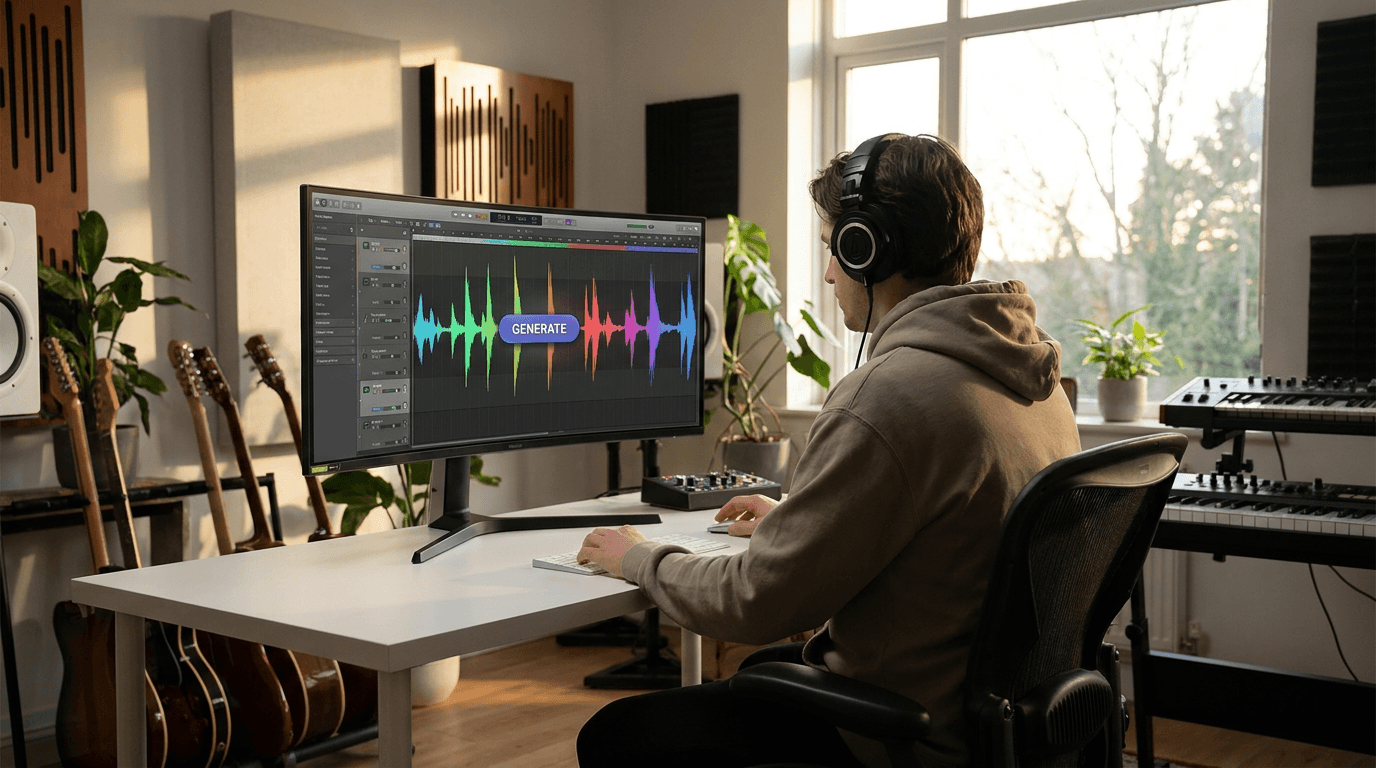
Miraflow's AI Music Generator offers two modes that cover different levels of control. In Simple Mode, you provide a music description and optionally toggle instrumental mode, then click Generate Music. In Custom Mode, you can set additional parameters like lyrics structure (verse, chorus, bridge, intro, outro), duration, BPM, key and scale, and even toggle AI reasoning for smarter composition decisions.
Generated music appears in your library where you can play, download, and reuse tracks. Typical generation time is under one minute, which means you can create multiple variations and pick the best one before your video is even done editing.
The key to getting good results is writing specific, descriptive prompts. Vague descriptions like "happy music" produce generic results. Detailed descriptions that specify instrumentation, tempo, mood, and intended use produce tracks that actually fit your content.
15 Copy-Paste AI Music Prompts for YouTube Videos
Here are ready-to-use prompts organized by video type. You can paste these directly into any AI music generator. Each prompt is designed to produce a track that works as background music without competing with voiceover or narration.
Tutorial and How-To Videos
Prompt 1: Calm tech tutorial background
Prompt:
Soft lo-fi hip hop beat for a YouTube tutorial, warm Rhodes piano, light brushed drums, subtle bass line, relaxed 85 BPM tempo, loopable, low energy so it sits behind voice narration, clean and modern
Prompt 2: Upbeat product walkthrough
Prompt:
Bright and friendly background music for a product demo video, acoustic guitar plucking, light percussion with shaker and tambourine, optimistic major key, 100 BPM, minimal arrangement so dialogue stays clear, warm and inviting feel
Prompt 3: Coding or screen recording
Prompt:
Minimal electronic ambient track for coding tutorial, soft synth pads, gentle pulse beat at 90 BPM, clean digital textures, no sudden changes or drops, designed to loop seamlessly, futuristic but calm
These calm, understated tracks are exactly what you need for educational content where the voice carries the story. For more prompts specifically designed for AI music for YouTube, Reels, and TikTok, that guide includes 20 additional templates.
YouTube Shorts and Vertical Content
Prompt 4: High-energy Shorts intro
Prompt:
Punchy electronic beat for YouTube Shorts, fast 128 BPM tempo, bright synths with clean drops, energetic drums, modern pop production style, designed for 30-second vertical video, instant energy from the first beat
Prompt 5: Satisfying process Shorts
Prompt:
Chill downtempo beat for satisfying process video, soft muted drums, warm analog synth melody, gentle bass, relaxed 75 BPM, soothing and repetitive loop, perfect for ASMR-style or satisfying compilation content
Prompt 6: Quick tip or fact Short
Prompt:
Clean and snappy background music for informational YouTube Short, light piano with subtle electronic elements, positive mood, 110 BPM, brief melodic hook that repeats every 8 bars, keeps energy up without overwhelming the voiceover
For Shorts creators looking to streamline their entire production pipeline, Miraflow's Text2Shorts tool generates scripts, scene visuals, and AI voices in one workflow. Adding a custom AI music track completes the package.
Vlogs and Lifestyle Content
Prompt 7: Morning routine vlog
Prompt:
Warm acoustic background music for lifestyle vlog, fingerpicked guitar with light strings, gentle and intimate feel, 95 BPM, organic and natural instrumentation, daylight energy without being too upbeat, suitable for cooking and morning routine content
Prompt 8: Travel montage
Prompt:
Cinematic travel music with sweeping strings and soft piano, inspiring and emotional, slow build from quiet intro to gentle climax, 80 BPM, wide soundscape with reverb, designed for drone footage and scenic landscape shots
Prompt 9: Day in my life
Prompt:
Upbeat indie pop instrumental for day-in-my-life vlog, bright ukulele strumming, clapping percussion, cheerful whistling melody, 115 BPM, feel-good summer energy, clean mix that leaves room for voice narration
Finance and Business Content
Prompt 10: Market analysis background
Prompt:
Professional corporate background music for finance video, clean piano chords with subtle electronic textures, confident and steady mood, 90 BPM, modern business feel, no distracting elements, designed to support data-heavy narration
Prompt 11: Motivational business content
Prompt:
Inspiring orchestral background for entrepreneurship video, building strings with subtle percussion, hopeful and determined mood, 100 BPM, cinematic quality, gradual intensity build, suitable for motivational voiceover content
Finance is one of the highest-RPM niches for YouTube Shorts, and having professional-sounding background music makes a noticeable difference in production quality.
Gaming and Entertainment
Prompt 12: Gaming highlights
Prompt:
High-energy electronic track for gaming montage, heavy bass drops, aggressive synth leads, fast 140 BPM, dubstep-influenced with trap elements, intense and hype, designed for action clips and highlight reels
Prompt 13: Chill gaming commentary
Prompt:
Relaxed lo-fi beat for gaming commentary, mellow piano loop, soft vinyl crackle texture, lazy hip hop drums, 80 BPM, nostalgic and cozy vibes, unobtrusive enough to play behind talking head commentary
Study, Sleep, and Ambient Content
Prompt 14: Study playlist track
Prompt:
Ambient lo-fi study music, warm tape-saturated piano, rain texture in the background, very soft brushed drums, 70 BPM, deeply relaxing, designed for hour-long study playlists, smooth transitions, no sudden volume changes
Prompt 15: Sleep and relaxation
Prompt:
Gentle ambient sleep music, slow evolving pad textures, soft wind sounds, no percussion, extremely calm and meditative, 60 BPM, designed for 8-hour sleep playlists, seamless loop structure, minimal melody
For creators building dedicated ambient music channels, this guide on AI music for YouTube playlists covering study, sleep, and café vibes explains how to design long-form mixes and build faceless channels around these niches.
How to Write Better AI Music Prompts (Prompt Engineering for Music)
The quality of your generated music depends almost entirely on the quality of your prompt. A vague description gives the AI too much freedom, and the result is generic. A specific, well-structured prompt gives the AI clear boundaries and produces something that actually fits your content.
Here is a formula that works well for most YouTube background music prompts:
Genre/Style + Instrumentation + Mood + Tempo + Intended Use + Mix Notes
For example, instead of writing "happy background music," write "bright indie pop instrumental with ukulele, light percussion, and whistling melody, cheerful summer mood, 110 BPM, designed for YouTube tutorial voiceover, clean mix with space for narration."
The second prompt gives the AI six concrete reference points. That specificity translates directly into a more usable track.
A few additional prompt tips that consistently improve results:
Mention the video format. Saying "for YouTube Shorts" or "for a 10-minute tutorial" helps the AI understand whether the track needs to be punchy and immediate or smooth and loopable.
Describe the mix relationship. Phrases like "sits behind voiceover," "does not compete with narration," or "low-key energy" tell the AI to keep the arrangement minimal enough that your voice stays front and center.
Specify what you do not want. If you need a track without vocals, say "instrumental only." If drops and transitions would be distracting, say "no sudden changes or drops." Telling the AI what to avoid is just as useful as telling it what to include.
Iterate by changing one element at a time. If your first generation is close but not quite right, adjust only the tempo, or only the mood, or only one instrument. Changing everything at once makes it impossible to converge on the sound you want.
For a deeper look at prompt engineering specifically for music, the AI music prompts guide for YouTube, Reels, and TikTok includes more templates and prompt structure advice.
The Safe Workflow: Generating AI Music Without Getting Claimed
Having a good prompt is only part of the process. You also need a workflow that protects your channel from unexpected copyright issues. Here is a step-by-step approach that minimizes risk.
Step 1: Use a Tool With Clear Commercial Licensing
The AI tool should clearly state you can use the generated music in YouTube videos, including monetized content.[5] Before generating anything, check the terms of service of your AI music tool. If the tool does not explicitly grant you commercial usage rights for YouTube videos, find one that does.
Miraflow's AI Music Generator is built for creators who need music they can use in their content. The workflow is straightforward: describe the music, generate the track, and use it in your videos.
Step 2: Avoid Prompts That Reference Real Artists
Be very careful with prompts that mention real artists' names, especially when the industry is actively licensing AI likenesses. Do not upload AI tracks that imitate a specific singer's voice without permission.[5]
Writing "make a song that sounds like Drake" or "Taylor Swift-style pop track" is asking for trouble. Instead, describe the elements you want: the tempo, the instrumentation, the mood, the energy level. You can get a similar result by describing the characteristics rather than naming the artist.
Step 3: Run the Track Through YouTube's Copyright Checker
Run every AI track through YouTube's Copyright checker before publishing. AI models frequently reproduce training-data melodies.[1]
YouTube Studio has a built-in tool called "Checks" that scans your upload for potential copyright matches before you publish. Use it every time. If a track triggers a claim, do not publish it. Request a new generation.[1]
Step 4: Keep Records of Your Generations
Note the date and tool name (for example, "Generated in Miraflow AI Music Generator, May 2026"). Bookmark or screenshot relevant license and usage terms.[5] In many cases, having proof from your AI tool helps you dispute bad claims.[5]
If you ever receive a false copyright claim on your AI-generated music, having documentation that shows when and where you generated the track makes the dispute process much smoother.
Step 5: Toggle the AI Disclosure in YouTube Studio
Toggle the "Altered or synthetic content" setting in YouTube Studio for every video that uses AI-generated music. Failure to disclose is treated as a policy violation and can result in demonetization independent of topic eligibility.[1]
This takes two seconds and protects your channel. There is no downside to disclosing, and the risk of not disclosing is real.
7 Common Mistakes That Get AI Music Flagged on YouTube
Even creators who understand the basics still make mistakes that lead to claims, strikes, or demonetization. Here are the patterns to avoid.
Mistake 1: Using AI to Clone Real Artists
Voice clones of Drake, Taylor Swift, and similar artists result in instant copyright strikes, potential DMCA from labels, and violate YouTube's AI impersonation rules.[1] No amount of "fair use" reasoning will protect you here. If your AI-generated track sounds like it was performed by a specific real artist, you are in violation.
Mistake 2: Uploading the Same Track Multiple Times
Uploading the same 3-minute AI beat as 10 different videos with different thumbnails is one of the patterns that now triggers reused content enforcement. Audio fingerprints reveal the duplication instantly.[1]
Each video should have a unique track or meaningful variation. Generating new music takes seconds with AI, so there is no reason to recycle the same track across multiple uploads.
Mistake 3: Grabbing Tracks From Public AI Libraries
Pulling popular AI tracks from Suno's public gallery, Udio's shares, or other creators' uploads and re-publishing with no meaningful transformation is covered by both reused content and potential attribution and copyright issues.[1]
Generating your own tracks from your own prompts is always safer than downloading someone else's public AI generation. Even if the original was generated by AI, someone else may have already registered it.
Mistake 4: Skipping the Copyright Checker
AI models like Suno v4 and Udio can produce outputs that closely resemble copyrighted songs they were trained on, and YouTube's Content ID system catches these.[1]
AI models are trained on real music. Sometimes the output sounds too close to an existing song, even if you did not intend it. The Copyright Checker in YouTube Studio catches these overlaps before you publish.
Mistake 5: Forgetting the AI Disclosure Toggle
Failure to disclose is treated as a policy violation and can result in demonetization independent of topic eligibility.[1] This is one of the easiest mistakes to avoid and one of the most costly to make.
Mistake 6: Mass-Producing AI Content Without Human Input
AI-assisted music videos with genuine creative input remain fully monetizable. Automated content farms uploading thousands of AI tracks face demonetization.[6]
YouTube's inauthentic content policy specifically targets channels that bulk-upload AI content with no human creative layer. The biggest adjustment is to add a human layer to every upload. Original thumbnails, written commentary or narration, and a consistent visual identity separate you from the mass-produced AI dump channels that YouTube targets.[1]
Mistake 7: Assuming "AI-Generated" Means "No Rights Issues"
YouTube's general rule stays the same: if you don't have the rights to the music, you risk claims, regardless of whether AI helped make it. The safe approach is to rely on the license of the AI music generator or library.[5]
AI music is a tool, and like any tool, the output is only as safe as the licensing behind it.
Building a Personal Music Library With AI
One of the most underrated strategies for YouTube creators in 2026 is building your own reusable music library using AI-generated tracks. Instead of searching for music every time you edit a video, you create a collection of tracks tailored to your channel's style and reuse them across uploads.

Here is how to approach this practically:
Start by identifying the three to five moods your content regularly needs. A tech tutorial channel might need a calm coding background, an upbeat intro, a transition stinger, a reflective outro, and an energetic demo track. Generate two to three variations of each mood using the prompts earlier in this guide.
Save each track with a clear naming convention that includes the mood, tempo, and intended use. After a few weeks of generating, you will have a library of 15 to 20 tracks that cover every scenario your channel needs.
After a few uploads, you will have your own mini music library built entirely around your channel's vibe, without ever opening a DAW or risking random copyright strikes.[5]
This approach also builds a recognizable audio identity for your channel. Viewers start associating certain sounds with your brand, which strengthens loyalty and watch time. For creators who also run faceless YouTube channels, a consistent audio identity is especially important because the music becomes a core part of the channel's personality.
AI Music for Different YouTube Content Formats
Different video formats call for different music strategies. Here is how AI music fits into the most common YouTube content types.
Long-Form Videos (10+ Minutes)
Long videos need music that can loop without becoming noticeable. The ideal AI-generated track for long-form content is calm, repetitive enough to loop seamlessly, and mixed low enough that it never fights with your narration. Generate tracks at 70 to 95 BPM with minimal arrangement and no sudden transitions.
Use different tracks for different sections of your video. A separate intro track, a background track for the main content, and a different track for the outro creates a natural sense of progression without requiring complex audio editing.
YouTube Shorts
Shorts need instant energy. The music should hit hard from the first beat because you have less than three seconds to hook viewers. Generate tracks at 110 to 140 BPM with clear rhythmic elements that grab attention immediately.
For more on structuring Shorts for maximum retention, the guide on why the first 3 seconds matter explains how audio choices in the opening moment affect whether viewers swipe or stay.
You can also generate both the video and the music in one workflow using Miraflow's Text2Shorts, which handles script generation, visual creation, voice selection, and final assembly for 9:16 vertical videos.
Podcast-Style and Talking Head Videos
These videos need the most subtle background music. The track should barely be noticeable, creating a warm atmosphere without pulling attention away from the speaker. Generate ambient tracks with soft pads, minimal percussion, and very slow tempos around 60 to 80 BPM.
Product Reviews and Unboxing
Product content benefits from music that feels modern and clean. Light electronic textures with gentle rhythm work well, matching the polished, consumer-tech aesthetic that viewers expect from review content. For creators who also produce AI product videos, pairing generated visuals with generated music creates a cohesive production pipeline.
Can You Monetize Videos With AI Music?
This question comes up constantly, and the answer in 2026 is clear. Yes, you can monetize videos with AI music, if you use it correctly and understand a few rules.[5]

YouTube's copyright rules apply regardless of how the music was created. If you do not own or license it, you can get claims or takedowns.[5]
The real question is: do you have clear rights to use this AI track in a monetized video? If the answer is yes, monetization is generally fine. If the answer is "I do not know," you are gambling.[5]
A few specific scenarios worth addressing:
Using AI music as background in monetized videos: Yes, as long as you have the rights to use the music. Platforms care about copyright, not whether a human or AI composed the track.[5]
Does AI music reduce your ad revenue share? Not by itself. If your AI track is treated as your own or licensed background music, you keep your normal share.[5]
Starting a lo-fi or study music channel with AI tracks: This is possible but requires more careful execution. You need to add a human layer to every upload. Original thumbnails, written commentary or narration, and a consistent visual identity separate you from the mass-produced AI dump channels that YouTube targets.[1]
For the full breakdown including edge cases and platform-specific nuances, this complete guide on monetizing videos with AI music in 2026 covers everything you need to know.
Using AI Music Across Your Entire Content Pipeline
Music is just one piece of the YouTube content creation puzzle. The real efficiency gains come when you use AI tools across the entire pipeline: idea, script, visuals, video, thumbnail, and music.
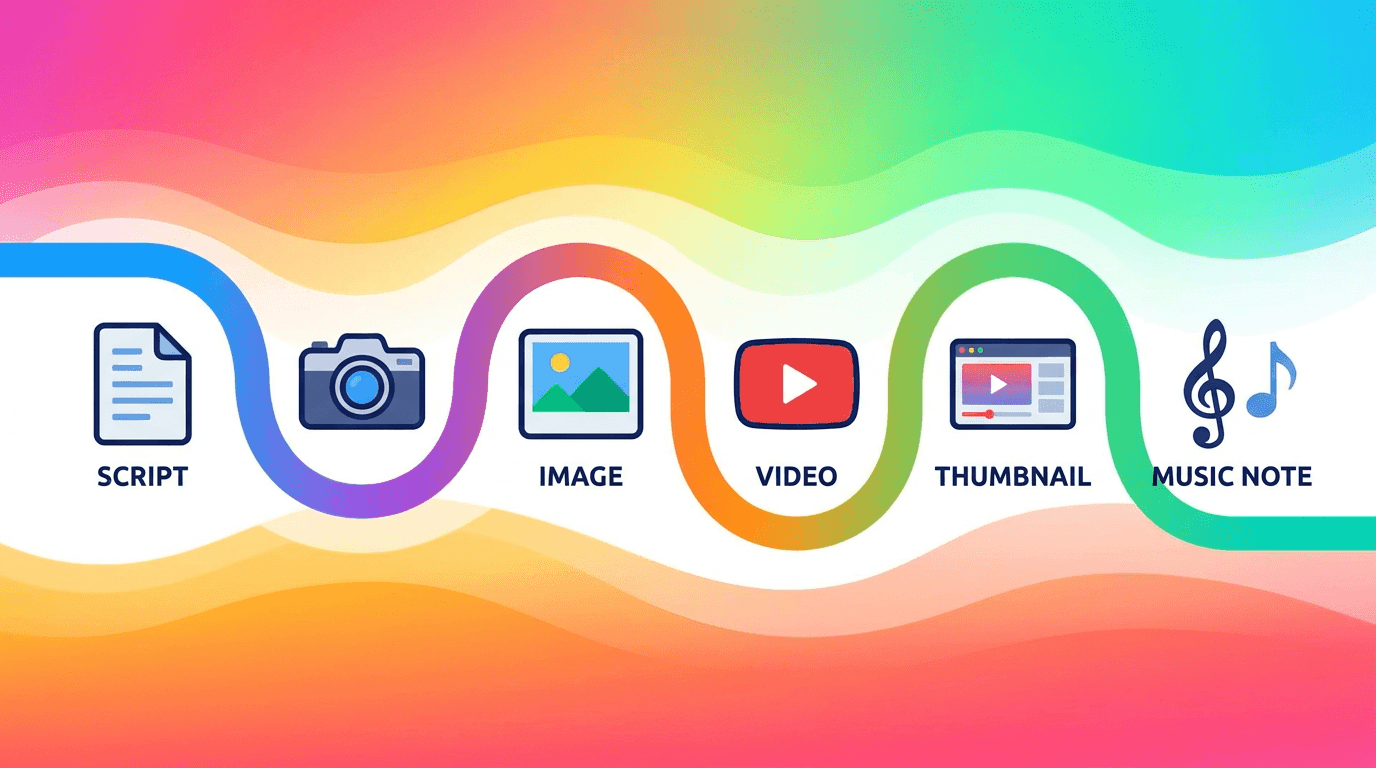
Miraflow AI is built around this exact workflow. You can generate AI images for visual content, create YouTube thumbnails with custom prompts and templates, produce cinematic video clips from text descriptions for B-roll or standalone videos, build complete YouTube Shorts from a single topic, and generate original background music with the AI Music Generator.
Instead of using five different tools and managing five different subscriptions and workflows, you handle everything in one browser-based platform. For creators who want to see how the full pipeline works from prompt to published Reel, this walkthrough of the Text2Shorts AI workflow shows the process end to end.
The music piece is often the final step. Once your video is edited and your visuals are locked, generating a custom background track takes less than a minute and gives your content a polished, professional feel that stock music simply cannot match.
What About TikTok and Instagram Reels?
If you are cross-posting your YouTube content to TikTok and Instagram Reels, the music rules differ slightly on each platform. TikTok has its own music library with licensing agreements, and using trending TikTok sounds is still one of the strongest discovery levers on the platform. Instagram Reels similarly benefits from native audio trends.
However, AI-generated music works well for original content on all three platforms. When you create a Short for YouTube with AI background music, you can export the same video to TikTok and Reels without worrying about platform-specific music licensing issues. The track is yours, generated from your prompt, and safe to use anywhere.
For creating background music specifically designed for TikTok content, that guide covers the nuances of what works on TikTok versus YouTube.
If you are running a cross-platform strategy and want to understand how to optimize for each platform's algorithm, the YouTube Shorts vs TikTok comparison for 2026 breaks down the differences in distribution, monetization, and content strategy.
The Legal Landscape: What Creators Should Know
This section is a practical overview, not legal advice. If you are making significant revenue from AI music content or using it in commercial campaigns, consult a lawyer who specializes in intellectual property.
Most AI music generation platforms grant users rights to the output, but the specifics vary. The difference between "you own the output" and "you have a license to use the output" matters if you plan to sublicense, sell, or distribute the music independently.[3]
For most content creators using AI music as background tracks, you fall in the low-to-medium range of human involvement. This means your copyright claim on the music itself may be limited, but your copyright on the overall work (your video, podcast, or other content that uses the music) is not affected.[3]
The major music labels have filed significant lawsuits against AI music companies over training data usage. The message from the music industry could not be clearer: they are going after AI companies with unprecedented legal force, regardless of whether those companies generate music or just use music in their training data.[1]
What this means for individual creators is that you should use tools with clear, reputable licensing. You should avoid generating tracks that intentionally mimic copyrighted material. You should keep records of when and how you generated each track. And you should always check generated tracks against Content ID before publishing.
The legal picture will continue to evolve, but creators who follow these basic principles are well-protected regardless of how the broader legal battles play out.
Conclusion
AI music generators have fundamentally changed how YouTube creators handle background music. Instead of searching through overused stock libraries, paying for expensive licenses, or risking copyright claims from sketchy "free" music sites, you can now generate original, copyright-safe tracks in under a minute using a text prompt.
The key points to remember are straightforward. YouTube allows AI-generated music and you can monetize videos that use it. Always use a tool with clear commercial licensing. Avoid prompts that reference real artists. Run every track through YouTube's Copyright Checker before publishing. Toggle the AI disclosure setting in YouTube Studio. Keep records of your generations for dispute protection. And add a human creative layer to your content so it does not get flagged as mass-produced AI spam.
The 15 prompts in this guide cover the most common video formats from tutorials to Shorts to vlogs, and you can use them as starting points to build a personal music library tailored to your channel. Over time, that library becomes a key part of your brand identity.
With tools like Miraflow AI, you can generate the music alongside everything else your content needs: visuals, thumbnails, scripts, and complete videos. The entire pipeline runs in one browser window, which means less time switching between tools and more time creating content that actually reaches your audience.
Whether you are publishing your first YouTube Short or managing a channel with hundreds of uploads, AI-generated music is now the most practical, safest, and fastest way to add professional background tracks to your content without copyright headaches.
Frequently Asked Questions
Is AI-generated music safe to use on YouTube?
Yes, AI-generated music is generally safe to use on YouTube as long as you have the rights from the AI tool's license, the music does not imitate real artists, and you disclose AI usage in YouTube Studio. Always run tracks through YouTube's Copyright Checker before publishing to catch any unintentional similarities to existing songs.
Can I monetize YouTube videos with AI background music?
You can monetize videos that use AI background music in 2026. YouTube cares about whether you have the rights to the music, not whether a human or AI composed it. Make sure the AI tool you use explicitly grants commercial usage rights for YouTube content.
Will AI music trigger a Content ID claim?
AI-generated music is original, so it typically does not trigger Content ID claims. However, AI models sometimes reproduce melodies from their training data that resemble existing copyrighted songs. Running every track through YouTube Studio's built-in Copyright Checker before publishing catches these cases.
Do I need to disclose AI music on YouTube?
YouTube's AI disclosure rule has been mandatory since 2024 and is enforced more strictly in 2026. Toggle the "Altered or synthetic content" setting for every video that uses AI-generated music. Disclosure does not affect monetization or distribution.
Can I use the same AI track in multiple videos?
Using the same AI track across multiple videos without transformation can trigger YouTube's reused content policy. Generate unique tracks or meaningful variations for each upload. AI music generation takes seconds, so creating fresh tracks for each video is practical.
Is AI-generated music copyrighted?
In many jurisdictions, purely AI-generated works may not be eligible for copyright protection. However, the license from your AI music tool determines your usage rights. Always rely on the tool's terms of service rather than assumptions about AI copyright status.
What prompts work best for YouTube background music?
The most effective prompts include genre, instrumentation, mood, tempo (BPM), intended use, and mix notes. Specifying that the track should "sit behind voiceover" or "leave room for narration" produces tracks that actually work as background music rather than competing with your content.
Can I build a music channel using only AI-generated tracks?
You can, but YouTube's inauthentic content policy means you need to add genuine human creative input. Original thumbnails, curated playlists, written descriptions, and a consistent visual identity are required to avoid being flagged as a mass-produced AI content farm.