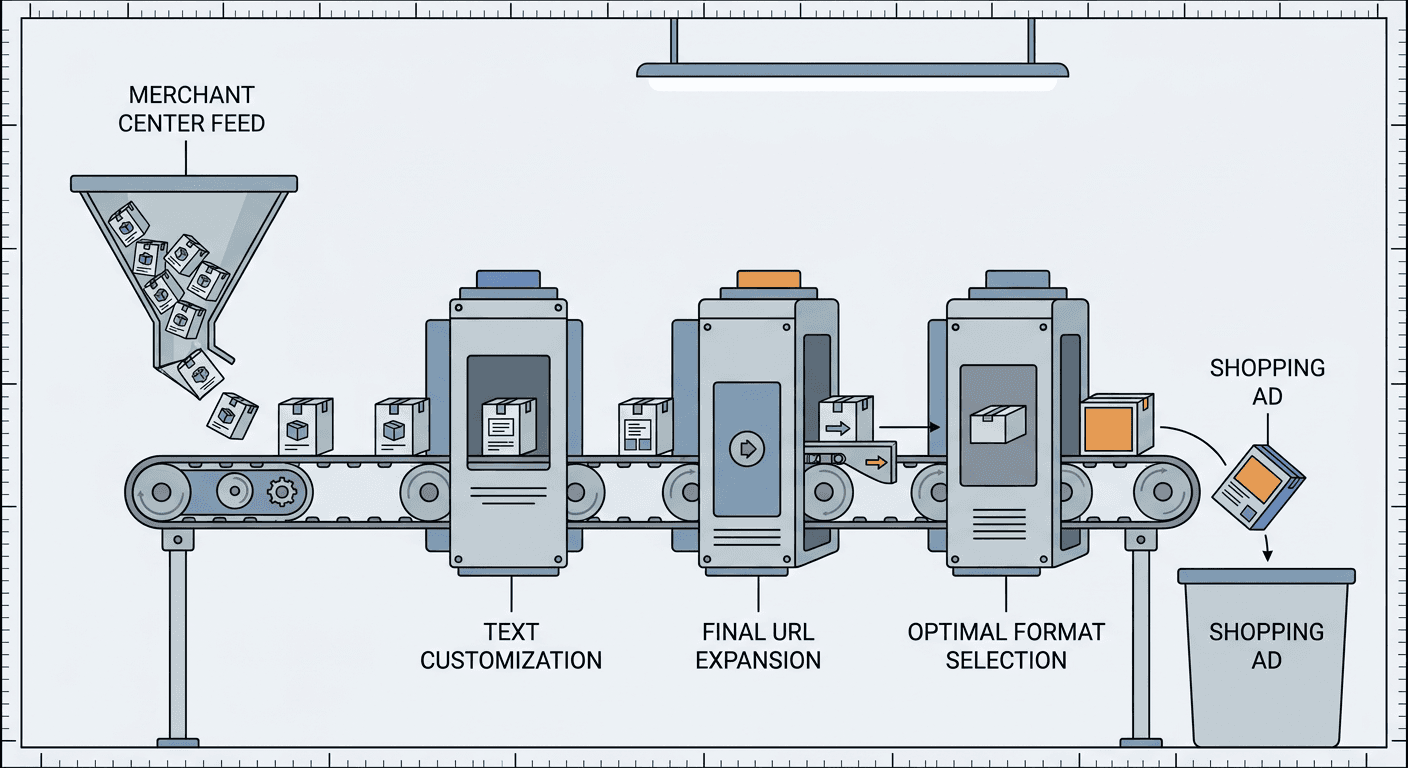
Google Ads Customer Lifecycle Goals Update: Retention Modes and Percentage Multipliers (2026)

Written by
Aerin Kim

Google is rolling out Shopping High Value Mode, broader retention goals and percentage multipliers this month. See how lifecycle goals work, which mode fits your business, and how to plan the holiday rollout.
If you are about to put real budget behind Google Ads between now and Cyber Monday, one question quietly decides how far that budget goes: can Smart Bidding tell a shopper who has never bought from you apart from one who ordered last month and one who has not ordered in two years? Unless you tell Google which customers are which, all three look like the same kind of conversion, even though a first order from a brand new customer usually does far more for a growing store than one more order from someone who would have come back anyway.
On October 22, 2026, Barry Schwartz reported at Search Engine Roundtable that Google is rolling out three updates to customer lifecycle goals ahead of the holidays. Google's own announcement, Three updates to customer lifecycle goals to help you win the holiday season, spells them out: New Customer High Value Mode is extending to Shopping campaigns, customer retention goals are expanding to Performance Max, Search and Shopping, and percentage multipliers are arriving for Search, Shopping, Performance Max and Demand Gen in both Google Ads and Search Ads 360. Google describes all three as rolling out "this month," so expect some accounts to see them before others.
This guide explains how lifecycle goals actually work, how Google decides who counts as new, returning or lapsed, what each of the three updates changes, and which mode suits a subscription brand, a low-priced ecommerce store, a high-ticket seller or a local retailer. It includes worked numeric examples (including exactly how a 1.2x percentage multiplier behaves next to a flat new-customer bonus), a five-week holiday timeline, a measurement plan and the mistakes I would expect to see first. I read Google's announcement, the Search Engine Roundtable report, the Google Ads Help Center pages on customer lifecycle goals and the Google Ads API documentation. Where Google has not documented something yet, I say so, and I label my own reasoning as analysis. If you also need fresh creative for each audience, the Miraflow AI image generator and the rest of Miraflow are where I would build it, and I cover that near the end.
TL;DR
- Google is rolling out three lifecycle goal updates "this month": New Customer High Value Mode for Shopping campaigns, broader customer retention goals (Performance Max, Search and Shopping), and percentage multipliers (Search, Shopping, Performance Max and Demand Gen, in Google Ads and SA360).
- Search Engine Roundtable names two retention modes, Re-engagement Mode and Retention Only Mode. Google's announcement names three, because it also lists Loyalty Mode for loyalty program members.
- Lifecycle goals work by adding extra conversion value to a purchase when the buyer falls into a segment you care about, and Smart Bidding then bids toward that higher value. Google's help pages say the value modes need a Purchase conversion goal and value-based bidding (Target ROAS or Maximize conversion value).
- A percentage multiplier scales that extra value with the cart. In Google's example, a 20% (1.2x) boost lets a jewelry shop bid as aggressively for a $500 cart as for a $50 cart. A flat $25 bonus, by comparison, is a 50% boost on the $50 cart and only 5% on the $500 cart.
- Google defines "new" by a 540-day purchase lookback (auto-detection), your uploaded customer lists, or a new customer parameter in your conversion tag. "Lapsed" and "high value" are definitions you supply with Customer Match lists.
- Lists need at least 100 active members to be used, and Google warns that lists under 1,000 members can weaken new customer acquisition.
- Google says Performance Max and Search campaigns need one to two weeks to adjust after a significant change. Working back from Black Friday on November 27, the safe window to activate is the first half of November, with changes frozen by Friday, November 20.
- Reported conversion value includes the lifecycle adjustment, so judge profitability with the "Original conv. value" column and the new customer metrics, not blended ROAS alone.
What Google announced, and where the sources differ
Google framed the announcement around a simple problem: in the holiday season, shoppers are streaming, scrolling, shopping and searching at the same time, which makes it hard to meet campaign goals "if you can't distinguish between new and existing customers." Its answer is "more precise ways to express how campaigns should acquire and re-engage customers" across Performance Max, Shopping, Search and Demand Gen.
The three updates, in Google's own order:
- New Customer High Value Mode for Shopping. The mode already existed for Search and Performance Max, where advertisers use it to bid strategically for high-value new customers while keeping their regular reach intact. It is now rolling out this month in Shopping campaigns.
- Retention goals, more broadly. After what Google calls successful betas, customer retention goals are rolling out this month for Performance Max, Search and Shopping. Google lists Re-engagement Mode (prioritize customers who have not ordered in a while while still serving your main audience), Loyalty Mode (show member-only pricing or messages to loyalty program members) and Retention Only Mode (run campaigns fully dedicated to retention, reaching only the customer segments you specify).
- Percentage multipliers. A new option "from beta" that lets bids scale with the size of the cart instead of adding a flat dollar boost. It is rolling out this month for Search, Shopping, Performance Max and Demand Gen, in both Google Ads and SA360.
One discrepancy is worth flagging because it will matter if you read only the trade coverage. The Search Engine Roundtable summary lists two retention modes, Re-engagement Mode and Retention Only Mode. Google's announcement lists a third, Loyalty Mode, which it describes as built to "show member-only pricing, or specific messages that will resonate with people who are already part of your branded community." I trust the primary source here, so this guide treats retention as three modes.
Google also published a summary table that is a handy mental model. Acquire (high-value prospects) maps to New Customer High Value Mode, win back (inactive customers) maps to Re-engagement Mode, engage (loyalty program customers) maps to Loyalty Mode, and a high-value retention focus that restricts targeting to existing customers maps to Retention Only Mode. Percentage multipliers sit in a separate "control" row that applies to everyone. Every row in the table is marked as maintaining normal reach except Retention Only Mode, which deliberately gives it up.
How we got here
Lifecycle goals have been growing in steps, and the history explains the naming. Per PPC Land's coverage of an April 8, 2025 announcement, Google expanded new customer acquisition to include New Customer Value Mode, a beta High Value New Customer Mode for Performance Max, New Customer Only Mode, and two beta retention modes that were then called Win-Back and High Value Win-Back. A Google announcement about Performance Max that same month said retention goals were launching to all advertisers. Google's current Help Center calls those modes Re-engagement and High Value Re-engagement, which is why you will still see "win-back" in older articles and in the name of one reporting column.
Since then Google has also tightened reporting. Its measurement page says that as of October 2025 it improved how it estimates whether an "Unknown" purchase came from a new or existing customer, and PPC Land reports that the Original conversion value metric, which shows value before lifecycle and value-rule adjustments, arrived in November 2025. A February 2026 PPC Land report described Google testing a calculator that suggests a new customer value from a target ROAS, and quoted practitioners complaining that flat incremental values inflate the conversion value column. In my reading, percentage multipliers continue that story by making the bonus proportional instead of fixed.
One caution about the Help Center itself. The pages I read on October 22 still showed High Value New Customer for Performance Max and Search, and Re-engagement for Performance Max only, with a page on customer retention saying Re-engagement would "soon" reach Shopping. That is consistent with a staged rollout in which documentation and accounts update at different speeds. Check your own account rather than assuming the docs or this article describe exactly what you can click today.
How customer lifecycle goals work under the hood
Before comparing modes, it helps to understand the one mechanic they all share, because most mistakes come from misunderstanding it.
The core mechanic: extra conversion value for the right customer
Google's Help Center overview of customer lifecycle goals says these goals "are powered by Smart Bidding and go beyond simple revenue generation." In practice, you pick a segment (new customers, lapsed customers, loyalty members and so on), assign it a value, and Google adds that value to a purchase conversion when the buyer falls into the segment. In the Help Center's words, the value "is reflected in reporting, but also helps Smart Bidding to optimize towards your desired customer segments," and "the higher this value is, the more the campaign will be optimized towards your specified customers."
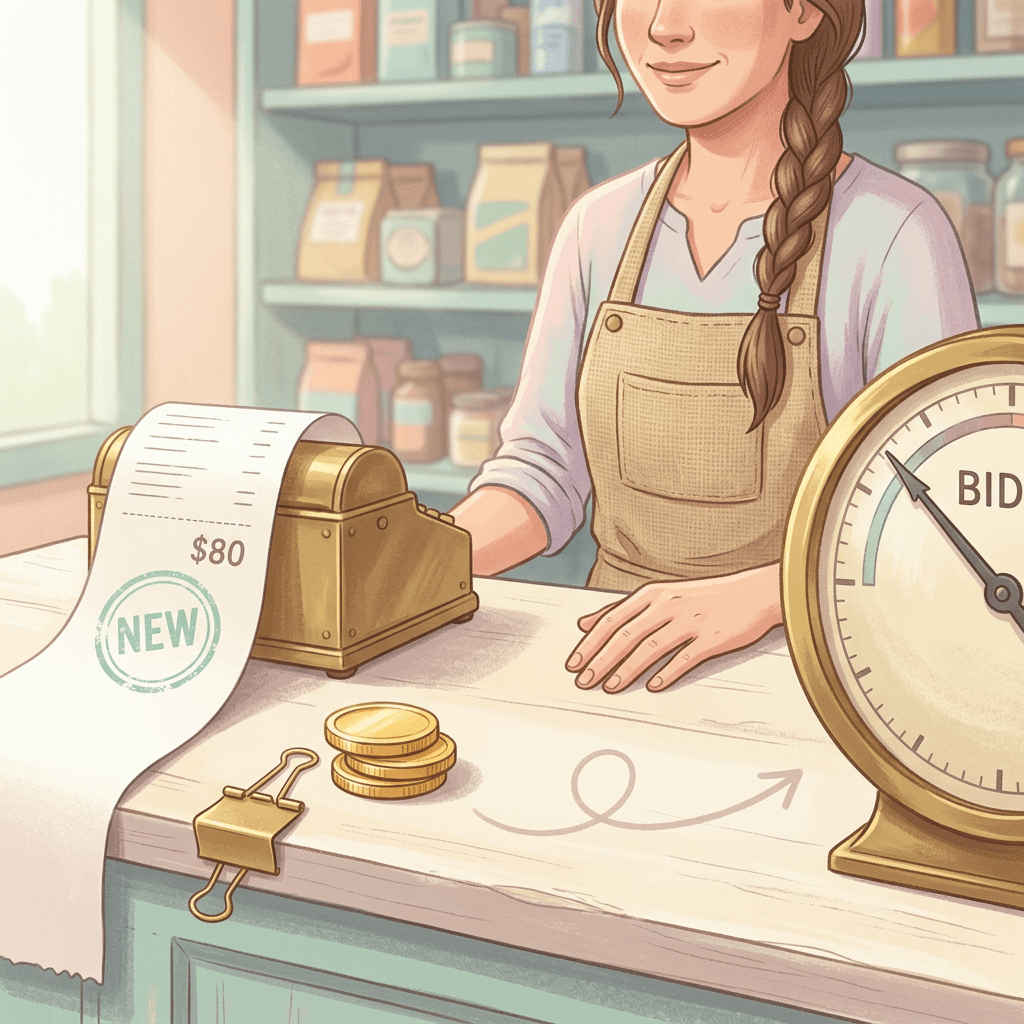
Two consequences follow. First, lifecycle goals do not create a separate bidding strategy. They feed a value signal into Target ROAS or Maximize conversion value, so everything you already know about value-based bidding still applies. Second, the "Conversion value" column in your reports will include both the original purchase value and the extra value you specified, which is why Google added columns such as New customer lifetime value (the adjustment attributable to new customers) and Original conv. value (the unadjusted number). Google's own example: five customer acquisition conversions with a $25 value assigned to acquisition show $125 in the new customer lifetime value column.
If you are unsure what value to enter, Google's setup flow suggests a recommended value based on your average order value across prior campaigns. Its value-setting guidance table gives directional starting points: new customers at "2x of a regular customer," high-value new customers higher than the new customer value, lapsed customers lower than the new customer value but higher than existing customers, high-value lapsed customers higher than lapsed but lower than new, and loyalty program members at 1.25 to 1.75x a regular customer. Google's wording is terse and does not say whether "2x" is the added amount or the total, so I would treat the table as ordering guidance and start from the in-product recommended value.
Where the settings live in Google Ads
Based on the Help Center's activation steps, this is the path as of October 22. Menu labels can shift during a rollout, so treat it as a map rather than a script.
- Account level: open the Goals menu, choose Summary, and use the Customer acquisition panel to set up the modes available to you. You add the relevant audience lists and set the value for each customer segment there. If you use cross-account conversion tracking through a manager account, configure lifecycle goals in that manager account.
- Campaign level: open a campaign's settings and expand the Customer acquisition row to choose between bidding higher for new customers (Google's recommended option) or bidding only for new customers. A Customer retention row sits below it. You can use the account-level values or set values for just that campaign.
- Bulk edits: you can select several campaigns, choose Edit, then Update customer acquisition to apply acquisition settings across them. Google notes this bulk capability is available for customer acquisition only.
- Lists: under Goals, then Conversions, the Customer lifecycle optimization section has an Edit goal option where you pick the audience lists for existing and lapsed customers. You can select up to 100 lists.
- Labels: in Audience Manager, the Your data segments page lets you assign a Customer type to each first-party list, such as Purchasers, High value customers or Disengaged customers.
The requirements that trip people up
| Mode | Campaign types (per Google) | Bidding | Purchase conversion goal |
|---|---|---|---|
| New Customer Value | Search, Performance Max, Shopping, Demand Gen | Value-based: Target ROAS or Maximize conversion value | Required |
| High Value New Customer | Performance Max and Search in the Help Center table; Shopping rolling out per the announcement | Value-based: Target ROAS or Maximize conversion value | Required |
| New Customer Only | Search, Performance Max, Shopping, Demand Gen | Value-based, or cost-based (Maximize conversions, Target CPA) | Not required, but recommended for new versus returning reporting |
| Re-engagement | Performance Max in the Help Center table; Search and Shopping per the announcement | Value-based: Target ROAS or Maximize conversion value | Required |
| High Value Re-engagement | Performance Max in the Help Center table | Value-based: Target ROAS or Maximize conversion value | Required |
| Loyalty Program Members | Performance Max (with a linked Merchant Center account) and Shopping | Target ROAS or Maximize conversion value; the loyalty page also lists Maximize conversions with a target CPA | Not required |
| Retention Only | Performance Max, Search and Shopping per the announcement | Not documented in the pages I read, so confirm in your account | Not documented in the pages I read |
Beyond that table, Google's pages add several requirements that are easy to miss. Value modes need a conversion goal of type Purchase, with the conversion action set to Primary. Customer lists must have at least 100 active members in at least one network to be usable. Lifecycle goals support Customer Match lists, web visitor lists, app user lists, Google Analytics lists and YouTube user lists (YouTube lists need to be labeled as purchasers), but not custom combination segments or custom segments. If a manager account owns your conversion tracking and lists, continuous audience sharing needs to be on. For new Customer Match integrations, Google recommends Data Manager or the Data Manager API over the Google Ads API.
New Customer Only Mode is the exception to the Purchase rule. It can run on non-purchase goals such as lead generation and supports cost-based bidding (Maximize conversions, Target CPA), though Google still recommends a Purchase goal for accurate new versus returning reporting. If you run Target CPA today and want to bid higher for new customers rather than exclusively for them, the docs point you toward value-based bidding.
How Google decides who is new, returning or lapsed
This is the part of the setup that decides whether the rest works. Google never sees your whole customer database unless you share it, so it uses three sources of evidence, and they can be combined.

| Segment | How it is defined | Where the definition comes from |
|---|---|---|
| New customer | No purchase in the last 540 days (auto-detection), not in your existing-customer list, or flagged as new by your conversion tag | Google's measurement page for lifecycle goals |
| Returning customer | A purchase within the last 540 days (auto-detection), membership in your existing-customer list, or flagged as existing by your conversion tag | Google's measurement page for lifecycle goals |
| Unknown | A purchase Google cannot classify because of sensitive categories, iOS measurement limits or user personalization settings | Google's measurement and troubleshooting pages |
| Lapsed customer | Whatever inactivity rule you choose, supplied as a Customer Match list | You define it, per the customer retention pages |
| High value customer | Your own criteria, supplied as a Customer Match list (Google's example: customers who purchase twice as much product as others) | You define it, per the lifecycle goals overview |
| Loyalty program member | Members of your program, one list per tier (up to seven) that matches your Merchant Center tiers | Loyalty program pages and Merchant Center setup |
Google auto-detection is the default for New Customer Value and New Customer Only modes when you already track Google Ads purchase conversions. It builds an audience from up to 540 days of campaign activity and tracked purchases and uses it to exclude people who already bought. Google calls it the easiest method but less comprehensive, because users can remove cookies and opt out.
Customer lists make the definition yours. Customer Match lists can arrive through CRM and CDP connectors in Data Manager, the Google Ads API, conversion-based customer lists, Google Analytics audiences or direct upload. Google strongly recommends using both website or app remarketing lists and first-party Customer Match lists for "the most durable and accurate customer detection," because Customer Match adds a layer by matching your data to signed-in Google users. Customer Match memberships expire after 540 days, so a list stays eligible only if at least 100 members are added or updated within that window, which means a monthly or continuous sync beats a one-time upload.
Match rate deserves attention. Google defines it as the share of people matched between your list and Google users after opted-out users are filtered out, and recommends supplying several match keys such as multiple email addresses, a phone number and a zip code. As a hypothetical illustration, a file of 1,200 customers with a 55% match rate yields roughly 660 matchable users, which would sit below the 1,000-member level where Google warns new customer acquisition can be affected. If you are expanding the data you upload, Miraflow covered the newer upload options in its explainer on Customer Match accepting IP addresses.
The conversion tag is the ground truth. For Google Ads conversion tracking you add a new_customer parameter to your purchase event, set to true for a customer who has not purchased within the lookback period (Google recommends a 540-day lapse window), false for a returning customer, and unspecified when you are unsure, for example with guest checkout. For Google Analytics and Firebase, the equivalent is a customer_type parameter with the values new or returning. Google says this tag data acts as a feedback loop that improves its new versus existing detection model, and that lifecycle goals work without it but reporting accuracy "greatly" improves with it. Shopify advertisers using Google's Google & YouTube app get the parameter set automatically on an upgraded thank-you page, according to the Help Center. The tag parameter only works with Purchase conversions, and Floodlight purchase conversions are not supported.
Lapsed and high value are yours to define. Google says you define what counts as a lapsed customer based on your own business criteria, whether a period of inactivity or a lack of engagement, and uploads that list through Customer Match. High value is also yours: one Google example is customers who purchase twice as much product as others. Re-engagement and the high-value modes accept Customer Match lists only, so auto-detection and tag-based remarketing lists are not compatible with them.
If labels are a loose end in your account, read the Miraflow post on Google Ads auto-labeling your customer lists first. Lifecycle goals pick their segments from those customer type labels, and an inferred label can quietly put the wrong people in the wrong bucket.
Update 1: New Customer High Value Mode comes to Shopping
New Customer Value Mode, which Google recommends for all advertisers with purchase conversion goals, makes every new customer worth a little more to Smart Bidding. High Value Mode adds a second tier: it tries to find new customers who look like your best existing ones and gives them a bigger bonus than a regular new customer. Google's Help Center says the setting lets you set "different bidding priorities for high value new prospects, regular new customers and existing ones," and presents it as the next step once you already use New Customer Value to bid higher for new customers.
The mechanism depends on a list. You provide a list of high value existing customers, and Google uses it to predict which new customers are likely to be high value. That list can only come from Customer Match uploads (CRM and CDP connectors in Data Manager, the Google Ads API or direct upload). Auto-detection, tag-based remarketing lists and other Customer Match options are not compatible with this mode. Google adds a detail that is easy to overlook: High Value New Customer Mode and High Value Re-engagement Mode share the same "high value existing customers" list, so setting up one automatically applies the list to the other, even though the list is used differently in each (to predict high-value new customers in one case, and, together with your lapsed list, to find high-value lapsed customers in the other). Reporting then adds a high value new customers category for people Google identifies as high value based on their similarity to your list.

Why does extending this to Shopping matter? Shopping campaigns are where many catalog retailers spend most of their holiday budget, and until now, per the Help Center's mode table, a Shopping campaign could bid higher for new customers but could not separate a first-time $30 buyer from a first-time $400 buyer. With High Value Mode in Shopping, the feed-driven product ads can chase the prospects who resemble your best buyers. If you run Shopping alongside AI-written ad copy, Miraflow's explainer on AI Max for Shopping covers what else is changing in the same campaign type.
A practical way to define "high value" is to choose a rule you can compute from your own data and refresh. A hypothetical store with 20,000 customers might define high value as anyone whose spend in the last 12 months exceeded $300, which could yield a list of around 1,800 customers (9%). That list comfortably clears the 100-member minimum and the 1,000-member caution, and it is a rule your CRM can reproduce every month. Contrast that with a boutique furniture seller with 800 past buyers in total, whose top 9% would be only about 72 customers, below Google's 100-member minimum, and who is better served by plain New Customer Value.
Google also notes that you can pair Performance Max and Standard Shopping new customer acquisition campaigns with a first order promotion in Merchant Center to show a welcome offer to new users. The Help Center says this is available only in the US and suggests asking your account manager for details. If you are working on holiday offers, Miraflow's posts on Automated Promotions auto-enrollment and the Direct Offer asset are worth reading alongside this, since all three change what a new shopper sees next to your price.
One distinction to keep straight: High Value Mode values the customer, while Product Value Optimization values the product. A new customer buying a low-margin accessory and a returning customer buying your flagship are different combinations, and Miraflow's piece on Product Value Optimization explains how that product-side lever fits next to this customer-side one.
Update 2: Retention goals reach Performance Max, Search and Shopping
Retention is the second half of the lifecycle. Acquisition asks "how do I find people who have never bought from me?" and retention asks "how do I get the ones I already earned to come back?" Google's earlier retention material focused on Performance Max. Its announcement now makes the goal available more broadly, and it splits the job into three modes that cover different parts of the customer journey.
Re-engagement Mode
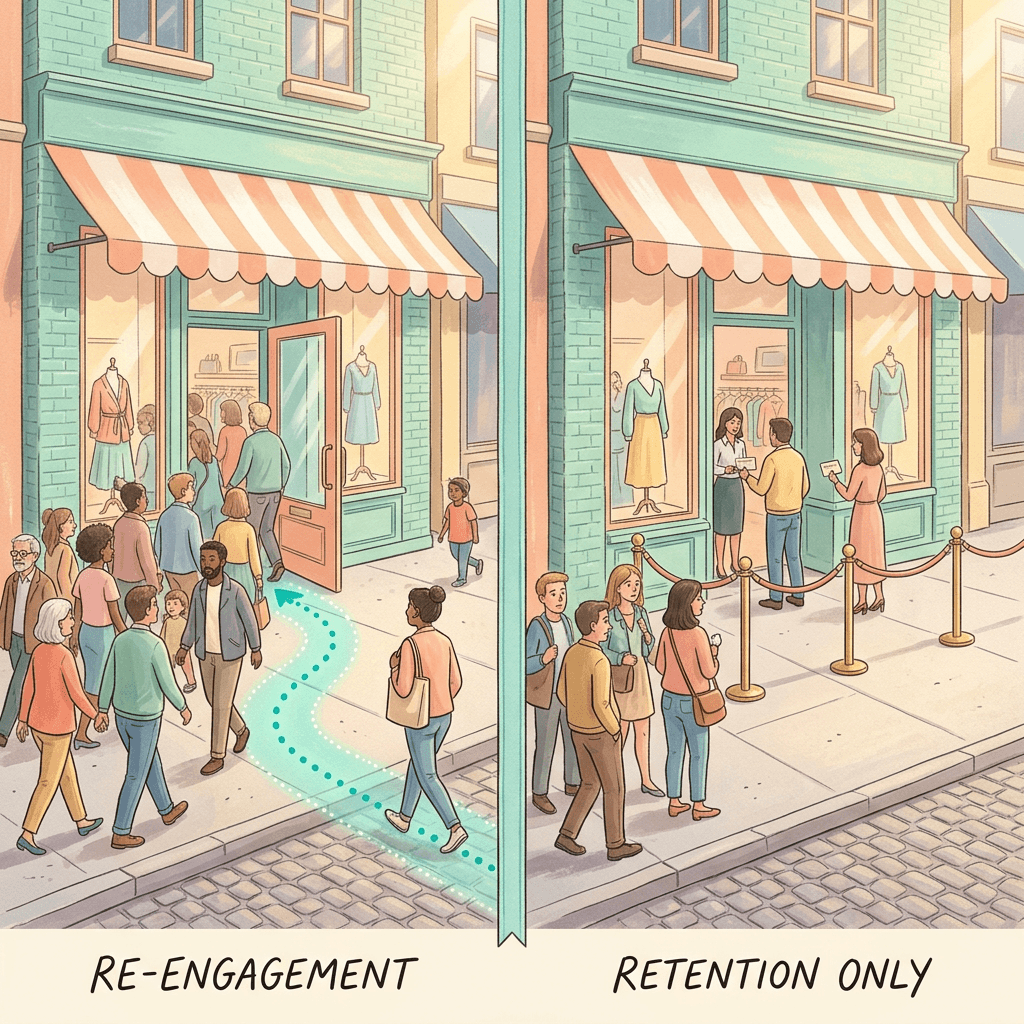
Re-engagement Mode, in Google's words, "allows your campaigns to prioritize customers that haven't placed an order in a while, while still running your ads for your main target audience." That last clause is the important one: this mode raises the value of lapsed customers inside a campaign that keeps serving everyone else, so it works as an add-on to your normal targeting.
Setup follows the same pattern as acquisition. You define lapsed customers yourself and upload one or more Customer Match lists of them, then assign a value to a lapsed customer. The older Help Center page on retention, written for Performance Max, says that value "should usually sit between your typical new customer value and existing customer value." Its list of best practices also says to provide accurate values, to increase budget by at least 20% initially to accommodate the focus on previously inactive customers, and to keep refining. Because that page predates the Search and Shopping expansion, treat the 20% figure as starting guidance rather than a rule.
Defining "lapsed" is a business decision, and the right window varies enormously. Illustrative examples, all of which are my own assumptions rather than Google guidance: a coffee subscription brand might call someone lapsed after 60 days without an order, an apparel store after 9 to 12 months, and a mattress or sofa seller after three years or more. Pick a window slightly longer than your typical reorder interval, so you are not paying a premium to bring back someone who was about to buy anyway.
To judge success, Google points to the re-engagement ratio: lapsed customers re-engaged divided by the total customers driven by the retention campaign. As a hypothetical example, 300 re-engaged customers out of 1,200 total customers is a 25% ratio. Google also has a High Value Re-engagement variant that targets lapsed customers who previously drove high value through frequency, basket size or large orders.
Loyalty Mode
Loyalty Mode is the one the trade coverage skipped, and it is the most built-out of the three because it connects to Merchant Center. You upload Customer Match lists for your loyalty members (up to seven tiers), set up the loyalty program in Merchant Center with tier benefits (tier 1 being the one with the lowest barrier to entry, such as free to join), and label each list's customer type in Audience Manager to match those tiers. Per the Help Center, the goal unlocks three capabilities: targeted bidding on members through Smart Bidding, tailored Shopping annotations such as member price and member shipping, and tiered reporting.
In campaign settings there are two separate checkboxes under loyalty program members: show member benefits to members in eligible countries (which Google recommends as a default) and bid higher for loyalty program members (recommended if you want to optimize toward them). Two cautions from the documentation: annotation display is limited to select regions even though bidding optimization is available globally, and campaigns already using member price or member shipping annotations are not automatically enrolled, so you must opt in manually to get the bidding and tiered reporting. Google's best practices suggest running tests for at least six to eight weeks, which is longer than the holiday window, so plan to read results into January. If you lack lifetime value data, Google recommends starting with "an aggressive multiplier" and adjusting, and warns against arbitrarily low values that hinder Smart Bidding.
Retention Only Mode
Retention Only Mode is the most restrictive, and I would treat it as a specialist tool. Google describes it as letting you "run campaigns that are fully dedicated to customer retention, only reaching the key segments of your customer base that you specify." In Google's summary table it is the one row that does not maintain normal reach, because it limits targeting to existing customers.
That makes it a fit for situations where a message is meaningful only to people who already know you: a VIP early-access sale, a members-only gift guide, a replenishment reminder for a consumable, or a win-back offer that you do not want new prospects to see. It is a poor fit as your only campaign, because its reach is capped by the size of your matched lists.
Two compatibility notes. Google's loyalty best-practices page says loyalty retention is incompatible with the New Customer Only and Retention Only settings, because a single campaign cannot optimize for exclusive acquisition and exclusive retention at once. And the Google Ads API documentation, last updated October 15, 2026, says that setting a retention campaign to target specific customers rather than everyone requires an account on an allowlist. My reading (analysis, not Google's statement) is that Retention Only Mode may reach some accounts later than the rest of the October rollout, so do not plan a launch-week campaign around it until you see the option in your account.
What Google's case studies claim
Google's January 2026 Think with Google piece on holiday data, the holiday shopping data growth engine, cites advertiser-reported results for lifecycle goals. Nespresso reported a 126% increase in conversions using retention goals, Dime reported a 462% increase in its new buyer ratio after shifting spend from its existing loyalty funnel toward new customers, and Indian medical apparel retailer Knya reported an acquisition campaign with ROAS 82% higher than target alongside a retention campaign for inactive high-value customers with ROAS 1,300% higher. These are internal figures that Google footnotes with "actual results will vary by advertiser," so read them as proof that the tools can work and not as a forecast for your account. The consistent message in them is the useful part: Google recommends running acquisition and retention goals together rather than choosing one.
Update 3: Percentage multipliers and the math behind them
This is the update with the most hands-on arithmetic, so it gets the most space here. Google's problem statement is that "with products that range in value, using a flat dollar boost for your bids might not always give you the right balance." Its fix is a percentage multiplier that lets "your bids scale naturally with the size of the customer's shopping cart."
Google's example is a jewelry shop that sets a 20% (1.2x) boost, so its bids "scale proportionately," giving it "the flexibility to bid just as aggressively for a $500 cart as they would for a $50 cart."
Why a flat dollar boost misfires on mixed baskets
To see the problem, take a hypothetical store with a target ROAS of 400% and a flat $25 new customer bonus. A simplified way to think about what the bonus does: Smart Bidding values a new customer's order at its cart value plus $25, and at a 400% target it will pay up to roughly one quarter of that value to win the order. That quotient is not how Smart Bidding literally sets bids (it also weighs conversion probability and auction signals), but it is a clean way to compare two adjustment styles on equal footing.
| New-customer order value | No adjustment (bid ceiling at 400% tROAS) | Flat +$25 (value / ceiling / lift) | 1.2x multiplier (value / ceiling / lift) |
|---|---|---|---|
| $50 | $50 / $12.50 | $75 / $18.75 / +50% | $60 / $15.00 / +20% |
| $125 | $125 / $31.25 | $150 / $37.50 / +20% | $150 / $37.50 / +20% |
| $200 | $200 / $50.00 | $225 / $56.25 / +12.5% | $240 / $60.00 / +20% |
| $500 | $500 / $125.00 | $525 / $131.25 / +5% | $600 / $150.00 / +20% |
Read across the rows. On a $50 order, the flat bonus lifts the value Smart Bidding sees by 50%, so the bid ceiling climbs from $12.50 to $18.75. On a $500 order, the same $25 is a 5% lift, from $125.00 to $131.25. The flat bonus is a strong nudge on small carts and a rounding error on large ones. The 1.2x multiplier lifts every order by 20%, which lifts the ceiling by $2.50 on the small cart and $25.00 on the large one. The two methods give identical results at a $125 order, because $25 is 20% of $125. Below $125, the flat bonus is more aggressive; above it, the multiplier is.

The same orders under a 1.2x multiplier
Aggregate numbers show how the distribution of the bonus shifts. Imagine ten new-customer orders: six at $50, three at $200 and one at $500, totaling $1,400 of cart value.
- With a flat $25 bonus, the total adjustment is $250 (about 17.9% of cart value), and $150 of it, or 60%, lands on the six $50 orders.
- With a 1.2x multiplier, the total adjustment is $280 (20% of cart value), and only $60 of it, about 21.4%, lands on the six $50 orders. The three $200 orders receive $120 (42.9%) and the single $500 order receives $100 (35.7%).
For a store like Google's jewelry example, where a few big carts drive most revenue, the multiplier points the extra bidding power at the carts that matter most. For a store where baskets are tightly clustered, say everything sells for $38 to $44, the two approaches are nearly interchangeable, and a flat bonus is simpler to reason about.
A profit caveat is essential here (analysis, not Google's guidance). A multiplier scales with revenue, but profit often does not. If your $500 items have a 15% margin and your $50 items have a 55% margin, a 20% boost on both overweights the carts that earn the least per dollar. Percentage multipliers pair best with catalogs where margin percentages are fairly similar across price points, or with a margin-aware value setup such as the one described in the Miraflow post on Product Value Optimization.
What Google has and has not documented yet
I could not find a Help Center page that describes percentage multipliers in detail, and the Search Engine Roundtable report quotes only Google's announcement and a screenshot of the setting. So here is what is established and what is inference.
Established: Google's announcement calls it a new option "from beta," says it scales bids with cart size, gives the 20% (1.2x) jewelry example, and lists Search, Shopping, Performance Max and Demand Gen in Google Ads and SA360 as the surfaces. Corroboration: the Google Ads API reference shows that, since version 25, the lifecycle goal value settings accept either an incremental conversion value or a conversion value multiplier. The API's lifecycle guide, last updated October 15, 2026, said the value multiplier was supported for loyalty retention but not yet for new customer acquisition, so expect API support to trail the interface rollout.
Inference (mine): the 1.2x figure most likely multiplies the conversion value of qualifying purchases, which is how I calculated the tables above. I do not know whether you can stack a multiplier on top of a flat bonus for the same segment, how it appears in the New customer lifetime value column, or exactly which segments accept it. Test it on one campaign, read the reporting for a week or two, and compare it against the arithmetic above before rolling it out widely. Google's announcement also frames multipliers under the heading of meeting cost of acquisition goals, which hints that its main job is keeping acquisition cost proportionate across order sizes.
Which mode fits which business
| Option | What it does | List you need | Best fit |
|---|---|---|---|
| New Customer Value | Bids higher for new customers while still serving returning ones | Existing customers (auto-detection works, Customer Match improves accuracy) | Most ecommerce stores with purchase conversions; Google recommends it for all advertisers with purchase goals |
| High Value New Customer | Adds a second, higher tier for new customers who resemble your best ones | High value existing customers, uploaded through Customer Match | Stores with a real spread in customer value and a list large enough to model |
| New Customer Only | Bids only for new customers | Existing customers, so they can be excluded | Lead generation, strict acquisition budgets, store goals |
| Re-engagement and High Value Re-engagement | Bids higher for lapsed customers while still serving your main audience | Lapsed customers (plus high value existing customers for the high value variant), uploaded through Customer Match | Frequent-purchase brands, cancelled subscribers, seasonal categories with predictable return cycles |
| Loyalty | Bids higher for program members and can show member price and shipping on Shopping ads | One list per tier (up to seven) plus a Merchant Center loyalty program | Retailers with a tiered loyalty or membership program |
| Retention Only | Runs a campaign dedicated to the customer segments you specify | The segments you want to reach | VIP sales, member-only drops, win-back offers that new shoppers should not see |
| Percentage multiplier | Scales the value adjustment with cart size | No extra list | Catalogs with wide price ranges and similar margin percentages |
| Flat dollar adjustment | Adds the same amount to every qualifying order | No extra list | Uniform prices, subscriptions and low-AOV stores |
The table summarizes the modes. The sections below explain how I would choose among them for different business models. These are recommendations drawn from Google's documentation and my own reasoning, not Google-prescribed playbooks.
Ecommerce with a wide price range
This is the group the announcement was written for. Start with New Customer Value Mode on a value-based strategy, since Google recommends it for all advertisers with purchase goals. Add High Value Mode if you have a clean high value list that clears the 1,000-member level Google cautions about, and test the percentage multiplier instead of a flat bonus when your cart values vary by 5x or more. Add Re-engagement for lapsed buyers once acquisition is stable. Miraflow's post on Performance Max asset experiments is a good companion, since lifecycle goals change who sees your ads while asset experiments change what they see.
Low-AOV, high-frequency brands
Coffee, supplements, cosmetics and pet food customers reorder on a predictable cycle, so lapsed windows are short and re-engagement and loyalty carry more of the load than in other categories. Order values are usually tight, so a flat new customer bonus works well and a multiplier adds little. The strongest levers are Re-engagement Mode with a lapse window matched to your reorder interval and Loyalty Mode if you run a program. Keep an eye on the economics: with a $24 average order, even a small value adjustment is a large percentage of the cart, so a modest flat bonus can already be a strong signal.
High-AOV, infrequent purchases
Furniture, jewelry, mattresses and similar categories are where the multiplier shines and retention matters least. A buyer may not return for years, so a lapsed list with a three-year window will be small, and the main retention use is accessories and referrals. The bigger risk is list size: if you have sold to a few hundred customers in total, you may not reach Google's 100 active member minimum for each list you want to use, let alone the 1,000-member comfort level. In that situation, lean on auto-detection and the conversion tag for new customer detection, use plain New Customer Value, and wait to add High Value Mode until your list is large enough to be meaningful.
Subscriptions
Subscription businesses have an asymmetry: the first payment is small but the lifetime value is large, so valuing a new subscriber is the central question. Google's tag documentation says you can adjust how much you value a new customer by adding a fraction of the average order value to their first purchase, ties customer lifetime value to average conversion value and purchase frequency, and leaves the fraction to you. One way to pick it (my approach, not Google's) is to value the new subscriber at a share of expected revenue. As a hypothetical, with $12 monthly plans and a nine-month average life ($108 of revenue), valuing a new subscriber at half of expected revenue ($54) implies a $42 adjustment on the $12 first payment. A 1.2x multiplier would add only $2.40, so for uniform-price subscriptions a flat adjustment is the better fit.
Retention for subscriptions means win-back: your lapsed list is cancelled subscribers, and Google's audience customer types include Paid subscribers and Disengaged customers for exactly this. One caveat is that value modes require a conversion tracked as a Purchase, so make sure your paid-subscription event is classified that way. If the only conversion you track is a free trial or lead, New Customer Only Mode is the route Google documents for non-purchase goals.
Local retail and store goals
If you run Performance Max for store goals, Google's Help Center says those campaigns "are only compatible with the New Customer Only mode," that new customers are not reported for offline store sales conversions, and that auto-detection does not work with offline conversions, so you need to upload existing customers through Customer Match. For retailers that also sell online, the same page says new customers are identified from past online purchase conversions or from existing-customer lists you share, and that "new customers" in reporting counts first purchase conversions from new customers. For the geographic side of the same holiday push, Miraflow's explainers on Local Customer Optimization in Performance Max and Local Inventory Ads on by default cover the other levers.
Lead generation and services
Lifecycle reporting is limited to Purchase conversions; non-purchase conversions are classified as "Additional conversions." So a services business gets the targeting benefit of New Customer Only Mode (with a list of existing clients to exclude) but not the new versus returning reporting segments. Treat the results as a pre-and-post comparison in your CRM, not something the Google Ads columns will prove for you.
How lifecycle goals interact with Smart Bidding and target ROAS
Google's measurement page gives unusually direct tuning guidance, and it pairs two dials: the lifecycle value adjustment and your target ROAS.
- To bid more for new customers while keeping your target ROAS, increase the new customer value adjustment and leave tROAS as is.
- If customer acquisition cost is higher than other channels, remember that CAC is usually higher for new customers because acquiring them costs more but drives higher long-term value. If the increase is too large for your business, decrease the new customer value adjustment and increase your tROAS, which may lower the share of new customers.
- If the new customer ratio is declining, increase the adjustment and decrease your tROAS.
Think of them as a pair of levers. The adjustment decides how much more a new customer is worth relative to a returning one, and tROAS decides how much you are willing to pay for each dollar of value overall. Changing only one often hides the effect of the other. Also remember the August change to target-based strategies: if you have budget-limited campaigns, Miraflow's explanation of the August 17 target overperformance change is a useful reminder that your tROAS and budget interact more tightly than they used to.
A value ladder you can actually use
Suppose a store has an $80 average order and a target ROAS of 400%. Using Google's ordering guidance (existing lowest, then lapsed, high value lapsed, new, and high value new highest) with illustrative adjustments of $0, $10, $20, $30 and $50, the value Smart Bidding sees looks like this:
| Segment | Illustrative adjustment | Value on an $80 order | Implied ceiling at 400% tROAS |
|---|---|---|---|
| Existing customer | $0 | $80 | $20.00 |
| Lapsed customer | +$10 | $90 | $22.50 |
| High value lapsed customer | +$20 | $100 | $25.00 |
| New customer | +$30 | $110 | $27.50 |
| High value new customer | +$50 | $130 | $32.50 |
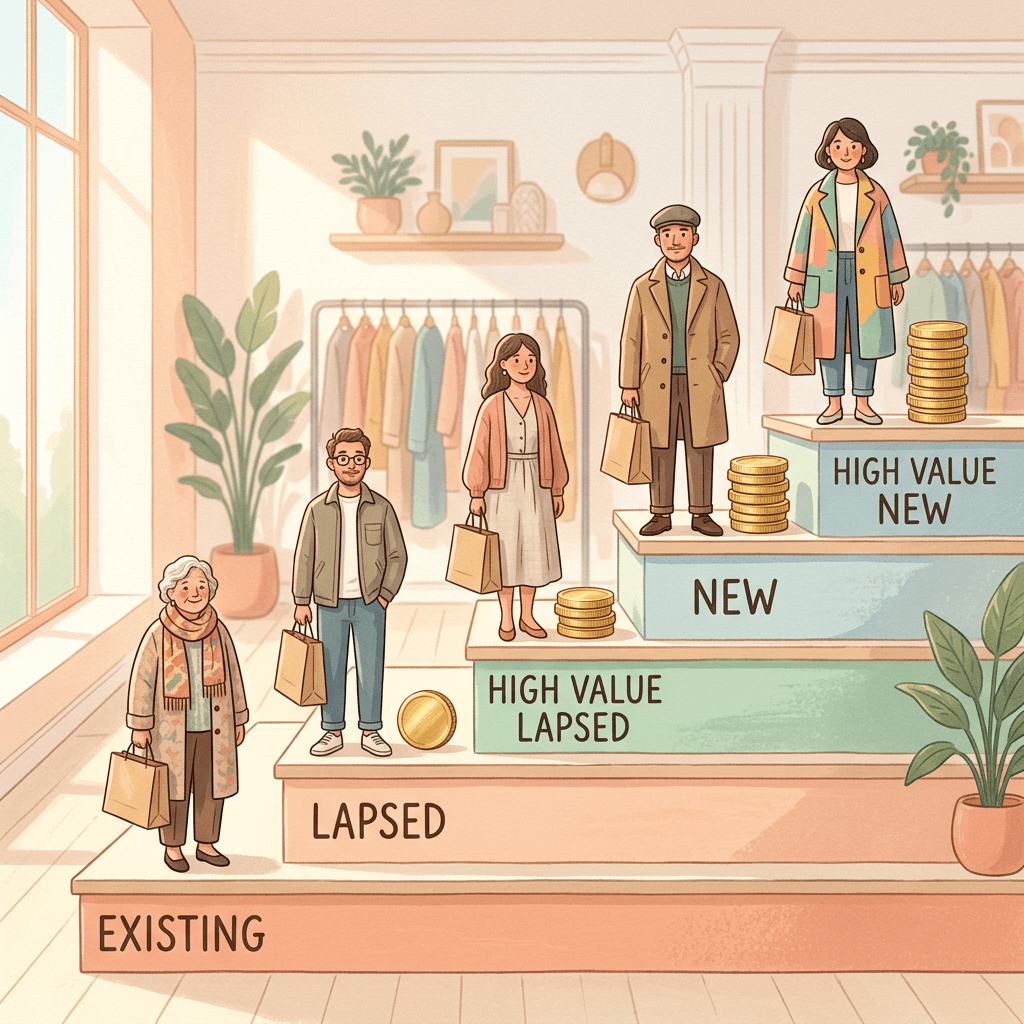
The numbers are mine, not Google's, but the ordering follows the Help Center. The ladder also shows how little room there is between steps: moving a customer from "new" to "high value new" changes the implied ceiling from $27.50 to $32.50, so if you want High Value Mode to matter, make the top step meaningfully higher than the one below it.
Where the adjustment should come from
The most defensible source for a new customer value is expected lifetime value. A hypothetical worked example: your average order is $80 at a 45% gross margin, so the first order earns $36 of gross profit. Suppose Google's CAC column shows $48 per new customer. The first order loses $12. If your own data show that 40% of new customers reorder once within 12 months at the same margin, the expected extra profit is 0.40 × $36 = $14.40, for a 12-month gross profit of $50.40 and a net of +$2.40 over CAC. If only 25% reorder, the expected extra is $9.00, the total is $45.00, and the result is a $3.00 loss against CAC. The break-even repeat rate is $12 / $36, which is about one in three new customers reordering once.
That same logic supports the $30 adjustment in the ladder above: at a 40% reorder rate and $80 orders, expected 12-month revenue per new customer is $80 + 0.40 × $80 = $112, and $112 minus the $80 first order is $32. The exact numbers matter less than the discipline of tying the adjustment to something you can defend. Miraflow's post on the Data Strength Uplift metric covers Google's recent attempts to put numbers on the value of first-party data like this.
The reporting trap
Because the adjustment is added to conversion value, your reported ROAS flatters the campaign. A hypothetical: $10,000 of spend, 300 new-customer orders and a $30 adjustment add $9,000 to conversion value. If reported conversion value is $40,000, reported ROAS is 4.0, but original conversion value is $31,000 and first-order ROAS is 3.1. Neither number is wrong. The first is what Smart Bidding optimizes toward and the second is the cash you booked. Report both, use the Original conv. value column for the second, and decide in advance which one your finance team will hold you to.
Finally, give the system time. Google's troubleshooting page says Performance Max and Search campaigns need one to two weeks to adjust to significant changes. That is the single most important number in the holiday plan below.
A holiday timeline for the next five weeks
Black Friday falls on November 27, 2026, the day after Thanksgiving on November 26, and Cyber Monday is November 30. Working back from the one-to-two-week adjustment window Google describes gives a plan like the one below. It is flexible on purpose, because the features reach accounts at different times this month.
| Week | What to do | Why |
|---|---|---|
| Oct 26 to Oct 30 | Audit customer lists, labels and sync schedules, define lapsed and high value, and confirm Purchase is a Primary conversion | Lists need 100 or more active members and fresh data, and every mode depends on them |
| Nov 2 to Nov 6 | Add the new customer parameter to your purchase tag, set adjustment values from your lifetime value math, and activate on one campaign | Google says Performance Max and Search campaigns need one to two weeks to adjust |
| Nov 9 to Nov 13 | Read early signals (new customer ratio, CAC, Unknown share), extend to more campaigns, and test a percentage multiplier if it has reached your account | Leaves a full week before the freeze |
| Nov 16 to Nov 20 | Make final value and tROAS tweaks and creative swaps, then freeze changes on Friday, Nov 20 | Avoids learning during the peak |
| Nov 23 to Nov 26 | Hands off except budget pacing (Thanksgiving is Nov 26) | Keeps the data clean going into Black Friday |
| Nov 27 to Nov 30 | Black Friday and Cyber Monday: monitor and do not restructure | Peak days are a poor time for experiments |
| Dec 1 onward | Compare against your pre-activation baseline, revisit values for gift buyers and refresh lapsed lists | Gift buyers can be worth less than other new customers |
Three timing details deserve emphasis. First, do not stack a launch of lifecycle goals on top of a bidding-strategy swap, a new feed and new creative in the same week; if several things move at once, you will not know which one caused the result. Miraflow's guide to Search experiments for multi-campaign budget and ROI testing explains how to test a change in isolation, which is the right instinct here. Second, if you are changing how budget is split across channels, the new channel prioritization controls are a separate lever to schedule around, not alongside, your lifecycle changes. Third, think about what happens on December 1: holiday gift buyers are a mixed group, because some bought for someone else and will never buy for themselves, so a new customer in December may be worth less than a new customer in March. That is analysis, not a Google statement, but it is a reason to revisit your adjustment values in early December rather than leaving the holiday settings in place all winter.
Measuring new customers and re-engaged customers
Reporting is where lifecycle goals either prove themselves or get quietly turned off, so set up measurement before you change anything.
Per Google's measurement page, you can add the "New vs. returning customers" segment to the Campaigns table to see conversions and conversion value by category: new customers, returning customers, new customers (high value) if you opted into that setting, unknown, and additional conversions (non-purchase). With retention goals on, the segments include re-engaged customers, re-engaged customers (high value) and loyalty program members. Under Columns you can add New customers, Customer Acquisition Cost (ad spend allocated to new customers divided by unique new customers), New customer lifetime value, Re-engaged customers, Re-engaged customer lifetime value, and Original conv. value. Google notes that CAC columns are not available for Demand Gen at this time, and suggests dividing Total Cost by New Conversions as a workaround there.

Several rules of the road come straight from Google's documentation:
- Lifecycle reporting is only available after you activate the goal and only for Purchase conversions. It is not retroactive, so a date range from before activation can show misleading results, and pre-activation conversions are categorized as Unknown.
- If your conversion count setting is "every," repeat purchases by a new customer within the conversion window are all classified as new. The New Customers column still shows a distinct count of customers, and New customer lifetime value reflects only the first purchase.
- If you send the new versus existing parameter in your tag, Google uses it instead of its own auto-detection.
- In some cases New Customer Only ads can still be shown to returning customers because of privacy and technical limits (Google cites Apple's ITP and ATT policies), which is why a small share of returning customers in a New Customer Only campaign is expected.
Google recommends a pre-and-post test for impact: measure the customer ratio for your preferred segment (customers from the segment who converted divided by all customers who converted) in your analytics platform before and after enabling the goal. The ratios are the new customer ratio, high value new customer ratio, lapsed customer ratio and high value lapsed customer ratio. Incrementality testing of lifecycle settings is not supported inside Google Ads, but you can use Conversion Lift based on geography or users and opt into customer acquisition within those tests when you are measuring incremental new customers.
| KPI | How to calculate it | Worked example (hypothetical) |
|---|---|---|
| New customer ratio | New customers who converted divided by all customers who converted | 420 / 1,000 = 42% |
| Customer acquisition cost | Ad spend allocated to new customers divided by unique new customers (for Demand Gen, Total Cost divided by New Conversions) | $14,400 / 300 = $48 |
| Original-value ROAS | Original conv. value divided by ad spend | $31,000 / $10,000 = 3.1 |
| Re-engagement ratio | Lapsed customers re-engaged divided by all customers from the retention campaign | 300 / 1,200 = 25% |
| 12-month payback per new customer | First-order gross profit plus repeat rate times repeat gross profit, minus CAC | $36 + (0.40 × $36) − $48 = +$2.40 |
| Unknown share | Unknown conversions divided by all purchase conversions | 80 / 1,000 = 8% |
One more measurement note: the reporting depends on the quality of the first-party data you feed in. If your account is heavy on "Unknown," Google's troubleshooting guidance points to the tag parameter, fresher lists, higher match rates and checking that your date range falls after activation. Fix the data before concluding the setting does not work.
Common mistakes
Treating lifecycle goals as a toggle instead of a data project. The mode you pick matters less than the quality of the lists behind it. A mode with a stale, tiny or mislabeled list sends Smart Bidding a confident but wrong signal. Audit lists, labels and sync schedules first.
Setting the value too low. Google's loyalty best practices warn against "arbitrarily low values" that hinder Smart Bidding optimization and misrepresent performance. A $2 adjustment on a $90 order is not going to change who wins an auction.
Using New Customer Only Mode for a revenue goal. Google recommends it only for strict acquisition budgets or non-purchase goals like lead generation, and says you should run a separate campaign for existing customers. For most ecommerce stores, bidding higher for new customers keeps reach while still shifting the mix.
Judging success by blended ROAS. As the worked example showed, the adjustment inflates reported conversion value. Use Original conv. value, CAC and the new customer ratio together.
Changing everything the week of Black Friday. Google says campaigns need one to two weeks to adjust to significant changes. A change made on November 24 is being learned in the middle of your biggest days.
Letting two of your own campaigns compete. A Retention Only campaign and an acquisition campaign that overlap on the same people can work against each other's value assumptions and muddy the reporting. This is my reasoning rather than a Google warning, but keeping segments cleanly separated, as Google advises when you combine New Customer Only with a separate existing-customer campaign, avoids it.
Ignoring guest checkout. If guests cannot be identified, your tag sends "not specified" and your Unknown share rises. Encourage account creation or email capture at checkout if you want cleaner data.
Forgetting list expiry. Customer Match memberships expire after 540 days, and a list needs at least 100 members added or updated in that window. Automate the sync.
Applying a multiplier without checking margin. Percentage multipliers scale with revenue. If margin percentages differ a lot across price tiers, you may overbid on the least profitable carts.
Showing the same creative to everyone. A first-order discount is an acquisition message; showing it to loyalty members is a margin leak, and showing a "welcome back" message to a brand new shopper is confusing. Match creative to the audience each mode is built for.
Expecting retention results too fast. Google suggests tests of at least six to eight weeks for loyalty program members. A holiday read in November is a directional signal, and the full picture arrives in January.
Building creative for each lifecycle audience
The point of lifecycle goals is that Google can now favor different customers, but the ad those customers see still has to speak to them. A new shopper needs a reason to trust you and a reason to buy now. A lapsed customer needs a reason to come back. A loyalty member needs to see the benefit they already earned. One product shot rarely does all three jobs.
That is a natural place to use AI-generated visuals, with one boundary. For Performance Max, Demand Gen, YouTube and social creative, you can produce several framings of the same product quickly. For Shopping ads, the listing pulls its image from your Merchant Center feed, and those images need to honestly represent the product, so follow Merchant Center's image requirements and keep generated imagery for the surfaces that allow creative variety. Miraflow's note on the Merchant Center Shopping policy consolidation is worth a skim before you change any product imagery.

Here is how I would map the tools to the audiences:
- Acquisition (new and high value new): clean product hero shots and a first-order offer. The Miraflow AI Image Generator supports text-to-image, image-to-image and inpainting, so you can start from a real product photo and change only the background, the season or the props. Miraflow's guide to AI prompts for ecommerce product images has ready-to-use starting points.
- Win-back (Re-engagement): a warmer, "what is new since you were last here" image set. Seasonal swaps of the same hero product work well here, and the Black Friday and Cyber Monday prompt pack covers sale banners, gift guide photos and Stories.
- Loyalty and Retention Only: member-flavored visuals such as early-access cards and member price tags that make the exclusive nature obvious.
- Short video for Demand Gen and YouTube: Text2Shorts turns a topic into a vertical short with a script, visuals and voice, which suits a quick "three gifts under $50" format, and the Cinematic AI Video Generator is better for a single polished product hero clip. If you are also thinking about video built inside Google's own tools, see Miraflow's explainer on Gemini Omni in Asset Studio, and if you still run standalone Display, note that Display is migrating into Demand Gen.
Two practical habits help. Name creative sets after the audience they are meant for, so you can read results by segment later. And keep a short holiday brief with the offer, the dates and the audience for each set, so you are not rebuilding the logic every time someone asks why an ad says what it says. Miraflow's roundup of Google's agentic commerce updates for holiday 2026 is a good companion for the feed and checkout side of the same season.
Frequently Asked Questions
What are Google Ads customer lifecycle goals?
They are a set of goals that let you tell Smart Bidding which stage of the customer journey a purchase represents. Google's Help Center describes two categories: customer acquisition, which prioritizes bidding for new customers, and customer retention, which keeps existing customers engaged and re-engages lapsed ones. Within each category you choose a mode that targets a specific segment.
What did Google announce about customer lifecycle goals?
Search Engine Roundtable reported on October 22, 2026 that Google is rolling out three updates, all described as rolling out this month: New Customer High Value Mode is extending to Shopping campaigns, customer retention goals are expanding to Performance Max, Search and Shopping, and percentage multipliers are rolling out for Search, Shopping, Performance Max and Demand Gen in Google Ads and SA360.
Is there a Loyalty Mode, or only Re-engagement and Retention Only?
Google's announcement lists three retention modes: Re-engagement Mode, Loyalty Mode and Retention Only Mode. The Search Engine Roundtable summary mentions only two of them. Loyalty Mode is for loyalty program members and ties into the loyalty program you set up in Merchant Center.
Do I need Customer Match to use lifecycle goals?
Not always. New Customer Value and New Customer Only can run on Google's auto-detection when you already track Google Ads purchase conversions, though Google recommends adding Customer Match lists and the tag parameter for accuracy. High Value New Customer, Re-engagement and High Value Re-engagement need Customer Match lists you supply, because auto-detection cannot identify those segments.
How big does my customer list need to be?
Google says a list must have at least 100 active members in at least one network to be used in lifecycle goals. It also warns that a list under 1,000 members can weaken the campaign's ability to enable new customer acquisition successfully. Remember that only matched users count, and that membership expires after 540 days unless refreshed.
What is a percentage multiplier, and when is it better than a flat bonus?
It is a boost expressed as a percentage, such as 20% (1.2x), so the extra value Smart Bidding sees scales with the cart. A flat bonus is better when your order values are tightly clustered or your business has uniform prices, such as a fixed subscription price. A multiplier is better when carts range from roughly $50 to $500 and you want proportional aggressiveness. Google has not published a detailed Help Center page for it yet, so test on one campaign first.
Can I use Target CPA or Maximize conversions with these modes?
Per Google's Help Center, the value modes (New Customer Value, High Value New Customer, Re-engagement, High Value Re-engagement and Loyalty Program Members) use value-based bidding, meaning Target ROAS or Maximize conversion value. New Customer Only supports cost-based bidding as well. The loyalty page also lists Maximize conversions with a target CPA as compatible for loyalty program members. I did not find a bidding requirement for Retention Only Mode in the pages I read, so confirm it in your account.
Will I see all of this in my account today?
Maybe not. Google says the updates are rolling out this month, and the Help Center pages and API documentation I read still showed earlier availability in places. Check Campaign settings and the Goals Summary page rather than assuming, and expect Retention Only Mode in particular to be staged.
How much should I raise my budget for a re-engagement campaign?
Google's older retention page, written for Performance Max, recommends increasing budget by at least 20% initially to accommodate the focus on previously inactive customers. Treat that as a starting point and monitor performance, especially now that retention is expanding to Search and Shopping where the dynamics differ.
How do I know whether it worked?
Add the New vs. returning customers segment, watch New customers, CAC, New customer lifetime value and Original conv. value, and run a pre-and-post comparison of your new customer ratio or re-engagement ratio in your own analytics. For true incrementality, Google points to Conversion Lift based on geography or users, since incrementality testing of lifecycle settings is not supported directly in Google Ads.
Does this work for lead generation?
Only partly. New Customer Only Mode can be used with non-purchase conversion goals, but Google's lifecycle reporting is limited to Purchase conversions, and non-purchase conversions show up as Additional conversions. Measure the effect in your CRM instead.
Should I use AI-generated images in these campaigns?
Use them for creative surfaces where variety is allowed, such as Performance Max assets, Demand Gen, YouTube and social ads, and keep Shopping feed images accurate to the real product. A tool like the Miraflow AI Image Generator is useful for producing audience-specific variations of a real product photo.
Conclusion
Google's October 2026 updates to customer lifecycle goals make three practical changes ahead of the holidays: New Customer High Value Mode reaches Shopping campaigns, retention goals expand beyond Performance Max with Re-engagement, Loyalty and Retention Only modes, and percentage multipliers let your bidding aggressiveness scale with cart size. The idea behind all of them is the same. You tell Google which customers are worth more, and Smart Bidding spends accordingly.
The work that decides the outcome is mostly on your side. Build clean customer lists with sensible definitions of new, lapsed and high value, add the new customer parameter to your conversion tag, set adjustment values from expected lifetime value rather than hope, choose the mode that fits how your customers actually buy, and activate early enough that the one-to-two-week adjustment window finishes before Black Friday. Then measure with the new versus returning segments, the Original conv. value column and a pre-and-post comparison, and revisit your values in December when the gift buyers have gone.
Where Google has not documented something yet, notably the exact mechanics of percentage multipliers and the rollout timing of Retention Only Mode, test on one campaign before you scale. For the creative that each audience needs, from product visuals to short vertical video, Miraflow has the image, video and Shorts tools to build it, and the Miraflow blog will keep tracking Google Ads changes as they roll out.