TikTok Cover Image Strategy 2026: How to Make Your Profile Grid Convert

Written by
Jay Kim
Learn how to design TikTok cover images that make your profile grid convert visitors into followers. Includes 5 frameworks, 10 AI prompts, and practical grid planning tips.
Your TikTok videos are getting views. People are landing on your profile. But they are not following, not binging, and not clicking on older content.
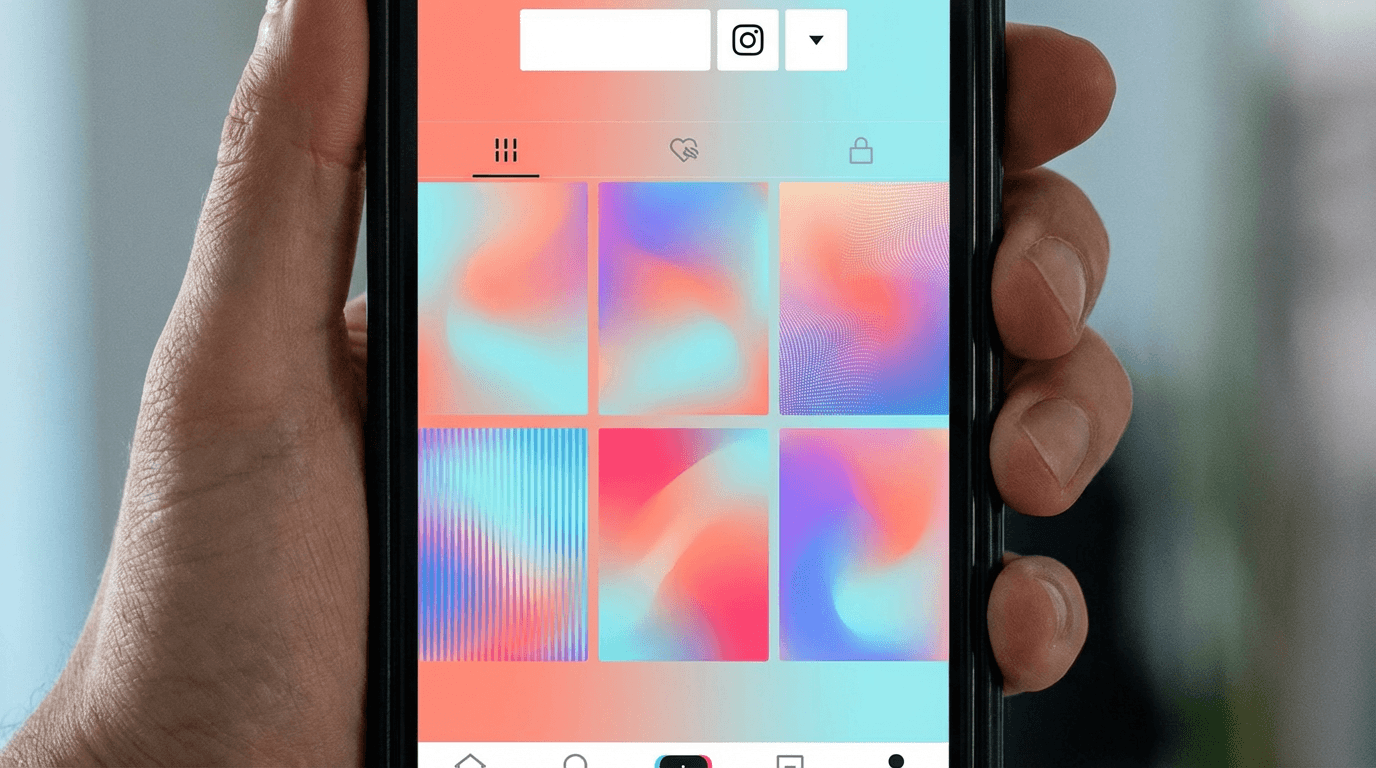
The problem is almost always the same: your profile grid looks like a random collection of freeze-frames. There is no visual theme, no recognizable pattern, and no reason for a visitor to explore further. They see a messy grid, assume the content is equally disorganized, and leave.
TikTok cover images are the most underused growth lever on the platform. Every video you post adds one tile to your profile grid, and that grid is the first thing people evaluate when deciding whether to follow you. It functions almost identically to how YouTube thumbnails influence click-through rate on a channel page. The psychology is the same. Visitors scan the grid, judge the quality and consistency of your content in seconds, and either commit or bounce.
In 2026, TikTok profiles with intentional cover image strategies consistently outperform those that rely on default frames. This guide breaks down exactly how to design TikTok cover images that make your profile grid convert visitors into followers, including the visual frameworks, common mistakes, practical templates, and AI prompts you can use to create cover images at scale.
Why TikTok Cover Images Matter More Than Ever in 2026
TikTok has evolved from a discovery-first platform into one where profile visits are a critical conversion point. When someone finds your video through the For You page or search results, the next action is almost always a profile visit. That profile visit is where the follow decision happens.
Your profile grid is the visual pitch. It tells visitors what kind of content you create, how consistent you are, and whether exploring your older videos is worth their time. A cohesive, well-designed grid communicates professionalism and intentionality. A random grid of auto-selected frames communicates the opposite.
TikTok's own creator resources emphasize that profile optimization matters for audience growth. According to TikTok's Creator Portal, profile presentation influences how new viewers perceive your content and decide whether to follow. The cover image is the single biggest visual element of that presentation.
This is not just a TikTok phenomenon. The same pattern plays out on YouTube, where thumbnail consistency directly impacts channel growth by making returning viewers recognize content instantly and new visitors trust the channel. TikTok cover images serve the exact same function for your profile grid.
In 2026, several platform changes make cover images even more important. TikTok search is now a major traffic source, and users who find your videos through search often visit your profile to see if you have more content on the same topic. Playlist features and series organization make the grid more visible and browsable. And the growing competition for followers means your profile needs to stand out from the hundreds of other creators a typical user encounters every week.
What Most Creators Get Wrong About TikTok Cover Images
Before getting into the strategy, it helps to understand the most common mistakes. These are the patterns that make profile grids look disorganized and reduce follow conversion rates.
Relying on auto-selected frames. TikTok automatically selects a frame from your video as the cover image. This frame is almost never the best visual representation of your content. It might be a blurry mid-transition shot, an awkward facial expression, or a moment that makes no sense out of context. Every video you publish without setting a custom cover image is a missed opportunity.
No consistent color palette. When every cover image uses completely different colors, lighting, and visual styles, the grid looks chaotic. Visitors cannot tell at a glance what your content is about or what your brand looks like. Consistency does not mean every cover must be identical, but there should be a recognizable visual thread connecting them.
Too much text, too small to read. Some creators try to turn every cover image into a mini-poster with long titles, descriptions, and call-to-action text. On a profile grid, these images are small. Dense text becomes unreadable and visually cluttered. The most effective cover images use zero to three words maximum, or no text at all.
Inconsistent composition. If one cover has the subject in the top left, the next in the bottom right, the next centered, and the next cropped to just a hand, the grid feels random. Consistent framing and composition across your covers creates a visual rhythm that makes the entire grid feel intentional.
Ignoring the grid layout. Your covers do not exist in isolation. They appear in a three-column grid on your profile. What looks good as a single image might clash with the images above, below, and beside it. Thinking about how covers work together as a grid produces much better results than optimizing each one individually.
These mistakes are nearly identical to the thumbnail errors that hurt YouTube channels. The principles behind building a strong YouTube thumbnail strategy apply directly to TikTok cover images because both serve as visual previews that influence clicks and follow decisions.
The 5 TikTok Cover Image Frameworks That Convert
Not every niche needs the same cover image approach. Below are five proven frameworks that work across different content categories. Pick the one that best matches your content type and adapt it to your brand.
Framework 1: The Branded Title Card
This is the most popular framework for educational, how-to, and tip-based content. Each cover image features a short title in large, bold text against a consistent branded background. The background color, font, and layout stay the same across every video, with only the title text changing.
This framework works because it turns your profile grid into a browsable content library. Visitors can scan your titles, find topics that interest them, and tap directly into the video they want. It reduces friction between "seeing your profile" and "watching a specific video."
The key to making this framework work is restraint. Keep titles to three to five words maximum. Use one or two brand colors for the background. Use the same font and text placement on every cover. This consistency is what makes the grid look clean and professional.
Framework 2: The Signature Shot
This framework works best for lifestyle, fitness, fashion, cooking, and any niche where the creator is the visual focal point. Every cover image follows the same composition pattern: the creator in a consistent pose, framing, and color tone.
For example, a fitness creator might use a medium shot of themselves in workout clothes against a gym backdrop for every cover. A cooking creator might show a top-down shot of the finished dish with consistent plating style and lighting. The subject changes with each video, but the composition and visual treatment remain the same.
This framework builds personal brand recognition. When someone scrolls through your grid, they immediately understand your niche and aesthetic. The visual consistency signals that you take your content seriously.
Framework 3: The Color Block Grid
This framework organizes covers into repeating color patterns across the three-column grid. For instance, you might alternate between three brand colors so that each row has a consistent visual rhythm. Or you might use one bold color for main content and a secondary color for behind-the-scenes videos.
The color block approach is popular among brand accounts and creators who prioritize aesthetic presentation. It requires planning ahead because each new video's cover must fit into the existing color pattern. But the result is a profile grid that looks deliberately designed, almost like a visual portfolio.
Framework 4: The Before-and-After Preview
This framework is ideal for transformation content, tutorials with visible results, makeover content, and any niche where showing the outcome drives curiosity. Each cover image shows a clear visual preview of the result or transformation that happens in the video.
The cover does not need to reveal everything. It just needs to create enough curiosity that visitors tap the video to see the full process. Think of it like the first three seconds of a YouTube Short, where the visual hook determines whether someone keeps watching. Your cover image is that same hook, but for your profile grid.
Framework 5: The Series Indicator
If you create content in series or recurring formats, this framework uses visual indicators to group related videos together. Each series gets its own color, icon, or layout style. Visitors can instantly identify which videos belong to which series and navigate to the content they care about most.
This framework works exceptionally well for creators who produce multiple content types. A creator who posts recipes, kitchen tips, and restaurant reviews might use green covers for recipes, blue for tips, and orange for reviews. The grid becomes a visual table of contents.
How to Design TikTok Cover Images That Stand Out at Grid Size
The most important constraint to design around is size. On a TikTok profile grid, each cover image is small. What looks stunning at full resolution might be completely unreadable in the grid view. Every design decision should be tested at grid size first.
Use large, bold elements. If your cover includes text, it should be large enough to read when the image is the size of a postage stamp. If it includes a face, the face should be large enough to recognize. Small, detailed elements disappear at grid size.
Maximize contrast. High contrast between the subject and the background ensures visibility at any size. Dark text on a light background, or light text on a dark background, is the safest approach. Avoid low-contrast combinations like gray text on white, or dark red on dark blue.
Keep the composition centered. TikTok sometimes crops cover images slightly depending on the device and aspect ratio. Keeping the most important elements centered with some buffer around the edges prevents critical parts from being cut off.
Use consistent aspect ratios. TikTok cover images display in 9:16 ratio, matching the vertical video format. Design your covers in 9:16 so nothing gets unexpectedly cropped or letterboxed.
Test at actual grid size. Before finalizing a cover image, view it at the approximate size it will appear in your profile grid. Open your TikTok profile on your phone, screenshot it, and mentally replace one of the existing covers with your new design. If it does not stand out or if text is unreadable, simplify further.
These same principles apply to any visual that needs to perform at small display sizes. The guide on AI YouTube thumbnail styles that get more views covers this in depth, and the techniques transfer directly to TikTok cover design.
Building a TikTok Cover Image System You Can Repeat
Creating one good cover image is easy. Creating a consistent system that scales across dozens or hundreds of videos is where most creators struggle. The solution is to build a repeatable template system.
Start by defining your visual brand elements. Pick two to three colors that match your brand or niche. Choose one font that is bold and readable at small sizes. Decide on a standard composition layout, such as text on the top third with an image in the lower two-thirds, or a centered subject with a colored border.
Document these choices so you can replicate them every time. The most consistent creators have a simple style guide, even if it is just a note on their phone listing their hex color codes, font name, and composition rules.
Next, create two to three cover image templates. Each template should follow the same brand elements but accommodate different content types. For example, one template for educational content with a title, one for lifestyle content with a photo, and one for trending content with a bold visual hook.
When you publish a new video, pick the appropriate template, swap in the new content, and generate or design the cover. This reduces the per-video effort from "design from scratch" to "fill in the template." Over time, this system creates the kind of visual consistency that makes profile grids convert.
For creators who use AI image generation, this workflow becomes even faster. You can create cover image templates as AI prompts, then swap in topic-specific details for each new video. The Nano Banana prompt guide explains how to build reusable prompt structures that produce consistent results, and the same approach works perfectly for TikTok cover image generation.
10 AI Prompts for TikTok Cover Images
These prompts are designed to produce TikTok cover images that look professional, consistent, and attention-grabbing at grid size. Each prompt targets a common content niche and follows the visual block structure that works well for AI image generation. You can copy them directly, adjust the subject and color details to match your brand, and generate.
1. Educational / Tip Content Cover
Bright, bold cover for how-to and educational TikTok content.
Prompt
a bright vertical 9:16 composition with a soft gradient background in warm coral and light peach, a single open laptop showing a clear diagram on screen placed slightly off-center, clean minimalist layout with plenty of breathing room, soft even lighting with no harsh shadows, professional and inviting mood, editorial photography style, photorealistic textures, no text, vibrant and clean overall feel
2. Fitness / Workout Content Cover
High-energy cover for fitness and exercise TikTok content.
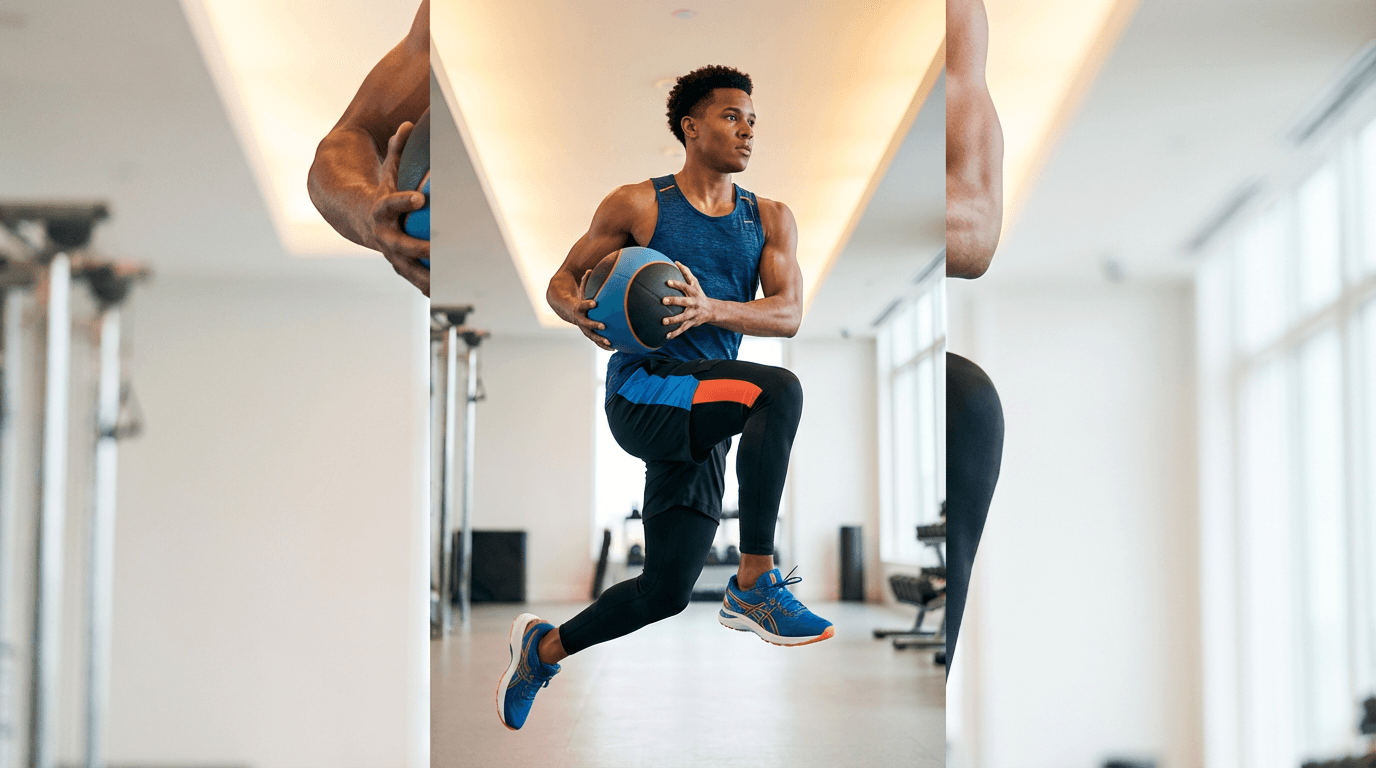
Prompt
a vertical 9:16 composition of a person in athletic wear holding a dynamic mid-workout pose in a bright modern gym, warm overhead lighting with soft highlights on skin, clean uncluttered background with soft bokeh on gym equipment, vibrant energy color palette with electric blue and warm orange accents, powerful and motivating mood, sports photography style, photorealistic textures, no text, bright and punchy overall exposure
3. Cooking / Recipe Content Cover
Appetizing cover for food and recipe TikTok content.
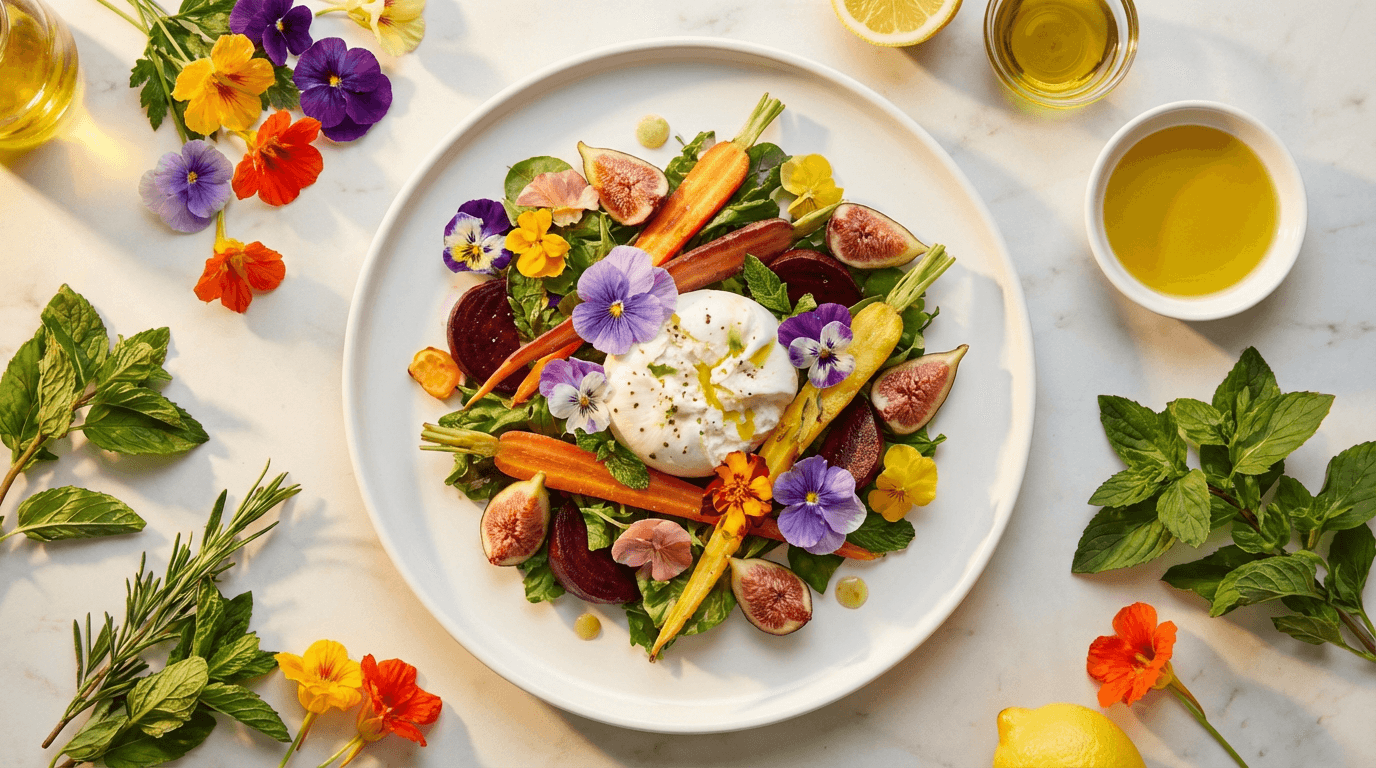
Prompt
a vertical 9:16 overhead composition of a beautifully plated dish on a clean white ceramic plate, surrounded by fresh ingredients and a wooden cutting board on a light marble surface, warm soft natural light from the left creating gentle shadows, vibrant food colors with greens reds and golden tones, appetizing and inviting mood, food photography style, photorealistic textures, no text, bright and fresh overall feel
4. Fashion / Style Content Cover
Polished cover for fashion, outfit, and style TikTok content.
Prompt
a vertical 9:16 composition of a person standing confidently in a stylish outfit against a clean pastel pink wall, soft natural daylight creating even lighting with subtle shadows, the outfit is the clear focal point with clean lines and visible details, fashion editorial color palette with soft blush cream and muted gold, polished and aspirational mood, fashion photography style, photorealistic textures, no text, bright and elegant overall feel
5. Personal Finance / Business Content Cover
Professional cover for finance, business, and money-related TikTok content.
Prompt
a vertical 9:16 composition of a person in smart casual attire sitting at a clean modern desk reviewing a tablet showing upward-trending graphs, warm bright office environment with soft window light from the right, organized desk with a notebook and small plant, confident and professional color palette with navy cream and soft green accents, trustworthy and informed mood, editorial lifestyle photography style, photorealistic textures, no text, bright and professional overall feel
6. Travel / Adventure Content Cover
Scenic cover for travel and exploration TikTok content.
Prompt
a vertical 9:16 composition of a person standing at a scenic overlook with a dramatic mountain landscape stretching behind them, golden hour sunlight casting warm highlights and long shadows, vibrant natural colors with deep greens warm amber and soft blue sky, adventurous and awe-inspiring mood, travel photography style, photorealistic textures, no text, bright and expansive vertical composition
7. Skincare / Beauty Content Cover
Clean, glowing cover for beauty and skincare TikTok content.
Prompt
a vertical 9:16 composition of neatly arranged skincare bottles and jars on a clean light marble surface with soft pink and white accents, dewy water droplets on the products suggesting freshness, soft diffused studio lighting with gentle reflections, calming and luxurious color palette with soft rose white and glass textures, clean and premium mood, beauty product photography style, photorealistic textures, no text, bright and polished overall feel
8. Comedy / Entertainment Content Cover
Eye-catching cover for comedy and entertainment TikTok content.
Prompt
a vertical 9:16 composition of a person with an exaggerated surprised expression looking directly at the camera, bright colorful pop-art inspired background with bold yellow and electric blue, ring light catch in the eyes creating a vibrant engaged look, playful and energetic color palette with warm saturated tones, fun and attention-grabbing mood, portrait photography style with slight wide-angle distortion, photorealistic textures, no text, bright and bold overall feel
9. Tech / Gadget Review Content Cover
Modern cover for technology and gadget TikTok content.
Prompt
a vertical 9:16 composition of a person holding a sleek smartphone and wireless earbuds in a clean modern workspace, soft cool-toned ambient lighting with subtle blue and purple accents from screens, minimal desk setup with clean lines, tech-forward color palette with deep charcoal electric blue and silver, innovative and premium mood, tech lifestyle photography style, photorealistic glass and metal textures, no text, bright with cool modern tones
10. Motivation / Self-Improvement Content Cover
Inspiring cover for personal development and motivational TikTok content.
Prompt
a vertical 9:16 composition of a person standing at a large window looking out at a bright sunrise over a city skyline, warm golden morning light flooding in from the window, calm and reflective posture with confident body language, inspirational color palette with warm gold soft amber and clean white, hopeful and determined mood, cinematic lifestyle photography style, photorealistic textures, no text, bright and uplifting overall feel
All of these prompts can be generated directly using the AI image generator on Miraflow AI. Select 9:16 aspect ratio, paste the prompt, and generate. If you need to modify a specific element of the result, such as changing a background color or adjusting an object, the image inpainting feature lets you edit specific regions without regenerating the entire image.
How to Audit Your Current TikTok Profile Grid
Before implementing a new cover image strategy, it helps to assess where your grid currently stands. A quick audit reveals the most impactful improvements you can make.
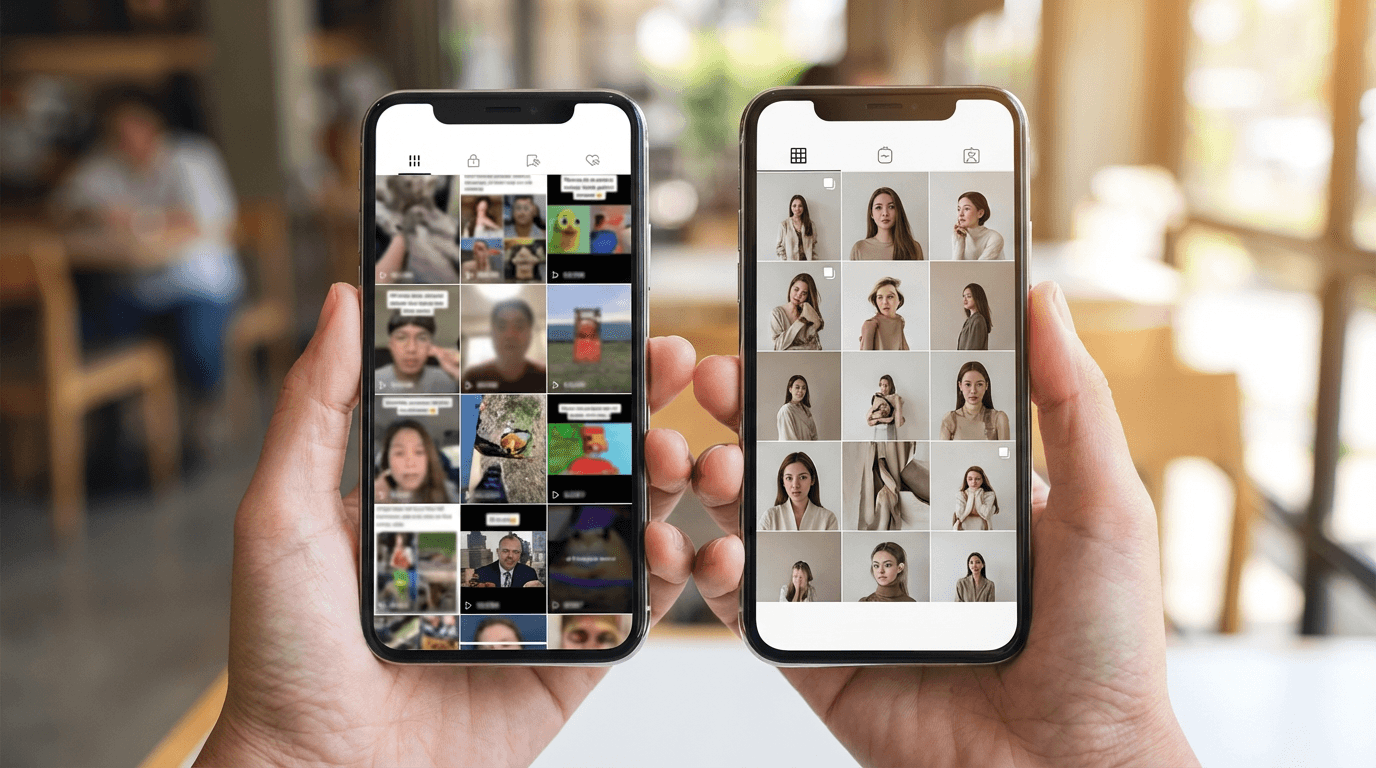
Open your TikTok profile on your phone and take a screenshot. Look at the grid as a whole, not individual videos. Ask yourself these questions.
Does the grid communicate your niche within three seconds? A new visitor should be able to understand what kind of content you create just by glancing at the grid. If the covers are a random mix of freeze-frames, the niche is not clear.
Is there a recognizable color palette? Look for whether any colors repeat across your covers. If every cover uses completely different colors, the grid lacks visual cohesion. Identifying two to three dominant colors and incorporating them into future covers creates immediate improvement.
Can you read any text at grid size? If your covers include text, check whether it is legible in the small grid view. If you have to tap into a video to read the cover text, the text is too small or too detailed. Simplify or remove it.
Are there any covers that are obviously worse than others? Sometimes a single bad cover, a blurry frame or an awkward screenshot, drags down the perceived quality of the entire grid. Replacing the weakest covers first produces the biggest visual improvement with the least effort.
Do your top-performing videos have the best covers? Check your analytics to identify your most-viewed videos. If those videos have weak cover images, replacing their covers can drive more profile-visit-to-follow conversions because new visitors are likely to see those popular videos recommended first.
This audit process is similar to reviewing YouTube thumbnail performance and identifying which thumbnails need redesigns based on click-through rate data. The principle is the same: your best content deserves your best visual presentation.
Planning Your Grid Layout Before You Publish
The most effective TikTok cover image strategies are planned in advance, not designed after the video is already published. Thinking about how your next three to six covers will look together in the grid produces a much more cohesive result than designing each one in isolation.
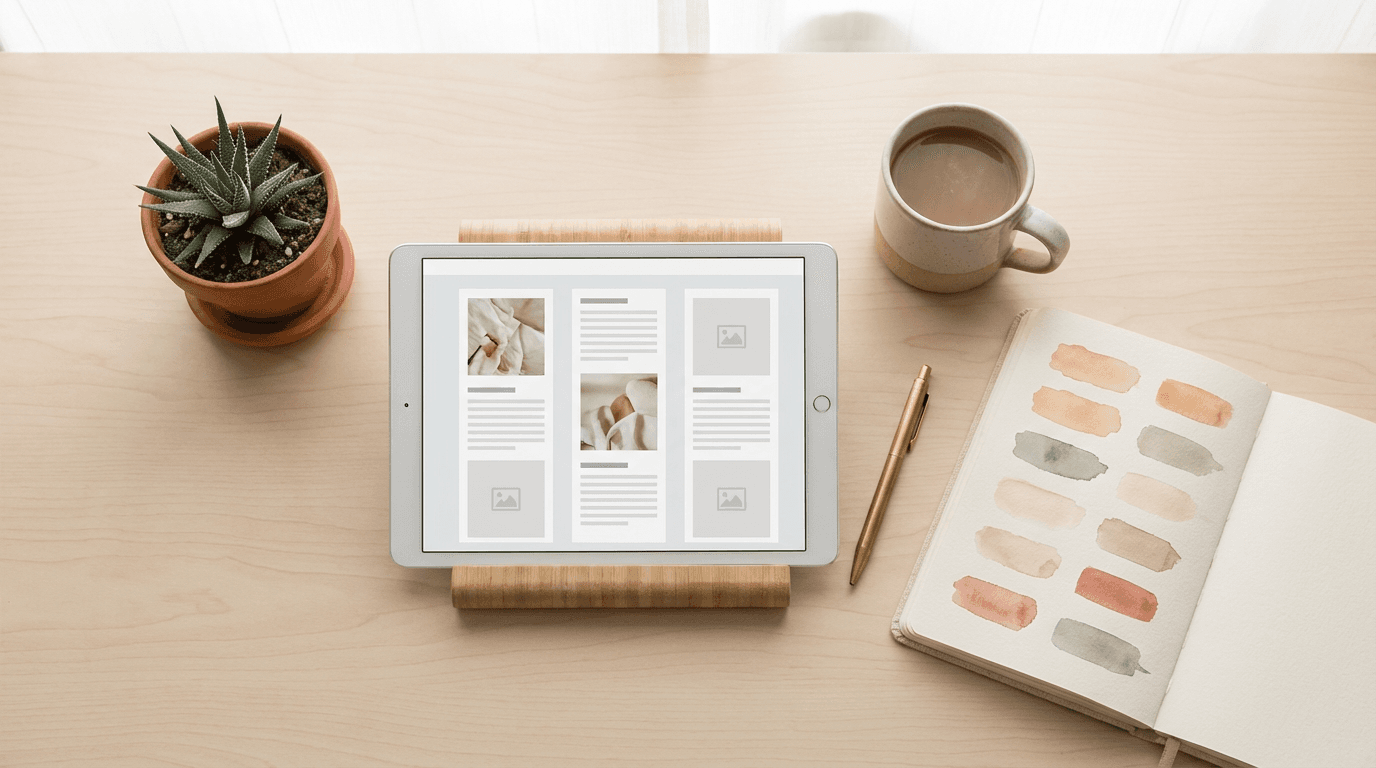
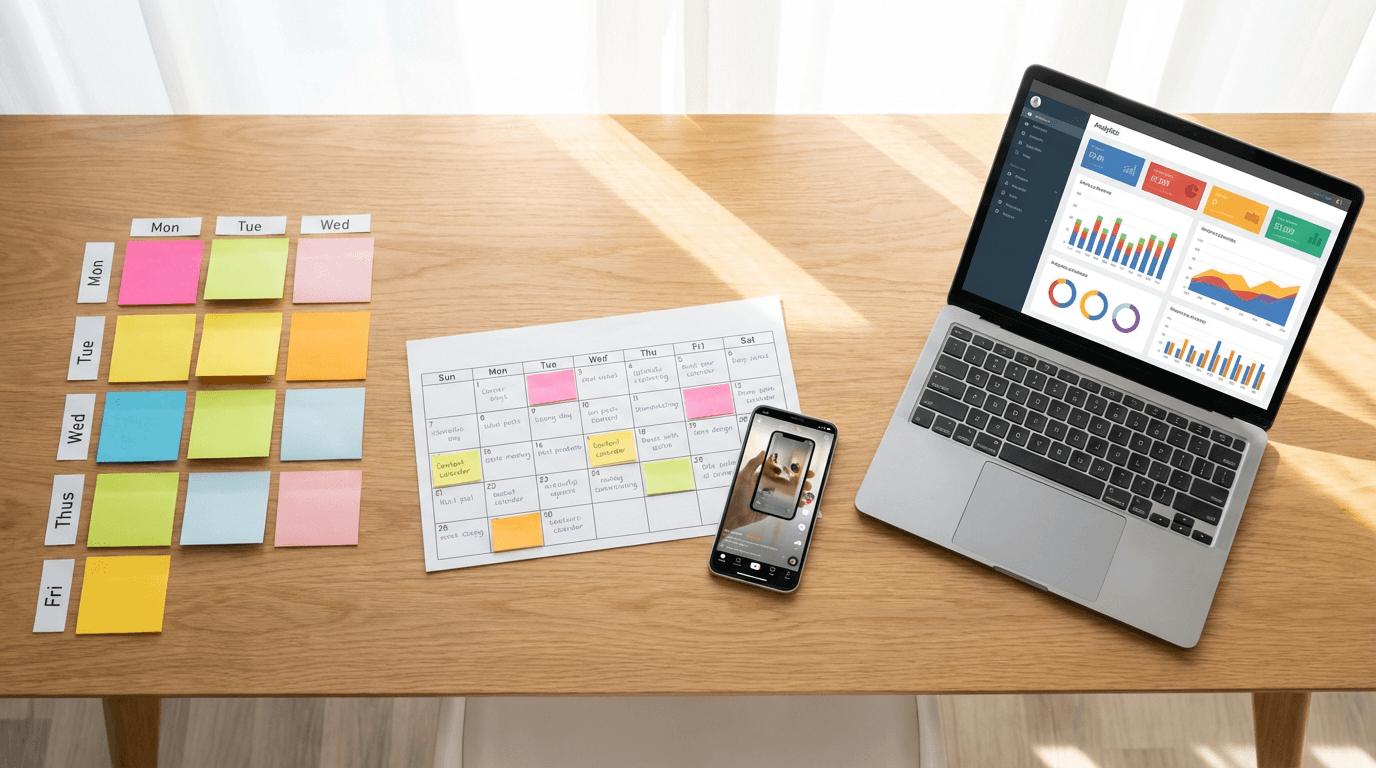
A simple planning method is to use a three-column layout in any image editing tool or even a notes app. Place your upcoming cover designs in a grid to see how they look together before publishing. This lets you catch color clashes, composition conflicts, or visual monotony before they go live on your profile.
Some creators take this further by planning their content calendar around the grid layout. If the grid pattern calls for a blue cover, a coral cover, and a green cover in the next row, they plan content topics that match those visual categories. This might seem overly structured, but it creates a profile grid that looks deliberate and professional.
For creators who publish daily content, planning every single cover image is impractical. A more realistic approach is to define a set of two to three rotating templates and alternate between them. This creates enough variety to keep the grid interesting while maintaining visual consistency. The same idea applies to maintaining a consistent YouTube thumbnail style, where template rotation produces cohesion without monotony.
TikTok Cover Images and Profile Conversion Rate
The ultimate measure of your cover image strategy is profile conversion rate: the percentage of profile visitors who follow you. While TikTok does not expose this exact metric in its analytics dashboard, you can approximate it by tracking follower growth relative to profile views over time.
After implementing a new cover image strategy, monitor your follower growth rate for two to four weeks. If your video views stay roughly the same but follower growth increases, your profile is converting better. That improvement is likely driven by the visual upgrade to your grid.
Several factors influence this conversion beyond cover images, including your bio, your pinned videos, and the quality of your recent content. But the grid is the largest visual element on your profile page, and it is the most impactful thing you can change without altering your actual content strategy.
It is also worth noting that a strong profile grid improves the performance of your content discovery. When TikTok surfaces your video on the For You page, viewers who visit your profile and see a polished grid are more likely to follow. That follow signals to TikTok that your content resonates, which can improve future distribution. The cycle reinforces itself.
This feedback loop mirrors how YouTube's algorithm responds to consistent channel signals. Platforms reward creators who demonstrate clear identity and consistent quality, and your visual presentation is a major part of that signal.
Using TikTok Cover Images to Drive Traffic to Specific Videos
Cover images do more than make your grid look nice. They can strategically direct attention toward specific videos you want new visitors to watch.
Your pinned videos are the first row of your profile grid. These three covers are the most valuable real estate on your entire TikTok profile. They should feature your absolute best cover designs and represent your strongest, most converting content.
Think of pinned video covers as your storefront window. They need to be visually compelling, clearly communicating what the video is about, and enticing enough to make someone tap. If your pinned videos have weak auto-selected covers, replacing them with custom-designed covers can dramatically increase how many profile visitors actually watch your best content.
Beyond pinned videos, your most recent row of covers is the next most visible section. New visitors naturally scan from top to bottom, and the pinned row plus the most recent row form their first impression. Making sure both rows feature strong, consistent covers covers the majority of what a new visitor will see.
Adapting Your Cover Image Strategy Across Platforms
If you cross-post content to TikTok, YouTube Shorts, and Instagram Reels, your cover image strategy should adapt to each platform's grid layout and behavior.
TikTok displays covers in a three-column vertical grid with 9:16 ratio. YouTube Shorts uses a different grid layout on channel pages, and the thumbnail behavior varies depending on how the viewer accesses the content. Instagram Reels also displays covers in a grid, but with slightly different sizing and cropping.
The core visual principles remain the same across platforms: bright, high-contrast, consistent, and readable at small sizes. But the specific cover image you use might need slight adjustments for each platform's display behavior.
Creators who use AI to generate cover images can quickly produce platform-specific variations by adjusting the aspect ratio and composition in their prompts. The guide on creating short-form content with Text2Shorts explains how to approach cross-platform content creation, and the same thinking applies to cover images.
How to Change Cover Images on Existing TikTok Videos
If you already have dozens of videos with default cover images, you do not need to republish them. TikTok allows you to change the cover image on existing videos.
Open the video you want to update. Tap the three-dot menu, then select "Edit video." From there, you can choose a new frame from the video or upload a custom cover image. Upload the custom cover you designed, position it as needed, and save.
This means you can retroactively overhaul your entire profile grid without touching your actual video content. Start with your pinned videos and your most recent row, then work backward through your older content. Even updating just six to nine covers, which is two to three rows, creates a noticeable improvement in grid consistency.
The ability to update covers on existing content also means you can test different cover styles. If a new cover design leads to more profile follows or more views on that video, you know the design is working and can apply the same style to other videos.
Measuring the Impact of Your Cover Image Changes
After updating your cover images, track these indicators to measure impact.
Profile views to follows ratio is the most important metric. If more profile visitors are converting to followers after your grid update, your cover images are doing their job. Check your TikTok analytics weekly to track this trend.
Individual video views on older content can indicate whether new cover images are driving more taps. If a video that was not getting many views starts seeing increased traffic after a cover image update, the new cover is likely attracting attention from profile visitors browsing your grid.
Average watch time on videos with updated covers can reveal whether the new covers are setting better expectations. If someone taps a video because the cover clearly communicated what the content is about, they are more likely to watch the full video compared to someone who tapped a misleading or vague cover and bounced.
Track these metrics over a consistent time period, at least two weeks, before drawing conclusions. Short-term fluctuations can be caused by many factors, but sustained improvements after a grid update are a reliable signal that the visual strategy is working.
Common Questions About TikTok Cover Images
Can I use a custom image that is not a frame from the video?
Yes. TikTok allows you to upload a custom cover image that does not need to appear anywhere in the video. This is what makes a deliberate cover image strategy possible. You can design covers separately from your video content.
What dimensions should TikTok cover images be?
Use 1080 x 1920 pixels, which matches the standard 9:16 vertical video ratio. This ensures the cover displays correctly without unexpected cropping.
How much text should I include on a cover image?
As little as possible. Zero to three words is the ideal range for grid readability. If you need a title, make it large and bold enough to read at thumbnail size. Long sentences and small fonts become unreadable in the grid view.
Should every cover image look exactly the same?
No. Identical covers make the grid boring and make it harder for visitors to distinguish between videos. The goal is consistency, not uniformity. Use the same brand colors, font, and general composition, but vary the specific subject, image, or title for each video.
How often should I update old cover images?
Start with your pinned videos and your most recent two to three rows. After that, update older covers when you have time, prioritizing your highest-performing videos. You do not need to update everything at once.
Does changing a cover image affect the algorithm or existing views?
Changing a cover image does not reset your video's view count or affect its algorithmic distribution. It simply changes the visual preview on your profile grid and anywhere the video is displayed as a thumbnail.
Start Building Your TikTok Cover Image System Today
Your TikTok profile grid is a conversion tool. Every cover image either helps or hurts your ability to turn profile visitors into followers. The difference between a random grid and an intentional one is visible in seconds, and that difference directly impacts your growth.
Pick one of the five frameworks from this guide that matches your content type. Define your brand colors, choose a composition style, and create your first three cover images using the AI prompts above. Update your pinned videos first, then work through your most recent row.
If you want to generate cover images quickly, head to Miraflow AI and use the image generator with 9:16 aspect ratio. Paste any of the prompts from this guide, adjust the subject and colors to match your brand, and generate. The entire process takes seconds per image, and the results will immediately elevate your profile grid.
Your content already exists. Now make your profile do it justice.