YouTube Shorts Mistakes to Avoid in 2026 (Common Beginner Errors)

Written by
Jay Kim
Avoid the 15 most common YouTube Shorts mistakes in 2026. This guide covers weak hooks, bad thumbnails, poor audio, inconsistent posting, and how to fix each one fast.
If you have been posting YouTube Shorts for weeks or even months and the views are not growing, the problem is probably not the algorithm. It is almost always something in your process that is quietly killing performance before the algorithm even has a chance to push your content.
The frustrating part is that most of these mistakes are invisible to the creator making them. You think you are doing everything right. You are posting consistently, using trending sounds, and picking interesting topics. But the results stay flat. Viewers swipe away. Subscribers do not come. And the analytics look like a flatline.
This guide covers the most common YouTube Shorts mistakes beginners make in 2026, explains why each one hurts your performance, and gives you clear fixes you can apply immediately. Whether you are just starting your channel or stuck at a growth plateau, avoiding these errors will change how the algorithm treats your content.
Why Shorts Mistakes Cost More Than You Think
YouTube Shorts operate in a high-volume, fast-feedback environment. The algorithm tests every Short with a small batch of viewers first, then decides whether to expand distribution based on how those viewers respond. If your Short fails the initial test, it does not get a second chance.
That means every mistake compounds. A weak hook loses viewers in the first two seconds. Low retention tells the algorithm to stop pushing the video. Poor metadata means the algorithm cannot figure out who to show it to. And inconsistent posting trains the algorithm to deprioritize your channel.
Unlike long-form videos that can recover through search traffic over time, Shorts live and die within their first 24 to 72 hours. The margin for error is small, and the cost of repeated mistakes is a channel that never gains traction.
Understanding these mistakes is not just about fixing individual videos. It is about building a workflow that consistently produces Shorts the algorithm wants to push.
Mistake 1: Weak or Missing Hook in the First 3 Seconds
This is the single most common reason Shorts fail. The first few seconds of any Short determine whether a viewer keeps watching or swipes to the next video. YouTube tracks this behavior closely, and a high swipe-away rate in the opening seconds signals to the algorithm that your content is not engaging enough to distribute widely.
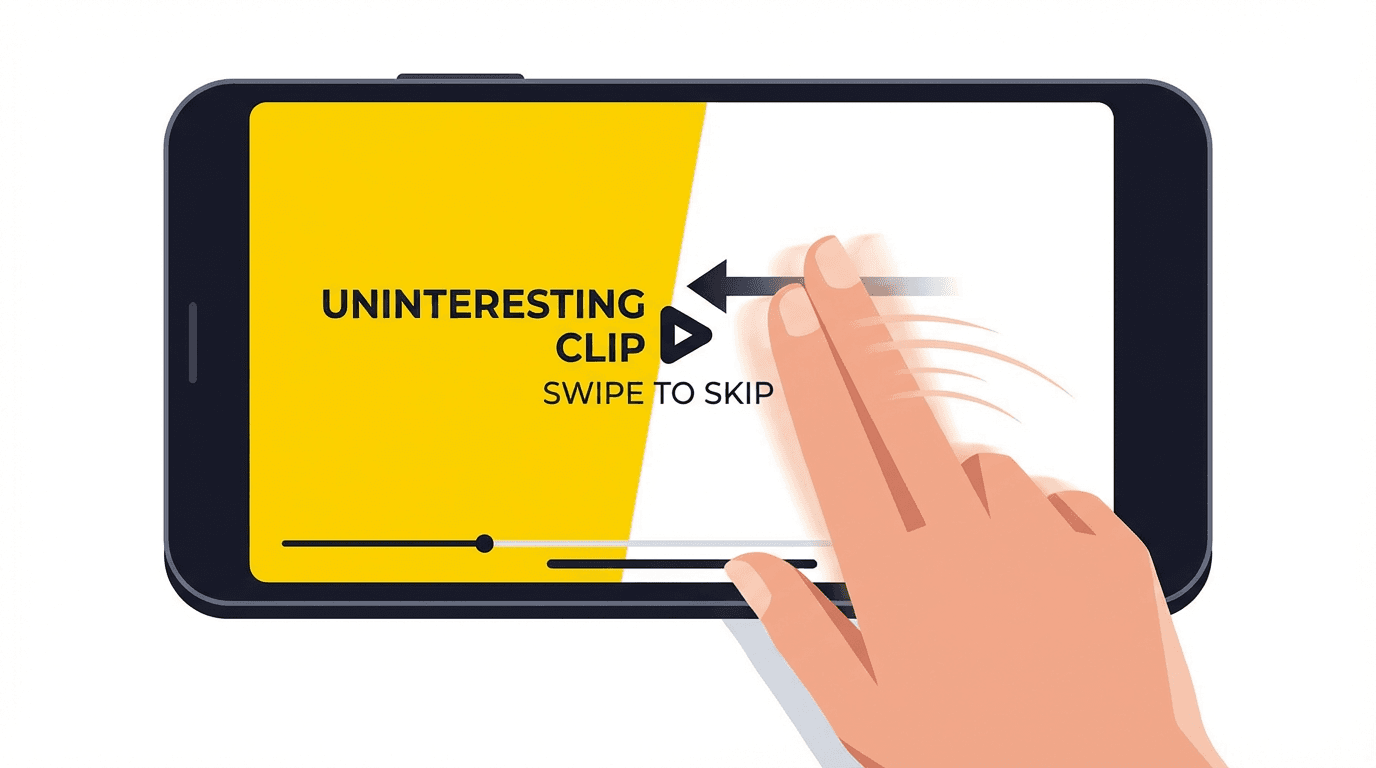
Most beginners start their Shorts with context. They introduce themselves, explain what the video is about, or set up the topic with background information. By the time they reach the interesting part, the viewer is already gone.
The fix is to lead with the payoff. Start with the most interesting, surprising, or visually striking moment. Make the viewer curious enough to stay for the explanation, not the other way around.
Strong hooks usually fall into a few categories: a bold claim, a visual that demands attention, a question that creates curiosity, or an action that is already in motion. If your first frame looks boring or static, most viewers will never see frame two.
For a deeper breakdown of why the opening seconds matter so much and how to structure them, check out why the first 3 seconds of YouTube Shorts matter.
Mistake 2: Making Shorts Too Long or Too Short
Length matters more than most beginners realize. In 2026, YouTube Shorts can be up to 3 minutes long, but that does not mean every Short should use all that time. The ideal length depends entirely on the content and how long you can maintain viewer attention.
The mistake beginners make is either padding Shorts with filler to hit a longer runtime or cutting them so short that the content feels incomplete. Both hurt retention.
A Short that is 45 seconds long but holds attention the entire time will outperform a 90-second Short where viewers drop off at the 30-second mark. YouTube cares about the percentage of the video watched, not just the total watch time. A shorter video with a higher completion rate sends stronger signals to the algorithm than a longer video with poor retention.
The practical approach is to match your length to your content. If the idea can be delivered in 20 seconds, do not stretch it. If it naturally takes 60 seconds, do not cut it short. Our guide on how long YouTube Shorts should be in 2026 breaks this down with specific length recommendations for different content types.
Mistake 3: Ignoring the Thumbnail
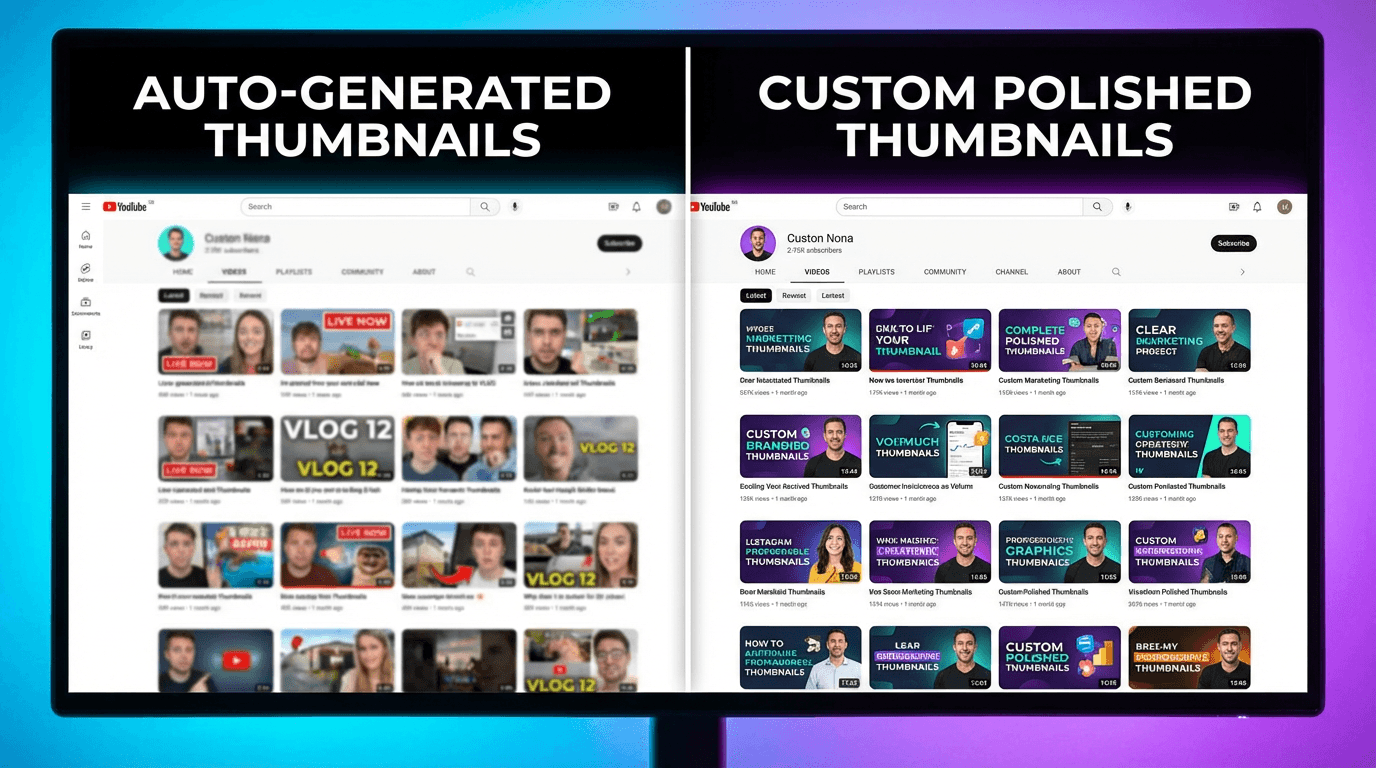
Many beginners assume thumbnails do not matter for Shorts because the content plays automatically in the Shorts feed. That is only partly true. Thumbnails still appear on your channel page, in search results, in the Subscriptions tab, and in some Browse placements. When a potential subscriber visits your channel after watching one of your Shorts, the thumbnails on your channel page are the first impression they get of your content library.
A channel page filled with random, auto-generated thumbnail frames looks unpolished and unprofessional. It signals low effort. Viewers who might have subscribed after enjoying a Short will bounce if the rest of your channel looks messy.
The fix is simple. Set a custom thumbnail for every Short. It does not need to be elaborate, but it should be visually clear, consistent with your brand, and representative of the content.
Creators can generate custom Shorts thumbnails inside Miraflow AI's YouTube Thumbnail Maker by selecting the 9:16 aspect ratio and entering a prompt that matches the Short's content. This takes less than a minute and makes your entire channel page look intentional.
For a full breakdown of thumbnail strategy specifically for Shorts, read our guide on YouTube Shorts thumbnail strategy in 2026.
Mistake 4: No Clear Topic or Niche Focus
The algorithm needs to understand what your channel is about before it can recommend your Shorts to the right audience. When beginners post random topics with no clear through-line, the algorithm struggles to categorize the content. It does not know which viewers to show it to, so it shows it to a broad, unfocused group. That group has low intent, which leads to poor engagement, which leads to the algorithm pulling back distribution.
This does not mean you need to pick one narrow topic and never deviate. It means your content should have recognizable patterns. If someone watches three of your Shorts in a row, they should be able to describe what your channel is about.
Niche consistency helps in two ways. First, the algorithm gets better at matching your content to interested viewers. Second, viewers who enjoy one Short are more likely to watch another because they know what to expect.
If you are unsure which niche to focus on, start by looking at which of your existing Shorts got the best retention and engagement. That is the algorithm telling you what your audience responds to.
Mistake 5: Copying Trends Without Adding Value
Trend-based content can work well for Shorts, but only when you add something original. Beginners often see a trending format or sound and recreate it exactly as they saw it, with no twist, no unique perspective, and no additional value. The result is a Short that looks like a copy of a copy.
YouTube's algorithm surfaces Shorts that get strong engagement relative to their impressions. If your version of a trend does not stand out, viewers will not engage with it any differently than the dozens of other versions they have already seen. The algorithm has no reason to push it further.
The fix is to use trends as a starting point, not a template. Take the trending format and apply it to your niche, add your personality, or combine it with an unexpected element. The goal is to make your version the one viewers remember rather than just another entry in a long scroll of identical content.
Mistake 6: Poor Audio Quality
Audio problems are one of the fastest ways to lose viewers. Background noise, inconsistent volume levels, distorted voiceovers, and poorly mixed music all make Shorts feel amateur. Viewers are conditioned to swipe the moment something sounds off, even if the visual content is strong.
For beginners who record voiceovers or narration, investing in a basic microphone makes a noticeable difference. But even without expensive equipment, there are simple improvements that help. Recording in a quiet room, maintaining consistent distance from the microphone, and testing audio levels before recording all reduce the most common issues.
For background music, using tracks that are properly licensed and well-matched to the content is important. Creators who want original background music without copyright concerns can generate tracks using Miraflow AI's Music Generator, which produces copyright-free music from a text description in under a minute.
Mistake 7: Not Using Titles and Descriptions Effectively
Many beginners either leave the title blank, use something generic like "Part 3" or "Watch this," or stuff it with hashtags. All of these approaches waste an opportunity.
Titles and descriptions help YouTube understand what your Short is about. They provide context that the algorithm uses when deciding who to recommend your content to. A clear, descriptive title with relevant keywords can improve how well your Short matches viewer search queries and interest signals.
Good Shorts titles are specific enough to be useful but intriguing enough to spark curiosity. They describe what happens in the video without giving everything away. They include natural keywords that reflect what someone might search for or be interested in.
Descriptions follow the same principle. A few sentences that describe the content, include relevant keywords, and optionally link to related content on your channel. For ready-to-use templates that cover titles and descriptions, check out our guide on YouTube Shorts titles and descriptions in 2026.
Mistake 8: Inconsistent Posting Schedule
The YouTube Shorts algorithm rewards consistency. Channels that post regularly give the algorithm more data to work with, more opportunities to test content with different audiences, and more signals about what the channel is about.
Beginners often start with a burst of activity, posting multiple Shorts per day for a week, then disappearing for two weeks when motivation drops. This inconsistency confuses the algorithm. It is better to post three Shorts per week for three months straight than to post 20 Shorts in one week and then nothing.
The key is finding a pace you can sustain. Daily posting is ideal if you can maintain quality, but three to five Shorts per week is enough to build momentum. What matters is that the algorithm sees a reliable pattern of content.
For creators who struggle with maintaining volume, AI-powered workflows can help significantly. Text2Shorts allows you to generate complete vertical Shorts from a single topic, handling the script, visuals, and narration automatically. This makes it realistic to publish daily without burning out on production.
Our guide on how the YouTube Shorts algorithm responds to daily uploads covers the specific signals that consistency sends and how to build a sustainable posting rhythm.
Mistake 9: Ignoring Analytics
Most beginners post Shorts and never look at the data. They judge success by view count alone and ignore the metrics that actually explain performance.

YouTube Shorts analytics tell you exactly where viewers are dropping off, which Shorts drive profile visits and subscriptions, how your content performs relative to your average, and which topics generate the strongest engagement. Without this information, you are guessing.
The most important metrics to track for Shorts are swipe-away rate (how quickly viewers leave), average view duration as a percentage, profile visits (how many viewers checked your channel after watching), and subscriber conversion (how many viewers subscribed). These numbers tell you whether your hooks are working, whether your content holds attention, and whether your Shorts are doing anything for your channel beyond generating empty views.
For a detailed walkthrough of how to read and interpret these numbers, our guide on YouTube Shorts analytics in 2026 explains each graph and what actions to take based on what you see.
Mistake 10: Getting Views but Not Converting to Subscribers
This is one of the most frustrating patterns for Shorts creators. Your videos get thousands or even hundreds of thousands of views, but your subscriber count barely moves. It feels like the views are meaningless.
The problem usually comes down to one of three things. First, your Shorts do not clearly communicate what your channel is about. Viewers enjoy the individual Short but have no reason to believe your other content will be equally relevant. Second, you are not giving viewers a reason to subscribe within the Short itself. A simple call to action or a mention of related content you create can bridge that gap. Third, your channel page does not look inviting when viewers visit it. If the thumbnails, titles, and overall presentation feel scattered, potential subscribers leave without hitting the button.
This is a common enough problem that we wrote an entire guide about it. If your Shorts are getting views but not subscribers, this breakdown explains why and how to fix it.
Mistake 11: Using Copyrighted Music Without Checking
YouTube has become stricter about copyright enforcement on Shorts. Using a copyrighted song can result in your Short being muted, demonetized, or in some cases taken down entirely. Beginners often grab popular songs assuming Shorts have different copyright rules than long-form videos. They do not.
The safe approach is to use music from YouTube's Audio Library, royalty-free sources, or AI-generated music. AI music generators have improved significantly in 2026 and can produce tracks that match specific moods, tempos, and genres. You describe what you want, and the tool creates an original track that is fully yours to use.
For creators who need background music regularly, generating it with AI is faster than searching through libraries and eliminates any copyright risk. Our guide on free AI music generators for YouTube Shorts and Reels in 2026 covers the best options and how to use them.
Mistake 12: Overloading Shorts With Text and Effects
Beginners often add too many text overlays, transitions, stickers, and effects thinking it makes the content more engaging. In reality, visual clutter makes Shorts harder to watch and can distract from the actual content.
The most effective Shorts tend to be visually clean. They use text sparingly and strategically, usually for captions or to emphasize a single key point. Transitions are simple. Effects serve the content rather than competing with it.
A good rule is to ask whether each element you add makes the Short clearer or just busier. If it does not help the viewer understand or engage with the content, remove it.
Mistake 13: Not Optimizing for the Loop
YouTube Shorts can loop automatically when they end. If a viewer watches your Short again because the ending seamlessly connects to the beginning, YouTube counts that as additional watch time and a strong engagement signal.
Many beginners end their Shorts abruptly or with a fade to black. Both break the loop. Instead, try ending your Short at a moment that flows naturally back into the opening frame. This creates a seamless watching experience that encourages multiple loops.
Not every Short needs to be loopable, but when the format fits, designing for the loop can significantly boost retention metrics and push the algorithm to distribute your content more broadly.
Mistake 14: Posting Without a Content Strategy
Posting random Shorts without any plan is one of the most common beginner patterns. Each Short exists in isolation. There is no connection between videos, no series format, no progression, and no reason for a viewer to come back for more.
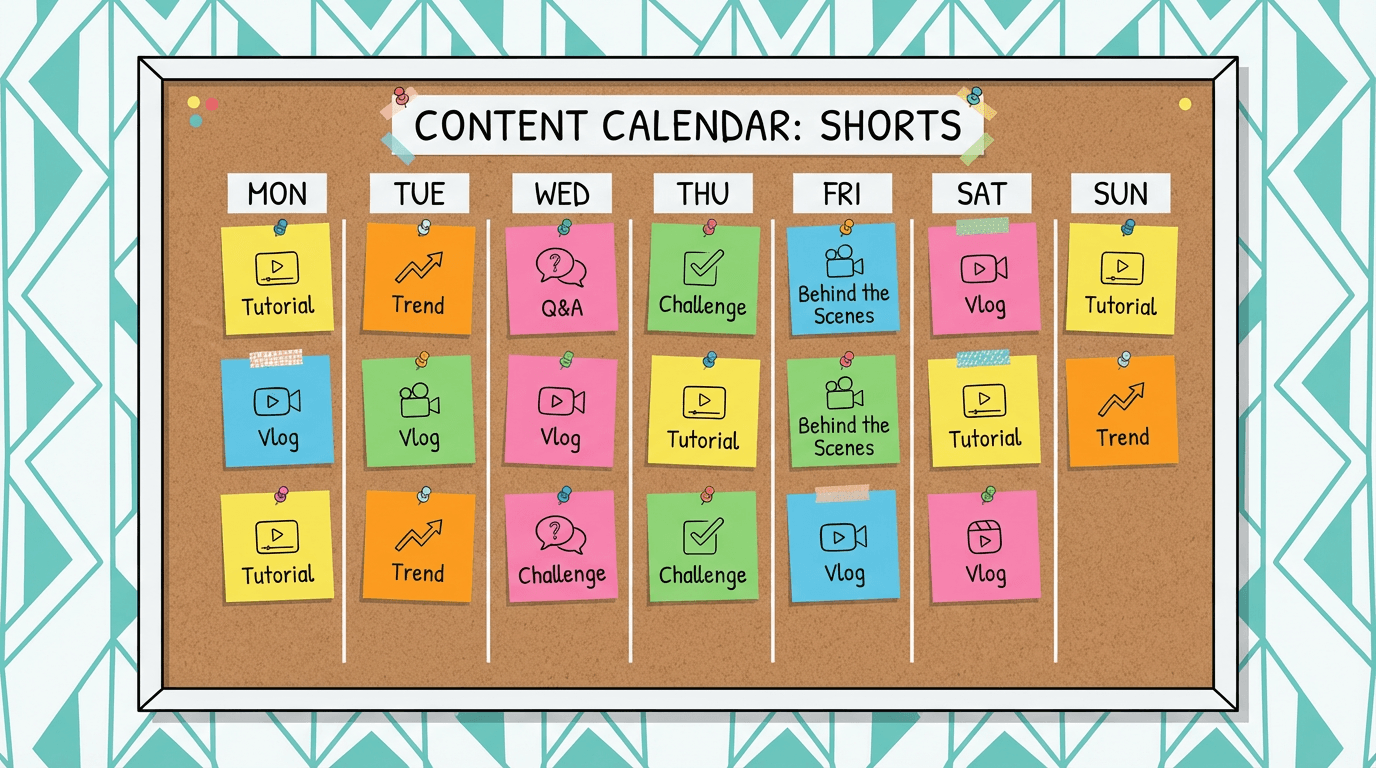
A content strategy does not need to be complicated. It can be as simple as having three recurring formats that you rotate through, or a weekly series that viewers can follow. The point is to create patterns that give viewers a reason to subscribe and return.
Channels that treat Shorts as part of a larger strategy, where each Short connects to the channel's overall value proposition, consistently outperform channels that post randomly. A 30-day YouTube Shorts plan can help you build this structure from day one.
Mistake 15: Expecting Viral Results Immediately
This might be the most damaging mistake of all. Beginners post a few Shorts, see modest view counts, and assume the platform does not work for them. They quit before the algorithm has had enough data to understand their content and find the right audience for it.
YouTube's algorithm needs time and data to learn what your channel offers and who would enjoy it. The first 20 to 30 Shorts are essentially training data. Some will perform well. Most will be average. A few might get zero traction. That is normal and does not mean your content is bad.
The creators who succeed with Shorts in 2026 are the ones who treat early underperformance as feedback, not failure. They analyze what worked, adjust what did not, and keep posting. Growth typically comes in steps rather than a smooth upward curve. You might see flat results for weeks, then a sudden jump when one Short catches, and that momentum carries forward.
If your videos are genuinely getting zero views, there may be a technical issue worth investigating. Our guide on why your videos are getting 0 views covers the most common causes and how to troubleshoot them.
Quick Reference: 15 Mistakes and Their Fixes
- Weak hook in first 3 seconds. Lead with the most interesting moment. Make viewers curious before you explain.
- Wrong video length. Match length to content. Do not pad for runtime or cut valuable content short.
- No custom thumbnail. Set a custom thumbnail for every Short, even if it takes 30 seconds.
- No niche focus. Pick a recognizable content lane so the algorithm knows who to show your Shorts to.
- Copying trends without a twist. Use trends as a starting point and add your own angle or niche application.
- Poor audio quality. Record in quiet spaces, use a decent microphone, and test levels before publishing.
- Generic or empty titles and descriptions. Write specific, keyword-rich titles that describe and intrigue.
- Inconsistent posting schedule. Find a sustainable pace and stick to it. Three per week beats 20 in one week.
- Ignoring analytics. Check swipe-away rate, average view duration, and subscriber conversion regularly.
- Views but no subscribers. Clarify your channel value, include calls to action, and clean up your channel page.
- Using copyrighted music. Use YouTube's Audio Library, royalty-free sources, or generate music with AI tools.
- Too many text overlays and effects. Keep visuals clean and let the content speak for itself.
- Not designing for the loop. End your Short at a moment that flows naturally back to the beginning.
- No content strategy. Create recurring formats and connect Shorts to your channel's overall value.
- Expecting instant viral results. Treat the first 30 Shorts as learning data. Growth comes in steps.
How AI Tools Help You Avoid These Mistakes
Several of the mistakes above come down to production friction. When creating Shorts is slow and painful, it is harder to maintain consistency, experiment with different formats, and iterate on what works. AI tools reduce that friction across the entire workflow.
For scripting and visual generation, creators can use Text2Shorts inside Miraflow AI to turn a topic into a complete Short with narration, visuals, and pacing handled automatically. This makes daily publishing realistic without sacrificing quality.
For thumbnails, the YouTube Thumbnail Maker generates custom thumbnails from a prompt, which means you can create consistent, branded thumbnail images for every Short in seconds.
For background music, the AI Music Generator produces original tracks matched to any mood or genre, eliminating copyright risk and the time spent searching through music libraries.
For cinematic B-roll or visual clips that go into Shorts, the Cinematic Video Generator can produce hyper-realistic video clips from a text prompt. Creators working in faceless YouTube Shorts niches find this especially useful for generating visuals without filming.
The point is not that AI replaces creative thinking. It replaces the repetitive production work that slows you down and leads to the mistakes listed above. When production is fast, you can focus on strategy, hooks, storytelling, and the things that actually determine whether a Short succeeds.
Conclusion
Most YouTube Shorts mistakes are not about talent or creativity. They are about process. Weak hooks, inconsistent posting, ignored analytics, poor audio, and missing thumbnails are all fixable problems. The creators who grow on Shorts in 2026 are the ones who identify these issues early, build systems to avoid them, and treat every Short as a learning opportunity.
Go through this list honestly. Identify which mistakes apply to your current workflow. Fix one or two at a time. Track whether your retention and engagement improve after each change. That feedback loop, where you post, analyze, adjust, and post again, is the real engine behind Shorts growth.
The algorithm is not working against you. It is waiting for you to give it content worth pushing.
FAQ: YouTube Shorts Mistakes to Avoid in 2026
What are the most common YouTube Shorts mistakes beginners make?
The most common beginner mistakes on YouTube Shorts are weak hooks, poor retention, inconsistent posting, unclear niche focus, weak titles, low-quality audio, and ignoring analytics. Many creators also underestimate how much thumbnails, channel presentation, and a clear content strategy affect performance beyond just the Shorts feed.
Why are my YouTube Shorts not getting views?
If your YouTube Shorts are not getting views, the issue is usually not random bad luck. In most cases, the Short is losing viewers too quickly in the opening seconds, the content lacks a clear topic, or the algorithm does not yet understand who the content is for. Weak hooks, poor retention, and inconsistent posting are some of the biggest reasons Shorts fail early.
What is the biggest mistake people make with YouTube Shorts?
One of the biggest mistakes is failing to hook viewers in the first 3 seconds. Shorts are judged very quickly by both viewers and the algorithm. If the opening feels slow, confusing, or visually weak, people swipe away before the actual value of the video appears.
Do thumbnails matter for YouTube Shorts?
Yes, thumbnails still matter for YouTube Shorts even if they are less important inside the main swipe feed. Thumbnails show up on your channel page, in search, and in other discovery surfaces. A weak or messy thumbnail can reduce clicks and make your channel look less professional when viewers check out more of your content.
Can posting too many random Shorts hurt my channel?
Yes, posting random Shorts with no clear niche or pattern can make it harder for YouTube to understand your audience. If your content jumps between unrelated topics, the algorithm may struggle to categorize it, and viewers may not know what your channel is really about. Consistency in topic and format usually helps both reach and subscriber growth.
Why do my YouTube Shorts get views but no subscribers?
This usually happens when the individual Short is watchable, but the channel itself gives viewers no clear reason to follow. If your Shorts feel disconnected, your niche is unclear, or you never create a natural subscribe trigger, people may enjoy the video and move on. Views alone do not guarantee channel growth.
Is using trending audio enough to grow on YouTube Shorts?
No, trending audio by itself is not enough. If you use a trend without adding originality, value, or a unique twist, your Short can blend in with countless similar videos. Trends work best when you adapt them to your niche or combine them with something recognizably yours.
How important is audio quality for YouTube Shorts?
Audio quality is very important because poor sound can make viewers swipe away almost instantly. Even if the visuals are strong, distorted voiceovers, background noise, or mismatched music can make the content feel low quality. Clean, clear audio usually improves overall viewer experience and retention.
Should I use a lot of text and effects in YouTube Shorts?
Usually no. Too much text, too many effects, and overly busy editing can make a Short harder to follow. The best Shorts often feel visually clean and easy to process, with text used only when it helps the viewer understand or remember the key point.
Can the wrong length hurt a YouTube Short?
Yes, the wrong length can hurt performance. A Short that drags with filler loses viewers, while a Short that ends too quickly can feel incomplete. The best length depends on the idea itself, but the most important goal is to keep the pacing tight and maintain attention through the whole video.
Why is ignoring analytics a mistake for YouTube Shorts creators?
Ignoring analytics means you are guessing instead of learning from actual viewer behavior. Metrics like average view duration, swipe-away patterns, profile visits, and subscriber conversion show what is working and what is failing. Without that data, it is much harder to improve consistently.
How many YouTube Shorts should I post before expecting results?
Most creators should not expect instant results from just a few uploads. In many cases, the first 20 to 30 Shorts act as learning data for both the creator and the algorithm. Some videos may underperform early, but patterns start becoming clearer over time if you keep posting, analyzing, and improving.