23 AI Halloween Wallpaper Prompts for iPhone, Android and Desktop (Copy & Paste 2026)

Written by
Aerin Kim
23 copy-paste AI prompts for Halloween wallpapers: cute pastel, dark gothic, cozy fall, minimalist, retro and haunted looks, composed for the iPhone clock, Android and 16:9 desktop screens.
Every October the same thing happens: your lock screen still shows a beach from July, you search for a Halloween wallpaper, and the results are a wall of cluttered clip art with a giant pumpkin sitting exactly where the clock is supposed to go. The fix takes about two minutes with an AI image generator, as long as you prompt for the one thing most wallpaper prompts ignore, which is the layout of the phone screen itself.
This post is a wallpaper-only prompt library: 23 copy-paste prompts for cute Halloween wallpaper, dark gothic aesthetic backgrounds, cozy fall-to-Halloween scenes, minimalist designs, retro and vintage looks, haunted landscapes, and 16:9 desktop backgrounds. Everything is composed for real screens, with a clear top third for the iPhone clock, the subject in the lower middle, and sizes that match actual device resolutions. You can generate all of them in the AI Image Generator on Miraflow in a few minutes, then turn the finished set into a slideshow or a Pinterest board.
If you are looking for costume portraits, you want our Halloween portrait and Ghostface prompts, and for pets there is the dog and cat Halloween costume pack. This guide covers only the backgrounds.
TL;DR: How to Get a Halloween Wallpaper That Actually Works on Your Phone
- Generate in a vertical 9:16 frame, then crop or upscale to your device. The standard iPhone 16 is 1179 x 2556 pixels, and the iPhone 17 is 1206 x 2622 according to Apple's iPhone 17 specifications.
- Keep the top third of the image quiet, with no bright detail, because the clock, date and notifications live there.
- Put the main subject (a pumpkin, a ghost, a candle, a house) in the lower middle, where nothing covers it on the lock screen.
- Choose one palette per wallpaper. Two accent colors plus one neutral is plenty.
- For desktop, generate 16:9 and keep the left and bottom edges calm so icons and the taskbar do not collide with the art.
- Always say what the image should not contain, especially text, because generators love adding garbled words to spooky scenes.
Why Halloween Wallpapers Are a Good Prompt Project Right Now
Searches for terms like Halloween wallpaper, cute Halloween wallpaper and Halloween aesthetic wallpaper climb every October as people refresh their phones, and the demand splits into very different tastes. Some people want soft pastel ghosts, some want a moody gothic cemetery, and some just want an orange-tinted autumn street that quietly turns spooky at the edges. Stock wallpaper sites rarely cover all of those tastes in one place, which is exactly where AI generation shines: you describe your taste once and get a wallpaper that nobody else has.
There is also a creator angle. A finished set of ten matching wallpapers is a natural TikTok slideshow, a Pinterest board, or a free download that grows a following, and we cover that workflow later in this guide. If you already shared an October photo series from our fall aesthetic photo prompts, generating matching wallpapers keeps the whole account looking consistent.
This post is also different from our earlier AI iPhone lockscreen wallpaper prompts, which centered on the golden-hour couple and portrait trend. Here there are no people at all, just seasonal scenes, objects and landscapes built for the Halloween calendar.
How to Compose a Halloween Wallpaper for the iPhone Lock Screen
Most disappointing AI wallpapers fail for a layout reason, not a style reason. The image looks great in the generator preview and then the clock lands on top of the best part of it. A few minutes of planning before you prompt prevents that.
Know your real target resolution
The generator will usually output a 9:16 or similar tall frame, which is close to but not identical to modern iPhone screens. Current screens are slightly taller than 9:16, so a little cropping happens on the sides or top when you set the wallpaper. The numbers worth knowing:
| Device / use | Resolution (pixels) | Aspect | Composition note |
|---|---|---|---|
| iPhone 16 (6.1 in) | 1179 x 2556 | about 9:19.5 | Keep top third clear, trim 5% edges |
| iPhone 17 and 17 Pro | 1206 x 2622 | about 9:19.5 | Same layout, slightly more height |
| iPhone 17 Pro Max | 1320 x 2868 | about 9:19.5 | Generate at 9:16, upscale, then crop |
| Desktop full HD | 1920 x 1080 | 16:9 | Calm left side for icons |
| Desktop 4K | 3840 x 2160 | 16:9 | Calm bottom edge for the taskbar |
Generate at the highest size your tool allows, then pinch to position the image on the lock screen. Because iOS crops to fit, it helps to keep important details away from the extreme edges, roughly the outer 5 percent on each side.
Keep the top third clear
On an iPhone the clock sits in the upper part of the screen, with the date above it and widgets or notifications stacking below. Notifications then pile up from the bottom of the clock area downward, so a busy middle of the image gets covered the moment messages arrive. The practical rule is a quiet top third (smooth gradient, soft fog, empty sky), the hero subject in the lower middle, and a calm band above the bottom controls where the flashlight and camera buttons sit.
In prompts, say this in plain words: "the top third of the frame is empty soft sky with no detail" and "the subject sits in the lower middle of the frame". Models follow that kind of spatial instruction well, as long as you also keep the rest of the prompt from asking for a hundred other things.
Using the depth effect on purpose
On supported iPhones, iOS can place the clock behind the main subject of a photo, which is called the Depth Effect. You turn it on while customizing the lock screen by tapping the three-dot menu and choosing Depth Effect. The clock layering only works when the phone detects a clear subject and a gap that lets the time sit behind it. Third-party guides such as iPhone Life report that it switches off when the subject covers too much of the clock, and that widgets under the clock can also prevent it. Those are community rules of thumb rather than official Apple numbers, so treat them as starting points and test on your own phone.
For Halloween wallpapers this suggests a specific recipe: a tall subject such as a crooked tree, a lantern pole, a ghost or a witch hat whose top edge rises into the lower part of the clock area, with a plain sky behind it. We include a few prompts below that are built exactly this way and label them as depth-effect friendly.
Android lock screens and other phones
Android phones vary more. Samsung and Pixel lock screens both put a large clock near the top, with notification icons below it, and some Samsung layouts let you move the clock. The same quiet-top, subject-low composition works, and a punch-hole camera at the top center means you should avoid a bright detail right at the top middle. If you want one wallpaper for several devices, generate a tall 9:16 image with a very forgiving composition and let each phone crop it.
1) Cute and Kawaii Pastel Halloween Wallpaper Prompts
Cute Halloween wallpaper is the largest taste group in the search results, and the look is easy to describe: soft pastel colors, rounded shapes, friendly ghosts, tiny pumpkins and lots of negative space. The trick is to keep the palette limited so the wallpaper still feels calm when icons sit on top of it.
Prompt 1: Pastel ghost and pumpkin
A friendly ghost and a mini pumpkin on a pastel gradient, designed so the clock sits comfortably above them.
Cute kawaii Halloween wallpaper, a friendly round white ghost with tiny blush cheeks and closed happy eyes floating beside a mini orange pumpkin with a curly green vine, soft pastel lavender to peach gradient background, a few tiny stars and sparkles, rounded smooth shapes, soft diffused lighting, gentle 3D soft clay finish. Vertical 9:16 phone wallpaper (generate at 1179x2556 or larger), the top third of the frame is calm and empty for the lock screen clock, the main subject sits in the lower middle of the frame, no text, no letters, no watermark, no logo, no blurry or distorted details.
Prompt 2: Kawaii candy corn and ghost garland
A repeating pattern that works well when you want something playful but not busy.
Kawaii Halloween pattern wallpaper, a hanging garland of pastel ghosts, candy corn and tiny pumpkins strung along a thin curved string near the bottom third of the frame, mint, butter yellow and lilac palette, soft paper texture, smooth gradient sky above fading to cream, cheerful and calm, low contrast so app icons stay readable. Vertical 9:16 phone wallpaper (generate at 1179x2556 or larger), the top third of the frame is calm and empty for the lock screen clock, the main subject sits in the lower middle of the frame, no text, no letters, no watermark, no logo, no blurry or distorted details.
Prompt 3: Soft clay-style cat in a witch hat
A 3D soft clay look that reads as cute even at small sizes.
Adorable soft clay 3D render of a fluffy black cat wearing a tiny purple witch hat sitting on a stack of two small pumpkins, matte clay material with a visible fingerprint-soft texture, pastel pink and lavender studio backdrop that fades to smooth gradient at the top, soft overhead studio lighting, shallow depth of field. Vertical 9:16 phone wallpaper (generate at 1179x2556 or larger), the top third of the frame is calm and empty for the lock screen clock, the main subject sits in the lower middle of the frame, no text, no letters, no watermark, no logo, no blurry or distorted details.
Prompt 4: Pastel haunted house in the clouds
A tiny house on a cloud, which keeps the whole top of the screen as empty sky.
Whimsical pastel illustration of a tiny haunted house with crooked chimney and glowing yellow windows resting on a fluffy cloud, small bats and stars around it, peach, baby blue and lilac sky, soft watercolor texture, house placed in the lower middle with open soft sky filling the entire upper area. Vertical 9:16 phone wallpaper (generate at 1179x2556 or larger), the top third of the frame is calm and empty for the lock screen clock, the main subject sits in the lower middle of the frame, no text, no letters, no watermark, no logo, no blurry or distorted details.
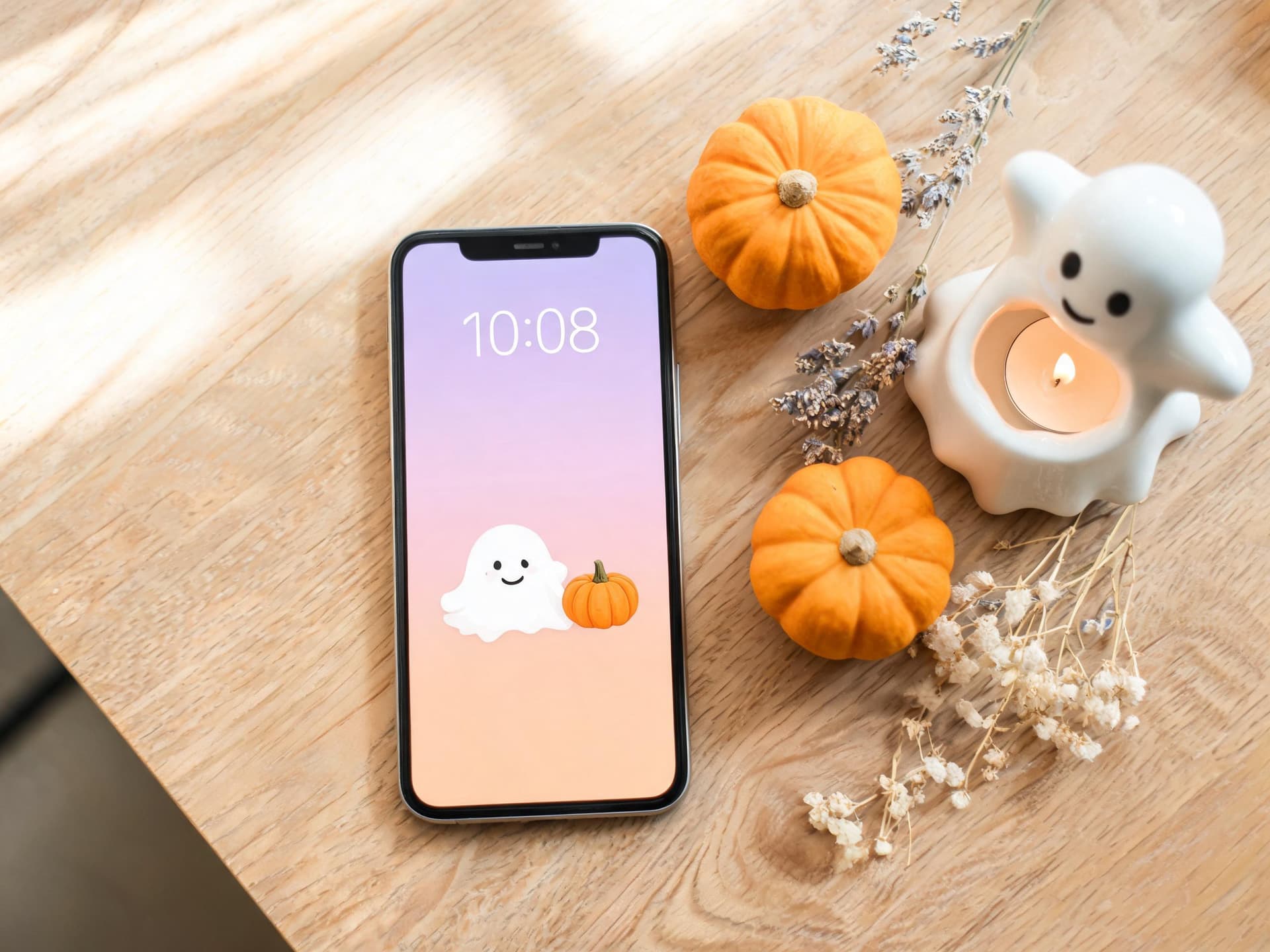
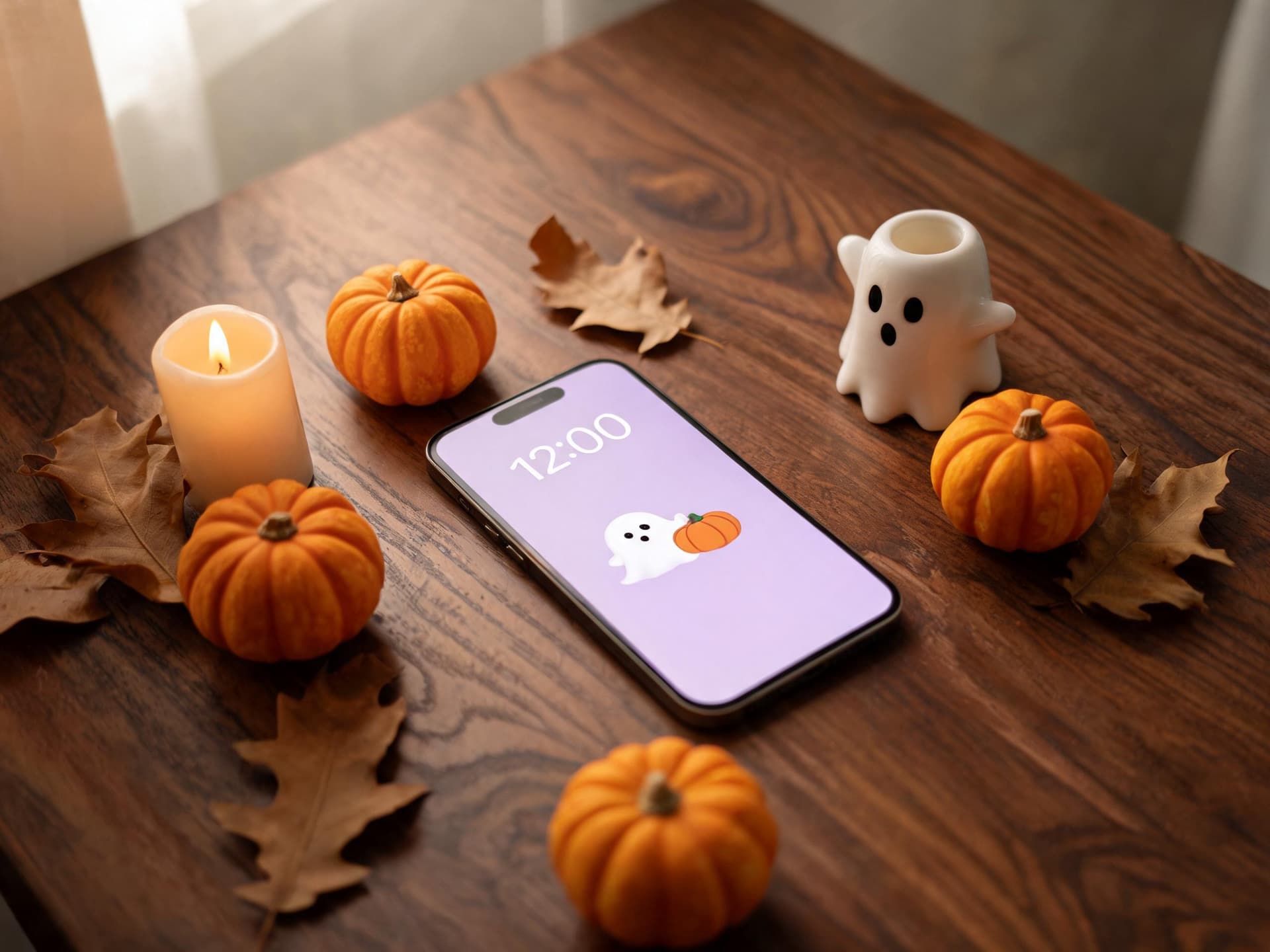
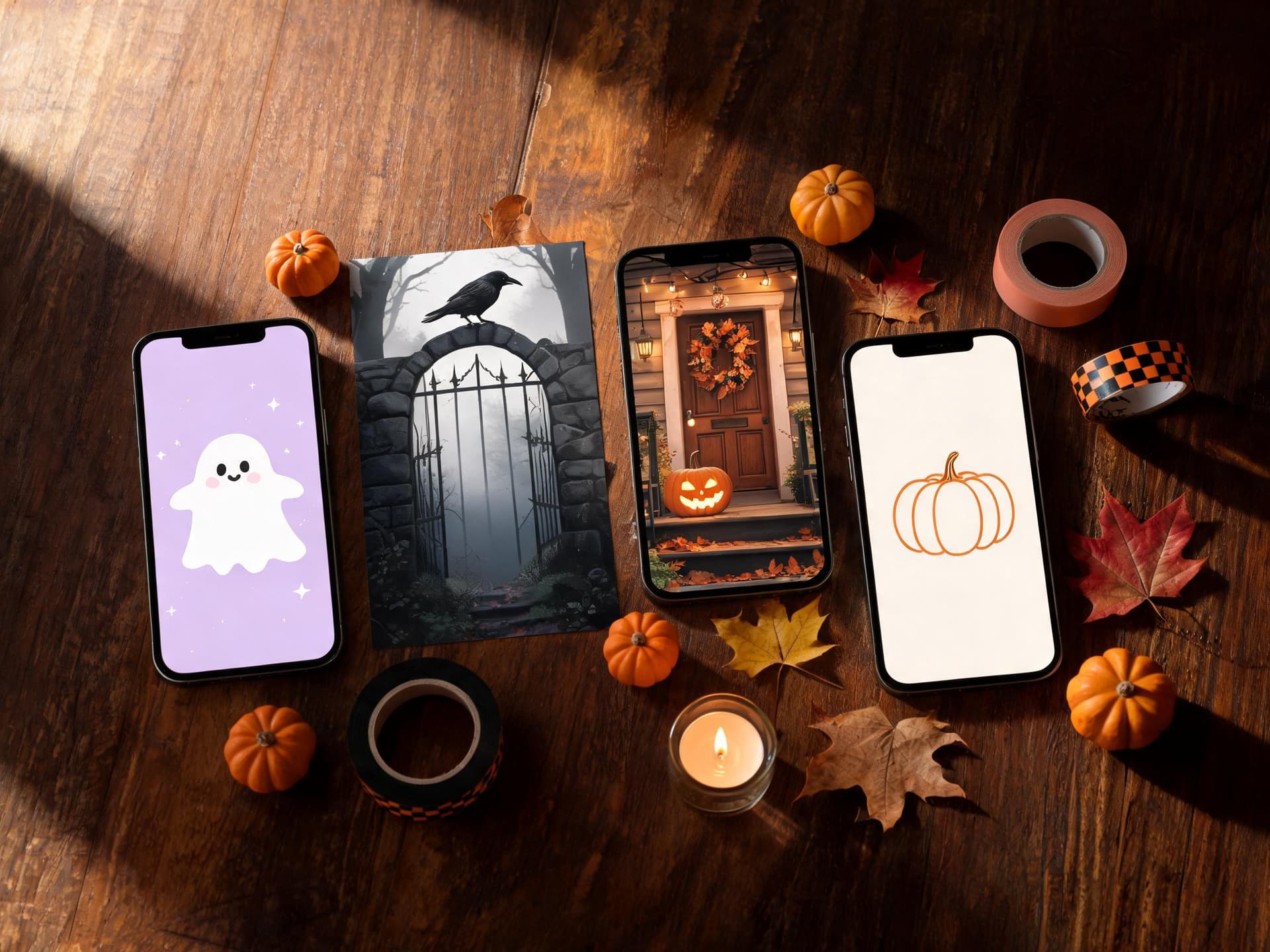
The pastel wallpaper above comes straight from Prompt 1: a ghost-shaped candle holder, mini pumpkins and a soft lavender background leaving room for the clock. Candy-colored pastel palettes also look great paired with the cozy photo style in our Pinterest scrapbook aesthetic prompts if you plan to collage your wallpapers into one moodboard.
2) Dark Gothic Halloween Aesthetic Wallpaper Prompts
At the other end of the taste range are the dark wallpapers: black, deep plum, tarnished gold and bone white. Dark wallpapers are also friendly to OLED screens, since true black pixels are simply off, and they make white clock text pop. The main risk is mud, where everything blends into one dark smear, so each prompt below names a single light source that gives the scene shape.
Prompt 5: Gothic cathedral window at night
Tall stained-glass shapes in silhouette with moonlight, leaving the top third as dark sky.
Gothic Halloween aesthetic wallpaper, a tall pointed cathedral window silhouette with intricate stone tracery seen from inside a dark hall, a single cold blue moonbeam falling across a worn stone floor, deep black and plum palette with tarnished gold accents, fine dust particles in the light, cinematic moody photography, smooth dark sky in the upper area. Vertical 9:16 phone wallpaper (generate at 1179x2556 or larger), the top third of the frame is calm and empty for the lock screen clock, the main subject sits in the lower middle of the frame, no text, no letters, no watermark, no logo, no blurry or distorted details.
Prompt 6: Raven on a wrought-iron gate
A depth-effect friendly design where the gate posts rise into the clock zone.
Dark gothic wallpaper, a black raven perched on the top of a rusted wrought-iron cemetery gate with tall spear-tipped posts that rise toward the clock area, heavy fog around the base, a pale full moon behind thin clouds, charcoal, silver and deep teal palette, crisp fine feather detail, smooth moonlit sky behind the posts. Depth-effect friendly: tall silhouette with clean edges against a plain sky. Vertical 9:16 phone wallpaper (generate at 1179x2556 or larger), the top third of the frame is calm and empty for the lock screen clock, the main subject sits in the lower middle of the frame, no text, no letters, no watermark, no logo, no blurry or distorted details.
Prompt 7: Candlelit spellbook still life
A moody still life that works as a lock screen because the pile of objects sits low in the frame.
Moody dark academia Halloween still life wallpaper, a single lit taper candle in a brass holder beside a closed leather spellbook, dried lavender, a small amber glass bottle and a scattering of dried rose petals on a dark wooden table, warm candle flame as the only light source, rich blacks with visible texture, shallow depth of field, objects clustered in the lower half. Vertical 9:16 phone wallpaper (generate at 1179x2556 or larger), the top third of the frame is calm and empty for the lock screen clock, the main subject sits in the lower middle of the frame, no text, no letters, no watermark, no logo, no blurry or distorted details.
Prompt 8: Black rose and moth
A minimal gothic design for people who like the aesthetic but not the clutter.
Minimal gothic wallpaper, a single black rose with velvet petals and a pale grey moth resting on it, placed in the lower middle on a deep matte black background, one soft rim light from the upper left, subtle smoke wisps, extremely clean and uncluttered, true black negative space for OLED screens. Vertical 9:16 phone wallpaper (generate at 1179x2556 or larger), the top third of the frame is calm and empty for the lock screen clock, the main subject sits in the lower middle of the frame, no text, no letters, no watermark, no logo, no blurry or distorted details.
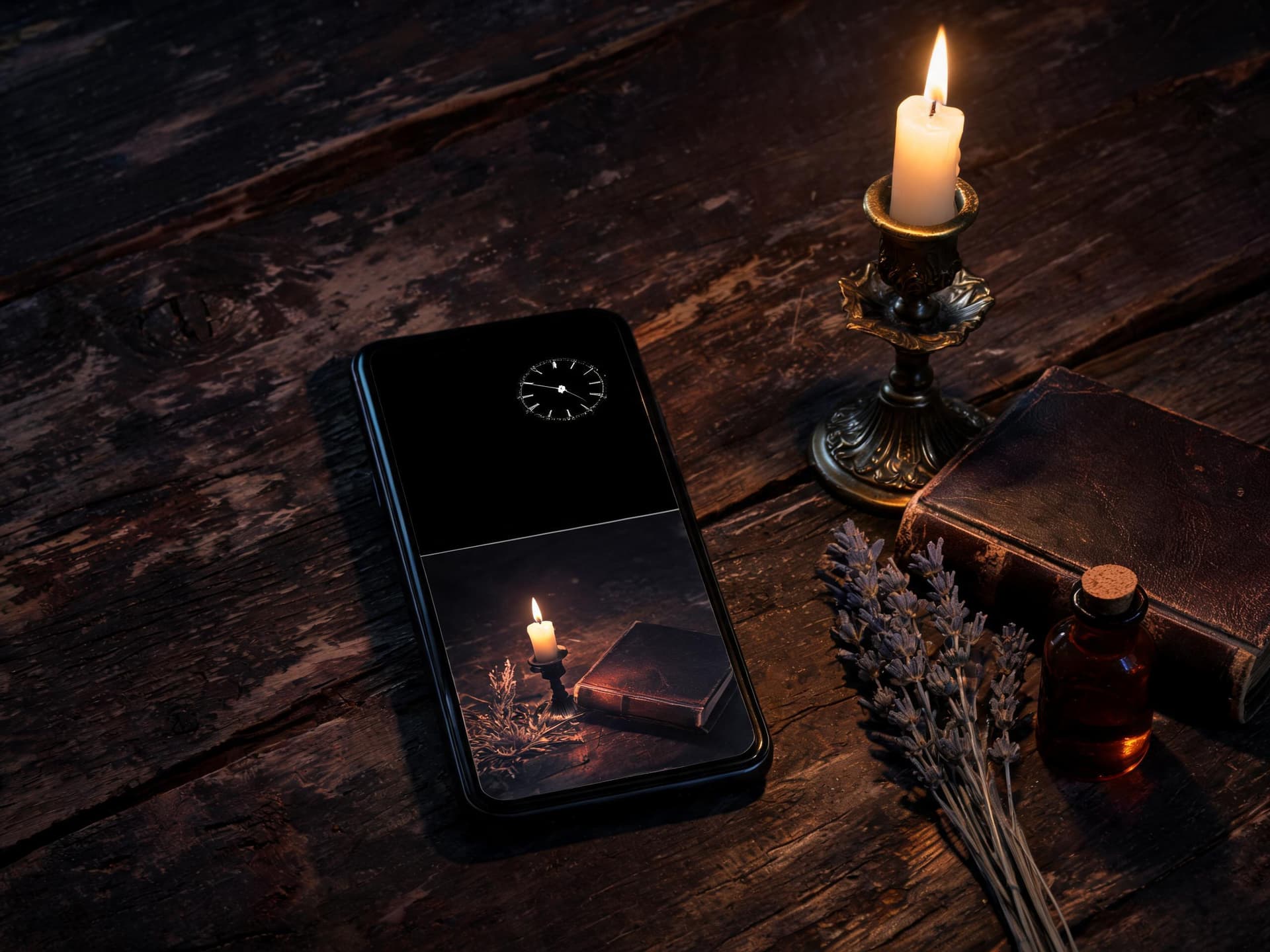
The photo above shows the Prompt 7 composition on a real device: one candle, a closed spellbook and a few dried flowers in the lower half, with the dark upper half left empty for the time and date. The same dark mood carries over beautifully into short videos, which you can explore in our AI Halloween video prompts for Shorts and TikTok.
3) Cozy Fall-to-Halloween Wallpaper Prompts
Not everyone wants full spooky. A large group of people want a wallpaper that works from late September through November, with warm lamps, leaves and a few Halloween hints. This is the safest category to publish, since the wallpaper stays useful for weeks instead of days.
Prompt 9: Porch with pumpkins and lantern light
A cozy front porch at dusk, with the sky as the quiet top zone.
Cozy fall to Halloween front porch at dusk, a wooden porch with three carved jack-o-lanterns glowing softly, a hanging glass lantern, a wool blanket on a rocking chair, scattered orange and amber leaves, warm lantern light against a deep indigo twilight sky, porch scene in the lower two thirds, gentle bokeh, inviting and calm. Vertical 9:16 phone wallpaper (generate at 1179x2556 or larger), the top third of the frame is calm and empty for the lock screen clock, the main subject sits in the lower middle of the frame, no text, no letters, no watermark, no logo, no blurry or distorted details.
Prompt 10: Reading nook with a ghost mug
An indoor scene with warm window light and a subtle Halloween accent.
Cozy autumn reading nook with a Halloween accent, a chunky knit blanket on an armchair by a rain-streaked window, a ceramic ghost-shaped mug with steam, a stack of old books and a small pumpkin on the sill, warm lamp glow and soft grey daylight, muted terracotta, cream and forest green palette, soft film look, subject grouped in the lower middle. Vertical 9:16 phone wallpaper (generate at 1179x2556 or larger), the top third of the frame is calm and empty for the lock screen clock, the main subject sits in the lower middle of the frame, no text, no letters, no watermark, no logo, no blurry or distorted details.
Prompt 11: Falling leaves on a misty path
A gentle path through trees that fades into fog at the top.
Misty autumn path winding through a quiet forest of golden and rust-colored trees, leaves drifting through the air, a small carved pumpkin with a candle glowing at the side of the path in the lower middle, soft volumetric fog that fades the upper third into pale peach light, painterly yet realistic, serene and slightly eerie. Vertical 9:16 phone wallpaper (generate at 1179x2556 or larger), the top third of the frame is calm and empty for the lock screen clock, the main subject sits in the lower middle of the frame, no text, no letters, no watermark, no logo, no blurry or distorted details.
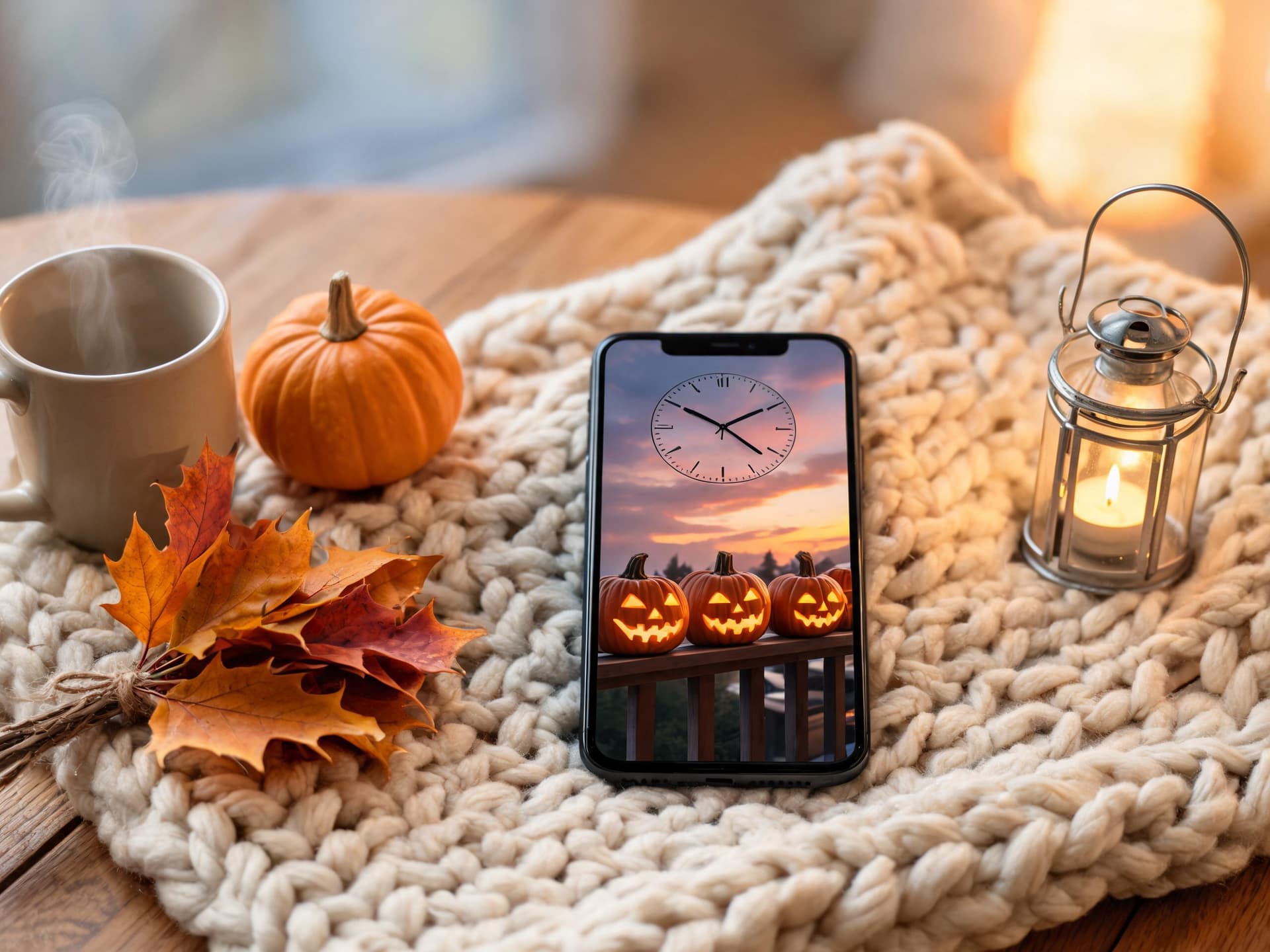
For more cozy autumn visuals beyond wallpapers, such as sweater weather flat lays and coffee shop scenes, see the full 25 AI fall aesthetic photo prompts, and the tiny-set look from our miniature diorama prompts also adapts nicely to a small porch scene.
4) Minimalist Halloween Wallpaper Prompts
A minimalist wallpaper is the best choice if you use widgets, many app icons, or a large clock style. These designs use one object and huge amounts of empty space, so nothing fights the interface.
Prompt 12: Single pumpkin on a pastel horizon
One pumpkin, one horizon line and a lot of sky.
Minimalist Halloween wallpaper, a single smooth orange pumpkin sitting on a thin horizon line, pastel dusty-rose sky gradient above, a pale crescent moon, absolutely nothing else in the frame, flat soft shading with a subtle grain, large areas of empty color. Vertical 9:16 phone wallpaper (generate at 1179x2556 or larger), the top third of the frame is calm and empty for the lock screen clock, the main subject sits in the lower middle of the frame, no text, no letters, no watermark, no logo, no blurry or distorted details.
Prompt 13: Crescent moon and bare branch
A two-color design that suits a dark mode phone.
Minimalist night wallpaper, a thin crescent moon and one bare twisting branch with a single perched crow, in the lower middle, deep navy to black gradient, tiny faint stars, only two colors plus the moon's pale cream, flat vector style with fine paper grain, very large empty space. Vertical 9:16 phone wallpaper (generate at 1179x2556 or larger), the top third of the frame is calm and empty for the lock screen clock, the main subject sits in the lower middle of the frame, no text, no letters, no watermark, no logo, no blurry or distorted details.
Prompt 14: Paper-cut ghost on a colored background
A flat paper craft look with a subtle shadow, which scales cleanly to any screen.
Paper-cut craft Halloween wallpaper, a layered white paper ghost with a subtle drop shadow sitting on a flat mustard yellow paper background, tiny layered paper pumpkin and bat nearby, visible paper fiber and soft shadows between layers, clean modern flat design, shot straight from above with soft even light. Vertical 9:16 phone wallpaper (generate at 1179x2556 or larger), the top third of the frame is calm and empty for the lock screen clock, the main subject sits in the lower middle of the frame, no text, no letters, no watermark, no logo, no blurry or distorted details.
5) Retro and Vintage Halloween Wallpaper Prompts
Retro Halloween has a distinct look that people search for specifically: mid-century paper decorations, old cardboard die-cut skeletons, faded postcards and grainy film. The grain and slightly off colors are a feature here, and they help hide generator artifacts.
Prompt 15: Vintage die-cut cardboard decorations
Old-fashioned cut-out decorations arranged near the bottom of the frame.
Vintage mid-century Halloween wallpaper, old cardboard die-cut decorations of a smiling skeleton, a black cat and a pumpkin laid out on a faded cream paper background, slightly yellowed edges, soft creases and print halftone dots, muted orange, black and teal palette, soft window light, decorations arranged in the lower half. Vertical 9:16 phone wallpaper (generate at 1179x2556 or larger), the top third of the frame is calm and empty for the lock screen clock, the main subject sits in the lower middle of the frame, no text, no letters, no watermark, no logo, no blurry or distorted details.
Prompt 16: 1970s Halloween postcard
A faded postcard look with a pumpkin patch and soft warm colors.
1970s Halloween postcard scene, a hand-printed look pumpkin patch at sunset with a leaning scarecrow and a distant barn, warm faded oranges and browns, visible film grain and slight color shift, soft vignette, a plain faded sky filling the upper third, nostalgic and gentle rather than scary. Vertical 9:16 phone wallpaper (generate at 1179x2556 or larger), the top third of the frame is calm and empty for the lock screen clock, the main subject sits in the lower middle of the frame, no text, no letters, no watermark, no logo, no blurry or distorted details.
Prompt 17: Retro VHS horror night
A neon-tinted, scanline-style design for people who want a more nostalgic horror feeling.
Retro VHS horror night wallpaper, a lone suburban house with one glowing window under a purple and magenta night sky, subtle scanlines, chromatic aberration and tape noise, neon orange pumpkin glow on the lawn, 1980s home video look, dark smooth sky in the upper third, house and lawn in the lower middle. Vertical 9:16 phone wallpaper (generate at 1179x2556 or larger), the top third of the frame is calm and empty for the lock screen clock, the main subject sits in the lower middle of the frame, no text, no letters, no watermark, no logo, no blurry or distorted details.
Grain-heavy looks are covered in much more depth in our imperfect film grain prompts and the Y2K camcorder and VHS prompts, both of which pair well with this category.
6) Haunted Landscape Wallpaper Prompts
Landscape scenes are the easiest to compose for a phone, since sky naturally fills the top and ground fills the bottom. They also give you a big, dramatic image that still leaves space for the clock.
Prompt 18: Haunted house on a foggy hill
A classic silhouette on a hill, with a path leading toward the bottom of the screen.
Haunted house on a foggy hill, a tall Victorian mansion silhouette with a few warm lit windows, a winding path leading from the bottom of the frame up to the front door, bare twisted trees, low rolling fog, large full moon hidden behind soft clouds, teal, charcoal and amber palette, cinematic matte painting, empty cloudy sky across the top third. Vertical 9:16 phone wallpaper (generate at 1179x2556 or larger), the top third of the frame is calm and empty for the lock screen clock, the main subject sits in the lower middle of the frame, no text, no letters, no watermark, no logo, no blurry or distorted details.
Prompt 19: Moonlit cornfield and scarecrow
A tall scarecrow that rises into the lower part of the clock area for depth effect.
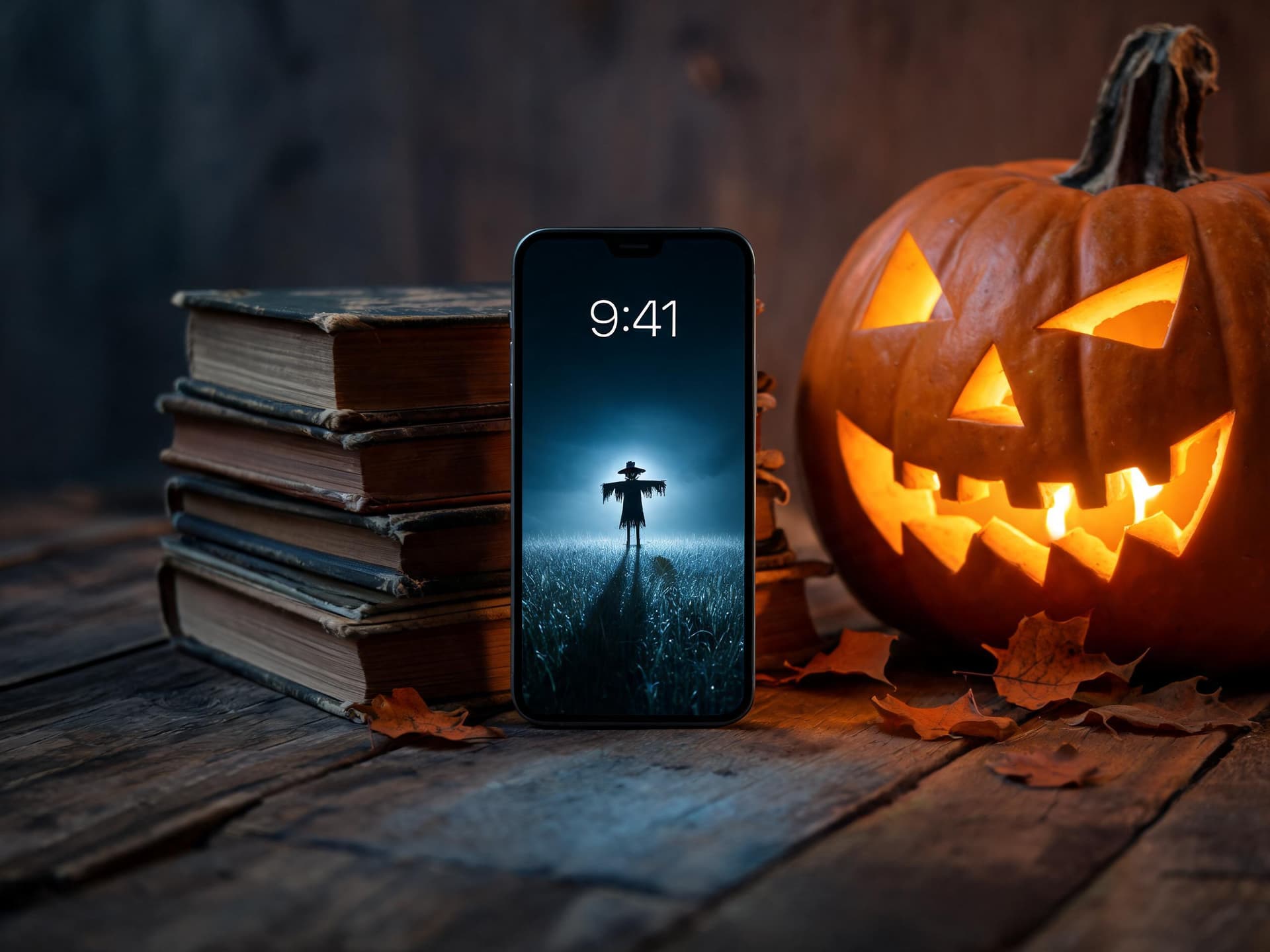
Moonlit cornfield with a tall scarecrow in a tattered coat standing in the lower middle, its hat reaching up into the lower part of the clock area, rows of golden corn fading into mist, a huge pale moon behind thin cloud, deep blue night with warm orange highlights, plain smooth night sky around the scarecrow's silhouette. Depth-effect friendly. Vertical 9:16 phone wallpaper (generate at 1179x2556 or larger), the top third of the frame is calm and empty for the lock screen clock, the main subject sits in the lower middle of the frame, no text, no letters, no watermark, no logo, no blurry or distorted details.
Prompt 20: Spooky forest with glowing lanterns
A dense forest with warm lanterns for a magical, not scary, mood.
Magical spooky forest at night, tall dark trees with dozens of small warm glowing paper lanterns hanging at different heights near the bottom half, drifting fireflies, soft blue fog on the ground, a faint winding path, enchanting and storybook-like rather than frightening, dark gradient sky above with no detail. Vertical 9:16 phone wallpaper (generate at 1179x2556 or larger), the top third of the frame is calm and empty for the lock screen clock, the main subject sits in the lower middle of the frame, no text, no letters, no watermark, no logo, no blurry or distorted details.
If you like the eerie, empty feeling of these landscapes, our liminal space AI photo prompts offer a related mood with a more modern, uncanny setting.
7) Desktop and Laptop Halloween Backgrounds (16:9)
Desktop wallpapers have the opposite problem from phone wallpapers. The screen is wide, the icons sit mostly on the left, and the taskbar or dock covers the bottom edge. Prompt for a wide 16:9 frame, keep the subject offset to the right or center, and leave the left edge calm.
Prompt 21: Wide haunted village at dusk
A panoramic village scene where the left third is calm sky and fog.
Wide panoramic haunted village at dusk, crooked timber houses with glowing orange windows clustered on the right two thirds, a church spire, pumpkins lining a cobblestone street, bats crossing a purple and orange sky, drifting fog filling the left third as calm soft space, painterly cinematic style, rich yet balanced colors. Wide 16:9 desktop wallpaper (3840x2160), the left third and bottom edge are calm and low detail so icons and the taskbar do not collide with the art, no text, no letters, no watermark, no logo, no blurry or distorted details.
Prompt 22: Cozy witch desk setup
A cozy workspace-style desktop background with a lot of soft space.
Cozy witch's desk wallpaper, a wooden desk seen from the side with a green banker lamp, an open notebook, small potion bottles, a tiny pumpkin and a sleeping black cat, warm lamp light and a dark window with a crescent moon behind, objects placed in the center and right, soft blurred bookshelf in the background, calm, lots of empty dark wall space on the left. Wide 16:9 desktop wallpaper (3840x2160), the left third and bottom edge are calm and low detail so icons and the taskbar do not collide with the art, no text, no letters, no watermark, no logo, no blurry or distorted details.
Prompt 23: Dark gothic library with floating candles
A grand room with a large, quiet area for desktop icons.
Grand gothic library at night with towering bookshelves, a high vaulted ceiling and dozens of floating lit candles in the center and right, a long carpet leading to a tall arched window with moonlight, deep burgundy, gold and black palette, soft volumetric light, a quiet dark wall area on the left for desktop icons. Wide 16:9 desktop wallpaper (3840x2160), the left third and bottom edge are calm and low detail so icons and the taskbar do not collide with the art, no text, no letters, no watermark, no logo, no blurry or distorted details.
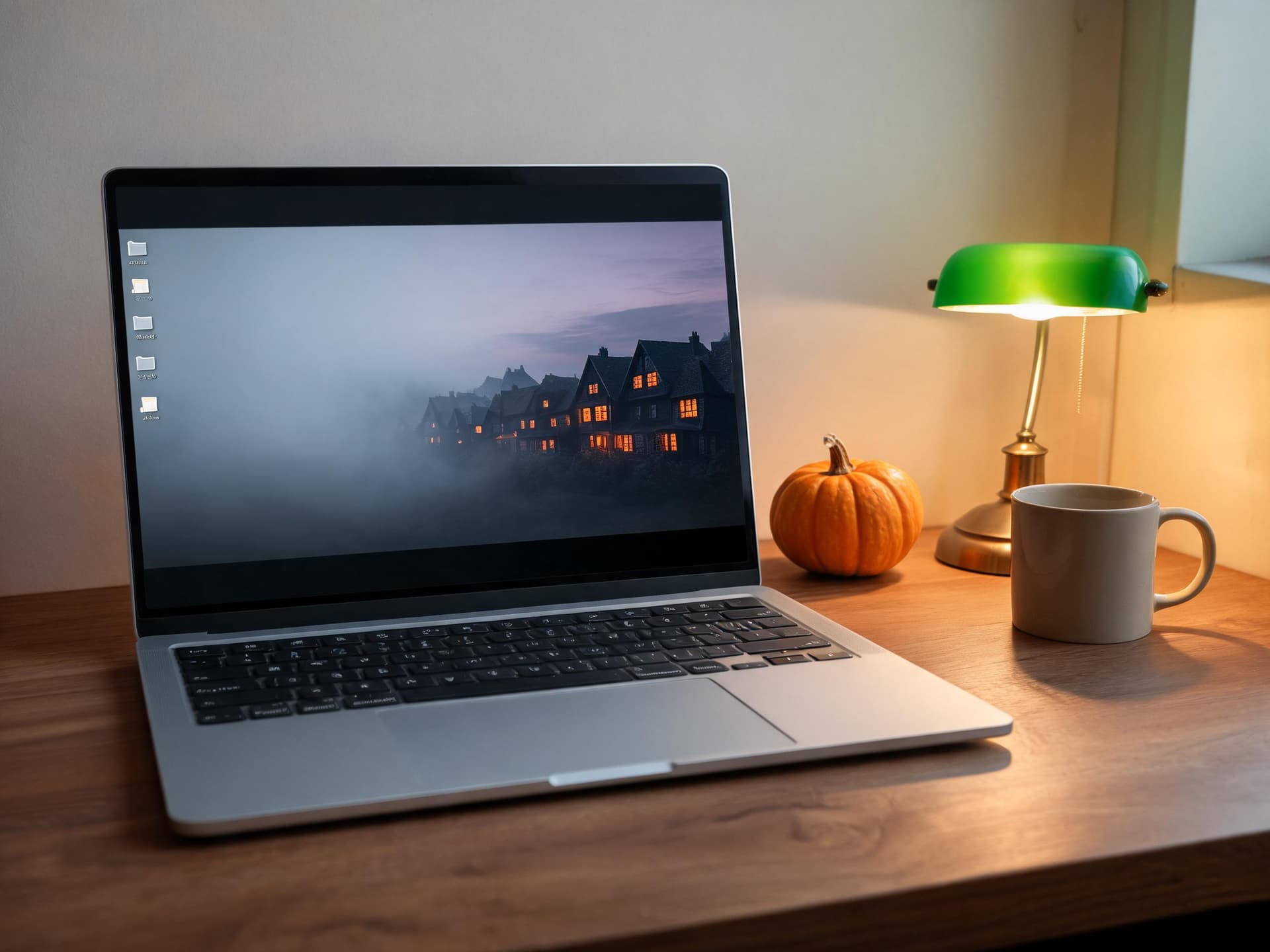
The laptop above displays the Prompt 21 look: the village on the right, soft fog on the left where icons will live, and the bottom edge kept dark so a taskbar blends in. Standard desktop sizes are 1920 x 1080 for full HD, 2560 x 1440 for QHD and 3840 x 2160 for 4K, all of which are 16:9.
How to Turn Your Wallpapers Into TikTok Slideshows and Pinterest Pins
A wallpaper set is one of the easiest pieces of content to repurpose, because the work of making the images is already done.
TikTok and Shorts slideshows
A photo-mode slideshow of five to eight wallpapers works because people swipe through and pick a favorite. Start with your most striking wallpaper as the first slide, add one short line such as "Halloween wallpapers for your lock screen" in the caption, and put the category in the text overlay so viewers know what is coming. Using vertical 9:16 images means the wallpapers fill the screen with no resizing. For the cover frame, our TikTok cover image strategy guide explains how to make the profile grid look intentional, and the TikTok best practices guide covers captions and posting rhythm.
If you want movement, you can use Miraflow's Text2Shorts to turn a topic such as "five Halloween wallpaper styles for your phone" into a short video with script, visuals and voice, and then drop your own wallpapers in as the key frames. Background music helps slideshows feel finished, and our guide to creating background music for TikTok with AI shows a quick way to get a track that fits.
Pinterest pins
Pinterest is where wallpaper searches live all year, and October is when seasonal pins start building. Use the 9:16 or 2:3 vertical format, write a clear title like "Cute Halloween wallpaper for iPhone" in the pin text, and keep one board per style, such as "Dark Halloween aesthetic wallpapers" and "Cozy fall wallpapers". Our guide to AI prompts for Pinterest pins that drive saves goes deeper on pin design, and the TikTok video backgrounds pack is useful if you also want backgrounds for your own videos.
Animated live wallpapers
A still wallpaper can become a short loop: drifting fog, a flickering candle, falling leaves. You can create these with Miraflow's cinematic AI video generator by describing the same scene plus a gentle motion, and the idea is similar to what we describe in our AI Alive living photo prompts guide. Keep any motion subtle and loopable, since a busy animated wallpaper is distracting every time you unlock the phone.
How to Customize These Prompts
- Swap the palette. Replace the colors in any prompt, for example "sage green and cream" instead of "orange and black", to get a calmer or more unusual look.
- Swap the focal object. Every prompt works with another subject: a ghost, a pumpkin, a cat, a candle, a lantern or a tree. Keep the position words (lower middle, top third empty) the same.
- Match the lighting to the device. A dark wallpaper with a single warm light source looks excellent on OLED phones, while a bright pastel wallpaper suits light-mode setups.
- Adjust for widgets. If you use a lot of lock-screen widgets, add "very calm, low contrast area in the middle of the frame" so nothing fights the widgets.
- Make a matched set. Reuse the same style phrase (for example "soft clay 3D, pastel lavender palette") across several prompts, then change only the subject. This is how you get a collection that feels designed.
- Create the phone and desktop pair. Generate the same scene in 9:16 and 16:9 so your devices match. Use the same style sentence and change only the composition sentence.
Common Mistakes With AI Halloween Wallpapers
- Putting the subject in the center. The clock and notifications cover the middle of the screen, so the best part of the image disappears. Move it low.
- Asking for text. Words such as "Happy Halloween" usually come out misspelled. Add the text later in a design app if you really want it.
- Using too many colors. A wallpaper with five accent colors looks noisy behind app icons. Stick to two accents and one neutral.
- Forgetting the crop. Modern iPhones are taller than 9:16, so details at the extreme edges get cut off. Keep key elements away from the edges.
- Over-darkening. A wallpaper that is nearly black everywhere makes the home screen icons hard to see in some lighting. Keep a little mid-tone detail.
- Ignoring notifications. A bright, busy area at the bottom of the clock zone fights with notification text. Prompt for soft or dark space there.
- Posting low-resolution files. If you share wallpapers as downloads, upscale first so they look sharp on a 460 ppi screen.
- Mixing styles in one set. Combining a pastel kawaii ghost with a gritty horror cemetery in the same slideshow confuses the audience. Group by style.
Generate Your Halloween Wallpaper Set With Miraflow
The fastest workflow is to open the Miraflow AI image generator, paste one of the prompts above, and generate a few variations until the composition works. If you already have a photo of your own porch or desk, you can use image-to-image or inpainting to add pumpkins and candles to it instead of starting from scratch.
If you plan to share your wallpapers, you can also use the YouTube Thumbnail Maker to make a clean preview image or a cover for a "Halloween wallpaper pack" video, since it handles wide 16:9 text layouts well. The Miraflow text-to-image tool is also handy for batches, and Text2Shorts can turn the set into a vertical video. For a moving version of a favorite scene, try the cinematic video creator.
Frequently Asked Questions
What size should an AI Halloween wallpaper be for iPhone?
Generate a vertical 9:16 image and upscale it if possible. The iPhone 16 screen is 1179 x 2556 and the iPhone 17 is 1206 x 2622, so a tall image around 1290 x 2796 or larger covers current models with room to crop.
How do I keep the clock from covering my wallpaper?
Prompt for an empty or very calm top third and place your subject in the lower middle. For depth effect, use a tall subject whose top edge reaches the lower part of the clock area, and test it on your phone, since the exact tolerance is not documented by Apple.
Can I use AI-generated wallpapers on Android?
Yes. Any image works as a wallpaper on Android, and the same composition rules apply. Many Android phones have a punch-hole camera and a large clock at the top, so avoid bright details at the top center.
What are the best cute Halloween wallpaper prompt styles?
Soft pastel colors, rounded shapes, friendly ghosts, mini pumpkins and a limited palette work best. Words like "kawaii", "soft clay 3D" and "pastel lavender gradient" push the model toward that look.
How do I make a dark Halloween aesthetic wallpaper that is not muddy?
Name one light source, such as a single candle or a moon behind clouds, and ask for deep blacks with a little tonal detail. That gives the scene shape instead of a flat dark smear.
Is it okay to sell or share AI wallpapers?
Rules depend on the tool and the platform where you share, so check the terms of the generator you use before selling anything. For free sharing on Pinterest or TikTok, label your posts honestly and avoid imitating a specific artist or copyrighted character.
How many wallpapers should I put in a slideshow?
Five to eight is a comfortable range for a photo slideshow. Lead with your strongest image and group the rest by style so the sequence feels deliberate.
Can I make an animated Halloween wallpaper?
You can make a short looping clip with an AI video tool, but whether it can run as a wallpaper depends on your phone and operating system version. Android supports live wallpaper apps, while iPhone options are more limited, so check what your device allows before you design the loop, and remember that the same clip also works well as a Reel or Short.
Can I use a photo of my own home in these wallpapers?
Yes, with image-to-image editing you can start from your own photo and add Halloween details, which keeps the result personal. Just make sure the sky or top area stays clear for the clock.
Conclusion
A good Halloween wallpaper is mostly a layout problem: a quiet top third for the clock, a clear subject in the lower middle, and a single mood carried by a limited palette. With the 23 prompts above you can cover every taste from kawaii pastel ghosts to dark gothic aesthetics, cozy fall porches, minimalist pumpkins, retro postcards, haunted landscapes and 16:9 desktop backgrounds.
Pick three styles, generate a handful of variations of each, and keep the ones that look right with your real clock and widgets on top. Then use them twice: once on your own phone, and again as a TikTok slideshow or a Pinterest board. Everything in this guide can be created in the browser with the Miraflow AI image generator, so you can have a full October wallpaper collection ready today.