AI Prompts for YouTube Channel Banner Art: 20 Templates to Brand Your Channel Instantly

Written by
Jay Kim
20 copy-paste AI prompts for YouTube channel banner art. Built around safe zone dimensions, optimized for every device, and ready to generate instantly.
Your YouTube channel banner is the first thing people see when they visit your channel page. Not your latest video. Not your subscriber count. The banner.
And most creators treat it like an afterthought. They slap together something generic when they first create their channel and never touch it again. Or worse, they leave the default blank space because designing a banner felt too complicated or too expensive to bother with.
The problem is that your channel banner is doing real work whether you realize it or not. When a viewer lands on your channel page after watching one of your Shorts or clicking through from a suggested video, the banner is what tells them whether this channel is worth subscribing to. It communicates your niche, your production quality, your personality, and your professionalism in a single glance. A weak banner creates doubt. A strong one builds trust before the viewer watches a second video.
This post gives you 20 copy-paste AI prompts designed specifically for YouTube channel banners. Each prompt is built around visual styles that work well across the different screen sizes YouTube uses to display banners, from TV screens down to mobile phones. Whether you run a tech channel, a cooking channel, a gaming channel, or a faceless AI content brand, there is a template here that fits.
If you have already worked with AI prompts for YouTube thumbnails or blog featured images, the workflow here is the same. Start with a well-structured prompt, generate the visual, and customize from there. The difference is that banners have their own set of dimension rules and safe zones that make them tricky to get right, and every prompt below is designed with those constraints already baked in.
Why Your YouTube Channel Banner Matters More Than You Think
Most YouTube growth advice focuses on thumbnails, titles, hooks, and watch time. Those things matter enormously, and they are the primary levers that drive impressions and clicks in the feed. But channel banners serve a different purpose that is just as critical for long-term growth: they convert casual viewers into subscribers.
Here is the scenario that plays out millions of times per day on YouTube. Someone watches one of your videos, enjoys it, and clicks through to your channel page to see what else you have. The first thing that fills their screen is your banner. In that moment, they are making a snap judgment about whether your channel is something they want to come back to regularly.
YouTube itself treats the channel page as a key part of the creator ecosystem. The platform shows your banner across desktop, mobile, tablet, and TV screens, and it adjusts the visible area depending on the device. Channels that look polished and intentional on the channel page tend to convert more of those "just browsing" visitors into actual subscribers.
The banner also sets expectations about your content. A gaming channel with a cinematic sci-fi banner tells visitors exactly what kind of content they will find. A cooking channel with warm, appetizing food photography in the banner signals comfort and quality. When the banner matches the content, viewers feel like they have found the right place, and that alignment reduces the friction between "visiting" and "subscribing."
If you have been focused on optimizing your thumbnails and titles (and you should be, since thumbnail strategy directly impacts CTR), think of the banner as the next layer of that same optimization. Thumbnails get people to click on individual videos. Banners get people to commit to your channel.
YouTube Channel Banner Specs You Need to Know
YouTube channel banners are one of the most frustrating design elements on the platform because the same image displays at completely different crops depending on the device. If you do not design with the safe zones in mind, your banner will look great on desktop and terrible on mobile, or vice versa.
Here are the specs that matter:
Recommended upload size: 2560 x 1440 pixels. This is the full canvas that YouTube accepts, and it covers every possible display scenario including TV screens.
Desktop visible area: 2560 x 423 pixels. This is the horizontal strip that desktop users actually see when they visit your channel page. Everything outside this strip is cropped away on desktop.
Mobile visible area: 1546 x 423 pixels. This is the center portion of the banner that remains visible on mobile devices. Anything outside this center strip gets cut off on phones and tablets.
TV display area: The full 2560 x 1440 pixels. Smart TVs and YouTube on TV apps display the entire image, so the outer areas are not wasted if your audience watches on larger screens.
Safe area for text and key elements: 1546 x 423 pixels, centered within the full canvas. This is the zone where all important visual elements, text, logos, and focal points should live. Anything outside this safe area will be cropped on at least one device type.
Maximum file size: 6MB
Accepted formats: JPG, PNG, BMP, GIF (non-animated)
The critical takeaway is that your banner design needs to concentrate all important visual information in the center 1546 x 423 pixel strip. The prompts below are all designed with this constraint in mind, placing the key visual elements centrally so they remain visible across every device.
For generating banners, you can use the Miraflow AI Image Generator and select a wide aspect ratio. Since the full banner canvas is essentially a 16:9 ratio (2560 x 1440), generating at 16:9 gives you the correct proportions, and you can then ensure your focal elements sit within the center safe zone.
What Makes a High-Converting YouTube Channel Banner
Before diving into the prompts, it helps to understand the visual principles that separate banners that impress from banners that get ignored. Many of these principles overlap with what makes a great YouTube thumbnail, but the banner context changes how they apply.
Clarity at a glance. Visitors should understand what your channel is about within one to two seconds of seeing your banner. This means the visual subject needs to be immediately recognizable. A tech channel should look like a tech channel. A fitness channel should feel energetic and physical. Ambiguous abstract art might look cool, but it does not help a new visitor understand what they are subscribing to.
Center-weighted composition. Because mobile devices crop the left and right edges of the banner, placing your main visual element dead center is the safest approach. Any key details near the outer edges will be invisible to the majority of your audience who visits on mobile.
Limited text, if any. YouTube overlays your channel name, avatar, and navigation tabs on top of the banner. Adding too much text to the banner itself creates visual clutter and competes with those overlays. If you include text, keep it to a short tagline (three to five words maximum) positioned in the center safe area with enough contrast to remain readable over the background.
Color consistency with your thumbnails. Your banner and your thumbnails should feel like they belong to the same visual world. If your thumbnails use bold oranges and dark backgrounds, your banner should incorporate similar tones. This creates a cohesive channel identity that makes the entire page feel intentional and professional. The guide to building a consistent thumbnail style with AI covers this principle in depth and applies directly to banner design.
Avoid visual clutter in the lower-right corner. YouTube places your social links and channel elements in the lower-right area of the banner on desktop. Keeping that region relatively clean prevents your design from conflicting with the platform's own UI elements.
20 AI Prompt Templates for YouTube Channel Banners
Each prompt below includes a description of the visual style, the ready-to-copy prompt, and guidance on which channel types it works best for. All prompts are designed with the center safe area in mind, concentrating key visual elements in the middle of the composition.
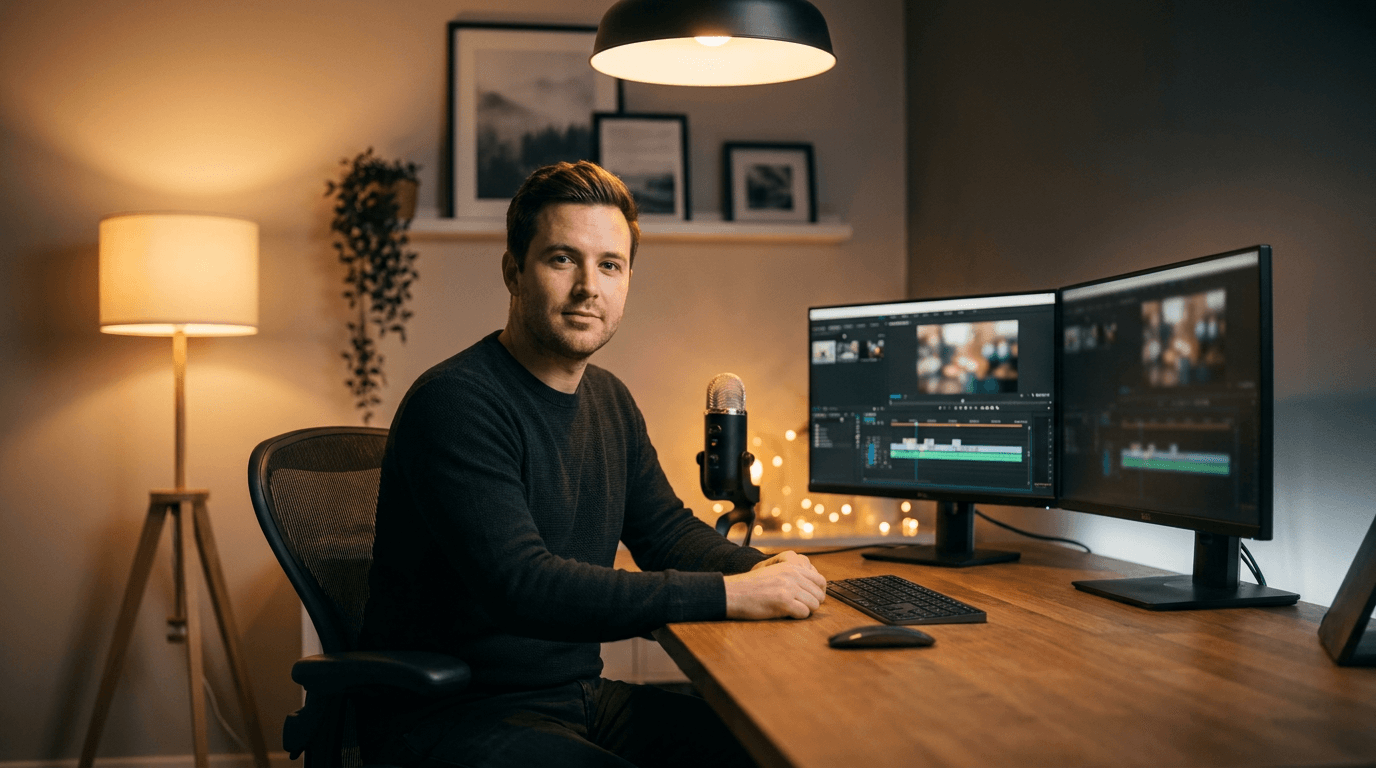
Template 1: Clean Creator Close-Up (Education / Tutorial Channels)
A warm, professional look that puts the creator (or a representative character) front and center. This style works well for channels where personality and trust are core to the brand.
Prompt:
wide cinematic banner composition, a professional content creator sitting at a modern desk with a high-quality microphone and dual monitors visible, soft warm studio lighting from above and the left side, shallow depth of field blurring the background into a warm bokeh, clean minimalist office environment with subtle tech accessories, the subject is centered in the frame occupying the middle third of the image, warm amber and cool gray color palette, editorial portrait photography style, 16:9 aspect ratio, bright and inviting mood, no text
Best for: Education channels, tutorial creators, tech reviewers, productivity channels, coaching brands
Template 2: Neon-Lit Gaming Arena
A high-energy, immersive look that immediately signals gaming content. Bold colors and dramatic lighting create an atmosphere that resonates with gaming audiences.
Prompt:
ultra-wide panoramic view of a futuristic gaming setup in a dark room, three curved ultrawide monitors displaying abstract colorful game environments, RGB lighting strips casting neon purple and electric blue ambient glow across the entire scene, mechanical keyboard and gaming mouse on a sleek carbon fiber desk, subtle smoke or haze catching the neon light, the setup is centered with symmetrical composition, cyberpunk-inspired aesthetic, 16:9 aspect ratio, dramatic and immersive mood, no text
Best for: Gaming channels, esports content, game review channels, streaming highlight channels
If you create gaming content and want matching thumbnails for your uploads, the gaming thumbnail prompts section covers styles specifically designed for that niche.
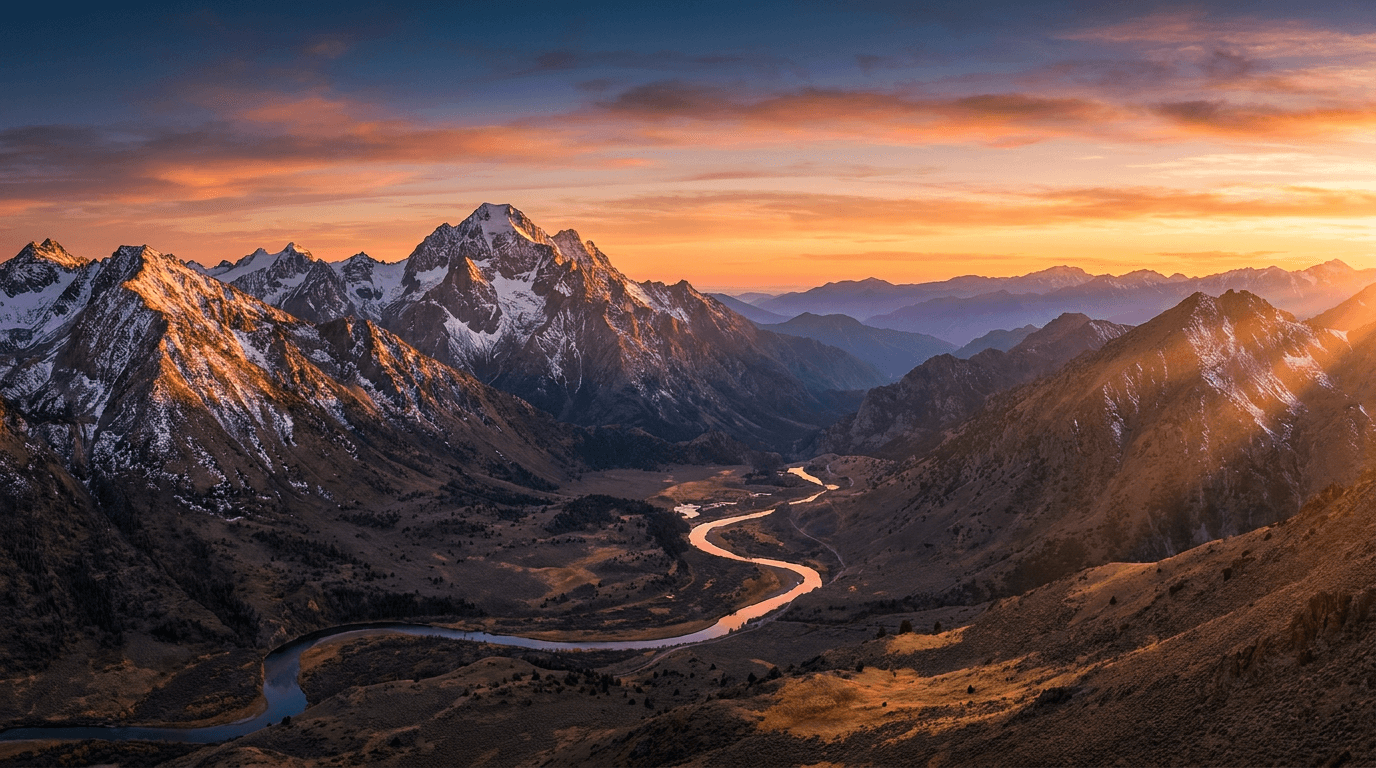
Template 3: Cinematic Travel Panorama
A stunning landscape-style banner that communicates adventure and wanderlust. The wide panoramic format naturally suits the banner dimensions.
Prompt:
breathtaking ultra-wide panoramic landscape photograph of a mountain range at golden hour, warm sunlight casting long golden rays across snow-capped peaks, a winding river reflecting the orange and pink sky in the valley below, layers of mountains fading into atmospheric haze in the distance, the composition places the tallest peak slightly left of center with open sky on both sides, National Geographic photography quality, rich saturated warm tones, 16:9 aspect ratio, epic and awe-inspiring mood, no text
Best for: Travel vlog channels, outdoor adventure channels, nature documentary creators, van life channels
Template 4: Minimal Object + Bold Background (Product / Tech Channels)
A clean, modern look that highlights a single product or object against a striking background. This style works well for channels that review products, tools, or technology.
Prompt:
single sleek modern gadget (wireless headphones) floating in the center of the frame against a smooth gradient background transitioning from deep midnight blue on the edges to soft teal in the center, soft studio lighting creating clean highlights and subtle reflections on the product surface, minimal composition with lots of negative space on both sides, premium product photography aesthetic, subtle light particles floating in the air, 16:9 aspect ratio, premium and sophisticated mood, no text
Best for: Tech review channels, product unboxing channels, gadget comparison channels, SaaS tool channels
This minimal object style is one of the thumbnail formats that consistently drives high CTR, and it translates beautifully to the wider banner format.
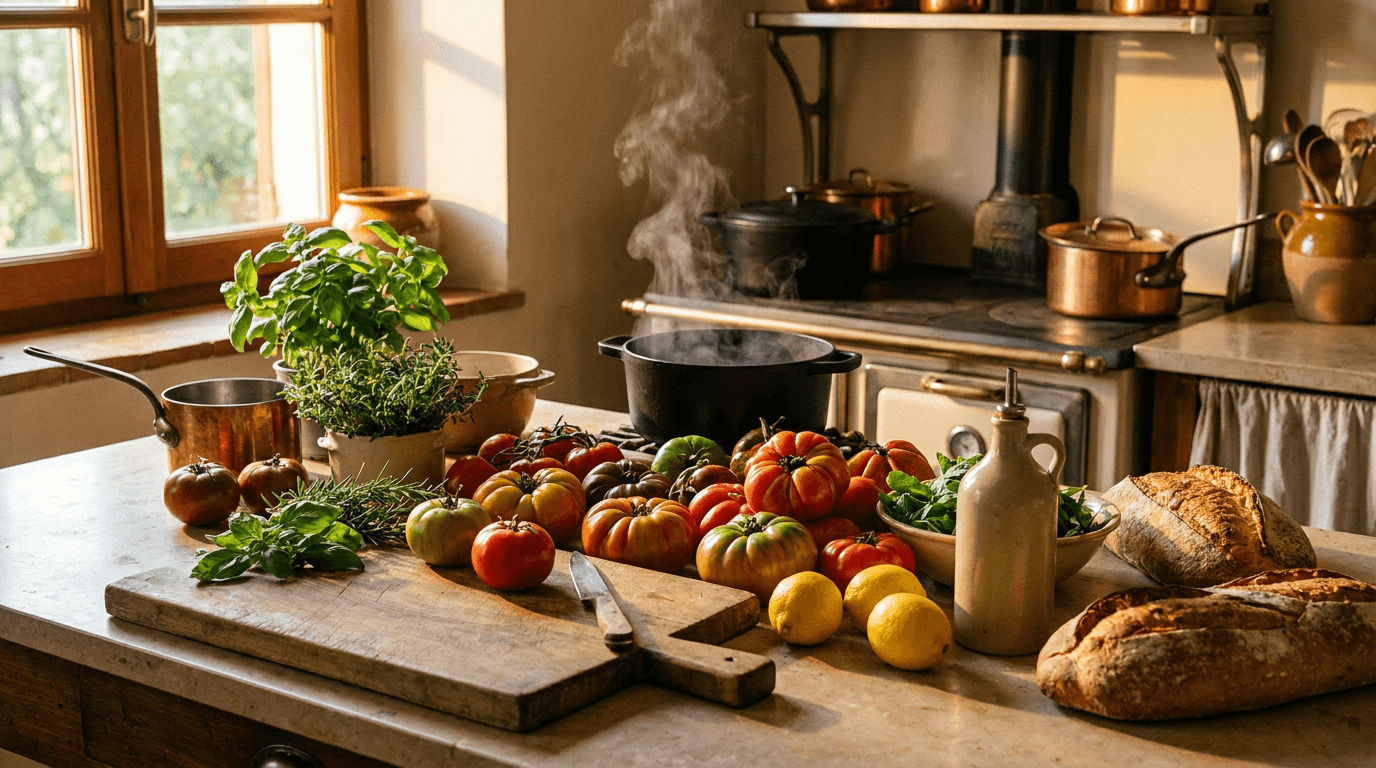
Template 5: Warm Kitchen Scene (Cooking / Food Channels)
An inviting, appetizing banner that immediately signals food content. Warm lighting and visible ingredients create a cozy, welcoming atmosphere.
Prompt:
ultra-wide shot of a beautiful rustic kitchen counter from a slightly elevated angle, an assortment of fresh colorful ingredients (tomatoes, herbs, lemons, olive oil bottle, fresh bread) arranged naturally in the center of the frame, warm golden afternoon light streaming in through a window on the left, soft steam rising from a pot in the background, wooden cutting board and copper cookware visible, warm earth tones with pops of vibrant red and green from the produce, food photography styling, 16:9 aspect ratio, cozy and appetizing mood, no text
Best for: Cooking channels, recipe channels, food review channels, baking content, kitchen vlog channels
Template 6: Abstract Gradient Wave (Versatile / Music / Aesthetic Channels)
A smooth, modern abstract design that works across many channel types. The flowing gradient creates visual interest without committing to a specific niche, making it ideal for channels that cover diverse topics or for music-focused content.
Prompt:
abstract fluid gradient banner with smooth flowing wave shapes, transitioning from deep coral pink on the left through warm peach in the center to soft lavender purple on the right, subtle grain texture overlay for a premium print-quality finish, organic flowing curves creating depth and movement, the brightest and most visually interesting area concentrated in the center third of the composition, soft ambient glow where colors intersect, modern editorial design aesthetic, 16:9 aspect ratio, calm and sophisticated mood, no text
Best for: Music channels, aesthetic content, podcast channels, multi-topic creators, lifestyle brands
Creators who produce music content alongside their channel can generate custom background tracks using the AI Music Generator inside Miraflow, keeping the entire audio and visual branding workflow in one platform.
Template 7: Comic Book / Illustration Style (Entertainment / Animation Channels)
A bold, illustrated look that stands out from the photorealistic banners most channels use. The comic style immediately signals creative, entertaining content.
Prompt:
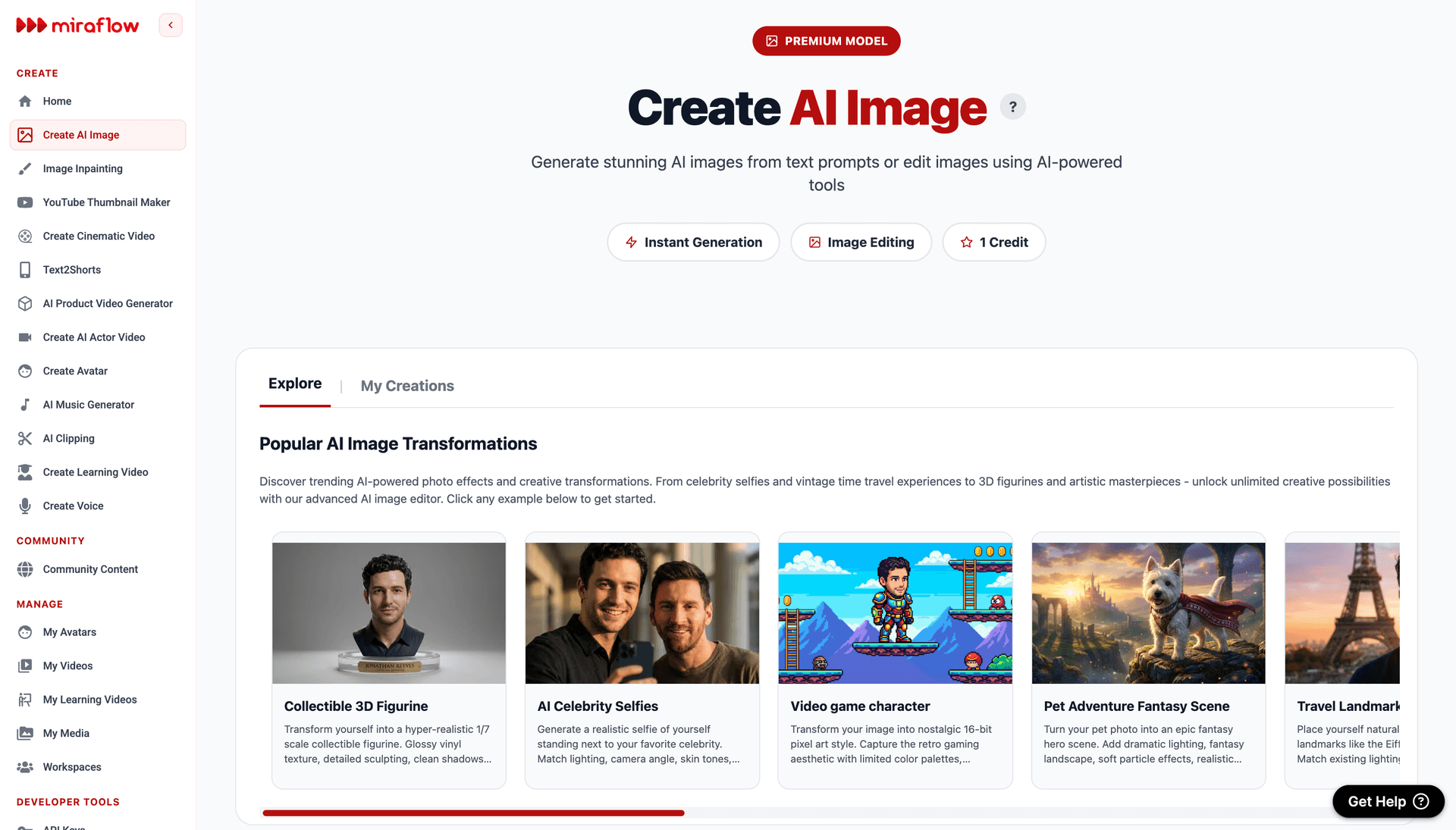
wide comic book style illustration of a vibrant cityscape at sunset, bold black outlines with flat cel-shaded coloring, tall buildings in the center with dramatic perspective lines converging toward a bright orange sun on the horizon, pop art inspired color palette with bright yellows, deep reds, and electric blues, halftone dot texture in the sky, dynamic composition with the city skyline centered and radiating outward, comic book cover quality, 16:9 aspect ratio, energetic and bold mood, no text
Best for: Animation channels, entertainment commentary, pop culture content, comic review channels, storytelling channels
Template 8: Dark Moody Studio (Film / Photography / Cinematic Channels)
A sophisticated, dark-toned banner that communicates premium production quality. This style resonates with audiences who value cinematography and visual craft.
Prompt:
ultra-wide shot of a professional film production setup in a dark studio space, a cinema camera on a gimbal centered in the frame with warm practical LED panel lights creating dramatic orange and amber glows on either side, subtle lens flare from one of the lights, cables and equipment slightly visible in the dark background adding authenticity, shallow depth of field with the camera perfectly sharp and surroundings softly blurred, deep shadows with warm highlight accents, cinematic film set photography, 16:9 aspect ratio, professional and atmospheric mood, no text
Best for: Filmmaking channels, photography tutorials, cinematography content, video editing channels, creative process channels
Creators in this niche can also use the cinematic video generator to produce short cinematic clips from text prompts for their channel content.
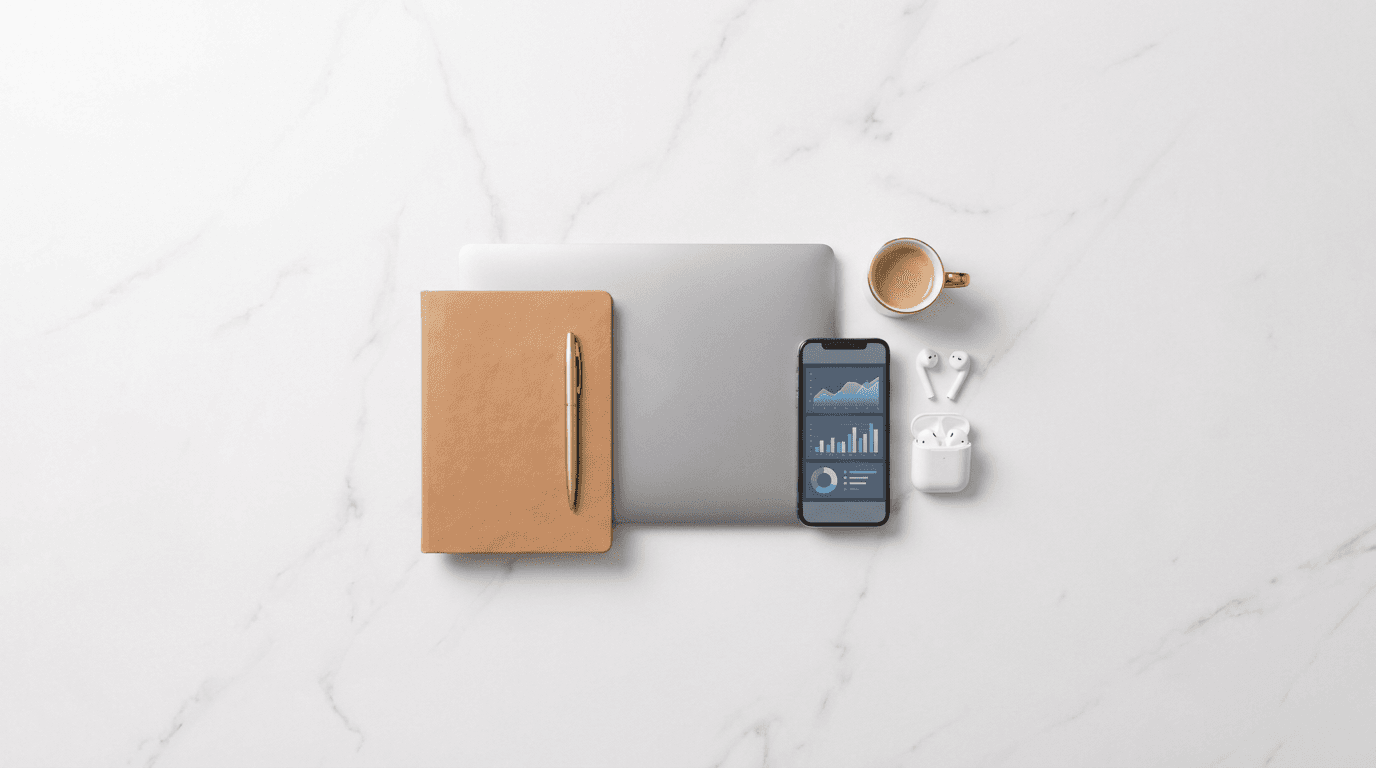
Template 9: Bright Flat Lay Workspace (Productivity / Business Channels)
A clean, organized top-down workspace composition that communicates professionalism and structured thinking. The flat lay format naturally fills the wide banner dimensions.
Prompt:
bright overhead flat lay composition on a clean white marble desk surface, centered arrangement of a modern laptop, premium notebook with gold pen, smartphone showing an analytics dashboard, a small coffee cup, and a pair of wireless earbuds, all items arranged symmetrically in the center of the frame with generous white space on both sides, soft even studio lighting with no harsh shadows, minimal and organized aesthetic, neutral whites and grays with subtle gold accents, 16:9 aspect ratio, clean and professional mood, no text
Best for: Productivity channels, business advice, entrepreneurship content, freelancing tips, digital marketing channels
If you cover business and marketing topics, the AI business ideas guide and the freelancing without experience guide are good examples of content formats that resonate with this audience.
Template 10: High-Energy Fitness Scene
A dynamic, energetic banner that communicates movement and motivation. Bold colors and dramatic lighting create the intensity that fitness audiences expect.
Prompt:
wide dynamic shot of a modern gym environment, a single set of heavy dumbbells resting on a rubber floor in the center foreground with a blurred CrossFit-style gym stretching out behind them, dramatic overhead spotlight creating a pool of bright white light on the dumbbells while the surrounding gym fades into moody shadows, sweat particles visible in the spotlight beam, deep charcoal and electric red color palette, sports photography style with high contrast, 16:9 aspect ratio, intense and motivational mood, no text
Best for: Fitness channels, workout tutorial channels, bodybuilding content, home workout channels, nutrition and health
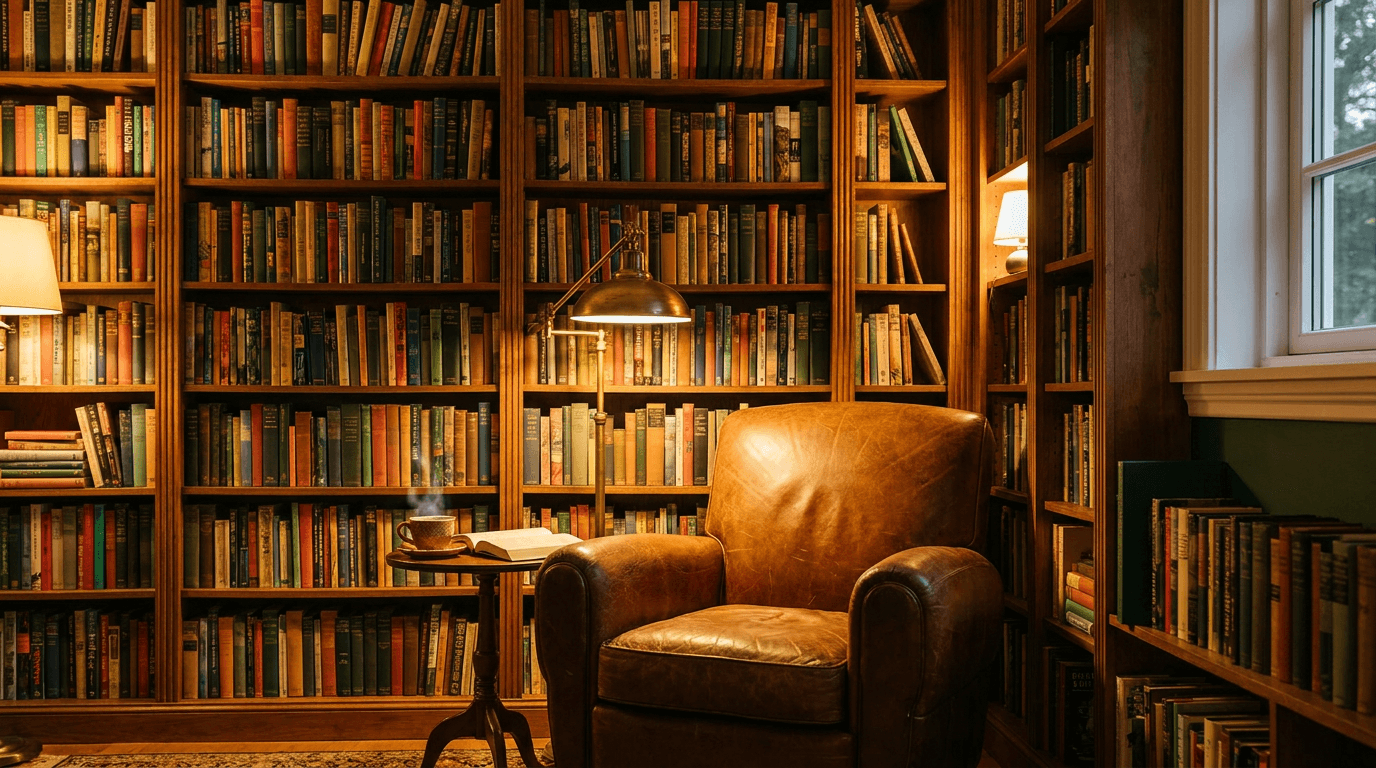
Template 11: Cozy Reading Nook (Book / Education / Self-Improvement Channels)
A warm, inviting banner that signals thoughtful, knowledge-focused content. The cozy atmosphere creates an emotional connection that resonates with audiences who value learning.
Prompt:
ultra-wide shot of a cozy home library corner, floor-to-ceiling wooden bookshelves filled with colorful books stretching across the background, a comfortable leather armchair centered in the frame with a reading lamp casting warm golden light, a small side table with a steaming cup of tea and an open book, evening atmosphere with soft ambient lighting, rich warm tones of brown, amber, and deep green, the center of the composition is the most inviting and well-lit, lifestyle interior photography, 16:9 aspect ratio, warm intellectual mood, no text
Best for: Book review channels, self-improvement content, education channels, philosophy content, study-with-me channels
Template 12: Faceless AI Content Brand (Text-Centric Clean Design)
A modern, sleek banner designed for channels that do not feature a face on camera. This style works well for faceless content brands that use AI-generated visuals, screen recordings, or voiceover-driven formats.
Prompt:
ultra-clean modern banner design with a smooth dark navy blue gradient background, subtle geometric grid pattern of thin luminous lines creating depth in the background, a cluster of softly glowing abstract shapes (circles, hexagons, triangles) arranged in the center of the frame creating a modern tech constellation effect, cool blue and bright white color palette with a single warm gold accent element in the center, the design radiates symmetrically from the center outward, futuristic minimal aesthetic, 16:9 aspect ratio, sleek and modern mood, no text
Best for: Faceless YouTube channels, AI content brands, automation channels, screen recording tutorials, voiceover-driven channels
Faceless channels have become one of the fastest-growing content categories. The faceless YouTube Shorts niches guide covers which niches are performing best and how AI fits into the workflow.
Template 13: Split-Theme Comparison (Commentary / Debate Channels)
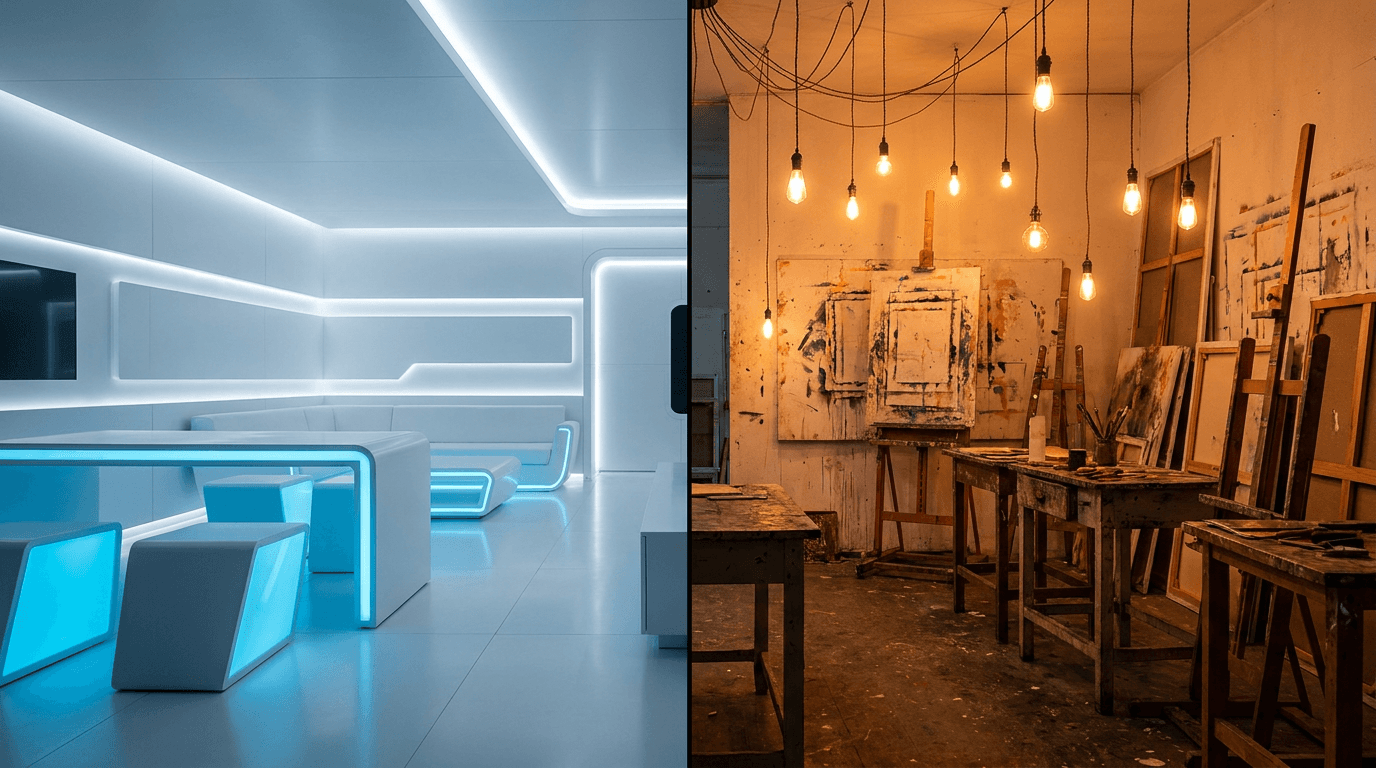
A visually striking split composition that communicates "two sides" of a topic. This format immediately signals commentary, comparison, or debate-style content.
Prompt:
wide banner image split into two contrasting halves meeting at the center, left half shows a pristine futuristic white room with clean geometric furniture and cool blue ambient lighting, right half shows a chaotic creative studio filled with paint splatters and warm orange incandescent bulbs and canvases everywhere, the two worlds meet at a sharp clean dividing line in the exact center of the frame, stark contrast between organized and creative chaos, cinematic lighting on both sides, 16:9 aspect ratio, dramatic and thought-provoking mood, no text
Best for: Commentary channels, debate content, "versus" style series, opinion channels, comparison review channels
Template 14: Retro / Vintage Aesthetic (Nostalgia / Culture Channels)
A stylized retro look that immediately communicates nostalgia and cultural depth. The vintage color grading and analog texture create a distinctive visual identity.
Prompt:
ultra-wide retro-styled composition of a vintage electronics collection arranged on a wooden shelf, a classic boombox radio centered in the frame flanked by cassette tapes and vinyl records leaning against the wall, VHS tapes stacked nearby, warm orange and brown color grading with heavy film grain texture, soft incandescent bulb lighting creating warm pools of light with deep shadows, analog photography aesthetic reminiscent of a 1980s living room, slightly faded and desaturated with warm tonal shift, 16:9 aspect ratio, nostalgic and authentic mood, no text
Best for: Retro culture channels, music history content, 80s/90s nostalgia, vintage tech, pop culture documentary channels
The time-travel aesthetic prompt style covers similar visual concepts that you can use for thumbnails and social posts alongside this banner.
Template 15: Space / Science Fiction (Science / Futurism Channels)
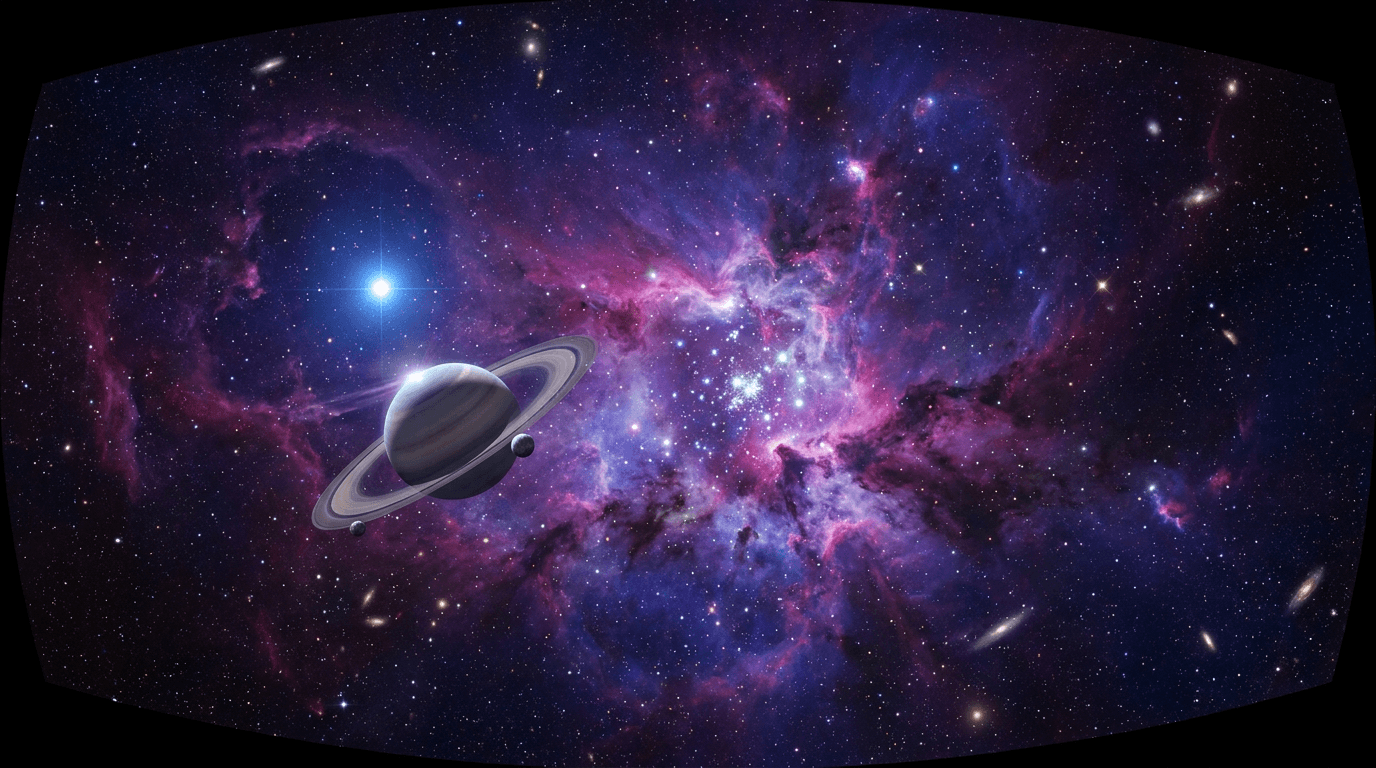
A dramatic cosmic banner that signals science, technology, or futurism content. The scale and depth of space imagery creates an immediate sense of wonder.
Prompt:
ultra-wide panoramic view of a stunning nebula in deep space, swirling clouds of cosmic gas in rich purple, deep blue, and bright magenta with scattered bright stars punctuating the darkness, a large planet with visible atmospheric bands positioned slightly left of center catching light from a distant star, the nebula's brightest region concentrated in the center of the composition with darker space spreading outward to both edges, NASA deep-field photography inspired quality, hyper-detailed with subtle star clusters and dust lanes, 16:9 aspect ratio, awe-inspiring and expansive mood, no text
Best for: Science channels, space and astronomy content, futurism channels, physics explainer channels, sci-fi commentary
Template 16: Urban Street Photography (Vlog / Lifestyle Channels)
A gritty, authentic urban look that communicates street-level storytelling and real-world content. The environmental depth creates a sense of place and personality.
Prompt:
ultra-wide street-level shot of a vibrant city alley at golden hour, colorful street art murals covering brick walls on both sides leading toward a bright sunlit opening in the center distance, warm golden sunlight streaming through the gap creating dramatic long shadows on wet pavement, a few string lights hanging between the buildings catching the light, rich saturated warm tones with pops of teal and magenta from the murals, urban documentary photography style, the center corridor of light is the clear focal point, 16:9 aspect ratio, authentic and energetic mood, no text
Best for: Daily vlog channels, lifestyle content, street photography, urban exploration, city guide channels
Template 17: Lush Nature Close-Up (Wellness / Mindfulness Channels)
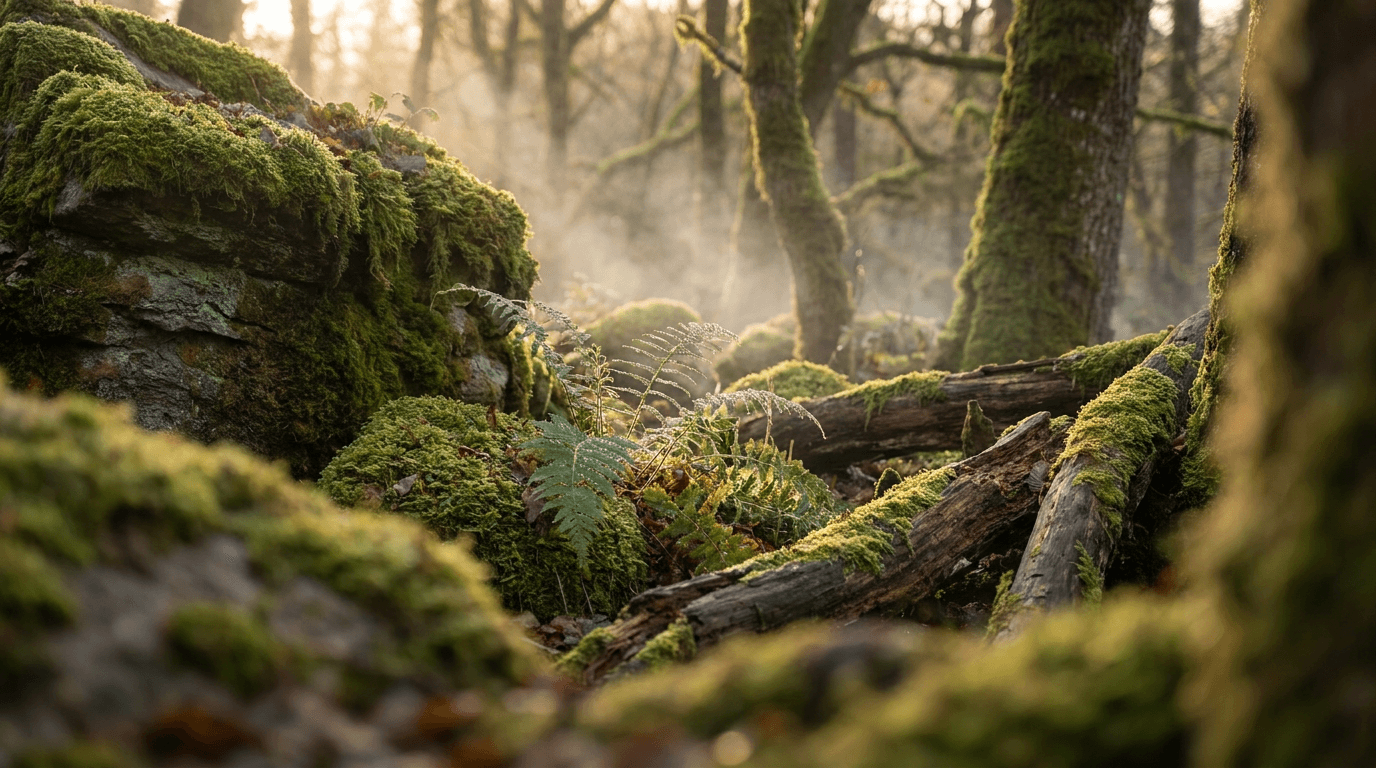
A calming, detailed nature composition that communicates peace and intentional living. The macro-level detail creates visual richness without visual noise.
Prompt:
ultra-wide macro-inspired nature scene showing a serene forest floor with lush green moss covering rocks and fallen logs, soft morning mist floating low through the trees in the background, tiny dewdrops visible on fern fronds in the center foreground catching and refracting soft golden light, the composition deepens from sharp detail in the center to dreamy soft focus on both edges, muted earth greens with warm golden light accents, nature documentary photography quality, 16:9 aspect ratio, peaceful and meditative mood, no text
Best for: Wellness channels, meditation content, ASMR nature channels, mindfulness creators, yoga and relaxation
Template 18: Animated Character Hub (Kids / Family / Fun Channels)
A playful, colorful banner with cartoon-style characters that communicates fun and approachability. This style works particularly well for channels targeting younger audiences or family-friendly content.
Prompt:
wide colorful cartoon illustration of a cheerful fantasy landscape, rolling green hills with a bright blue sky and fluffy white clouds, a group of three cute diverse cartoon animal characters (a fox, a bear cub, and a rabbit) standing together in the center waving at the viewer, surrounded by oversized colorful flowers and butterflies, bright saturated primary colors (red, blue, yellow, green) with clean black outlines, children's book illustration quality, flat design with subtle shading, the characters are perfectly centered, 16:9 aspect ratio, joyful and welcoming mood, no text
Best for: Kids' content channels, family vlog channels, animation channels, storytelling for children, educational kids content
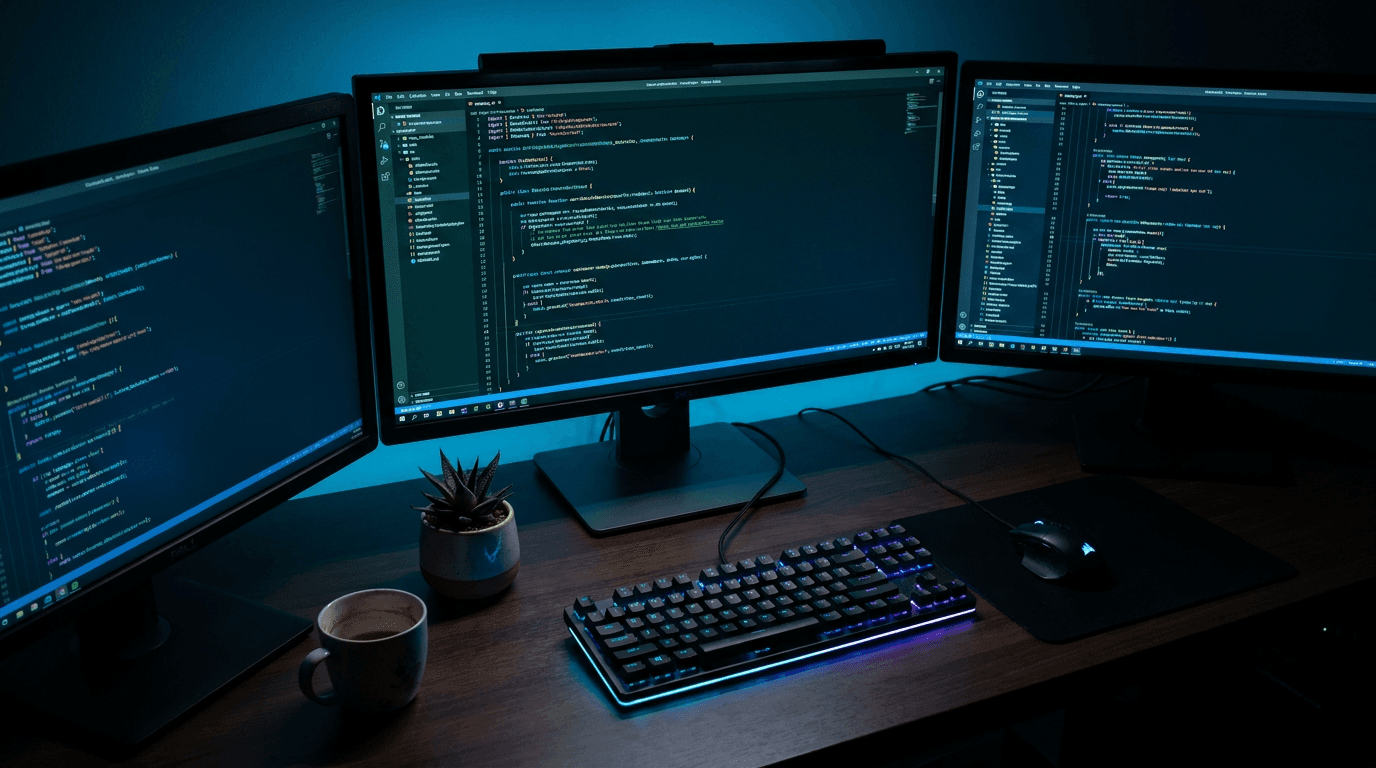
Template 19: Code / Developer Environment (Programming / Tech Tutorial Channels)
A stylized developer workspace that immediately communicates technical depth. The code-focused aesthetic resonates strongly with programmer audiences.
Prompt:
ultra-wide composition showing a developer workstation from a slightly elevated angle, three monitors displaying colorful code syntax on dark backgrounds with green, blue, and orange highlighted text, the center monitor is the largest and sharpest showing a clean code editor interface, mechanical keyboard with soft RGB underglow, ambient room lit only by the monitor glow casting cool blue light on the desk surface, a small potted succulent and coffee mug adding human touches, dark moody atmosphere with the code screens as the primary light source, 16:9 aspect ratio, focused and technical mood, no text
Best for: Programming tutorial channels, web development content, coding challenge channels, tech education, developer vlog channels
Template 20: Podcast / Talk Show Set
A professional studio-style banner that communicates conversation and personality. This works well for interview-format channels, podcast-style video content, and talk shows.
Prompt:
ultra-wide shot of a professional podcast studio with two comfortable modern chairs facing each other across a small round table, high-quality condenser microphones on boom arms positioned in front of each chair, warm atmospheric lighting with soft amber pendant lights hanging above and subtle purple LED accent lighting in the background, acoustic foam panels visible on the back wall adding texture, the two-chair setup is perfectly centered with the table between them, premium studio environment, warm tones with cool accent lighting creating depth, 16:9 aspect ratio, conversational and professional mood, no text
Best for: Podcast channels, interview series, talk show formats, discussion channels, commentary with guests
How to Use These Prompts Step by Step
Generating a YouTube channel banner from these prompts is straightforward, but a few steps will help you get the best possible result.
Step 1: Choose the template that matches your niche. Browse through the 20 templates above and pick the one that most closely aligns with your channel's content and personality. You can also combine elements from multiple prompts if your channel sits at the intersection of two categories.
Step 2: Customize the prompt for your brand. Before generating, swap in your brand colors, adjust the subject matter to match your specific niche, and modify any environmental details that feel off. If you run a coffee review channel, for example, Template 5 (Kitchen Scene) could be adjusted to focus more heavily on coffee equipment and beans rather than general cooking ingredients.
Step 3: Generate at 16:9 aspect ratio. Open the Miraflow AI Image Generator, paste your customized prompt, select the 16:9 aspect ratio, and generate. The 16:9 ratio matches the full 2560 x 1440 banner canvas proportions, giving you the correct starting composition.
Step 4: Check the safe zone. After generating, mentally (or physically, by overlaying a guide) check that all important visual elements fall within the center 60% of the image. This corresponds to the 1546 x 423 pixel mobile safe area. If a key element sits too close to the left or right edge, regenerate with a slight adjustment to the prompt emphasizing center placement, or use Image Inpainting to modify specific regions without regenerating the entire image.
Step 5: Add text carefully (optional). If you want to add a channel name or tagline, keep it to five words or fewer, position it in the center safe zone, and use a font weight and color that contrasts clearly with the background. Remember that YouTube already displays your channel name below the banner, so adding it again in the banner is redundant unless it is part of a stylized logo design.
Step 6: Upload and preview across devices. After uploading your banner to YouTube, use YouTube's built-in preview tool that shows how the banner appears on desktop, mobile, tablet, and TV. If anything important is getting cropped on mobile, you know you need to adjust.
Common Mistakes Creators Make with Channel Banners
Knowing what to avoid saves you time and prevents your banner from working against you.
Putting important elements near the edges. This is the single most common banner mistake. Creators design a beautiful banner on their desktop screen and forget that mobile devices crop roughly 40% off both sides. Any text, logos, or key subjects near the left or right edges will be invisible to the majority of visitors. Every prompt in this post concentrates focal elements in the center specifically to avoid this problem.
Using too much text. A banner is not a billboard. YouTube already overlays your channel name, subscriber count, navigation tabs, and social links on top of the banner image. Adding paragraphs of text to the banner creates a cluttered, unreadable mess, especially on smaller screens where YouTube's own overlays already take up significant space.
Choosing a banner that does not match the channel's content. If your thumbnails use warm, bold colors but your banner is a cold, muted abstract gradient, the channel page feels disjointed. Visitors subconsciously notice this mismatch and it erodes trust. The banner should feel like a natural extension of your thumbnail style. For guidance on building that kind of visual consistency, the consistent AI thumbnail style guide covers the principles in detail.
Never updating the banner. A banner from 2022 with an outdated upload schedule or old branding signals that the channel is neglected. Refreshing your banner at least once or twice a year, or whenever your content direction shifts, keeps the channel page feeling current. With AI generation, creating a new banner takes minutes instead of hours, so there is no excuse to let it go stale.
Using low-resolution images. YouTube recommends 2560 x 1440 pixels for a reason. Uploading a smaller image means YouTube stretches it to fill the space, which introduces blurriness and compression artifacts. Always generate at the highest resolution available and ensure your final export meets the minimum recommended dimensions.
Matching Your Banner to Your Thumbnail Style
One of the most overlooked aspects of YouTube channel branding is the visual relationship between your banner and your thumbnails. When a new visitor arrives at your channel page, they see the banner at the top and a grid of thumbnails below. If these two elements feel like they belong to the same visual universe, the entire channel looks intentional, professional, and trustworthy.
Here is how to create that alignment. Start by identifying the two or three dominant colors in your typical thumbnails. These might be the background tones you use, the accent colors in your text overlays, or the lighting style you default to. Then ensure your banner incorporates the same palette, even if the subject matter is different.
For example, if your thumbnails consistently use dark backgrounds with bright orange and teal accent text (a common combination for tech channels), your banner should incorporate those same deep darks with orange and teal highlights. Template 2 (Neon-Lit Gaming Arena) or Template 19 (Code / Developer Environment) could be easily modified with that color palette to create seamless visual continuity.
If you are building a visual brand from scratch and want both thumbnails and banners to feel cohesive, the YouTube Thumbnail Maker inside Miraflow lets you generate thumbnails using similar prompt structures, so you can develop a consistent look across everything your audience sees.
The YouTube banner ideas with AI prompts blog goes deeper into specific strategies for aligning banners with overall channel identity.
Seasonal and Event-Based Banner Updates
Updating your banner seasonally or around major events is a small effort that signals to returning viewers that your channel is active and current. It also provides an opportunity to spotlight upcoming content, seasonal series, or event-based themes.
Holiday seasons: Subtle seasonal touches like warm golden lighting for winter holidays, fresh green tones for spring, or beach-inspired palettes for summer keep your banner feeling timely without requiring a complete redesign. You can modify any of the 20 prompts above by adjusting the color palette and adding seasonal environmental elements.
Major content events: If you are planning a special series, a collaboration, or coverage of a major event like the 2026 World Cup, updating your banner to reflect that content signals to visitors that your channel has something fresh and topical happening.
Channel milestones: Hitting subscriber milestones, launching a new content format, or celebrating a channel anniversary are all natural moments to refresh your banner. This does not mean adding "100K SUBSCRIBERS!" text to the banner (that looks cluttered), but rather choosing a fresh visual style that represents the next phase of your channel.
The nano banana seasonal trend prompts blog covers how to adapt AI image prompts for seasonal content across multiple formats, and the same principles apply to banner updates.
How Miraflow AI Fits Into the Banner Creation Workflow
All 20 prompts in this post can be generated directly inside Miraflow AI. The process is simple: open the AI Image Generator, select 16:9 aspect ratio, paste your customized prompt, and generate.
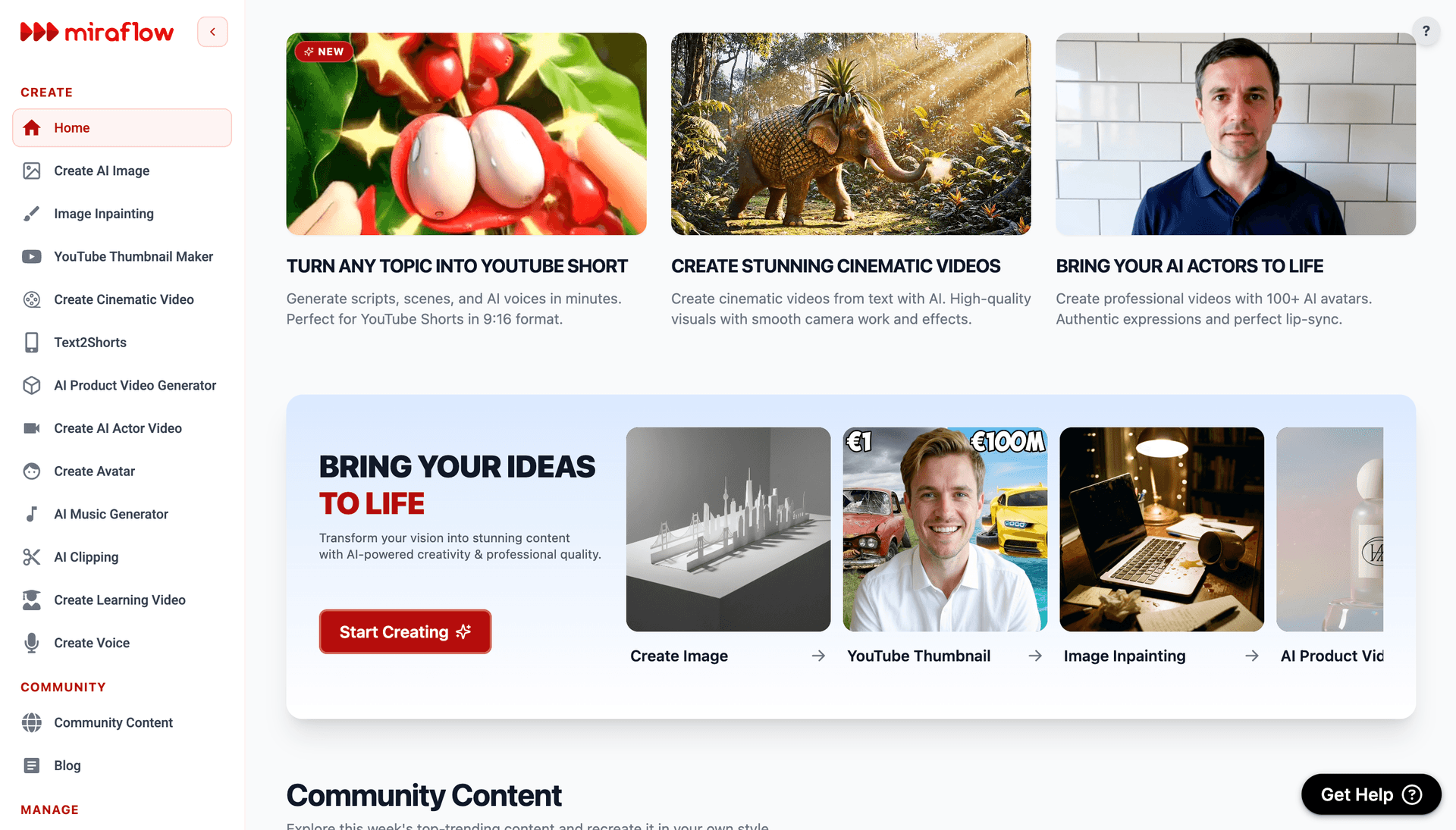
If the generated image is 90% perfect but one area needs adjustment, such as changing a background color, replacing an object, or modifying a specific region, the Image Inpainting feature allows you to mask just that area and regenerate only the masked portion while keeping the rest of the image intact. This is particularly useful for banners where the overall composition is strong but a single element does not quite fit.
Beyond banners, the same platform supports the rest of your YouTube content workflow. You can create matching thumbnails with the YouTube Thumbnail Maker, generate Shorts with Text2Shorts, produce background music with the AI Music Generator, clip highlights from longer videos with AI Clipping, and create cinematic video content with the Cinematic Video Generator. The idea is that every visual and audio asset your channel needs can come from a single platform.
Repurposing Banner Visuals for Other Platforms
A well-designed YouTube banner image does not have to live only on YouTube. The same visual concept can be adapted for other platforms where you maintain a presence, giving your brand a cohesive look everywhere your audience finds you.
Twitter/X header: The X header image dimensions (1500 x 500 pixels) are similar in aspect ratio to the YouTube banner safe zone. You can crop or regenerate your banner prompt at those dimensions for a matching X header.
LinkedIn banner: LinkedIn's background image dimensions (1584 x 396 pixels) also align well with the wide banner format. Regenerating your YouTube banner prompt at those dimensions creates a professional matching presence on LinkedIn.
Blog header or website hero image: If you run a blog alongside your channel, your banner visual can serve as a website hero image or blog header, creating immediate visual recognition when someone navigates from your YouTube channel to your website.
For generating images specifically optimized for other social platforms, the Instagram post image prompts and TikTok cover image prompts guides follow the same template-based approach adapted for those platform dimensions.
The guide to going viral across platforms covers the broader strategy of maintaining a consistent cross-platform presence.
FAQ
What is the best size for a YouTube channel banner in 2026?
The recommended upload size is 2560 x 1440 pixels. The safe area where all important visual elements should be placed is 1546 x 423 pixels, centered within the full canvas. This safe area remains visible on every device type including mobile phones, which crop the most aggressively.
How often should I update my YouTube channel banner?
At minimum, update your banner once or twice a year to keep it feeling current. You should also update whenever you rebrand, shift content direction, or launch a significant new series. With AI image generation, creating a new banner takes just a few minutes, so frequent updates are easy to maintain.
Should I put text on my YouTube channel banner?
Keep text minimal or skip it entirely. YouTube already overlays your channel name, navigation tabs, and subscriber count on top of the banner. If you include text, limit it to a short tagline (three to five words) placed in the center safe zone with strong contrast against the background. Anything more creates visual clutter.
Can I use AI-generated images for my YouTube channel banner?
Yes. YouTube does not restrict AI-generated imagery for channel art. As long as the content follows YouTube's Community Guidelines, AI-generated banners are treated the same as any other image format. Many creators already use AI-generated visuals for their channel branding.
What aspect ratio should I use when generating a YouTube banner with AI?
Generate at 16:9 aspect ratio, which matches the full 2560 x 1440 canvas proportions. After generating, ensure your key visual elements are concentrated in the center of the image so they remain visible in the 1546 x 423 mobile safe area.
How do I make my YouTube banner match my thumbnails?
Identify the two or three dominant colors in your typical thumbnails and incorporate the same palette into your banner prompt. Use similar lighting styles and tonal moods across both. This creates a cohesive visual identity when visitors see your banner and thumbnail grid together on your channel page.
What file format is best for YouTube channel banners?
PNG produces the sharpest results, especially if your banner includes any text elements or sharp geometric details. Keep the file size under 6MB, which is YouTube's maximum upload limit for channel art. JPG is also acceptable for photographic-style banners where sharp edges are less important.
What should I avoid putting in the corners of my YouTube banner?
Avoid placing important elements in the lower-right corner of the banner, where YouTube overlays social links on desktop. Also avoid placing anything critical near the far left or right edges, since mobile devices crop approximately 500 pixels from each side of the full canvas.
Conclusion
Your YouTube channel banner is the visual handshake between your channel and every potential subscriber who visits your page. It tells viewers what your channel is about, whether your content is worth their time, and whether you take your brand seriously. A strong banner does not replace the need for great thumbnails, compelling titles, and high-retention content, but it adds a layer of professionalism and trust that helps convert casual viewers into committed subscribers.
The 20 templates in this post cover virtually every YouTube niche, from gaming and tech to cooking, fitness, travel, and faceless AI content brands. Each prompt is designed around the banner safe zones that YouTube enforces across devices, so the visuals you generate will look correct on mobile, desktop, and TV without any surprises. Copy the template that fits your niche, customize it with your brand colors and subject matter, generate it inside Miraflow AI, and upload it to your channel.
The creators who look professional across every touchpoint, from the banner to the thumbnails to the video content itself, are the ones who build audiences that last. Your banner is the easiest piece to get right, and now you have the prompts to do it in minutes.