20 Kling 4.0 Prompts (Copy & Paste) for 30-Second AI Videos

Written by
Aerin Kim
20 copy-paste Kling 4.0 prompts built for 30-second videos, 10 keyframes and Omni Reference: product ads, character stories, travel vlogs, real estate tours, Shorts hooks, music videos, food and before and after.
Search "Kling 4.0 prompts" and you mostly find feature lists, not prompts you can paste. The problem is that Kling 4.0 changes how a prompt should be written: a single pass can now run up to 30 seconds, you can pin up to 10 keyframes along that timeline, and Omni Reference lets one generation take up to 15 reference assets. A prompt that describes "a cool product video" wastes all of that. This post gives you 20 copy-paste Kling 4.0 prompts for 30-second AI videos, grouped into five categories, each with a note on where to place the keyframes and which references to attach.
Kling AI began rolling out Kling 4.0 in autumn 2026, with the wider launch landing in October 2026, so these are written for the model as it ships now. If you want the full model breakdown first, read our Kling 4.0 explainer. If you are coming from the previous generation, the Kling 3.0 Turbo multi-shot prompt pack covers the shot-list syntax that still carries over. This post skips the model tour and goes straight to prompts.
TL;DR
- Write a Kling 4.0 prompt as a timeline: one master paragraph for the world, then beats with seconds, then a line saying which keyframe or reference locks each beat.
- Use keyframes for where things must be at a given second, and Omni Reference for who or what must look the same the whole way through.
- Every prompt below is built for a 30-second clip, but each one also works at 15 or 20 seconds if you drop the later beats.
- Make your keyframe and reference stills first in the Miraflow AI Image Generator, then run the video in the Cinematic AI Video Generator or your video tool of choice.
- Every image in this post illustrates the prompt beside it as a storyboard or keyframe plan.
How a 30-Second Kling 4.0 Prompt Is Built
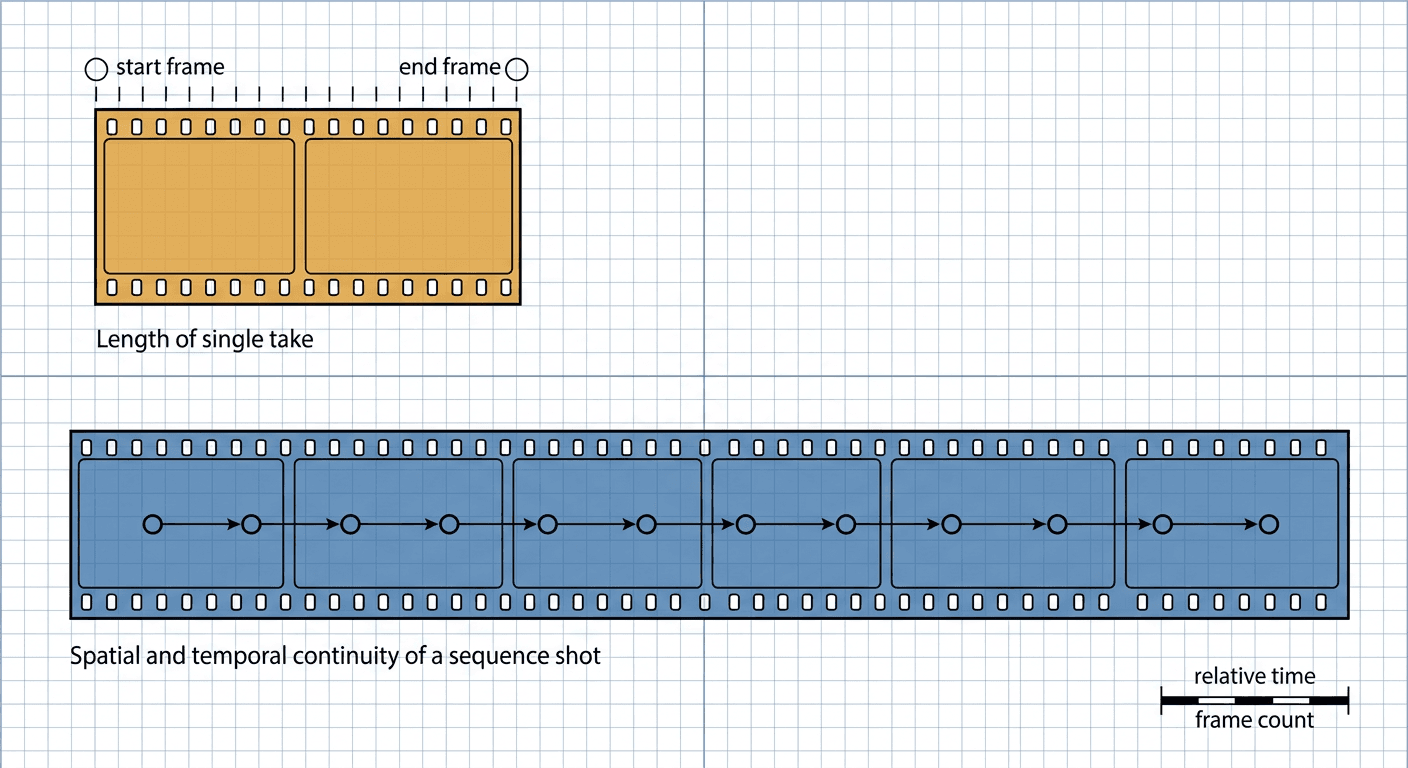
Kling 4.0 accepts a clip length from 3 to 30 seconds in one pass, up to 10 keyframes anywhere on the timeline, and Omni Reference with up to 10 images, up to 5 video clips (30 seconds total across them), and up to 7 subjects, 15 reference assets combined. Prompts can run long, so there is room for a real shot plan. These figures come from Kling's own comparison material and match what independent testers have reported, but check the current limits in your Kling or tool dashboard before a big batch, because early access tiers have lower caps than the full model.
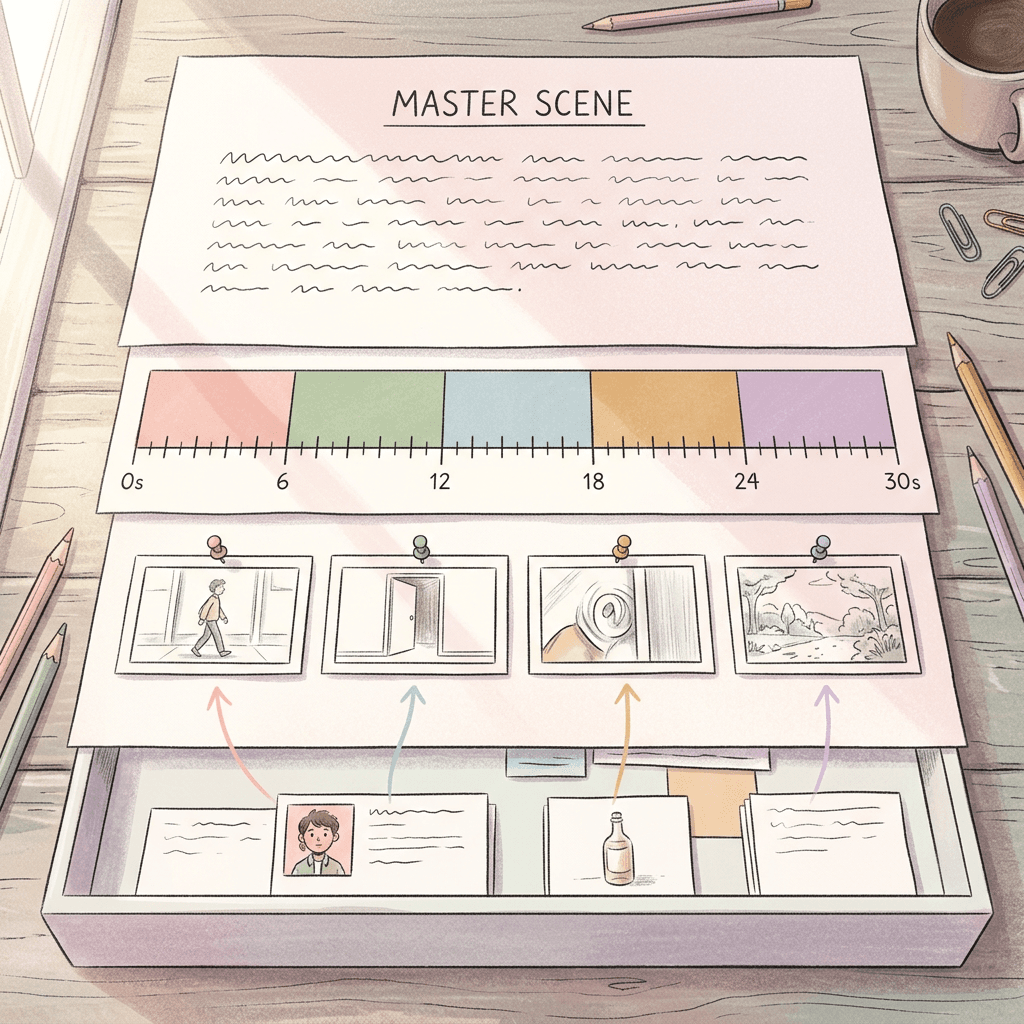
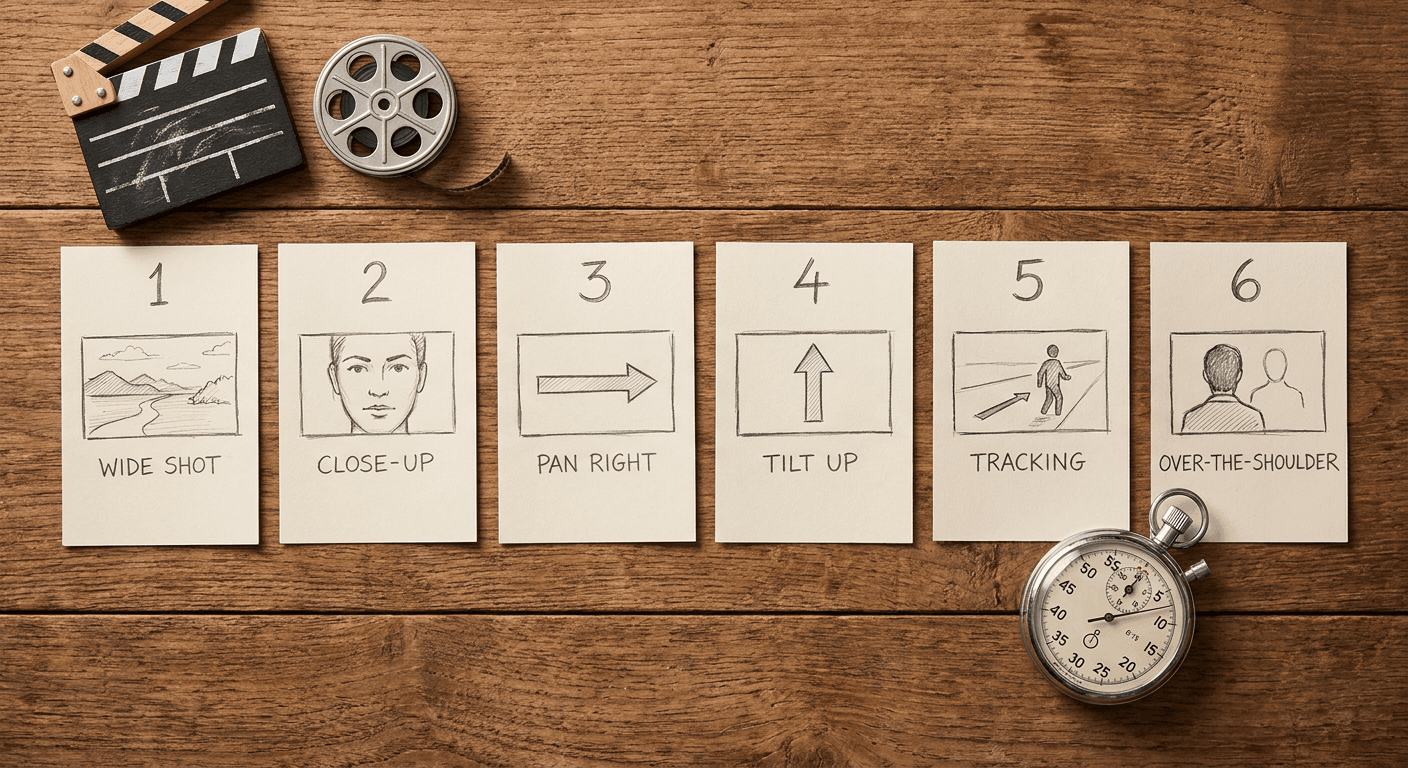
The structure every prompt below follows has four parts. First, a master line describing the setting, light, lens feel and mood, which stays true for all 30 seconds. Second, a beat list with time ranges, usually 4 to 6 beats, each describing one action. Third, keyframe instructions such as "keyframe 1 at 0s is the empty table, keyframe 2 at 12s is the finished plate". Fourth, reference instructions such as "@Image1 is the hero character, keep the face, outfit and proportions identical in every beat". The @ naming is how the examples tag references; use whatever tag or slot names your interface shows.
Thirty seconds is a long time for a diffusion model, and the usual failure is drift: faces soften, props change color, and a plan that was clear at second 5 turns into something else by second 25. The cure is more anchors, not longer prose. A rule of thumb that works well is one keyframe every 5 to 8 seconds for anything with a person in it, and a locked reference image for any object that has a logo-free but distinctive design.
| Seconds | Role in the clip | Keyframe to set | Reference to attach |
|---|---|---|---|
| 0 to 5 | Hook or establishing shot | Keyframe 1 at 0s | Hero subject or character |
| 5 to 12 | First action or demo | Keyframe at the end of the beat | Same hero reference |
| 12 to 22 | Change of place, state or angle | Keyframe at the biggest scene change | Location or second subject |
| 22 to 30 | Payoff, hero shot or loop point | Final keyframe at 30s | Same references, unchanged |
1) Product Ad Prompts for 30 Seconds
Product ads are where the 30-second length helps most, because a classic spot has a hook, a demo, a proof beat and a call to action, and now all four fit in one generation with one consistent product. Keyframes pin the product at the start and the hero end frame, and an Omni Reference image keeps the label, shape and color from wandering. For more ad angles, our AI UGC ad prompt pack and floating product prompts pair well with these.
1. The Hook, Demo, Proof, CTA Spot
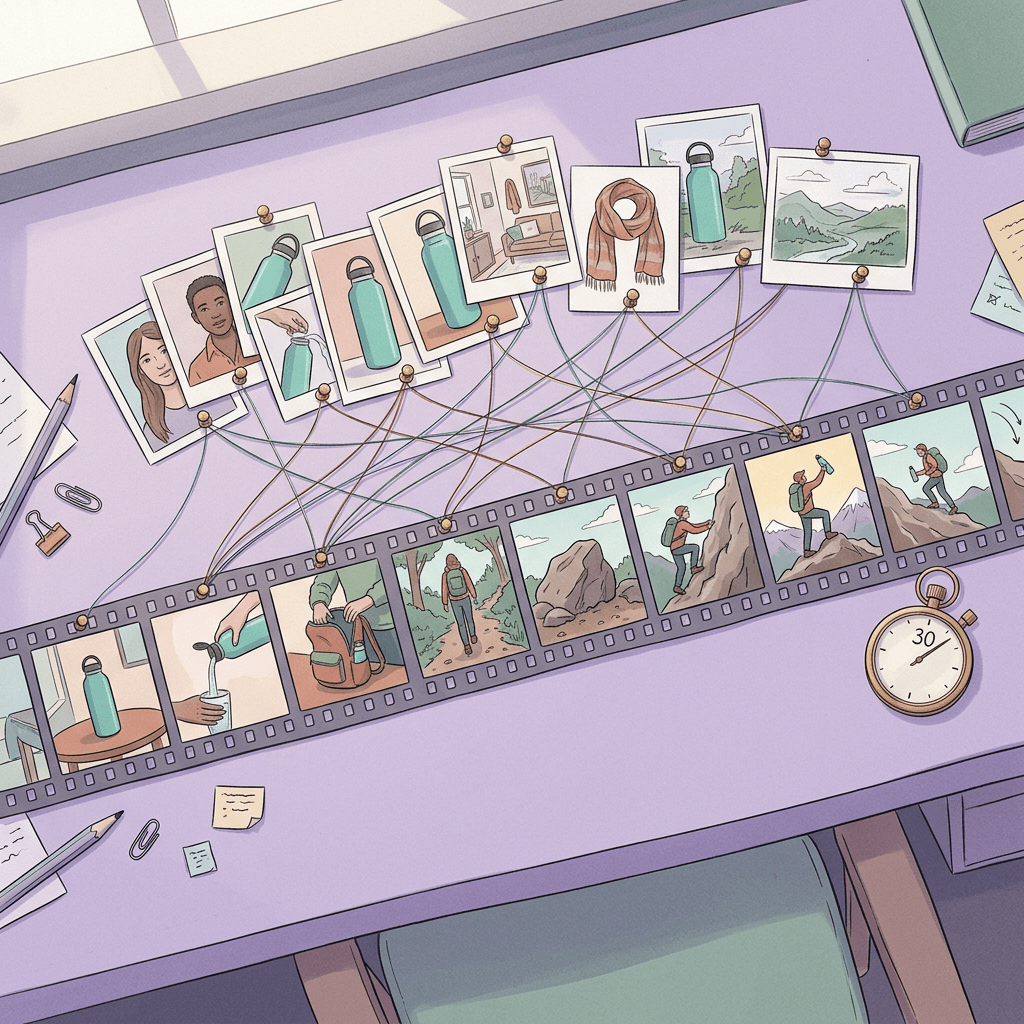
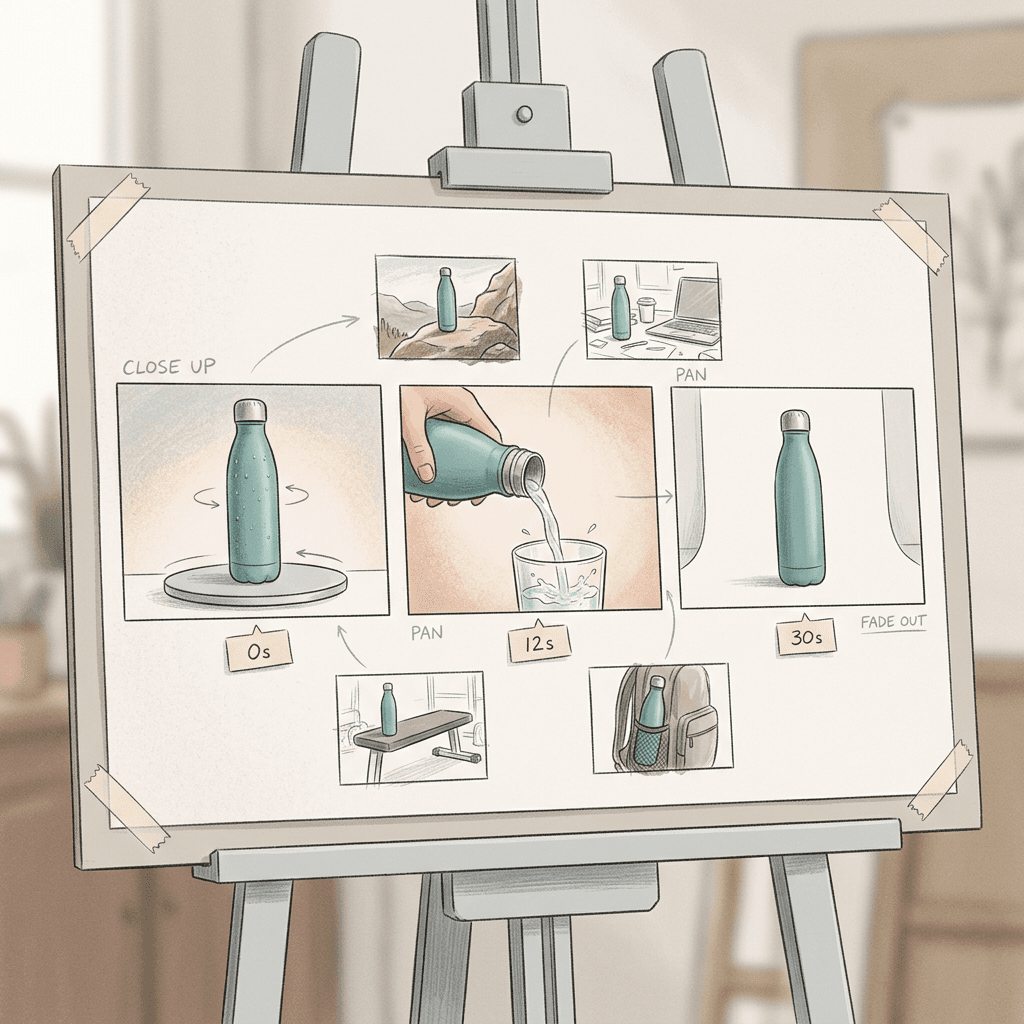
A premium 30-second product commercial for a matte teal insulated water bottle (@Image1 is the product, keep the shape, color and plain unbranded label identical in every beat), shot on a clean light-grey studio sweep with soft top light and a gentle reflection on the floor. 0 to 4s: the bottle spins slowly on a turntable while condensation beads form on it. 4 to 12s: a hand tilts it and pours water into a glass, macro lens, slow motion. 12 to 22s: quick cuts of the bottle on a hiking rock, a desk and a gym bench, same bottle every time. 22 to 30s: the bottle stands center frame, the camera pushes in slowly, leave empty space on the right for text. Keyframe 1 at 0s is the bottle on the turntable, keyframe 2 at 12s is the pour, keyframe 3 at 30s is the centered hero shot. Natural ambient sound, a soft click as the lid closes, no speech.
Why it works: the four-part ad structure is written into the time ranges, so Kling does not have to guess pacing. Three keyframes at 0, 12 and 30 seconds give the model a start, a midpoint and a destination, and the single product reference stops the bottle from changing shape between the studio and the outdoor cutaways.
2. Skincare Routine From Bottle to Glow
A calm 30-second skincare ad in soft morning bathroom light with a pale linen towel and a ceramic tray (@Image1 is the dropper bottle, @Image2 is the cream jar, keep both identical and label-free throughout). 0 to 7s: a dropper releases a single golden serum drop in extreme close-up, slow motion. 7 to 15s: the serum glides across the back of a hand, then fingertips tap it into the skin. 15 to 24s: the cream jar opens, a thumb scoops a small swirl, the texture catches the light. 24 to 30s: a wide still shot of both products on the tray, a faint steam haze in the background. Keyframe 1 at 0s is the dropper above the skin, keyframe 2 at 15s is the open jar, keyframe 3 at 30s is the two products on the tray. Quiet room tone and a soft water drip, no music, no speech.
Why it works: texture shots are the hardest part of skincare video, so each macro beat gets its own time slot and a keyframe near it. Two references, one per product, keep two different packages consistent in the final wide shot, which is where mixed-up labels usually show up. See our skincare prompt guide for the matching still images.
3. Feature Tour for a Gadget
A crisp 30-second feature tour of a small matte-black desktop espresso machine on a walnut kitchen counter with morning window light from the left (@Image1 is the machine, keep its proportions and unbranded controls identical). 0 to 5s: the camera orbits the machine at eye level. 5 to 11s: a hand turns the dial, the display glows amber. 11 to 19s: espresso pours into a white cup in slow motion, crema forming on top. 19 to 25s: a hand lifts the cup, steam curls into the light. 25 to 30s: a locked-off wide shot of the counter with the machine and cup, sunlight moving across the wall. Keyframes: 0s the machine alone, 11s the cup under the spout, 19s the full cup, 30s the final wide shot. Gentle machine hum, the soft hiss of the steam wand, no speech.
Why it works: a gadget tour is naturally a chain of cause and effect, which suits a timeline. Four keyframes tied to physical states (empty counter, cup under spout, full cup, final wide shot) prevent the common error of the liquid appearing before the cup does. Text overlays and prices should be added later in an editor, not asked of the model.
4. Unboxing That Ends in Use
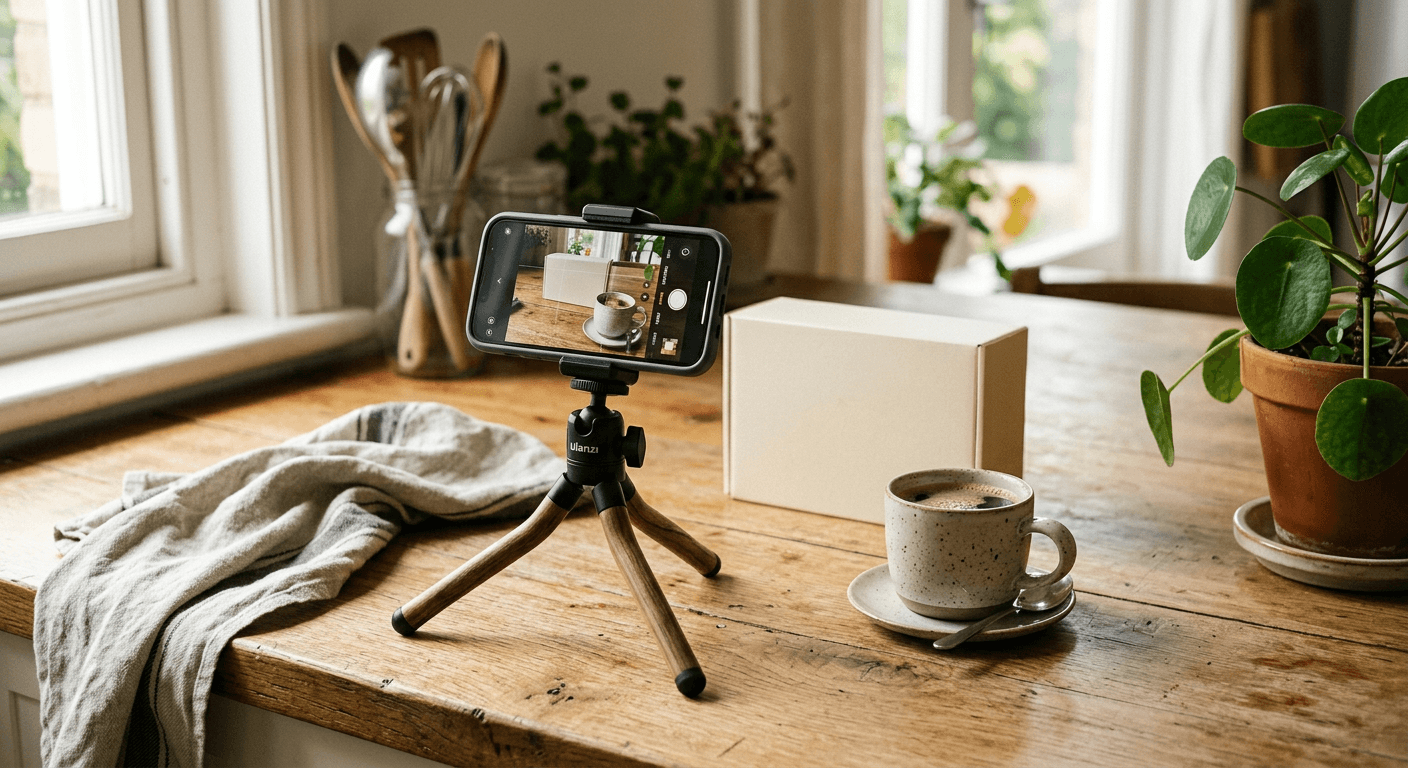
A cozy 30-second unboxing video on a light oak table by a window, soft afternoon light, shot at a slight overhead angle (@Image1 is the sealed kraft box with a plain twine bow, @Image2 is the knitted wool scarf inside, keep the scarf pattern and color identical). 0 to 6s: hands untie the twine and lift the lid. 6 to 14s: tissue paper is folded back to reveal the scarf, a slow push in on the texture. 14 to 22s: the scarf is lifted and shaken out, fibers moving softly. 22 to 30s: the scarf is wrapped around a neck on a smiling person in a doorway, golden light behind them, they step outside into the street. Keyframe 1 at 0s is the closed box, keyframe 2 at 14s is the scarf lifted, keyframe 3 at 30s is the person in the doorway. Paper rustle and a soft room tone, no speech.
Why it works: unboxing ends well when it moves from product to person. The jump from table to doorway is exactly where a single reference image of the scarf earns its keep, and the final keyframe tells Kling what the last second must look like, so the clip lands instead of fading. For a shorter version, see the Kling 3.0 Turbo unboxing prompt.
2) Character Consistency Story Prompts
Character consistency is the headline use of Omni Reference. Upload a clear face image of your character, and optionally a video clip for voice and motion, then lock them with a plain instruction in the prompt. These four stories keep one character stable across locations, outfits of the same design, and dialogue. Generate your reference stills first; our Pixar-style character prompts and Italian brainrot character prompts are good starting points for original, non-identifiable characters.
5. A Day in Three Locations
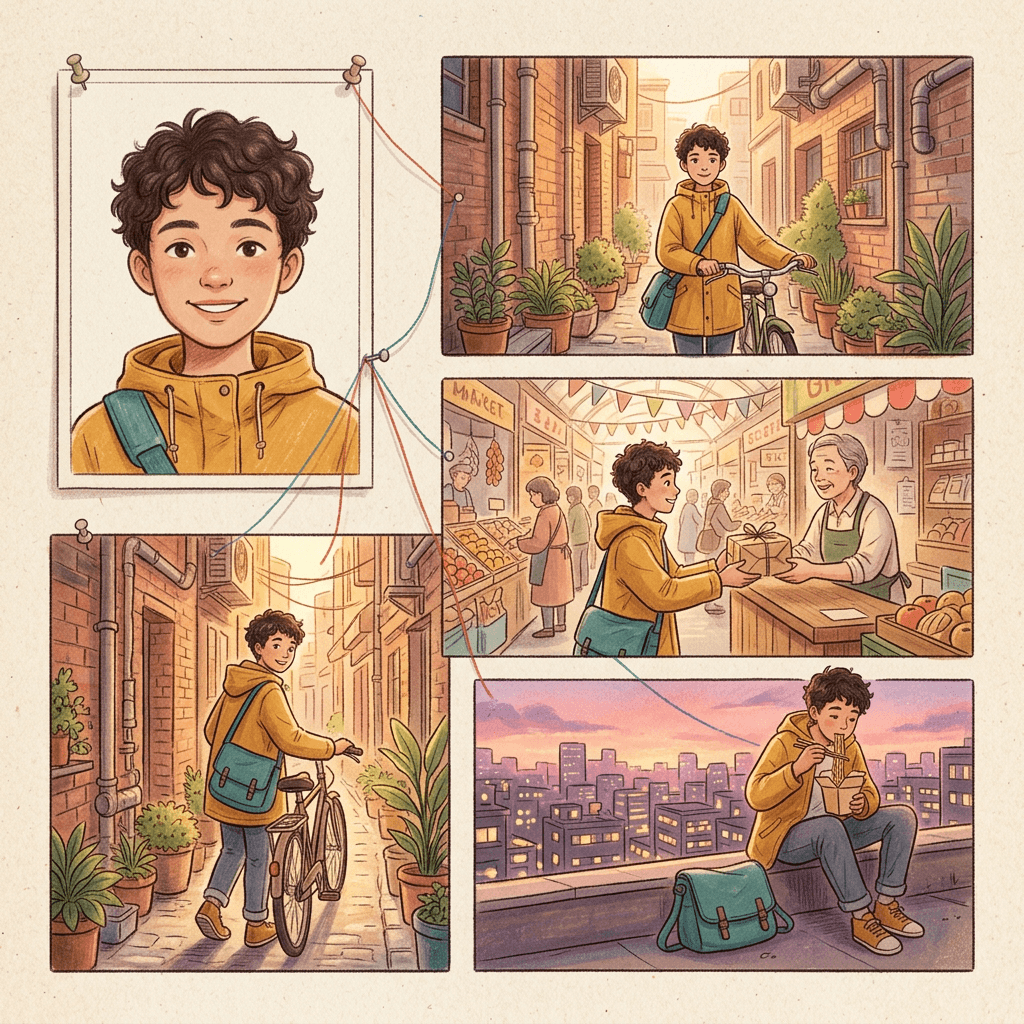
A warm 30-second story following one young courier with short curly hair, a mustard rain jacket and a teal messenger bag (@Image1 is the courier, keep the face, hair, jacket and bag identical in every beat). 0 to 9s: morning in a narrow brick alley, the courier checks a parcel label and sets off on a bicycle. 9 to 19s: midday in a bright covered market, the courier weaves between stalls and hands a parcel to a smiling shopkeeper. 19 to 30s: dusk on a rooftop, the courier sits on the ledge eating noodles from a paper box, the city lights coming on behind them. Keyframe 1 at 0s is the alley, keyframe 2 at 14s is the market handoff, keyframe 3 at 30s is the rooftop. Soft ambient city sound, no speech, gentle handheld camera feel.
Why it works: three locations with three times of day give the model clear environmental changes while the reference holds the person constant. The middle keyframe at 14 seconds sits at the biggest scene change, which is where drift would otherwise start.
6. Mascot Adventure for a Brand
A playful 30-second adventure for a round, mint-green cartoon mascot with big ears and a small red scarf (@Image1 is the mascot, keep its proportions, colors and stitched smile identical in every beat), rendered in a soft 3D animated style with warm cinematic lighting. 0 to 8s: the mascot wakes in a cozy treehouse bed and stretches. 8 to 17s: it slides down a rope to a forest floor and picks up a glowing lantern. 17 to 25s: it walks a mossy path through fireflies, looking up in wonder. 25 to 30s: it reaches a hilltop and holds the lantern high as dawn breaks. Keyframes at 0s, 17s and 30s match those moments. Light orchestral ambience and soft footsteps, no speech.
Why it works: non-human characters are more forgiving than faces, so mascots are a safe way to learn Omni Reference. Naming the scarf and smile in the lock line gives the model small details to hold on to, which is what keeps a cartoon recognizable across 30 seconds.
7. Two-Character Dialogue Scene
A 30-second two-person scene in a quiet late-night diner booth, warm tungsten light, rain on the window behind them, 35mm cinematic look (@Image1 is the first speaker, a middle-aged person with grey stubble and a navy coat, @Image2 is the second speaker, a young person with a green knit hat, keep both faces and outfits identical). 0 to 8s: they sit across from each other, the older character stirs coffee. 8 to 18s: the younger character leans in and says, "I think I finally figured out what to do next." 18 to 26s: the older character smiles and answers, "Then say it out loud, I am listening." 26 to 30s: a slow push in on both faces as the rain continues. Keyframe 1 at 0s is the wide two-shot, keyframe 2 at 18s is the older character in a close-up, keyframe 3 at 30s is the tight two-shot. Natural stereo room sound, rain and a spoon against the cup, speech synced to each speaker.
Why it works: Kling 4.0 added stereo audio with lip-synced dialogue, so write the lines in quotation marks and tag which character says them. Keep each line short, under a dozen words, and leave a gap before the reply so the model does not overlap two voices. If you have a voice reference clip, attach it to the speaker it belongs to.
8. Pet and Owner Mini Film
A gentle 30-second film about a golden retriever and a person in a yellow raincoat (@Image1 is the dog, @Image2 is the person, keep the dog's coat markings and the raincoat identical). 0 to 7s: the dog waits by a front door, tail wagging, as the person picks up a leash. 7 to 16s: they walk through a rainy street, the dog splashing through puddles. 16 to 24s: they shelter under a bus stop roof, the dog shakes water off and the person laughs. 24 to 30s: they walk home together in the golden light after the rain, the camera tracking from behind. Keyframe 1 at 0s is the door, keyframe 2 at 16s is the bus stop, keyframe 3 at 30s is the walk home. Rain, splashing, a distant bus, no speech.
Why it works: animals add motion that is easy to describe and hard to fake, so keep the dog's key markings in the lock line. The weather change from rain to golden light gives a built-in emotional arc that makes the 30 seconds feel intentional.
3) Travel Vlog and Real Estate Walkthrough Prompts
Travel and property clips are naturally linear: you move through a space. A 30-second pass can now cover an entire arrival, a day in a city, or a full walkthrough without cutting between separate generations. Use keyframes as waypoints, one per location, and write camera movement as a path. For more, see our real estate walkthrough prompt pack and travel brand destination prompts.
9. Arrival in a Coastal Town
A relaxed 30-second travel vlog opening in a whitewashed Mediterranean coastal town in late afternoon, warm golden light, handheld first-person camera, 24mm lens. 0 to 6s: a ferry docks, the camera looks out over turquoise water toward pastel houses on a hill. 6 to 14s: walking up a narrow stepped street past blue doors and bougainvillea. 14 to 22s: a small cafe terrace, a hand sets down an espresso, the sea glittering behind. 22 to 30s: a wide rooftop view of the harbor as the sun lowers. Keyframes: 0s the ferry view, 14s the cafe table, 30s the rooftop view. Seagulls, distant church bells, footsteps on stone, no speech.
Why it works: a first-person path from water to street to table to rooftop gives Kling a clear sequence of places. Keyframes at the start, middle and end set the look of the town so the pastel houses and the turquoise water stay the same color in every beat.
10. City Day With a Recurring Traveler
A bright 30-second travel vlog following one traveler in a cream bucket hat and a red backpack (@Image1 is the traveler, keep the hat, backpack and face identical), through a busy Tokyo-style neon district. 0 to 8s: morning at a quiet shrine gate, the traveler bows and walks through. 8 to 16s: a crowded crossing at midday, the traveler stops to take a photo of the crowd. 16 to 24s: a tiny ramen counter, steam rising as the traveler lifts the noodles. 24 to 30s: night, the traveler walks under glowing signs holding a paper lantern. Keyframes at 0s, 16s and 30s. City ambience, soft footsteps, a distant train, no speech.
Why it works: a travel vlog with a recurring face feels like a real trip. The accessories in the lock line, the hat and backpack, make the traveler identifiable even when the face is small in a crowd shot. Keep signage generic and unreadable, since models tend to invent odd lettering.
11. Whole-House Real Estate Walkthrough
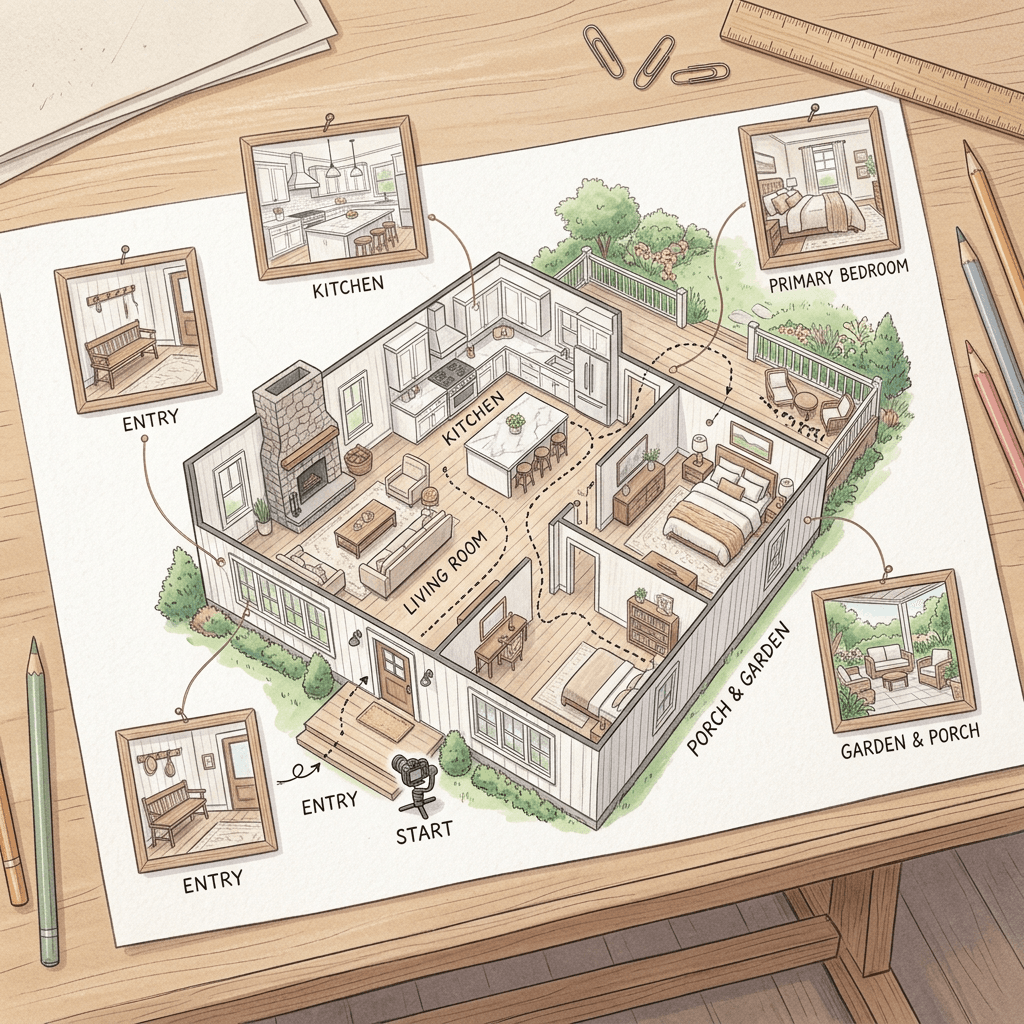
A smooth 30-second real estate walkthrough of a bright three-bedroom modern farmhouse, soft natural daylight, a wide 16mm interior lens, steady gimbal movement at chest height, true-to-life colors. 0 to 5s: the front door opens onto an entry hall with a pale oak floor. 5 to 13s: the camera glides into an open-plan living room with a stone fireplace and tall windows. 13 to 20s: it continues into a white kitchen with a marble island and brass pendant lights. 20 to 26s: it turns through a hallway into a primary bedroom with a window seat. 26 to 30s: it ends on the back porch looking over a green garden. Keyframe 1 at 0s is the entry, keyframe 2 at 13s is the kitchen, keyframe 3 at 20s is the bedroom, keyframe 4 at 30s is the garden view. Quiet room tone and a soft ambient bed, no speech.
Why it works: use staged stills of the actual rooms as keyframes for the best results, and treat the clip as a concept or marketing teaser. Always disclose AI-generated or AI-enhanced listing media and do not use it to misrepresent a property. Camera instructions like "gimbal at chest height" prevent the floating, drifting motion that makes AI walkthroughs feel fake.
12. Cabin Stay Tour for a Rental Listing
A cozy 30-second tour of a small timber cabin in a pine forest at blue hour, warm lamps glowing inside, a steady slow dolly feel. 0 to 7s: the cabin exterior with smoke rising from the chimney and light snow falling. 7 to 14s: inside, a wood stove crackles beside a plaid armchair. 14 to 22s: a loft bed with a knitted blanket and a round window showing the trees. 22 to 30s: a hot tub on the deck under the stars, steam rising. Keyframe 1 at 0s is the exterior, keyframe 2 at 14s is the loft, keyframe 3 at 30s is the hot tub. Crackling fire, soft wind, falling snow, no speech.
Why it works: rentals sell on atmosphere, and atmosphere is easy to describe in light, weather and sound. Lock the exterior as keyframe 1 so every interior beat feels like it belongs to the same cabin.
4) Shorts Hook and Music-Video Beat Prompts
Short-form creators will mostly use the 30-second length for tight loops and music-synced edits. Vertical 9:16 output is the target for these, though you should confirm the aspect ratios your tool exposes, since a new ultrawide 21:9 option exists as well. If you want to turn a finished video into more Shorts, AI Clipping on Miraflow cuts a long video into captioned vertical clips, and Text2Shorts generates a whole Short from a topic.
13. The Scroll-Stopping Hook and Payoff
A vertical 9:16 30-second Short built around one visual hook. 0 to 2s: a close-up of a ceramic mug on a desk suddenly cracks along its side with a sharp sound. 2 to 10s: golden liquid light pours out of the crack and spreads across the desk, the camera pulling back. 10 to 20s: the light reshapes into a tiny glowing city skyline rising from the desk, with moving lights and tiny cars. 20 to 30s: the camera glides through the miniature streets and ends on a window glowing at the center. Keyframe 1 at 0s is the intact mug, keyframe 2 at 10s is the glowing desk, keyframe 3 at 30s is the lit window. Cracking porcelain, a rising shimmer and a warm low pad, no speech.
Why it works: the first two seconds carry the whole hook, so they get their own timestamp and a single clear action. The payoff in the last twenty seconds is slow enough to hold viewers. This pairs well with the formats in our Gemini Omni Flash Shorts prompts.
14. Fake-Out Reveal Loop
A vertical 9:16 30-second loop that ends exactly where it begins. 0 to 6s: a plain white room with a single cardboard box in the center, handheld camera. 6 to 14s: the box opens and a tiny red paper boat floats out, growing as it rises. 14 to 24s: the room fills with calm blue water, the boat now full size and floating, walls dissolving into a sunset horizon. 24 to 30s: the water drains, the boat shrinks back into the box and the lid closes on the same plain room. Keyframe 1 at 0s and keyframe 5 at 30s use the same image of the room with the closed box, keyframe 2 at 8s is the opening box, keyframe 3 at 16s is the flooded room, keyframe 4 at 24s is the draining room. Soft whooshes and water sounds, no speech.
Why it works: using the same image for the first and last keyframes is the simplest way to build a seamless loop, a format that helps rewatches. Five keyframes in 30 seconds is a good density for anything that transforms, since transformations are where the model most needs direction.
15. Music Video Verse and Chorus
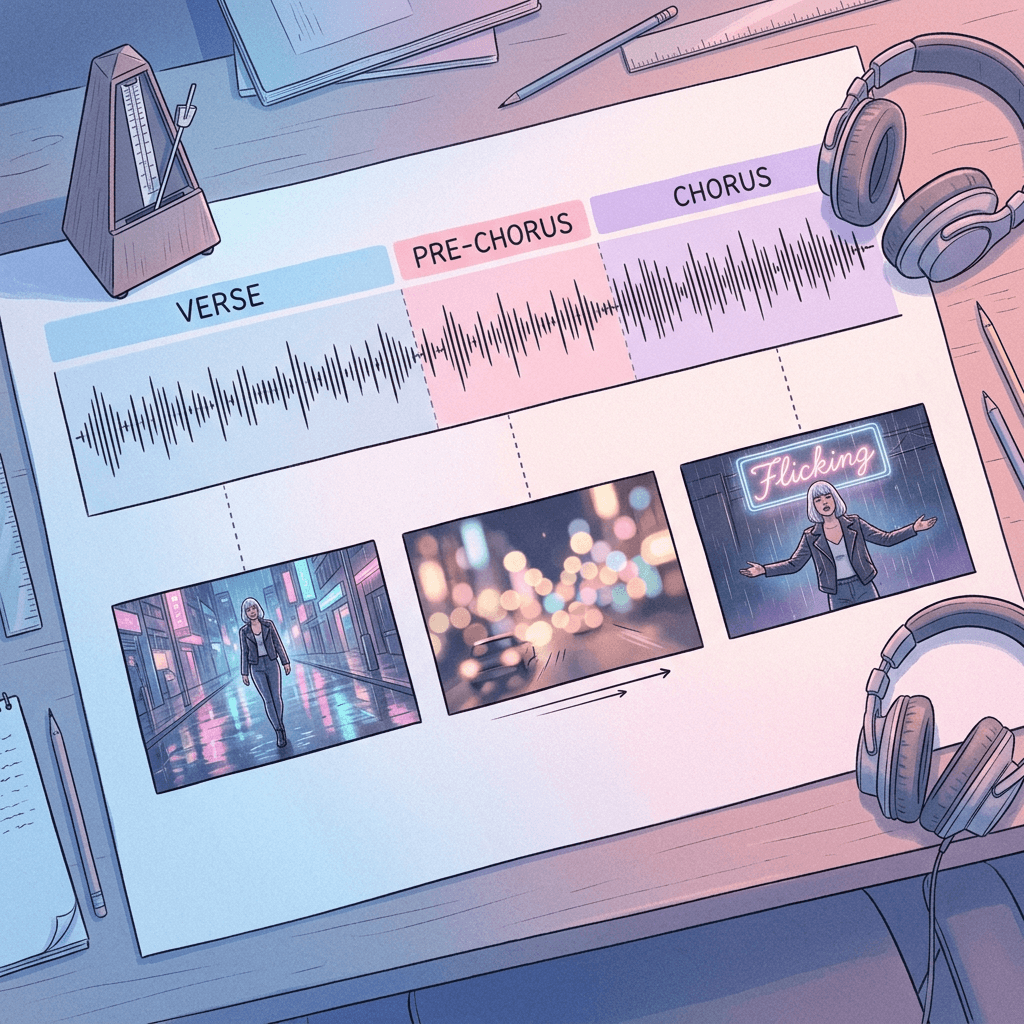
A moody 30-second music-video excerpt for a dreamy synth-pop track, shot on 35mm film with grain and neon reflections (@Image1 is the singer, a person with a silver bob haircut and a black leather jacket, keep the face, hair and jacket identical). 0 to 8s verse: the singer walks slowly down an empty rainy street at night, lips moving to the lyric. 8 to 14s pre-chorus: a slow dolly in as city lights blur behind them. 14 to 24s chorus: the singer stands under a flickering neon sign, arms open, hair lifted by wind, the camera orbiting in rhythm with a steady 110 BPM beat. 24 to 30s: the camera pulls back to reveal the empty street again, rain falling. Keyframes at 0s, 14s and 30s. Synth bass, a steady kick, rain ambience.
Why it works: map the musical sections to timestamps, and Kling will pace its camera moves to the structure. Generate the music first, then match the prompt to its real BPM and sections; the Miraflow music generator lets you set BPM and lyric sections, and our guide to copyright-free AI music covers the licensing side.
16. Dance Beat Drop Sequence
A vertical 9:16 30-second dance clip in a concrete warehouse with colored light panels, handheld camera, high energy (@Image1 is the dancer, a person in a white tracksuit with a lime green cap, keep the face and outfit identical). 0 to 6s: the dancer stands still as the lights are off, then a single light snaps on. 6 to 14s: the dancer starts a simple, repeatable two-step groove, camera at waist height. 14 to 15s: a hard cut to black on the beat drop. 15 to 26s: the lights burst on and the dancer performs a bigger move with a spin, the camera orbiting. 26 to 30s: a freeze pose with a slow zoom in. Keyframe 1 at 0s is the dark warehouse, keyframe 2 at 15s is the lit dancer, keyframe 3 at 30s is the freeze pose. Heavy bass, a clap on the downbeat, no speech.
Why it works: asking for simple, repeatable choreography gives a far cleaner result than asking for complex moves, which is where limbs and hands break. The blackout at the drop gives you a natural edit point.
5) Food, Process and Before/After Prompts
Anything that changes state over time is a natural match for keyframes: ingredients to dish, rough to finished, before to after. The model gets the start and end looks from you and only has to invent the transition. For still versions of these ideas, see our AI food photography prompts and before and after cleaning ad templates.
17. Recipe in One Continuous Take
A top-down 30-second recipe video on a light marble counter, soft window light, no faces, only hands. 0 to 6s: hands crack two eggs into a glass bowl and whisk. 6 to 14s: flour and milk are added, the batter turns smooth and pale yellow. 14 to 22s: the batter is poured into a hot pan, small bubbles rise, and a pancake is flipped to a golden side. 22 to 30s: a stack of three pancakes with butter melting and maple syrup running down the sides. Keyframe 1 at 0s is the empty counter with ingredients, keyframe 2 at 14s is the batter in the bowl, keyframe 3 at 22s is the pan, keyframe 4 at 30s is the finished stack. Whisking, sizzling and a soft pour, no speech.
Why it works: a fixed top-down camera removes camera drift from the equation, so all of the model's effort goes into the food. Keyframes for each stage of the recipe keep the bowl, pan and plate identical in position. If a step looks wrong, regenerate with a tighter keyframe on that step.
18. Street Food Stall Atmosphere
A lively 30-second night-market scene, steam and neon, shot handheld at eye level, shallow depth of field. 0 to 8s: a vendor in a green apron fans charcoal under a grill of skewers, sparks rising. 8 to 16s: skewers are brushed with glossy sauce and flipped, smoke curling into the lights. 16 to 24s: a customer receives a paper tray of skewers and bites into one, eyes widening. 24 to 30s: a wide shot of the whole busy stall with strings of lanterns overhead. Keyframes at 0s, 16s and 30s. Sizzling, crowd murmur, distant music, no speech.
Why it works: sound and steam do much of the work in food scenes. Describing sparks, smoke and sauce gloss gives the model specific textures to render, and ending on a wide shot shows the whole place so the viewer remembers the setting.
19. Home Renovation Before and After
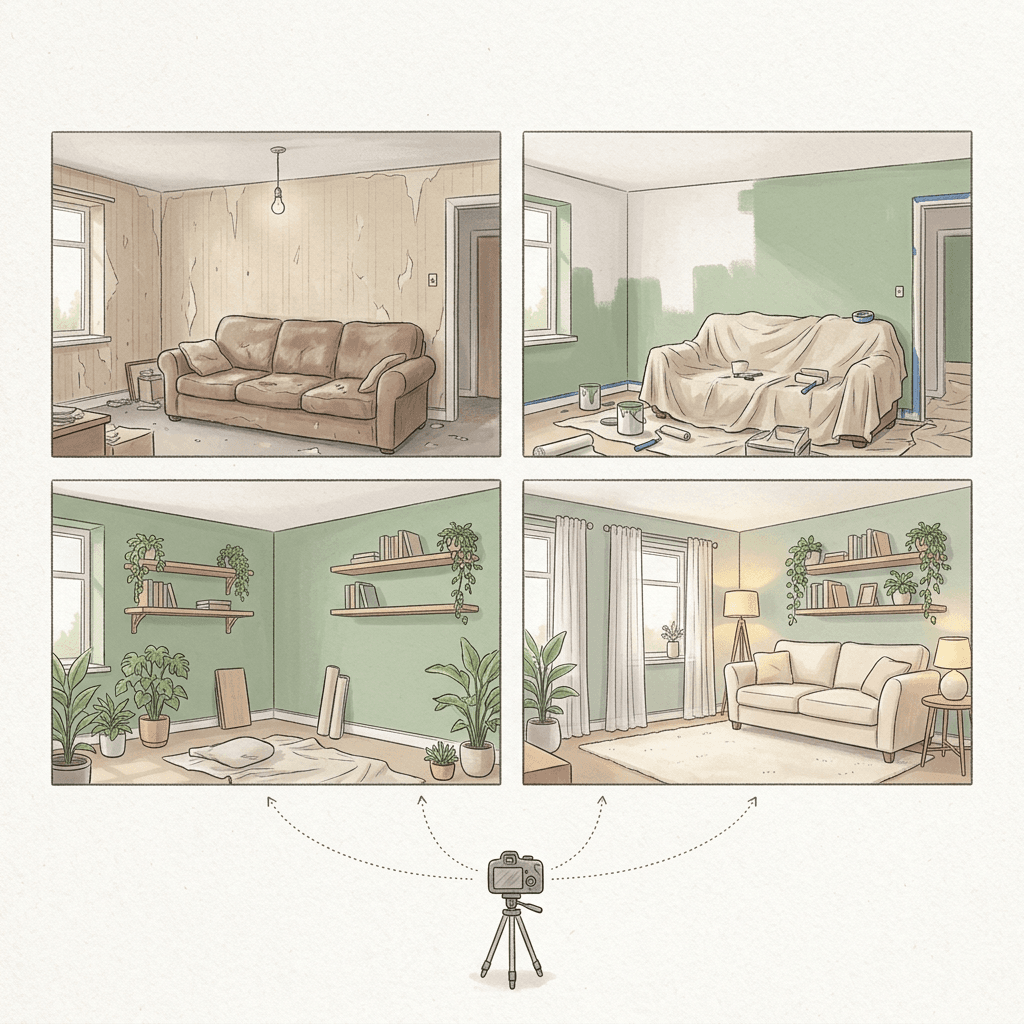
A satisfying 30-second renovation transformation of the same small living room from a fixed tripod angle, daylight from a window on the left. 0 to 6s: the room before, with peeling beige wallpaper, a worn brown sofa and a bare lightbulb. 6 to 18s: time-lapse of the old furniture lifting away and the walls being painted a soft sage green, a pale rug unrolling. 18 to 26s: new oak shelves, a cream sofa and plants appear piece by piece. 26 to 30s: the finished room, warm lamps on, the camera holding still. Keyframe 1 at 0s is the before photo, keyframe 2 at 12s is the half-painted room, keyframe 3 at 30s is the finished room, all from the same camera position. Soft room tone with light tool sounds, no speech.
Why it works: before and after videos live or die on a locked camera, so you write "fixed tripod" and use keyframes with the same framing. Upload the real before photo as keyframe 1 and an after render as the last keyframe. This is also a strong format for the cleaning and home services templates linked above.
20. Garden Time-Lapse Growth
A calm 30-second time-lapse of a vegetable garden bed from a fixed low angle, soft morning light, dew on the leaves. 0 to 7s: bare brown soil with small wooden markers, a hand sprinkles seeds. 7 to 16s: green sprouts push up, then leaves unfold, clouds moving fast overhead. 16 to 24s: tomato plants climb a bamboo stake and small green fruits appear. 24 to 30s: the fruits ripen to red and a hand picks one into a basket. Keyframe 1 at 0s is the bare soil, keyframe 2 at 12s is the sprouts, keyframe 3 at 24s is the green tomatoes, keyframe 4 at 30s is the ripe harvest. Birdsong, light wind, a soft rustle of leaves, no speech.
Why it works: growth has an obvious direction, so the model rarely gets lost, and the long timeline finally gives a time-lapse enough room to feel like a time-lapse. Use it as a calming Shorts loop or as stock-style background footage.
How to Customize These Kling 4.0 Prompts
Swap the subject first. Every prompt uses a single master paragraph plus beats, so you can replace the teal bottle with your own product and keep the structure. When you change the subject, change the lock line too, so it names two or three details unique to your reference image, such as the cap shape, the jacket color or the hair length.
Change the length second. To make a 15-second version, keep beats 1, 3 and the final beat, cut the rest, and move the last keyframe to 15 seconds. To go the other way, add a beat and a keyframe rather than stretching existing beats, since stretching a beat usually produces slow, drifting motion.
Adjust keyframe density by risk. Static products need two or three keyframes. People moving through space need one every 5 to 8 seconds. Transformations need one at every state you want to see. If a generation looks wrong in one specific second, add a keyframe at that second instead of rewriting the whole prompt.
Plan references as a budget. With up to 15 reference assets combined, you have room for the main character, a second character, a location image and a product, but more references is not always better. Each reference you add is something the model tries to honor, and conflicting references (two different jackets for one person) produce the blur you are trying to avoid. Start with the fewest that cover the faces and hero objects, and add more only when something drifts. The earlier Google Flow start and end frame prompts show the same principle with fewer anchors.
Finally, treat audio as part of the prompt. Kling 4.0 generates stereo audio with the video, so end each prompt with a short sound line naming the ambience and whether anyone speaks. If you plan to add your own voiceover or music later, write "no speech, no music" so you get clean sound effects underneath.
Common Mistakes With 30-Second Kling Prompts
- Writing one long description with no timestamps. The model then spends the whole clip on one idea, so the video feels slow. Break the prompt into beats of 5 to 10 seconds.
- Using too few keyframes for people. A face with only start and end anchors will drift in the middle. Add a keyframe every 5 to 8 seconds.
- Asking for readable text in the scene. Signs, labels and screens often come out garbled. Add real text in an editor afterward.
- Stacking conflicting references. Two images of the same person in different outfits, or a product reference that disagrees with the keyframe, forces the model to compromise. Use consistent source images.
- Overloading a single beat. "The character runs, jumps, turns, speaks and waves" in 4 seconds will fail. One main action per beat.
- Ignoring the tool's current limits. Early access tiers, tools that host the model and regional rollouts can differ on duration, resolution and number of references, so test one 10-second clip before you spend credits on a full 30-second batch.
- Skipping the keyframe quality step. Blurry, mismatched keyframes produce blurry, mismatched videos. Spend time on the stills.
- Forgetting disclosure. If you publish AI video for ads, listings or news-like content, follow the platform's AI labeling rules. See our note on YouTube's AI disclosure labels.
Build the Whole Workflow With Miraflow
Kling 4.0 prompts work best when the stills, the video and the finishing steps are planned together. In Miraflow you can make the keyframe and reference images with the AI Image Generator, including image-to-image and inpainting to fix one detail like a jacket color before it becomes a reference. You can then generate cinematic clips in the Cinematic AI Video Generator, which runs its own supported video models rather than Kling.
For the rest of the pipeline, use Text2Shorts when you want a finished vertical video with script, visuals and voice from a topic alone, and AI Clipping to cut a long video into ranked, captioned Shorts. Add a cover with the YouTube Thumbnail Maker, and create a matching soundtrack in the AI Music Generator. You can start from the Miraflow home page and move through each step in a single browser tab.
If you are choosing between video models for a given project, our comparison of Seedance 2.5 and Veo 3.1 shows how the current leaders differ on length, references and audio.
Frequently Asked Questions
What is the best Kling 4.0 prompt structure?
Start with one master paragraph for the setting, light and mood, then a list of timed beats, then explicit keyframe placement, then a lock line for each reference, then a sound line. This mirrors how the model uses a timeline and keeps every part of the prompt doing a specific job.
How long can a Kling 4.0 video be?
Kling 4.0 generates clips from 3 to 30 seconds in a single pass. Some early access tiers have a lower cap, so check the limit in the tool you are using. All the prompts above work at shorter lengths by dropping later beats.
How many keyframes and references can I use?
Kling 4.0 supports up to 10 keyframes and Omni Reference with up to 15 reference assets combined: up to 10 images, up to 5 video clips totaling 30 seconds, and up to 7 subjects. You rarely need the maximum. Two to five keyframes and one to three references cover most of the prompts above.
How do I keep a character consistent across a 30-second video?
Use a clear, well-lit reference image, state which details must not change, and place a keyframe every 5 to 8 seconds. Keep the outfit and hair simple, since small patterns and complex accessories are the first details to drift.
Can I use these prompts with Kling 3.0 or other video models?
Yes with changes. Kling 3.0 Turbo handles shorter clips and fewer anchors, so cut the beats down to 15 seconds and use a start and end frame; our multi-shot prompt pack shows that format. Other models differ on reference syntax, so keep the timeline and replace the tagging.
Does Kling 4.0 generate audio and dialogue?
Yes, Kling 4.0 generates stereo audio with the video and supports lip-synced dialogue. Write spoken lines in quotation marks, say which character speaks, and keep each line short. If you want to add your own voice or music later, ask for no speech and no music.
Can I make vertical videos for Shorts and Reels?
Yes, request a 9:16 output in the tool you use and say so at the start of the prompt. Keep the subject in the center of the frame and leave the top and bottom clear for captions and interface elements.
Do I need Miraflow to use these prompts?
No, the prompts are plain text and work wherever your tool supports the features. Miraflow helps with the surrounding steps: making keyframe and reference images, generating cinematic video clips, turning ideas into Shorts, clipping long videos, and creating thumbnails and music.
Conclusion
A 30-second Kling 4.0 video is a small production, so it deserves a small plan: a master paragraph, timed beats, keyframes at the moments that matter, and references for anything that has to stay the same. The 20 prompts above cover product ads, character stories, travel and real estate tours, Shorts hooks and music-video beats, and food and before-and-after transformations, and each one can be adapted by swapping the subject and the lock line.
Start with one prompt, make the keyframe stills first in the Miraflow AI Image Generator, and test a short version before committing credits to a full 30 seconds. For the model details behind these limits, the Kling 4.0 explainer is the place to go, and the Cinematic AI Video Generator is ready when you want to turn the next idea into a clip.