YouTube Shorts Trends Page in 2026: How to Find Viral Sounds Before They Peak

Written by
Jay Kim

Learn how to use the YouTube Shorts Trends page in 2026 to spot rising sounds early, validate them fast, and publish Shorts before the trend gets overcrowded.
If you make YouTube Shorts, one of the most frustrating things is feeling late.
You finally notice a sound. You make a video with it. You post it. Then you realize the trend already exploded three days ago, hundreds of creators already used the exact same format, and your video feels like a copy instead of a timely idea.
That is the real problem this post is about.
In 2026, finding a viral sound is not enough. The real skill is finding it early enough to still have room, then turning it into a Short that fits your niche before the format gets crowded.
That is why the Shorts Trends page matters. YouTube has now launched the Trends page in Shorts globally for creators, and it is designed to show trending audio and inspiration personalized to the creator from inside the Shorts feed. YouTube’s Shorts discovery guidance also says popular Shorts can appear in the Trends page, and creators leaning into popular sounds can increase their chances of appearing on sound pages.
This creates a much better workflow than the old method of just scrolling randomly and hoping to “feel” what is trending.
In this guide, you will learn:
- what the YouTube Shorts Trends page actually does
- how to tell whether a sound is early or already saturated
- how to validate a trend before wasting time on it
- how to turn one rising sound into multiple Shorts angles
- how to use this for better impressions, clicks, and average position
If you want a broader strategy backdrop first, read YouTube Shorts Best Practices in 2026 and YouTube Shorts Algorithm Update January 2026.
Why this matters more in 2026
Shorts is moving even faster now.
YouTube says Shorts is averaging over 200 billion daily views, which means trend cycles can move extremely quickly. At the same time, YouTube is adding more creator-side discovery and creation tools around Shorts, including the globally available Trends page and Studio trend insights that show top searches, breakout videos, recent videos, and content gaps for Shorts.
That changes the game.
A year or two ago, many creators could get decent results by posting often and testing broad ideas. In 2026, competition is heavier, more creators are faster, and trends get cloned almost immediately. So the edge is no longer just consistency. The edge is:
- spotting a trend early
- judging whether it still has space
- matching it to a topic viewers care about
- publishing before everyone else makes the same version
This is also why search-style creator posts keep performing well. People are not just searching for “ideas.” They are searching for systems.
For more on formats that still work, see AI Shorts Formats That Go Viral in 2026 and 30 Day YouTube Shorts Plan 2026 Real Channel.
What the Shorts Trends page actually is
The Shorts Trends page is not just a playlist of hot sounds.
According to YouTube’s official creator updates, creators can pause the Shorts feed and tap Trends at the top to find trending audio and inspiration personalized for them. YouTube’s Shorts discovery documentation also says that Shorts ranked by popularity can be featured on the Trends page to help inspire what to create next.

That means the Trends page is best understood as a creator discovery layer inside Shorts.
It helps you do three things quickly:
- notice what sounds are rising
- see how people are already using those sounds
- decide whether there is still room for your own version
This is even more useful when you combine it with YouTube Studio’s Trends tab. In Studio, YouTube says creators can explore top searches, breakout videos, recent videos, and content gaps for Shorts based on what their audience watched over the last 28 days.
Two useful official references to keep open while planning are YouTube Creator Updates and YouTube Studio Trends Tab.
The biggest misunderstanding creators have
Most creators think the job is to find the biggest sound.
It is not.
The goal is to find a sound that is:
- clearly rising
- still flexible
- not fully saturated
- easy to adapt to your niche
- strong enough to stop the scroll in the first second
That is a very different thing.
A giant sound that already has thousands of identical copies may still be “viral,” but it may be a bad opportunity. A smaller rising sound with a recognizable rhythm, a strong beat drop, and enough room for reinterpretation is often far better.
This matters because a trend is only useful if you can still make something that feels like your channel, not just your version of what people already saw fifteen times today.
If your Shorts get some views but do not convert into loyal audience, read Why YouTube Shorts Get Views but No Subscribers and Why YouTube Shorts First 3 Seconds Matter.
How to actually find viral sounds before they peak
Here is the practical workflow.
1. Start in the Shorts feed, not in your editing tool
Open Shorts. Pause. Tap Trends.
Do not create immediately. Observe first.
You are looking for sounds that are appearing across multiple content styles, not just one narrow meme format. If one sound is showing up in storytelling, reaction, lifestyle, education, and creator-advice videos, that is a stronger sign than a sound trapped inside one joke format.
The reason is simple. Versatile sounds usually have more life left.
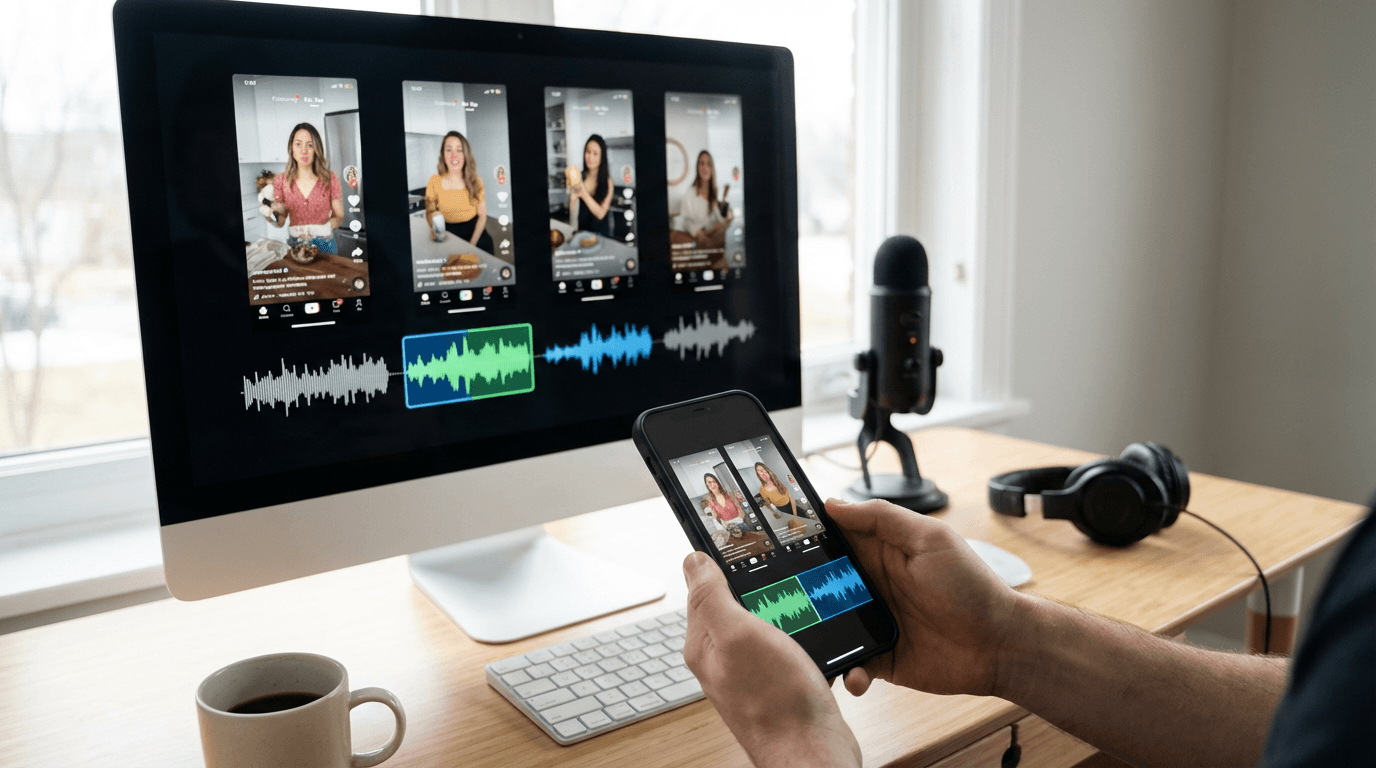
2. Open the sound page and study the pattern
Once a sound catches your eye, tap into the sound page.
YouTube says creators can tap Sound in the Shorts player to find the source video and other Shorts using that same audio, and YouTube also provides ways to create with that sound directly.
Now ask:
- Are all the top videos doing the exact same thing?
- Is the trend only working for huge accounts?
- Do the winning videos all use the same punchline?
- Is there still enough creative spread that a new version could stand out?
If the answer is “every video looks basically identical,” you are probably late.
If the answer is “the sound is recognizable, but creators are still adapting it in different ways,” you may still be early enough.
3. Validate the trend in YouTube Studio
This is where most people stop too early.
The Trends page is good for discovery. It is not enough for validation.

YouTube’s Studio Trends tab gives creators more context. According to YouTube, the tab can show top searches based on your audience and saved searches, breakout videos from similar creators, recent videos related to audience interests, and content gaps for Shorts where viewers may be looking for more relevant or higher-quality results.
This is the missing piece.
If a sound looks hot but the related topic has no real demand, it may not be worth much outside of a brief feed spike. But if the sound can support a topic that also shows search demand or a content gap, now you have something stronger.
That is the kind of trend that can pull views from both feed behavior and search behavior.
For related search strategy, see YouTube Traffic Sources 2026 Browse Search Suggested System and YouTube Shorts Titles and Descriptions 2026 Templates.
4. Look for sounds that support a searchable idea
This is one of the highest-leverage things you can do.
A lot of creators treat trending sounds as pure entertainment tools. That leaves long-tail reach on the table.
YouTube’s Shorts discovery help says Shorts ranking involves factors like how well metadata matches what viewers search for and whether viewers click and watch the content. The same help page also notes that tags generally play only a minimal role for discovery.
So instead of thinking:
- “How do I use this sound?”
Try thinking:
- “What topic can this sound make more clickable or more watchable?”
Examples:
- one YouTube Shorts mistake creators keep making
- three gym myths people still believe
- best side hustle mistake to avoid in 2026
- one study trick that actually saves time
- what most new sellers misunderstand about product videos
This is how a trend stops being just a feed tactic and becomes a broader growth tactic.
5. Prefer adaptable sounds over over-scripted ones
Not all trending sounds are equally useful.
The best sounds for creators often have one or more of these traits:
- a clear beat drop for a reveal
- a pause that creates suspense
- a mood that works across niches
- a rhythm that supports quick cuts
- lyrics that can double as a punchline or twist
The weakest sounds are often ultra-specific dialogue clips where only one joke works. Those can spike hard, but they also burn out fast because everyone makes the same version.
6. Create three versions immediately
When you find a promising sound, do not post just one version and hope.
Create three.
- a native version that fits the current trend format
- a niche version tailored to your audience
- a search-first version with a clear topic
This is how you learn whether the sound itself is powerful or whether only one particular execution worked.
And more importantly, it lets you move while the sound still feels early.
If you want a faster production workflow for this, From Prompt to Reel Text2Shorts AI Shorts is relevant.
The 15-minute trend-check workflow
Here is a repeatable method you can use daily.

Minute 1 to 3: collect
Save 5 sounds from the Trends page.
Minute 4 to 6: inspect
Open each sound page and check how wide the format spread is.
Minute 7 to 10: validate
Go into Studio Trends and search the core topic behind the sound.
Look for:
- related top searches
- breakout videos
- content gaps
- whether similar creators are posting around it
Minute 11 to 13: angle
Write three hooks for the best sound:
- entertainment hook
- educational hook
- search-first hook
Minute 14 to 15: choose and publish
Pick one concept and move fast.
The biggest mistake with rising sounds is waiting too long because you want the “perfect” version. Trend advantage often comes from speed plus clarity, not perfect production.
The 7 signs a sound is early, not late
Use this checklist before you spend time producing.
1. The sound is appearing in more than one niche
That suggests flexibility and more remaining upside.
2. The top examples are good, but not unbeatable
If every winning example already looks fully polished and creator-optimized at huge scale, the bar may be too high.
3. The format is recognizable, but not frozen
You understand what kind of video works, but there is still room for your own angle.
4. You can attach it to a clear topic
If you can turn the sound into a searchable or curiosity-driven topic, the opportunity gets stronger.
5. The sound gives you a first-second pattern interrupt
A strong audio cue can help the viewer stop scrolling.
6. The related topic still has content gaps
YouTube says content gaps happen when viewers cannot find enough relevant or high-quality search results. That is exactly where new Shorts can break through.
7. You can publish it today
A trend you can only make “next week” is usually a worse bet than a slightly smaller trend you can ship now.
Common mistakes creators make with the Trends page
Copying the sound without understanding the structure
The sound is not the strategy. The structure is what makes the trend watchable.
Choosing the most crowded version
The biggest sound is often not the best opportunity.
Ignoring search demand
A trend with zero lasting topic interest can die immediately after the feed spike ends.
Overvaluing hashtags
YouTube’s own discovery guidance says tags typically play a minimal role, which means creators should spend more energy on topic choice, title clarity, and viewer satisfaction.
Forgetting music safety

If you want to reduce copyright headaches, YouTube says the Shorts Audio Library and the royalty-free YouTube Audio Library are the safer starting points. YouTube also notes that music availability and usable duration can vary depending on the track and format.
For safer soundtrack workflows, read How to Generate No Copyright Music for YouTube with AI and Free AI Music Generator for YouTube Shorts Reels 2026.
Best Shorts formats to pair with rising sounds
These tend to work well because they are easy to understand on mobile and easy to adapt fast.
Before-and-after reveal
Great for edits, transformations, product changes, fitness, room makeovers, food swaps.
Mistake-to-fix
Strong for creator advice, marketing, productivity, study, money, ecommerce.
Myth vs reality
Works well for educational niches.
List reveal
Examples:
- 3 hooks
- 5 mistakes
- 7 ideas
- 10 tools
Story payoff
Very strong when the sound has a beat drop or emotional turn.
Faceless explainer
Great when you want to combine a trend with a searchable niche topic.
If you need more angle ideas, Faceless YouTube Shorts AI Niches 2026 and Evergreen YouTube Video Ideas 2026 Formats Search Traffic are good companion reads.
Copy-paste prompt pack: turn one rising sound into publishable Shorts
These are designed to help creators move from sound discovery to execution fast.
prompt-1-sound-angle-generator
Prompt
Analyze this trending YouTube Shorts sound and give me 12 video angles for it.
Niche: [your niche]
Audience: [target audience]
Goal: strong first-second hook, simple concept, easy to understand on mobile
Split the ideas into:
- 4 entertainment-first ideas
- 4 educational ideas
- 4 search-first ideas
For each idea, give me:
- the hook
- the payoff
- why the sound fits that format
prompt-2-early-vs-late-trend-check
Prompt
I found this YouTube Shorts sound trend. Help me judge whether it is early or already saturated.
Give me a checklist based on:
- format repetition
- niche spread
- originality potential
- search demand
- whether a smaller creator could still stand out
Then score the opportunity from 1 to 10 and explain the biggest risk.
prompt-3-shorts-script-writer
Prompt
Write a 20-second YouTube Shorts script using a trending sound.
Topic: [topic]
Tone: fast, clear, practical
Structure:
- first-second hook
- 2 short visual beats
- one payoff moment
- one final takeaway
Also give me suggested on-screen text and simple visual directions for each beat.
prompt-4-search-first-version
Prompt
Take this trending Shorts sound and turn it into 10 searchable YouTube Shorts ideas.
Make them suitable for 2026 creator search intent.
Avoid generic meme-only ideas.
Prioritize ideas that could still get views through search after the initial trend slows down.
prompt-5-title-pack
Prompt
Generate 20 YouTube Shorts title ideas for this trend-based video.
Goals:
- high curiosity
- strong click intent
- clear topic relevance
- natural 2026 wording
Then give me: - 5 pinned comment ideas
- 3 short description templates
- 5 alternate hook lines for the first second
For title help, AI Prompts for YouTube Titles is also useful.
How to turn a trend into a fast workflow inside Miraflow AI
The hard part is usually not spotting a trend.
The hard part is turning a good trend idea into a publishable video before the window closes.
That is where a faster browser-based workflow helps. Instead of jumping between notes, scripts, visuals, voice, thumbnails, and music tools, many creators now prefer a pipeline where they can go from:
- idea
- to script
- to scene planning
- to final vertical video
- to supporting visuals
- to soundtrack
without rebuilding the process every time.
That is especially useful when one sound gives you multiple usable angles and you want to test them quickly.
A practical approach looks like this:
- identify a rising sound
- write 3 hooks
- turn the best one into a short script
- generate scene ideas
- produce 2 to 3 Shorts variations
- add matching visual assets if needed
- publish and compare performance
If you also create companion assets around your Shorts, read How to Generate YouTube Thumbnails with AI and Best AI Prompts for YouTube Thumbnails 2026.
Conclusion
The YouTube Shorts Trends page is useful, but only if you use it like a creator with a system.
Do not chase the loudest sound.
Find the sound that is still flexible, still fresh, and still open to your niche. Then validate it with Studio trends, attach it to a topic viewers already care about, and publish before the format gets crowded.
That is how you stop arriving late to Shorts trends.
And that is how you start finding viral sounds before they peak.
FAQ
What is the YouTube Shorts Trends page?
It is a creator-facing feature inside Shorts that YouTube rolled out globally. Creators can pause the Shorts feed and tap Trends to find trending audio and inspiration personalized to them.
How do I find viral sounds on YouTube Shorts before they peak?
Use the Trends page to collect rising sounds, open each sound page to study how creators are using it, then validate the related topic in YouTube Studio Trends using top searches, breakout videos, and content gaps.
Does using trending sounds help Shorts discovery?
It can. YouTube says creators leaning into trends with popular sounds can increase their chances of appearing on sound pages, especially when using sounds from the Audio Library.
Are hashtags and tags important for Shorts discovery in 2026?
Not as much as many creators think. YouTube says ranking factors include metadata relevance to search and whether viewers click and watch, while tags usually play only a minimal role.
What is a content gap in YouTube Studio Trends?
YouTube says a content gap happens when viewers cannot find enough quality or relevant results for a search. That makes content gaps useful for finding Shorts ideas with room to win.
Should I make one Short or several from one rising sound?
Several. A good sound usually gives you at least three usable versions: a native trend version, a niche version, and a search-first version.