Google Ads AI Review Summaries in Search Ads: What Advertisers Need to Know (2026)

Written by
Aerin Kim

Google now documents AI review summaries inside Search ads: positive only, not editable, limited to four countries. Learn how they work, the risks, how to measure impact and a 30-day plan.
If you run Google Search ads in the US, UK, Australia or India, there is a decent chance that a short line of AI-written praise about your business has already appeared inside your ad without anyone on your team writing it. Google has now published a help page called About Review summaries that describes the feature in plain terms: AI-powered summaries of online reviews that appear directly as part of your Search ads, highlighting positive insights from across the web. Hana Kobzová of PPC News Feed spotted the page on October 24, 2026, and Barry Schwartz covered it at Search Engine Roundtable on October 26, noting that sponsored results with AI-generated summaries had been showing up in tests for months and that this was the first time Google had written the behavior down.
That matters because the text is not yours to write. Google says advertisers cannot directly edit or customize a review summary, and the help page does not list an opt-out setting or a dedicated report for it. What you can still control is the raw material the summary is built from: the reviews that exist about you, where they live, how recent they are and whether they describe the business you run today. This guide walks through what the feature is, how it differs from store ratings, Business Profile review summaries and AI Overviews, why a positive-only summary still carries risk, how to audit your review footprint, how to measure the impact when no report exists, what it means vertical by vertical, and a 30-day plan you can start this week. It also includes a hypothetical plumbing company walk-through so the abstract risks become concrete.
TL;DR
- Review summaries on Search are AI-generated, positive-only snippets of commentary built from online reviews gathered from across the web, shown as part of your Search ad when Google predicts they will improve performance.
- Per Google's help page, they are available for Search campaigns, in all positions on Google.com, on all supported devices, in English in the US, Australia, the UK and India, across all verticals except sensitive categories such as pharmaceuticals.
- Advertisers cannot edit the text, and the page does not describe an opt-out toggle or a reporting segment. If you need the feature off for a legitimate reason, your realistic route is Google support or your Google rep, and your realistic lever is the review footprint itself.
- Positive-only does not mean risk-free. A summary can stress the wrong strength, lean on outdated reviews, praise something you no longer offer, or imply a claim your landing page does not back up.
- Because there is no dedicated segment, measure with experiments, date comparisons, country splits and impression share, and keep a log of when summaries seem to appear in your own ads.
- The strongest move is a 30-day review-footprint cleanup: claim your profiles, answer old reviews, collect fresh ones, fix what the reviews get wrong, and make your landing page match what customers say.
- Miraflow helps on the creative side, turning real customer praise into testimonial videos, ad images and short clips with the AI image generator, Text2Shorts and AI Clipping.
What Google actually documented
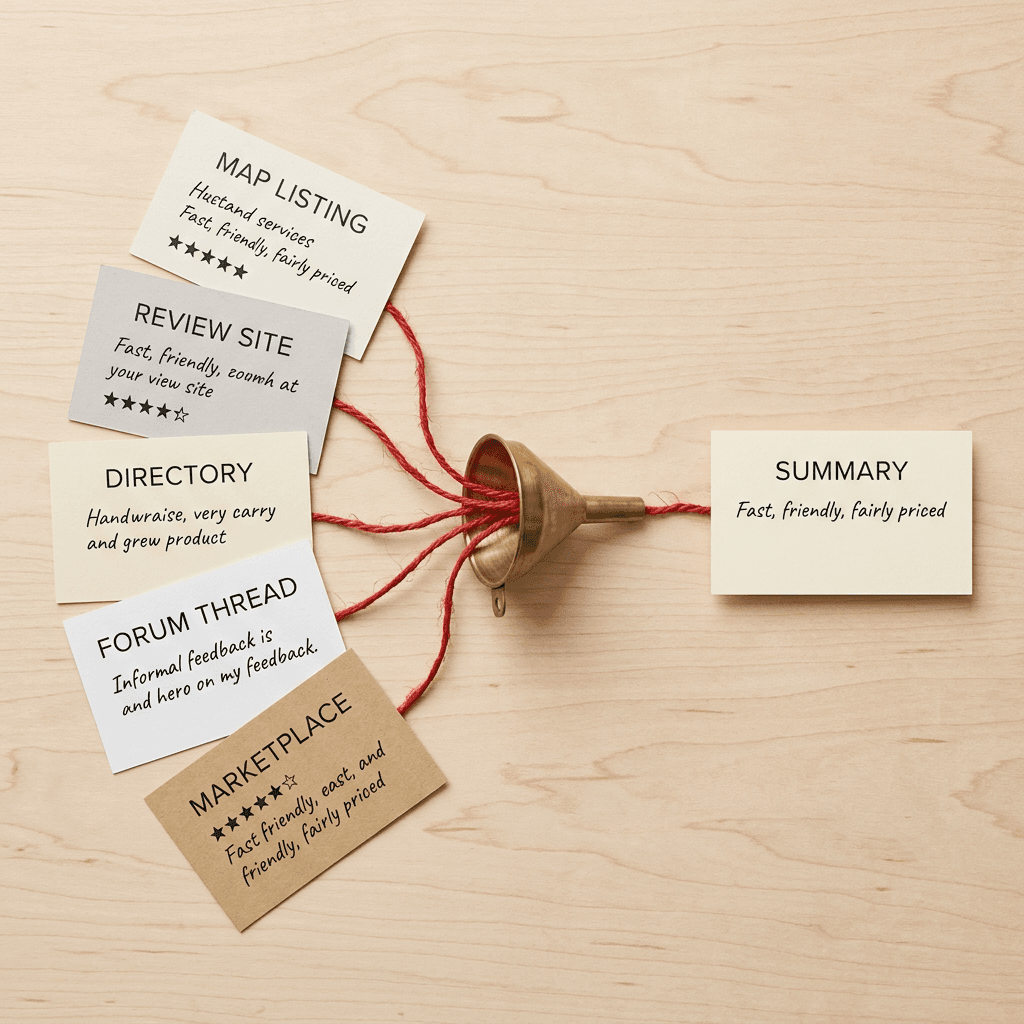
The help page is short, which makes every sentence in it worth reading closely. Google describes review summaries as AI-powered summaries of online reviews that appear directly as part of your Search ads, designed to help potential customers evaluate your business and build confidence in your offerings. Under the heading about how the feature works, Google says its AI automatically aggregates online reviews from across the web, that the summaries are positive only, and that they represent customer experiences and key insights about your business. In the ad, they appear as short AI-generated commentary. Google also states that the summaries are generated using responsible AI best practices, including strong grounding requirements to ensure quality and accuracy.
Four other statements from the page shape how you should think about control. Google says it only shows a review summary when it is predicted to improve ad performance, which means the summary is a per-impression decision and not a setting that is simply on or off for your account. Google says that because the summaries represent user feedback, advertisers cannot directly edit or customize the generated text. Google lists the benefits as building customer trust, improving click quality, improving ad performance and strengthening brand trust at the moment of consideration. And the page closes with a related link to the article about account-level automated assets, which is the place where Google documents other machine-assembled ad elements such as store ratings.
What the page does not say
Reading what is absent is as useful as reading what is present. The page does not list an opt-out control, it does not name a reporting column or segment, it does not say which websites count as "across the web", it does not say how recent a review must be, and it does not say how many reviews are needed before a summary can be generated. Those are open questions, and I would treat any blog, agency deck or sales call that answers them confidently as guessing. The honest position today is that Google has documented the shape of the feature and left the mechanics to the model.
The history behind the page
The documentation follows a trail of tests that Search Engine Roundtable tracked through 2026. In late June, advertiser Darcy Burk posted screenshots of AI-generated summaries placed right below the description of a sponsored result, carrying the disclaimer that Google AI responses are generated independently and can make mistakes. A Google spokesperson told Roundtable at the time that it was a small experiment to see whether adding AI-generated context to Search ads helps people make more informed decisions. Burk's own reaction was pointed: the example he shared involved an unlicensed handyman being described as the cheaper option, and he called the output not helpful.
A later round of tests showed a "What customers love" section in sponsored results labeled as AI-generated from the store ratings and reviews, spotted by Sachin Patel on X. Roundtable observed that Google had already been generating AI summaries from store ratings and review summaries in local panels, so the ad version is another layer of the same idea. The new help page is the point where the experiment became a documented product with a defined eligibility list.
A separate test is worth keeping in view because it targets the same real estate. On October 22, 2026, Alex Greenland reported seeing a scrolling marquee on some sponsored results that loads reviews and ratings, a number of visits and a visit-site link, along with an animated underline on the domain chip, on roughly 5% of his searches. Google has not documented that test, and it may never ship in that form, but together the two stories point in one direction: Google is putting more social proof, assembled by Google, into the ad unit itself.
Who is eligible, in one table
Eligibility is narrower than most Google Ads automation, mostly because of geography and language. The table restates the help page and adds a plain-language note on what each line means for your planning.
| Condition | What Google's help page says | What it means for you |
|---|---|---|
| Campaign type | Search campaigns | Performance Max, Demand Gen and Shopping campaigns are not listed |
| Ad placement | All positions on Google.com | No need to chase top positions to be eligible |
| Location and language | US, AU, UK, IN in English | Other countries and other languages are outside the documented list |
| Device type | All supported devices | Check mobile and desktop screenshots separately |
| Business verticals | All verticals except sensitive categories such as pharmaceuticals | The full list of sensitive categories is not published, so check live ads |
| Editing | Advertisers cannot directly edit or customize the text | Your lever is the underlying review footprint |
| Display rule | Shown only when predicted to improve ad performance | Appearance varies by query, user and context |
The language line trips up multinational accounts more than any other. A Search campaign targeting Canada, Germany or Singapore is outside the documented list, as is a Spanish-language campaign inside the United States. If you manage a campaign that targets several countries, expect different ad appearances in different markets, and when you compare performance, separate the four listed countries from everything else.

The vertical rule is the part with the most uncertainty. Google says all advertiser verticals are included except sensitive categories, with pharmaceuticals given as the example. The page does not list the other sensitive categories, and that is where I would not guess. Advertisers in healthcare, financial services, gambling, alcohol and similar regulated areas should assume that eligibility could differ from what you expect, and should check live ads instead of assuming. Miraflow's coverage of Google's alcohol advertising policy update is a useful reminder that sensitive-category rules shift often.
How review summaries differ from everything else with stars on it
Google now has a crowded set of review-flavored features, and mixing them up leads to wrong decisions. A store rating is a number, a review summary is a sentence, a Business Profile summary lives in a different surface, and an AI Overview is not part of your ad at all. The table compares them on the points that matter to an advertiser.
| Feature | What it is | Who writes the text | Documented thresholds, controls and reporting |
|---|---|---|---|
| Review summaries on Search ads | Short AI-generated positive commentary inside a Search ad | Google AI, from reviews across the web | No threshold, opt-out or report documented on the help page |
| Store ratings (formerly seller ratings) | Star rating, rating count and sometimes a qualifier next to ads and free listings | Calculated by Google from review partners, Google Customer Reviews and Google users | 3.5+ average for text ads, about 100+ eligible reviews for most merchants, an off switch and an account-level automated assets report |
| Review extension (retired) | A hand-picked third-party quote attached to an ad | The advertiser chose the quote | No longer available |
| Business Profile review summaries | AI summary of reviews in local panels and Maps surfaces | Google AI, organic surface | Managed through your Business Profile and the reviews on it |
| AI Overviews and AI Mode answers | Synthesized answers on the results page, sometimes with ads nearby | Google AI | Not part of your ad; influenced by your content and reputation |
Store ratings, formerly seller ratings
Store ratings are the older and better documented relative. Google's About store ratings page explains that a rating out of five stars, the number of ratings and sometimes a qualifier such as average delivery time can appear with your ads and free listings. Google says it gathers the underlying data from reputable review aggregators, from Google Customer Reviews and from users on Google, calibrates ratings and filters out spam and reviews that do not indicate a transaction took place.
The page also gives concrete thresholds, which is why it is worth reading directly instead of repeating a number from memory. For text ads, an average rating of 3.5 or more stars is required. A store rating will serve in a country once Google has collected enough unique reviews for that country within the last 24 months, and Google notes that the number needed varies by business but that most merchants are able to obtain a rating after collecting 100 or more eligible reviews. The visible URL domain on the ad must match the domain Google has ratings for, and reviews from customers in one country only count toward the rating in that country. Google also says you can turn store ratings off with its published steps, and that reporting is available in the account-level automated assets report for text ads.
The contrast with review summaries is the useful part. Store ratings come with published thresholds, a lookup tool for checking your own rating, an off switch and a report. Review summaries, as documented today, come with none of those. If you have been relying on the store ratings controls as your mental model for reviews in ads, adjust it: this feature sits closer to the "automated assets" family, where Google decides and you adapt.
The retired review extension
Google used to let advertisers hand-pick a third-party quote and display it as a review extension, with the publication and a link attached. That format has been retired, and with it went the idea that the advertiser chooses which review line gets shown. A review summary is the opposite arrangement: Google writes the line, from reviews you did not choose, and the human editing step is gone. If you used to maintain quotes manually, you should think of your current job as influencing the source material instead of the quote.
Google Business Profile review summaries
Local Business Profiles, the panels you see in Maps and in local results, have had AI-generated review summaries for a while, as Roundtable pointed out in its coverage of the "What customers love" test. Those summaries live in an organic, unpaid surface. The ad version appears inside a paid placement, is subject to the "predicted to improve ad performance" rule, and is limited to the four countries on the eligibility list. The practical connection is that the same body of reviews feeds your reputation in both places, so cleaning up your profile helps whichever surface Google decides to use.
AI Overviews and AI Mode
AI Overviews and AI Mode answers are organic or answer-engine surfaces where Google synthesizes information, sometimes with ads placed near or inside them. Miraflow has covered how ads now show in AI Mode with Personal Intelligence and the shifting click patterns described in the Reverse Crocodile Effect analysis. Review summaries are different in kind, because they are a component of your ad and not a separate answer, but the pattern is the same: Google is placing synthesized language between the searcher and your landing page, and your best defense is being the kind of business whose source material synthesizes well.
Why "positive only" still carries risk
Positive-only sounds like the safest possible design for an advertiser, and in one sense it is. A summary that never mentions your worst review will not repel anyone. The risk lies in what positive-only selection can do to accuracy, and it shows up in at least five distinct ways.
Wrong emphasis
A summary distills many reviews into a few phrases, and the phrases that survive are the ones that appear most often or most vividly. If a hundred customers praised your low price and ten praised your craftsmanship, the summary will probably talk about price, even if your strategy has shifted toward premium work. That could attract exactly the bargain hunters you are trying to avoid, and your cost per qualified lead rises while the click-through rate looks healthy.
Outdated reviews
Reviews age, and businesses change. A bakery that changed hands, a clinic that moved, an agency that dropped a service line and a retailer that changed its return policy all carry years of reviews describing a different company. Google's store ratings documentation counts reviews from the last 24 months, and nothing on the review summaries page says whether the same window applies. If the summary draws on older material, the ad can describe a business you no longer run.
Praise for something you no longer offer
This is the sharpest version of the staleness problem. If customers loved your free same-day delivery and you ended it in the spring, a summary built from those reviews could still advertise it. In some jurisdictions an ad that promises something you do not provide is a legal and policy problem, not just a conversion problem, and the fact that an AI wrote the sentence does not move the responsibility off your account. Miraflow's note on automated promotions auto-enrollment describes a related case where an automation can show offers you did not set up.
Mismatch with the landing page
A summary that says "friendly staff and quick turnaround" sets an expectation, and the visitor who clicks will look for evidence of it. If your landing page is a generic form with no mention of turnaround time, the promise raises the bar without helping the visitor meet it. That gap often shows up as a lower conversion rate on exactly the traffic that now clicks more readily. The fix is to make the landing page confirm what customers say most, which also supports the grounding Google describes.
Regulated and sensitive claims
Reviews written by customers can contain claims an advertiser could never make directly: "cured my back pain", "guaranteed approval", "saved me thousands in taxes". Google says it applies grounding requirements, meaning the summary should reflect real feedback, and it excludes sensitive categories, but it does not say how a summary treats a claim that would be restricted if you wrote it yourself. Miraflow's guide to real-time policy reviews and the piece on text disclaimers for AI Max cover how disclaimers and policy checks behave elsewhere in the ad unit. For review summaries, no equivalent control has been documented, so the only prevention is what reviewers say about you.

Where the reviews come from, and how to audit your footprint
Google says it aggregates reviews from across the web, and that is as specific as it gets. I would not claim that any particular site is or is not a source. What you can do is treat the whole public review landscape as potentially in scope, because that is the only safe assumption, and then audit it in order of visibility.
The usual places a business appears are its Google Business Profile, industry directories, general consumer review sites, marketplace and app store listings, B2B software review sites for SaaS, social platforms and community forums where customers discuss experiences. For a local trade that might mean a Business Profile plus a couple of neighborhood or home-services directories. For a software company it could mean G2-style comparison sites, a Reddit thread and app marketplace reviews. Whether each one is actually used is Google's call, which is why the audit is about the business and not about reverse-engineering the model.
A practical review-footprint audit
- Search your own brand name plus the word reviews, in a private window, in each country you advertise in, and write down the first two pages of results that carry customer opinions.
- Open your Google Business Profile and read every review from the past 24 months in full, along with owner replies. Note recurring praise and recurring complaints.
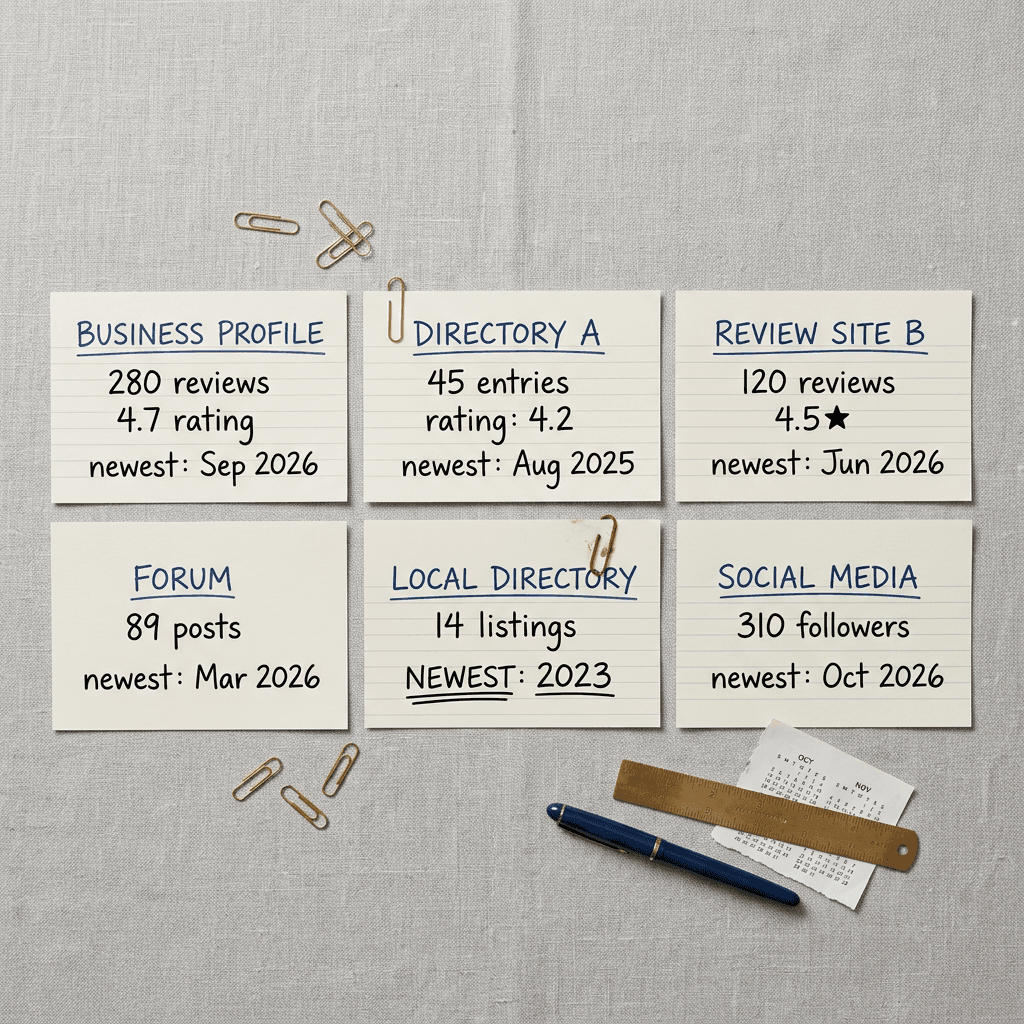
- Record count, average rating and newest review date for each source. A profile with 400 reviews and nothing since 2023 tells a different story than 60 reviews with ten from last month.
- List claims customers make that you cannot currently honor, such as an old price, a discontinued service, a former location or a staff member who left.
- List claims you want customers to make and are not hearing, such as speed, transparency, warranty handling or after-hours availability.
- Check your store rating if you sell products, using the lookup URL Google gives on the store ratings page, once per country, since ratings are calculated per country.
- Look for unclaimed profiles and duplicates. A second listing for an old address splits your reviews and gives a model two stories to blend.
- Screenshot everything with the date. If a summary later says something odd, you will want a record of what the public record said at the time.
Tidying without gaming
There is a boundary worth stating plainly. Responding to reviews, correcting your business information, asking real customers for feedback and fixing the problems they raise are all ordinary reputation management. Buying reviews, gating requests so only happy customers are asked, offering incentives for positive ratings or trying to suppress honest negative reviews can violate the policies of the platforms involved and, in several markets, consumer protection law. Because Google's summary is generated from patterns across many reviews, shortcuts also tend to leave tell-tale clusters that quality filters are built to catch.
A hypothetical walk-through: Riverbend Plumbing
The following scenario is invented to show how the pieces interact. Riverbend Plumbing does not exist, and every number and quote below is made up for illustration. Imagine a five-van plumbing company in a mid-sized US city running Search ads on emergency and repair keywords, with a Business Profile of 280 reviews averaging 4.7 stars, a home-services directory page with 60 reviews mostly from two to four years ago, and a neighborhood forum thread where a customer complained about an after-hours surcharge.
The company's real situation has shifted. Two years ago it advertised "flat-rate pricing, no surprises". Last spring it moved to time-and-materials billing for larger jobs and added an after-hours fee. It also stopped serving two suburbs on the far side of the river. Its newest reviews praise technicians who explain the problem, but many of the older reviews, which still make up a large share of the total, praise the flat rates and the wide service area.
Suppose Google generates the following kind of summary in the ad: friendly technicians, fair flat-rate pricing and fast arrival across the metro area. Each of those phrases is grounded in genuine reviews, and each is a little stale. A searcher in one of the two dropped suburbs clicks, finds out the company no longer comes to them, and leaves. A searcher who expects flat-rate pricing is surprised by an hourly estimate and abandons the call. The click-through rate looks great in the ad report while the cost per booked job drifts upward. Nobody wrote a wrong sentence, but the account is paying for clicks generated by a promise the business has stopped keeping.
| Hypothetical summary phrase | What the old reviews say | What is true today | Fix |
|---|---|---|---|
| Fair flat-rate pricing | Many reviews from 2022 and 2023 praise flat rates | Large jobs now billed time and materials, with an after-hours fee | Reply to old reviews with the current billing model and put an upfront-estimate promise on the landing page |
| Fast arrival across the metro area | Reviews mention reaching far suburbs | Two suburbs were dropped from the service area | Update Business Profile service area and landing page coverage list |
| Friendly technicians who explain the problem | Newest reviews say this repeatedly | Still true | Keep asking for specific feedback and add a short testimonial video |
The cleanup in this scenario is mostly unglamorous. The owner updates the Business Profile service area, replies to the oldest reviews with a line explaining the new billing model, asks recent customers to mention what the technician explained, rewrites the landing page to say "upfront estimate before work starts" in the first screen, and publishes a short testimonial video that shows the explaining behavior. Over the next quarter the mix of recent reviews shifts, and the summary language, whatever Google generates, has a chance to follow. The owner cannot guarantee the wording, but can make accurate wording the most likely outcome.

Measuring the impact when there is no report
The help page mentions no segment, column or label for review summaries, so every measurement approach is indirect. Indirect still works if you are disciplined about it.
Use experiments before date comparisons
A before-and-after comparison is the weakest design, because seasonality, bidding changes and competitors all move at once. The stronger tool is a controlled test. Miraflow's guide to Google's multi-campaign Search experiments explains how to split traffic between a control and a trial. Since you cannot toggle review summaries directly, the test you can run is about the ingredients: for example, a campaign pointing at a landing page that mirrors your top review themes versus one pointing at the old page. If summaries are showing, they will show on both arms, and the landing page becomes the variable you control.
Compare by country, and keep the four markets separate
Because the feature is limited to English in the US, Australia, the UK and India, you have a natural comparison: campaigns or segments in eligible countries against similar ones outside the list. It is an imperfect control, since markets differ, but a sudden change in click-through rate or conversion rate that appears only in the four listed countries, around the time summaries began showing, is a useful clue. Google Ads lets you segment by location, and a weekly pull of CTR, conversion rate and cost per conversion by country takes minutes to build.
Watch the metrics a summary should move
A summary is meant to improve click quality, so look at the whole funnel and not just the top. Track click-through rate, conversion rate, cost per conversion, impression share and, if you have it, lead quality scored by sales. If click-through rate rises while lead quality stays flat or falls, the summary may be attracting the wrong promise. Miraflow's guide to AI Max reporting changes shows how Google has been adding columns for other AI-generated elements, and it is reasonable to watch for a similar column here, but nothing has been announced. Also keep an eye on Data Strength, since clean conversion tracking determines whether any of these comparisons is trustworthy.
Check what searchers actually see
Run your own searches from a clean browser session and screenshot the results, noting date, location and device. Avoid clicking your own ads, which costs money and pollutes data. The Ads Preview and Diagnosis tool in Google Ads is designed for checking ad appearance without generating impressions, though I would not assume it reproduces review summaries, since they are shown only when predicted to improve performance. Ask friends, colleagues or customers in eligible countries to send screenshots of what they see for your branded and non-branded queries, and keep a log with the wording.
The vertical-by-vertical view
The same summary behaves differently depending on the business. This table is my analysis built from the documented eligibility rules, not a list from Google.
| Vertical | Review footprint | Main upside | Main risk | First move |
|---|---|---|---|---|
| Local services | Rich, recent, concentrated on a Business Profile | Trust at the moment of a mobile search | Service area, pricing and staff drift | Audit the profile and update business facts |
| Ecommerce and retail | Store and product reviews across partners and Google Customer Reviews | Extra proof beside existing store ratings | Product-line mismatch between reviews and ad | Keep ad groups tight and align shipping and returns text |
| SaaS and B2B | Fewer reviews, mostly on specialist comparison sites | Credibility for a new or niche vendor | Deprecated features and old plans praised | Update comparison-site listings quarterly |
| Healthcare and pharma | Sensitive; pharmaceuticals excluded | Possibly none | Restricted claims in reviews | Check live ads and keep compliance review in the loop |
| Finance and insurance | Outcome-heavy reviews | Trust for unfamiliar brands | Guaranteed-result language | Document summaries and escalate problem wording to Google support |
Local services
Local trades, clinics outside the sensitive categories, salons, restaurants and similar businesses probably have the most to gain and the most to lose. Their review base is rich, recent and concentrated on a Business Profile, and a summary that says "on time and clean" can be persuasive on a mobile screen. The risk is service area drift, pricing changes and staff turnover, exactly the issues in the Riverbend example. If you also run Local Services Ads, Miraflow's piece on the migration of Local Services Ads to Performance Max is a good companion, since both rely heavily on reviews.
Ecommerce and retail
Ecommerce advertisers already have a documented route to ratings through Google Customer Reviews and supported review partners, so for them the review summary is an extra layer on a base they can influence. Product reviews and store reviews differ, and a summary built from reviews about one product line might appear in an ad for another. Keep your ad groups tight, make sure policies on returns and shipping on the site match what reviewers say, and review how the summary interacts with your shopping and AI Max for Shopping setup.
SaaS and B2B
Software companies tend to have fewer reviews, more of them on specialist comparison sites, and stronger opinions about features, pricing and support. A summary could highlight an integration you have deprecated or a plan that no longer exists. Review your listings on comparison sites quarterly, answer feature-related reviews with current facts, and keep the pricing and feature pages up to date so that a visitor arriving from a summary finds what the reviews described.
Healthcare, pharma and other sensitive categories
Pharmaceuticals are explicitly excluded, and Google says sensitive categories in general are outside the feature without naming all of them. Clinics, dental practices, supplement sellers and telehealth providers should check live ads before assuming either way. Even if a summary never appears, reviews in these categories still shape reputation, so the footprint audit remains worth doing, and creative for these businesses should follow Miraflow's guidance in the dental and medical practice marketing visuals post, with compliance review before anything goes live.
Finance and insurance
Financial services reviews often include outcome claims, such as approval speed or savings, that are heavily regulated when made by an advertiser. If summaries appear in this category, review them with a compliance mindset and be ready to ask Google support about any summary that implies a guaranteed result. Because the help page names no opt-out, documented screenshots become the evidence you bring to that conversation.
How this fits Google's wider AI ad automation
Review summaries are one piece of a pattern that has been building through 2026. Google writes headlines through text customization in AI Max, expands landing pages through final URL expansion, upgrades campaigns through the automatic move to AI Max, pulls in footage through sourced videos in Performance Max, and adds offers through the direct offer asset. In each case the advertiser's role shifts from writing every element to supplying inputs and setting guardrails.
The review summary extends that pattern to third-party content. Headlines come from your site and assets, while this line comes from what other people said about you. That is a meaningful change in who authors the ad, because your control moves from your own copy to your reputation. It also makes the ad more persuasive in principle, since a claim from other customers often carries more weight than a claim from the advertiser.
Likely next changes
Predictions are guesses, and these are mine, not Google's. If the pattern of other automated assets holds, a few developments would not surprise me: a reporting label or column that identifies impressions with a summary, an account-level control similar to the one for store ratings, expansion beyond the four launch countries and English, a clearer statement of which sources count, and a link between summaries and the marquee-style test Greenland saw, where reviews and visit counts scroll through the ad. I would also expect advertisers in sensitive categories to push for explicit exclusions.
None of that is confirmed, so the sensible response is to prepare for the version of the future where summaries are common and you cannot edit them, which is the version the help page describes today.
A 30-day review-footprint plan
The plan below assumes a small team and no budget beyond time. Each week has one theme, and each task is small enough to finish.
| Week | Focus | Tasks | Output |
|---|---|---|---|
| 1 | Audit | Search brand plus reviews in each eligible country, log counts, averages, dates and themes, screenshot live ads | One-sheet review inventory |
| 2 | Correct | Fix hours, service area, categories and pricing text, claim and merge profiles, reply to outdated reviews | Accurate public facts |
| 3 | Collect | Send a uniform feedback request after every job, ask open questions, enroll in Google Customer Reviews if you sell products | Fresh, specific reviews |
| 4 | Align | Mirror top review themes on the landing page, update ad assets, set a monthly screenshot and review check | Landing page that confirms the promise |
Week 1: See what Google can see
Run the audit above. Record review counts, averages, newest dates and recurring themes across your Business Profile, directories, review sites and forums. Create a simple sheet with one row per source and one column per recurring theme, because patterns are easier to spot when they sit in a grid. Check your store rating through Google's lookup if you sell products. Screenshot your live ads from each eligible country on desktop and mobile.
Week 2: Fix what the reviews get wrong
Update every business fact you control: hours, service area, phone, address, categories, pricing pages, shipping and returns text. Claim any unclaimed profiles and merge duplicates. Reply to the oldest and most inaccurate reviews politely, with current facts, written for the next reader and not just the reviewer. Where a review mentions something you no longer offer, a brief line such as "We have updated our service area and now cover X" gives future readers and any model reading the thread a current fact.
Week 3: Collect fresh, honest reviews
Ask recent customers for feedback through a simple, uniform request that goes to everyone, not only the happy ones. A short message after a completed job, with a direct link to your Business Profile review form, is enough. Encourage specifics by asking an open question, such as what the technician explained or what arrived faster than expected, because specific reviews produce specific summaries. Do not offer rewards for ratings. If you sell products, enroll in Google Customer Reviews through Merchant Center or work with one of the supported review partners named on Google's store ratings page.
Week 4: Align the landing page and the ads
Take the three most frequent positive themes and make sure each is visible within the first screen of your landing page, in your own words and with proof: a guarantee, a photo of the team, a process step or a customer quote. Update your ad assets so your own headlines do not contradict the review themes. Add a monthly review of the summary language in your ads, as reported by your screenshots, to your reporting calendar. Then decide whether the exceptions are serious enough to raise with Google support or your rep.
If you genuinely need summaries off
The help page does not list an opt-out setting, so I would not promise one. If your situation warrants it, for example a regulated claim that keeps showing, contact Google Ads support or your account representative, describe the specific problem, attach dated screenshots and ask whether an account-level exclusion exists. Keep expectations modest: the answer may be that the feature is automated and the only remedy is changing the underlying reviews.

Common mistakes
Assuming no summary means no exposure. Because summaries only show when predicted to improve performance, you may not see one on your own searches. That does not tell you what happens on other queries, devices or locations, so check broadly.
Treating positive-only as accuracy-guaranteed. Positive describes tone, not freshness or relevance. A glowing but outdated line can still send the wrong customers.
Ignoring non-Google sources. Google says reviews come from across the web, so a neglected directory profile with a wrong address can matter as much as your polished Business Profile.
Chasing a rating instead of a story. A fixation on the average star number misses the language of the reviews, which is what a summary is made of. Ten specific, recent reviews can shape a summary more than a hundred that say "great".
Buying or gating reviews. Incentivized or filtered reviews break platform rules and invite filtering, and a fabricated review base makes any summary built on it a liability.
Comparing before and after without controls. A rise in click-through rate during a seasonal peak says little about summaries. Use experiments, country splits and lead-quality checks.
Forgetting the landing page. A summary raises expectations, and a page that does not confirm them wastes the click.
Mixing up store ratings and review summaries. Store ratings have thresholds, a lookup, an off switch and a report. Review summaries, as documented, have none of those, so advice from one does not transfer to the other.
Skipping ineligible markets in the plan. If you advertise outside the four countries, do not apply conclusions from them to your other campaigns without testing.
Never screenshotting. Without dated records, a conversation with support becomes your word against a feature that may not reproduce on demand.
Turning real praise into ad creative with Miraflow
If review summaries make customer voice more important, the natural response is to put your own customers' words to work in assets you control. That is a creative production job, and Miraflow handles several of its parts in the browser.
- Testimonial stills and ad visuals. The Miraflow AI image generator can build clean, on-brand visuals around a real customer quote, a service checklist or a before-and-after scene, which suits the display and social placements that sit beside your Search campaigns. Miraflow's guide to AI prompts for ecommerce product images is a useful starting point for product businesses.
- Video thumbnails and covers. If you publish customer stories on YouTube, the YouTube thumbnail maker helps you produce a clear, consistent cover for each one.
- Cinematic brand clips. The cinematic video generator makes short scene-setting clips for a service or product launch, which can sit alongside real testimonial footage.
- Short testimonial videos. Text2Shorts turns an approved script into a vertical short with visuals and voice, which is a quick way to turn a real review theme, such as "explains the problem before starting", into a clip for Shorts and Reels.
- Long customer interviews into clips. AI Clipping finds the strongest moments in a long recording and exports vertical clips with captions, as described in Miraflow's guide to turning long videos into viral shorts.
One caution applies to all of it: generated creative should illustrate your service and quote real customers only with their permission. Do not fabricate testimonials, and do not present generated people as customers. The purpose is to give your genuine social proof a polished home on your own pages, not to invent it.
Frequently Asked Questions
What are Google Ads AI review summaries?
They are short, AI-generated pieces of commentary that appear as part of a Search ad. According to Google's help page, they summarize positive insights from online reviews gathered from across the web to help potential customers evaluate a business.
Where are review summaries available?
Per Google, they are available for Search campaigns, in all positions on Google.com, on all supported devices, in English in the US, Australia, the UK and India. All verticals are included except sensitive categories such as pharmaceuticals.
Can I edit or customize the text of a review summary?
No. Google states that because the summaries represent user feedback, advertisers cannot directly edit or customize the generated text.
Can I opt out of review summaries?
The help page does not list an opt-out setting. If you need them off, contact Google Ads support or your account representative with dated screenshots, and focus on improving the reviews and information that feed the summary.
Are review summaries always shown?
No. Google says it only shows review summaries when it is predicted to improve ad performance, so appearance varies by query, user and context.
Do review summaries show negative reviews?
Google says the summaries are positive only. That tone rule does not guarantee that every statement reflects your current business, which is why auditing your review footprint still matters.
Which review sites does Google use?
Google says its AI aggregates online reviews from across the web and has not published a source list. Treat your Business Profile, directories, review platforms and forums as potentially relevant.
How are review summaries different from store ratings?
Store ratings are a star score with a review count, subject to published thresholds such as a 3.5 average for text ads, with a lookup tool, an off switch and reporting. Review summaries are a written sentence with no documented thresholds, opt-out or report.
How many reviews do I need for a store rating?
Google's store ratings page says the number varies by business and that most merchants can obtain a rating after collecting 100 or more eligible reviews, counted by country within the last 24 months. That page covers store ratings only; no review count has been published for summaries.
How can I tell if summaries are affecting my results?
No dedicated report exists, so compare performance by country, run controlled experiments on landing pages, track lead quality as well as click-through rate, and keep dated screenshots of your live ads.
Does this affect businesses outside the US, UK, Australia and India?
Not according to the current documentation. Campaigns targeting other countries or languages are outside the listed availability, though Google could expand it.
Is a scrolling marquee for reviews coming to ads too?
Google was reported testing a scrolling marquee on a small share of sponsored results in October 2026, but it has not documented that format. Treat it as an experiment until Google says more.
Conclusion
Google's new help page confirms something advertisers have seen in tests for months: a sentence of AI-written, positive-only commentary built from reviews across the web can now sit inside a Search ad in the US, UK, Australia and India, and you cannot edit it. The page lists no opt-out and no report, so the control you actually have sits upstream, in the reviews, profiles and landing pages that the summary draws from.
The practical response is a routine and not a panic. Audit where your reviews live, fix the facts that are wrong, answer outdated feedback, collect fresh and specific reviews from real customers, and make your landing page confirm the three things people praise most. Measure with experiments, country splits and lead quality, because nothing in the interface will label the effect for you. And if a particular summary creates a real policy or accuracy problem, bring dated screenshots to Google support.
Social proof assembled by Google is likely to grow, from this summary line to formats like the marquee test, so the businesses that benefit will be the ones whose real customer experience is current, specific and easy to find. Miraflow can help you present that proof in your own creative, with the AI image generator, Text2Shorts and AI Clipping, and the Miraflow blog will keep tracking Google Ads changes as they arrive.