20 AI Crying Trend Prompts: Turn Any Photo Into the Viral Emotional Video (Copy & Paste 2026)

Written by
Aerin Kim
Copy 20 AI crying trend prompts that animate a still photo into a smile, tear and turn-away video, with motion timing, sad music cues, consent rules, and a full Miraflow workflow.
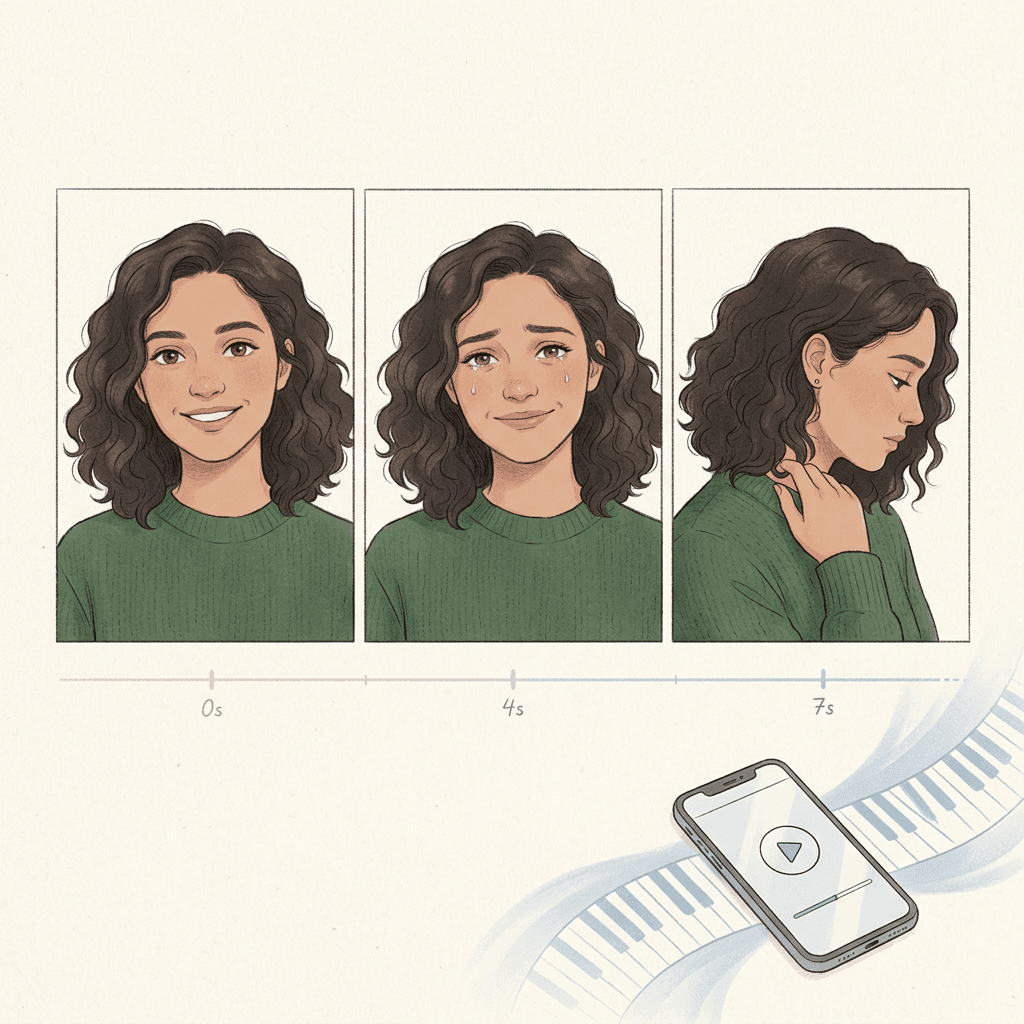
If you opened TikTok or Instagram Reels this week and saw a still photo of someone smiling, then blinking back tears, then turning away while a slow piano plays, you have met the AI crying trend. Everyone seems to be asking the same practical questions: how do I get the smile to break at the right second, why do my tears look like glossy plastic, and how do I stop the face from turning into a stranger halfway through the clip?
The trend, as described by CapCut template pages and several creator-tool guides, took off in late September 2026. One selfie or old photo becomes an 8 to 12 second clip where the person smiles, their eyes fill, a single tear falls, and they look away or walk out of frame, usually with a sad song laid on top. Most of the generators are silent, so the song is something you add yourself. One thing worth saying up front: the public coverage of this trend comes mostly from app makers and creator-tool blogs rather than newsrooms, so treat any claimed view count as marketing until you see it on the platform itself. The technique, however, is easy to test on your own phone in a few minutes.
This guide gives you 20 copy-and-paste image-to-video prompts, grouped by the kind of photo you are animating (memory photos, pets, couples, childhood pictures, illustrated characters, cinematic slow motion, comedic twists and brand-safe versions). Each prompt spells out the timing of the smile and tear, the camera move, the light, the duration and the audio cue, because those four details are what separate a clip that makes people tear up from one that makes them uneasy. You will also find an end-to-end workflow with Miraflow, an ethics and consent section that matters more here than in almost any other trend, a list of common mistakes, and an FAQ.
TL;DR: How the AI Crying Trend Works
- You start with one clear photo with a visible face, ideally front-facing or a gentle three-quarter angle, eyes open, no sunglasses and no heavy shadows across the eyes.
- You describe a three-beat emotional arc in the prompt: a soft smile, eyes that glisten and one tear that follows a believable path, then a slow turn away or a gaze that drifts off-camera.
- You keep the clip short (6 to 10 seconds) with a gentle camera move, because longer clips give the model more time to drift away from the original face.
- You add a sad piano or strings track afterward. Miraflow's AI Music Generator can produce an instrumental in under a minute.
- You animate the photo in Miraflow's cinematic video generator, prep or restore the photo first in the AI Image Generator, and cut the final vertical version with Text2Shorts.
- You only animate photos you own or have permission to use, and you label the result as AI-generated. The ethics section below covers what that means for photos of relatives who have passed away.
- If you want other photo-to-video effects for the same workflow, see the AI Alive living photo prompts and the AI baby dance video prompts.
Why This Trend Works (and Why Prompts Matter More Than the App)
Emotional clips travel because viewers can feel the story in a few seconds without any text. A smile that cracks is a very old cinematic device: it shows a character holding something together and then failing to. What the AI tools changed is that anyone can now stage that beat from a single photo, without a camera crew, an actor or a sad story to tell.
The apps vary, but the engine underneath is the same kind of image-to-video model you can reach through any good generator, and it responds to the same ingredients. A model has to decide how fast the face changes, where the tear forms, what the head does and what the background does while that happens. If your prompt leaves those decisions open, you get the default: a symmetrical, over-smooth face with a glossy streak under one eye. If your prompt names them, you get something that reads as a real moment.
There is also a platform angle. TikTok's own AI Create tools now turn stills into video inside the app, which is covered in our guide to TikTok's image-to-video and AI transitions. Template apps like CapCut make the trend one tap. That convenience means the real differentiator is the quality of your source photo, your timing and your soundtrack, which is exactly what the sections below teach.
The Anatomy of a Good Crying Clip: Four Beats in Eight Seconds
Before the prompts, here is the structure almost every convincing version follows. Think of it as a tiny script with four beats, and plan your prompt around the clock.
- Seconds 0 to 2: the calm opening. The face is close to the original photo, with a soft smile and a slow breathing motion in the shoulders. Nothing dramatic happens yet, which gives the viewer a moment to recognize the person.
- Seconds 2 to 4: the crack. The smile loses a little energy, the eyebrows draw slightly together, and the eyes get a wet shine along the lower lid. Real faces do this before any tear appears.
- Seconds 4 to 6: the tear. One tear gathers, falls along the cheek following the contour of the face, and the person swallows or draws a short breath.
- Seconds 6 to 8: the turn. The person looks down or to the side and turns slowly away, or the camera pushes in just a little while they look off-frame. The last half second holds still so the song can land.
Every prompt below uses a variation of this clock. If a clip feels rushed, stretch the middle two beats. If it feels melodramatic, shorten the tear beat and let the eyes do the work.
1) Nostalgic Memory Photo Prompts
These work best with an older family photo, a faded snapshot or a favorite portrait you scanned. Restore the photo first if it has scratches or color fading (the workflow section shows how), because a clean source gives the video model sharper facial structure to hold onto.
1. The Classic Smile, Tear, Turn Away
This is the baseline version of the trend and the best one to learn first. It keeps the camera nearly still so all the attention goes to the face.
Animate this portrait into a quiet 8 second cinematic clip while keeping the exact face, hairstyle, clothing and background from the photo. From 0 to 2 seconds the person holds a soft, warm smile and breathes gently, shoulders rising slightly. From 2 to 4 seconds the smile fades slowly, the eyebrows draw together a little and the eyes become glossy along the lower lids. At about 5 seconds a single tear forms in the left eye and rolls down the cheek following the natural contour of the face. From 6 to 8 seconds the person lowers their gaze and turns their head slowly to the right, away from the camera, and holds that position. Camera: locked-off medium close-up with a very slow push-in of about 3 percent. Lighting: soft window light from the left, gentle contrast, natural skin texture with visible pores. Audio cue: silence for the first second, then slow solo piano in a minor key entering at 2 seconds. No face morphing, no extra tears, no blinking more than twice.
2. The Faded Polaroid Comes Alive
Polaroids and square prints add instant nostalgia, and the border of the print gives you a built-in frame.
Take this square instant-film photograph and animate the person inside it while the white polaroid border stays perfectly still. Over 8 seconds the person smiles softly at the camera, then looks slightly past it as if remembering something, their eyes glistening. At 4 seconds a tear gathers and slides slowly down one cheek, and they close their eyes for one slow blink. In the final 2 seconds they look down and turn their face away to the side, the background of the photo gently shifting out of focus. Camera: static frame on the whole polaroid, a faint film-grain flicker and warm faded colors with a slight vintage color cast. Lighting: soft tungsten indoor light as in the original photo, gentle vignette. Audio cue: faint vinyl crackle in the opening, then a tender solo piano melody. Keep the face identical to the photo and avoid exaggerated expressions.
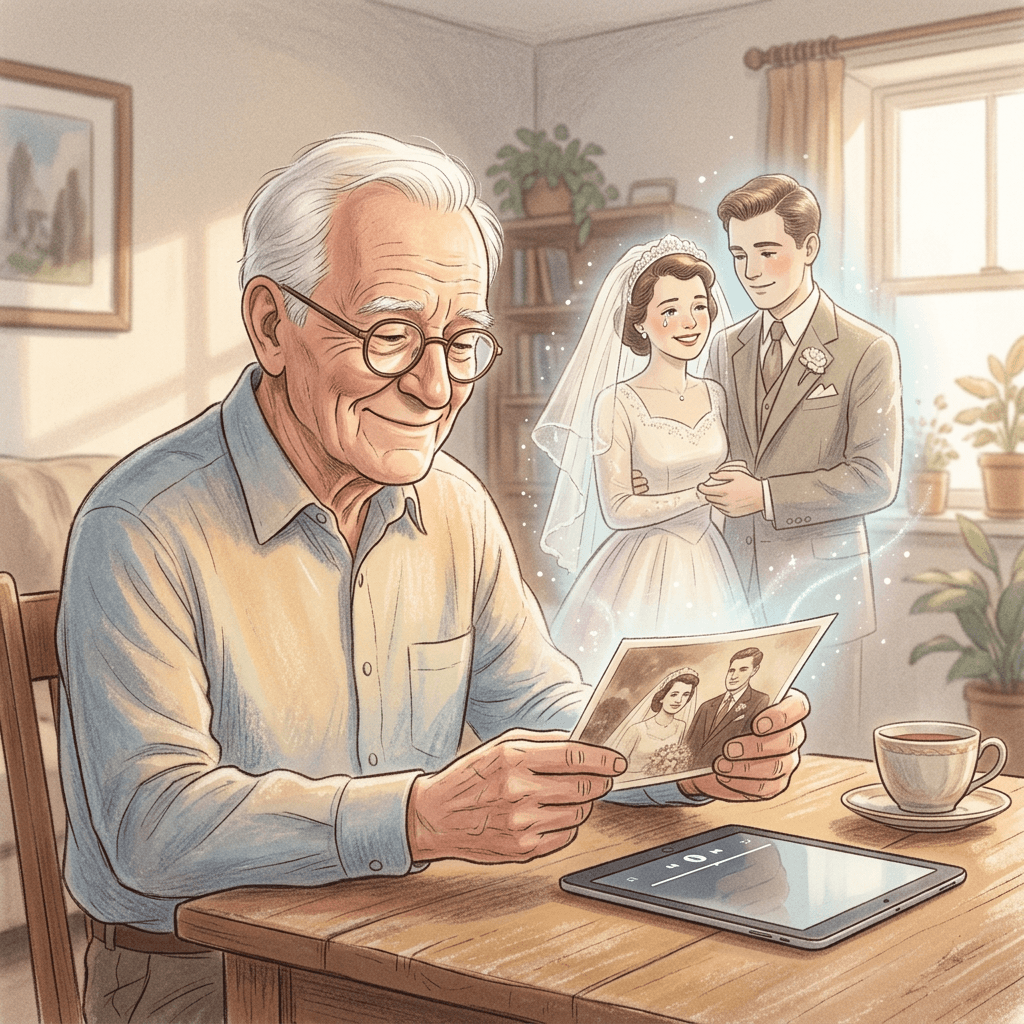
3. The Old Wedding Photo, Remembered
Wedding portraits are some of the most common photos creators choose. This version keeps the focus on one person while the other stays in a gentle supporting role.
Animate this vintage wedding portrait for 10 seconds, preserving both faces, the formal clothing and the studio backdrop exactly as photographed. Both people begin with composed, gently smiling expressions. At 3 seconds the person on the left turns a little toward the person on the right and their smile softens, the eyes becoming wet. At 6 seconds a single tear falls and the person on the right slowly tilts their head toward them in comfort. At 8 seconds the left person looks down and away while the right person keeps looking straight ahead, holding still until the end. Camera: slow, steady dolly-in from a medium shot to a medium close-up over the full 10 seconds. Lighting: soft studio key light from the front left with a warm sepia tone and natural film grain. Audio cue: warm string quartet entering at 2 seconds, one sustained note on the last frame. No distortion of the hands, no changes to clothing or jewelry.
2) Pet Photo Prompts
Pets are the safest and often the most shareable subjects for this trend. There is no consent issue with a living pet you own, and the emotional language of a pet looking up at you needs far less acting than a human face.
4. The Dog Who Waits at the Door
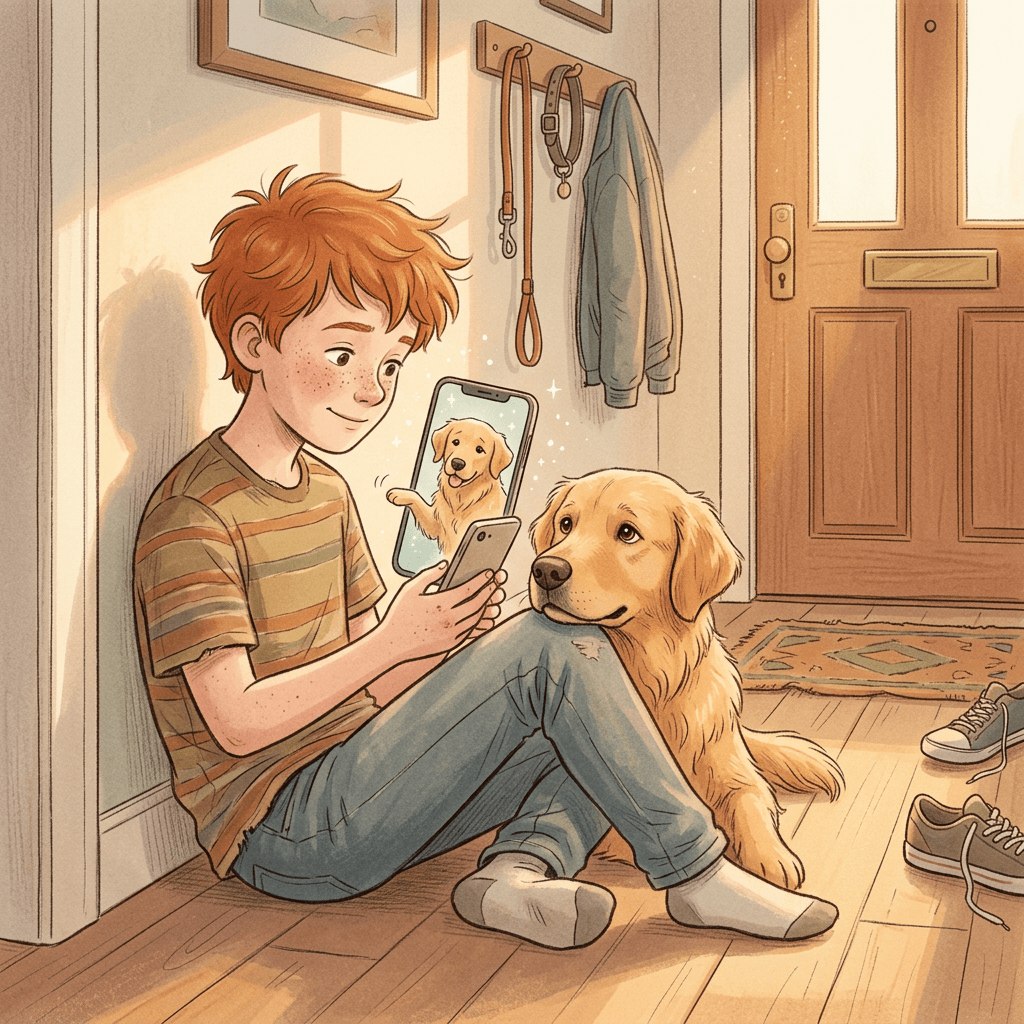
This version leans on the way dogs tilt their heads and let their eyes soften, so the emotion reads as devotion rather than distress.
Animate this photo of my dog sitting by a front door into a 7 second clip, keeping the exact fur color, markings, collar and the doorway behind it. For the first 2 seconds the dog wags its tail slowly and looks straight into the camera with a happy open mouth. From 2 to 4 seconds the ears lower slightly, the head tilts a few degrees and the eyes become large and glossy, with a soft shine on the lower lid. At 5 seconds a small tear-like shine collects at the inner corner of one eye, subtle and realistic. From 6 to 7 seconds the dog looks away toward the door and rests its chin on its paws. Camera: low angle at the dog's eye level, very slow push-in. Lighting: warm late-afternoon sunlight from a side window casting soft shadows on the floor. Audio cue: gentle piano with a faint sound of a clock ticking. Keep the dog's proportions natural and do not make it cry like a human.
5. The Cat on the Windowsill
Cats give you a different mood: still, observant and a little distant, which suits the turning-away beat perfectly.
Animate this photo of my cat on a windowsill into a calm 8 second clip with the same fur pattern, eye color and window frame as the original. From 0 to 3 seconds the cat blinks slowly and the whiskers move softly in the breeze. From 3 to 5 seconds the cat looks directly at the camera with slightly widened eyes that catch a glistening highlight. At 5 seconds the cat turns its head away to look out at the rain falling on the glass, its ears relaxed, and the camera pulls back slowly to reveal more of the window. Raindrops slide slowly down the outside of the glass. Lighting: cool, overcast daylight with soft blue shadows and a warm lamp glow deep in the room. Audio cue: soft rain and a lone piano note every two seconds. No human tears and no changes to the cat's body shape.
If you like pet transformations in general, the AI pet-to-human prompts and AI pet Halloween costume prompts pair well with this set for a series.
3) Couple Photo Prompts
Couples are the highest-risk and highest-reward category. They are the version that tends to go viral for breakup captions and "I miss us" posts, but they also involve a second person, so the consent rules in the ethics section apply to both faces.
6. The Anniversary Photo, Bittersweet
Animate this photo of a couple standing close together at sunset into a 9 second cinematic clip, preserving both faces, clothing and the seaside background. From 0 to 3 seconds both people smile warmly and the wind moves their hair gently. At 3 seconds the person on the right glances sideways at their partner and the smile turns softer, tears building without falling. At 6 seconds one tear falls and the partner reaches up to brush it away with a thumb, a slow and careful gesture. In the last 2 seconds both look out toward the horizon and the camera drifts slowly backward, widening to show the empty beach. Lighting: golden hour backlight with a warm rim light on the hair and gentle lens flare. Audio cue: soft acoustic guitar over distant waves, fading at the end. Keep hands natural with five fingers each and keep faces consistent throughout.
7. The Couple Who Part at the Station
Animate this couple photo taken on a train platform into an 8 second clip with the same faces, coats and station background. From 0 to 2 seconds they hold each other and smile at the camera. From 2 to 4 seconds the smiles fade, the person on the left presses their lips together and their eyes fill with tears. At 5 seconds a tear falls and they pull back slowly, hands lingering for a moment before letting go. At 7 seconds the person on the left turns and walks slowly away down the platform as the other watches. Camera: handheld-style slow push-in that follows the person walking away, shallow depth of field with warm station lights blurred behind. Lighting: cool blue evening light with warm yellow platform lamps. Audio cue: distant train announcement, then solemn piano entering at 3 seconds. Avoid exaggerated sobbing and avoid distorting the coats or luggage.
8. The Friendship Photo, Missing Someone
Animate this photo of two close friends laughing together outdoors into a 9 second clip, keeping both faces, outfits and the park setting. From 0 to 3 seconds both laugh naturally and lean toward each other. At 3 seconds the friend on the right stops laughing, looks down and their smile turns gentle and nostalgic, eyes glossy. At 6 seconds a tear falls and the friend on the left leaves the frame, gradually fading into soft light while the friend on the right remains and looks after them. Camera: slow, steady orbit of about 15 degrees around the friend who remains. Lighting: soft afternoon sunlight filtered through leaves, dappled shadows on faces, warm color grade. Audio cue: a warm piano melody that drops to a single held note as the friend fades. No face blending between the two people.
For a lighter angle on animating people from old photos, our guides to meeting your younger self and the ancestor photo trend show how far a single photo can go.
4) Childhood Photo Prompts
Childhood photos pull at people because the viewer imagines the adult the child became. Because the subject is often a minor, keep these for photos of yourself as a child or of your own family, and keep the emotion gentle.
9. Me at Six, Looking Back
Animate this photo of me as a small child into an 8 second clip, keeping the exact face, haircut, clothes and the birthday-party background. From 0 to 3 seconds the child grins with a gap-toothed smile and swings their legs slowly. At 3 seconds the child looks beyond the camera as if hearing a familiar voice, the smile softening and the eyes growing bright. At 5 seconds the child smiles through a single tear, a small wobble in the chin, then looks down at their hands. At 7 seconds the child waves very slowly, once, and the background lights dim slightly. Camera: gentle low-angle push-in at child height. Lighting: warm indoor tungsten lighting from party lamps, a soft glow on the cheeks. Audio cue: a music-box melody that fades into soft piano. Keep expressions gentle and age-appropriate, with no exaggerated crying.
10. The School Picture Day Memory
Animate this old school portrait into a 7 second clip while keeping the exact face, uniform, hairstyle and blue mottled studio backdrop. From 0 to 2 seconds the student gives the stiff, slightly shy photo-day smile. At 2 seconds the smile relaxes into a real one for a moment, then the eyes drift to the side and fill up. At 5 seconds one tear falls and the student quickly looks down, embarrassed, then glances back up at the camera. Camera: fixed school-portrait framing with a very slow zoom. Lighting: flat, even studio flash with a soft shadow behind the shoulders and visible film grain. Audio cue: faint school bell far away, then a gentle piano. Keep the portrait sharp and avoid changing the uniform collar.
The aging and age-reveal angle is covered separately in our 90s yearbook photo prompts, which pair nicely if you want a "then and now" series.
5) Fictional and Illustrated Character Prompts
Illustrated characters let you use the format without any real person in it at all. They are the best choice for brands, storytellers and anyone who wants an emotional clip with no consent concerns. Use original characters you created, not copyrighted ones.
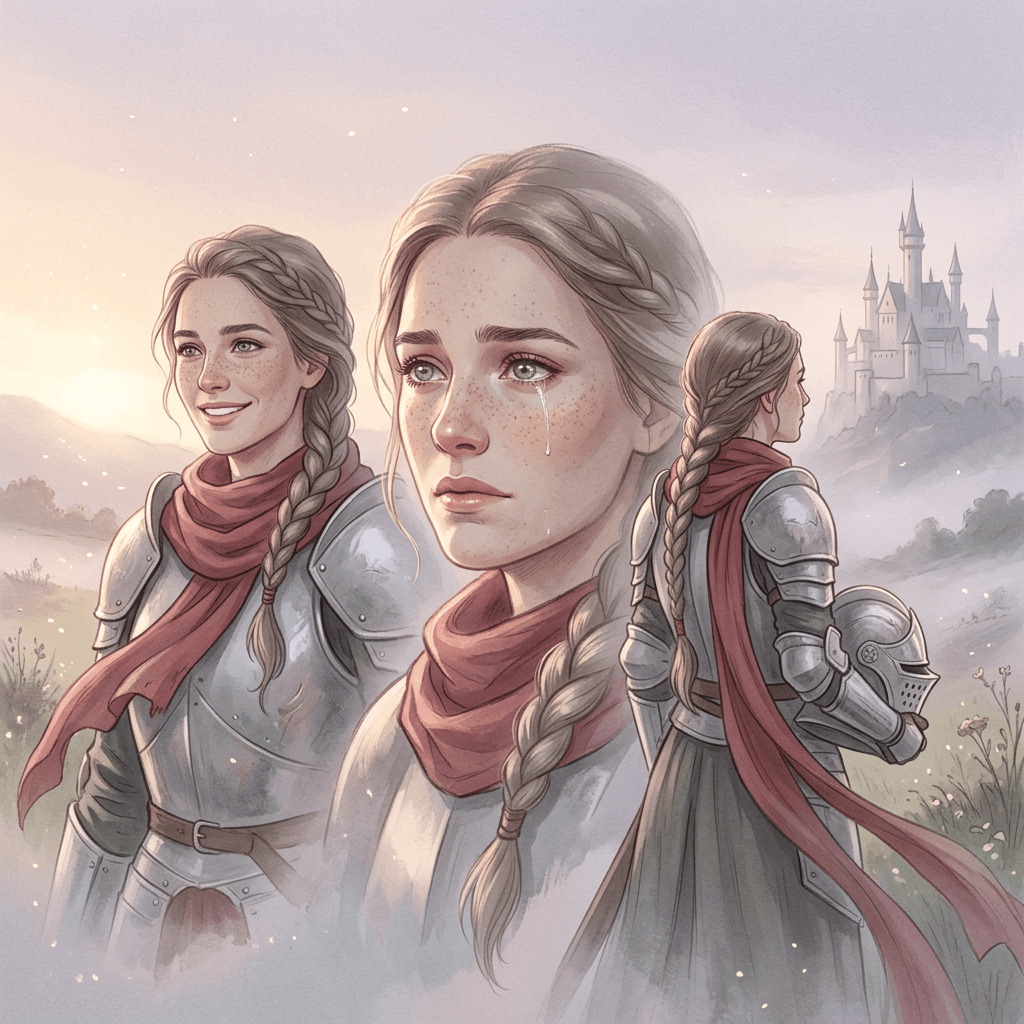
11. The Storybook Knight Who Smiles Through Tears
Animate this illustrated portrait of an original fantasy knight into a 9 second clip, keeping the painterly art style, silver armor, red scarf and misty castle background exactly as drawn. From 0 to 3 seconds the knight smiles warmly at the camera, the scarf fluttering softly. At 3 seconds the knight lowers their chin, the expression turning wistful, eyes shining. At 6 seconds a single tear catches the light and falls, and the knight turns slowly to look at the castle in the distance, helmet tucked under one arm. Camera: slow upward tilt from the face to the castle towers. Lighting: pale dawn light from the left with rim light on the armor, floating dust motes in the air. Audio cue: soft harp and cello. Keep the illustrated look with brush texture, avoid turning the character photorealistic.
12. The Anime-Style Student on the Rooftop
Animate this original anime-style illustration of a student standing on a school rooftop at dusk into an 8 second clip, keeping the line art, colors, uniform and city skyline exactly. From 0 to 2 seconds the student smiles at the camera as the wind moves their hair and tie. At 2 seconds the smile fades slowly, bright eyes now holding a shimmer. At 4 seconds a tear rolls down, and sparkles of light follow it in a stylized way. From 6 to 8 seconds the student turns to face the sunset and the camera slowly pulls back to a wide shot of the skyline. Lighting: warm orange sunset with a pink and violet sky gradient and gentle bloom. Audio cue: lofi piano with soft ambient city sounds. Preserve the flat cel-shaded style and keep proportions consistent.
If you enjoy stylized characters, the Pixar-style portrait prompts give you ready-made character art to animate.
6) Cinematic Slow-Motion Prompts
These are for creators who want the clip to feel like a film trailer. They add weather, lens behavior and camera moves that make even a simple selfie feel directed.
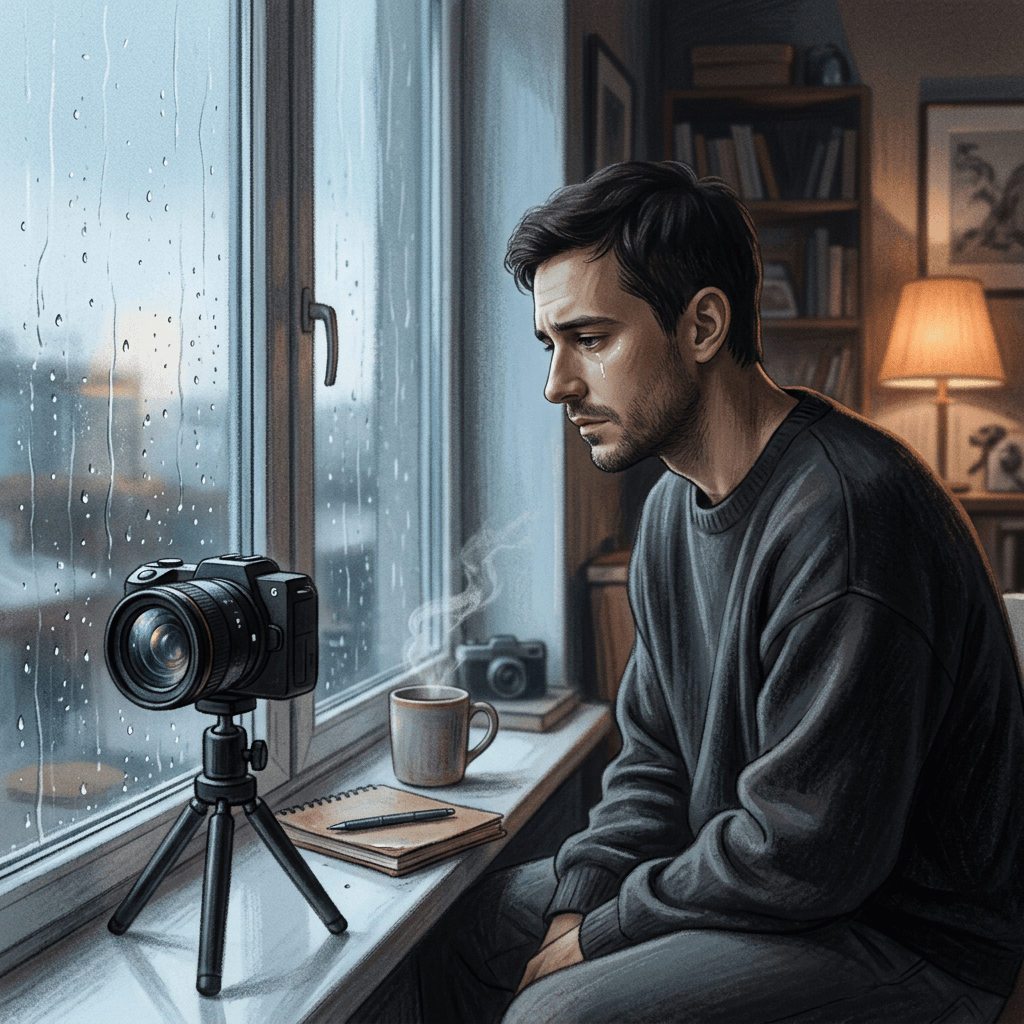
13. Rain on the Window
Animate this portrait of a person sitting by a window into a 10 second slow-motion cinematic clip, keeping the exact face, clothing and room. From 0 to 3 seconds the person smiles faintly at the camera as raindrops move slowly down the glass behind them. At 3 seconds the smile fades, the eyes glisten and the focus subtly shifts from the face to a raindrop on the glass and back. At 6 seconds a tear falls in slow motion and the person looks away toward the window. Camera: shallow depth of field at an 85mm look, slow rack focus between face and raindrops, gentle push-in. Lighting: cool blue overcast daylight from the window with a warm practical lamp in the background. Audio cue: soft rain and a minimal piano line that begins at 2 seconds. Photoreal skin with natural texture and no beauty-filter smoothing.
14. The Night Walk Away
This is the version most closely tied to the viral format: after the tear, the person walks into the dark.
Animate this selfie into an 8 second cinematic night scene with the same face, hair and jacket. From 0 to 2 seconds the person stands under a streetlight smiling softly at the camera. At 2 seconds the smile breaks, the eyes fill and a tear falls at 4 seconds. At 5 seconds the person turns around and walks slowly away along the empty wet street, their reflection trailing on the pavement. Camera: static wide shot that gradually widens as the person gets smaller, with shallow depth of field and city bokeh. Lighting: a single warm streetlight overhead with cool blue ambient fill and wet reflections on the road. Audio cue: slow sad piano with footsteps echoing softly. Keep the face stable until the person turns, and keep the jacket unchanged.
15. Golden Hour, Eyes Closed
Animate this portrait taken outdoors into a 9 second slow-motion clip, preserving the face, clothing and field background. From 0 to 2 seconds the person smiles with their eyes squinting in the sun. At 2 seconds they close their eyes and take one slow breath, the smile quivering. At 5 seconds they open their eyes, now bright and wet, and one tear slips out and catches the golden light. In the last 3 seconds they tilt their head back slightly and look up at the sky, then turn their face away toward the right. Camera: slow arc around the subject with backlight flaring across the lens. Lighting: strong golden hour backlight, hair glowing with a rim light, warm color grade. Audio cue: swelling strings that fade to a single sustained piano chord. No heavy skin smoothing and no sudden jumps.
For multi-shot sequences that cut between these beats, see our Kling 3.0 Turbo multi-shot prompts, and the Google Flow start-to-end frame prompts show how to lock a final pose.
7) Comedic Twist Prompts
The crying format has an obvious sibling: the fake-out. Viewers know the emotional beat is coming, so a twist at the end lands as a joke. These are the most shareable in group chats, and they carry no heavy emotional load.
16. Crying Over a Dropped Ice Cream
Animate this photo of a person holding an ice cream cone into a 7 second comedic clip with the same face, outfit and sunny street background. From 0 to 2 seconds the person smiles proudly at the camera. At 2 seconds the ice cream scoop slides off the cone and falls out of frame, and the person's smile freezes. At 3 seconds their eyes fill with exaggerated, cartoon-sized but realistic tears and their chin trembles. At 5 seconds they turn dramatically away from the camera and a pigeon walks into frame and eats the ice cream. Camera: steady medium shot with a small comic push-in on the face at 3 seconds. Lighting: bright midday sun with crisp shadows. Audio cue: sad piano that cuts off with a quick comedic record-scratch at 6 seconds. Keep the face consistent and the humor light.
17. Crying Because the Wifi Dropped
Animate this selfie of a person at a laptop into a 7 second comedic clip, keeping the face, hair, hoodie and cozy room. From 0 to 2 seconds the person smiles and types happily. At 2 seconds a small loading icon freezes on the screen and the smile fades. At 3 seconds a single dramatic tear rolls down while the person stares at the laptop with a trembling lip. At 5 seconds they slowly turn their face away and close the laptop lid with one finger. Camera: slightly low angle with a slow push-in on the face. Lighting: cool laptop glow on the face and a warm lamp behind. Audio cue: violin drama with a final sad trombone note. No distortion to the hands or keyboard.
18. The Friend Who Cried at the Wrong Moment
Animate this photo of a person at a party into an 8 second comedic clip with the same face, party hat and cake in front of them. From 0 to 2 seconds the person smiles for the camera. At 2 seconds the smile breaks and they begin to tear up, overwhelmed with emotion. At 4 seconds they take a breath and dramatically fan their eyes with both hands. At 6 seconds they turn away and pick up the cake knife, and everyone laughs. Camera: handheld-style push-in with warm party lights flickering softly. Lighting: warm candle glow on the face with colorful bokeh behind. Audio cue: happy birthday melody slowed down in a minor key, then back to normal on the final beat. Keep the hands natural.
8) Product and Brand-Safe Versions
Businesses can borrow the structure of the trend without using real faces or tragic moods. These versions use the same smile, shine and turn-away beats on a mascot, a product or an actor you hired.
19. The Mascot Who Cries Happy Tears
Animate this illustrated mascot of a cheerful coffee cup into a 7 second brand video with the same colors, face and cafe background. From 0 to 2 seconds the mascot waves with a big smile. At 2 seconds its eyes sparkle and fill with a few happy tears as a customer review card appears at the bottom of the frame with soft pastel shapes. At 4 seconds a small tear falls, and the mascot hugs the card and turns toward the camera with a grateful bow. Camera: smooth zoom in with a slight bounce. Lighting: bright, warm cafe lighting with soft gradients. Audio cue: gentle ukulele and a soft piano swell. Keep branding consistent and avoid sadness, the tone is joyful.
20. The Product Tear-Jerker Reveal
Animate this product photo of a ceramic mug on a wooden table into an 8 second brand-safe emotional clip, keeping the mug design, texture and table exactly. From 0 to 2 seconds steam rises softly from the mug. At 2 seconds a hand of a person we cannot see wipes a small tear from a cheek just out of frame, and the mug's steam curls gently. At 5 seconds the camera slowly pulls back to reveal a handwritten thank-you note beside the mug. Camera: macro start with slow dolly-out. Lighting: warm window light from the left with soft shadows and shallow depth of field. Audio cue: tender acoustic piano. No faces visible, no fake testimonials, and no medical or therapeutic claims about the product.
For brand work in general, the AI prompts for personal branding photos and the pet brand content pack show more brand-safe visual ideas.
How to Make the AI Crying Trend Video With Miraflow, Step by Step
You can do the whole workflow in a browser, in the order that actually produces the best results. The order matters because each step feeds the next one, and the biggest quality gains come from the photo prep, not the final video prompt.
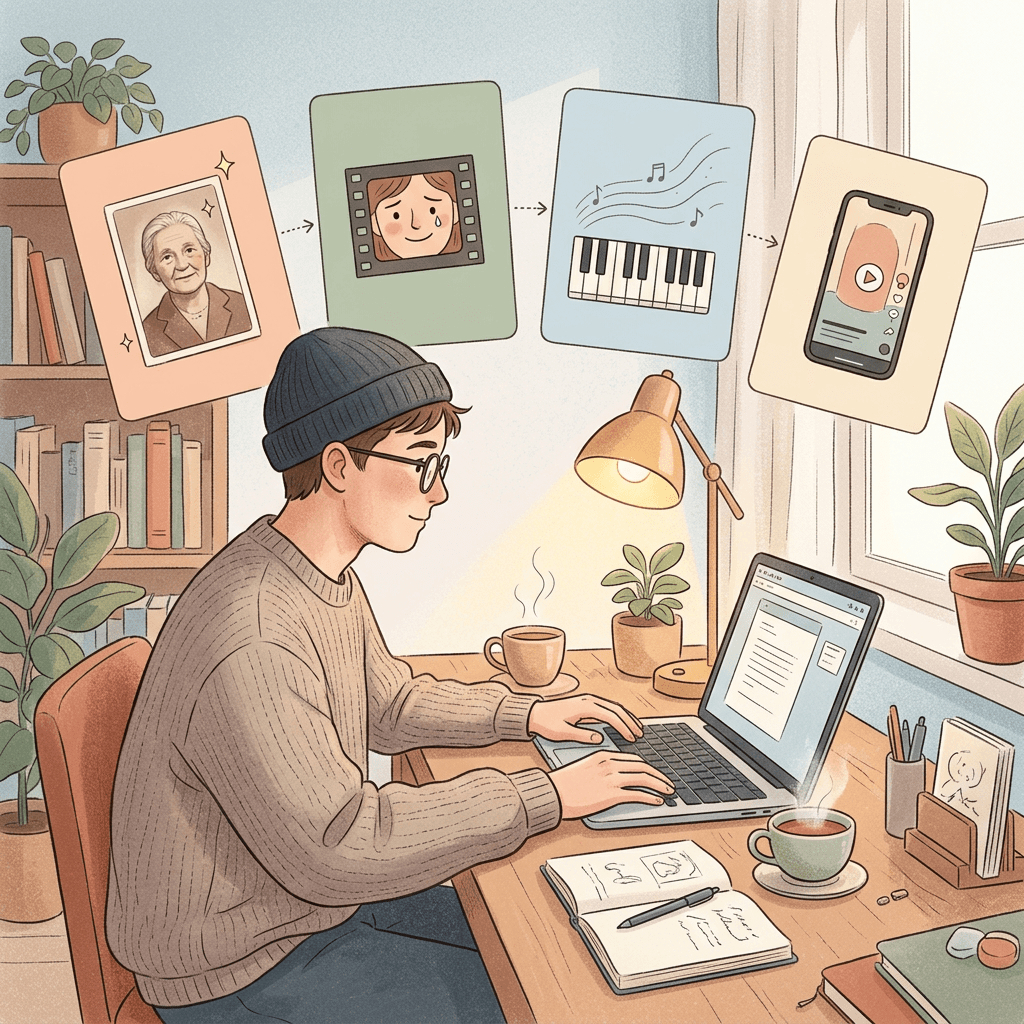
Step 1: Prep or Restore the Photo
Open Miraflow's AI Image Generator and upload your photo. If it is an old scan, use the image-to-image and editing tools to remove scratches, even out faded color and sharpen the face without changing who the person is. If the photo is cluttered, use inpainting to mask a distracting object and replace it with plain background. Crop to a vertical 9:16 frame with the face in the upper third, because that is how the clip will be viewed on TikTok and Reels.
Step 2: Animate It
Go to the cinematic video generator, upload the prepared photo as the starting frame and paste one of the prompts above. Start with the basic version in prompt 1 and generate a short 6 to 8 second clip. If the face drifts, shorten the clip or reduce the camera move. If the tear looks glossy or fake, rewrite that beat to describe a slow, subtle shine on the lower lid, then let a single tear follow the cheek.
Step 3: Add the Sad Song
Open the AI Music Generator, switch on Instrumental and describe the piece, for example "slow solo piano in a minor key, soft felt hammers, light room reverb, 62 BPM, nostalgic and gentle, no drums". Custom Mode lets you set the duration and key. A track built for your exact clip length avoids the abrupt cut that makes many versions of the trend feel amateur. Our guides on AI music prompts for Reels and TikTok and background music for TikTok have more prompts if you want to try strings or lo-fi.
Step 4: Assemble the Vertical Short
Use Text2Shorts if you want a short with a script or a caption sequence around the clip, for example a three-scene story that opens with the photo, shows the animated beat, and ends with a text card. Keep the final length close to what suits the platform; our note on how long Shorts should be is a good reference. Finally, add the AI label on the platform when you post.
A Worked Example: A Grandmother's Garden Photo
Suppose you have a scanned photo of your grandmother in a garden, taken in the 1980s, with creases across one corner. In step 1 you remove the crease and warm the faded color. In step 2 you animate her with a gentle smile, eyes that glisten as she looks at the flowers, and a slow turn toward them, with no tear at all, because the family agreed a tear felt wrong. In step 3 you create a soft acoustic track. In step 4 you add a caption such as "She would have loved this garden" and an AI label. This is also a good place to read the ethics section below, because that version only works with the family's blessing.
Ethics, Consent and Platform Labeling
This trend asks viewers to feel something real about a person who may or may not have agreed to appear. That makes the ethics section more than a formality, and it is part of why some commentators and creators have been uneasy about the format.
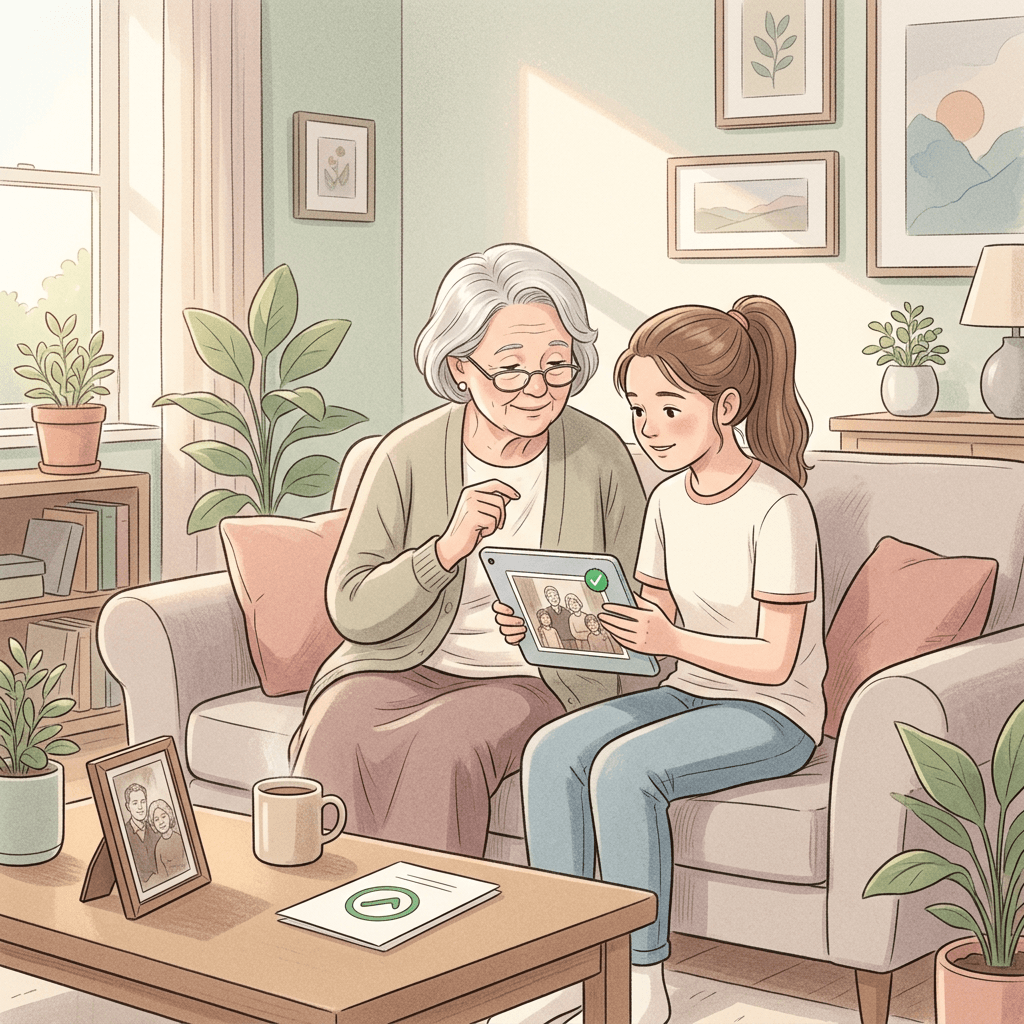
Only Animate Photos You Have the Right to Use
Use photos you took, photos of yourself, or photos where the person has told you they are happy to be animated. Do not animate a stranger's photo, an ex's photo without permission, a coworker, a classmate or a public figure. A crying clip of a real person can be humiliating if it is shared without their consent, and it can fuel harassment. If a clip involves a couple, get a yes from both people, not just the one in the photo you like better.
Photos of Relatives Who Have Passed Away
Animating a photo of a deceased relative is one of the most emotionally charged uses. Some families find it comforting, and others find it painful or disrespectful. Ask the close family before you post it publicly, and consider keeping it private. Avoid putting words in a deceased person's mouth, avoid adding tears they never shed, and avoid presenting the clip as a real memory. A gentle smile and a soft look away is usually safer than crying. If anyone in the family hesitates, do not post.
Children and Minors
Do not animate photos of other people's children and do not post emotional clips of your own child crying for engagement. Keep it to your own childhood photos or to adults who have agreed.
Label It as AI
TikTok, Instagram and YouTube all ask or require creators to disclose realistic AI-generated content, and some apply labels automatically. Use the platform's AI label when you post, and add a short line such as "Made with AI from an old photo" in the caption. Our explainer on YouTube's auto-label system and AI disclosure walks through how this works on one major platform, and the same habits apply on others.
Common Mistakes (and How to Fix Each One)
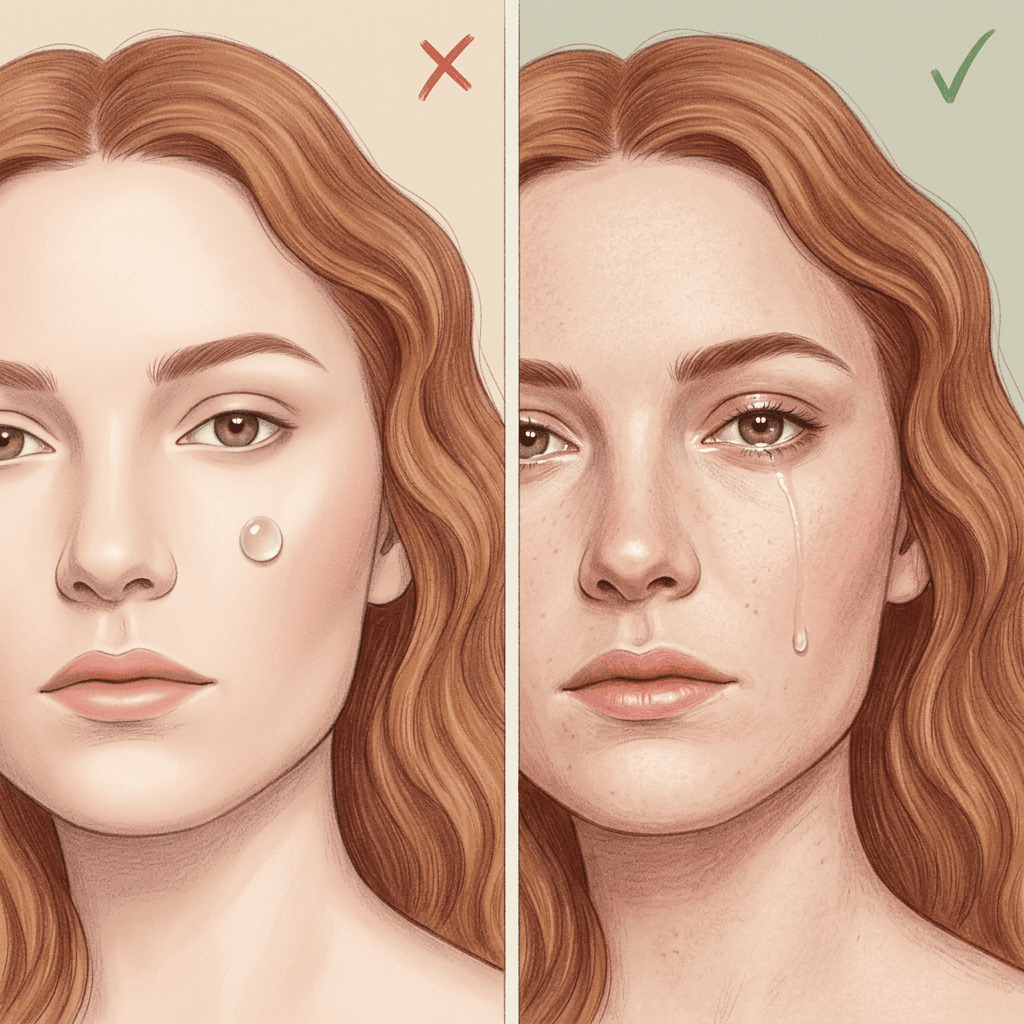
Uncanny, Glossy Tears
The most common failure is a tear that looks like a clear plastic bead stuck to the cheek. It happens when the prompt says only "crying" and leaves the model to invent the tear. Fix it by describing the tear's path, saying it follows the contour of the cheek, and adding a subtle wet shine on the lower lid first. One tear is almost always more believable than several.
Face Drift
Over a longer clip, the face slowly changes and can end up looking like a cousin of the original. Keep clips to 6 to 10 seconds, use a front-facing source photo, and add a clear instruction to keep the face identical. If the face drifts at the turn-away, make the turn smaller or end the clip on the turn so the face is never fully seen in a new angle.
Over-Long Clips
Past about 10 seconds the emotional arc stretches thin and the model has more room to make mistakes. Most successful posts are under 12 seconds. If you need more time, generate a second clip from the last frame and cut them together, as in our Google Flow start-to-end frame guide.
Over-Smoothed Skin
Many generators default to a beauty-filter look. Ask for natural skin texture, visible pores and slight asymmetry, as covered in our guide to making AI images look like real photos.
A Mismatched Song
A cheerful track on top of a tearful clip, or a song that starts too late, breaks the effect. Generate the music for the length of your clip and have the first piano note arrive as the smile begins to fade.
Treating the Trend as Fully Verified
Public information about this trend comes largely from app and tool pages, so avoid quoting view counts or origin stories in your caption unless you have checked them yourself.
Customizing These Prompts for Your Own Photo
- Swap the setting. Replace the window with a kitchen, a car or a beach, and update the light to match the original photo.
- Adjust the intensity. For a gentler version, remove the tear and use only the glisten and the look away.
- Change the ending. Instead of a turn away, end with a small smile through the tears for a hopeful tone.
- Match the music to the story. Piano for loss, strings for love, acoustic guitar for warmth, music box for childhood.
- Pair it with another effect. Try the walk effect for the departure beat or the melting effect for a surreal finish.
Frequently Asked Questions
What is the AI crying trend?
It is a short video format on TikTok and Instagram where a still photo is animated so the person smiles, tears up and turns away, usually with a sad song. Creator-tool pages place its rise in late September 2026.
How long should the video be?
Between 6 and 10 seconds works best, and under 12 seconds is a safe upper limit. Shorter clips keep the face more consistent.
Can I do this with any photo?
You can use any clear photo of a face that you own or have permission to use, but front-facing photos with open eyes give the most stable results. Avoid sunglasses, heavy shadows and group shots with many faces.
Why do the tears look fake?
Usually the prompt does not describe the tear. Describe a glisten first, then a single tear following the cheek contour, and avoid words that trigger exaggerated crying.
How do I add the sad music?
Most generators produce silent video, so generate a slow piano or strings track in Miraflow's AI Music Generator and add it in your editor or in Text2Shorts.
Is it okay to animate a photo of someone who has died?
Only with the family's agreement, and many people prefer a gentle smile to crying. If there is any doubt, keep it private.
Do I have to label it as AI?
Platforms generally ask creators to disclose realistic AI-generated content, and some add labels automatically. Using the label and a short caption note is the safest approach.
Can businesses use this trend?
Yes, with mascots, illustrations or hired actors, and with a joyful tone. Avoid using real customers' faces without written permission, and avoid implying that a product relieves sadness.
Which Miraflow tools do I need?
The AI Image Generator for prep, the cinematic video generator for the animation, the AI Music Generator for the song and Text2Shorts for the final vertical edit.
Conclusion
The AI crying trend works because it compresses a whole small story into eight seconds, and the prompts that make it work are the ones that script the smile, the glisten, the tear and the turn with real timing. Start with a clean photo, keep the clip short, give the model a believable tear path, and lay a slow piano track under it. Then post it with an AI label and only with permission from the people in the picture.
You can run the full workflow in one place: prep the photo in Miraflow's AI Image Generator, animate it with the cinematic video generator, score it in the AI Music Generator and assemble the vertical cut with Text2Shorts. Pick three prompts from this list, try them on photos you have the right to use, and keep the one that makes you feel something.