20 AI Walk Effect Prompts for the Viral Runway Catwalk Trend (Copy & Paste 2026)

Written by
Aerin Kim
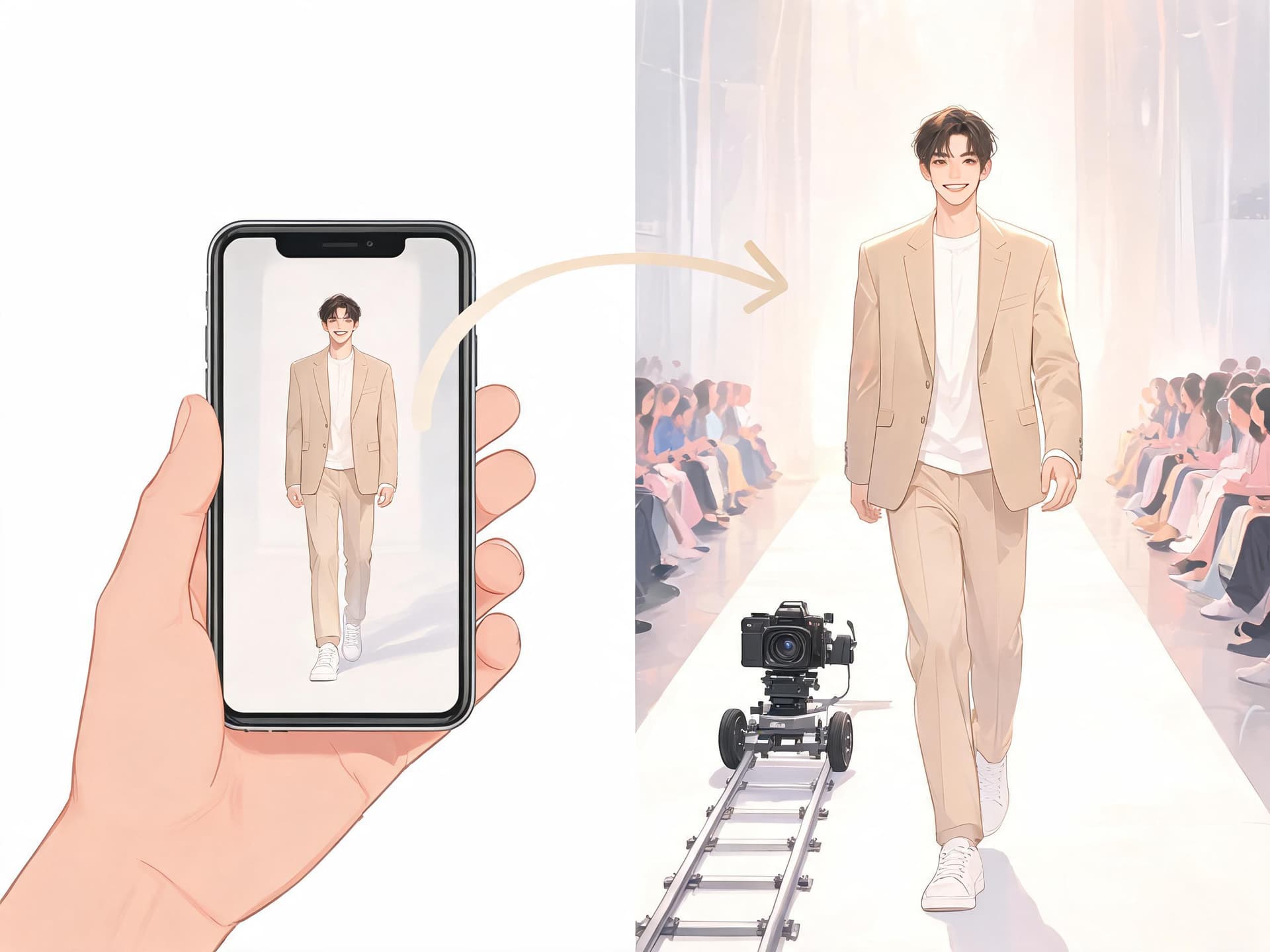
The AI walk effect turns one full-body photo into a slow-motion runway video. Here are 20 copy-paste prompts for catwalk, street, pet, product and Halloween walks, plus photo tips.
TL;DR
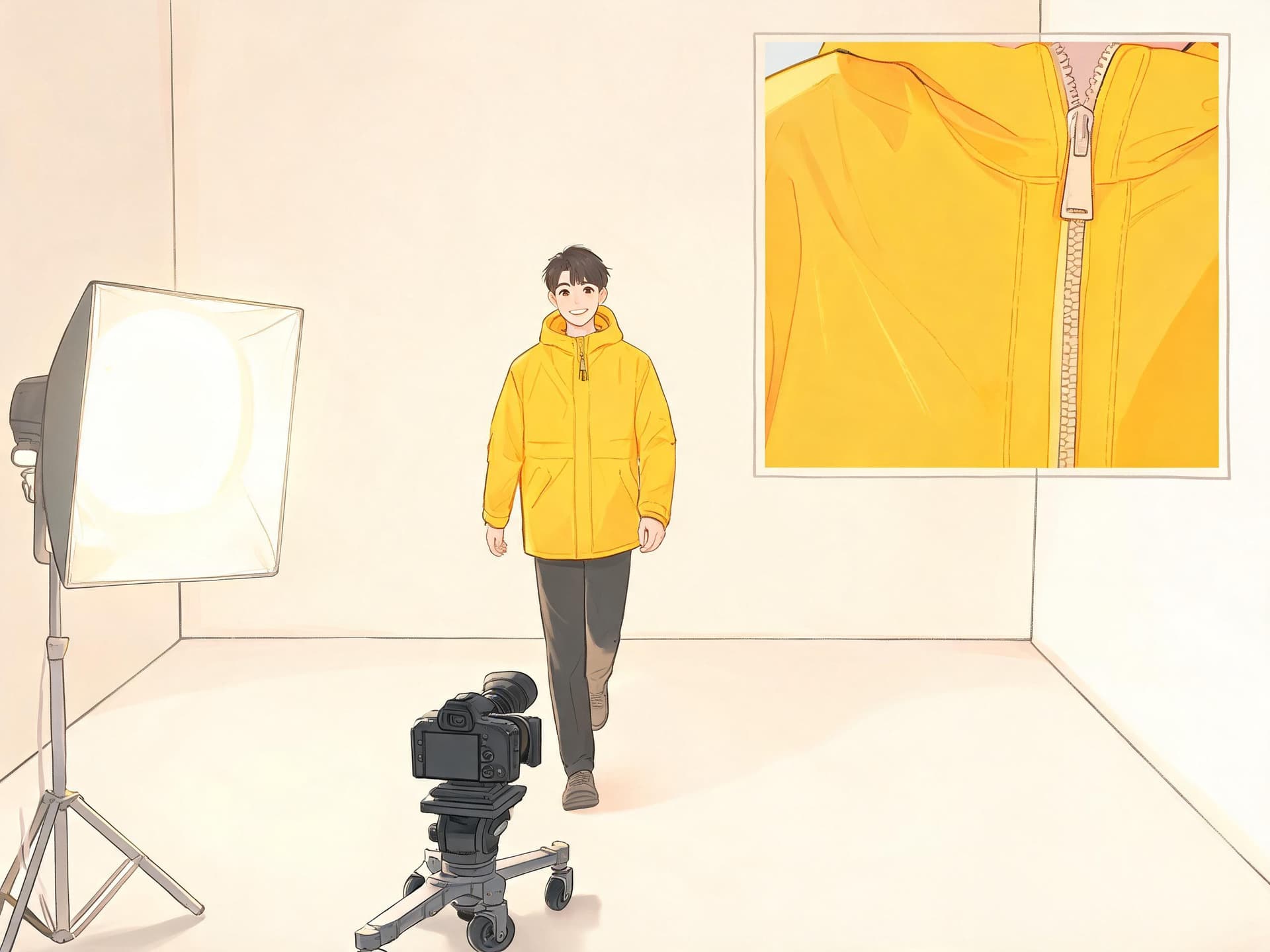
If you have scrolled TikTok or Reels lately, you have probably seen a single full-body photo turn into a slow-motion video of the same person strutting straight toward the camera like they own a runway. People call it the AI walk effect, the AI walking effect, or the AI catwalk, and it is now offered as a one-tap template in tools from CyberLink, FlexClip, Media.io and Vidu. The recipe is simple: one clear full-body photo, an image-to-video model, and a short prompt that describes the gait, the camera move and the setting.
This guide gives you 20 copy-and-paste prompts grouped into runway, street-style, pet and product, Halloween costume and creative fashion film walks. It also covers how to pick the right input photo, how to customize each prompt, and the mistakes that cause floating feet and melted faces. You can run every prompt with the Cinematic AI Video Generator on Miraflow using your own photo as the starting frame.
A quick honest note on sources: almost everything written about this trend comes from the companies selling the tools, so I have stuck to the parts they all agree on (full-body photo, slow forward walk, short prompt) and tested the rest as prompting craft rather than claiming numbers nobody has published.
What the AI Walk Effect Actually Is
The AI walk effect takes one still photo and generates a short clip, usually 5 to 10 seconds, in which the person in the photo walks forward in slow motion with a model-like stride. Tool pages describe it as a slow-motion, runway-style walk toward the camera, and the most common starter prompt in those guides is some version of "walking forward slowly like a model." That tiny prompt is what made it spread: anyone could upload a mirror selfie and get a result without learning any camera language.
The reason it works as a format is that it combines three things viewers already like. A confident walk toward the lens reads as a power move, slow motion makes ordinary outfits look expensive, and the person is recognizably the creator or a friend, so the clip invites comments and duets. It belongs to the same family as other one-photo motion trends we have covered, such as the AI Alive living photo trend, the AI baby dance video trend and the Earth Zoom Out trend, where a single still image carries the whole video.
There are really three ways people make it today. The first is the one-photo template, where you upload a picture, type a short prompt and pick a model. The second is a multi-scene walk, where you generate several background variations of the same person and chain walking clips together using the end frame of one clip as the start of the next. The third is motion transfer, where a reference clip of a real walk is applied to your photo, which some tools run on Kling's motion-control models. This post focuses on the first and second, because they work with any capable image-to-video generator.
How the Walk Is Built: The Prompt Formula
Short prompts like "walk forward slowly like a model" are enough to start, but they leave everything else to chance: the speed, the camera, the background, and whether the stride looks athletic, shy or runway. The prompts below follow a six-part structure that is easy to reuse.
- Subject lock: refer to the uploaded photo as the first frame and say which things must stay identical (face, hair, outfit).
- Gait: name the walk. "Slow confident model stride, one foot in front of the other, relaxed arm swing" produces very different motion from "walk."
- Camera move: a backward dolly at walking pace keeps the person framed. A low tracking shot adds drama. A locked camera makes the walk feel plain.
- Gesture: one small action such as a pause, a jacket flip, a look back or a hair flip. Only one, because stacking gestures confuses the motion.
- Environment: runway, street, platform or plaza, with a short description of what is blurred in the background.
- Lighting and speed: the light source and direction plus a phrase like slow motion at 24fps for the cinematic feel.
Every prompt in the pack ends with the same protective clause that asks for the face and outfit to stay identical, and for feet to land naturally. That clause matters more than any style word, since the two failure modes viewers notice most are drifting identity and sliding feet.
How to Pick the Input Photo
The photo decides most of the result. A great prompt on a bad photo still gives you a bad walk, while a mediocre prompt on a great photo often looks fine. Use this checklist before you generate.
- Full body, head to toe. If the shoes are cropped, the model has to invent legs and feet, and that is where odd steps come from.
- Standing or mid-step, facing the camera or at a slight three-quarter angle. A person already facing the lens turns into a walk toward it with the least distortion.
- Clear separation between legs. Tight skirts, long coats that hide the legs and baggy pants make the leg movement harder to read, so expect softer motion.
- Even, bright lighting. Harsh shadows across the face can flicker as the person moves.
- No other people overlapping the subject. Group photos work if every person is fully visible and not touching.
- Sharp, uncompressed source. A screenshot of a screenshot gives the model less to hold onto, so use the original file at the highest resolution you have.
- Arms not crossing the body. A relaxed arm position lets the model create a natural swing.
If your best outfit photo is a waist-up selfie, generate a full-body version first with an image editor. The AI Image Generator on Miraflow can extend a portrait into a full-body standing pose, and you can then use the result as the input for the walk. Our AI headshot prompts guide also shows how to keep a face consistent across edits.
Quick Setup in Miraflow
The workflow takes about two minutes. Open the cinematic video page, choose the image-to-video option, upload your full-body photo, paste one of the prompts below, and generate. Pick the vertical 9:16 format for TikTok, Reels and Shorts. If you want the clip to become a Short with captions and a voiceover, bring it into Text2Shorts after you generate it. Keep the first few generations short and cheap, then extend the best take.
1) Runway and catwalk prompts
Runway walks are the original format, so these five prompts focus on varied sets and camera moves while keeping the same confident gait. Start here if you are new to the trend.
1. White Runway Classic
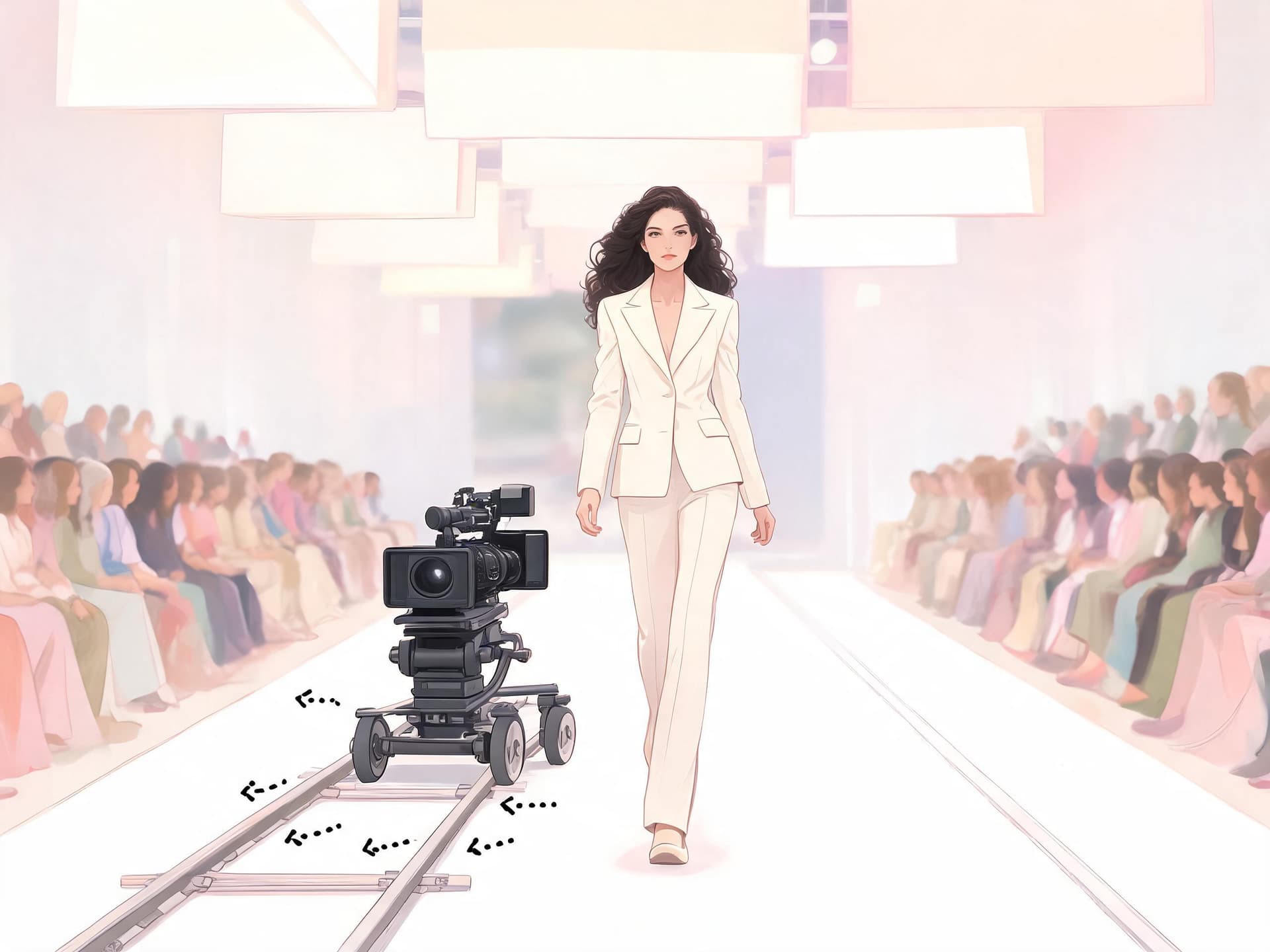
The original look of the trend: a clean white runway, a steady head-on dolly, and a confident slow-motion stride.
Using the uploaded full-body photo of the person as the first frame, they walk slowly and confidently straight toward the camera down a long white fashion runway, hips and shoulders moving with a relaxed model gait, one foot placed directly in front of the other. The camera is a low-to-mid height dolly that glides backward at the same pace as the walk so the person stays centered and full-body in frame. Rows of blurred seated guests line both sides, soft overhead softbox light with a gentle white glow behind the person, slow-motion 24fps look, shallow depth of field. Keep the face, hair, outfit and body proportions identical to the input photo from the first frame to the last, natural arm swing and foot placement with no sliding feet, no warped hands, no extra limbs, no text or watermark.
2. Black Box Runway With Spotlights
A moodier show setting for dark outfits and bold silhouettes.
Starting from the uploaded full-body photo, the person strides toward the camera along a glossy black runway in a dark venue, long measured steps, chin level, arms swinging loosely. Two hard white spotlights cross from above and behind, creating a bright rim light on shoulders and hair while the front stays softly lit. The camera tracks backward on a low dolly with a very slight upward tilt, ending on a waist-up crop in the last second as they pause, then continue. Subtle haze in the air, slow motion, cinematic contrast. Keep the face, hair, outfit and body proportions identical to the input photo from the first frame to the last, natural arm swing and foot placement with no sliding feet, no warped hands, no extra limbs, no text or watermark.
3. Paris-Style Fashion Week Entrance
A show-entrance walk with flashing photographers, for outfit reveals.
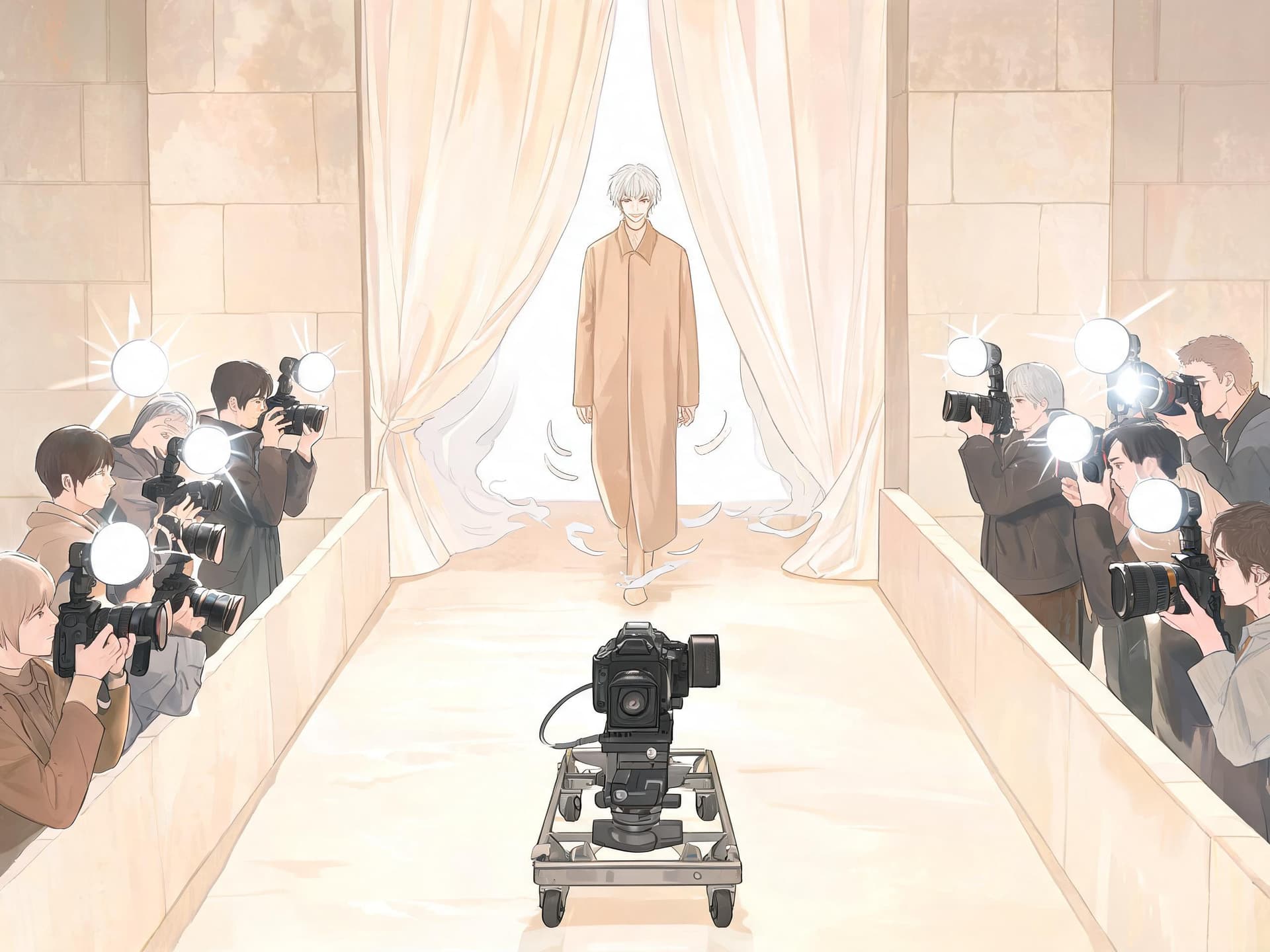
The person from the uploaded photo steps out from behind a pale curtain at the end of a runway and walks toward the camera in slow motion, a confident half-smile, shoulders back. Photographers at the edge of the runway produce soft white camera flashes that pulse on the outfit, the camera retreats on a smooth dolly with a gentle handheld sway. Warm neutral stone set, large softbox overhead, shallow depth of field, editorial fashion film look. Keep the face, hair, outfit and body proportions identical to the input photo from the first frame to the last, natural arm swing and foot placement with no sliding feet, no warped hands, no extra limbs, no text or watermark.
4. Sunlit Outdoor Runway
A daylight version for summer and resort looks that suits light fabrics.
From the uploaded full-body photo, the person walks slowly toward the camera along a raised wooden runway set on a green lawn at golden hour, light fabric of the outfit moving gently in a soft breeze. The camera glides backward at waist height, then drifts a few degrees to the left as the person gets closer. Warm sun from behind-left creates a gold rim light in the hair, soft fill from the front, blurred guests and trees in the background, slow motion. Keep the face, hair, outfit and body proportions identical to the input photo from the first frame to the last, natural arm swing and foot placement with no sliding feet, no warped hands, no extra limbs, no text or watermark.
5. Over-the-Shoulder Look Back Finish
A walk toward the camera that ends with a turn and a walk away, a favorite for loops.
The person in the uploaded photo walks toward the camera down a bright white runway for four seconds, stops at the camera mark with a small confident pause, turns on one heel in slow motion, glances back over the shoulder with a subtle smile, then walks away down the runway. The camera stays locked in a medium-wide frame and slowly dollies back, then holds. Soft studio lighting, clean background, smooth 24fps motion. Keep the face, hair, outfit and body proportions identical to the input photo from the first frame to the last, natural arm swing and foot placement with no sliding feet, no warped hands, no extra limbs, no text or watermark.
2) Street-style and city walk prompts
Street-style walks feel more casual and tend to suit everyday outfits, streetwear and travel clips. The city becomes the runway, so the background detail matters more than it does on a white set.
6. City Crosswalk Strut
The street-style version where the city does the talking.
Starting from the uploaded full-body photo, the person walks across a busy city crosswalk straight toward the camera in slow motion, confident easy stride, one hand relaxed at the side. Blurred traffic and pedestrians move normally behind them while the person stays sharp. The camera is a low-angle steadicam shot that backs away at walking pace. Overcast soft daylight with reflections on wet pavement, tall buildings framing the shot, shallow depth of field, fashion campaign look. Keep the face, hair, outfit and body proportions identical to the input photo from the first frame to the last, natural arm swing and foot placement with no sliding feet, no warped hands, no extra limbs, no text or watermark.
7. Golden Hour Sidewalk Walk
A softer lifestyle walk for casual outfits and everyday style content.
The person in the uploaded photo walks down a quiet tree-lined sidewalk toward the camera, relaxed pace, glancing slightly off-camera with a natural smile. The camera tracks backward at chest height with a gentle handheld feel. Low golden sunlight flares softly through the leaves behind them, warm tones on the skin and clothes, long shadows on the pavement, background gently blurred, slow motion. Keep the face, hair, outfit and body proportions identical to the input photo from the first frame to the last, natural arm swing and foot placement with no sliding feet, no warped hands, no extra limbs, no text or watermark.
8. Neon Night Street Walk
A nightlife take with colored light, good for dark jackets and sneakers.
From the uploaded photo, the person walks slowly toward the camera along a rainy night street lined with pink and blue neon signs that are blurred and unreadable. Puddles reflect the colored light under each footstep, the person stays evenly lit by a soft key from the front. The camera is a low tracking shot at knee-to-waist height that retreats at walking speed. Cinematic, shallow depth of field, light mist in the air, slow motion. Keep the face, hair, outfit and body proportions identical to the input photo from the first frame to the last, natural arm swing and foot placement with no sliding feet, no warped hands, no extra limbs, no text or watermark.
9. Jacket Flip Walk
The popular variant where the stride is followed by a quick jacket flip over the shoulder.
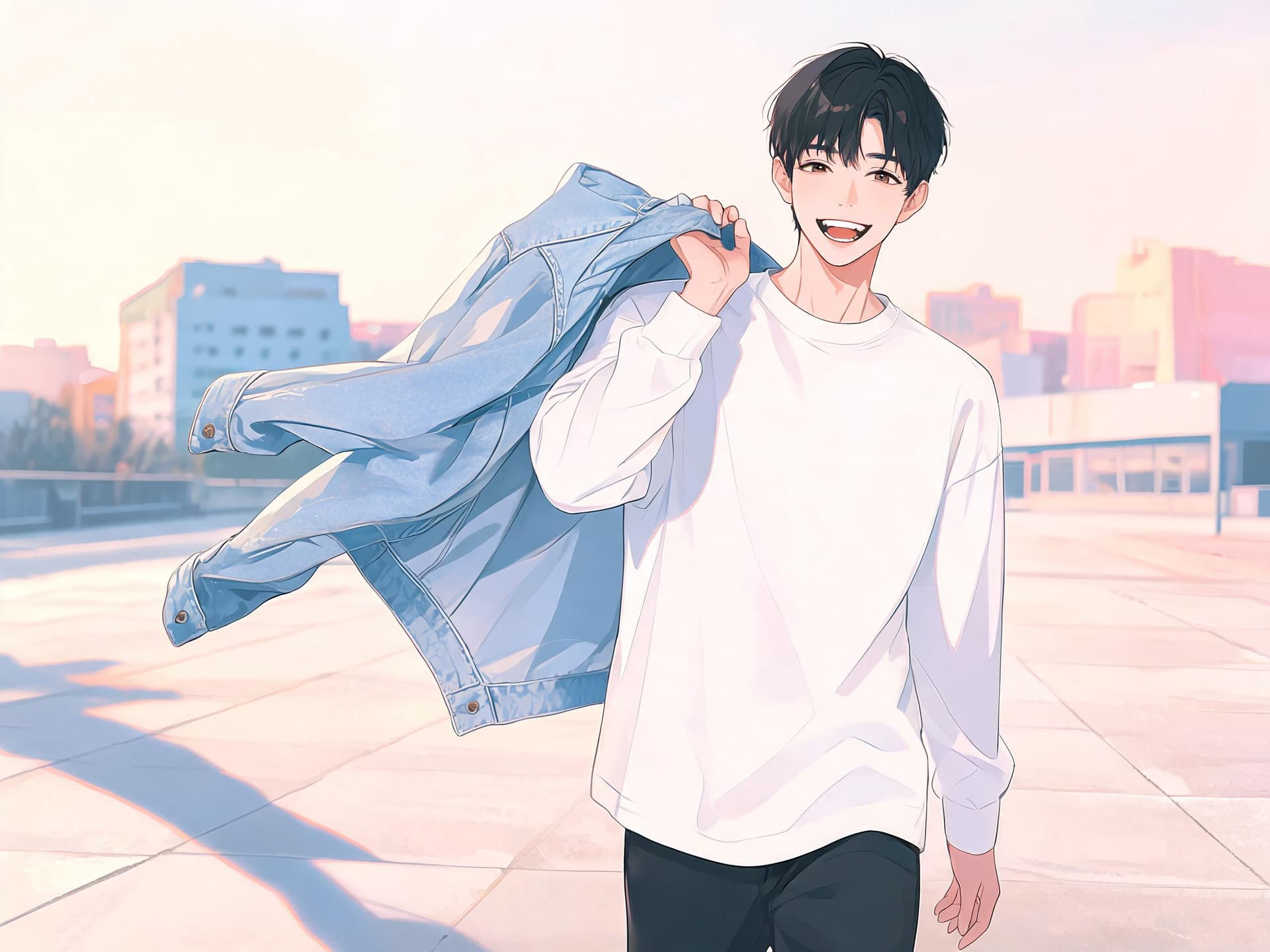
The person in the uploaded photo walks toward the camera in slow motion on a clean concrete plaza. At the halfway point they lift the jacket from their shoulders with one hand and flip it over one shoulder in a smooth, deliberate motion, then keep walking with a confident grin. The camera dollies back and slightly low to emphasize the gesture, then settles on a waist-up frame. Hard late-afternoon sunlight from the side, crisp shadows, shallow depth of field, the fabric of the jacket moving realistically. Keep the face, hair, outfit and body proportions identical to the input photo from the first frame to the last, natural arm swing and foot placement with no sliding feet, no warped hands, no extra limbs, no text or watermark.
10. Subway Platform Walk
An urban transit setting with moving light, strong for streetwear.
Using the uploaded photo as the first frame, the person walks toward the camera along an empty subway platform, a train blurring past behind them in the background, wind gently moving their clothes and hair. The camera retreats on a smooth handheld dolly at eye height. Cool fluorescent overhead light mixed with a warm side glow from the train windows, slow motion, shallow depth of field, tiled walls with no readable signs. Keep the face, hair, outfit and body proportions identical to the input photo from the first frame to the last, natural arm swing and foot placement with no sliding feet, no warped hands, no extra limbs, no text or watermark.
3) Pet and product walk prompts
Pets and products are where the trend moves from fun to useful. A pet runway gets shares from people who do not care about fashion, and a product walk is a ready-made ad for a small brand.
11. Pet Runway Strut
The pet version of the trend, which tends to get the most shares.
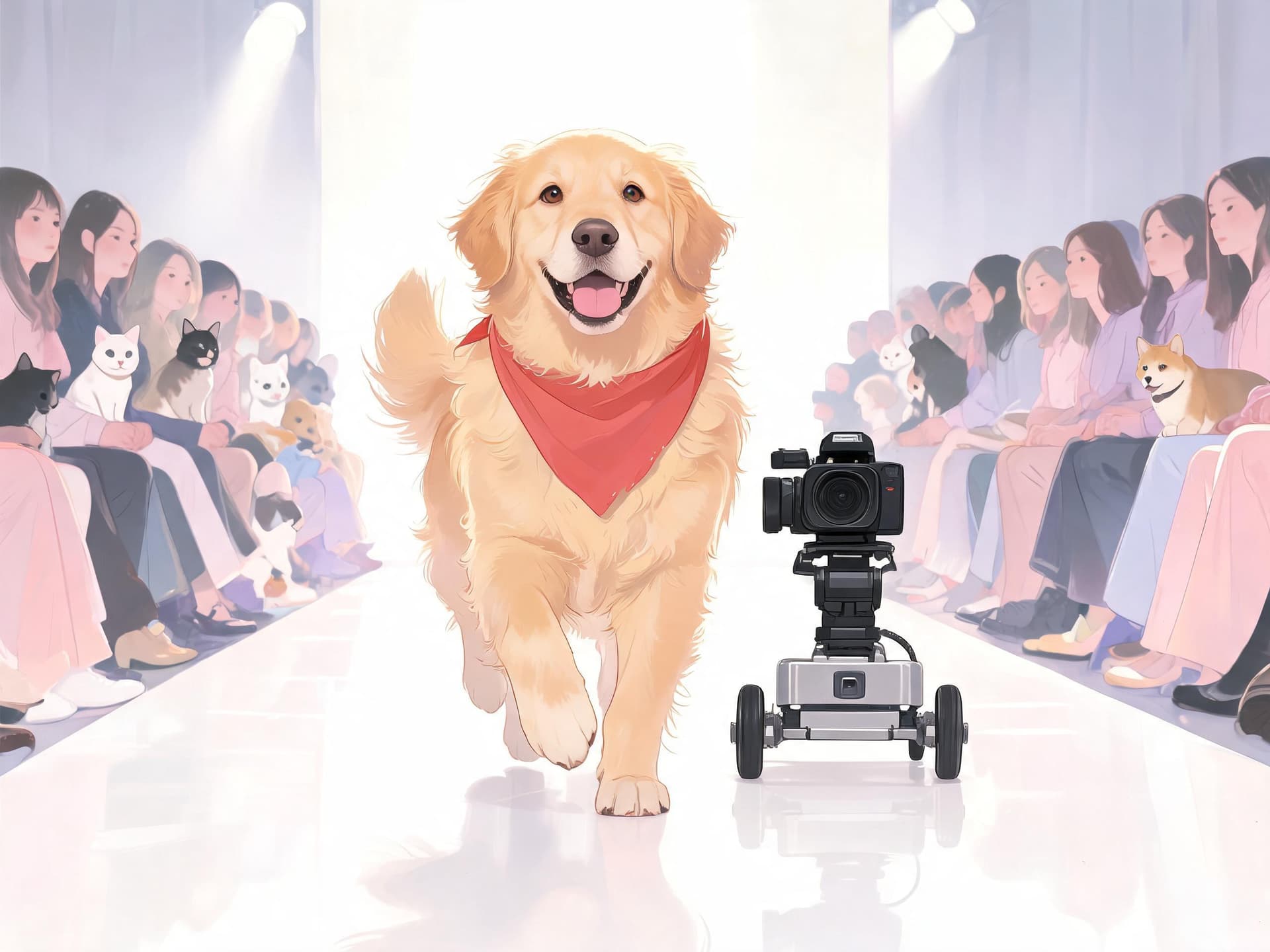
The pet in the uploaded full-body photo trots toward the camera in slow motion down a glossy white runway, head high, tail relaxed, paws landing in a clear rhythm without sliding. Small blurred audience members sit on both sides of the runway, soft overhead spotlight, confetti-free clean set. The camera is a low dolly at the pet's eye level that glides backward at the same speed. Cinematic, playful, shallow depth of field. Keep markings, fur color and collar identical to the input photo, natural four-legged gait, no extra legs, no text or watermark.
12. Pet in a Tiny Outfit Catwalk
A catwalk for pets in costumes or accessories, ideal for October.
From the uploaded photo, the pet wearing its small outfit walks toward the camera on a pink-lit runway in slow motion, proud head, ears moving gently with each step. At the end of the runway it pauses and looks into the lens. The camera retreats on a smooth low dolly with a shallow depth of field and sparkly bokeh lights behind. Soft warm key light from the front, smooth 24fps motion. Keep the outfit and fur details identical to the input photo, natural gait, no extra legs, no text or watermark.
13. Product Walk With a Model
A brand-friendly version where the product on the person is the star.
Starting from the uploaded full-body photo of a person wearing our product, they walk toward the camera on a minimalist cream studio set in slow motion, the product clearly visible and centered throughout. The camera glides backward on a dolly and finishes with a slow push-in on the product at chest level for the final second. Soft diffused studio lighting from a large softbox at front-left, gentle fill from the right, premium editorial look, no clutter in the background. Keep the product shape, color and any markings exactly as in the input photo, no text or logos appear or change.
14. Sneaker Hero Walk
A shoe-focused walk where the footwork is part of the show.
Using the uploaded full-body photo, the person strides toward the camera on a glossy light-gray floor in slow motion, with the shoes clearly visible on each step. The camera starts low at floor level looking up from the shoes and rises smoothly to full-body height as the person approaches. Crisp side lighting from the right, soft reflections on the floor, clean seamless background, slight lens flare on a sunny edge. Keep the shoe design and color identical to the input photo, accurate foot placement, no text or logos.
15. Boutique Collection Reveal
A walk through a shop doorway, built for small clothing brands.
The person in the uploaded photo walks out of a boutique doorway toward the camera in slow motion, wearing the outfit shown, with racks of clothes softly blurred behind them. A sunny street begins to appear as they approach, with warm daylight washing across their face. The camera moves backward at the same speed on a smooth dolly, ending on a full-body frame. Natural window light mixed with warm interior light, editorial lookbook feel. Keep the face, hair, outfit and body proportions identical to the input photo from the first frame to the last, natural arm swing and foot placement with no sliding feet, no warped hands, no extra limbs, no text or watermark.
4) Halloween and costume walk prompts
October is the natural moment for costume walks. If your costume photo is already done, this is a quick way to turn it into a short video, and you can pair it with the ideas in our Halloween video prompts for Shorts and TikTok and pet Halloween costume prompts.
16. Halloween Costume Runway
A runway for costume photos, the trend's October variation.
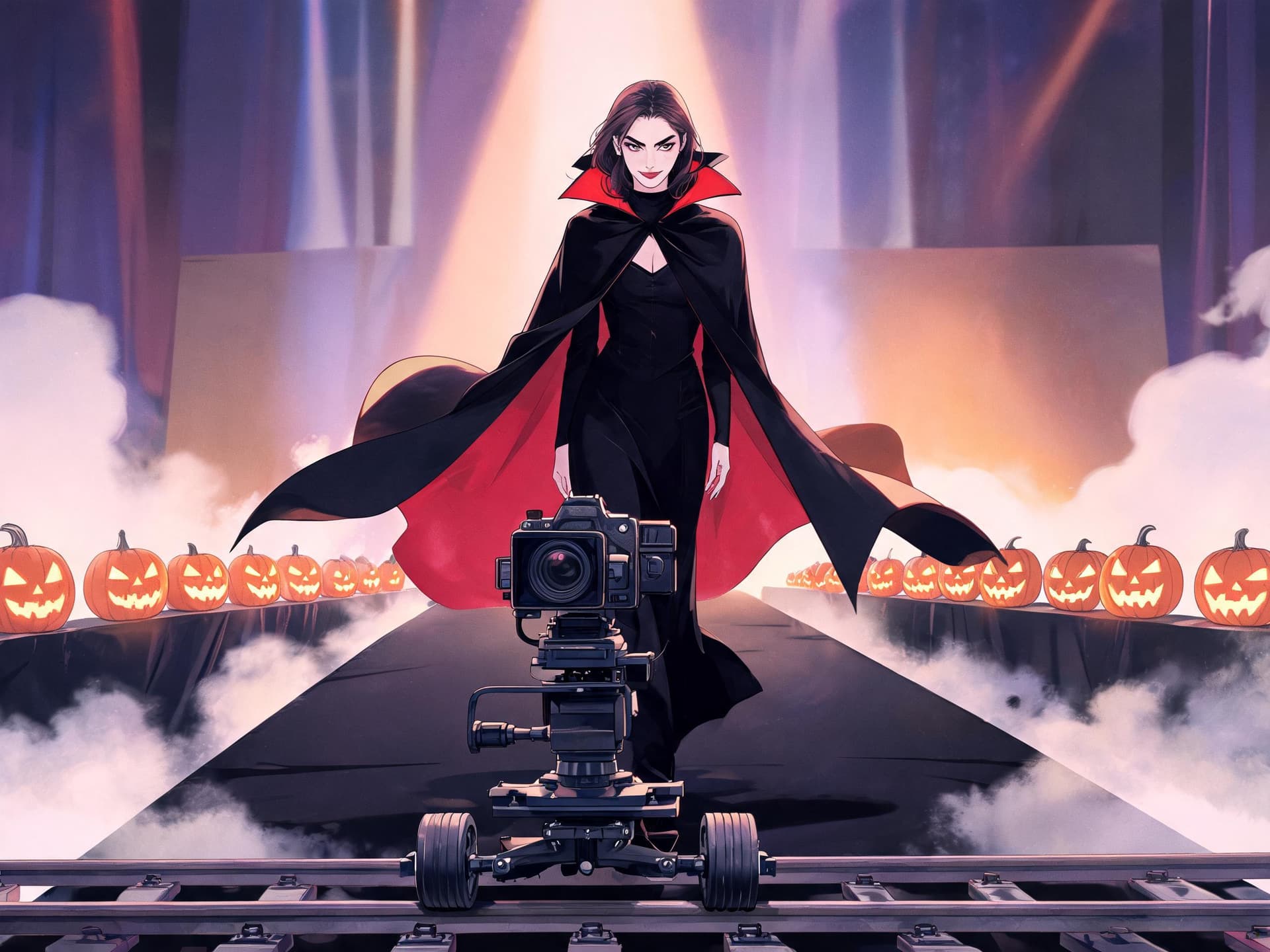
From the uploaded photo of the person in their Halloween costume, they walk slowly toward the camera down a black runway lit with purple and orange light, moving with a dramatic confident stride that suits the character. Soft fog drifts near the floor, a few glowing pumpkins glow softly at the edges, the costume details like a cape or accessories move naturally. The camera is a low dolly that backs away at walking pace. Theatrical rim light from behind, shallow depth of field. Keep the face, hair, outfit and body proportions identical to the input photo from the first frame to the last, natural arm swing and foot placement with no sliding feet, no warped hands, no extra limbs, no text or watermark.
17. Spooky Street Costume Walk
A neighborhood walk on a dusk street with trick-or-treat decor.
The person from the uploaded photo, in costume, walks toward the camera along a suburban sidewalk at dusk decorated with carved pumpkins and string lights, slow-motion confident stride. Autumn leaves swirl slightly at their feet, warm porch lights glow in the background, and a faint mist hangs low. The camera tracks backward at chest height with a gentle handheld sway. Orange and blue twilight color balance, soft key from the front. Keep the face, hair, outfit and body proportions identical to the input photo from the first frame to the last, natural arm swing and foot placement with no sliding feet, no warped hands, no extra limbs, no text or watermark.
18. Group Costume Squad Walk
A multi-person walk for friend groups and couples.
Starting from the uploaded photo of three friends in matching costumes, they all walk toward the camera in sync on a wide white runway in slow motion, each keeping their own look, their arms swinging at natural rhythm and their steps staggered. Camera dollies back at a steady pace and keeps all three fully in frame, then pushes in slightly on the center person in the last second. Bright soft overhead light, clean background, shallow depth of field. Keep every person's face, costume and position order identical to the input photo, no merging bodies, no extra people, no text.
5) Creative fashion film prompts
These two prompts are for creators who want the walk to feel like a short fashion film instead of a template.
19. Fashion Film With Wind and Fabric
A cinematic version focused on fabric movement and light.
The person in the uploaded photo walks slowly toward the camera across an empty salt flat at sunrise, a strong wind moving a long coat or loose fabric behind them in a graceful arc. The camera is a wide low-angle dolly that retreats slowly, with a faint horizon line behind. Soft pastel sky, warm rim light on the edges of the clothing, shallow depth of field, slow motion at roughly half speed. Keep the face, hair, outfit and body proportions identical to the input photo from the first frame to the last, natural arm swing and foot placement with no sliding feet, no warped hands, no extra limbs, no text or watermark.
20. Slow-Motion Hair Flip Close Walk
A closer waist-up framing for portraits and beauty content.
From the uploaded photo, the person walks toward the camera in slow motion in a bright airy studio and ends with a gentle hair flip and a small smile. The framing starts at a waist-up medium shot and the camera slowly retreats so the stride feels intimate. Soft window light from the left, a white backdrop, natural skin texture, subtle lens bloom on the highlights. Keep the face, hair, outfit and body proportions identical to the input photo from the first frame to the last, natural arm swing and foot placement with no sliding feet, no warped hands, no extra limbs, no text or watermark.
How to Customize These Prompts
Once you have a result you like, change one element at a time. Swap the setting first, because it changes the mood the most while keeping your subject lock intact. Then change the camera move, then the gesture. If you change three things at once and the video gets worse, you will not know why.
- Speed: say "slow motion at half speed" for a dreamy walk or "normal speed with a confident bounce" for a trendier, snappier one. Models handle explicit speed language better than adjectives such as fast.
- Length: 5 seconds is enough for a single pass. If you want a full runway, generate 10 seconds and trim.
- Camera: backward dolly for a classic show feel, side tracking for a lookbook, low angle for power, and a locked camera for a more documentary feel.
- Outfit changes: use image-to-image editing first, not the video prompt. Change the outfit on the still with the AI Image Generator, and then animate each version. This gives you a consistent set of looks for a "7 outfits, one walk" video.
- Multi-scene: generate several backgrounds with the same person, then chain clips using the last frame of one as the first frame of the next. Our Kling 3.0 Turbo multi-shot prompt guide covers the same idea for longer sequences.
- Motion blur and speed ramps: add a slight speed ramp in your editor for the beat drop. The motion blur photo prompts are good references for the look.
- Music: a bass-heavy or slow-tempo track with a clear beat matches the stride. Generate a custom one in Miraflow's AI music tool so the beat lines up with the footsteps.
Which Model and Format Should You Use
Different image-to-video models handle walking differently, and the research I did found no independent test that ranks them for this trend, so treat this as practical advice rather than a benchmark. Models with stronger motion consistency tend to keep faces and clothes steady, while faster models are better for trying many ideas. If you are comparing options in general, our Seedance 2.5 versus Veo 3.1 comparison and the Kling 4.0 explainer show how current video models differ on motion and keyframes. TikTok also added its own image-to-video tools, which we explain in TikTok AI Create explained.
For a standard post, 9:16 at 1080p is the right target. Start with 720p drafts to test the prompt, then regenerate your favorite at the highest quality. Short clips of 5 to 6 seconds loop better and carry fewer motion errors than long ones.
Common Mistakes That Ruin AI Walk Videos
- Using a cropped photo. If the feet are missing, the model invents them, and invented feet slide. Fix it by making a full-body version first.
- Writing only "walk." The result is usually a generic walk with a static camera. Add the gait, the camera and the lighting.
- Stacking gestures. A jacket flip plus a hair flip plus a wave plus a spin makes the motion mushy. Choose one.
- Forgetting the identity clause. Without a line that locks the face and outfit, the person can drift into a different-looking model by the end.
- Wrong direction. If the person is photographed from behind or the side, "walk toward the camera" fights the pose. Use a photo that already faces forward.
- Fast camera moves. A rapid dolly makes the background warp around the person. Keep the camera at walking pace.
- Busy backgrounds with readable text. Signs and logos shimmer and morph, so ask for them to be blurred or absent.
- Using photos of other people without permission. Only animate photos of yourself or people who agreed, and check the platform rules for AI labels before you post.
- Judging on the first generation. Walk physics varies by seed. Generate three takes and pick the best before you adjust the prompt.
Using Miraflow for the Whole Walk Video Workflow
You can handle the entire pipeline inside one browser tab. Start with the AI Image Generator to create or extend a full-body photo, then animate it in the Cinematic AI Video Generator. If you want a vertical edit with captions and a voiceover, Text2Shorts turns a script into a finished Short, and AI Clipping can pull the best moments from a longer behind-the-scenes video into captioned clips. For a YouTube post that explains the trend or shows your results, the YouTube Thumbnail Maker can build a thumbnail with your face and bold text.
Brands can borrow the same structure. A small shop can turn a product photo into a walking ad, as in the product walk prompts above, and combine it with ideas from our AI UGC ad prompts and floating product prompts. For a weekly content schedule, pair this trend with other effect formats like the melting effect, the squish effect or the cakeify trend to keep a feed varied. If you post in the evening, the moody looks from our dark stage effect prompts work well as a second clip, and fall outfit photos from the fall aesthetic photo prompts make good input images.
Frequently Asked Questions
What is the AI walk effect?
It is a trend where an AI image-to-video model turns one full-body photo into a slow-motion clip of the person walking toward the camera like a runway model. It is also called the AI walking effect or AI catwalk.
What photo works best?
A sharp, evenly lit, full-body photo from head to toe where the person faces the camera or stands at a slight angle, with legs visible and no one overlapping them.
What is the best prompt for the AI walk effect?
The short version is "walking forward slowly like a model," but a stronger prompt names the gait, the camera move, one gesture, the setting and the lighting, and it asks the face and outfit to stay identical.
Can I do it with a pet or a product?
Yes. Use a full-body photo of the pet or a person wearing the product, ask for a natural gait, and tell the model to keep markings, colors and product details unchanged. Prompts 11 to 15 cover this.
Why do the feet slide or the face change?
Usually because the source photo was cropped, the camera moved too fast, or the prompt did not lock identity. Use a full-body photo, slow the camera down and keep the identity line from the prompts above.
How long should the video be?
Five to six seconds loops well and has the fewest errors. Generate longer only when you need a full runway and trim afterward.
Which aspect ratio should I use?
9:16 for TikTok, Reels and Shorts. Use 16:9 only if the video is for a YouTube long-form cutaway.
Do I need to label AI videos?
Platforms have their own rules on AI-generated content labels. Check the rules on the platform you post to, and only animate photos you have the right to use. See also our note on YouTube auto-labels for AI video.
Can I make a walk video from a selfie?
Waist-up selfies do not show legs, so extend the selfie into a full-body image first, then animate it.
Conclusion
The AI walk effect succeeds because it asks for almost nothing: one good photo and a prompt that describes a walk. The difference between a clip that looks like a template and one that looks like a fashion film comes down to the same things a real shoot depends on, a clear subject, a controlled camera, one gesture, a believable setting and good light. Pick a full-body photo, paste one of the 20 prompts above, and change one variable at a time.
When you are ready to try it, open the Cinematic AI Video Generator on Miraflow, and use the AI Image Generator to prepare your photo. Then build a thumbnail with the YouTube Thumbnail Maker or turn longer footage into Shorts with AI Clipping. For more trend packs, browse our latest guides on the Miraflow blog.