25 AI Witch Broom Crash Prompts: Make the Viral Flying Broom Video From One Photo (Copy & Paste 2026)

Written by
Aerin Kim
Skip the identical CapCut template. Use 25 copy-and-paste prompts to turn one photo into your own witch broom crash video, with custom flight paths, crash targets, camera angles and sound.
You uploaded your photo to a CapCut template, waited a few seconds, and got a clip of yourself riding a broomstick that ends in a crash into a lawn. It was funny for about one watch. Then you scrolled and saw the same clip, with the same flight path, the same crash and the same camera move, on a dozen other accounts. Templates are fast, but they give everyone the same ending, and they decide the crash target, the camera angle and the timing for you.
This guide shows you how to make your own version with prompts. Using one photo of yourself, you will build a still of you on a broom in a scene you choose, then animate that still into a 5 to 8 second vertical clip with a start, a wobble, a crash and an aftermath that you wrote. You get 25 copy-and-paste prompts for crash targets, flight paths, still photos, group and pet versions, and creator formats such as a Shorts hook with a "wait for it" freeze-frame.
The timing is good because the trend is live right now. In October 2026 the "flying broom" or "witch broom" photo-to-video trend is circulating on TikTok, mainly through CapCut AI templates, with related versions such as the "My Ride Is Here" broom trend and a Harry Potter broomstick variant where the rider crashes into a sign. Tutorial pages for it were still being updated around October 19, and Halloween 2026 falls on Saturday, October 31, so you have roughly ten days of peak seasonal interest left.
TL;DR: The Two-Step Method
- Step 1 is the still. Open Miraflow's AI Image Generator, switch to image-to-image, upload one clear photo of yourself, and paste a still prompt that puts you on a broom in a scene. Every prompt ends with a line that keeps your face, hair, skin tone and body proportions.
- Step 2 is the motion. Open the cinematic video generator, upload the still as the starting image, and paste a video prompt that describes the beats in order: takeoff, wobble, crash, aftermath.
- Keep the clip between 5 and 8 seconds and vertical (9:16), the same length as the CapCut "Witch ride broom" template, which is listed at about 7 seconds.
- Add a spooky bed of sound from Miraflow's AI music generator, then add captions and publish.
- Keep every crash comedic and soft: leaf piles, hay bales, hedges and pumpkin patches. the Common Mistakes section covers safety and labeling.
- The 25 prompts below are grouped into classic crashes, flight paths, still photos, group and pet versions, and creator formats.
If you want more Halloween formats after this one, the AI Halloween video prompts cover other clips, the AI Halloween portrait prompts cover costume stills, and the couple Halloween costume prompts cover pairs.
Template vs Prompt: Why Writing Your Own Broom Crash Is Worth It
A CapCut template is a fixed recipe. You supply the photo, and the template supplies the broom, the sky, the motion and the crash. That is why it takes seconds and why the results look alike. It is also why a template clip rarely gets remembered: the viewer has already seen the ending.
A prompt lets you decide the parts that make a clip memorable.
- The takeoff: a running start across a driveway, a lift-off from a porch, or a wobbly rise from a pile of leaves.
- The flight path: over a suburban street at dusk, past a full moon, down a hallway in your own house.
- The crash target: a hay bale, a neighbor's hedge, a pumpkin pile or a sign, with leaves, straw or pumpkin pieces flying in a way you describe.
- The camera: a chase camera behind you, a front-facing selfie angle, or a wide shot from the ground.
- The sound: a rising whoosh, a wobbling wail, a comedic thud and a quiet beat afterward.
- The punchline: the rider sits up with a leaf in their hair and gives a thumbs up, or the broom rolls away on its own.
There is a tradeoff to know about before you start. A template is a single step and almost always works. A two-step prompt workflow takes a few more minutes, and the first generation will sometimes miss, so plan on two or three tries per clip. In return you get a clip that no one else has, in your own yard or street, with a face that stays recognizable when you describe the identity clause carefully. The AI alive photo prompts and the AI walk effect prompts use the same still-then-motion idea if you want to compare approaches.
I also want to be upfront about the limits of what is known. The trend details here come from search snippets and tutorial listings, because TikTok and CapCut template pages do not load for automated readers. The facts I rely on are that it is a one-photo template trend, that the template clip is about 7 seconds in 9:16, and that its hashtags include #flyingbroom, #witchbroom, #harrypottertrend and #capcut. I do not know the trend's origin or its view counts, so this guide does not claim any.
Before You Start: Photo Choice, the Two Steps and the Identity Clause
The single biggest factor in how good your clip looks is the photo you start with. Both generators copy what they can see, so give them a lot to see.
| Check | Do this | Avoid this |
|---|---|---|
| Framing | Full body or three-quarter length, so the model sees your proportions and can place you on a broom | A tight face crop or a mirror selfie with the phone covering your torso |
| Face | Eyes open, face fully visible and in focus, relaxed smile or neutral expression | Sunglasses, hats, masks or a face turned away from the camera |
| Light | Soft window light or open shade falling evenly on the face | Harsh midday shadows or mixed colored light |
| Sharpness | A recent photo taken at arm length or on a tripod | Tiny faces in wide group shots or heavily filtered photos with smoothed skin |
| Pose | Standing straight with arms visible, which gives a clean base for a seated broom pose | Arms crossed over the body or hands hidden in pockets |
| Group photos | Everyone the same distance from the lens, each face clearly separated | People overlapping, one face partly hidden behind another |
How the two steps fit together
Step 1 creates the "keyframe", the single image the whole clip grows from. If the keyframe has your face right, the video usually keeps it, because the video model starts from that image rather than inventing a person. If you skip step 1 and ask a video model to make a rider from text alone, you get a generic rider, not you.
For step 1, the image-to-image prompt describes the scene and the pose, then ends with an identity clause. The wording that works for me is to name each feature: "Keep the face, hair, skin tone and body proportions of the person in the uploaded photo exactly the same." Naming the features matters because a general "make it look like me" leaves the model to decide which parts count.
For step 2, upload the still as the starting image and describe motion in beats. Video models respond well to a clear order of events with approximate timing, such as "0 to 2 seconds, the broom lifts off." They respond poorly to a single long sentence that mixes camera, motion and mood. Every video prompt in this pack uses the same skeleton: starting image reference, camera, light, beat-by-beat motion, sound cue, identity clause, and a closing failure-mode line.
Keep the crash comedic
Some of the most shareable broom clips end with the rider sitting up unharmed and a little embarrassed. Use soft targets, mention leaves, straw and pumpkin pieces flying, and always describe the aftermath as laughing or dusting off. Do not prompt for blood, bruises, injury, or a person trapped or hurt. That keeps your clip suitable for platforms, for family viewers, and for the video models themselves, which are more likely to refuse or distort scenes that read as real harm.
1) Classic Crash-Landing Video Prompts
These five are the closest match to the template trend, but each one gives you control over the setting and the landing. Run them as step 2 after you have a still from any of the Section 3 prompts or from a plain "person standing on a broom" image of your own.
Prompt 1: Pumpkin Patch Plow
A rider in a black cloak sweeps low over a farm field and plows into a stack of pumpkins. Use this one as your default first clip, because the target is large, soft-looking and visually obvious.
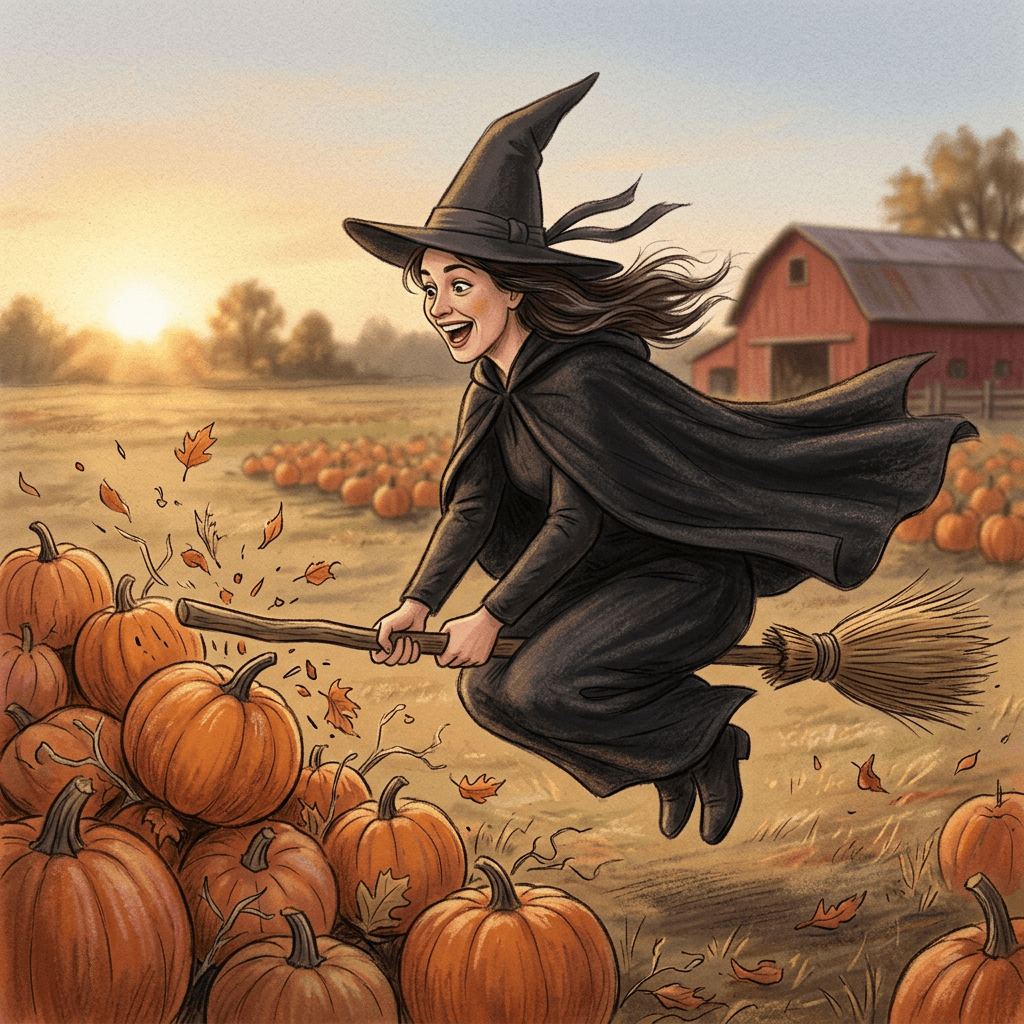
Use the uploaded still as the first frame of a vertical 9:16 video, 7 seconds long, of the same person in a black hooded cloak riding a straw-bristle broom low over a golden autumn pumpkin patch at late afternoon. Chase camera about three meters behind and slightly above the rider, 28mm lens, slow handheld sway. Warm low sun from the left throws long shadows across the rows. Beat one, 0 to 2 seconds: the broom lifts off the ground with a small wobble and the cloak snaps backward. Beat two, 2 to 4 seconds: the rider leans forward and the broom speeds up, skimming just above the pumpkins with the tail twigs trembling. Beat three, 4 to 5 seconds: the broom tilts and plows into a neat pile of orange pumpkins, which tumble and bounce in all directions with a few plastic-light pieces of stem and leaf flying. Beat four, 5 to 7 seconds: the rider sits up in the middle of the pile, hat crooked, laughing and giving a thumbs up toward the camera. Sound cues: rising wind whoosh, one comedic wobble sound, a soft hollow thud and rolling pumpkins, then a few seconds of quiet crickets. Keep the face, hair, skin tone and body proportions of the person in the starting image exactly the same in every frame. No gore, no injury, no blood, no distorted hands, no warped broom, no text, no watermark.
Tip: if the pumpkins fly unrealistically fast, add "pumpkins roll slowly and settle" to beat three. The slower roll also gives your caption time to land.
Prompt 2: Leaf Pile Belly Flop
A calmer crash for a suburban backyard. Leaves are the safest target because the landing looks soft even in a single frame, which also makes the clip easier to label as comedy.
Starting from the uploaded still, make a vertical 9:16, 6 second clip of the same person in a plain dark witch hat and cloak on a wooden broom with a bundle of straw bristles, flying low across a fenced suburban backyard in October. Side tracking shot at eye level of the rider, 35mm lens, shallow depth of field with the fence slightly soft. Soft overcast daylight from above, orange and red maple leaves scattered over the lawn. Beat one, 0 to 2 seconds: the rider glides in from the left, arms steady, hat ribbon fluttering. Beat two, 2 to 3.5 seconds: the front of the broom dips and wobbles and the rider wobbles with it, eyebrows raised. Beat three, 3.5 to 4.5 seconds: the rider slides into a tall heap of raked leaves, which burst upward in a big cloud of orange and yellow. Beat four, 4.5 to 6 seconds: the rider surfaces from the pile, leaves in the hair and on the hat, and blows a leaf away from their face. Sound cues: a light airy whoosh, a gentle crunchy leaf burst, a muffled laugh. Keep the face, hair, skin tone and body proportions of the person in the starting image exactly the same. Realistic motion, no distortion of the face, no extra limbs, no injury, no text, no watermark.
Tip: raked leaves look better than scattered leaves because the model can pile them in one spot. Mention "a tall heap of raked leaves" every time.
Prompt 3: Street Sign Smack
This is the version closest to the Harry Potter variant that crashes into a sign. Keep the sign blank or with a generic shape so the model does not invent garbled lettering.
Using the uploaded still as the opening frame, create a vertical 9:16, 7 second clip of the same person in a black cloak with a green scarf riding a worn wooden broom down the middle of a quiet residential street at golden hour. Camera is a low front-facing tracking shot about two meters ahead of the rider, 24mm lens, so the rider seems to be flying toward the viewer. Warm backlight from the setting sun behind the rider creates a rim of light on the cloak and flying hair. The street ends in a plain green street sign on a metal pole with no readable text, just a white border. Beat one, 0 to 2 seconds: takeoff from the asphalt in a small cloud of dust and dry leaves. Beat two, 2 to 4 seconds: the rider cruises with the broom wobbling left and right and the cloak streaming behind. Beat three, 4 to 5 seconds: the rider looks up, eyes widen, and the broom bonks the sign softly so the sign shakes and the rider spins once around the pole in a comic cartoon way. Beat four, 5 to 7 seconds: the rider slides down to the grass strip beside the road, sits with the broom across the lap, and shrugs with a grin. Sound cues: building whoosh, a hollow metal sign bonk, a slide whistle, a short laugh. Keep the face, hair, skin tone and body proportions of the person in the starting image exactly the same. Sign has no text or logo, no injury, no distortion, no watermark.
Tip: ask for "a plain green sign with no readable text" and add your own sign text later in a video editor. Models often garble lettering.
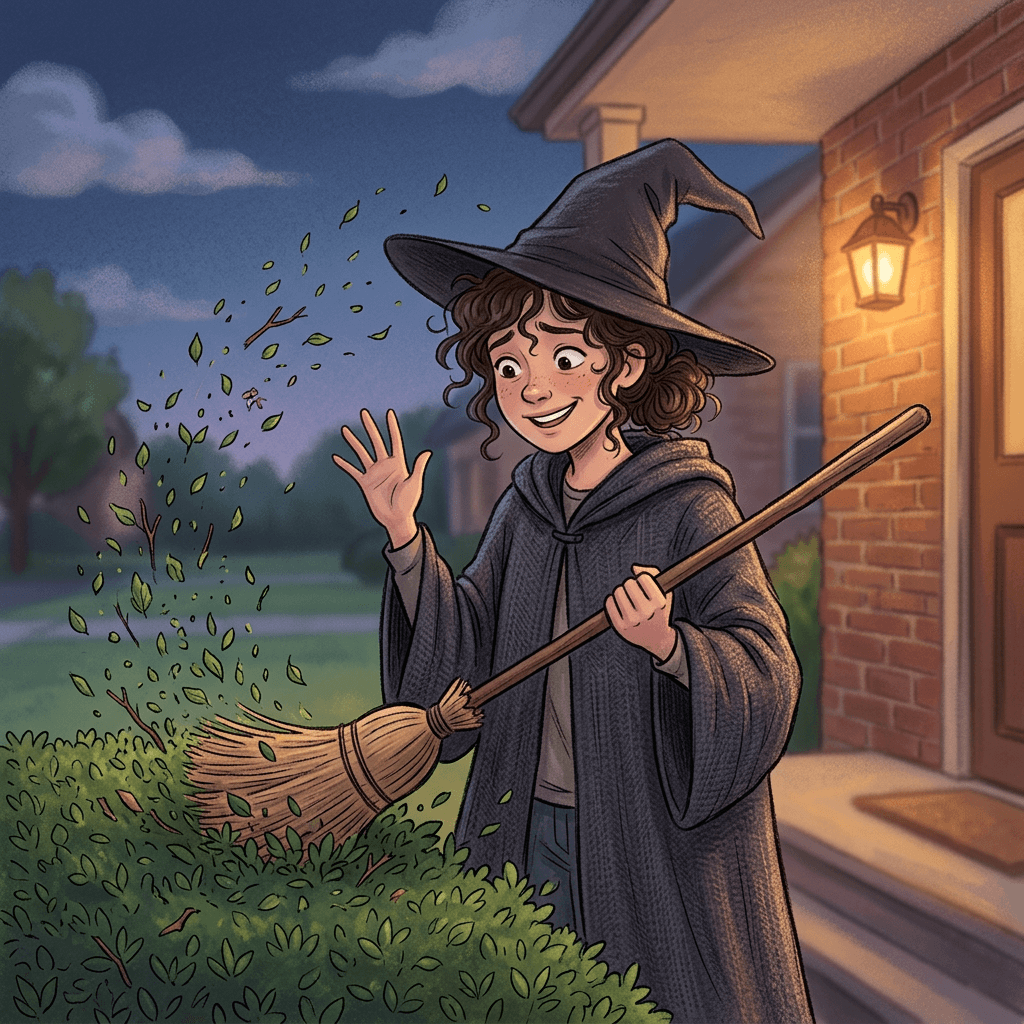
Prompt 4: Neighbor's Hedge Crash
A comedic crash into a tidy, trimmed hedge with leaves exploding outward. This is a good one for older or younger riders, because the hedge reads as obviously soft.
From the uploaded still, make a vertical 9:16, 6 second clip of the same person in a charcoal cloak and a pointed hat riding a straw broom across a front lawn toward a neatly trimmed green hedge in front of a cozy brick house with a lit porch lantern. Medium shot from the side, slightly low angle, 35mm lens, background softly blurred. Warm porch light on the right and blue evening sky light from the left. Beat one, 0 to 1.5 seconds: the rider rolls the broom off the porch steps and rises into the air. Beat two, 1.5 to 3.5 seconds: a shaky straight line across the lawn with the hat wobbling. Beat three, 3.5 to 4.5 seconds: the broom noses into the hedge, which bursts with hundreds of green leaves flying outward and a few small twigs. Beat four, 4.5 to 6 seconds: the rider hangs halfway in the hedge with leaves on the hat and gives a sheepish wave. Sound cues: a rising swoosh, a bushy rustle crash, a single owl hoot. Keep the face, hair, skin tone and body proportions of the person in the starting image exactly the same. No injury, no thorns, no distortion, no extra people, no text, no watermark.
Tip: say "leaves flying outward in an arc" to keep the debris cloud from filling the whole frame and hiding the face.
Prompt 5: Hay Bale Pile-Up
For a rural or fall festival look. Hay bales are cylinder shapes the models handle well, and they make an obviously soft landing.
Based on the uploaded still, generate a vertical 9:16, 7 second video of the same person in a black cloak and dark boots riding a straw broom over a harvest field at dusk, toward a stack of round hay bales and a wooden fence. Wide tracking shot from the side at rider height, 28mm lens, everything in reasonable focus. Soft orange light from the low sun at the horizon, long shadows and floating dust. Beat one, 0 to 2 seconds: the rider shoots across the field in a smooth glide. Beat two, 2 to 4 seconds: the broom dips, wobbles, and the rider steadies with a wide-eyed look. Beat three, 4 to 5 seconds: the broom bumps into the bales, the top bale rolls off, and straw bursts into the air in golden strands. Beat four, 5 to 7 seconds: the rider lands on the soft straw, flops back, and looks at the sky laughing while straw drifts down. Sound cues: whoosh, a thump into hay, a soft rustle, and distant crickets. Keep the face, hair, skin tone and body proportions of the person in the starting image exactly the same. Soft landing only, no injury, no distorted hands, no text, no watermark.
Tip: if the bale rolls too far, add "the bale rolls one half turn and stops". Specific distances are easier for the model than general words like "slowly".
2) Flight-Path Variation Prompts
A crash is only half of the clip. The flight before it decides whether viewers keep watching. These five prompts change where you fly and what the camera sees, and each one still ends with a comedic crash or a wobbly landing so they work with the same sound design.
Prompt 6: Suburban Street at Dusk
A pleasant neighborhood flight with lit windows and pumpkins on porches. It reads like a real Halloween evening, which makes the comedic ending hit harder.
Starting from the uploaded still, make a vertical 9:16, 8 second clip of the same person in a black cloak flying a straw broom above a quiet suburban street at dusk, with carved jack-o-lanterns glowing on porches and string lights along the rooftops. Drone-style camera 4 meters behind and 2 meters above the rider, 24mm lens, slow gentle drift. Blue twilight sky with a faint pink horizon and warm orange porch light from below. Beat one, 0 to 2 seconds: the rider lifts off from the sidewalk and rises past a mailbox. Beat two, 2 to 5 seconds: they sail along the street, the cloak rippling, a cat on a fence turning its head. Beat three, 5 to 6.5 seconds: the broom jerks sideways and clips a big inflatable pumpkin decoration, which wobbles. Beat four, 6.5 to 8 seconds: the rider sets down on the lawn, straightening the hat and smiling. Sound cues: soft wind, distant kids laughing, a rubbery boing from the inflatable pumpkin. Keep the face, hair, skin tone and body proportions of the person in the starting image exactly the same. No injury, no readable signs, no distortion, no extra limbs, no watermark.
Tip: mention only one decorative target. A scene with many named props makes models mix them into a messy background.
Prompt 7: Across a Full Moon
The classic silhouette-against-the-moon shot, but with a visible face. The moon acts as a glow in the sky while a soft warm fill keeps the rider's face readable.
Take the uploaded still and animate it into a vertical 9:16, 6 second clip of the same person in a dark cloak riding a straw broom across a huge pale full moon over a rolling night hillside with a few bare trees. Camera is a smooth side tracking shot at medium distance, 50mm lens, slight upward tilt. Cool moonlight from behind the rider is balanced by a soft warm fill on the rider's face from the front so the face is clearly visible with natural skin tone, and thin clouds drift across the moon. Beat one, 0 to 2 seconds: the rider arcs upward from the lower left corner. Beat two, 2 to 4 seconds: the broom crosses the face of the moon with the cloak flowing. Beat three, 4 to 5 seconds: the broom hiccups, spins half a turn, and the rider yelps with surprise. Beat four, 5 to 6 seconds: the rider rights themselves and drops gently into the top of a tall hay pile at the edge of the hill. Sound cues: low wind, a sparkly magical chime, a rubbery wobble, a soft puff of hay. Keep the face, hair, skin tone and body proportions of the person in the starting image exactly the same. No silhouette-only face, no injury, no distortion, no watermark.
Tip: the line about warm fill on the face matters. Without it, models often turn the rider into a dark shape against the moon.
Prompt 8: Through a City at Night
For a more urban look, with neon reflections and a surprise ending. This is useful if you do not have a yard to show.
Based on the uploaded still, generate a vertical 9:16, 7 second video of the same person in a black cloak and sneakers riding a straw broom between brick apartment buildings in a city at night after light rain. Low-angle chase camera behind the rider, 24mm lens, with gentle handheld shake and wet street reflections below. Colored light from shop signs without readable words, warm streetlamps, and a cool moonlit sky. Beat one, 0 to 2 seconds: the rider lifts off from a crosswalk and rises along the building fronts. Beat two, 2 to 4 seconds: a fast glide between fire escapes and hanging laundry, a pigeon bursting away. Beat three, 4 to 5.5 seconds: the broom skims a rooftop and bumps into a stack of soft cardboard boxes in a loading alley. Beat four, 5.5 to 7 seconds: boxes tumble in slow motion, and the rider sits on the pile with a startled laugh. Sound cues: city hum, a rising whoosh, a pigeon flutter, a hollow cardboard crash. Keep the face, hair, skin tone and body proportions of the person in the starting image exactly the same. Signs show no readable text, no injury, no broken glass, no distortion, no watermark.
Tip: cardboard boxes are a safe urban crash target. Avoid parked cars or glass storefronts, which push the scene toward property damage.
Prompt 9: Low Over a Cornfield
A quiet rural pass that builds tension before the comedic ending, good for creepy-cute captions.
From the uploaded still, make a vertical 9:16, 8 second clip of the same person in a dark patched cloak riding an old straw broom low over a cornfield at sunset, skimming the tassels. Camera low and close to the rider at the side, 35mm lens, rack focus from the corn in the foreground to the face. Warm orange backlight from the sun and a soft bounce on the face from the sky. A scarecrow stands in the field ahead. Beat one, 0 to 2 seconds: the rider rushes along with corn tassels brushing the boots. Beat two, 2 to 5 seconds: a slow, tense glide toward the scarecrow, the rider squinting. Beat three, 5 to 6 seconds: the broom taps the scarecrow, which flops sideways with its straw hat spinning in the air. Beat four, 6 to 8 seconds: the rider drops into soft corn rows and the scarecrow's hat lands neatly on their head. Sound cues: dry rustling corn, low drone, a quick comic thump, a tiny triumphant sting. Keep the face, hair, skin tone and body proportions of the person in the starting image exactly the same. No injury, no distortion, no text, no watermark.
Tip: a hat landing on the rider is a visual payoff that works well as the freeze-frame for Prompt 21.
Prompt 10: Indoors Through the Living Room
The fun indoor version. It is the easiest to shoot from a real photo, because the room can be your actual room.
Starting from the uploaded still, animate a vertical 9:16, 6 second clip of the same person in a black cloak riding a straw broom through a cozy living room with a sofa, a bookshelf, a lit lamp and a small Halloween garland on the mantle. Handheld chase camera from behind at shoulder height, 24mm lens, slightly shaky. Warm lamp light from the left with soft window light on the right. Beat one, 0 to 1.5 seconds: the rider lifts off from the rug and clears the coffee table. Beat two, 1.5 to 3.5 seconds: a quick weave around the sofa and under a hanging plant. Beat three, 3.5 to 4.5 seconds: the broom turns too late and plops the rider into a pile of couch cushions. Beat four, 4.5 to 6 seconds: cushions settle, a cushion bounces on the rider's head, and a pet cat in the background stares with disapproval. Sound cues: whoosh, soft cushion thumps, a faint meow. Keep the face, hair, skin tone and body proportions of the person in the starting image exactly the same. No broken furniture, no injury, no text, no watermark.
Tip: if you start from a real photo of your room, write "keep the room layout from the starting image" so the model does not redesign it.
3) Still-Photo Versions for Posts, Profile Pictures and Thumbnails
Not every moment needs motion. A still is also the first step for every video prompt above, so these five double as keyframes. Use the image-to-image mode of the AI Image Generator and upload your photo each time.
Prompt 11: Mid-Air Portrait
A hero portrait of you in flight, with a sharp face and a gentle sense of motion. It works as a profile picture, a thumbnail background or the start frame for any clip in Sections 1 and 2.
Cinematic photograph of the person from the uploaded photo riding a wooden broom with straw bristles about two meters above a pumpkin field at golden hour. Wearing a black cloak and a plain dark pointed hat with a ribbon. Three-quarter view, full body, 35mm lens at f/2.8, eye-level with the rider, face sharp and clearly visible, background softly blurred. Warm low sun from behind-left with a gentle fill on the face, hair and cloak streaming with motion. Fabric shows realistic weave and the broom shows real twig texture. Keep the face, hair, skin tone and body proportions of the person in the uploaded photo exactly the same. Natural skin texture, no plastic skin, no extra fingers, no distorted broom, no text, no watermark.
Tip: ask for "face sharp and clearly visible" in every still. It is the best defense against the model turning you into a stylized dark figure.
Prompt 12: Crash Aftermath With a Bent Broom
Post-crash comedy is often funnier than the crash. This still shows the result: a rider sitting in debris with a broom bent in an obviously cartoonish way.
Realistic editorial photograph of the person from the uploaded photo sitting in the middle of a scattered pumpkin pile on a farm lawn, black cloak dusted with straw, pointed hat crooked, holding a comically bent wooden broom with a few loose twigs, and giving a laughing shrug toward the camera. Medium shot at eye level, 50mm lens at f/4, face in focus, orange and yellow pumpkins and leaves around them. Soft overcast daylight from above with warm bounce from the pumpkins. Cheerful and unhurt, no injury, no bruises, no blood. Keep the face, hair, skin tone and body proportions of the person in the uploaded photo exactly the same. Natural skin texture, no warped hands, no extra limbs, no text, no watermark.
Tip: the "unhurt and laughing" clause is as useful for a still as it is for a video, because it sets the tone that your caption can build on.
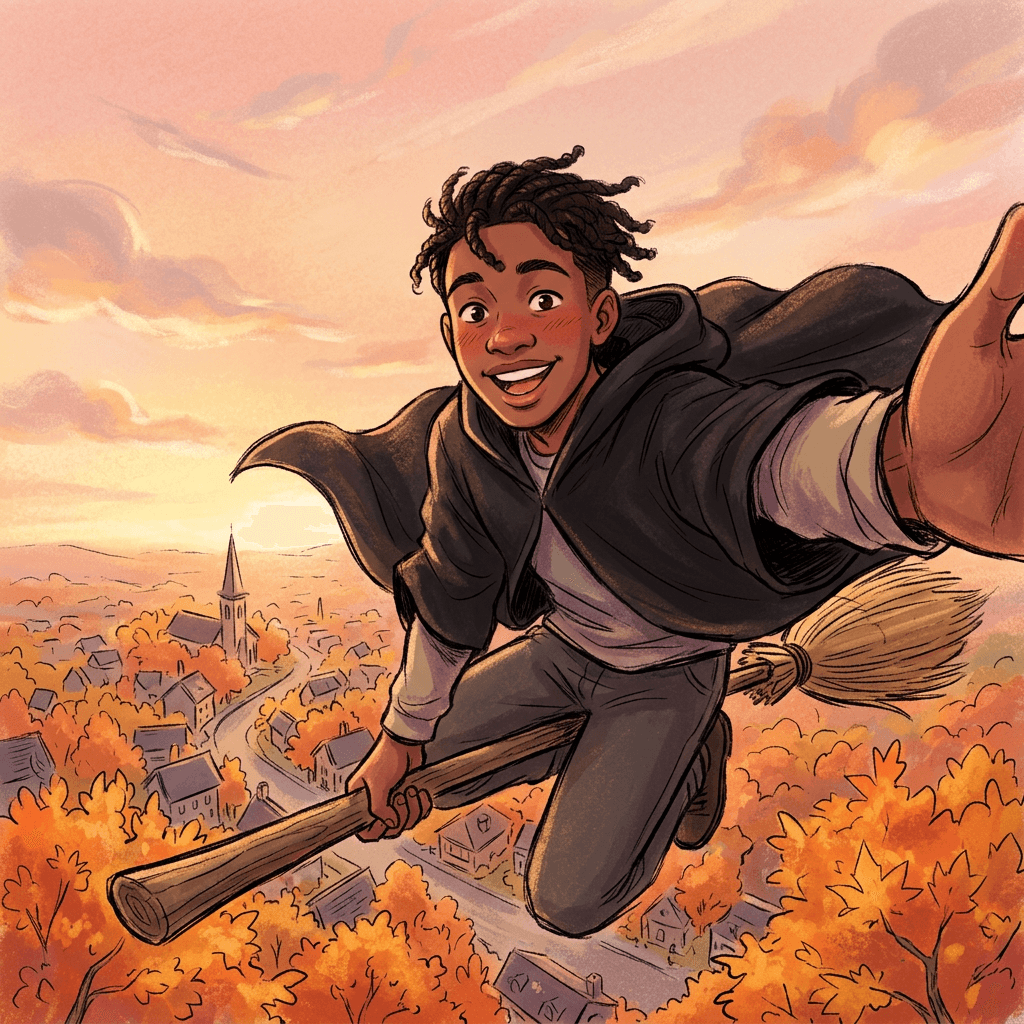
Prompt 13: POV Selfie on a Broom
A first-person selfie as if you held the camera while flying, with one hand on the broom and the street far below.
Wide-angle selfie-style image of the person from the uploaded photo holding the camera at arm's length while riding a straw broom high above a small town at sunset, one hand on the broom handle, hair and cloak blowing, cheeks pink from the wind, delighted open-mouth smile. The phone is out of view but the arm extends toward the lens. Rooftops, a church steeple and orange maple trees far below. 16mm equivalent wide lens slightly distorted at the edges like a real selfie, warm sunset light from the side, face sharp in the center. Keep the face, hair, skin tone and body proportions of the person in the uploaded photo exactly the same. Natural skin texture, no warped arm, no extra fingers, no text, no watermark.
Tip: this still becomes a strong POV clip when you animate it with "the camera shakes with wind, and the broom drifts sideways into a gentle landing on a haystack."
Prompt 14: Takeoff Profile Picture
A tidy avatar-sized image of you at the very moment of takeoff. The tight framing keeps the face large enough for small circles.
Close-up portrait of the person from the uploaded photo, shoulders and head, sitting on a broom just lifting off, eyes bright and a determined smile, a pointed dark hat with a thin ribbon, a black cloak collar, and a few autumn leaves swirling at the edges. Soft golden-hour light from the front-left, 85mm lens at f/2, creamy blurred background of orange trees. Square composition with the face centered and a clear space around the head for circular cropping. Keep the face, hair, skin tone and body proportions of the person in the uploaded photo exactly the same. Natural skin texture, no extra people, no text, no watermark.
Tip: a profile picture works best when it reads at 48 pixels. If the result is too busy, remove the leaves and keep one hat.
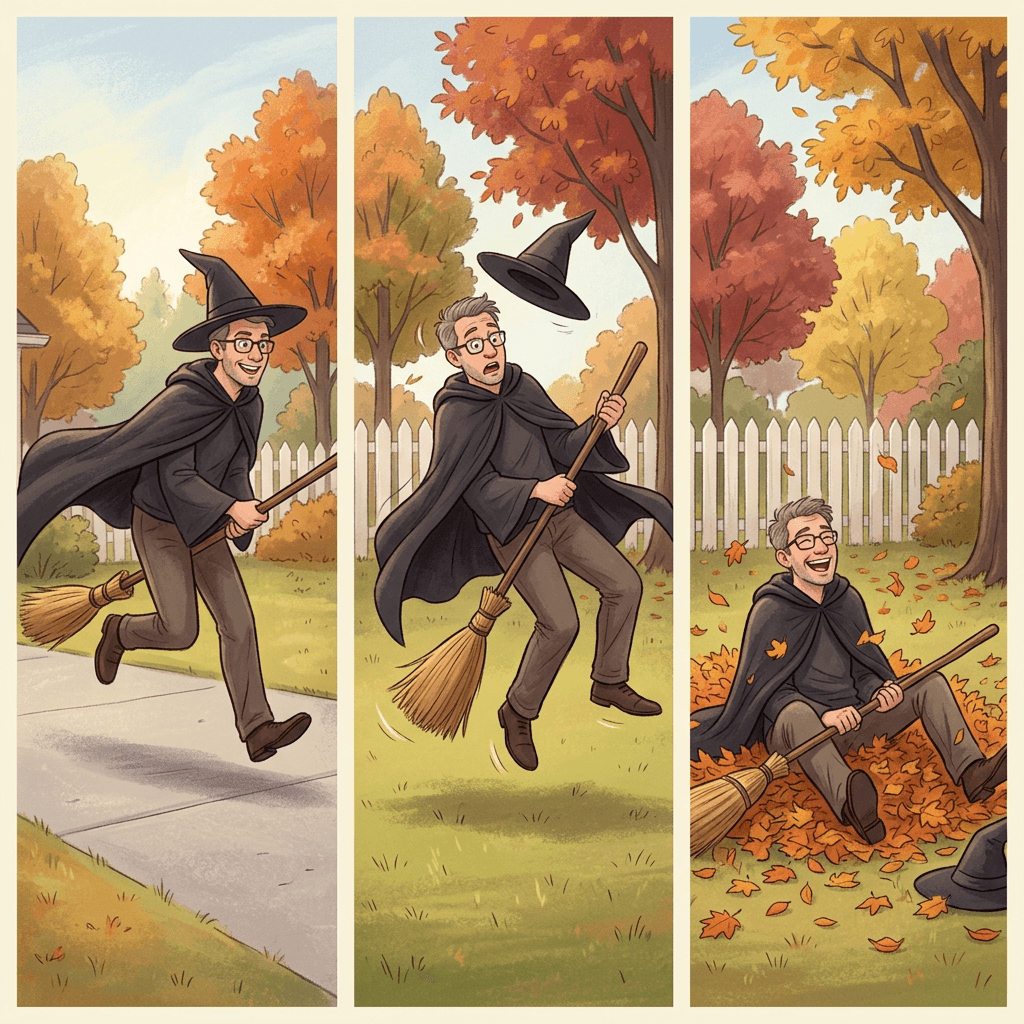
Prompt 15: Three-Panel Storyboard Still
A single image with three panels showing takeoff, wobble and crash. It gives you a visual plan, and it also works as a carousel post.
A single tall image divided into three equal horizontal panels showing the same person from the uploaded photo in a black cloak on a straw broom. Panel one: taking off from a driveway with a determined smile. Panel two: wobbling in mid-air above a lawn with wide eyes and the broom tilted. Panel three: sitting in a pile of orange leaves with the broom across their lap, laughing. Same face, outfit and broom in all three panels, consistent warm afternoon light from the left, 35mm lens, eye-level, faces sharp. Panels are separated by thin white borders with no text anywhere. Keep the face, hair, skin tone and body proportions of the person in the uploaded photo exactly the same in every panel. Natural skin texture, no warped hands, no extra limbs, no text, no watermark.
Tip: use the three panels as references. Feed the third panel to the video generator as the target for the final frame if your tool supports end frames, as in the Google Flow start and end frame prompts.
4) Group, Couple, Kid-Friendly and Pet Versions
Group clips usually get more comments than solo ones, because people tag the friends in them. Every prompt here keeps the tone gentle, uses soft landings, and names each person by position so identities do not blend. Upload a single photo containing everyone, or use the best group photo you have.
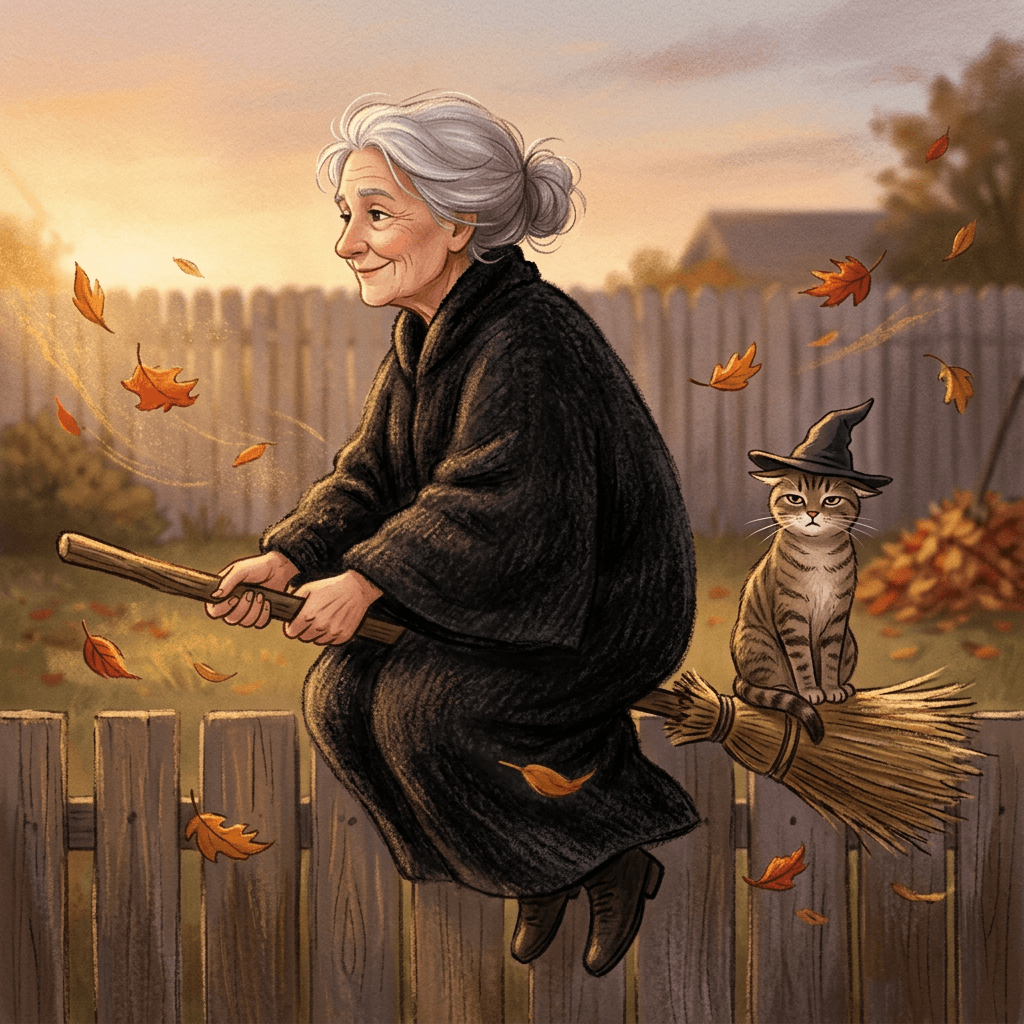
Prompt 16: Cat Riding Along
A pet cat sitting on the broom handle behind the rider. Cats make this one work because the pose is plausible and the expression does the joke.
Using the uploaded photo of a person and their cat, create a vertical 9:16, 7 second clip of the same person in a black cloak riding a straw broom with the same tabby cat sitting calmly on the back of the broom wearing a tiny pointed hat, flying low over a backyard fence. Camera tracks from the side at the height of the broom, 35mm lens, shallow depth of field. Warm evening sun from the left. Beat one, 0 to 2 seconds: lift-off, the cat's ears flatten slightly. Beat two, 2 to 4 seconds: gentle flight with the cat staring ahead with a serious face. Beat three, 4 to 5 seconds: the broom bumps a leaf pile, the person tumbles in and the cat lands neatly on its feet on top of the pile. Beat four, 5 to 7 seconds: the cat looks at the camera while the person laughs. Sound cues: whoosh, a soft thud, a single deadpan meow. Keep the face, hair, skin tone and body proportions of the person and the exact fur pattern and markings of the cat. The cat is safe and calm throughout, no distress, no distortion, no extra animals, no text, no watermark.
Tip: the pet Halloween costume prompts cover the hat and costume side if you want to dress the cat more carefully.
Prompt 17: Two Friends on One Broom
The buddy version. Positions in the prompt decide who sits where, so state it plainly.
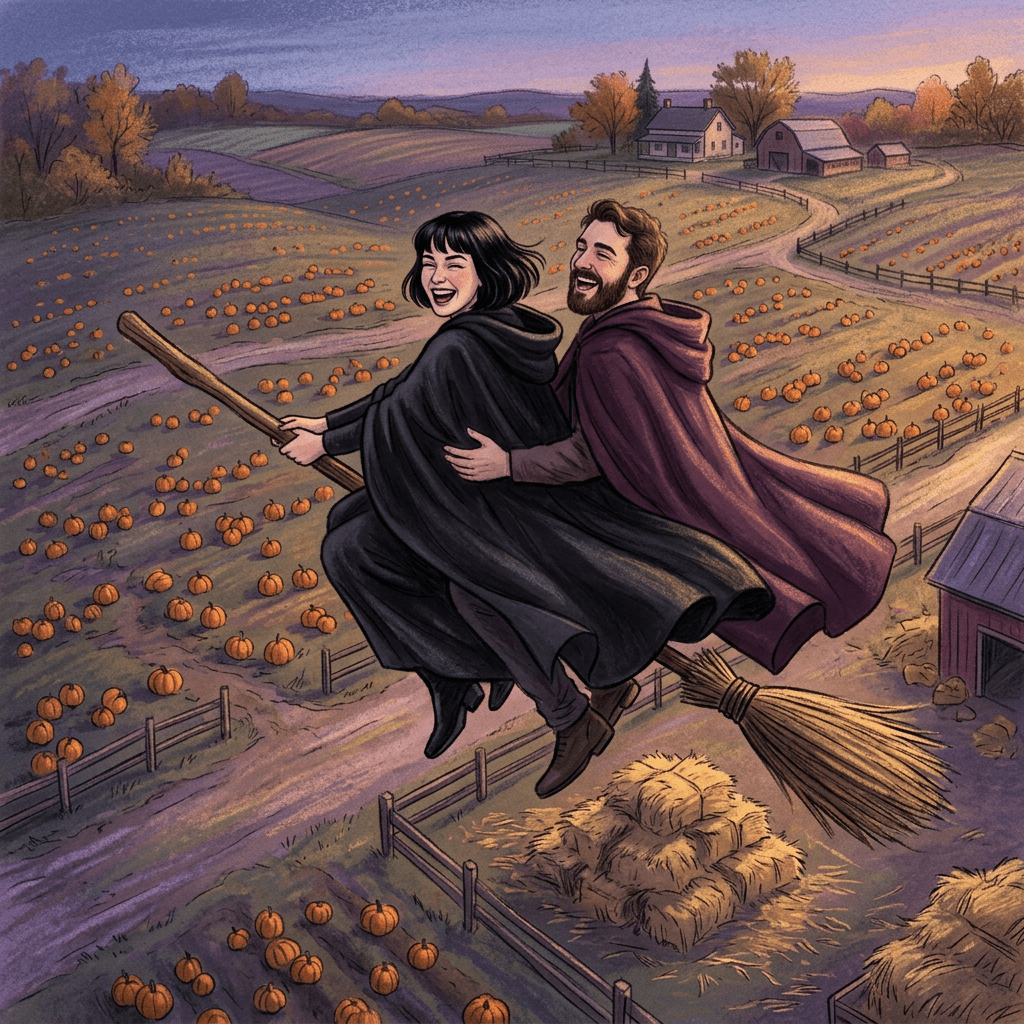
Starting from the uploaded photo of two friends, make a vertical 9:16, 7 second video of the same two people sharing one long wooden broom, the person on the left in front steering in a black cloak and the person on the right behind with arms around the waist in a plum-colored cloak, flying over a pumpkin farm at dusk. Chase camera behind and above, 28mm lens, both faces visible when they glance back. Warm sunset light from the side. Beat one, 0 to 2 seconds: a wobbly takeoff with both shrieking happily. Beat two, 2 to 4 seconds: zigzag flight, the one in back leaning the wrong way. Beat three, 4 to 5 seconds: the broom slides sideways into a hay bale pile. Beat four, 5 to 7 seconds: both sit in the straw laughing, one pointing at the other. Sound cues: giggles, whoosh, a soft thump. Keep both faces, hair, skin tones and body proportions exactly the same as the starting image, and do not swap or merge the two people. Soft landing only, no injury, no extra people, no distortion, no text, no watermark.
Tip: describe each person by position and cloak color. "Do not swap or merge" is the line that stops the faces blending.
Prompt 18: Family Trick-or-Treat Crash
A gentle family clip in the evening. Adults ride the broom while kids watch from the sidewalk in costumes, which keeps the stunt away from children.
From the uploaded family photo, create a vertical 9:16, 8 second clip of the adult on the left in a black cloak riding a broom down a suburban street at dusk while the two children from the photo, in a pumpkin costume and a ghost costume holding candy buckets, cheer from the sidewalk. Wide shot from the sidewalk at child height, 24mm lens, string lights glowing, warm porch light. Beat one, 0 to 2 seconds: the adult lifts off the lawn, the children point and cheer. Beat two, 2 to 5 seconds: the adult flies slowly past with a goofy wave. Beat three, 5 to 6.5 seconds: the broom taps a stack of straw bales at the end of the driveway and the adult sinks into them. Beat four, 6.5 to 8 seconds: the children run over laughing and offer the adult a piece of candy. Sound cues: kids cheering, whoosh, soft hay thump, a jingle of candy. Keep every face, hairstyle, skin tone and body proportion exactly the same as the uploaded photo. The children stay safely on the ground at all times, no one is hurt, no distortion, no text, no watermark.
Tip: only the adult flies. This keeps the clip lighthearted and avoids depicting children in any risky action.
Prompt 19: Kid-Friendly Wobbly Hover
A small, safe, low-to-the-ground flight for a child who wants to be in the trend. It ends with a hover and a gentle bump onto a bean bag or soft leaf pile, never an actual crash.
Based on the uploaded photo of a child in a costume, create a vertical 9:16, 6 second video of the same child in a small purple witch hat and a soft cape riding a toy broom that hovers about a hand's height above a grass lawn in a sunny backyard, with a parent's hands out of frame. Camera at the child's eye level, 35mm lens, shallow depth of field. Soft late-afternoon light from the left. Beat one, 0 to 2 seconds: the child giggles as the broom hovers up slightly. Beat two, 2 to 4 seconds: the broom drifts forward with a wiggle. Beat three, 4 to 5 seconds: the broom gently tips into a soft pile of leaves with a fluffy puff. Beat four, 5 to 6 seconds: the child sits up with leaves on the hat, clapping. Sound cues: giggles, a soft sparkle chime, a light fluffy puff. Keep the face, hair, skin tone and body proportions of the child exactly the same. The child is safe, close to the ground and laughing, no scary elements, no distortion, no text, no watermark.
Tip: stay below knee height for any child. Share it only with the parent's permission, which is worth stating in your caption.
Prompt 20: Dog in the Broom Basket
A small dog in a basket on the front of a vintage broom, peering out. It is the pet counterpart to the cat prompt, with its own joke: the dog's ears blowing back.
From the uploaded photo of a dog, make a vertical 9:16, 6 second clip of the same dog with identical fur color and markings sitting in a wicker basket attached to the front of a straw broom, with a person in a black cloak holding the handle behind, flying low above a lawn full of autumn leaves. Camera in front of the basket at dog eye level, 28mm lens, slow push in on the dog's face. Warm afternoon light from the side. Beat one, 0 to 2 seconds: the basket lifts a little, the dog's ears flap back. Beat two, 2 to 4 seconds: the dog tilts its head curiously at the camera. Beat three, 4 to 5 seconds: the broom plops softly onto a mound of leaves, and the dog hops out wagging its tail. Beat four, 5 to 6 seconds: the person scoops the dog in a hug. Sound cues: wind, a happy bark, soft leaf crunch. Keep the dog's exact fur pattern and the person's face, hair and skin tone the same as the starting image. The dog is safe, calm and happy, no distress, no distortion, no text, no watermark.
Tip: the pet Halloween prompt guide has details on describing coat color and markings so the pet stays recognizable.
5) Creator Format Prompts: Shorts, Thumbnails, Reels and Parodies
These five turn the broom crash into a format you can post on a schedule. They are written for creators who want a hook, a thumbnail, a transition and a loopable ending.
Prompt 21: Shorts Hook With a "Wait For It" Freeze-Frame
The first second of a Short decides whether people stay. This clip freezes at the moment before the crash, so the viewer waits for the payoff.
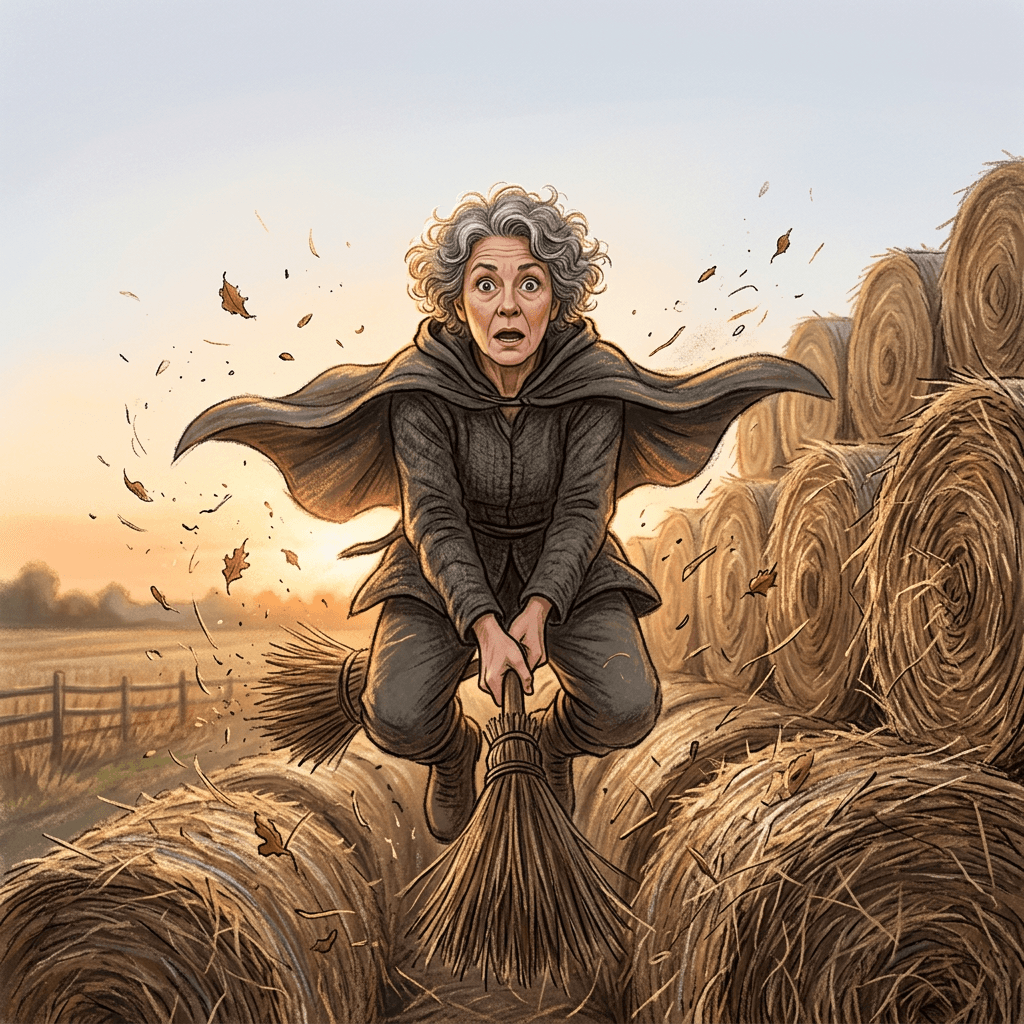
Using the uploaded still as the first frame, create a vertical 9:16, 8 second clip of the same person in a black cloak riding a straw broom toward a wall of hay bales in a harvest field. Front-facing low camera, 24mm lens, warm sunset light from behind the rider with soft fill on the face. Beat one, 0 to 3 seconds: a fast, confident flight toward the camera. Beat two, 3 to 4 seconds: the motion slows and then freezes completely in mid-air, the rider eyes-wide, leaves hanging in the air, with a clean empty area at the top of the frame for a caption. Beat three, 4 to 5 seconds: stay frozen. Beat four, 5 to 8 seconds: motion resumes, the broom hits the bales, straw bursts, and the rider pops up laughing. Sound cues: a rising whoosh, a record-scratch-style stop at the freeze, a held silent beat, a thud and a laugh. Keep the face, hair, skin tone and body proportions of the person in the starting image exactly the same. Soft landing, no injury, no distortion, no text, no watermark.
Tip: add the on-screen words "wait for it" in your editor, not in the prompt, so the text stays crisp. Text2Shorts can also build a short around the idea if you want a scripted version.
Prompt 22: Thumbnail Still for YouTube
A wide still with space for text. Generate it in the YouTube Thumbnail Maker with your face uploaded and a short title.
Bold YouTube thumbnail composition in 16:9 of the person from the uploaded photo on the right two thirds of the frame, riding a broom directly toward the camera with wide-open eyes and an excited open mouth, black cloak flaring, with a huge orange pumpkin pile just ahead and a cartoon-style dust cloud. The left third is a clean dark purple gradient area reserved for three bold words. Strong rim light from behind-left in orange and a soft bright fill on the face from the front, high contrast, saturated colors, 24mm lens look, face large and sharp. Keep the face, hair, skin tone and body proportions of the person in the uploaded photo exactly the same. Natural skin texture, no extra fingers, no garbled text, no watermark.
Tip: keep the thumbnail text to three words or fewer. The Halloween thumbnail prompts and the Shorts thumbnail prompts go deeper on layout.
Prompt 23: Reels Transition (Normal Day to Broom Flight)
A transition that starts with a normal clip and flips to flight. It suits creators who post daily and want a seasonal variation.
Starting from the uploaded still of the person standing in a kitchen, make a vertical 9:16, 6 second clip. Beat one, 0 to 2 seconds: the person in a plain sweater casually picks up a straw broom and takes a step toward the open back door. Beat two, 2 to 3 seconds: a quick whip pan to the right with motion blur, and the kitchen transforms into a backyard in a black cloak and pointed hat. Beat three, 3 to 5 seconds: they rise on the broom, the camera tilting up with them, golden-hour light from the left. Beat four, 5 to 6 seconds: they drift over the fence and give the camera a playful wave. Handheld 28mm lens look, natural kitchen light turning to warm sunset light. Sound cues: a sweep whoosh at the whip pan, a magical chime, soft wind. Keep the face, hair, skin tone and body proportions of the person in the starting image exactly the same through the transition. No distortion, no extra people, no text, no watermark.
Tip: the AI Halloween video prompts include more transition recipes you can chain with this one.
Prompt 24: Slow-Motion Replay of the Crash
A replay version of Prompt 1 with a dramatic slow-motion feel, like a sports highlight. The camera is at a different angle, so it works as a second clip in the same post.
Take the uploaded still of the person in a black cloak on a straw broom above a pumpkin patch and create a vertical 9:16, 7 second slow-motion replay, as if filmed at 240 frames per second. Low side camera at ground level, 50mm lens, sharp focus on the rider's face. Warm backlight from the setting sun makes straw and dust sparkle. Beat one, 0 to 2 seconds: the broom nears the pumpkins, the cloak hanging in the air. Beat two, 2 to 5 seconds: impact in extreme slow motion, with pumpkins lifting off the ground, leaves and straw spreading outward in an arc, the rider's hat floating upward with a comically surprised face. Beat three, 5 to 7 seconds: everything settles, with the rider grinning and giving a thumbs up. Sound cues: a deep slowed whoosh, a muffled thump, a low swell of dramatic orchestral music, then a record-scratch and a laugh. Keep the face, hair, skin tone and body proportions of the person in the starting image exactly the same. Comedic and unhurt, no injury, no distortion, no text, no watermark.
Tip: the dramatic music on a silly crash is the joke. Generate that swell with Miraflow's AI music generator, using the ideas in the Halloween music prompts.
Prompt 25: Fake News Report Parody
A parody local-news segment about a flying broom incident. Keep every name and logo fictional and generic.
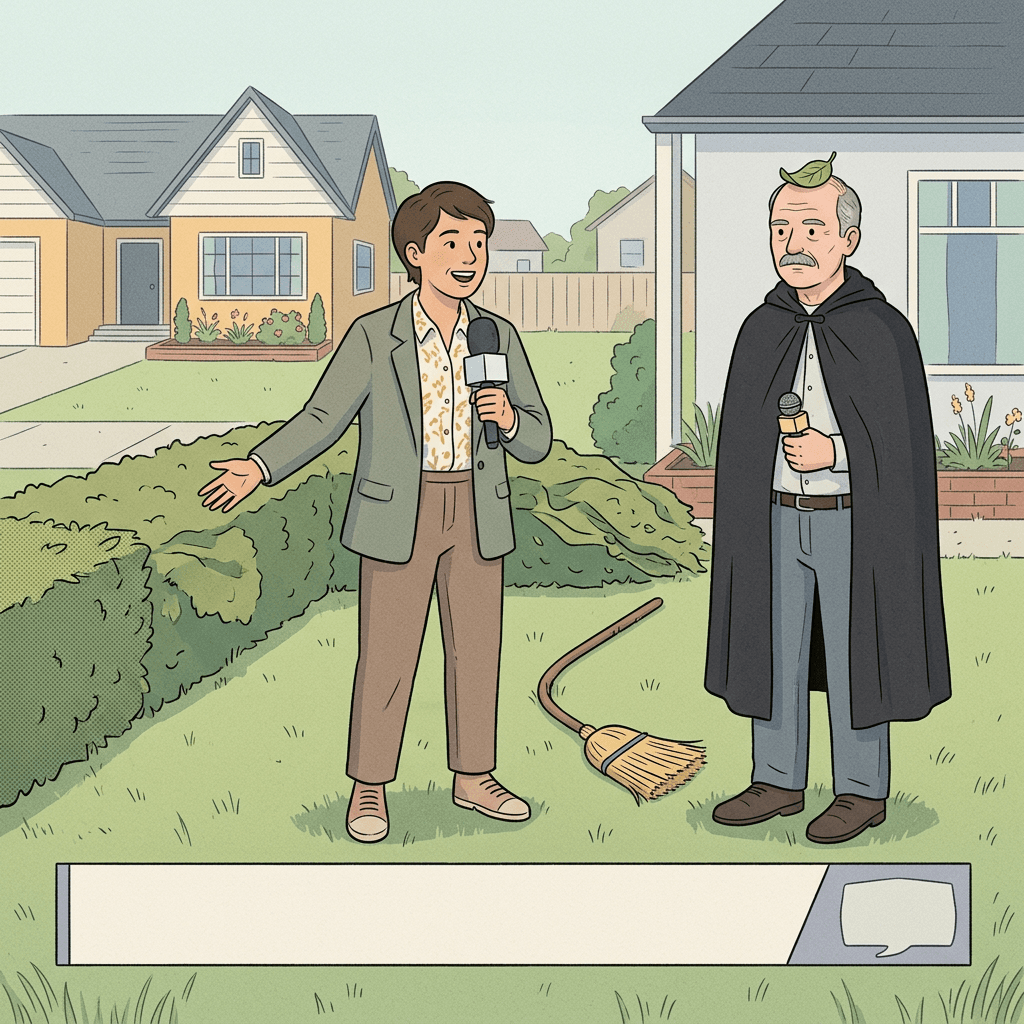
Using the uploaded still, create a vertical 9:16, 8 second clip styled as a generic local TV news report about a flying broom. The person from the still stands on a suburban lawn next to a bent broom and a flattened hedge, holding a microphone-shaped prop interview style, with a cheerful news reporter in a blazer pointing at the hedge. Plain graphic bar at the bottom with a generic placeholder shape instead of any text or channel logo. Locked-off medium shot, 35mm lens, flat bright daylight from above, as in a real news broadcast. Beat one, 0 to 2 seconds: the reporter points at the hedge with an urgent expression. Beat two, 2 to 5 seconds: the person nods seriously and gestures to the sky. Beat three, 5 to 8 seconds: a leaf drops on the person's head and they deadpan at the camera. Sound cues: a news-style stinger, light ambient birds, a quiet comic sting. Keep the face, hair, skin tone and body proportions of the person in the starting image exactly the same. No real channel names, no logos, no readable text, no injury, no distortion, no watermark.
Tip: avoid any real network or anchor names. A generic placeholder bar keeps the parody clearly fictional and avoids the garbled lettering that models tend to produce.
How to Customize These Prompts
Once one prompt works, you can change the parts that matter without rewriting everything.
- Swap the crash target. Replace the hay bales in Prompt 5 with a leaf pile, a hedge or a pile of cushions. Keep the target singular and soft, and keep the "debris flies outward in an arc" phrase.
- Change the time of day. Dusk gives glow and drama, golden hour gives warm skin, and overcast daylight gives flat and safe results. Always name the direction of the light.
- Change the camera. A chase camera feels like the template trend, a front tracking shot shows the face best, and a side tracking shot shows the whole broom. Switching camera angles is the easiest way to make a second clip from the same still.
- Change the length. 5 seconds suits a single joke, while 8 seconds gives room for a wobble and an aftermath. Beyond 8 seconds, quality often falls and motion drifts.
- Change the tone. For cute, add a laughing aftermath. For spooky, add a creaking sound and a foggy field. For parody, add a news reporter or a stadium commentator voice.
- Add sound outside the video prompt. Video models generate sound unevenly, so many creators lay a sound bed on top. Build it with Miraflow's AI music generator, describing the whoosh, the wobble and the thud as short cues, then trim in your editor.
- Match platform sizes. All clips are 9:16 for TikTok, Reels and Shorts. For a long-form channel, generate a 16:9 version for the thumbnail and a vertical one for the Short.
A worked example: from one selfie to a posted clip
Suppose you have a three-quarter-length photo of yourself in a jacket, standing in a driveway in good light. First, run Prompt 11 in image-to-image to get a mid-air portrait with your face intact. Second, take that portrait into the video generator with Prompt 2 and change the location to your own front lawn. Third, if the face drifts on the first try, regenerate with the identity clause moved to the first sentence and the shot shortened to 5 seconds. Fourth, build a short whoosh and thud music bed. Fifth, add captions in your editor, and publish with a short disclosure line. That is five steps, and it takes about as long as scrolling for a template.
If you have already built a Short around a different prompt, the Halloween Shorts and TikTok prompt guide shows how to sequence several clips, and How to make scary story videos is the right next step if you want to add narration and a storyline to the crash.
Make the still look like a photo
If the still looks plasticky, the techniques in how to make AI images look like real photos apply directly: name the lens, name the light, and ask for natural skin texture. The motion blur photo prompts are also useful for the mid-air stills, because a little blur on the broom tail sells speed.
Common Mistakes
- Skipping the still. Going straight from text to video gives you a generic rider. Make the keyframe first so the face carries over.
- Using a cropped or sunglasses photo. The model has nothing to copy. Use a clear three-quarter or full-body photo with the eyes visible.
- Writing the identity clause only once. Put the keep-face line at the end of every prompt, and in video prompts say "in every frame".
- Asking for too many beats. Four beats in 7 seconds is the limit. More than that and the motion becomes mush or the model drops the crash.
- Picking a hard crash target. Cars, glass, brick walls and concrete lead to distorted physics, safety concerns or refusals. Pick hedges, leaves, hay or pumpkins.
- Asking for readable text. Signs, banners and news graphics usually come out garbled. Ask for a blank sign and add the text in an editor.
- Describing injury. Prompts that imply blood or harm are more likely to be blocked and make the clip unsuitable for most audiences. Keep the aftermath laughing.
- Not labeling the clip. Realistic AI video of a real person should carry the platform's AI label or a clear caption. More on this below.
- Posting someone else's face without permission. Use your own photo, or a friend's or family member's with their clear agreement.
- Chasing exact template look-alikes. Do not try to copy a specific creator's clip frame for frame. Make your own crash with your own setting, which is the whole point of prompting.
Disclosure and labeling
Platforms are increasingly asking creators to label realistic AI video. Miraflow's guides explain the details of the current rules, so check the YouTube auto-label and AI video disclosure guide and the Instagram AI-generated profile label guide before you post. As a habit, use each platform's built-in AI label when it is offered, add a short line such as "made with AI from one photo" in the caption, and keep the clip clearly comedic so no one mistakes it for a real event. This is especially important for any clip in which a recognizable person appears to do something implausible.
Use Miraflow to Build the Whole Broom Crash
Everything in this guide can be done in one place, which keeps your keyframe, clip, sound and thumbnail consistent.
- Miraflow's AI Image Generator handles step 1, with image-to-image from your uploaded photo for the stills in Section 3 and the keyframes for every video.
- The cinematic video generator handles step 2, using your still as the starting image and your beat-by-beat prompt as the motion.
- Miraflow's AI music generator builds the spooky wind, whoosh and swell, so you do not depend on trending audio.
- Text2Shorts turns a script into a captioned vertical video, which is useful for the explainer version: "how I made this broom crash from one photo."
- The YouTube Thumbnail Maker builds the thumbnail with your face and a three-word title.
- AI Clipping can cut a longer behind-the-scenes video into several captioned shorts with viral scores.
You can start from Miraflow's home page and move through the tools in that order: still, clip, sound, thumbnail, captions. If you also want a Halloween party graphic to promote your post, the Halloween invitation and flyer prompts pair well with this pack.
Frequently Asked Questions
What is the witch broom or flying broom trend?
It is a short-form AI photo-to-video trend on TikTok in October 2026, promoted mainly through CapCut AI templates and tied to Halloween. You upload one photo and the template generates a clip of you riding a broomstick through the air that ends in a dramatic crash, for example into a lawn or a street sign. Variants include the "My Ride Is Here" broom trend and a Harry Potter broomstick version. I could not verify its origin or view counts, so I do not state any.
How long should a broom crash video be?
The CapCut "Witch ride broom" template is listed at about 7 seconds in 9:16. A clip of 5 to 8 seconds works well for a prompt-based version, because it fits four beats: takeoff, wobble, crash and aftermath.
Can I make this without CapCut?
Yes. Make a still of yourself on a broom with an image-to-image prompt, then animate it with a video prompt that uses the still as the starting image. The Miraflow AI Image Generator and cinematic video generator support this two-step workflow.
What photo works best?
A clear, recent, full-body or three-quarter photo in good light, with your face fully visible and your eyes open. Avoid sunglasses, heavy filters and tiny faces in wide shots.
Why does my face change in the video?
The most common causes are a weak source photo, a missing identity clause and a clip that is too long. Redo the still with a sharper face, repeat the keep-face line in the video prompt, and shorten the clip to 5 or 6 seconds.
Do I need a costume?
No. The prompt adds the cloak, hat and broom, which is why the trend appeals to people who did not plan a costume. You can also describe your own jacket or outfit and keep it as it is.
Is it safe to make clips with kids or pets?
Keep it lighthearted, keep children close to the ground and never place them in a risky scene, get a parent's permission before posting, and keep pets calm and unharmed in the description. Prompts 16, 19 and 20 are written that way.
Do I have to label these as AI?
Check each platform's current rules. Our guides on YouTube's AI video disclosure and Instagram's AI label explain what is expected. Using the built-in AI label and a clear caption is a safe habit.
Can I use these prompts for other trends?
Yes. The beat structure (start, wobble, crash, aftermath) works for skateboards, magic carpets, sleds and bicycles. The AI crying trend video prompts and baby dance video prompts use the same one-photo-to-clip idea.
When should I post for Halloween?
Halloween 2026 is Saturday, October 31. Interest in seasonal formats tends to build in the week before, so publishing between now and the weekend before gives the clip time to be seen. Platforms do not guarantee a time-of-day effect, so focus on a strong first second.
Conclusion
A broom crash template is the fastest way to join the trend, and a prompt is the best way to make a clip that looks like yours. The two-step method is simple: build a keyframe of yourself on a broom in a scene you chose, then animate it with a short list of beats and sound cues. Keep the face with a clear identity clause, keep the crash soft and funny, and keep the clip near 7 seconds.
Start with Prompt 1 or Prompt 2 for a classic crash, then try a flight path from Section 2 to make it your own. Use Section 4 for friends, family and pets, and Section 5 to turn the clip into a Short, a Reel or a thumbnail. Open Miraflow, upload one clear photo, and you can have a first clip ready before the trend moves on. Before you post, add the platform's AI label and a short caption saying how you made it.