How to Make Scary Story Videos With AI for Shorts and TikTok (2026)

Written by
Aerin Kim
A step-by-step 2026 workflow for scary story Shorts, TikToks and Reels with AI: story formats, permission rules, YouTube AI labels, hook and scene prompts, sound design and monetization realities.
If you have tried to make a scary story video with AI and ended up with a flat narrator, six unrelated stock-looking images and a jump scare that lands on nothing, the problem was almost certainly not the AI model. Horror is the most timing-dependent genre in short-form video. The same eleven sentences can feel like a genuine chill or like a bedtime reading, and the difference is a pause, a caption that arrives a beat early, a room that stays the same room across scenes, and a sound that stops at the right moment.
This guide is a full workflow for making scary story videos for YouTube Shorts, TikTok and Reels in 2026 with a prompt-to-video tool, written for creators who want a channel that can actually be monetized rather than a pile of one-off uploads. It covers which story formats work, the permission problem with reading other people's stories, what YouTube's inauthentic content rules and AI labels mean for a horror channel, a step-by-step build in Miraflow's Text2Shorts, copy-paste hook and scene prompt templates, sound design, long-form versions and what monetization realistically looks like.
The timing matters. Halloween 2026 falls on Saturday, October 31, so the stretch from now until the weekend of October 30 to November 1 is the peak window for horror search and watch behavior. A Short published today has about eleven days of seasonal demand behind it, and the good ones keep earning afterward because creepy content is one of the few genres people watch all year.
TL;DR: The Short Version of How to Make Scary Story Videos With AI
- Pick one story format and one visual world per channel. Two-sentence horror, rules horror and original creepypasta-style stories are the easiest to produce well and the easiest to defend as original work.
- Write the story yourself or with AI help, and only narrate someone else's story with written permission and credit. Public posting on a site does not mean free reuse.
- Open Miraflow's Text2Shorts, choose animation or realistic, generate the script, then edit it by hand. The edit is where the horror happens: short sentences, one specific detail, a held final line.
- Rewrite every scene visual prompt so the same location, lighting and color palette repeat. Visual consistency is what makes AI horror feel like one story instead of a slideshow.
- Pick a slower voice speed than you think you need and leave room for silence before the scare. Make an ambient bed in the AI Music Generator so you never have a copyright claim on the soundtrack.
- Disclose realistic AI content when YouTube asks you to, and make every video different enough in story, setting and ending that the channel does not look templated.
- Reuse the winners: build a long-form compilation with a YouTube thumbnail, then cut it back into Shorts with AI Clipping.
Why Scary Story Videos Work So Well as Short-Form Content
Horror is built on a structure that short video already uses: a hook, an escalating set of details and a payoff. A good two-sentence horror story is, in effect, a complete Short in under twenty seconds. The viewer has to finish to find out what the second sentence changes, which is exactly the behavior platforms reward. If you want the general logic behind that, the explanation in why the first 3 seconds of YouTube Shorts matter applies directly, and horror gives you an unusually strong way to satisfy it: an unsettling first line is a promise the viewer wants resolved.
Scary stories are also a naturally faceless format. Nobody expects a person on camera; they expect a voice and a dark image, which is why horror narration is a staple niche in the faceless YouTube channel guide and one of the categories behind the faceless channel boom. It also forgives imperfect visuals. A slightly soft, dark, grainy frame reads as atmosphere, where the same softness in a product ad reads as a mistake. That is a real production advantage for AI imagery.
There is a seasonality advantage as well. October search interest for anything scary spikes, and the same audience that watches a haunted house Short on October 28 will watch a "rules for the night shift" Short in March. You can lean into the peak without building a channel that dies on November 1, as long as the content is the evergreen kind of scary rather than only costume-and-pumpkin themed. If you also want the holiday-specific angle, the Halloween video prompts for Shorts and TikTok post covers cinematic clips and trending looks, and this guide focuses on story-driven videos you narrate.
Six Scary Story Formats That Work in Short Form (and What Each One Needs)
Not every horror format suits a 30 to 60 second vertical video. Here is how the main ones behave, and what each one asks of you.
Two-sentence horror
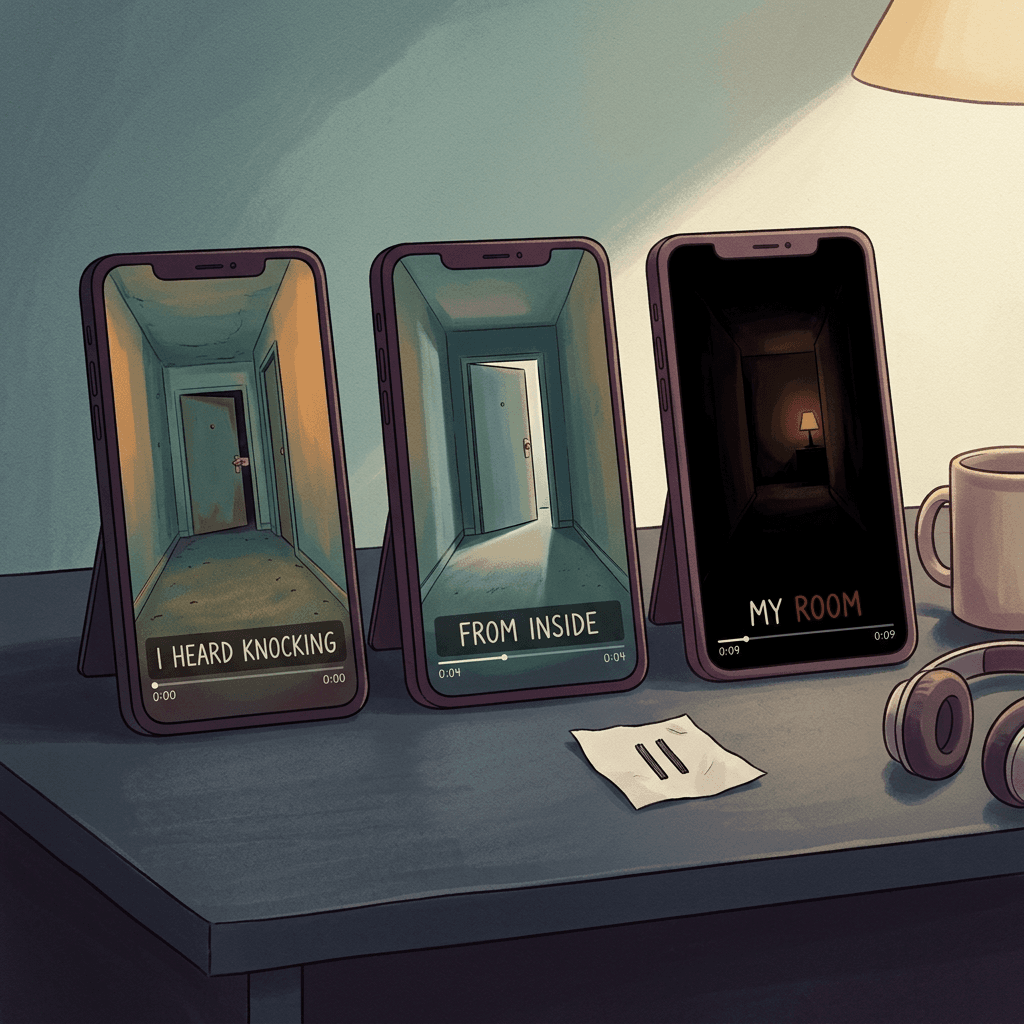
The most compact format. The first sentence sets up an ordinary situation, the second recontextualizes it. The whole video is maybe 15 to 25 spoken words, so the production job is mostly timing: a caption that lands on the pivot word, a pause before the second sentence, and one image that carries the dread. This is the best format to start with because you can publish several distinct stories in a week without them feeling like clones, and because writing your own two-sentence stories removes the permission problem entirely.
Two-sentence horror also has the highest rewatch-and-comment rate in the niche, since viewers argue about the implication. That is useful signal for platforms and for you.
Creepypasta-style original stories
A story of 120 to 180 words, told in first person, with an escalating pattern: normal situation, small wrongness, confirmation, a final detail that reframes everything. The format is named after the internet tradition of copy-pasted scary stories, but the practical lesson is to write original ones in that voice instead of copying existing ones. The creepypasta tradition is also full of authors who retain rights to their work, so a story being widely copied does not make it free to use.
At Short length you have time for about five to seven scenes, which is exactly the range where Text2Shorts-style scene visuals work well.
First-person true-story narration
Stories framed as something that happened to the narrator: a night shift, a babysitting job, a camping trip, a noise in the apartment above. Viewers know these are almost always fiction, and the niche is fine with that, but be careful about labeling something as a true event involving real, identifiable people or real tragedies. Keep the narrator fictional and the setting generic, and avoid dressing up fiction as a documented crime or disaster. Not only is that where the sensitivity and policy risk lives, it is also lazy horror; invented specifics are scarier than recycled headlines.
Rules horror
A list of instructions from a fictional employer or guide: Rules for the night shift at a lighthouse, rules for the guest cabin, rules for renting the lake house. Each rule implies a story, and the last rule or the broken rule is the payoff. This format is ideal for on-screen text, because the rule lines themselves become the captions. It is also naturally series-friendly, which matters later for the channel-level policy discussion, as long as each video has a genuinely different premise and not a re-skinned rule list.
Analog horror
The look of damaged recordings: VHS static, public-information announcements, security feeds, timestamps. It leans on visual texture more than narration, and it works very well with AI imagery because grain and distortion hide generation artifacts. It needs restraint: fewer words, more silence, and a single repeated visual motif. The risk is overproduced, glitch-everything editing that makes every video look identical.
Reddit-style retellings and community stories
Retelling or reading stories from communities such as r/nosleep is the biggest traffic source in the niche and the biggest copyright and ethics trap. It deserves its own section, so here it is.
The Permission Problem: Reading Other People's Stories
Horror communities have been explicit about this. Subreddits like r/nosleep have been hit by people uploading narrations of authors' stories without credit or permission, and in 2020 the r/nosleep community went dark in protest, as covered by Tubefilter at the time. The community norm that grew out of it is simple: the author owns the story, narrators ask the author directly, usually through a Reddit message, and credit the author with a link. Many authors say yes, some want a share or a link, and some say no.
Treat that norm as the floor. Practical rules:
- Written permission first, every time, from the actual author, saved as a screenshot. A story being public, upvoted or widely reposted is not a license.
- Credit the author by username and link to the original in the pinned comment and description. Do not make the credit hard to find.
- If you monetize, say so when you ask. Community guides specifically note that narrating with ads on counts as monetized use, and many authors are happy to allow it when they are told up front.
- Do not alter the plot and then call it your own. A retelling that follows someone's beats, twist and wording closely is still their work.
- Prefer content that is licensed for reuse by design. Collaborative fiction projects publish under open licenses such as Creative Commons, with specific attribution rules, so read the license page of the specific site and follow it. Public-domain classics (old ghost stories and folklore) are also safe, and writing an original story takes you out of the problem entirely.
On the platform side, YouTube's reused-content rules sit on top of copyright law, and a channel whose entire catalog is other people's stories narrated by AI will have a hard time showing original value. That brings us to the policy section.
What YouTube's Inauthentic Content Rule and AI Labels Mean for a Horror Channel
Two separate things are easy to confuse here: monetization eligibility and AI disclosure.
Inauthentic content. In July 2025, YouTube renamed its repetitious content policy to inauthentic content. According to YouTube's help documentation, this kind of content, meaning repetitive or mass-produced content, has always been ineligible for monetization. The page describes content that looks like it was made from a template, videos that feel interchangeable, and AI-generated content built on generic or unoriginal templates that gives the impression of mass production. It also notes that a recurring intro or outro is fine, and that series are fine when each video has its own storyline, focus or concept.
Read that last point carefully, because it is exactly your situation. A scary story channel is a series by nature. What protects you is that each video has a different story, a different setting, a different ending and visuals that are not copied between uploads. What exposes you is publishing 30 videos a day with the same story skeleton, the same voice reading the same cadence and the same stock-looking images with only the nouns swapped. For more on how this plays out for AI channels in general, see YouTube monetization with AI content: what is allowed and what gets demonetized and can AI Shorts be monetized in 2026.
AI disclosure. YouTube's altered or synthetic content guidance asks creators to disclose realistic content that is generated or meaningfully altered, for example making a real person appear to say something they did not, altering footage of a real event or place, or generating a realistic scene that did not happen. It does not require disclosure for clearly non-realistic content such as fantasy, for minor aesthetic edits like captions and color adjustments, or for using AI to help with scripts, outlines and titles. Where the label shows depends on the content: realistic or photorealistic AI content and AI-generated music get a label on the player, and other AI content, such as animated or non-photorealistic visuals and non-music AI audio, appears in the expanded description.
For a horror creator the practical reading is this. An illustrated or animated scary story with an AI voice is typically non-realistic, and a description note is the right level. A photorealistic scene that looks like real footage, such as a convincing fake security camera clip of a real-seeming place, is where the stronger label belongs. And never create realistic content that depicts real people or real tragedies. When in doubt, toggle the disclosure on. It costs almost nothing and protects the channel. For how the platform's label system has been evolving, the post on YouTube's auto-label system for branded content and AI disclosure covers the newer behavior, and TikTok and Instagram have their own AI-generated content labels, so check the label toggle in each upload screen before you post the same file there.
Voice is a separate edge case. Using an AI narrator voice is fine, but do not clone a real person's voice without their permission. The AI voice cloning guide for creators goes into the consent side if you want a consistent custom narrator of your own.
Build the Video: Step-by-Step in Miraflow Text2Shorts
Here is the workflow, using the real order of steps in Text2Shorts: enter a topic, choose animation or realistic, let it generate the script, edit the script, review and edit the scene visual prompts, choose a voice and speed, then generate. The goal is to treat every automatic step as a first draft that you direct. For a general walkthrough of the tool, From Prompt to Reel shows the same flow with a non-horror example.
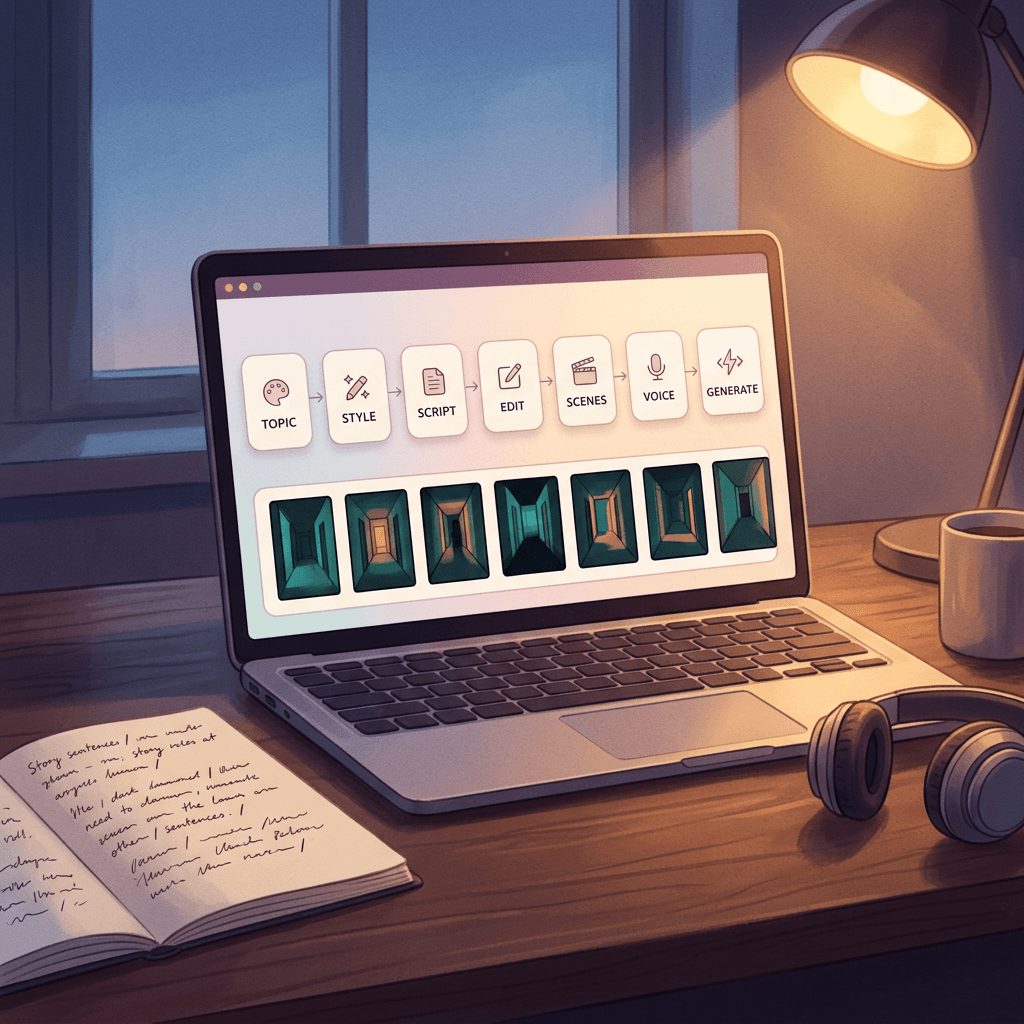
Step 1: Write a topic that is a story seed, not a title
A weak topic gives you a generic story. A strong topic carries the setting, the narrator, the wrongness and the shape of the ending. Compare these:
- Weak: a scary story about a haunted house.
- Strong: first-person story, a night security guard at a closed furniture warehouse notices the showroom beds are made differently every hour, final line reveals who has been making them.
Use the strong version of the topic as a creative brief. You can paste in your own premise and your own last line. This is also the main protection against sameness across a series.
Step 2: Choose animation or realistic on purpose
Text2Shorts offers animation or realistic visual styles. For scary stories, here is how they differ in practice:
- Animation is more forgiving. Painterly or illustrated dark frames hide small generation flaws, read clearly as non-realistic for disclosure purposes, and give you a stylistic identity that is easier to keep consistent. Choose this for creepypasta, rules horror and folklore.
- Realistic gives a grounded, found-footage feel that suits true-story narration and analog-style content. It also raises the stakes on the disclosure question, and any flaw in a face or hand is more noticeable. Keep people out of frame, shoot hallways, doors, windows, stairs and empty rooms, and your results will look better.
Whichever you pick, stick with it across a series. Switching between the two from video to video weakens the channel identity.
Step 3: Generate the script, then rewrite it
The auto script is a good scaffold, and it will tend toward being explanatory and complete. Horror is the opposite: withheld, specific and short. When you edit the script, work through this checklist:
- Cut the first sentence if it explains. Start inside the moment: not "I worked at a warehouse for years" but "The beds were made differently every hour."
- Shorten every sentence to under about twelve words in the tense stretch. Long sentences read as calm, and calm is the enemy of dread.
- Replace general words with one precise object. A cold draft is fine; a draft that smells like wet carpet is a story.
- Do not describe the monster. Describe the effect. The viewer's imagination does the rest.
- End on the action or the line, not the explanation. Delete the sentence after your best sentence.
- Mark pauses with line breaks. A new line gives the narration a natural breath, and you will tune the rest with speed.
Target about 80 to 130 spoken words for a 40 to 60 second Short, and 15 to 40 words for a two-sentence horror video. Count yourself; do not trust the estimate blindly.
Step 4: Review and rewrite the scene visual prompts
After the script, Text2Shorts generates a visual description for each scene, and you can edit them. This is the step that separates polished AI horror from a slideshow. The default prompts will tend to vary the setting between scenes, which is the usual cause of the jumpy, unrelated look. Rewrite each scene so that they share the same location, the same light source, the same time of day and the same color palette, and let only one element change per scene: a door is slightly open, a figure-shaped shadow is a little closer, a light is off.
Below are scene prompts you can paste into the scene editor and adapt. Each one is a single frame, with a fixed world and a stated lighting source. Swap the bracketed place for your own location.
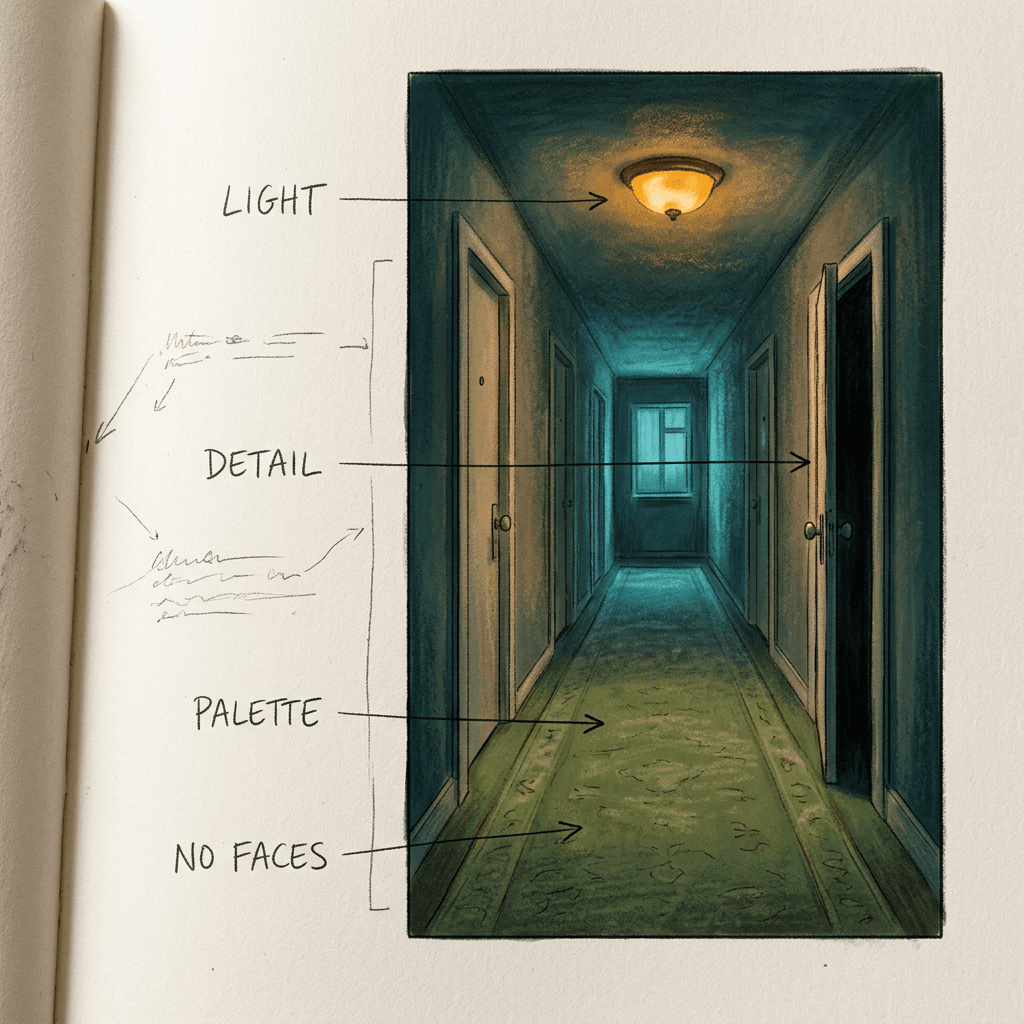
Dim hallway of an old apartment building at night, long vertical composition, a single flickering ceiling lamp casting a weak amber pool on worn green carpet, every door closed except the third door on the right which is open a hand's width with darkness behind it, peeling cream wallpaper, deep shadows at the far end of the corridor, subtle film grain, cold blue edge light from a window at the far end, no people visible, no text, no watermark.
The same hallway one moment later, same amber ceiling lamp and same green carpet, now the third door is open halfway and a thin line of pale light falls across the carpet from inside the room, the far end of the corridor is slightly darker than before, same camera position and same lens, muted desaturated color palette, grain, no people, no text.
Close view of a wooden kitchen table in a dark house, a single candle in a chipped saucer as the only light, warm orange glow fading quickly into blue-black shadow, an old landline phone on the table with its receiver lifted off the cradle, dust visible in the candlelight, shallow depth of field, moody and quiet, no faces, no text.
Empty night-shift security desk in a closed warehouse, rows of security monitors showing grey grainy camera views of aisles of furniture, one monitor showing a made bed that the others do not, green-tinted screen glow as the main light, dark office around it, wide static shot, found-footage feeling, subtle scanlines, no people, no text.
A child's bedroom at 3 a.m. seen from the doorway, a nightlight in the shape of a moon casting a small blue glow, a wardrobe with its door ajar by one finger width, a stuffed rabbit on the floor facing the wardrobe, soft shadows, illustrated painterly style, dark teal and indigo palette, no faces, no text.
Narrow forest path at night seen from behind the viewer, a flashlight beam cutting a pale cone through fog, tall black trunks fading into mist, a single pair of faint reflective dots low between the trees at the edge of the light, desaturated green and blue palette, subtle grain, no people, no text.
Notice what the prompts do: they name a light source, they give one disturbing detail and they say what is absent (no people, no text). Those constraints are how you avoid the common AI failures of melted faces and fake lettering. If you want to test a frame before committing to a full video, generate it in Miraflow's AI image generator first and paste a version you like back into the scene editor.
Step 5: Choose the voice and speed
Voice carries about half of the horror. Pick a voice that is low, close and slightly dry, rather than bright and announcer-like. Then reduce the speed. Narration that sounds fine when you test it in a quiet room usually feels rushed against a dark, slow image. As a starting point, leave the speed at or slightly below the default, listen to the whole thing with your eyes closed, and slow down further if the scariest line has no room to breathe.
Two voice rules that hold up well: keep the same voice across the whole series so it becomes a recognizable channel signature, and avoid a voice that sounds like it is smiling. Where a story calls for more intimacy, such as a confession-style first-person narration, a quieter voice almost always outperforms a dramatic one.
Step 6: Generate, then review as a viewer would
Check the summary for script length, number of segments and the estimated duration before you generate, then create the video and open it from My Videos. Watch it once with sound and once with the sound off. With the sound off, the captions and image alone should still tell you something is wrong. If the pivot line does not appear in the captions at the same time as the sound, fix it before you publish.
Resist the urge to regenerate again and again looking for a perfect take. If the story and pacing are right, small visual imperfections in a dark frame are fine. If the story is weak, no regeneration will save it.
Hook Templates That Work for Scary Story Shorts
A scary story hook has one job: create a question the viewer cannot dismiss. These patterns each name a structure, then give you a copy-paste script opening to adapt. Keep the first line under roughly ten words, so it fits on one caption line and can be read in the first second.
The impossible detail. A normal situation with a single detail that cannot be true.
I work nights at a furniture warehouse, and every hour somebody makes the beds in the showroom.
The rule you were not supposed to break. A rule delivered like a casual instruction.
Rule one of house-sitting for my aunt: if the doorbell rings after midnight, do not look through the peephole.
The wrong number. A count that is off by one.
There were six of us in the cabin when we went to sleep. In the morning my friend counted seven sleeping bags.
The message from the wrong person. A familiar contact doing something that contact cannot do.
My brother texted me at 2 a.m. to say he was almost home. My brother has been in the hospital for three weeks.
The two-sentence turn. The smallest complete story. Make sentence two change what sentence one meant.
I woke up to my dog growling at the closed bedroom door, so I sat up and quietly patted the bed to call him over. Then I felt his warm head push into my hand from the foot of the bed, and the growling at the door got louder.
The announcer voice. Good for analog horror: a calm official tone that is slightly off.
This is a reminder from the Regional Weather Service. If the tone you hear tonight changes pitch, please remain indoors and do not answer when it calls your name.
You can generate more variants of this with an AI writing assistant, and the AI prompts for YouTube Shorts scripts pack is a good starting point for turning a rough idea into tight narration. Whatever you generate, finish by rewriting the last line yourself.
Pacing and Pauses: Where the Fear Actually Lives
Most weak AI horror is paced like an explainer video. Explainers move steadily so people do not drop off. Horror needs the opposite for about two seconds: a held beat before the line that matters. Think of every scary Short as a rhythm of fast, fast, fast, stop, one short line.
A workable pacing template for a 45-second story:
- 0 to 3 seconds: the hook line. Caption on screen immediately. No title card, no intro, no logo sting.
- 3 to 25 seconds: setup and escalation in short sentences, with a new image every 4 to 7 seconds. Each image changes one element of the same world.
- 25 to 36 seconds: the confirmation of what is wrong. Slow the cutting. Lower the music.
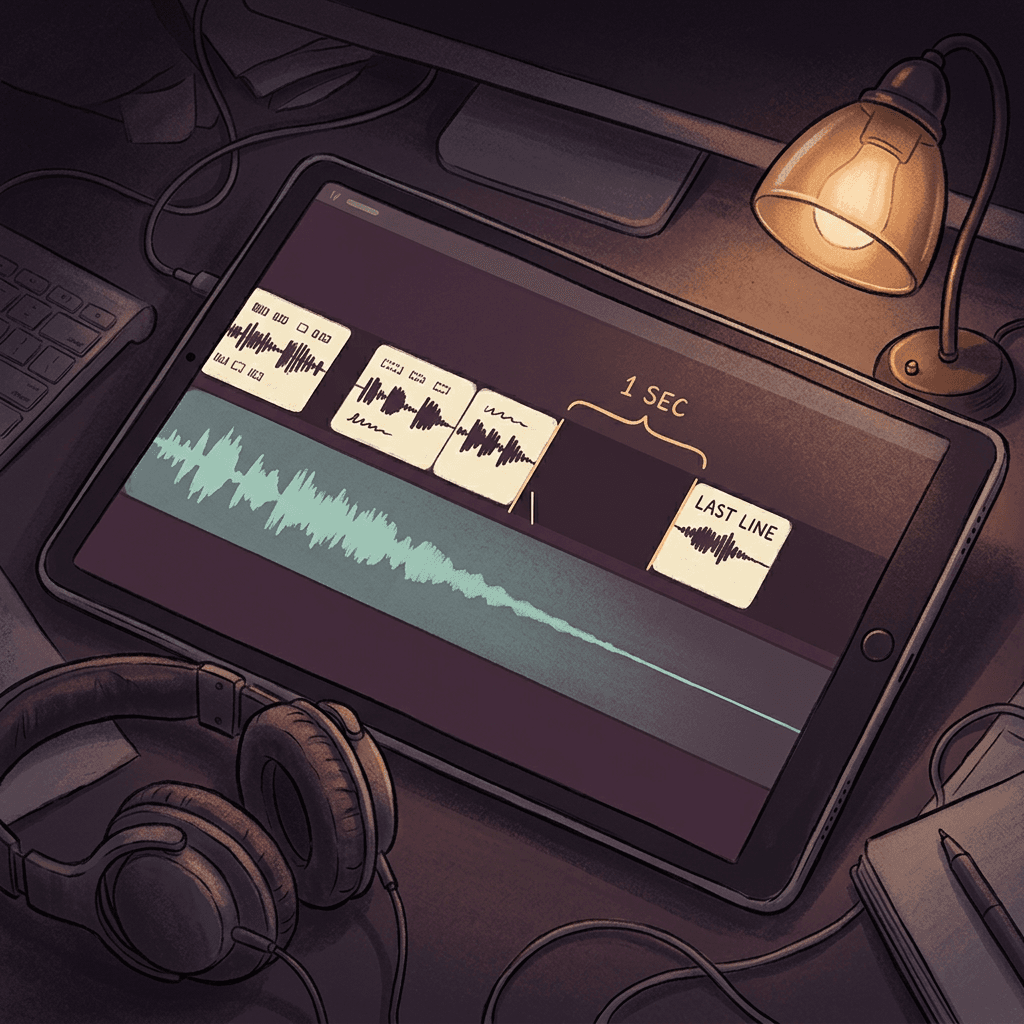
- Silence of about one second: the music bed drops out almost completely right before the last line.
- Final 5 to 8 seconds: the last line, then a freeze on the last image for a full second. Do not add a call to action over the scare. Put the follow prompt in the pinned comment instead.
A one-second silence is surprisingly easy to get wrong, because the tools default to continuous audio. If your editor lets you adjust the bed, duck the music to near zero for the pause. If you export straight from the generator, plan your music so that its own natural quiet moment lands there, which is where building the bed carefully pays off.
For sentence-level pacing, break lines where a speaker would breathe, and use a comma or a line break before the key word. Reading "There was no one in the house. Except one." with a pause in the middle makes a different video than reading it as a single run.
Caption Styles That Fit Horror
Captions are not only accessibility; in short-form they are the visual identity. For scary stories:
- Use a plain, high-contrast sans-serif or a slightly worn serif, in off-white. Avoid neon, yellow karaoke highlighting and bouncing emoji, which read as comedy.
- Put one short phrase on screen at a time, three to five words, centered in the lower-middle safe area and clear of the platform buttons.
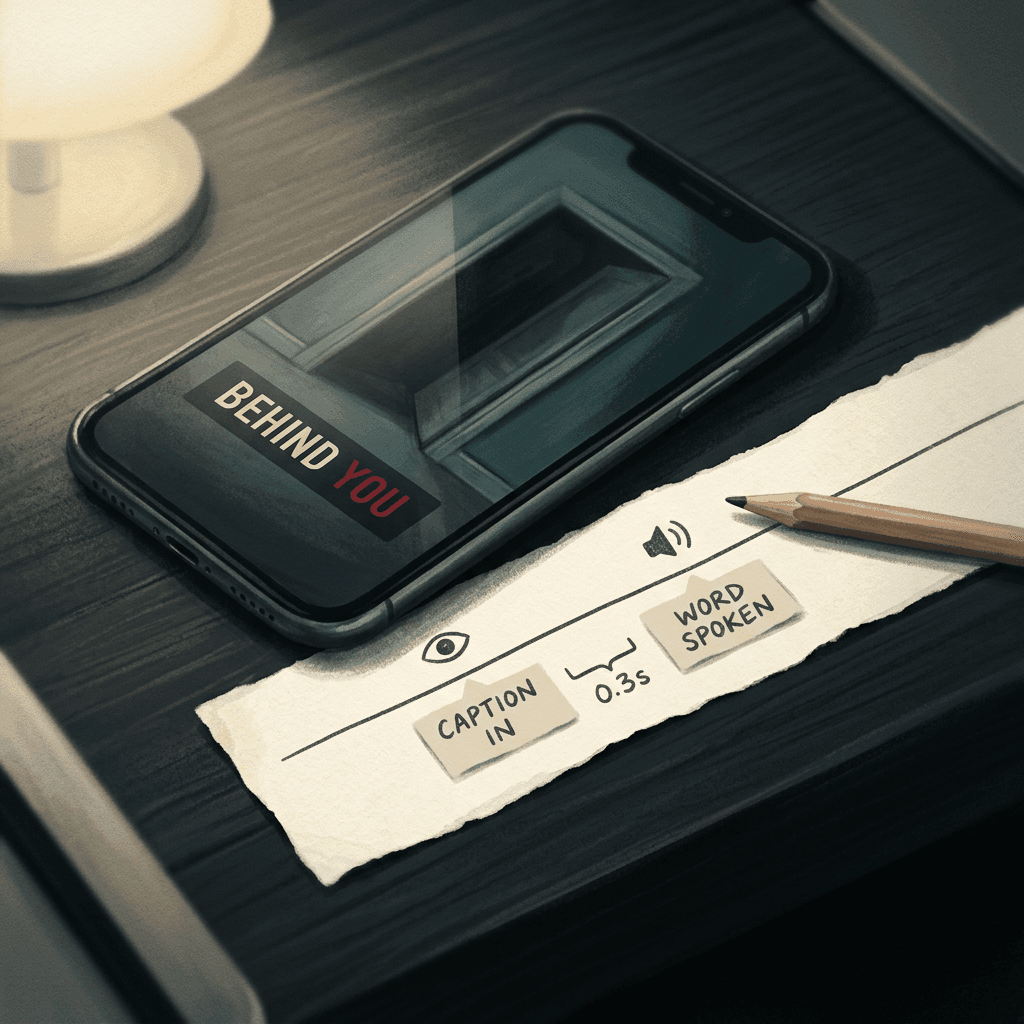
- Delay the pivot word. Show the caption just before the narrator says the key word, or hold the final word on screen a half-second longer than it is spoken.
- Use a single accent color for the one word you want to land. Deep red on the last word is a classic, used once per video.
- Keep it consistent. Same font and same placement every time, so the channel feels branded without a logo.
Keeping the Visuals Dark and Consistent Across a Series
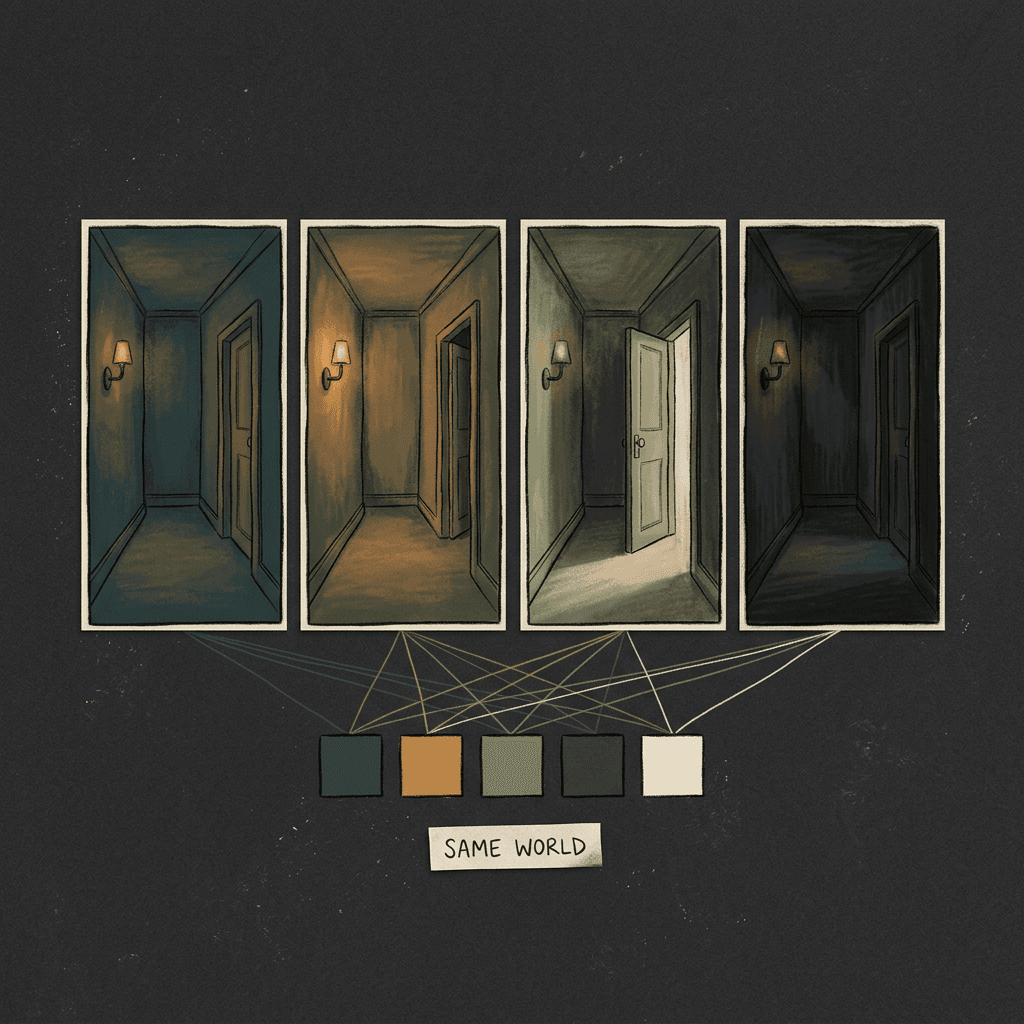
Consistency is the most obvious difference between a channel that feels professional and one that feels randomly generated. Set a small style bible once, and reuse it in every scene prompt:
- A fixed palette. For example, dark teal and amber, or desaturated green and cold blue. Name the colors in every prompt.
- A fixed light logic. Every scene has one weak practical light source (a lamp, a candle, a monitor, a flashlight), never a bright fill. Name it.
- A fixed lens feel. Wide static shots from a stable position, or close object shots with shallow depth of field. Avoid switching styles inside one video.
- A fixed texture. Subtle film grain, scanlines for analog horror, paper texture for illustrated stories.
- No faces, no readable text. These are the two most common AI failure points. A door, a hallway, a stuffed toy, a shape in a window and an empty chair are all scarier than a face with the wrong number of teeth.
Treat the first scene as the reference: once you have a frame you like, copy its lighting and palette phrases word for word into the other scenes and only change the one disturbing element. That is why the prompts above repeat the same hallway wording.
Sound Design: The Ambient Bed and the Silence
Sound is the second half of horror. Four layers, from least to most important:
- A low ambient drone. Sub-bass hum or a slow, dark pad, not a melody. It should be barely noticeable.
- Room tone. A faint sense of space, such as wind, a distant fridge hum or a ticking pipe. It makes the image feel inhabited.
- A small number of sound accents. A door creak, a footstep, a phone tone. One or two per video, not on every scene.
- Silence. The drop that makes the last line hit.
For the bed, generate it in the AI Music Generator in Simple Mode with the instrumental toggle on, or in Custom Mode if you want to set duration, BPM and key. Ask for the length of your video plus a few seconds, and ask for sparse, slow, unresolved music with no melody and no drums, since a beat makes everything feel like an action trailer. Here are three prompts to start from:
Dark ambient horror bed, slow evolving sub-bass drone with a faint detuned pad, distant metallic scrapes and soft wind, no melody, no drums, sparse and unresolved, very quiet and tense, instrumental, 50 seconds.
Analog horror underscore, degraded tape hiss and a low warbling synthesizer tone, occasional distant static pulse, minor and unsettled, slow tempo around 55 BPM, no percussion, instrumental, 45 seconds.
Quiet nursery-rhyme music box playing a slow, slightly out-of-tune melody over a low cold drone, a few notes missing, fading to near silence at the end, eerie and gentle, instrumental, 40 seconds.
Generate two or three versions and pick the one with a quiet stretch near the end, which you will use as the pre-scare pause. A fully original, generated bed also keeps you clear of the Content ID claims that commonly hit horror creators who borrow popular scary tracks. If you want more depth, the post on generating no-copyright music for YouTube with AI explains the licensing logic, and the AI music prompts for YouTube, Reels and TikTok pack has more genres.
A Worked Example: One Story, Start to Finish
To make this concrete, here is the full process on the warehouse story, with realistic timings.
Topic input: first-person story, a night security guard at a closed furniture warehouse notices the showroom beds are made differently every hour, final line reveals the guard has been making one of them in their sleep.
Choose animation (illustrated, dark teal and amber). After the script is generated, cut the opening from a three-sentence introduction to a single line, shorten each remaining sentence, and move the reveal to the last sentence. The finished narration is about 105 words.
In the scene editor, rewrite six scenes: the empty showroom with the monitor glow, bed one made neatly, bed two made with the pillow turned, a close shot of the guard's logbook with hourly entries (no readable text), the camera feed showing the showroom from above and a final frame of one rumpled bed with a flashlight beside it. Every scene repeats the same palette and the same lighting phrases.
Choose a low voice at a slightly reduced speed, generate and review. On the first watch the pivot line was a half-second late relative to the caption, so the line was split into two sentences and regenerated once. The bed came from the music generator, with the pause right before the last line. Total: roughly 20 to 30 minutes for a polished Short, most of it spent on the script edit and scene rewrite, not on waiting for the render.
What changed the outcome was not any one tool setting; it was the five or six human decisions: the story seed, the cut opening, the repeated world, the slowed voice, the silence and the ending. Those decisions are also what makes the video yours and what supports an originality argument on a channel with many similar uploads.
Turn Your Best Shorts Into Long-Form Compilations and Back Again
Shorts are great for discovery, but a compilation is where watch time and long-form monetization live. A common and effective pattern for scary story channels:
- Publish Shorts for a few weeks and note which stories get the best completion and comments.
- Combine the top eight to twelve into a "scary stories for a stormy night" compilation, 8 to 15 minutes, with a consistent bed underneath and light transitions. Do not just concatenate; add short, original narrated links between stories, and re-narrate with proper pacing, so it is a produced episode, not a re-upload.
- Design the thumbnail for the long version. Dark, one focal object, a cropped doorway or lit window, and three words at most. Miraflow's YouTube Thumbnail Maker lets you describe the scene and add the title text, and the Halloween YouTube thumbnail prompts pack has dark-scene prompts you can adapt. Here is one to start from:
Dark hallway viewed from the end, a single doorway on the right with a thin line of warm light and a small silhouette-free shadow shape on the floor, deep teal and black palette, strong vignette, large empty space in the upper left for a three word title, cinematic, high contrast, no faces, no logos.
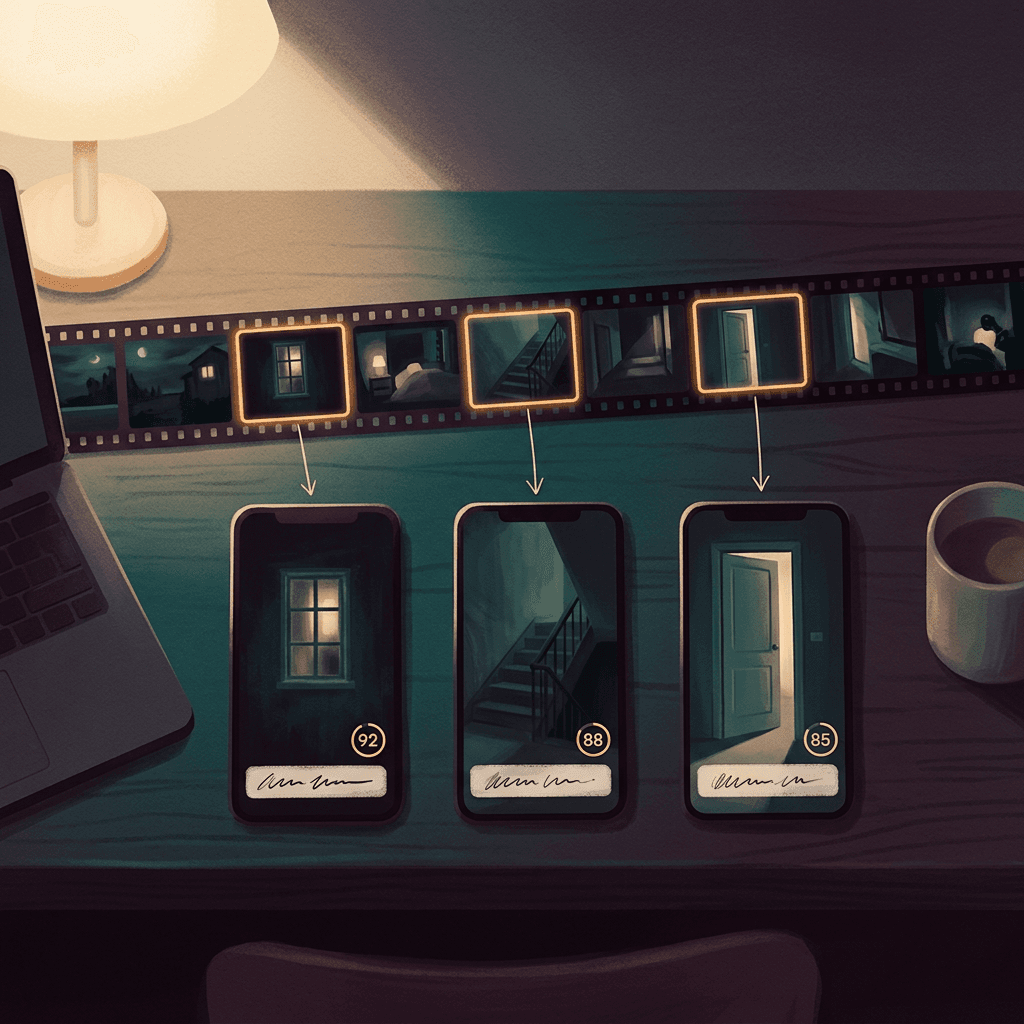
- Run the finished compilation through AI Clipping to cut it back into vertical Shorts. The tool analyzes the video, finds the strongest moments, ranks them with a viral score and adds captions, and you can set the number of clips and the minimum and maximum clip duration. This is a good way to turn one long episode into a week of Shorts, and the walkthrough in how to use AI Clipping to turn long videos into viral Shorts explains the settings.
A caution: AI Clipping picks moments by engagement signals, so check each clip begins on a hook and ends on a payoff, not mid-sentence. For horror, check that no clip gives away the ending of its story before the final frame.
Monetization Realities for Scary Story Channels
Here is the honest picture, without income promises.
Eligibility comes first. Ads on Shorts and long-form require Partner Program eligibility, and thresholds and rules change, so check the current requirements before planning around a date. The post on YouTube's updated Partner Program watch-hour bar covers what changed and how to plan for it.
Shorts pay a modest rate. Shorts revenue comes from a shared pool, and per-view earnings are well below typical long-form rates. For ranges and what changes them, see YouTube Shorts RPM in 2026, and for how views translate into money there is the Shorts revenue calculator post. The practical consequence is that a horror Shorts channel should treat Shorts as discovery and long-form as the revenue engine.
Faceless does not mean ineligible; templated does. The question comes up constantly, and the answer is in can you monetize faceless YouTube channels made entirely with AI. What matters is whether a human clearly shaped each video: original stories, original scripts, a distinct voice and a coherent series identity. For a step-by-step on the business side, see how to make passive income with faceless AI YouTube Shorts and the faceless Shorts niches list, which helps you place horror among other options.
Advertiser-friendliness is a real constraint. Horror can attract limited ads when the content is graphic, so keep the fear implied rather than violent. Avoid gore, real crimes, self-harm and anything involving children in danger shown graphically. Suspense and implication are both better horror and safer for revenue.
Other income. Shorts-only horror channels frequently earn more from memberships, sponsorships, selling story collections and licensing their original stories than from the ad pool. The 12 ways to make money with YouTube Shorts beyond ad revenue post lays those options out. Original stories are an asset you own, which is another reason to write your own.
| Format | Typical length | Best for | Main risk | Permission needed |
|---|---|---|---|---|
| Two-sentence horror | 15 to 25 seconds | Fast series, rewatches, comments | Stories feeling interchangeable | None if you write them |
| Original creepypasta-style story | 40 to 60 seconds | Shorts and compilations | Over-explaining the ending | None if original |
| Fictional first-person narration | 40 to 60 seconds | Night shift, travel and house stories | Passing fiction off as real events | None if original |
| Rules horror | 30 to 50 seconds | On-screen text and series | Re-skinned rule lists | None if original |
| Analog horror | 20 to 45 seconds | Atmosphere and found-footage looks | Every video looking identical | None if original |
| Reddit-style or community stories | Varies | Borrowed audience | Copyright and community backlash | Written permission from the author |
A 14-Day Publishing Plan Through Halloween
You have limited time before peak demand, so here is a lean plan that favors quality over volume:
- Days 1 to 3: Publish three two-sentence horror Shorts with different settings. Learn which hook pattern holds viewers.
- Days 4 to 7: Publish two creepypasta-style stories and one rules-horror Short, each in the same visual world as the winner.
- Days 8 to 10: Publish an analog horror piece with minimal narration. Make a compilation outline from your top performers.
- Days 11 to 13: Publish the long-form compilation with its own thumbnail, and cut two Shorts from it with AI Clipping.
- Halloween weekend: Post your most polished story, pin a comment inviting viewers to share a two-sentence story of their own, and reply to the best ones. Replies make future series ideas.
Three to five strong Shorts per week beats twenty interchangeable ones, both for audience trust and for the inauthentic content question. For platform specifics, the YouTube Shorts SEO guide explains titles and descriptions, and a title such as the exact scenario (night shift at a closed warehouse) tends to be more findable than a vague "scary story". For dark visual ideas to fold into scene prompts, see the dark stage effect prompts.
Common Mistakes When Making Scary Story Videos With AI
- Narrating someone else's story without permission. The biggest risk in the niche, for copyright and for community reputation. Ask, credit, and keep the proof.
- Explaining the ending. The line after your best line is almost always the one to cut.
- Auto-script left untouched. The default structure is built to be clear, and clear is not scary.
- A different world in every scene. If the hallway changes between frames, the viewer stops believing in the place. Repeat the palette and lighting phrases.
- Showing faces and text. These are where AI imagery fails most visibly, and it breaks the mood immediately. Use objects, doors and shadows.
- A steady beat under the story. Drums turn a horror story into an action trailer. Use drones, room tone and silence.
- No pause before the scare. Without a held beat, the pivot has no weight. Plan the silence in the music, the narration and the caption.
- Posting a template at volume. The same structure with different nouns, published many times a day, is what the inauthentic content policy describes. Vary story, setting, ending and visuals.
- Skipping the disclosure check. Realistic-looking AI scenes should be labeled. A note costs nothing.
- Gore and real tragedies. They narrow ads and invite policy trouble, and they are less scary than implication.
- Posting without a pinned comment. Credit, series links and a viewer prompt belong in a pinned comment, not over the last frame.
Where Miraflow Fits in This Workflow
The reason this workflow is practical for a solo creator is that each part sits in one browser tab. Text2Shorts takes the story seed through script, scene prompts, voice and the finished vertical video, and the result is waiting in My Videos. The AI Music Generator gives you the ambient bed in under a minute, the YouTube Thumbnail Maker handles the compilation cover, and AI Clipping turns the long episode back into Shorts. If you want to see how the pieces combine across other content types, the post on the new creator stack for Shorts, Reels and TikTok maps it out, and you can start from the Miraflow home page.
Frequently Asked Questions
Can I make money with scary story videos made with AI?
Yes, it is possible, but the video being AI-assisted is not what decides it. YouTube says AI-using channels remain eligible, and the limiting factors are whether you meet Partner Program requirements and whether your content looks original rather than mass-produced. Shorts pay a modest rate, so many horror channels rely on long-form, memberships and sponsorships as well.
Do I have to label scary story videos as AI-generated?
It depends on how realistic the content is. YouTube asks for disclosure of realistic content that is generated or meaningfully altered, and does not require it for clearly non-realistic content, for minor edits such as captions, or for using AI to help write scripts. An illustrated story with an AI voice usually belongs in the description note category; a photorealistic scene that could pass as real footage is where you should use the stronger label. Check each platform's own toggle as well.
Can I read r/nosleep or creepypasta stories on my channel?
Only with the author's permission. The community norm is to message the author, get a clear yes, credit them with a link in the pinned comment and description, and tell them if the channel is monetized. A story being public does not make it free to reuse. The safest route is to write original stories, use public-domain folklore, or use works whose license explicitly allows reuse and follow the license terms.
How long should a scary story Short be?
Most work well between 30 and 60 seconds, which is about 80 to 130 spoken words at a slow horror pace. Two-sentence horror can be 15 to 25 seconds. Length matters less than whether the last line lands. For length guidance across platforms, see how long YouTube Shorts should be in 2026.
Should I choose animation or realistic in Text2Shorts for horror?
Animation is the easier starting point, because dark illustrated frames hide flaws and clearly read as non-realistic. Realistic works well for found-footage and analog styles if you keep people out of frame. Pick one and keep it for the whole series.
How do I stop my AI horror videos from looking like a slideshow?
Make every scene share the same location, light source and palette, and change only one disturbing element at a time. Add room tone and a drone under the voice, cut on beats rather than at fixed intervals, and leave a short silence before the final line.
What music is safe to use under scary stories?
Original music you generate yourself avoids the usual Content ID problems of borrowed scary tracks. Generate an instrumental ambient bed with no melody or drums, and check the licensing for the specific tool and plan you use. For monetization considerations, see can you monetize videos with AI music.
Can I turn a scary story compilation into Shorts?
Yes. Upload the compilation to AI Clipping, set the clip count and duration range, keep auto captions on and review each clip. Check each starts on a hook and does not reveal an ending out of context.
How many scary stories should I post per week?
Three to five well-made videos in a consistent visual world are better than a high-volume feed of near-identical ones. Early in October you can lean toward the higher end to catch the seasonal peak, then keep a steady pace afterward.
Will TikTok and Reels treat these videos differently from YouTube?
The same file works across all three vertical platforms, but each has its own AI content labeling and music licensing rules, and sounds available inside each app differ. Upload your own generated bed instead of relying on in-app sounds, and review the AI label toggle on each platform before posting.
Conclusion
Scary story videos are one of the best fits for AI short-form production, because the genre rewards exactly what a prompt-to-video workflow can do well: a voice, a dark consistent image and tight timing. It also punishes exactly what AI tends to do by default, which is explain too much, change the setting between scenes and fill every second with sound.
The fix is a small set of deliberate human decisions. Pick a format you can write originally, get permission for anything you did not write, edit the script down until it hurts, repeat one dark world across every scene, slow the voice, and build a silence in front of the last line. Disclose realistic AI content, keep every video in the series genuinely different, and treat Shorts as the discovery layer for compilations and other income.
With about eleven days to Halloween, the most useful next step is small: write one two-sentence story, open Text2Shorts, and make it. Then make the second one different.