Ask YouTube Is Live: How Creators Get Found in YouTube's Conversational Search (2026)

Written by
Aerin Kim
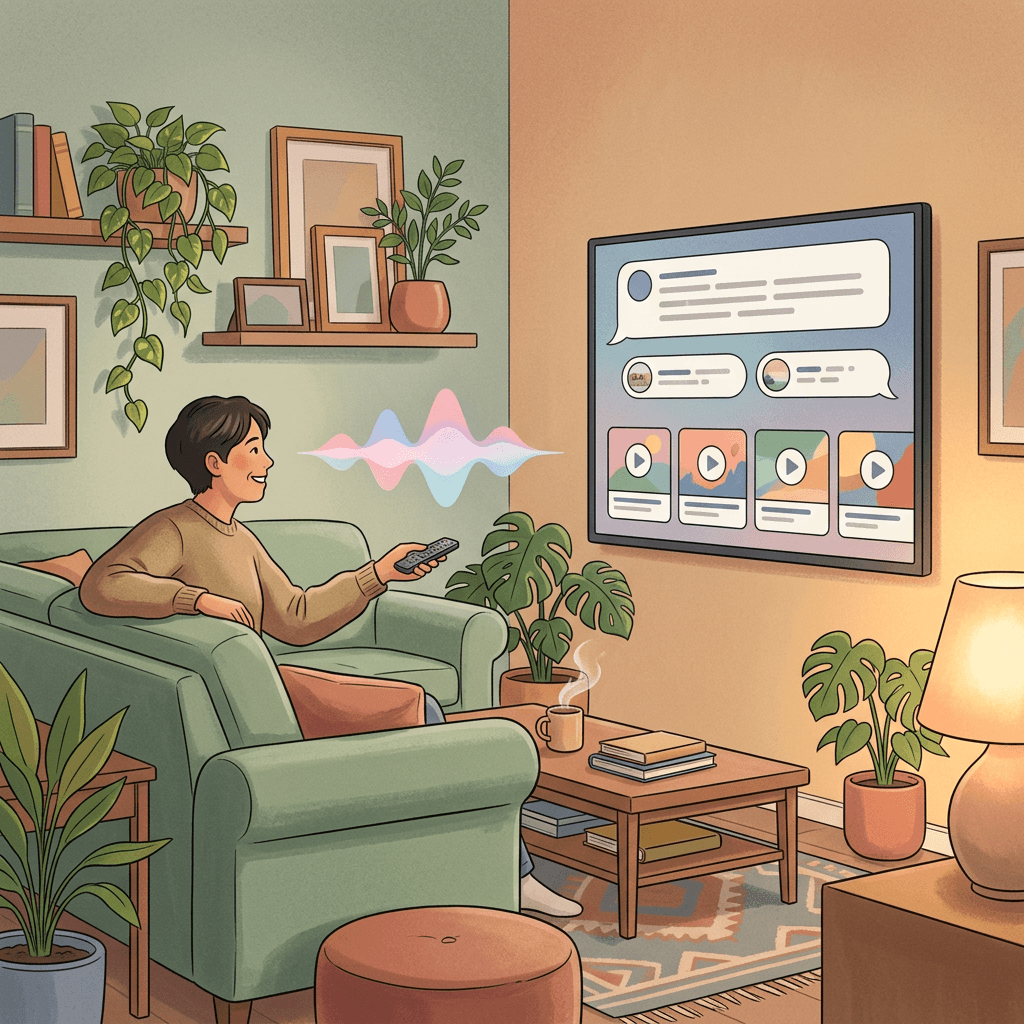
Ask YouTube is now live for U.S. viewers on web, mobile, and TVs. Here is how conversational search differs from keywords and what creators can do to get their videos found.
You uploaded a solid 14-minute video on how to fix a leaky kitchen faucet, you titled it the way every how-to guide told you to, and now a viewer on the couch is saying to their TV remote, "My faucet drips only when the hot water is on, is that the cartridge or the washer, and how hard is it to fix myself?" That sentence matches no keyword you ever planned for, and yet your video might contain the exact answer at minute 6. Whether YouTube can find that minute, understand it, and put it in front of that viewer is now a real part of getting discovered.
That is the situation Ask YouTube creates. YouTube announced on October 12, 2026 that Ask YouTube, its conversational AI search, is available to U.S. viewers on web, mobile, and TVs [1]. This guide explains what it is, how a conversational query differs from the keyword searches you have optimized for, what that probably means for your titles, chapters, descriptions, and spoken content, and how to adapt whether you run a 400-subscriber channel or a 4-million-subscriber one. It also includes an audit checklist and shows where Miraflow's AI Clipping and YouTube Thumbnail Maker fit into the workflow.
A quick note on honesty before we start: YouTube has not published how Ask YouTube picks or orders videos. Everything in the "what to do" sections below is reasoning from how conversational search works in general and from long-standing YouTube best practices, and it is labelled that way. The confirmed facts come from YouTube's own announcement.
TL;DR: What Ask YouTube Is and What You Should Do About It
Ask YouTube is a conversational search experience inside YouTube. Instead of typing a few keywords and scanning a list, a viewer can ask a complex question, then refine it with follow-up questions, and get results in an interactive format. YouTube's announcement describes it as helping viewers get to the right video faster, usable on the go or by voice from the couch [1].
If you only have two minutes, here is the practical summary. Make sure each video states its answers clearly out loud, because spoken content is what a system answering questions can actually draw on. Add accurate chapters that read like questions or clear topics. Write titles and descriptions that describe what the video really covers instead of vague hooks. Keep captions accurate. Cut your longer videos into answer-sized Shorts, since a single question with a single clear answer is a natural unit for this kind of search. None of that is a hack, and all of it also helps ordinary search and viewers.
What Ask YouTube Is, and Where It Is Available
According to the official announcement, written by Emily Moxley, VP of Product Management for Viewer AI, Ask YouTube was first announced at Google I/O and launched on YouTube search to help people reach the right video faster. It is now available to U.S. viewers across web, mobile, and TVs [1]. TV support was added earlier in 2026, so the October announcement is mainly about mobile joining the party and about making the feature available to all U.S. viewers on all three surfaces.
Viewers can ask complex queries, refine with follow-up questions, and receive results in an interactive format. Voice is part of the picture as well, which matters most on TVs where typing is painful. The three example queries YouTube chose to highlight are revealing: DIY Halloween costumes, video essays, and whether to cut your own bangs. The first is a project query, the second is a browse-by-format query, and the third is a decision query that wants an honest opinion, not a tutorial title. Those are three very different intents, and none of them fits neatly into a single keyword.
There is a second, separate piece worth knowing about. Ask YouTube on the watch page launched last year and is expanding, so a viewer who is already watching a video can ask questions about it. YouTube says that soon viewers will be able to use Ask YouTube from the watch page while watching Shorts and live streams, getting instant context as things happen [1]. No date was given for that. Trade coverage of the mobile rollout, from outlets such as Android Authority, Digital Trends, and Thurrott, matches the core points of the announcement. Some coverage also describes an earlier stage in which the feature was limited to a subset of users, and rollouts of this kind are usually gradual, so do not be surprised if a teammate sees it before you do.
What the announcement does not say is also useful. It gives no ranking details, no creator-facing controls, no way to opt a video out or in, and no countries beyond the United States. Anyone selling you a guaranteed "Ask YouTube optimization trick" is guessing.
Do not confuse it with Ask Studio
YouTube has two similarly named AI assistants, and mixing them up is easy. Ask YouTube is for viewers: it helps people find and understand videos. Ask Studio is for creators: it lives inside YouTube Studio and helps you understand your own channel analytics and make decisions. If you want the creator-side tool, read our Ask Studio explainer. This article is about the viewer-side tool and how it might change what viewers find.
Where it sits next to other recent YouTube AI features
Ask YouTube is one of several viewer-side AI changes. YouTube's custom feeds let viewers steer recommendations with prompts, which we covered in our custom feeds explainer. Ask YouTube is the search-side counterpart: custom feeds shape what shows up when nobody is searching, and Ask YouTube shapes what comes back when somebody is. If you want the bigger picture of how those systems relate to recommendations, our guide to YouTube traffic sources is a useful companion.
How a Conversational Query Differs From a Keyword Search
For years, YouTube search rewarded people who guessed the phrase viewers would type. "Fix leaky faucet" was a keyword, and you built a title around it. A conversational query carries far more context: who the person is, what they already tried, what constraint they have, and what kind of answer they want.
[[TABLE:keyword-vs-conversational]] The last two rows deserve a caveat. YouTube has not said that Ask YouTube reads transcripts, chapters, or descriptions. It is reasonable to expect a system that answers questions about videos to rely on the text it can get about them, which in practice means title, description, chapters, captions or transcripts, and the creator's metadata. That is reasoning, not a confirmed statement. The practices below are worth doing regardless of the answer.
Worked example 1: A project query
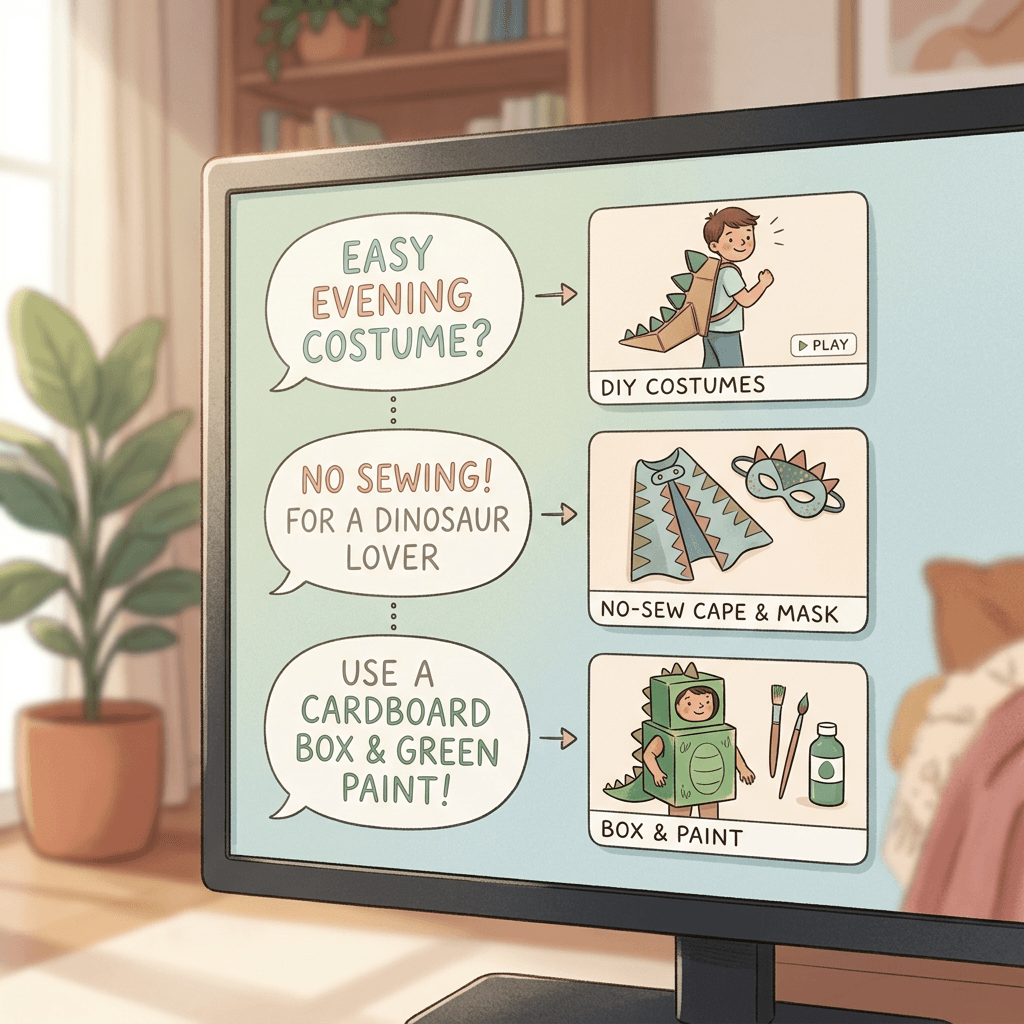
Imagine a viewer starting a query chain in the style of YouTube's own example, DIY Halloween costumes.
The first question might be: "What are some easy DIY Halloween costumes I can make in an evening with stuff from around the house?" A follow-up might narrow it: "Something for a six-year-old who loves dinosaurs, no sewing." Another might change the constraint: "What if I have a cardboard box and green paint?" Each step is a refinement of one project, and each step can map to a different video, or to a different moment inside one video.
What helps a creator here? A video titled "10 Last-Minute Halloween Costumes (No Sewing)" with chapters like "Cardboard dinosaur", "Cape and mask", and "Costumes under 10 minutes" gives a conversational system several clean handles. A video titled "My Halloween Haul 2026" gives it almost nothing, even if the content inside is great. If you want to see how seasonal planning feeds this, our post on AI Halloween video prompts for Shorts and TikTok has ready ideas you can adapt.
Worked example 2: A decision query
YouTube's second example, whether to cut your own bangs, is a decision query. The viewer does not want "how to cut bangs" in the abstract. They want a verdict with reasoning, and likely some risk assessment.
A chain might go: "Should I cut my own bangs?" Then "My hair is wavy and kind of thick." Then "What if it goes wrong, how long to grow out?" The best answer combines an opinion, a condition ("if your hair is straight and fine, yes; if it is wavy, probably not"), and a fallback. Creators who state a clear position in the first thirty seconds, then walk through conditions, then cover the failure case, are building exactly the content such a chain would draw from. Opinionated but honest videos usually carry that structure naturally. Our guide to video hooks for the first 30 seconds covers how to open with the answer without killing retention.
Worked example 3: A format query
The third example, video essays, is a format-led query. A viewer asking for "video essays about how cities are designed, not too long" is asking for a style and a topic and a length constraint together.
For this one, the metadata that matters is often the least glamorous: a description that says what the essay argues, a runtime that matches what you promise, and a title that names the actual subject instead of a clever phrase. Video essayists love poetic titles. That is fine for the click on the homepage, but if a conversational system is trying to match "essays about how cities are designed," a title like "The Quiet Genius of the Parking Lot" gives it very little to work with unless your description and chapters carry the topic.
Worked example 4: A comparison chain on a TV
Here is a chain that works especially well with voice. A viewer says: "Which is better for a beginner, a mirrorless camera or a phone, for filming YouTube videos?" Then: "What about low light?" Then: "Show me someone who actually tested both."
The last follow-up is the interesting one. The viewer is asking for evidence, not an explanation. Videos with side-by-side footage, clearly named test conditions, and a stated conclusion are a natural fit. If your review video hides the verdict until the last minute, make sure the chapters and description state what you concluded, so a system summarizing the video does not have to guess.
What This Probably Means for Titles, Chapters, Descriptions, and Spoken Content
None of what follows is a confirmed Google statement about Ask YouTube. It is reasoning about how question-answering systems typically work, combined with advice that has held up for years on ordinary YouTube search. Treat each item as a defensible practice, not a guaranteed ranking factor.
Titles: be specific about what the video answers
Conversational search tends to reward clarity about the topic. Titles with a clear subject and a clear promise are easier to match to a long, specific question than titles that rely on mystery. That does not mean stripping personality. It means making sure the title contains the real subject. "I Tried Cutting My Own Bangs for 30 Days" works because it names the subject and signals a verdict is coming. "Never Again" does not.
If you are testing titles, YouTube's own title testing tool can help you compare options on watch time, and we explain how it works in our title A/B testing guide. Just keep in mind that a title test optimizes for one thing, your audience's response on YouTube surfaces, while conversational matching may also care about how descriptive the title is. A title that is both specific and compelling is the safe place to land.
Chapters: treat them as the questions your video answers
Chapters are probably the single most underrated tool for this shift. A chapter list is a miniature table of contents, and it hands any system, human or AI, a set of labelled sections. YouTube has not said Ask YouTube uses chapters. But a viewer asking a narrow question wants a narrow part of a long video, and chapters are how you tell YouTube and viewers where that part is.
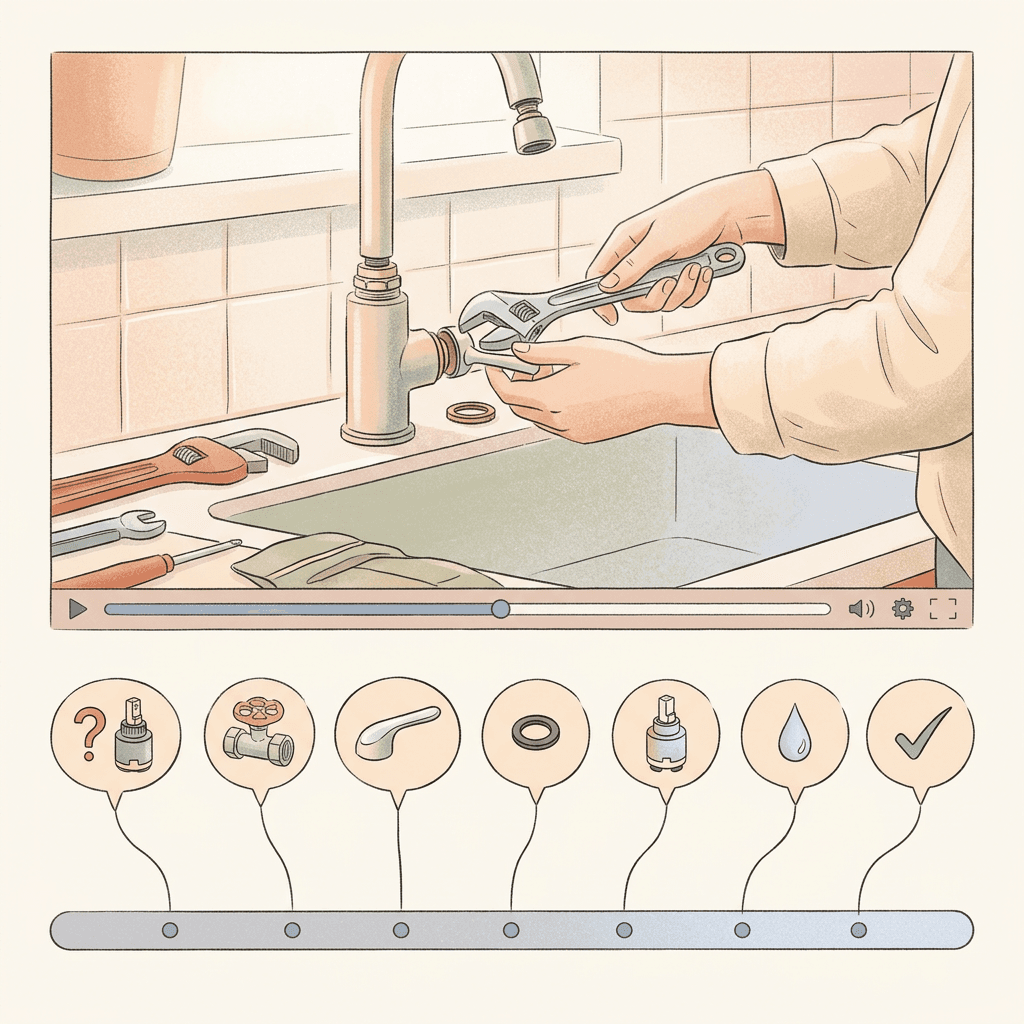
Compare two chapter lists for the faucet video from the intro:
Vague: Intro, Tools, Step 1, Step 2, Step 3, Outro.
Specific: Is it the cartridge or the washer?, Shutting off the water, Pulling the handle without breaking it, Replacing a ceramic cartridge, Replacing a rubber washer, Testing for leaks, What to do if it still drips.
The second list reads like the questions a person would ask. It also makes the video more useful for ordinary viewers who skip around. Name chapters as plain phrases that a viewer would recognize, not as jokes, and keep them honest: the content under each heading should actually answer it.
Descriptions: write them for a reader who has not watched yet
Many descriptions are a link dump with one sentence of copy. A conversational system, or a person, benefits from a short paragraph that says who the video is for, what question it answers, and what the verdict or outcome is. Aim for two to four plain sentences at the top before any links. Our dedicated guide on writing YouTube descriptions that help search covers structure in detail, and the same advice applies here.
A useful test: read only your title and description aloud. Could a stranger tell what question the video answers and what it concludes? If not, rewrite until they can.
Spoken content: say the answer in complete sentences
This is the one most creators overlook. If a system is answering a question about your video, the most natural source is what you actually say. Rambling intros, inside jokes, and implied answers ("so you know what to do here") are hard to quote or summarize. Complete, self-contained spoken sentences are easy to understand without context.
Compare "So yeah, that's the thing you want to swap out" with "If the faucet drips only when the hot side is on, the hot-side cartridge is almost always the culprit, so that is the part to replace first." The second sentence can stand alone. You do not need to script every word, but build the habit of stating the question, then the answer, then the reason, in that order, at each major point. This also happens to be what good teachers do, and it improves retention for people who are just watching normally.
Captions and transcripts: make sure they are accurate
Auto-generated captions are good but they stumble on product names, jargon, and accents. If your video is about "ceramic cartridge" and the auto captions say "ceramic car trick," any text-based understanding of your video suffers. Review captions on your most important videos, especially for proper nouns and technical terms. It is a small job that pays off for accessibility, for ordinary search, and plausibly for anything that reads text derived from your video.
Shorts, Long-Form, and Live: Different Roles in Conversational Search
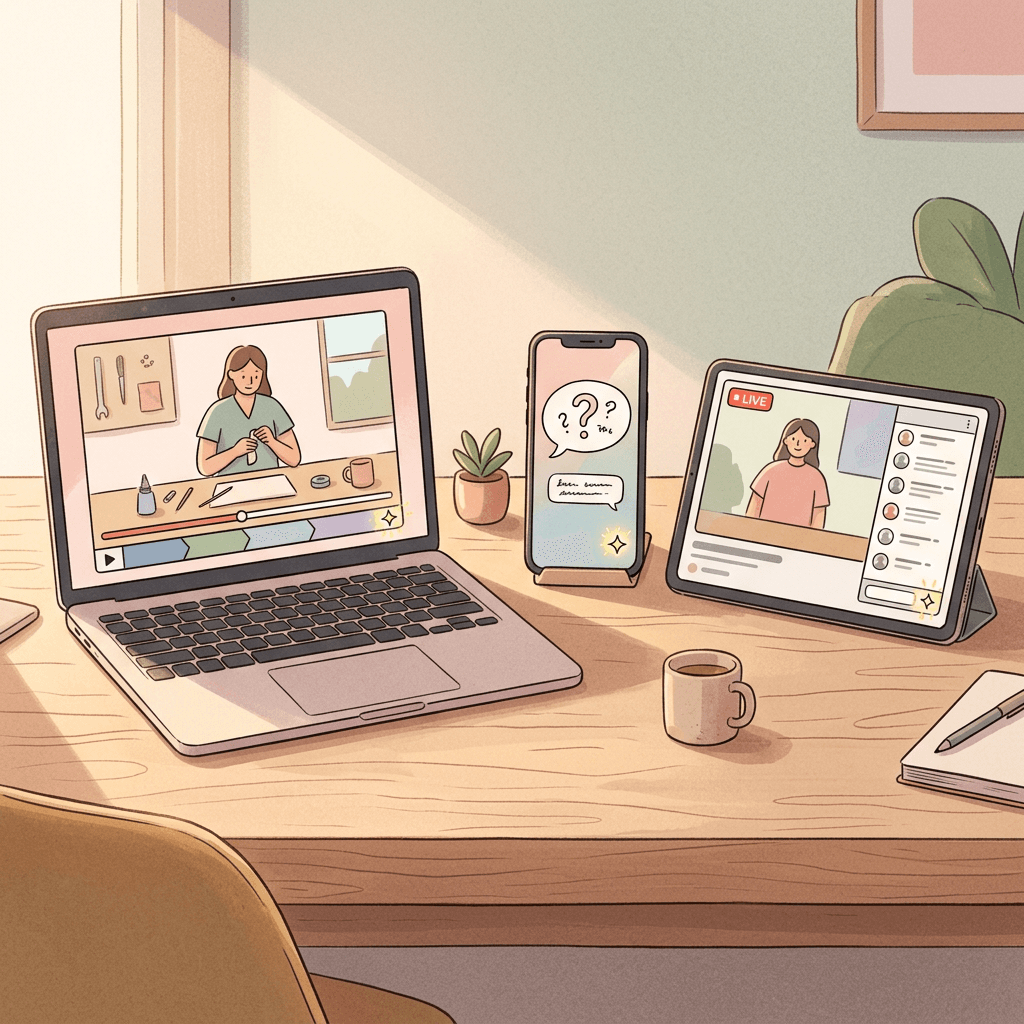
YouTube specifically said Ask YouTube will soon work from the watch page during Shorts and live streams [1]. That is a hint about where the product is heading, and it affects each format differently.
Long-form videos: the home of depth
Long videos are where complex questions get complex answers. They are also where chapters, spoken structure, and descriptions matter most, because a viewer's question usually maps to a section, not the whole video. If you make tutorials, reviews, explainers, or essays, your long-form catalog is your main asset in a world of conversational queries. Evergreen topics tend to hold value longest, and our guide to evergreen YouTube video ideas that earn search traffic is a good place to find formats that match question-style demand.
Shorts: quick answers to one question
A Short has room for one idea. That makes it a natural quick answer to a single, narrow question: "How long do I soak dried beans?", "What does a ceramic cartridge look like?", "Is a 3-pound dumbbell enough for a beginner?" Whether Ask YouTube surfaces Shorts prominently is not stated, but the announcement's note about using Ask YouTube while watching Shorts suggests Shorts are part of the experience. A Short that opens with the question, answers it in the first few seconds, and adds one useful detail is a sound format regardless.
For creators who already think about Shorts as a search surface, our post on search-first YouTube Shorts formats and the guide to ranking Shorts in YouTube search are directly relevant, and the title and description templates in this Shorts titles and descriptions post give you wording to start from.
Live streams: context as things happen
The announcement says viewers will soon be able to get instant context while watching a live stream. For a streamer, the plausible implication is that a viewer who joins late might ask what is going on and receive a summary. Again, YouTube has not described the mechanics, so avoid planning around specifics. What is safe is the habit of narrating context out loud: say what the stream is about, who is on, and what just happened, periodically, rather than assuming everyone has been there since the start. Good live hosts already do this for newcomers.
If you are new to streaming, YouTube's practice mode for lives is a low-pressure way to rehearse, which we cover in our live practice mode explainer. A recording of a stream that is well chaptered afterward also becomes a long-form asset.
Small Channels vs Established Channels
The same shift lands differently depending on your size, and it is worth being realistic.
If you have a small channel
Small channels rarely win broad keywords against established creators. Conversational queries are long and specific, which is the territory where a small channel can compete, because the exact combination of constraints may have few good matching videos. A video about "cutting bangs on thick wavy hair, honest results after 4 weeks" is a narrower target than "how to cut bangs", and a small creator with a genuine, specific experience can be the best match.
I would put the priority list like this for a small channel: choose very specific questions from your own experience, state the answer clearly early in the video, add honest chapters, and write a plain description. Do not expect overnight changes. We know nothing yet about how Ask YouTube weighs channel size, and it would be unwise to assume it favors or penalizes anyone. For general guidance on growing from scratch, our guide on getting your first 1,000 subscribers remains relevant.
If you have an established channel
Established channels have a different problem: a large back catalog of videos with titles and descriptions written for the old way of searching. The best return is usually an audit of your top 20 to 50 videos by views or by watch time, because they have the most accumulated demand. Fix their descriptions, add or clean up chapters, correct captions, and consider pinned comments that summarize the answer.
Established channels also have an opportunity that small ones do not: breadth. A channel with 300 videos on home repair has enough coverage that a series of follow-up questions could plausibly be answered from several of its videos in a row. Interlinking videos with end screens and playlists helps real viewers too. Our post on reviving old YouTube videos walks through the audit side in detail, and updating old thumbnails covers the visual refresh.
| Situation | Best first move | Why it is a defensible bet |
|---|---|---|
| New or small channel | Pick narrow, specific questions you can answer from real experience | Long queries have fewer good matches |
| Mid-size channel | Add chapters and plain descriptions to the 10 videos that already get search traffic | Cheapest improvement on proven demand |
| Large catalog | Audit the top 20 to 50 videos, fix captions and descriptions | Highest accumulated demand per hour spent |
| Mostly Shorts | Make question-led Shorts, link to the full video | One question, one answer fits the format |
| Livestreamer | Narrate context regularly, chapter the VOD | Helps late joiners and later viewers |
A Practical Audit Checklist You Can Run This Week
Pick your ten most important videos and run this list against each one. Every item is a standard best practice, and I am flagging again that none of it is a confirmed Ask YouTube ranking factor.
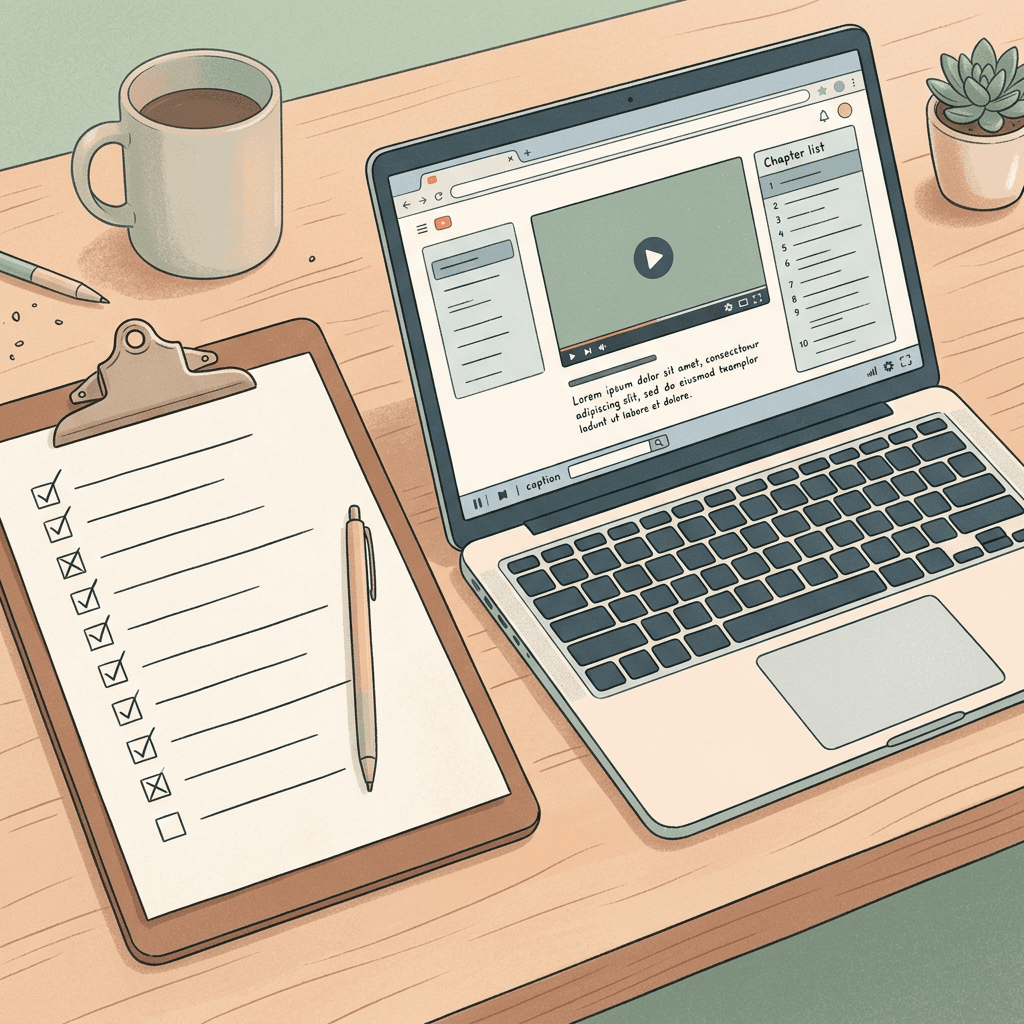
- State the question the video answers in one sentence. If you cannot, the video has a clarity problem that no metadata will fix.
- Check the title. Does it contain the real subject and a clear promise?
- Check the first thirty seconds. Does the viewer hear what the video will answer and, ideally, a hint of the answer?
- Add or rewrite chapters so each one names a question or a clear step.
- Rewrite the top of the description in two to four plain sentences: who it is for, what it answers, what the conclusion is.
- Review captions for proper nouns, product names, numbers, and jargon.
- Identify the three to five most question-like moments in the video. These are your candidates for Shorts.
- Add a pinned comment with the short answer and a timestamp for viewers who want the shortcut.
- Make sure on-screen text agrees with what you say. Contradictions confuse viewers and any system reading either.
- Re-test in a week: look at your traffic sources and search terms in YouTube Studio to see whether anything changed, and note it. You can also use Ask Studio to help read those reports.
For deeper comfort with how YouTube decides what to show in general, our explainer on how the YouTube algorithm works in 2026 pairs well with this checklist.
Turning One Long Video Into Answer-Sized Shorts
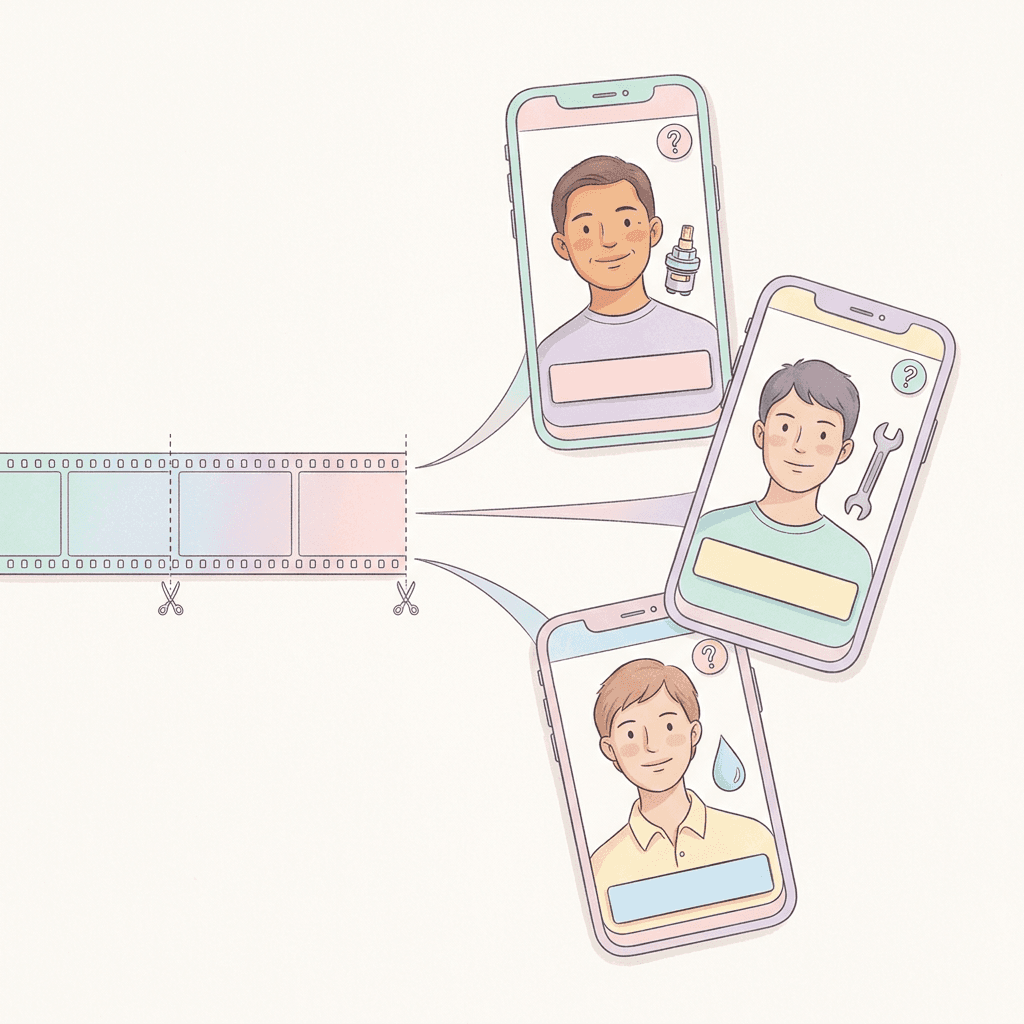
If conversational search favors clear answers to narrow questions, the most efficient content move is to cut your long videos into pieces that each answer one question. Doing that by hand is tedious: scrub the timeline, find the moment, crop to vertical, add captions, export.
This is where Miraflow's AI Clipping fits. You paste a YouTube link or upload a video, and it analyzes the whole thing, finds strong moments, scores them, and produces vertical clips with auto captions. You can set the maximum number of clips, minimum and maximum duration, caption on or off, and language. For this use case, set a shorter maximum duration so each clip stays a single answer, then review each clip and keep the ones that start on a clear question or a clear statement.
A realistic workflow looks like this. Upload your faucet repair video. Generate, say, six clips. Keep the three that stand alone: "How to tell cartridge from washer," "The one mistake that breaks the handle," and "What to do if it still drips." Give each a title phrased as the question it answers, and in the description link back to the full video. Our guide on turning long videos into Shorts automatically walks through the setup, and if you were considering other tools, the Opus Clip alternatives roundup compares the options.
If you do not have a long video yet, Text2Shorts creates a vertical Short from a topic: it drafts a script, builds scene visuals, and adds a voice, and you can edit the script before generating. For a question-and-answer format, enter the question as the topic and edit the script so the answer comes in the first sentence. YouTube's AI editing helpers for Shorts are another option, covered in our post about the Gemini Omni Shorts editing assistant.
Thumbnails still matter
A conversational interface does not remove the thumbnail. Results still appear in an interactive format with videos in them, and your thumbnail and title still have to earn the tap, so a clear thumbnail that states the same promise as the title is worth the effort. With Miraflow's YouTube Thumbnail Maker you can generate options from a prompt, add a short text overlay, and iterate quickly. A good rule for question-led videos is to put the question or the verdict, in three to five words, directly on the thumbnail. The rest of Miraflow's tools are available from the Miraflow home page if you want to build the whole workflow in one place.

Common Mistakes Creators Will Probably Make
The first mistake is chasing a trick. Because YouTube has not shared ranking details, anyone claiming a secret formula is guessing. Spend your time on things that make the video more useful.
The second is stuffing the description with every possible question. A wall of keywords reads badly to people and offers little. Write for a person.
The third is clickbait that contradicts the content. A conversational system that tries to match a question to a video that does not answer it creates a bad experience, and viewers who click and leave send the same signal they always have. Accurate titles are the safer path.
The fourth is making chapters decorative. Chapters named "Part 1", "Part 2" teach no one anything. Chapters that read like questions teach viewers and systems something.
The fifth is ignoring older videos. Ask YouTube makes it possible for an older video with an excellent answer to be found by a new kind of query. A ten-minute edit of an old description is often a better use of your afternoon than a new upload.
The sixth is overcorrecting. Do not rewrite your whole style to sound like a reference book. The goal is clear answers delivered in your own voice, not a robotic Q and A.
The seventh is treating Shorts as pure trend chasers. If Ask YouTube comes to Shorts, a library of evergreen question-and-answer Shorts could be more durable than a pile of trend-driven ones. Our posts on why Shorts stall around 1,000 to 2,000 views and Shorts mistakes to avoid offer additional sanity checks.
How to Measure Whether It Is Working
Because creator-facing reporting for Ask YouTube has not been announced, measure indirectly. In YouTube Studio, watch search traffic and the search terms report for the videos you updated, and compare the weeks before and after. Watch average view duration, since a system matching specific questions should send viewers who want exactly what you offer. Look at the end-of-video drop-off for clues about whether the early promise was kept.
Keep a simple log: video, what you changed, the date, and the metric you will check. Change one or two things per video so you can tell what helped, and expect noise, since many factors move views. If you use Ask Studio to look at your analytics, keep in mind it is a tool for reading your data, not a window into how viewers use Ask YouTube.
What to Watch Next
Several things are worth monitoring. Whether YouTube publishes any guidance for creators about conversational search. Whether Ask YouTube reaches countries beyond the U.S. The timeline for the watch-page version on Shorts and live streams. And whether YouTube Studio adds any reporting that shows when your videos appeared in conversational results. Until those details appear, keep your approach simple and evidence-based: clear answers, honest metadata, accurate captions, and answer-sized Shorts. For wider context on where the platform is heading, our YouTube trends for the rest of 2026 post collects other signals.
Frequently Asked Questions
What is Ask YouTube?
Ask YouTube is YouTube's conversational AI search. Viewers can ask complex questions, refine them with follow-up questions, and get results in an interactive format, with voice supported. It was announced at Google I/O, launched on search, and as of October 12, 2026 is available to U.S. viewers on web, mobile, and TVs [1].
Is Ask YouTube the same as Ask Studio?
No. Ask YouTube is for viewers finding and understanding videos. Ask Studio is a creator tool inside YouTube Studio that helps you analyze your channel. Our Ask Studio explainer covers the creator side.
Is Ask YouTube available outside the United States?
The announcement describes availability for U.S. viewers and mentions no other countries. Check YouTube's official updates for changes.
Can I opt my videos in or out?
The announcement mentions no creator controls. If that changes, YouTube would need to announce it.
Does Ask YouTube use my transcript, chapters, or description?
YouTube has not said. It is a reasonable expectation that a system answering questions about videos uses available text and metadata, which is why clear chapters, descriptions, and captions are sensible, but that is reasoning rather than a confirmed fact.
Will Ask YouTube replace regular YouTube search?
The announcement does not say so. It presents Ask YouTube as an option that helps viewers get to the right video faster. Keep optimizing for ordinary search as well, and our guide to YouTube Shorts SEO still applies.
Should I make more Shorts because of Ask YouTube?
Not simply more. YouTube says Ask YouTube is coming to the watch page for Shorts and live streams, so question-led Shorts that give one clear answer are a sound format. Quality and clarity matter more than volume.
How do I make Shorts from my existing long videos?
Use a tool like Miraflow's AI Clipping to find the strongest moments in a long video and export captioned vertical clips, then review and keep the ones that stand alone as a single answer.
How long until I see results?
Unknown. There is no creator reporting for Ask YouTube yet, so track search traffic and watch time on the videos you improve, and expect gradual rather than instant changes.
Does this change how I should write titles?
Keep titles specific and honest, naming the real subject and promise. That is sound for conversational search and for ordinary browsing.
Conclusion
Ask YouTube moves a growing share of discovery from typed keywords to full questions, follow-ups, and spoken requests, and YouTube has made it available to U.S. viewers across web, mobile, and TVs, with Shorts and live streams on the way. Since YouTube has not explained how videos are chosen, the smart response is to do the things that make a video easy to understand for both people and machines: say the answer clearly, chapter it honestly, describe it plainly, caption it accurately, and package your best moments as answer-sized Shorts.
Start small this week. Pick ten videos, run the checklist, and write down what you changed. Then use Miraflow's AI Clipping to cut answer-sized Shorts from your best long videos, Text2Shorts for new question-led Shorts, and the YouTube Thumbnail Maker to give each one a clear, matching cover. As YouTube shares more detail, you will be ready to adjust.