20 AI LEGO Minifigure Prompts for the Viral Brick Figure Trend (Copy & Paste)

Written by
Aerin Kim
20 copy-paste prompts for the AI LEGO minifigure trend: selfie portraits, blister packs, job figures, family lineups, brick-built rooms, and video, with real minifigure anatomy and trademark tips.
If you have ever typed "turn me into a LEGO figure" into an AI image tool, you probably got something that looked close but felt wrong: a rounded cartoon head with no stud on top, five-fingered hands, knees that bend like a doll, and a face with a realistic nose and lips. A real minifigure has a cylindrical head, a flat printed face, C-shaped clip hands, and stiff legs that swing from a single hip piece, and image models only reproduce those details when the prompt names them. This guide gives you 20 copy-paste prompts that do exactly that, grouped into six categories, so your minifigure portraits, packaging shots, job figures, family lineups, brick-built rooms, and short videos look like photographs of a real toy on a real desk.
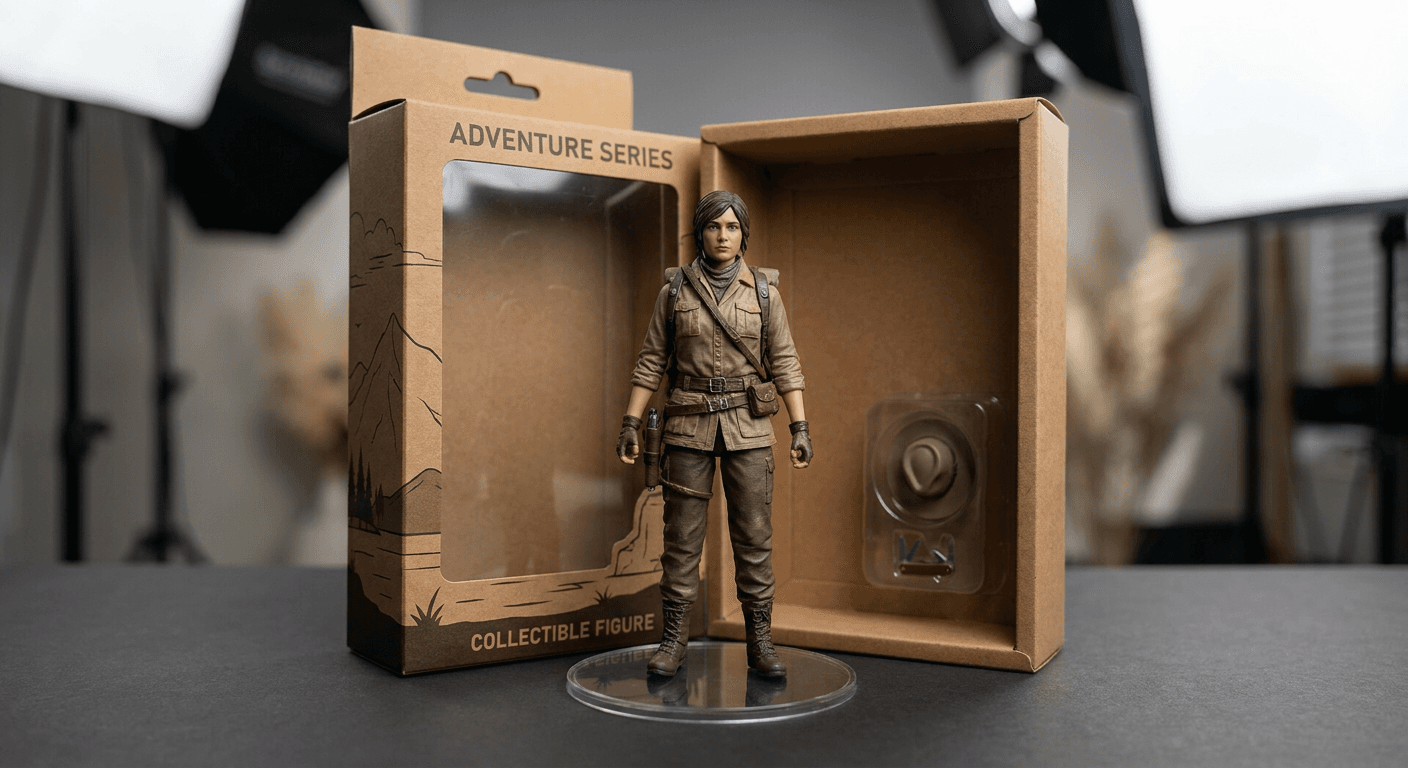
You can run every prompt in the AI Image Generator on Miraflow, which supports image-to-image so you can upload a selfie as the reference, and then animate your favorites with the video prompts at the end. If you came for the broader toy-figure family, this post is the brick-specific one, and it sits next to our packs for AI action figure and toy box prompts and AI Funko Pop figure prompts.
TL;DR
- Models get the minifigure right when you name its anatomy: a cylindrical head with one plain stud on top, a flat printed face, a separate hair piece, C-shaped clip hands with no fingers, a hip piece, and rigid legs with no knees.
- The plain selfie-to-minifigure image is the version everyone posts, so the prompts below also cover packaging, hobby box art, job and small-business figures, couples and families, brick-built rooms and cities, a mosaic portrait, and two image-to-video ideas for Shorts.
- LEGO is a trademark of the LEGO Group. For anything commercial, describe the look as an interlocking-brick toy figure, keep the logo out of the image (including the lettering image models love to put on studs), and read the trademark section below.
- Every image in this post is the output of one of the prompts, photographed as a macro tabletop still life of generic brick-toy figures on wood surfaces.
- If you want to make the video version, Text2Shorts and the cinematic video generator handle the animation and the finished vertical clip.
Why the LEGO Minifigure Trend Keeps Coming Back
The "me as a LEGO figure" format took off in spring 2025, when ChatGPT's built-in image generation made photo-to-style transformations easy. Brazilian outlet Olhar Digital published a guide on April 2, 2025 showing that ChatGPT could produce LEGO-style images of objects, characters, and animals beyond the Studio Ghibli wave, and the German site Netzwelt described personal LEGO figures as the next hype after Ghibli selfies, action figures, and pet-to-human images. A few months later Google's Gemini "Nano Banana" figurine trend turned the same upload-a-photo, get-a-toy idea into a mainstream habit, which is the lineage behind our AI action figure and Funko Pop packs.
The trend has not gone away in 2026. Kapwing's May 2026 guide to replicating popular ChatGPT image styles still lists a LEGO-style prompt among the standard looks, and LEGO itself put minifigures back in headlines at CES in January 2026, when it announced its Smart Play system with Smart Minifigures that react to a Smart Brick, with the first Star Wars sets going on sale on March 1, 2026. There is no single launch driving this week's searches, so treat it as an evergreen format with seasonal bumps, and the next likely one is gift season, when people look for custom figure ideas for presents, family cards, and desk decor.
The minifigure works so well for AI for a practical reason. Its silhouette is one of the most recognizable toy shapes in the world, so a model has a strong visual prior to work from, and the transformation has a built-in reveal: a real photo on the left, a four-centimeter plastic version of you on the right. That reveal is also what makes the format saturated. The version most people post is a single front-facing minifigure on a plain background, so the way to stand out is to change the context around the figure, which is what most of the categories below do.
Which toy-figure trend fits your idea
The brick look is one of four toy-figure styles that creators keep reaching for, and each one has its own anatomy words. Picking the right one before you write the prompt saves a lot of regenerating.
| Trend | What defines the look | Where it shines | Companion guide |
|---|---|---|---|
| Brick-style minifigure | Cylindrical head with a stud, flat printed face, C-shaped hands, rigid legs, glossy ABS plastic | Selfie reveals, job and hobby figures, brick-built rooms and cities | This guide |
| Action figure | Poseable body with articulated joints, accessories, blister or window-box packaging | Hero poses, retro toy packaging, brand mascots | AI action figure and toy box prompts |
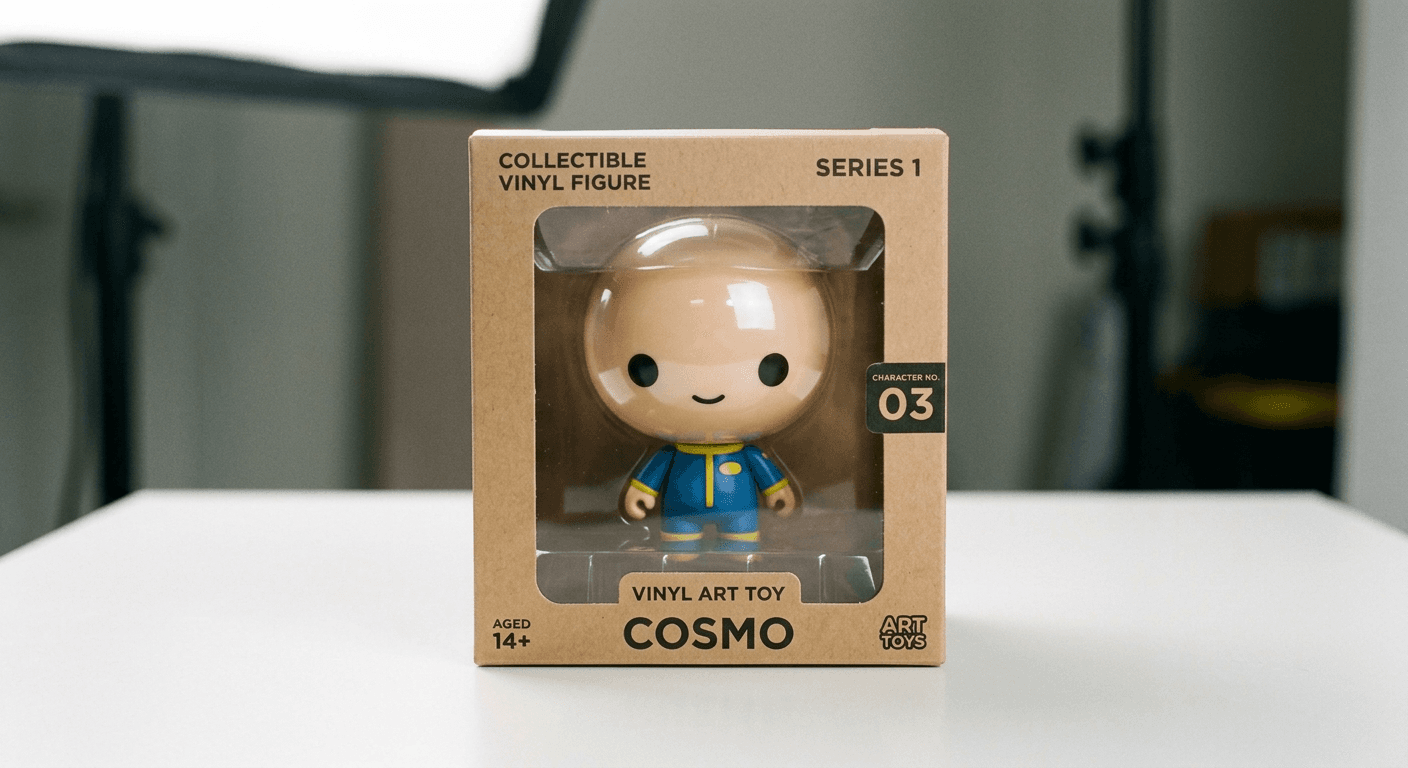
| Vinyl collectible (Funko Pop style) | Oversized round head, flat black dot eyes, small simplified body | Couples, pets, fandom archetypes, shelf collections | AI Funko Pop figure prompts |
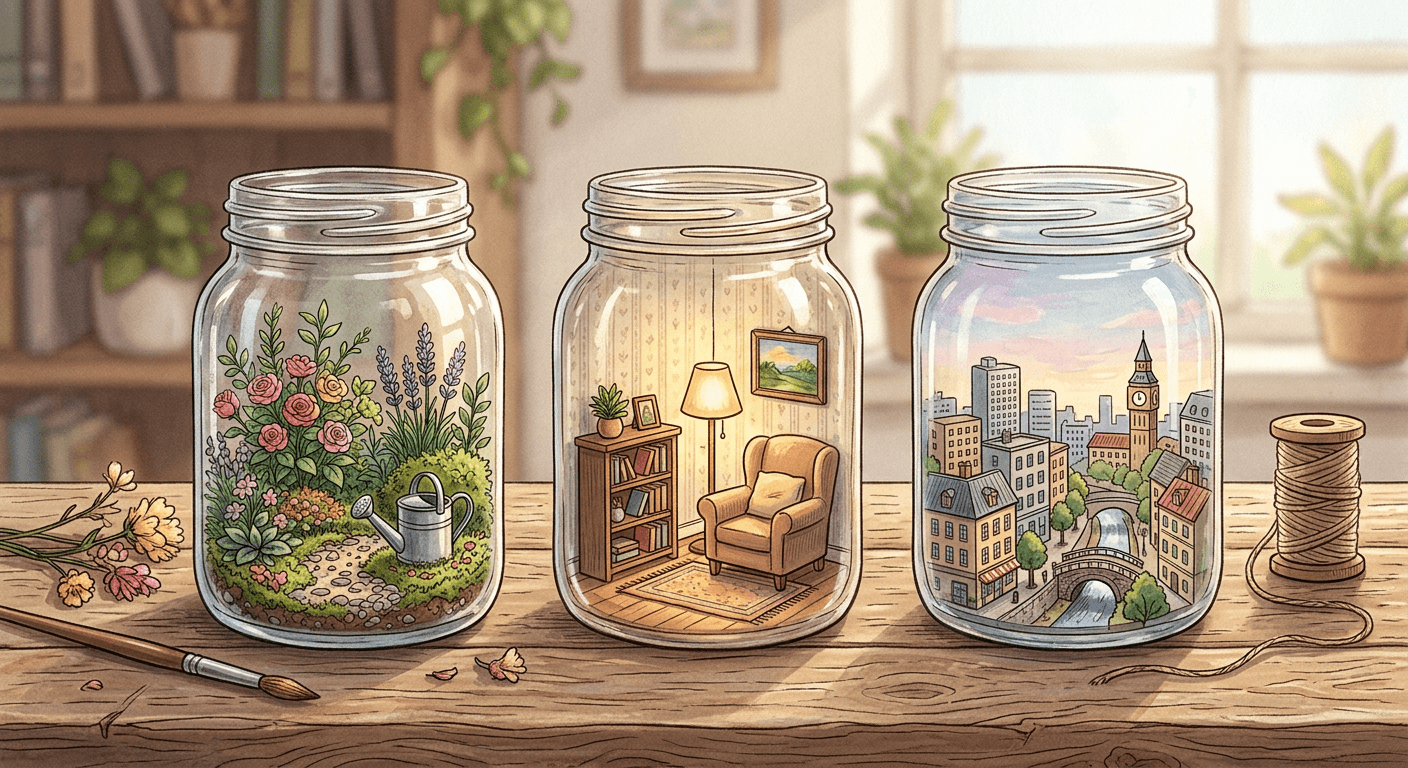
| Miniature diorama | A tiny scaled scene with tilt-shift depth of field and handmade materials | Rooms, landscapes, objects inside jars | AI miniature diorama prompts |
If your idea is a tiny scene rather than a figure, our miniature diorama prompts and knitted world prompts cover materials other than plastic bricks.
Minifigure Anatomy: The Details That Make AI Images Look Real
The modern minifigure dates to 1978, when it appeared in the Castle, Space, and Town sets, and the original design was patented in Denmark in 1977 according to LEGO's own 40th-anniversary materials as reported by The Rambling Brick. A typical figure is about 4 centimeters tall, molded from ABS plastic, and built from six parts (head, torso, hips, arms, hands, and legs) that give it seven points of articulation. Each of those parts is something an image model can get right or wrong, and each one has a short phrase you can put in a prompt.
The parts, translated into prompt language
- Head: A cylinder, not a sphere, sitting on a neck post so it can swivel, with a stud on top that is the same size as the studs on a brick. Prompt phrase: "cylindrical head with one plain round stud on top".
- Face: Printed flat onto the plastic, never sculpted. The 1978 face was two black dots and a smile, and printing has since added eyebrows, freckles, stubble, glasses, lashes, and open mouths. Prompt phrase: "flat printed face with two black dot eyes, simple eyebrows, and a small smile, no sculpted nose or lips".
- Hair and hats: Separate molded pieces that sit over the head stud. Ask for the shape you want, such as a ponytail, bob, curls, or a beanie, and say "as a separate molded hair piece".
- Torso and arms: A boxy torso with the clothing printed on, and the print continues onto the arms. Prompt phrase: "printed jacket collar, zipper line, and pocket flaps on the torso".
- Hands: Shaped like the letter C so they can clip around a handle or a bar and hold small accessories. They have no fingers and no thumbs, which is the single most common thing models get wrong. Prompt phrase: "C-shaped clip hands with no fingers, gripping the handle".
- Hips and legs: A hip piece with two legs that rotate independently, roughly 90 degrees forward and nearly 45 degrees backward, with no knees. Child figures and some characters use shorter one-piece legs with no hip joint, which is how a family lineup shows height differences. Prompt phrase: "short rigid legs with no knees, attached to a separate hip piece".
- Material: Glossy ABS plastic with tiny mold seams at the joints, a sharp highlight on the head, and small scuffs on well-played figures. These details are what turn a render into something that reads as a photograph.
Skin tone: pick one convention and say it out loud
Minifigures used a yellow skin tone until 2003, when the Basketball theme introduced natural skin tones, and licensed themes such as Harry Potter and Star Wars adopted natural tones in 2004 and 2005. That history gives you two legitimate looks. A classic yellow figure is the nostalgic default and avoids the question of whether the toy "matches" you, while a natural skin tone figure is closer to how modern licensed sets look and lets people see themselves. If you do not specify, a model will pick one at random, and a series of images will drift between the two. Write "classic yellow skin tone" or "natural medium-brown skin tone matching the photo" every time.
Scale and studs: the physics of bricks
When you move from a figure to a brick-built world, a little real geometry makes the images far more convincing. Studs are spaced 8 millimeters apart, a standard brick is about 9.6 millimeters tall, and a plate is one third of that at about 3.2 millimeters, so three stacked plates equal one brick. Smooth tiles have no studs and are used for floors, screens, and sidewalks, while studs stay visible on roofs, lawns, and baseplates. Prompts that say "studs visible on the roof and baseplate, smooth tiles for the floor and screens, windows from clear transparent plates" give the model the same visual rules a builder follows. You can see how much realism comes from this kind of material detail in our guide to making AI images look like real photos.
A diagnostic prompt to test any tool
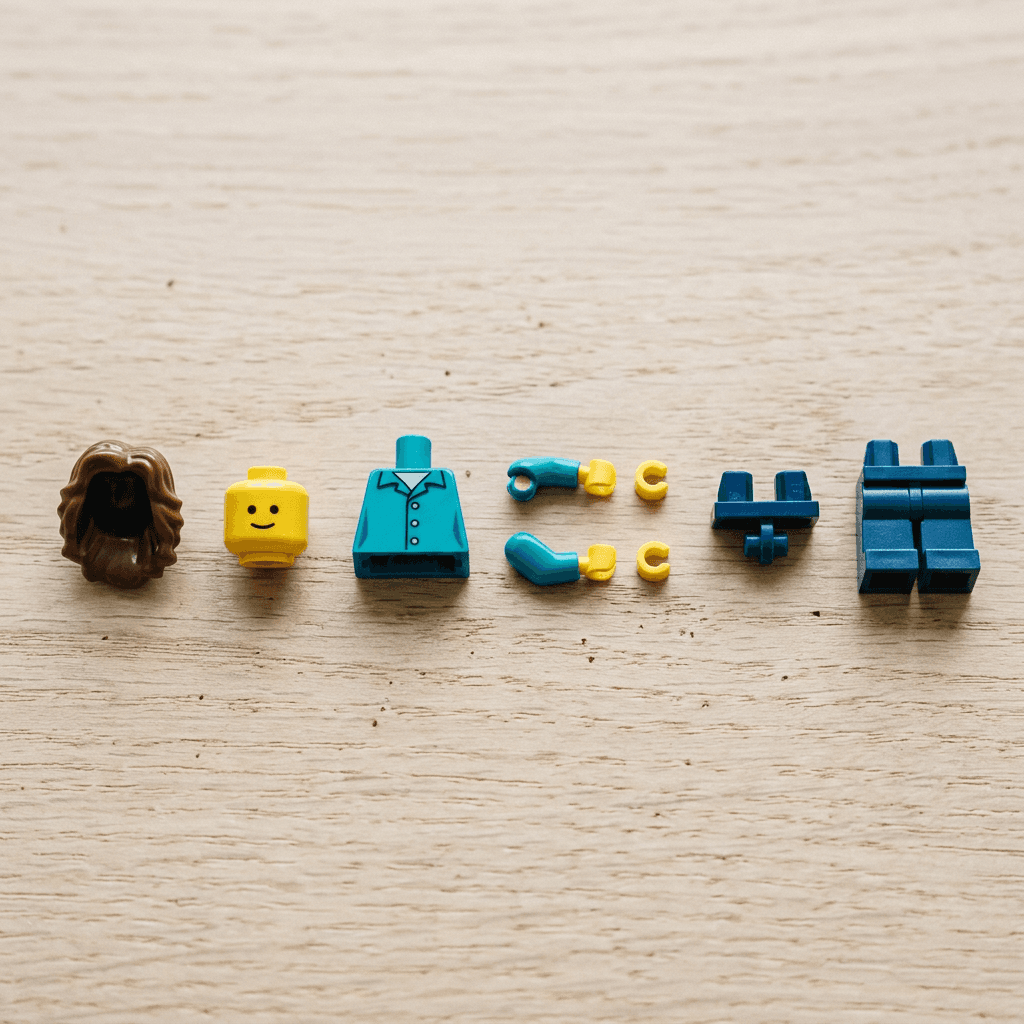
Before you spend time on twenty variations, run this single prompt. If the parts come out as a cylinder head with a stud, hands with a C-shaped opening, and a separate hip piece, the tool understands minifigure anatomy. If you see fingers or a smooth round head, add more of the anatomy phrases above to every prompt.
A photorealistic exploded-view photograph of a classic interlocking-brick toy minifigure laid out as separate parts in a row on a pale oak desk, with generous gaps between them: a hair piece, a cylindrical head with one plain round stud on top and a flat printed smiling face, a boxy torso with a printed teal jacket, two arms, two C-shaped clip hands with no fingers, a separate hip piece, and two short rigid legs. Front-facing macro shot from slightly above, soft window light from the left, glossy ABS plastic with a crisp highlight on the head and tiny mold seams, every part in sharp focus. Plain studs with no lettering, no logo, no blurry or warped details.
Three different "LEGO looks" people ask for
People use the word "LEGO" for three different images, and the prompt changes with each one. The first is the minifigure portrait, where you become a 4 centimeter toy, and that is categories 1 through 4 below. The second is the brick-built world, where the scenery itself is made of bricks, plates, and tiles, usually with a minifigure standing in it, and that is category 5. The third is the real person in a toy world, where the person stays photographic and only the environment turns into bricks, which is the hardest to get right because the model has to keep your face unchanged while rebuilding everything around it. Deciding which of the three you want before you write the prompt is the biggest single time saver in this trend.
Trademark Care: How to Use the Look Without Using the Brand
LEGO is a trademark of the LEGO Group, and this guide uses the name only to describe a visual style, with no affiliation or endorsement. If you are posting for fun, the risk is low, but if you are selling prints, mugs, stickers, a course, or advertising for a business, the way you word your prompts and your listings matters.
LEGO publishes a Fair Play policy that is written for people referring to LEGO products for non-commercial purposes. Among other things, it says the LEGO logo should never be used on an unofficial website, that the trademark (but not the logo) may be used in a non-commercial way to refer to LEGO products as long as it is not unduly emphasized, that the word should be used as an adjective rather than a noun, and that a disclaimer does not undo an improper use. It does not set out a path for commercial use, which is the main reason to keep commercial work generic.
Here is the practical version:
- Describe the anatomy and drop the brand word. The prompts in this post say "interlocking-brick toy minifigure" and name the head, stud, hands, and legs. That wording is enough for a model to produce the look, and it keeps the brand name out of your prompt, your file names, and your captions.
- Keep every logo out of the image. Genuine bricks typically carry the brand name molded on top of their studs, and image models copy that detail. Every prompt here asks for plain studs with no lettering, and you should zoom in to 100 percent and check studs, baseplates, boxes, and packaging before you post.
- Do not imply sponsorship. Avoid words like "official" or "set number", do not copy real set names or box layouts, and keep licensed characters (movie, game, and comic characters) out of commercial work, since those carry their own third-party rights.
- Use generic wording in titles and listings. "Custom brick toy figure portrait" and "building-block minifigure style" describe the same thing without borrowing the brand.
- Disclose that the image is AI-generated when it appears in an ad or a product listing.
- Ask a professional for products. Rules differ by country and by use, so if you plan to sell physical items, get advice from an intellectual property professional. This section is general guidance, not legal advice.
For brand-owner readers who want toy-style packaging for their own products, our guides to product packaging upgrades and children's toy brand content show how to build an original look instead of borrowing one.
1) Selfie-to-Minifigure Portrait Prompts
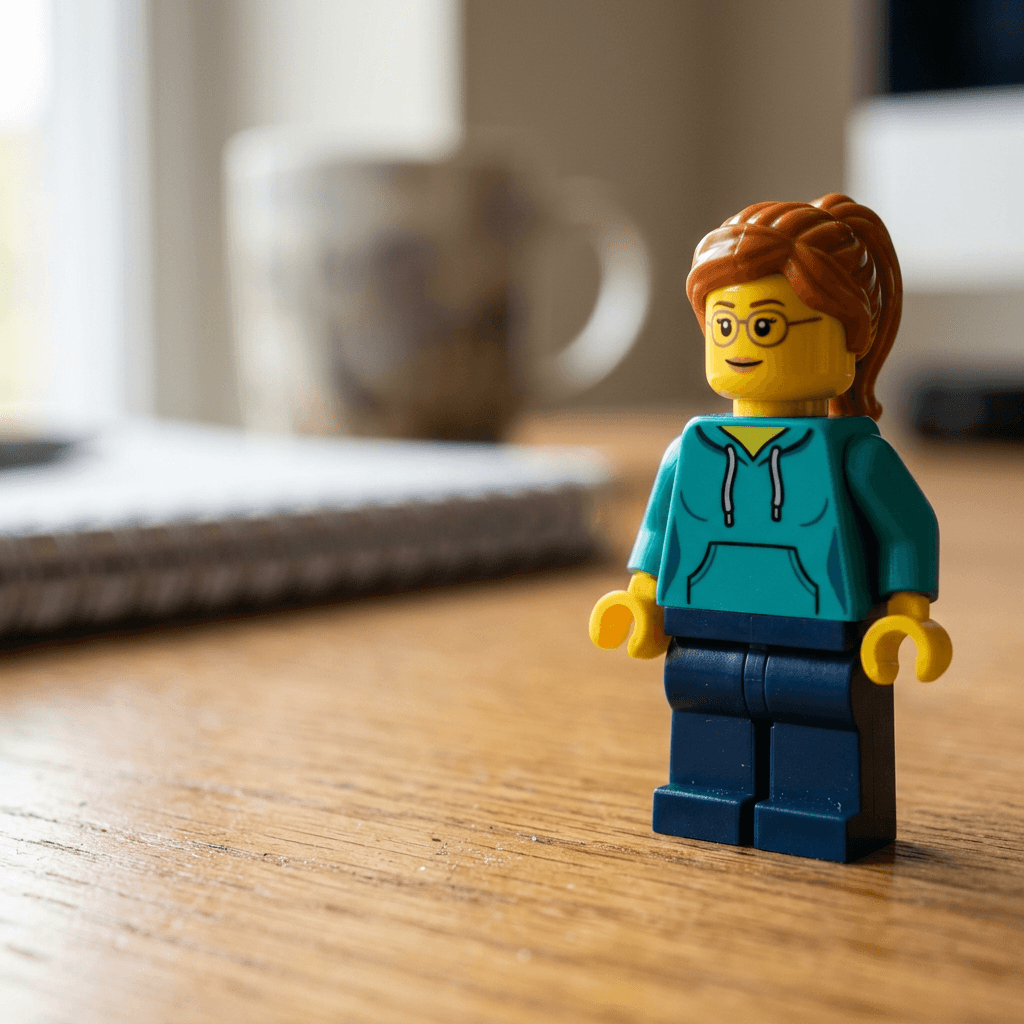
These four prompts turn a selfie into a figure and are the foundation for everything else. Each prompt is a single paragraph you can paste whole. If your tool has an image upload, attach a clear, front-facing photo with even light and glasses or hats visible, and keep the opening phrase "the person in my reference photo". If it does not, replace that phrase with a plain description such as "a woman with an auburn ponytail, round glasses, and a teal hoodie", and the rest of the prompt works unchanged.
1. Classic Front-Facing Minifigure Portrait
The starting point: one figure, one desk, one clean macro shot with every anatomy detail named.
Turn the person in my reference photo into a classic interlocking-brick toy minifigure about 4 cm tall, standing upright on a warm oak desk in a close macro photograph. The figure has a cylindrical head with one plain round stud on top, a flat printed face with two black dot eyes, simple eyebrows and a small smile, the hairstyle from the photo as a separate molded hair piece, a boxy torso with the outfit from the photo printed on it, a separate hip piece, two short rigid legs with no knees, and C-shaped clip hands with no fingers held slightly away from the body. Glossy ABS plastic with a crisp highlight on the head and tiny mold seams at the neck and wrists, soft window light from the left, shallow depth of field with a blurred notebook and ceramic mug behind it. Plain studs with no lettering, no logo, no blurry or warped details.
2. Full Outfit and Accessory Match
Use this when the first result gets the hair right but loses the jacket, the glasses, or the shoes.
Create a minifigure version of the person in my reference photo that matches the hair color and shape, glasses, and clothing colors as closely as printing on a small plastic figure allows, with a classic yellow skin tone, the jacket collar, zipper line, buttons and pocket flaps printed on the torso and arms, a printed belt and pocket detail continuing onto the hip piece and legs, and a molded hat or hair piece that sits over the head stud. Show the figure standing on a flat gray plate covered in studs, photographed in a three-quarter view from slightly above, with a few loose round 1x1 plates in the outfit colors scattered nearby for scale. Overhead softbox light, sharp focus across the whole figure, glossy ABS finish, printed smiling face, C-shaped hands, no text, no logo, no fingers.
3. Expression Row for Reactions and Thumbnails
Minifigure heads are interchangeable and the faces are printed, so a row of three expressions is both accurate and useful. This is a handy way to make reaction art for a channel.
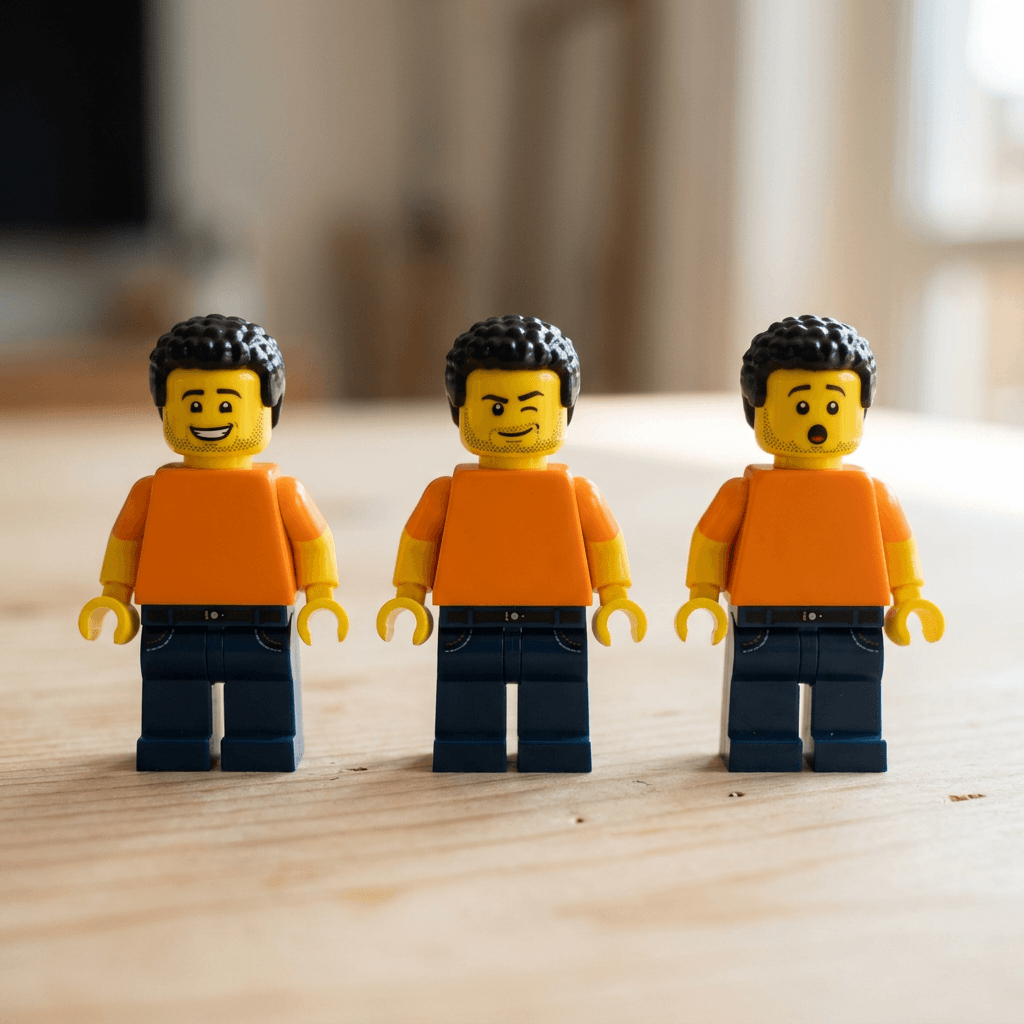
Show three identical interlocking-brick toy minifigures of the person in my reference photo standing in a row on a pale wooden table, with the same hair piece, the same printed outfit, and the same pose with C-shaped hands slightly raised, but each with a different printed face: a wide smile, a wink with one raised eyebrow, and a surprised open mouth with round eyes. Flat graphic faces with no sculpted features, cylindrical heads with plain studs on top, glossy ABS plastic, macro lens at table height, soft daylight from the right, all three figures in sharp focus against a softly blurred background, no text, no logo, no extra fingers.
The photo below is the output of this prompt, with the reference clause replaced by a description of a man with short curly black hair, light stubble, and an orange t-shirt.
If you want the figure for a video thumbnail, the same row works as a cutout in the YouTube Thumbnail Maker, and our guide to thumbnail faces and emotions explains why exaggerated expressions earn clicks.
4. Hobby Prop in the C-Shaped Hand
A figure holding a hobby object is more shareable than an empty-handed one, and the clip hand gives you a reason to describe the grip precisely.
Make a minifigure of the person in my reference photo holding a small brick-built mirrorless camera with a thin handle grip, gripped in one C-shaped hand while the other hand rests at the side. Show the figure standing on a worn wooden workbench next to a scatter of loose bricks and plates in muted colors, in a close macro shot from slightly below eye level, with warm lamp light from the upper right and soft shadows, shallow depth of field. The camera is built from small bricks and tiles with a round printed lens, simple and clearly toy-like, and the figure has a cylindrical head with a plain stud, a printed smiling face, the printed outfit from the photo, and glossy ABS plastic, with no logos, no lettering, and no fingers on the hands.
Swap the camera for whatever fits you: a guitar with a thin neck, a paintbrush, a tennis racket, a mug of coffee, or a controller. Anything a C-shaped hand can clip around works best, and very small or very flat props tend to float away from the hand.
For another way to turn a selfie into a stylized character, see our guides to Pixar-style portraits and turning yourself into a Pixar character.
2) Packaging, Box Art and Display Prompts
Packaging is where the figure becomes a product, and it is the easiest way to differentiate from the plain selfie version. Image models are weak at text, so every prompt in this category asks for blank label areas. Add your name or caption afterward in an editor, which is faster than fighting a garbled word through ten regenerations.
5. Blister Pack on an Oak Desk
A flat-lay of your figure sealed on a backing card, with its accessories in molded recesses.
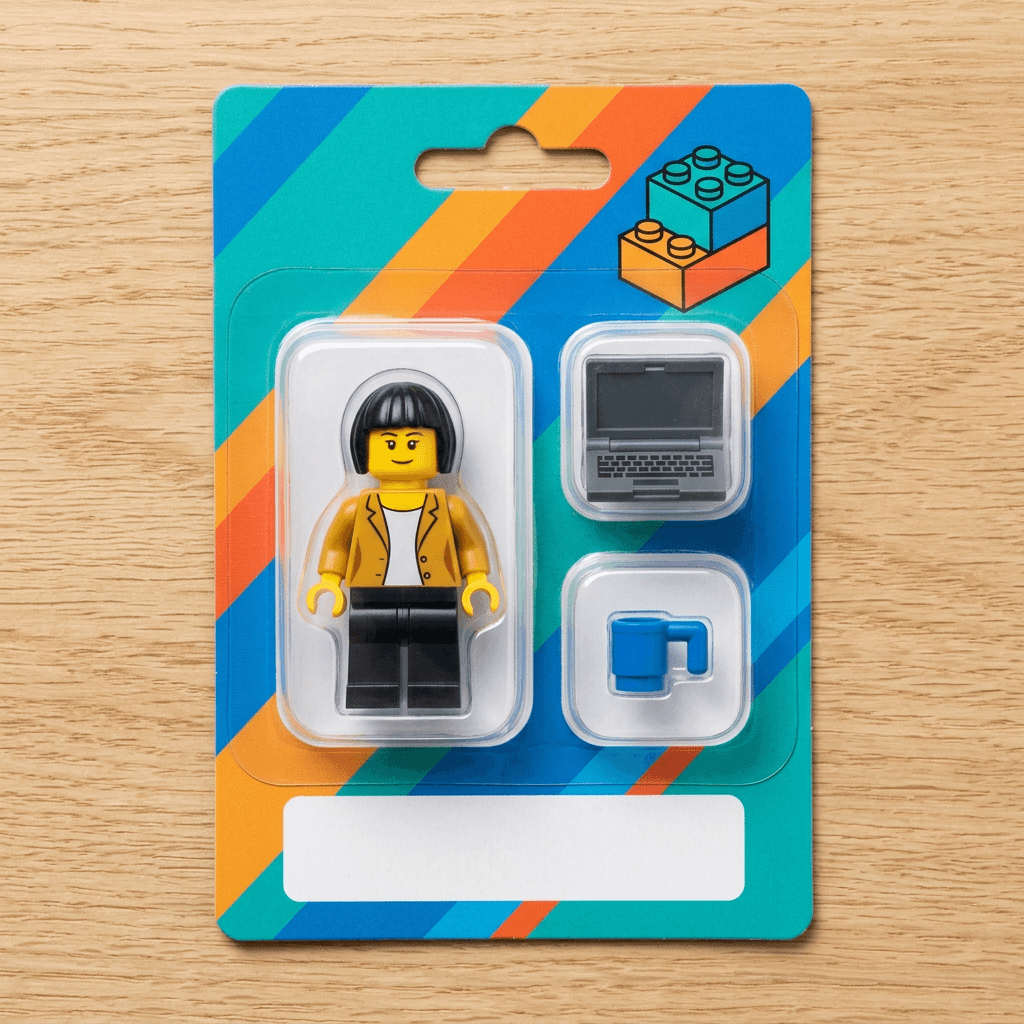
Create a product photograph of a minifigure of the person in my reference photo sealed inside a clear molded plastic blister on a printed cardboard backing card, lying flat on a light oak desk and photographed from directly above. The figure has a cylindrical head with a plain stud, a printed smiling face, the hair piece and printed outfit from the photo, and C-shaped hands, and the blister also holds two small accessories in their own molded recesses, a tiny brick-built laptop and a mug. The backing card has bold diagonal color stripes, a simple graphic of stacked bricks, and a blank white name label area, with no readable text and no brand names. Even overhead softbox lighting, slight plastic glare on the blister, crisp card edges, sharp focus across the whole card, no logo, no garbled text.
The image below is the output of this prompt, with the reference clause replaced by a woman with a short black bob and a mustard-yellow jacket.
For retro versions of this look, with cardboard art and a toy-aisle feel, the action figure and toy box pack has window-box, back-panel, and shelf prompts that you can adapt by swapping in the minifigure anatomy phrases.
6. Collectible Blind-Bag Series
A checklist-style collectible series, where you are one of twelve characters.
Create a flat-lay product photograph of a collectible minifigure series based on the person in my reference photo, showing one sealed glossy foil pack with a bold generic starburst graphic and a blank label, a second pack torn open, the figure standing beside it wearing a printed outfit and holding a small accessory, and a small paper checklist card printed with a grid of twelve simple colored minifigure icons. Light oak desk surface, overhead softbox with soft shadows, crinkled metallic foil with realistic highlights, glossy ABS figure with a cylindrical head and plain stud, sharp focus throughout, no brand names, no readable text, no logos.
This one is especially good for a series post, where you make twelve different figures (friends, coworkers, or subscribers with their permission) and reveal them one per day.
7. Hobby Set Box Art
The retail box for a set about your hobby, with you as one of the figures on the front.
Create the front of a toy building set box for the hobby of hiking, photographed straight on and slightly angled on an oak table. The box art shows a finished brick-built campsite with a tent, a campfire made of orange and red pieces, pine trees, and a stream, with three minifigures, one of them modeled on the person in my reference photo wearing a printed backpack and jacket, under a bright sky with a bold diagonal color stripe across the lower edge. A blank rounded badge sits in the corner. Crisp printed cardboard with a satin finish, soft window light from the left, shallow depth of field, no brand names, no logos, no readable text, no piece counts.
Replace hiking with baking, gaming, fishing, a podcast studio, or a bookshop. The pattern that makes this work is a clear hero build, three figures, and one strong color stripe, which mirrors how toy boxes are laid out in general.
8. Acrylic Display Cube With a Trophy
A collector-shelf shot that shows off plastic sheen and tile-and-plate scale.
Photograph a minifigure of the person in my reference photo standing on a small pedestal built from stacked rectangular plates topped with a smooth tile, inside a clear acrylic display cube on a dark walnut shelf. The figure has a cylindrical head with a plain stud, a printed face, the printed outfit from the photo, and C-shaped hands holding a small trophy built from yellow bricks. Gallery-style spot lighting from above with subtle reflections on the acrylic and a soft glow on the glossy plastic, macro lens, the shelf behind softly blurred with other small collectibles, a blank smooth tile as a nameplate, no lettering, no logo, no fingerprints on the acrylic.
This is a good graduation, promotion, or birthday gift image. For a birthday-specific set, our AI birthday photoshoot prompts pair well with it.
3) Job, Creator and Small Business Minifigure Prompts
The job minifigure is one of the most natural uses for the format, because printed torsos and small accessories are how the real toys signal a profession. These prompts also overlap with the "future career" style of trend, which you can read about in our AI future career filter prompts.
9. Office Worker at a Brick-Built Desk
A figure at work, with a built desk sitting on a real desk so the scale is obvious.
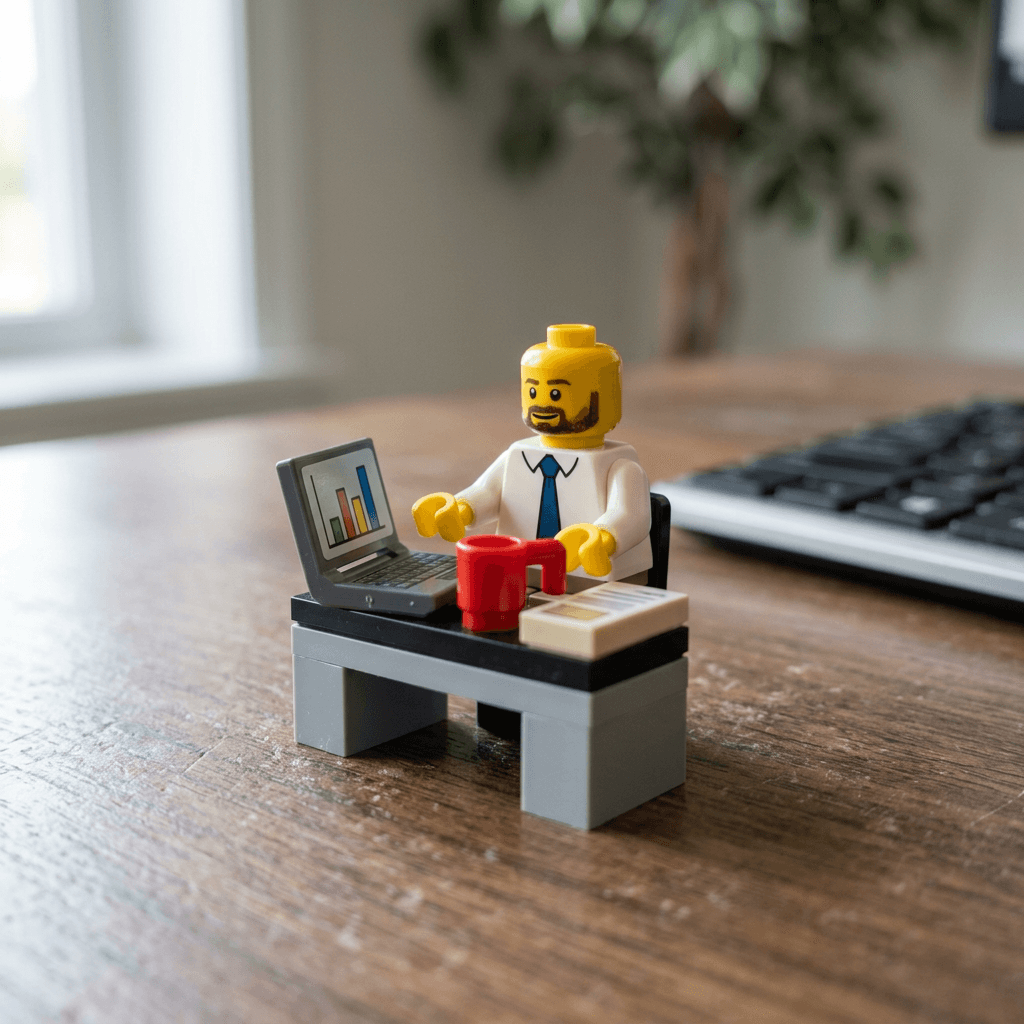
Turn the person in my reference photo into a minifigure dressed for their job as a project manager, sitting at a tiny brick-built office desk on top of a real wooden desk. The torso has a printed tie, collar and rolled sleeves, the laptop is a thin brick-built shell with a smooth tile as the screen printed with a simple bar chart, a 1x1 round plate coffee cup sits beside it, and a stack of flat tiles stands in for documents. The figure has a cylindrical head with a plain stud, a printed face with a small smile, and C-shaped hands resting on the desk. Soft window light from the left, wide macro shot at desk height, the real keyboard edge and a plant blurred in the background to show scale, glossy ABS plastic, no logos, no readable text, no fingers.
The image below is the output of this prompt, with the reference clause replaced by a man with a dark beard, short brown hair, a blue tie, and a white shirt.
10. Content Creator Studio Corner
A figure with headphones, a camera on a tripod, and a ring light, built for creator accounts.
Make a minifigure of the person in my reference photo as a content creator in a small studio corner built from bricks: the figure wears a printed oversized hoodie and a molded headphone piece over its hair piece, and stands behind a brick-built tripod with a small camera, a ring light made from a round dish piece, and a microphone on a bent arm, all on a light wooden desk with a blurred monitor glow behind. Cylindrical head with a plain stud, printed smiling face, C-shaped hands, glossy ABS plastic, warm key light from the right with a cool blue rim light from the back left, close macro shot, shallow depth of field, no logos, no readable text on the screen, no extra fingers.
The image below is the output of this prompt, with the reference clause replaced by a woman with long braids and a yellow hoodie.
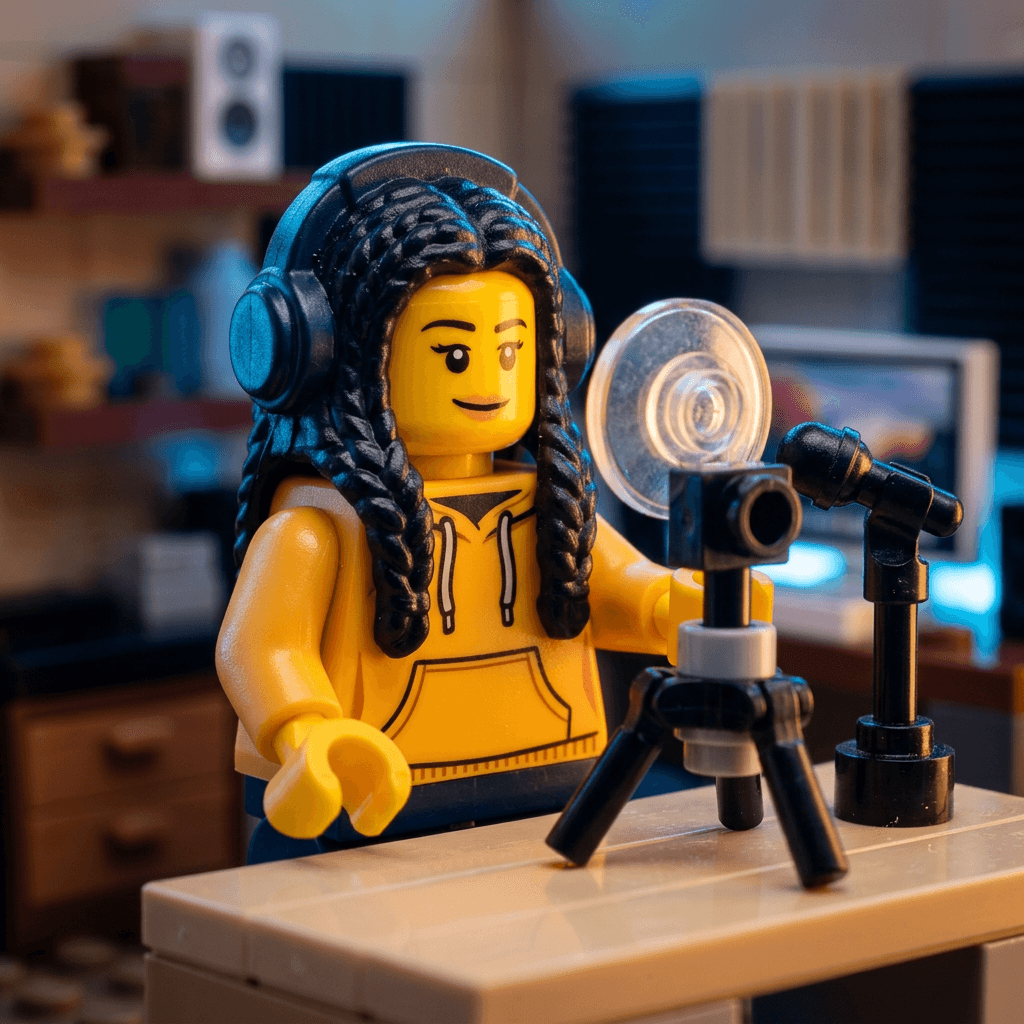
Creators can use this as a channel avatar, a banner element, or a recurring character in intros, and our guide to channel art, intros, and end screens shows how to extend one character across a whole channel.
11. Small Business Owner in a Brick-Built Shopfront
A storefront in bricks with the owner in the doorway, made for local shops and market sellers.
Create a brick-built storefront for my small business, a flower shop, with a minifigure of the person in my reference photo standing in the doorway in a printed apron, on a baseplate on a pine table. The storefront has a striped awning made of sloped pieces, window panes from transparent plates, flower buckets made from round 2x2 pieces with bright 1x1 round flowers, a blank sign board, and a plain placeholder tile with no text. Soft overhead daylight, medium macro, the entire facade in focus, visible studs on the roof and smooth tiles on the sidewalk, glossy ABS plastic, no logos or brand names, no readable lettering.
Because this is commercial content, use the generic wording from the trademark section in your captions and listings, and add your shop name afterward in an editor so the sign is spelled correctly.
4) Couple, Family and Pet Prompts
These prompts depend on how the figure's body actually works: C-shaped hands can touch and hook together, short legs make a child figure visibly smaller, and animals are built from bricks rather than turned into minifigures. Use only photos you took yourself or have permission to use, and be especially careful with photos of children.
12. Couple Holding Hands on a Baseplate
Two figures with their hands hooked together, good for anniversaries and wedding invitations.
Turn the two people in my reference photo into a pair of minifigures standing side by side on a green baseplate, their C-shaped hands touching and hooked together, dressed in the formal outfits from the photo with printed jacket lapels and a printed dress or tie, and hair pieces matching each person. Scatter small 1x1 round plates in pink and white as flowers around their feet, with a tiny arch built from white bricks behind them. Cylindrical heads with plain studs, printed smiling faces, glossy ABS plastic, soft late afternoon light from the left on a wooden table, close macro shot with the arch softly blurred, no logos, no text, no fingers, the two figures clearly different in hair and outfit.
The image below is the output of this prompt, with the two people described as a man with short dark hair, a printed gray suit and a blue tie, and a woman with long wavy brown hair and a printed white dress.
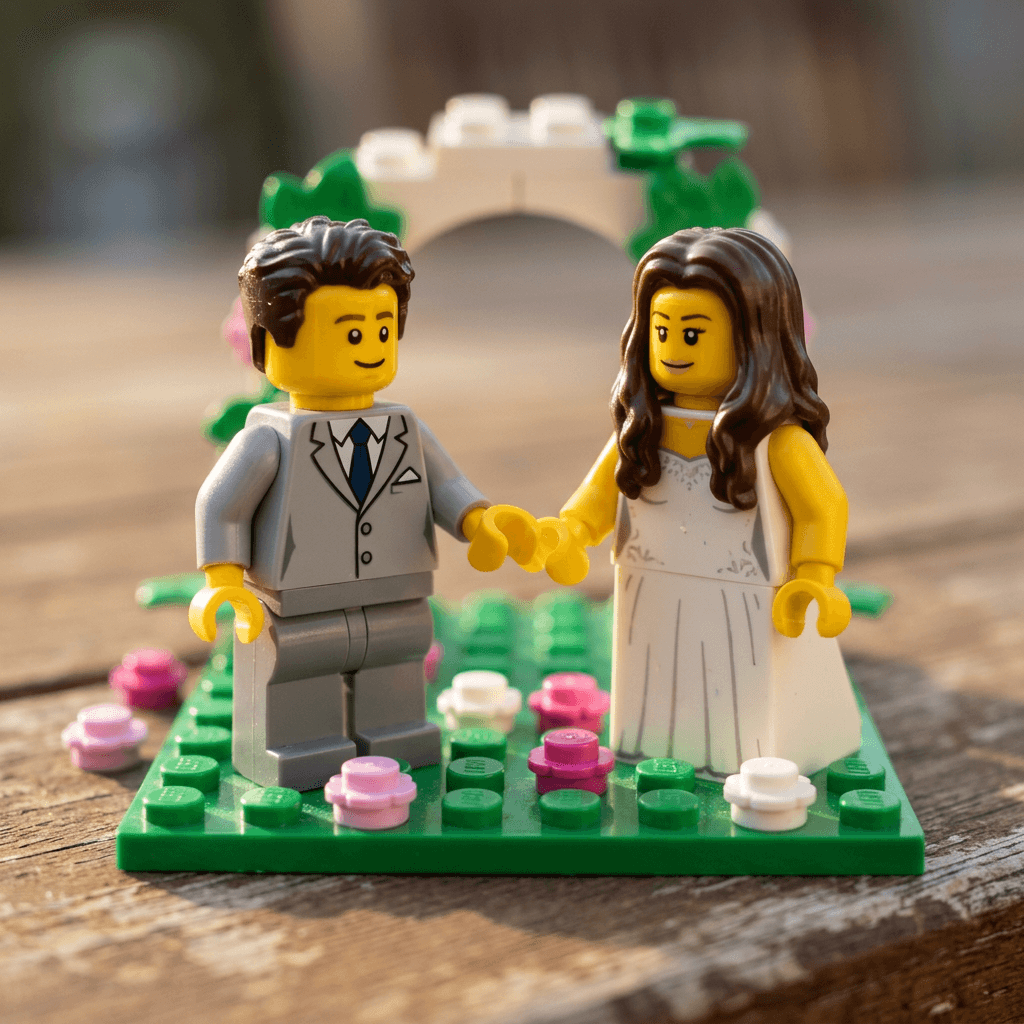
For the realistic-photo version of couple content, see the AI couple selfie prompts.
13. Family Lineup With Child Figures
Different leg pieces make the heights honest, which is the detail that makes a family lineup read as real.
Turn the family in my reference photo into a lineup of minifigures on a gray baseplate: two adults with standard legs and hip pieces, and two children with shorter one-piece legs and no hip joint so they stand visibly smaller, each with a printed face, a hair piece and printed clothes copied from the photo, and a small brick-built dog sitting at the front. Cylindrical heads with plain studs, C-shaped hands, glossy ABS plastic, warm morning window light from the right on a pale wood tabletop, medium macro shot with all figures in focus, no logos, no text, no sculpted realistic faces.
If you are curious about the "you look like your parents" side of family content, our family look-alike prompts explore that angle.
14. Pet and Owner With a Brick-Built Animal
The minifigure body only fits humanoid shapes, so the pet becomes a small brick sculpture next to you.
Create a brick-built model of my pet, a golden retriever, using stacked bricks, slopes and round plates in the coat colors from my reference photo, sitting next to a minifigure of me with the hair piece and printed outfit from my photo, one C-shaped hand resting on the dog's head. The pet is a small brick-built animal sculpture with round tile eyes and a black nose plate, not a minifigure. On a warm wooden floor in front of a window, soft morning light, close macro shot, shallow depth of field, visible studs on the top surfaces, glossy ABS plastic, no logos, no text, no distorted proportions.
More pet-focused ideas are in our guides to pet-to-human transformations, pet costume portraits, and pet brand content.
5) Brick-Built World Prompts
Here the scenery is the subject. These prompts lean on the stud, plate, and tile rules from the anatomy section, and the third one keeps the person real, which is the least common version of the trend.
15. Your Room, Rebuilt in Bricks
A shoebox-sized diorama of a real room, with a figure of you at the desk.
Rebuild the room in my reference photo as a brick-built diorama about the size of a shoebox, with every object made from bricks, plates and tiles: the desk, chair, bed, bookshelf, plants and rug in the same colors and positions as the photo, smooth tiles for the floor and screens, visible studs on the bed and desk surfaces, clear 1x2 pieces for the window, and a minifigure of me with the printed outfit and hair piece from my photo seated at the desk. Photographed from a high three-quarter angle on a wooden table, soft daylight from the left, glossy ABS plastic in saturated colors, the whole scene in sharp focus, no logos, no readable text, no melted or smoothed details.
The image below is the output of this prompt, with the room described as a bedroom with a desk and brick-built monitor, a bed with a striped blanket, a bookshelf of colored tiles, a green plant, and a round rug, and the figure described as a man with a buzz cut and printed glasses.
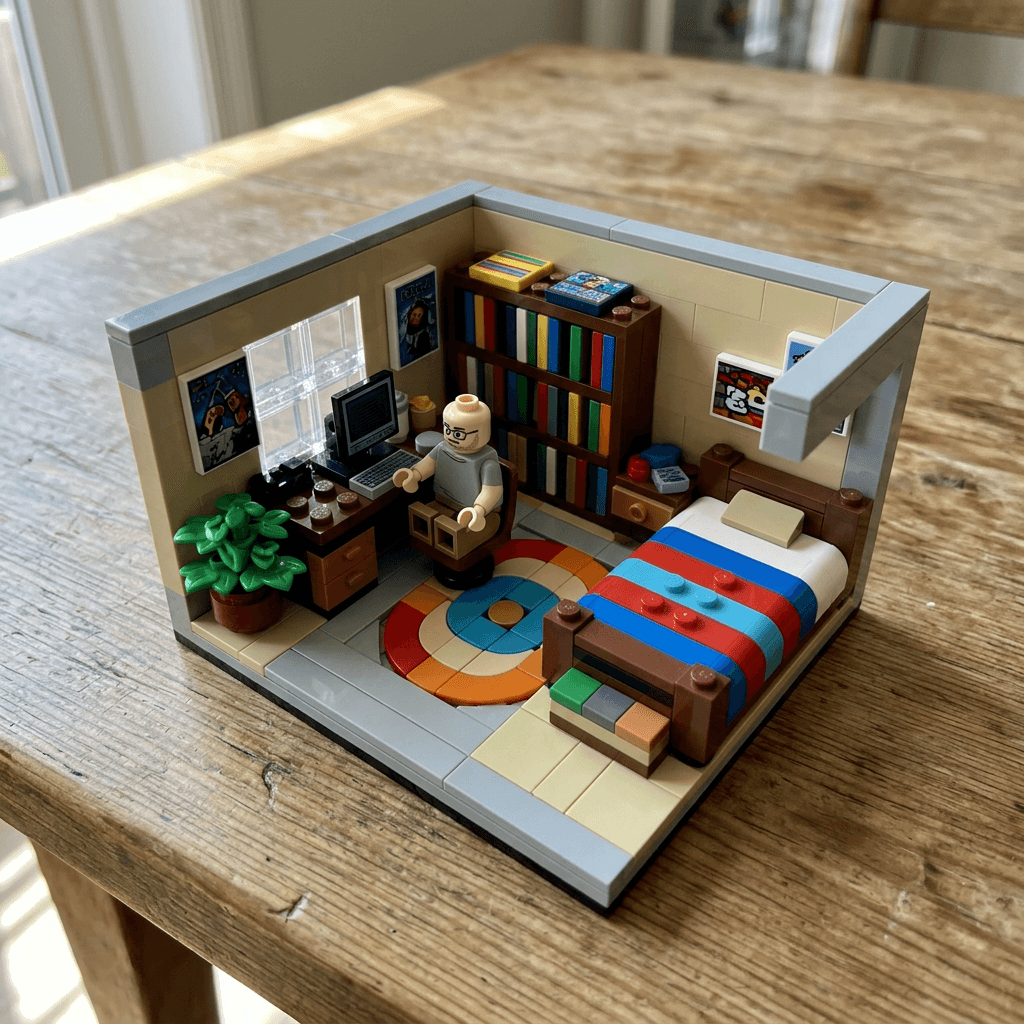
This overlaps with real-world interior work, so if you design rooms professionally, our interior design portfolio prompts cover the realistic version, and the miniature diorama pack covers the clay and handmade versions of the same idea.
16. Neighborhood Skyline or Landmark
A street or landmark in bricks, with a figure for scale.
Build a brick-built model of my neighborhood skyline, a row of narrow townhouses and one tall clock tower, using stepped bricks for facades, transparent plates for windows, sloped pieces for roofs, smooth tiles for sidewalks, and studs left visible on the rooftops and a lawn. A minifigure stands in front for scale, about as tall as the front door, wearing a printed raincoat. On a gray baseplate on a wooden table, overcast window light from the left, low macro angle looking up the street, tall buildings in focus with the sky softly out of focus, glossy ABS plastic, no logos, no text on signs.
Name a real landmark (a bridge, a lighthouse, a famous tower) instead of a neighborhood, and the model will usually keep the proportions recognizable if you list the two or three features that define it.
17. Real Person in a Brick World
The person stays photographic and the city turns into bricks.
Keep the person in my reference photo exactly as they are, a real photographic person with unchanged face, skin, hair and clothes, standing on the sidewalk of a toy-scale city made entirely of interlocking bricks, with brick-built buildings no taller than their waist, brick cars about the size of their shoes, and brick trees and street lamps, with studs visible on roofs and baseplate streets. Photographed from a low angle like a giant walking through a model town, soft overcast daylight, the real person sharp and the brick city detailed, realistic scale and shadows where the person's feet meet the baseplate, no logos, no text, no changes to the person's face.
If the face drifts, generate the brick city on its own first and then use an image editor with inpainting to place your original photo back in, which is faster than waiting for a model to preserve a face perfectly. Miraflow's image inpainting workflow explains how to mask and replace only one region.
18. Brick Mosaic Portrait
A wall portrait built from round plates, which is a different skill from a minifigure.
Recreate my reference photo as a mosaic portrait built from round 1x1 plates on a square baseplate, using only twelve colors from near-black through warm skin tones to white, shot straight on from above so the grid of round studs is clearly visible, with the face large in the frame and strong contrast around the eyes, hair and shoulders so the likeness survives the low resolution. Soft overhead light with a gentle shine on each round stud, thin dark gaps between studs, sharp focus across the whole panel, resting on a wooden desk with a thin strip of the wood visible at the edge, no frame, no logo, no text, no smoothing into a photograph.
The image below is the output of this prompt, with the reference photo replaced by a description of a smiling woman with shoulder-length wavy hair and a round-neck sweater.
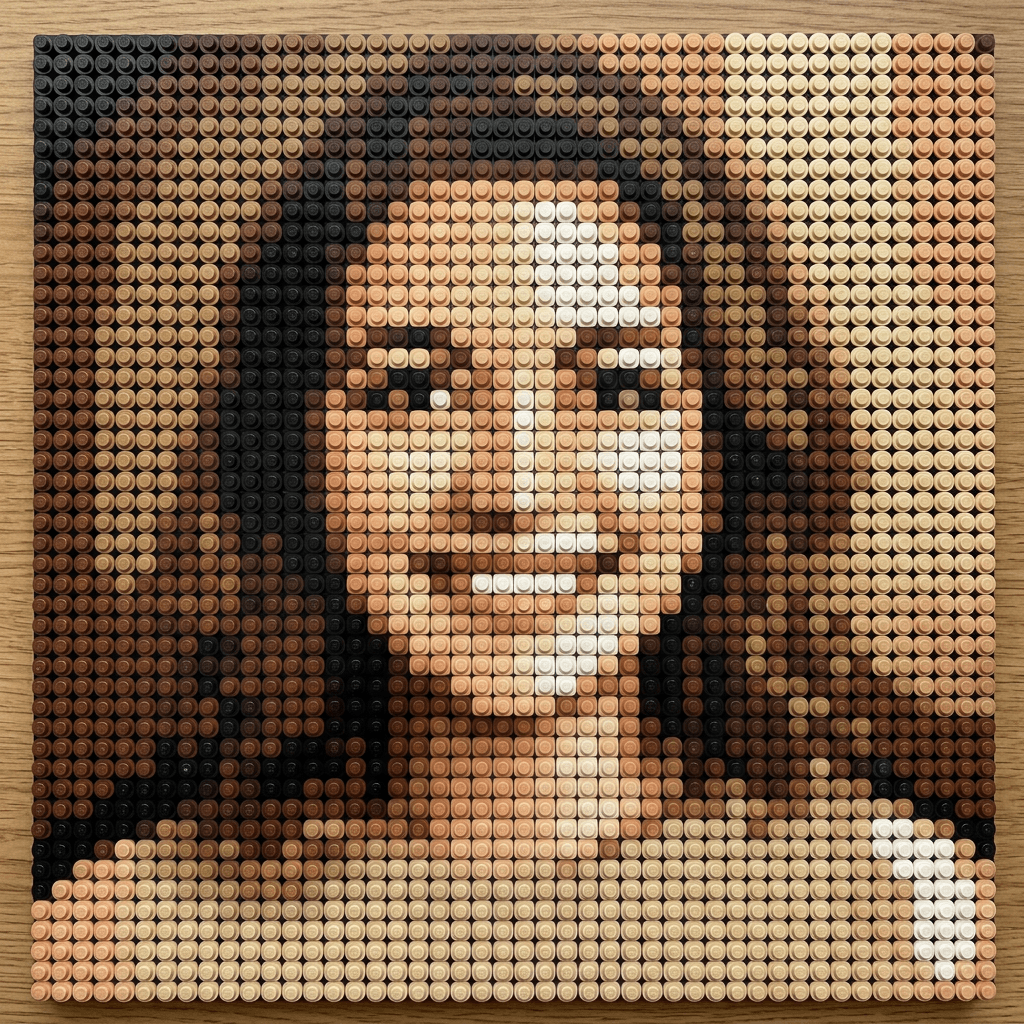
Mosaics lose detail fast, so choose a photo with a plain background, strong lighting, and a face that fills most of the frame, and expect to try a few crops before one reads clearly.
6) Image-to-Video Prompts and a Shorts Recipe
A minifigure is a good subject for video because its motion is limited and physical: parts snap together, legs swing from the hip, and the head never turns on its own. That predictability helps image-to-video models stay consistent, which is the usual weak spot. Start from a still you made above, keep each clip to 5 or 6 seconds, and write only one action per clip. The same logic behind our photo-to-video prompts applies here.
19. Snap-Together Assembly
The "snapping into a minifig" video, using the exploded-parts image from the anatomy section as the first frame.
Image-to-video, 6 seconds, locked top-down camera. Start from the attached still of loose minifigure parts on an oak desk: a hair piece, head, torso, hip piece, legs, arms and C-shaped hands. The parts slide into place one at a time with tiny bounces and soft plastic clicks: the legs clip into the hip piece, the hip piece clips under the torso, the arms and C-shaped hands snap on, the head drops onto the neck post, and the hair piece lands last on the stud. End on the finished figure standing still and facing the camera with a small final wobble, soft window light, glossy ABS plastic, no camera movement, no new objects, no morphing, no logos.
20. The Figure Walks Across the Desk
A short, loopable motion that respects how the legs actually work.
Image-to-video, 5 seconds, camera at desk height with a very slow push-in. Start from the attached still of a minifigure of me standing on a wooden desk. The figure takes four stiff steps toward the camera with the legs swinging forward and back from the hip piece, the arms swinging slightly with the C-shaped hands, and the head staying fixed and facing forward, with a tiny click of the feet on each step. Soft window light, background blurred, glossy ABS plastic. Keep the face print, hair piece and outfit identical in every frame, no stretching or bending at the knees, no morphing, no logos, no text.
A 20-second Shorts recipe
Put the two clips together with two stills and you have a complete Short about the trend:
- 0 to 2 seconds: your real selfie as the hook, which gives the viewer a reason to wait for the transformation. The first three seconds decide whether most people keep watching.
- 2 to 8 seconds: the snap-together clip from prompt 19, ending on the finished figure.
- 8 to 14 seconds: a slow push-in on the blister pack from prompt 5.
- 14 to 20 seconds: the walking clip from prompt 20, ending on a call to action.
Generate the clips in the cinematic video generator, then use Text2Shorts to turn the idea into a vertical Short with a script, scene visuals, and voiceover, and add a soundtrack from the AI music generator. For the formats that tend to travel, our guides to AI Shorts formats that go viral and AI-generated meme videos are good next reads, and TikTok's own tools for turning images into video are covered in our TikTok image-to-video explainer.
How to Customize These Prompts
A few habits make the difference between a one-off result and a repeatable series.
- Write a figure spec once and paste it into every prompt. Models drift between generations, so a fixed description of your figure keeps the series consistent. For example:
My figure spec: classic yellow skin tone, cylindrical head with one plain stud, flat printed face with two black dot eyes, simple eyebrows and a small smile, a separate molded auburn ponytail hair piece, printed round glasses, a printed teal hoodie with drawstrings, dark printed jeans, C-shaped clip hands with no fingers, glossy ABS plastic.
- Choose the skin-tone convention and keep it. Mixing yellow and natural tones in the same series looks accidental.
- Change the light, not just the scene. Window light from the left gives a clean product look, a warm desk lamp gives a cozy workshop feel, and overhead softbox light is best for flat-lays and packaging. Name one light source and its direction.
- Control scale with a real object in the background. A blurred real keyboard, mug, or notebook tells the viewer the figure is 4 centimeters tall, and it is the cheapest way to make the image read as macro photography.
- Set the aspect ratio for the destination. Use 1:1 for feed posts and flat-lay packaging, 4:3 for blog and product images, 16:9 for thumbnails and banners, and 9:16 for Shorts, Reels, and TikTok covers.
- Fix small problems with editing instead of regenerating. If a hand has fingers or a stud has lettering, mask just that area and regenerate it. The Miraflow image generator supports editing and inpainting, and our beginner walkthrough of the Miraflow image workflow shows the steps.
- Learn the general prompt structure. The patterns in our viral image prompt guide (subject, material, light, lens, exclusions) are what every prompt above follows, so once you know them you can invent your own variants.
Common Mistakes to Avoid
- Letting the head become a sphere. If the figure comes back with a round head and no stud, the model has fallen back to a generic toy. Add "cylindrical head with one plain round stud on top" and, if needed, "not a sphere".
- Asking for a realistic face. A minifigure face is flat and printed, so words like "detailed eyes", "natural skin texture", or "expressive" push the model toward a sculpted doll. Keep the face description to dots, eyebrows, and a small printed smile.
- Allowing fingers. C-shaped hands are the most frequent failure. Repeat "C-shaped clip hands with no fingers and no thumbs" and give the hand something with a handle to hold.
- Letting the brand name appear. Image models often print the brand name on studs, boxes, and baseplates. Ask for plain studs, check at full zoom, and use inpainting to remove any lettering before you post.
- Losing scale. A figure that is as large as the bricks around it looks like a big plastic toy rather than a 4 centimeter figure. Include a real background object or a visible brick pitch to anchor the size.
- Over-polished renders. If every surface is perfectly smooth, the image reads as CGI. Mention mold seams at the joints, a crisp highlight on the head, shallow depth of field, and real wood grain.
- Turning pets into minifigures. The body is built for humanoid shapes, so a dog becomes a strange hybrid. Build the pet from bricks and slopes and keep the minifigure for the person.
- Using other people's photos carelessly. Family and couple prompts depend on a real photo, so use images you own or have permission to use, avoid posting minors' likenesses publicly without a parent's consent, and keep public examples synthetic.
- Putting the brand name in commercial titles. Listings, ads, and file names that lean on the trademark invite problems. Use "interlocking brick toy figure" or "building-block minifigure style" instead.
- Expecting garbled text to fix itself. Leave signs, name labels, and box titles blank and add real text afterward in an editor.
Make the Whole Brick-Figure Series in One Place With Miraflow
You can run this entire workflow in one browser tab. Upload a selfie to the Miraflow AI Image Generator, generate your figure and packaging, fix small details with image editing and inpainting, and keep the figure spec from the customization section as a saved note so every image matches. For the video prompts, the cinematic video generator animates your stills, Text2Shorts builds the vertical Short, and the AI music generator adds a soundtrack.
If you publish on YouTube, the YouTube Thumbnail Maker turns your expression row or creator figure into a cover, and if you already have a long video, AI Clipping can cut it into captioned Shorts. Everything lives on the Miraflow home page, so a full minifigure campaign, from the first still to the last Short, stays in one place. If you want a deeper look at turning the same photo into other toy styles, our 50 prompts that look like real photos is a good companion.
Frequently Asked Questions
How do I turn myself into a LEGO minifigure with AI?
Upload a clear, front-facing photo to an image generator that accepts a reference image, then paste a prompt that names the minifigure anatomy: a cylindrical head with a stud on top, a flat printed face, a separate hair piece, C-shaped clip hands, and rigid legs. Prompt 1 in this post is a ready-made starting point, and you can run it in the Miraflow AI Image Generator with your photo as the reference.
Why does my AI minifigure have fingers or a round head?
The model is falling back to a generic toy shape because the prompt did not describe the real parts. Add "cylindrical head with one plain round stud on top" and "C-shaped clip hands with no fingers and no thumbs", and run the diagnostic prompt in the anatomy section to see whether your tool understands the parts at all.
Is it okay to use the LEGO name and logo in AI images?
LEGO's Fair Play policy covers non-commercial references, says the logo should not be used on unofficial sites, and says the trademark should be used as an adjective and not unduly emphasized. For commercial work, describe the style as an interlocking-brick toy figure, keep every logo out of the image, and ask an intellectual property professional if you plan to sell products.
Why does "LEGO" show up on the studs in my images?
Genuine bricks typically carry the brand name molded on their studs, and image models copy that detail. Ask for "plain studs with no lettering", zoom in to check, and mask and regenerate any stud that still has text.
Can I sell AI minifigure portraits or put them in ads?
That depends on your country and on how you describe and present the product, so get professional advice before you sell. As a general rule, use generic wording, avoid the logo and any licensed characters, do not imply the toy company endorses you, and disclose that the images are AI-generated.
What is the best photo to upload for a minifigure portrait?
A front-facing, evenly lit photo of one person with the face large in the frame, glasses and hats visible, and a plain background works best. Group photos are fine for couple and family prompts, as long as each face is clearly visible and the people are not overlapping.
What is the difference between a minifigure prompt and a Funko or action figure prompt?
A minifigure is rigid, printed, and made of interlocking parts with a stud-topped head and C-shaped hands, a Funko-style figure has an oversized round head with dot eyes, and an action figure is a poseable body with articulated joints. The anatomy words differ, so the Funko prompts and the action figure prompts are the better starting points if that is the look you want.
Can I animate a minifigure image?
Yes. Use the finished still as the first frame in an image-to-video tool, ask for one action per clip, such as parts snapping together or the figure walking, and lock the camera or use a very slow push-in. Prompts 19 and 20 are written for the cinematic video generator, and Text2Shorts can assemble the clips into a vertical Short.
What aspect ratio should I use?
Use 1:1 for feed posts and flat-lay packaging, 4:3 for blog and product images, 16:9 for thumbnails and banners, and 9:16 for Shorts, Reels, and TikTok covers.
Do I need ChatGPT or Gemini to make these?
No. The trend started in those apps, but any capable image generator that accepts a reference photo can produce the look when the prompt names the anatomy. You can run every prompt here in the Miraflow AI Image Generator.
Conclusion
The LEGO minifigure trend keeps returning because the format is instantly recognizable and has a satisfying reveal, and it keeps getting more interesting as creators move past the plain selfie version. The prompts above work because they describe the toy the way a builder would: a cylindrical head with one stud, a flat printed face, C-shaped hands, a hip piece, rigid legs, glossy ABS plastic, studs on roofs, and smooth tiles on floors.
Start with the diagnostic prompt and Prompt 1 to confirm your tool gets the anatomy right, then try one idea from each category that fits you: a blister pack, a job figure, a family lineup, a brick-built room, and the snap-together video. Keep the logo out of every image, use generic wording whenever the content is commercial, and add any text afterward in an editor. You can generate the whole series, from the first figure to the finished Short, in Miraflow.