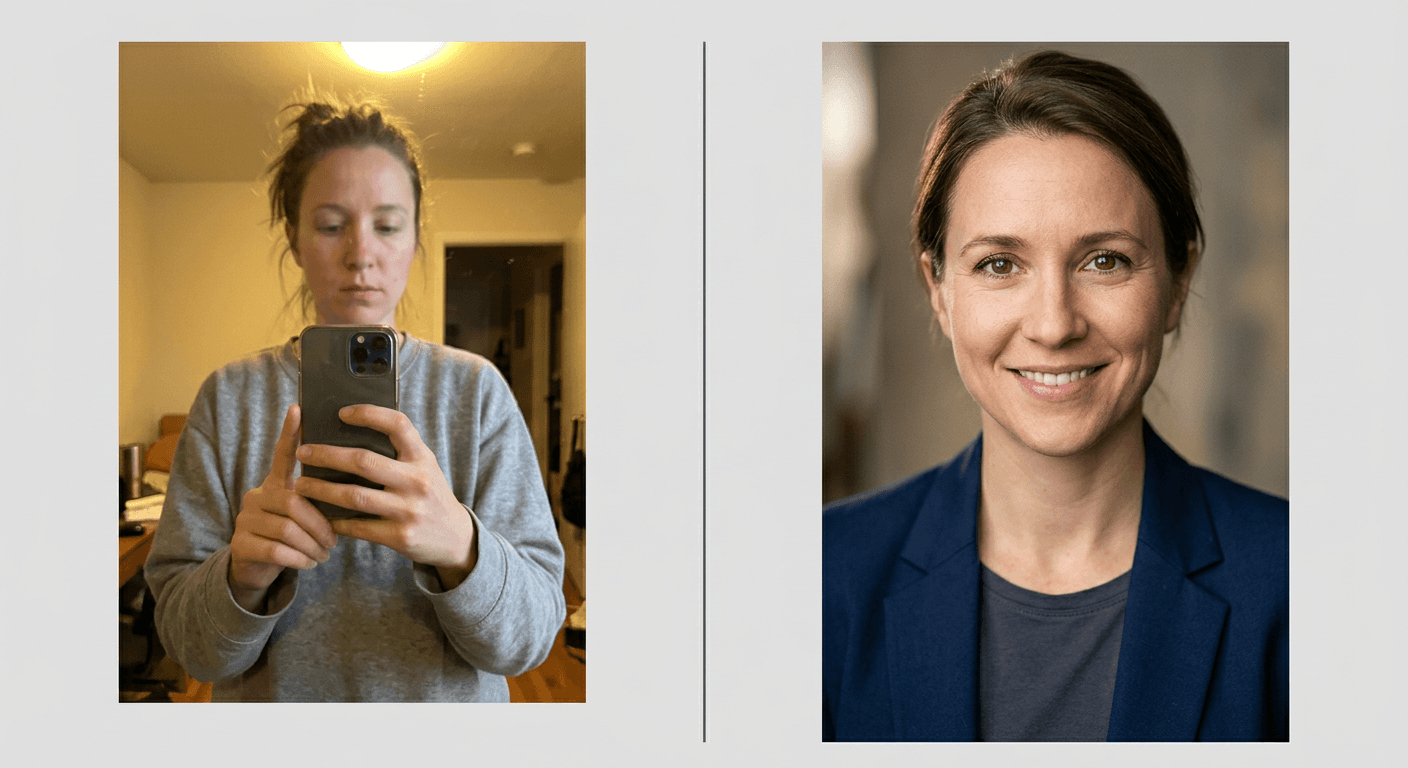
30 AI Profile Picture Prompts for YouTube, Instagram and TikTok (Copy & Paste 2026)

Written by
Aerin Kim
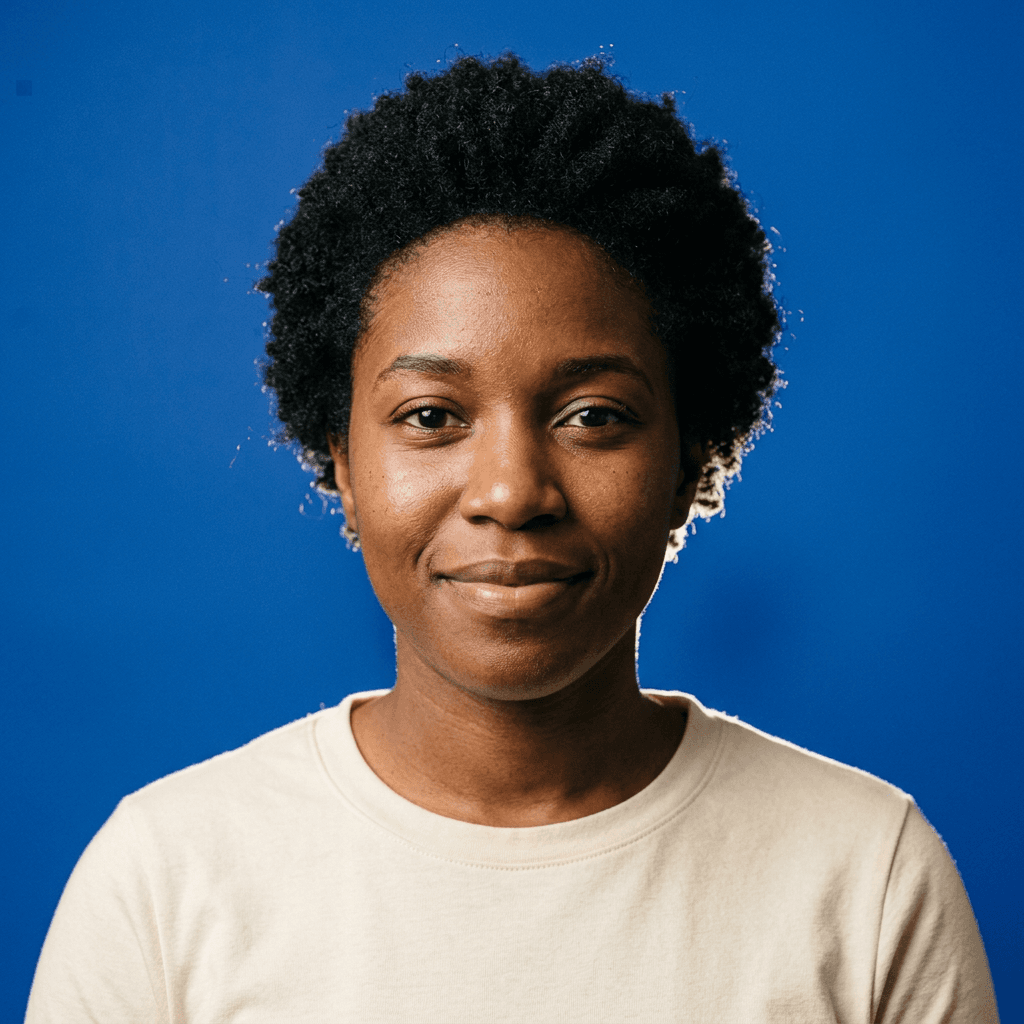
Your avatar shows up as a 98 px circle, so design for that. Get 30 copy-and-paste AI profile picture prompts for YouTube, Instagram and TikTok, plus a squint test and a circle-crop checklist.
You spent an evening getting the perfect portrait, uploaded it as your channel picture, and then saw it where your viewers actually see it: a tiny circle next to a comment, 98 pixels wide, where your face is a beige dot and the nice background is a smear. That is the real problem with most profile pictures. They are designed at full size and judged at a size nobody uses.
An AI profile picture fixes this if you give the model the right brief. Upload one clear selfie to an image-to-image tool, describe a tight, high-contrast, circle-safe framing, and tell the model to keep your real face. You get a photo-quality avatar in the color, light and style of your channel in a few minutes, without a studio or a photographer, which is why "AI profile picture", "AI pfp" and "YouTube profile picture ideas" are such common searches for anyone starting a channel or refreshing one.
This guide focuses on the tiny circle specifically. It gives you 30 copy-and-paste AI profile picture prompts for YouTube, Instagram and TikTok, grouped into six looks, plus the rules that decide whether an avatar works at small size: the circle-crop safe zone, the squint test, contrast in light and dark mode, and consistency across platforms. If you want a corporate headshot for LinkedIn, the AI headshot prompts for LinkedIn are the better fit. If you want a full brand photo set, see the personal branding photo prompts. For a glossy animated-movie look, the Pixar-style portrait prompts go further than the stylized section here.
TL;DR: How to Use These Prompts
- Open Miraflow's AI Image Generator, choose image-to-image and upload one sharp, front-facing selfie in even light.
- Pick the look that matches your channel palette and niche, paste the prompt and generate three or four versions.
- Every prompt asks for a square image, a centered head, a high-contrast backdrop and about 12 percent breathing room, so a circular crop does not cut off your hair or chin.
- Every prompt ends with a keep-identity line: same face shape, eyes, skin tone and texture, hairstyle, and no beautifying beyond lighting.
- Run the squint test on the winner by shrinking it to about one inch on your screen. If you can still see the face and the main color, upload it.
- Use the same final image on every platform, and match its color to your banner and thumbnails.
What an Avatar Actually Has to Do at 98 Pixels
A profile picture has one job: to be recognized as the same channel or person across dozens of small appearances. It sits beside comments, in subscriber lists, in search results, in suggested-channel strips, in Story rings and in chat sidebars. In most of those places it is a circle, it is small, and it sits next to other circles.
That changes how you judge a design. A good avatar has one clear subject, one dominant color, strong contrast between the subject and the backdrop, and almost no fine detail. A shot with a beautiful scene, a wide crop, a hat brim and small props will look great at 800 pixels and fall apart at 98.
Commonly Cited Platform Specs
Platform help pages change, and different sources sometimes disagree, so treat the table below as a planning guide and check the actual upload screen before you finalize a file.
| Platform | Commonly cited size | Shape | What to know |
|---|---|---|---|
| YouTube | Upload 800 x 800 px square; can display as small as 98 x 98 px | Circle | JPG, PNG, non-animated GIF or BMP; sources conflict on the file limit (4 MB vs 15 MB), so check the uploader |
| Commonly cited as displayed at about 110 x 110 px and stored at 320 x 320 px | Circle | Upload a larger square and check the preview | |
| TikTok | Commonly cited minimum of 200 x 200 px | Circle | Keep the face centered with margin |
| Discord | Sources conflict between 128 x 128 and 512 x 512 px | Circle | Upload a larger square and let the app downscale |
The practical conclusion is the same on every platform: export a square image at 800 by 800 pixels or larger, keep the important part in the center, and let the platform do the circular crop. Uploading larger than the minimum costs you nothing and keeps the image sharp on high-density phone screens. If you also need the wide formats for the same channel, the YouTube thumbnail size guide covers the other dimensions that matter.
The Circle-Crop Safe Zone
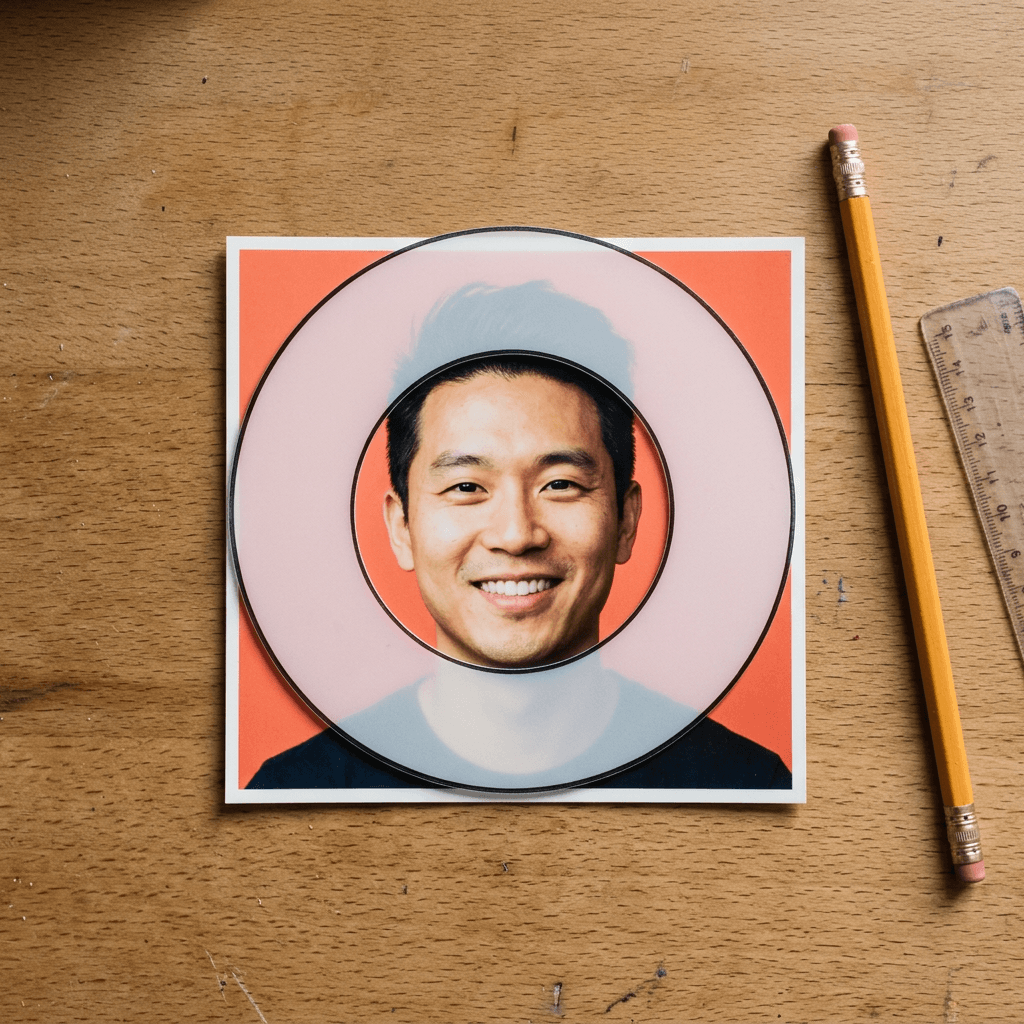
Every major platform shows your picture as a circle, which means the four corners of your square are thrown away. A circle inscribed in a square covers a little over three quarters of the square's area, so anything in the corners, such as a shoulder, a logo or the top of a tall hairstyle, can disappear or look cropped.
Use these working rules, all of which are already built into the prompts below:
- Keep the eyes slightly above the vertical center of the square, which is where the eye naturally reads a face.
- Leave roughly 12 percent of empty space between the top of the head and the edge of the square, so the circle never touches your hair.
- Keep shoulders short and low in the frame. They only need to fill the bottom edge, and the circle cuts them naturally.
- Do not place text, logos or small props in the corners.
- Put the face dead center horizontally unless the composition is deliberately off-balance with a color split.
A quick way to check is to print or draw a circle on a piece of paper, cut it out, and lay it over the preview. If anything that matters falls outside the circle, reframe before you upload.
The Squint Test
The squint test is the cheapest quality check in design. Shrink your avatar until it is about an inch wide on your monitor, step back from the screen, and squint. You should still be able to answer three questions: where is the face, what is the main color, and is there anything that looks like noise?
If the face disappears, the backdrop is too close in tone to your skin and hair, so change the backdrop color or add a rim light. If the main color is unclear, your image has too many competing colors, so simplify the clothing and the background. If fine detail looks like noise, such as patterned shirts, busy bookshelves or small props, replace it with a blurred or plain version.
Run the test on a real phone too. Send the file to yourself, open it as a contact photo, and look at it at arm's length. A tiny avatar is judged in half a second by someone scrolling, so the half-second reading is the one that counts.

Contrast in Light Mode and Dark Mode
Many people use a dark interface at least part of the time, and your avatar has to hold up on both. A circle with a white background looks crisp on a light page and glows like a hole on a dark page. A circle with a near-black background does the opposite, fading into a dark interface so the silhouette becomes invisible.
The safest choices are mid-tone or saturated backdrops such as cobalt, coral, emerald or violet, which keep a clear edge on both themes. A thin rim light around the head, as used in several prompts below, adds a bright edge that separates a dark backdrop from a dark interface. If you love a white or black backdrop, add a clear colored element, such as a colored top or a colored rim light, so the shape stays visible.
Match the Avatar to the Channel Brand
The best avatars are the smallest piece of a system that includes a banner, thumbnails, an intro card and a color palette. A viewer who sees a coral circle in the comments and then a coral thumbnail in their feed starts to connect the two without effort. The YouTube banner art prompts and the YouTube banner ideas with AI prompts show how to build the wide piece of the same system, and the guide to keeping a consistent YouTube thumbnail style with AI covers the repeating pattern that makes the avatar work as a brand marker.
How to Make Your AI Profile Picture Step by Step
The process is the same for every prompt in the pack, and it takes about ten minutes the first time.
- Take a good source selfie. Face a window or sit in open shade so the light falls evenly across your face. Hold the phone at eye level, keep the lens clean, look directly into the camera, and use a relaxed expression. Avoid sunglasses, heavy filters and a hat that hides the hairline, since the model can only preserve what it can see.
- Upload it to image-to-image. In Miraflow's AI Image Generator, switch to image-to-image, add the selfie and paste a prompt from this post. The prompts say "the uploaded selfie", so they work as written.
- Generate three or four versions. Small differences in expression and light matter at avatar scale, and a batch lets you choose the one that feels most like you.
- Compare against your selfie. Check face shape, eye spacing, skin tone and hairline. If the result looks like a prettier stranger, regenerate with a stricter identity line or a closer-cropped source photo.
- Run the squint test and the circle-crop check. Shrink it, then lay your circle over it.
- Export a square image and upload it everywhere. Use one file, so your avatar is identical on every platform.
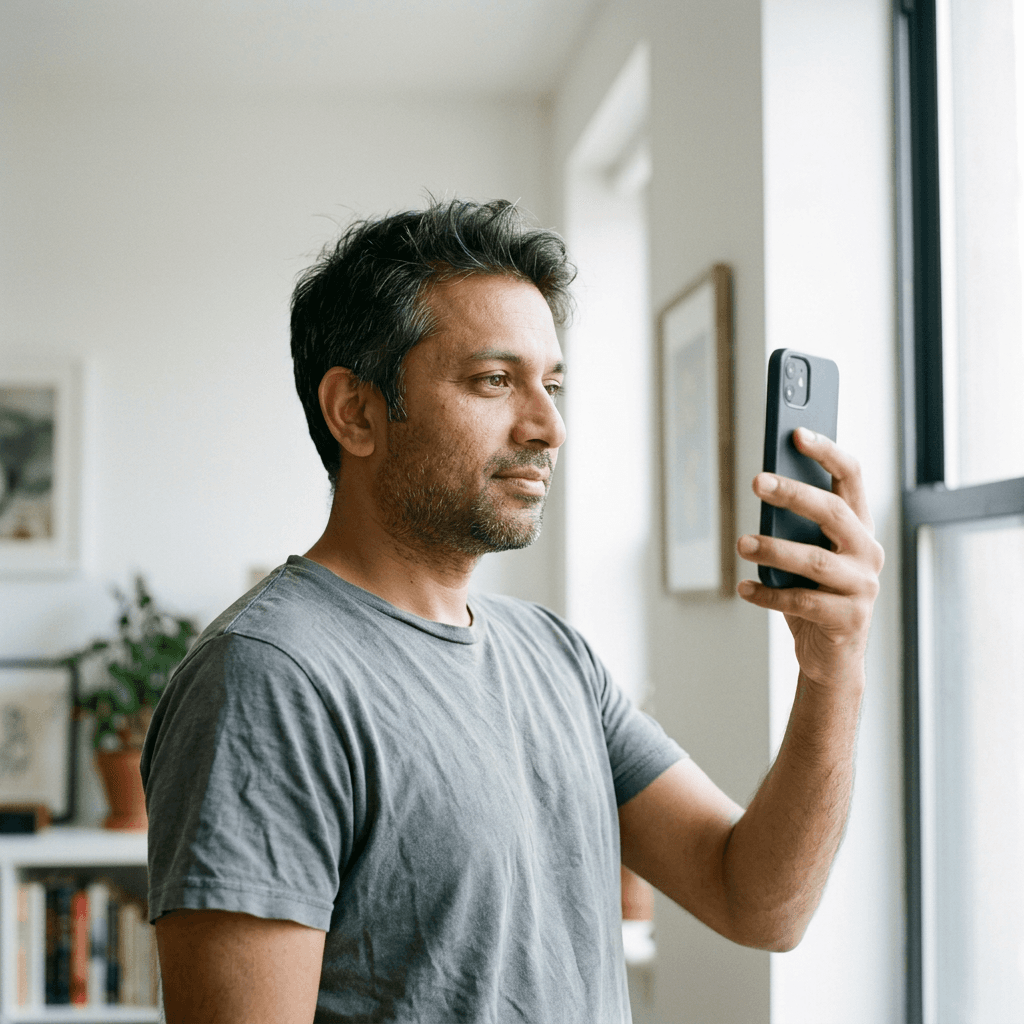
The skeleton behind every prompt is worth knowing so you can write your own: a lead line that says what the avatar is, the framing (head and shoulders, centered, 12 percent margin), the backdrop and color, one main light and one rim light with directions, the lens and aperture, the clothing, and finally the identity line and failure modes. The identity line is what keeps the result recognizable, which matters most for creators who appear on camera. If you plan to build several variations that all look like the same person, the guide to consistent AI characters across multiple images explains how to reuse the same reference.
1) Bold Studio Color Backdrop Avatars
These five are the workhorses. A saturated solid backdrop gives the circle a strong edge against any feed, the tight crop fills the circle with face instead of shoulders, and the single color becomes something your audience learns to associate with you. Pick the backdrop color from your channel palette first, then choose the prompt. If you are still deciding on a palette, the color block thumbnail prompts show how far one dominant color can carry a whole channel.
1. Saturated Cobalt Backdrop, Tight Crop
The default avatar for most channels: a face, a flat color and nothing else, which is exactly what survives a 98 px circle.
Transform the uploaded selfie into a square studio profile picture. I face the camera with a relaxed, confident half smile, head and upper shoulders only, with my eyes placed slightly above the center of the frame and about 12 percent of empty space around my head so a circular crop never touches my hair. Behind me is a seamless, evenly lit saturated cobalt blue paper backdrop. A large softbox in front and slightly above gives soft, even light on my face, with a small strip light behind and to the right adding a thin bright rim along my hair and shoulder. Shot on an 85mm lens at f/4 with both eyes sharp, in a plain solid-colored top that contrasts with the backdrop. Keep my real face exactly as in the uploaded selfie: same face shape, eyes, skin tone and texture, and hairstyle, with no beautifying beyond lighting, no plastic skin, no garbled text, no logo, no watermark.
Why it works at small size: Blue behind a warm skin tone is a complementary contrast, so the face separates from the background even when the image shrinks to a dot, and the plain top adds no competing detail.
2. Hot Coral Backdrop With a Contrast Rim Light
A warm, energetic option for lifestyle, beauty and vlog channels, with a rim light that traces the head so it still reads on a dark profile page.
Transform the uploaded selfie into a square studio profile picture against a seamless hot coral backdrop with a very slight vignette toward the corners. I look straight into the lens with a soft smile, head and shoulders framed tightly with my face filling about 60 percent of the frame width. Main light is a large softbox from the front left at a gentle angle, with a cooler white rim light from behind on the right outlining my hair and the edge of my jaw. Medium-telephoto look at f/4, crisp eyes, a charcoal crew-neck top with a visible fabric weave. Keep my real face exactly as in the uploaded selfie: same face shape, eyes, skin tone and texture, and hairstyle, with no beautifying beyond lighting, no plastic skin, no garbled text, no logo, no watermark.
Why it works at small size: The cool rim line gives the silhouette an edge, so in dark mode the head does not melt into a dark circle border, and the saturated coral keeps its identity in a tiny thumbnail.
3. Sunny Yellow Backdrop and Dark Clothing
Yellow is hard to ignore in a crowded comment section, and dark clothing keeps the face as the brightest warm shape on the canvas.
Transform the uploaded selfie into a square studio profile picture with a seamless sunny yellow backdrop. I wear a dark navy or black top and look into the camera with a natural, slightly amused expression, shoulders slightly angled and head turned back toward the lens. A softbox directly in front and above gives even, flattering light with a soft shadow under the chin, and the yellow bounces gentle warm fill onto my cheeks. Tight head-and-shoulders crop with equal breathing room on all sides, 85mm lens at f/5.6, sharp eyes and visible skin texture. Keep my real face exactly as in the uploaded selfie: same face shape, eyes, skin tone and texture, and hairstyle, with no beautifying beyond lighting, no plastic skin, no garbled text, no logo, no watermark.
Why it works at small size: The strong light-to-dark step between the yellow backdrop and dark clothing creates a clear shape even at a thumbnail scale, and the angled shoulders make the pose feel alive instead of passport-stiff.
4. Deep Emerald Backdrop With a Warm Key Light
A richer, more premium color for finance, education and documentary channels, balanced by a warm light so skin stays natural against the cool green.
Transform the uploaded selfie into a square studio profile picture against a deep emerald green seamless backdrop. I look directly at the lens with a calm, assured expression, head and upper chest framed tightly and centered. The key light is a warm-toned softbox from the front right at 45 degrees, with a small dim fill on the left and a faint green-tinted rim light behind my shoulders. 85mm lens at f/4, eyes tack sharp, a light cream shirt with a visible linen texture that stands apart from the dark green. Keep my real face exactly as in the uploaded selfie: same face shape, eyes, skin tone and texture, and hairstyle, with no beautifying beyond lighting, no plastic skin, no garbled text, no logo, no watermark.
Why it works at small size: A light shirt against a dark backdrop makes a clear shoulder line, and the warm key keeps the face as the brightest, warmest point so the eye lands on it first.
5. Split Backdrop That Matches Your Channel Colors
A two-color backdrop is a quiet way to echo a banner or thumbnail palette without placing any text or logo in the avatar.
Transform the uploaded selfie into a square studio profile picture where the backdrop is split cleanly down the middle behind my head into two flat color panels, deep violet on the left and bright orange on the right, with a crisp straight seam. I sit centered, facing the camera with a friendly expression, head and shoulders framed tightly with equal space on both sides. A softbox from the front gives soft, even light, with a thin white rim light from behind. 85mm lens at f/4, sharp eyes, a plain off-white top. Keep my real face exactly as in the uploaded selfie: same face shape, eyes, skin tone and texture, and hairstyle, with no beautifying beyond lighting, no plastic skin, no garbled text, no logo, no watermark.
Why it works at small size: The seam sits behind the face and passes through the center of the circle, which gives the avatar a recognizable structure at tiny sizes, and both colors can be matched to your banner.
2) Creator-at-Work Context Avatars
Context can tell a new viewer what your channel is about before they read a single word, but only when the context stays simple. The rule in this section is one background cue, heavily blurred, and nothing in the frame that needs more than a second to recognize. If you want the full kit for a niche, the gaming and streamer brand content prompts and the fitness brand content prompts go deeper on scenes and gear.
6. Gamer With Soft RGB Rim Light
A gaming avatar that hints at a setup with colored glow, while the face remains the sharpest and brightest thing in the circle.
Transform the uploaded selfie into a square profile picture of me in a dim gaming room, head and shoulders, centered, looking at the camera with a confident grin. Soft magenta light from the left and cyan light from the right form two colored rim lights on my hair and cheeks, while a small, soft white light from the front keeps my face evenly exposed. Behind me, an out-of-focus monitor glow and a blurred shelf with a few tiny LED lights create round bokeh. I wear a plain dark hoodie and a simple wireless headset resting on my neck. 85mm lens at f/2, eyes sharp. Keep my real face exactly as in the uploaded selfie: same face shape, eyes, skin tone and texture, and hairstyle, with no beautifying beyond lighting, no plastic skin, no garbled text, no logo, no watermark.
Why it works at small size: Only two colors of glow and one blurred background keep the thumbnail legible, and the colored rim lights give a gamer identity that does not rely on any tiny detail.

7. Cook in a Kitchen With Out-of-Focus Pans
For food channels, a warm kitchen blur and a clean apron say what the channel is about without shrinking a recipe into the circle.
Transform the uploaded selfie into a square profile picture of me in a bright home kitchen, head and shoulders, smiling warmly at the camera. I wear a plain denim or white apron over a cream shirt. Soft daylight from a window on the left lights my face, with a bounce from a white counter on the right. Behind me, hanging copper pans and a window with green plants are heavily blurred into soft shapes at f/1.8. 85mm lens, sharp eyes, visible fabric texture in the apron, tight crop with my face filling most of the frame. Keep my real face exactly as in the uploaded selfie: same face shape, eyes, skin tone and texture, and hairstyle, with no beautifying beyond lighting, no plastic skin, no garbled text, no logo, no watermark.
Why it works at small size: The heavy blur melts all the kitchen clutter into warm color shapes, and the apron's straight collar line adds a clean base shape that survives shrinking.
8. Fitness Coach With a Light Chalk Haze
A stronger, more athletic look with directional light and a little gym atmosphere, kept simple so it still works in a small circle.
Transform the uploaded selfie into a square profile picture of me as a fitness coach, head and shoulders, with a determined but friendly expression and a light sheen of sweat on my forehead. I wear a fitted plain athletic top. A hard-edged key light from the upper left sculpts my face and shoulder, and a soft overhead gym light adds fill, with a faint haze of chalk dust catching the light behind me. The background is a heavily blurred gym with dark equipment shapes. 85mm lens at f/2.8, sharp eyes, realistic skin with natural texture. Keep my real face exactly as in the uploaded selfie: same face shape, eyes, skin tone and texture, and hairstyle, with no beautifying beyond lighting, no plastic skin, no garbled text, no logo, no watermark.
Why it works at small size: Directional light creates a strong light side and shadow side, which builds a bold shape in a tiny circle, and the dark blurred background keeps the face separated.
9. Musician With Headphones Around the Neck
A simple music cue: studio headphones and a warm practice-room glow, which reads well for producers, singers and instrument channels.
Transform the uploaded selfie into a square profile picture of me as a musician, head and upper shoulders, with relaxed eyes looking into the lens and a subtle smile. Large over-ear studio headphones with matte black cups rest around my neck, and I wear a plain dark jacket. Warm tungsten light from a lamp on the right lights my face, with a cool blue fill from the left, and the background is a blurred studio with soft golden bokeh dots. 85mm lens at f/2, eyes sharp, visible leather texture on the headphone band. Keep my real face exactly as in the uploaded selfie: same face shape, eyes, skin tone and texture, and hairstyle, with no beautifying beyond lighting, no plastic skin, no garbled text, no logo, no watermark.
Why it works at small size: The headphones add a bold round shape that echoes the circle, so the niche reads instantly, and the warm and cool light split gives a rich color contrast.
10. Tech Reviewer With One Gadget
A tech channel avatar that holds a single product near the face, which suggests reviews without needing any readable detail.
Transform the uploaded selfie into a square profile picture of me as a tech reviewer, head and shoulders, raising one eyebrow slightly with an interested smile. I hold a small, plain matte black gadget with no markings in one hand at chin height, with relaxed anatomically correct fingers. A softbox from the front left lights my face evenly, with a thin cool blue rim light from behind on the right. The background is a clean light gray wall with a soft vertical strip of white light, blurred at f/2.8. 85mm lens, sharp eyes, a plain mid-gray t-shirt. Keep my real face exactly as in the uploaded selfie: same face shape, eyes, skin tone and texture, and hairstyle, with no beautifying beyond lighting, no plastic skin, no garbled text, no logo, no watermark.
Why it works at small size: One simple object near the face adds story, and a blank, markless prop avoids the clutter and fake text that can appear on a tiny device.
11. Teacher at a Blank Chalkboard Wall
Education avatars can look friendly and approachable using a classic chalkboard backdrop with no writing on it at all.
Transform the uploaded selfie into a square profile picture of me as a teacher, head and shoulders, smiling warmly at the camera. I wear a plain warm mustard cardigan over a white shirt. A large window to my left gives soft daylight on my face, with a white card reflecting fill on the right. Behind me is a dark green chalkboard that is completely blank except for faint dust smudges, blurred at f/2.2. 85mm lens, sharp eyes, visible knit texture in the cardigan, centered with space around the head. Keep my real face exactly as in the uploaded selfie: same face shape, eyes, skin tone and texture, and hairstyle, with no beautifying beyond lighting, no plastic skin, no garbled text, no logo, no watermark.
Why it works at small size: The mustard cardigan against the dark green board is a high-contrast pair, so the figure pops out of the background and the friendly face stays in the center of the circle.
3) Natural Light and Outdoor Avatars
Real light is the fastest way to make an AI portrait feel like a person instead of a render. These four are the most realistic of the pack, and they pair well with channels about travel, lifestyle, wellness, commentary or anything where authenticity matters more than polish. The skin tricks in the guide to making AI images look like real photos apply directly here.
12. Golden Hour Backlit Outdoor Portrait
Warm low sun behind your head paints a bright halo around the hair, which is one of the most readable shapes you can put in a circle.
Transform the uploaded selfie into a square outdoor profile picture at golden hour, head and shoulders, with a relaxed natural smile toward the camera. The low sun sits behind me and to the left, creating a glowing rim light on my hair, while a large white reflector or open sky fills my face with soft warm light. I wear a simple neutral-colored top. The background is a field or park with tall grass and trees melting into warm orange and green bokeh. 85mm lens at f/1.8, eyes sharp, a few flyaway hairs lit by the sun. Keep my real face exactly as in the uploaded selfie: same face shape, eyes, skin tone and texture, and hairstyle, with no beautifying beyond lighting, no plastic skin, no garbled text, no logo, no watermark.
Why it works at small size: The bright halo around the hair gives the head a clear outline against the background, and the warm tones feel inviting when they appear next to colder interface colors.

13. Soft Overcast Window Light
The most flattering indoor light, with no harsh shadows and a calm background, which works well for coaches, writers and educators.
Transform the uploaded selfie into a square profile picture of me sitting beside a large window on an overcast day, head and shoulders, with a soft, thoughtful half smile. The window light comes from the left, wraps softly around my face and leaves a gentle shadow on the right side, with a white wall on the right bouncing a little fill. I wear a textured oatmeal sweater, and a blurred bookshelf and a green plant sit in the background. 85mm lens at f/2, sharp eyes, natural skin texture with visible pores. Keep my real face exactly as in the uploaded selfie: same face shape, eyes, skin tone and texture, and hairstyle, with no beautifying beyond lighting, no plastic skin, no garbled text, no logo, no watermark.
Why it works at small size: A calm, evenly lit face stays recognizable when the image shrinks, and the soft gradient across the face gives depth without a busy background.
14. City Night With Neon Bokeh
A moodier, urban option for commentary, music and nightlife channels, where the bokeh lights frame the face like a halo.
Transform the uploaded selfie into a square profile picture taken on a city street at night, head and shoulders, with a cool, composed expression. Warm streetlights and colored neon signs far behind me are completely blurred into large round bokeh circles in orange, pink and teal. A soft light from a storefront in front and to the left illuminates my face, and a faint colored rim light edges my shoulders. I wear a dark jacket with the collar up. 85mm lens at f/1.4, sharp eyes, subtle realistic skin texture. Keep my real face exactly as in the uploaded selfie: same face shape, eyes, skin tone and texture, and hairstyle, with no beautifying beyond lighting, no plastic skin, no garbled text, no logo, no watermark.
Why it works at small size: The bright circles of bokeh sit around the head and echo the circular crop, and the lit face remains the brightest warm point in an otherwise dark image.
15. Open Shade Under Green Trees
Even, shadowless light in a park, a good everyday choice that feels fresh and works in both light and dark mode.
Transform the uploaded selfie into a square outdoor profile picture, head and shoulders, standing in open shade under a canopy of green trees, smiling naturally toward the camera. Soft, even skylight lights my face from the front, with a bright glow behind me from a sunlit clearing creating a creamy light-green background at f/2. I wear a plain white or light blue shirt that clearly stands out against the leaves. 85mm lens, sharp eyes, realistic skin tone and texture, centered with a little space above my head. Keep my real face exactly as in the uploaded selfie: same face shape, eyes, skin tone and texture, and hairstyle, with no beautifying beyond lighting, no plastic skin, no garbled text, no logo, no watermark.
Why it works at small size: Mid-green behind a light shirt gives clean separation, and the bright blurred clearing behind the head lifts the face away from the circle edge.
4) Film, Analog and Black-and-White Avatars
Film looks give an avatar personality that a standard smartphone selfie lacks, and they stay consistent over time because grain and color grading become a signature. These five lean on contrast and color rather than detail, which is why they hold up when small. For more of this aesthetic, the guides to film grain and imperfect photo prompts and flash filter prompts go deeper.
16. Portra-Style Warm Film Portrait
Soft pastel skin tones, gentle grain and slightly faded highlights give a warm, friendly face for lifestyle, art and vlog channels.
Transform the uploaded selfie into a square profile picture that looks like it was shot on warm, fine-grain color negative film, head and shoulders, with a soft natural smile. Soft daylight from a window on the left lights my face with creamy, slightly lifted highlights and gentle, warm skin tones, with visible fine film grain and a subtle faded blacks look. The backdrop is a plain peach-toned wall with a soft shadow. I wear a simple cream top. 50mm lens at f/2.8, eyes sharp, natural skin texture. Keep my real face exactly as in the uploaded selfie: same face shape, eyes, skin tone and texture, and hairstyle, with no beautifying beyond lighting, no plastic skin, no garbled text, no logo, no watermark.
Why it works at small size: A simple warm palette and a calm background survive downsizing, and the grain disappears at small size, leaving only warm, soft skin tones that feel kind.
17. Tri-X Style High-Contrast Black and White
Black and white removes color from the equation, which makes it a safe avatar choice when you want the face and expression to do all the work.
Transform the uploaded selfie into a square high-contrast black-and-white profile picture in the style of classic 400-speed black-and-white film, head and shoulders, with a serious, direct gaze at the camera. A single hard light from the upper left makes a strong highlight on my cheekbone and a deep shadow on the right side of my face, against a dark gray seamless backdrop with a slight gradient. Visible, rich grain, deep blacks and bright but not clipped whites. I wear a dark crew-neck top. 85mm lens at f/4, sharp eyes. Keep my real face exactly as in the uploaded selfie: same face shape, eyes, skin tone and texture, and hairstyle, with no beautifying beyond lighting, no plastic skin, no garbled text, no logo, no watermark.
Why it works at small size: Strong tonal contrast reads like a graphic shape even at a thumbnail scale, and a monochrome avatar automatically looks tidy next to any banner color.

18. Direct Flash Snapshot
The compact-camera flash look is popular for casual, personality-led channels, with bright skin and a slightly harsh background shadow.
Transform the uploaded selfie into a square profile picture that looks like a candid snapshot taken with a compact camera and a direct on-camera flash, head and shoulders, with an unposed grin looking right at the lens. The flash lights my face brightly and evenly with a small hard shadow behind me on a plain light wall, with slightly overexposed highlights on the forehead and a cool dark fall-off at the edges. I wear a bold red top. 28mm equivalent lens, visible fine grain, natural skin with real texture and shine. Keep my real face exactly as in the uploaded selfie: same face shape, eyes, skin tone and texture, and hairstyle, with no beautifying beyond lighting, no plastic skin, no garbled text, no logo, no watermark.
Why it works at small size: The high-key flash lights the face to its brightest, so the avatar pops on dark profile pages, and the solid red top gives a clear base color.
19. Tungsten Night Film Look
A cinematic, slightly moody portrait with warm practical lights and cool shadows, a good match for storytelling and film-review channels.
Transform the uploaded selfie into a square profile picture that looks like it was shot on tungsten-balanced cinema film at night, head and shoulders, looking slightly off-axis toward the lens with a calm expression. A warm tungsten lamp on the left lights my face, with a cool blue shadow side on the right and a soft red glow around the brightest highlights behind me. The background is a dark street with blurred warm lights. Visible grain, 50mm lens at f/1.8, sharp eyes, natural skin texture. Keep my real face exactly as in the uploaded selfie: same face shape, eyes, skin tone and texture, and hairstyle, with no beautifying beyond lighting, no plastic skin, no garbled text, no logo, no watermark.
Why it works at small size: Two clear color zones, warm face and cool shadow, create a distinct shape in a tiny circle, and the dark backdrop stays out of the way.
20. Square Instant-Film Portrait
A soft, nostalgic look with faded colors and gentle blur, good for craft, journaling and cozy channels.
Transform the uploaded selfie into a square profile picture in the style of an instant film print, head and shoulders, with a warm, gentle smile. Soft daylight from the left gives low-contrast lighting with a slight green-teal shift in the shadows and warm, creamy highlights, gentle vignetting at the corners and slightly soft focus. The background is a plain pale blue wall. I wear a simple mustard knit top. 50mm lens, sharp-enough eyes, natural skin texture. Keep my real face exactly as in the uploaded selfie: same face shape, eyes, skin tone and texture, and hairstyle, with no beautifying beyond lighting, no plastic skin, no garbled text, no logo, no watermark.
Why it works at small size: Low-contrast pastel colors feel friendly and calm at a small size, and the pale blue background stays clean next to both white and black interface themes.
5) Stylized Versions of Your Own Face
Stylized avatars are popular for channels whose whole brand is a look, such as cartoon explainers, gaming, anime commentary or cozy art. They also protect a little privacy, because the result is clearly an illustration of you. The prompts in this section produce illustrated styles from your selfie, so the finished avatar can match a stylized banner and logo. The Pixar-style portrait prompts cover the glossy 3D character look in far more depth, and the AI face sticker sheet prompts are useful for building matching emote and reaction sets. A caution: a stylized avatar can drift from your face more than a photo, so keep the identity clause and check the result against your selfie.
21. 3D Clay Figure
A soft, matte clay character with your hair, glasses and expression, great for channels with a handmade, friendly brand.
Transform the uploaded selfie into a square profile picture of a handcrafted 3D clay figure of me, head and shoulders, with a matte plasticine finish, visible fingerprint-like surface texture and slightly rounded, simplified features. Keep my hairstyle, hair color, glasses if any and skin tone, with a big friendly smile and large clear eyes. The figure sits against a flat solid pastel mint backdrop. Soft studio light from the front left with a gentle shadow on the right, shallow depth of field and a macro look, as if photographed on a tabletop. Keep my real face exactly as in the uploaded selfie: same face shape, eyes, skin tone and texture, and hairstyle, with no beautifying beyond lighting, no plastic skin, no garbled text, no logo, no watermark.
Why it works at small size: Rounded, simplified forms and a flat pastel backdrop give a bold, readable silhouette, and the eyes and smile stay large enough to read in a tiny circle.
22. Anime Cel Style
A clean cel-shaded portrait with confident lines, for anime commentary, gaming and VTuber-adjacent channels.
Transform the uploaded selfie into a square profile picture in a polished anime cel-shaded illustration style, head and shoulders, with clean line art, flat shading, large expressive eyes and a slight smile. Keep my real hairstyle, hair color, skin tone and distinctive features such as glasses or freckles. The background is a flat gradient of soft sky blue to lavender with a few simple sparkles. Light comes from the upper left with a single crisp shadow shape under the chin and along the hair, and the character fills the frame with space around the head. Keep my real face exactly as in the uploaded selfie: same face shape, eyes, skin tone and texture, and hairstyle, with no beautifying beyond lighting, no plastic skin, no garbled text, no logo, no watermark.
Why it works at small size: Flat color areas and thick outlines are built for small sizes, and the single gradient backdrop keeps the character from blending into the interface.
23. Comic Ink Portrait With Halftone Dots
Bold black outlines, flat colors and halftone shading give a graphic pop-art look that is very sharp when shrunk.
Transform the uploaded selfie into a square profile picture in a bold comic book illustration style, head and shoulders, with thick black ink outlines, flat color fills and a fine halftone dot pattern for the shadows. Keep my real hairstyle, hair color, skin tone and distinctive features. I look at the viewer with a confident smirk against a flat bright yellow backdrop. Light comes from the upper left with a hard, simple shadow shape on the right side of the face, and the colors are limited to a small palette of five or six tones. Keep my real face exactly as in the uploaded selfie: same face shape, eyes, skin tone and texture, and hairstyle, with no beautifying beyond lighting, no plastic skin, no garbled text, no logo, no watermark.
Why it works at small size: Thick outlines hold their shape when the image is reduced, and limiting the palette to a handful of flat colors keeps everything legible.
24. Watercolor Portrait
A soft hand-painted look for creative, wellness and slow-living channels, using wet edges and a loose background to keep the face clear.
Transform the uploaded selfie into a square profile picture in a loose watercolor portrait style on textured cold-press paper, head and shoulders, with soft wet-on-wet washes of color in the hair and clothing and a more detailed, carefully painted face. Keep my real hairstyle, hair color, skin tone and features. The background is a pale wash of blush pink and sky blue fading to bare white paper at the edges. Gentle pigment blooms, visible paper grain and soft light from the left, with a clear dark accent in the eyes and brows. Keep my real face exactly as in the uploaded selfie: same face shape, eyes, skin tone and texture, and hairstyle, with no beautifying beyond lighting, no plastic skin, no garbled text, no logo, no watermark.
Why it works at small size: Keeping the face the most detailed and darkest area directs attention to it, and the pale wash around it makes a calm, uncluttered circle.
25. Pixel Art Avatar
A chunky retro pixel portrait for gaming, indie dev and retro-tech channels, built to be sharp at any size.
Transform the uploaded selfie into a square profile picture in a clean 16-bit pixel art style, head and shoulders, drawn with large visible pixels and a limited palette of about twelve colors. Keep my real hairstyle, hair color, skin tone and distinguishing features such as glasses, simplified into pixel shapes, with a big smile. The background is a flat solid deep purple with a few simple pixel stars. Light comes from the upper left with a simple two-tone shading, crisp edges and no blur or anti-aliasing smudges. Keep my real face exactly as in the uploaded selfie: same face shape, eyes, skin tone and texture, and hairstyle, with no beautifying beyond lighting, no plastic skin, no garbled text, no logo, no watermark.
Why it works at small size: Pixel art is designed for tiny canvases, so every shape was already simplified to survive at 98 px, and the bold purple backdrop gives a clean edge.
26. Sticker Portrait With a White Outline
A die-cut sticker version of your face with a thick white border, which separates cleanly from any backdrop and suits playful, meme-friendly channels.
Transform the uploaded selfie into a square profile picture of a die-cut vinyl sticker of me in a clean semi-realistic illustrated style, head and shoulders, with smooth shading, a big friendly smile and bold outlines. The sticker has a thick, even white border following the outline of my head and shoulders, a subtle glossy highlight and a faint soft shadow beneath it, placed centered on a flat solid teal background. Keep my real hairstyle, hair color, skin tone and distinctive features. Light comes from the upper left with a gentle shadow under the sticker. Keep my real face exactly as in the uploaded selfie: same face shape, eyes, skin tone and texture, and hairstyle, with no beautifying beyond lighting, no plastic skin, no garbled text, no logo, no watermark.
Why it works at small size: The thick white border creates a built-in contrast edge in both light and dark mode, and the flat teal behind it keeps the shape crisp.
6) Faceless Channel Avatars
Not every creator wants a face in the circle, and plenty of successful channels run on voiceovers, screen recordings or animation. A faceless avatar still needs a single memorable shape, so the three principles are the same: one subject, a high-contrast backdrop and generous margins for the circle. These four prompts start from a photo of your hands or an object instead of your face, and the broader strategy lives in the faceless YouTube channels AI guide and the faceless thumbnail ideas.
27. Hands-Only Portrait With a Signature Prop
Your hands holding the tool of your niche, centered on a solid color, which gives a human touch with no face at all.
Transform the uploaded photo of my hands into a square profile picture of two hands holding a vintage film camera at chest height, centered and framed tightly against a seamless saturated teal backdrop. Soft light from a large softbox at the front left lights the brushed metal and leather texture of the camera, with a thin white rim light on the right edge of my hands. Hands are relaxed with natural knuckles and anatomically correct fingers, shot from slightly above on a 70mm lens at f/5.6, leaving about 15 percent margin around the subject for a circle crop. Keep my real hands exactly as in the uploaded photo: same shape, skin tone and texture, with no beautifying beyond lighting, five relaxed natural fingers per hand, no garbled text, no logo, no watermark.
Why it works at small size: A single prop in the middle of a flat color is the strongest possible shape for a circle, and the human hands add warmth that a plain logo lacks.
28. Object Mascot on a Color Block
A small figurine or toy that becomes the face of the channel, photographed like a product on a bold backdrop.
Transform the uploaded photo of my small desk mascot figurine into a square profile picture, centered and filling about 60 percent of the frame, standing on a seamless saturated orange backdrop. A softbox from the front left gives soft light with a gentle shadow on the right, and a thin cool rim light from behind outlines the figure. Matte ceramic or painted plastic with visible small surface texture, a macro look with the face of the figure sharp and the base slightly blurred at f/5.6, and clear empty margin all around for the circle crop. Keep the object exactly as in the uploaded photo: same shape, proportions, colors and surface texture, with no redesign beyond lighting, no garbled text, no logo, no watermark.
Why it works at small size: A mascot with two big eyes and a simple outline gives the audience a character to remember, and the orange backdrop makes the figure stand out in a tiny circle.

29. Monogram on a Textured Backdrop
A single bold letter, photographed as a physical object, for channels that prefer a typographic identity.
Transform the uploaded photo of a wooden or metal letter object into a square profile picture of a single thick capital letter, centered and filling about 55 percent of the frame, standing on a textured deep navy plaster wall. A warm key light from the upper left throws a crisp soft shadow down and to the right, and a small bright highlight catches the letter edge. Brushed brass or painted wood material with visible grain, shot straight on at 70mm and f/5.6, one letter only, the letter shape perfectly clean and spelled correctly. Keep the object exactly as in the uploaded photo: same shape, proportions, colors and surface texture, with no redesign beyond lighting, no garbled text, no logo, no watermark.
Why it works at small size: A single letter has no tiny details to lose, and the long shadow adds depth without adding clutter.
30. Single Hero Object With Strong Contrast
A product or tool from your niche as the avatar: a microphone, a plant, a controller, a notebook, shot like a magazine cover.
Transform the uploaded photo of my main niche object into a square profile picture of that object alone, centered and filling about 60 percent of the frame, on a seamless bright cream backdrop with a clear soft shadow beneath it. A large softbox from the upper left produces smooth highlights along the edges, and a small fill card on the right lifts the shadow side. Show real material texture, whether matte plastic, polished metal or fabric, shot at 70mm and f/5.6, tack sharp, with margin all around so the circle crop leaves the full object visible. Keep the object exactly as in the uploaded photo: same shape, proportions, colors and surface texture, with no redesign beyond lighting, no garbled text, no logo, no watermark.
Why it works at small size: A bright background and a dark object, or the reverse, makes a pure silhouette contrast, which is the easiest kind of avatar to recognize in a feed.
Which Look Fits Your Channel
Choosing from 30 options is easier with a shortlist. The table below maps common channel types to the group that tends to work best, with the reason.
| Channel type | Best group | Why it fits |
|---|---|---|
| Education, coaching, finance | 1) Bold studio color backdrops, or soft window light from group 3 | Clean, trustworthy and high contrast |
| Gaming and streaming | 2) Creator-at-work (gamer), or 5) pixel art and anime | Colored light and bold shapes read instantly |
| Food, fitness, music, tech | 2) Creator-at-work | One simple context cue tells the niche |
| Travel, lifestyle, vlog | 3) Natural light | Authentic, warm and approachable |
| Film, art, commentary | 4) Film and black-and-white | Distinct personality that stays consistent |
| Cartoon, anime, cozy art | 5) Stylized versions of your face | Matches an illustrated banner and thumbnails |
| Faceless and brand channels | 6) Faceless avatars | One object or letter with strong contrast |
If you cannot decide, generate one prompt from group 1 and one from the group that fits your niche, shrink both to one inch, and keep the one that you can still read.
Make Your Avatar Match Your Thumbnails and Banner
A profile picture lives alongside your thumbnails, so the two should share at least one visual element. The simplest approach is to pick a single signature color and use it in all three places: the backdrop of your avatar, the dominant color block of your thumbnails, and the background of your banner. The YouTube Thumbnail Maker lets you generate thumbnails with your own face uploaded, so the same selfie and the same color direction can carry across a whole channel. The thumbnail faces and emotions prompts show how to choose expressions for thumbnails, and your avatar expression can echo the one you use most.
A second approach is to match the light. If your thumbnails use hard side light and a rim, an avatar with the same lighting direction feels related even when the colors differ. A third is to match the style: a clay or cel-shaded avatar pairs naturally with illustrated thumbnails, while a photographic avatar pairs with photographic ones. A polished studio avatar followed by chaotic collage thumbnails is the combination to avoid, because the avatar then looks like it belongs to somebody else.
Be Consistent Across YouTube, Instagram and TikTok
Recognition is built by repetition. If you use a cobalt studio portrait on YouTube, a different casual photo on Instagram and a cartoon on TikTok, anyone who finds you on a second platform has to start from zero. Use the same image everywhere, or at least the same color, the same framing and the same expression. Each platform crops slightly differently, so check the preview on the upload screen, but resist redesigning the picture for each one.
Your handle and display name should also match as closely as the platforms allow, since the avatar and name together are what viewers look for. For the Instagram and TikTok side of the strategy, the posts on Instagram grid reordering and the TikTok cover image prompts cover how the rest of your profile can echo the avatar.
How to Customize These Prompts
Once you have a result you like, small edits give you a whole system.
Swap the Color to Match Your Brand
Replace the backdrop color word in any group 1 prompt with the exact color from your palette, such as burnt orange, teal, plum or mustard. Use common color names rather than hex codes, since image models usually respond to names more reliably. If the result is slightly off, add one more descriptor, such as "slightly desaturated" or "warm".
Adjust for Glasses, Hats and Facial Hair
If you wear glasses on camera, include them in the source selfie and add "keep my glasses exactly as in the uploaded selfie". Reflections can hide the eyes in a small circle, so ask for "glasses with no glare on the lenses" and angle the light slightly above the camera. For hats, push the brim above the eyebrows and leave extra headroom. For beards, mention length and shape in the prompt so the model keeps them.
Change the Expression for Your Niche
A calm half smile suits education, finance and wellness. A wide grin and raised eyebrows suit entertainment, gaming and reaction channels. A serious gaze suits documentary and commentary. Write the expression into the prompt in a few words, and keep it consistent with the way you look in your videos.
Make a Matched Set for Other Uses
After you pick your main avatar, ask for the same prompt with a wider crop for a Story highlight cover, or with space on the right for a podcast cover. The Instagram carousel cover prompts and Instagram Reels cover prompts are good next reads for the wider pieces.
When to Update Your Profile Picture
An avatar is a long-term asset, so change it deliberately. Good reasons to update include a significant change in appearance, a rebrand with new colors, a shift in niche, or a move from a casual photo to a more polished one as the channel grows. Poor reasons include boredom or following a trend, since each change resets some of the recognition you built.
If you do update, do it across platforms at the same time so people do not see two versions. Plan for some delay, because a change to a YouTube channel picture can take a while to show up everywhere, so do not be alarmed if an old image appears in some places for a time. Announce the change in a community post or a short video if you have an established audience, and keep the old image for a week or two as a reference.
AI Disclosure and Not Impersonating Others
An AI-enhanced selfie of your own face is a common use, but platforms increasingly care about how AI-generated content is described. Rules and labels differ by platform and change over time, so read the current policies for each one. For Instagram, the AI-generated profile label and disclosure guide walks through how the labels work. For YouTube, the post on monetizing AI content is useful context for how AI is treated on a channel.
There is also a simple ethical rule: use your own face, or an illustrated version of it, and never someone else's. Do not generate an avatar that looks like a real person, a celebrity or a creator you admire, and do not upload another person's photo without their permission. The prompts in this post are written for your own selfie, and the keep-identity clause is there to keep the result honest. If a stylized avatar represents a character or mascot instead of you, say so in your channel description.
Common Mistakes With AI Profile Pictures
- Designing for full size. A scene with small props, a wide crop and fine detail looks impressive at 800 pixels and unreadable at 98. Always judge the small version first.
- Letting the model beautify you. Strong smoothing and reshaping make the avatar feel like someone else, which hurts trust when viewers meet you on video. Keep the identity line and compare against the selfie.
- Ignoring the circle. A square composition with a head touching the top edge loses the hair or chin in the crop. Leave the margin.
- Dark on dark. A black backdrop with dark hair and a dark jacket disappears in dark mode. Use a rim light or a brighter backdrop.
- Too many colors. Three or more strong colors in the background and clothing fight each other at a small size. Keep one dominant color and one accent.
- Text and logos in the avatar. Text becomes unreadable at small size and often garbles in AI output. Use a single letter at most, or leave the text out.
- A different picture on every platform. It resets recognition every time someone finds you somewhere new.
- Changing it too often. Frequent changes make you harder to recognize in comment threads and subscriber lists.
- Using someone else's face. Do not generate or upload a look-alike of a real person, whether a celebrity or a friend, without permission.
Make Your AI Profile Picture With Miraflow
Everything in this post can be done in one browser tab. Miraflow's AI Image Generator handles the image-to-image avatar, the color variants and inpainting fixes for a stray hair or an odd shadow. The YouTube Thumbnail Maker builds thumbnails that match your avatar colors, Text2Shorts and the cinematic video generator turn your new look into intros and Shorts, the music generator supplies a matching sound, and AI Clipping cuts long videos into captioned clips. You can find every tool from the Miraflow home page. Because the avatar, banner, thumbnail and video steps all live together, a rebrand becomes a single session of work. If your thumbnails need to improve alongside your avatar, the guide to increasing YouTube CTR is a practical next step.
Frequently Asked Questions
What size should a YouTube profile picture be?
YouTube commonly recommends uploading an 800 by 800 pixel square image, which is shown as a circle and can appear as small as 98 by 98 pixels. Accepted formats include JPG, PNG, non-animated GIF and BMP. Sources disagree on the file size limit, with some citing 4 MB and others 15 MB, so check the uploader on your account.
What is the best size for an Instagram or TikTok profile photo?
Instagram is commonly cited as displaying the picture at about 110 by 110 pixels and storing it at 320 by 320, in a circle. TikTok is commonly cited as needing at least 200 by 200 pixels, also shown as a circle. Because these numbers vary by source, upload a larger square, such as 800 by 800, and check the preview.
Can I use an AI-generated profile picture on YouTube?
In general, yes. Using an AI-enhanced image of your own face or an illustrated avatar is common. Always read the current policy for each platform, and avoid anything that impersonates another person or implies you are someone you are not.
How do I make an AI profile picture that still looks like me?
Upload a sharp, front-facing selfie in even light, and end the prompt with an identity line asking the model to keep your face shape, eyes, skin tone and texture, and hairstyle without beautifying beyond lighting. Generate several versions and compare each to the selfie. Prompts that fix lighting and framing, without asking for dramatic reshaping, usually keep the face most recognizable.
What makes a good YouTube profile picture?
A good one has a single clear subject, strong contrast between the subject and the backdrop, one dominant color from your brand, and no fine detail. It is centered with margin for the circular crop and passes the squint test at about one inch. Many channels use a close-up face in a saturated color.
Should my profile picture be my face or a logo?
For a personality-led channel, a face usually builds a connection faster, because viewers meet you in videos. For a faceless channel or a brand, a mascot, monogram or object works well. If you have no logo yet, the free AI logo generator guide can help you create one.
Should I use the same profile picture on every platform?
Yes, wherever you can. Using the same image, or the same color and framing, makes it easier for viewers to recognize you when they find you on a second platform. Check the circular preview on each platform, but avoid changing the design to fit.
Will the picture look different in dark mode?
It can. A white or black backdrop can fade into a light or dark interface, while mid-tone and saturated backdrops hold their edge on both. Preview your avatar on a phone with both themes, and add a rim light if the silhouette gets lost.
How often should I change my profile picture?
Only when there is a reason, such as a rebrand, a new niche or a major change in appearance. Frequent changes reduce recognition. If you update it, change it everywhere at once, and be aware that a new YouTube picture can take a while to appear in all places.
Can I make a profile picture without showing my face?
Yes. Use a hands-only shot, an object mascot, a monogram or a single hero object on a color block. The four faceless prompts above start from a photo of your hands or an object, and the same circle-crop and contrast rules apply.
Is it okay to make an avatar that looks like a celebrity or another creator?
No. Use your own face or an original character. Copying a real person's look can mislead viewers and may break platform rules.
Conclusion
A profile picture is the smallest and most-seen piece of your brand, so it deserves a brief written for 98 pixels instead of 800. The 30 prompts above give you six dependable directions: bold color studio portraits, simple creator-at-work scenes, natural light, film and black-and-white looks, stylized versions of your own face, and faceless avatars for channels that prefer to stay off camera. Each one is built around a tight crop, a clear contrast and a keep-identity clause, so the result still looks like you.
Pick the look that fits your palette, generate a few versions in Miraflow's AI Image Generator, run the squint test, check the circle crop and upload the same image everywhere. Then carry the same color into your banner and thumbnails, so the little circle in the comments and the big thumbnail in the feed look like they belong to the same channel.